
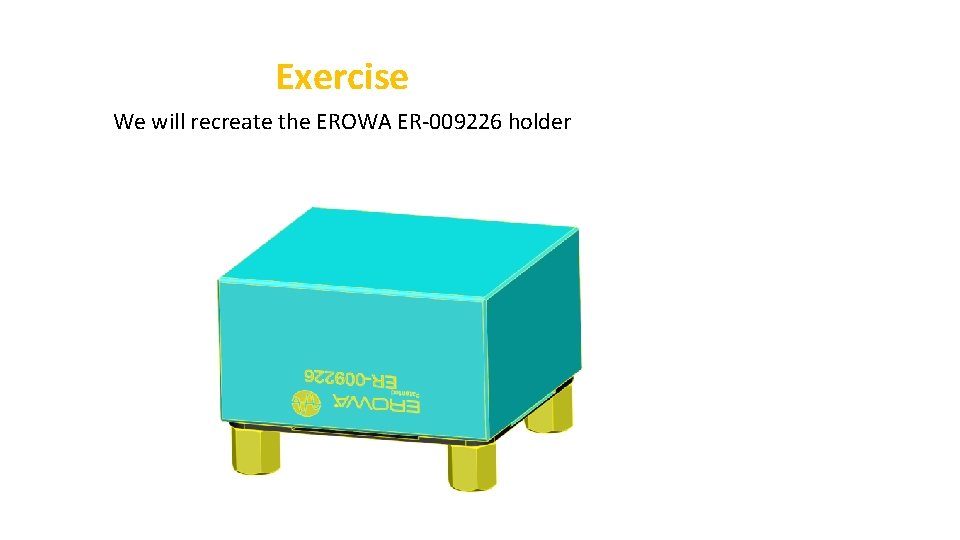
Exercise We will recreate the EROWA ER009226 holder
- Slides: 9
Exercise We will recreate the EROWA ER-009226 holder
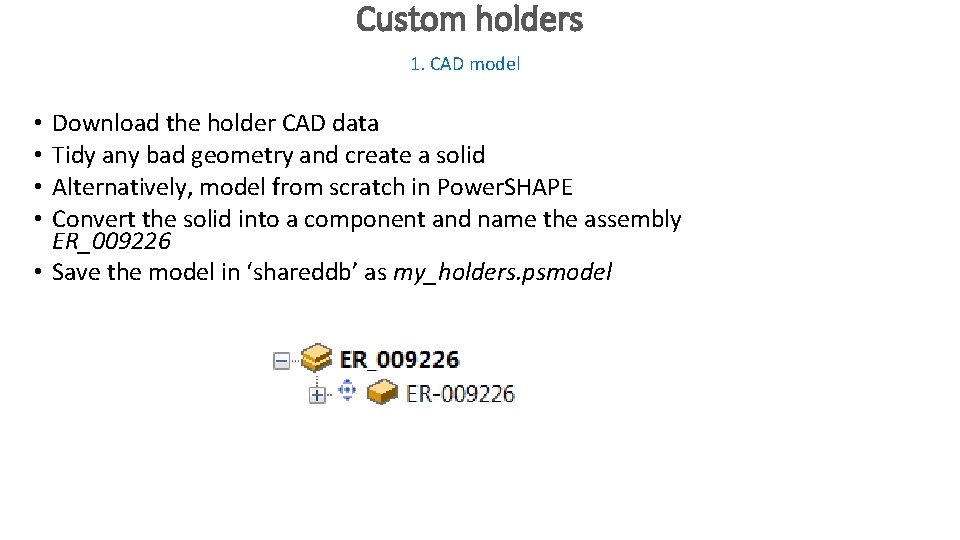
Custom holders 1. CAD model Download the holder CAD data Tidy any bad geometry and create a solid Alternatively, model from scratch in Power. SHAPE Convert the solid into a component and name the assembly ER_009226 • Save the model in ‘shareddb’ as my_holders. psmodel • •
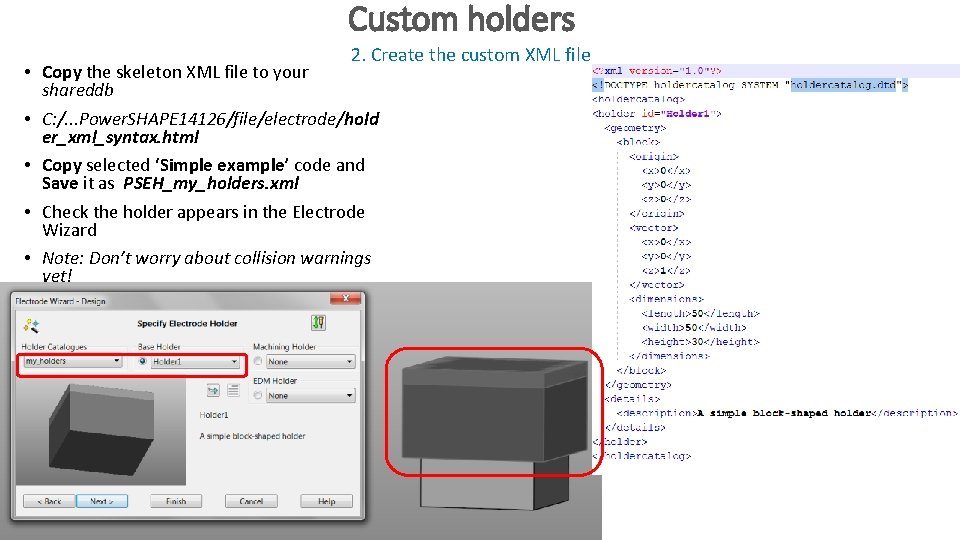
Custom holders 2. Create the custom XML file • Copy the skeleton XML file to your shareddb • C: /. . . Power. SHAPE 14126/file/electrode/hold er_xml_syntax. html • Copy selected ‘Simple example’ code and Save it as PSEH_my_holders. xml • Check the holder appears in the Electrode Wizard • Note: Don’t worry about collision warnings yet!
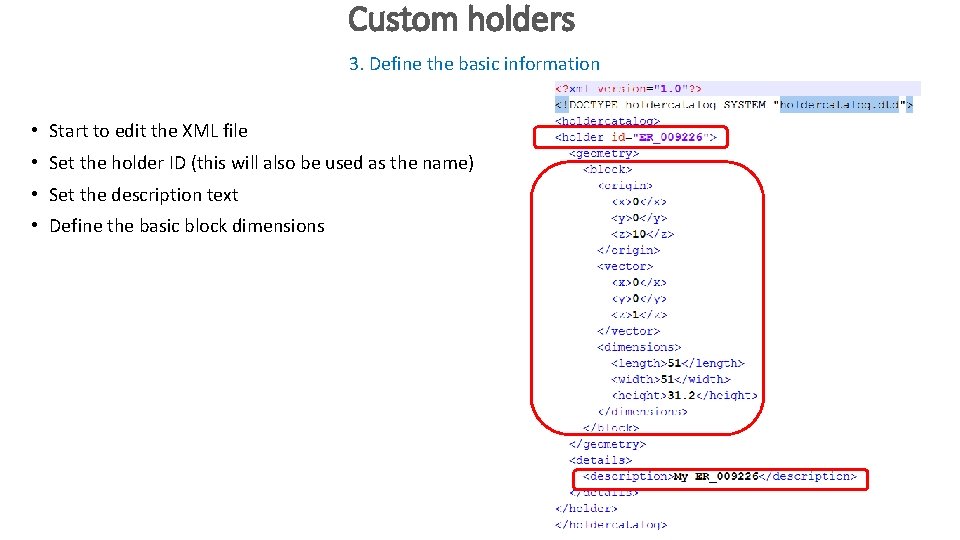
Custom holders 3. Define the basic information • Start to edit the XML file • Set the holder ID (this will also be used as the name) • Set the description text • Define the basic block dimensions
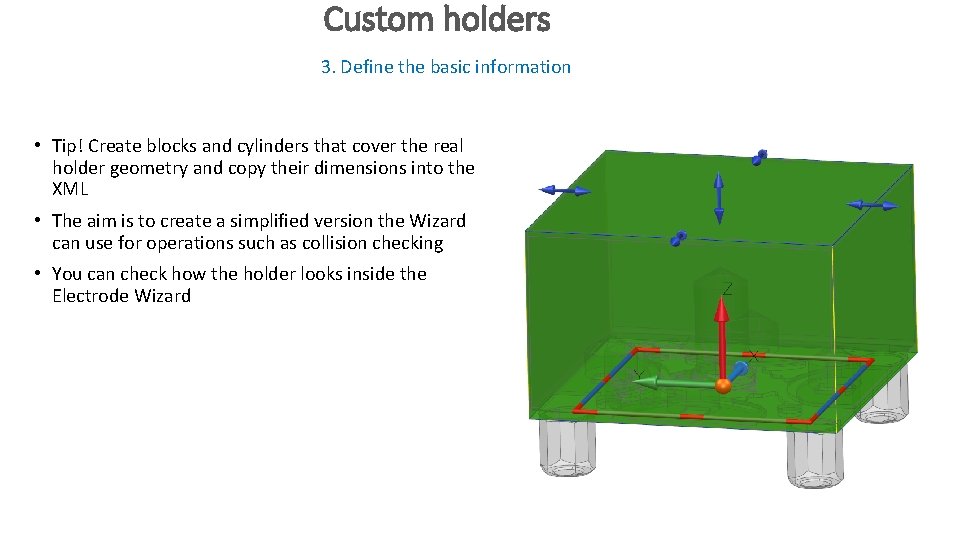
Custom holders 3. Define the basic information • Tip! Create blocks and cylinders that cover the real holder geometry and copy their dimensions into the XML • The aim is to create a simplified version the Wizard can use for operations such as collision checking • You can check how the holder looks inside the Electrode Wizard
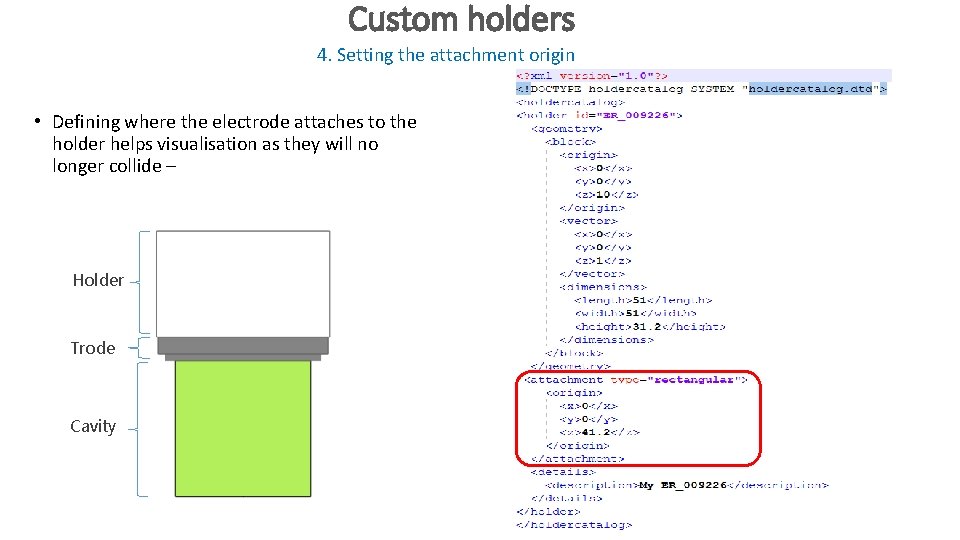
Custom holders 4. Setting the attachment origin • Defining where the electrode attaches to the holder helps visualisation as they will no longer collide – Holder Trode Cavity
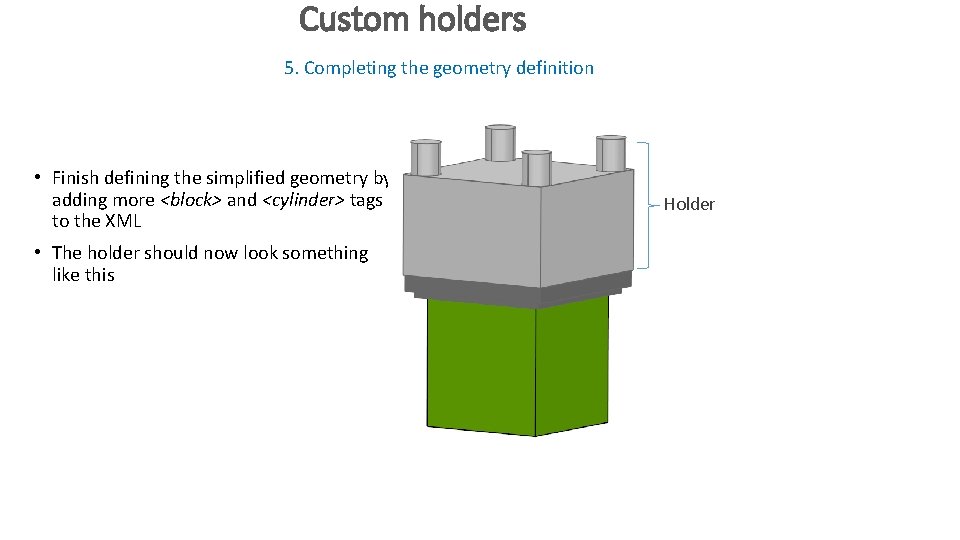
Custom holders 5. Completing the geometry definition • Finish defining the simplified geometry by adding more <block> and <cylinder> tags to the XML • The holder should now look something like this Holder
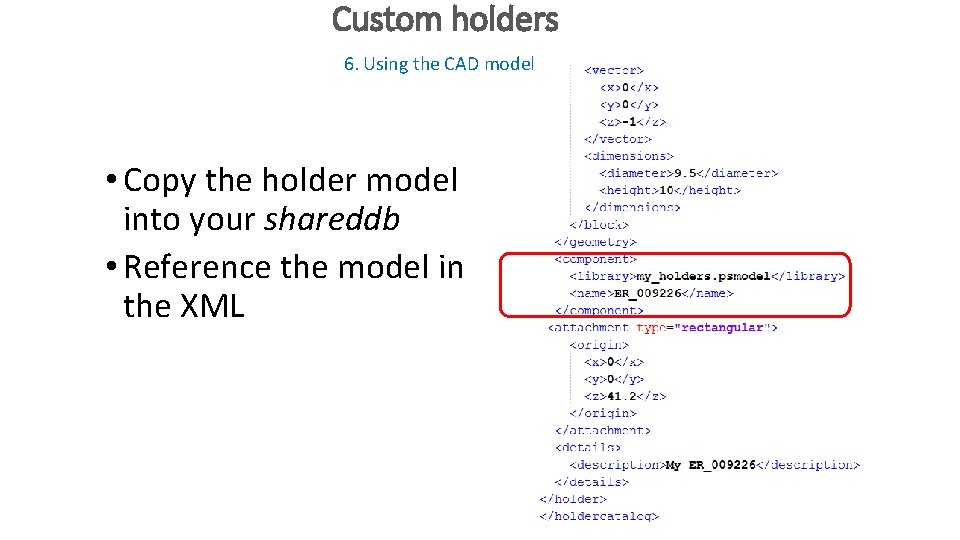
Custom holders 6. Using the CAD model • Copy the holder model into your shareddb • Reference the model in the XML
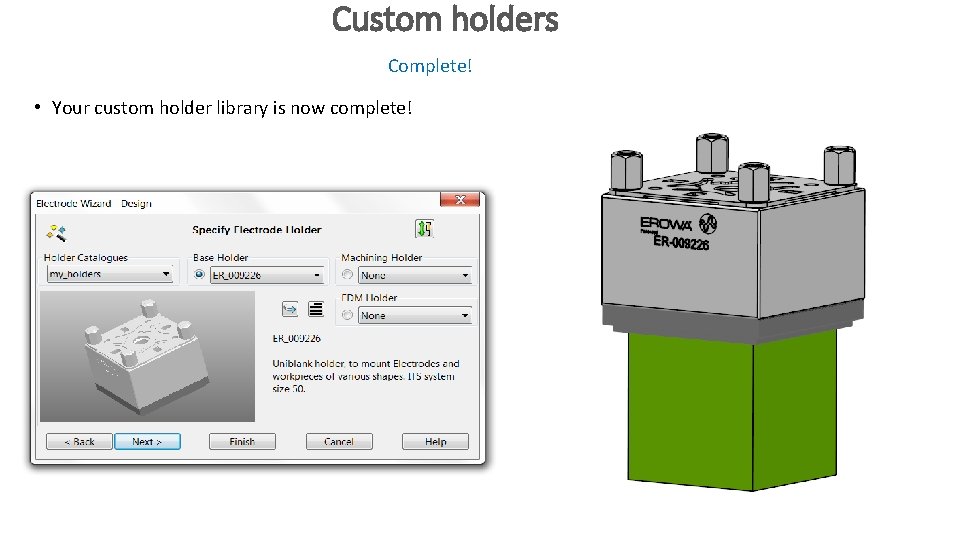
Custom holders Complete! • Your custom holder library is now complete!