
Exceptions Templates and the Standard Template Library STL
Exceptions, Templates, and the Standard Template Library (STL) Exceptions, Templates and STL
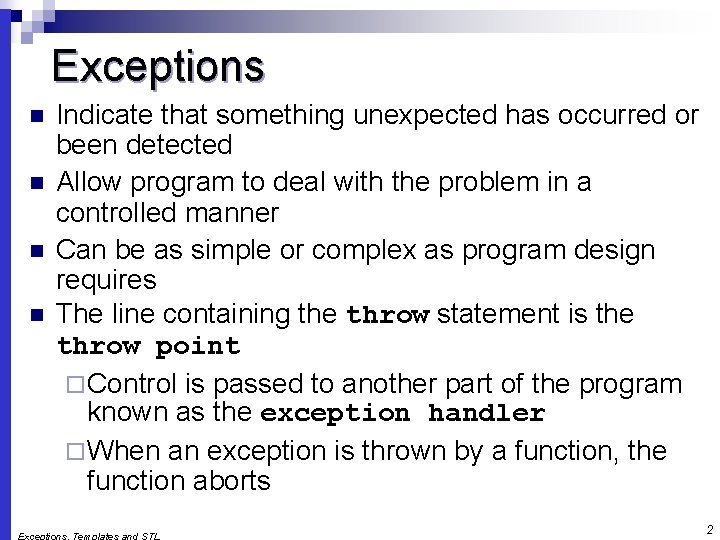
Exceptions n n Indicate that something unexpected has occurred or been detected Allow program to deal with the problem in a controlled manner Can be as simple or complex as program design requires The line containing the throw statement is the throw point ¨ Control is passed to another part of the program known as the exception handler ¨ When an exception is thrown by a function, the function aborts 2
![Coding for Exceptions int main() { int numerator[3]={10, 0, 10}; int denominator[3]= {2, 10,](http://slidetodoc.com/presentation_image/2634f1628a9546fc9443fc50e7a39145/image-3.jpg "Coding for Exceptions int main() { int numerator[3]={10, 0, 10}; int denominator[3]= {2, 10,")
Coding for Exceptions int main() { int numerator[3]={10, 0, 10}; int denominator[3]= {2, 10, 0}; double answer; for (int i=0; i<3; i++) { answer = divide(numerator[i], denominator[i]); cout<<numerator[i]<<" divided by "<<denominator[i]<<" = "<<answer<<endl; } cout<<endl; for (int i=0; i<3; i++) { answer = divide_throw(numerator[i], denominator[i]); cout<<numerator[i]<<" divided by "<<denominator[i]<<" = "<<answer<<endl; } return 0; } 3
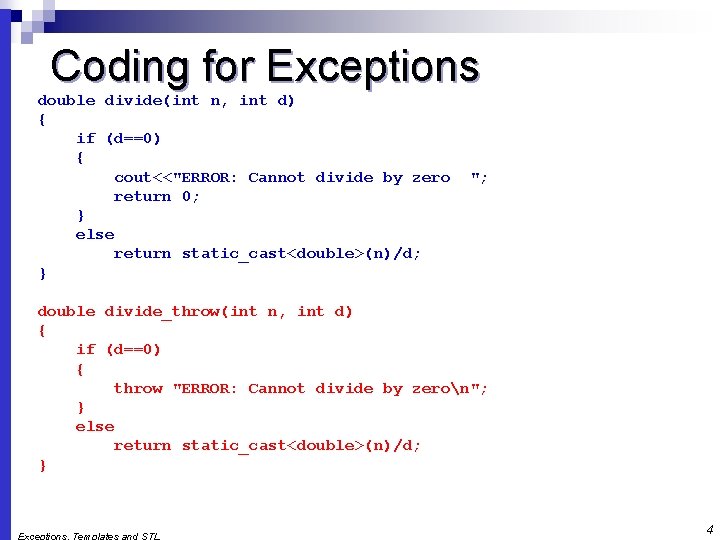
Coding for Exceptions double divide(int n, int d) { if (d==0) { cout<<"ERROR: Cannot divide by zero return 0; } else return static_cast<double>(n)/d; } "; double divide_throw(int n, int d) { if (d==0) { throw "ERROR: Cannot divide by zeron"; } else return static_cast<double>(n)/d; } 4
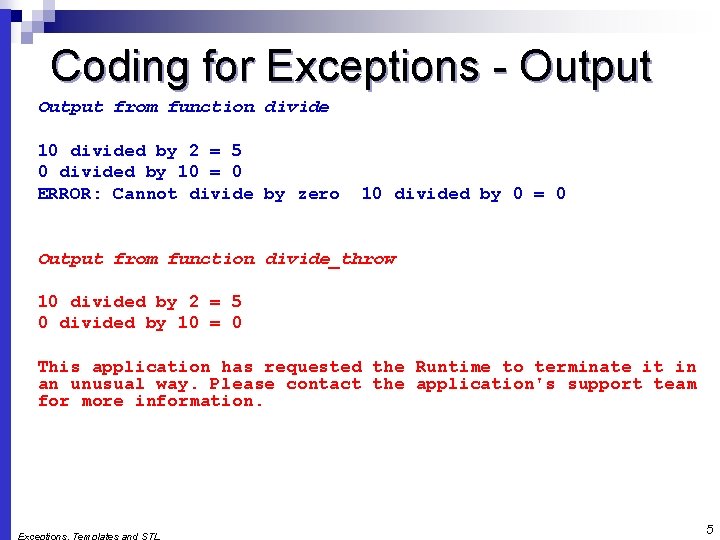
Coding for Exceptions - Output from function divide 10 divided by 2 = 5 0 divided by 10 = 0 ERROR: Cannot divide by zero 10 divided by 0 = 0 Output from function divide_throw 10 divided by 2 = 5 0 divided by 10 = 0 This application has requested the Runtime to terminate it in an unusual way. Please contact the application's support team for more information. 5
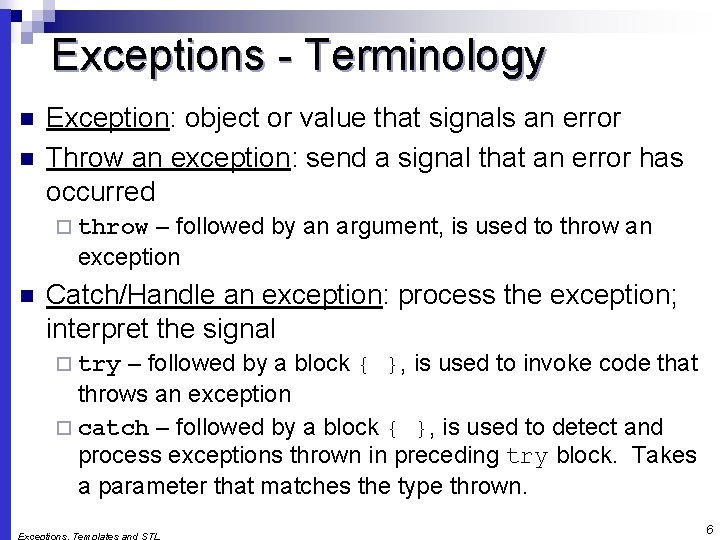
Exceptions - Terminology n n Exception: object or value that signals an error Throw an exception: send a signal that an error has occurred – followed by an argument, is used to throw an exception ¨ throw n Catch/Handle an exception: process the exception; interpret the signal – followed by a block { }, is used to invoke code that throws an exception ¨ catch – followed by a block { }, is used to detect and process exceptions thrown in preceding try block. Takes a parameter that matches the type thrown. ¨ try 6
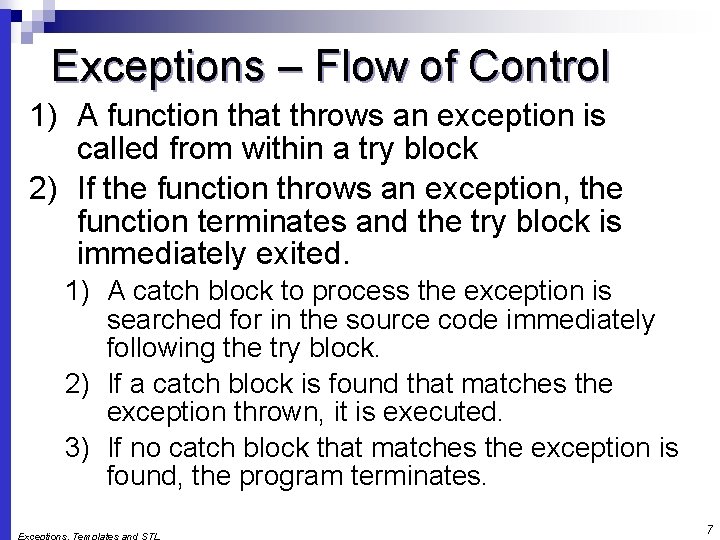
Exceptions – Flow of Control 1) A function that throws an exception is called from within a try block 2) If the function throws an exception, the function terminates and the try block is immediately exited. 1) A catch block to process the exception is searched for in the source code immediately following the try block. 2) If a catch block is found that matches the exception thrown, it is executed. 3) If no catch block that matches the exception is found, the program terminates. 7
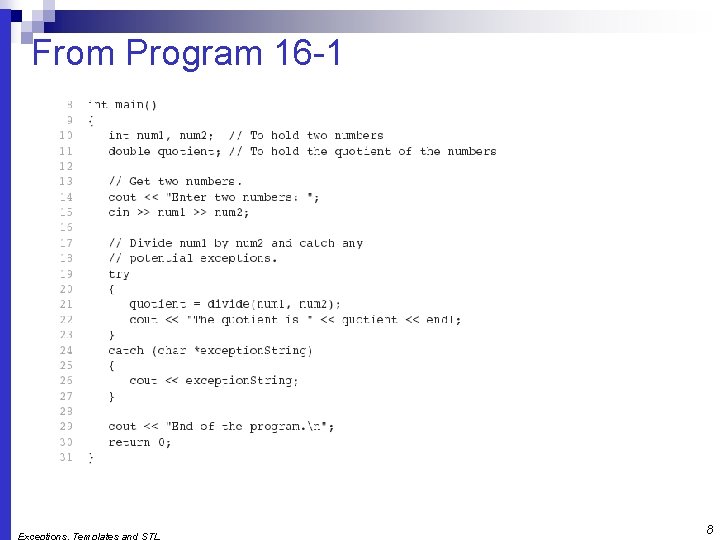
From Program 16 -1 8
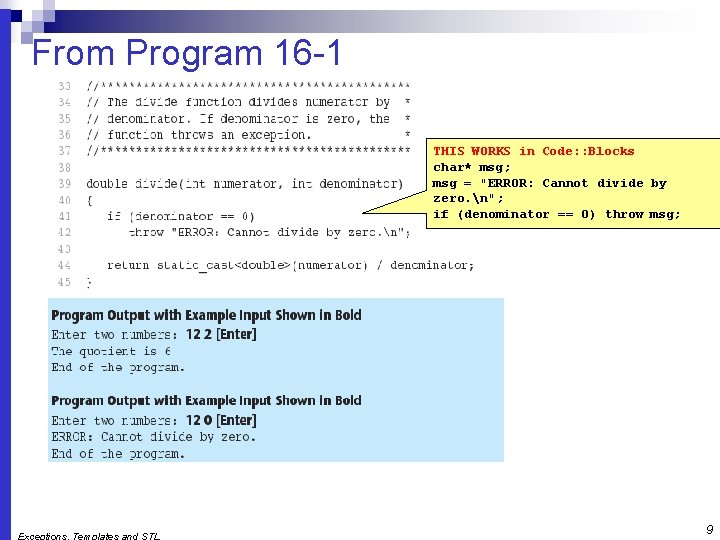
From Program 16 -1 THIS WORKS in Code: : Blocks char* msg; msg = "ERROR: Cannot divide by zero. n"; if (denominator == 0) throw msg; 9
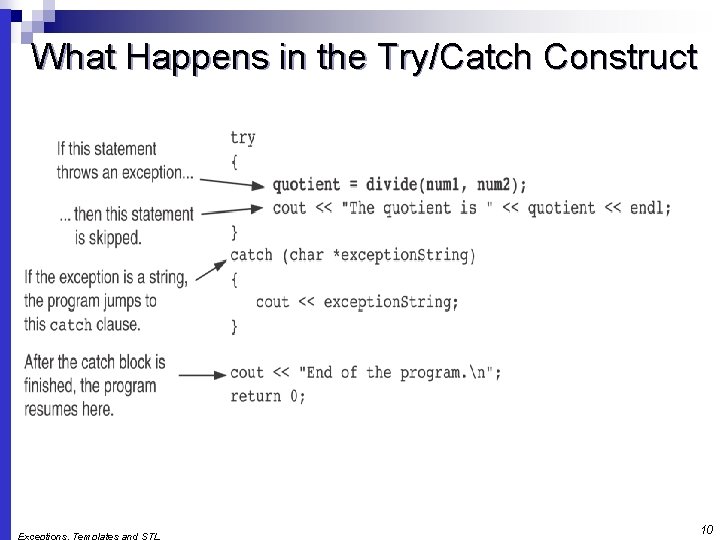
What Happens in the Try/Catch Construct 10
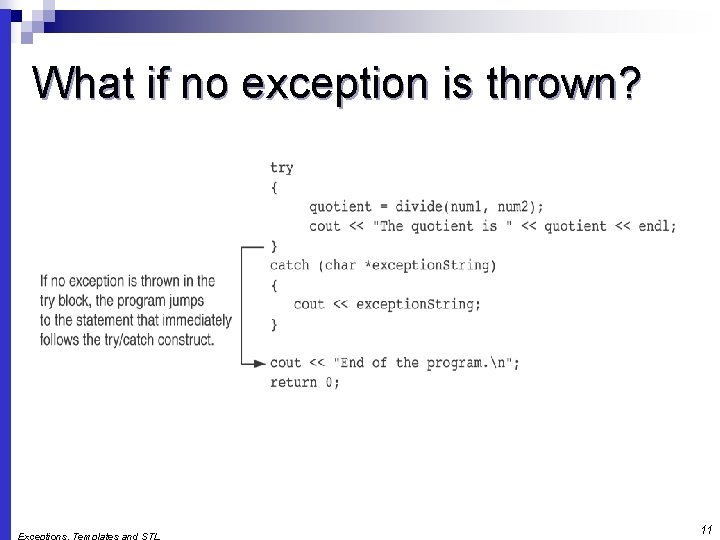
What if no exception is thrown? 11
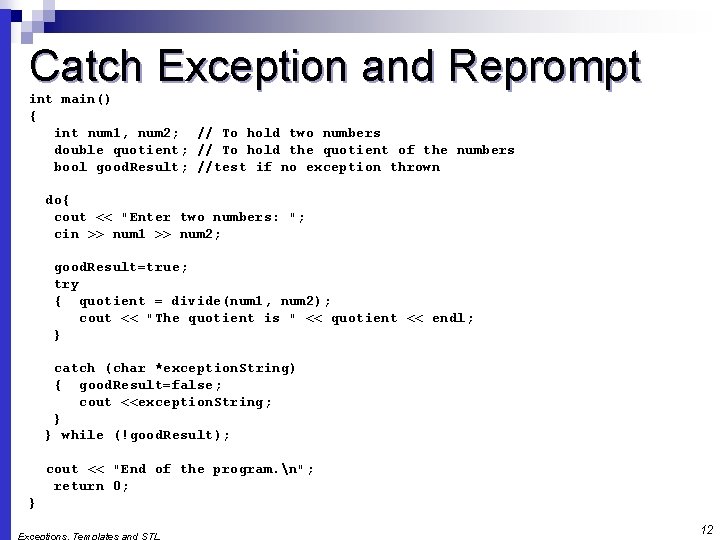
Catch Exception and Reprompt int main() { int num 1, num 2; // To hold two numbers double quotient; // To hold the quotient of the numbers bool good. Result; //test if no exception thrown do{ cout << "Enter two numbers: "; cin >> num 1 >> num 2; good. Result=true; try { quotient = divide(num 1, num 2); cout << "The quotient is " << quotient << endl; } catch (char *exception. String) { good. Result=false; cout <<exception. String; } } while (!good. Result); cout << "End of the program. n"; return 0; } 12
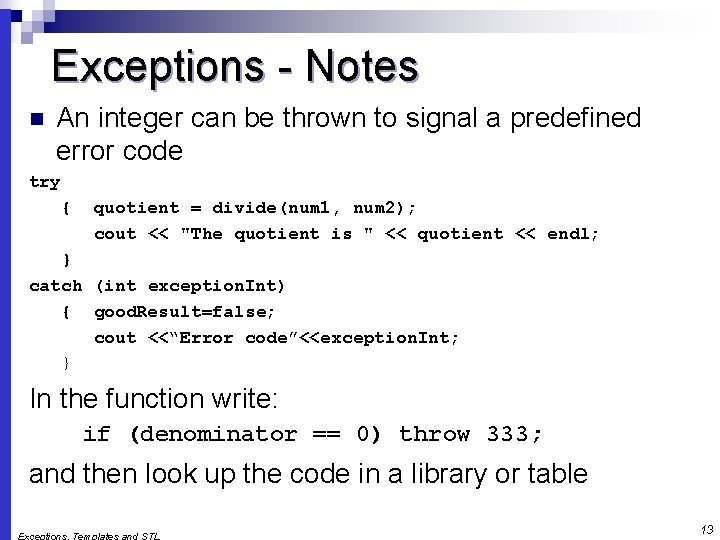
Exceptions - Notes n An integer can be thrown to signal a predefined error code try { quotient = divide(num 1, num 2); cout << "The quotient is " << quotient << endl; } catch (int exception. Int) { good. Result=false; cout <<“Error code”<<exception. Int; } In the function write: if (denominator == 0) throw 333; and then look up the code in a library or table 13
Exceptions - Notes Predefined functions such as new may throw exceptions n The value that is thrown does not need to be used in catch block. n ¨ in this case, no name is needed in catch parameter definition ¨ catch block parameter definition does need the type of exception being caught 14
Exception Not Caught? n An exception will not be caught if ¨ it is thrown from outside of a try block or, ¨ there is no catch block that matches the data type of the thrown exception n If an exception is not caught, the program will terminate 15
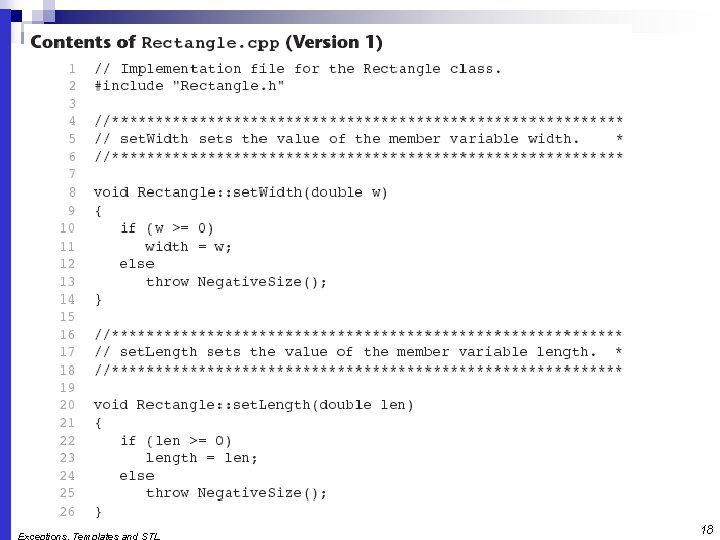
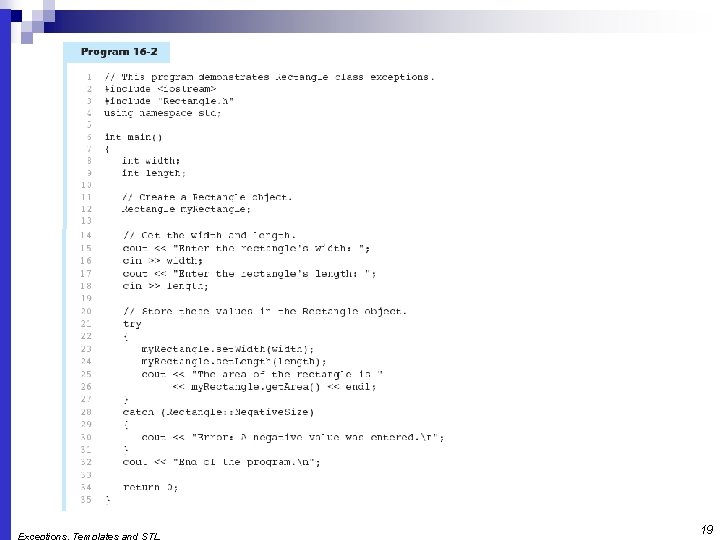
Exceptions and Objects An exception class can be defined in a class and thrown as an exception by a member function n An exception class may have: n ¨ no members: used only to signal an error ¨ members: pass error data to catch block n A class can have more than one exception class 16
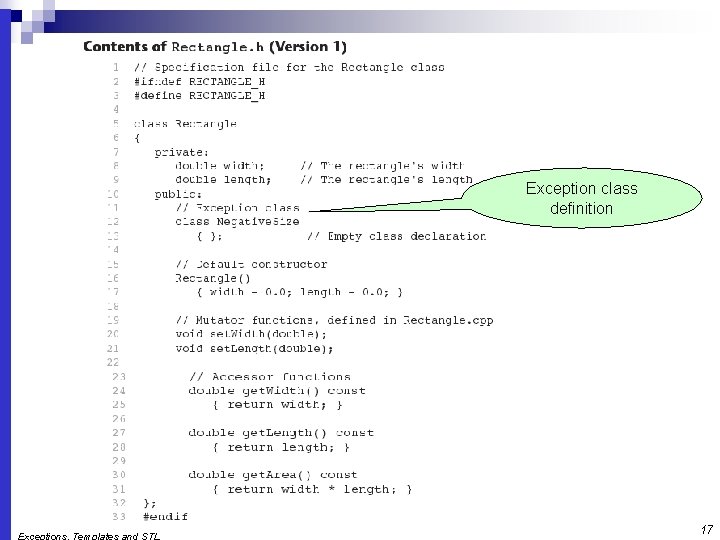
Exception class definition 17
18
19
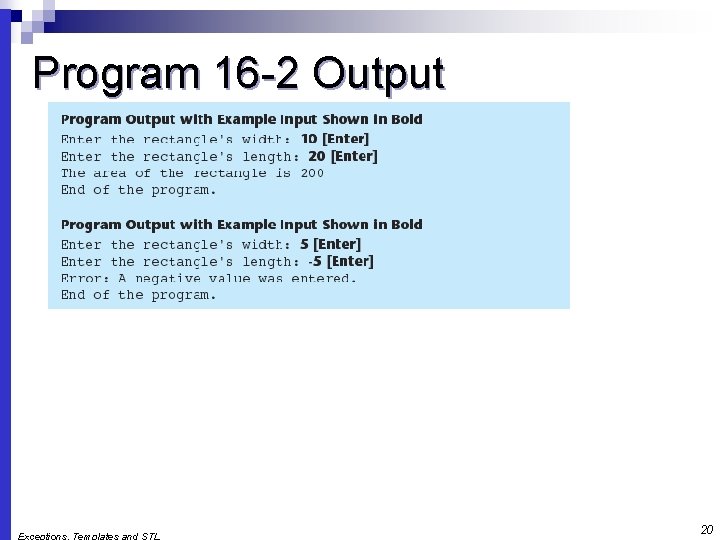
Program 16 -2 Output 20
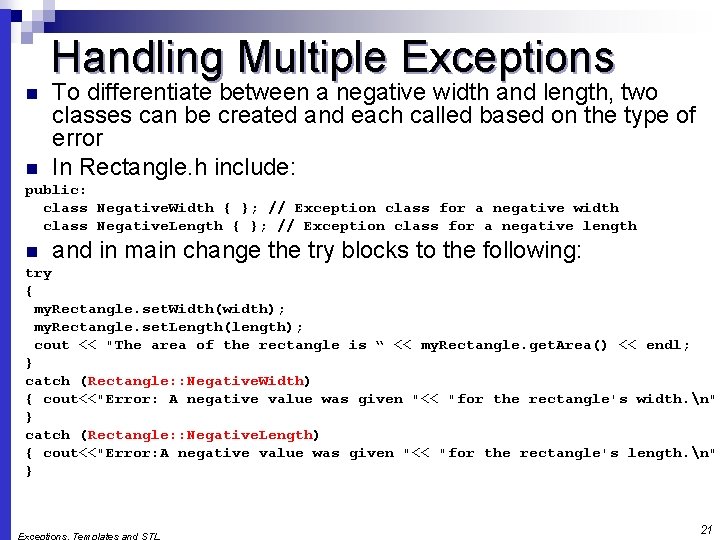
Handling Multiple Exceptions n n To differentiate between a negative width and length, two classes can be created and each called based on the type of error In Rectangle. h include: public: class Negative. Width { }; // Exception class for a negative width class Negative. Length { }; // Exception class for a negative length n and in main change the try blocks to the following: try { my. Rectangle. set. Width(width); my. Rectangle. set. Length(length); cout << "The area of the rectangle is “ << my. Rectangle. get. Area() << endl; } catch (Rectangle: : Negative. Width) { cout<<"Error: A negative value was given "<< "for the rectangle's width. n"; } catch (Rectangle: : Negative. Length) { cout<<"Error: A negative value was given "<< "for the rectangle's length. n"; } 21
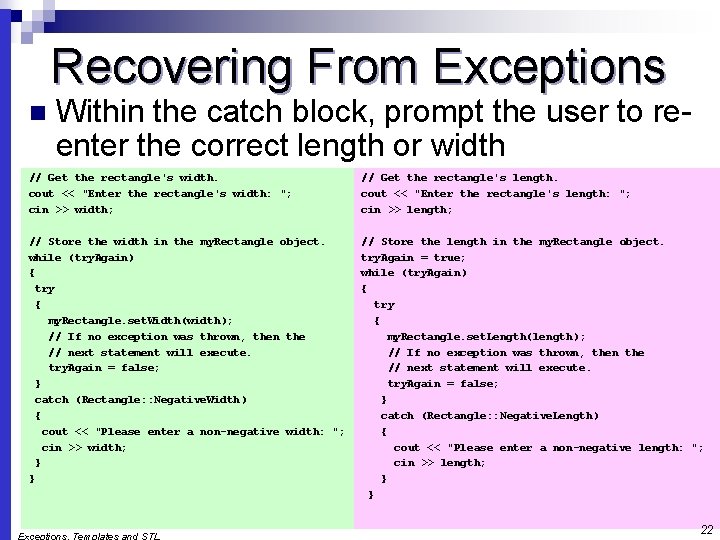
Recovering From Exceptions n Within the catch block, prompt the user to reenter the correct length or width // Get the rectangle's width. cout << "Enter the rectangle's width: "; cin >> width; // Get the rectangle's length. cout << "Enter the rectangle's length: "; cin >> length; // Store the width in the my. Rectangle object. while (try. Again) { try { my. Rectangle. set. Width(width); // If no exception was thrown, then the // next statement will execute. try. Again = false; } catch (Rectangle: : Negative. Width) { cout << "Please enter a non-negative width: "; cin >> width; } } // Store the length in the my. Rectangle object. try. Again = true; while (try. Again) { try { my. Rectangle. set. Length(length); // If no exception was thrown, then the // next statement will execute. try. Again = false; } catch (Rectangle: : Negative. Length) { cout << "Please enter a non-negative length: "; cin >> length; } } 22
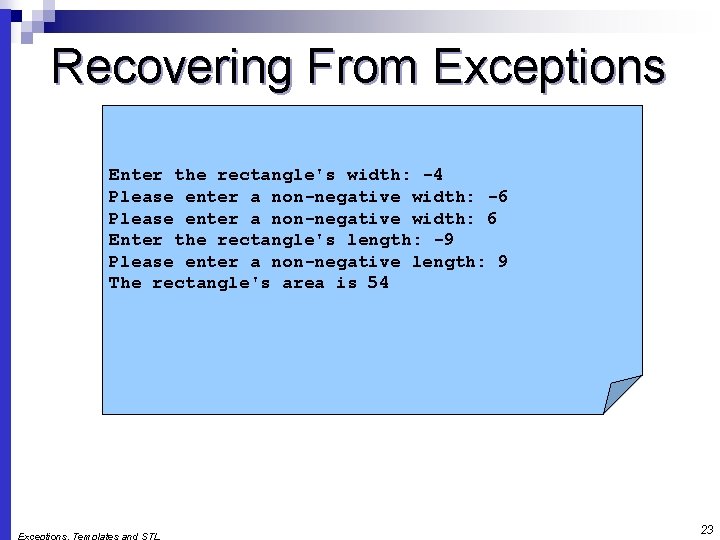
Recovering From Exceptions Enter the rectangle's width: -4 Please enter a non-negative width: -6 Please enter a non-negative width: 6 Enter the rectangle's length: -9 Please enter a non-negative length: 9 The rectangle's area is 54 23
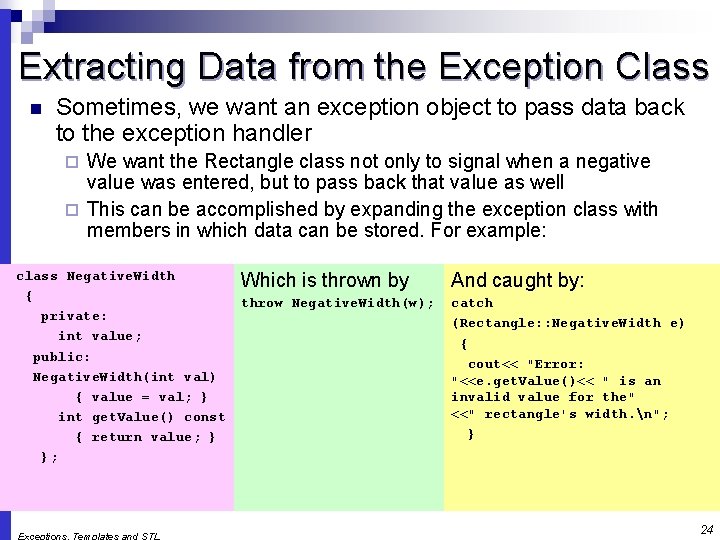
Extracting Data from the Exception Class n Sometimes, we want an exception object to pass data back to the exception handler We want the Rectangle class not only to signal when a negative value was entered, but to pass back that value as well ¨ This can be accomplished by expanding the exception class with members in which data can be stored. For example: ¨ class Negative. Width { private: int value; public: Negative. Width(int val) { value = val; } int get. Value() const { return value; } }; Which is thrown by And caught by: throw Negative. Width(w); catch (Rectangle: : Negative. Width e) { cout<< "Error: "<<e. get. Value()<< " is an invalid value for the" <<" rectangle's width. n"; } 24
What Happens After catch Block? Once an exception is thrown, the program cannot return to throw point. The function executing throw terminates (does not return), other calling functions in try block terminate, resulting in unwinding the stack n If an exception is thrown by the member function of a class object, then the class destructor is called n If objects were created in the try block and an exception is thrown, they are destroyed. n 25
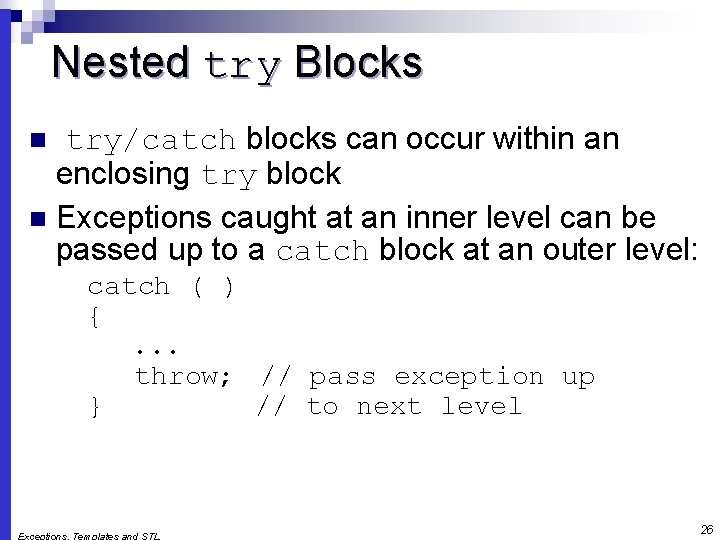
Nested try Blocks try/catch blocks can occur within an enclosing try block n Exceptions caught at an inner level can be passed up to a catch block at an outer level: n catch ( ) {. . . throw; // pass exception up } // to next level 26
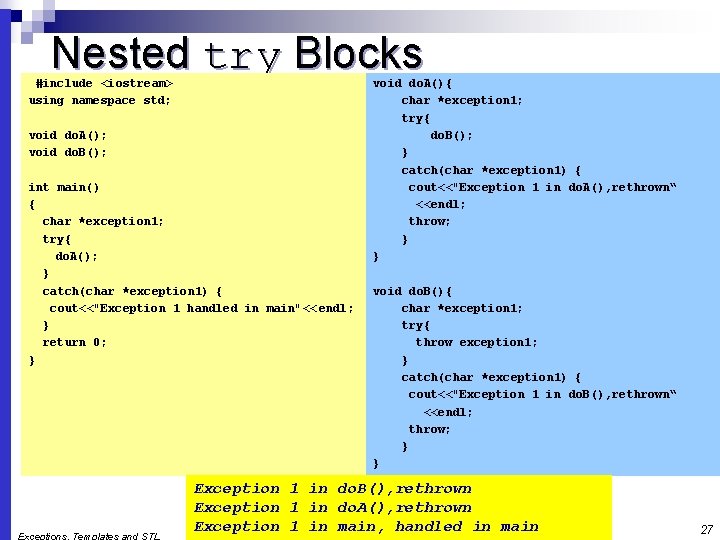
Nested try Blocks #include <iostream> using namespace std; void do. A(); void do. B(); int main() { char *exception 1; try{ do. A(); } catch(char *exception 1) { cout<<"Exception 1 handled in main"<< endl; } return 0; } void do. A(){ char *exception 1; try{ do. B(); } catch(char *exception 1) { cout<<"Exception 1 in do. A(), rethrown“ <<endl; throw; } } void do. B(){ char *exception 1; try{ throw exception 1; } catch(char *exception 1) { cout<<"Exception 1 in do. B(), rethrown“ <<endl; throw; } } Exception 1 in do. B(), rethrown Exception 1 in do. A(), rethrown Exception 1 in main, handled in main 27
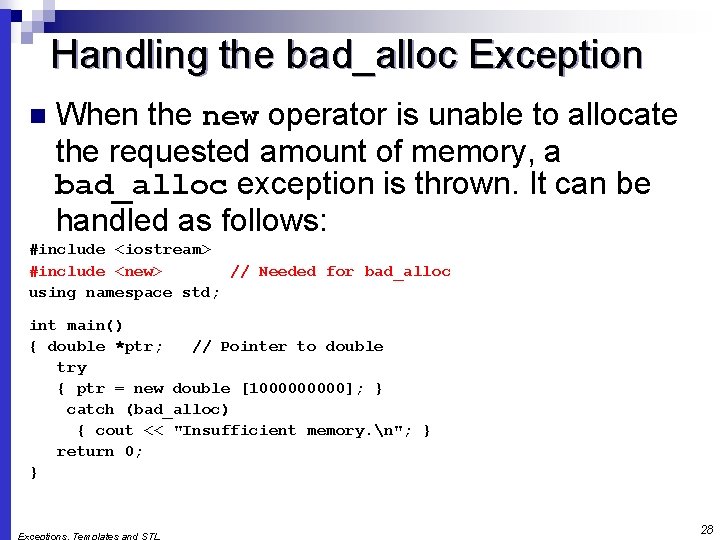
Handling the bad_alloc Exception n When the new operator is unable to allocate the requested amount of memory, a bad_alloc exception is thrown. It can be handled as follows: #include <iostream> #include <new> // Needed for bad_alloc using namespace std; int main() { double *ptr; // Pointer to double try { ptr = new double [100000]; } catch (bad_alloc) { cout << "Insufficient memory. n"; } return 0; } 28
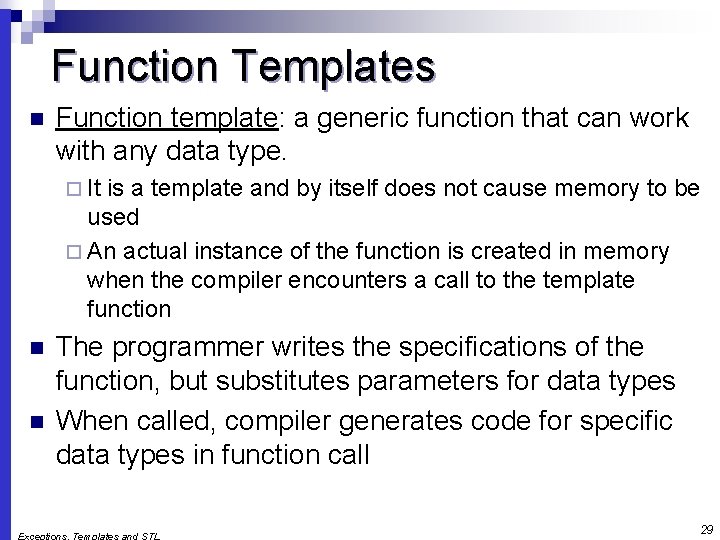
Function Templates n Function template: a generic function that can work with any data type. ¨ It is a template and by itself does not cause memory to be used ¨ An actual instance of the function is created in memory when the compiler encounters a call to the template function n n The programmer writes the specifications of the function, but substitutes parameters for data types When called, compiler generates code for specific data types in function call 29
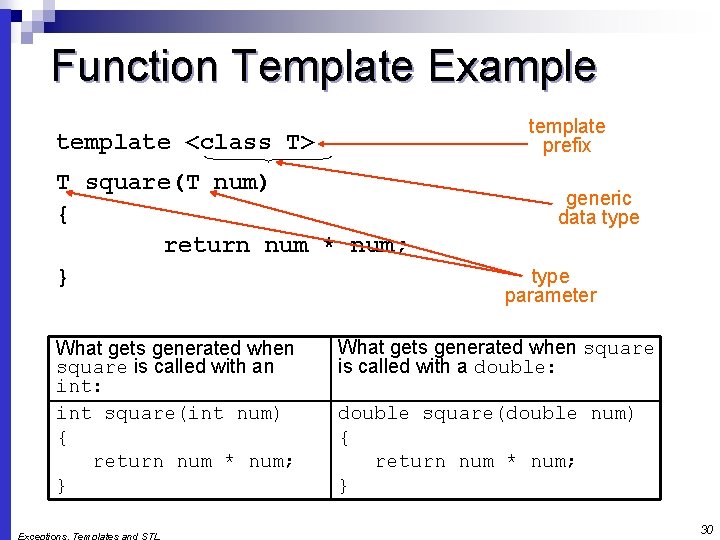
Function Template Example template prefix template <class T> T square(T num) { return num * num; } What gets generated when square is called with an int: int square(int num) { return num * num; } generic data type parameter What gets generated when square is called with a double: double square(double num) { return num * num; } 30
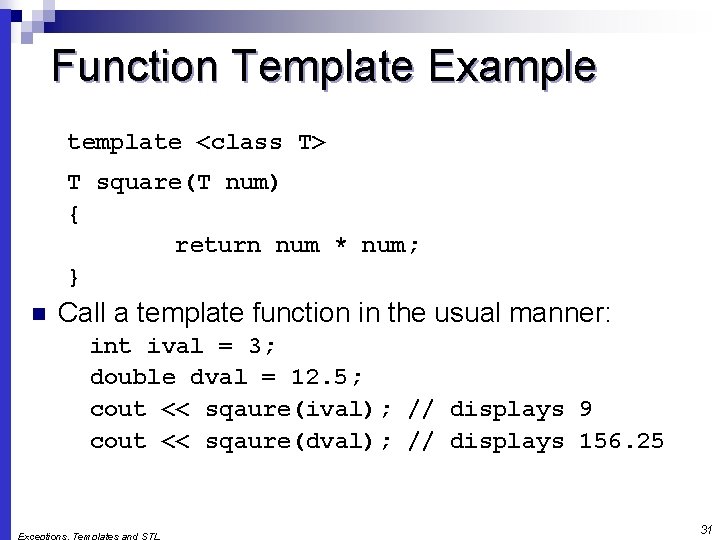
Function Template Example template <class T> T square(T num) { return num * num; } n Call a template function in the usual manner: int ival = 3; double dval = 12. 5; cout << sqaure(ival); // displays 9 cout << sqaure(dval); // displays 156. 25 31
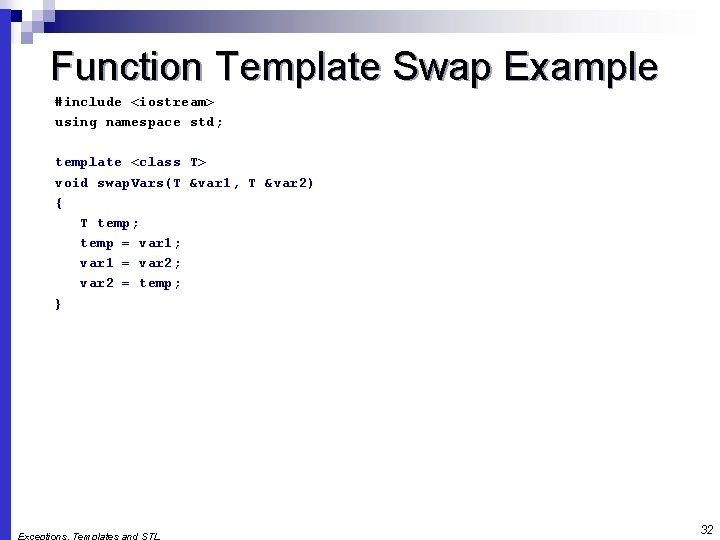
Function Template Swap Example #include <iostream> using namespace std; template <class T> void swap. Vars(T &var 1, T &var 2) { T temp; temp = var 1; var 1 = var 2; var 2 = temp; } 32
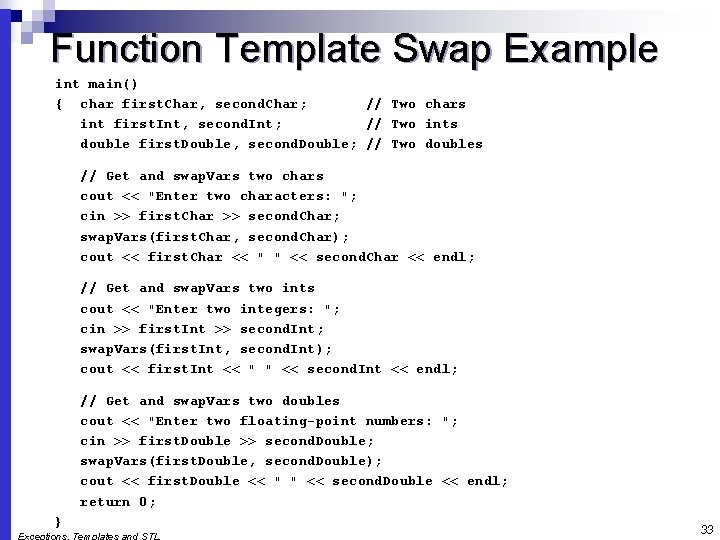
Function Template Swap Example int main() { char first. Char, second. Char; // Two chars int first. Int, second. Int; // Two ints double first. Double, second. Double; // Two doubles // Get and swap. Vars two chars cout << "Enter two characters: "; cin >> first. Char >> second. Char; swap. Vars(first. Char, second. Char); cout << first. Char << " " << second. Char << endl; // Get and swap. Vars two ints cout << "Enter two integers: "; cin >> first. Int >> second. Int; swap. Vars(first. Int, second. Int); cout << first. Int << " " << second. Int << endl; // Get and swap. Vars two doubles cout << "Enter two floating-point numbers: "; cin >> first. Double >> second. Double; swap. Vars(first. Double, second. Double); cout << first. Double << " " << second. Double << endl; return 0; } 33
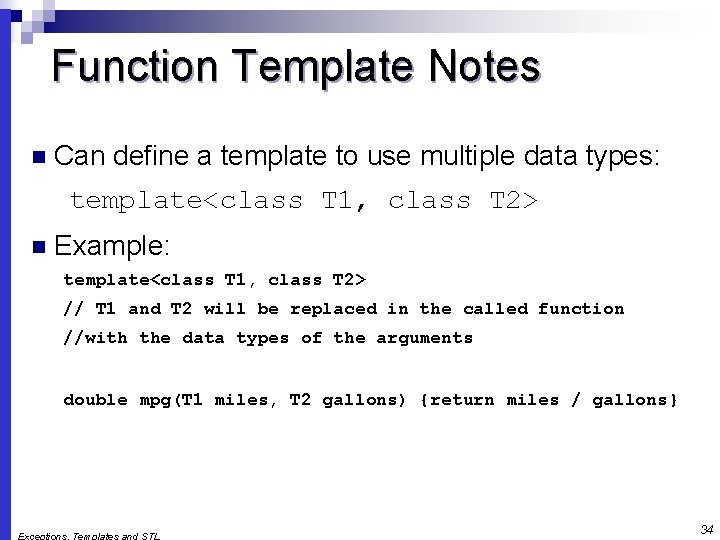
Function Template Notes n Can define a template to use multiple data types: template<class T 1, class T 2> n Example: template<class T 1, class T 2> // T 1 and T 2 will be replaced in the called function //with the data types of the arguments double mpg(T 1 miles, T 2 gallons) {return miles / gallons} 34
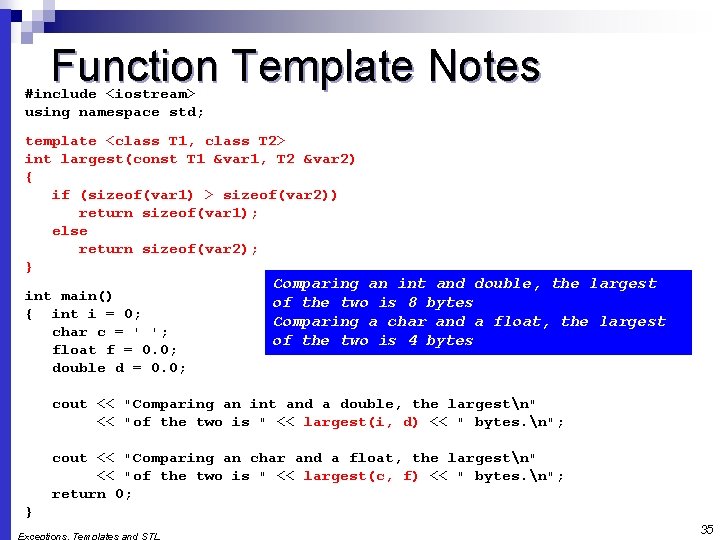
Function Template Notes #include <iostream> using namespace std; template <class T 1, class T 2> int largest(const T 1 &var 1, T 2 &var 2) { if (sizeof(var 1) > sizeof(var 2)) return sizeof(var 1); else return sizeof(var 2); } int main() { int i = 0; char c = ' '; float f = 0. 0; double d = 0. 0; Comparing an int and double, the largest of the two is 8 bytes Comparing a char and a float, the largest of the two is 4 bytes cout << "Comparing an int and a double, the largestn" << "of the two is " << largest(i, d) << " bytes. n"; cout << "Comparing an char and a float, the largestn" << "of the two is " << largest(c, f) << " bytes. n"; return 0; } 35
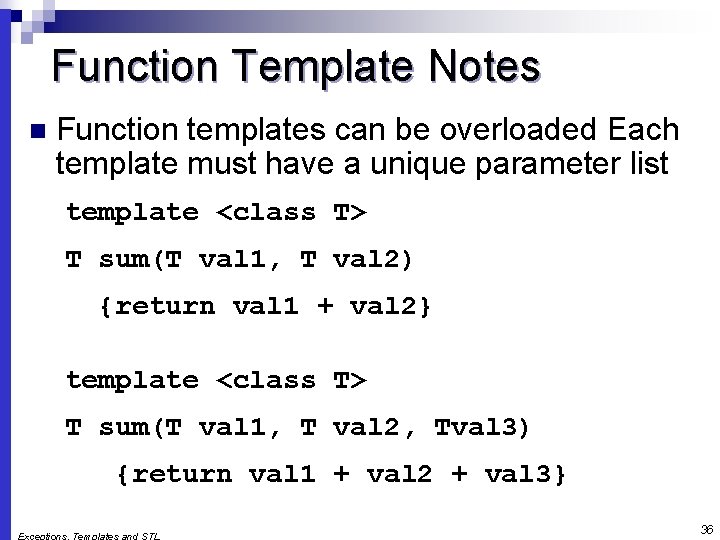
Function Template Notes n Function templates can be overloaded Each template must have a unique parameter list template <class T> T sum(T val 1, T val 2) {return val 1 + val 2} template <class T> T sum(T val 1, T val 2, Tval 3) {return val 1 + val 2 + val 3} 36
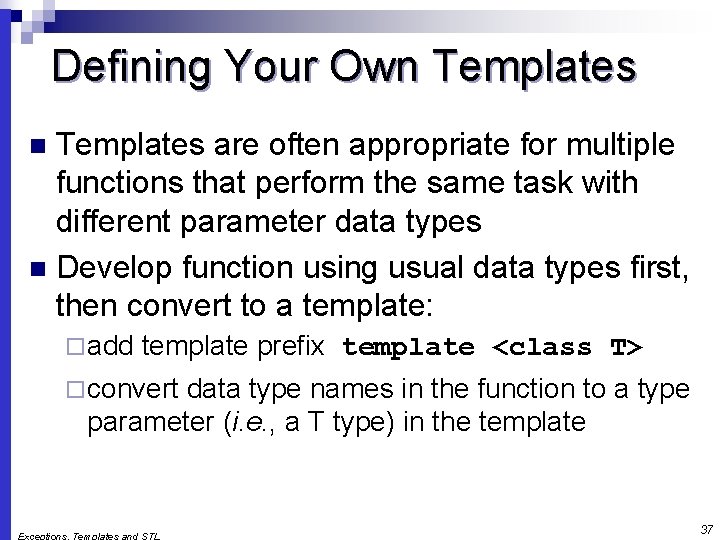
Defining Your Own Templates are often appropriate for multiple functions that perform the same task with different parameter data types n Develop function using usual data types first, then convert to a template: n ¨ add template prefix template <class T> ¨ convert data type names in the function to a type parameter (i. e. , a T type) in the template 37
Class Templates Classes can also be represented by templates. When a class object is created, type information is supplied to define the type of data members of the class. n Unlike functions, classes are instantiated by supplying the type name (int, double, string, etc. ) at object definition n 38
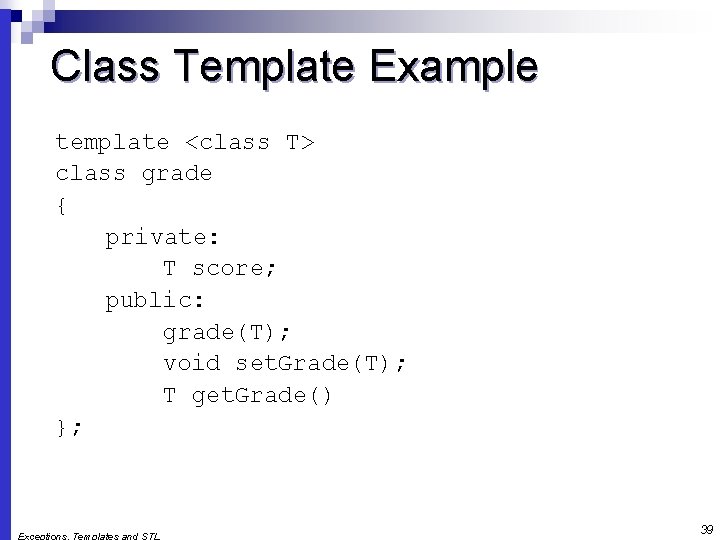
Class Template Example template <class T> class grade { private: T score; public: grade(T); void set. Grade(T); T get. Grade() }; 39
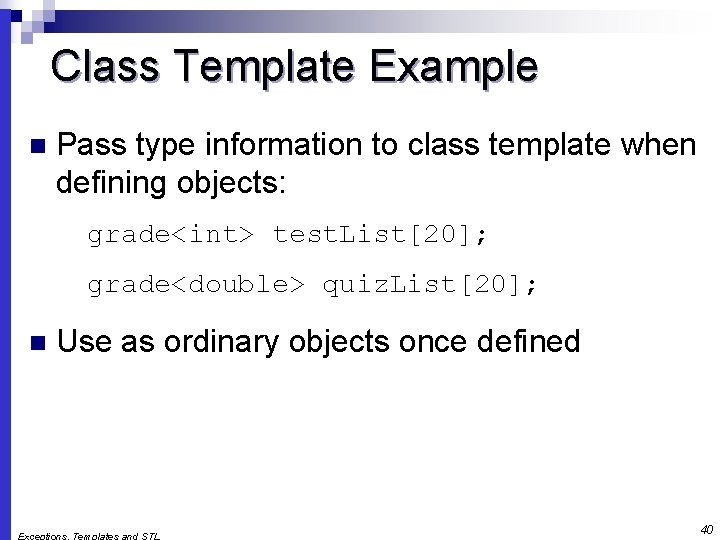
Class Template Example n Pass type information to class template when defining objects: grade<int> test. List[20]; grade<double> quiz. List[20]; n Use as ordinary objects once defined 40
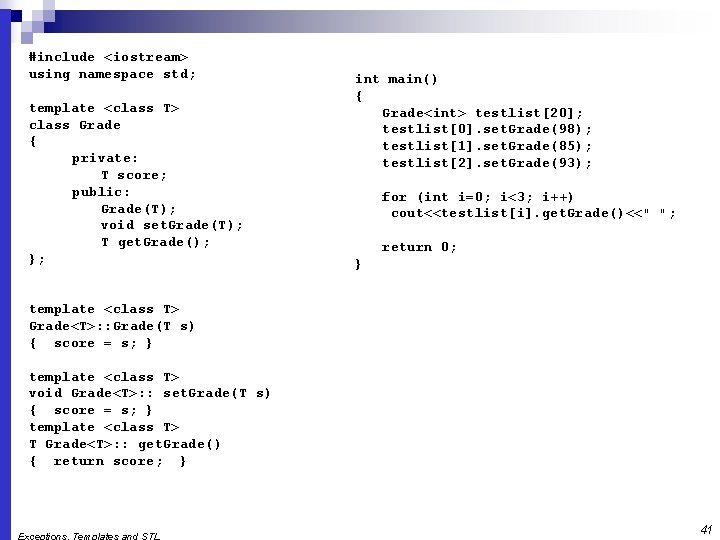
#include <iostream> using namespace std; template <class T> class Grade { private: T score; public: Grade(T); void set. Grade(T); T get. Grade(); }; int main() { Grade<int> testlist[20]; testlist[0]. set. Grade(98); testlist[1]. set. Grade(85); testlist[2]. set. Grade(93); for (int i=0; i<3; i++) cout<<testlist[i]. get. Grade()<<" "; return 0; } template <class T> Grade<T>: : Grade(T s) { score = s; } template <class T> void Grade<T>: : set. Grade(T s) { score = s; } template <class T> T Grade<T>: : get. Grade() { return score; } 41
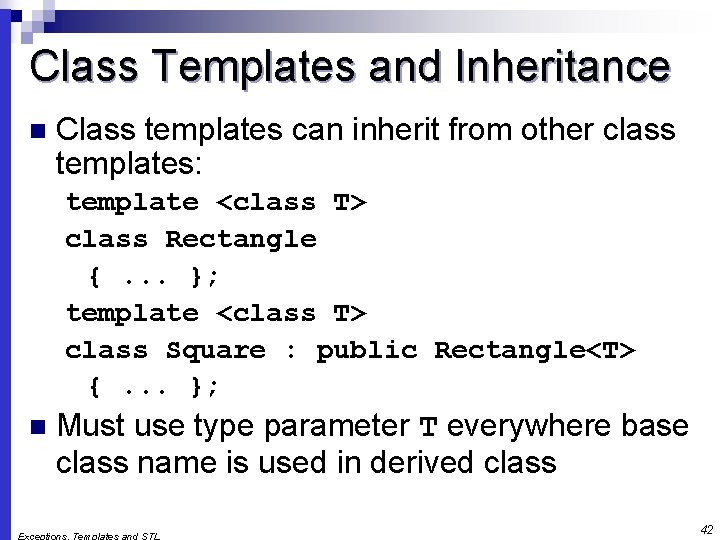
Class Templates and Inheritance n Class templates can inherit from other class templates: template <class T> class Rectangle {. . . }; template <class T> class Square : public Rectangle<T> {. . . }; n Must use type parameter T everywhere base class name is used in derived class 42
Introduction to the Standard Template Library n Standard Template Library (STL): a library containing templates for frequently used data structures and algorithms n Not supported by many older compilers 43
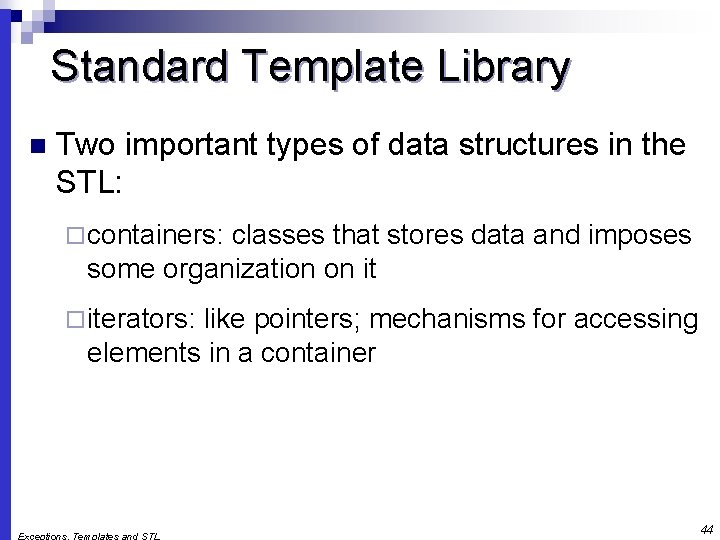
Standard Template Library n Two important types of data structures in the STL: ¨ containers: classes that stores data and imposes some organization on it ¨ iterators: like pointers; mechanisms for accessing elements in a container 44
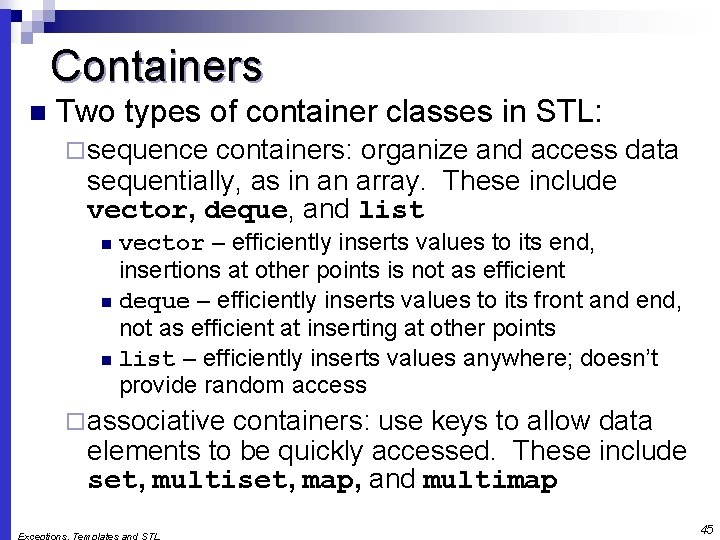
Containers n Two types of container classes in STL: ¨ sequence containers: organize and access data sequentially, as in an array. These include vector, deque, and list vector – efficiently inserts values to its end, insertions at other points is not as efficient n deque – efficiently inserts values to its front and end, not as efficient at inserting at other points n list – efficiently inserts values anywhere; doesn’t provide random access n ¨ associative containers: use keys to allow data elements to be quickly accessed. These include set, multiset, map, and multimap 45
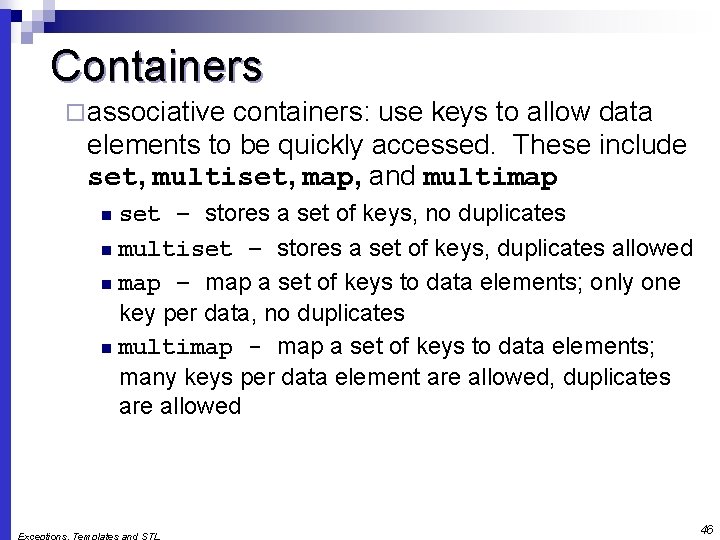
Containers ¨ associative containers: use keys to allow data elements to be quickly accessed. These include set, multiset, map, and multimap set – stores a set of keys, no duplicates n multiset – stores a set of keys, duplicates allowed n map – map a set of keys to data elements; only one key per data, no duplicates n multimap - map a set of keys to data elements; many keys per data element are allowed, duplicates are allowed n 46
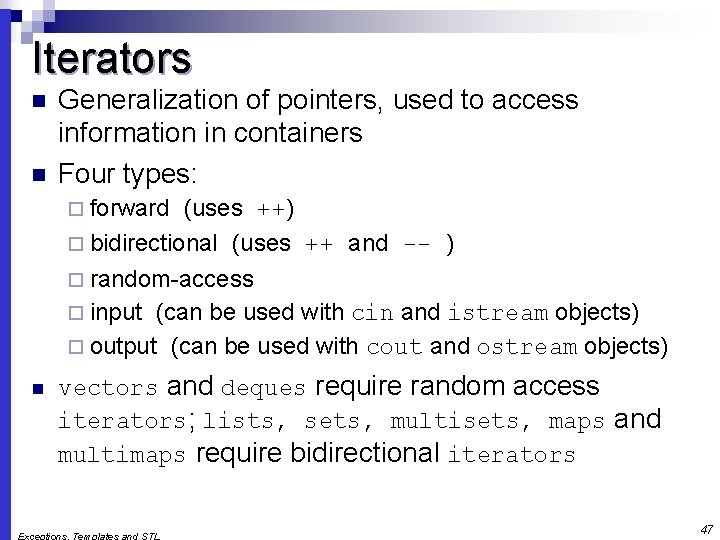
Iterators n n Generalization of pointers, used to access information in containers Four types: ¨ forward (uses ++) ¨ bidirectional (uses ++ and -- ) ¨ random-access ¨ input (can be used with cin and istream objects) ¨ output (can be used with cout and ostream objects) n vectors and deques require random access iterators; lists, sets, multisets, maps and multimaps require bidirectional iterators 47
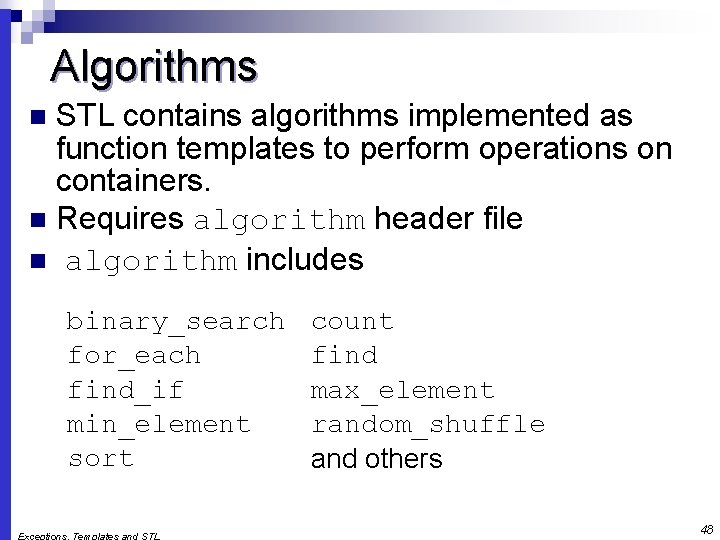
Algorithms STL contains algorithms implemented as function templates to perform operations on containers. n Requires algorithm header file n algorithm includes n binary_search for_each find_if min_element sort count find max_element random_shuffle and others 48
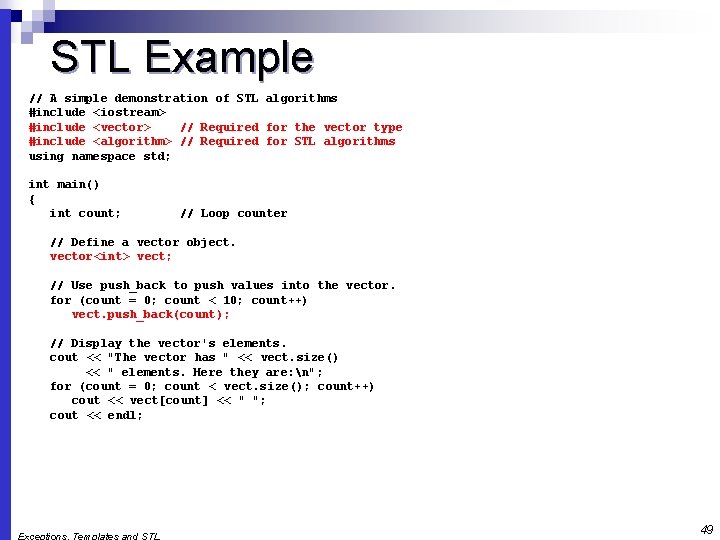
STL Example // A simple demonstration of STL algorithms #include <iostream> #include <vector> // Required for the vector type #include <algorithm> // Required for STL algorithms using namespace std; int main() { int count; // Loop counter // Define a vector object. vector<int> vect; // Use push_back to push values into the vector. for (count = 0; count < 10; count++) vect. push_back(count); // Display the vector's elements. cout << "The vector has " << vect. size() << " elements. Here they are: n"; for (count = 0; count < vect. size(); count++) cout << vect[count] << " "; cout << endl; 49
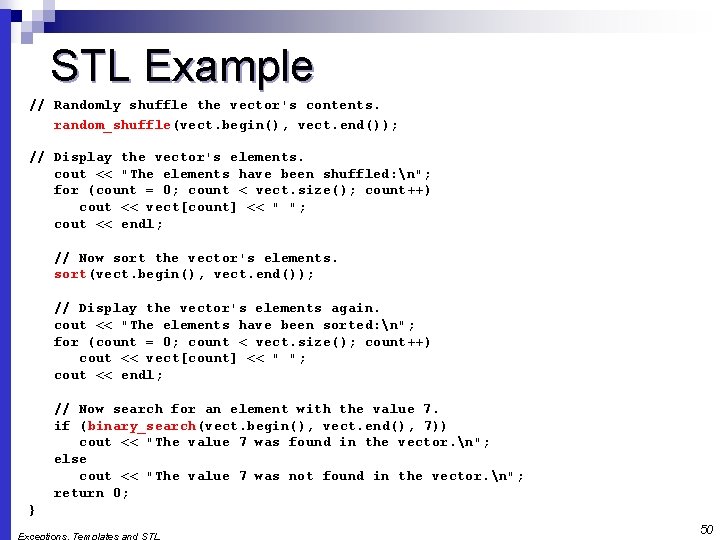
STL Example // Randomly shuffle the vector's contents. random_shuffle(vect. begin(), vect. end()); // Display the vector's elements. cout << "The elements have been shuffled: n"; for (count = 0; count < vect. size(); count++) cout << vect[count] << " "; cout << endl; // Now sort the vector's elements. sort(vect. begin(), vect. end()); // Display the vector's elements again. cout << "The elements have been sorted: n"; for (count = 0; count < vect. size(); count++) cout << vect[count] << " "; cout << endl; // Now search for an element with the value 7. if (binary_search(vect. begin(), vect. end(), 7)) cout << "The value 7 was found in the vector. n"; else cout << "The value 7 was not found in the vector. n"; return 0; } 50
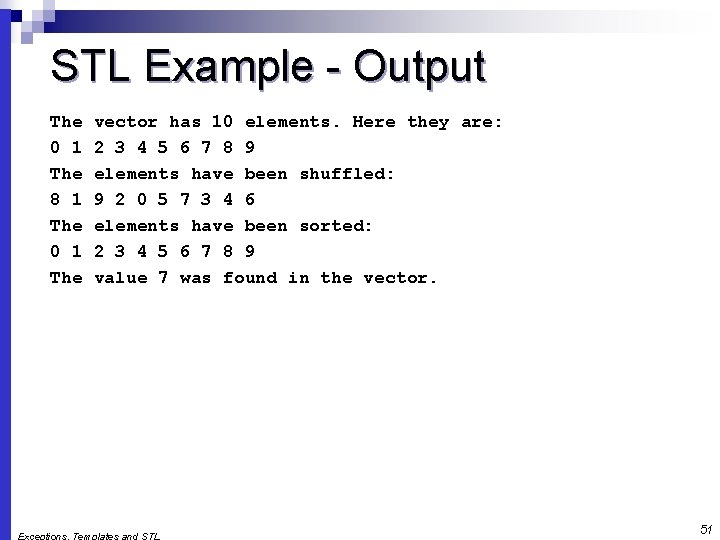
STL Example - Output The 0 1 The 8 1 The 0 1 The vector has 10 elements. Here they are: 2 3 4 5 6 7 8 9 elements have been shuffled: 9 2 0 5 7 3 4 6 elements have been sorted: 2 3 4 5 6 7 8 9 value 7 was found in the vector. 51
- Slides: 51