
Exceptional Control Flow Part I Topics n n
![Fault Example #2 int a[1000]; main () { a[5000] = 13; } Memory Reference](https://slidetodoc.com/presentation_image_h2/e6426834ff40d8eec629ba3a471708a1/image-13.jpg "Fault Example #2 int a[1000]; main () { a[5000] = 13; } Memory Reference")
- Slides: 44
Exceptional Control Flow Part I Topics n n n Exceptions Process context switches Creating and destroying processes
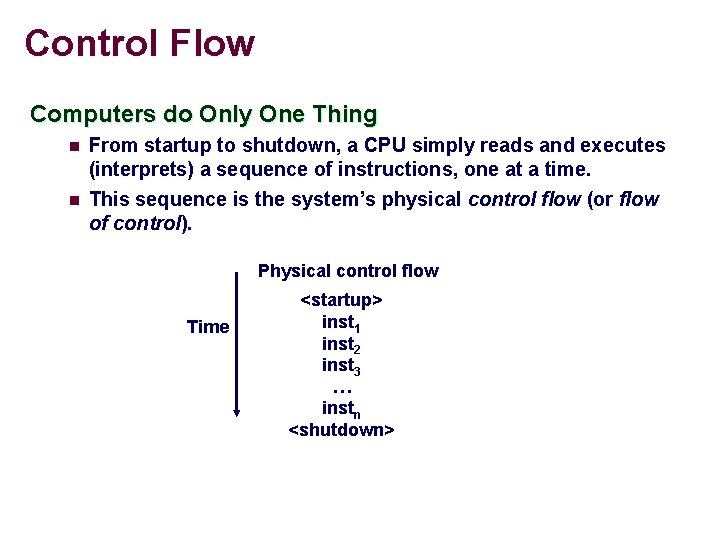
Control Flow Computers do Only One Thing n n From startup to shutdown, a CPU simply reads and executes (interprets) a sequence of instructions, one at a time. This sequence is the system’s physical control flow (or flow of control). Physical control flow Time <startup> inst 1 inst 2 inst 3 … instn <shutdown>
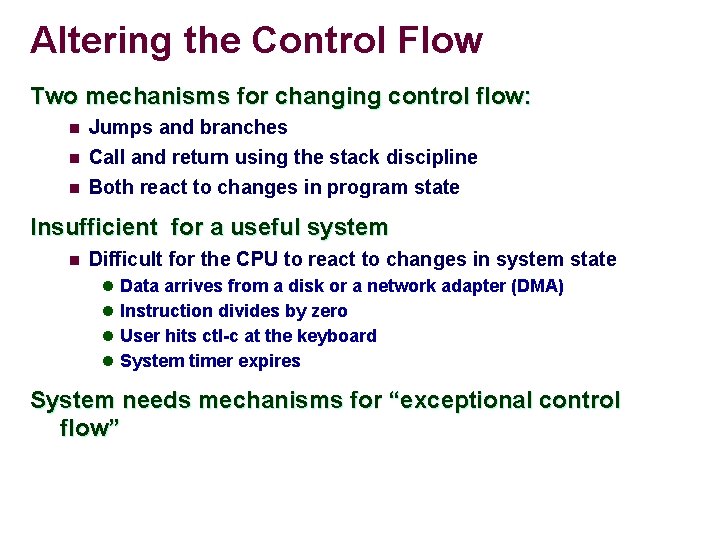
Altering the Control Flow Two mechanisms for changing control flow: n Jumps and branches n Call and return using the stack discipline Both react to changes in program state n Insufficient for a useful system n Difficult for the CPU to react to changes in system state l Data arrives from a disk or a network adapter (DMA) l Instruction divides by zero l User hits ctl-c at the keyboard l System timer expires System needs mechanisms for “exceptional control flow”
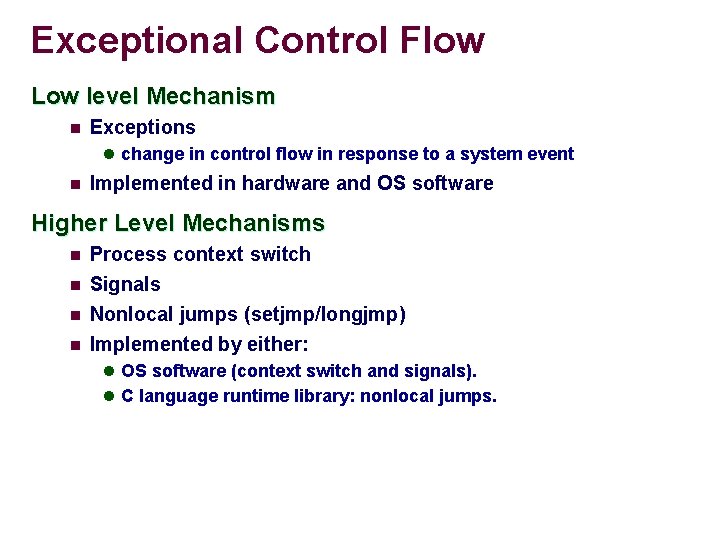
Exceptional Control Flow Low level Mechanism n Exceptions l change in control flow in response to a system event n Implemented in hardware and OS software Higher Level Mechanisms n n Process context switch Signals Nonlocal jumps (setjmp/longjmp) Implemented by either: l OS software (context switch and signals). l C language runtime library: nonlocal jumps.
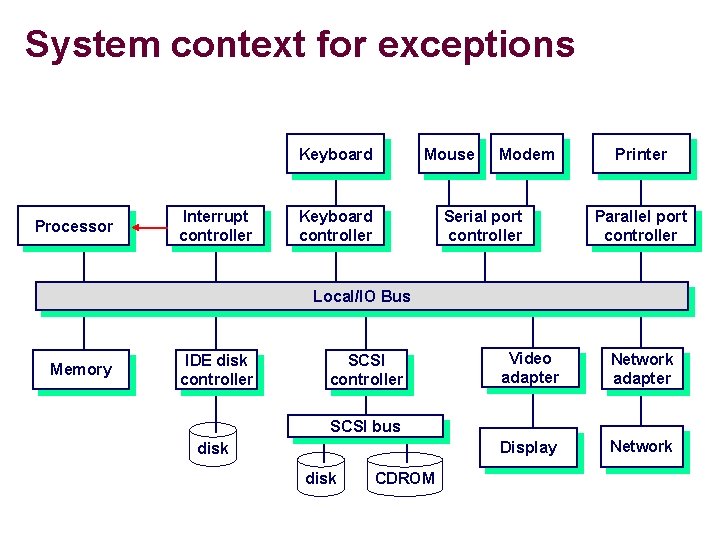
System context for exceptions Keyboard Processor Interrupt controller Mouse Keyboard controller Modem Serial port controller Printer Parallel port controller Local/IO Bus Memory IDE disk controller SCSI controller Video adapter Network adapter Display Network SCSI bus disk CDROM
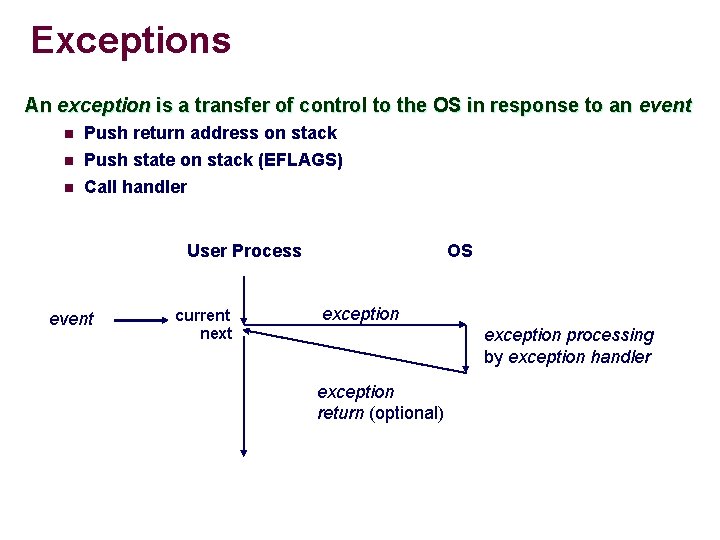
Exceptions An exception is a transfer of control to the OS in response to an event n Push return address on stack Push state on stack (EFLAGS) n Call handler n User Process event current next OS exception processing by exception handler exception return (optional)
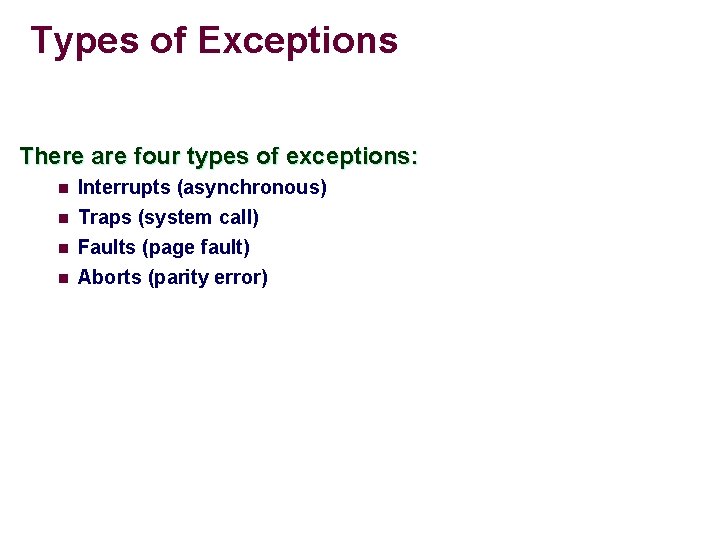
Types of Exceptions There are four types of exceptions: n Interrupts (asynchronous) n Traps (system call) Faults (page fault) Aborts (parity error) n n
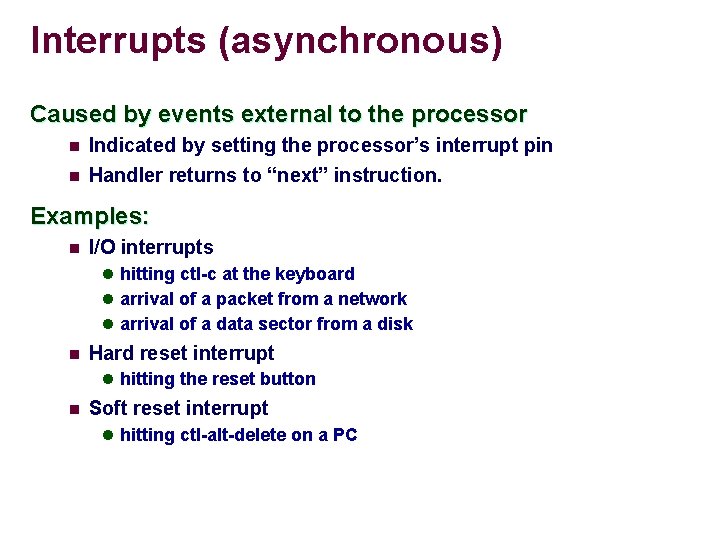
Interrupts (asynchronous) Caused by events external to the processor n Indicated by setting the processor’s interrupt pin n Handler returns to “next” instruction. Examples: n I/O interrupts l hitting ctl-c at the keyboard l arrival of a packet from a network l arrival of a data sector from a disk n Hard reset interrupt l hitting the reset button n Soft reset interrupt l hitting ctl-alt-delete on a PC
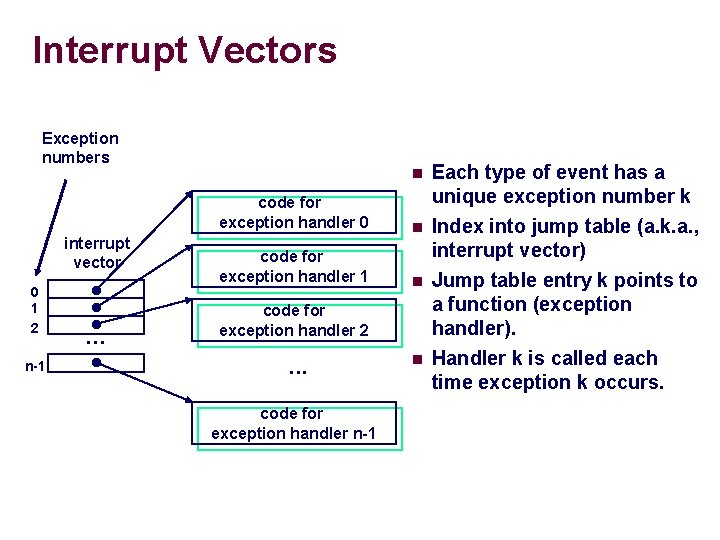
Interrupt Vectors Exception numbers interrupt vector 0 1 2 n-1 . . . n code for exception handler 0 Each type of event has a unique exception number k n code for exception handler 1 n Index into jump table (a. k. a. , interrupt vector) Jump table entry k points to a function (exception handler). Handler k is called each time exception k occurs. code for exception handler 2 . . . code for exception handler n-1 n
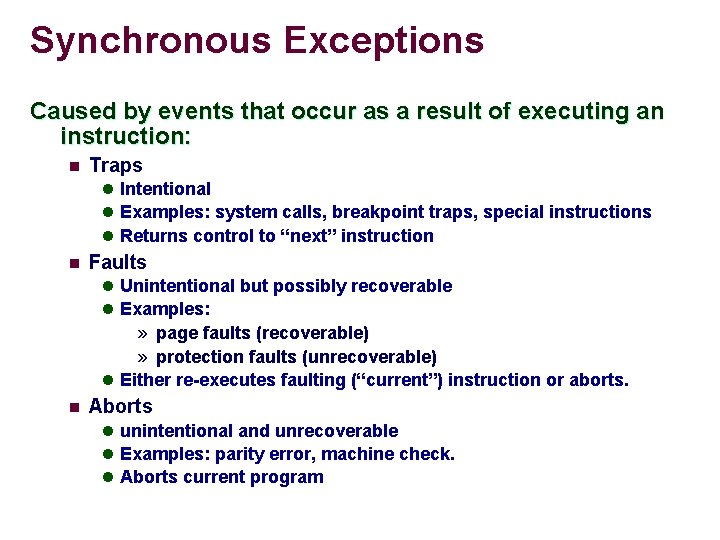
Synchronous Exceptions Caused by events that occur as a result of executing an instruction: n Traps l Intentional l Examples: system calls, breakpoint traps, special instructions l Returns control to “next” instruction n Faults l Unintentional but possibly recoverable l Examples: » page faults (recoverable) » protection faults (unrecoverable) l Either re-executes faulting (“current”) instruction or aborts. n Aborts l unintentional and unrecoverable l Examples: parity error, machine check. l Aborts current program
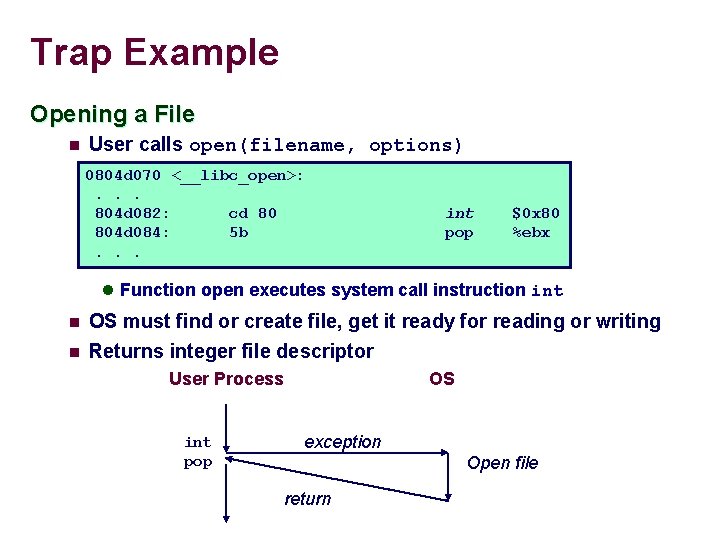
Trap Example Opening a File n User calls open(filename, options) 0804 d 070 <__libc_open>: . . . 804 d 082: cd 80 804 d 084: 5 b. . . int pop $0 x 80 %ebx l Function open executes system call instruction int n OS must find or create file, get it ready for reading or writing n Returns integer file descriptor User Process int pop OS exception Open file return
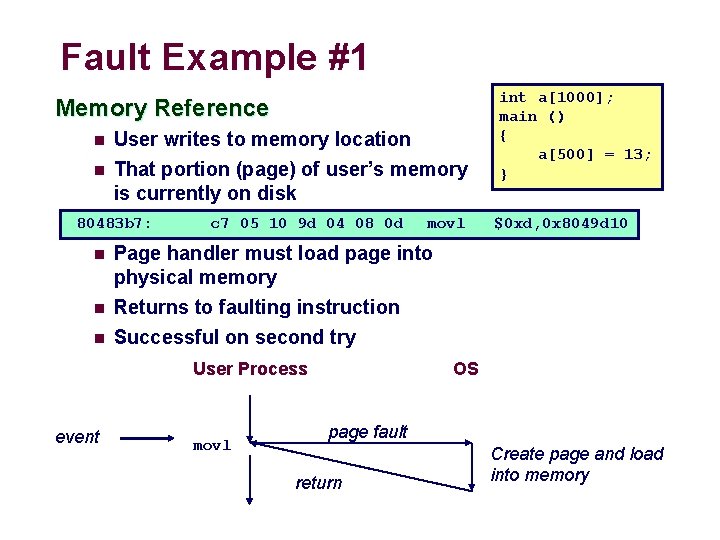
Fault Example #1 Memory Reference n User writes to memory location n That portion (page) of user’s memory is currently on disk 80483 b 7: n n n c 7 05 10 9 d 04 08 0 d $0 xd, 0 x 8049 d 10 Page handler must load page into physical memory Returns to faulting instruction Successful on second try User Process event movl int a[1000]; main () { a[500] = 13; } movl OS page fault return Create page and load into memory
Fault Example #2 int a[1000]; main () { a[5000] = 13; } Memory Reference n User writes to memory location n Address is not valid 80483 b 7: c 7 05 60 e 3 04 08 0 d $0 xd, 0 x 804 e 360 n Page handler detects invalid address Sends SIGSEG signal to user process n User process exits with “segmentation fault” n User Process event movl OS page fault Detect invalid address Signal process
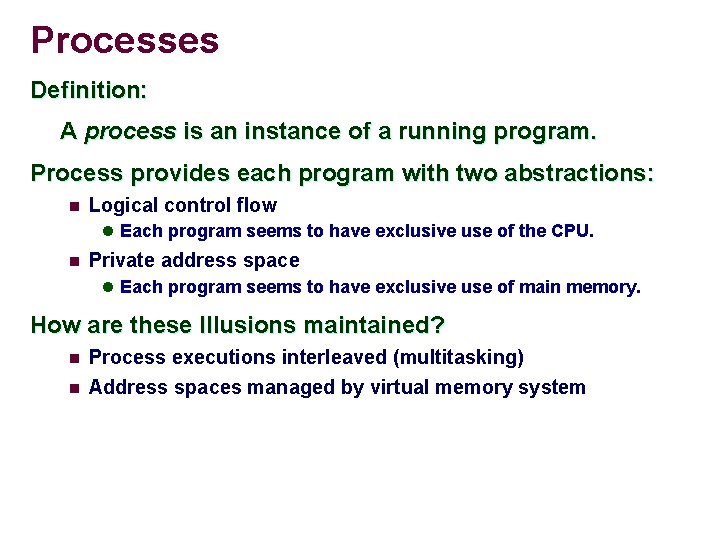
Processes Definition: A process is an instance of a running program. Process provides each program with two abstractions: n Logical control flow l Each program seems to have exclusive use of the CPU. n Private address space l Each program seems to have exclusive use of main memory. How are these Illusions maintained? n n Process executions interleaved (multitasking) Address spaces managed by virtual memory system
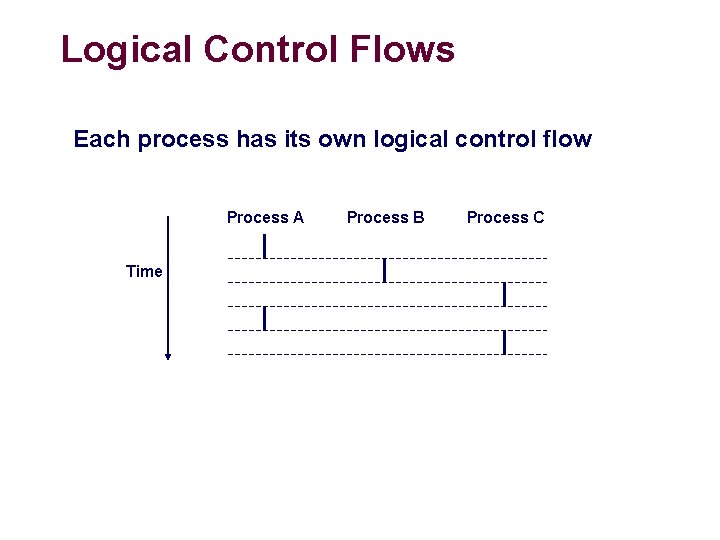
Logical Control Flows Each process has its own logical control flow Process A Time Process B Process C
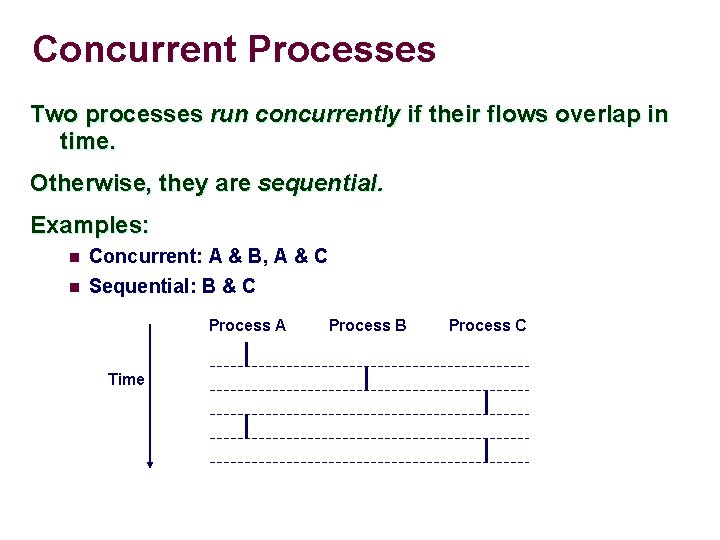
Concurrent Processes Two processes run concurrently if their flows overlap in time. Otherwise, they are sequential. Examples: n n Concurrent: A & B, A & C Sequential: B & C Process A Time Process B Process C
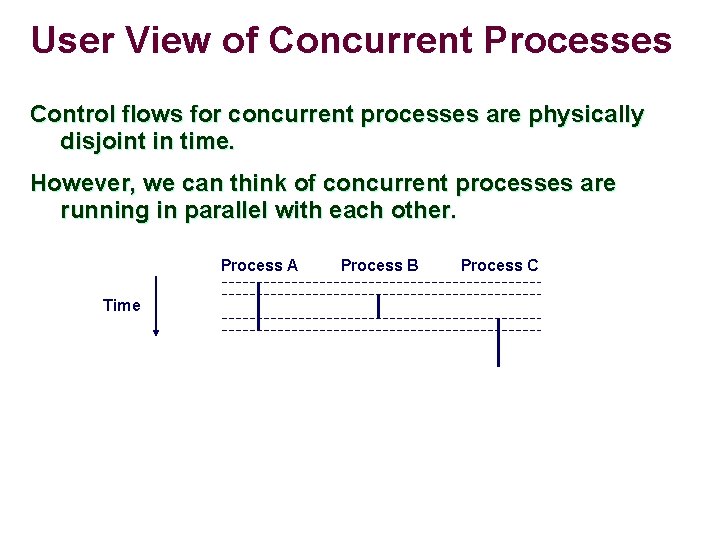
User View of Concurrent Processes Control flows for concurrent processes are physically disjoint in time. However, we can think of concurrent processes are running in parallel with each other. Process A Time Process B Process C
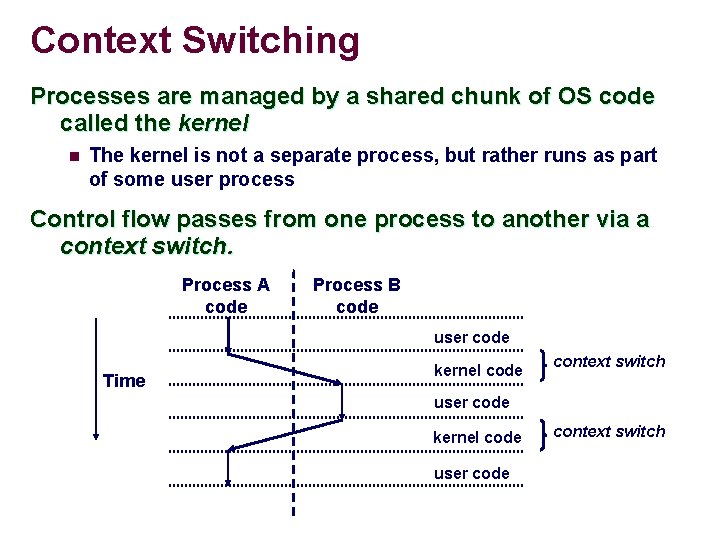
Context Switching Processes are managed by a shared chunk of OS code called the kernel n The kernel is not a separate process, but rather runs as part of some user process Control flow passes from one process to another via a context switch. Process A code Process B code user code Time kernel code context switch user code kernel code user code context switch
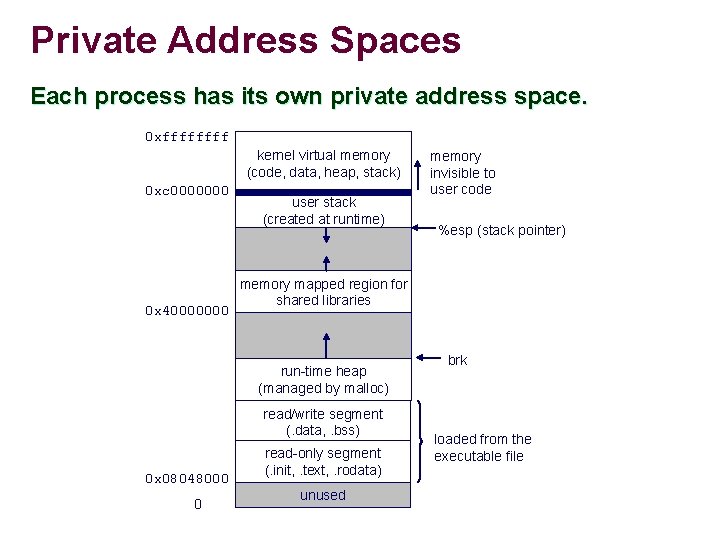
Private Address Spaces Each process has its own private address space. 0 xffff kernel virtual memory (code, data, heap, stack) 0 xc 0000000 0 x 40000000 user stack (created at runtime) read/write segment (. data, . bss) 0 %esp (stack pointer) memory mapped region for shared libraries run-time heap (managed by malloc) 0 x 08048000 memory invisible to user code read-only segment (. init, . text, . rodata) unused brk loaded from the executable file
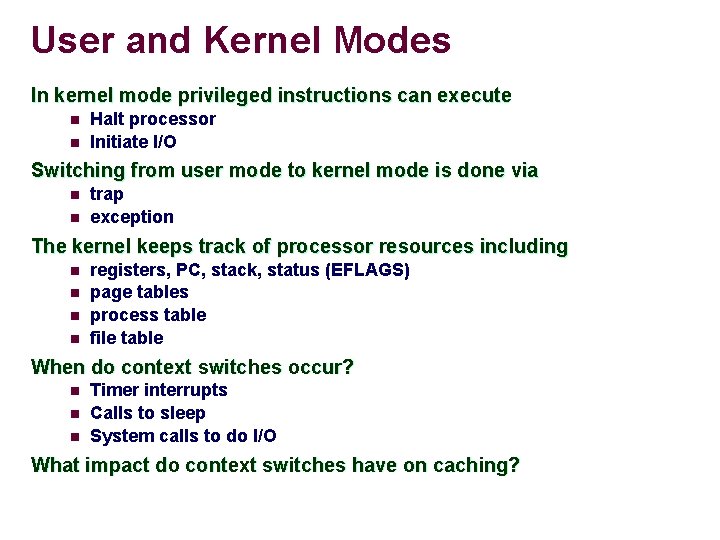
User and Kernel Modes In kernel mode privileged instructions can execute n n Halt processor Initiate I/O Switching from user mode to kernel mode is done via n n trap exception The kernel keeps track of processor resources including n n registers, PC, stack, status (EFLAGS) page tables process table file table When do context switches occur? n n n Timer interrupts Calls to sleep System calls to do I/O What impact do context switches have on caching?
Process Control with System Calls
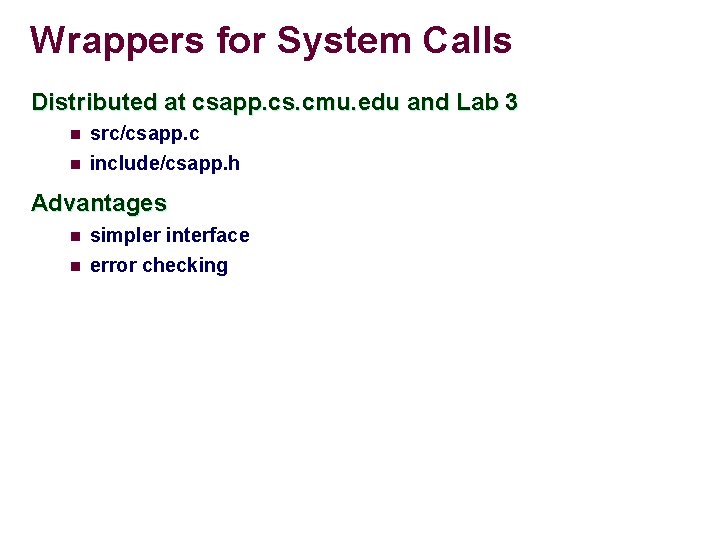
Wrappers for System Calls Distributed at csapp. cs. cmu. edu and Lab 3 n src/csapp. c n include/csapp. h Advantages n n simpler interface error checking
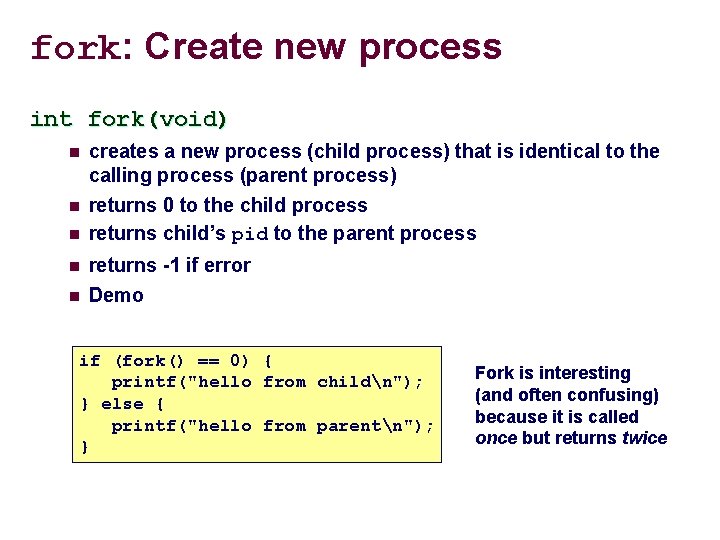
fork: Create new process int fork(void) n n n creates a new process (child process) that is identical to the calling process (parent process) returns 0 to the child process returns child’s pid to the parent process returns -1 if error Demo if (fork() == 0) { printf("hello from childn"); } else { printf("hello from parentn"); } Fork is interesting (and often confusing) because it is called once but returns twice
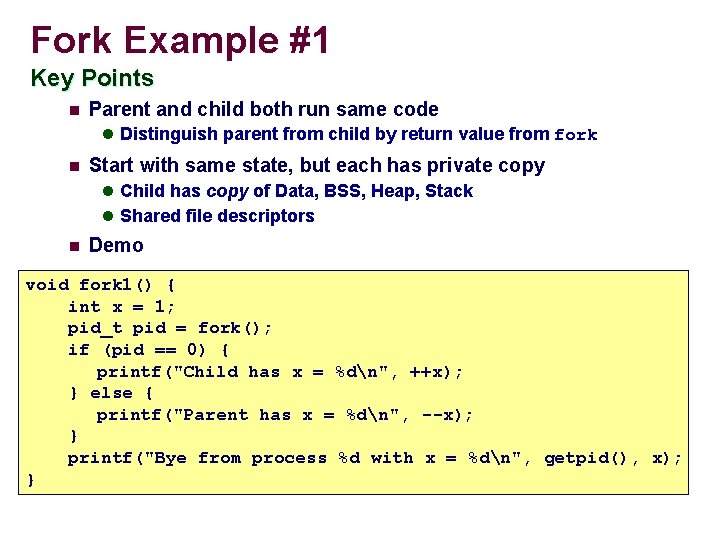
Fork Example #1 Key Points n Parent and child both run same code l Distinguish parent from child by return value from fork n Start with same state, but each has private copy l Child has copy of Data, BSS, Heap, Stack l Shared file descriptors n Demo void fork 1() { int x = 1; pid_t pid = fork(); if (pid == 0) { printf("Child has x = %dn", ++x); } else { printf("Parent has x = %dn", --x); } printf("Bye from process %d with x = %dn", getpid(), x); }
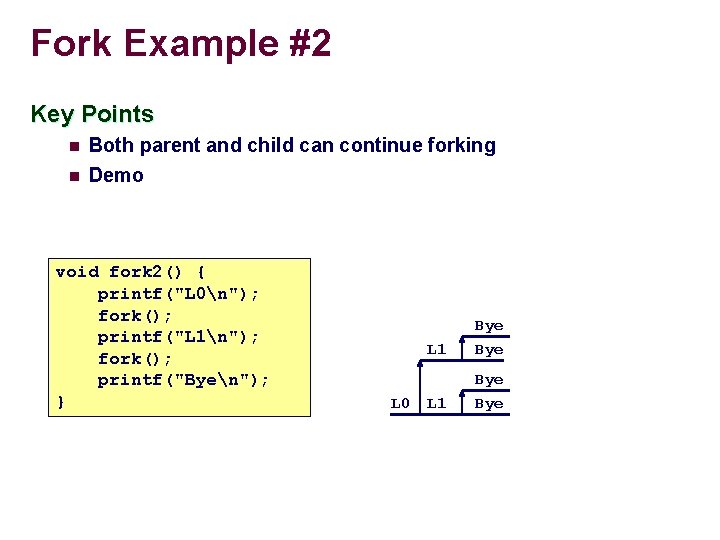
Fork Example #2 Key Points n Both parent and child can continue forking n Demo void fork 2() { printf("L 0n"); fork(); printf("L 1n"); fork(); printf("Byen"); } L 0 L 1 Bye Bye
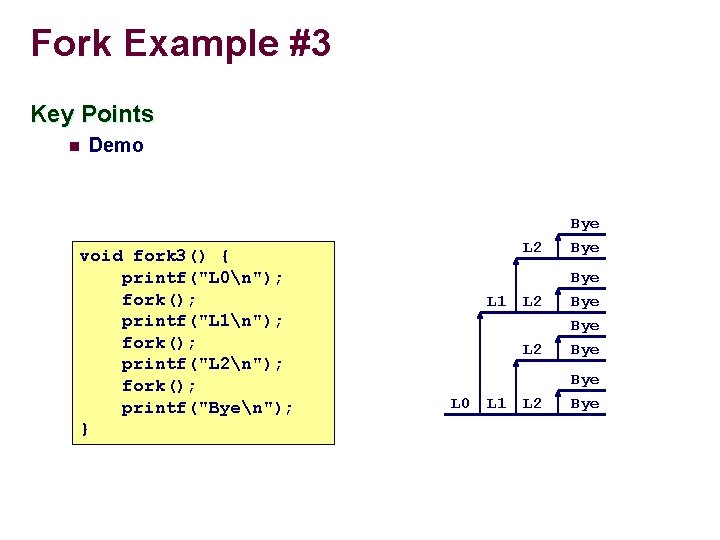
Fork Example #3 Key Points n Demo void fork 3() { printf("L 0n"); fork(); printf("L 1n"); fork(); printf("L 2n"); fork(); printf("Byen"); } L 1 L 0 L 1 L 2 Bye Bye
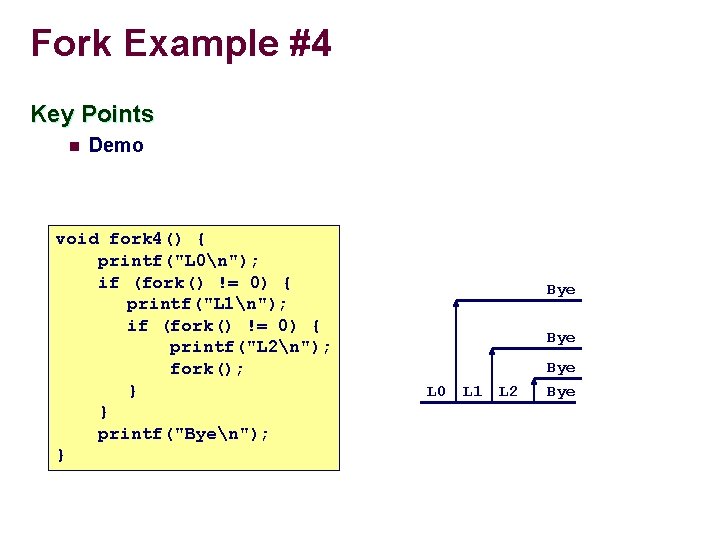
Fork Example #4 Key Points n Demo void fork 4() { printf("L 0n"); if (fork() != 0) { printf("L 1n"); if (fork() != 0) { printf("L 2n"); fork(); } } printf("Byen"); } Bye L 0 L 1 L 2 Bye
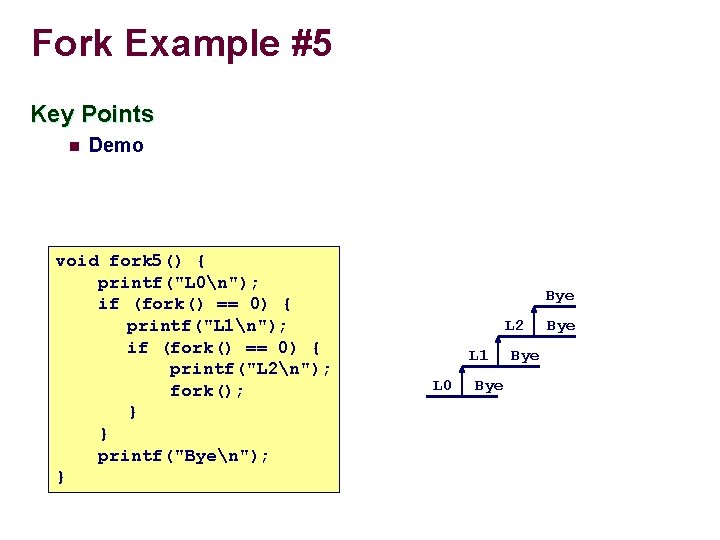
Fork Example #5 Key Points n Demo void fork 5() { printf("L 0n"); if (fork() == 0) { printf("L 1n"); if (fork() == 0) { printf("L 2n"); fork(); } } printf("Byen"); } Bye L 2 L 1 L 0 Bye Bye
Practice problem #8. 2, p. 605
Practice problem #8. 3, p. 605
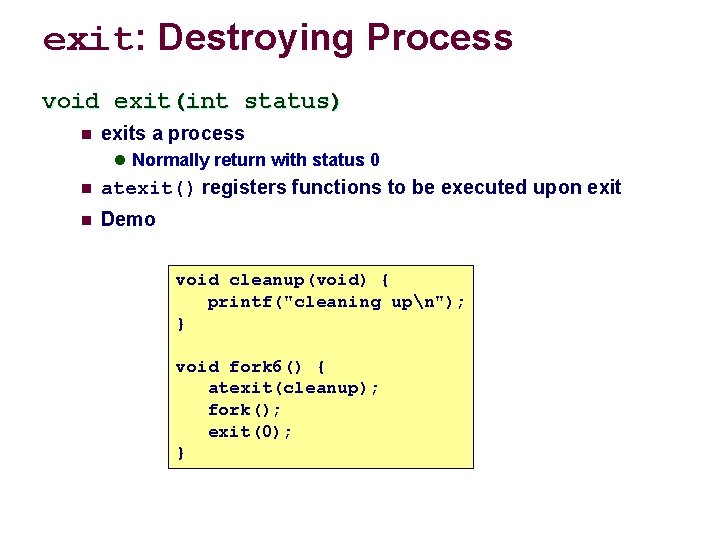
exit: Destroying Process void exit(int status) n exits a process l Normally return with status 0 n atexit() registers functions to be executed upon exit n Demo void cleanup(void) { printf("cleaning upn"); } void fork 6() { atexit(cleanup); fork(); exit(0); }
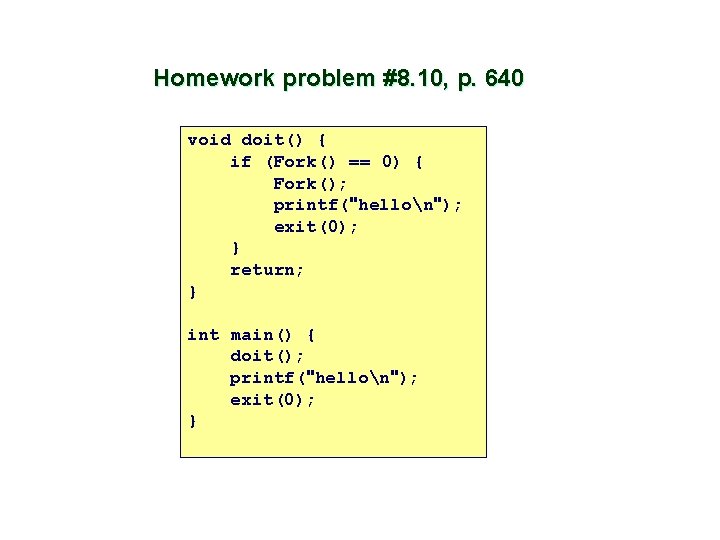
Homework problem #8. 10, p. 640 void doit() { if (Fork() == 0) { Fork(); printf("hellon"); exit(0); } return; } int main() { doit(); printf("hellon"); exit(0); }
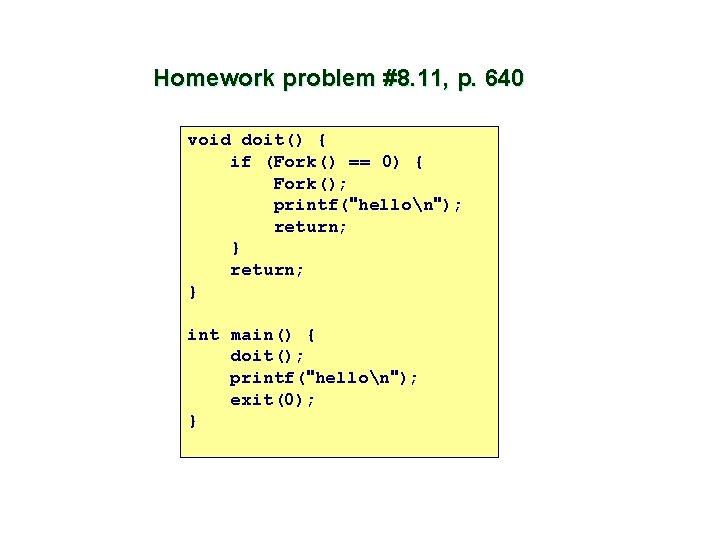
Homework problem #8. 11, p. 640 void doit() { if (Fork() == 0) { Fork(); printf("hellon"); return; } int main() { doit(); printf("hellon"); exit(0); }
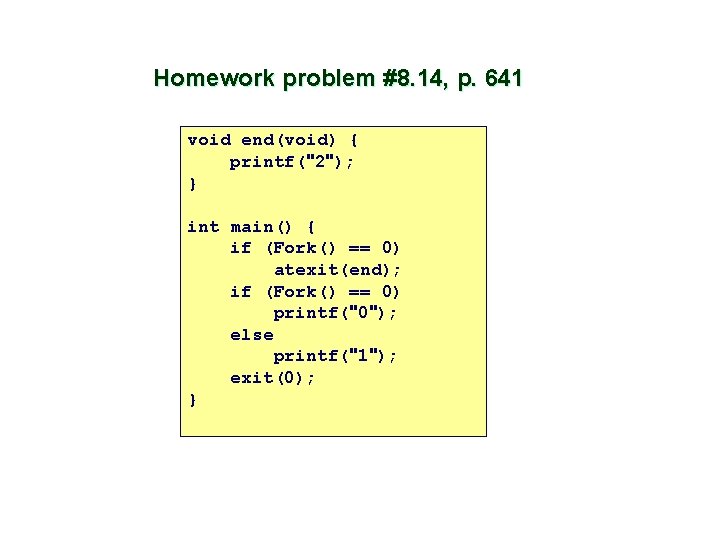
Homework problem #8. 14, p. 641 void end(void) { printf("2"); } int main() { if (Fork() == 0) atexit(end); if (Fork() == 0) printf("0"); else printf("1"); exit(0); }
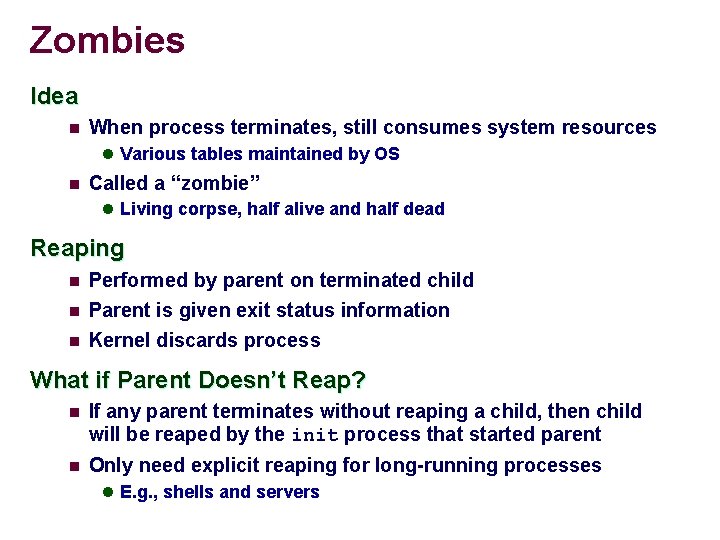
Zombies Idea n When process terminates, still consumes system resources l Various tables maintained by OS n Called a “zombie” l Living corpse, half alive and half dead Reaping n n n Performed by parent on terminated child Parent is given exit status information Kernel discards process What if Parent Doesn’t Reap? n If any parent terminates without reaping a child, then child will be reaped by the init process that started parent n Only need explicit reaping for long-running processes l E. g. , shells and servers
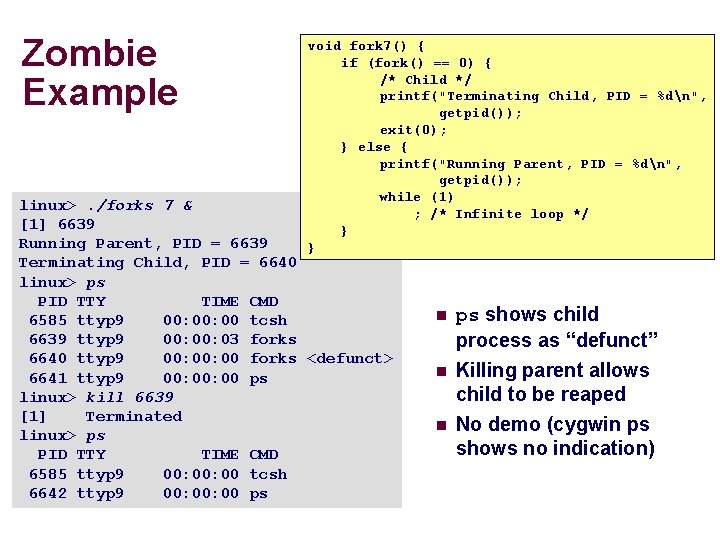
Zombie Example void fork 7() { if (fork() == 0) { /* Child */ printf("Terminating Child, PID = %dn", getpid()); exit(0); } else { printf("Running Parent, PID = %dn", getpid()); while (1) ; /* Infinite loop */ } } linux>. /forks 7 & [1] 6639 Running Parent, PID = 6639 Terminating Child, PID = 6640 linux> ps PID TTY TIME CMD 6585 ttyp 9 00: 00 tcsh 6639 ttyp 9 00: 03 forks 6640 ttyp 9 00: 00 forks <defunct> 6641 ttyp 9 00: 00 ps linux> kill 6639 [1] Terminated linux> ps PID TTY TIME CMD 6585 ttyp 9 00: 00 tcsh 6642 ttyp 9 00: 00 ps n ps shows child process as “defunct” n Killing parent allows child to be reaped No demo (cygwin ps shows no indication) n
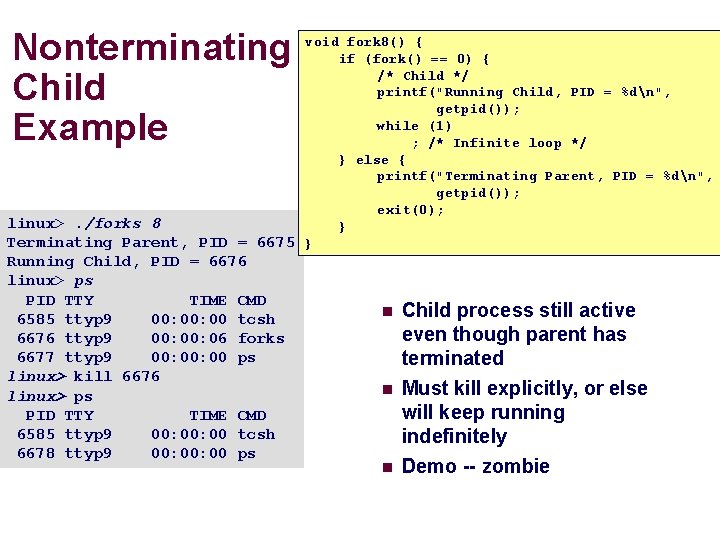
Nonterminating Child Example void fork 8() { if (fork() == 0) { /* Child */ printf("Running Child, PID = %dn", getpid()); while (1) ; /* Infinite loop */ } else { printf("Terminating Parent, PID = %dn", getpid()); exit(0); linux>. /forks 8 } Terminating Parent, PID = 6675 } Running Child, PID = 6676 linux> ps PID TTY TIME CMD 6585 ttyp 9 00: 00 tcsh 6676 ttyp 9 00: 06 forks 6677 ttyp 9 00: 00 ps linux> kill 6676 linux> ps PID TTY TIME CMD 6585 ttyp 9 00: 00 tcsh 6678 ttyp 9 00: 00 ps n n n Child process still active even though parent has terminated Must kill explicitly, or else will keep running indefinitely Demo -- zombie
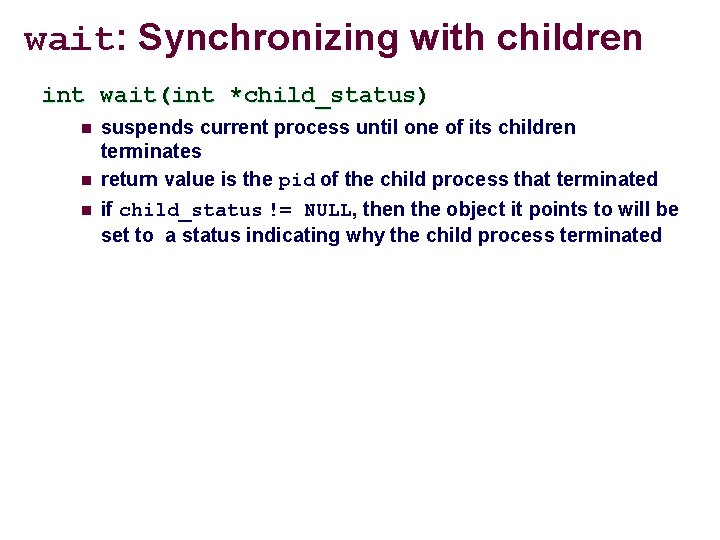
wait: Synchronizing with children int wait(int *child_status) n n n suspends current process until one of its children terminates return value is the pid of the child process that terminated if child_status != NULL, then the object it points to will be set to a status indicating why the child process terminated
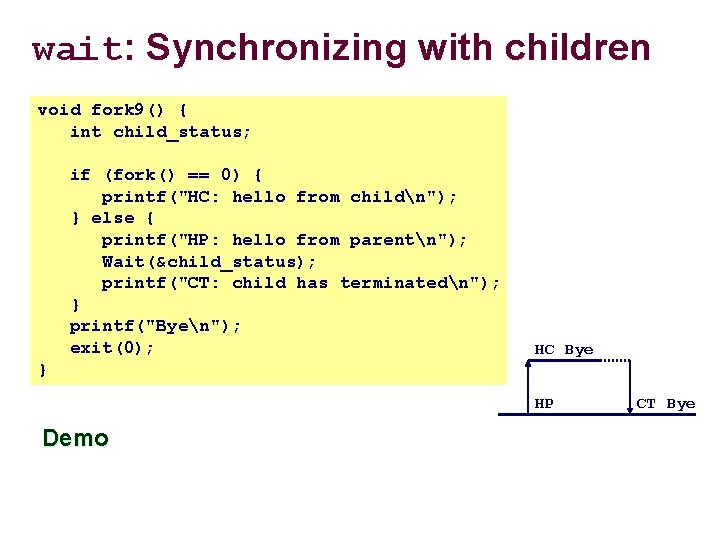
wait: Synchronizing with children void fork 9() { int child_status; if (fork() == 0) { printf("HC: hello from childn"); } else { printf("HP: hello from parentn"); Wait(&child_status); printf("CT: child has terminatedn"); } printf("Byen"); exit(0); HC Bye } HP Demo CT Bye
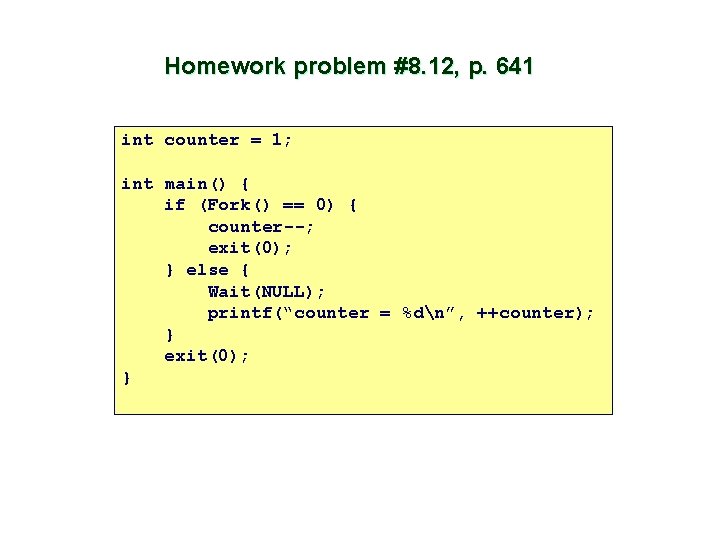
Homework problem #8. 12, p. 641 int counter = 1; int main() { if (Fork() == 0) { counter--; exit(0); } else { Wait(NULL); printf(“counter = %dn”, ++counter); } exit(0); }
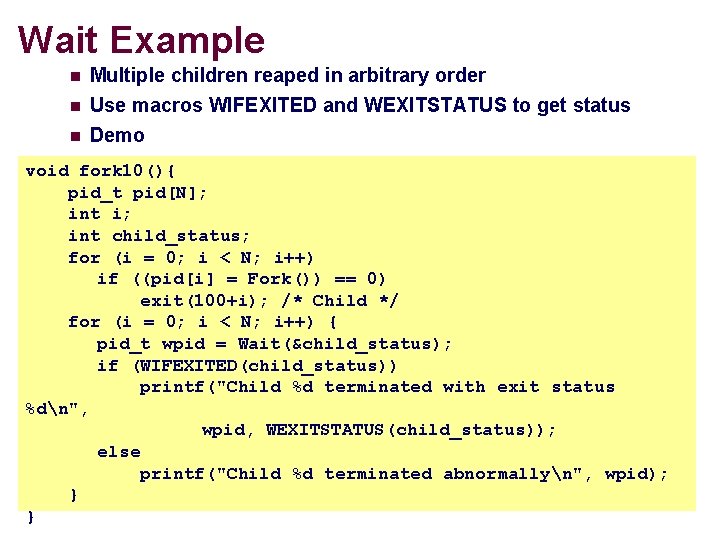
Wait Example n Multiple children reaped in arbitrary order Use macros WIFEXITED and WEXITSTATUS to get status n Demo n void fork 10(){ pid_t pid[N]; int i; int child_status; for (i = 0; i < N; i++) if ((pid[i] = Fork()) == 0) exit(100+i); /* Child */ for (i = 0; i < N; i++) { pid_t wpid = Wait(&child_status); if (WIFEXITED(child_status)) printf("Child %d terminated with exit status %dn", wpid, WEXITSTATUS(child_status)); else printf("Child %d terminated abnormallyn", wpid); } }
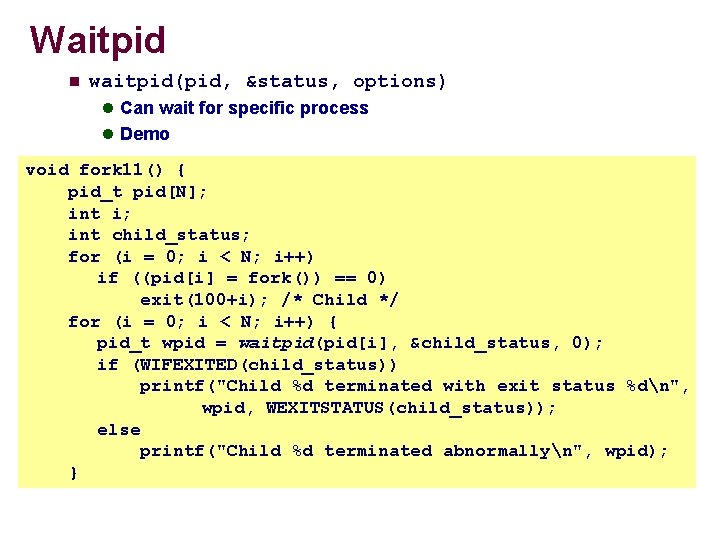
Waitpid n waitpid(pid, &status, options) l Can wait for specific process l Demo void fork 11() { pid_t pid[N]; int i; int child_status; for (i = 0; i < N; i++) if ((pid[i] = fork()) == 0) exit(100+i); /* Child */ for (i = 0; i < N; i++) { pid_t wpid = waitpid(pid[i], &child_status, 0); if (WIFEXITED(child_status)) printf("Child %d terminated with exit status %dn", wpid, WEXITSTATUS(child_status)); else printf("Child %d terminated abnormallyn", wpid); }
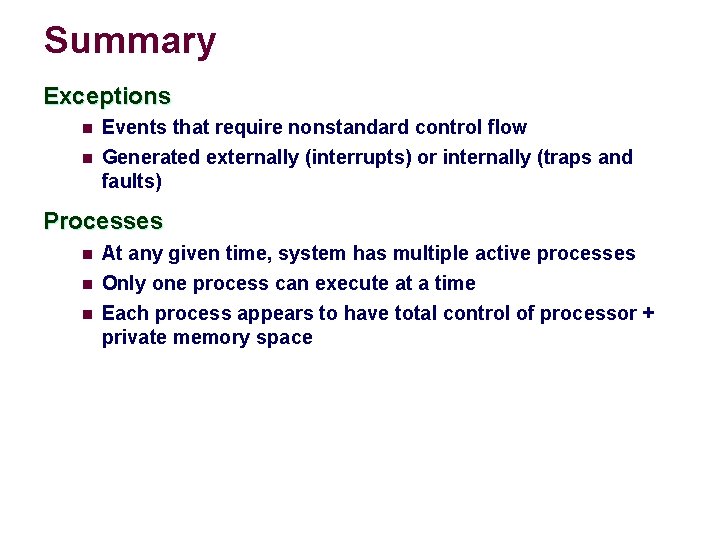
Summary Exceptions n Events that require nonstandard control flow n Generated externally (interrupts) or internally (traps and faults) Processes n n n At any given time, system has multiple active processes Only one process can execute at a time Each process appears to have total control of processor + private memory space
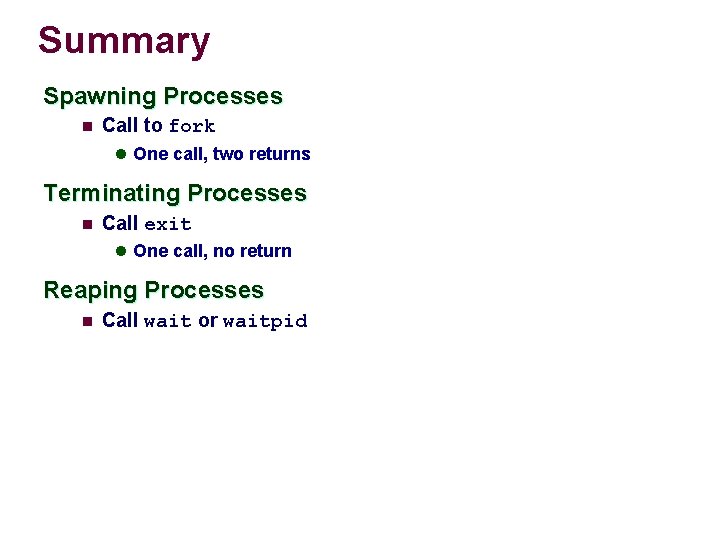
Summary Spawning Processes n Call to fork l One call, two returns Terminating Processes n Call exit l One call, no return Reaping Processes n Call wait or waitpid