
Excel Grade 12 CAT Vera Castleman If l







- Slides: 33
Excel Grade 12 CAT © Vera Castleman
If l If it is sunny we will go to the beach, if it rains we will stay at home l This function is used when you have a choice of two options: l If you get over 40% you have passed, otherwise you have failed
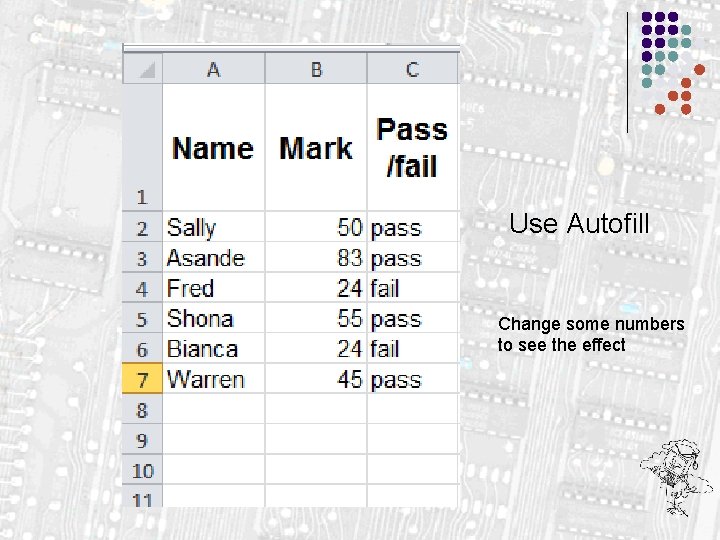
Use Autofill Change some numbers to see the effect
Nested If l l This is an IF statement Inside an IF statement If it is sunny we can go to the beach or we can go for a drive, if it rains we will stay at home
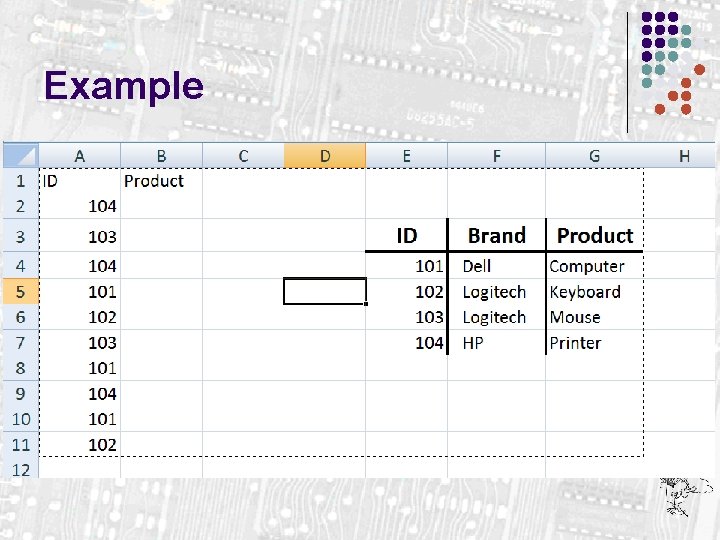
Vlookup l l l This function is used when you need to get a value from another place in the spreadsheet or from another sheet in the file. Work out the first one in the column then autofill. In the formula a sheet reference has ! After it.
Example
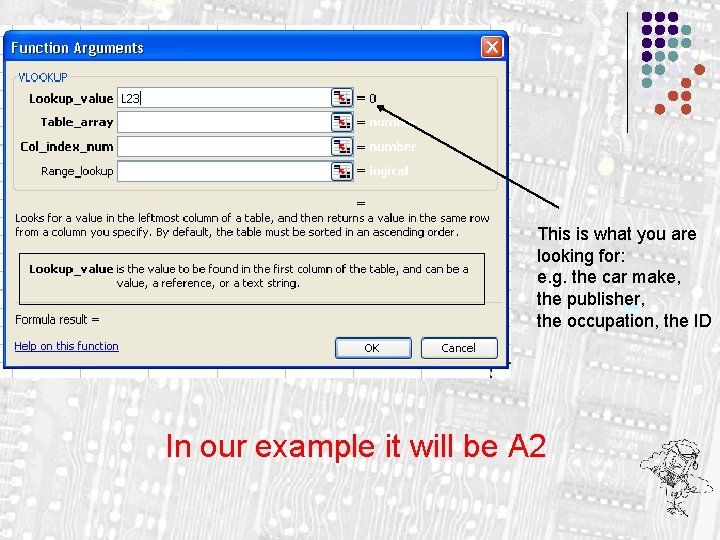
This is what you are looking for: e. g. the car make, the publisher, the occupation, the ID In our example it will be A 2
This is the entire table that you are using to get the value you want In our example it is E 4 to G 7
You must use ABSOLUTE referencing (dollar signs) in the table array – e. g. $f$4: $g$16 if you need to use the autofill option
Which column of the table has your value? The first column you selected will be column 1. If you are looking for the brand it will be the 2 nd column. If you are looking for the product it will be the 3 rd column
If you choose FALSE then an exact match must be found. If you choose TRUE then it will find the closest match. This can be omitted
What do you want to look up? Where is you information? Which column is the info? This is not needed
Round l l Roundup l l Needs the number and the number of decimal places Int l l Needs the number and the number of decimal places Rounddown l l Needs the number and the number of decimal places Needs the number Trunc l Needs the number and the number of decimal places
Text Functions Even though Excel is used a lot for its calculation capabilities, it has some very powerful text functions. This enhances the program and gives it many features that enable it to deal with data
Text Functions - Left This function peels off a number of characters from the left. The text reference How many chars
Text Functions - Right This function peels off a number of characters from the right. The text reference How many chars
Text Functions - Mid This function peels off a number of characters from the middle. It needs an additional bit of information The text reference Where do I start How many chars
Text Functions - Concatenate The English word Concatenate means “Join together” And that is what we are going to do. We are going to join 2 or more strings together to form another string
Joining strings together =concatenate(String 1, string 2, str……… etc) Or =cell 1&cell 2&cell 3 ……etc OR
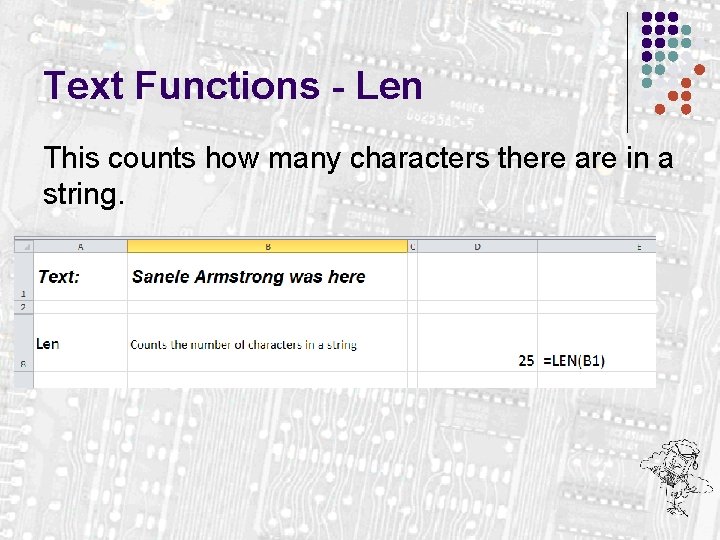
Text Functions - Len This counts how many characters there are in a string.
Text Functions - Value Converts a text field number to an actual number. E. g. all phone numbers are stored as text. This will peel off the number so that it can be used in calculations
Text Functions - Find Gives the number of characters up to and including the required text. Useful for finding spaces.
Text Functions – Upper (or Lower) Converts the selected text to UPPER (or LOWER) case
Text Functions - Trim Removes EXTRA spaces between words
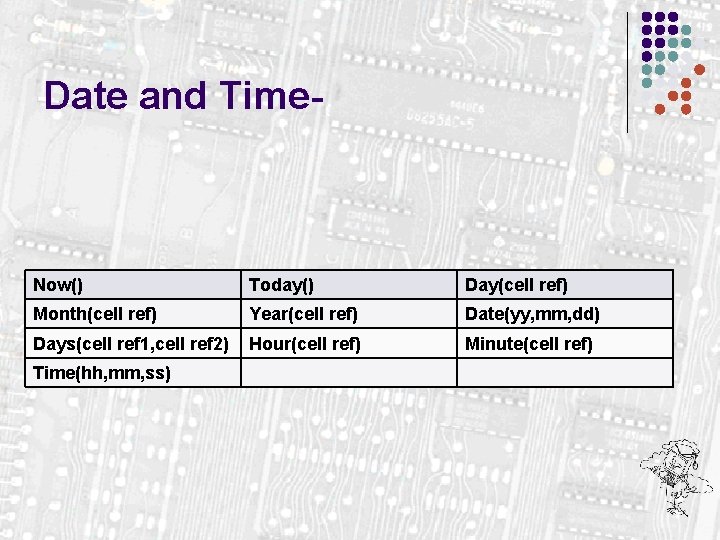
Date and Time- Now() Today() Day(cell ref) Month(cell ref) Year(cell ref) Date(yy, mm, dd) Days(cell ref 1, cell ref 2) Hour(cell ref) Minute(cell ref) Time(hh, mm, ss)