
Examples of normalization Example 1 Step 1 Identify
- Slides: 19
Examples of normalization
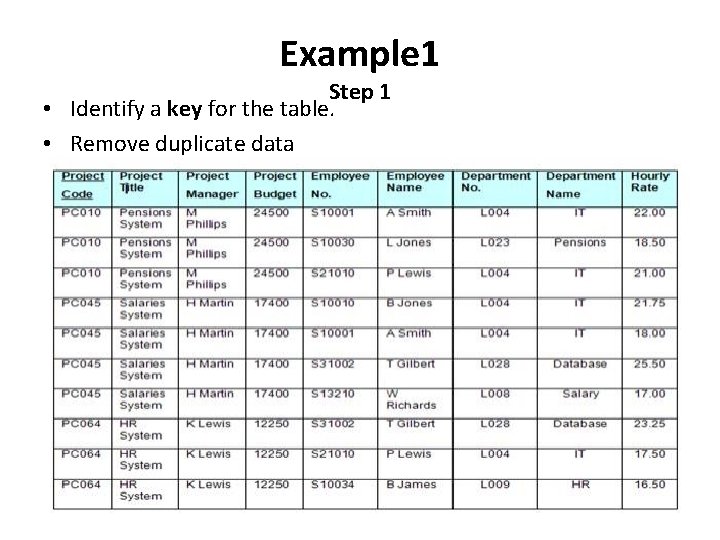
Example 1 Step 1 • Identify a key for the table. • Remove duplicate data
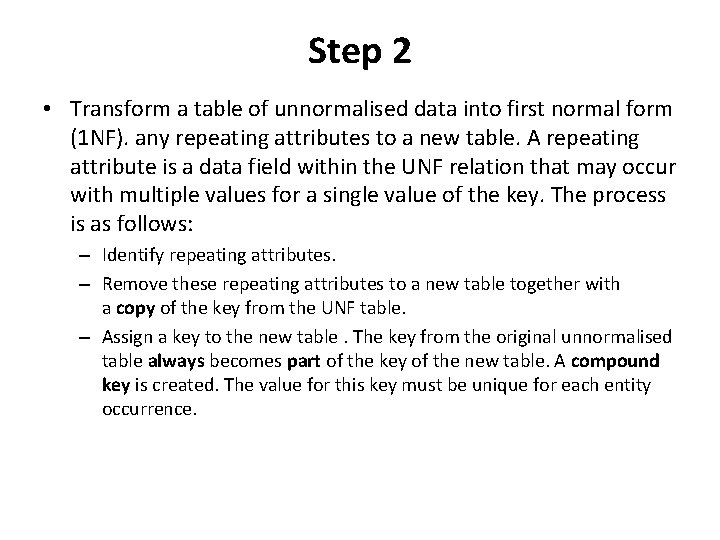
Step 2 • Transform a table of unnormalised data into first normal form (1 NF). any repeating attributes to a new table. A repeating attribute is a data field within the UNF relation that may occur with multiple values for a single value of the key. The process is as follows: – Identify repeating attributes. – Remove these repeating attributes to a new table together with a copy of the key from the UNF table. – Assign a key to the new table. The key from the original unnormalised table always becomes part of the key of the new table. A compound key is created. The value for this key must be unique for each entity occurrence.
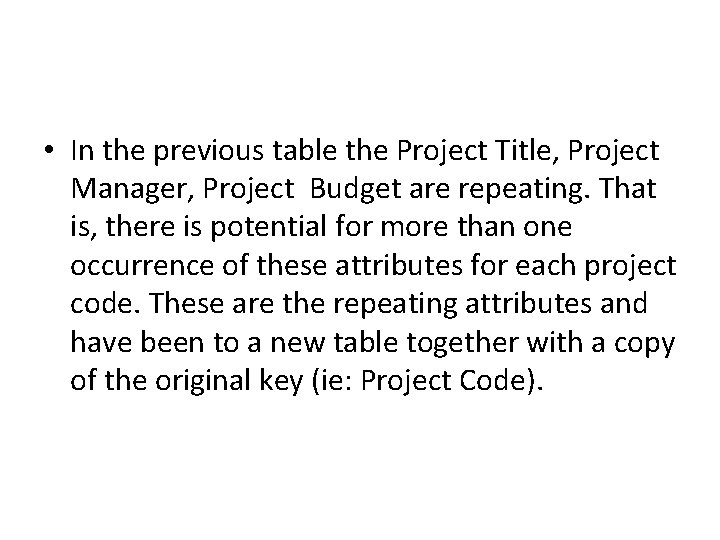
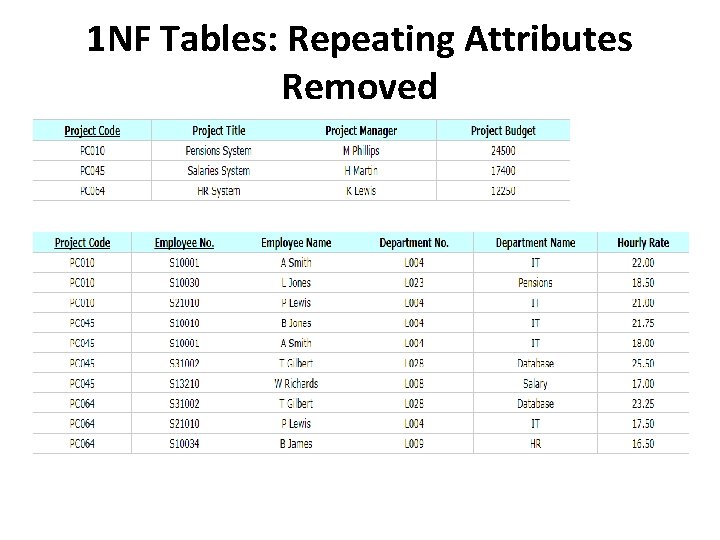
• In the previous table the Project Title, Project Manager, Project Budget are repeating. That is, there is potential for more than one occurrence of these attributes for each project code. These are the repeating attributes and have been to a new table together with a copy of the original key (ie: Project Code).
1 NF Tables: Repeating Attributes Removed
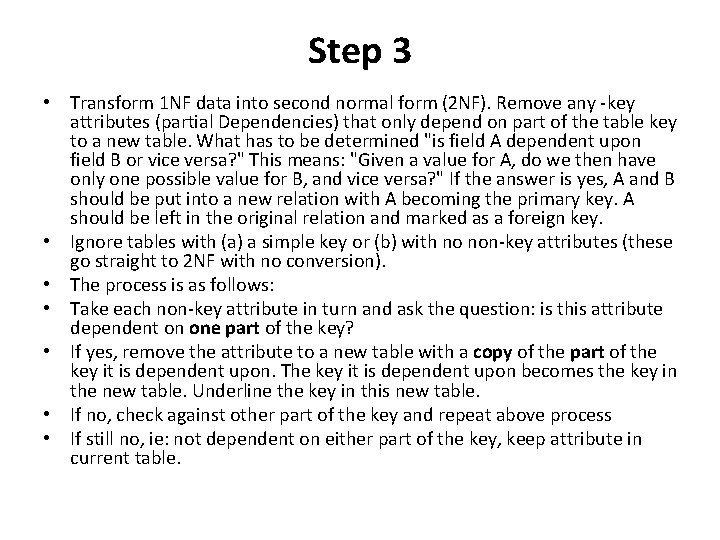
Step 3 • Transform 1 NF data into second normal form (2 NF). Remove any -key attributes (partial Dependencies) that only depend on part of the table key to a new table. What has to be determined "is field A dependent upon field B or vice versa? " This means: "Given a value for A, do we then have only one possible value for B, and vice versa? " If the answer is yes, A and B should be put into a new relation with A becoming the primary key. A should be left in the original relation and marked as a foreign key. • Ignore tables with (a) a simple key or (b) with no non-key attributes (these go straight to 2 NF with no conversion). • The process is as follows: • Take each non-key attribute in turn and ask the question: is this attribute dependent on one part of the key? • If yes, remove the attribute to a new table with a copy of the part of the key it is dependent upon. The key it is dependent upon becomes the key in the new table. Underline the key in this new table. • If no, check against other part of the key and repeat above process • If still no, ie: not dependent on either part of the key, keep attribute in current table.
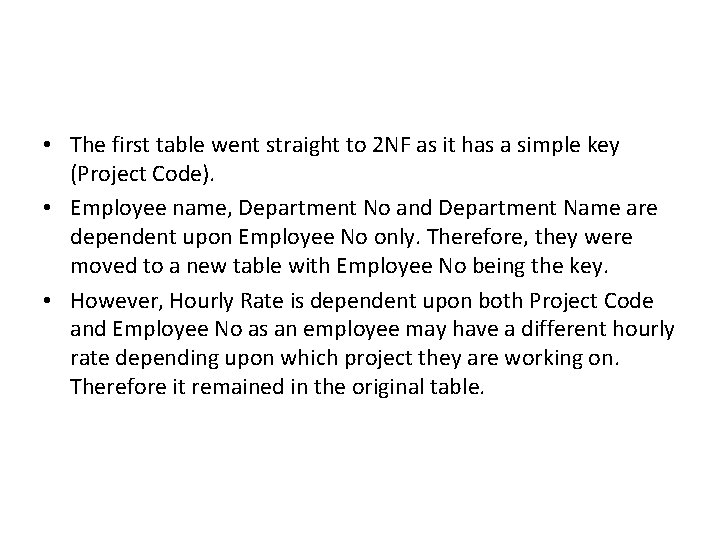
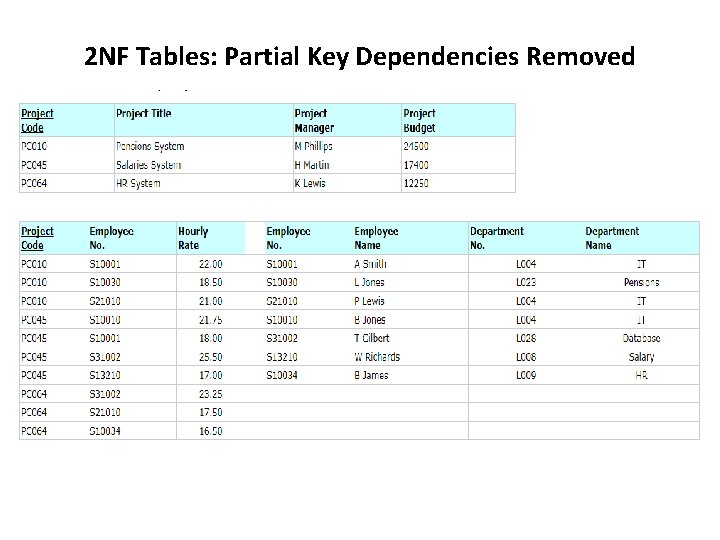
• The first table went straight to 2 NF as it has a simple key (Project Code). • Employee name, Department No and Department Name are dependent upon Employee No only. Therefore, they were moved to a new table with Employee No being the key. • However, Hourly Rate is dependent upon both Project Code and Employee No as an employee may have a different hourly rate depending upon which project they are working on. Therefore it remained in the original table.
2 NF Tables: Partial Key Dependencies Removed
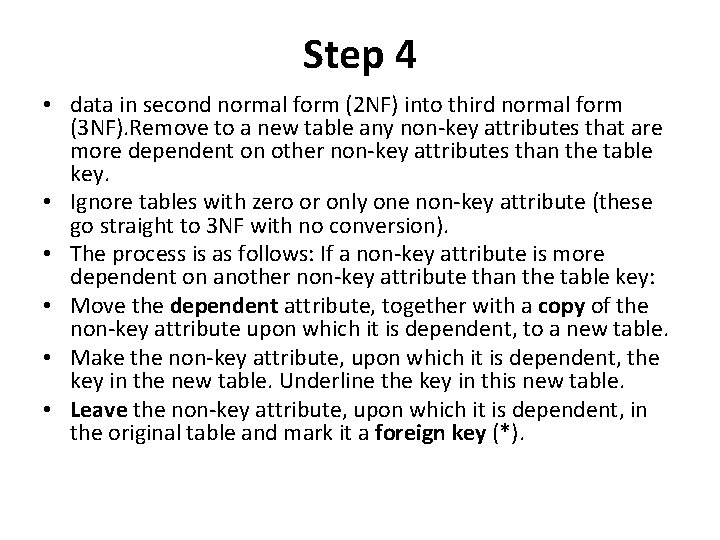
Step 4 • data in second normal form (2 NF) into third normal form (3 NF). Remove to a new table any non-key attributes that are more dependent on other non-key attributes than the table key. • Ignore tables with zero or only one non-key attribute (these go straight to 3 NF with no conversion). • The process is as follows: If a non-key attribute is more dependent on another non-key attribute than the table key: • Move the dependent attribute, together with a copy of the non-key attribute upon which it is dependent, to a new table. • Make the non-key attribute, upon which it is dependent, the key in the new table. Underline the key in this new table. • Leave the non-key attribute, upon which it is dependent, in the original table and mark it a foreign key (*).
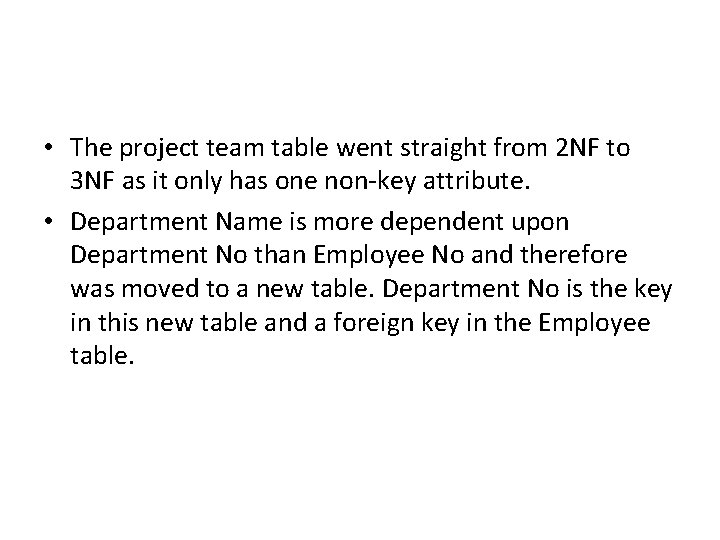
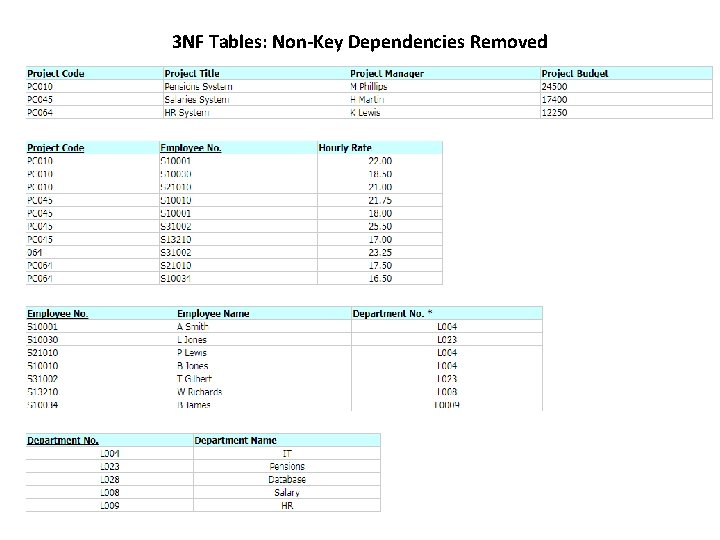
• The project team table went straight from 2 NF to 3 NF as it only has one non-key attribute. • Department Name is more dependent upon Department No than Employee No and therefore was moved to a new table. Department No is the key in this new table and a foreign key in the Employee table.
3 NF Tables: Non-Key Dependencies Removed
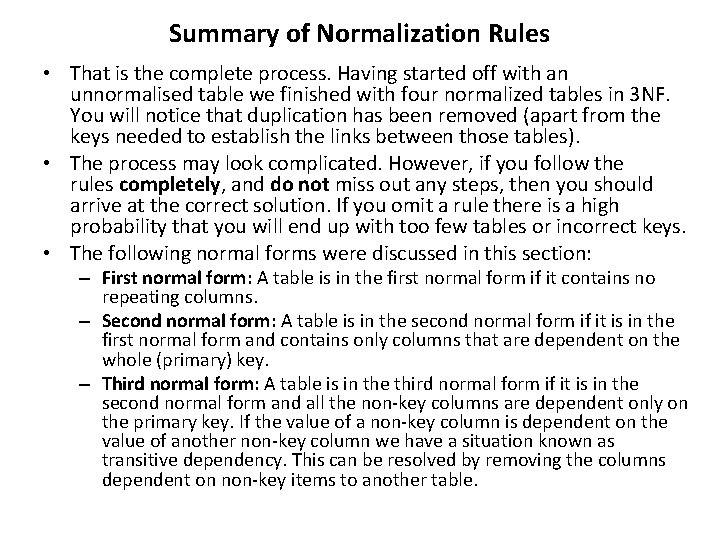
Summary of Normalization Rules • That is the complete process. Having started off with an unnormalised table we finished with four normalized tables in 3 NF. You will notice that duplication has been removed (apart from the keys needed to establish the links between those tables). • The process may look complicated. However, if you follow the rules completely, and do not miss out any steps, then you should arrive at the correct solution. If you omit a rule there is a high probability that you will end up with too few tables or incorrect keys. • The following normal forms were discussed in this section: – First normal form: A table is in the first normal form if it contains no repeating columns. – Second normal form: A table is in the second normal form if it is in the first normal form and contains only columns that are dependent on the whole (primary) key. – Third normal form: A table is in the third normal form if it is in the second normal form and all the non-key columns are dependent only on the primary key. If the value of a non-key column is dependent on the value of another non-key column we have a situation known as transitive dependency. This can be resolved by removing the columns dependent on non-key items to another table.
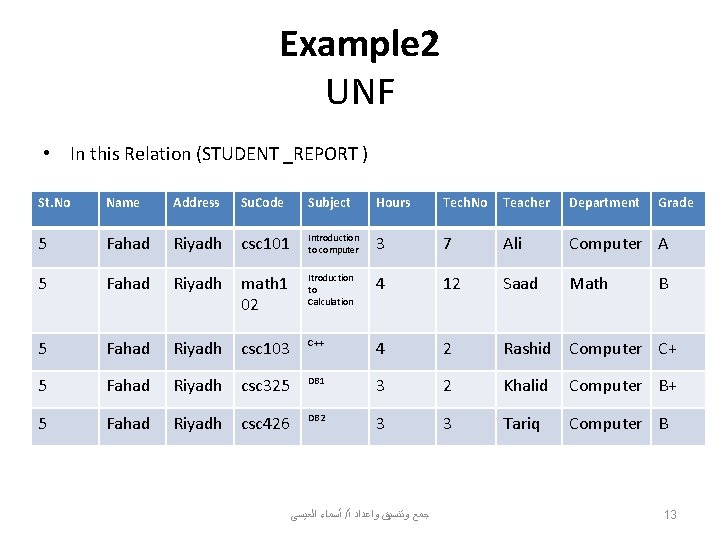
Example 2 UNF • In this Relation (STUDENT _REPORT ) St. No Name Address 5 Fahad 5 Su. Code Subject Hours Tech. No Teacher Department Riyadh csc 101 Introduction to computer 3 7 Ali Computer A Fahad Riyadh math 1 02 Itroduction to Calculation 4 12 Saad Math 5 Fahad Riyadh csc 103 C++ 4 2 Rashid Computer C+ 5 Fahad Riyadh csc 325 DB 1 3 2 Khalid Computer B+ 5 Fahad Riyadh csc 426 DB 2 3 3 Tariq Computer B ﺃﺴﻤﺎﺀ ﺍﻟﻌﻴﺴﻰ / ﺟﻤﻊ ﻭﺗﻨﺴﻴﻖ ﻭﺍﻋﺪﺍﺩ ﺃ Grade B 13
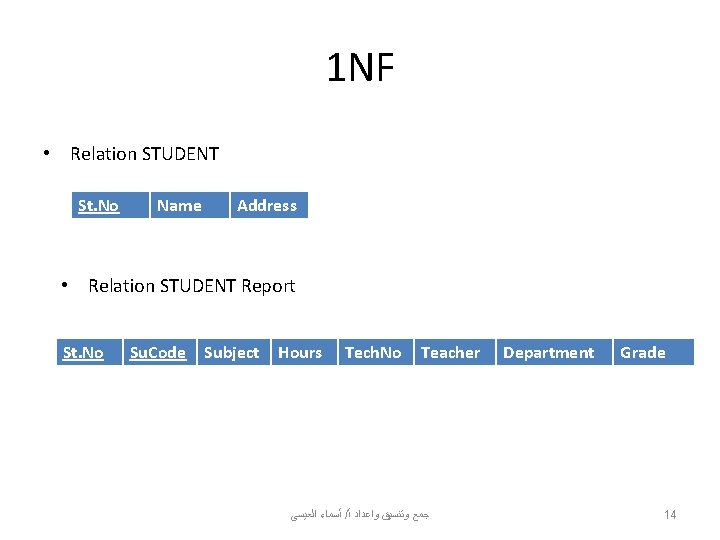
1 NF • Relation STUDENT St. No Name Address • Relation STUDENT Report St. No Su. Code Subject Hours Tech. No Teacher ﺃﺴﻤﺎﺀ ﺍﻟﻌﻴﺴﻰ / ﺟﻤﻊ ﻭﺗﻨﺴﻴﻖ ﻭﺍﻋﺪﺍﺩ ﺃ Department Grade 14
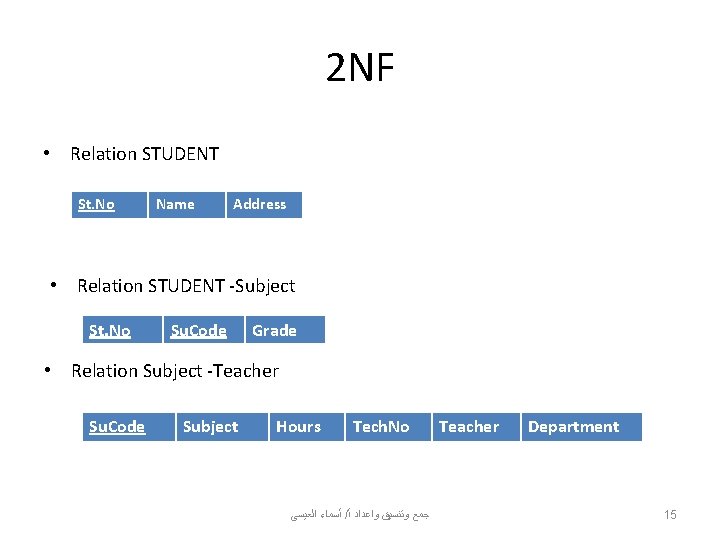
2 NF • Relation STUDENT St. No Name Address • Relation STUDENT -Subject St. No Su. Code Grade • Relation Subject -Teacher Su. Code Subject Hours Tech. No ﺃﺴﻤﺎﺀ ﺍﻟﻌﻴﺴﻰ / ﺟﻤﻊ ﻭﺗﻨﺴﻴﻖ ﻭﺍﻋﺪﺍﺩ ﺃ Teacher Department 15
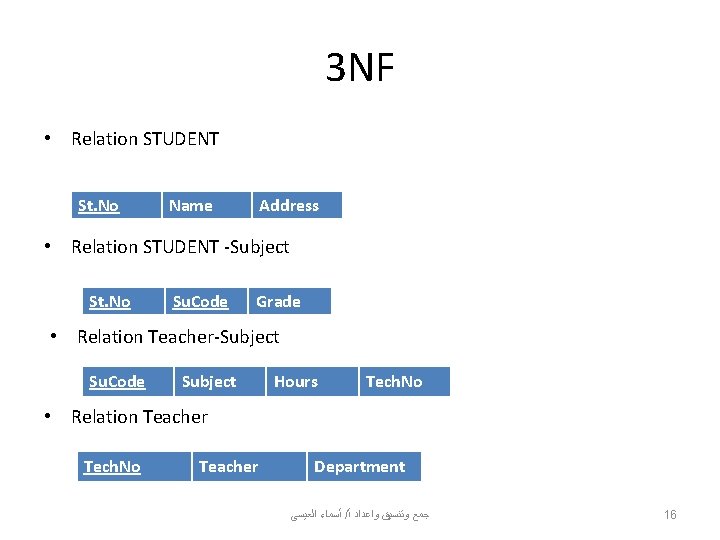
3 NF • Relation STUDENT St. No Name Address • Relation STUDENT -Subject St. No Su. Code Grade • Relation Teacher-Subject Su. Code Subject Hours Tech. No • Relation Teacher Tech. No Teacher Department ﺃﺴﻤﺎﺀ ﺍﻟﻌﻴﺴﻰ / ﺟﻤﻊ ﻭﺗﻨﺴﻴﻖ ﻭﺍﻋﺪﺍﺩ ﺃ 16
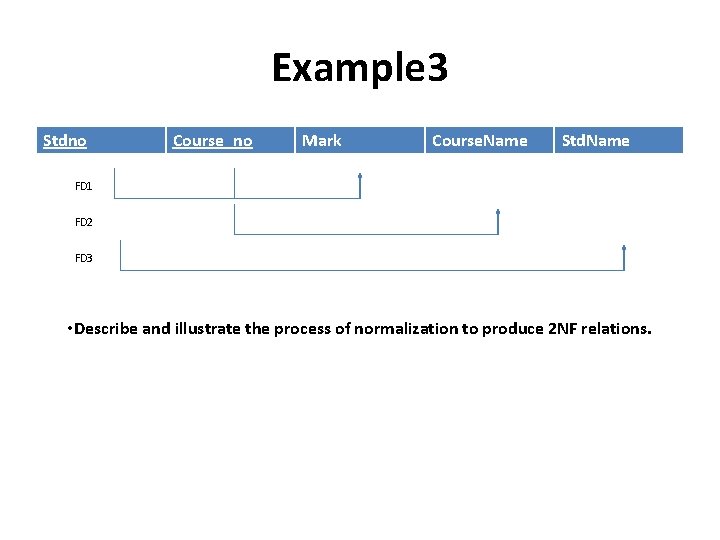
Example 3 Stdno Course_no Mark Course. Name Std. Name FD 1 FD 2 FD 3 • Describe and illustrate the process of normalization to produce 2 NF relations.
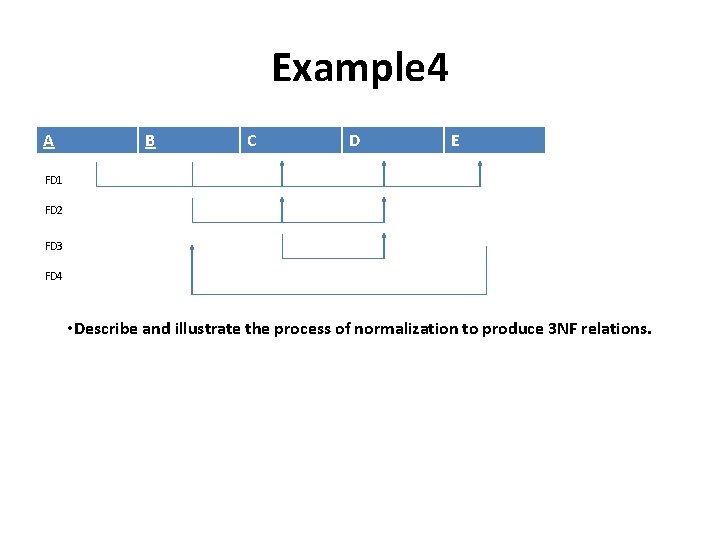
Example 4 A B C D E FD 1 FD 2 FD 3 FD 4 • Describe and illustrate the process of normalization to produce 3 NF relations.
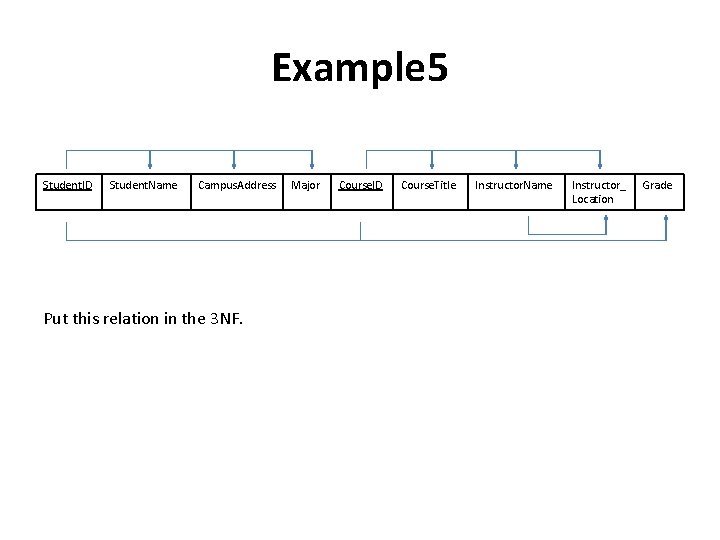
Example 5 Student. ID Student. Name Campus. Address Put this relation in the 3 NF. Major Course. ID Course. Title Instructor. Name Instructor_ Location Grade