
Example Embedded Application for an Industrial Control System
Example Embedded Application for an Industrial Control System
Real Time O/S § An application has a hard real-time requirement § § if it must always meet a time constraint, otherwise the system will fail. For example, some systems must be able to respond to an interrupt on time, every time. If it ever fails to meet its deadline, then the system won’t work. Lynx. OS was designed for hard real-time problems
Designing a real-time system § A real-time system is composed of multiple threads running concurrently and doing different tasks. (I/O, Processing, Analysis, etc) § Threads can be user threads or kernel threads. § In the process of the design of your application and device drivers it is important to identify: § Which threads, functions or system calls will affect the response time of your hard real-time requirement. § Example: The update of the database can be put in a low priority thread. § What are the data that need to be transferred between threads. § Example: Update of the screen can be another thread that will read its value from shared memory or a message queue. § What type of communication do you need between threads. (Synchronization, Data transfer, etc) § Example: Use a signal when the thread should update the screen. § Is there critical code or resources that will be shared between threads. § Example: changing a shared data structure concurrently by two different threads or any other critical code region protected by mutexes.
Processes model § In UNIX, a program is executed by a process. § Each Lynx. OS process has at least one flow-of-control, called the main thread or initial thread. § The process also includes resources such as file descriptors, signal masks, and many other items. § In Lynx. OS, each process has its own virtual address space. This means that programs running in different processes are protected from each other. No process can see the memory used by another process, so processes cannot inadvertently damage each other. § IPC, Inter-Process Communication means under Lynx. OS a communication between two different main threads
Threads model § Within a process, there may be more than one thread. These threads share the virtual address space of the process. This means that threads within a process can see the same memory. § Lynx. OS also has kernel threads. They are part of the operating system, and are often used in device drivers. § The threads are the entities that get scheduled. There is only one scheduler in Lynx. OS, so user threads and kernel threads are all scheduled the same way. § This means that a user thread can preempt a kernel thread. § ITC, Inter-Thread Communication means under Lynx. OS a communication between two different threads running in the same process context or not.
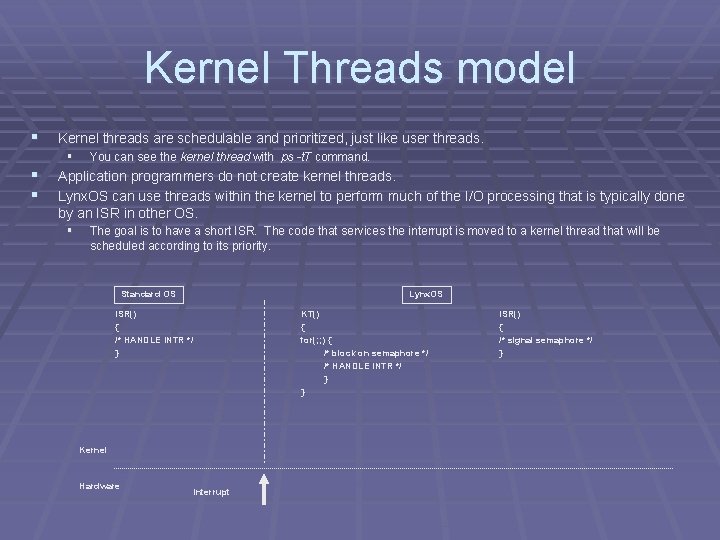
Kernel Threads model § Kernel threads are schedulable and prioritized, just like user threads. § § § You can see the kernel thread with ps -t. T command. Application programmers do not create kernel threads. Lynx. OS can use threads within the kernel to perform much of the I/O processing that is typically done by an ISR in other OS. § The goal is to have a short ISR. The code that services the interrupt is moved to a kernel thread that will be scheduled according to its priority. Standard OS Lynx. OS ISR() { /* HANDLE INTR */ } KT() { for(; ; ) { /* block on semaphore */ /* HANDLE INTR */ } } Kernel Hardware Interrupt ISR() { /* signal semaphore */ }
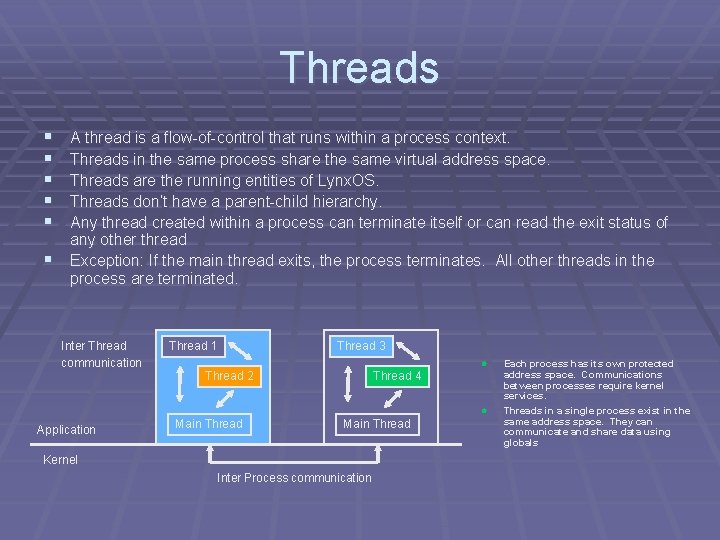
Threads § § § A thread is a flow-of-control that runs within a process context. Threads in the same process share the same virtual address space. Threads are the running entities of Lynx. OS. Threads don’t have a parent-child hierarchy. Any thread created within a process can terminate itself or can read the exit status of any other thread Exception: If the main thread exits, the process terminates. All other threads in the process are terminated. Inter Thread communication Thread 1 Thread 3 l Thread 2 Thread 4 l Application Main Thread Kernel Inter Process communication Each process has its own protected address space. Communications between processes require kernel services. Threads in a single process exist in the same address space. They can communicate and share data using globals
Multi-threaded program § If two threads are running concurrently and are calling the same function we cannot predict: § at what time you get preempted in the function call § the order of execution of the same function. § So functions use in a multi-threaded program should be thread safe or you should provide your own synchronization. § Use stack variables, not static or global variables. § Every thread that executes the function gets its own copy of the stack variable. § A thread safe function is a function that may be executed by two or more threads at the same time and still behaves the same. Known also as a reentrant function.
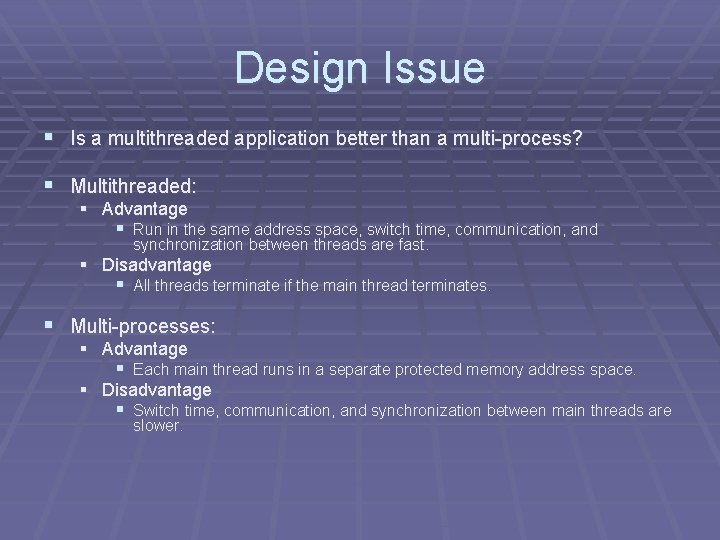
Design Issue § Is a multithreaded application better than a multi-process? § Multithreaded: § Advantage § Run in the same address space, switch time, communication, and synchronization between threads are fast. § Disadvantage § All threads terminate if the main thread terminates. § Multi-processes: § Advantage § Each main thread runs in a separate protected memory address space. § Disadvantage § Switch time, communication, and synchronization between main threads are slower.
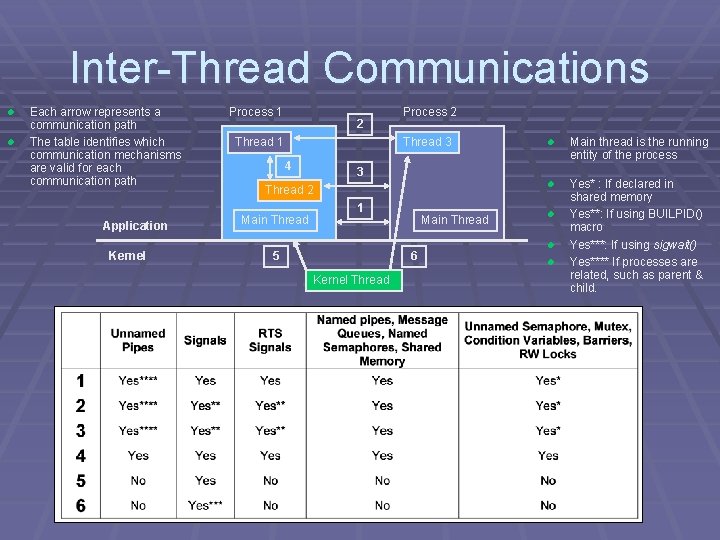
Inter-Thread Communications l l Each arrow represents a communication path The table identifies which communication mechanisms are valid for each communication path Application Kernel Process 1 2 Thread 1 Process 2 Thread 3 4 Main thread is the running entity of the process l Yes* : If declared in shared memory Yes**: If using BUILPID() macro Yes***: If using sigwait() Yes**** If processes are related, such as parent & child. 3 Thread 2 Main Thread l 1 5 Main Thread 6 Kernel Thread l l l
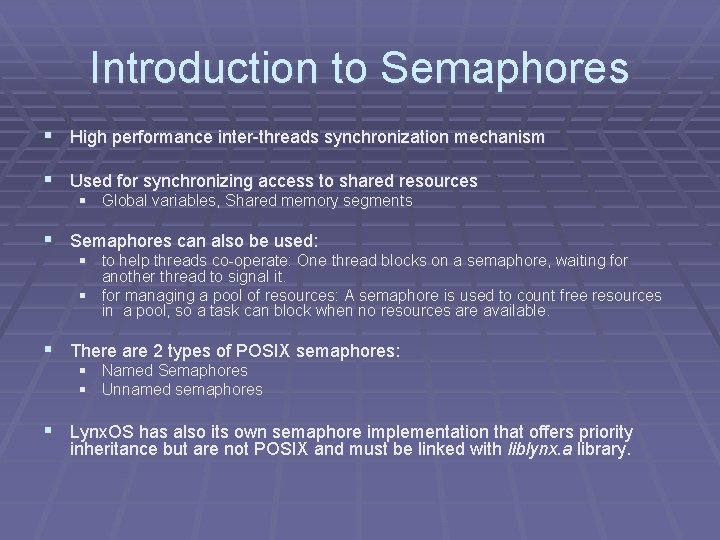
Introduction to Semaphores § High performance inter-threads synchronization mechanism § Used for synchronizing access to shared resources § Global variables, Shared memory segments § Semaphores can also be used: § to help threads co-operate: One thread blocks on a semaphore, waiting for another thread to signal it. § for managing a pool of resources: A semaphore is used to count free resources in a pool, so a task can block when no resources are available. § There are 2 types of POSIX semaphores: § Named Semaphores § Unnamed semaphores § Lynx. OS has also its own semaphore implementation that offers priority inheritance but are not POSIX and must be linked with liblynx. a library.
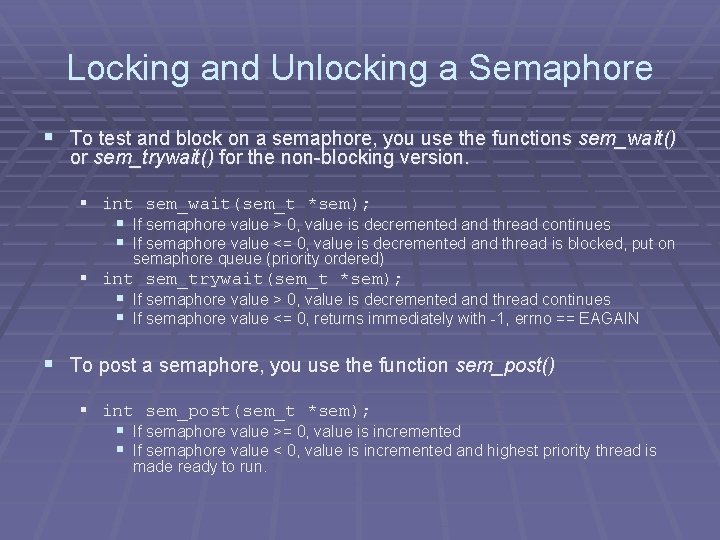
Locking and Unlocking a Semaphore § To test and block on a semaphore, you use the functions sem_wait() or sem_trywait() for the non-blocking version. § int sem_wait(sem_t *sem); § If semaphore value > 0, value is decremented and thread continues § If semaphore value <= 0, value is decremented and thread is blocked, put on semaphore queue (priority ordered) § int sem_trywait(sem_t *sem); § If semaphore value > 0, value is decremented and thread continues § If semaphore value <= 0, returns immediately with -1, errno == EAGAIN § To post a semaphore, you use the function sem_post() § int sem_post(sem_t *sem); § If semaphore value >= 0, value is incremented § If semaphore value < 0, value is incremented and highest priority thread is made ready to run.
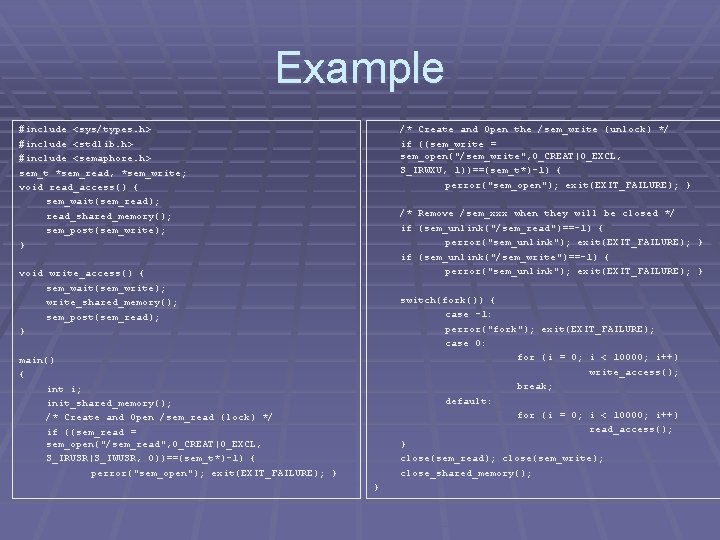
Example #include <sys/types. h> #include <stdlib. h > <stdlib. h> #include <semaphore. h> sem_t *sem_read , *sem_write ; *sem_read, *sem_write; void read_access() { sem_wait(sem_read); read_shared_memory(); sem_post(sem_write); } /* Create and Open the /sem_write (unlock) */ if ((sem_write = sem_open("/sem_write", O_CREAT|O_EXCL, S_IRWXU, 1))==(sem_t *)-1) { 1))==(sem_t*)-1) perror("sem_open"); exit(EXIT_FAILURE); } /* Remove /sem_xxx when they will be closed */ if (sem_unlink("/sem_read ")==-1) { (sem_unlink("/sem_read")==-1) perror("sem_unlink"); exit(EXIT_FAILURE); } if (sem_unlink("/sem_write")==-1) { ( perror("sem_unlink"); exit(EXIT_FAILURE); } void write_access() { sem_wait(sem_write); write_shared_memory(); sem_post(sem_read); } switch(fork()) { case -1: perror("fork"); exit(EXIT_FAILURE); case 0: for (i = 0; i < 10000; i++) write_access(); break; default: for (i = 0; i < 10000; i++) read_access(); } close(sem_read); close(sem_write); close_shared_memory(); main() { int i; init_shared_memory(); /* Create and Open /sem_read (lock) */ if ((sem_read = sem_open("/sem_read", O_CREAT|O_EXCL, S_IRUSR|S_IWUSR, 0))==(sem_t *)-1) { 0))==(sem_t*)-1) perror("sem_open"); exit(EXIT_FAILURE); } perror("sem_open }
Design Issue § Semaphores are an efficient way to synchronize a single reader/writer or to protect a counting variable or any countable resources. § POSIX Semaphores should not be use to protect critical code region, you can end up with a priority inversion situation. Use Lynx. OS semaphores or pthread mutexes. § Disadvantage § Priority inversion problem with POSIX semaphores. § Advantage § System call overhead only if the thread blocks
Mutexes § A mutex is a mechanism to be use to protect critical code region. § A mutex has only two states § locked and unlocked § Threads waiting on a locked mutex are queued in a prioritybased queue § Unlike a semaphore § mutexes have no concept of a count § A mutex has the property of ownership: only the thread currently possessing a mutex can release the mutex.
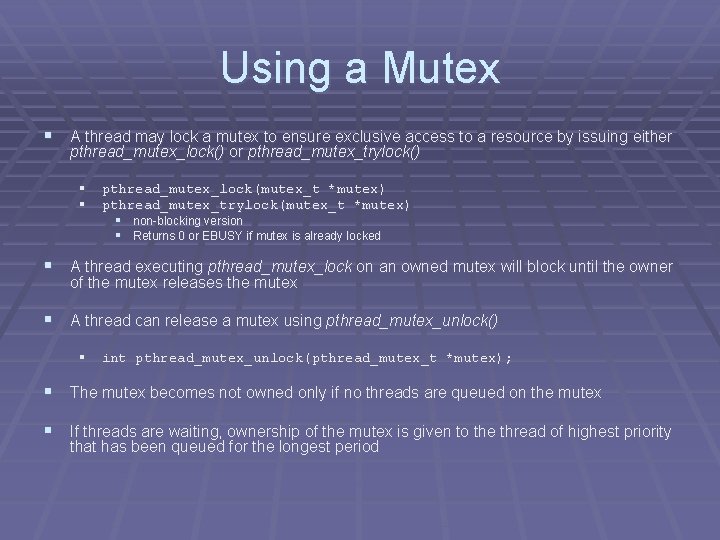
Using a Mutex § A thread may lock a mutex to ensure exclusive access to a resource by issuing either pthread_mutex_lock() or pthread_mutex_trylock() § § pthread_mutex_lock(mutex_t *mutex) pthread_mutex_trylock(mutex_t *mutex) § non-blocking version § Returns 0 or EBUSY if mutex is already locked § A thread executing pthread_mutex_lock on an owned mutex will block until the owner of the mutex releases the mutex § A thread can release a mutex using pthread_mutex_unlock() § int pthread_mutex_unlock(pthread_mutex_t *mutex); § The mutex becomes not owned only if no threads are queued on the mutex § If threads are waiting, ownership of the mutex is given to the thread of highest priority that has been queued for the longest period
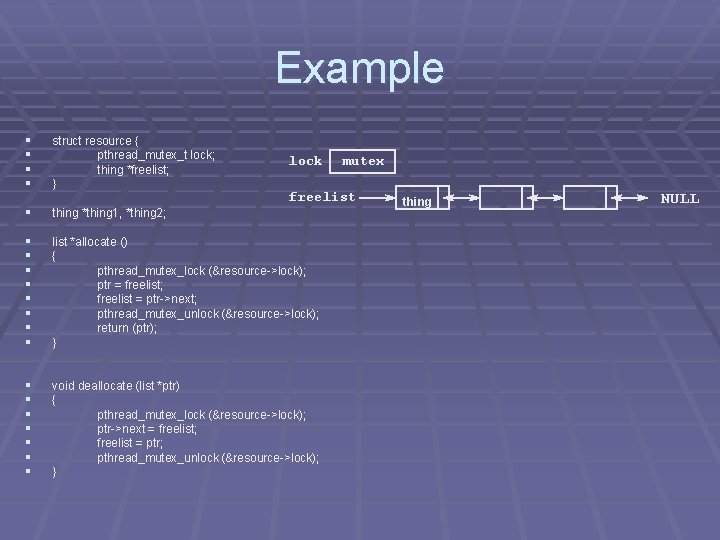
Example § § struct resource { pthread_mutex_t lock; thing *freelist; ; } lock mutex freelist § thing *thing 1, *thing 2; § § § § list *allocate () { pthread_mutex_lock (&resource->lock); ptr = freelist; freelist = ptr->next; pthread_mutex_unlock (&resource->lock); return (ptr ); (ptr); } § § § § void deallocate (list *ptr)) { pthread_mutex_lock (&resource->lock); ptr->next = freelist; freelist = ptr; pthread_mutex_unlock (&resource->lock); } thing NULL
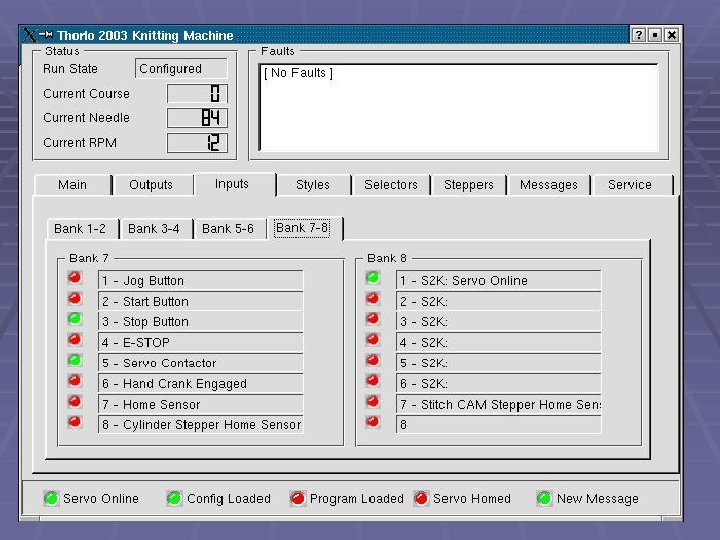
Knitting Machine
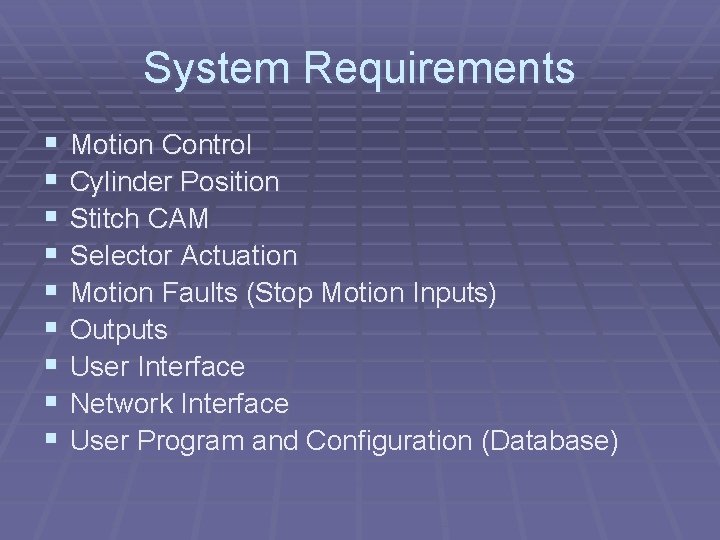
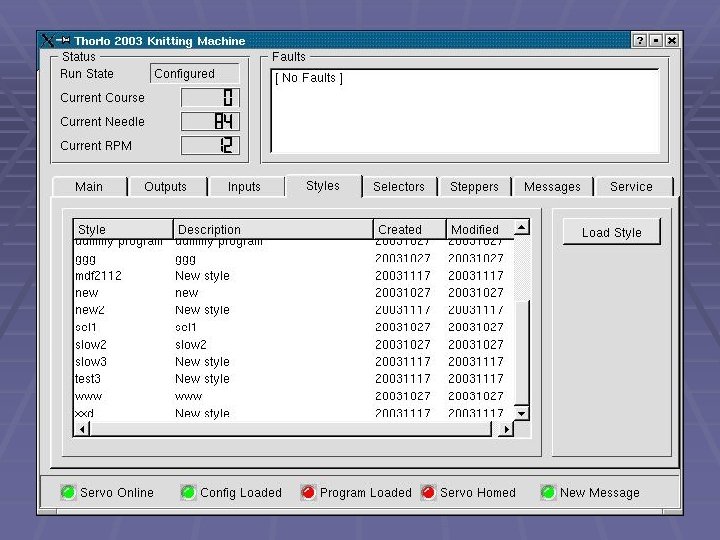
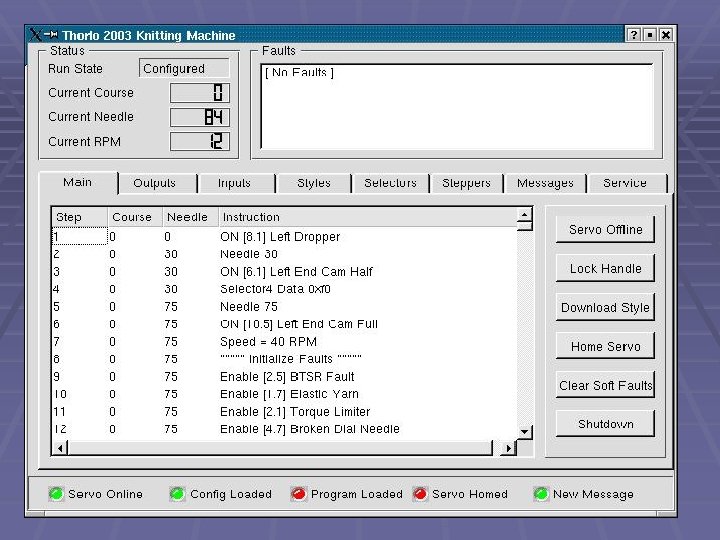
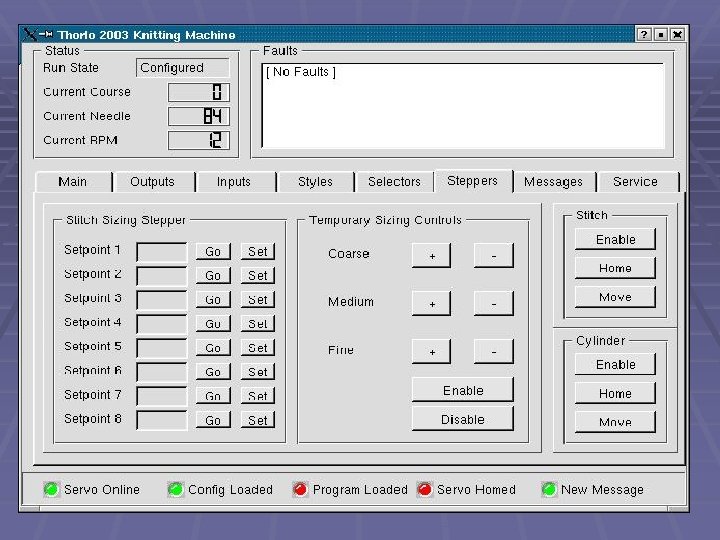
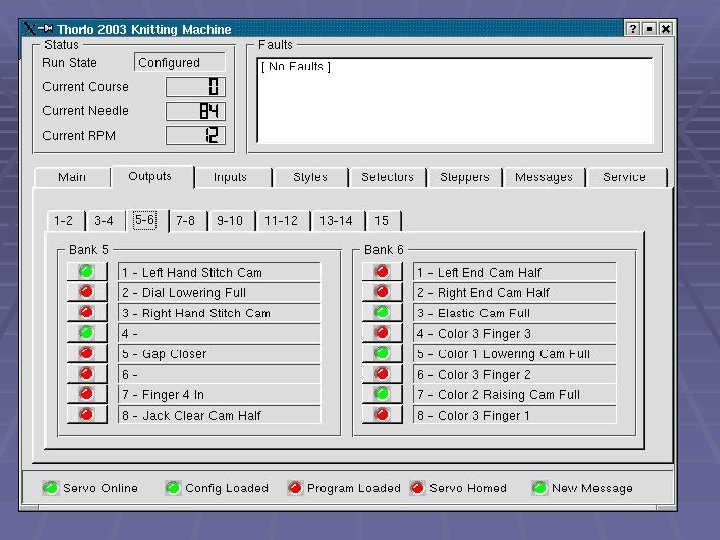
System Requirements § § § § § Motion Control Cylinder Position Stitch CAM Selector Actuation Motion Faults (Stop Motion Inputs) Outputs User Interface Network Interface User Program and Configuration (Database)
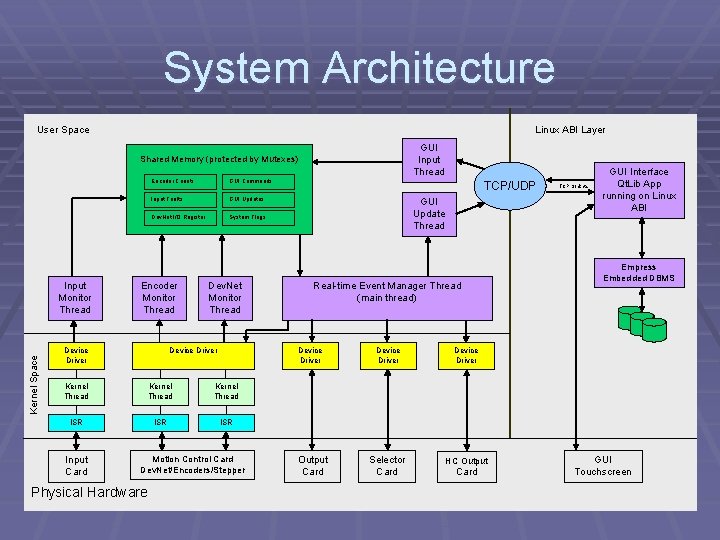
System Architecture User Space Linux ABI Layer GUI Input Thread Shared Memory (protected by Mutexes) Kernel Space Input Monitor Thread Encoder Counts GUI Commands Input Faults GUI Updates Dev. Net I/O Register System Flags Encoder Monitor Thread Device Driver Dev. Net Monitor Thread Device Driver Kernel Thread ISR ISR Motion Control Card Dev. Net/Encoders/Stepper Physical Hardware GUI Update Thread Real-time Event Manager Thread (main thread) Device Driver Kernel Thread Input Card TCP/UDP Output Card Device Driver Selector Card HC Output Card TCP Sockets GUI Interface Qt. Lib App running on Linux ABI Empress Embedded DBMS GUI Touchscreen
Motion Control § Main Axis - Cylinder § Servo Control § Dynamic Motion Profiles § Bi-directional § Variable Speed § 50 to 300 RPM § Stitch CAM § § Stepper motor Encoder feedback Bi-directional Incremental Positioning
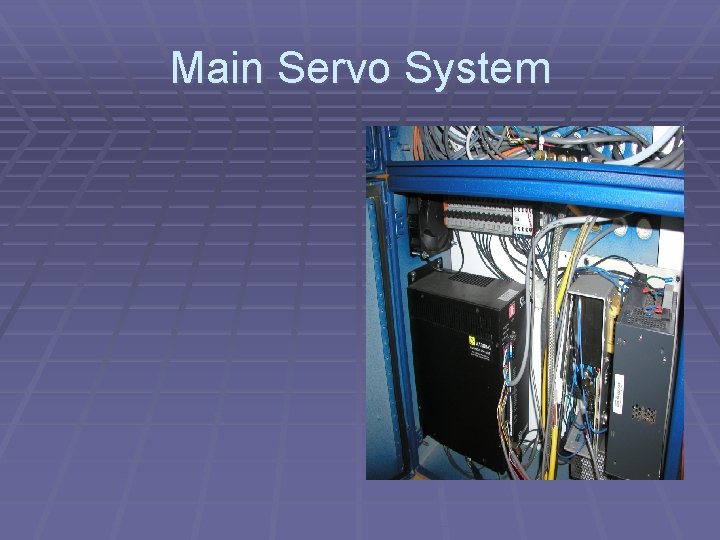
Main Servo System
Main Cylinder – 84 Needles
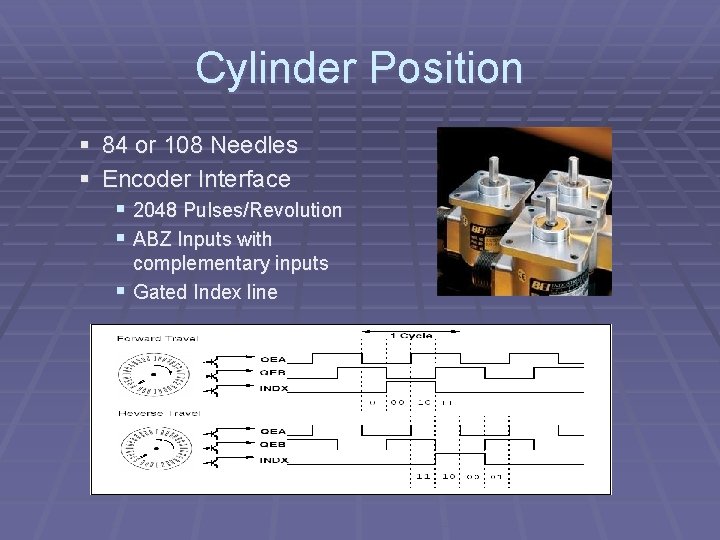
Cylinder Position § 84 or 108 Needles § Encoder Interface § 2048 Pulses/Revolution § ABZ Inputs with complementary inputs § Gated Index line
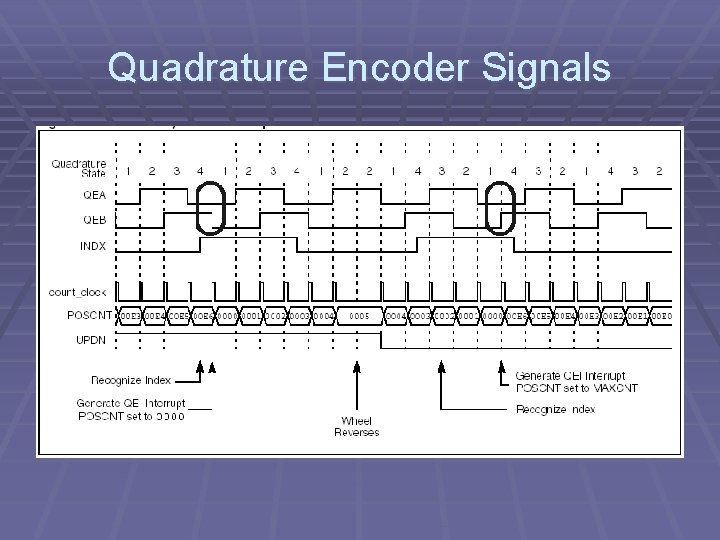
Quadrature Encoder Signals
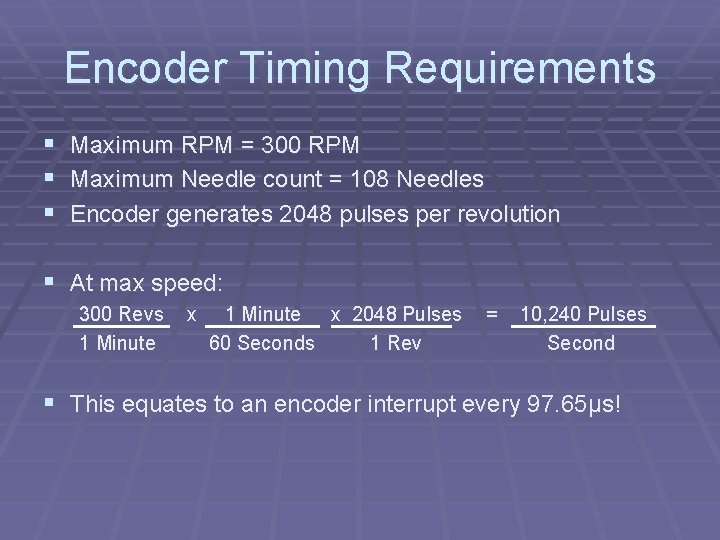
Encoder Timing Requirements § § § Maximum RPM = 300 RPM Maximum Needle count = 108 Needles Encoder generates 2048 pulses per revolution § At max speed: 300 Revs 1 Minute x 2048 Pulses 60 Seconds 1 Rev = 10, 240 Pulses Second § This equates to an encoder interrupt every 97. 65µs!
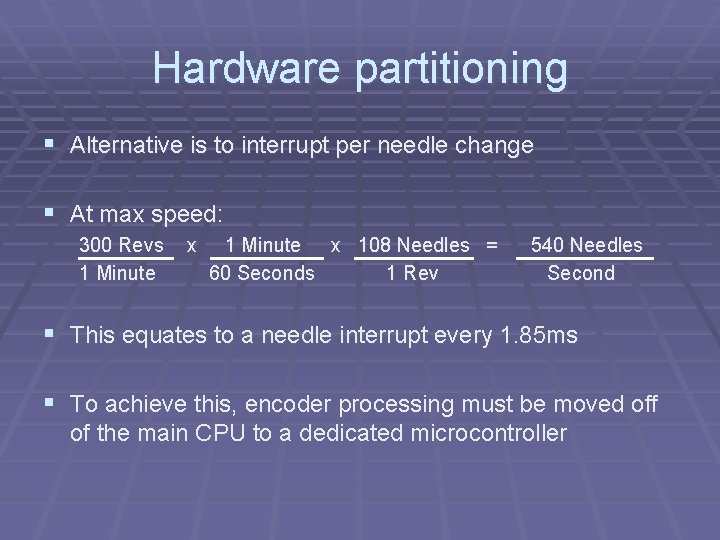
Hardware partitioning § Alternative is to interrupt per needle change § At max speed: 300 Revs 1 Minute x 108 Needles = 60 Seconds 1 Rev 540 Needles Second § This equates to a needle interrupt every 1. 85 ms § To achieve this, encoder processing must be moved off of the main CPU to a dedicated microcontroller
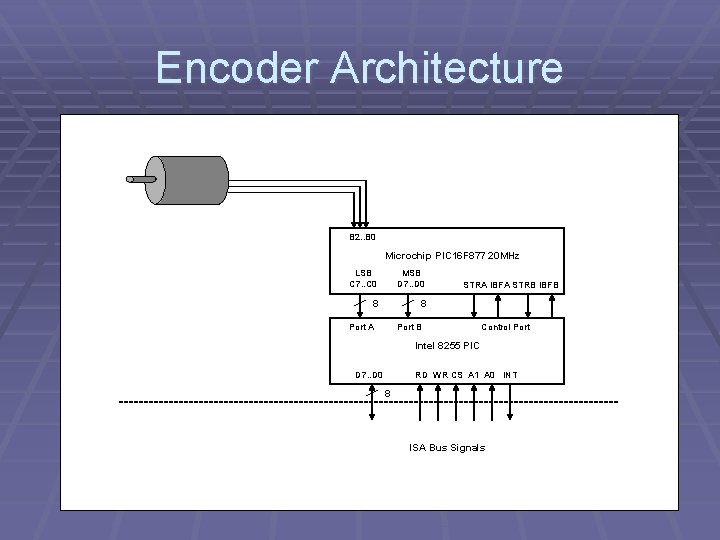
Encoder Architecture B 2. . B 0 Microchip PIC 16 F 877 20 MHz LSB C 7. . C 0 MSB D 7. . D 0 8 8 Port A STRA IBFA STRB IBFB Port B Control Port Intel 8255 PIC D 7. . D 0 RD WR CS A 1 A 0 INT 8 ISA Bus Signals
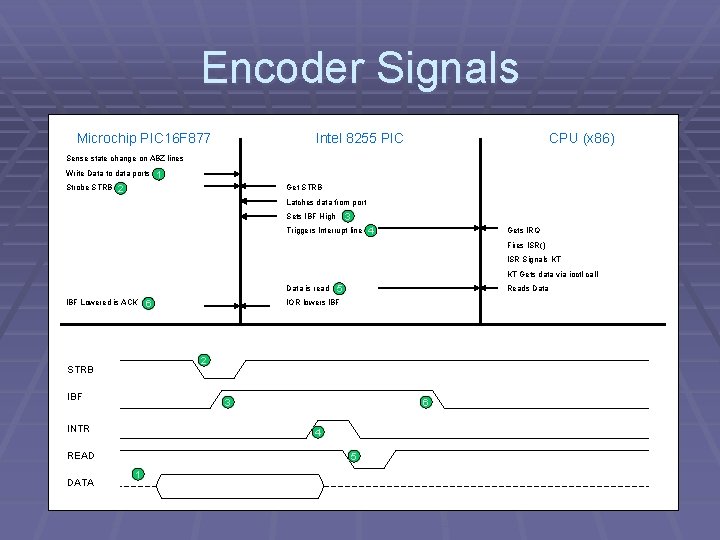
Encoder Signals Microchip PIC 16 F 877 Intel 8255 PIC CPU (x 86) Sense state change on ABZ lines Write Data to data ports Strobe STRB 1 2 Get STRB Latches data from port 3 Sets IBF High Triggers Interrupt line 4 Gets IRQ Fires ISR() ISR Signals KT KT Gets data via ioctl call Data is read IBF Lowered is ACK Reads Data IOR lowers IBF 2 STRB IBF 3 INTR 6 4 READ DATA 6 5 5 1
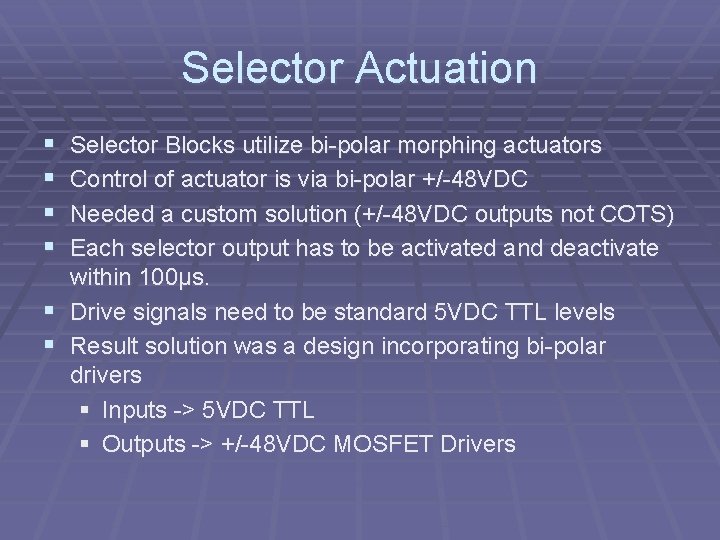
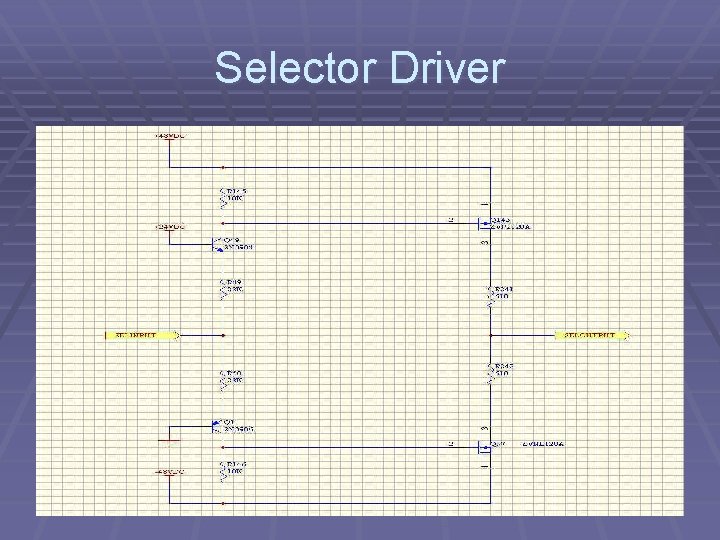
Selector Actuation § § Selector Blocks utilize bi-polar morphing actuators Control of actuator is via bi-polar +/-48 VDC Needed a custom solution (+/-48 VDC outputs not COTS) Each selector output has to be activated and deactivate within 100µs. § Drive signals need to be standard 5 VDC TTL levels § Result solution was a design incorporating bi-polar drivers § Inputs -> 5 VDC TTL § Outputs -> +/-48 VDC MOSFET Drivers
Selector Banks
Selector Driver
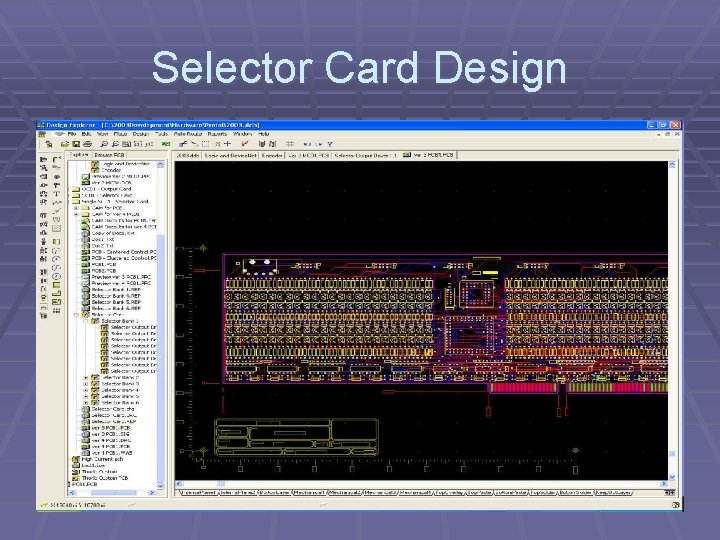
Selector Card Design
Pneumatic Outputs
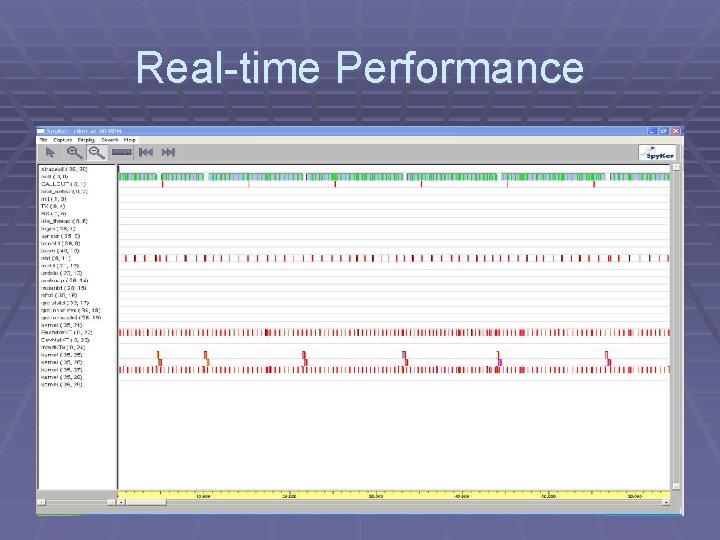
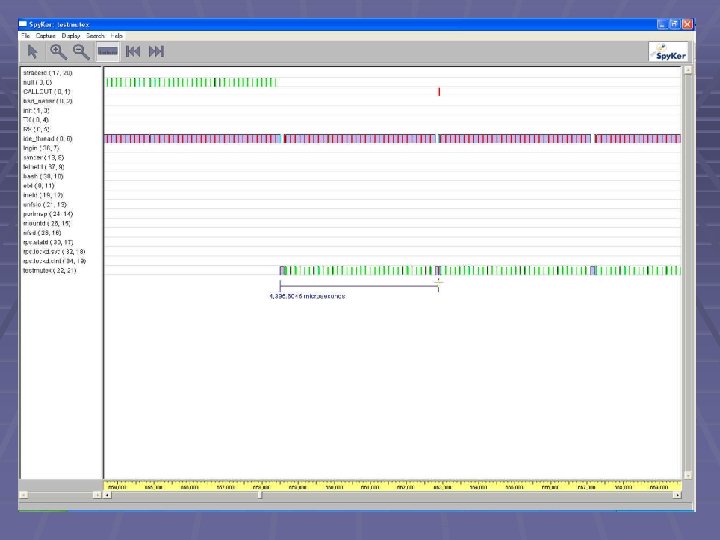
Real-time Performance
Final System
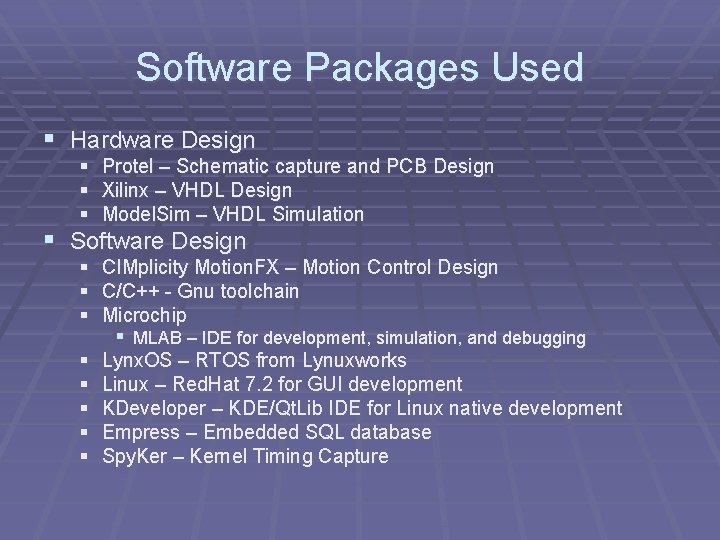
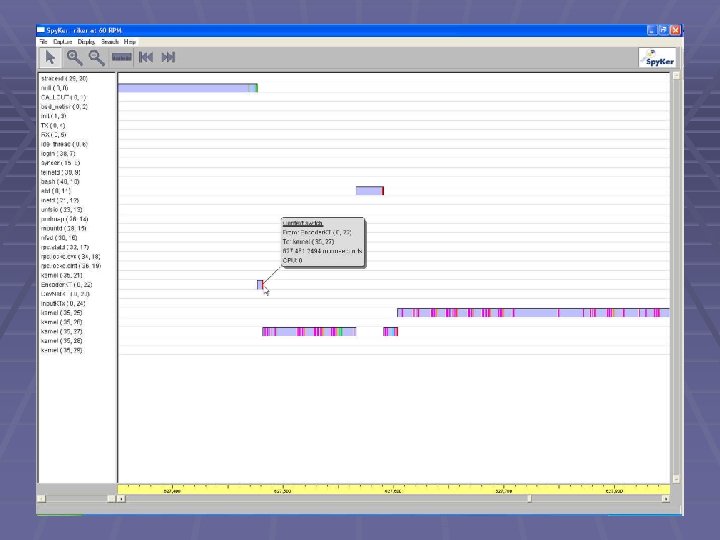
Software Packages Used § Hardware Design § Protel – Schematic capture and PCB Design § Xilinx – VHDL Design § Model. Sim – VHDL Simulation § Software Design § CIMplicity Motion. FX – Motion Control Design § C/C++ - Gnu toolchain § Microchip § MLAB – IDE for development, simulation, and debugging § Lynx. OS – RTOS from Lynuxworks § Linux – Red. Hat 7. 2 for GUI development § KDeveloper – KDE/Qt. Lib IDE for Linux native development § Empress – Embedded SQL database § Spy. Ker – Kernel Timing Capture
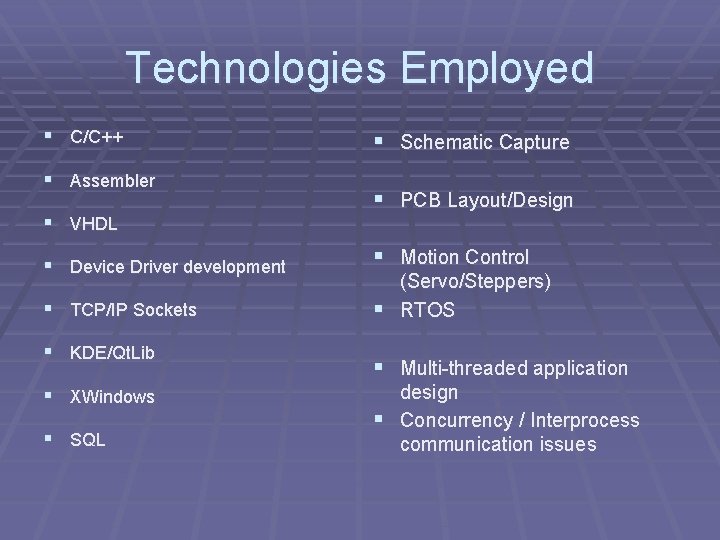
Technologies Employed § C/C++ § Assembler § VHDL § Device Driver development § TCP/IP Sockets § KDE/Qt. Lib § XWindows § SQL § Schematic Capture § PCB Layout/Design § Motion Control (Servo/Steppers) § RTOS § Multi-threaded application design § Concurrency / Interprocess communication issues
- Slides: 45