
Exam I Review Basic Python code components Naming

Exam I Review
Basic Python code components • • Naming & initializing variables, assignment statements Comments Keywords Built-in modules Indentation Objects Built-in functions, constants, exceptions, Data structures: integers, floats, strings, lists, tuples… 2
Exercise: ‘Try me’ • Download try. Me. rtf from the “In class” page. • try. Me. rtf contains code statements. • They use built-in functions • …and some generate built-in exceptions. • Type each code statement in the Interactive Window, one at a time and explain the results using the Python terms defined on these slides. • Before running each statement, predict the results. 3
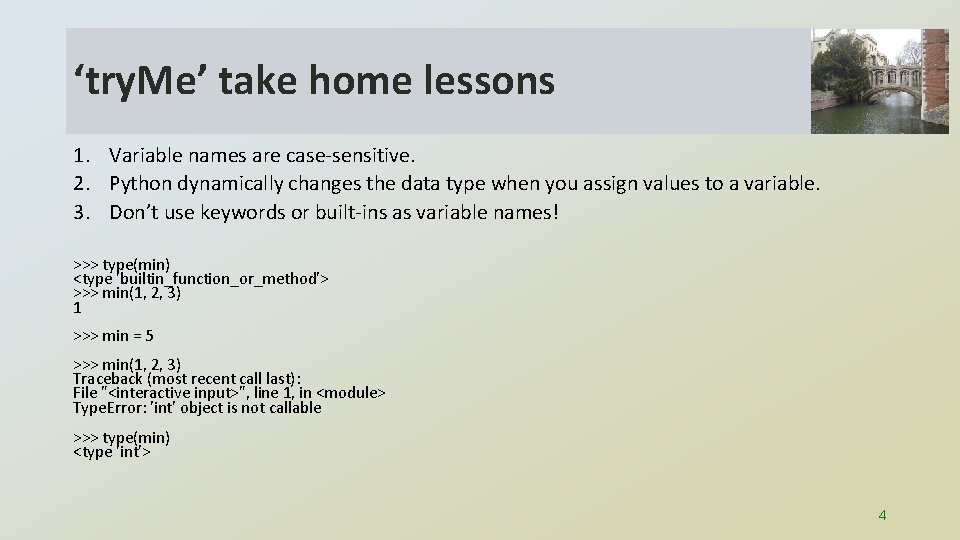
‘try. Me’ take home lessons 1. Variable names are case-sensitive. 2. Python dynamically changes the data type when you assign values to a variable. 3. Don’t use keywords or built-ins as variable names! >>> type(min) <type 'builtin_function_or_method'> >>> min(1, 2, 3) 1 >>> min = 5 >>> min(1, 2, 3) Traceback (most recent call last): File "<interactive input>", line 1, in <module> Type. Error: 'int' object is not callable >>> type(min) <type 'int'> 4
![Common string and list operations sys. argv[1] == ? sys. argv[2] == ? Operation](http://slidetodoc.com/presentation_image_h2/6c4bf0fdfb5197fed1f5bc2d57f28506/image-5.jpg "Common string and list operations sys. argv[1] == ? sys. argv[2] == ? Operation")
Common string and list operations sys. argv[1] == ? sys. argv[2] == ? Operation name String example List example ? >>> x = sys. argv[1] >>> x[3] ? >>> mylist = [sys. argv[1], sys. argv[2], 'c', 'd', 'e'] >>> mylist[5] ? ? >>> y = sys. argv[2] >>> x + y 'abcdesoup' >>> mylist = sys. argv + x ? ? >>> x[1: 4] 'bcd' >>> mylist = ['a', 'b', 'c', 'd', 'e'] >>> ? ['b', 'c', 'd'] Finding length >>> len(x) 5 ? (find the number of user arguments) print 'The user passed in {? } arguments. ‘? ? >>> 'ae' in y ? 'abc' in mylist ? 5
![Common string and list operations sys. argv[1] == 'abcde' sys. argv[2] == 'soup' Operation](http://slidetodoc.com/presentation_image_h2/6c4bf0fdfb5197fed1f5bc2d57f28506/image-6.jpg "Common string and list operations sys. argv[1] == 'abcde' sys. argv[2] == 'soup' Operation")
Common string and list operations sys. argv[1] == 'abcde' sys. argv[2] == 'soup' Operation name String example List example indexing (zero-based) >>> x = sys. argv[1] >>> x[3] 'd' >>> mylist = [sys. argv[1], sys. argv[2], 'c', 'd', 'e'] >>> mylist[5] Index. Error concatenation >>> y = sys. argv[2] >>> x + y 'abcdesoup' >>> mylist = sys. argv + x Type. Error slicing >>> x[1: 4] 'bcd' >>> mylist = ['a', 'b', 'c', 'd', 'e'] >>> mylist[1: 4] ['b', 'c', 'd'] Finding length >>> len(x) 5 ct = len(sys. argv) - 1 print 'The user passed in {0} arguments. '. format(ct) Checking for membership in >>> 'ae' in y False 'abc' in mylist False (from Latin com: together + catena: chain) 6
Data type concepts • • Data types: integers, float, strings, lists, tuples Integer division String literal versus string variable String and list indexing, slicing, concatenation, len, ‘in’ keyword String line continuation, escape sequences, raw & unary strings In place (list) versus return value (string) methods Formatting print statements (commas, concatenation, the string format method) String methods: capitalize, center, count, decode, endswith, expandtabs, find, index, isalnum, isalpha, isdigit, islower, isspace, istitle, isupper, join, ljust, lower, lstrip, partition, replace, rfind, rindex, rjust, rpartition, rsplit, restrip, splitlines , startswith, strip, swapcase , title, translate, upper, and zfill • List methods: append, extend, insert, remove, pop, index, count, sort, and reverse
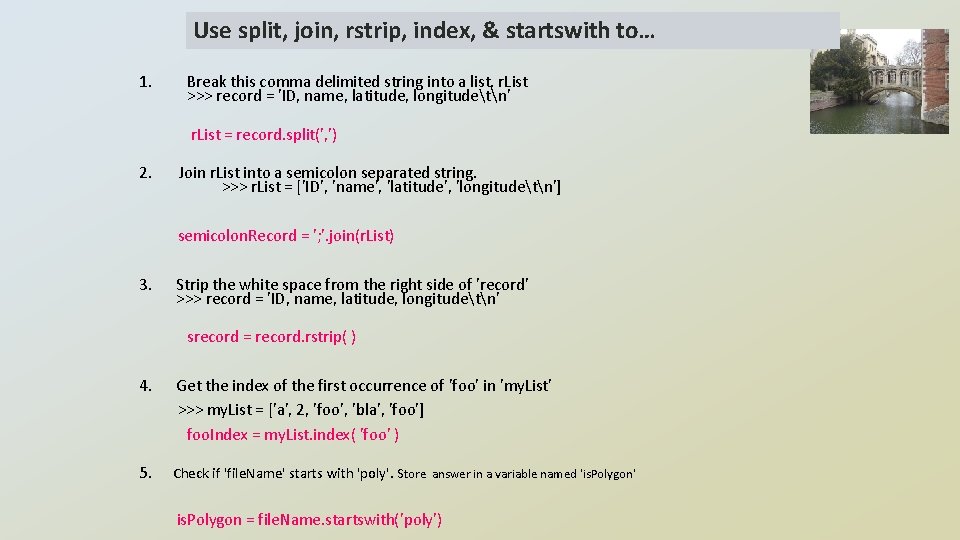
Use split, join, rstrip, index, & startswith to… 1. Break this comma delimited string into a list, r. List >>> record = 'ID, name, latitude, longitudetn' r. List = record. split(', ') 2. Join r. List into a semicolon separated string. >>> r. List = ['ID', 'name', 'latitude', 'longitudetn'] semicolon. Record = '; '. join(r. List) 3. Strip the white space from the right side of 'record' >>> record = 'ID, name, latitude, longitudetn' srecord = record. rstrip( ) 4. Get the index of the first occurrence of 'foo' in 'my. List' >>> my. List = ['a', 2, 'foo', 'bla', 'foo'] foo. Index = my. List. index( 'foo' ) 5. Check if 'file. Name' starts with 'poly'. Store answer in a variable named 'is. Polygon' is. Polygon = file. Name. startswith('poly')
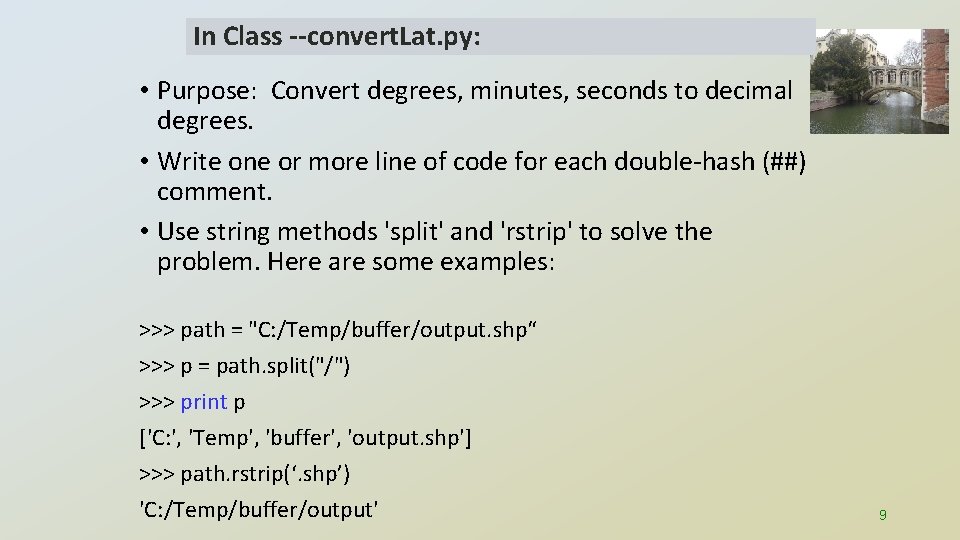
In Class --convert. Lat. py: • Purpose: Convert degrees, minutes, seconds to decimal degrees. • Write one or more line of code for each double-hash (##) comment. • Use string methods 'split' and 'rstrip' to solve the problem. Here are some examples: >>> path = "C: /Temp/buffer/output. shp“ >>> p = path. split("/") >>> print p ['C: ', 'Temp', 'buffer', 'output. shp'] >>> path. rstrip(‘. shp’) 'C: /Temp/buffer/output' 9

convert. Lat. Solution. py 10
arcpy • Environments settings • Calling tools • Using tool help • Working with linear units • Calling spatial analyst tools • Raster calculator • Results objects 11
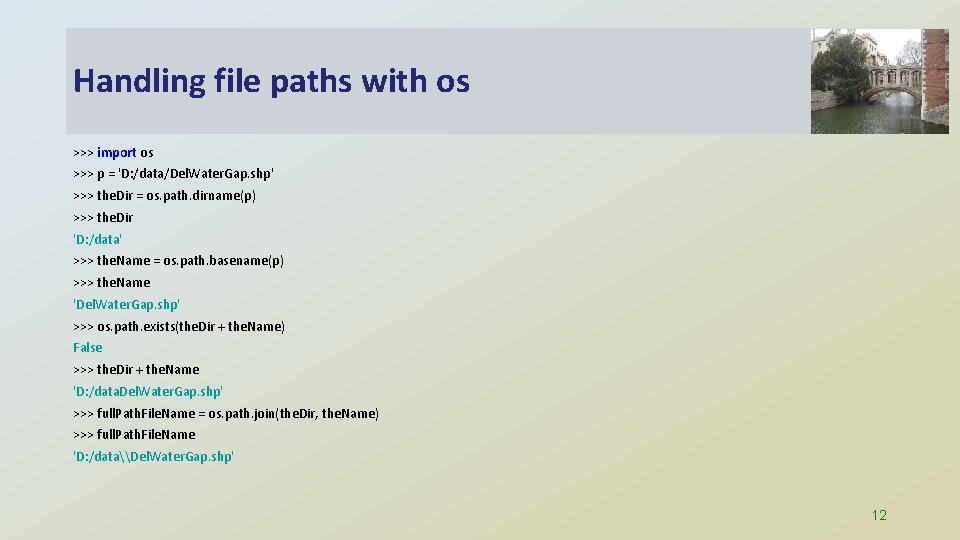
Handling file paths with os >>> import os >>> p = 'D: /data/Del. Water. Gap. shp' >>> the. Dir = os. path. dirname(p) >>> the. Dir 'D: /data' >>> the. Name = os. path. basename(p) >>> the. Name 'Del. Water. Gap. shp' >>> os. path. exists(the. Dir + the. Name) False >>> the. Dir + the. Name 'D: /data. Del. Water. Gap. shp' >>> full. Path. File. Name = os. path. join(the. Dir, the. Name) >>> full. Path. File. Name 'D: /data\Del. Water. Gap. shp' 12
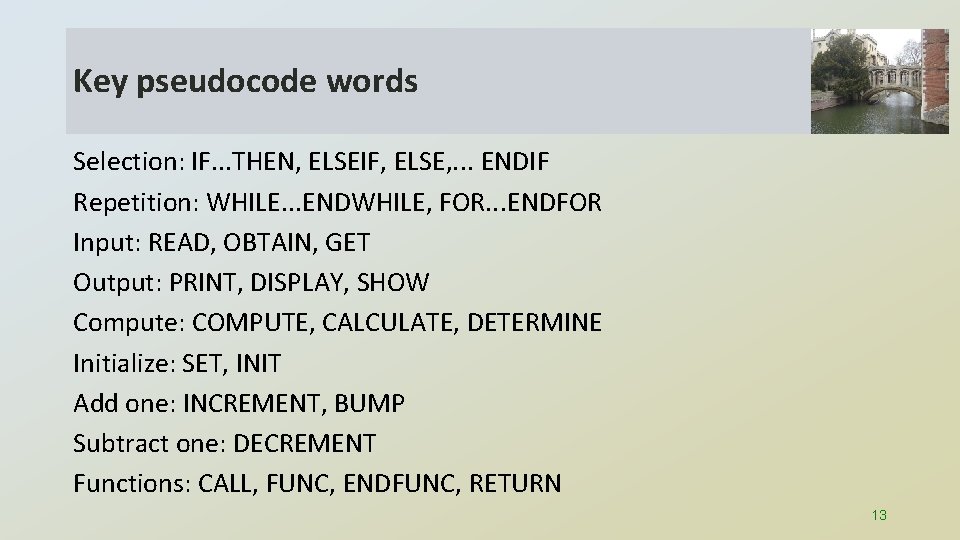
Key pseudocode words Selection: IF. . . THEN, ELSEIF, ELSE, . . . ENDIF Repetition: WHILE. . . ENDWHILE, FOR. . . ENDFOR Input: READ, OBTAIN, GET Output: PRINT, DISPLAY, SHOW Compute: COMPUTE, CALCULATE, DETERMINE Initialize: SET, INIT Add one: INCREMENT, BUMP Subtract one: DECREMENT Functions: CALL, FUNC, ENDFUNC, RETURN 13
Pseudocode Write a temperature conversion workflow in pseudcode to convert between Celsius and Fahrenheit. The workflow should handle one numerical required argument and one optional argument (the scale, F or C). If the user gives two arguments, perform the conversion. If the user gives only one argument, a number, assume the number is given in Fahrenheit, warn the user, and perform the conversion. If the user provides no arguments, print a statement explaining how to run it.
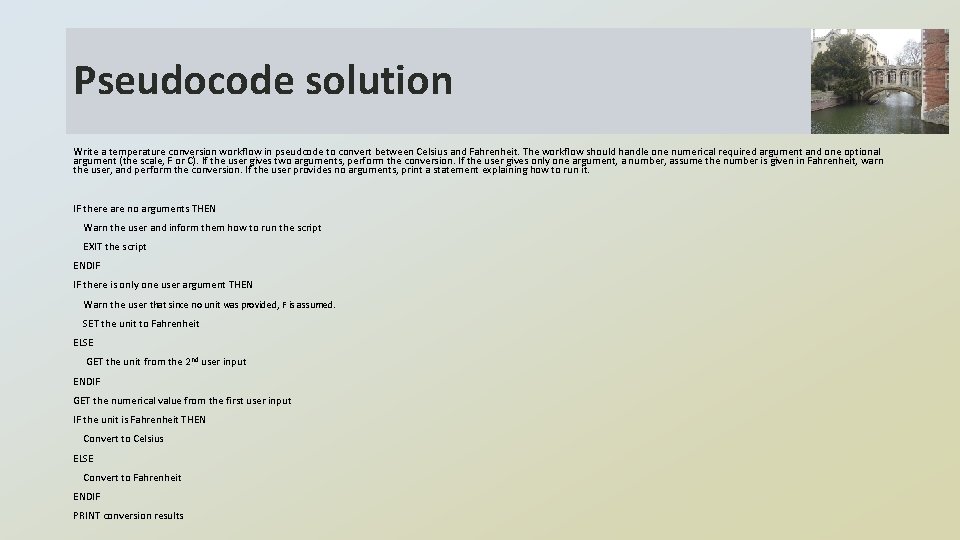
Pseudocode solution Write a temperature conversion workflow in pseudcode to convert between Celsius and Fahrenheit. The workflow should handle one numerical required argument and one optional argument (the scale, F or C). If the user gives two arguments, perform the conversion. If the user gives only one argument, a number, assume the number is given in Fahrenheit, warn the user, and perform the conversion. If the user provides no arguments, print a statement explaining how to run it. IF there are no arguments THEN Warn the user and inform them how to run the script EXIT the script ENDIF IF there is only one user argument THEN Warn the user that since no unit was provided, F is assumed. SET the unit to Fahrenheit ELSE GET the unit from the 2 nd user input ENDIF GET the numerical value from the first user input IF the unit is Fahrenheit THEN Convert to Celsius ELSE Convert to Fahrenheit ENDIF PRINT conversion results
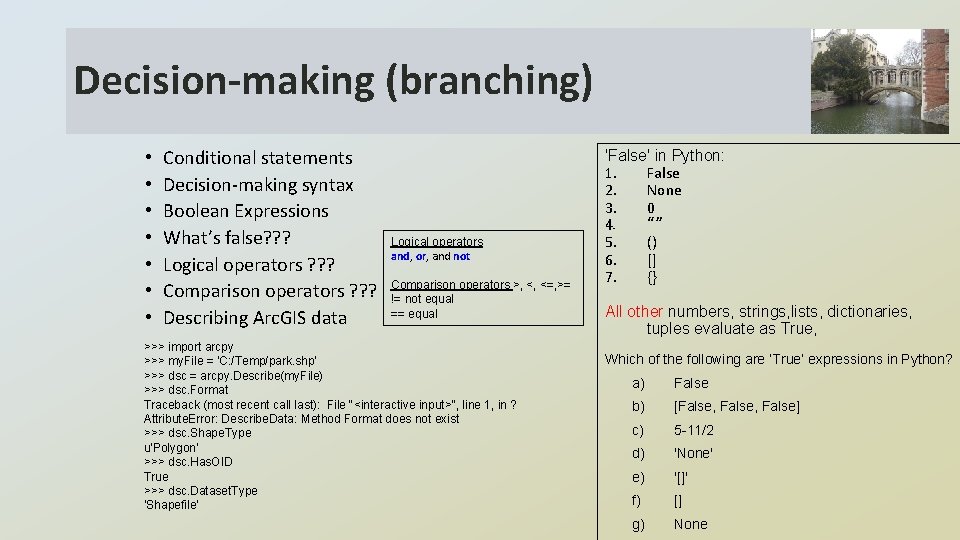
Decision-making (branching) • • Conditional statements Decision-making syntax Boolean Expressions What’s false? ? ? Logical operators ? ? ? Comparison operators ? ? ? Describing Arc. GIS data Logical operators and, or, and not Comparison operators >, <, <=, >= != not equal == equal >>> import arcpy >>> my. File = 'C: /Temp/park. shp' >>> dsc = arcpy. Describe(my. File) >>> dsc. Format Traceback (most recent call last): File "<interactive input>", line 1, in ? Attribute. Error: Describe. Data: Method Format does not exist >>> dsc. Shape. Type u'Polygon‘ >>> dsc. Has. OID True >>> dsc. Dataset. Type ‘Shapefile' 'False' in Python: 1. False 2. None 3. 0 4. “” 5. () 6. [] 7. {} All other numbers, strings, lists, dictionaries, tuples evaluate as True, Which of the following are ‘True’ expressions in Python? a) False b) [False, False] c) 5 -11/2 d) 'None' e) '[]' f) [] g) None
WHILE & FOR looping • WHILE and FOR loop syntax • 3 important components of a WHILE-loop • The range function • os. listdir 1. Replace this FOR-loop with a WHILE-loop. nums = [5, 10, 15, 20] for x in nums: print x 2. Replace this WHILE-loop with a FOR-loop. x=0 while x < 9: print x x=x+1 17
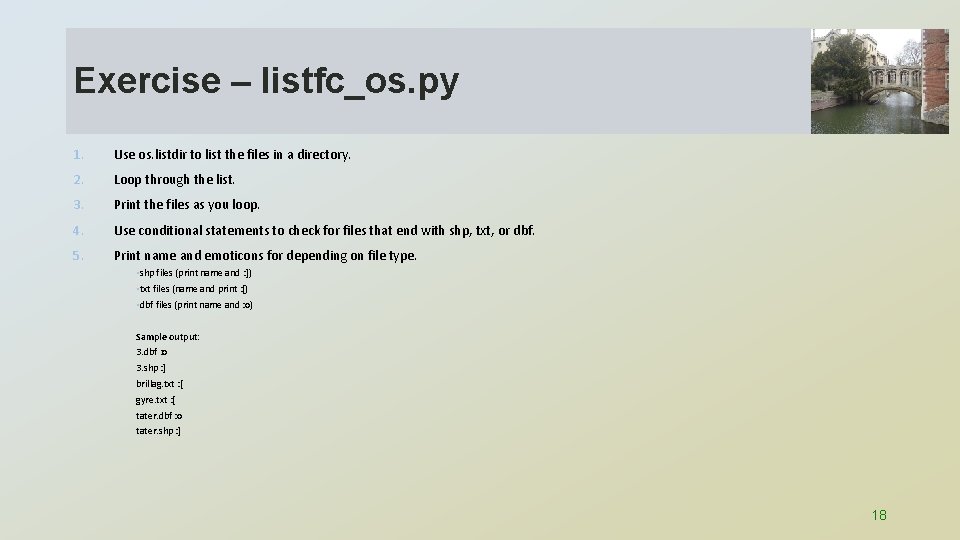
Exercise – listfc_os. py 1. Use os. listdir to list the files in a directory. 2. Loop through the list. 3. Print the files as you loop. 4. Use conditional statements to check for files that end with shp, txt, or dbf. 5. Print name and emoticons for depending on file type. • shp files (print name and : ]) • txt files (name and print : [) • dbf files (print name and : o) Sample output: 3. dbf : o 3. shp : ] brillag. txt : [ gyre. txt : [ tater. dbf : o tater. shp : ] 18
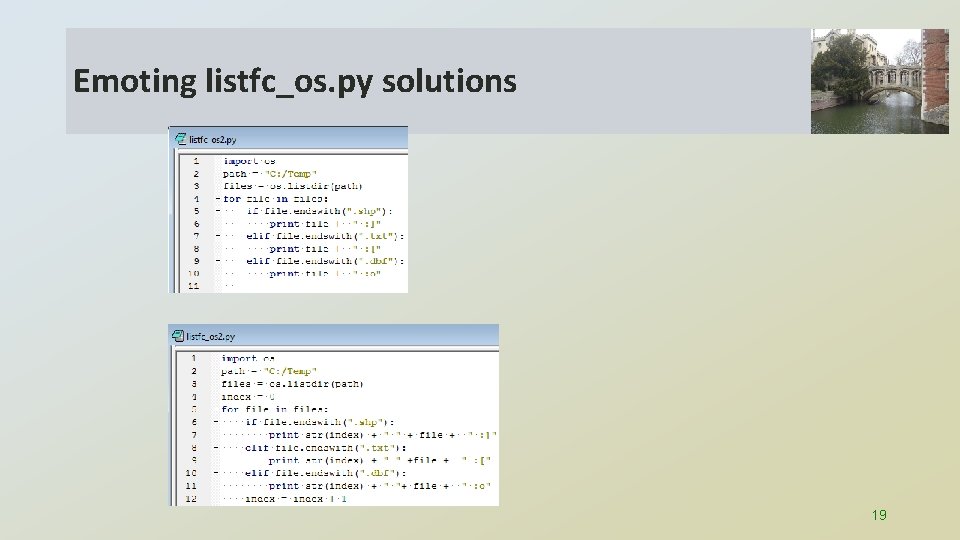
Emoting listfc_os. py solutions 19
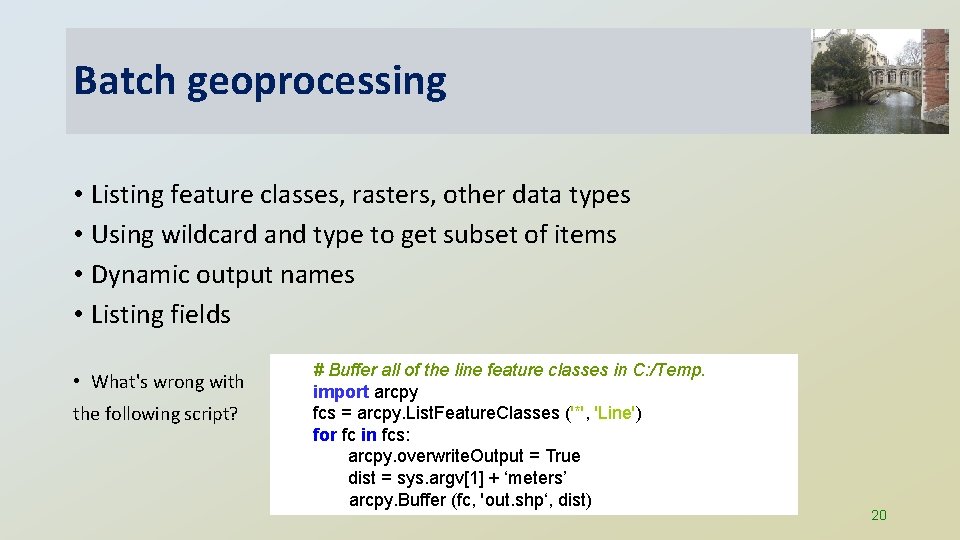
Batch geoprocessing • Listing feature classes, rasters, other data types • Using wildcard and type to get subset of items • Dynamic output names • Listing fields • What's wrong with the following script? # Buffer all of the line feature classes in C: /Temp. import arcpy fcs = arcpy. List. Feature. Classes ('*', 'Line') for fc in fcs: arcpy. overwrite. Output = True dist = sys. argv[1] + ‘meters’ arcpy. Buffer (fc, 'out. shp‘, dist) 20
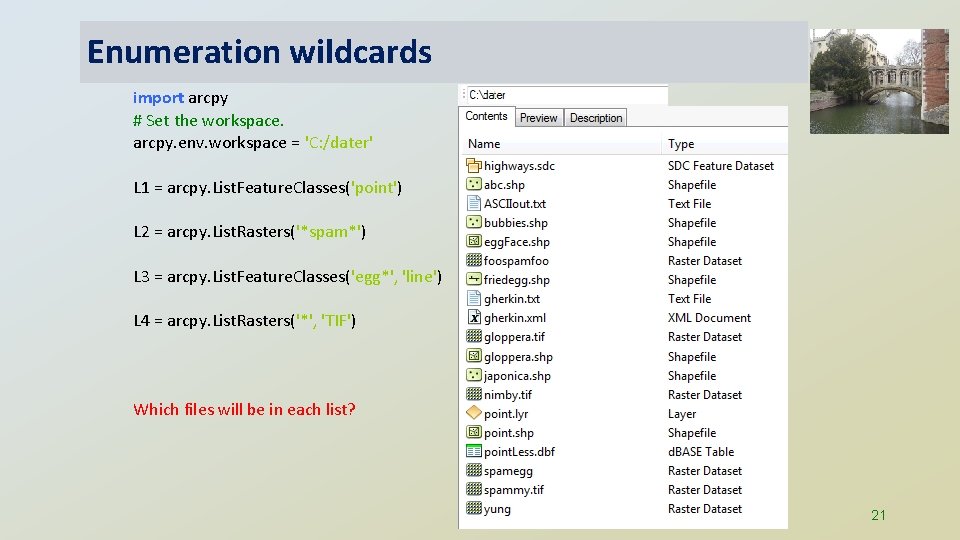
Enumeration wildcards import arcpy # Set the workspace. arcpy. env. workspace = 'C: /dater' L 1 = arcpy. List. Feature. Classes('point') L 2 = arcpy. List. Rasters('*spam*') L 3 = arcpy. List. Feature. Classes('egg*', 'line') L 4 = arcpy. List. Rasters('*', 'TIF') Which files will be in each list? 21
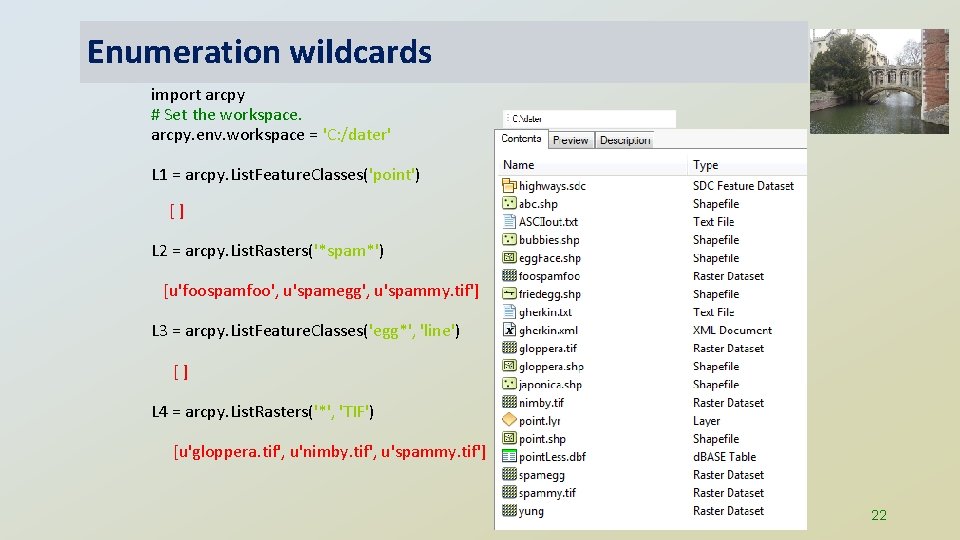
Enumeration wildcards import arcpy # Set the workspace. arcpy. env. workspace = 'C: /dater' L 1 = arcpy. List. Feature. Classes('point') [] L 2 = arcpy. List. Rasters('*spam*') [u'foospamfoo', u'spamegg', u'spammy. tif'] L 3 = arcpy. List. Feature. Classes('egg*', 'line') [] L 4 = arcpy. List. Rasters('*', 'TIF') [u'gloppera. tif', u'nimby. tif', u'spammy. tif'] 22
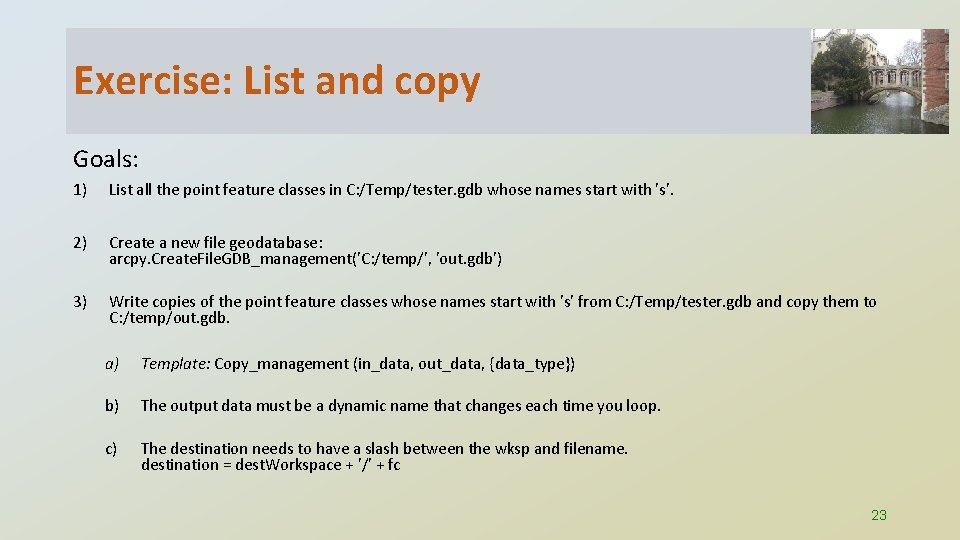
Exercise: List and copy Goals: 1) List all the point feature classes in C: /Temp/tester. gdb whose names start with 's'. 2) Create a new file geodatabase: arcpy. Create. File. GDB_management('C: /temp/', 'out. gdb') 3) Write copies of the point feature classes whose names start with 's' from C: /Temp/tester. gdb and copy them to C: /temp/out. gdb. a) Template: Copy_management (in_data, out_data, {data_type}) b) The output data must be a dynamic name that changes each time you loop. c) The destination needs to have a slash between the wksp and filename. destination = dest. Workspace + '/' + fc 23
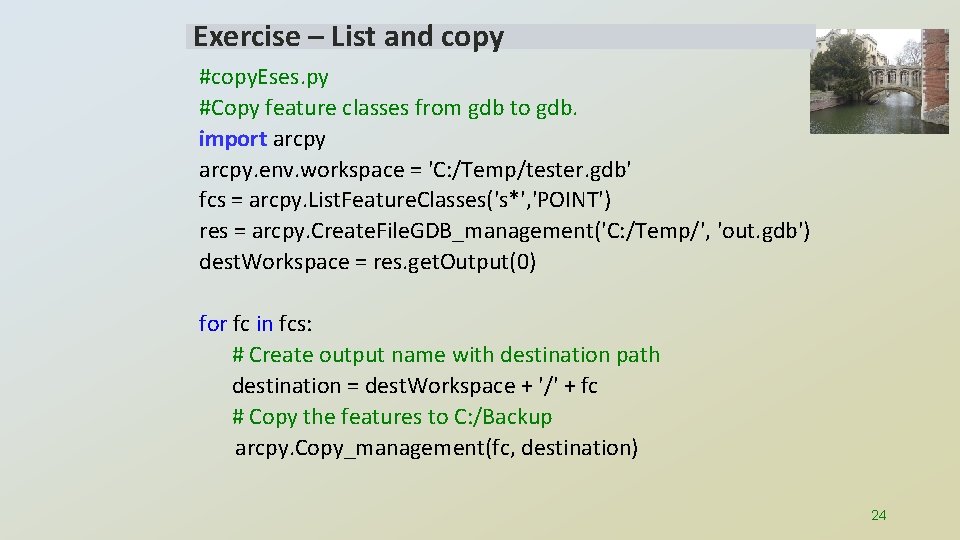
Exercise – List and copy #copy. Eses. py #Copy feature classes from gdb to gdb. import arcpy. env. workspace = 'C: /Temp/tester. gdb' fcs = arcpy. List. Feature. Classes('s*', 'POINT') res = arcpy. Create. File. GDB_management('C: /Temp/', 'out. gdb') dest. Workspace = res. get. Output(0) for fc in fcs: # Create output name with destination path destination = dest. Workspace + '/' + fc # Copy the features to C: /Backup arcpy. Copy_management(fc, destination) 24
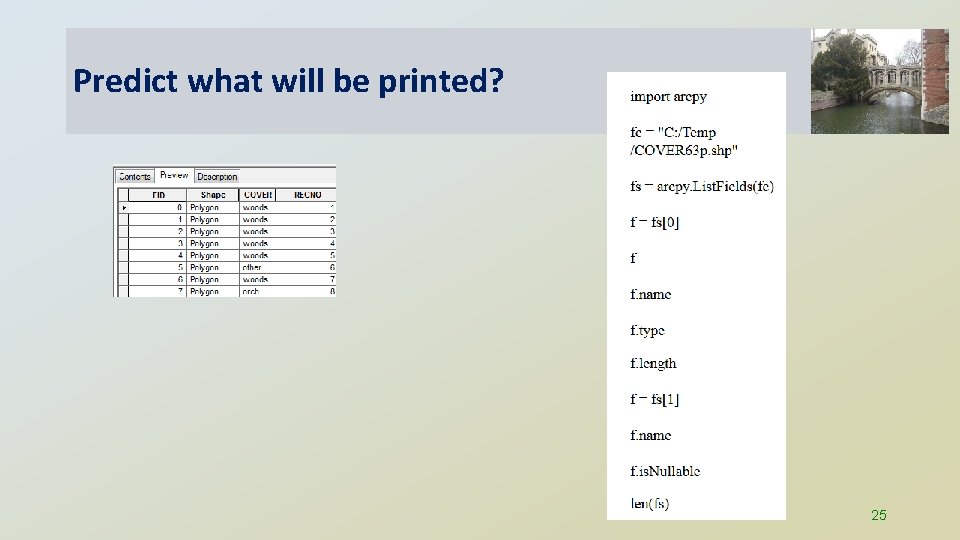
Predict what will be printed? 25
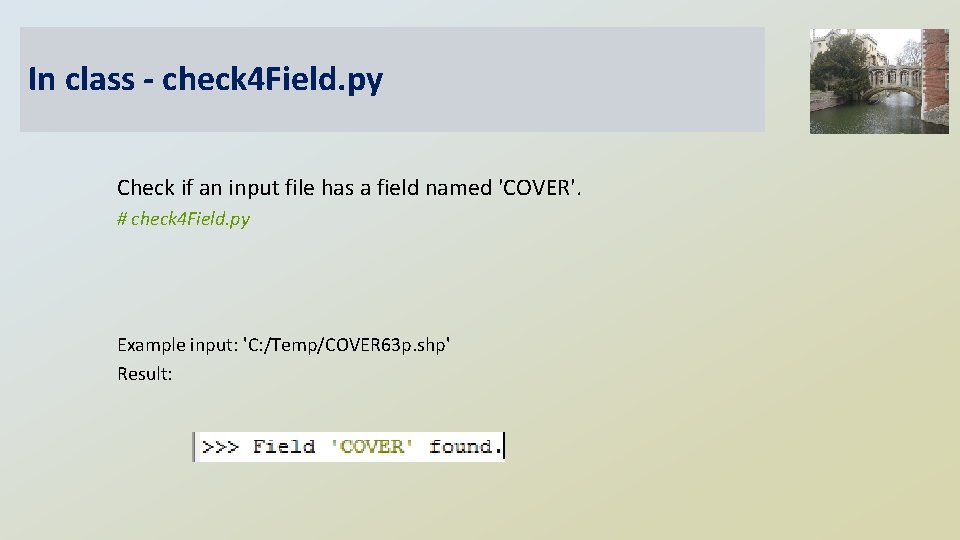
In class - check 4 Field. py Check if an input file has a field named 'COVER'. # check 4 Field. py Example input: 'C: /Temp/COVER 63 p. shp' Result:
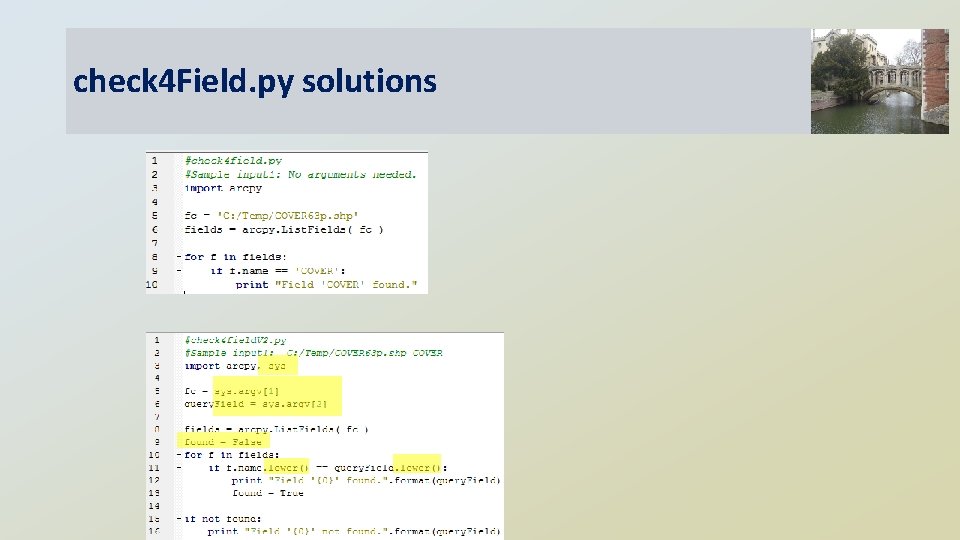
check 4 Field. py solutions
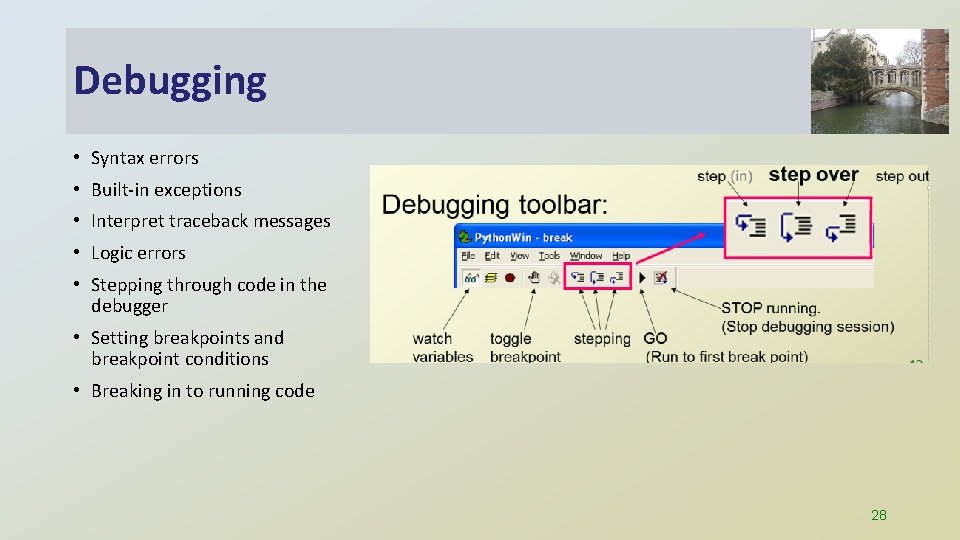
Debugging • Syntax errors • Built-in exceptions • Interpret traceback messages • Logic errors • Stepping through code in the debugger • Setting breakpoints and breakpoint conditions • Breaking in to running code 28
Summing up • Topics discussed • • • Basic Python components Data structures Calling Arc. GIS tools Handling user arguments and the os module Representing workflow with pseudcode Decision-making (if, else, and, or, !=, ==, Describe) Looping, while, for, listdir Batch geoprocessing Debugging 29

More practice exercises Exam 1
Write a loops to print 20, 30, 40, 50, 60, 70 Write FOR and WHILE loops to print 21, 31, 41, 51, 61, 71
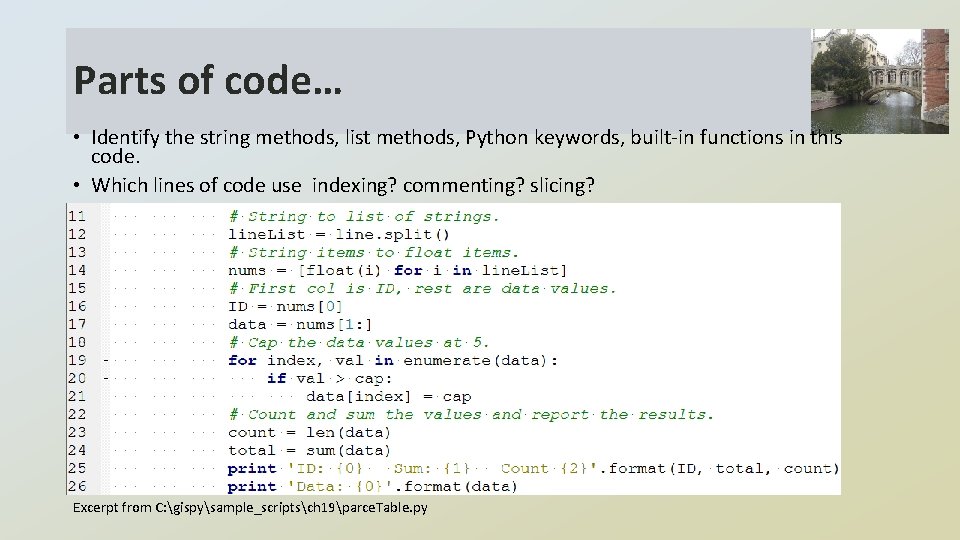
Parts of code… • Identify the string methods, list methods, Python keywords, built-in functions in this code. • Which lines of code use indexing? commenting? slicing? Excerpt from C: gispysample_scriptsch 19parce. Table. py
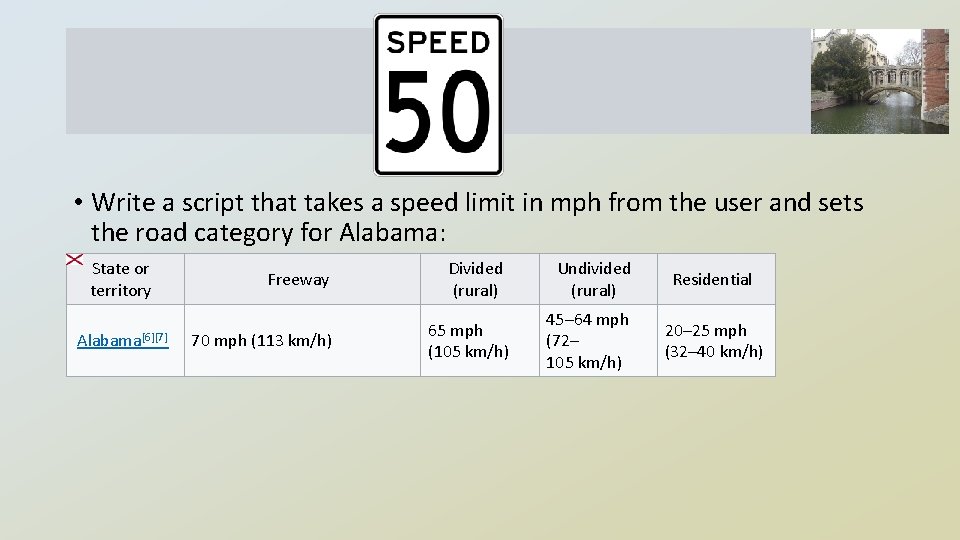
• Write a script that takes a speed limit in mph from the user and sets the road category for Alabama: State or territory Alabama[6][7] Freeway 70 mph (113 km/h) Divided (rural) 65 mph (105 km/h) Undivided (rural) 45– 64 mph (72– 105 km/h) Residential 20– 25 mph (32– 40 km/h)
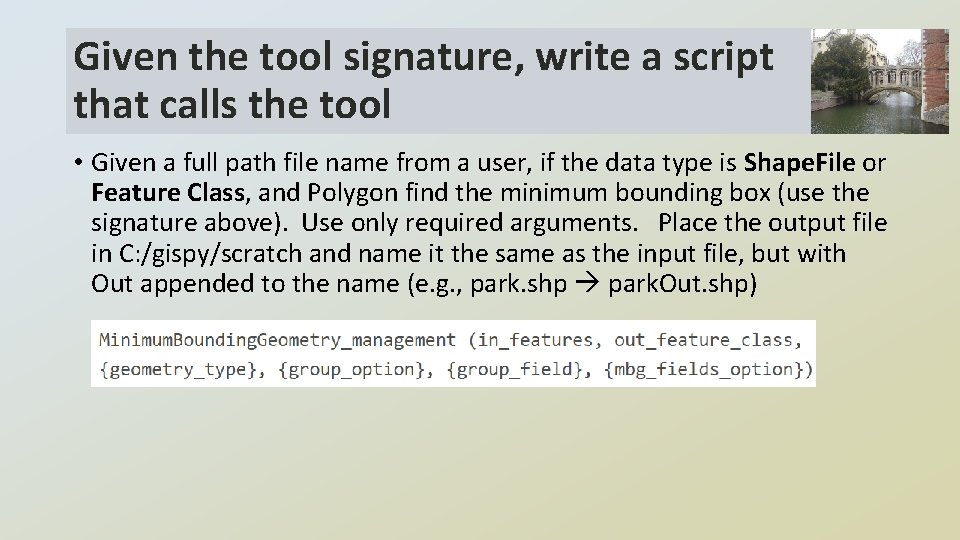
Given the tool signature, write a script that calls the tool • Given a full path file name from a user, if the data type is Shape. File or Feature Class, and Polygon find the minimum bounding box (use the signature above). Use only required arguments. Place the output file in C: /gispy/scratch and name it the same as the input file, but with Out appended to the name (e. g. , park. shp park. Out. shp)
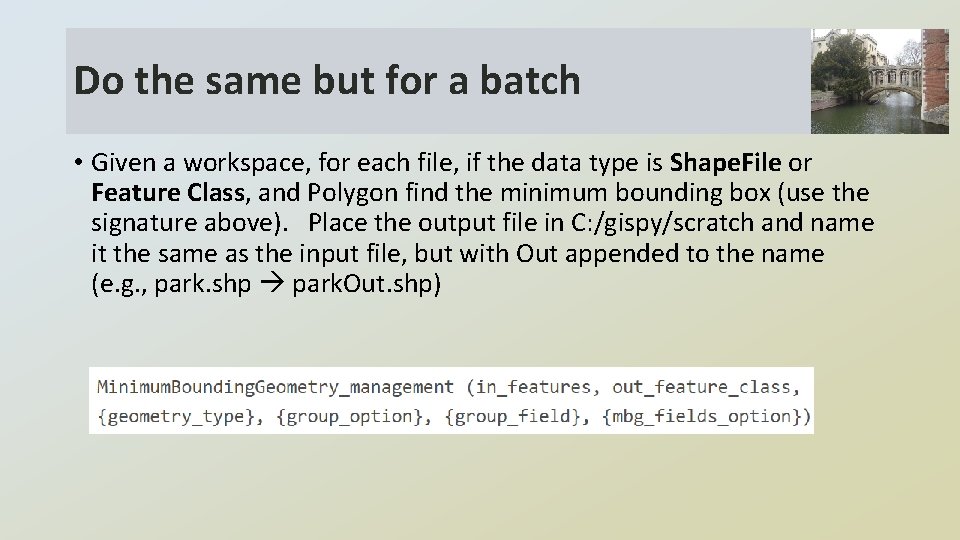
Do the same but for a batch • Given a workspace, for each file, if the data type is Shape. File or Feature Class, and Polygon find the minimum bounding box (use the signature above). Place the output file in C: /gispy/scratch and name it the same as the input file, but with Out appended to the name (e. g. , park. shp park. Out. shp)
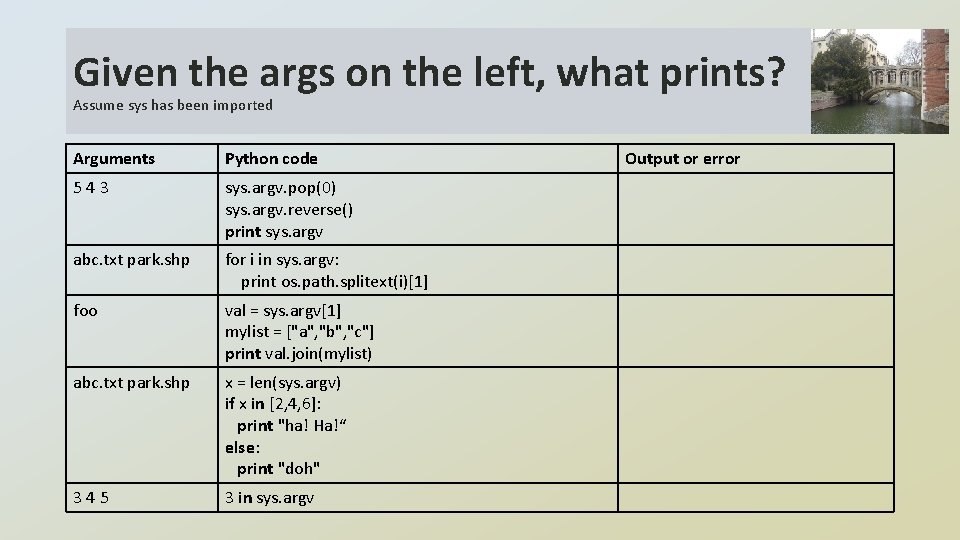
Given the args on the left, what prints? Assume sys has been imported Arguments Python code 543 sys. argv. pop(0) sys. argv. reverse() print sys. argv abc. txt park. shp for i in sys. argv: print os. path. splitext(i)[1] foo val = sys. argv[1] mylist = ["a", "b", "c"] print val. join(mylist) abc. txt park. shp x = len(sys. argv) if x in [2, 4, 6]: print "ha! Ha!“ else: print "doh" 345 3 in sys. argv Output or error
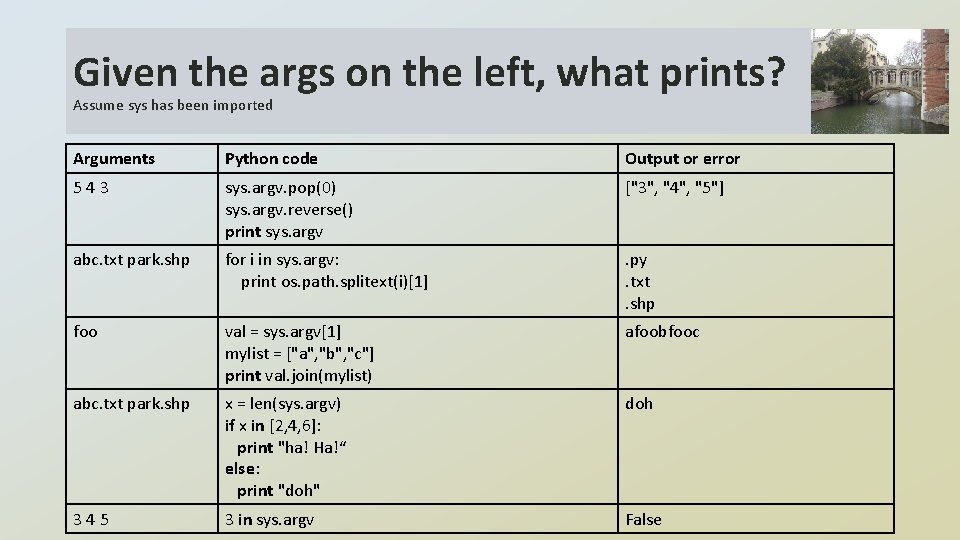
Given the args on the left, what prints? Assume sys has been imported Arguments Python code Output or error 543 sys. argv. pop(0) sys. argv. reverse() print sys. argv ["3", "4", "5"] abc. txt park. shp for i in sys. argv: print os. path. splitext(i)[1] . py. txt. shp foo val = sys. argv[1] mylist = ["a", "b", "c"] print val. join(mylist) afoobfooc abc. txt park. shp x = len(sys. argv) if x in [2, 4, 6]: print "ha! Ha!“ else: print "doh" doh 345 3 in sys. argv False
Challenge: Convert. Time. py • Sample input: 01 -26 -16 2143 • Printed output: Civilian time: 01 -26 -16 9: 43 PM And vice versa
- Slides: 38