
Exadata Management for DBAs Arup Nanda Longtime DBA
Exadata Management for DBAs Arup Nanda Longtime DBA and Now DMA
What it this About? • How Exadata is different? • Who manages it? – Oracle DBAs – System Admins – Composite Team • Who does what? • What you need to know about managing it • What must you learn about potential issues 2
What is Exadata • Looks like an appliance • But is not an appliance. Why? – It contains additional software to make it a better database machine – The components are individually adminstered • That’s why Oracle calls it a Database Machine (DBM) • DMA – Database Machine Administrator 3
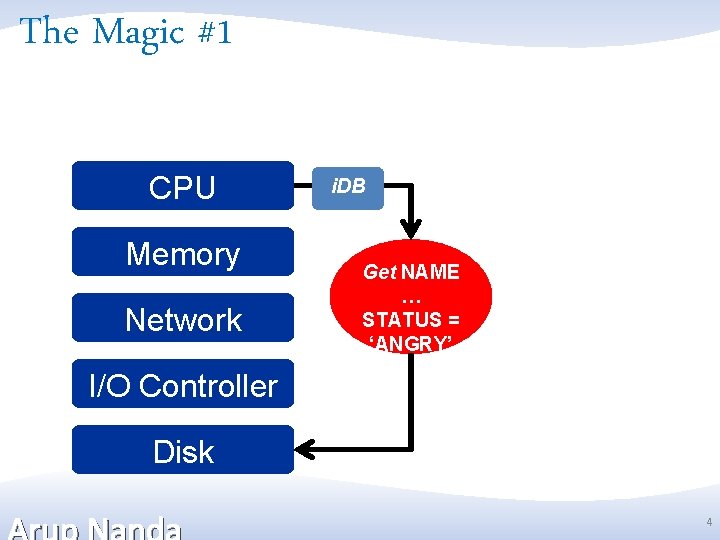
The Magic #1 CPU Memory Network i. DB Get NAME … STATUS = ‘ANGRY’ I/O Controller Disk 4
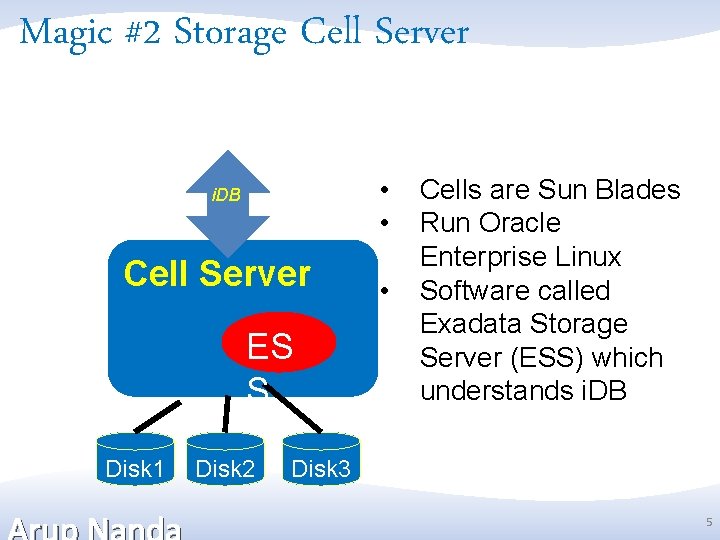
Magic #2 Storage Cell Server • • i. DB Cell Server ES S Disk 1 Disk 2 • Cells are Sun Blades Run Oracle Enterprise Linux Software called Exadata Storage Server (ESS) which understands i. DB Disk 3 5

Magic #3 Storage Indexes Cell Server ES S Storage Indexes store in memory of the Cell Server the areas on the disk and the MIN/MAX value of the column and whether NULL exists. They eliminate disk I/O. … MIN = SELECT FROM TABLE WHERE COL 1 = 1 Storage Index Disk 1 Disk 2 Disk 3 3 MIN = 4 MIN = 1 MIN = 3 MAX = 5 MAX = 2 MAX = 5 1 2 3 4 Disk 4 6
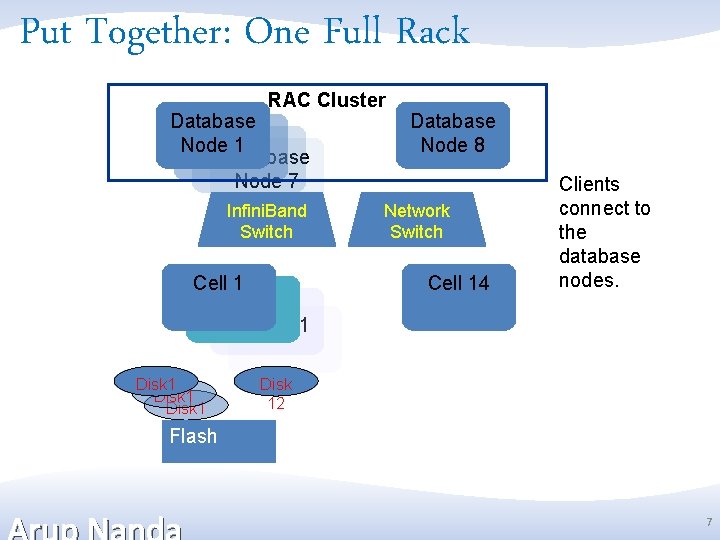
Put Together: One Full Rack RAC Cluster Database Node 1 Database Node 7 Infini. Band Switch Cell 1 Disk 1 Database Node 8 Network Switch Cell 14 Clients connect to the database nodes. Disk 12 Flash 7
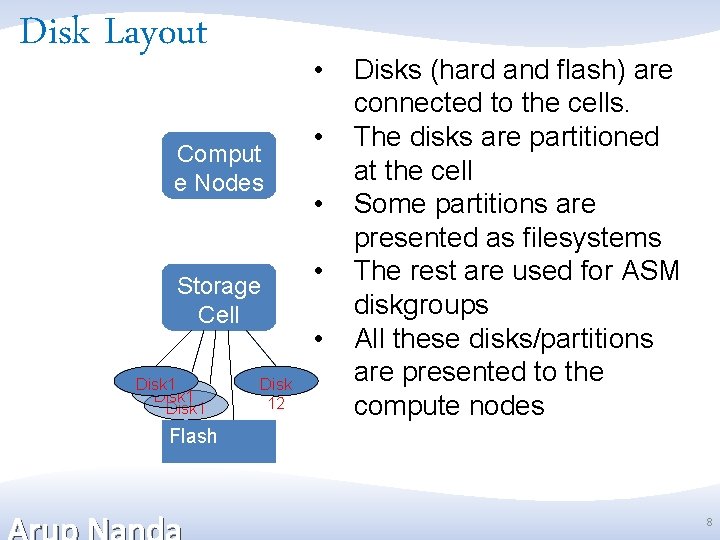
Disk Layout • Comput e Nodes Storage Cell Disk 12 • • Disks (hard and flash) are connected to the cells. The disks are partitioned at the cell Some partitions are presented as filesystems The rest are used for ASM diskgroups All these disks/partitions are presented to the compute nodes Flash 8
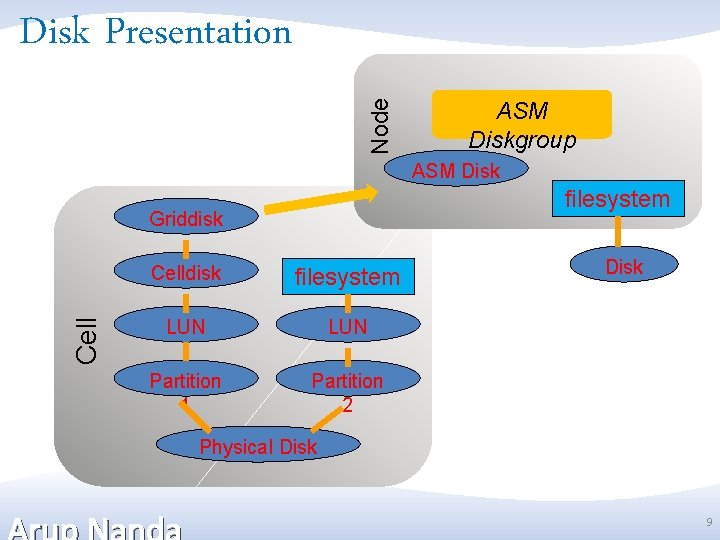
Node Disk Presentation ASM Diskgroup ASM Disk filesystem Cell Griddisk Celldisk filesystem LUN Partition 1 Partition 2 Disk Physical Disk 9
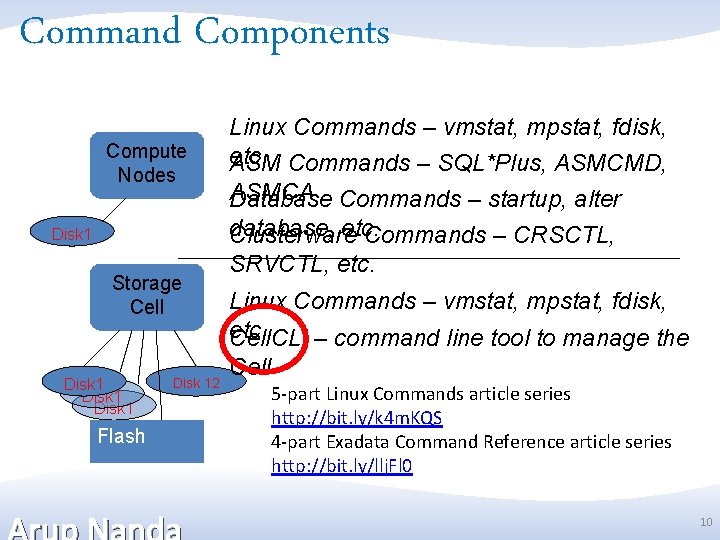
Command Components Compute Nodes Disk 1 Storage Cell Disk 1 Flash Disk 12 Linux Commands – vmstat, mpstat, fdisk, etc. ASM Commands – SQL*Plus, ASMCMD, ASMCA Database Commands – startup, alter database, etc. Clusterware Commands – CRSCTL, SRVCTL, etc. Linux Commands – vmstat, mpstat, fdisk, etc. Cell. CLI – command line tool to manage the Cell 5 -part Linux Commands article series http: //bit. ly/k 4 m. KQS 4 -part Exadata Command Reference article series http: //bit. ly/llj. Fl 0 10
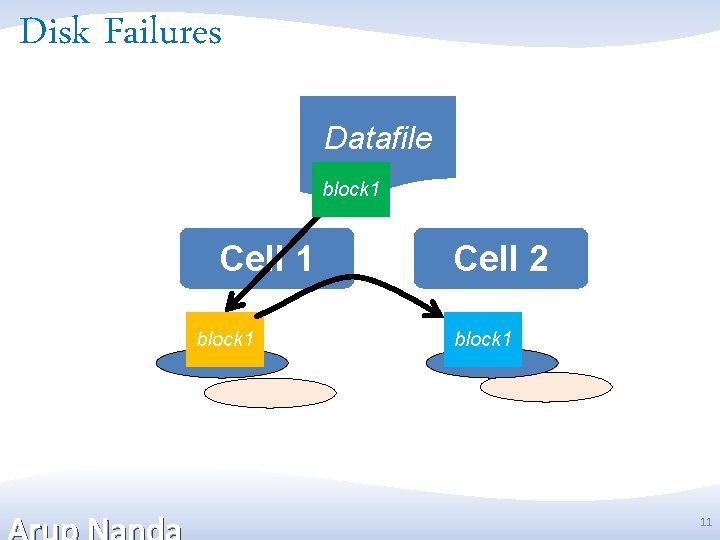
Disk Failures Datafile block 1 Cell 1 block 1 Cell 2 block 1 11
Server Management • Sun Blades and Oracle Enterprise Linux • Normal Sysadmin Work – Shutdown, fdisk, etc. • ILOM – Integrated Lights Out Management • KVM allows physical access – But you can use ILOM for virtual console • Needs Pure Linux Skills 12
Network Management • Two types of network – Ethernet – Infiniband • Tools – ibstatus – iblinkinfo – verify-topology 13
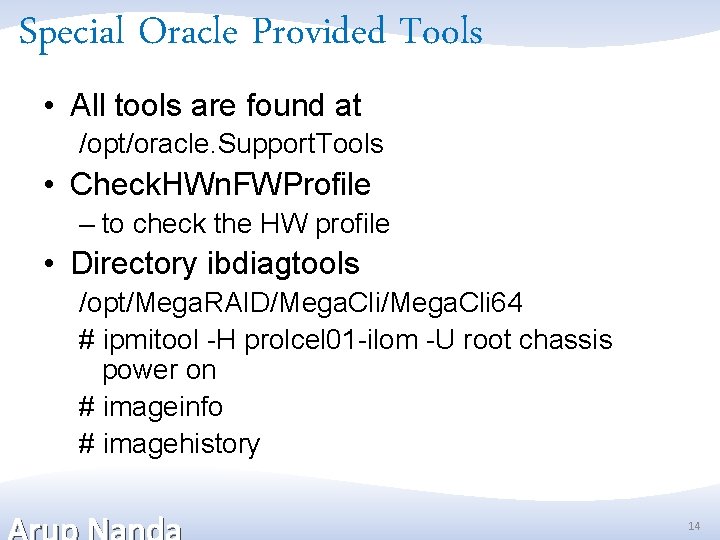
Special Oracle Provided Tools • All tools are found at /opt/oracle. Support. Tools • Check. HWn. FWProfile – to check the HW profile • Directory ibdiagtools /opt/Mega. RAID/Mega. Cli 64 # ipmitool -H prolcel 01 -ilom -U root chassis power on # imageinfo # imagehistory 14
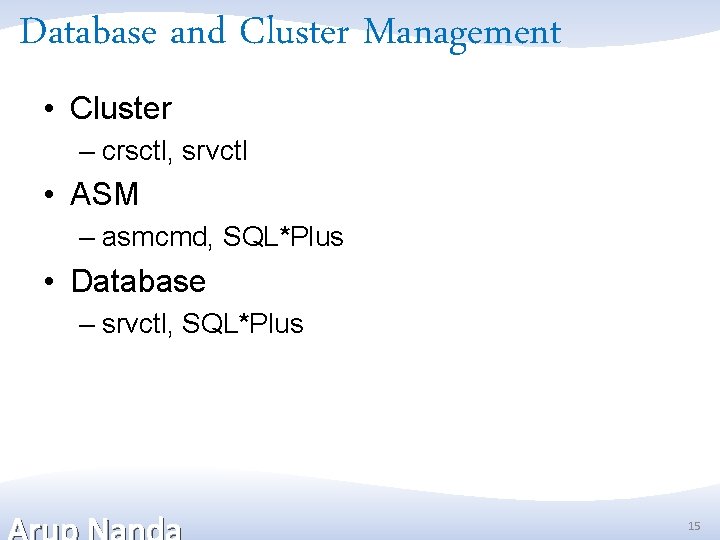
Database and Cluster Management • Cluster – crsctl, srvctl • ASM – asmcmd, SQL*Plus • Database – srvctl, SQL*Plus 15
Storage Management • Two ways to manage the storage – Enterprise Manager – Cell. CLI 16
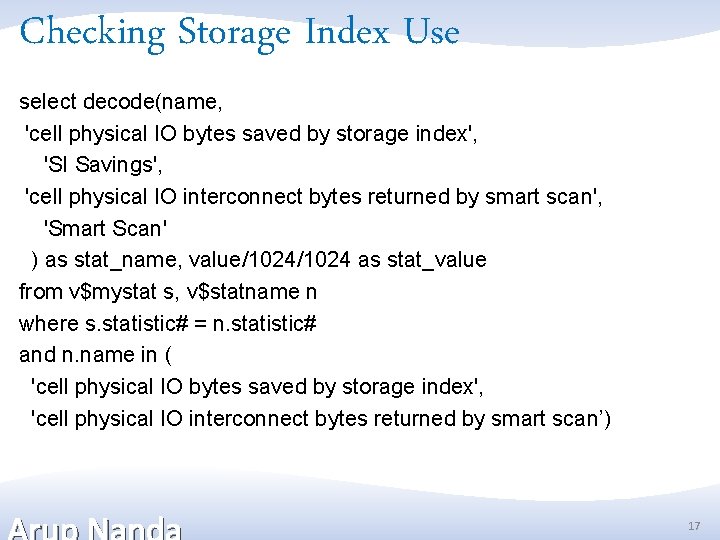
Checking Storage Index Use select decode(name, 'cell physical IO bytes saved by storage index', 'SI Savings', 'cell physical IO interconnect bytes returned by smart scan', 'Smart Scan' ) as stat_name, value/1024 as stat_value from v$mystat s, v$statname n where s. statistic# = n. statistic# and n. name in ( 'cell physical IO bytes saved by storage index', 'cell physical IO interconnect bytes returned by smart scan’) 17
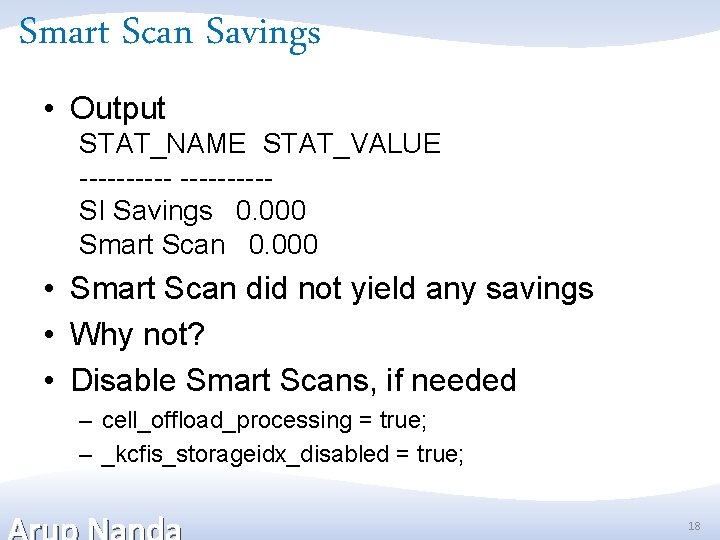
Smart Scan Savings • Output STAT_NAME STAT_VALUE -----SI Savings 0. 000 Smart Scan 0. 000 • Smart Scan did not yield any savings • Why not? • Disable Smart Scans, if needed – cell_offload_processing = true; – _kcfis_storageidx_disabled = true; 18
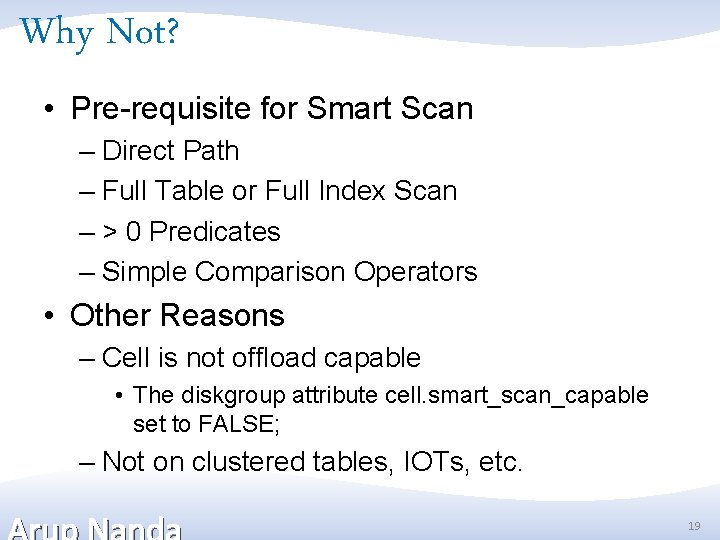
Why Not? • Pre-requisite for Smart Scan – Direct Path – Full Table or Full Index Scan – > 0 Predicates – Simple Comparison Operators • Other Reasons – Cell is not offload capable • The diskgroup attribute cell. smart_scan_capable set to FALSE; – Not on clustered tables, IOTs, etc. 19
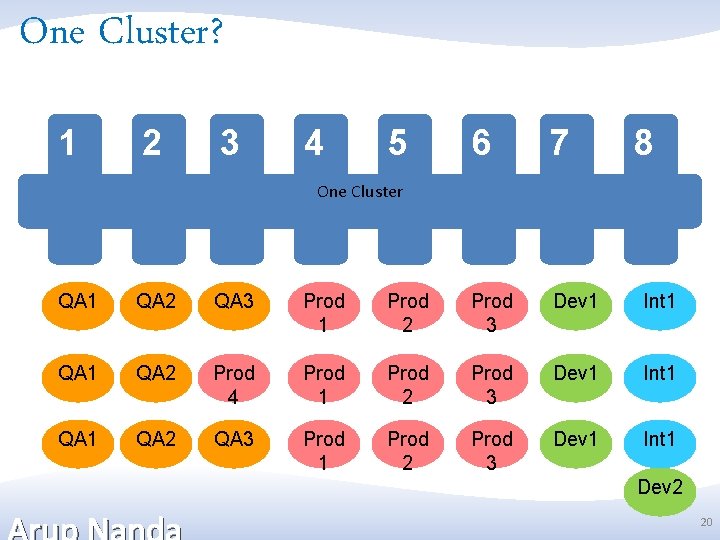
One Cluster? 1 2 3 4 5 6 7 8 One Cluster QA 1 QA 2 QA 3 Prod 1 Prod 2 Prod 3 Dev 1 Int 1 QA 2 Prod 4 Prod 1 Prod 2 Prod 3 Dev 1 Int 1 QA 2 QA 3 Prod 1 Prod 2 Prod 3 Dev 1 Int 1 Dev 2 20
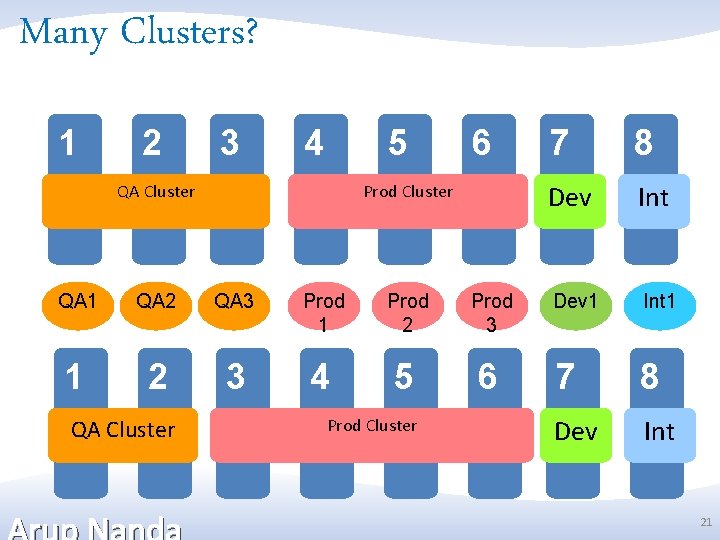
Many Clusters? 1 2 3 4 5 QA Cluster 6 Prod Cluster QA 1 QA 2 QA 3 Prod 1 Prod 2 Prod 3 1 2 3 4 5 6 QA Cluster Prod Cluster 7 8 Dev Int Dev 1 Int 1 7 8 Dev Int 21
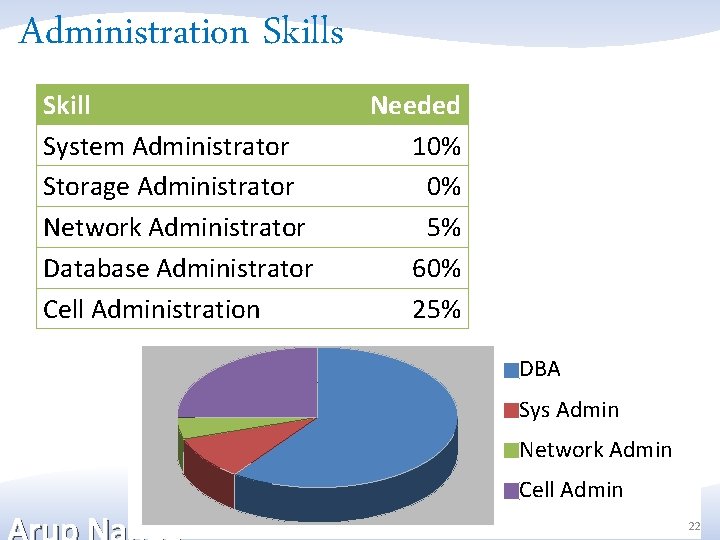
Administration Skills Skill System Administrator Storage Administrator Network Administrator Database Administrator Cell Administration Needed 10% 0% 5% 60% 25% DBA Sys Admin Network Admin Cell Admin 22
Resources • My Papers – 5 -part Linux Commands article series http: //bit. ly/k 4 m. KQS – 4 -part Exadata Command Reference article series http: //bit. ly/llj. Fl 0 • OTN Page on Exadata – http: //www. oracle. com/technetwork/database/exa data/index. html • Tutorials – http: //www. oracle. com/technetwork/tutorials/index. html • OTN Exadata Forum – https: //forums. oracle. com/forums/forum. jspa? foru 23

Thank You! 24
- Slides: 24