
Evolution of video mediums Film Invented in late





- Slides: 24
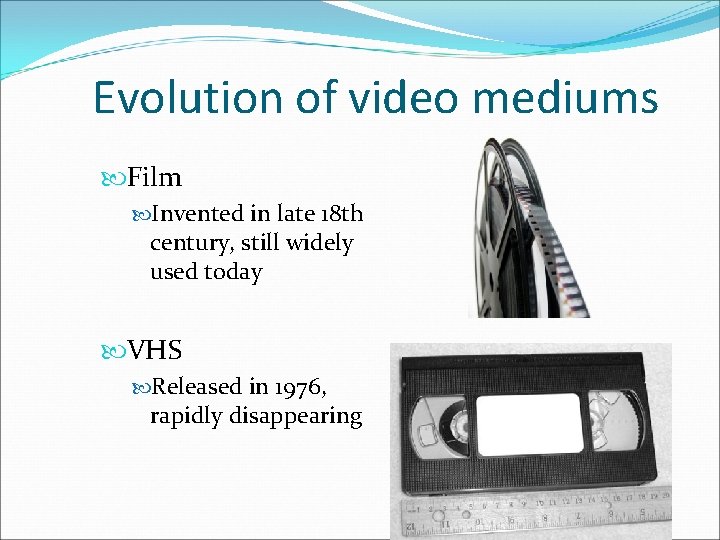
Evolution of video mediums Film Invented in late 18 th century, still widely used today VHS Released in 1976, rapidly disappearing
MPEG
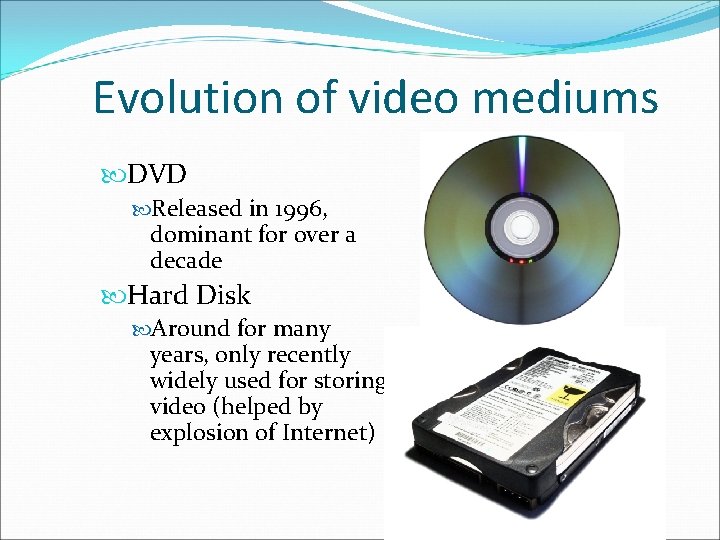
Evolution of video mediums DVD Released in 1996, dominant for over a decade Hard Disk Around for many years, only recently widely used for storing video (helped by explosion of Internet)
Transition from analog mediums to digital mediums �The “N word” �Analog signals are prone to corruption by noise �Economics �Optical media is cheaper to produce than magnetic media �Creates need to convert analog video to digital format
Video digitization �New digital video cameras have onboard hardware to capture directly to digital format �Old film can be scanned with special machines to produce digital stream
Video Encoding/Compression �Once video is in digital format, it makes sense to compress it �Similarly to image compression, we want to store video data as efficiently as possible �Again, we want to both maximize quality and minimize storage space and processing resources �This time, we can exploit correlation in both space and time domains
Definitions �Bitrate �Information stored/transmitted per unit time �Usually measured in Mbps (Megabits per second) �Ranges from < 1 Mbps to > 40 Mbps �Resolution �Number of pixels per frame �Ranges from 160 x 120 to 1920 x 1080 �FPS (frames per second) �Usually 24, 25, 30, or 60 �Don’t need more because of limitations of the human eye
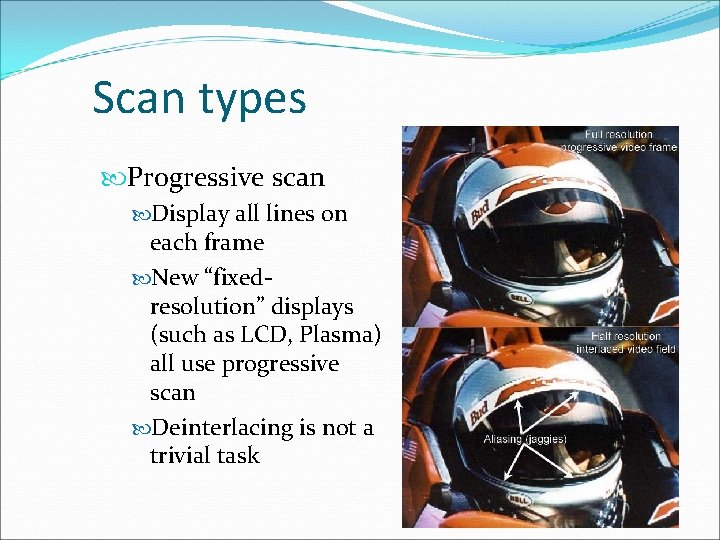
Scan types Interlaced scan Odd and even lines displayed on alternate frames Initially used to save bandwidth on TV transmission When displaying interlaced video on a progressive scan display, can see “comb effect”
Scan types Progressive scan Display all lines on each frame New “fixedresolution” displays (such as LCD, Plasma) all use progressive scan Deinterlacing is not a trivial task
MPEG (Moving Pictures Expert Group) �Committee of experts that develops video encoding standards �Until recently, was the only game in town (still the most popular, by far) �Suitable for wide range of videos �Low resolution to high resolution �Slow movement to fast action �Can be implemented either in software or hardware
Evolution of MPEG �MPEG-1 �Initial audio/video compression standard �Used by VCD’s �MP 3 = MPEG-1 audio layer 3 �Target of 1. 5 Mb/s bitrate at 352 x 240 resolution �Only supports progressive pictures
Evolution of MPEG �MPEG-2 �Current de facto standard, widely used in DVD and Digital TV �Ubiquity in hardware implies that it will be here for a long time � Transition to HDTV has taken over 10 years and is not finished yet �Different profiles and levels allow for quality control
Evolution of MPEG �MPEG-3 �Originally developed for HDTV, but abandoned when MPEG-2 was determined to be sufficient �MPEG-4 �Includes support for AV “objects”, 3 D content, low bitrate encoding, and DRM �In practice, provides equality to MPEG-2 at a lower bitrate, but often fails to deliver outright better quality �MPEG-4 Part 10 is H. 264, which is used in HD-DVD and Blu-Ray
MPEG Block Diagram
MPEG technical specification � Part 1 - Systems - describes synchronization and multiplexing of video and audio. � Part 2 - Video - compression codec for interlaced and non-interlaced video signals. � Part 3 - Audio - compression codec for perceptual coding of audio signals. A multichannel-enabled extension of MPEG-1 audio. � Part 4 - Describes procedures for testing compliance. � Part 5 - Describes systems for Software simulation. � Part 6 - Describes extensions for DSM-CC (Digital Storage Media Command Control. ) � Part 7 - Advanced Audio Coding (AAC) � Part 8 - Deleted � Part 9 - Extension for real time interfaces. � Part 10 - Conformance extensions for DSM-CC.
MPEG video spatial domain processing �Spatial domain handled very similarly to JPEG �Convert RGB values to YUV colorspace �Split frame into 8 x 8 blocks � 2 -D DCT on each block �Quantization of DCT coefficients �Run length and entropy coding
MPEG video time domain processing Totally new ballgame (this concept doesn’t exist in JPEG) General idea – Use motion vectors to specify how a 16 x 16 macroblock translates between reference frames and current frame, then code difference between reference and actual block
Types of frames �I frame (intra-coded) �Coded without reference to other frames �P frame (predictive-coded) �Coded with reference to a previous reference frame (either I or P) �Size is usually about 1/3 rd of an I frame �B frame (bi-directional predictive-coded) �Coded with reference to both previous and future reference frames (either I or P) �Size is usually about 1/6 th of an I frame
GOP (Group of Pictures) GOP is a set of consecutive frames that can be decoded without any other reference frames Usually 12 or 15 frames Transmitted sequence is not the same as displayed sequence Random access to middle of stream – Start with I frame
Things about prediction �Only use motion vector if a “close” match can be found �Evaluate “closeness” with MSE or other metric �Can’t search all possible blocks, so need a smart algorithm �If no suitable match found, just code the macroblock as an I-block �If a scene change is detected, start fresh �Don’t want too many P or B frames in a row �Predictive error will keep propagating until next I frame �Delay in decoding
Bitrate allocation �CBR – Constant Bit. Rate �Streaming media uses this �Easier to implement �VBR – Variable Bit. Rate �DVD’s use this �Usually requires 2 -pass coding �Allocate more bits for complex scenes �This is worth it, because you assume that you encode once, decode many times
MPEG audio �MPEG-1 – 3 layers of increasing quality, layer 3 being the most common (MP 3) � 16 bits �Samping rate - 32, 44. 1, or 48 k. Hz �Bitrate – 32 to 320 kbps �De facto - 44. 1 k. Hz sample rate, 192 kbps bitrate �MPEG-2 – Supports > 2 channels, lower sampling frequencies, low bitrate improvement �AAC (Advanced Audio Coding) �More sample frequencies (8 k. Hz to 96 k. Hz) �Higher coding efficiency and simpler filterbank � 96 kbps AAC sounds better than 128 kbps MP 3 �Usually CBR, but can do VBR
MPEG Container Format �Container format is a file format that can contain data compressed by standard codecs � 2 types for MPEG �Program Stream (PS) – Designed for reasonably reliable media, such as disks �Transport Stream (TS) – Designed for lossy links, such as networks or broadcast antennas
Conclusion �Video compression is important �Video compression is not easy �Video compression has come a long way �Not as mature as image compression => There is definitely room for improvement �New paradigms in computing will dictate future research directions