
Event Models James Landay UCB Outline l Event
Event Models James Landay, UCB
Outline l Event overview l Windowing systems l Window events l Event dispatching and handling
Sequential Programs l Program takes control, prompts for input l Examples include – command-line prompts (DOS, UNIX) – LISP interpreter l The user waits on the program – Program tells user it’s ready for more input – User enters more input
Sequential Programs (cont. ) l Architecture Program reads in a line of text Program parses the text Program evaluates the result Maybe some output Loop back to beginning l But how do you model the many actions a user can take? – For example, a word processor? – Need to do printing, editing, inserting, etc.
Sequential Programs (cont. ) l Usually end up with lots of modes – Lots of state variables l Other examples of modes – Paint programs (line, bucket-fill, rectangle, etc) – Universal remotes with TV / VCR mode – VI edit mode and command mode l Problems with modes?
Sequential Programs (cont. ) l Problems with modes? – Gets confusing if too many modes – Can be easy to make errors – Need feedback as to what mode you are in – How to switch between modes? l We’ll need a more advanced model to simplify windows programming
Event-Driven Programming Instead of the user waiting on program, have the program wait on the user l All communication from user to computer is done via “events” l An event is something “interesting” that happens in the system l – Mouse button goes down – Item is being dragged – Keyboard button was hit
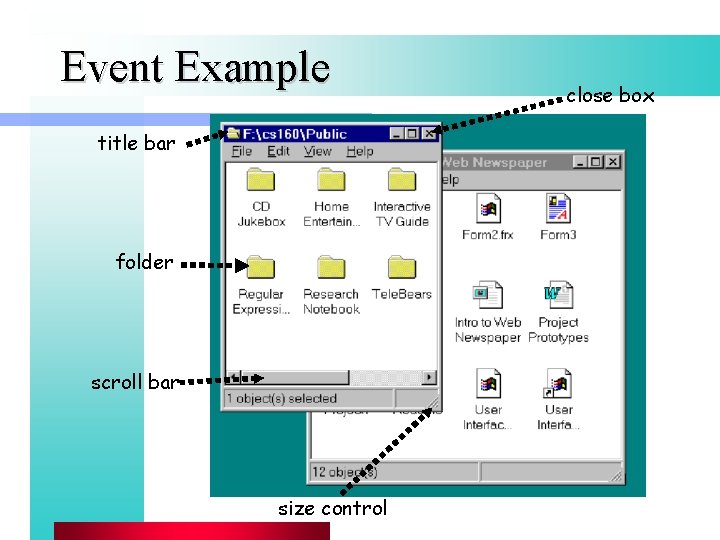
Event Example title bar folder scroll bar size control close box
Major Issues l l l How to decompose the UI into interactive objects? How to distribute inputs to the interactive objects How to partition between application & system software? Models for programming interactive objects Models for communications between objects
Windowing Systems Partitioning to prevent chaos l Infrastructure to support common services l Two major aspects l – software services to applications • create and organize windows • implement interaction in those windows – window manager • UI allowing user to control size & placement of windows
Interactor Tree l Decompose interactive objects into a tree – interactive objects also known as “widgets” – based on screen geometry of objects – nested rectangles l Used for dispatching events – Events are dispatched (sent) to code in widget – The code then handles the event l Variety of methods for dispatching events – Return to this later
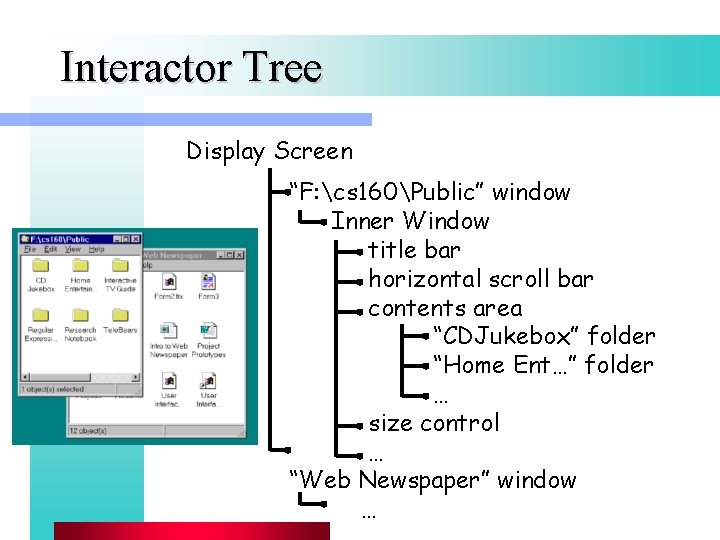
Interactor Tree Display Screen “F: cs 160Public” window Inner Window title bar horizontal scroll bar contents area “CDJukebox” folder “Home Ent…” folder … size control … “Web Newspaper” window …
![Interactor Tree 7 4 1 0 Display Screen 93. 54 Outer Win [black] ?](http://slidetodoc.com/presentation_image/4dda8d4bfd6f85635d5ed3a3c1550c75/image-13.jpg "Interactor Tree 7 4 1 0 Display Screen 93. 54 Outer Win [black] ?")
Interactor Tree 7 4 1 0 Display Screen 93. 54 Outer Win [black] ? ? ? 8 9 5 2 + = 6 3 ENT
![Interactor Tree 7 4 1 0 Display Screen 93. 54 Outer Win [black] Inner](http://slidetodoc.com/presentation_image/4dda8d4bfd6f85635d5ed3a3c1550c75/image-14.jpg "Interactor Tree 7 4 1 0 Display Screen 93. 54 Outer Win [black] Inner")
Interactor Tree 7 4 1 0 Display Screen 93. 54 Outer Win [black] Inner Win [green] 8 9 Result Win [tan] 5 6 Result String 2 3 Keypad [Teal] + = button = ENT - button + button 0 button
![Interactor Tree (Java) 7 4 1 0 Display Screen 93. 54 Frame [black] Panel](http://slidetodoc.com/presentation_image/4dda8d4bfd6f85635d5ed3a3c1550c75/image-15.jpg "Interactor Tree (Java) 7 4 1 0 Display Screen 93. 54 Frame [black] Panel")
Interactor Tree (Java) 7 4 1 0 Display Screen 93. 54 Frame [black] Panel [green] 8 9 Text Entry [tan] 5 6 Result String 2 3 Keypad Panel [Teal] + Button(“=”) = ENT Button(“-”) Button(“+”) Button(“ 0”)
Windows l Top level windows known as windows root – provide UI abstraction for multiple apps – windowing system arbitrates interactive resources l Each root window belongs to an app. – all descendant windows belong to same app – violated by OLE (Active. X) and Open. Doc (dead? )
Windows (cont. ) l Windows vs. widgets/controls – X, Ne. XTStep, MS Windows • everything is window – Mac: only roots are windows - controls manage rect. space in a window (Motif gadgets similar)
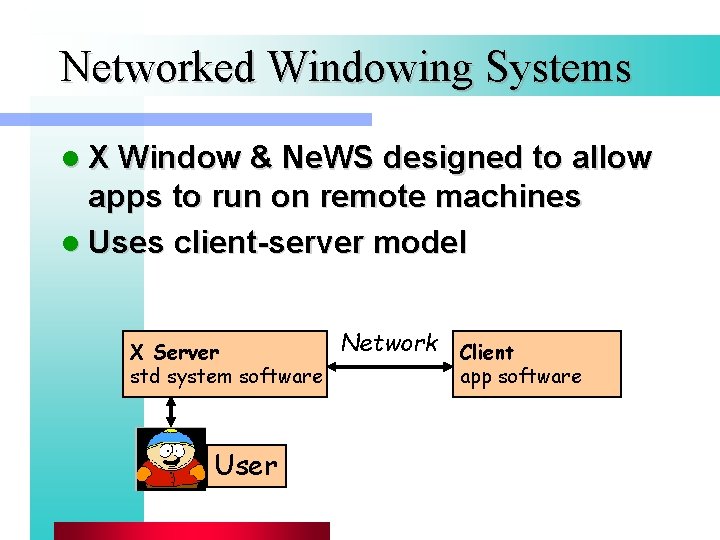
Networked Windowing Systems l X Window & Ne. WS designed to allow apps to run on remote machines l Uses client-server model X Server std system software User Network Client app software
X Window l Note backwards terminology – User is on “server” not “client” l X Server – interprets X commands and can send events – determines which window receives events and forwards over network to proper client l X Client – software interface to X (Xlib) – assembles the output from Xlib routines into packets for transmission to server
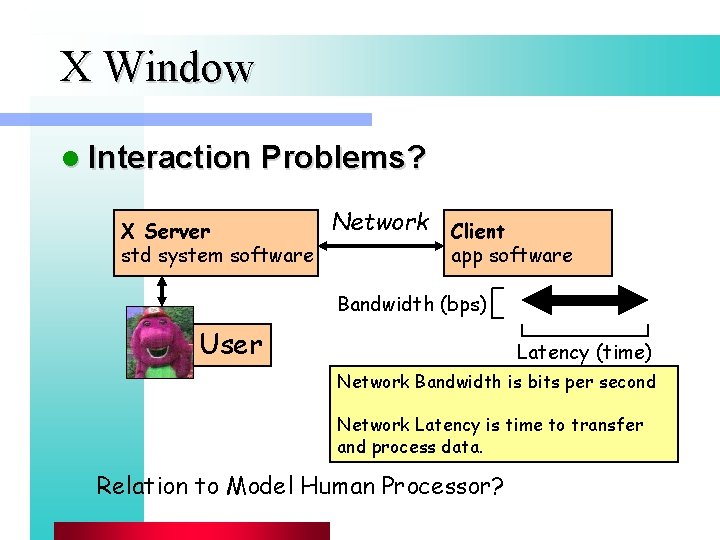
X Window l Interaction Problems? X Server std system software Network Client app software Bandwidth (bps) User Latency (time) Network Bandwidth is bits per second Network Latency is time to transfer and process data. Relation to Model Human Processor?
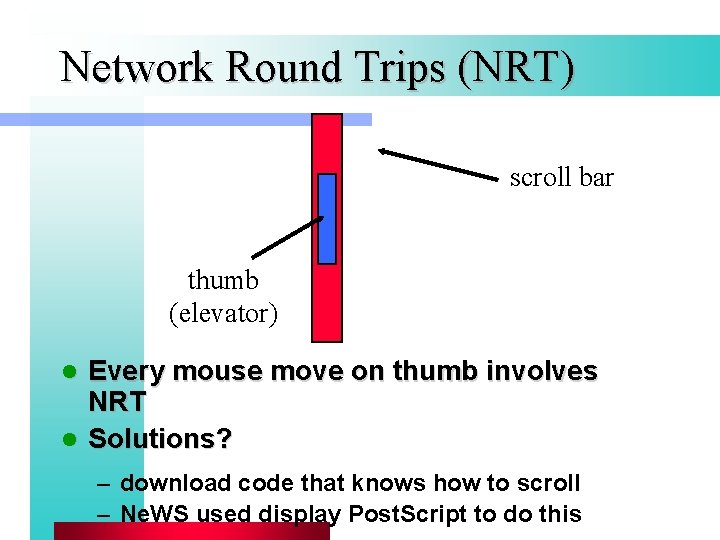
Network Round Trips (NRT) scroll bar thumb (elevator) Every mouse move on thumb involves NRT l Solutions? l – download code that knows how to scroll – Ne. WS used display Post. Script to do this
Window Events l User interacts with input device – action translated into software events – must distribute events to appropriate window – doesn’t need IPC, use method/procedure call l Events have – type – mouse position or character key – the window the event is directed to
Input Events l Mouse button events – mouse up and down – modifier (shift keys, etc. ) – double click (X doesn’t have this -> fakes it) l Mouse movement events – implement painting with mouse – mouse drag • can “mask off” mouse moves w/o button down l Mouse enter and exit events – e. g. if you entered / exited a button region
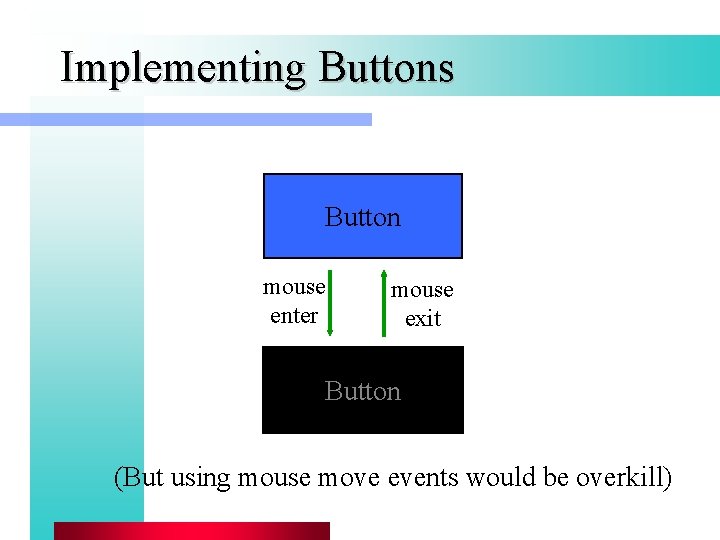
Implementing Buttons Button mouse enter mouse exit Button (But using mouse move events would be overkill)
Events (cont. ) l Keyboard events – must translate raw “scan codes” into ASCII l Windowing events on window – – – creation / destruction opening / closing iconifying / deiconifying selection / deselection resize redraw • redraw newly exposed portions of the window (rect. )
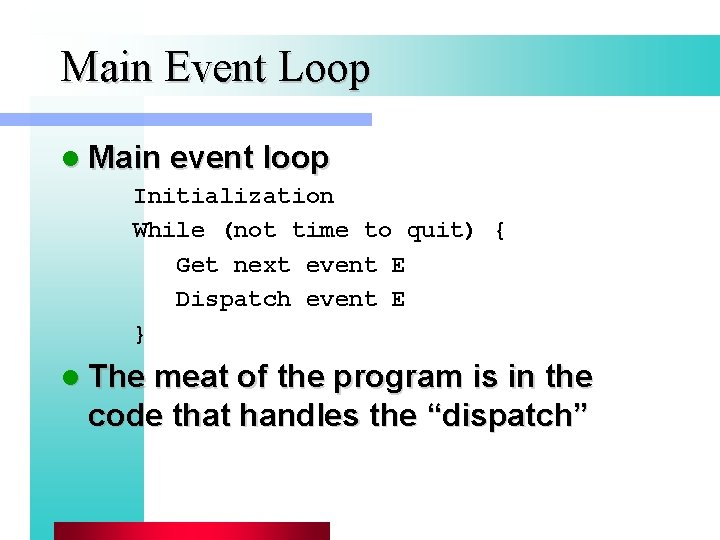
Main Event Loop l Main event loop Initialization While (not time to quit) { Get next event E Dispatch event E } l The meat of the program is in the code that handles the “dispatch”
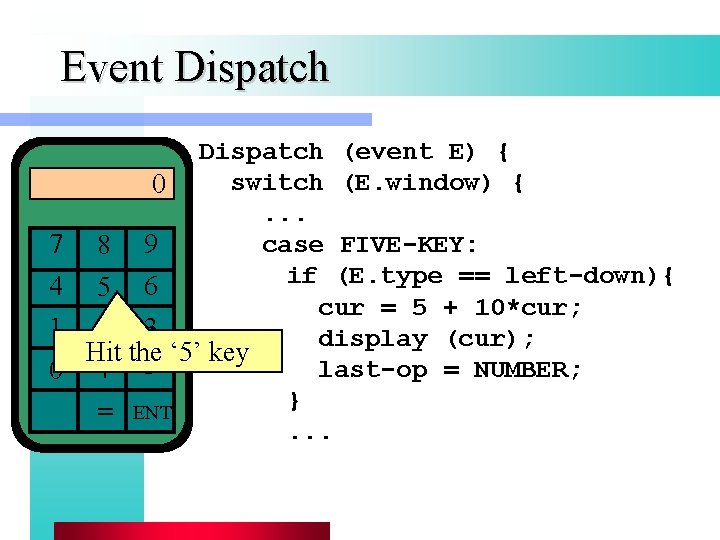
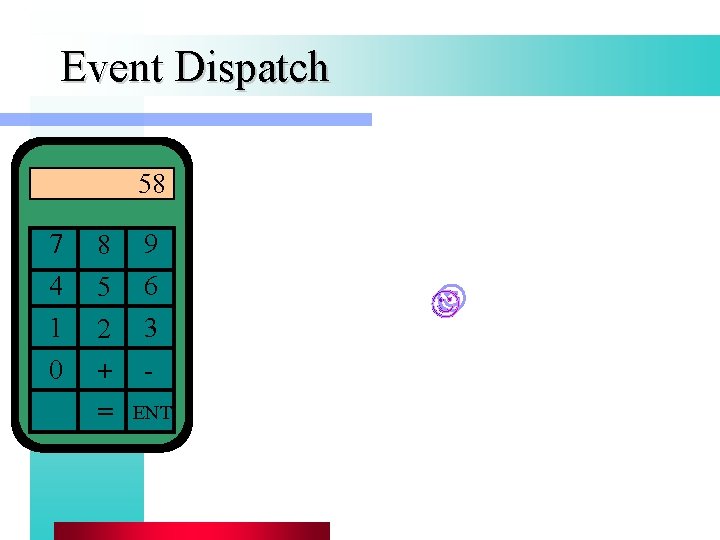
Event Dispatch 7 4 1 0 Dispatch (event E) { switch (E. window) { 0. . . case FIVE-KEY: 8 9 if (E. type == left-down){ 5 6 cur = 5 + 10*cur; 2 3 display (cur); Hit the ‘ 5’ key last-op = NUMBER; + } = ENT. . .
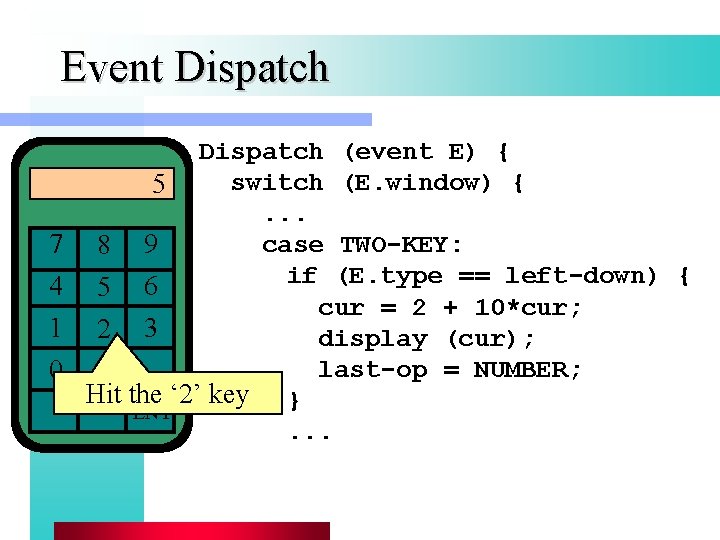
Event Dispatch 7 4 1 0 Dispatch (event E) { switch (E. window) { 5. . . case TWO-KEY: 8 9 if (E. type == left-down) { 5 6 cur = 2 + 10*cur; 2 3 display (cur); last-op = NUMBER; + Hit the ‘ 2’ key } = ENT. . .
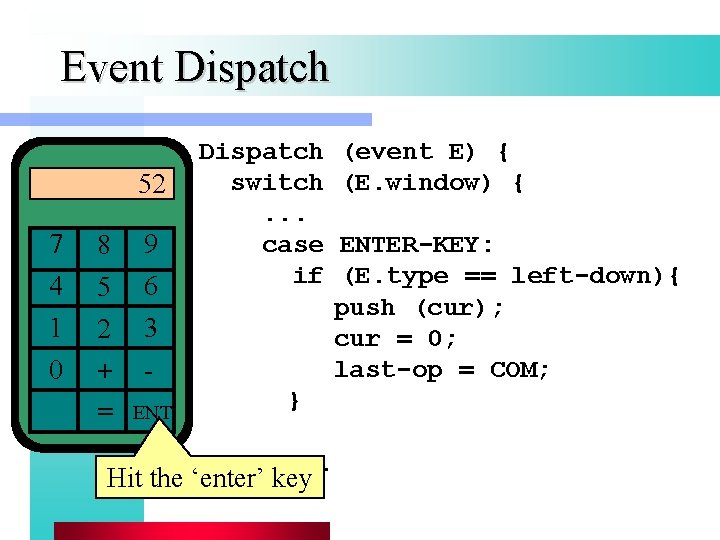
Event Dispatch 52 7 4 1 0 8 5 2 + = 9 6 3 Dispatch switch. . . case if ENT (event E) { (E. window) { ENTER-KEY: (E. type == left-down){ push (cur); cur = 0; last-op = COM; }. . . Hit the ‘enter’ key
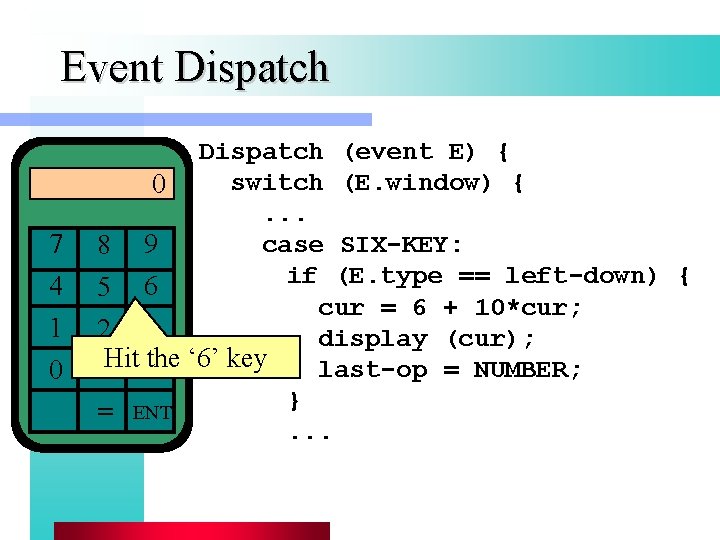
Event Dispatch 7 4 1 0 Dispatch (event E) { switch (E. window) { 0. . . case SIX-KEY: 8 9 if (E. type == left-down) { 5 6 cur = 6 + 10*cur; 2 3 display (cur); last-op = NUMBER; +Hit -the ‘ 6’ key } = ENT. . .
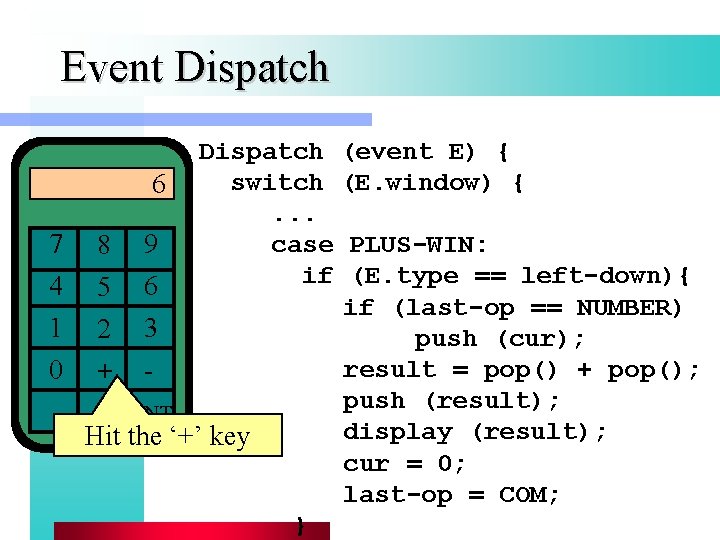
Event Dispatch 7 4 1 0 Dispatch (event E) { switch (E. window) { 6. . . case PLUS-WIN: 8 9 if (E. type == left-down){ 5 6 if (last-op == NUMBER) 2 3 push (cur); result = pop() + pop(); + push (result); = ENT display (result); Hit the ‘+’ key cur = 0; last-op = COM; }
Event Dispatch 58 7 4 1 0 8 5 2 + = 9 6 3 ENT
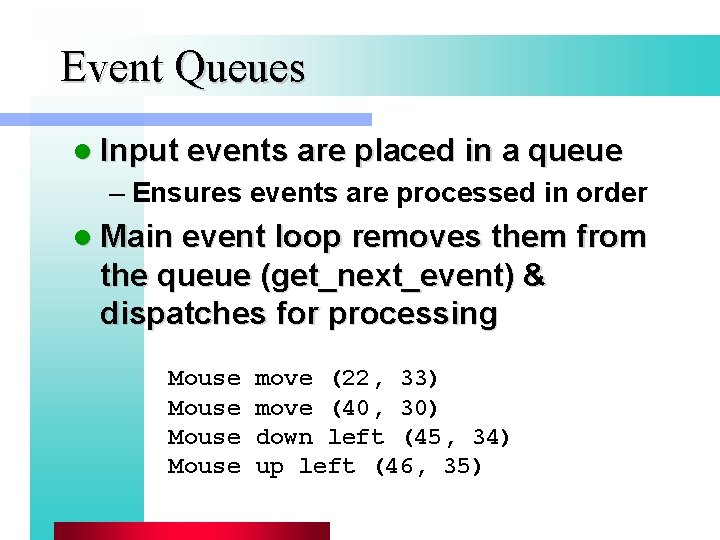
Event Queues l Input events are placed in a queue – Ensures events are processed in order l Main event loop removes them from the queue (get_next_event) & dispatches for processing Mouse move (22, 33) move (40, 30) down left (45, 34) up left (46, 35)
Event Queues (cont. ) l Can use event masks to filter unwanted events – e. g. , filter mouse moves in a forms-based program • just get enter/exit events
Object-Oriented Event Handling l Older methods prone to programmer error l OO languages more naturally handle passing messages between independent objects l Basis for Ne. XTStep, Mac App, Visual C++, Java
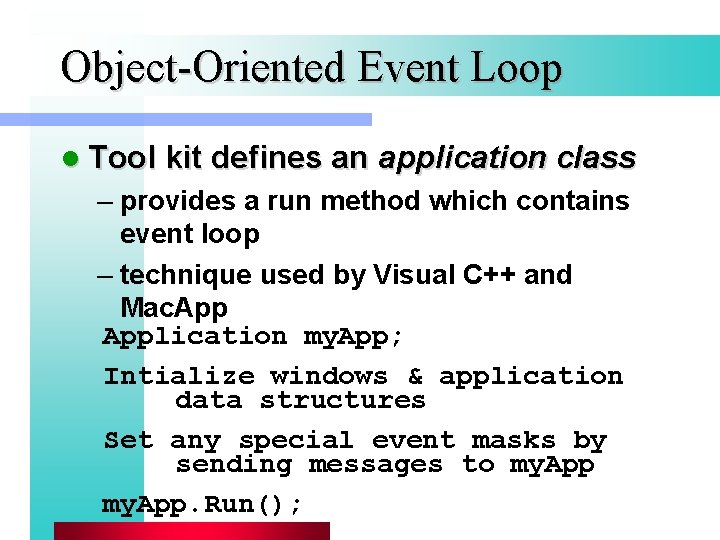
Object-Oriented Event Loop l Tool kit defines an application class – provides a run method which contains event loop – technique used by Visual C++ and Mac. Application my. App; Intialize windows & application data structures Set any special event masks by sending messages to my. App. Run();
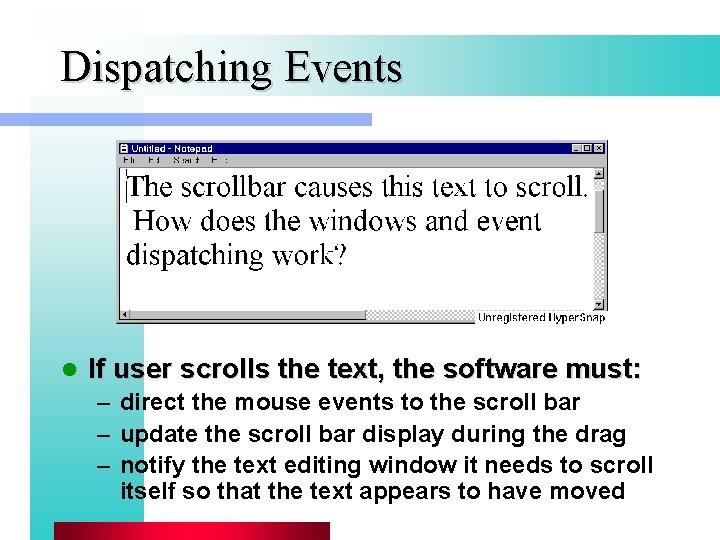
Dispatching Events l If user scrolls the text, the software must: – direct the mouse events to the scroll bar – update the scroll bar display during the drag – notify the text editing window it needs to scroll itself so that the text appears to have moved
Dispatching Events (cont. ) l Algorithm selects the bottom-most, frontmost region in the interactor tree – scroll bar or contents over outerwin (bottommost) – scroll bar over contents (front-most) – each window need only consider its own events – difficult to impose a high level of control – known as bottom-first event dispatch l Top-down event dispatch – events passed to top-most, front-most window – it dispatches to one or more of its children. . .
Event Focus l Where should keyboard events go? – mouse-based • attach mouse position to all key events and dispatch events in the same way as mouse events – click-to-type (Mac) • send all key events to last window where mouse down occurred • key focus – windows take and give away keyboard focus l Mouse focus – long narrow scrollbar. . .
Simple Event Handling l Event tables (in the early days…) – indexed by event types (integer from 0 - 255) – holds pointers to functions that handle each event – one table per / window – lots of things to maintain when attached to a widget that you want to make reusable l Callbacks – separate things like labels/colors into resources read from files – each kind of widget defines a set of named callbacks which it will invoke
Callback Example l How do we notify text window to scroll when the scroll bar is moved? – create a vertical scroll bar widget – write a callback procedure which has code to notify text windows of their new position – register callback with scroll bar as callback to invoke when the scroll bar is moved – also register a pointer to the text window as the callback data -> knows which window to scroll
Simple Event Handling (cont. ) l Window. Proc style (MS Windows) – newer and better than older models – define window classes, each of which have a Window. Proc (similar to callback) – whenever event dispatch algorithm identifies a window that should receive an event, that window’s Window. Proc is invoked – body of Window. Proc is a switch on the event type with a handler for each event – 100 s of events, but most is inherited/delegated
Summary l Windowing systems – special problems with networked WS l l l Interactor trees Input events Main event loop Dispatching events Event focus Simple event handling
- Slides: 43