
EVA 4400 6400 8400 Firmware upgrade Guide TSDOESS

- Slides: 17
EVA 4400, 6400, 8400 Firmware upgrade Guide TSDO/ESS Delivery KIM, HYUN-HO (hyunho. kim@hp. com) 2009 -11 -24 © 2008 Hewlett-Packard Development Company, L. P. The information contained herein is subject to change without notice.
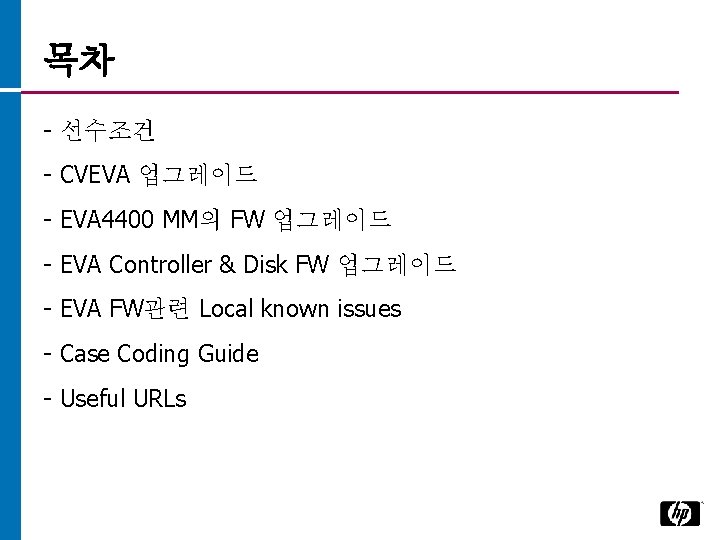
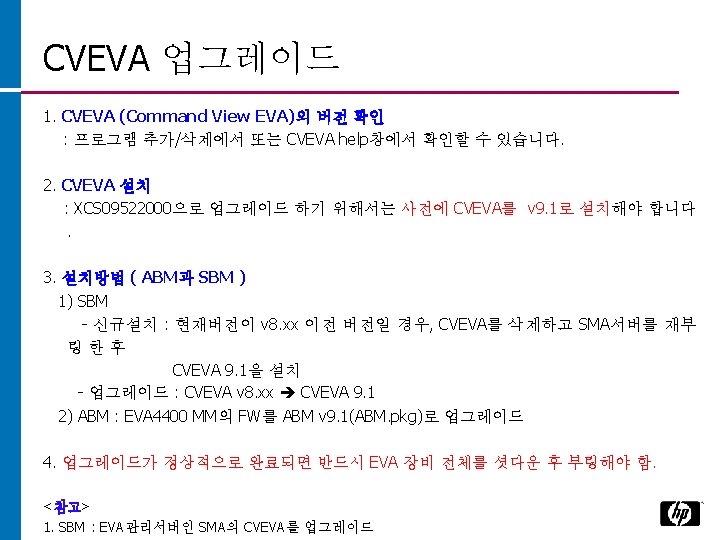
목차 - 선수조건 - CVEVA 업그레이드 - EVA 4400 MM의 FW 업그레이드 - EVA Controller & Disk FW 업그레이드 - EVA FW관련 Local known issues - Case Coding Guide - Useful URLs
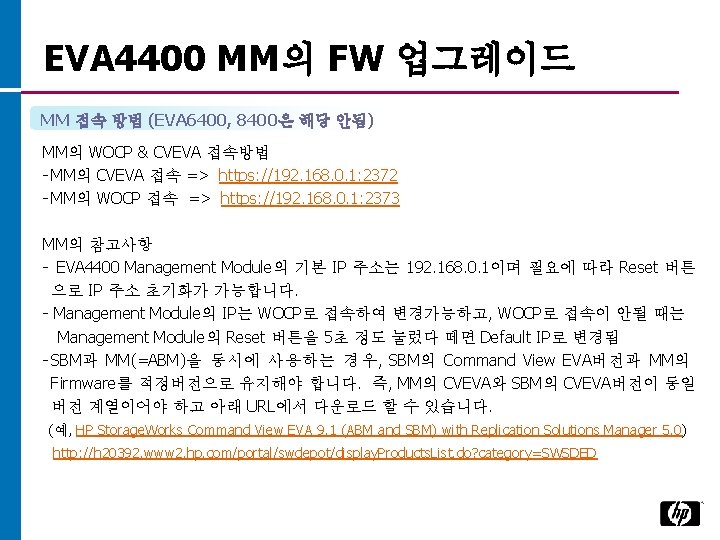
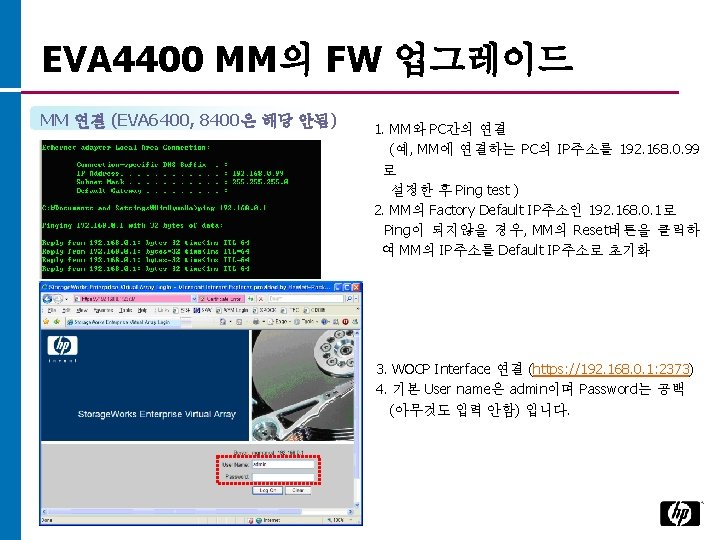
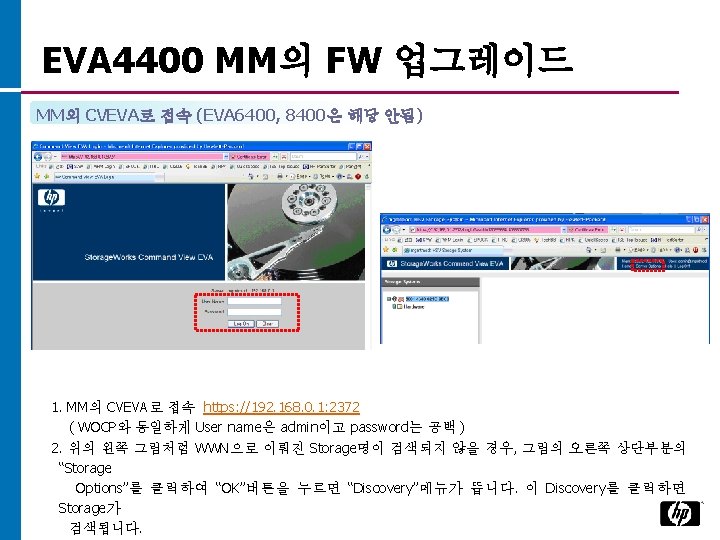
EVA 4400 MM의 FW 업그레이드 MM 접속 방법 (EVA 6400, 8400은 해당 안됨) MM의 WOCP & CVEVA 접속방법 - MM의 CVEVA 접속 => https: //192. 168. 0. 1: 2372 - MM의 WOCP 접속 => https: //192. 168. 0. 1: 2373 MM의 참고사항 - EVA 4400 Management Module의 기본 IP 주소는 192. 168. 0. 1이며 필요에 따라 Reset 버튼 으로 IP 주소 초기화가 가능합니다. - Management Module의 IP는 WOCP로 접속하여 변경가능하고, WOCP로 접속이 안될 때는 Management Module의 Reset 버튼을 5초 정도 눌렀다 떼면 Default IP로 변경됨 - SBM과 MM(=ABM)을 동시에 사용하는 경우, SBM의 Command View EVA버전과 MM의 Firmware를 적정버전으로 유지해야 합니다. 즉, MM의 CVEVA와 SBM의 CVEVA버전이 동일 버전 계열이어야 하고 아래 URL에서 다운로드 할 수 있습니다. (예, HP Storage. Works Command View EVA 9. 1 (ABM and SBM) with Replication Solutions Manager 5. 0) http: //h 20392. www 2. hp. com/portal/swdepot/display. Products. List. do? category=SWSDED
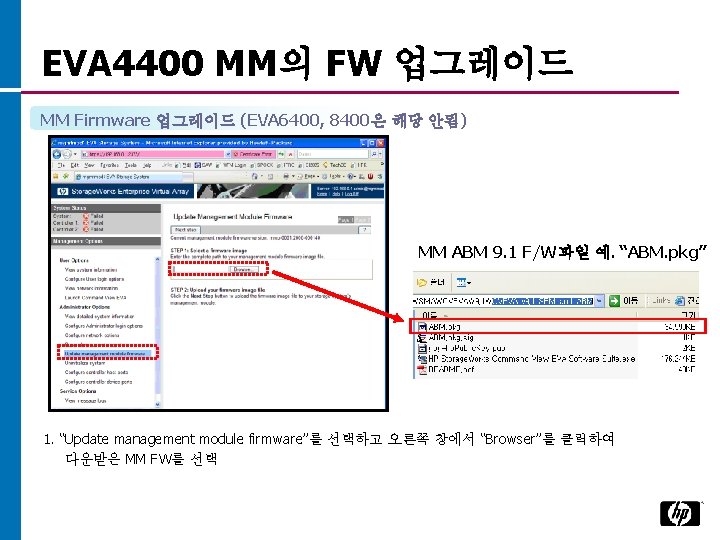
EVA 4400 MM의 FW 업그레이드 MM Firmware 업그레이드 (EVA 6400, 8400은 해당 안됨) MM ABM 9. 1 F/W파일 예. “ABM. pkg” 1. “Update management module firmware”를 선택하고 오른쪽 창에서 “Browser”를 클릭하여 다운받은 MM FW를 선택
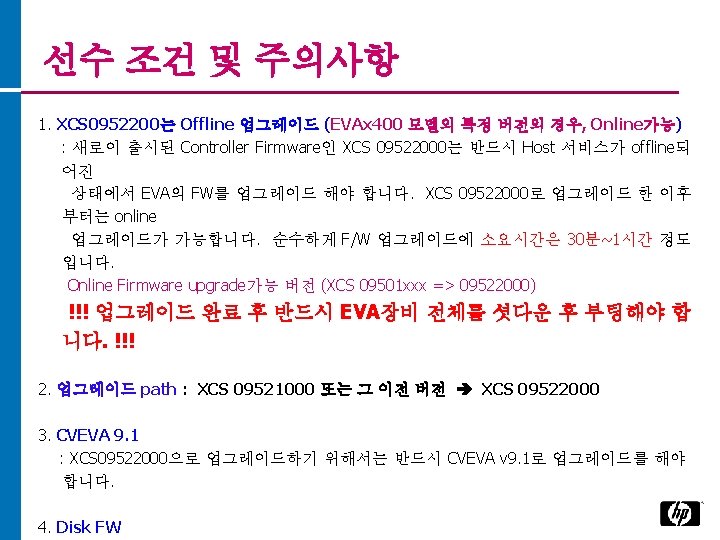
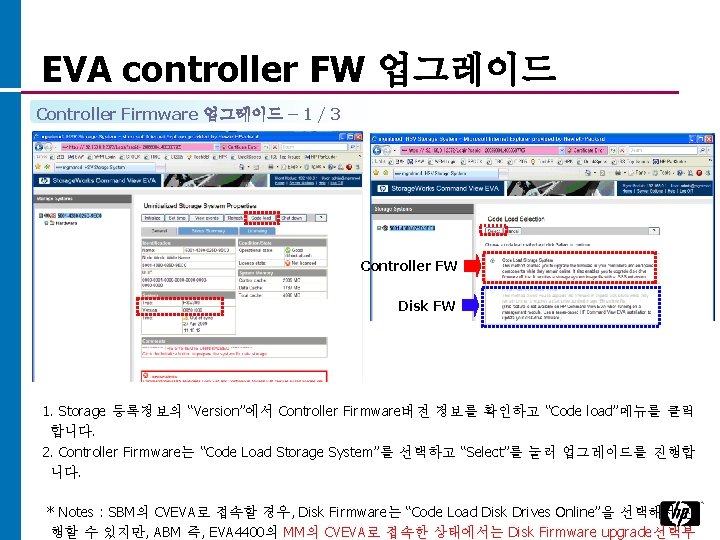
EVA controller FW 업그레이드 Controller Firmware 업그레이드 – 1 / 3 Controller FW Disk FW 1. Storage 등록정보의 “Version”에서 Controller Firmware버전 정보를 확인하고 “Code load”메뉴를 클릭 합니다. 2. Controller Firmware는 “Code Load Storage System”를 선택하고 “Select”를 눌러 업그레이드를 진행합 니다. * Notes : SBM의 CVEVA로 접속할 경우, Disk Firmware는 “Code Load Disk Drives Online”을 선택해서 진 행할 수 있지만, ABM 즉, EVA 4400의 MM의 CVEVA로 접속한 상태에서는 Disk Firmware upgrade선택부
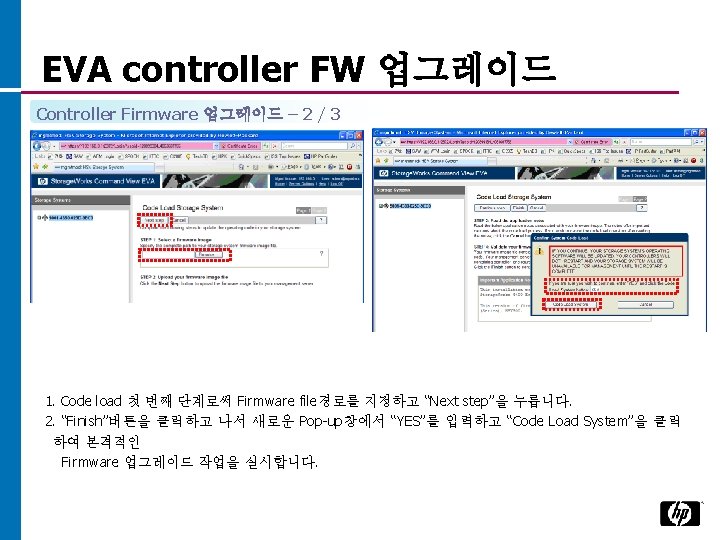
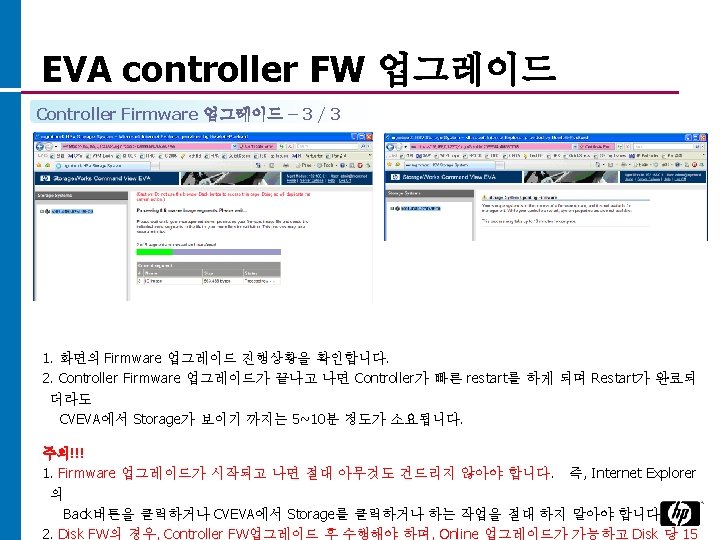
EVA controller FW 업그레이드 끝으로, F/W upgrade 후 반드시 EVA전체 를 Restart
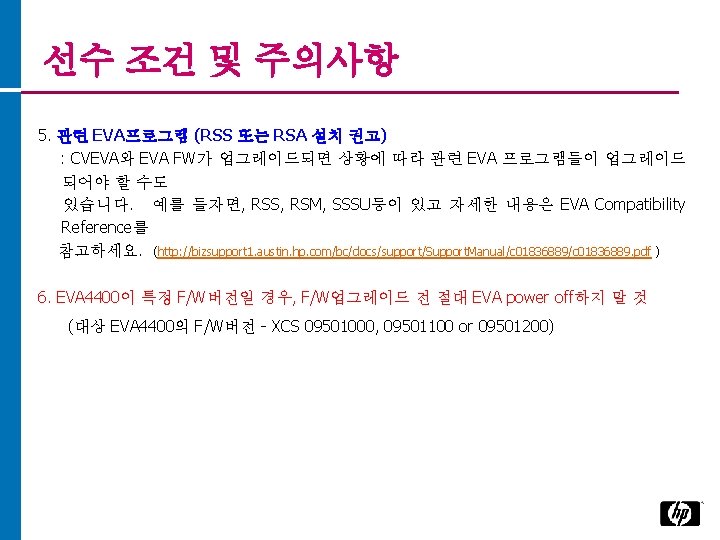
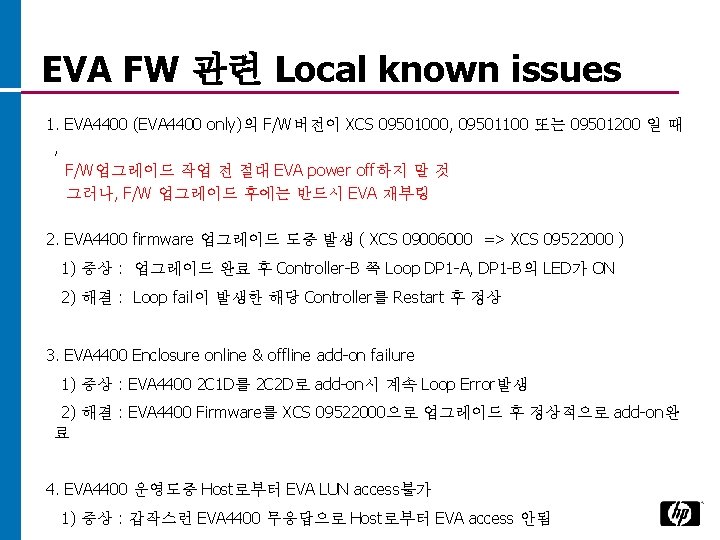
EVA FW 관련 Local known issues 1. EVA 4400 (EVA 4400 only)의 F/W버전이 XCS 09501000, 09501100 또는 09501200 일 때 , F/W업그레이드 작업 전 절대 EVA power off하지 말 것 그러나, F/W 업그레이드 후에는 반드시 EVA 재부팅 2. EVA 4400 firmware 업그레이드 도중 발생 ( XCS 09006000 => XCS 09522000 ) 1) 증상 : 업그레이드 완료 후 Controller-B 쪽 Loop DP 1 -A, DP 1 -B의 LED가 ON 2) 해결 : Loop fail이 발생한 해당 Controller를 Restart 후 정상 3. EVA 4400 Enclosure online & offline add-on failure 1) 증상 : EVA 4400 2 C 1 D를 2 C 2 D로 add-on시 계속 Loop Error발생 2) 해결 : EVA 4400 Firmware를 XCS 09522000으로 업그레이드 후 정상적으로 add-on완 료 4. EVA 4400 운영도중 Host로부터 EVA LUN access불가 1) 증상 : 갑작스런 EVA 4400 무응답으로 Host로부터 EVA access 안됨
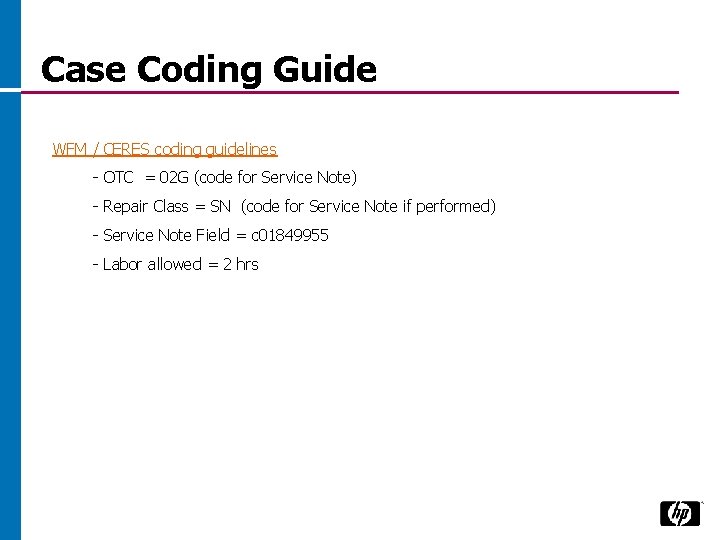
Case Coding Guide WFM / CERES coding guidelines - OTC = 02 G (code for Service Note) - Repair Class = SN (code for Service Note if performed) - Service Note Field = c 01849955 - Labor allowed = 2 hrs
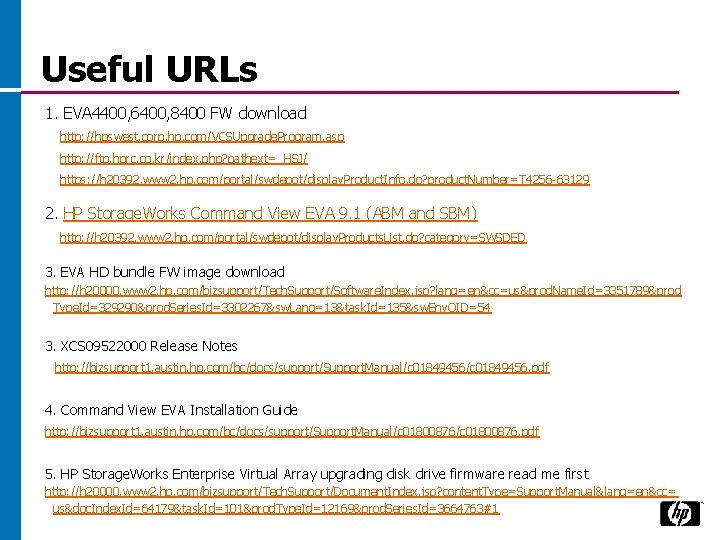
Useful URLs 1. EVA 4400, 6400, 8400 FW download http: //hpswest. corp. hp. com/VCSUpgrade. Program. asp http: //ftp. hprc. co. kr/index. php? pathext=_HSJ/ https: //h 20392. www 2. hp. com/portal/swdepot/display. Product. Info. do? product. Number=T 4256 -63129 2. HP Storage. Works Command View EVA 9. 1 (ABM and SBM) http: //h 20392. www 2. hp. com/portal/swdepot/display. Products. List. do? category=SWSDED 3. EVA HD bundle FW image download http: //h 20000. www 2. hp. com/bizsupport/Tech. Support/Software. Index. jsp? lang=en&cc=us&prod. Name. Id=3351789&prod Type. Id=329290&prod. Series. Id=3302267&sw. Lang=13&task. Id=135&sw. Env. OID=54 3. XCS 09522000 Release Notes http: //bizsupport 1. austin. hp. com/bc/docs/support/Support. Manual/c 01849456. pdf 4. Command View EVA Installation Guide http: //bizsupport 1. austin. hp. com/bc/docs/support/Support. Manual/c 01800876. pdf 5. HP Storage. Works Enterprise Virtual Array upgrading disk drive firmware read me first http: //h 20000. www 2. hp. com/bizsupport/Tech. Support/Document. Index. jsp? content. Type=Support. Manual&lang=en&cc= us&doc. Index. Id=64179&task. Id=101&prod. Type. Id=12169&prod. Series. Id=3664763#1
Technology for better business outcomes