
ETS Inside Product Launch New and broader perspectives

ETS Inside Product Launch New and broader perspectives with KNX
ETS Inside – Hands-on Session Preparation ü Required hardware ü Required software KNX Association International KNX: The worldwide STANDARD for home & building control
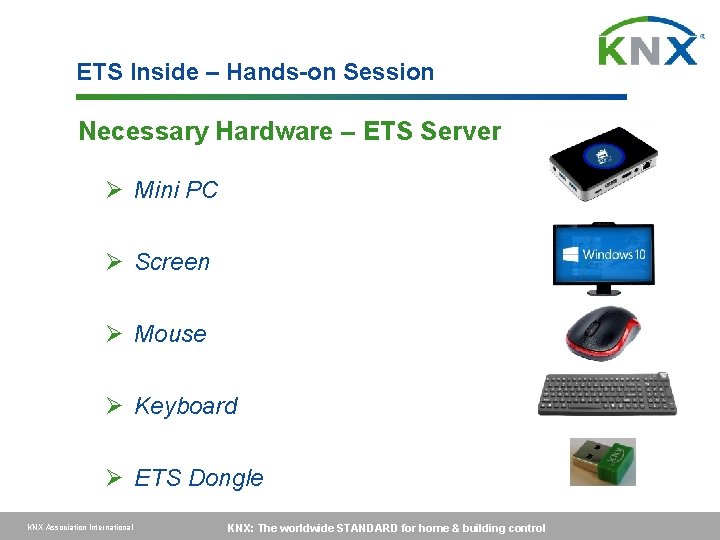
ETS Inside – Hands-on Session Necessary Hardware – ETS Server Ø Mini PC Ø Screen Ø Mouse Ø Keyboard Ø ETS Dongle KNX Association International KNX: The worldwide STANDARD for home & building control
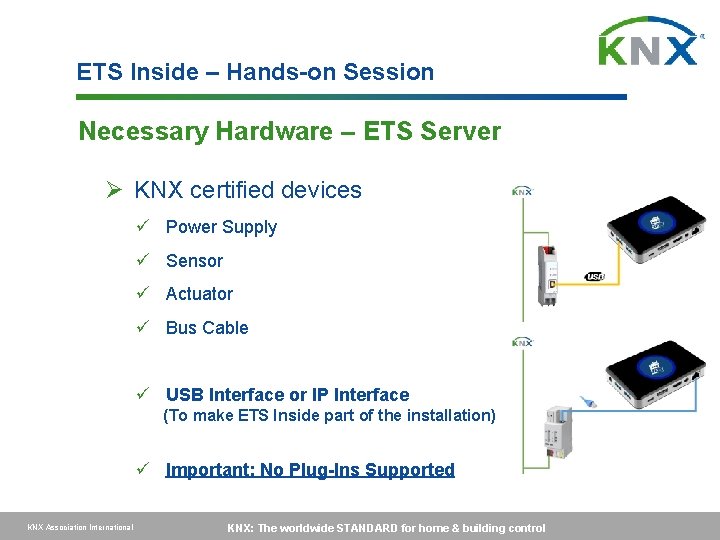
ETS Inside – Hands-on Session Necessary Hardware – ETS Server Ø KNX certified devices ü Power Supply ü Sensor ü Actuator ü Bus Cable ü USB Interface or IP Interface (To make ETS Inside part of the installation) ü Important: No Plug-Ins Supported KNX Association International KNX: The worldwide STANDARD for home & building control

ETS Inside – Hands-on Session Necessary Hardware – ETS Client Ø Handheld – Apple: ü i. Pad (i. OS 9. 0) Ø Handheld – Google: ü Tablet (Android 4. 0) ü Smartphone (Android 4. 0) Ø Handheld – Windows: ü Tablet (Windows 10) ü Smartphone (Windows 10) KNX Association International KNX: The worldwide STANDARD for home & building control

ETS Inside – Hands-on Session Necessary Hardware – Network Ø Wireless Network ü Either use existing Wi. Fi network or create new network (Might require Wi. Fi router if mini PC has no Wi. Fi access point embedded) ü Connect your mini pc to the network (might require extra hardware if mini pc does not have Wi. Fi functionalities) ü Connect your handheld to the network KNX Association International KNX: The worldwide STANDARD for home & building control
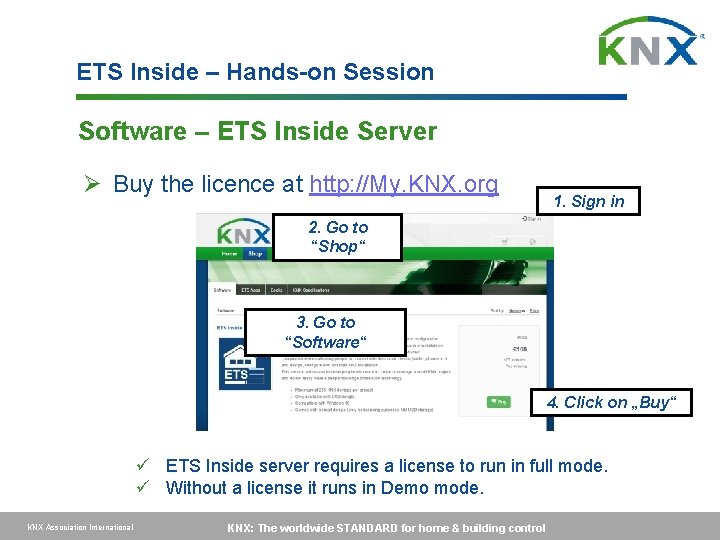
ETS Inside – Hands-on Session Software – ETS Inside Server Ø Buy the licence at http: //My. KNX. org 1. Sign in 2. Go to “Shop“ 3. Go to “Software“ 4. Click on „Buy“ ü ETS Inside server requires a license to run in full mode. ü Without a license it runs in Demo mode. KNX Association International KNX: The worldwide STANDARD for home & building control
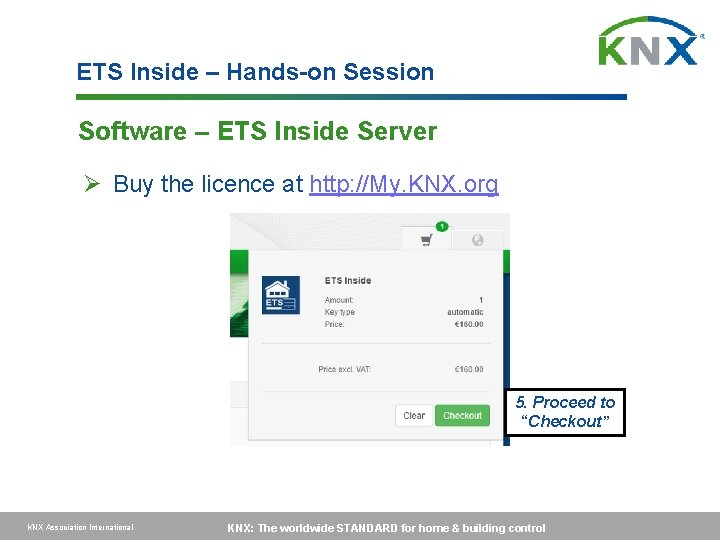
ETS Inside – Hands-on Session Software – ETS Inside Server Ø Buy the licence at http: //My. KNX. org 5. Proceed to “Checkout” KNX Association International KNX: The worldwide STANDARD for home & building control
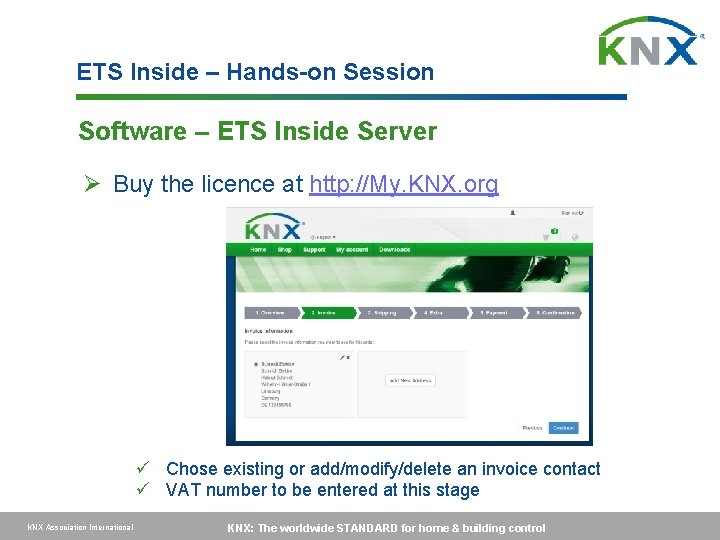
ETS Inside – Hands-on Session Software – ETS Inside Server Ø Buy the licence at http: //My. KNX. org ü Chose existing or add/modify/delete an invoice contact ü VAT number to be entered at this stage KNX Association International KNX: The worldwide STANDARD for home & building control
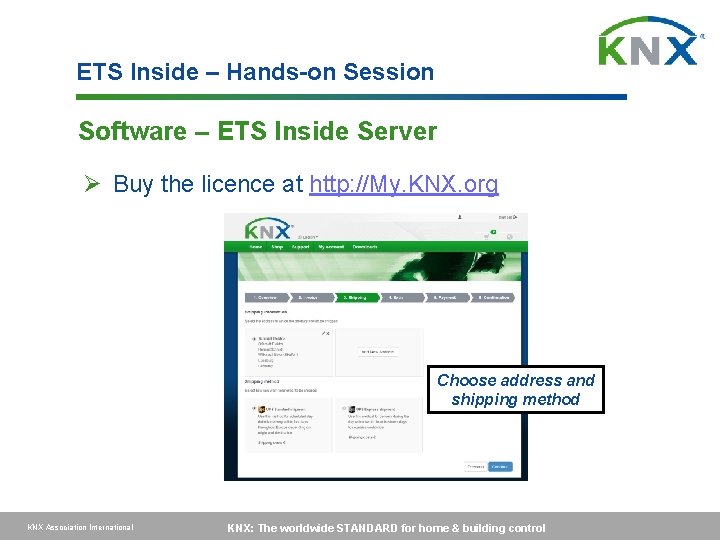
ETS Inside – Hands-on Session Software – ETS Inside Server Ø Buy the licence at http: //My. KNX. org Choose address and shipping method KNX Association International KNX: The worldwide STANDARD for home & building control
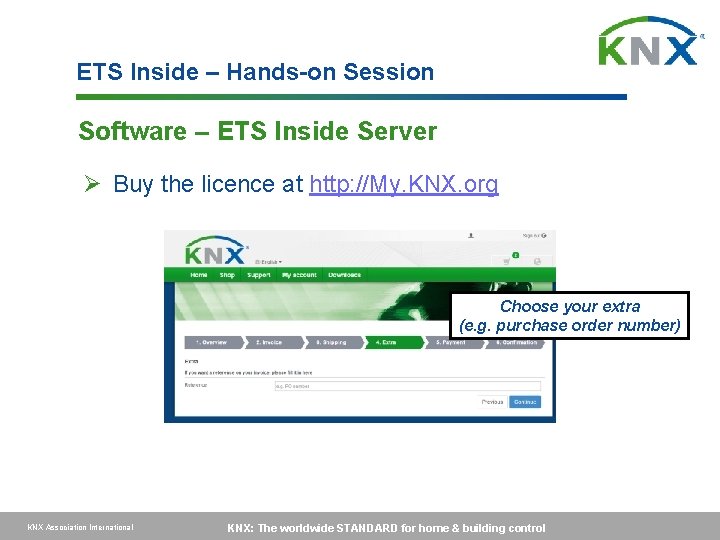
ETS Inside – Hands-on Session Software – ETS Inside Server Ø Buy the licence at http: //My. KNX. org Choose your extra (e. g. purchase order number) KNX Association International KNX: The worldwide STANDARD for home & building control
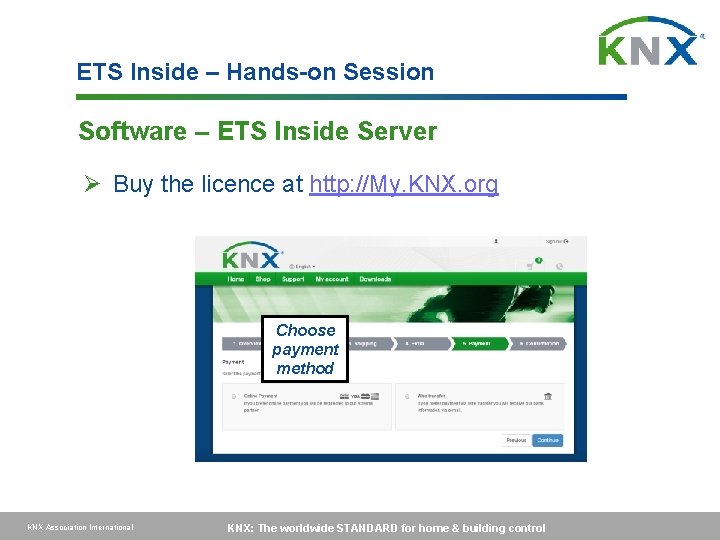
ETS Inside – Hands-on Session Software – ETS Inside Server Ø Buy the licence at http: //My. KNX. org Choose payment method KNX Association International KNX: The worldwide STANDARD for home & building control
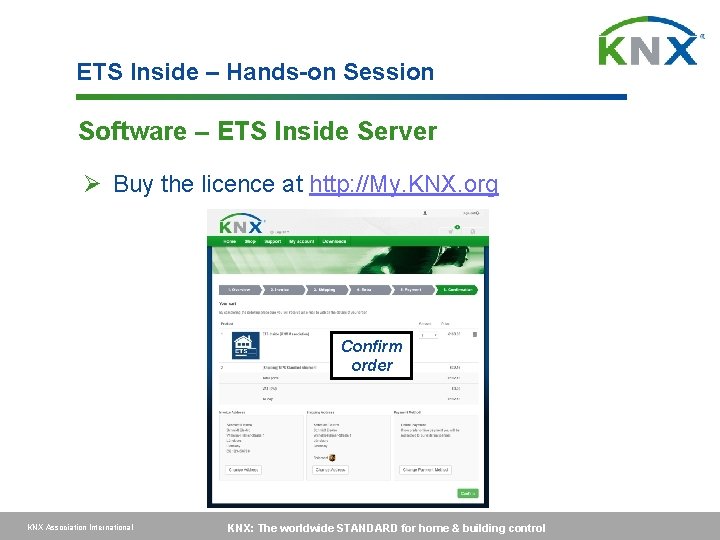
ETS Inside – Hands-on Session Software – ETS Inside Server Ø Buy the licence at http: //My. KNX. org Confirm order KNX Association International KNX: The worldwide STANDARD for home & building control
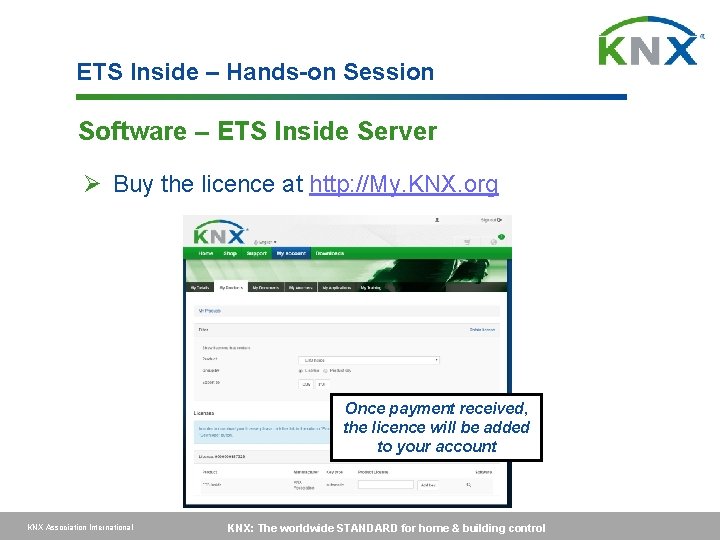
ETS Inside – Hands-on Session Software – ETS Inside Server Ø Buy the licence at http: //My. KNX. org Once payment received, the licence will be added to your account KNX Association International KNX: The worldwide STANDARD for home & building control
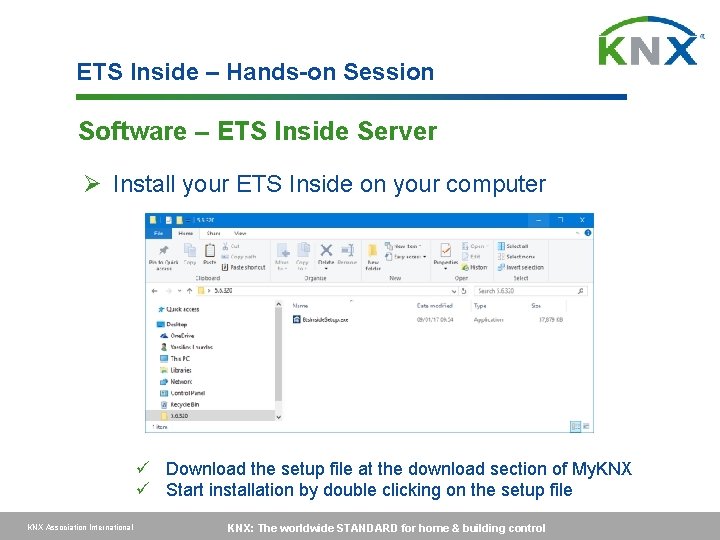
ETS Inside – Hands-on Session Software – ETS Inside Server Ø Install your ETS Inside on your computer ü Download the setup file at the download section of My. KNX ü Start installation by double clicking on the setup file KNX Association International KNX: The worldwide STANDARD for home & building control
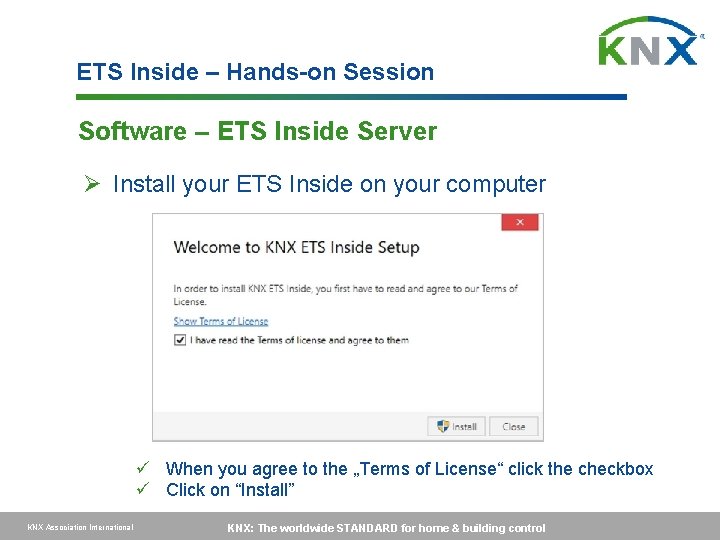
ETS Inside – Hands-on Session Software – ETS Inside Server Ø Install your ETS Inside on your computer ü When you agree to the „Terms of License“ click the checkbox ü Click on “Install” KNX Association International KNX: The worldwide STANDARD for home & building control
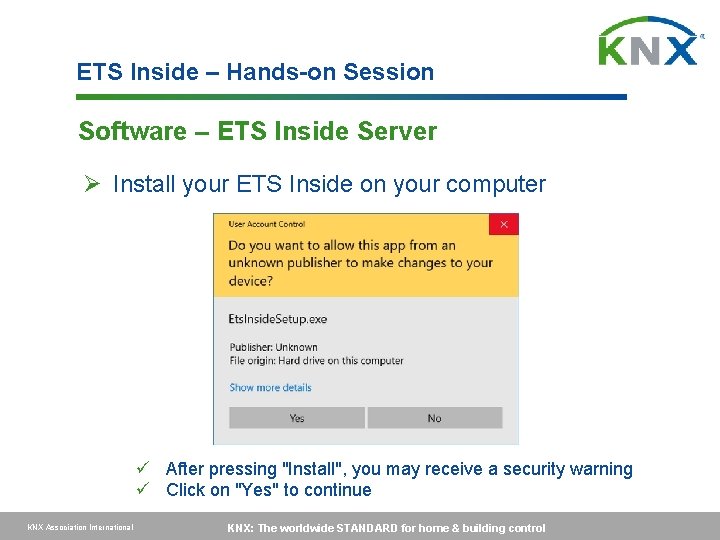
ETS Inside – Hands-on Session Software – ETS Inside Server Ø Install your ETS Inside on your computer ü After pressing "Install", you may receive a security warning ü Click on "Yes" to continue KNX Association International KNX: The worldwide STANDARD for home & building control
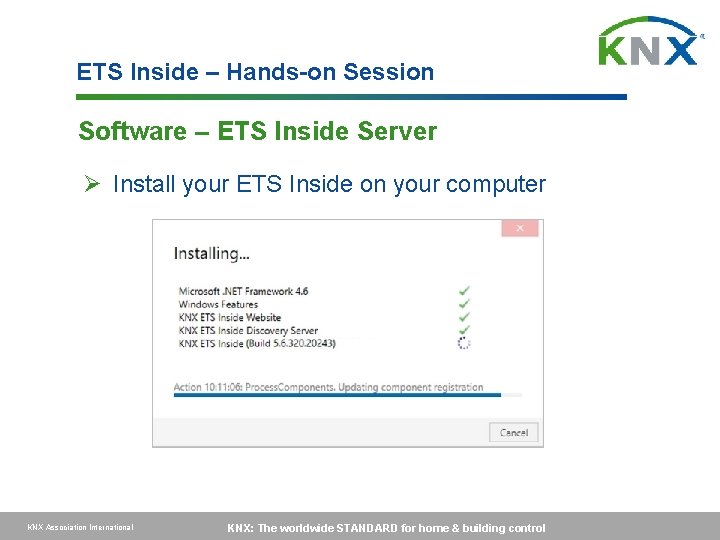
ETS Inside – Hands-on Session Software – ETS Inside Server Ø Install your ETS Inside on your computer KNX Association International KNX: The worldwide STANDARD for home & building control
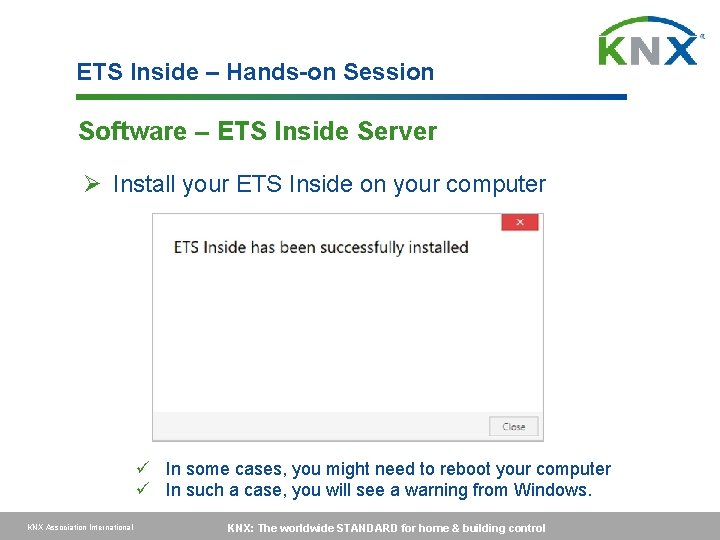
ETS Inside – Hands-on Session Software – ETS Inside Server Ø Install your ETS Inside on your computer ü In some cases, you might need to reboot your computer ü In such a case, you will see a warning from Windows. KNX Association International KNX: The worldwide STANDARD for home & building control
ETS Inside – Hands-on Session Software – ETS Inside Server Ø After the installation: ü ETS Inside will run in the background of your PC. ü No further configuration is required. ü Simply make sure that your PC is connected to a network ü Name of the ETS Inside network is the name of your Computer KNX Association International KNX: The worldwide STANDARD for home & building control
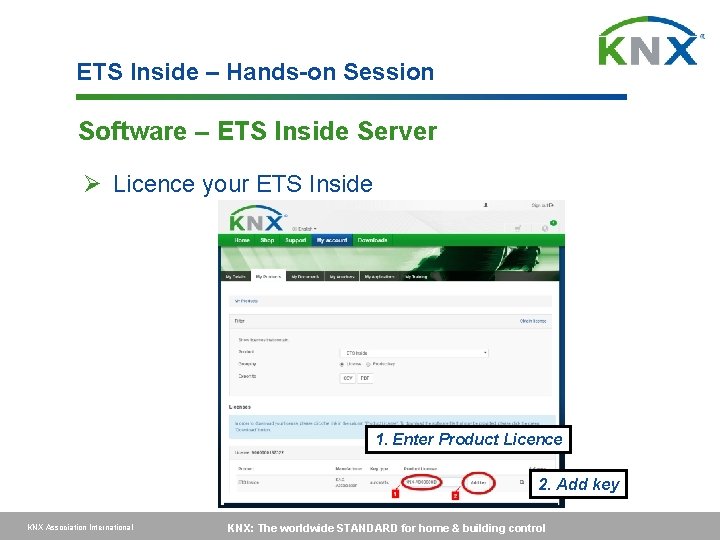
ETS Inside – Hands-on Session Software – ETS Inside Server Ø Licence your ETS Inside 1. Enter Product Licence 2. Add key KNX Association International KNX: The worldwide STANDARD for home & building control
ETS Inside – Hands-on Session Software – ETS Inside Client (i. Pad Version) Ø Install the ETS Inside Client KNX Association International KNX: The worldwide STANDARD for home & building control
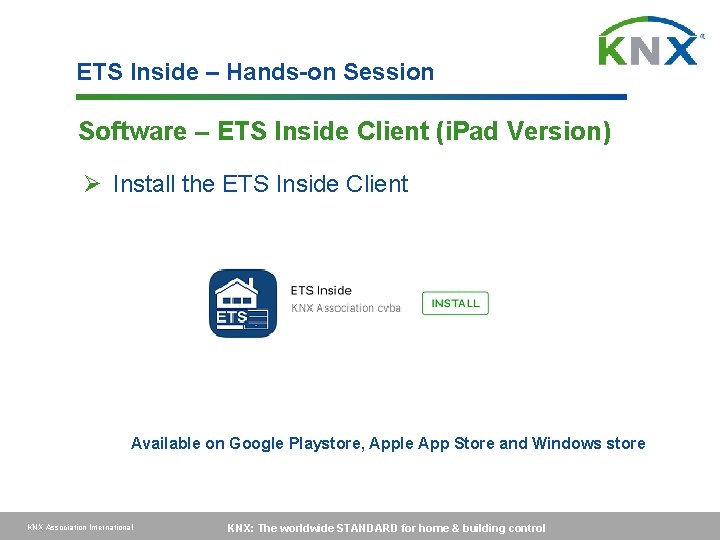
ETS Inside – Hands-on Session Software – ETS Inside Client (i. Pad Version) Ø Install the ETS Inside Client Available on Google Playstore, Apple App Store and Windows store KNX Association International KNX: The worldwide STANDARD for home & building control
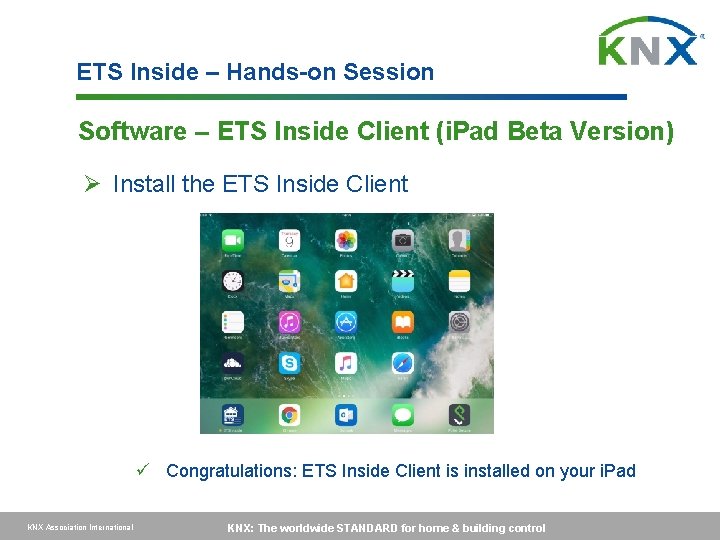
ETS Inside – Hands-on Session Software – ETS Inside Client (i. Pad Beta Version) Ø Install the ETS Inside Client ü Congratulations: ETS Inside Client is installed on your i. Pad KNX Association International KNX: The worldwide STANDARD for home & building control
ETS Inside – Hands-on Session Putting an installation into practise with the ETS Inside KNX Association International KNX: The worldwide STANDARD for home & building control
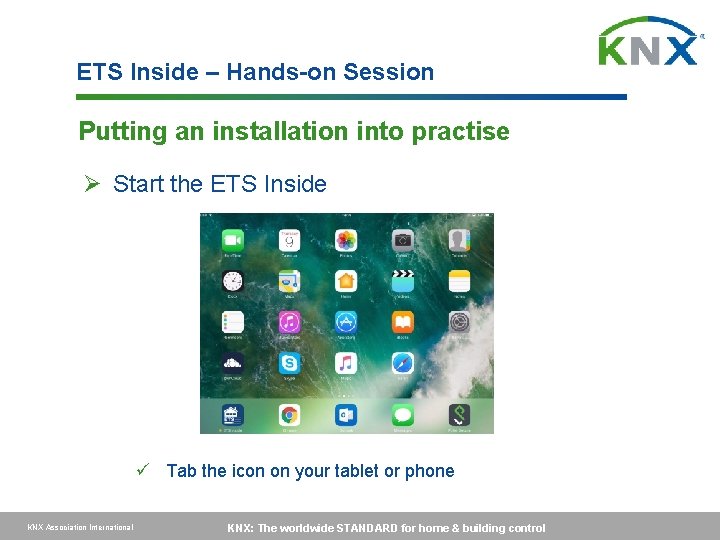
ETS Inside – Hands-on Session Putting an installation into practise Ø Start the ETS Inside ü Tab the icon on your tablet or phone KNX Association International KNX: The worldwide STANDARD for home & building control
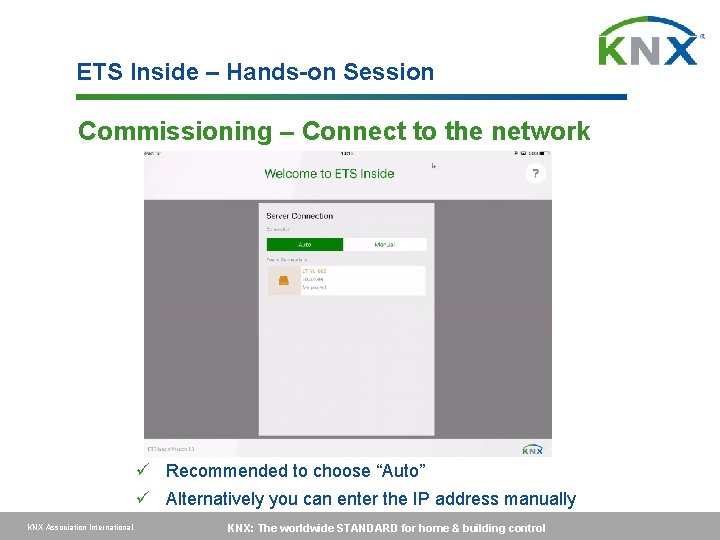
ETS Inside – Hands-on Session Commissioning – Connect to the network ü Recommended to choose “Auto” ü Alternatively you can enter the IP address manually KNX Association International KNX: The worldwide STANDARD for home & building control
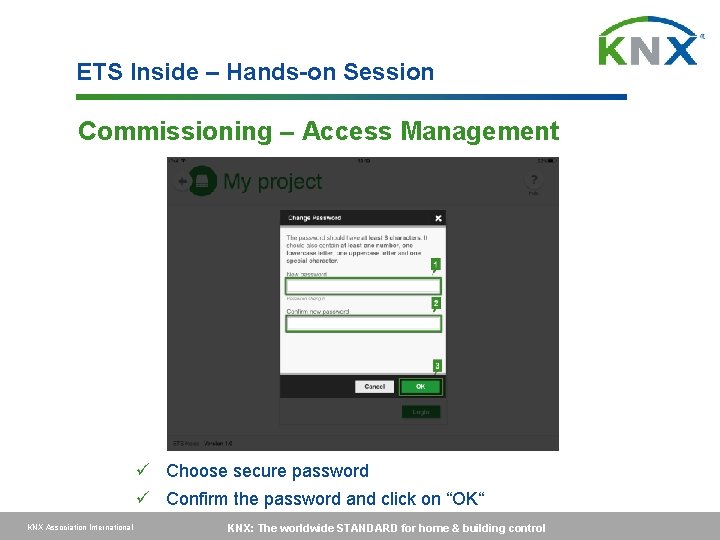
ETS Inside – Hands-on Session Commissioning – Access Management ü Choose secure password ü Confirm the password and click on “OK“ KNX Association International KNX: The worldwide STANDARD for home & building control
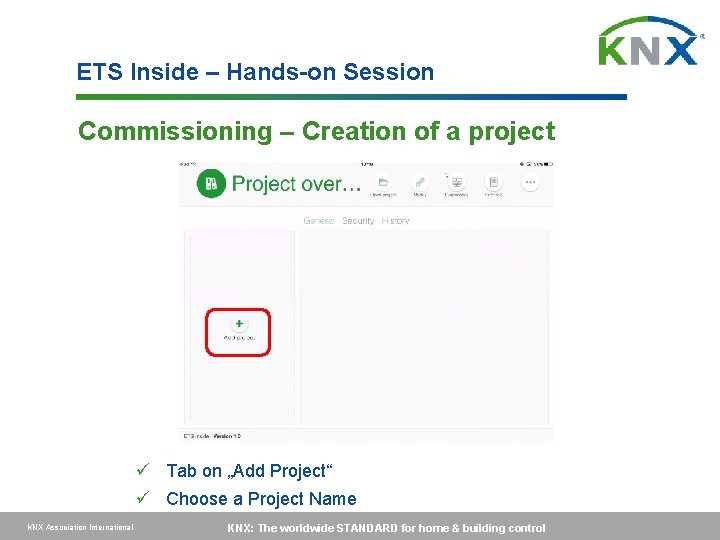
ETS Inside – Hands-on Session Commissioning – Creation of a project ü Tab on „Add Project“ ü Choose a Project Name KNX Association International KNX: The worldwide STANDARD for home & building control
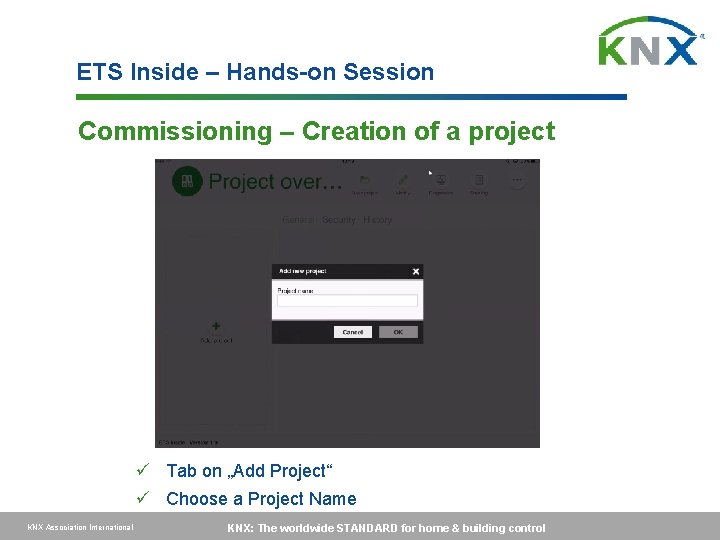
ETS Inside – Hands-on Session Commissioning – Creation of a project ü Tab on „Add Project“ ü Choose a Project Name KNX Association International KNX: The worldwide STANDARD for home & building control
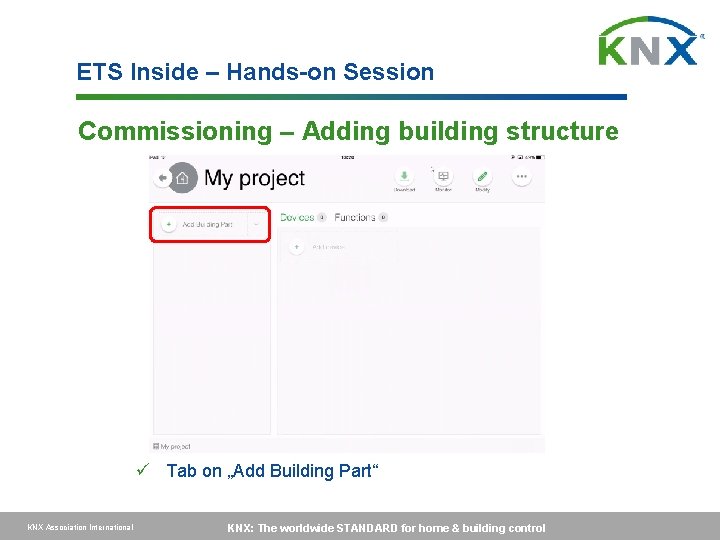
ETS Inside – Hands-on Session Commissioning – Adding building structure ü Tab on „Add Building Part“ KNX Association International KNX: The worldwide STANDARD for home & building control
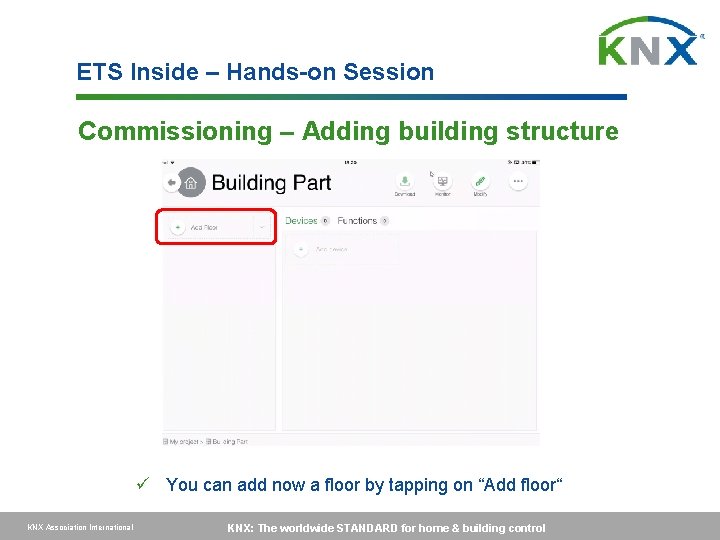
ETS Inside – Hands-on Session Commissioning – Adding building structure ü You can add now a floor by tapping on “Add floor“ KNX Association International KNX: The worldwide STANDARD for home & building control
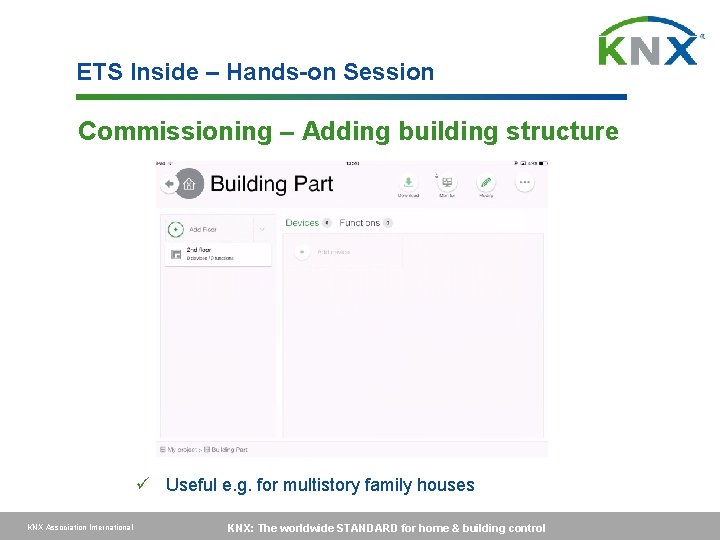
ETS Inside – Hands-on Session Commissioning – Adding building structure ü Useful e. g. for multistory family houses KNX Association International KNX: The worldwide STANDARD for home & building control
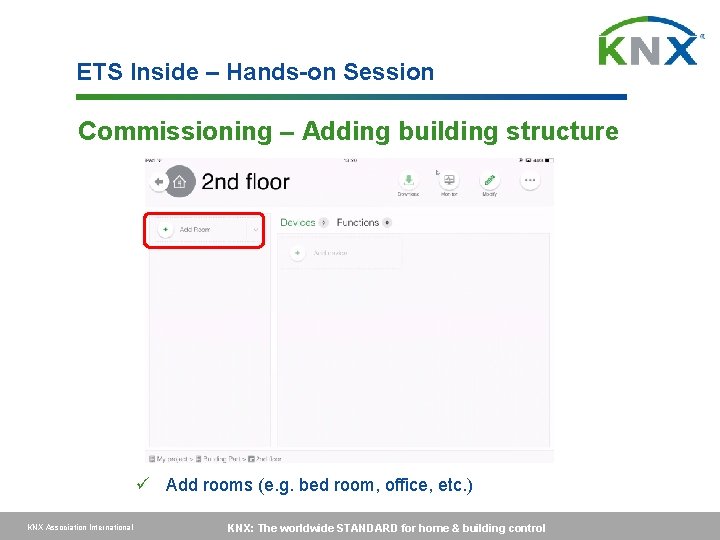
ETS Inside – Hands-on Session Commissioning – Adding building structure ü Add rooms (e. g. bed room, office, etc. ) KNX Association International KNX: The worldwide STANDARD for home & building control
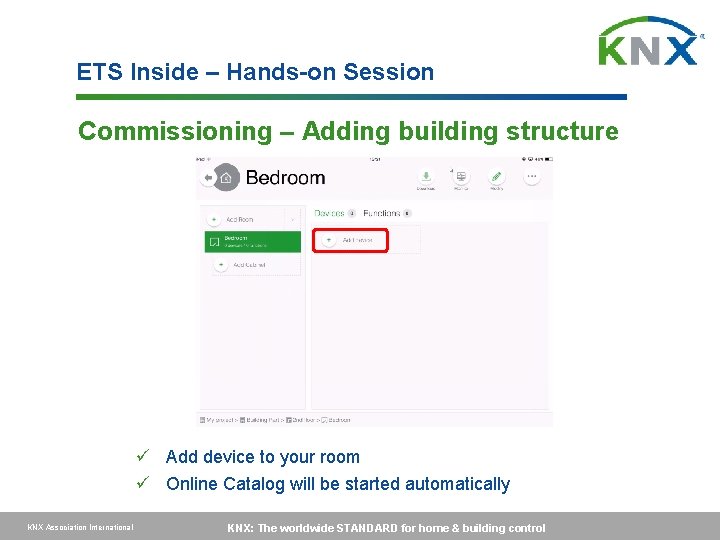
ETS Inside – Hands-on Session Commissioning – Adding building structure ü Add device to your room ü Online Catalog will be started automatically KNX Association International KNX: The worldwide STANDARD for home & building control
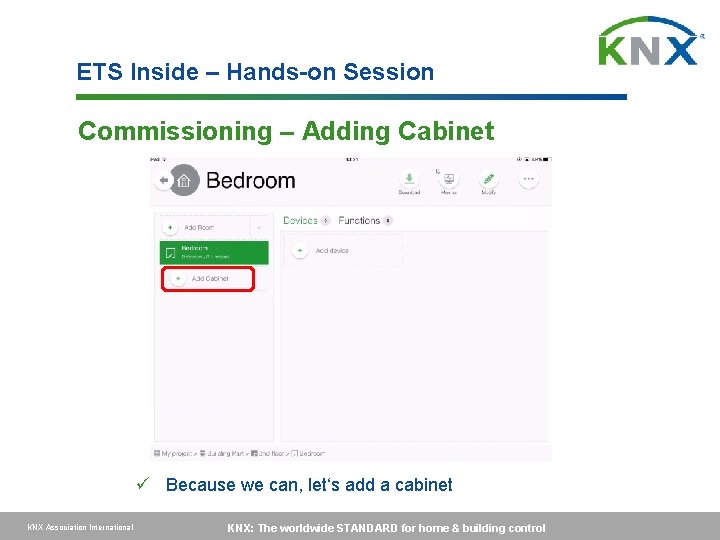
ETS Inside – Hands-on Session Commissioning – Adding Cabinet ü Because we can, let‘s add a cabinet KNX Association International KNX: The worldwide STANDARD for home & building control
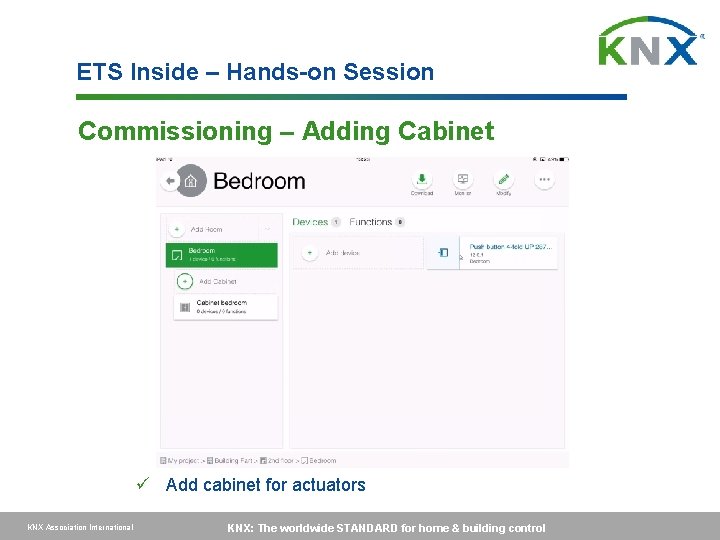
ETS Inside – Hands-on Session Commissioning – Adding Cabinet ü Add cabinet for actuators KNX Association International KNX: The worldwide STANDARD for home & building control
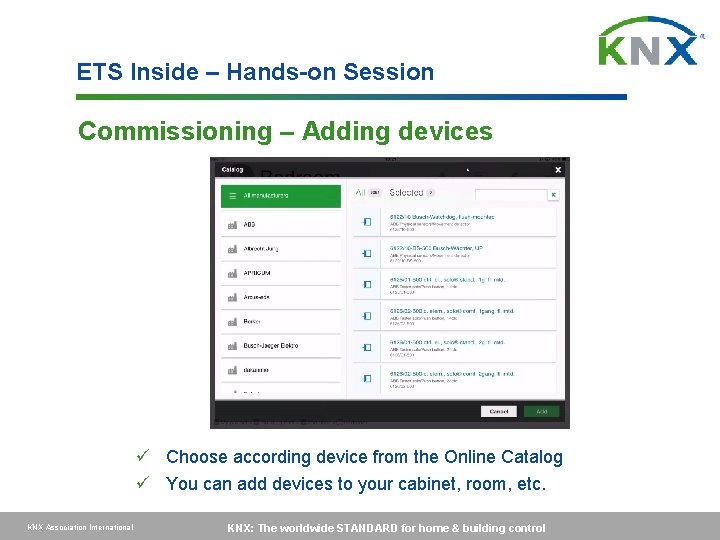
ETS Inside – Hands-on Session Commissioning – Adding devices ü Choose according device from the Online Catalog ü You can add devices to your cabinet, room, etc. KNX Association International KNX: The worldwide STANDARD for home & building control
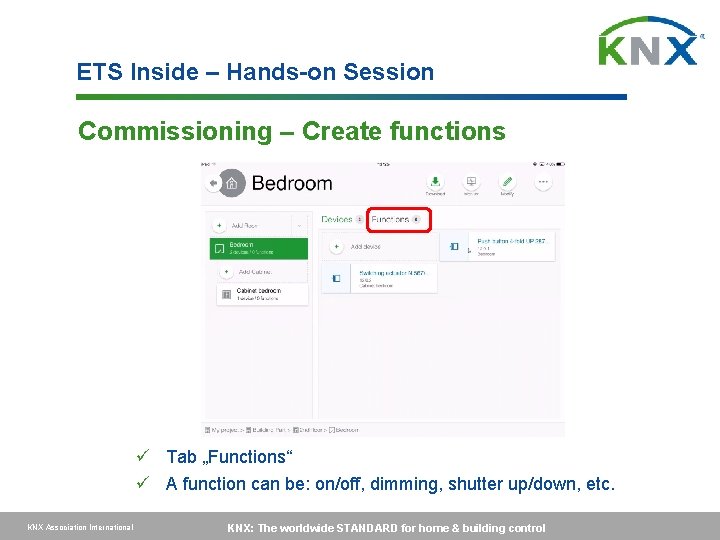
ETS Inside – Hands-on Session Commissioning – Create functions ü Tab „Functions“ ü A function can be: on/off, dimming, shutter up/down, etc. KNX Association International KNX: The worldwide STANDARD for home & building control
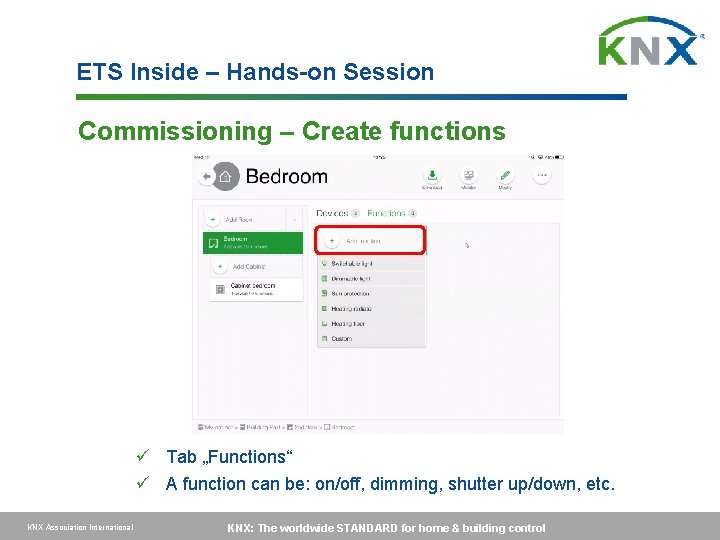
ETS Inside – Hands-on Session Commissioning – Create functions ü Tab „Functions“ ü A function can be: on/off, dimming, shutter up/down, etc. KNX Association International KNX: The worldwide STANDARD for home & building control
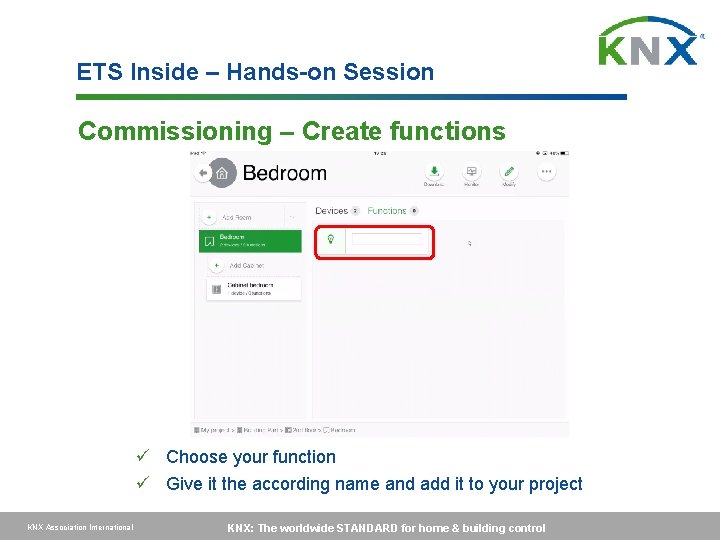
ETS Inside – Hands-on Session Commissioning – Create functions ü Choose your function ü Give it the according name and add it to your project KNX Association International KNX: The worldwide STANDARD for home & building control
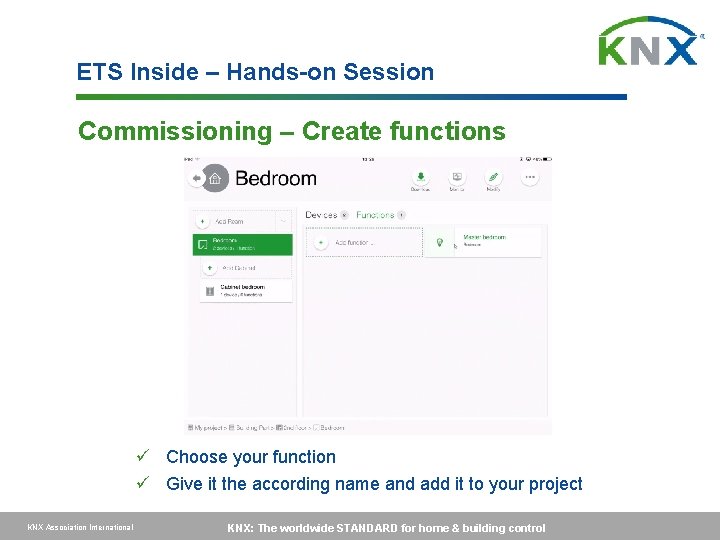
ETS Inside – Hands-on Session Commissioning – Create functions ü Choose your function ü Give it the according name and add it to your project KNX Association International KNX: The worldwide STANDARD for home & building control
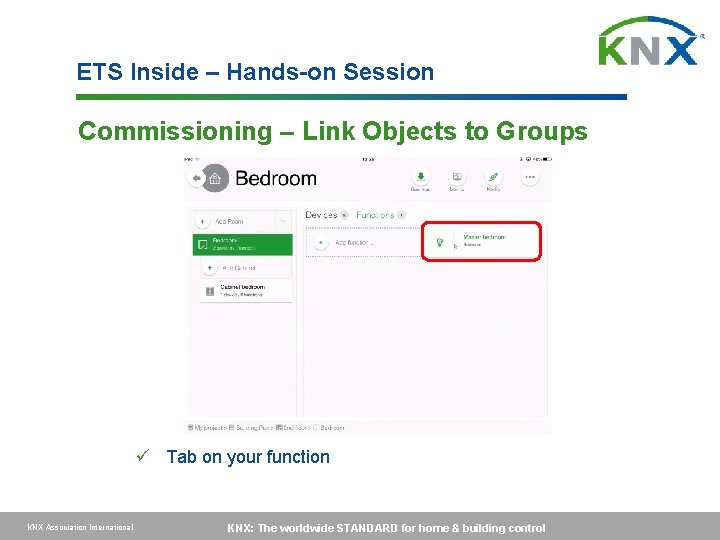
ETS Inside – Hands-on Session Commissioning – Link Objects to Groups ü Tab on your function KNX Association International KNX: The worldwide STANDARD for home & building control
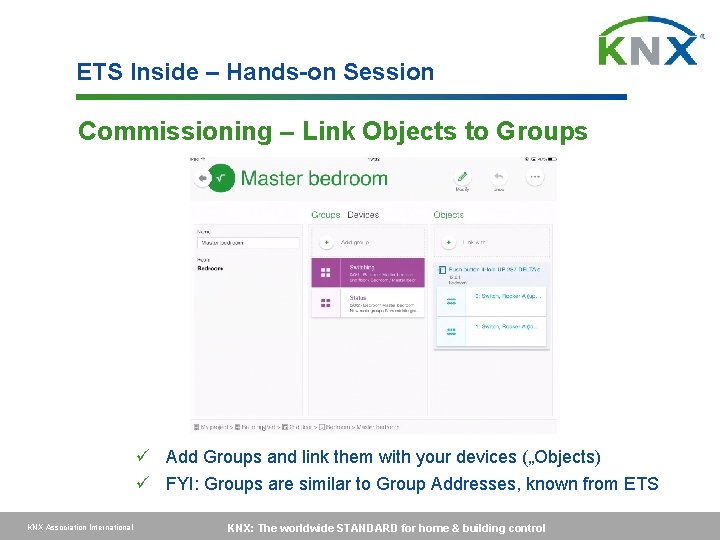
ETS Inside – Hands-on Session Commissioning – Link Objects to Groups ü Add Groups and link them with your devices („Objects) ü FYI: Groups are similar to Group Addresses, known from ETS KNX Association International KNX: The worldwide STANDARD for home & building control
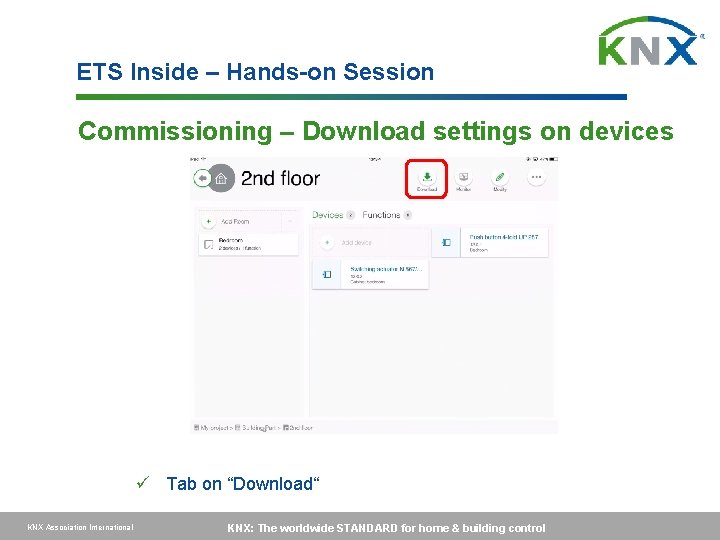
ETS Inside – Hands-on Session Commissioning – Download settings on devices ü Tab on “Download“ KNX Association International KNX: The worldwide STANDARD for home & building control
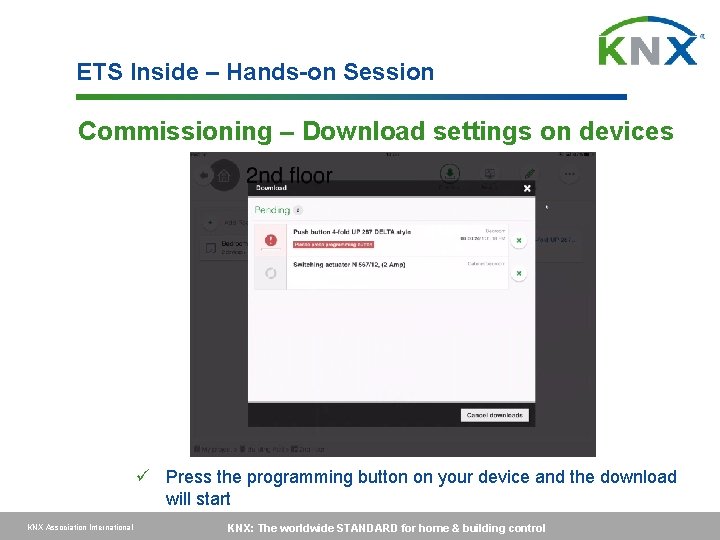
ETS Inside – Hands-on Session Commissioning – Download settings on devices ü Press the programming button on your device and the download will start KNX Association International KNX: The worldwide STANDARD for home & building control
ETS Inside – Hands-on Session Congratulations! You have successfully commissioned a KNX project with the ETS Inside KNX Association International KNX: The worldwide STANDARD for home & building control

Thank you very much for your attention
- Slides: 48