
Ethernet IP Addresses and Honeywell Automation Systems Background
Ethernet, IP Addresses and Honeywell Automation Systems
Background – Ethernet Connections Cat-5 • Though Ethernet now supports many media, the most common one in use is Cat 5 (Category-5) twisted-pair cable. • Maximum distance between nodes is restricted to 100 meters. • The maximum distance between any two nodes on a segment cannot exceed 2500 meters • The maximum number of nodes on a network is 1024, but actual experience has shown that when the number of nodes on a network exceeds 200, too much of the network’s bandwidth is wasted by collisions. 2 HONEYWELL - CONFIDENTIAL File Number
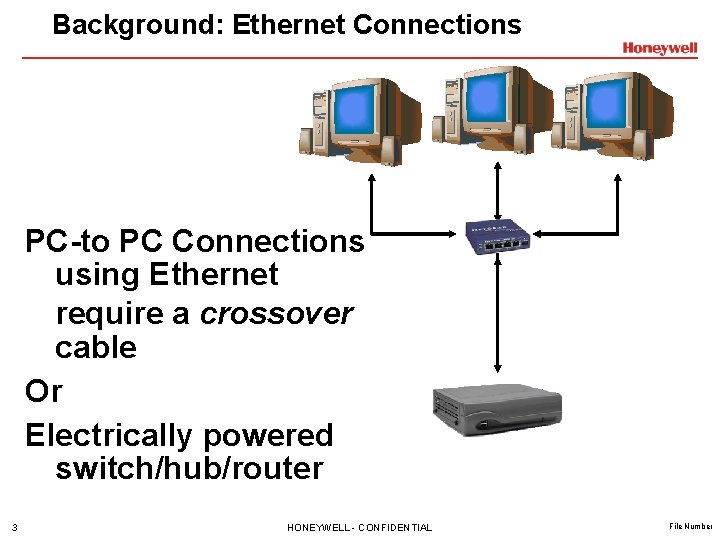
Background: Ethernet Connections PC-to PC Connections using Ethernet require a crossover cable Or Electrically powered switch/hub/router 3 HONEYWELL - CONFIDENTIAL File Number
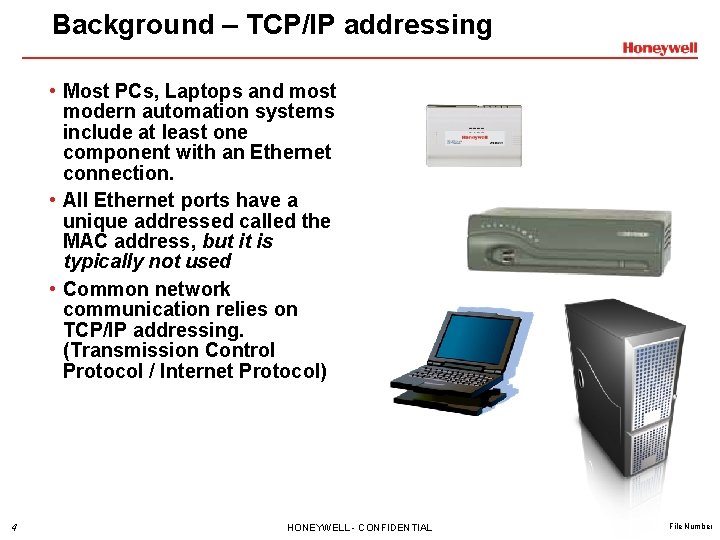
Background – TCP/IP addressing • Most PCs, Laptops and most modern automation systems include at least one component with an Ethernet connection. • All Ethernet ports have a unique addressed called the MAC address, but it is typically not used • Common network communication relies on TCP/IP addressing. (Transmission Control Protocol / Internet Protocol) 4 HONEYWELL - CONFIDENTIAL File Number
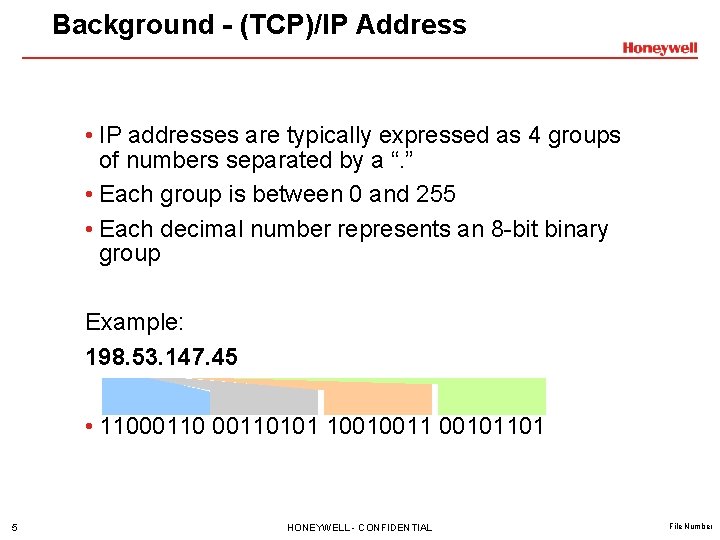
Background - (TCP)/IP Address • IP addresses are typically expressed as 4 groups of numbers separated by a “. ” • Each group is between 0 and 255 • Each decimal number represents an 8 -bit binary group Example: 198. 53. 147. 45 • 11000110101 10010011 00101101 5 HONEYWELL - CONFIDENTIAL File Number
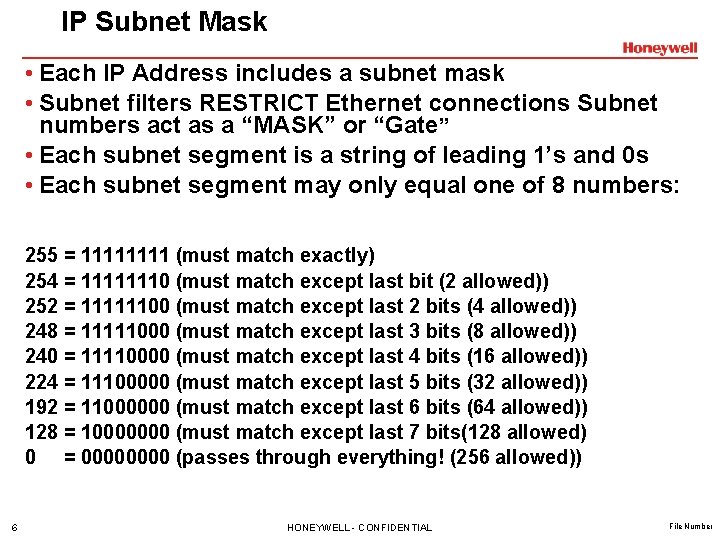
IP Subnet Mask • Each IP Address includes a subnet mask • Subnet filters RESTRICT Ethernet connections Subnet numbers act as a “MASK” or “Gate” • Each subnet segment is a string of leading 1’s and 0 s • Each subnet segment may only equal one of 8 numbers: 255 = 1111 (must match exactly) 254 = 11111110 (must match except last bit (2 allowed)) 252 = 11111100 (must match except last 2 bits (4 allowed)) 248 = 11111000 (must match except last 3 bits (8 allowed)) 240 = 11110000 (must match except last 4 bits (16 allowed)) 224 = 11100000 (must match except last 5 bits (32 allowed)) 192 = 11000000 (must match except last 6 bits (64 allowed)) 128 = 10000000 (must match except last 7 bits(128 allowed) 0 = 0000 (passes through everything! (256 allowed)) 6 HONEYWELL - CONFIDENTIAL File Number
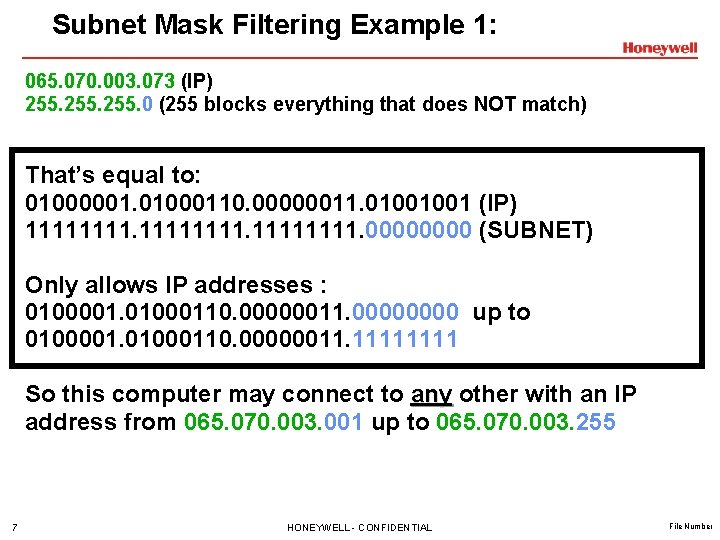
Subnet Mask Filtering Example 1: 065. 070. 003. 073 (IP) 255. 0 (255 blocks everything that does NOT match) That’s equal to: 01000001. 01000110. 00000011. 01001001 (IP) 11111111. 0000 (SUBNET) Only allows IP addresses : 0100001. 01000110. 00000011. 0000 up to 0100001. 01000110. 00000011. 1111 So this computer may connect to any other with an IP address from 065. 070. 003. 001 up to 065. 070. 003. 255 7 HONEYWELL - CONFIDENTIAL File Number

Subnet Mask Filtering Example 2: 065. 070. 003. 073 (IP) 255. 248 (block all but 8 computer addresses) That’s equal to: 01000001. 01000110. 00000011. 01001001 (IP) 11111111. 11111000 (SUBNET) Only allows: 0100001. 01000110. 00000011. 01001000 up to 0100001. 01000110. 00000011. 01001111 This computer will only connect with IP addresses from 065. 070. 003. 072 up to 065. 070. 003. 079 8 HONEYWELL - CONFIDENTIAL File Number
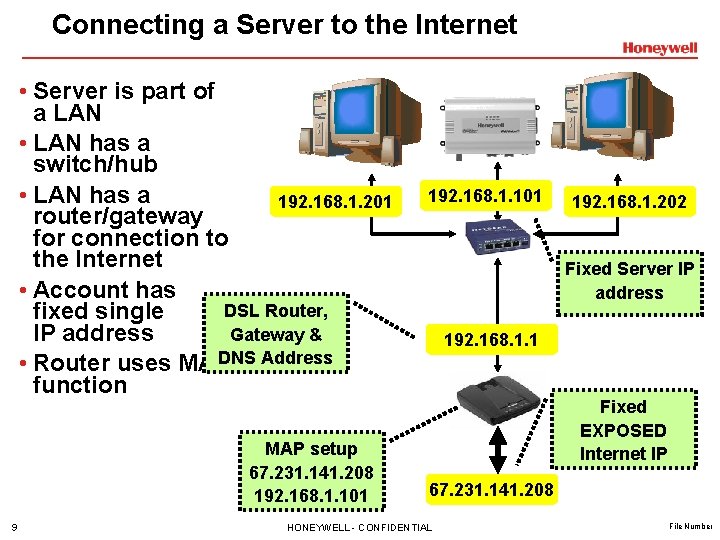
Connecting a Server to the Internet • Server is part of a LAN • LAN has a switch/hub • LAN has a 192. 168. 1. 201 router/gateway for connection to the Internet • Account has DSL Router, fixed single Gateway & IP address DNS Address • Router uses MAP function MAP setup 67. 231. 141. 208 192. 168. 1. 101 9 192. 168. 1. 101 192. 168. 1. 202 Fixed Server IP address 192. 168. 1. 1 Fixed EXPOSED Internet IP 67. 231. 141. 208 HONEYWELL - CONFIDENTIAL File Number
Assigning Addresses – Static and Dynamic How are IP address assigned to the node? • There are two basic methods; manual and automatic • Automatic IP address are generated from a DHCP server or router somewhere else on the network • When an IP address is assigned manually, it is referred to as a static IP address. Each time the node is connected to the network, it will use the IP address that was assigned. • Windows users assign static IP addresses - Start - Settings - network connections 10 HONEYWELL - CONFIDENTIAL File Number
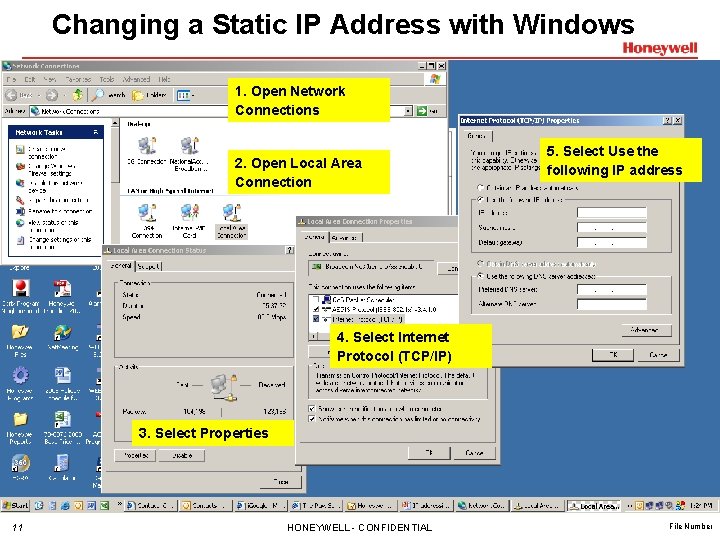
Changing a Static IP Address with Windows 1. Open Network Connections 2. Open Local Area Connection 5. Select Use the following IP address 4. Select Internet Protocol (TCP/IP) 3. Select Properties 11 HONEYWELL - CONFIDENTIAL File Number
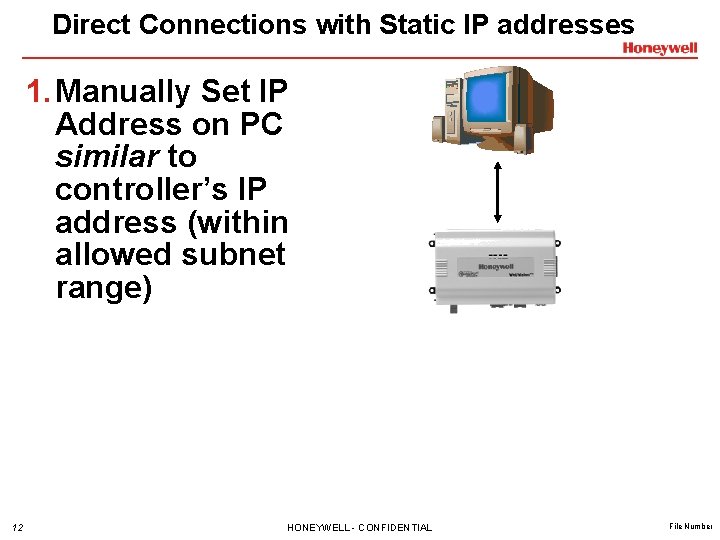
Direct Connections with Static IP addresses 1. Manually Set IP Address on PC similar to controller’s IP address (within allowed subnet range) 12 HONEYWELL - CONFIDENTIAL File Number
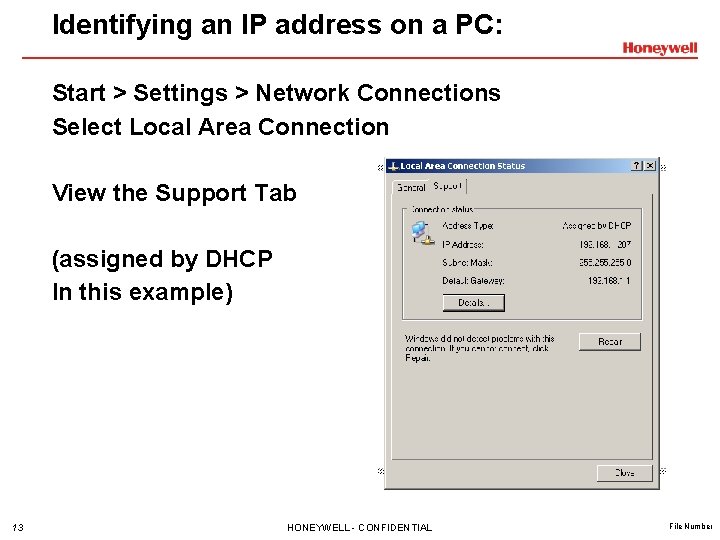
Identifying an IP address on a PC: Start > Settings > Network Connections Select Local Area Connection View the Support Tab (assigned by DHCP In this example) 13 HONEYWELL - CONFIDENTIAL File Number
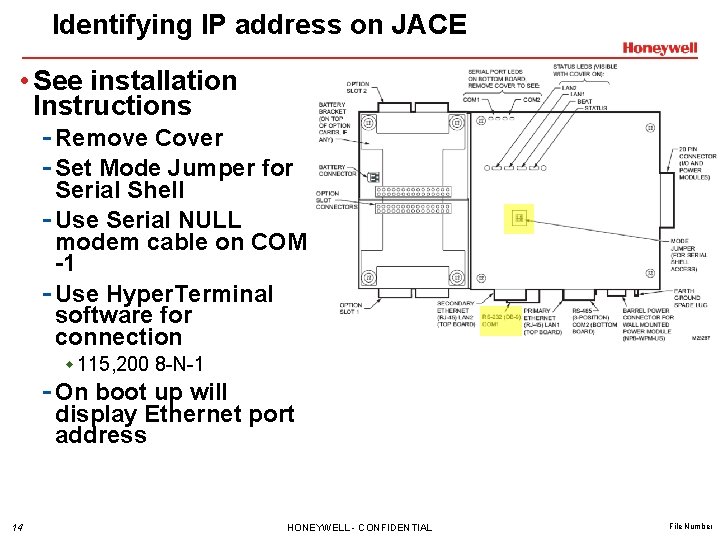
Identifying IP address on JACE • See installation Instructions - Remove Cover - Set Mode Jumper for Serial Shell - Use Serial NULL modem cable on COM -1 - Use Hyper. Terminal software for connection w 115, 200 8 -N-1 - On boot up will display Ethernet port address 14 HONEYWELL - CONFIDENTIAL File Number
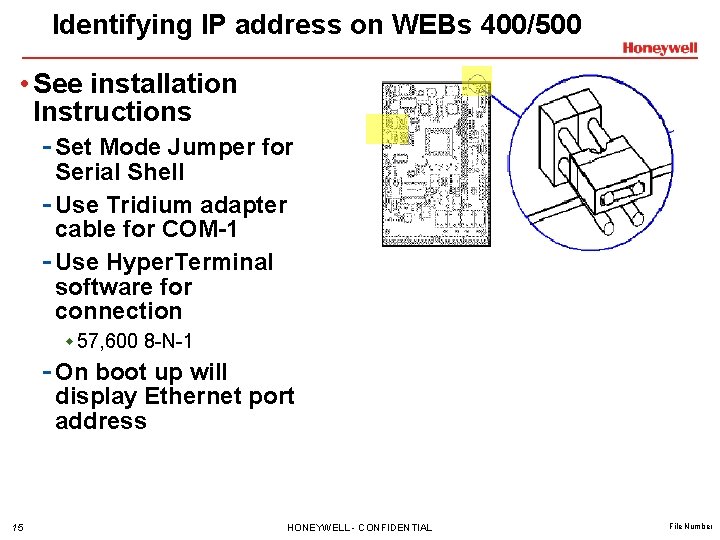
Identifying IP address on WEBs 400/500 • See installation Instructions - Set Mode Jumper for Serial Shell - Use Tridium adapter cable for COM-1 - Use Hyper. Terminal software for connection w 57, 600 8 -N-1 - On boot up will display Ethernet port address 15 HONEYWELL - CONFIDENTIAL File Number
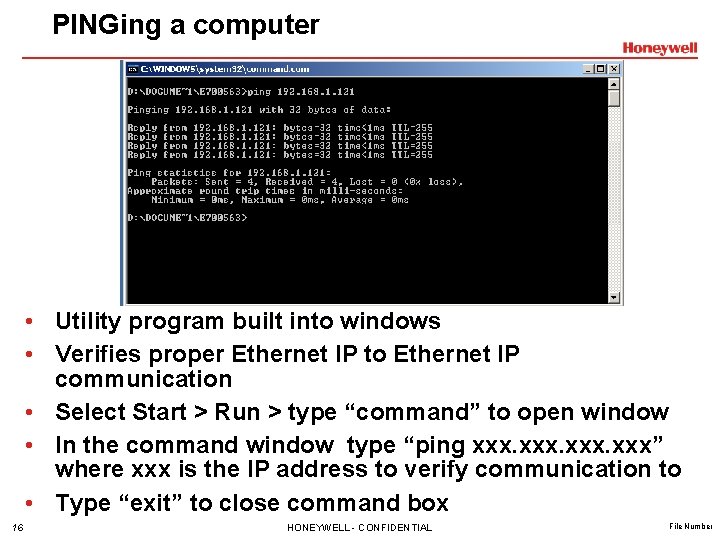
PINGing a computer • Utility program built into windows • Verifies proper Ethernet IP to Ethernet IP communication • Select Start > Run > type “command” to open window • In the command window type “ping xxx” where xxx is the IP address to verify communication to • Type “exit” to close command box 16 HONEYWELL - CONFIDENTIAL File Number
WEBs Connections • Questions? 17 HONEYWELL - CONFIDENTIAL File Number
- Slides: 17