
ESTeem RF System Design Steps to Successful Radio
- Slides: 53
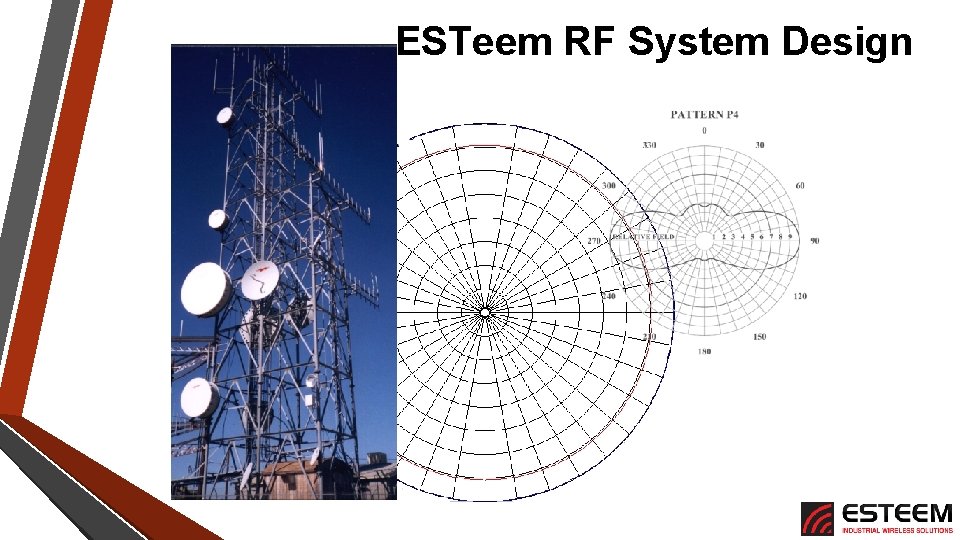
ESTeem RF System Design
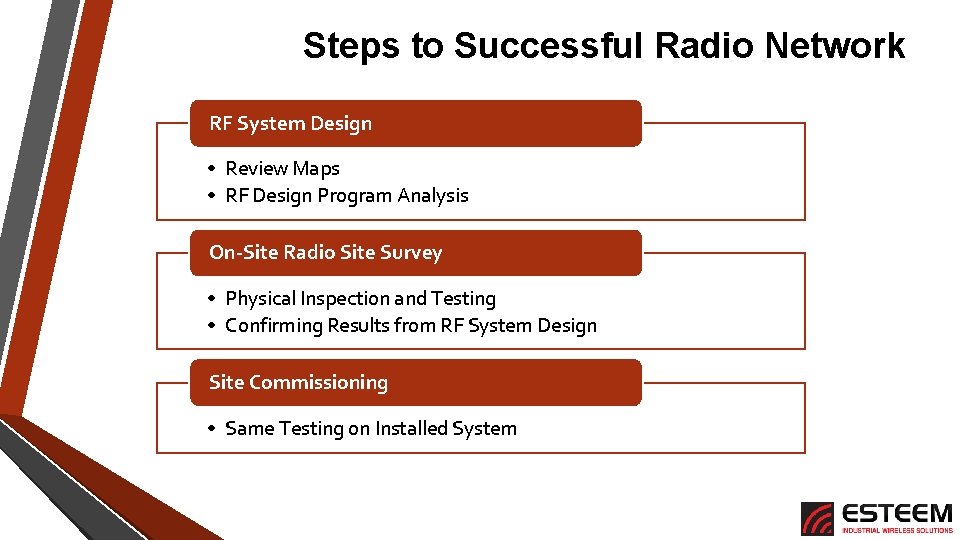
Steps to Successful Radio Network RF System Design • Review Maps • RF Design Program Analysis On-Site Radio Site Survey • Physical Inspection and Testing • Confirming Results from RF System Design Site Commissioning • Same Testing on Installed System
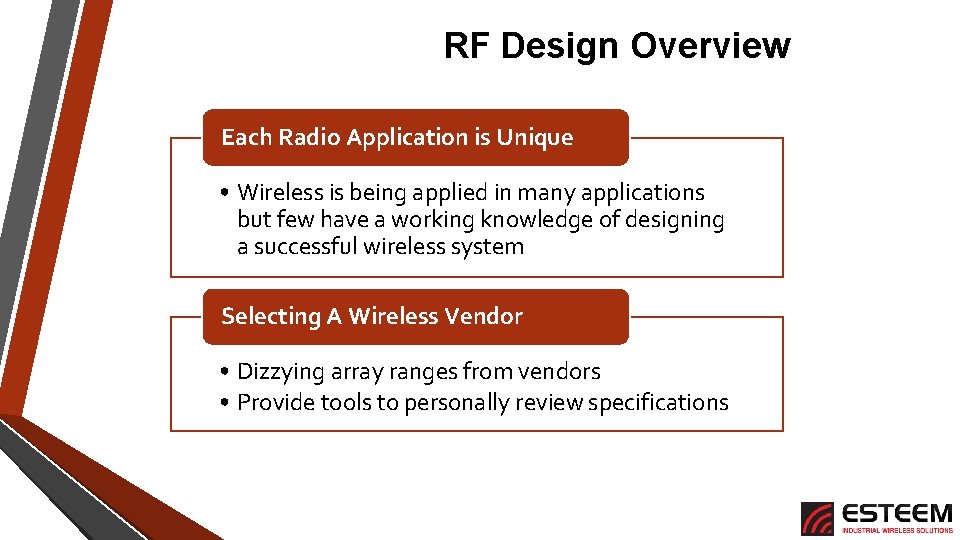
RF Design Overview Each Radio Application is Unique • Wireless is being applied in many applications but few have a working knowledge of designing a successful wireless system Selecting A Wireless Vendor • Dizzying array ranges from vendors • Provide tools to personally review specifications
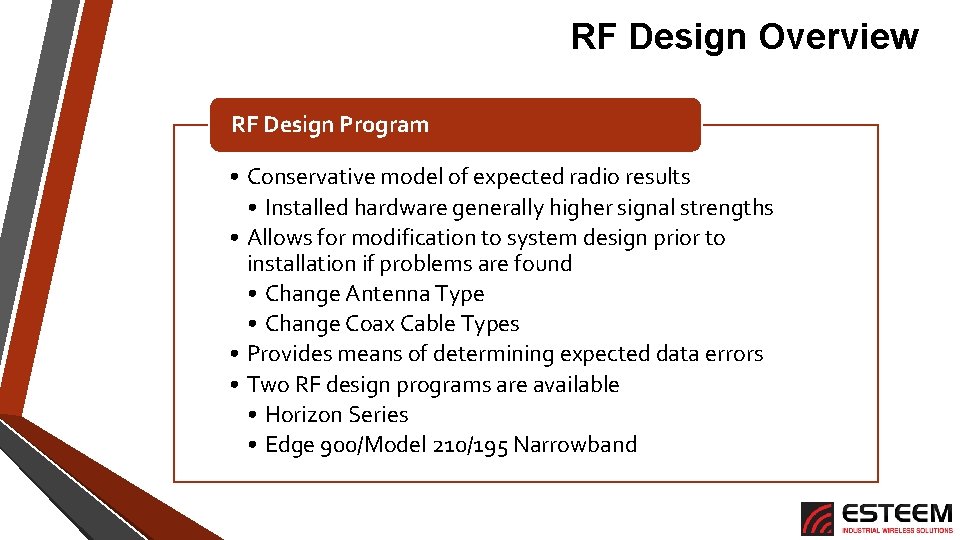
RF Design Overview RF Design Program • Conservative model of expected radio results • Installed hardware generally higher signal strengths • Allows for modification to system design prior to installation if problems are found • Change Antenna Type • Change Coax Cable Types • Provides means of determining expected data errors • Two RF design programs are available • Horizon Series • Edge 900/Model 210/195 Narrowband
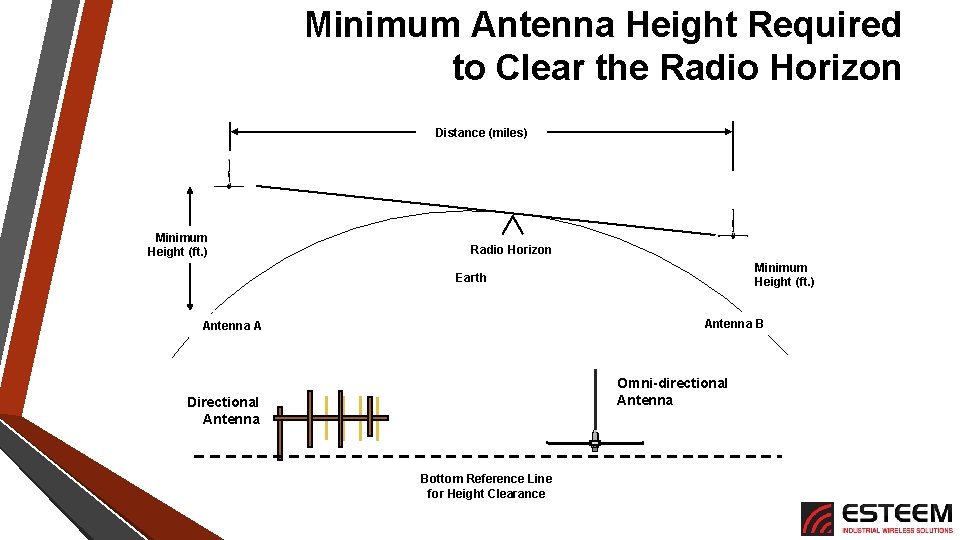
Minimum Antenna Height Required to Clear the Radio Horizon Distance (miles) Minimum Height (ft. ) Radio Horizon Minimum Height (ft. ) Earth Antenna B Antenna A Omni-directional Antenna Directional Antenna Bottom Reference Line for Height Clearance
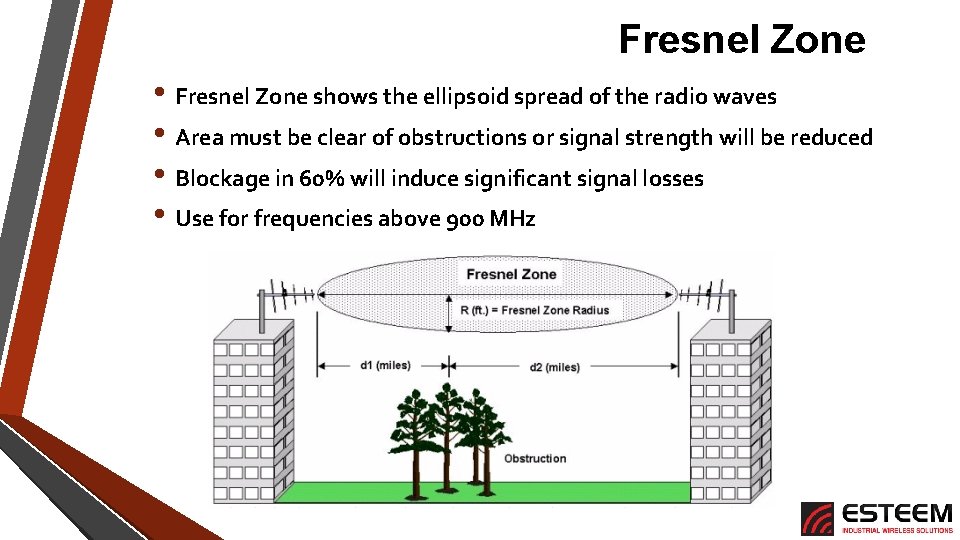
Fresnel Zone • Fresnel Zone shows the ellipsoid spread of the radio waves • Area must be clear of obstructions or signal strength will be reduced • Blockage in 60% will induce significant signal losses • Use for frequencies above 900 MHz
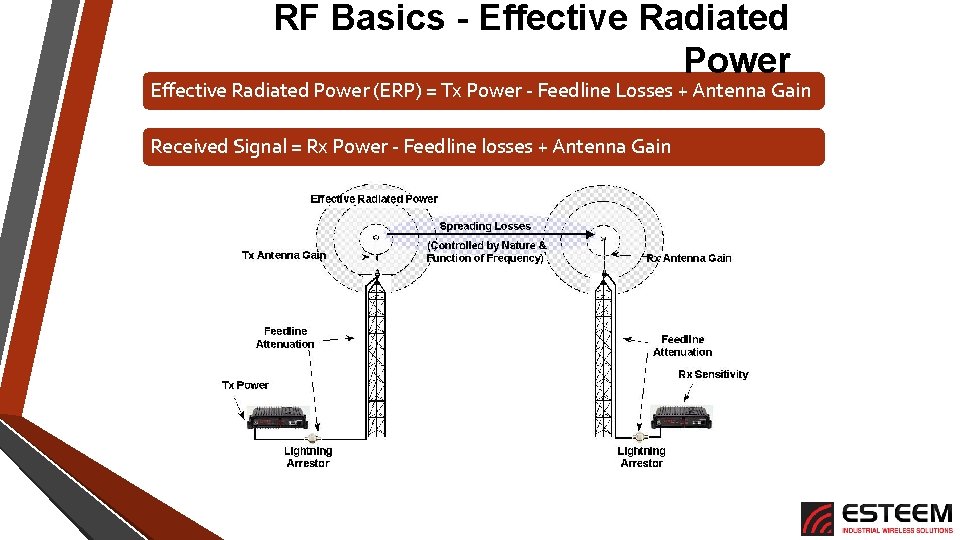
RF Basics - Effective Radiated Power (ERP) = Tx Power - Feedline Losses + Antenna Gain Received Signal = Rx Power - Feedline losses + Antenna Gain
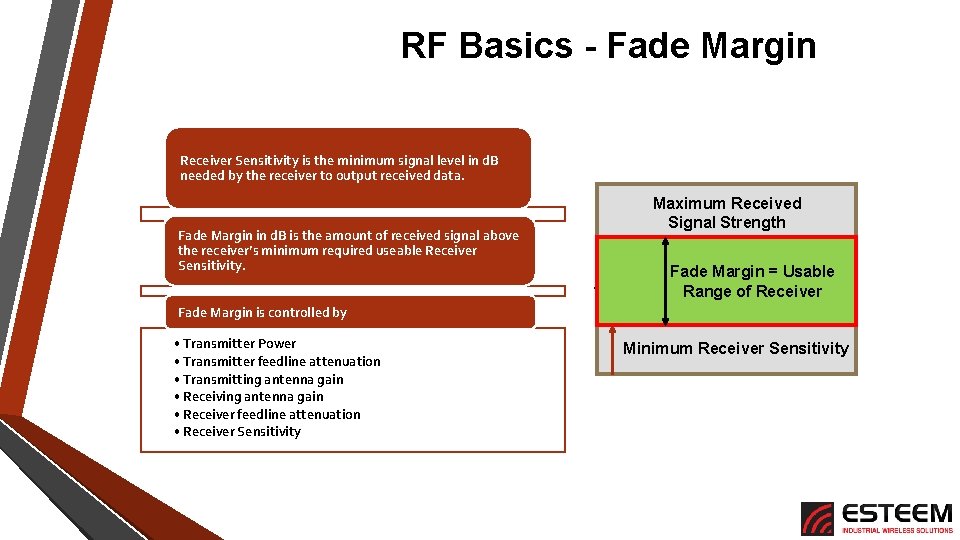
RF Basics - Fade Margin Receiver Sensitivity is the minimum signal level in d. B needed by the receiver to output received data. Fade Margin in d. B is the amount of received signal above the receiver’s minimum required useable Receiver Sensitivity. Maximum Received Signal Strength Fade Margin = Usable Range of Receiver Fade Margin is controlled by • Transmitter Power • Transmitter feedline attenuation • Transmitting antenna gain • Receiver feedline attenuation • Receiver Sensitivity Minimum Receiver Sensitivity
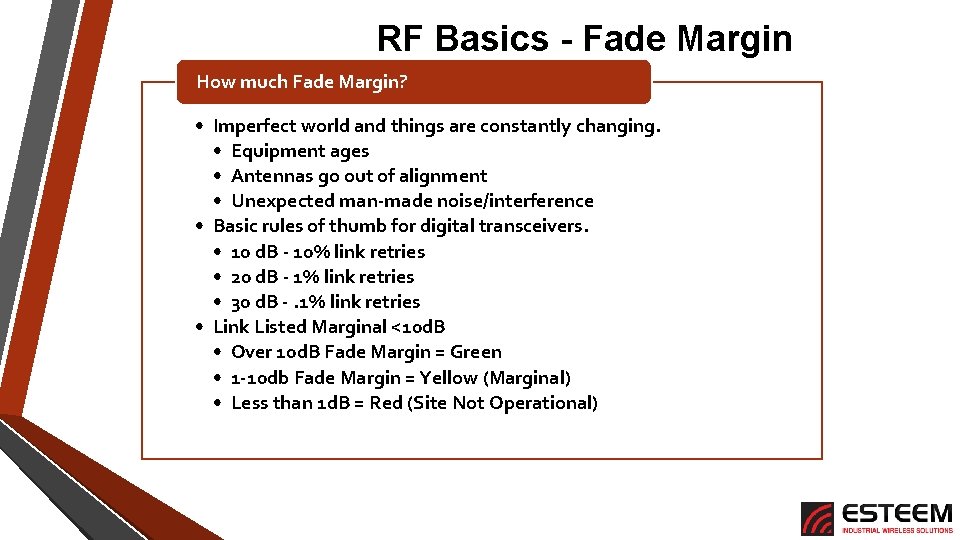
RF Basics - Fade Margin How much Fade Margin? • Imperfect world and things are constantly changing. • Equipment ages • Antennas go out of alignment • Unexpected man-made noise/interference • Basic rules of thumb for digital transceivers. • 10 d. B - 10% link retries • 20 d. B - 1% link retries • 30 d. B -. 1% link retries • Link Listed Marginal <10 d. B • Over 10 d. B Fade Margin = Green • 1 -10 db Fade Margin = Yellow (Marginal) • Less than 1 d. B = Red (Site Not Operational)
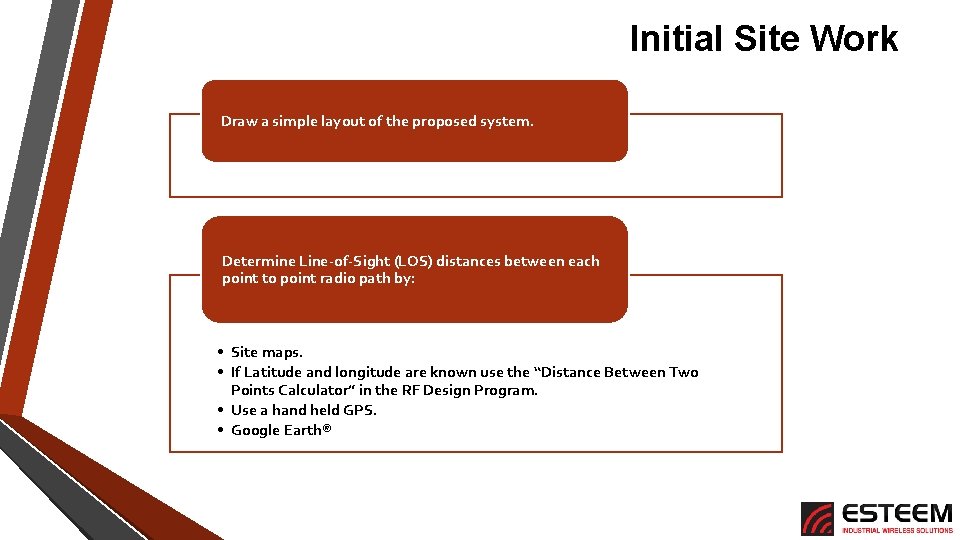
Initial Site Work Draw a simple layout of the proposed system. Determine Line-of-Sight (LOS) distances between each point to point radio path by: • Site maps. • If Latitude and longitude are known use the “Distance Between Two Points Calculator” in the RF Design Program. • Use a hand held GPS. • Google Earth®
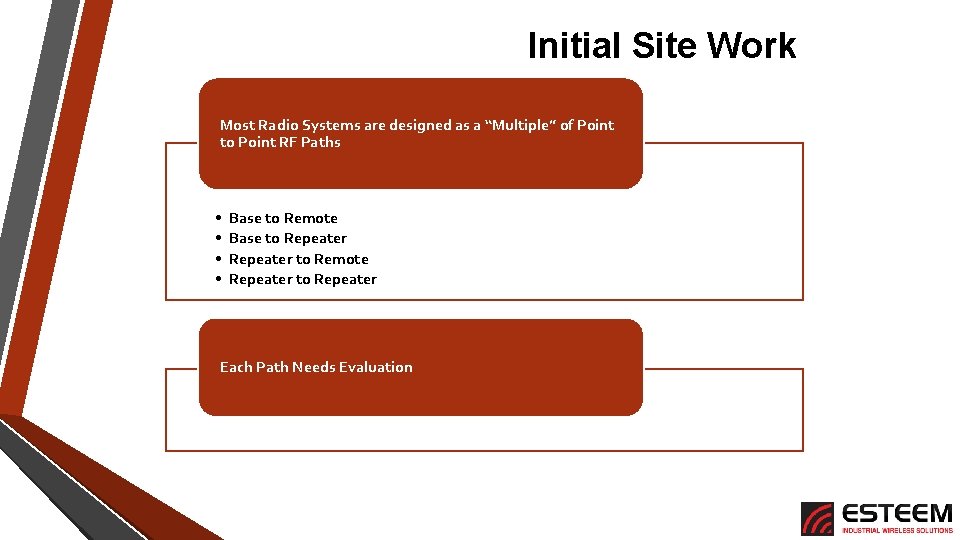
Initial Site Work Most Radio Systems are designed as a “Multiple” of Point to Point RF Paths • • Base to Remote Base to Repeater to Remote Repeater to Repeater Each Path Needs Evaluation
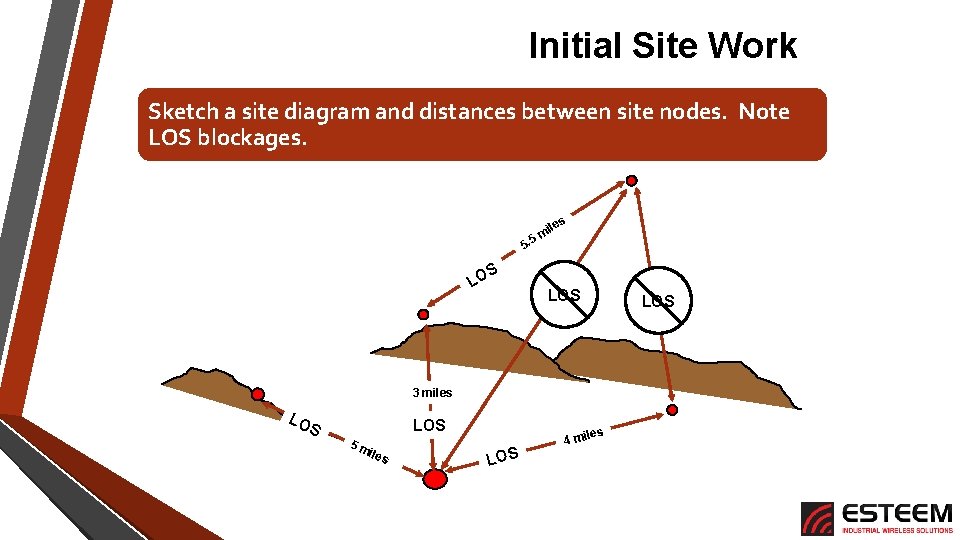
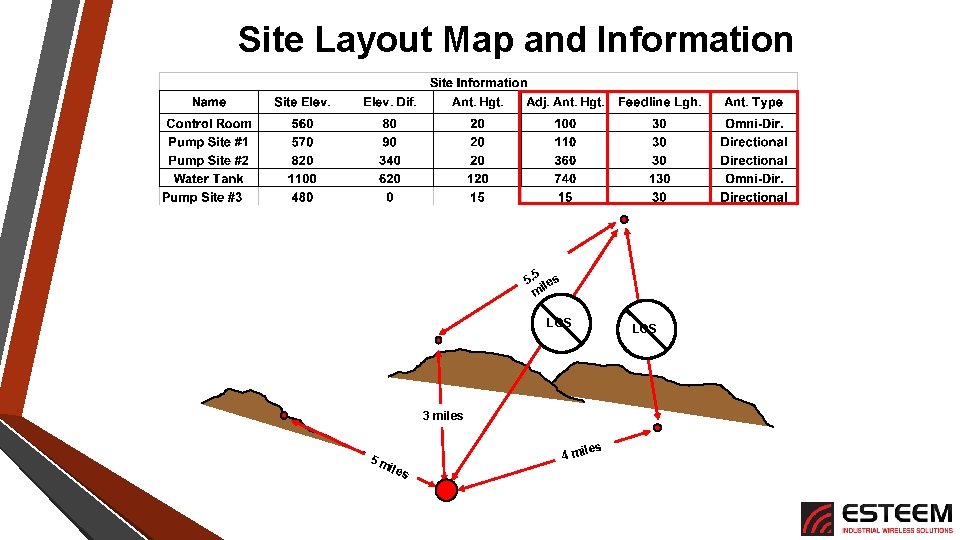
Initial Site Work Sketch a site diagram and distances between site nodes. Note LOS blockages. Pump Site #3 s ile m 5 5. S LO LOS Water Tank 3 miles Pump Site #2 LO Pump Site #1 LOS S 5 m iles LOS Control Room 4 mi
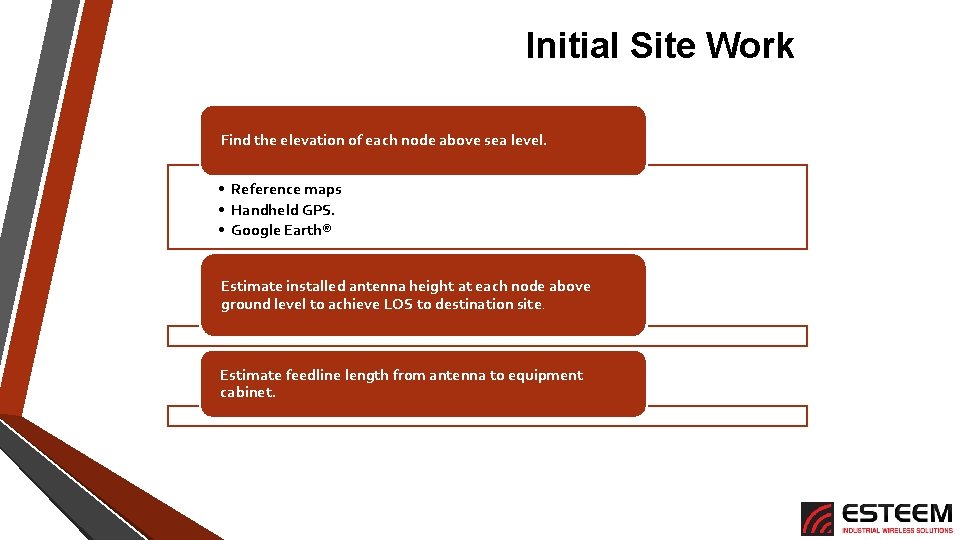
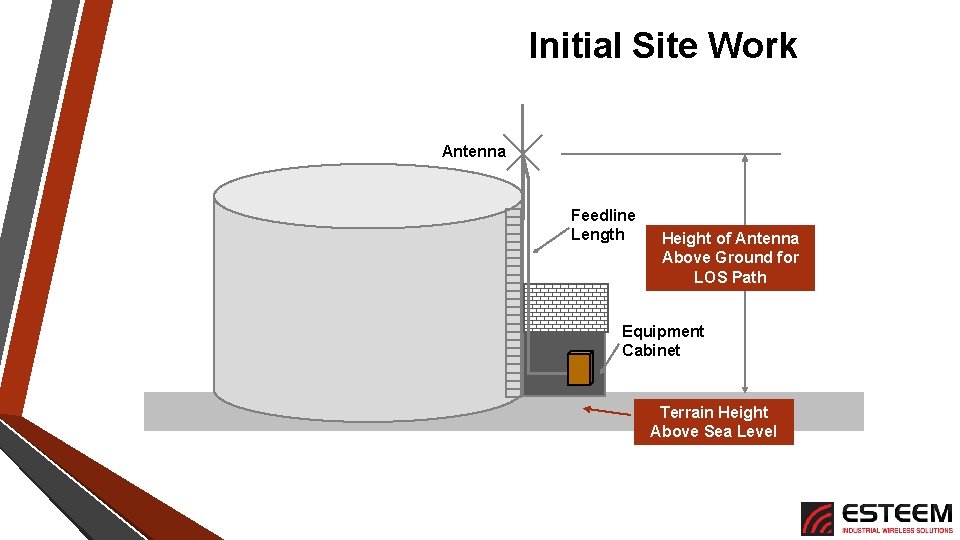
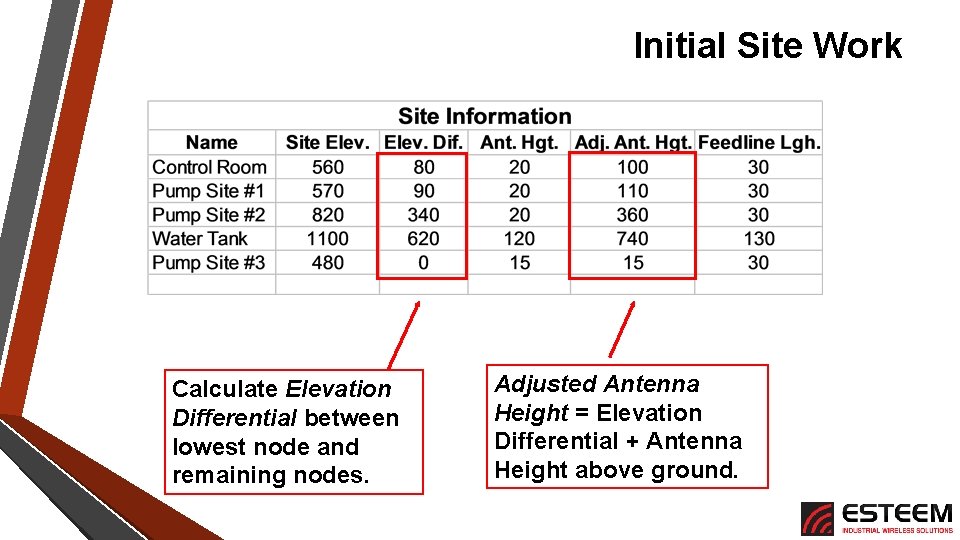
Initial Site Work Find the elevation of each node above sea level. • Reference maps • Handheld GPS. • Google Earth® Estimate installed antenna height at each node above ground level to achieve LOS to destination site. Estimate feedline length from antenna to equipment cabinet.
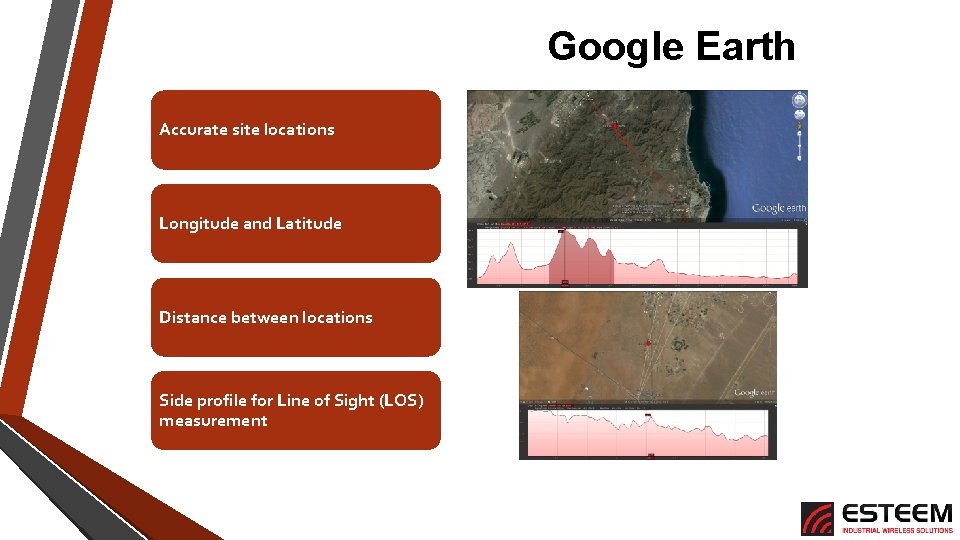
Google Earth Accurate site locations Longitude and Latitude Distance between locations Side profile for Line of Sight (LOS) measurement
Initial Site Work Antenna Feedline Length Height of Antenna Above Ground for LOS Path Equipment Cabinet Terrain Height Above Sea Level
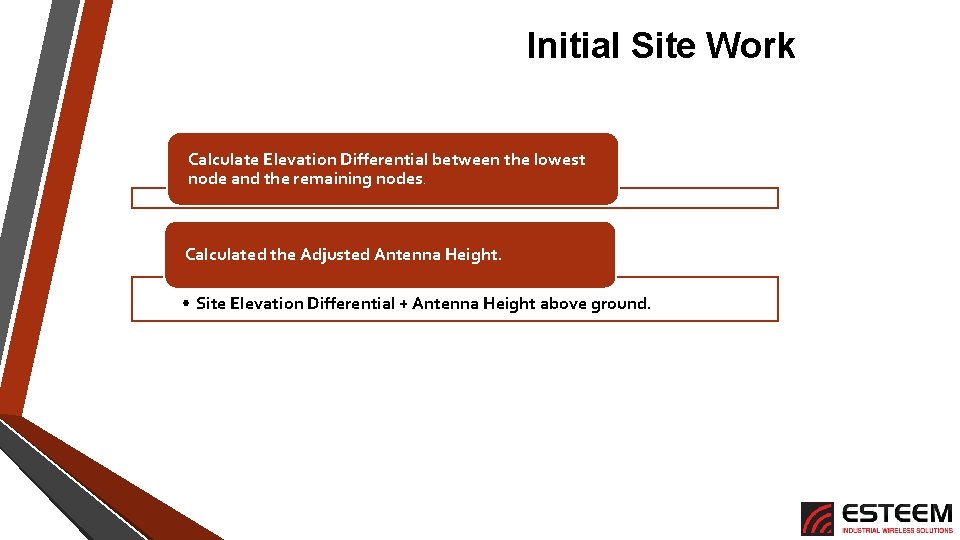
Initial Site Work Calculate Elevation Differential between the lowest node and the remaining nodes. Calculated the Adjusted Antenna Height. • Site Elevation Differential + Antenna Height above ground.
Initial Site Work Calculate Elevation Differential between lowest node and remaining nodes. Adjusted Antenna Height = Elevation Differential + Antenna Height above ground.
Site Layout Map and Information Pump Site #3 5. 5 les mi LOS Water Tank LOS 3 miles Pump Site #1 Pump Site #2 les 4 mi 5 m iles Control Room
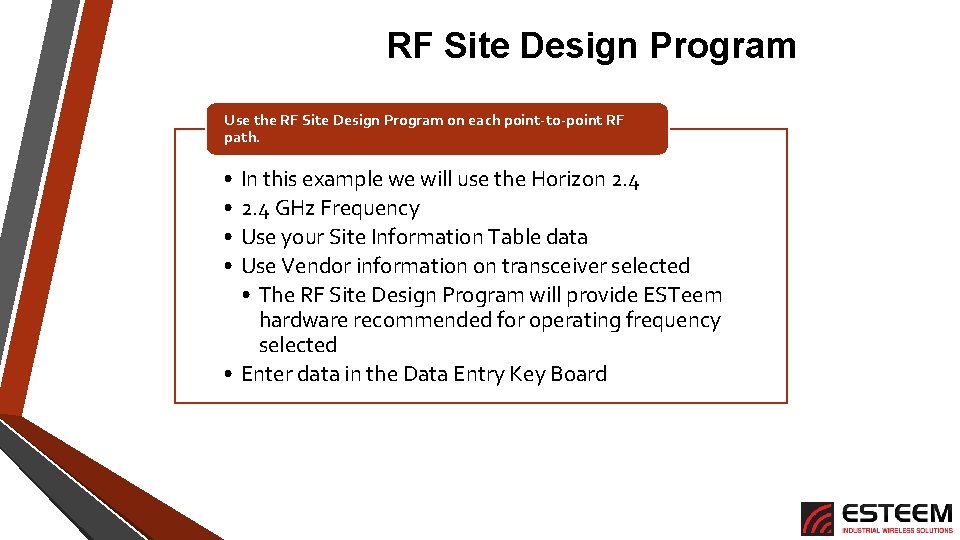
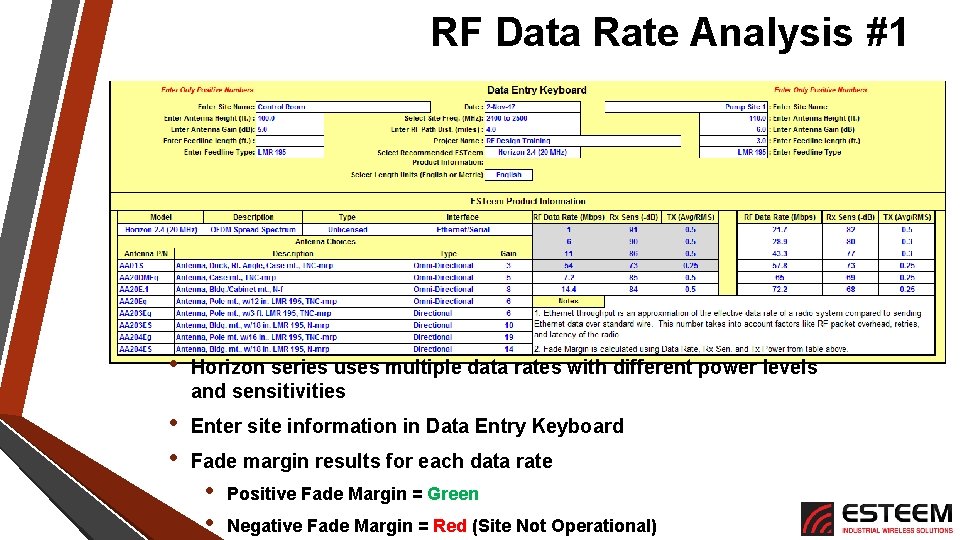
RF Site Design Program Use the RF Site Design Program on each point-to-point RF path. • • In this example we will use the Horizon 2. 4 GHz Frequency Use your Site Information Table data Use Vendor information on transceiver selected • The RF Site Design Program will provide ESTeem hardware recommended for operating frequency selected • Enter data in the Data Entry Key Board
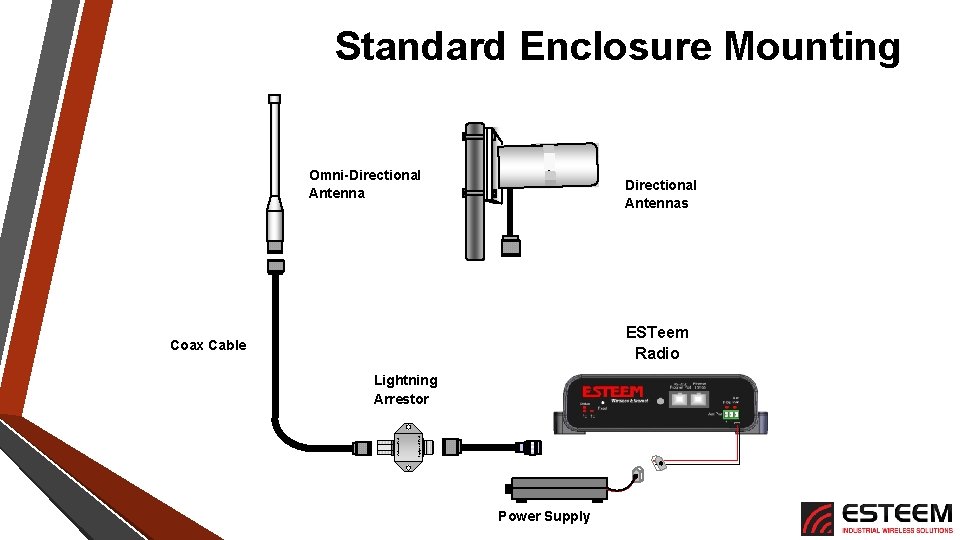
Standard Enclosure Mounting Omni-Directional Antennas ESTeem Radio Coax Cable Equipment Port Antenna Port Lightning Arrestor Power Supply
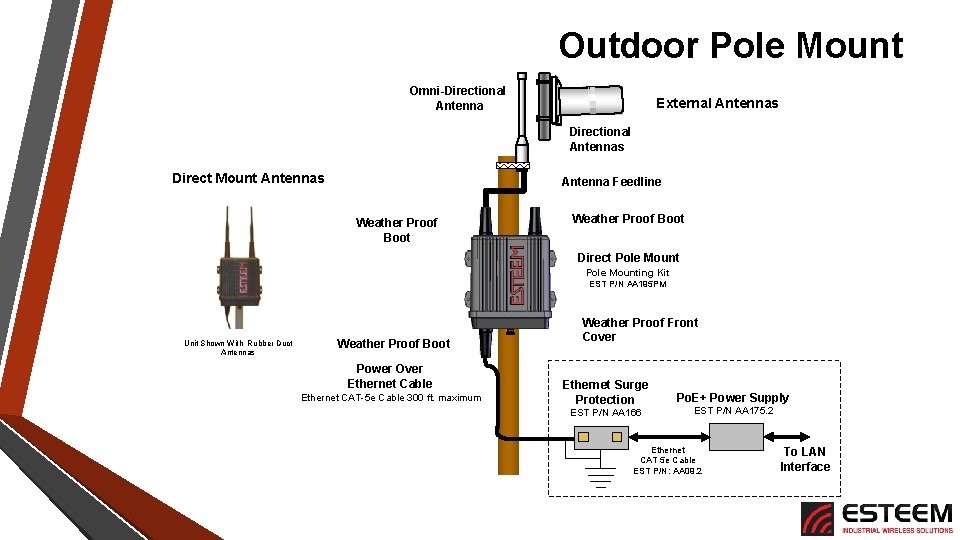
Outdoor Pole Mount Omni-Directional Antenna External Antennas Directional Antennas Direct Mount Antennas Antenna Feedline Weather Proof Boot Direct Pole Mounting Kit EST P/N AA 195 PM Unit Shown With Rubber Duct Antennas Weather Proof Boot Power Over Ethernet Cable Ethernet CAT-5 e Cable 300 ft. maximum Weather Proof Front Cover Ethernet Surge Protection EST P/N AA 166 Po. E+ Power Supply EST P/N AA 175. 2 Ethernet CAT 5 e Cable EST P/N: AA 09. 2 To LAN Interface
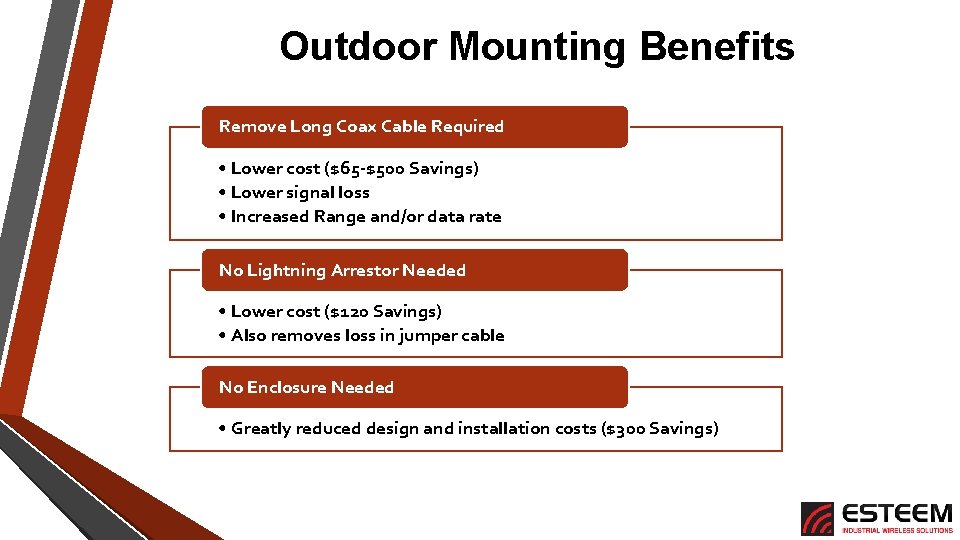
Outdoor Mounting Benefits Remove Long Coax Cable Required • Lower cost ($65 -$500 Savings) • Lower signal loss • Increased Range and/or data rate No Lightning Arrestor Needed • Lower cost ($120 Savings) • Also removes loss in jumper cable No Enclosure Needed • Greatly reduced design and installation costs ($300 Savings)
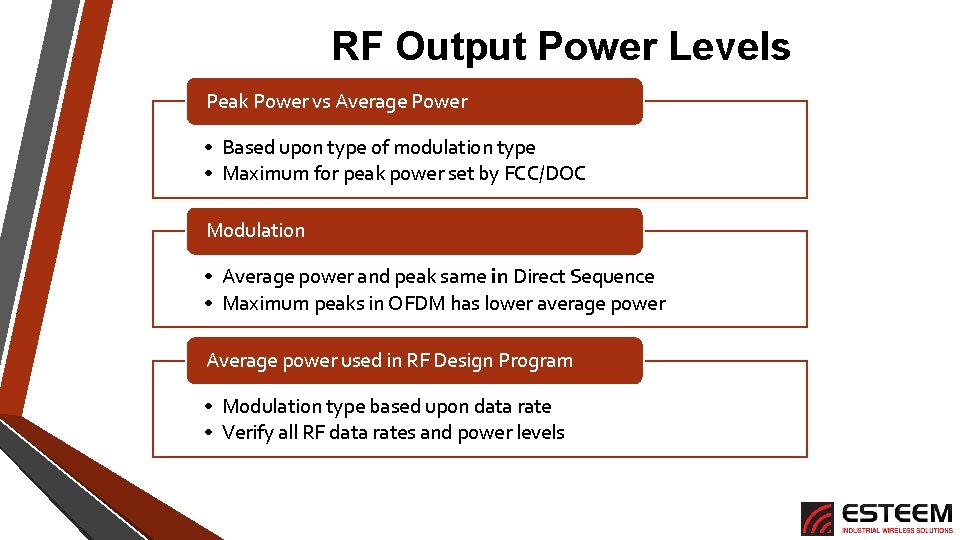
RF Output Power Levels Peak Power vs Average Power • Based upon type of modulation type • Maximum for peak power set by FCC/DOC Modulation • Average power and peak same in Direct Sequence • Maximum peaks in OFDM has lower average power Average power used in RF Design Program • Modulation type based upon data rate • Verify all RF data rates and power levels
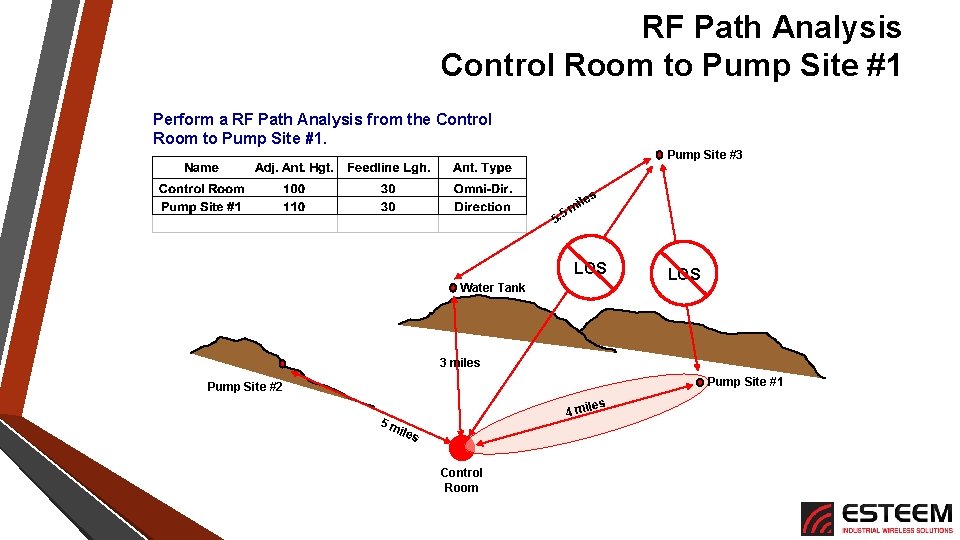
RF Path Analysis Control Room to Pump Site #1 Perform a RF Path Analysis from the Control Room to Pump Site #1. Pump Site #3 s ile m 5 5. LOS Water Tank LOS 3 miles Pump Site #1 Pump Site #2 les 4 mi 5 m iles Control Room
RF Data Rate Analysis #1 • Horizon series uses multiple data rates with different power levels and sensitivities • • Enter site information in Data Entry Keyboard Fade margin results for each data rate • • Positive Fade Margin = Green Negative Fade Margin = Red (Site Not Operational)
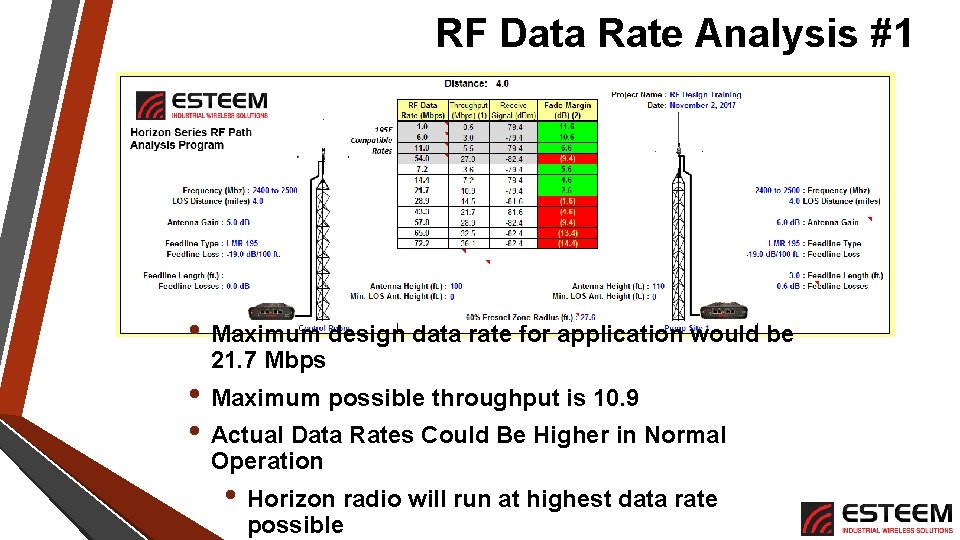
RF Data Rate Analysis #1 • Maximum design data rate for application would be 21. 7 Mbps • Maximum possible throughput is 10. 9 • Actual Data Rates Could Be Higher in Normal Operation • Horizon radio will run at highest data rate possible
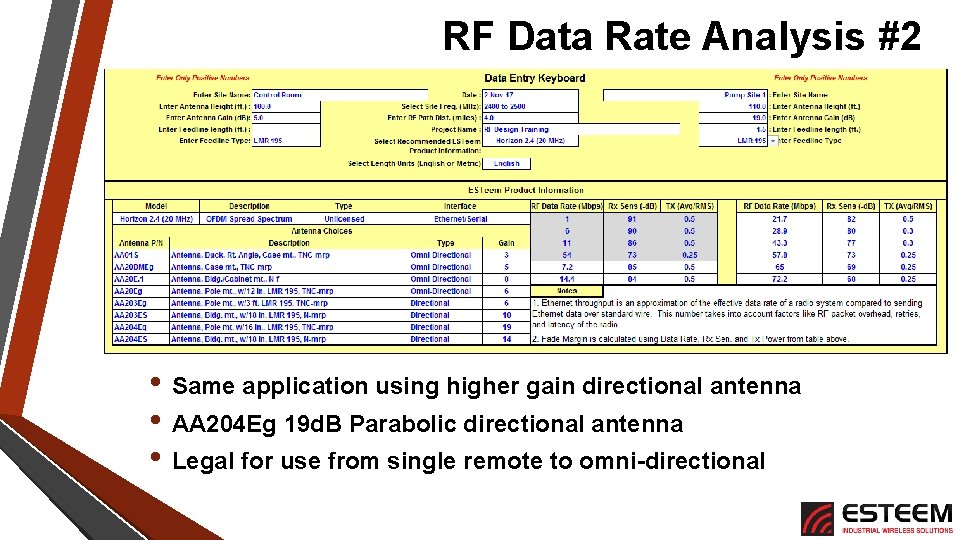
RF Data Rate Analysis #2 • Same application using higher gain directional antenna • AA 204 Eg 19 d. B Parabolic directional antenna • Legal for use from single remote to omni-directional
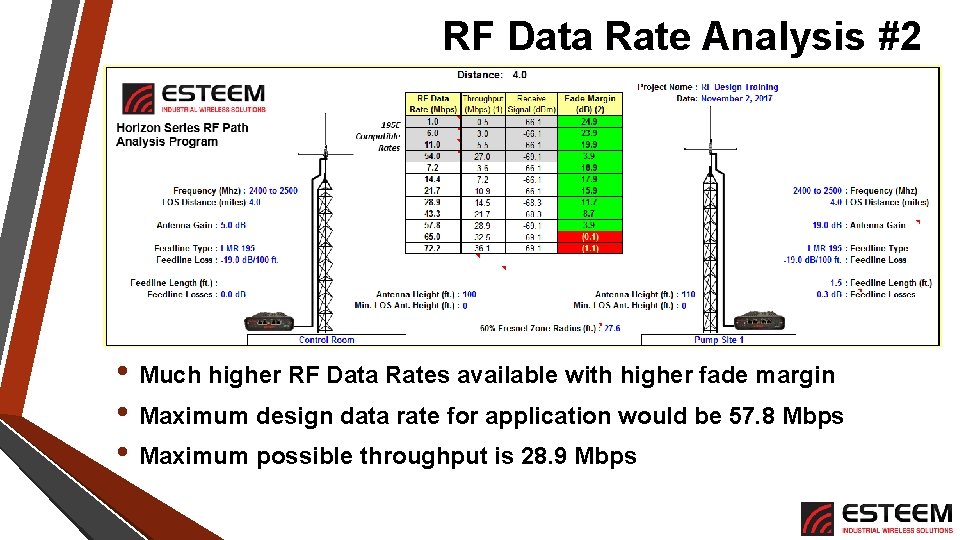
RF Data Rate Analysis #2 • Much higher RF Data Rates available with higher fade margin • Maximum design data rate for application would be 57. 8 Mbps • Maximum possible throughput is 28. 9 Mbps
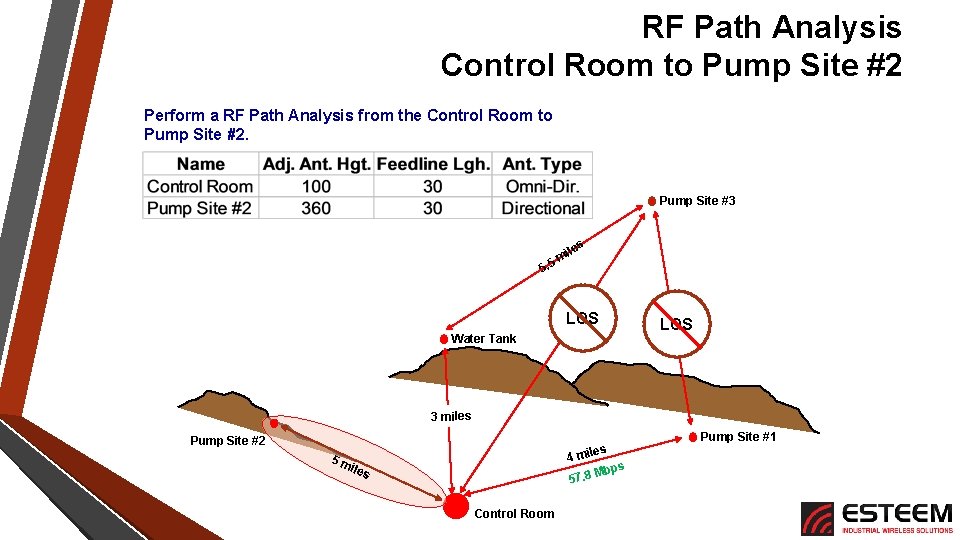
RF Path Analysis Control Room to Pump Site #2 Perform a RF Path Analysis from the Control Room to Pump Site #2. Pump Site #3 s ile 5 m 5. LOS Water Tank 3 miles Pump Site #2 4 5 m iles s mile 57. 8 Control Room Pump Site #1 s Mbp
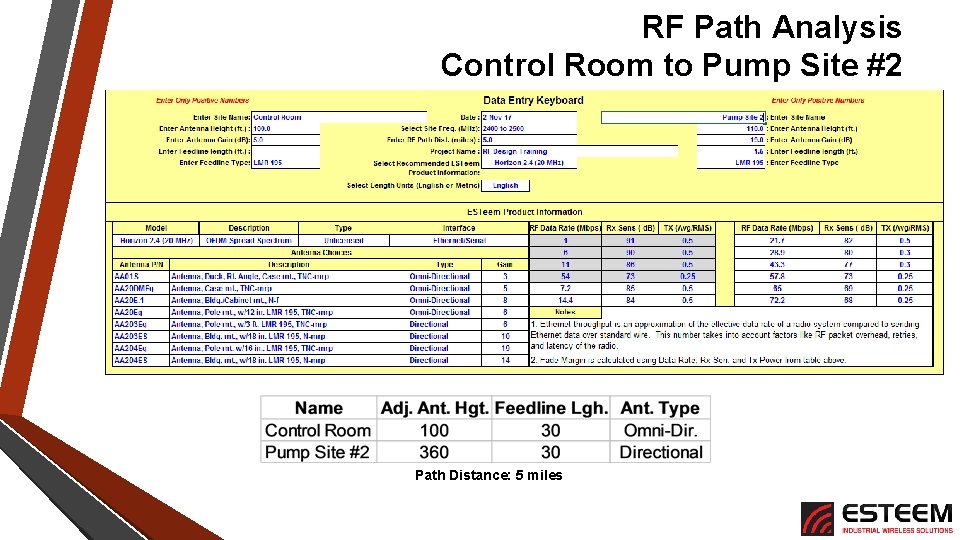
RF Path Analysis Control Room to Pump Site #2 Path Distance: 5 miles
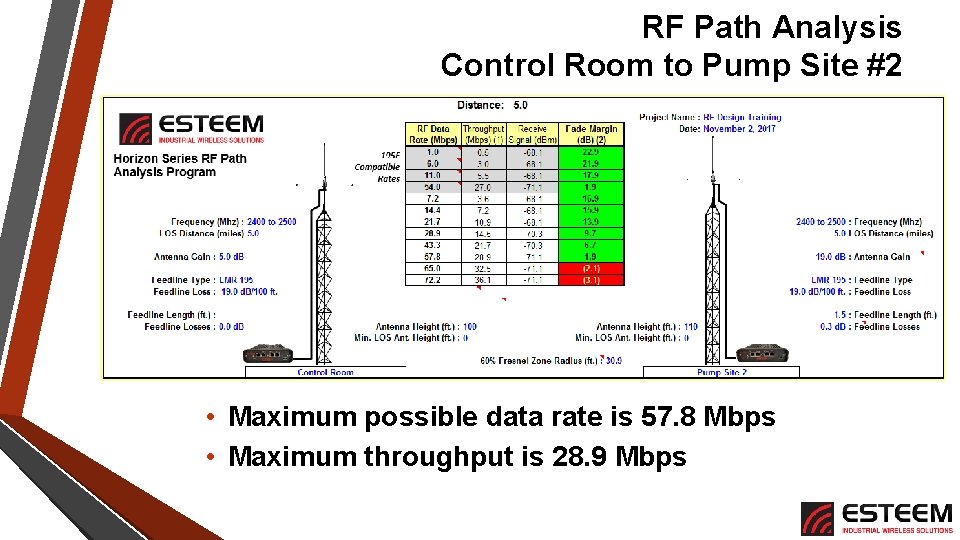
RF Path Analysis Control Room to Pump Site #2 • Maximum possible data rate is 57. 8 Mbps • Maximum throughput is 28. 9 Mbps
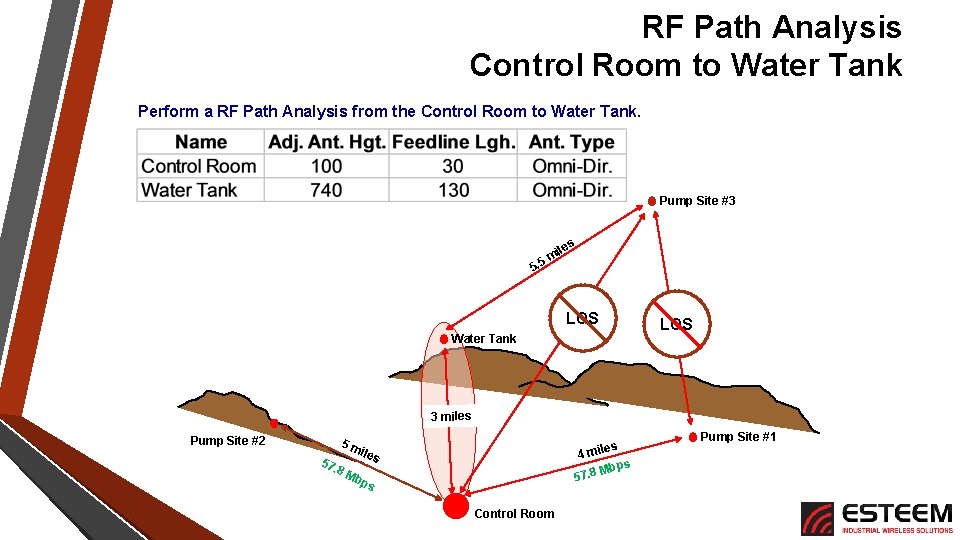
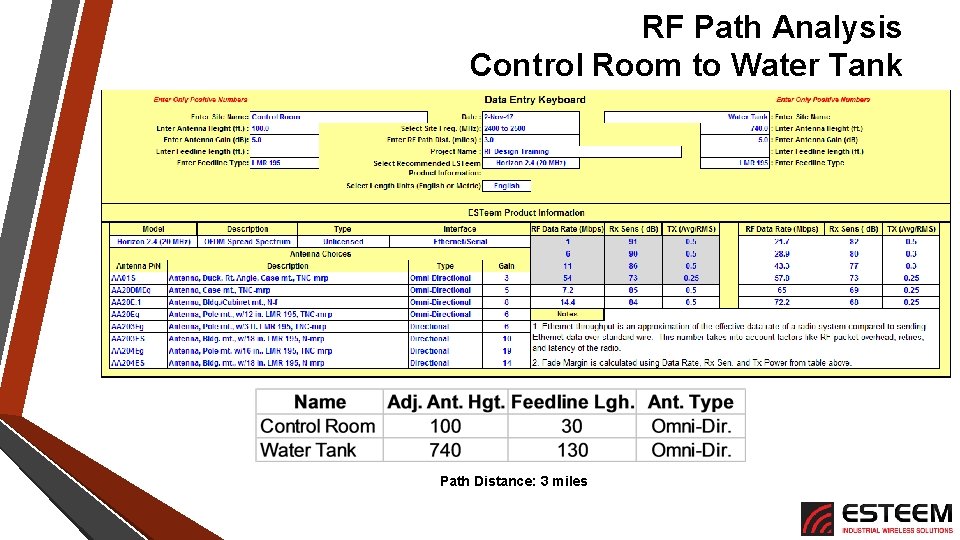
RF Path Analysis Control Room to Water Tank Perform a RF Path Analysis from the Control Room to Water Tank. Pump Site #3 s ile 5 m 5. LOS Water Tank LOS 3 miles Pump Site #2 5 m 57. 8 M les 4 mi s Mbp 57. 8 iles bp s Control Room Pump Site #1
RF Path Analysis Control Room to Water Tank Path Distance: 3 miles
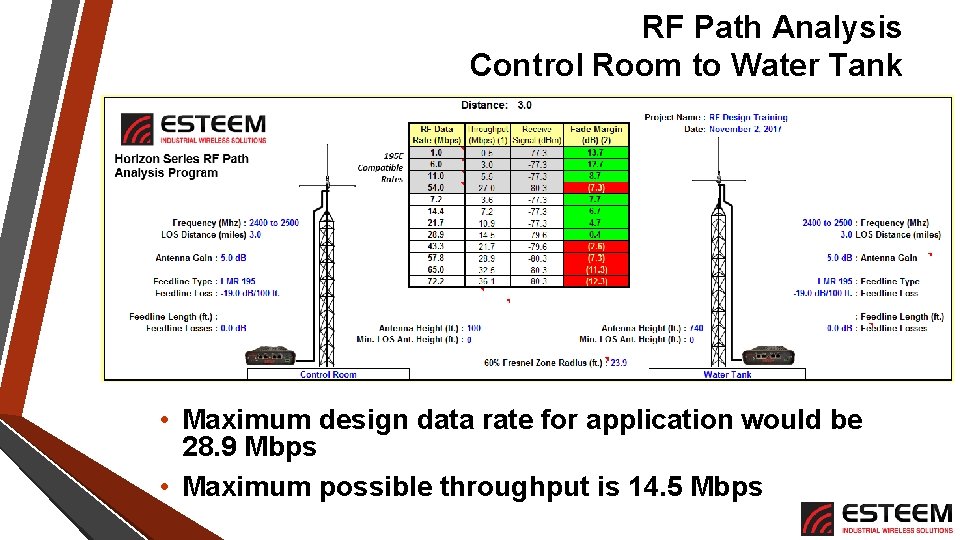
RF Path Analysis Control Room to Water Tank • Maximum design data rate for application would be 28. 9 Mbps • Maximum possible throughput is 14. 5 Mbps
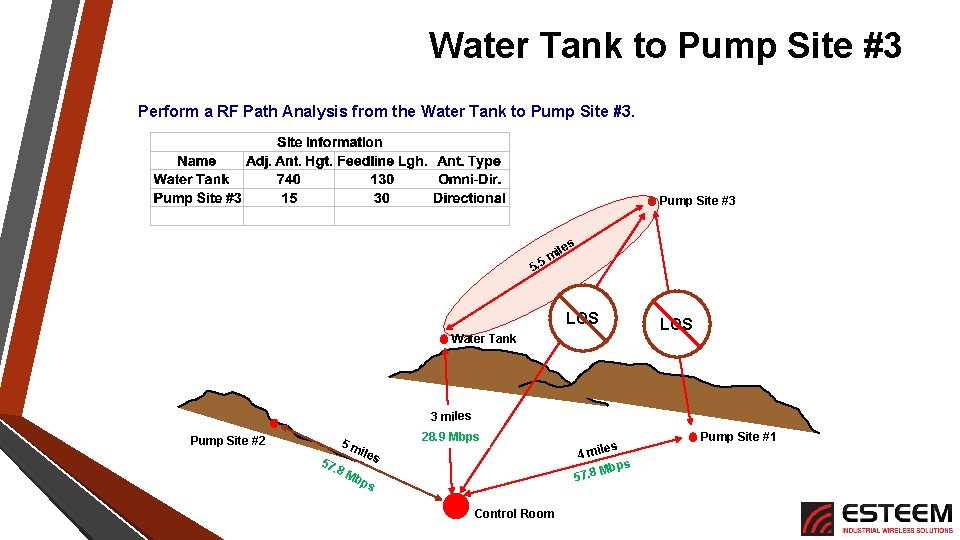
Water Tank to Pump Site #3 Perform a RF Path Analysis from the Water Tank to Pump Site #3 s ile 5 m 5. LOS Water Tank LOS 3 miles Pump Site #2 28. 9 Mbps 5 m 57. 8 M iles bp s Control Room les 4 mi s Mbp 57. 8 Pump Site #1
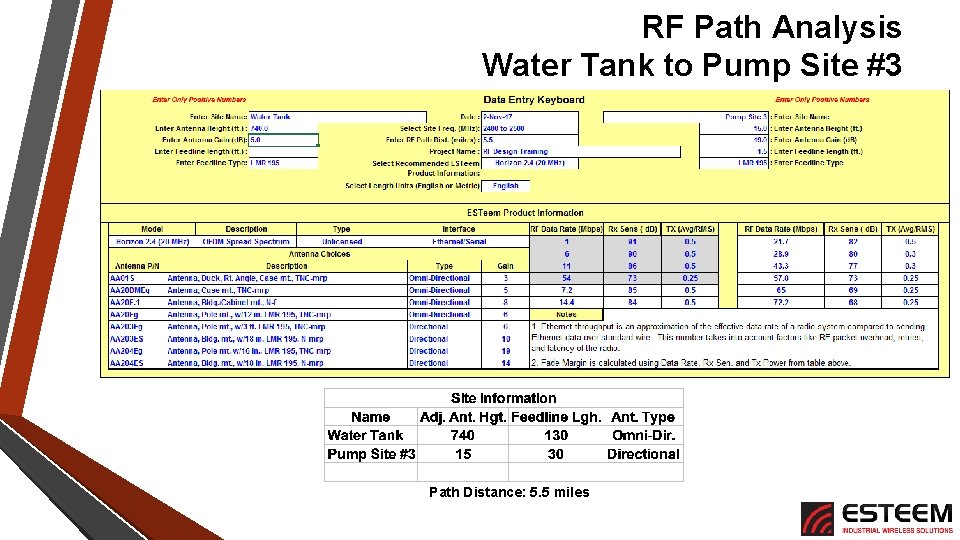
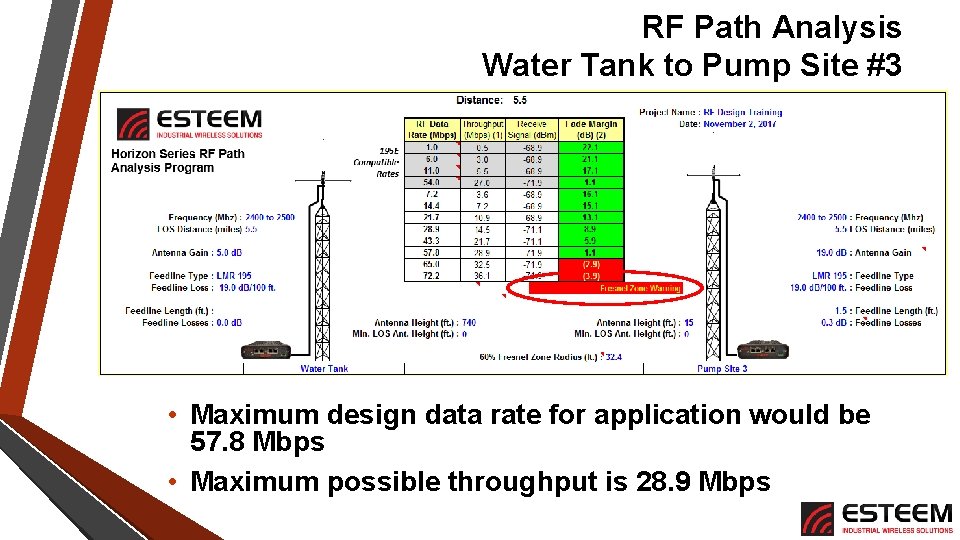
RF Path Analysis Water Tank to Pump Site #3 Path Distance: 5. 5 miles
RF Path Analysis Water Tank to Pump Site #3 • Maximum design data rate for application would be 57. 8 Mbps • Maximum possible throughput is 28. 9 Mbps
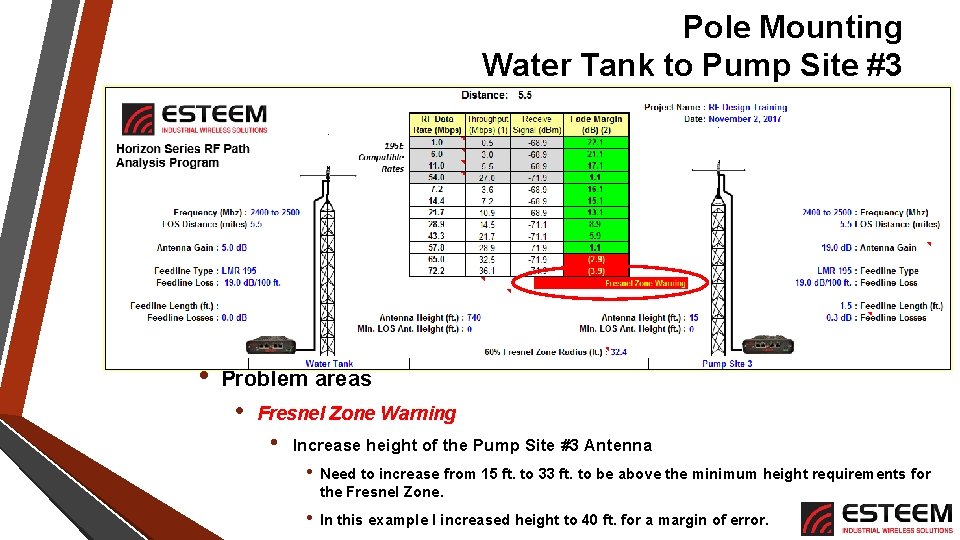
Pole Mounting Water Tank to Pump Site #3 • Problem areas • Fresnel Zone Warning • Increase height of the Pump Site #3 Antenna • Need to increase from 15 ft. to 33 ft. to be above the minimum height requirements for the Fresnel Zone. • In this example I increased height to 40 ft. for a margin of error.
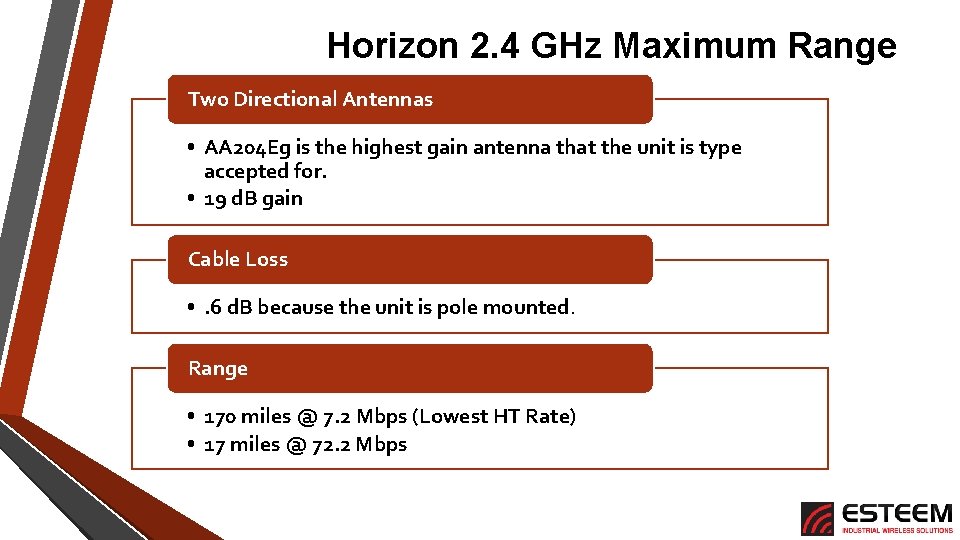
Horizon 2. 4 GHz Maximum Range Two Directional Antennas • AA 204 Eg is the highest gain antenna that the unit is type accepted for. • 19 d. B gain Cable Loss • . 6 d. B because the unit is pole mounted. Range • 170 miles @ 7. 2 Mbps (Lowest HT Rate) • 17 miles @ 72. 2 Mbps
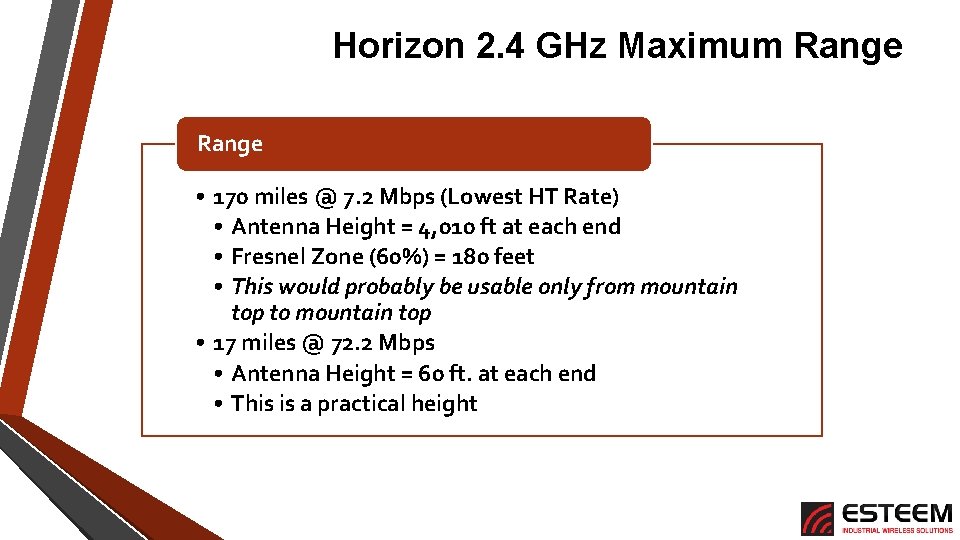
Horizon 2. 4 GHz Maximum Range • 170 miles @ 7. 2 Mbps (Lowest HT Rate) • Antenna Height = 4, 010 ft at each end • Fresnel Zone (60%) = 180 feet • This would probably be usable only from mountain top to mountain top • 17 miles @ 72. 2 Mbps • Antenna Height = 60 ft. at each end • This is a practical height
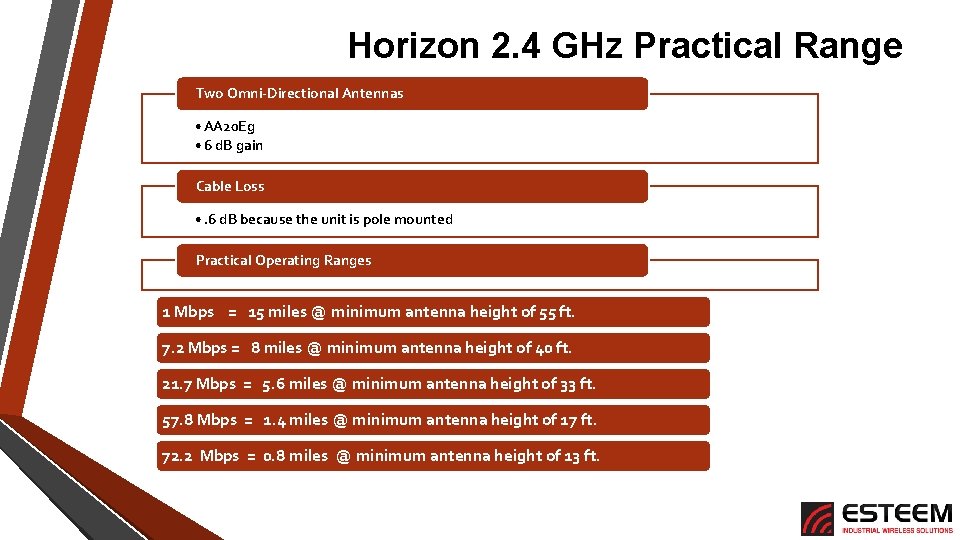
Horizon 2. 4 GHz Practical Range Two Omni-Directional Antennas • AA 20 Eg • 6 d. B gain Cable Loss • . 6 d. B because the unit is pole mounted Practical Operating Ranges 1 Mbps = 15 miles @ minimum antenna height of 55 ft. 7. 2 Mbps = 8 miles @ minimum antenna height of 40 ft. 21. 7 Mbps = 5. 6 miles @ minimum antenna height of 33 ft. 57. 8 Mbps = 1. 4 miles @ minimum antenna height of 17 ft. 72. 2 Mbps = 0. 8 miles @ minimum antenna height of 13 ft.
Conclusions Education is Best Means to Confidence • Reliability is only as good as the system design Use the Tools • Compare different vendor’s hardware • Review specifications and claims Radio Applications Are Not Difficult • Planning and evaluation are best keys to success
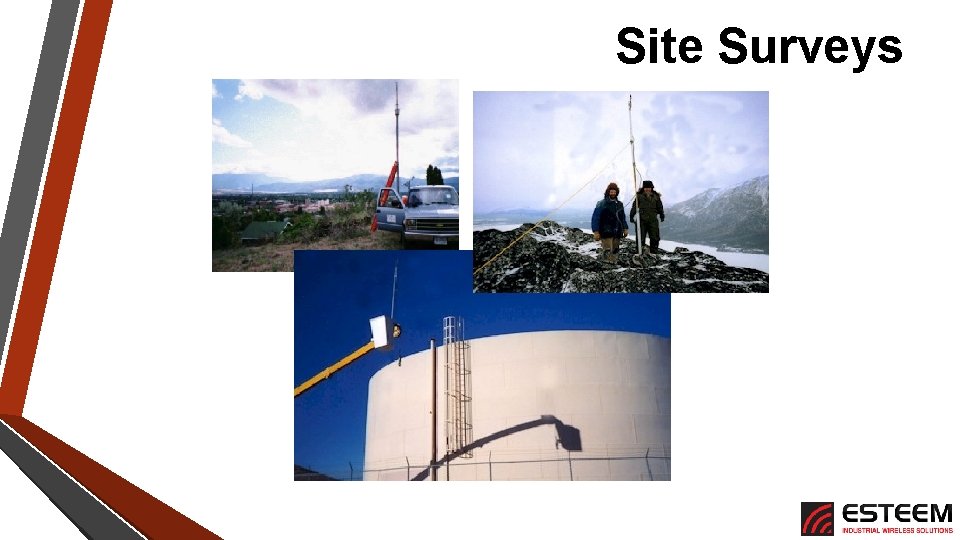
Site Surveys
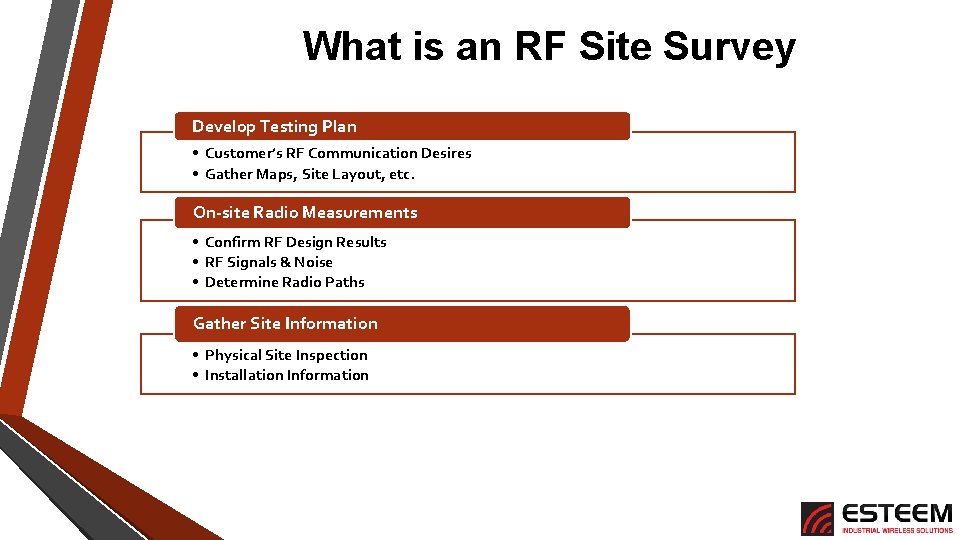
What is an RF Site Survey Develop Testing Plan • Customer’s RF Communication Desires • Gather Maps, Site Layout, etc. On-site Radio Measurements • Confirm RF Design Results • RF Signals & Noise • Determine Radio Paths Gather Site Information • Physical Site Inspection • Installation Information
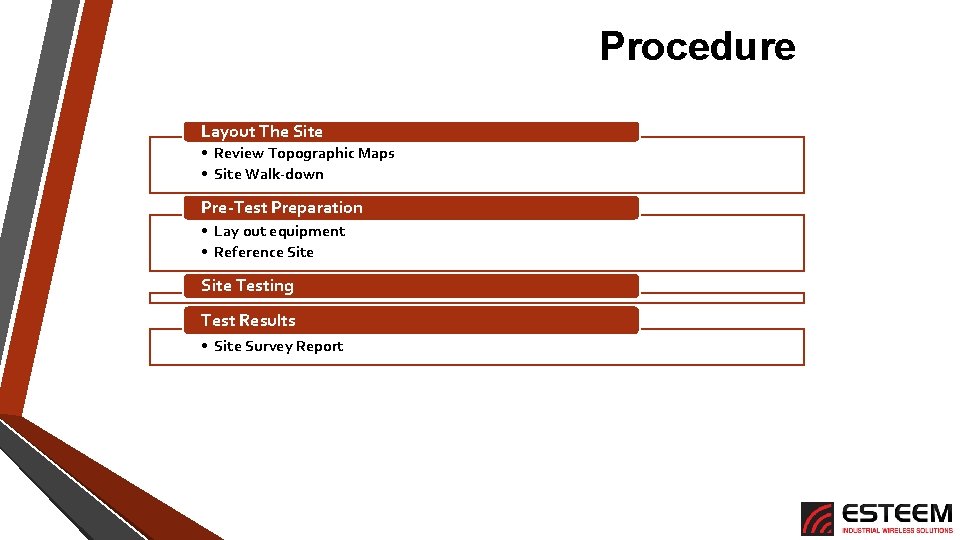
Procedure Layout The Site • Review Topographic Maps • Site Walk-down Pre-Test Preparation • Lay out equipment • Reference Site Testing Test Results • Site Survey Report
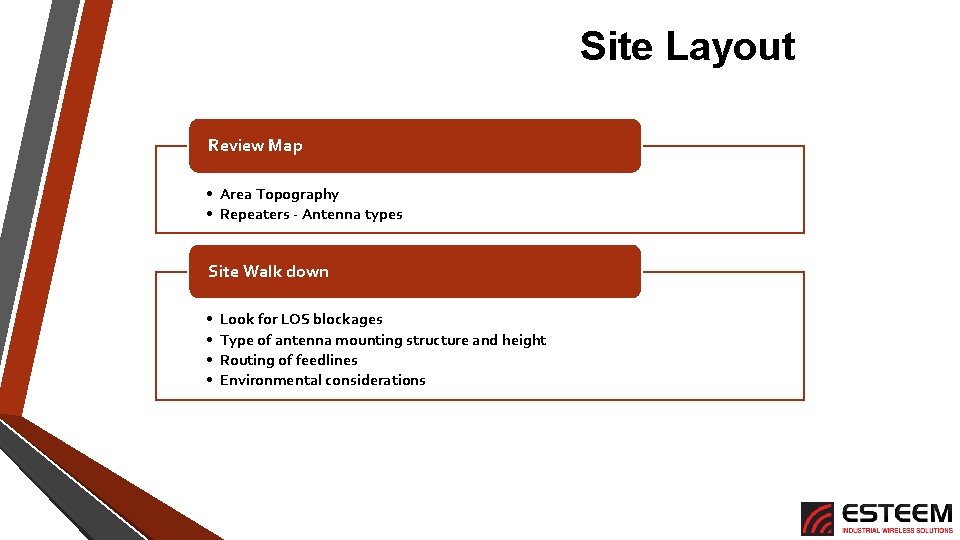
Site Layout Review Map • Area Topography • Repeaters - Antenna types Site Walk down • • Look for LOS blockages Type of antenna mounting structure and height Routing of feedlines Environmental considerations
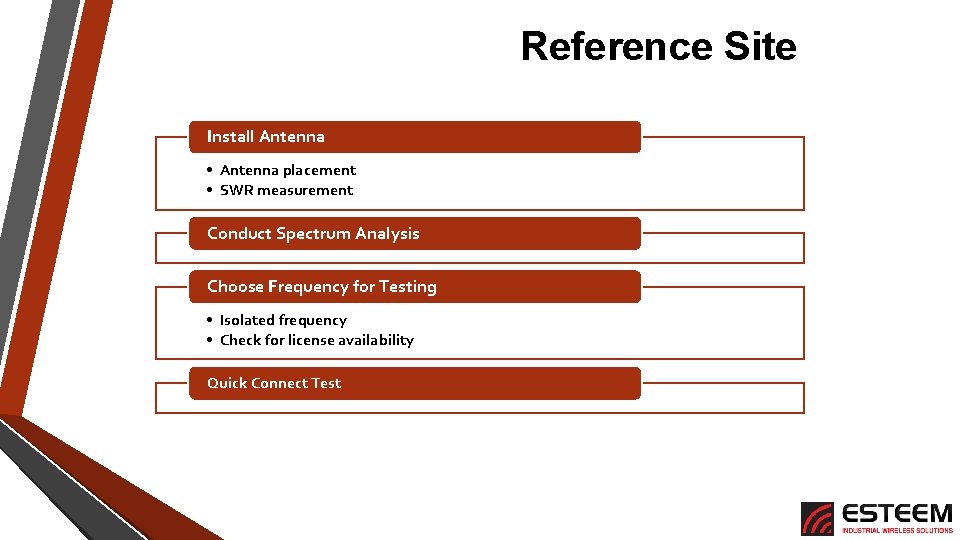
Reference Site Install Antenna • Antenna placement • SWR measurement Conduct Spectrum Analysis Choose Frequency for Testing • Isolated frequency • Check for license availability Quick Connect Test
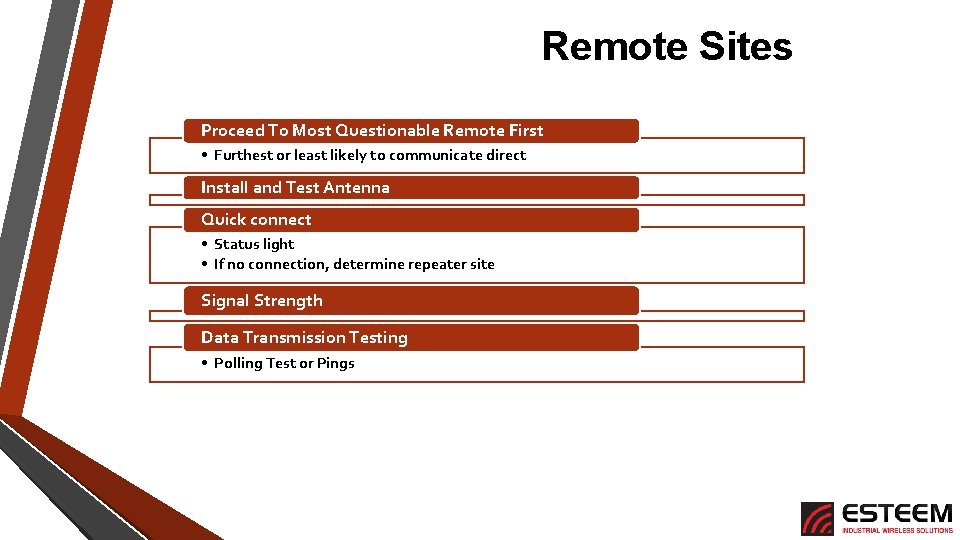
Remote Sites Proceed To Most Questionable Remote First • Furthest or least likely to communicate direct Install and Test Antenna Quick connect • Status light • If no connection, determine repeater site Signal Strength Data Transmission Testing • Polling Test or Pings
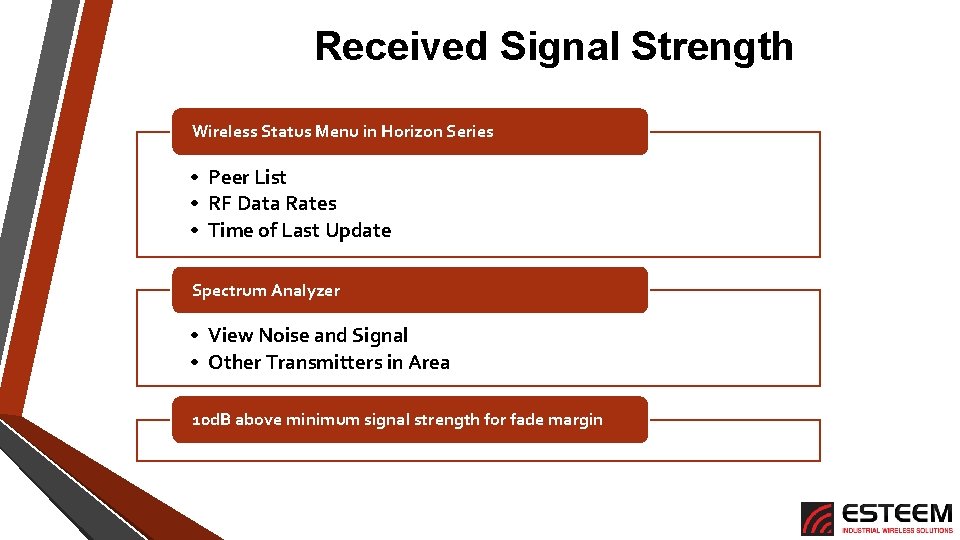
Received Signal Strength Wireless Status Menu in Horizon Series • Peer List • RF Data Rates • Time of Last Update Spectrum Analyzer • View Noise and Signal • Other Transmitters in Area 10 d. B above minimum signal strength for fade margin
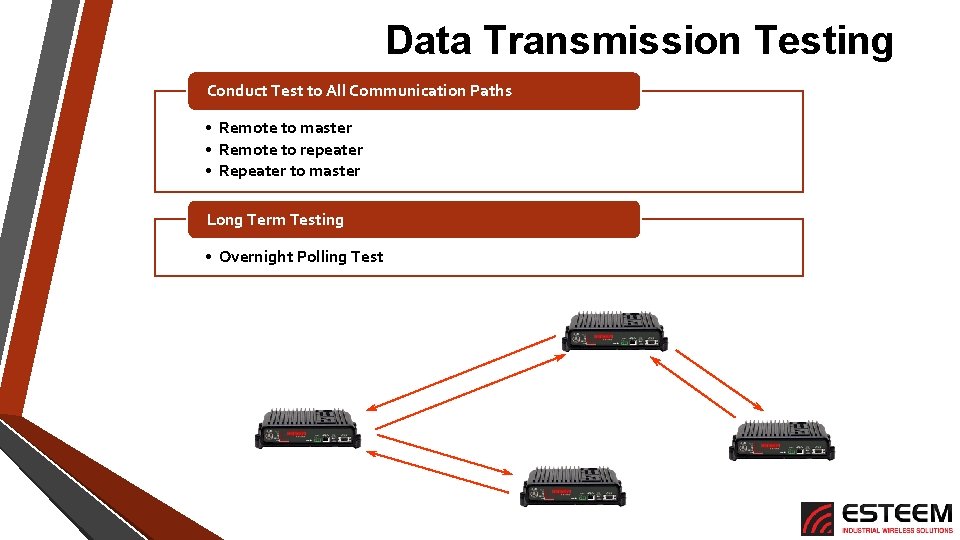
Data Transmission Testing Conduct Test to All Communication Paths • Remote to master • Remote to repeater • Repeater to master Long Term Testing • Overnight Polling Test Repeater Master Remote
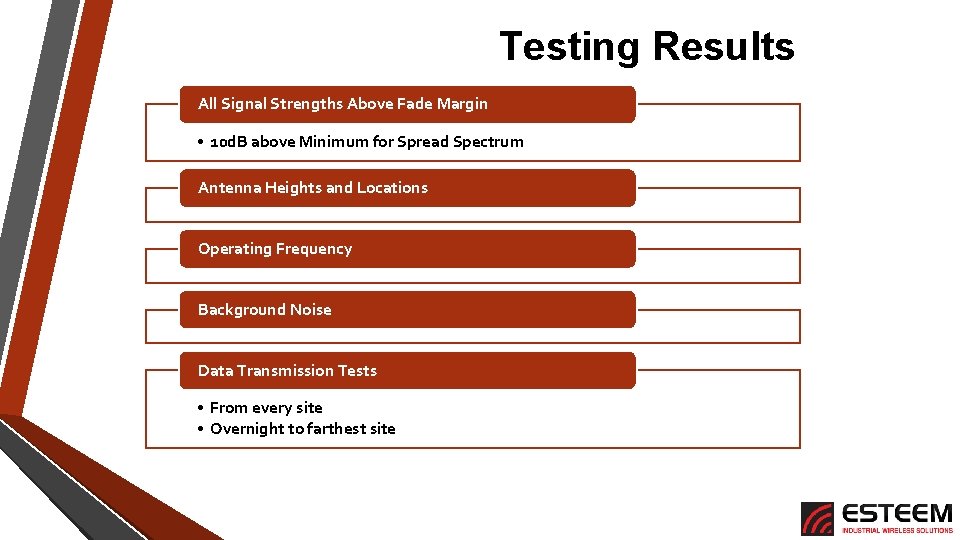
Testing Results All Signal Strengths Above Fade Margin • 10 d. B above Minimum for Spread Spectrum Antenna Heights and Locations Operating Frequency Background Noise Data Transmission Tests • From every site • Overnight to farthest site
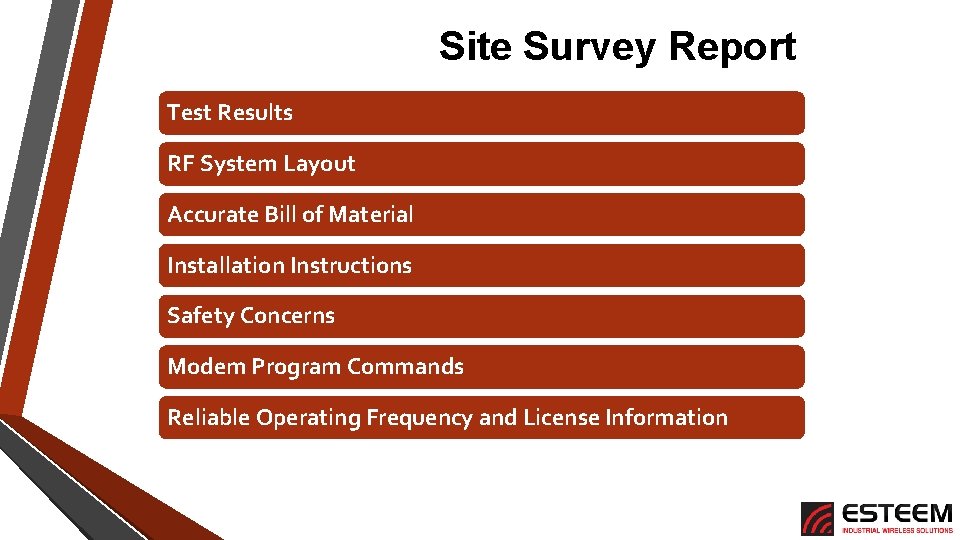
Site Survey Report Test Results RF System Layout Accurate Bill of Material Installation Instructions Safety Concerns Modem Program Commands Reliable Operating Frequency and License Information
Site Commissioning • Equipment Installed • Same testing as site survey with installed hardware • Long term Ping Test • Confirmed reliable operation • Equipment Commissioned • Sets Baseline for All Future Troubleshooting