
Establishing and Maintaining Direction for Street Crossing Using
Establishing and Maintaining Direction for Street Crossing Using Nonvisual Cues Billie Louise (Beezy) Bentzen Janet M. Barlow David A. Guth Alan C. Scott Christopher M. Cunningham TRANSED 2012 Delhi
This project was supported by Grant #5 R 01 EY 12894 -07 from the National Eye Institute, National Institutes of Health. Its contents are solely the responsibility of the authors and do not necessarily represent the official views of the National Eye Institute. Accessible Design for the Blind, 17/9/12, Slide 2
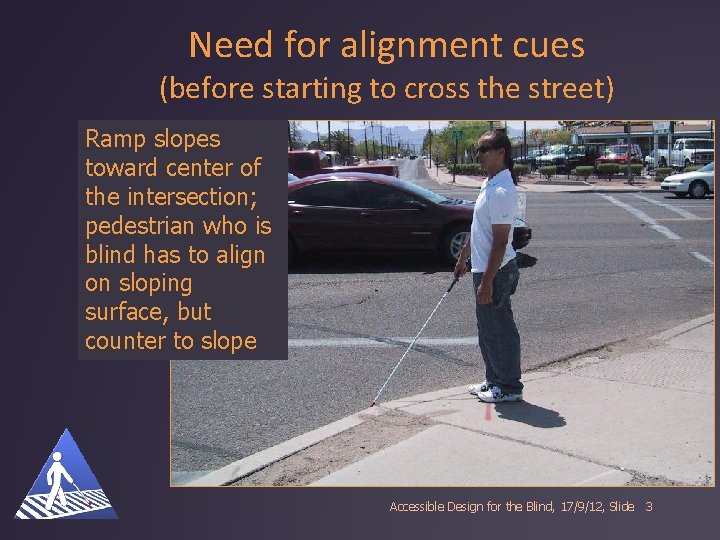
Need for alignment cues (before starting to cross the street) Ramp slopes toward center of the intersection; pedestrian who is blind has to align on sloping surface, but counter to slope Accessible Design for the Blind, 17/9/12, Slide 3
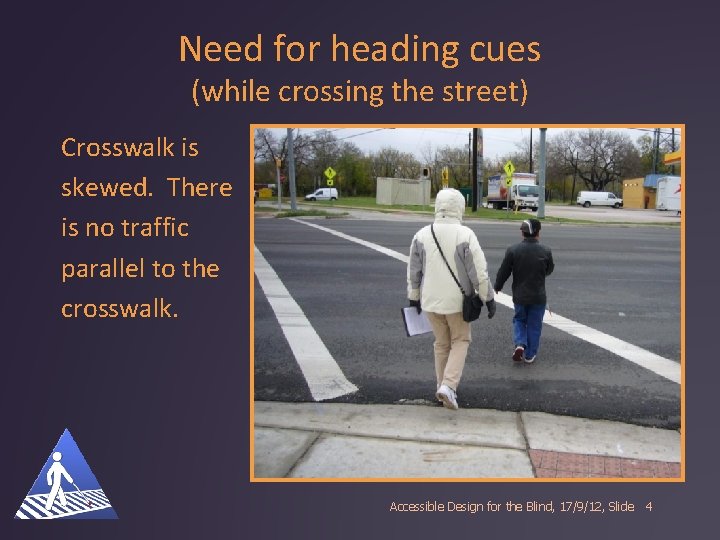
Need for heading cues (while crossing the street) Crosswalk is skewed. There is no traffic parallel to the crosswalk. Accessible Design for the Blind, 17/9/12, Slide 4
Research Goals Determine surfaces or other cues that result in heading in the direction indicated by cue, despite slope Determine cues that result in maintaining directional heading across a wide street Accessible Design for the Blind, 17/9/12, Slide 5
Three phases “Lab” – testing variety of alignment cues on plywood ramps in parking lot “Simulated crosswalks” – 24 m long, in large parking lot On the street at actual intersections in three cities Accessible Design for the Blind, 17/9/12, Slide 6
Cues tested on simulated curbramps 1. Running Slope of ramp – no surface installed on it—(approached from different angles) 2. Bar tile – perpendicular to direction of travel 3. Bar tile – parallel to direction of travel 4. Truncated domes with bar perpendicular to direction of travel 5. Returned curb 6. Tactile arrow on pushbutton Accessible Design for the Blind, 17/9/12, Slide 7
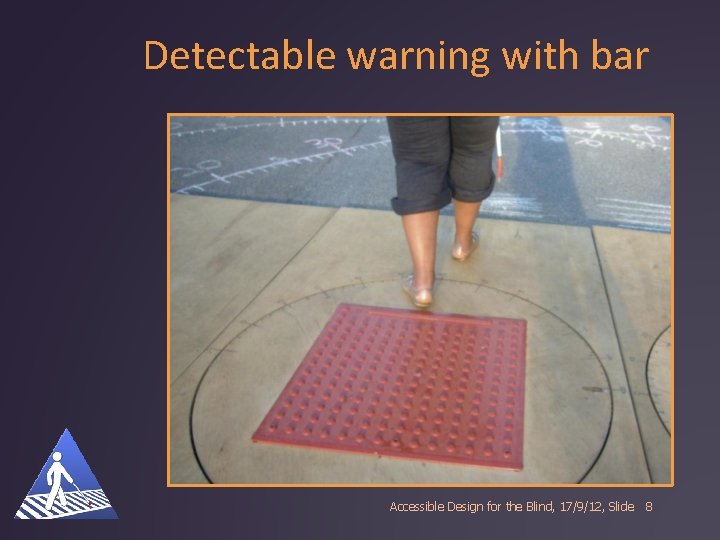
Detectable warning with bar Accessible Design for the Blind, 17/9/12, Slide 8
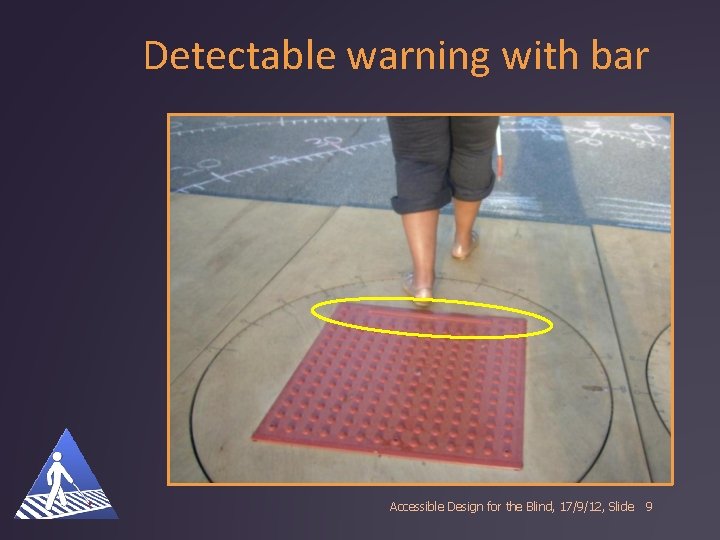
Detectable warning with bar Accessible Design for the Blind, 17/9/12, Slide 9
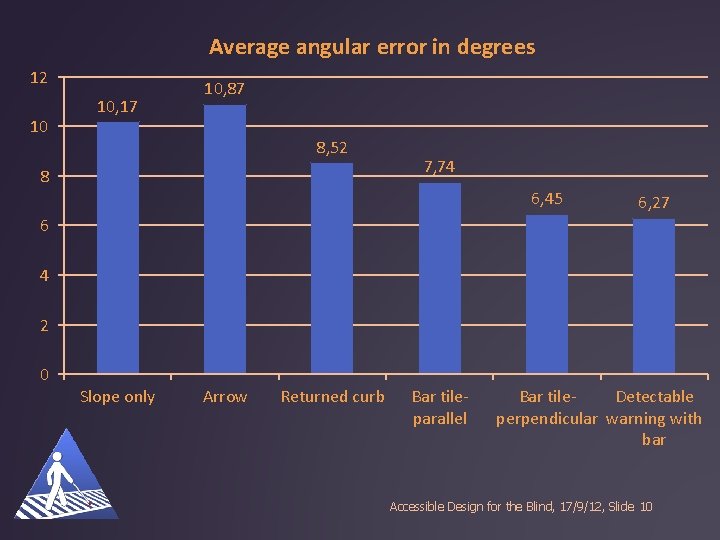
Average angular error in degrees 12 10 10, 17 10, 87 8, 52 8 7, 74 6, 45 6, 27 6 4 2 0 Slope only Arrow Returned curb Bar tileparallel Bar tile. Detectable perpendicular warning with bar Accessible Design for the Blind, 17/9/12, Slide 10
Cues tested on simulated crosswalks— 24 m (6 lanes) long Accessible Design for the Blind, 17/9/12, Slide 11
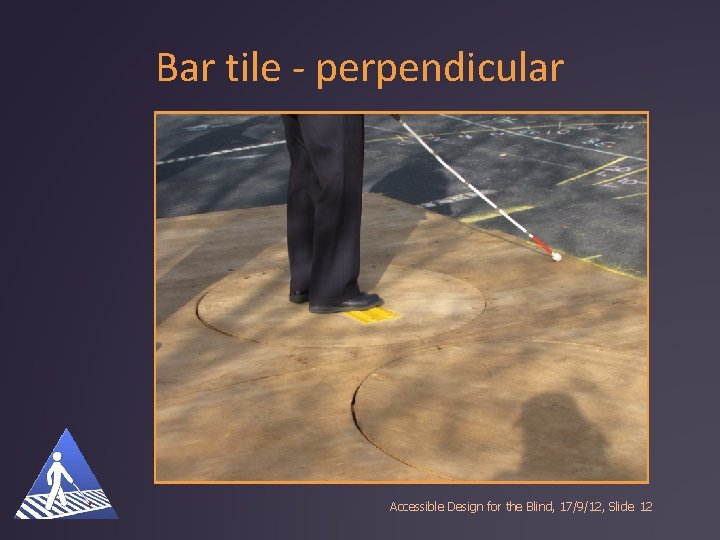
Bar tile - perpendicular Accessible Design for the Blind, 17/9/12, Slide 12
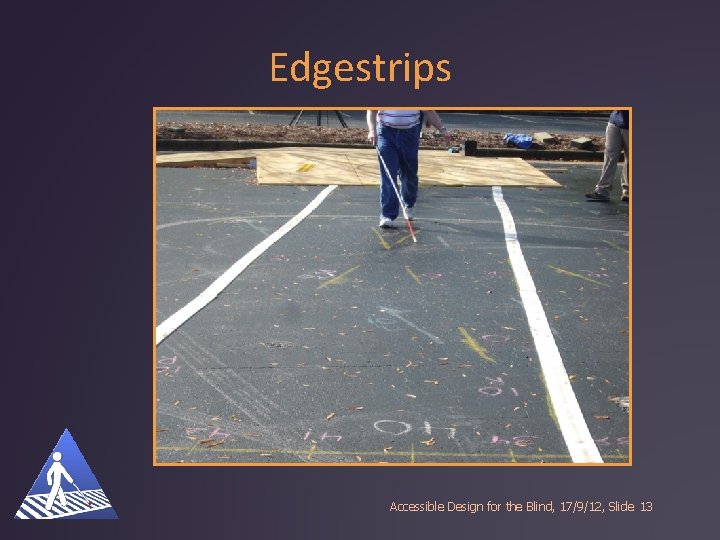
Edgestrips Accessible Design for the Blind, 17/9/12, Slide 13
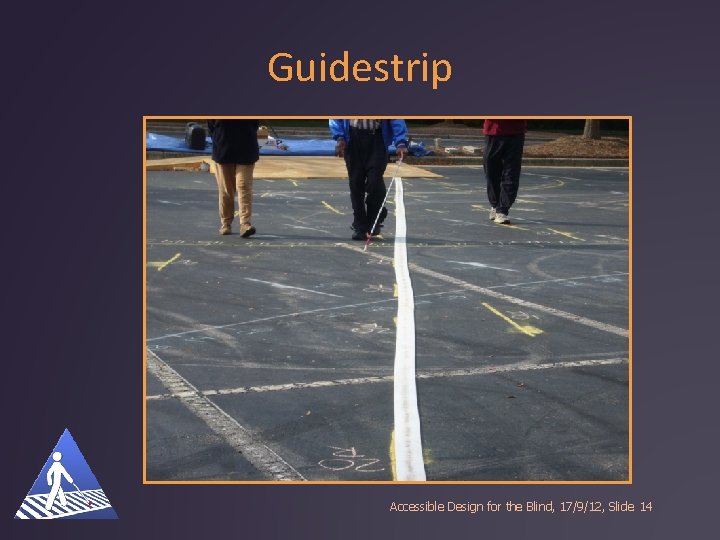
Guidestrip Accessible Design for the Blind, 17/9/12, Slide 14
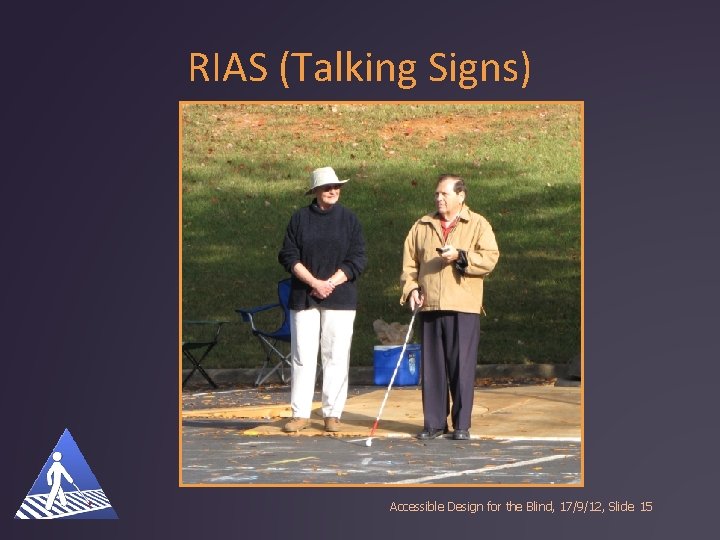
RIAS (Talking Signs) Accessible Design for the Blind, 17/9/12, Slide 15
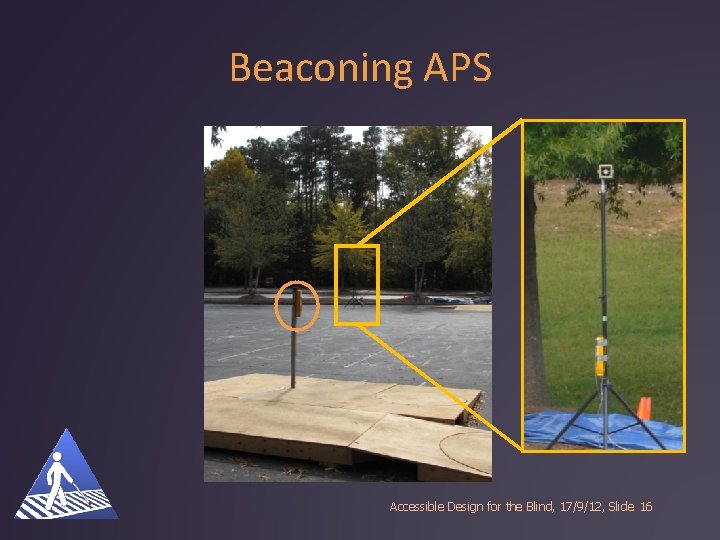
Beaconing APS Accessible Design for the Blind, 17/9/12, Slide 16
Users’ Experience – Beaconing Signal 1. Users hear locator tone from pushbutton 2. Users push and hold button for at least 1 sec 3. Users hear alignment tone--7 repetitions of locator tone as far-side beacon from speaker at end of crosswalk 4. Users wait for walk signal 5. Users hear walk signal from near-side pushbutton only, and begin crossing 6. When walk signal ends, users hear far-side beacon (loud locator tone) during pedestrian clearance interval, while crossing is completed Accessible Design for the Blind, 17/9/12, Slide 17
Results At 4 m all participants were within the crosswalk for all five conditions At 24 m no participants were within the crosswalk for bar tile or RIAS At 24 m all participants were within the crosswalk for edgestrips, guidestrip and beaconing audible signal Accessible Design for the Blind, 17/9/12, Slide 18
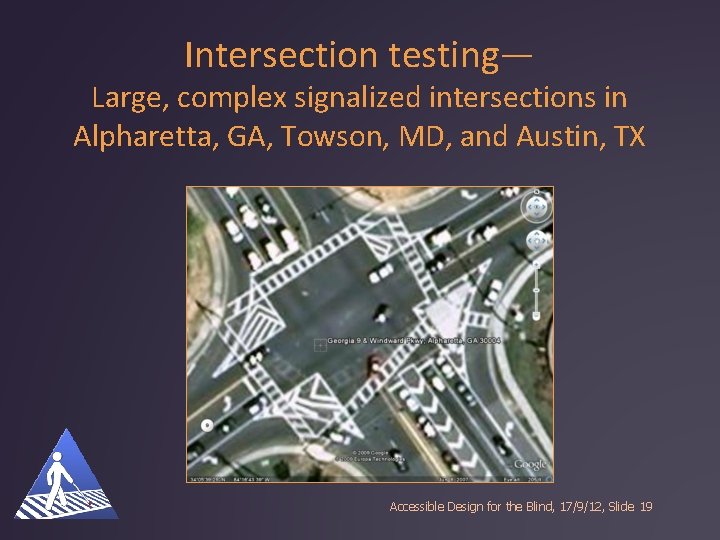
Intersection testing— Large, complex signalized intersections in Alpharetta, GA, Towson, MD, and Austin, TX Accessible Design for the Blind, 17/9/12, Slide 19
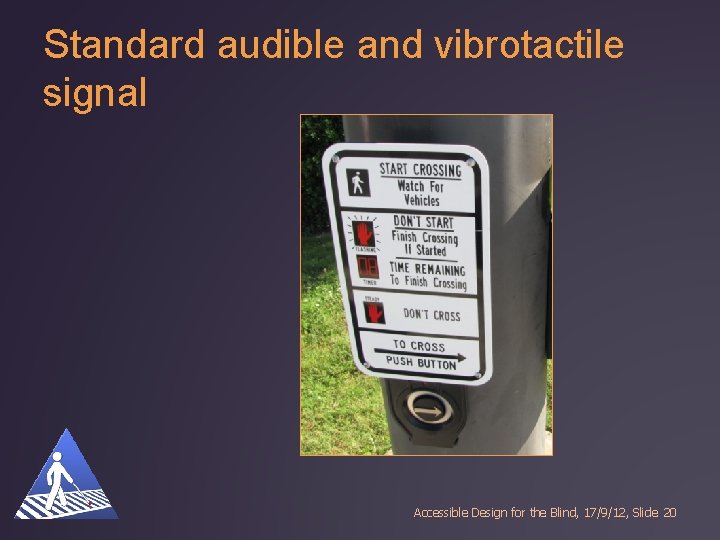
Standard audible and vibrotactile signal Accessible Design for the Blind, 17/9/12, Slide 20
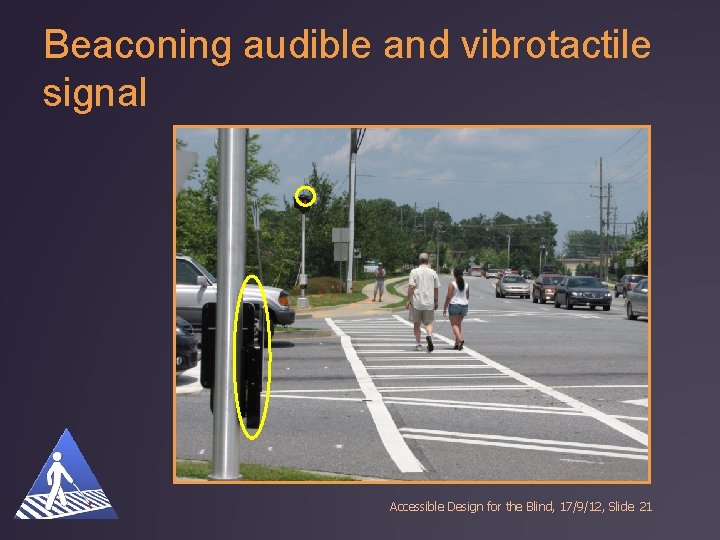
Beaconing audible and vibrotactile signal Accessible Design for the Blind, 17/9/12, Slide 21
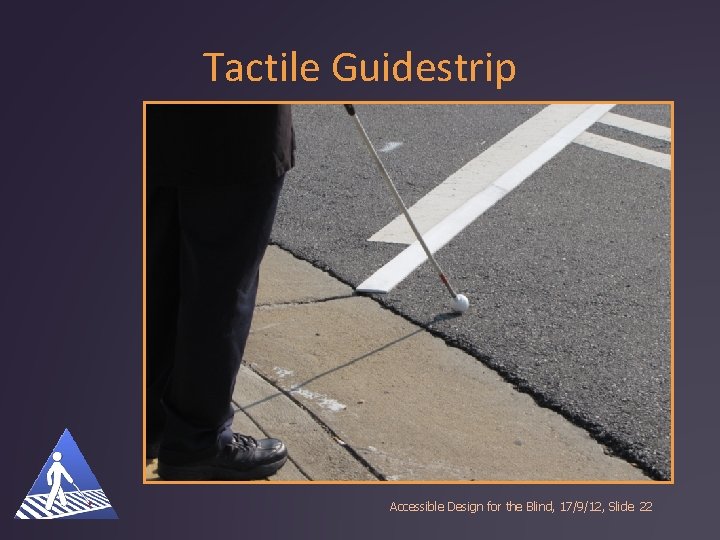
Tactile Guidestrip Accessible Design for the Blind, 17/9/12, Slide 22
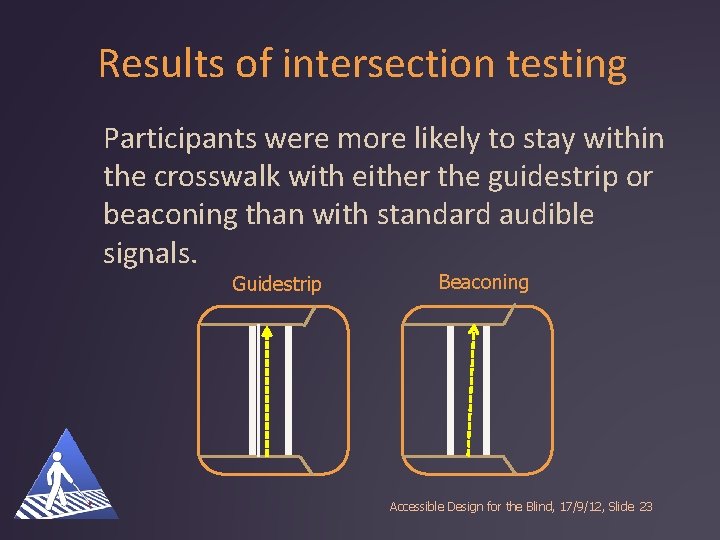
Results of intersection testing Participants were more likely to stay within the crosswalk with either the guidestrip or beaconing than with standard audible signals. Guidestrip Beaconing Accessible Design for the Blind, 17/9/12, Slide 23
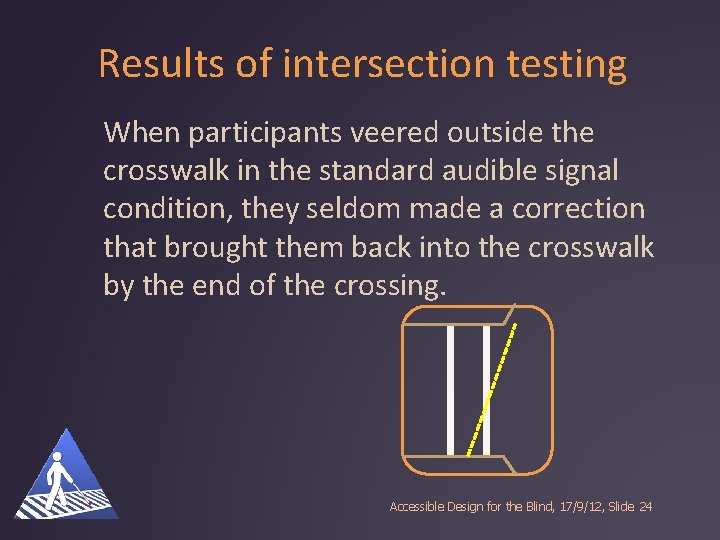
Results of intersection testing When participants veered outside the crosswalk in the standard audible signal condition, they seldom made a correction that brought them back into the crosswalk by the end of the crossing. Accessible Design for the Blind, 17/9/12, Slide 24
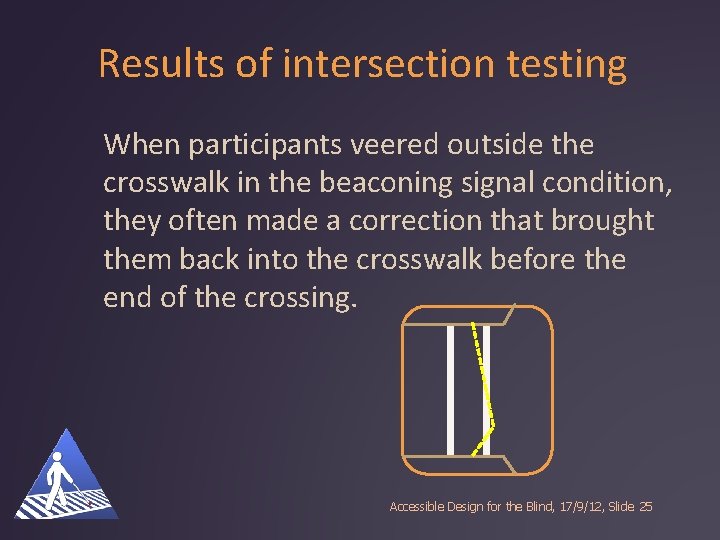
Results of intersection testing When participants veered outside the crosswalk in the beaconing signal condition, they often made a correction that brought them back into the crosswalk before the end of the crossing. Accessible Design for the Blind, 17/9/12, Slide 25
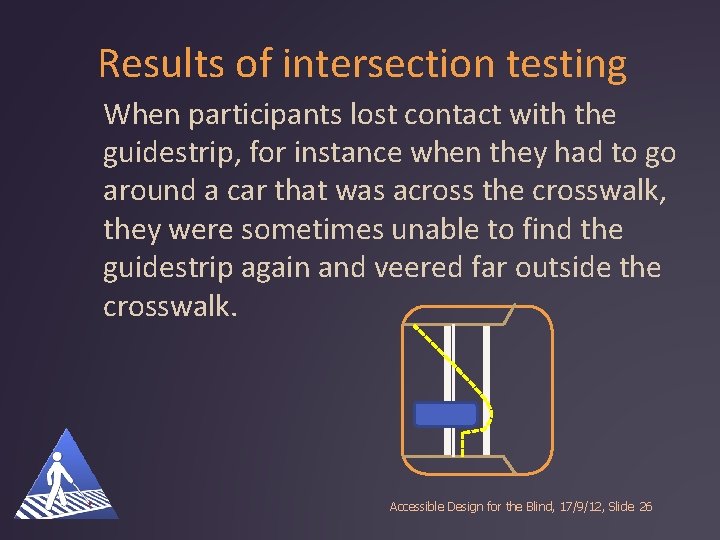
Results of intersection testing When participants lost contact with the guidestrip, for instance when they had to go around a car that was across the crosswalk, they were sometimes unable to find the guidestrip again and veered far outside the crosswalk. Accessible Design for the Blind, 17/9/12, Slide 26
Questions? Contact Beezy Bentzen bbentzen@accessforblind. org Accessible Design for the Blind, 17/9/12, Slide
- Slides: 27