
Establish connection to AL 1100 via LR Device
Establish connection to AL 1100 via LR Device English
Setup Guide – Establish connection LR Device to AL 1100 Contents: 1. 2. Connect units LR Device - Find AL 1100 © ifm ecomatic gmbh Date: 16. 12. 2021 Page: 2
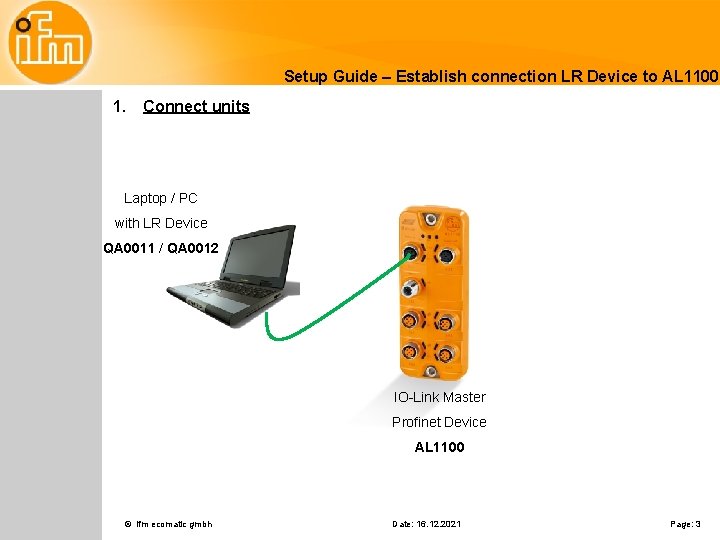
Setup Guide – Establish connection LR Device to AL 1100 1. Connect units Laptop / PC with LR Device QA 0011 / QA 0012 IO-Link Master Profinet Device AL 1100 © ifm ecomatic gmbh Date: 16. 12. 2021 Page: 3
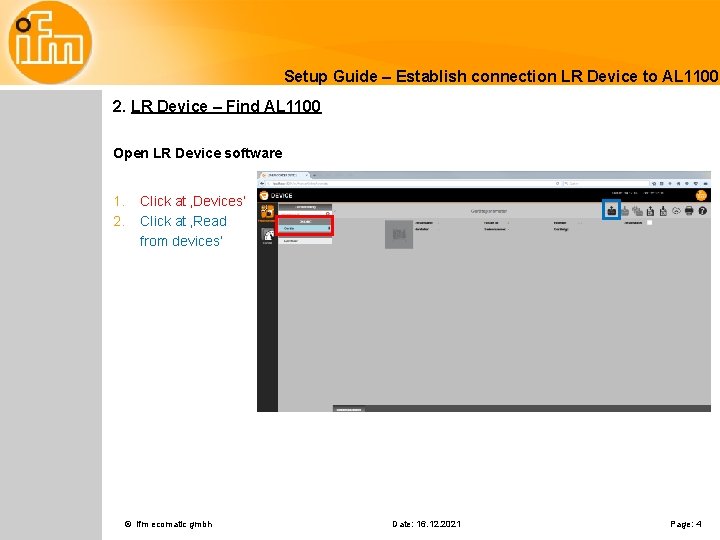
Setup Guide – Establish connection LR Device to AL 1100 2. LR Device – Find AL 1100 Open LR Device software 1. 2. Click at ‚Devices‘ Click at ‚Read from devices‘ © ifm ecomatic gmbh Date: 16. 12. 2021 Page: 4
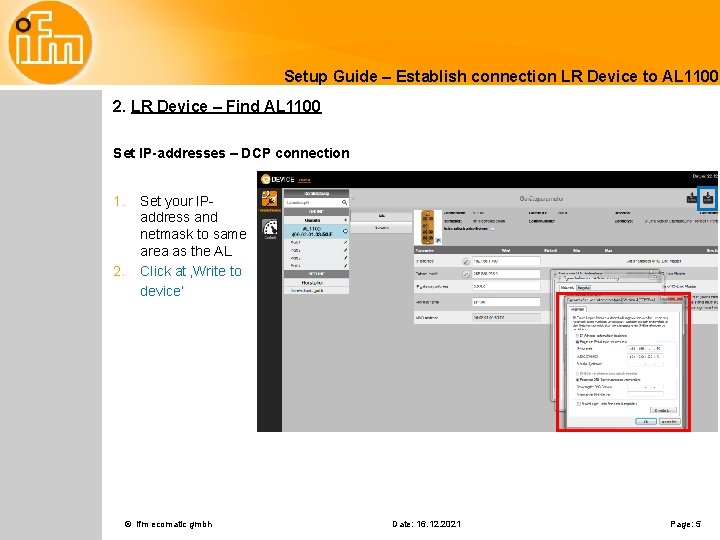
Setup Guide – Establish connection LR Device to AL 1100 2. LR Device – Find AL 1100 Set IP-addresses – DCP connection 1. 2. Set your IPaddress and netmask to same area as the AL Click at ‚Write to device‘ © ifm ecomatic gmbh Date: 16. 12. 2021 Page: 5
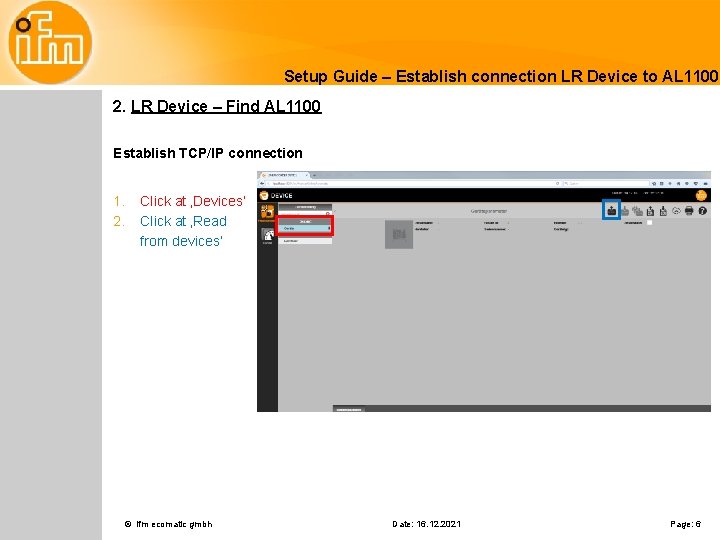
Setup Guide – Establish connection LR Device to AL 1100 2. LR Device – Find AL 1100 Establish TCP/IP connection 1. 2. Click at ‚Devices‘ Click at ‚Read from devices‘ © ifm ecomatic gmbh Date: 16. 12. 2021 Page: 6
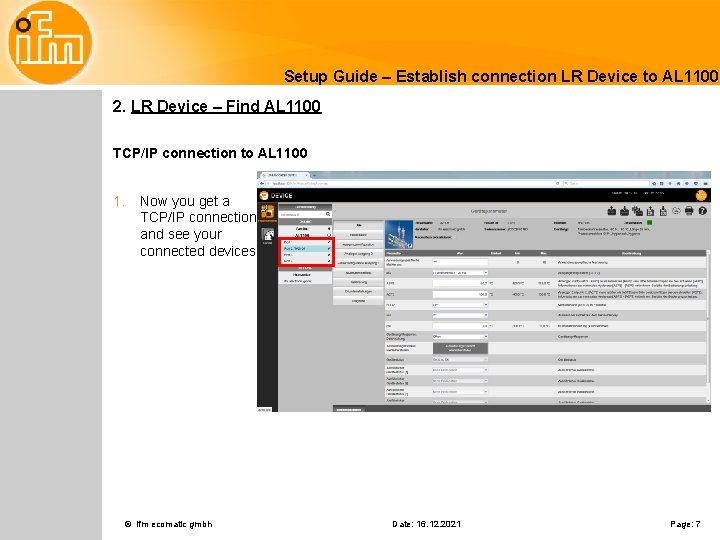
Setup Guide – Establish connection LR Device to AL 1100 2. LR Device – Find AL 1100 TCP/IP connection to AL 1100 1. Now you get a TCP/IP connection and see your connected devices © ifm ecomatic gmbh Date: 16. 12. 2021 Page: 7
- Slides: 7