
Essential OS Commands for Linux DOS Command dir

- Slides: 6
Essential OS Commands for Linux DOS Command dir Linux Command cd <directory> mkdir or md <directory> mkdir <directory> rmdir or rd <directory> rmdir <directory> chdir pwd del or erase <file> rm <file> copy and xcopy <file> cp and cp –R <file> find or findstr <file> grep <string> <file> comp <file 1> <file 2> diff <file 1> <file 2> edit <file> nano or vim or emacs <file> ping <host> reboot ls -l
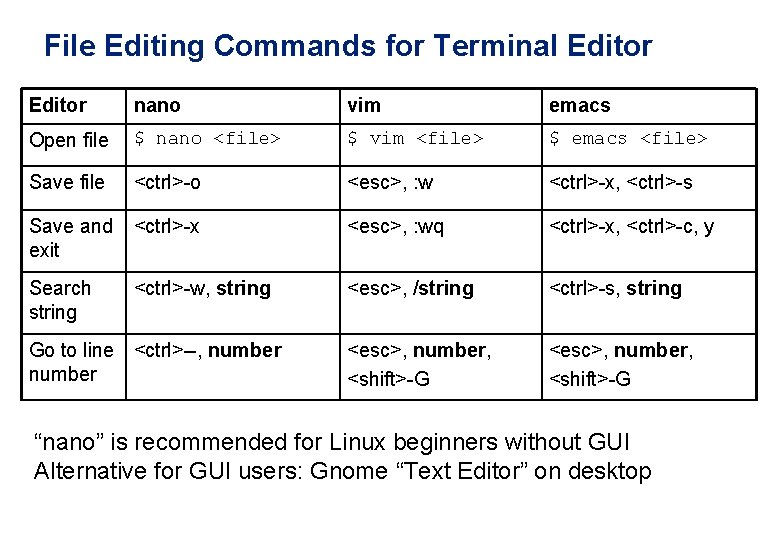
File Editing Commands for Terminal Editor nano vim emacs Open file $ nano <file> $ vim <file> $ emacs <file> Save file <ctrl>-o <esc>, : w <ctrl>-x, <ctrl>-s Save and exit <ctrl>-x <esc>, : wq <ctrl>-x, <ctrl>-c, y Search string <ctrl>-w, string <esc>, /string <ctrl>-s, string <esc>, number, <shift>-G Go to line <ctrl>--, number “nano” is recommended for Linux beginners without GUI Alternative for GUI users: Gnome “Text Editor” on desktop
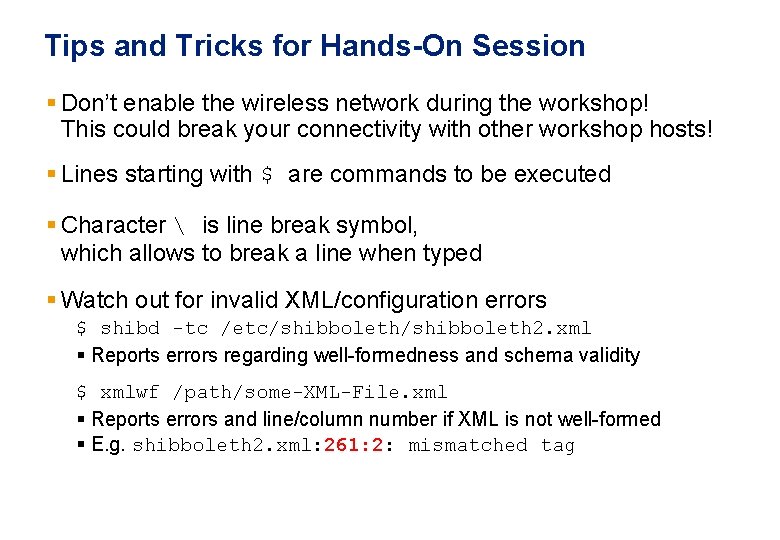
Tips and Tricks for Hands-On Session § Don’t enable the wireless network during the workshop! This could break your connectivity with other workshop hosts! § Lines starting with $ are commands to be executed § Character is line break symbol, which allows to break a line when typed § Watch out for invalid XML/configuration errors $ shibd -tc /etc/shibboleth 2. xml § Reports errors regarding well-formedness and schema validity $ xmlwf /path/some-XML-File. xml § Reports errors and line/column number if XML is not well-formed § E. g. shibboleth 2. xml: 261: 2: mismatched tag
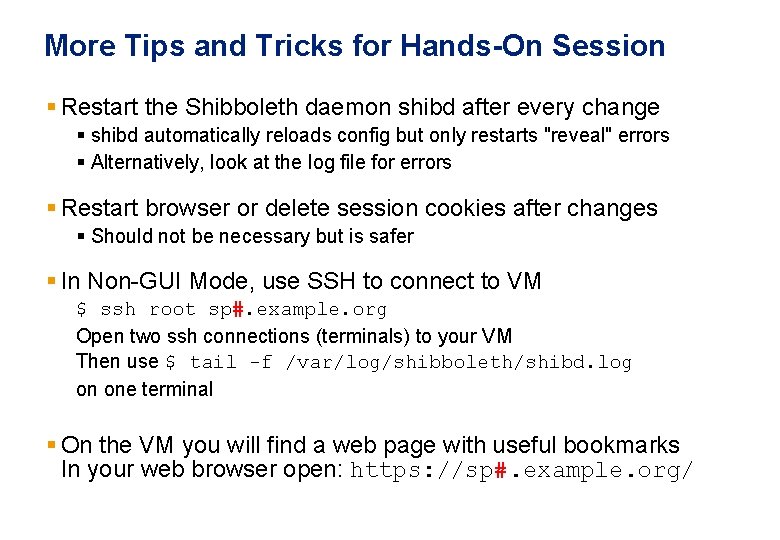
More Tips and Tricks for Hands-On Session § Restart the Shibboleth daemon shibd after every change § shibd automatically reloads config but only restarts "reveal" errors § Alternatively, look at the log file for errors § Restart browser or delete session cookies after changes § Should not be necessary but is safer § In Non-GUI Mode, use SSH to connect to VM $ ssh root sp#. example. org Open two ssh connections (terminals) to your VM Then use $ tail -f /var/log/shibboleth/shibd. log on one terminal § On the VM you will find a web page with useful bookmarks In your web browser open: https: //sp#. example. org/
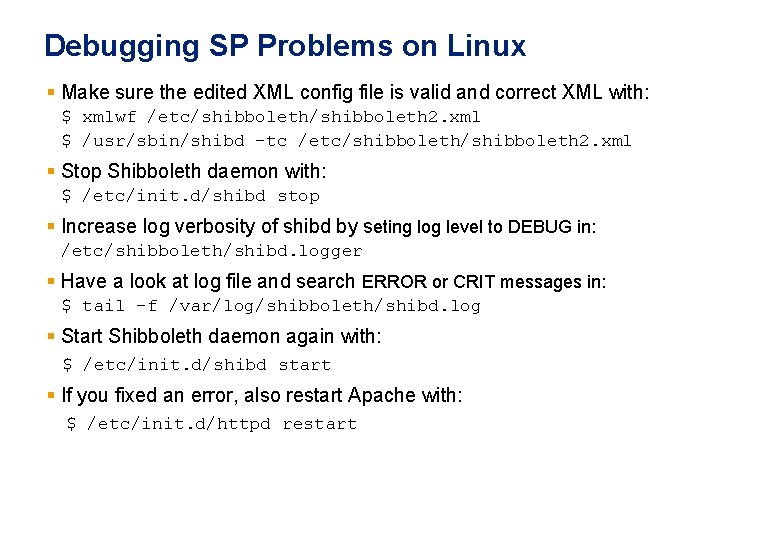
Debugging SP Problems on Linux § Make sure the edited XML config file is valid and correct XML with: $ xmlwf /etc/shibboleth 2. xml $ /usr/sbin/shibd -tc /etc/shibboleth 2. xml § Stop Shibboleth daemon with: $ /etc/init. d/shibd stop § Increase log verbosity of shibd by seting log level to DEBUG in: /etc/shibboleth/shibd. logger § Have a look at log file and search ERROR or CRIT messages in: $ tail -f /var/log/shibboleth/shibd. log § Start Shibboleth daemon again with: $ /etc/init. d/shibd start § If you fixed an error, also restart Apache with: $ /etc/init. d/httpd restart
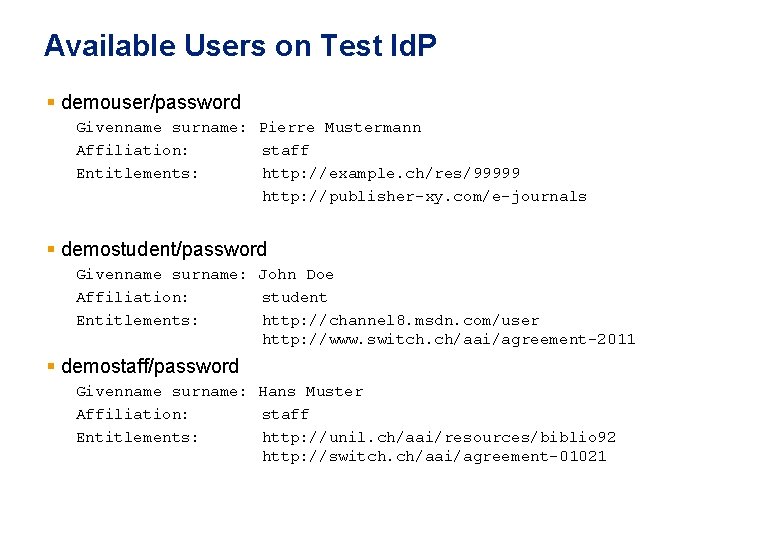
Available Users on Test Id. P § demouser/password Givenname surname: Pierre Mustermann Affiliation: staff Entitlements: http: //example. ch/res/99999 http: //publisher-xy. com/e-journals § demostudent/password Givenname surname: John Doe Affiliation: student Entitlements: http: //channel 8. msdn. com/user http: //www. switch. ch/aai/agreement-2011 § demostaff/password Givenname surname: Hans Muster Affiliation: staff Entitlements: http: //unil. ch/aai/resources/biblio 92 http: //switch. ch/aai/agreement-01021