
ESRM 250 CFR 520 Introduction to GIS Project
- Slides: 26
ESRM 250 & CFR 520: Introduction to GIS Project Management in GIS ESRM 250/CFR 520 Autumn 2009 Phil Hurvitz © Phil Hurvitz, 1999 -2009 1 of 26
ESRM 250 & CFR 520: Introduction to GIS Overview Managing non-Arc. Info data sets Managing Geodatabases Copying & moving Arc. Map documents Geodatabases © Phil Hurvitz, 1999 -2009 2 of 26
ESRM 250 & CFR 520: Introduction to GIS Overview Managing non-Arc. Info data sets Managing Geodatabases Copying & moving Arc. Map documents Geodatabases © Phil Hurvitz, 1999 -2009 3 of 26
ESRM 250 & CFR 520: Introduction to GIS Managing non-Arc. Info data sets General system file management Setting the working directory Renaming Copying Archiving © Phil Hurvitz, 1999 -2009 4 of 26
ESRM 250 & CFR 520: Introduction to GIS General system file management GIS is more file-intensive than most other computer applications Knowledge of OS file system operation is critical Disk, directory, and file management skills Disk space þ Directory structure & nomenclature þ File nomenclature, file sizes, multiple-file data sets Where (file system-wise) is every file in the current project? © Phil Hurvitz, 1999 -2009 5 of 26
ESRM 250 & CFR 520: Introduction to GIS Setting the working directory Default location for new files Set the working directory early Avoids major headache later Have no doubt about where new files will be placed TIPs: Create a new directory for each project þ Set working directory to the new directory þ New data sets can be easily archived © Phil Hurvitz, 1999 -2009 6 of 26
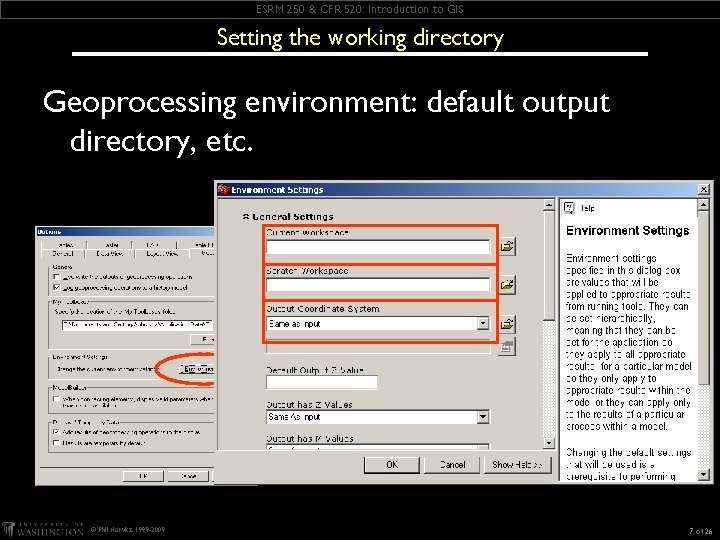
ESRM 250 & CFR 520: Introduction to GIS Setting the working directory Geoprocessing environment: default output directory, etc. © Phil Hurvitz, 1999 -2009 7 of 26
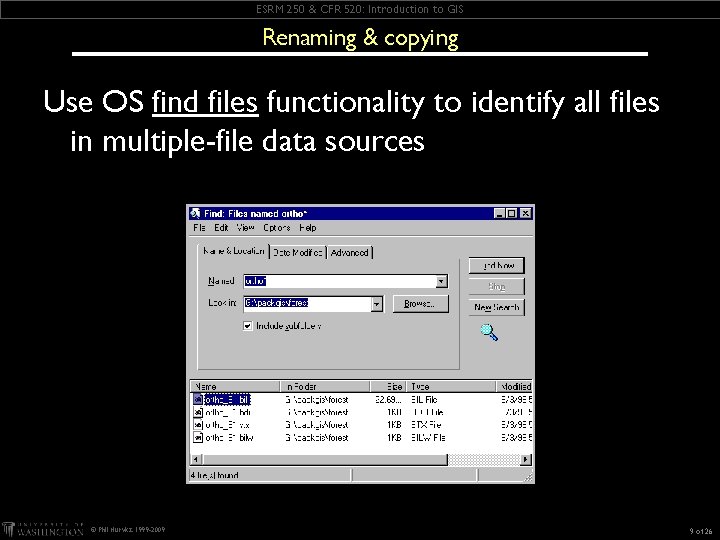
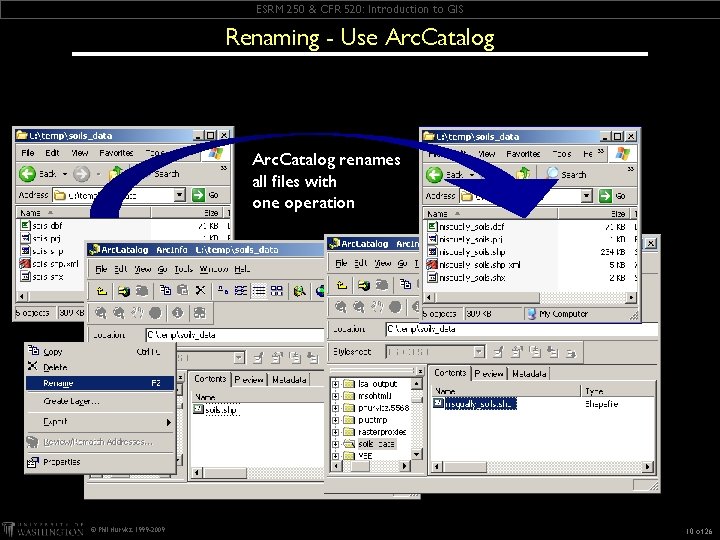
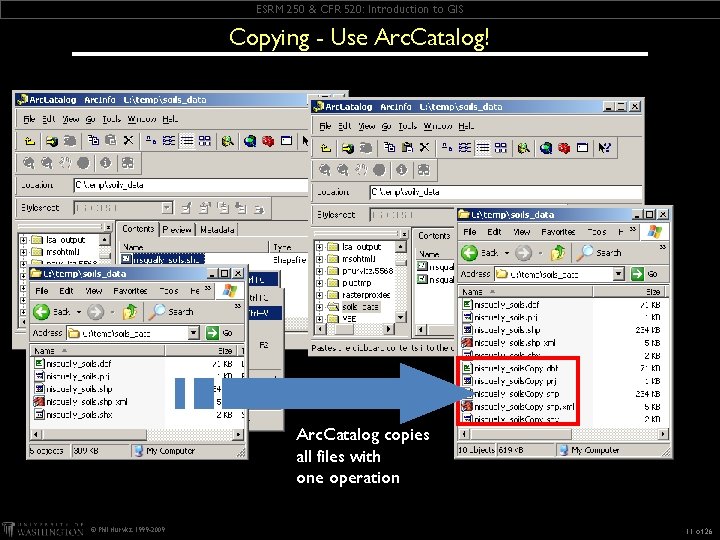
ESRM 250 & CFR 520: Introduction to GIS Renaming & copying Be careful about renaming & copying files Every file of a multiple-file data source must be renamed/copied Files that are renamed/copied will not be “found” in map documents Files to be copied/renamed cannot be in use in current project Data sources are frequently composed of multiple individual files þ þ Shapefiles are composed of at least 3 separate files Image data sources are composed of at least 1 file, at most 4 © Phil Hurvitz, 1999 -2009 8 of 26
ESRM 250 & CFR 520: Introduction to GIS Renaming & copying Use OS find files functionality to identify all files in multiple-file data sources © Phil Hurvitz, 1999 -2009 9 of 26
ESRM 250 & CFR 520: Introduction to GIS Renaming - Use Arc. Catalog renames all files with one operation © Phil Hurvitz, 1999 -2009 10 of 26
ESRM 250 & CFR 520: Introduction to GIS Copying - Use Arc. Catalog! Arc. Catalog copies all files with one operation © Phil Hurvitz, 1999 -2009 11 of 26
ESRM 250 & CFR 520: Introduction to GIS Renaming & copying Arc. Catalog functionality applies to any supported data sets Other files can be copied/moved/renamed using OS file management þ images þ text files þ d. Base files (that are not theme tables) þ CAD files © Phil Hurvitz, 1999 -2009 12 of 26
ESRM 250 & CFR 520: Introduction to GIS Managing non-Arc. Info data sets: Archiving Create new “backup” directories, copy files Write to stable media (tape, CD, DVD, etc. ) Use archiving tool, e. g. PKZip, Win. Zip, tar create archive files þ copy to “safe” directories þ write to stable media þ © Phil Hurvitz, 1999 -2009 13 of 26
ESRM 250 & CFR 520: Introduction to GIS Overview Managing non-Arc. Info data sets Managing Geodatabases Copying & moving Arc. Map documents Geodatabases © Phil Hurvitz, 1999 -2009 14 of 26
ESRM 250 & CFR 520: Introduction to GIS Managing Arc. Info data sets Supported data types Archiving Dealing with Arc. Info coverages © Phil Hurvitz, 1999 -2009 15 of 26
ESRM 250 & CFR 520: Introduction to GIS Managing Arc. Info data sets: Copying & Renaming Arc. Catalog will rename, copy, and move Coverages þ grid data sources þ TIN data sources þ Possible to convert any vector data format to and manage as shapefile or geodatabase þ Possible loss of informational content © Phil Hurvitz, 1999 -2009 16 of 26
ESRM 250 & CFR 520: Introduction to GIS Managing Arc. Info data sets: Archiving Coverage, grid, & TIN themes Use standard Arc. Catalog rename & copy þ Archive files as you would any other files þ þ þ create archive files copy to “safe” directories write to stable media NEVER attempt to manage Arc. Info (coverage, grid, or TIN) source files with the OS; you will corrupt your data © Phil Hurvitz, 1999 -2009 17 of 26
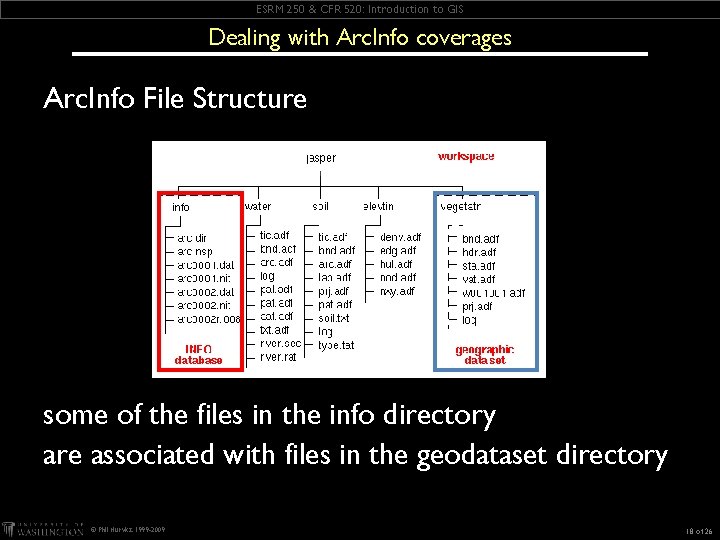
ESRM 250 & CFR 520: Introduction to GIS Dealing with Arc. Info coverages Arc. Info File Structure some of the files in the info directory are associated with files in the geodataset directory © Phil Hurvitz, 1999 -2009 18 of 26
ESRM 250 & CFR 520: Introduction to GIS Dealing with Arc. Info coverages Arc. Info data sets are somewhat problematic in Arc. GIS Cannot be edited without Arc. Info run level Convert & manage as shapefile þ Loss of informational content if polymorphic data set Import to whole new directory/folder þ copy & archive entire directory Do not alter Info directories/folders þ you will corrupt data © Phil Hurvitz, 1999 -2009 19 of 26
ESRM 250 & CFR 520: Introduction to GIS Overview Managing non-Arc. Info data sets Managing Geodatabases Copying & moving Arc. Map documents Geodatabases © Phil Hurvitz, 1999 -2009 20 of 26
ESRM 250 & CFR 520: Introduction to GIS Copying & Moving Map (. mxd) Documents Arc. GIS map document files do not “contain” copies of data sets Arc. GIS map documents contain instructions that include pointers to data location File locations are “hard coded” into project files © Phil Hurvitz, 1999 -2009 21 of 26
ESRM 250 & CFR 520: Introduction to GIS Copying & Moving Map (. mxd) Documents Copying & moving map documents does NOT copy or move data sets Data sets must be either: þ Moved þ þ Copied þ þ Identical file structure Specified þ Restructure your. mxd map document © Phil Hurvitz, 1999 -2009 23 of 26
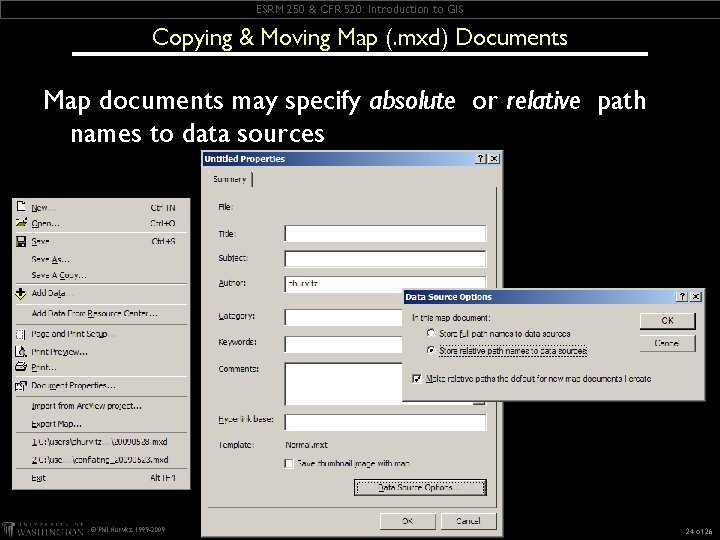
ESRM 250 & CFR 520: Introduction to GIS Copying & Moving Map (. mxd) Documents Map documents may specify absolute or relative path names to data sources © Phil Hurvitz, 1999 -2009 24 of 26
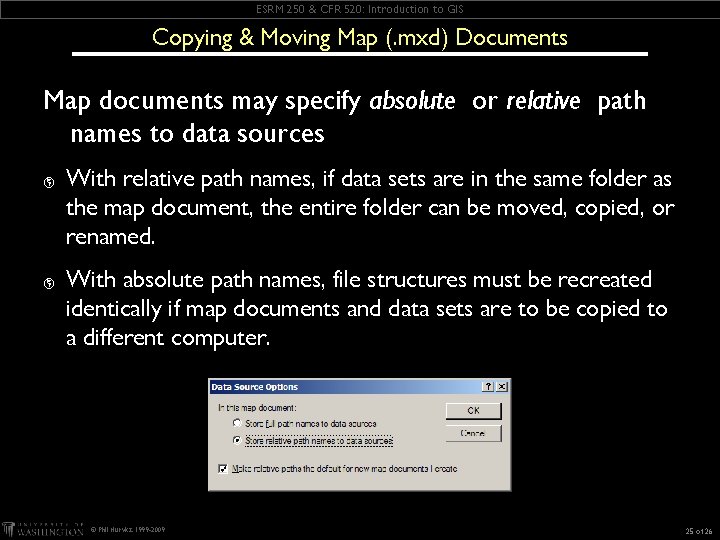
ESRM 250 & CFR 520: Introduction to GIS Copying & Moving Map (. mxd) Documents Map documents may specify absolute or relative path names to data sources þ þ With relative path names, if data sets are in the same folder as the map document, the entire folder can be moved, copied, or renamed. With absolute path names, file structures must be recreated identically if map documents and data sets are to be copied to a different computer. © Phil Hurvitz, 1999 -2009 25 of 26
ESRM 250 & CFR 520: Introduction to GIS Overview Managing non-Arc. Info data sets Managing Geodatabases Copying & moving Arc. Map documents Geodatabases © Phil Hurvitz, 1999 -2009 22 of 26
ESRM 250 & CFR 520: Introduction to GIS Geodatabases are the new preferred data storage standard for Arc. GIS þ A “container” for data sets þ þ feature classes (vector data) raster data tables Two formats: þ MS Access mdb format (“personal geodatabase”) þ þ Special files in a folder (“file geodatabase”) þ þ 2 GB size limit 1 TB size limit Manage with Arc. Catalog © Phil Hurvitz, 1999 -2009 26 of 26