
ESRM 250 CFR 520 Introduction to GIS Arc
- Slides: 49
ESRM 250 & CFR 520: Introduction to GIS Arc. Map Basics ESRM 250/CFR 520 Winter, 2010 Phil Hurvitz (with thanks to J. Lawler & P. Schiess) © Phil Hurvitz, 1999 -2010 1 of 49
ESRM 250 & CFR 520: Introduction to GIS Arc. Map Basics Overview þ Getting data into Arc. Map þ Displaying layers þ Layer display properties © Phil Hurvitz, 1999 -2010 2 of 49
ESRM 250 & CFR 520: Introduction to GIS Arc. Map Basics Overview þ Getting data into Arc. Map þ Displaying layers þ Layer display properties © Phil Hurvitz, 1999 -2010 3 of 49
ESRM 250 & CFR 520: Introduction to GIS Getting data into Arc. Map Layer feature types þ Spatial data sources for layers þ Data frames þ Adding a feature layer to a data frame þ Adding a layer from x, y coordinates þ Layer tables þ Map document þ © Phil Hurvitz, 1999 -2010 4 of 49
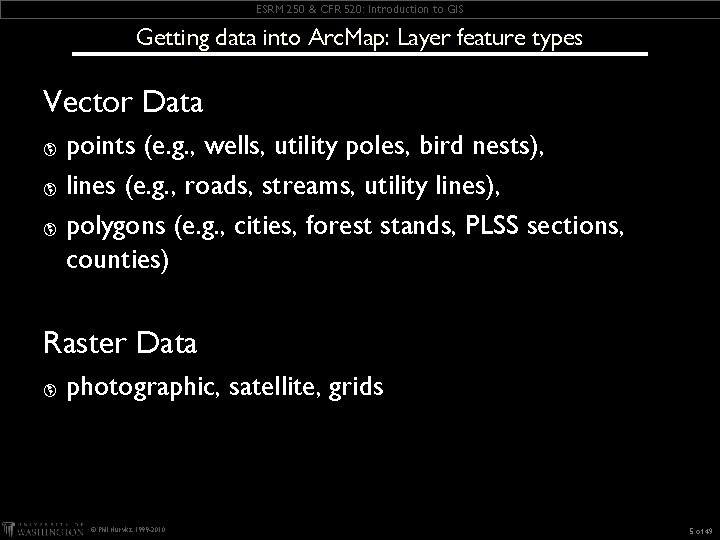
ESRM 250 & CFR 520: Introduction to GIS Getting data into Arc. Map: Layer feature types Vector Data points (e. g. , wells, utility poles, bird nests), þ lines (e. g. , roads, streams, utility lines), þ polygons (e. g. , cities, forest stands, PLSS sections, counties) þ Raster Data þ photographic, satellite, grids © Phil Hurvitz, 1999 -2010 5 of 49
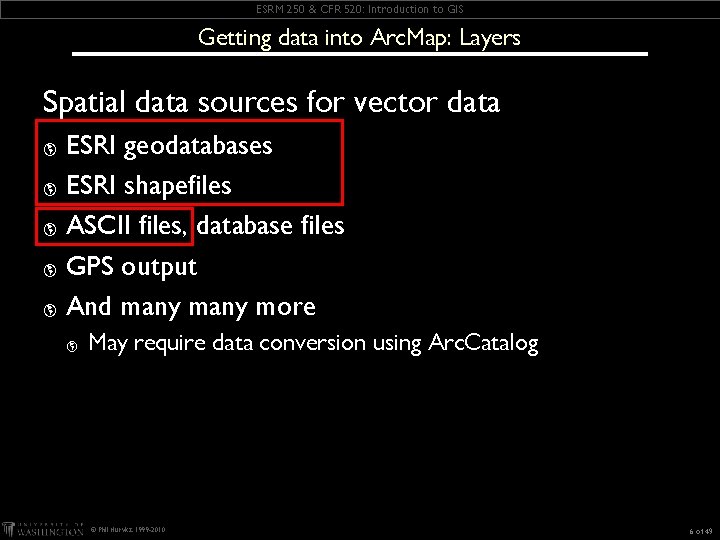
ESRM 250 & CFR 520: Introduction to GIS Getting data into Arc. Map: Layers Spatial data sources for vector data ESRI geodatabases þ ESRI shapefiles þ ASCII files, database files þ GPS output þ And many more þ þ May require data conversion using Arc. Catalog © Phil Hurvitz, 1999 -2010 6 of 49
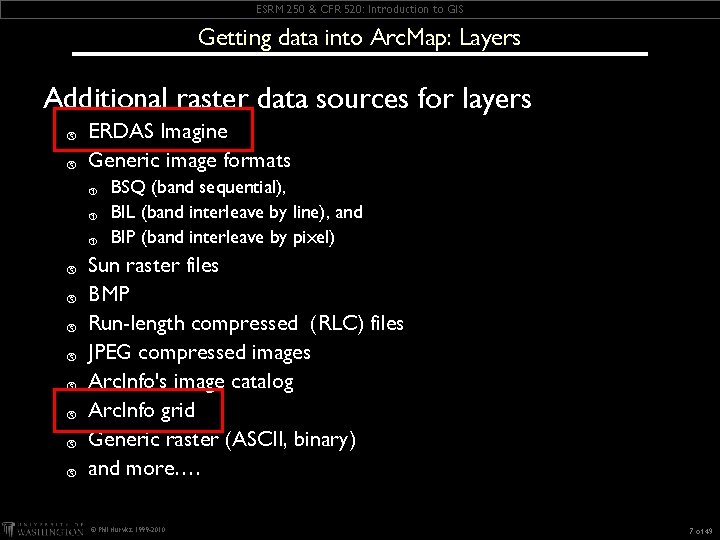
ESRM 250 & CFR 520: Introduction to GIS Getting data into Arc. Map: Layers Additional raster data sources for layers þ þ ERDAS Imagine Generic image formats þ þ þ BSQ (band sequential), BIL (band interleave by line), and BIP (band interleave by pixel) Sun raster files BMP Run-length compressed (RLC) files JPEG compressed images Arc. Info's image catalog Arc. Info grid Generic raster (ASCII, binary) and more…. © Phil Hurvitz, 1999 -2010 7 of 49
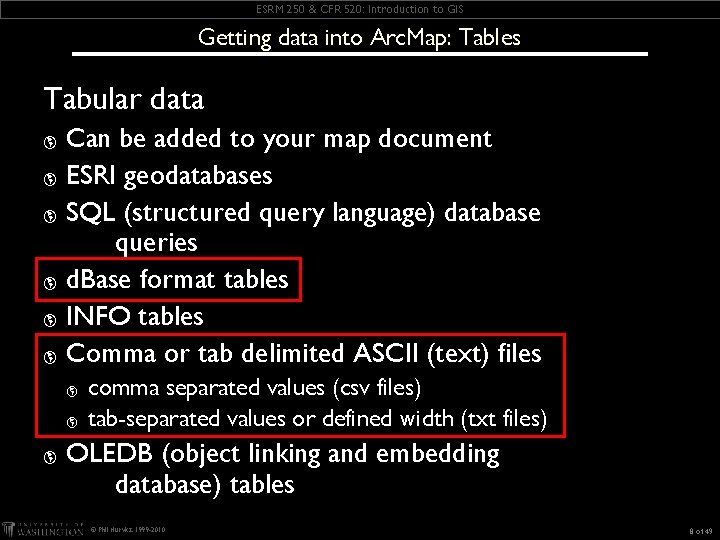
ESRM 250 & CFR 520: Introduction to GIS Getting data into Arc. Map: Tables Tabular data Can be added to your map document þ ESRI geodatabases þ SQL (structured query language) database queries þ d. Base format tables þ INFO tables þ Comma or tab delimited ASCII (text) files þ þ comma separated values (csv files) tab-separated values or defined width (txt files) OLEDB (object linking and embedding database) tables © Phil Hurvitz, 1999 -2010 8 of 49
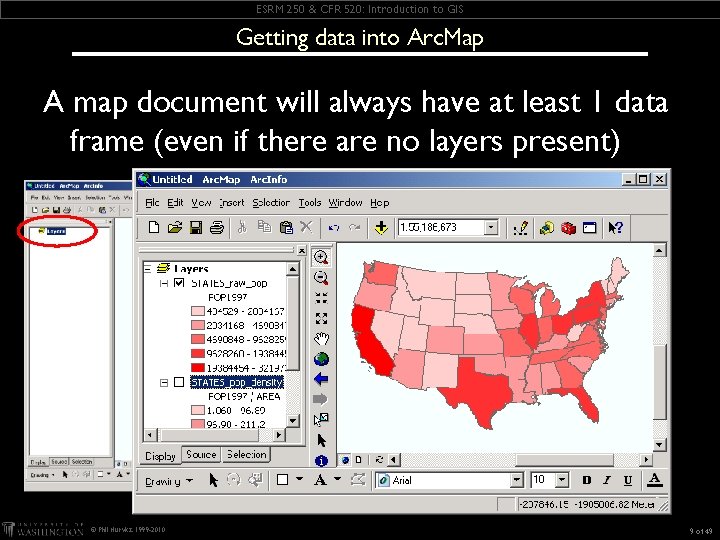
ESRM 250 & CFR 520: Introduction to GIS Getting data into Arc. Map A map document will always have at least 1 data frame (even if there are no layers present) © Phil Hurvitz, 1999 -2010 9 of 49
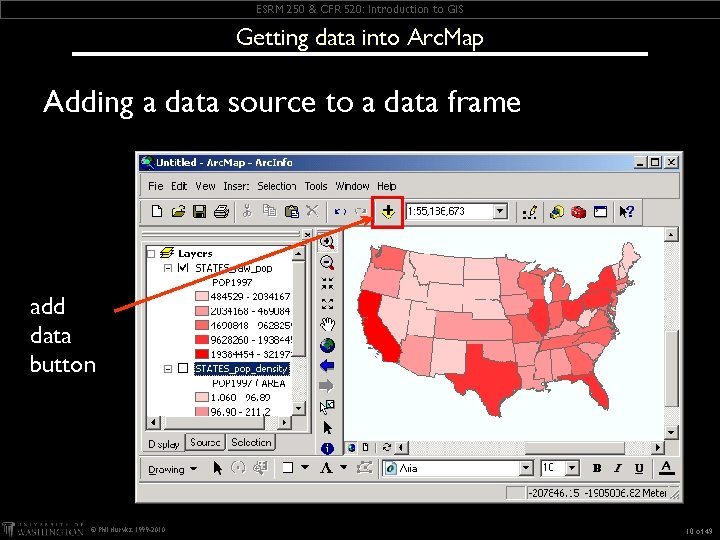
ESRM 250 & CFR 520: Introduction to GIS Getting data into Arc. Map Adding a data source to a data frame add data button © Phil Hurvitz, 1999 -2010 10 of 49
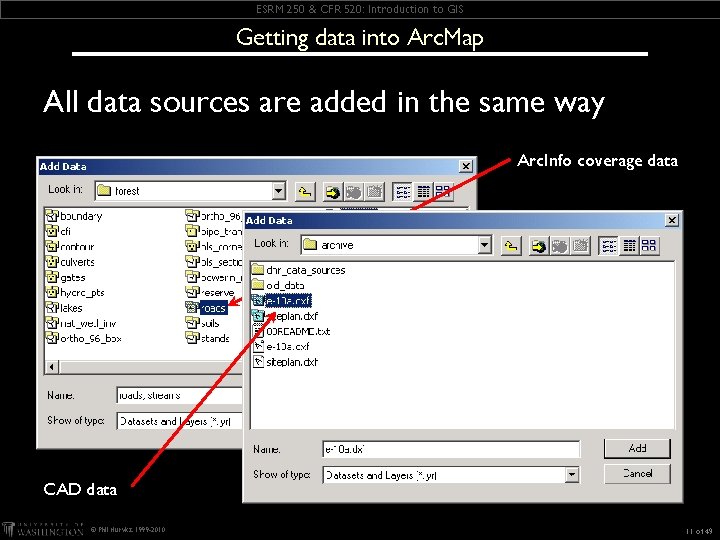
ESRM 250 & CFR 520: Introduction to GIS Getting data into Arc. Map All data sources are added in the same way Arc. Info coverage data CAD data © Phil Hurvitz, 1999 -2010 11 of 49
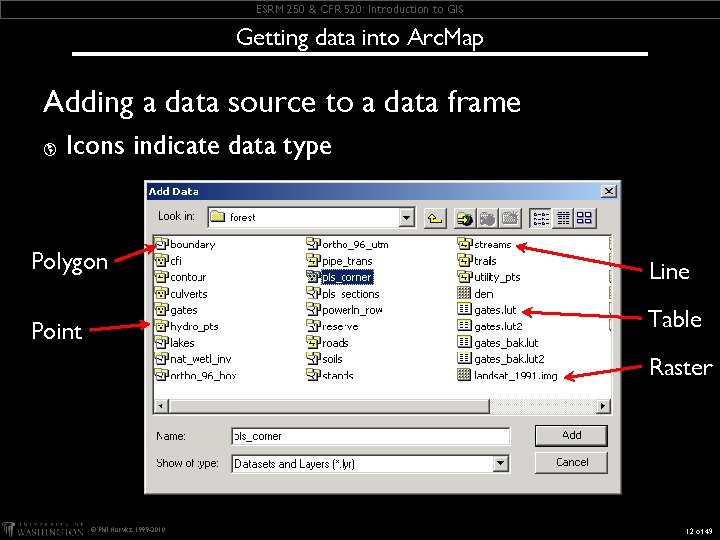
ESRM 250 & CFR 520: Introduction to GIS Getting data into Arc. Map Adding a data source to a data frame þ Icons indicate data type Polygon Line Point Table Raster © Phil Hurvitz, 1999 -2010 12 of 49
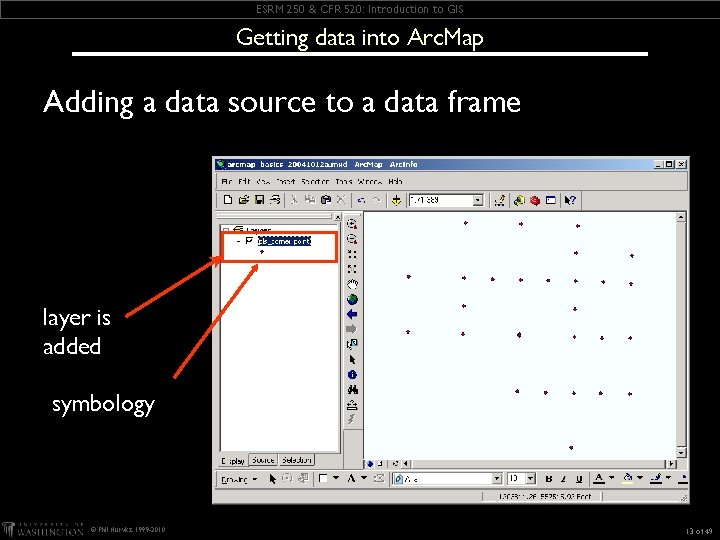
ESRM 250 & CFR 520: Introduction to GIS Getting data into Arc. Map Adding a data source to a data frame layer is added symbology © Phil Hurvitz, 1999 -2010 13 of 49
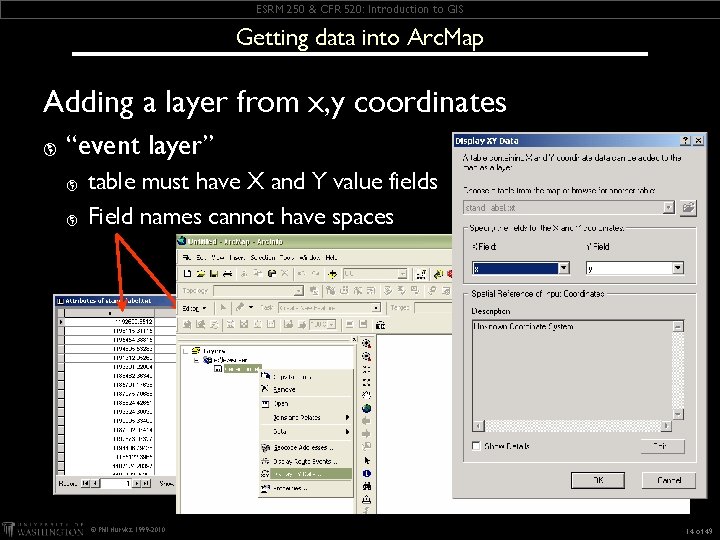
ESRM 250 & CFR 520: Introduction to GIS Getting data into Arc. Map Adding a layer from x, y coordinates þ “event layer” þ þ table must have X and Y value fields Field names cannot have spaces © Phil Hurvitz, 1999 -2010 14 of 49
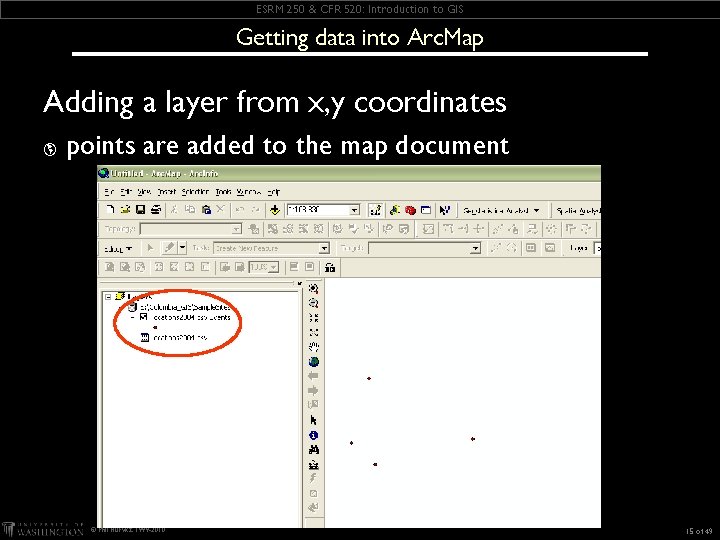
ESRM 250 & CFR 520: Introduction to GIS Getting data into Arc. Map Adding a layer from x, y coordinates þ points are added to the map document © Phil Hurvitz, 1999 -2010 15 of 49
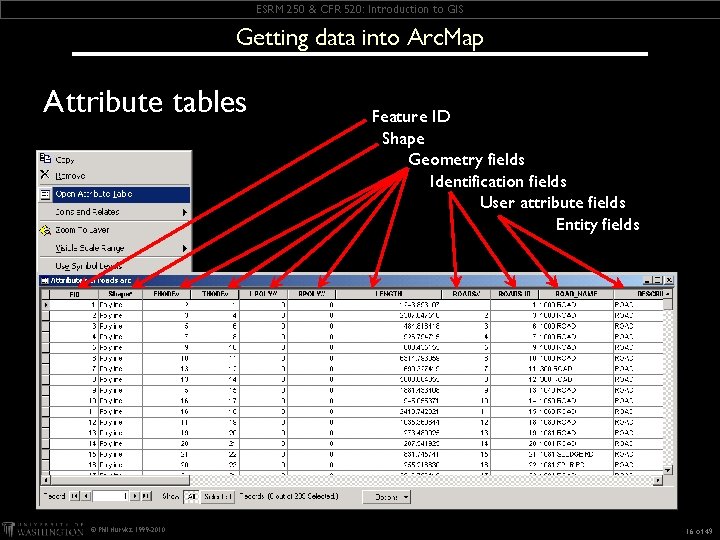
ESRM 250 & CFR 520: Introduction to GIS Getting data into Arc. Map Attribute tables © Phil Hurvitz, 1999 -2010 Feature ID Shape Geometry fields Identification fields User attribute fields Entity fields 16 of 49
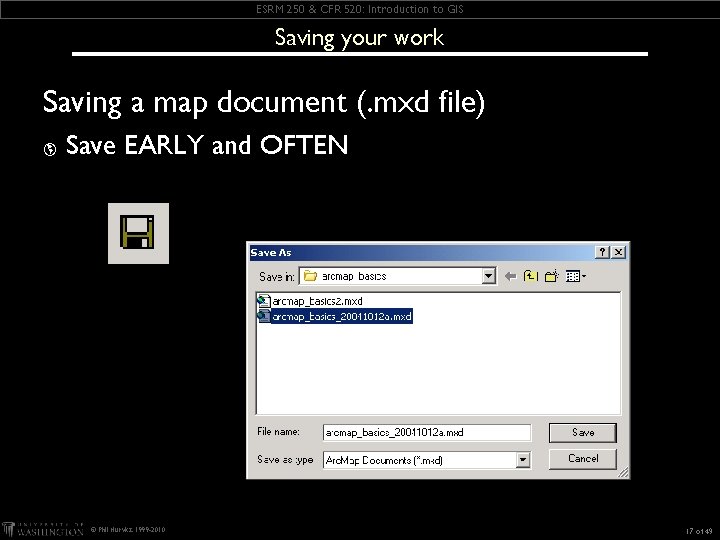
ESRM 250 & CFR 520: Introduction to GIS Saving your work Saving a map document (. mxd file) þ Save EARLY and OFTEN © Phil Hurvitz, 1999 -2010 17 of 49
ESRM 250 & CFR 520: Introduction to GIS Arc. Map Basics Overview þ Getting data into Arc. Map þ Displaying layers þ Layer display properties © Phil Hurvitz, 1999 -2010 18 of 49
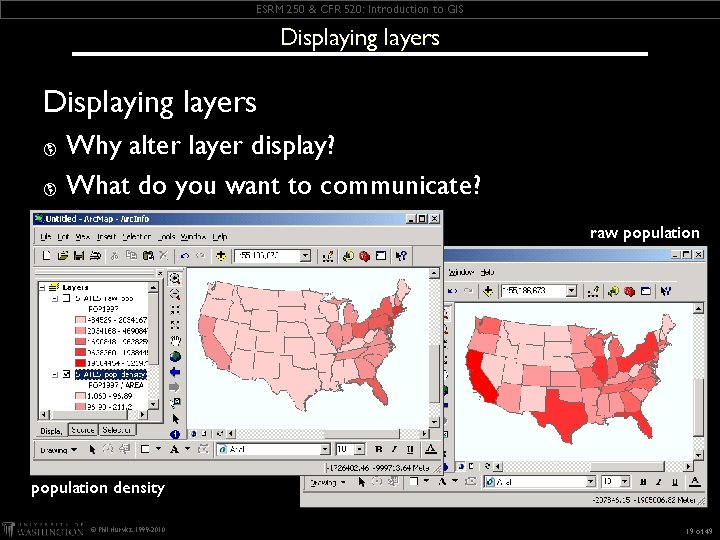
ESRM 250 & CFR 520: Introduction to GIS Displaying layers Why alter layer display? þ What do you want to communicate? þ raw population density © Phil Hurvitz, 1999 -2010 19 of 49
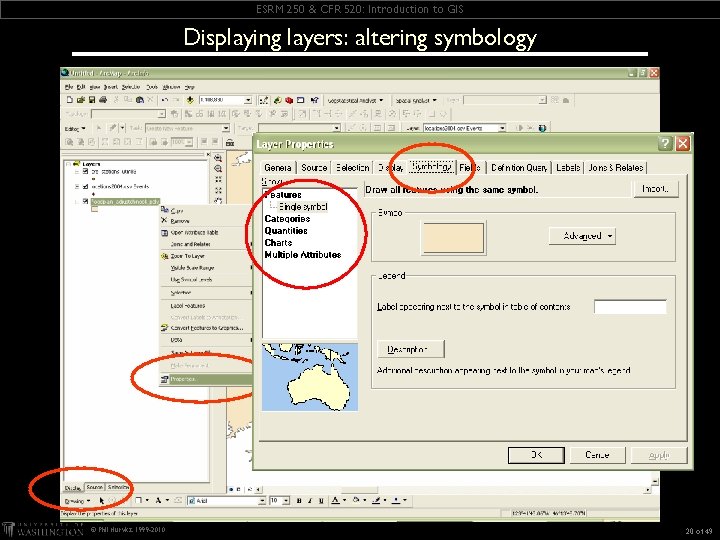
ESRM 250 & CFR 520: Introduction to GIS Displaying layers: altering symbology © Phil Hurvitz, 1999 -2010 20 of 49
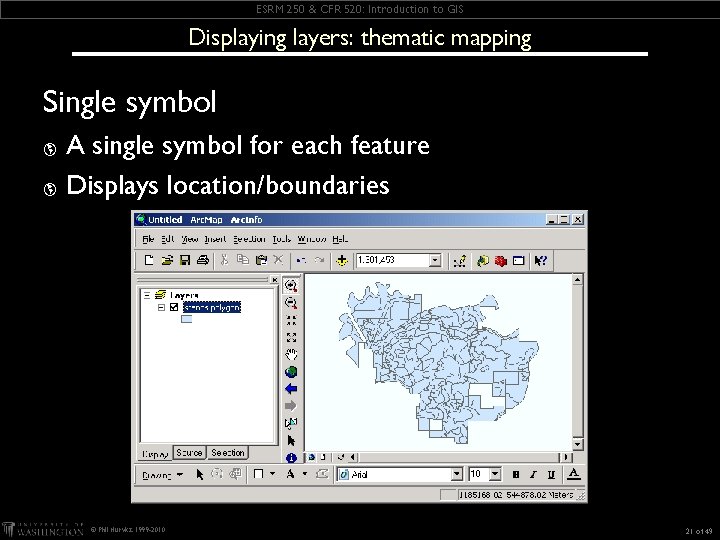
ESRM 250 & CFR 520: Introduction to GIS Displaying layers: thematic mapping Single symbol A single symbol for each feature þ Displays location/boundaries þ © Phil Hurvitz, 1999 -2010 21 of 49
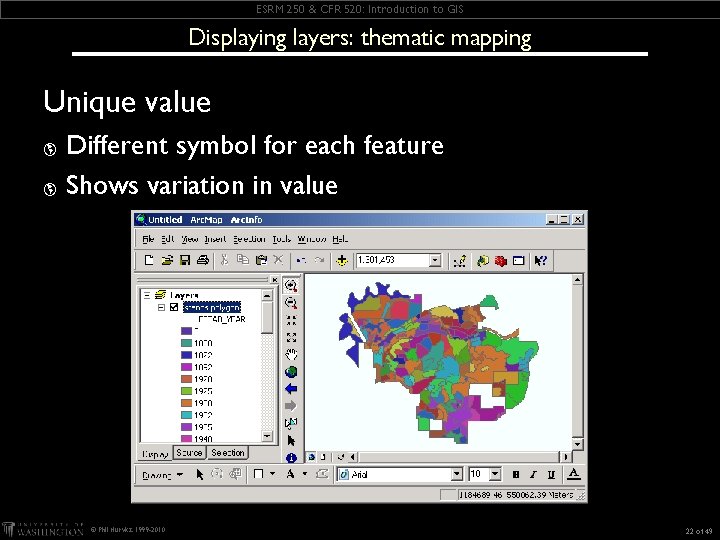
ESRM 250 & CFR 520: Introduction to GIS Displaying layers: thematic mapping Unique value Different symbol for each feature þ Shows variation in value þ © Phil Hurvitz, 1999 -2010 22 of 49
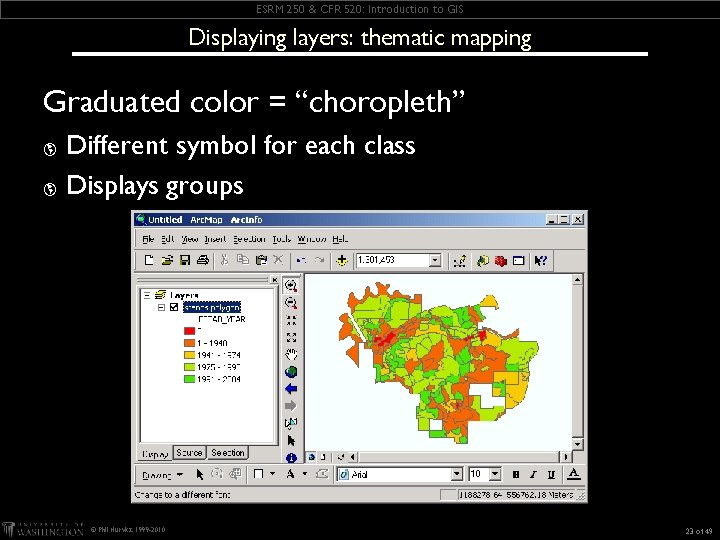
ESRM 250 & CFR 520: Introduction to GIS Displaying layers: thematic mapping Graduated color = “choropleth” Different symbol for each class þ Displays groups þ © Phil Hurvitz, 1999 -2010 23 of 49
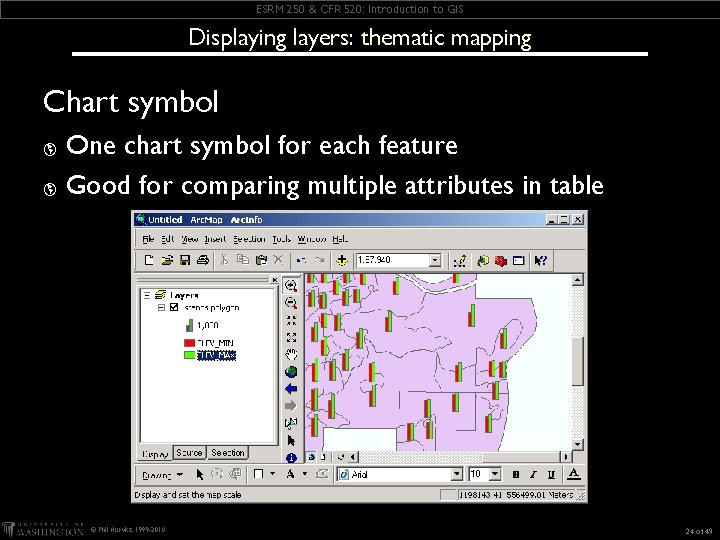
ESRM 250 & CFR 520: Introduction to GIS Displaying layers: thematic mapping Chart symbol One chart symbol for each feature þ Good for comparing multiple attributes in table þ © Phil Hurvitz, 1999 -2010 24 of 49
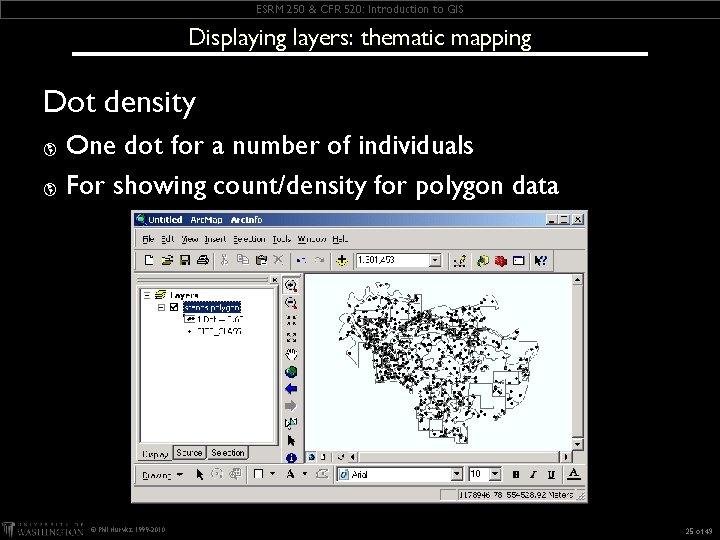
ESRM 250 & CFR 520: Introduction to GIS Displaying layers: thematic mapping Dot density One dot for a number of individuals þ For showing count/density for polygon data þ © Phil Hurvitz, 1999 -2010 25 of 49
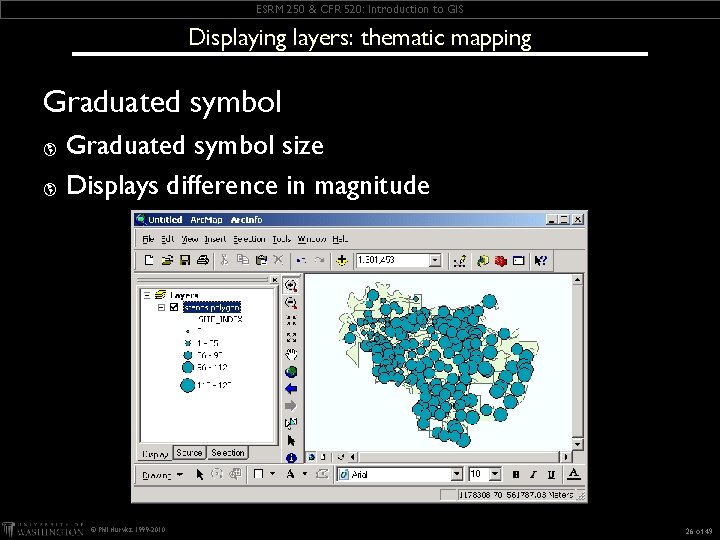
ESRM 250 & CFR 520: Introduction to GIS Displaying layers: thematic mapping Graduated symbol size þ Displays difference in magnitude þ © Phil Hurvitz, 1999 -2010 26 of 49
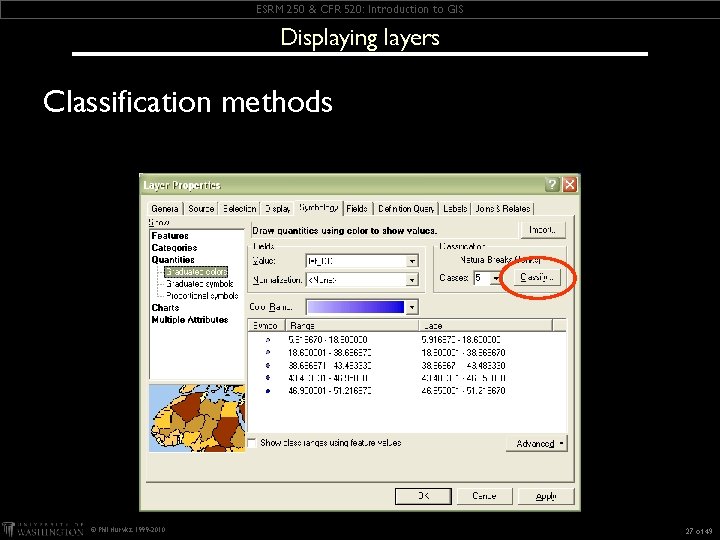
ESRM 250 & CFR 520: Introduction to GIS Displaying layers Classification methods © Phil Hurvitz, 1999 -2010 27 of 49
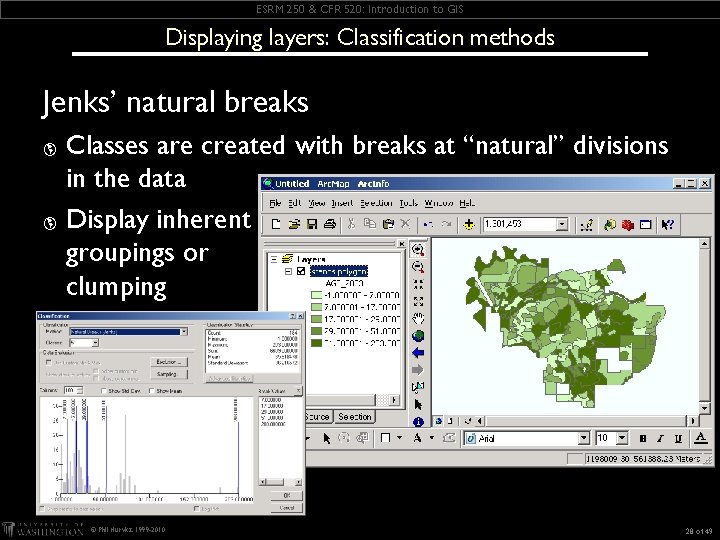
ESRM 250 & CFR 520: Introduction to GIS Displaying layers: Classification methods Jenks’ natural breaks Classes are created with breaks at “natural” divisions in the data þ Display inherent groupings or clumping þ © Phil Hurvitz, 1999 -2010 28 of 49
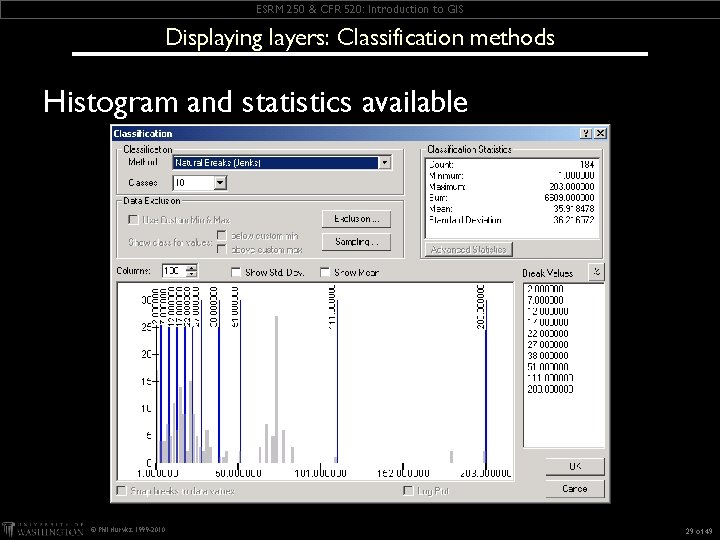
ESRM 250 & CFR 520: Introduction to GIS Displaying layers: Classification methods Histogram and statistics available © Phil Hurvitz, 1999 -2010 29 of 49
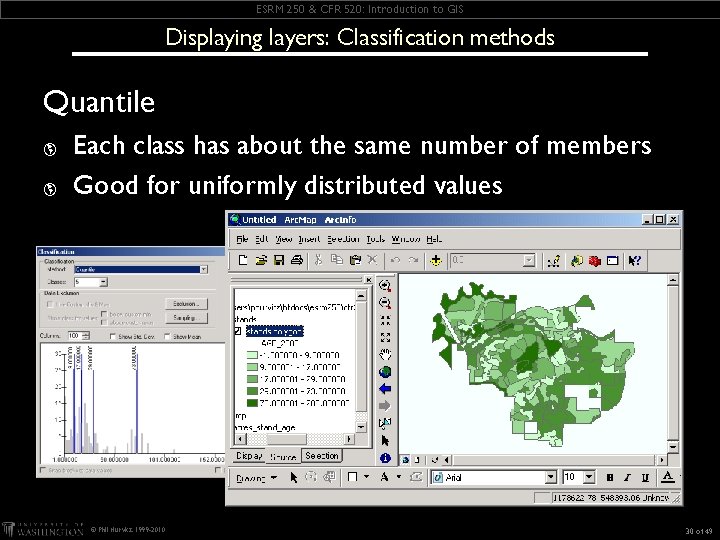
ESRM 250 & CFR 520: Introduction to GIS Displaying layers: Classification methods Quantile þ þ Each class has about the same number of members Good for uniformly distributed values © Phil Hurvitz, 1999 -2010 30 of 49
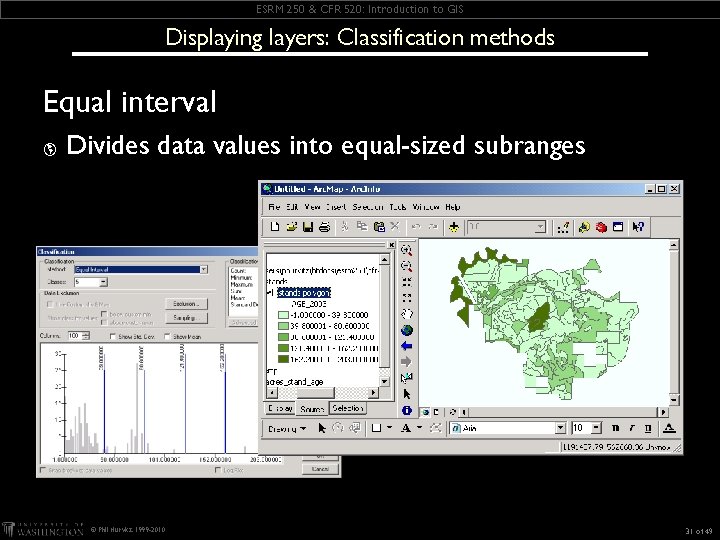
ESRM 250 & CFR 520: Introduction to GIS Displaying layers: Classification methods Equal interval þ Divides data values into equal-sized subranges © Phil Hurvitz, 1999 -2010 31 of 49
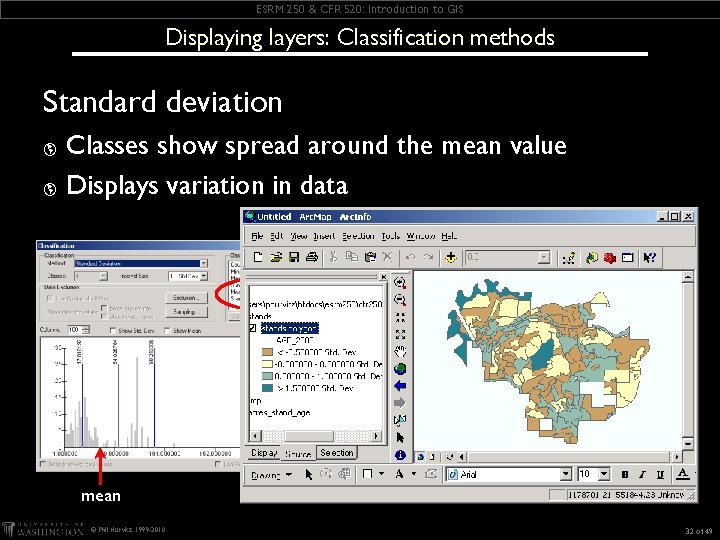
ESRM 250 & CFR 520: Introduction to GIS Displaying layers: Classification methods Standard deviation Classes show spread around the mean value þ Displays variation in data þ mean © Phil Hurvitz, 1999 -2010 32 of 49
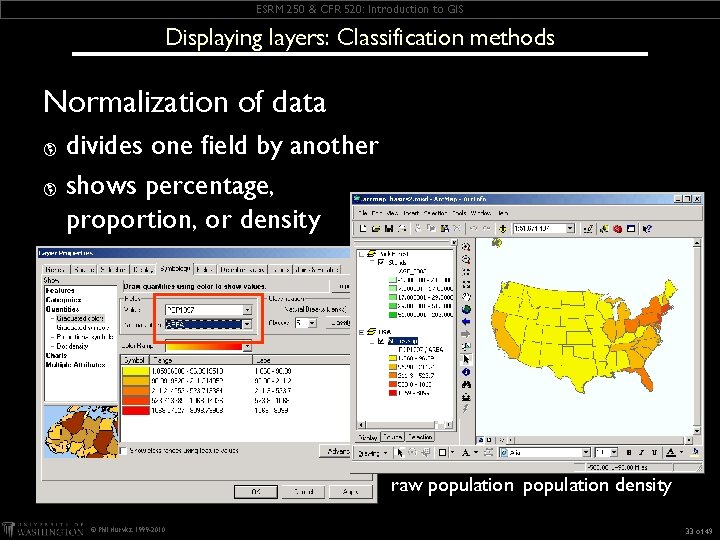
ESRM 250 & CFR 520: Introduction to GIS Displaying layers: Classification methods Normalization of data divides one field by another þ shows percentage, proportion, or density þ raw population density © Phil Hurvitz, 1999 -2010 33 of 49
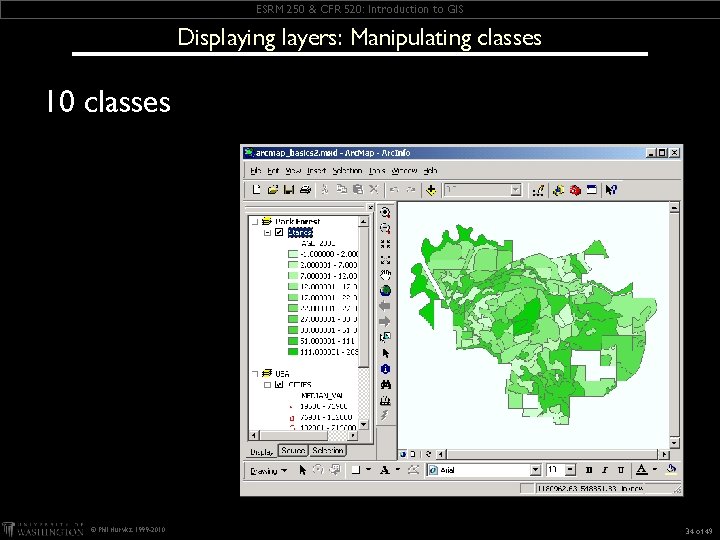
ESRM 250 & CFR 520: Introduction to GIS Displaying layers: Manipulating classes 10 classes © Phil Hurvitz, 1999 -2010 34 of 49
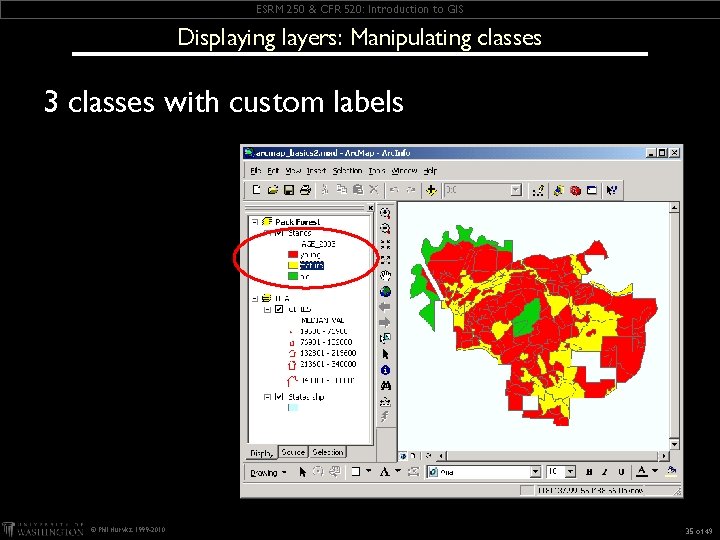
ESRM 250 & CFR 520: Introduction to GIS Displaying layers: Manipulating classes 3 classes with custom labels © Phil Hurvitz, 1999 -2010 35 of 49
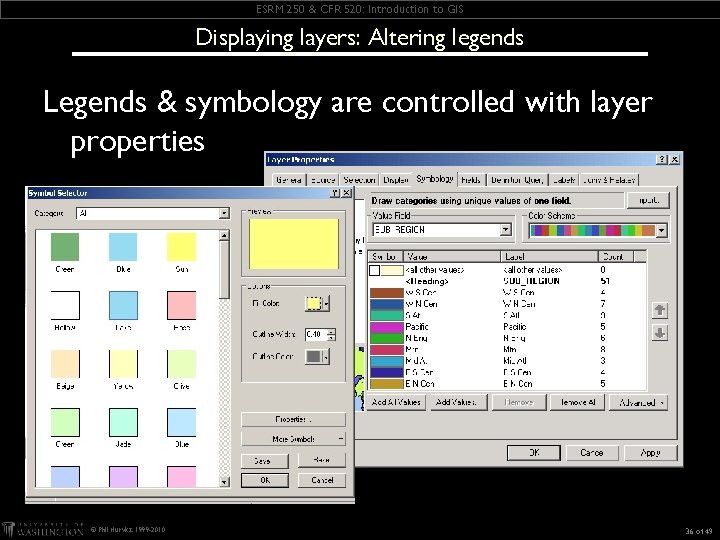
ESRM 250 & CFR 520: Introduction to GIS Displaying layers: Altering legends Legends & symbology are controlled with layer properties © Phil Hurvitz, 1999 -2010 36 of 49
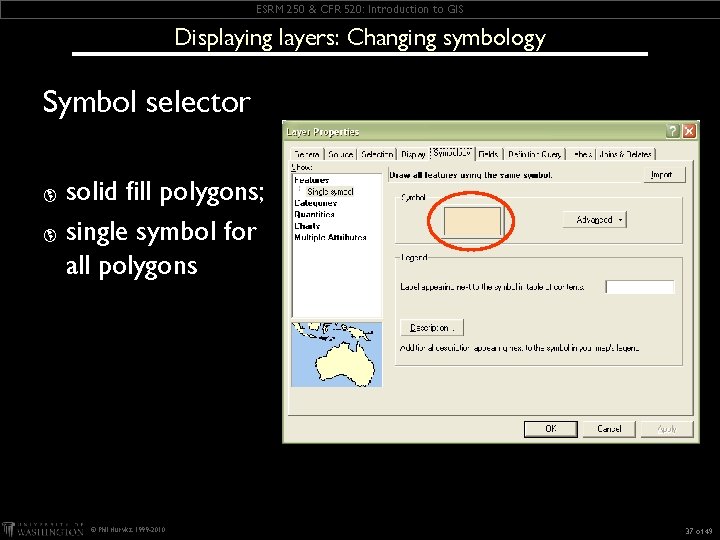
ESRM 250 & CFR 520: Introduction to GIS Displaying layers: Changing symbology Symbol selector solid fill polygons; þ single symbol for all polygons þ © Phil Hurvitz, 1999 -2010 37 of 49
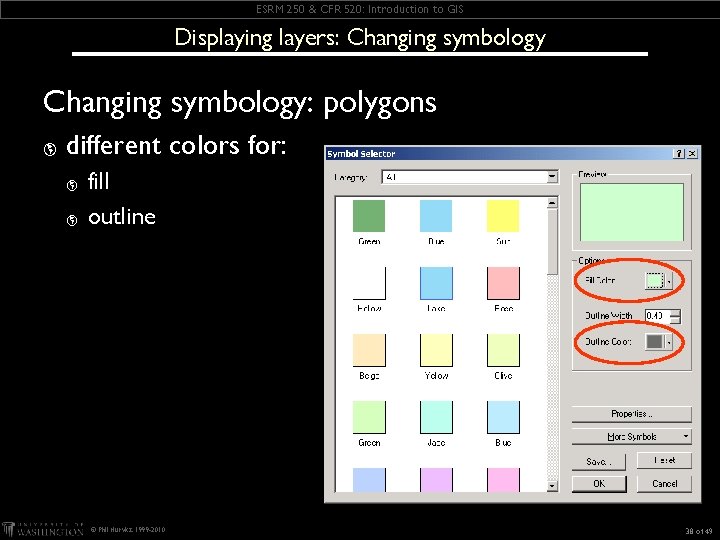
ESRM 250 & CFR 520: Introduction to GIS Displaying layers: Changing symbology: polygons þ different colors for: þ þ fill outline © Phil Hurvitz, 1999 -2010 38 of 49
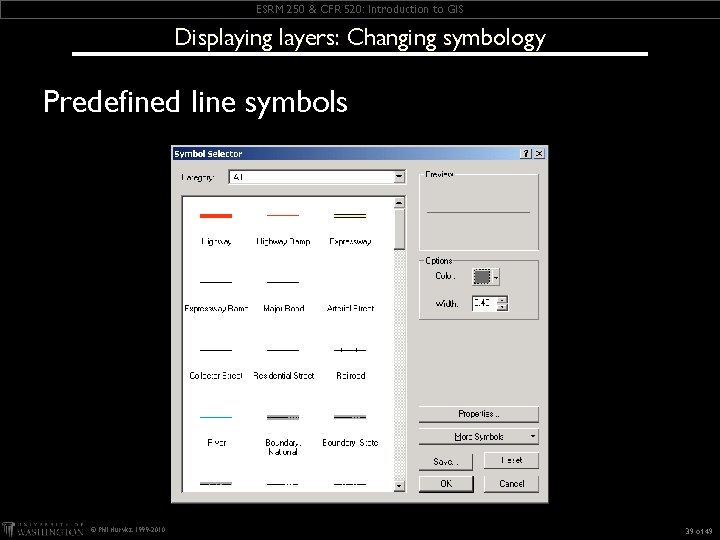
ESRM 250 & CFR 520: Introduction to GIS Displaying layers: Changing symbology Predefined line symbols © Phil Hurvitz, 1999 -2010 39 of 49
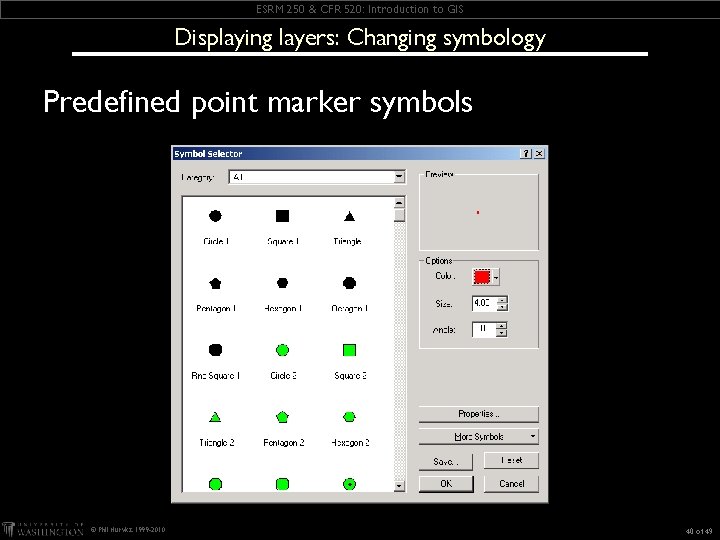
ESRM 250 & CFR 520: Introduction to GIS Displaying layers: Changing symbology Predefined point marker symbols © Phil Hurvitz, 1999 -2010 40 of 49
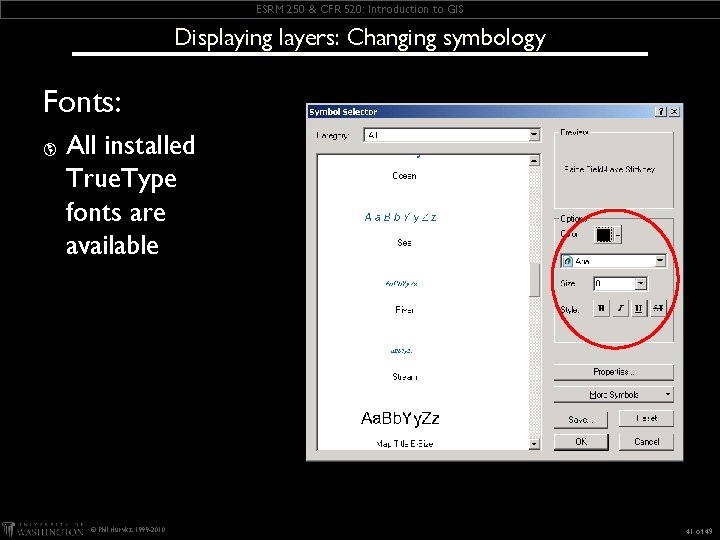
ESRM 250 & CFR 520: Introduction to GIS Displaying layers: Changing symbology Fonts: þ All installed True. Type fonts are available © Phil Hurvitz, 1999 -2010 41 of 49
ESRM 250 & CFR 520: Introduction to GIS Arc. Map Basics Overview þ Getting data into Arc. Map þ Displaying layers þ Layer display properties © Phil Hurvitz, 1999 -2010 42 of 49
ESRM 250 & CFR 520: Introduction to GIS Defining layer properties þ Defining layer subsets (definition query) þ Setting scale thresholds þ Labeling layer features © Phil Hurvitz, 1999 -2010 43 of 49
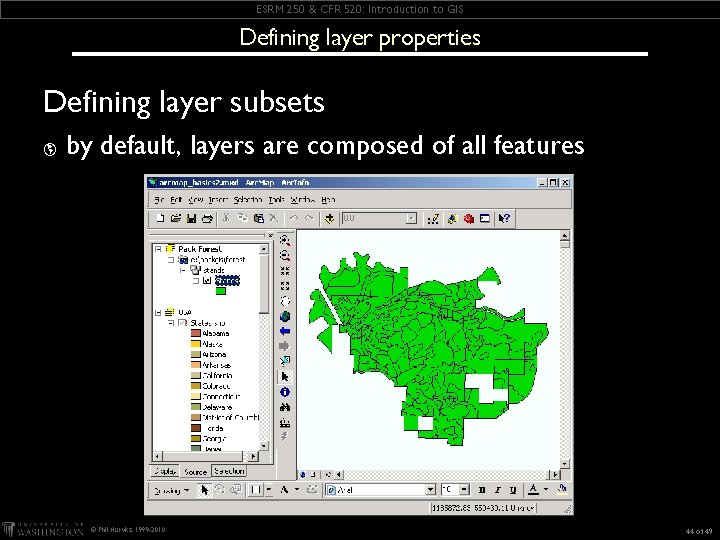
ESRM 250 & CFR 520: Introduction to GIS Defining layer properties Defining layer subsets þ by default, layers are composed of all features © Phil Hurvitz, 1999 -2010 44 of 49
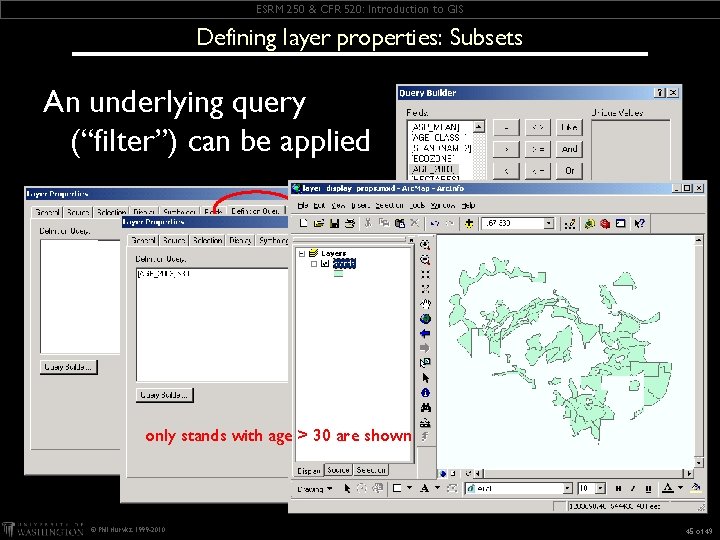
ESRM 250 & CFR 520: Introduction to GIS Defining layer properties: Subsets An underlying query (“filter”) can be applied only stands with age > 30 are shown © Phil Hurvitz, 1999 -2010 45 of 49
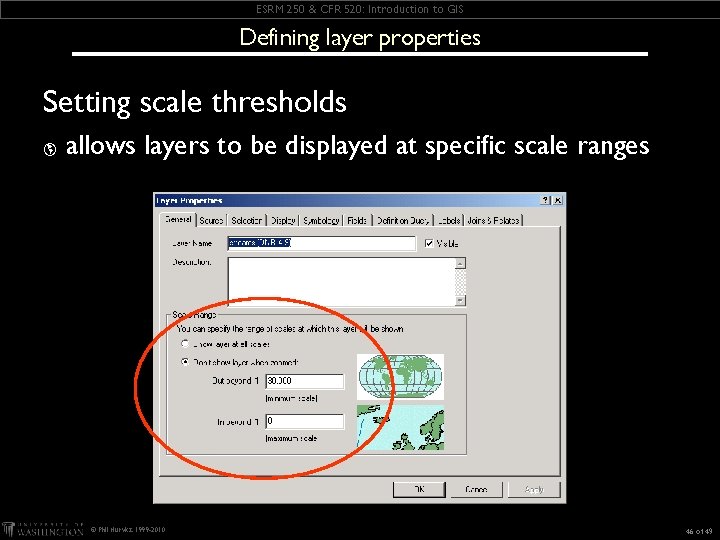
ESRM 250 & CFR 520: Introduction to GIS Defining layer properties Setting scale thresholds þ allows layers to be displayed at specific scale ranges © Phil Hurvitz, 1999 -2010 46 of 49
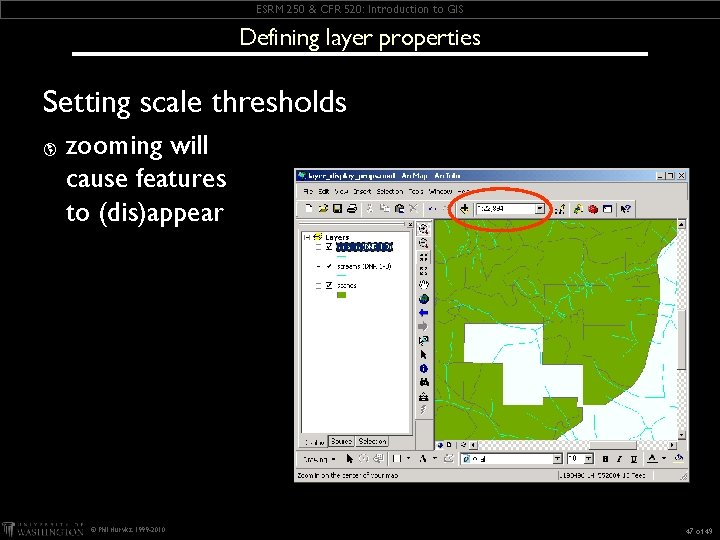
ESRM 250 & CFR 520: Introduction to GIS Defining layer properties Setting scale thresholds þ zooming will cause features to (dis)appear © Phil Hurvitz, 1999 -2010 47 of 49
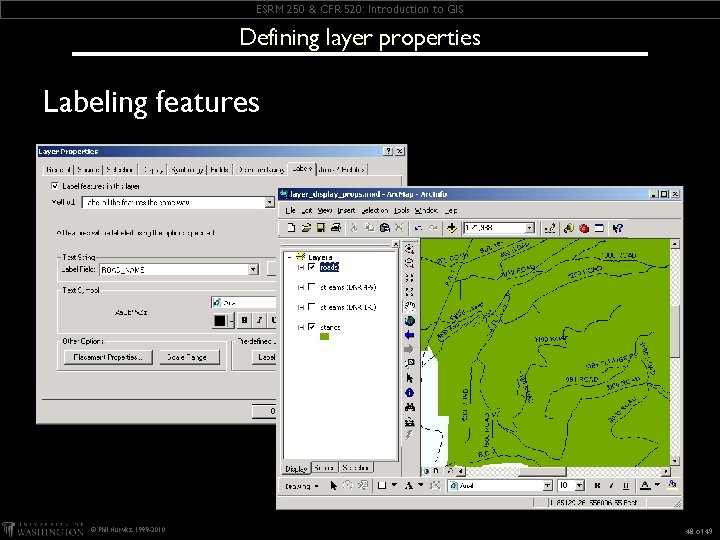
ESRM 250 & CFR 520: Introduction to GIS Defining layer properties Labeling features © Phil Hurvitz, 1999 -2010 48 of 49
ESRM 250 & CFR 520: Introduction to GIS Assignment Readings: þ WWW: Getting Data Into Arc. GIS Maps þ WWW: Displaying Layers þ WWW: Changing Layer Display Properties þ WWW: Sample Data þ Help: Help topics þ Assignment #2 due 12: 00 noon January 19, submit with Collect It © Phil Hurvitz, 1999 -2010 49 of 49