
Esri Roads and Highways An Introduction to Roadway





- Slides: 18
Esri Roads and Highways: An Introduction to Roadway Reporter Tom Brenneman
Agenda • Roads and Highways introduction • Roadway reporter overview • Roadway reporter demonstration
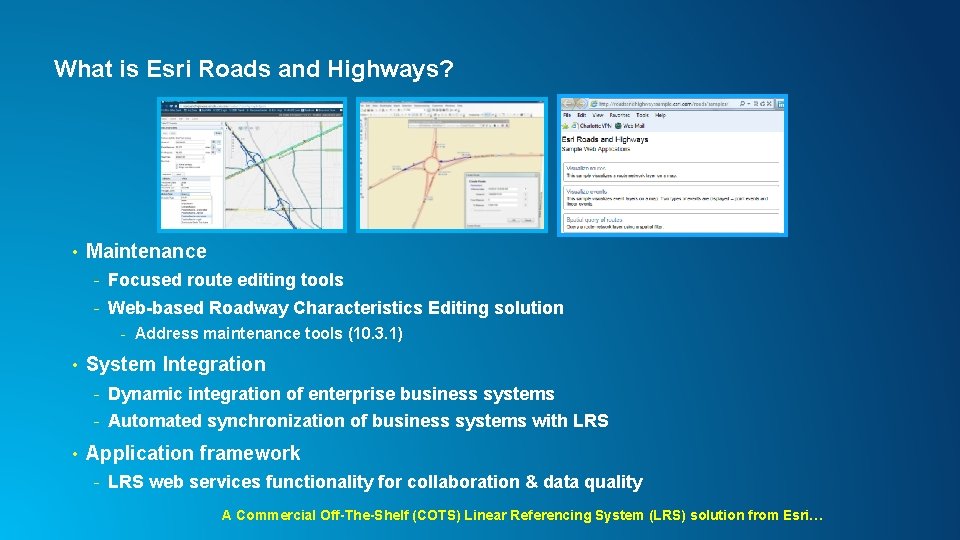
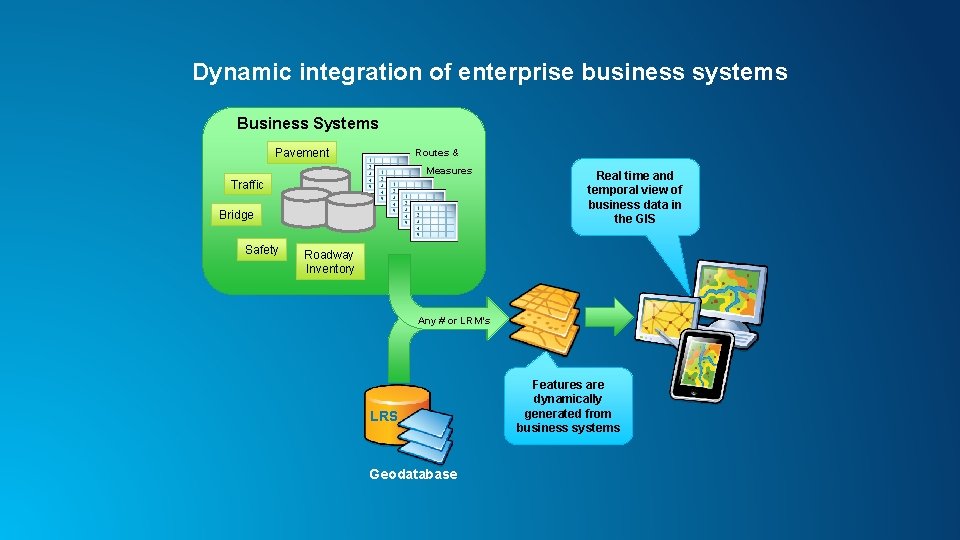
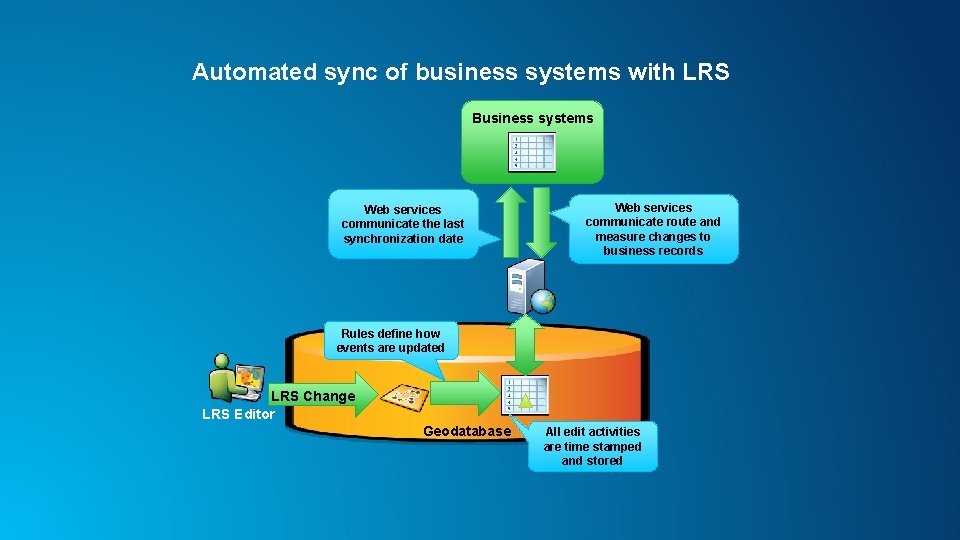
What is Esri Roads and Highways? • Maintenance - Focused route editing tools - Web-based Roadway Characteristics Editing solution - Address maintenance tools (10. 3. 1) • System Integration - Dynamic integration of enterprise business systems - Automated synchronization of business systems with LRS • Application framework - LRS web services functionality for collaboration & data quality A Commercial Off-The-Shelf (COTS) Linear Referencing System (LRS) solution from Esri…
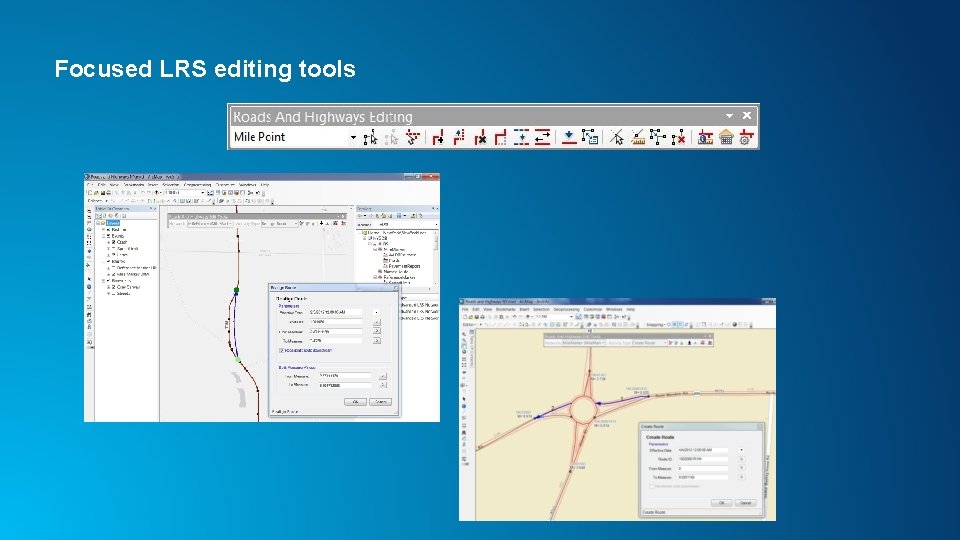
Focused LRS editing tools
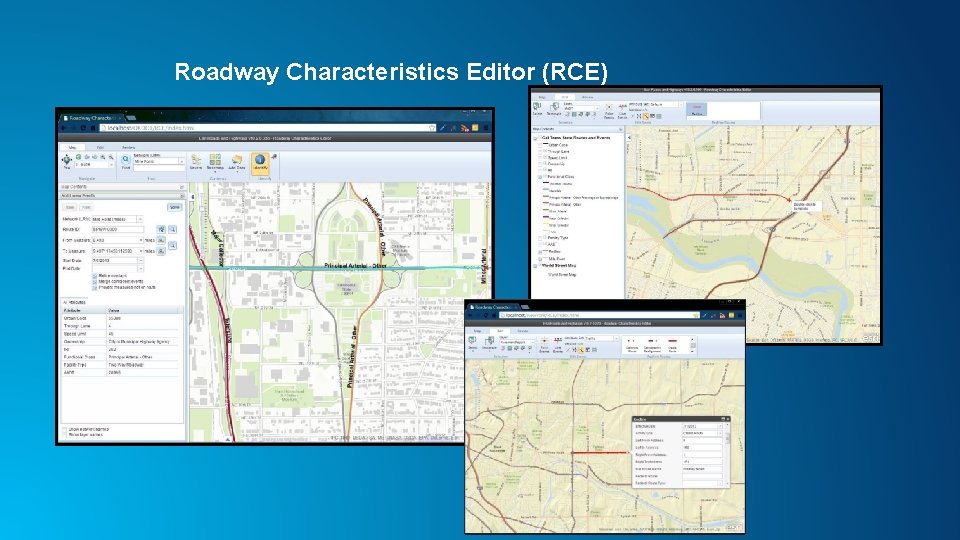
Roadway Characteristics Editor (RCE)
Dynamic integration of enterprise business systems Business Systems Pavement Routes & Measures Traffic Bridge Safety Real time and temporal view of business data in the GIS Roadway Inventory Any # or LRM’s LRS Geodatabase Features are dynamically generated from business systems
Automated sync of business systems with LRS Business systems Web services communicate the last synchronization date Web services communicate route and measure changes to business records Rules define how events are updated LRS Change LRS Editor Geodatabase All edit activities are time stamped and stored
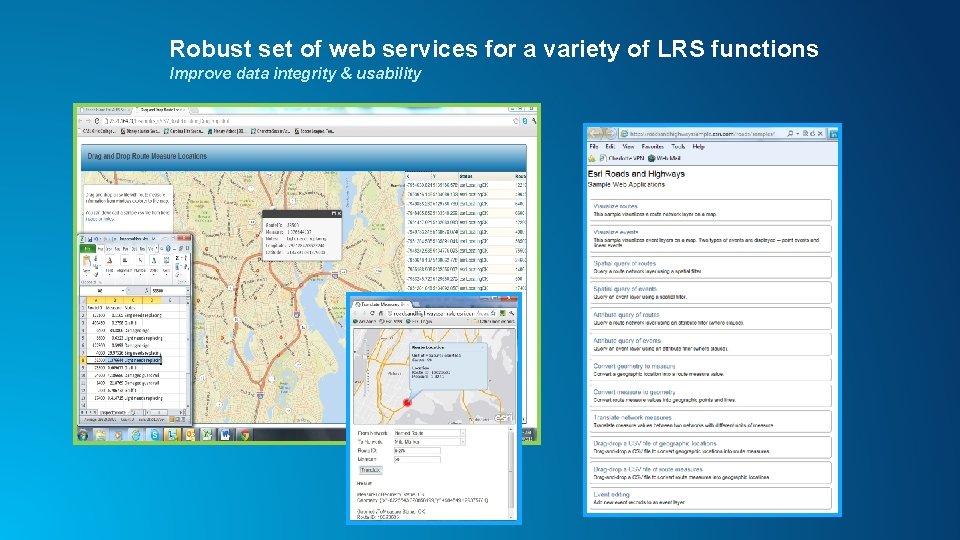
Robust set of web services for a variety of LRS functions Improve data integrity & usability
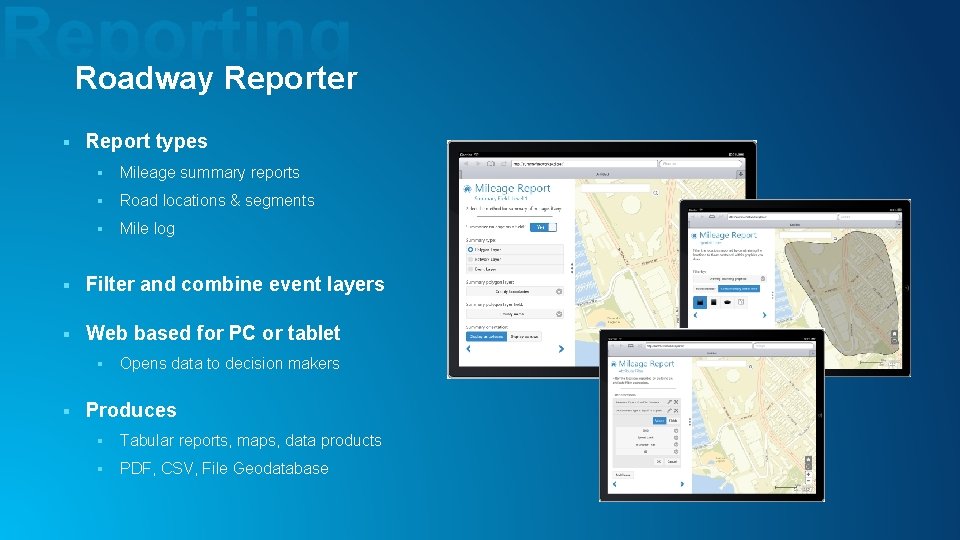
Roadway Reporter § Report types § Mileage summary reports § Road locations & segments § Mile log § Filter and combine event layers § Web based for PC or tablet § § Opens data to decision makers Produces § Tabular reports, maps, data products § PDF, CSV, File Geodatabase
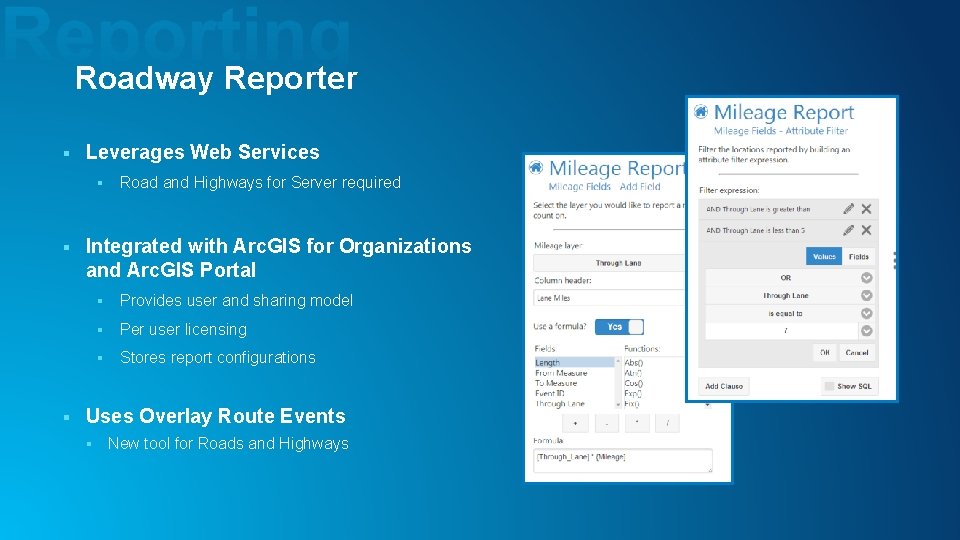
Roadway Reporter § Leverages Web Services § § § Road and Highways for Server required Integrated with Arc. GIS for Organizations and Arc. GIS Portal § Provides user and sharing model § Per user licensing § Stores report configurations Uses Overlay Route Events § New tool for Roads and Highways
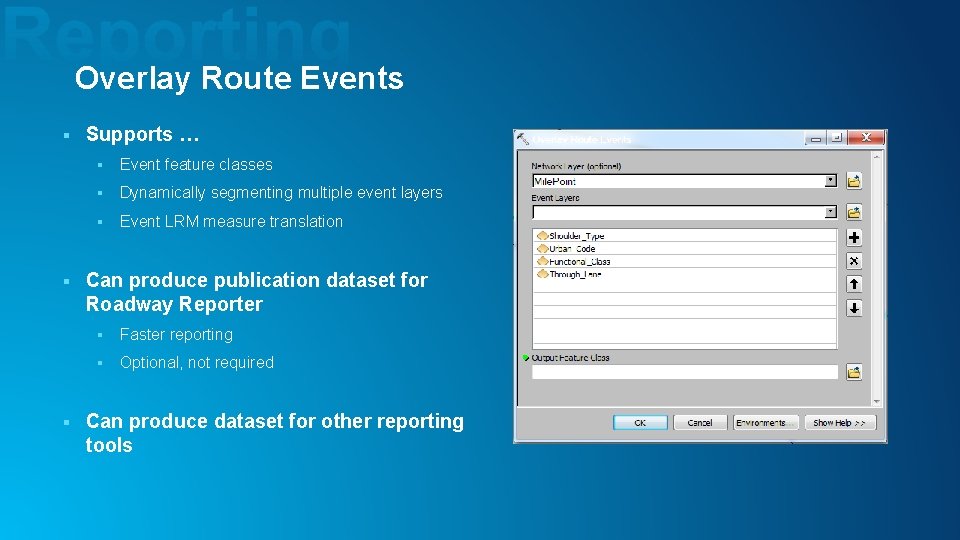
Overlay Route Events § § § Supports … § Event feature classes § Dynamically segmenting multiple event layers § Event LRM measure translation Can produce publication dataset for Roadway Reporter § Faster reporting § Optional, not required Can produce dataset for other reporting tools
Sharing reports • Share report configurations through Arc. GIS Online groups • Modify shared reports and share with others • Report outputs - Share as files - Use CSVs in Esri Maps for office
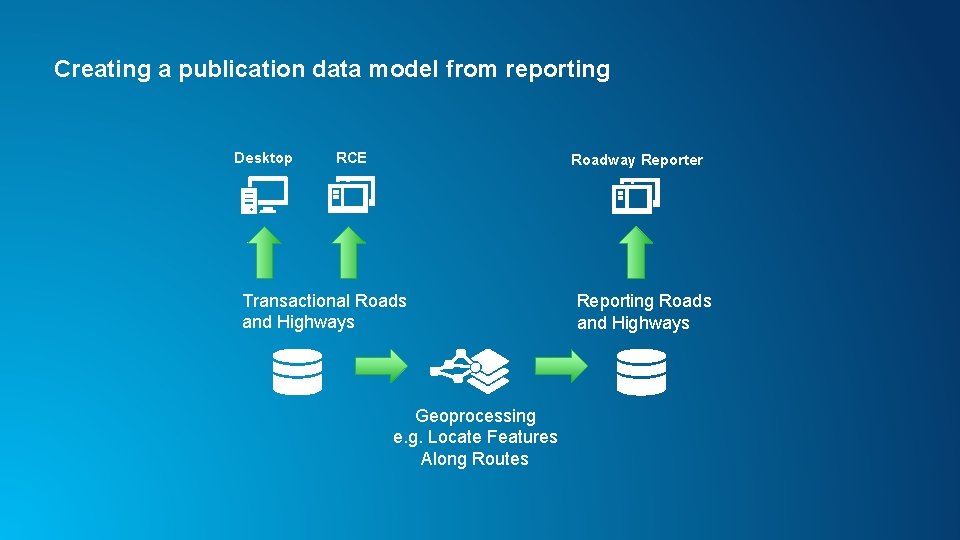
Creating a publication data model from reporting Desktop RCE Roadway Reporter Transactional Roads and Highways Geoprocessing e. g. Locate Features Along Routes Reporting Roads and Highways
Resources • http: //desktop. arcgis. com/en/documentation/ • Tom Brenneman – tbrenneman@esri. com • Search “Roads and Highways” in the agenda
Questions
Thank you… • Please fill out the session survey in your mobile app • Select “Esri Roads and Highways: An Introduction to Roadway Reporter” in the Mobile App - Use the Search Feature to quickly find this title • Click “Technical Workshop Survey” • Answer a few short questions and enter any comments