
ESE Project Management ESE Einfhrung in Software Engineering
- Slides: 46
ESE — Project Management ESE Einführung in Software Engineering 9. Project Management Prof. O. Nierstrasz © Oscar Nierstrasz
ESE — Project Management Roadmap > Risk management > Scoping and estimation > Planning and scheduling > Dealing with delays > Staffing, directing, teamwork © Oscar Nierstrasz 2
ESE — Project Management Literature Sources > Software Engineering, I. Sommerville, 7 th Edn. , 2004. > Software Engineering — A Practitioner’s Approach, R. Pressman, Mc-Graw Hill, 5 th Edn. , 2001. Recommended Reading > The Mythical Man-Month, F. Brooks, Addison-Wesley, 1975 > Object Lessons, T. Love, SIGS Books, 1993 > Peopleware, Productive Projects and Teams (2 nd edition), Tom De. Marco and Timothy Lister, Dorset House, 1999. > Succeeding with Objects: Decision Frameworks for Project Management, A. Goldberg and K. Rubin, Addison-Wesley, 1995 > Extreme Programming Explained: Embrace Change, Kent Beck, Addison Wesley, 1999 © Oscar Nierstrasz 3
ESE — Project Management Roadmap > Risk management > Scoping and estimation > Planning and scheduling > Dealing with delays > Staffing, directing, teamwork © Oscar Nierstrasz 4
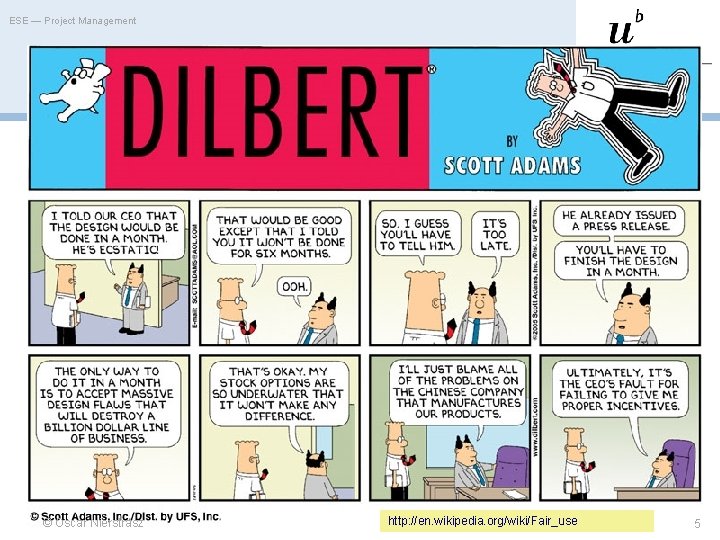
ESE — Project Management © Oscar Nierstrasz http: //en. wikipedia. org/wiki/Fair_use 5
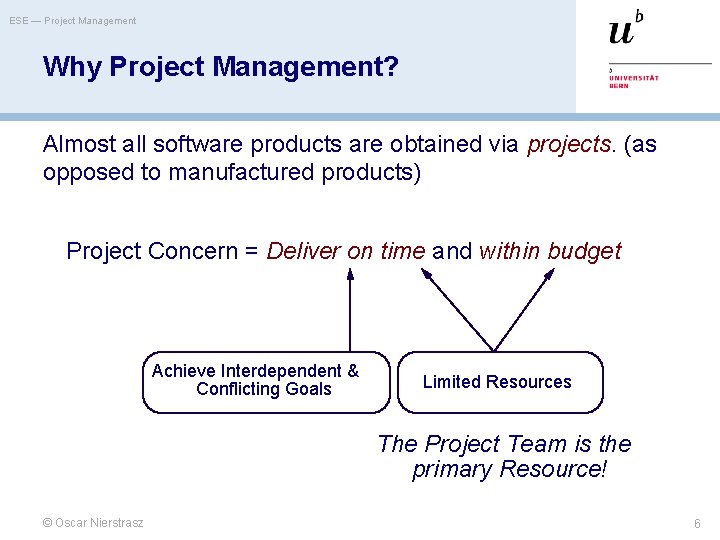
ESE — Project Management Why Project Management? Almost all software products are obtained via projects. (as opposed to manufactured products) Project Concern = Deliver on time and within budget Achieve Interdependent & Conflicting Goals Limited Resources The Project Team is the primary Resource! © Oscar Nierstrasz 6
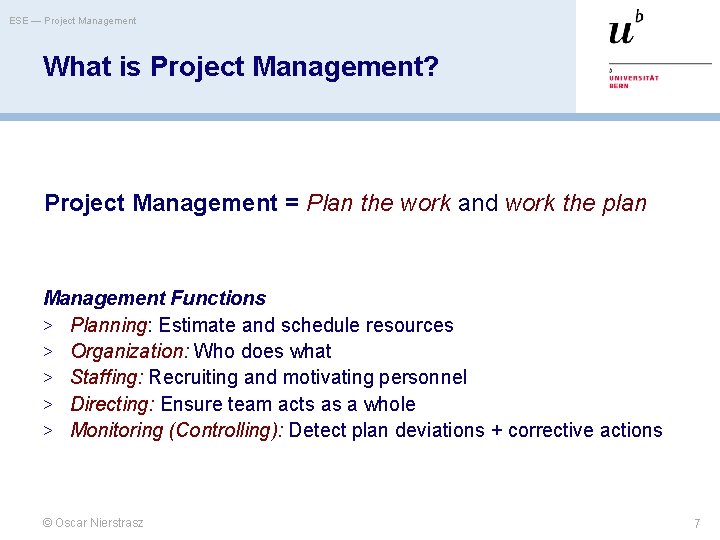
ESE — Project Management What is Project Management? Project Management = Plan the work and work the plan Management Functions > Planning: Estimate and schedule resources > Organization: Who does what > Staffing: Recruiting and motivating personnel > Directing: Ensure team acts as a whole > Monitoring (Controlling): Detect plan deviations + corrective actions © Oscar Nierstrasz 7
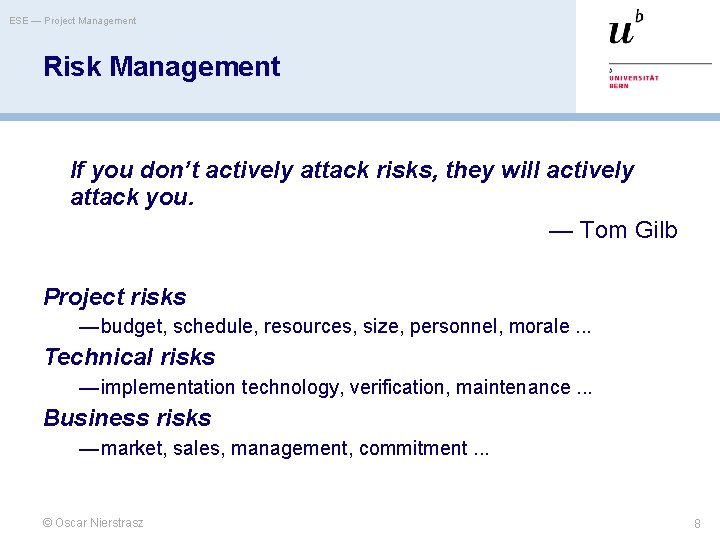
ESE — Project Management Risk Management If you don’t actively attack risks, they will actively attack you. — Tom Gilb Project risks — budget, schedule, resources, size, personnel, morale. . . Technical risks — implementation technology, verification, maintenance. . . Business risks — market, sales, management, commitment. . . © Oscar Nierstrasz 8
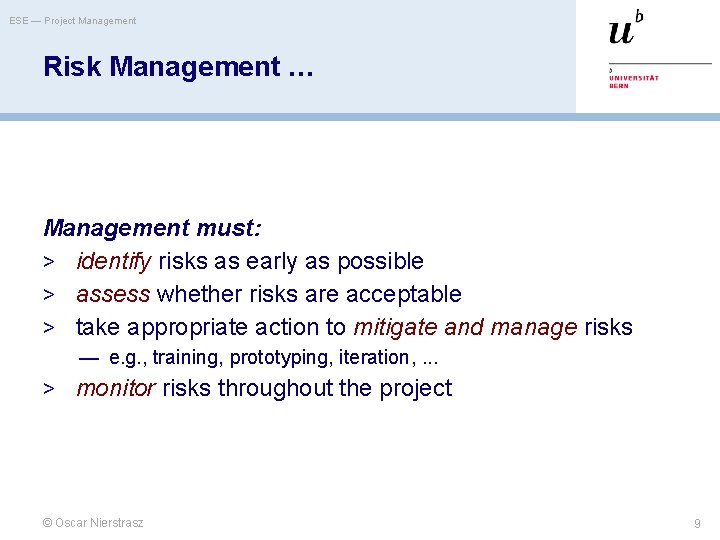
ESE — Project Management Risk Management … Management must: > identify risks as early as possible > assess whether risks are acceptable > take appropriate action to mitigate and manage risks — e. g. , training, prototyping, iteration, . . . > monitor risks throughout the project © Oscar Nierstrasz 9
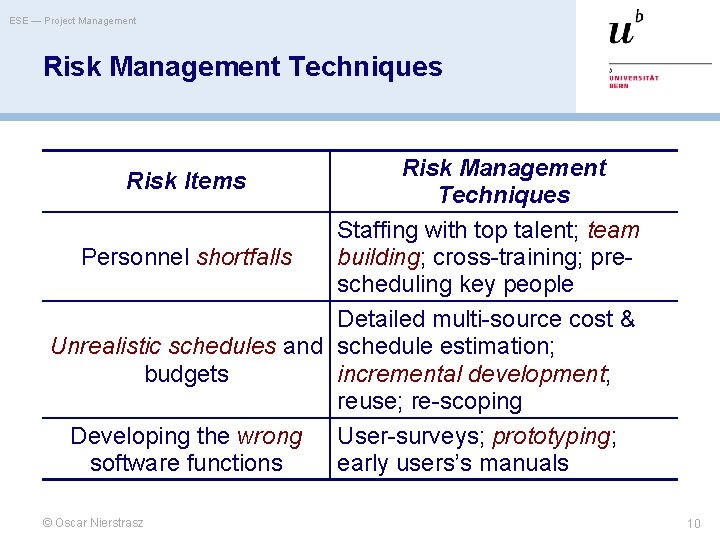
ESE — Project Management Risk Management Techniques Risk Management Risk Items Techniques Staffing with top talent; team Personnel shortfalls building; cross-training; prescheduling key people Detailed multi-source cost & Unrealistic schedules and schedule estimation; budgets incremental development; reuse; re-scoping Developing the wrong User-surveys; prototyping; software functions early users’s manuals © Oscar Nierstrasz 10
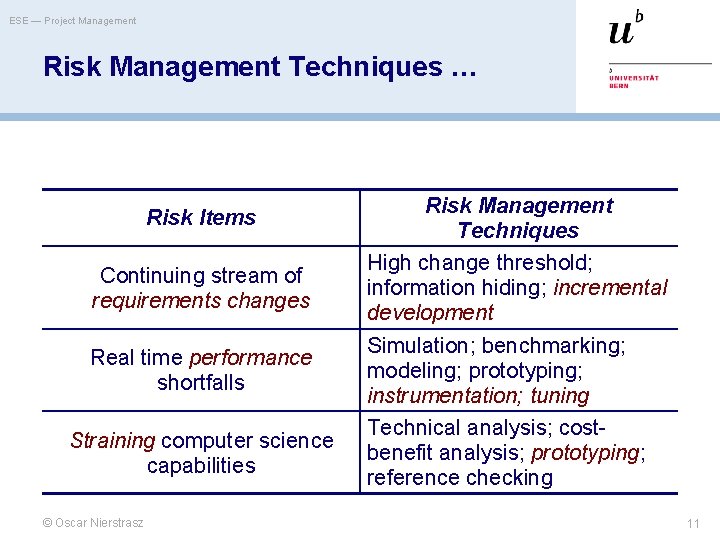
ESE — Project Management Risk Management Techniques … Risk Items Continuing stream of requirements changes Real time performance shortfalls Straining computer science capabilities © Oscar Nierstrasz Risk Management Techniques High change threshold; information hiding; incremental development Simulation; benchmarking; modeling; prototyping; instrumentation; tuning Technical analysis; costbenefit analysis; prototyping; reference checking 11
ESE — Project Management Roadmap > Risk management > Scoping and estimation > Planning and scheduling > Dealing with delays > Staffing, directing, teamwork © Oscar Nierstrasz 12
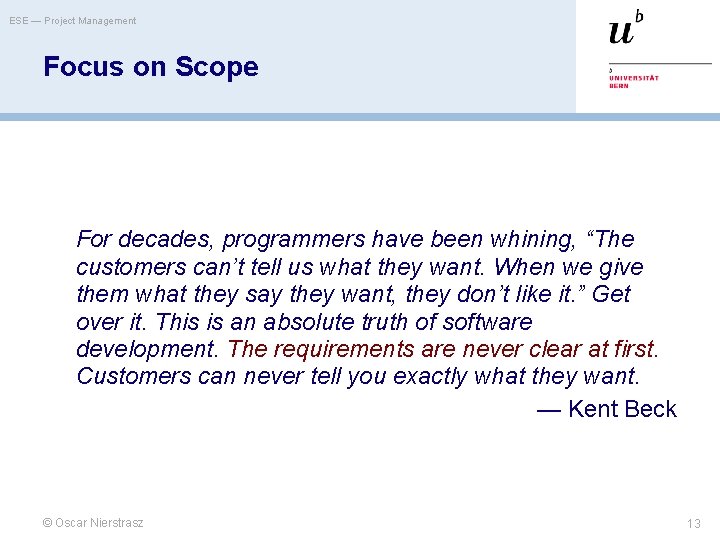
ESE — Project Management Focus on Scope For decades, programmers have been whining, “The customers can’t tell us what they want. When we give them what they say they want, they don’t like it. ” Get over it. This is an absolute truth of software development. The requirements are never clear at first. Customers can never tell you exactly what they want. — Kent Beck © Oscar Nierstrasz 13
ESE — Project Management Myth: Scope and Objectives Myth “A general statement of objectives is enough to start coding. ” Reality Poor up-front definition is the major cause of project failure. © Oscar Nierstrasz 14
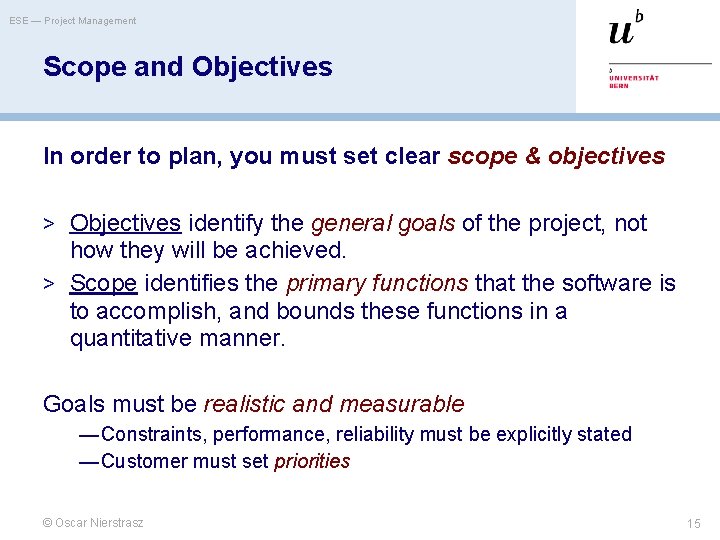
ESE — Project Management Scope and Objectives In order to plan, you must set clear scope & objectives > Objectives identify the general goals of the project, not how they will be achieved. > Scope identifies the primary functions that the software is to accomplish, and bounds these functions in a quantitative manner. Goals must be realistic and measurable — Constraints, performance, reliability must be explicitly stated — Customer must set priorities © Oscar Nierstrasz 15
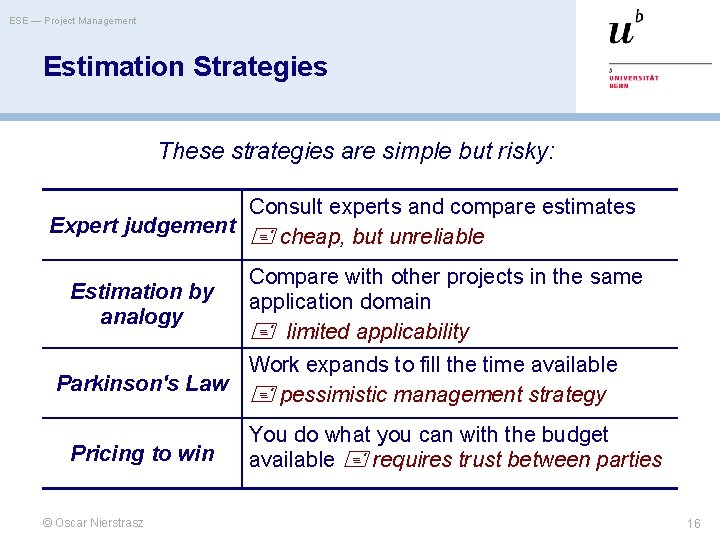
ESE — Project Management Estimation Strategies These strategies are simple but risky: Consult experts and compare estimates Expert judgement cheap, but unreliable Compare with other projects in the same application domain limited applicability Work expands to fill the time available Parkinson's Law pessimistic management strategy Estimation by analogy Pricing to win © Oscar Nierstrasz You do what you can with the budget available requires trust between parties 16
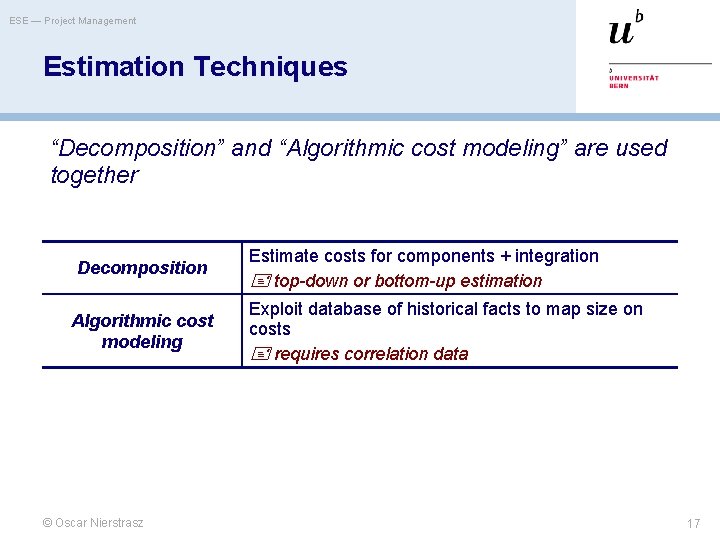
ESE — Project Management Estimation Techniques “Decomposition” and “Algorithmic cost modeling” are used together Decomposition Algorithmic cost modeling © Oscar Nierstrasz Estimate costs for components + integration top-down or bottom-up estimation Exploit database of historical facts to map size on costs requires correlation data 17
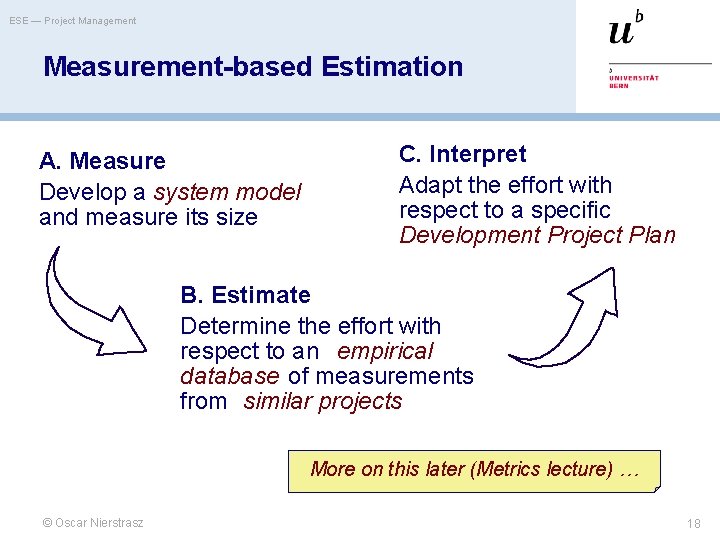
ESE — Project Management Measurement-based Estimation A. Measure Develop a system model and measure its size C. Interpret Adapt the effort with respect to a specific Development Project Plan B. Estimate Determine the effort with respect to an empirical database of measurements from similar projects More on this later (Metrics lecture) … © Oscar Nierstrasz 18
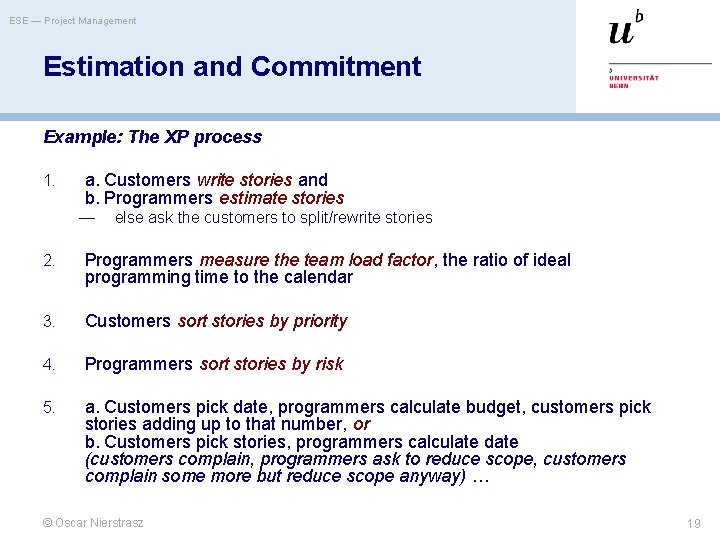
ESE — Project Management Estimation and Commitment Example: The XP process 1. a. Customers write stories and b. Programmers estimate stories — else ask the customers to split/rewrite stories 2. Programmers measure the team load factor, the ratio of ideal programming time to the calendar 3. Customers sort stories by priority 4. Programmers sort stories by risk 5. a. Customers pick date, programmers calculate budget, customers pick stories adding up to that number, or b. Customers pick stories, programmers calculate date (customers complain, programmers ask to reduce scope, customers complain some more but reduce scope anyway) … © Oscar Nierstrasz 19
ESE — Project Management Roadmap > Risk management > Scoping and estimation > Planning and scheduling > Dealing with delays > Staffing, directing, teamwork © Oscar Nierstrasz 20
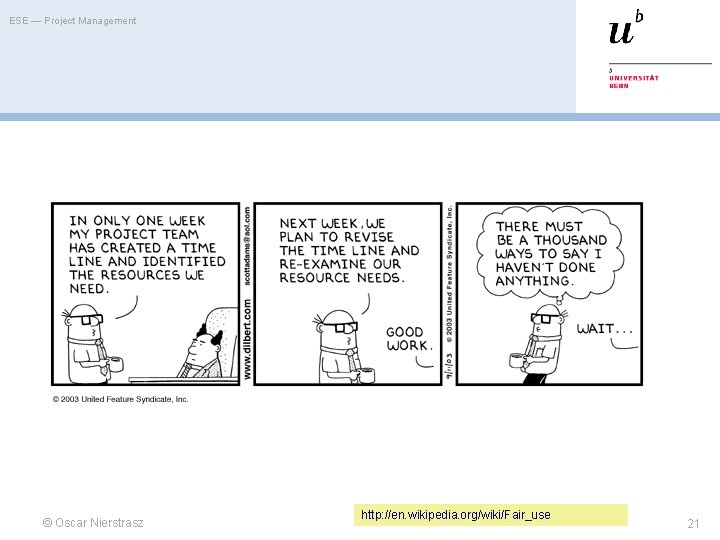
ESE — Project Management © Oscar Nierstrasz http: //en. wikipedia. org/wiki/Fair_use 21
ESE — Project Management Planning and Scheduling Good planning depends largely on project manager’s intuition and experience! > Split project into tasks. — Tasks into subtasks etc. > For each task, estimate the time. — Define tasks small enough for reliable estimation. > Significant tasks should end with a milestone. — Milestone = A verifiable goal that must be met after task completion — Clear unambiguous milestones are a necessity! (“ 80% coding finished” is a meaningless statement) — Monitor progress via milestones © Oscar Nierstrasz 22
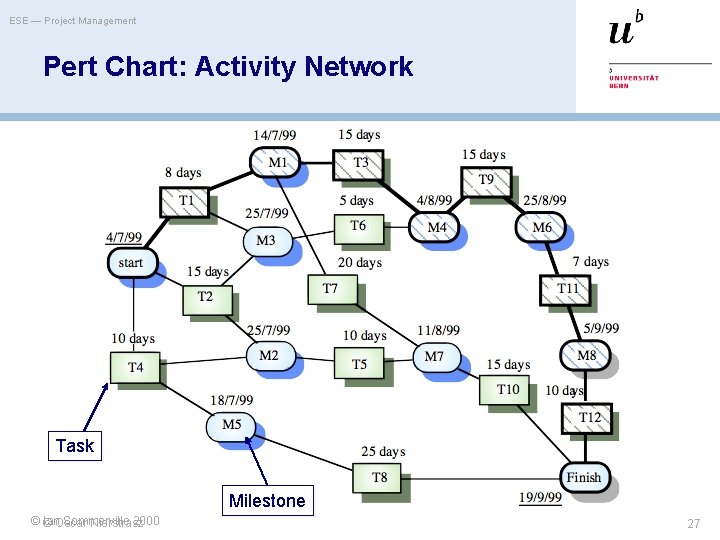
ESE — Project Management Planning and Scheduling. . . > Define dependencies between project tasks — Total time depends on longest (= critical) path in activity graph — Minimize task dependencies to avoid delays > Organize tasks concurrently to make optimal use of workforce Planning is iterative monitor and revise schedules during the project! © Oscar Nierstrasz 23
ESE — Project Management Myth: Deliverables and Milestones Myth “The only deliverable for a successful project is the working program. ” Reality Documentation of all aspects of software development are needed to ensure maintainability. © Oscar Nierstrasz 24
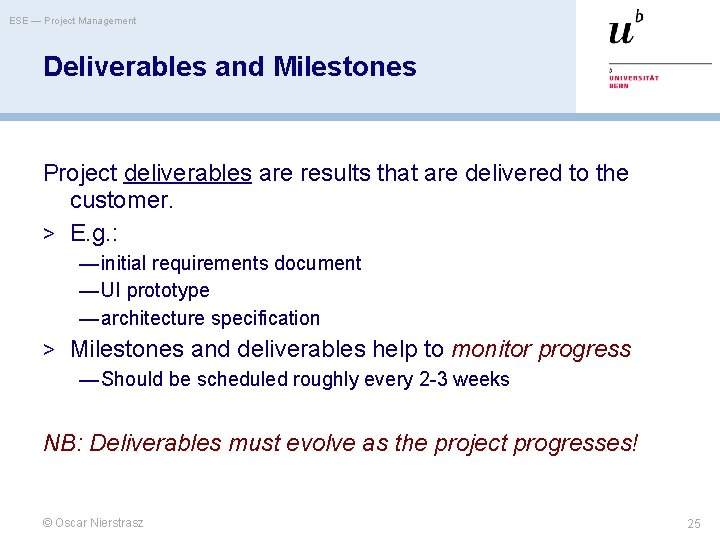
ESE — Project Management Deliverables and Milestones Project deliverables are results that are delivered to the customer. > E. g. : — initial requirements document — UI prototype — architecture specification > Milestones and deliverables help to monitor progress — Should be scheduled roughly every 2 -3 weeks NB: Deliverables must evolve as the project progresses! © Oscar Nierstrasz 25
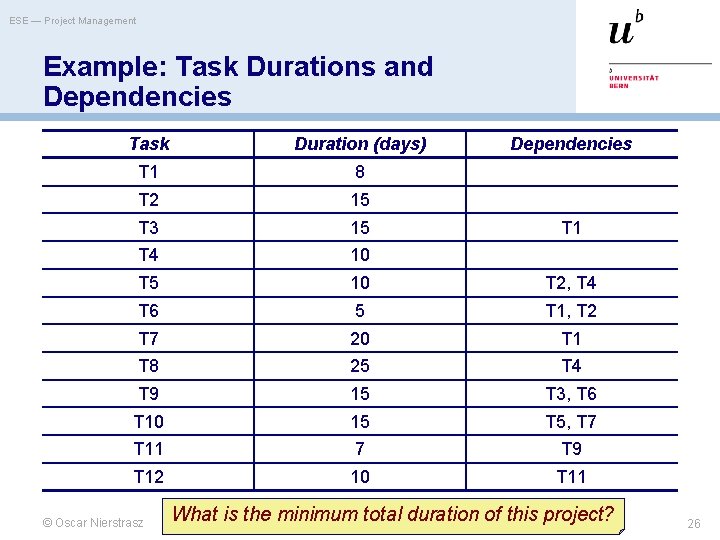
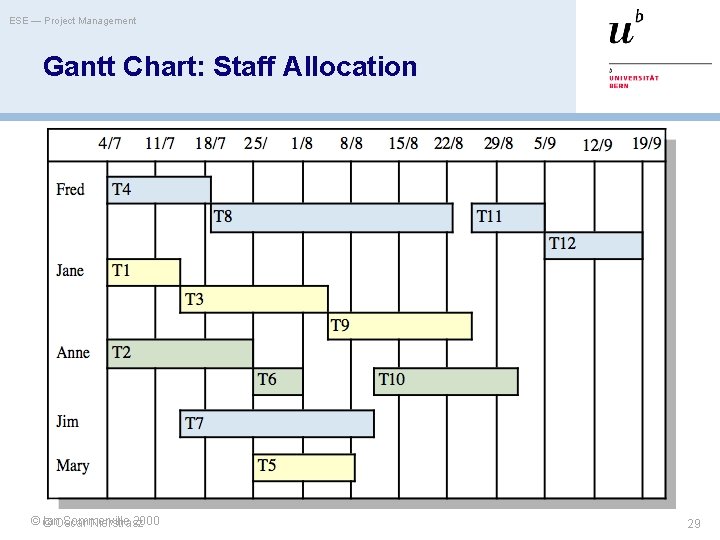
ESE — Project Management Example: Task Durations and Dependencies Task Duration (days) T 1 8 T 2 15 T 3 15 T 4 10 T 5 10 T 2, T 4 T 6 5 T 1, T 2 T 7 20 T 1 T 8 25 T 4 T 9 15 T 3, T 6 T 10 15 T 5, T 7 T 11 7 T 9 T 12 10 T 11 © Oscar Nierstrasz Dependencies T 1 What is the minimum total duration of this project? 26
ESE — Project Management Pert Chart: Activity Network Task Milestone ©© Ian. Oscar Sommerville 2000 Nierstrasz 27
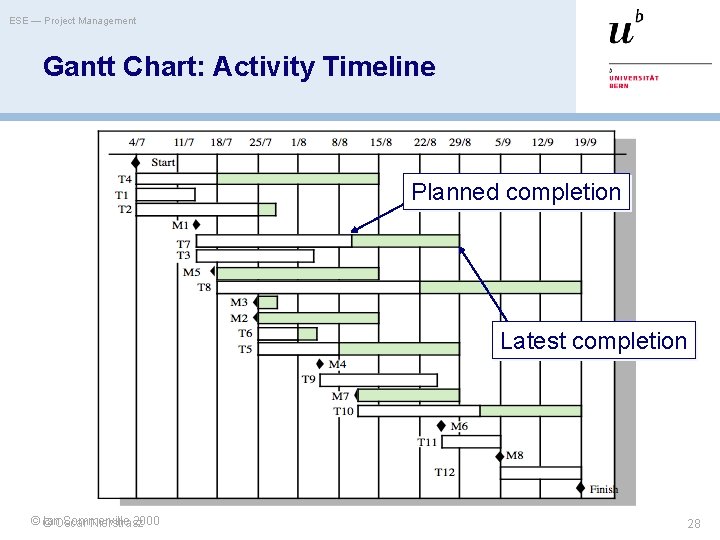
ESE — Project Management Gantt Chart: Activity Timeline Planned completion Latest completion ©© Ian. Oscar Sommerville 2000 Nierstrasz 28
ESE — Project Management Gantt Chart: Staff Allocation ©© Ian. Oscar Sommerville 2000 Nierstrasz 29
ESE — Project Management Roadmap > Risk management > Scoping and estimation > Planning and scheduling > Dealing with delays > Staffing, directing, teamwork © Oscar Nierstrasz 30
ESE — Project Management Myth: Delays Myth “If we get behind schedule, we can add more programmers and catch up. ” Reality Adding more people typically slows a project down. © Oscar Nierstrasz 31
ESE — Project Management Scheduling problems > Estimating the difficulty of problems and the cost of > > > developing a solution is hard Productivity is not proportional to the number of people working on a task Adding people to a late project makes it later due to communication overhead The unexpected always happens. Always allow contingency in planning Cutting back in testing and reviewing is a recipe for disaster Working overnight? Only short term benefits! © Oscar Nierstrasz 32
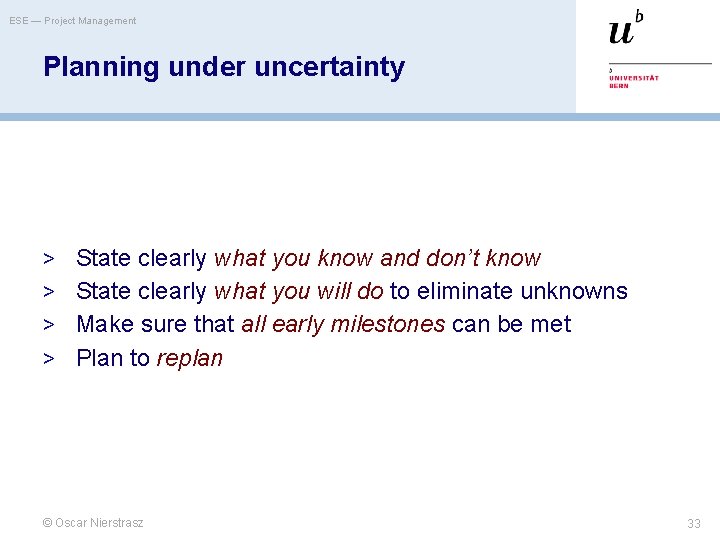
ESE — Project Management Planning under uncertainty > State clearly what you know and don’t know > State clearly what you will do to eliminate unknowns > Make sure that all early milestones can be met > Plan to replan © Oscar Nierstrasz 33
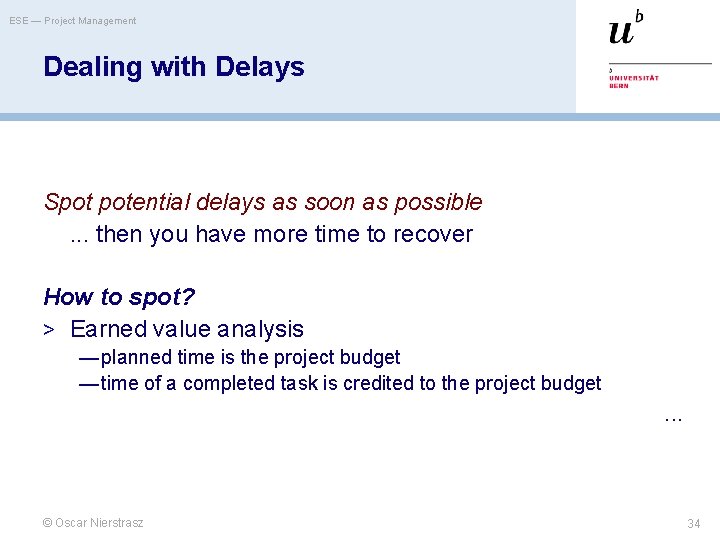
ESE — Project Management Dealing with Delays Spot potential delays as soon as possible. . . then you have more time to recover How to spot? > Earned value analysis — planned time is the project budget — time of a completed task is credited to the project budget . . . © Oscar Nierstrasz 34
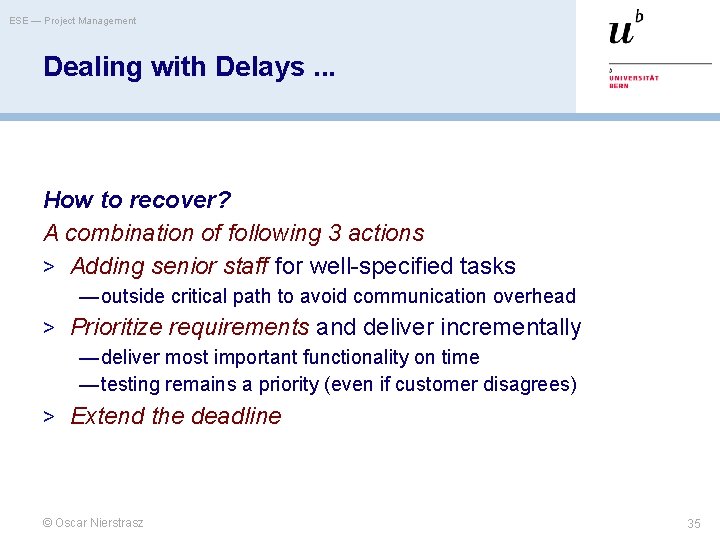
ESE — Project Management Dealing with Delays. . . How to recover? A combination of following 3 actions > Adding senior staff for well-specified tasks — outside critical path to avoid communication overhead > Prioritize requirements and deliver incrementally — deliver most important functionality on time — testing remains a priority (even if customer disagrees) > Extend the deadline © Oscar Nierstrasz 35
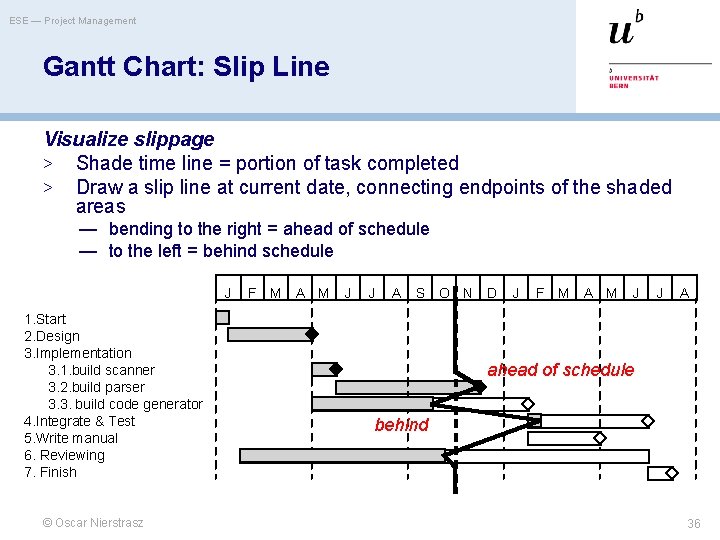
ESE — Project Management Gantt Chart: Slip Line Visualize slippage > Shade time line = portion of task completed > Draw a slip line at current date, connecting endpoints of the shaded areas — bending to the right = ahead of schedule — to the left = behind schedule J 1. Start 2. Design 3. Implementation 3. 1. build scanner 3. 2. build parser 3. 3. build code generator 4. Integrate & Test 5. Write manual 6. Reviewing 7. Finish © Oscar Nierstrasz F M A M J J A S O N D J F M A M J J A ahead of schedule behind 36
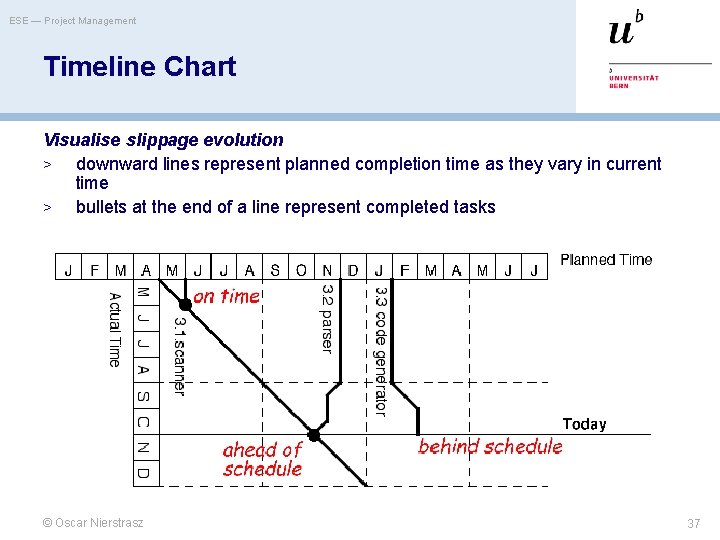
ESE — Project Management Timeline Chart Visualise slippage evolution > downward lines represent planned completion time as they vary in current time > bullets at the end of a line represent completed tasks © Oscar Nierstrasz 37
ESE — Project Management Slip Line vs. Timeline Slip Line Monitors current slip status of project tasks > many tasks > only for 1 point in time —include a few slip lines from the past to illustrate evolution Timeline Monitors how the slip status of project tasks evolves > few tasks — crossing lines quickly clutter the figure — colours can be used to show more tasks > complete time scale © Oscar Nierstrasz 38
ESE — Project Management Roadmap > Risk management > Scoping and estimation > Planning and scheduling > Dealing with delays > Staffing, directing, teamwork © Oscar Nierstrasz 39
ESE — Project Management Software Teams Team organisation > Teams should be relatively small (< 8 members) — minimize communication overhead — team quality standard can be developed — members can work closely together — programs are regarded as team property (“egoless programming”) — continuity can be maintained if members leave > Break big projects down into multiple smaller projects > Small teams may be organised in an informal, democratic way > Chief programmer teams try to make the most effective use of skills and experience © Oscar Nierstrasz 40
ESE — Project Management Chief Programmer Teams (Example) > Consist of a kernel of specialists helped by others as required — chief programmer takes full responsibility for design, programming, testing and installation of system — backup programmer keeps track of CP’s work and develops test cases — librarian manages all information — others may include: project administrator, toolsmith, documentation editor, language/system expert, tester, and support programmers … > Reportedly successful but problems are: — Can be difficult to find talented chief programmers — Might disrupt normal organizational structures — May be de-motivating for those who are not chief programmers © Oscar Nierstrasz 41
ESE — Project Management Directing Teams Managers serve their team > Managers ensure that team has the necessary information and resources “The manager’s function is not to make people work, it is to make it possible for people to work” — Tom De. Marco Responsibility demands authority > Managers must delegate — Trust your own people and they will trust you. © Oscar Nierstrasz 42
ESE — Project Management Directing Teams. . . Managers manage > Managers cannot perform tasks on the critical path — Especially difficult for technical managers! Developers control deadlines > A manager cannot meet a deadline to which the developers have not agreed © Oscar Nierstrasz 43
ESE — Project Management What you should know! > How can prototyping help to reduce risk in a project? > What are milestones, and why are they important? > What can you learn from an activity network? An activity timeline? > What’s the difference between the 0/100; the 50/50 and the milestone technique for calculating the earned value. > Why should programming teams have no more than about 8 members? © Oscar Nierstrasz 44
ESE — Project Management Can you answer these questions? > What will happen if the developers, not the customers, > > set the project priorities? What is a good way to measure the size of a project (based on requirements alone)? When should you sign a contract with the customer? Would you consider bending slip lines as a good sign or a bad sign? Why? How would you select and organize the perfect software development team? © Oscar Nierstrasz 45
ESE — Project Management License > http: //creativecommons. org/licenses/by-sa/3. 0/ Attribution-Share. Alike 3. 0 Unported You are free: to Share — to copy, distribute and transmit the work to Remix — to adapt the work Under the following conditions: Attribution. You must attribute the work in the manner specified by the author or licensor (but not in any way that suggests that they endorse you or your use of the work). Share Alike. If you alter, transform, or build upon this work, you may distribute the resulting work only under the same, similar or a compatible license. For any reuse or distribution, you must make clear to others the license terms of this work. The best way to do this is with a link to this web page. Any of the above conditions can be waived if you get permission from the copyright holder. Nothing in this license impairs or restricts the author's moral rights. © Oscar Nierstrasz 46