
ESafety awareness for Parents Esafety Information for Parents

- Slides: 7
E-Safety awareness for Parents. E-safety Information for Parents
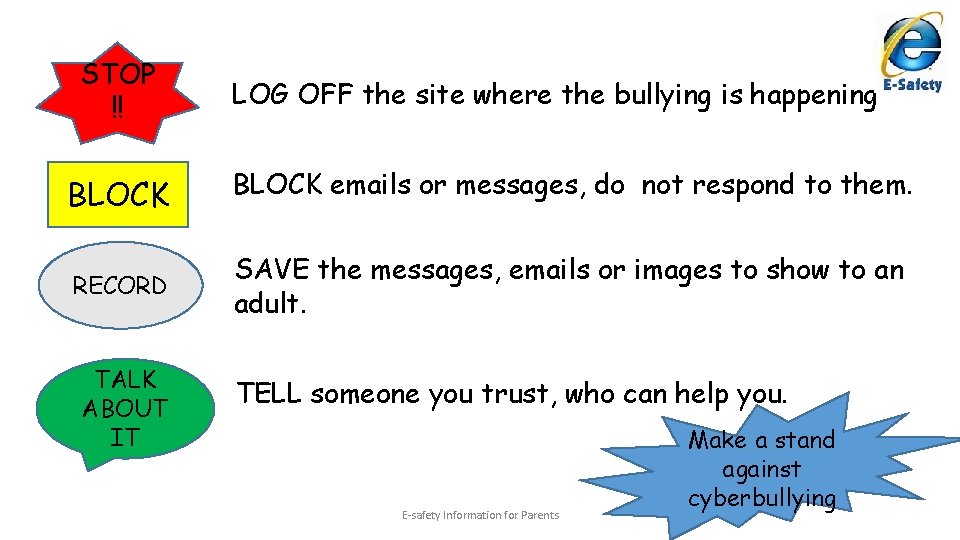
STOP !! LOG OFF the site where the bullying is happening BLOCK emails or messages, do not respond to them. RECORD SAVE the messages, emails or images to show to an adult. TALK ABOUT IT TELL someone you trust, who can help you. E-safety Information for Parents Make a stand against cyberbullying
What our E-safety role & responsibility is as a setting: • Complete an e-safety audit (this is a review of our settings online safety and wireless communication) • Keeping a log and reporting e-safety incidents • Embedding e-safety in staff training, continual professional development and across all areas of children’s learning and development. • Maintaining the setting’s e-safety policy and updating it regularly communicating to parents via email/website. • Promoting an e-safety culture promoting the setting’s e-safety vision to staff, parents/carers • Making sure staff receive relevant information about emerging issues around E-safety • Supporting e-safety awareness amongst children and young people in the setting and parents • Keeping up to date with local and national e-safety awareness campaigns and issues surrounding existing, new and emerging technologies E-safety Information for Parents
THE RISKS AND POSSIBLE CONSEQUENCES FOR CHILDREN AND YOUNG PEOPLE OF BEING ONLINE AND OF USING A MOBILE PHONE As an access to internet brings huge benefits for everyone, especially as a source of knowledge. Nowadays dark side of internet and mobile network is more and more visible as it also offer possibilities for the abuse of children and young people. Increasingly more children and young people have access to internet and mobile phones, which may be beneficial but also brings significant risk of exposing them to threats to their safety and well-being. Internet, mobile phones as well as video games pose a risk of: ● cyber-bullying. Children may receive texts or emails that make them feel sad, embarrassed, upset, depressed or afraid. This could be damaging to the child’s self-esteem and psychological well-being. ● access to unsuitable sites and materials like pornographic, hateful or violent in nature; that encourages activities that are dangerous or illegal, age inappropriate or biased. • exposure to commercial sites. • danger from adult seeking to exploit children. Some people use the internet to make contact with children and young people with the intention of developing a relationship which they can progress to sexual activity. • Cliques and groups. Just as in the real world, cliques and groups can form online and these groups may get involved in inappropriate, antisocial, or illegal behaviour while using digital technologies. • Divulging Personal Information. Most parents do not allow their children to give out personal information online and around 50% of children acknowledge this. Just under half of 9 -19 year old children who go online once a week say that they have given out personal information, such as their full name, age, address, email address !!!!!!! E-safety Information for Parents
Parents online safety checklist for Age 6 to 9 • Create a user account for your child on the family computer with appropriate settings and make the most of Parental Controls and tools like Google Safe. Search • Agree a list of websites they’re allowed to visit and the kind of personal information they should not reveal about themselves online (e. g. the name of their school or their home addresses) • Decide time limits for things like using the internet and playing on games consoles. Time limits can be applied on devices such as tablets and laptops (please see individual device settings. ) • Bear in mind what older siblings might be showing them on the internet, mobiles, games, consoles and other devices, and agree some rules as a whole family • Talk to other parents about their views on things like what age to buy kids a mobile phone. • Familiarise yourself with age ratings on games, online TV, films and apps, so that you can be sure your child is only accessing age-appropriate content E-safety Information for Parents
Parents online safety checklist for Age 10 to 12 • Make sure you’ve set some technology boundaries before your child gets their first mobile or games console –it can be more difficult to change the way they use it afterwards • Remind your child to keep phones and other devices well hidden when they’re out and about to minimise the risk of theft • Talk to them about what they post and share online – tweets, written comments, photos and videos all form part of their ‘digital footprint’ that could be seen by anyone and is available on the Web forever • Discuss the kind of things they see online – this is the age when they might be looking for information about their changing bodies and exploring relationships, for example Hold off letting your son or daughter sign up for services like Facebook and You. Tube that have a minimum age limit of 13 – Be wary that some children ‘fake’ their date of birth on sites such as Facebook in order to gain access • Remind them that they shouldn’t do anything online that they wouldn’t do face-to face E-safety Information for Parents
For Further information regarding online safety please see the following links: • www. ceop. police. uk • http: //www. parentport. org. uk • https: //www. iwf. org. uk • http: //www. pegi. info • https: //www. getsafeonline. org • www. thinkuknow. co. uk/parents • www. internetmatters. org • http: //www. saferinternet. org. uk/advice-and-resources/parents-and-carers • www. nspcc. org. uk/onlinesafety • www. safeguardingchildren. co. uk E-safety Information for Parents