
Erik Veerman Mentor Solid Quality Mentors SQL Server



- Slides: 49
Erik Veerman Mentor, Solid Quality Mentors SQL Server MVP Overcoming SSIS Deployment and Configuration Challenges
Speaker BIO – Erik Veerman • SQL Server MVP (Most Valuable Professional) • Mentor with Solid Quality Mentors • ~15 years in the industry, 10 years SQL Server BI • • experience (v 1 SQL BI, beta SQL 7)… Telco, Manufacturing, Finance, Insurance, Retail, Real Estate… MS Worldwide BI Solution of the Year SQL Server Magazine Innovator Cup Microsoft Project REAL ETL Architect Author: • • SQL Server 2008 Integration Services Professional MS Press SQL Server BI Training Kit (70 -445) (70 -448 in progress!) SQL Server 2005 Integration Services Expert SQL Server 2005 Integration Services Professional //ATLANTAMDF 2
Industry-Leading Technical Experts, Authors, Speakers Solid Quality™ Mentors are more than 100 of the world’s top technical experts who specialize in assuring client success using integrated Microsoft technologies. “Catch the Solid Quality™ Advantage” www. solidq. com //ATLANTAMDF PRACTICE AREAS SERVICES Relational Database Management Advanced Public Training Business Intelligence Customized Private Training Development Methodologies Solution Delivery and Tuning Share. Point Collaboration Enhanced Mentoring Services 3
Let’s be honest… • Who has had challenges with SSIS deployment or configurations? • Has anyone punched a wall or other visible frustrations? • Has anyone actually had to go to anger management? //ATLANTAMDF 4
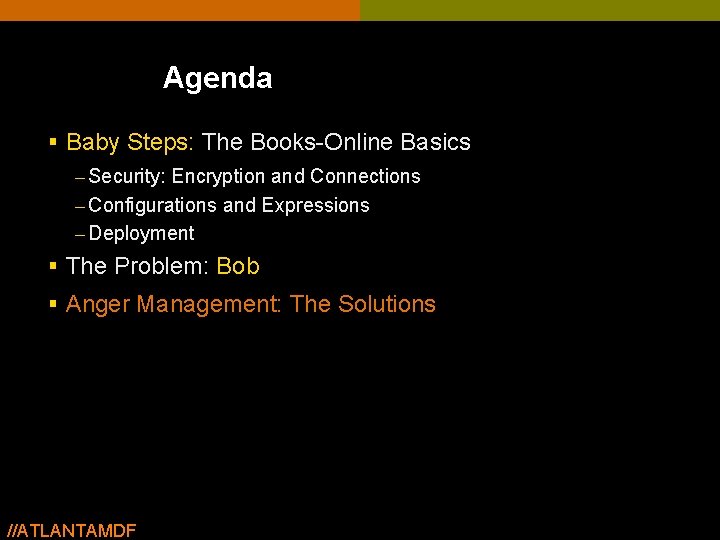
Agenda § Baby Steps: The Books-Online Basics – Security: Encryption and Connections – Configurations and Expressions – Deployment § The Problem: Bob § Anger Management: The Solutions //ATLANTAMDF
http: //www. youtube. com/watch? v=C_gq. Zy. Ufjrk
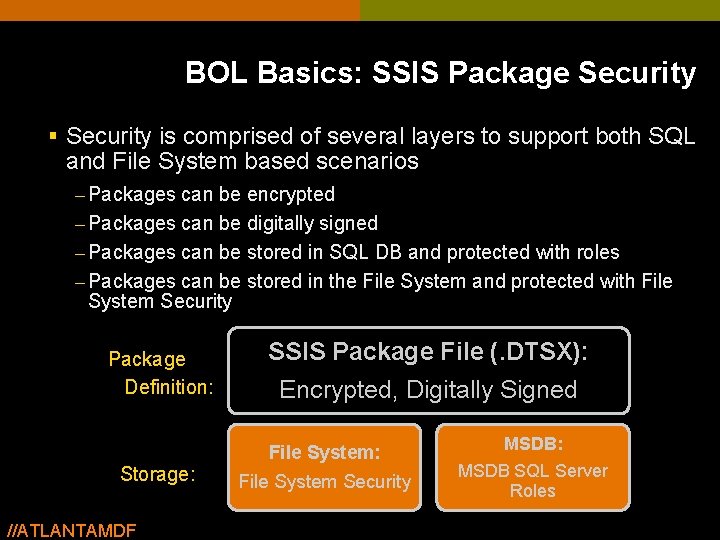
BOL Basics: SSIS Package Security § Security is comprised of several layers to support both SQL and File System based scenarios – Packages can be encrypted – Packages can be digitally signed – Packages can be stored in SQL DB and protected with roles – Packages can be stored in the File System and protected with File System Security Package Definition: Storage: //ATLANTAMDF SSIS Package File (. DTSX): Encrypted, Digitally Signed File System: File System Security MSDB: MSDB SQL Server Roles
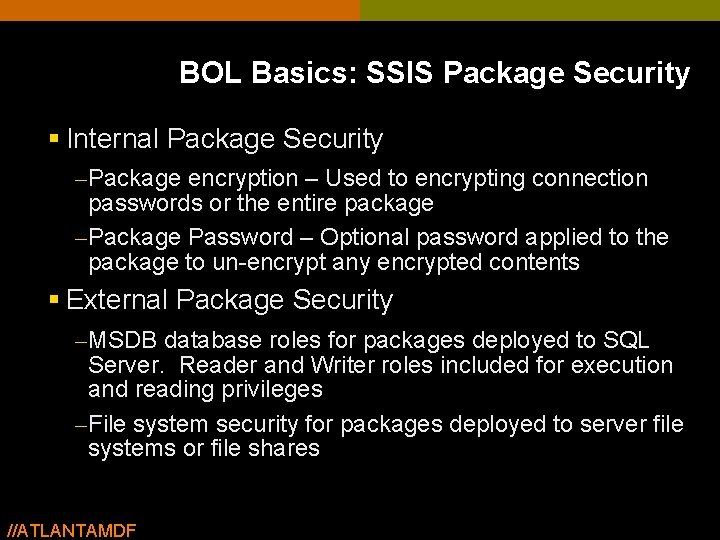
BOL Basics: SSIS Package Security § Internal Package Security – Package encryption – Used to encrypting connection passwords or the entire package – Package Password – Optional password applied to the package to un-encrypt any encrypted contents § External Package Security – MSDB database roles for packages deployed to SQL Server. Reader and Writer roles included for execution and reading privileges – File system security for packages deployed to server file systems or file shares //ATLANTAMDF
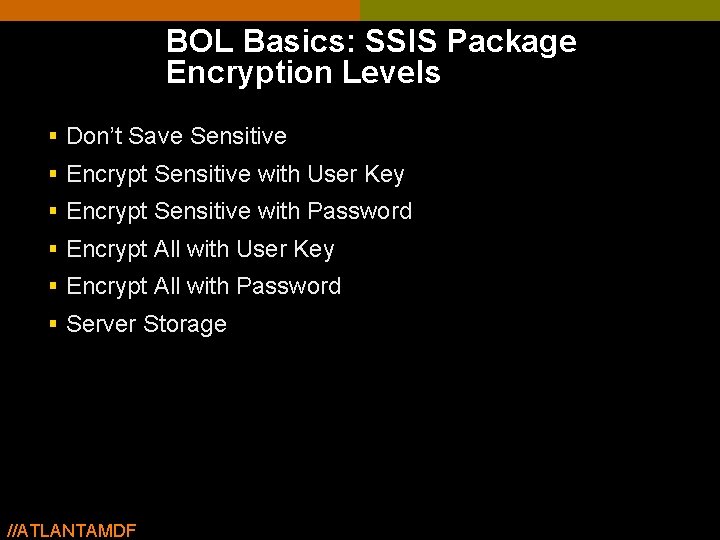
BOL Basics: SSIS Package Encryption Levels § Don’t Save Sensitive § Encrypt Sensitive with User Key § Encrypt Sensitive with Password § Encrypt All with User Key § Encrypt All with Password § Server Storage //ATLANTAMDF
demo … Package Encryption and MSDB //ATLANTAMDF
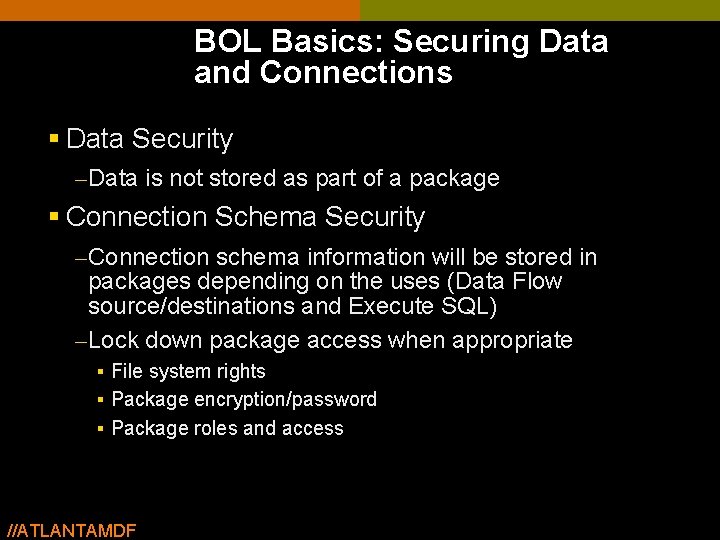
BOL Basics: Securing Data and Connections § Data Security – Data is not stored as part of a package § Connection Schema Security – Connection schema information will be stored in packages depending on the uses (Data Flow source/destinations and Execute SQL) – Lock down package access when appropriate § File system rights § Package encryption/password § Package roles and access //ATLANTAMDF
demo … Package Connections and Encryption //ATLANTAMDF 12
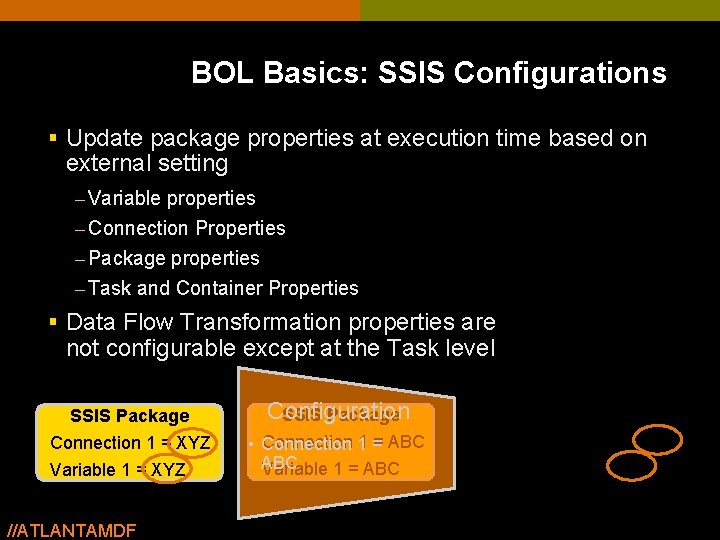
BOL Basics: SSIS Configurations § Update package properties at execution time based on external setting – Variable properties – Connection Properties – Package properties – Task and Container Properties § Data Flow Transformation properties are not configurable except at the Task level SSIS Package Connection 1 = XYZ Variable 1 = XYZ //ATLANTAMDF Configuration SSIS Package • Connection 1 = ABC Variable 1 = ABC
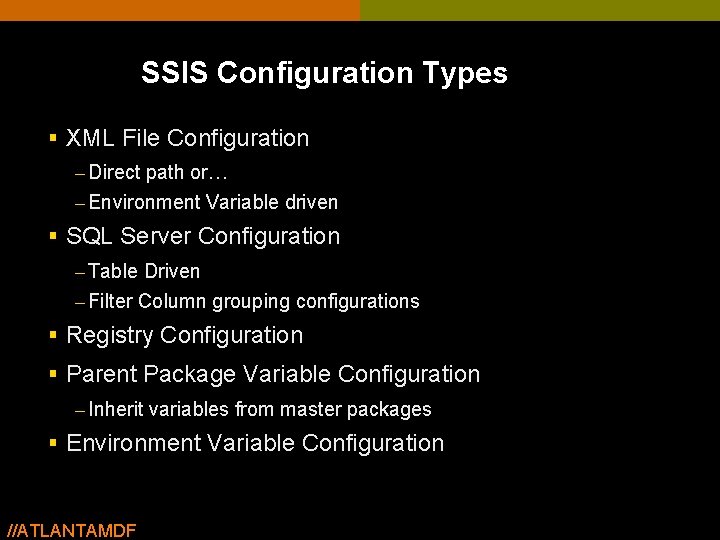
SSIS Configuration Types § XML File Configuration – Direct path or… – Environment Variable driven § SQL Server Configuration – Table Driven – Filter Column grouping configurations § Registry Configuration § Parent Package Variable Configuration – Inherit variables from master packages § Environment Variable Configuration //ATLANTAMDF
demo … Package Configurations //ATLANTAMDF
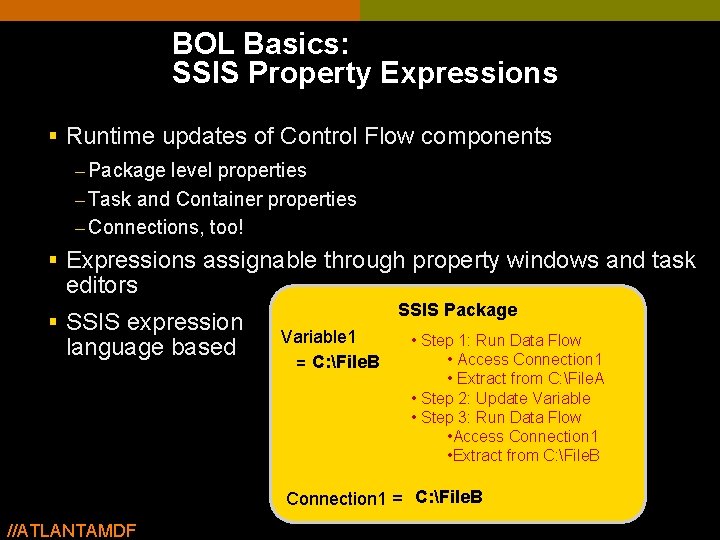
BOL Basics: SSIS Property Expressions § Runtime updates of Control Flow components – Package level properties – Task and Container properties – Connections, too! § Expressions assignable through property windows and task editors § SSIS expression language based SSIS Package Variable 1 C: File. B = C: File. A • Step 1: Run Data Flow • Access Connection 1 • Extract from C: File. A • Step 2: Update Variable • Step 3: Run Data Flow • Access Connection 1 • Extract from C: File. B C: File. A C: File. B @Variable 1 Connection 1 = Expression: //ATLANTAMDF
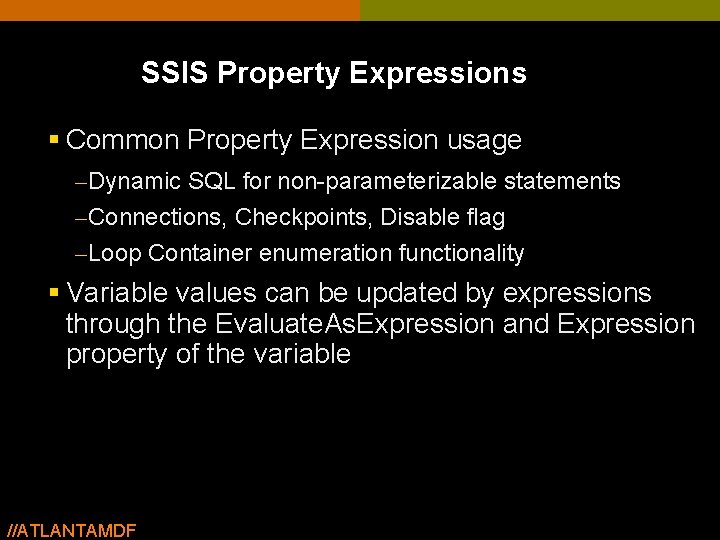
SSIS Property Expressions § Common Property Expression usage – Dynamic SQL for non-parameterizable statements – Connections, Checkpoints, Disable flag – Loop Container enumeration functionality § Variable values can be updated by expressions through the Evaluate. As. Expression and Expression property of the variable //ATLANTAMDF
demo … Property Expressions //ATLANTAMDF
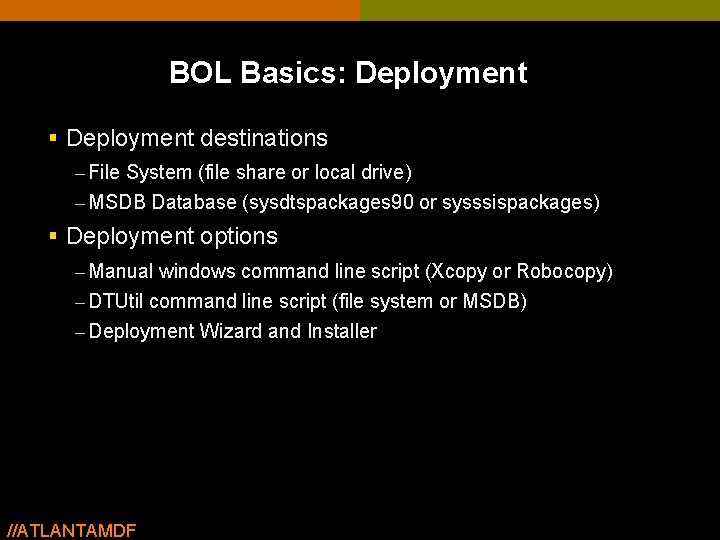
BOL Basics: Deployment § Deployment destinations – File System (file share or local drive) – MSDB Database (sysdtspackages 90 or sysssispackages) § Deployment options – Manual windows command line script (Xcopy or Robocopy) – DTUtil command line script (file system or MSDB) – Deployment Wizard and Installer //ATLANTAMDF
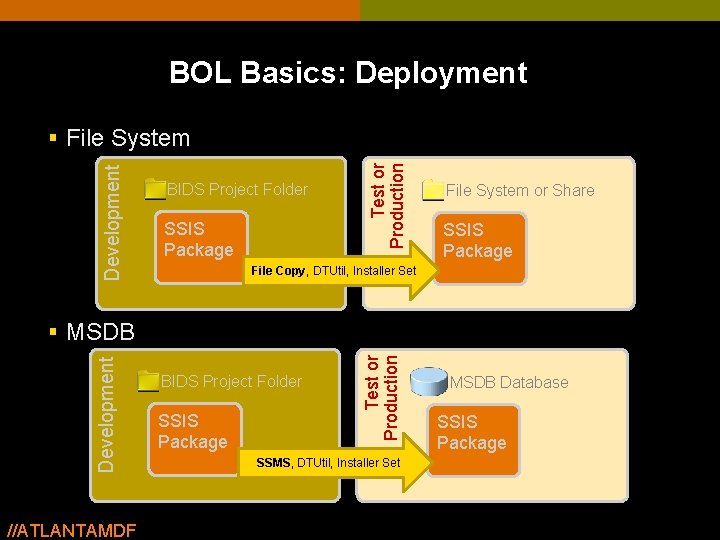
BOL Basics: Deployment BIDS Project Folder SSIS Package Test or Production Development § File System or Share SSIS Package File Copy, DTUtil, Installer Set //ATLANTAMDF BIDS Project Folder SSIS Package Test or Production Development § MSDB SSMS, DTUtil, Installer Set MSDB Database SSIS Package
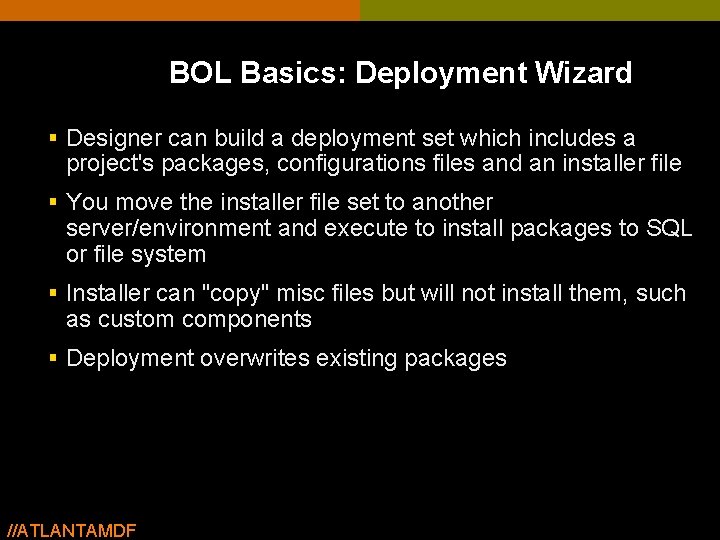
BOL Basics: Deployment Wizard § Designer can build a deployment set which includes a project's packages, configurations files and an installer file § You move the installer file set to another server/environment and execute to install packages to SQL or file system § Installer can "copy" misc files but will not install them, such as custom components § Deployment overwrites existing packages //ATLANTAMDF
demo … Package Deployment //ATLANTAMDF
Agenda § Baby Steps: The Books-Online Basics – Security: Encryption and Connections – Configurations and Expressions – Deployment § The Problem: Bob § Anger Management: The Solutions //ATLANTAMDF
• You want to live a normal IT life but the problem follows you around • Just when you think you’ve solved the problem, there it is again The Problem: • You’re the expert, but the problem will not go away • Just knowing the baby steps doesn’t get you far enough 24
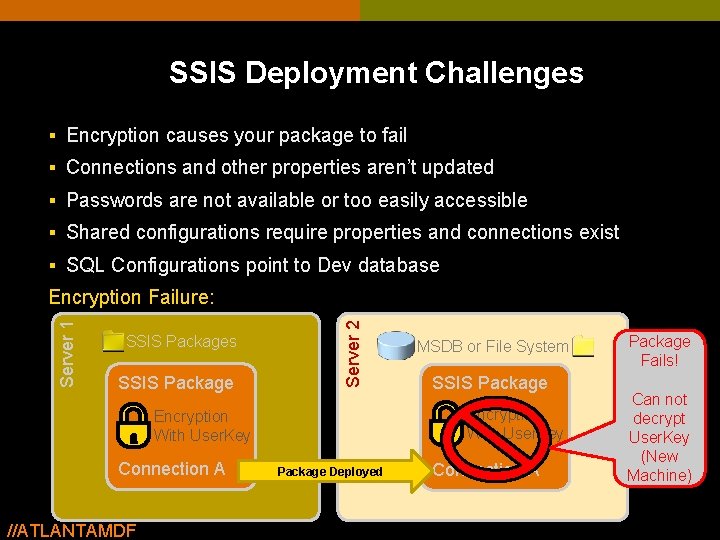
SSIS Deployment Challenges § Encryption causes your package to fail § Connections and other properties aren’t updated § Passwords are not available or too easily accessible § Shared configurations require properties and connections exist § SQL Configurations point to Dev database SSIS Packages SSIS Package Server 2 Server 1 Encryption Failure: //ATLANTAMDF SSIS Package Encryption With User. Key Connection A MSDB or File System Package Deployed Connection A Package Fails! Can not decrypt User. Key (New Machine)
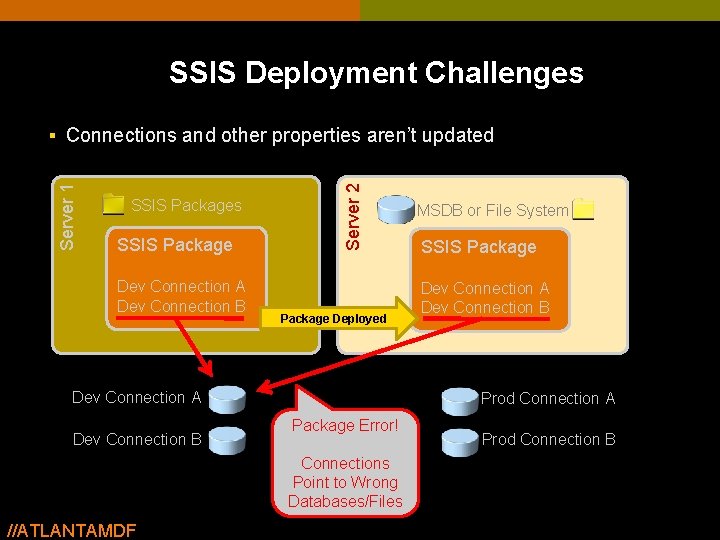
SSIS Deployment Challenges SSIS Package Dev Connection A Dev Connection B Server 2 Server 1 § Connections and other properties aren’t updated Package Deployed Dev Connection A Dev Connection B SSIS Package Dev Connection A Dev Connection B Prod Connection A Package Error! Connections Point to Wrong Databases/Files //ATLANTAMDF MSDB or File System Prod Connection B
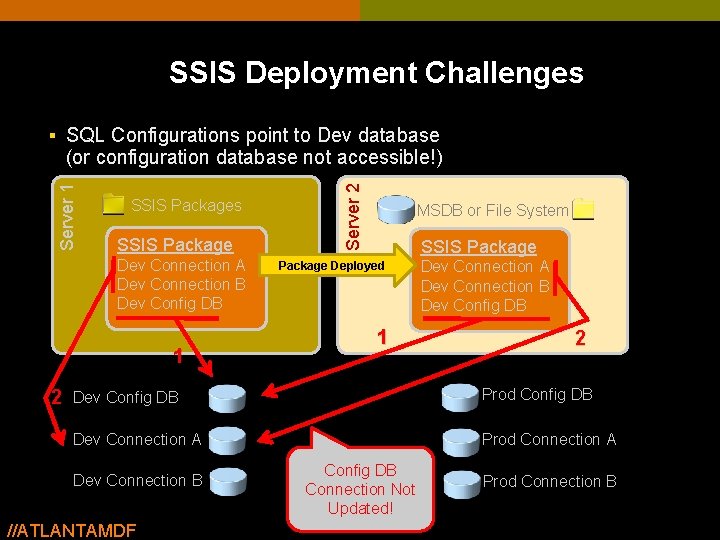
SSIS Deployment Challenges § SQL Configurations point to Dev database SSIS Packages SSIS Package Dev Connection A Dev Connection B Dev Config DB 1 2 Server 1 (or configuration database not accessible!) MSDB or File System SSIS Package Deployed 1 Dev Connection A Dev Connection B Dev Config DB 2 Dev Config DB Prod Config DB Dev Connection A Prod Connection A Dev Connection B //ATLANTAMDF Config DB Connection Not Updated! Prod Connection B
demo … Pulling Your Hair Out! //ATLANTAMDF
Agenda § Baby Steps: The Books-Online Basics – Security: Encryption and Connections – Configurations and Expressions – Deployment § The Problem: Bob § Anger Management: The Solutions //ATLANTAMDF
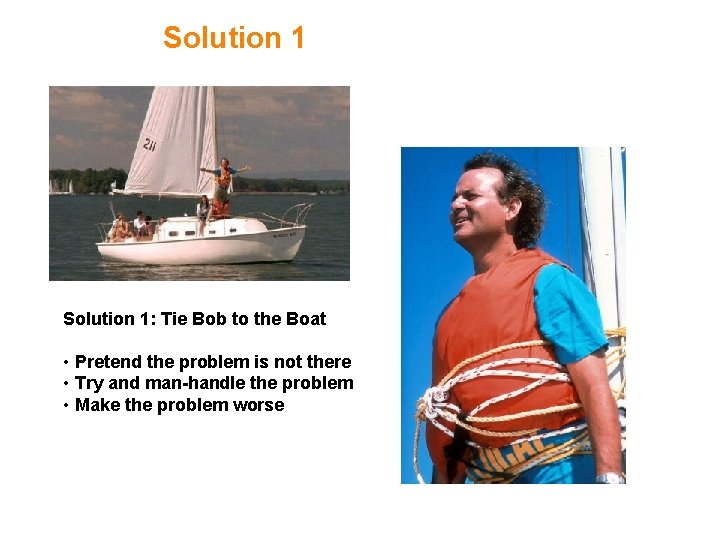
Solution 1: Tie Bob to the Boat • Pretend the problem is not there • Try and man-handle the problem • Make the problem worse
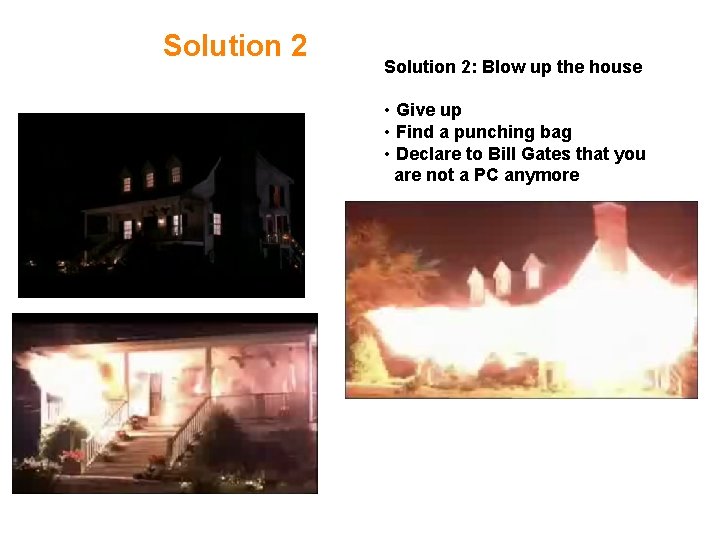
Solution 2: Blow up the house • Give up • Find a punching bag • Declare to Bill Gates that you are not a PC anymore
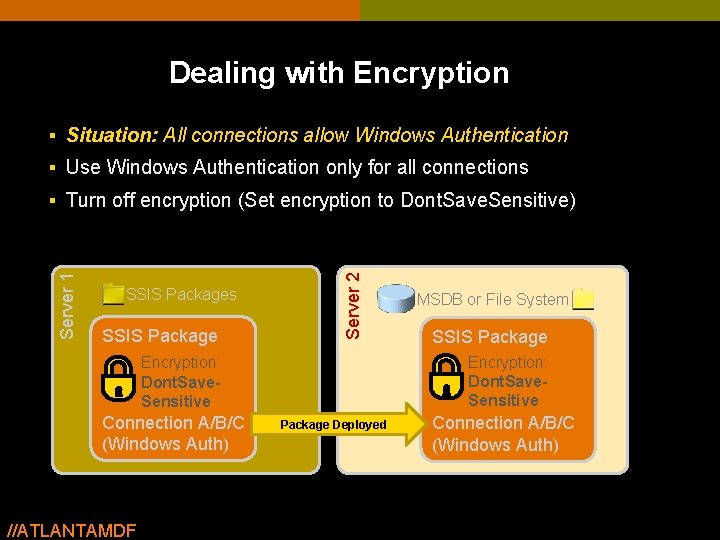
Dealing with Encryption § Situation: All connections allow Windows Authentication § Use Windows Authentication only for all connections SSIS Package Server 2 Server 1 § Turn off encryption (Set encryption to Dont. Save. Sensitive) //ATLANTAMDF SSIS Package Encryption: Dont. Save. Sensitive Connection A/B/C (Windows Auth) MSDB or File System Package Deployed Connection A/B/C (Windows Auth)
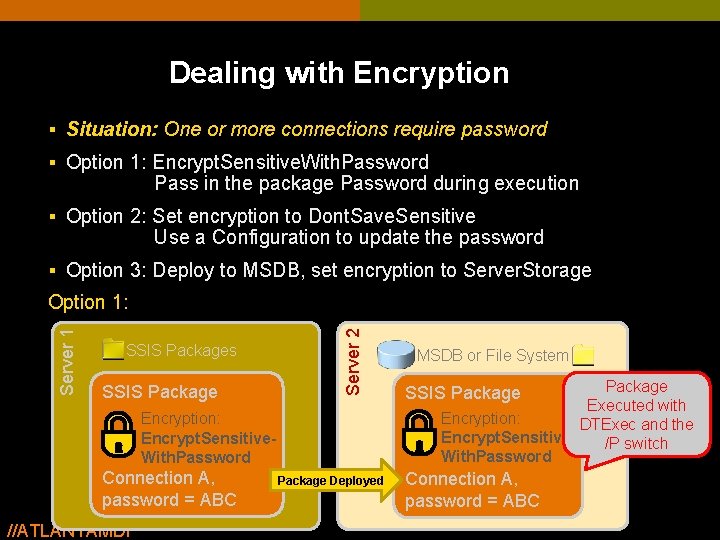
Dealing with Encryption § Situation: One or more connections require password § Option 1: Encrypt. Sensitive. With. Password Pass in the package Password during execution § Option 2: Set encryption to Dont. Save. Sensitive Use a Configuration to update the password § Option 3: Deploy to MSDB, set encryption to Server. Storage SSIS Packages SSIS Package Server 2 Server 1 Option 1: Encryption: Encrypt. Sensitive. With. Password Connection A, password = ABC //ATLANTAMDF Package Deployed MSDB or File System Package Executed with Encryption: DTExec and the Encrypt. Sensitive/P switch With. Password SSIS Package Connection A, password = ABC
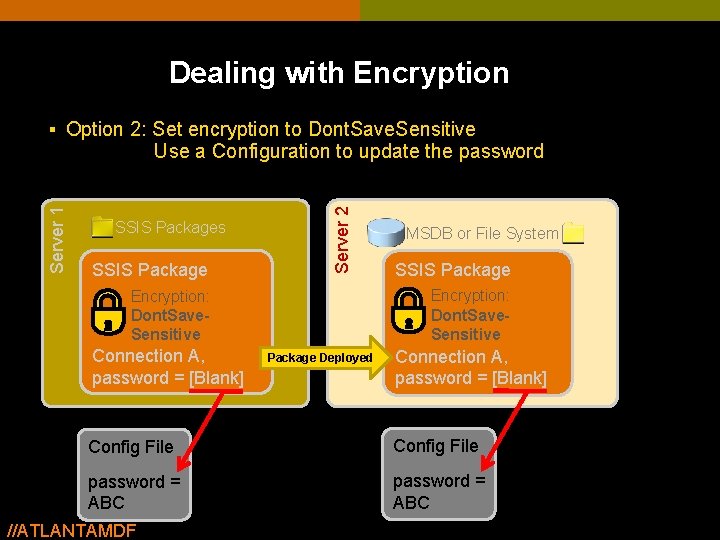
Dealing with Encryption § Option 2: Set encryption to Dont. Save. Sensitive SSIS Packages SSIS Package Server 2 Server 1 Use a Configuration to update the password SSIS Package Encryption: Dont. Save. Sensitive Connection A, password = [Blank] MSDB or File System Package Deployed Connection A, password = [Blank] Config File password = ABC //ATLANTAMDF
demo … Solving the Encryption Problem //ATLANTAMDF
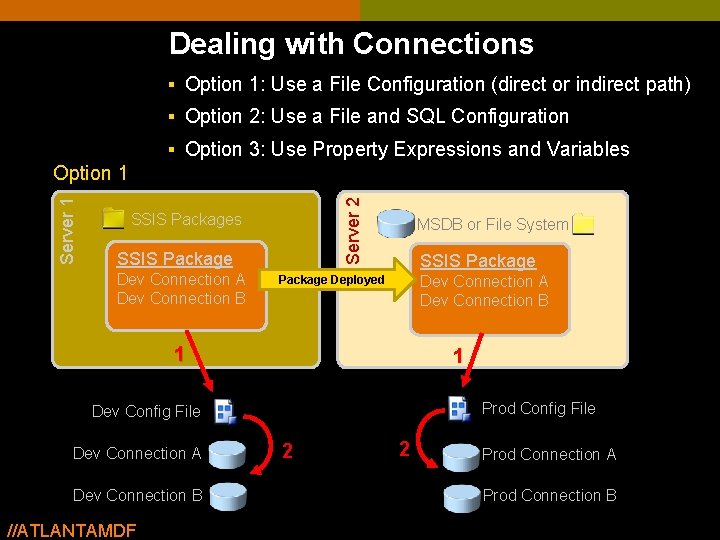
Dealing with Connections § Option 1: Use a File Configuration (direct or indirect path) § Option 2: Use a File and SQL Configuration § Option 3: Use Property Expressions and Variables Server 2 Server 1 Option 1 SSIS Packages SSIS Package Dev Connection A Dev Connection B MSDB or File System SSIS Package Dev Connection A Dev Connection B Package Deployed 1 1 Prod Config File Dev Connection A Dev Connection B //ATLANTAMDF 2 2 Prod Connection A Prod Connection B
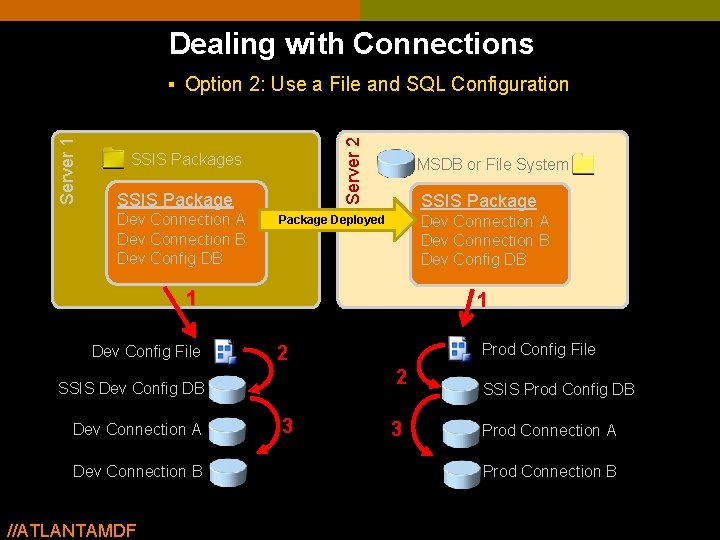
Dealing with Connections Server 2 Server 1 § Option 2: Use a File and SQL Configuration SSIS Packages SSIS Package Dev Connection A Dev Connection B Dev Config DB MSDB or File System SSIS Package Dev Connection A Dev Connection B Dev Config DB Package Deployed 1 Dev Config File 1 2 SSIS Dev Config DB Dev Connection A Dev Connection B //ATLANTAMDF Prod Config File 2 3 3 SSIS Prod Config DB Prod Connection A Prod Connection B
demo … Demo, Two-Pass Configuration Approach //ATLANTAMDF
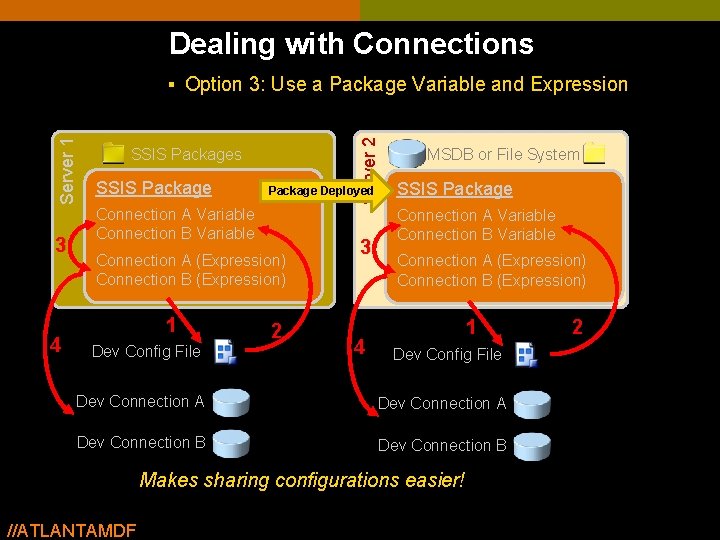
Dealing with Connections 3 4 Server 2 Server 1 § Option 3: Use a Package Variable and Expression SSIS Packages SSIS Package Deployed Connection A Variable Connection B Variable Connection A (Expression) Connection B (Expression) 1 Dev Config File 2 3 4 MSDB or File System SSIS Package Connection A Variable Connection B Variable Connection A (Expression) Connection B (Expression) 1 Dev Config File Dev Connection A Dev Connection B Makes sharing configurations easier! //ATLANTAMDF 2
demo … Demo, Variable Based Configuration Approach //ATLANTAMDF
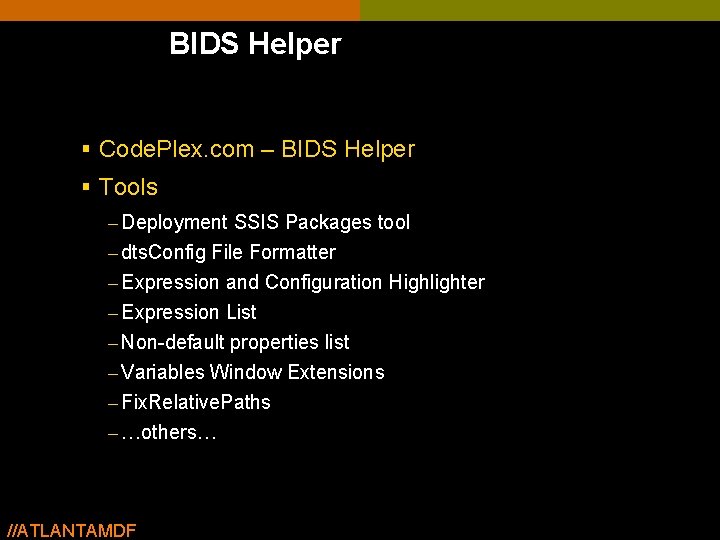
BIDS Helper § Code. Plex. com – BIDS Helper § Tools – Deployment SSIS Packages tool – dts. Config File Formatter – Expression and Configuration Highlighter – Expression List – Non-default properties list – Variables Window Extensions – Fix. Relative. Paths – …others… //ATLANTAMDF 41
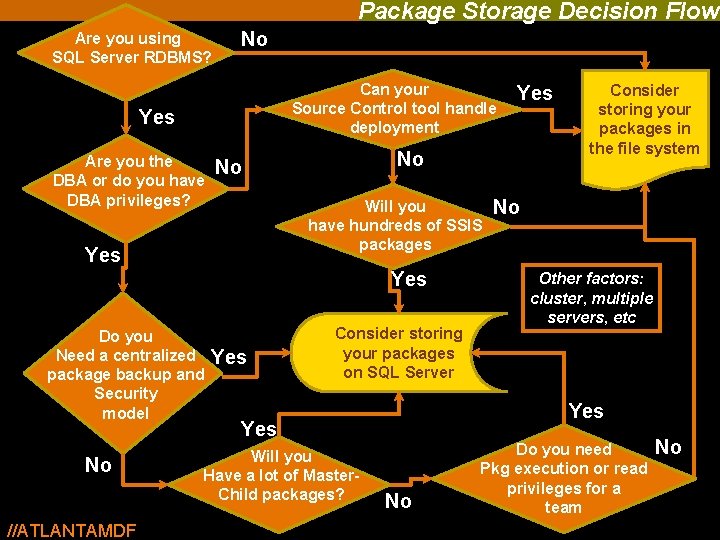
Package Storage Decision Flow Are you using SQL Server RDBMS? No Can your Source Control tool handle deployment Yes Are you the DBA or do you have DBA privileges? No No Will you have hundreds of SSIS packages Yes Do you Need a centralized package backup and Security model No //ATLANTAMDF Yes Consider storing your packages on SQL Server No Other factors: cluster, multiple servers, etc Yes Will you Have a lot of Master. Child packages? Consider storing your packages in the file system No Do you need Pkg execution or read privileges for a team 42 No
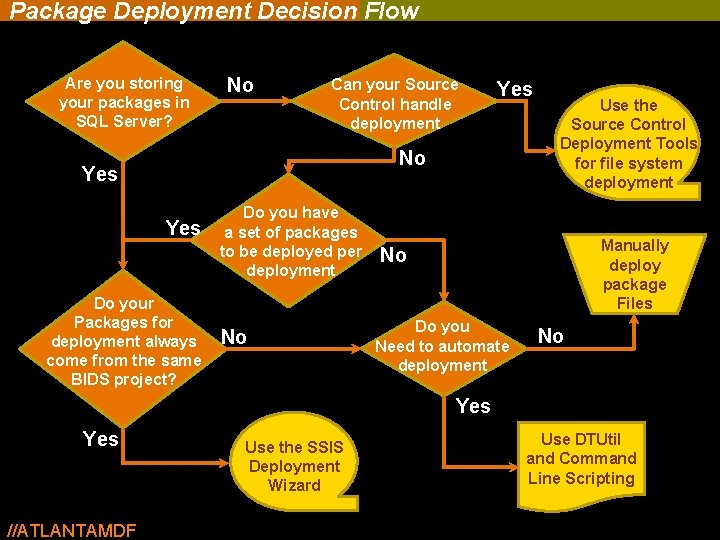
Package Deployment Decision Flow Are you storing your packages in SQL Server? No Can your Source Control handle deployment Yes No Yes Do your Packages for deployment always come from the same BIDS project? Do you have a set of packages to be deployed per deployment No Use the Source Control Deployment Tools for file system deployment Manually deploy package Files No Do you Need to automate deployment No Yes //ATLANTAMDF Use the SSIS Deployment Wizard Use DTUtil and Command Line Scripting
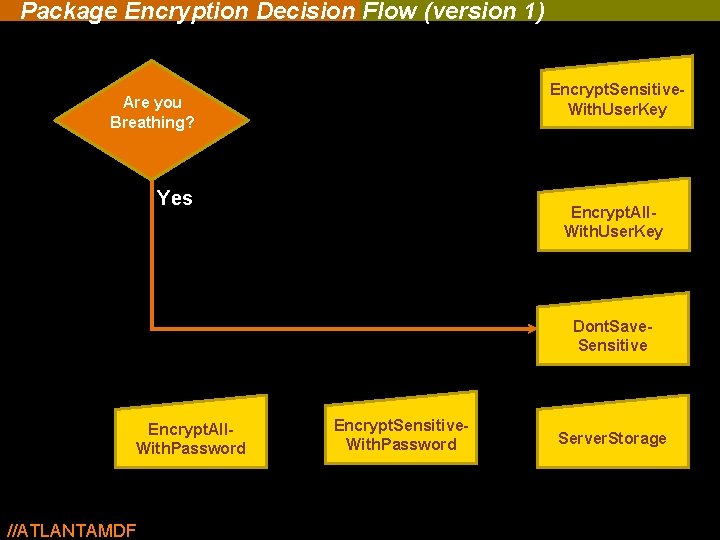
Package Encryption Decision Flow (version 1) Encrypt. Sensitive. With. User. Key Are you Breathing? Yes Encrypt. All. With. User. Key Dont. Save. Sensitive Encrypt. All. With. Password //ATLANTAMDF Encrypt. Sensitive. With. Password Server. Storage
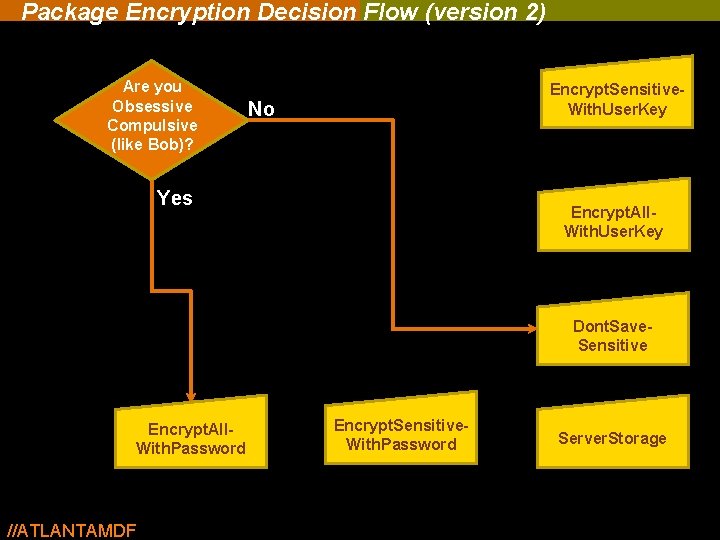
Package Encryption Decision Flow (version 2) Are you Obsessive Compulsive (like Bob)? Encrypt. Sensitive. With. User. Key No Yes Encrypt. All. With. User. Key Dont. Save. Sensitive Encrypt. All. With. Password //ATLANTAMDF Encrypt. Sensitive. With. Password Server. Storage
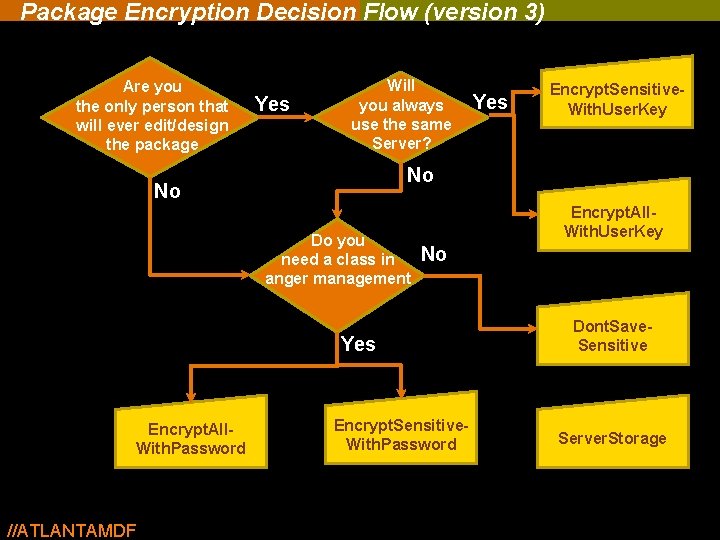
Package Encryption Decision Flow (version 3) Are you the only person that will ever edit/design the package Yes Will you always use the same Server? No No Do you need a class in anger management Encrypt. All. With. User. Key No Yes Encrypt. All. With. Password //ATLANTAMDF Yes Encrypt. Sensitive. With. User. Key Encrypt. Sensitive. With. Password Dont. Save. Sensitive Server. Storage
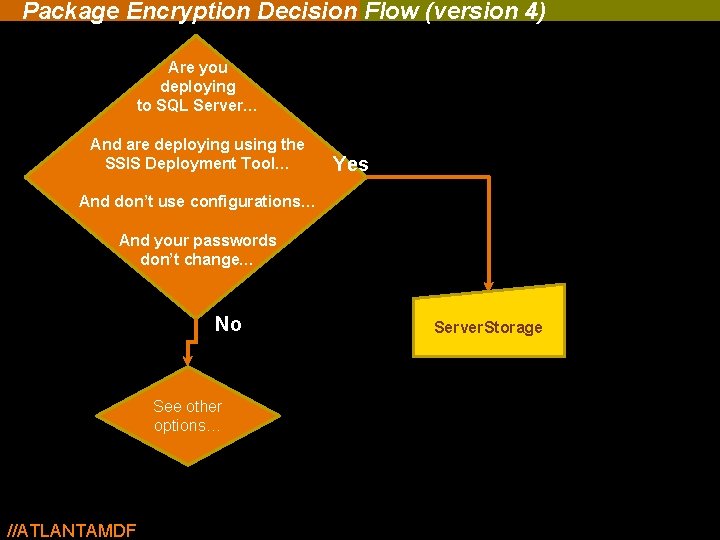
Package Encryption Decision Flow (version 4) Are you deploying to SQL Server… And are deploying using the SSIS Deployment Tool… Yes And don’t use configurations… And your passwords don’t change… No See other options… //ATLANTAMDF Server. Storage
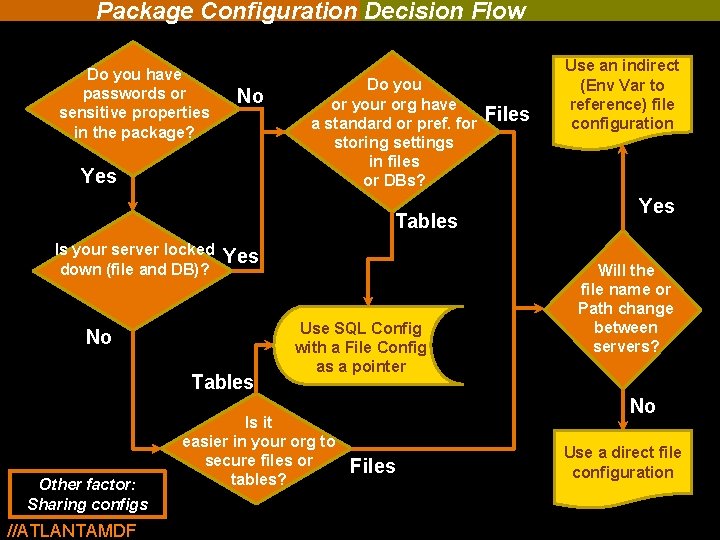
Package Configuration Decision Flow Do you have passwords or sensitive properties in the package? No Yes Do you or your org have a standard or pref. for storing settings in files or DBs? Tables Is your server locked down (file and DB)? Yes No Tables Other factor: Sharing configs //ATLANTAMDF Use SQL Config with a File Config as a pointer Is it easier in your org to secure files or tables? Files Use an indirect (Env Var to reference) file configuration Yes Will the file name or Path change between servers? No Files Use a direct file configuration
Thank you