
Ergonomics in the Workplace Ergonomics Study of how

- Slides: 48
Ergonomics in the Workplace Ergonomics: Study of how people physically interact with their work – fitting the job, the equipment and the work environment to the worker.
What is Ergonomics? l l Scientific study of human work Ergonomic principles adapt work to a specific person by designing tasks & tools or equipment to fit the individual to prevent injuries to the musculoskeletal system
What are the benefits of Ergonomics? ● ● ● Reduction of work-related injuries Increased worker productivity Increased work quality Reduced absenteeism Increased morale Ignoring sound ergonomic principles gives rise to WORK-RELATED MUSCULOSKELETAL DISORDERS.
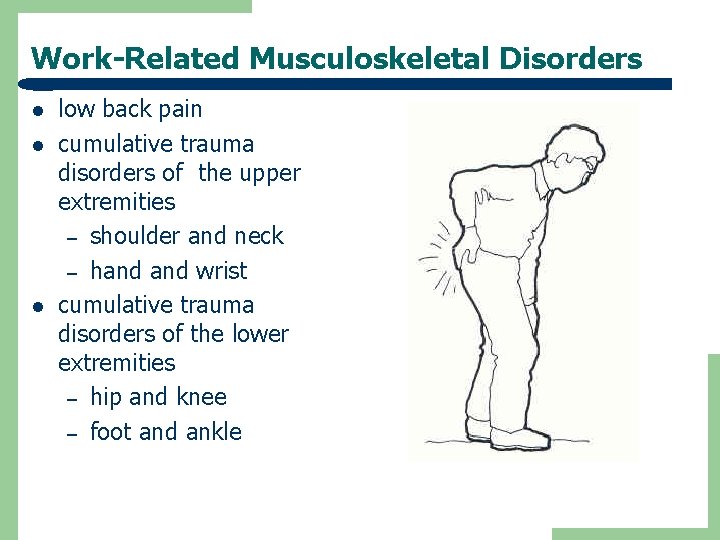
Work-Related Musculoskeletal Disorders l low back pain cumulative trauma disorders of the upper extremities – shoulder and neck – hand wrist cumulative trauma disorders of the lower extremities – hip and knee – foot and ankle
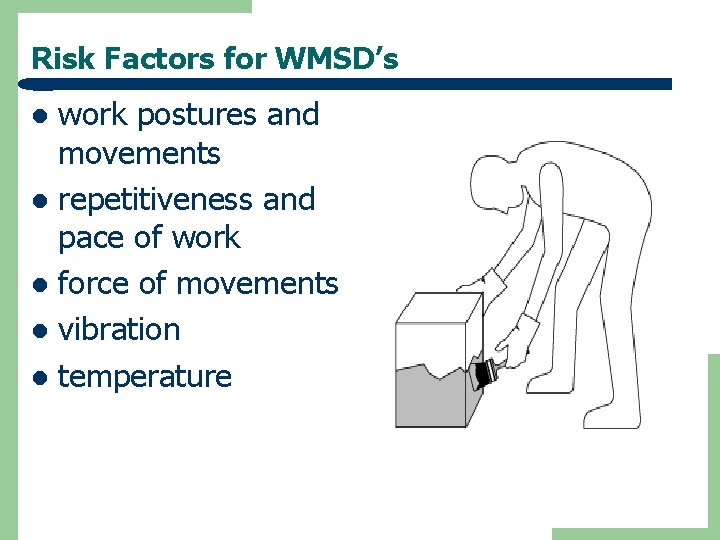
Risk Factors for WMSD’s work postures and movements l repetitiveness and pace of work l force of movements l vibration l temperature l
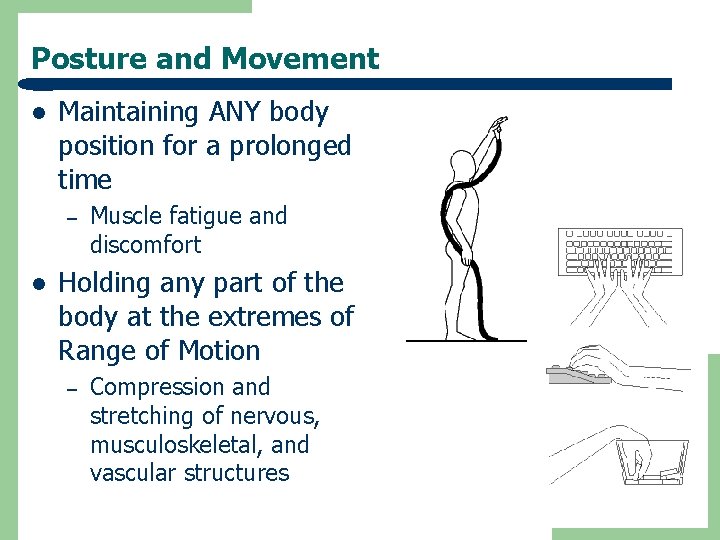
Posture and Movement l Maintaining ANY body position for a prolonged time – l Muscle fatigue and discomfort Holding any part of the body at the extremes of Range of Motion – Compression and stretching of nervous, musculoskeletal, and vascular structures
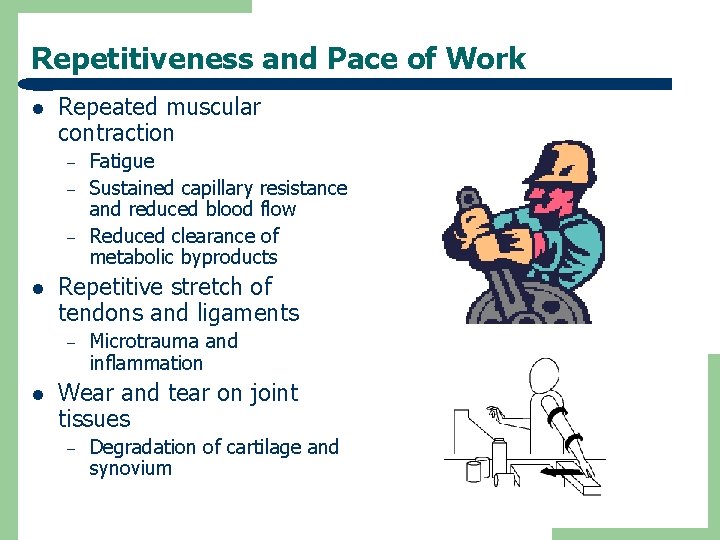
Repetitiveness and Pace of Work l Repeated muscular contraction – – – l Repetitive stretch of tendons and ligaments – l Fatigue Sustained capillary resistance and reduced blood flow Reduced clearance of metabolic byproducts Microtrauma and inflammation Wear and tear on joint tissues – Degradation of cartilage and synovium
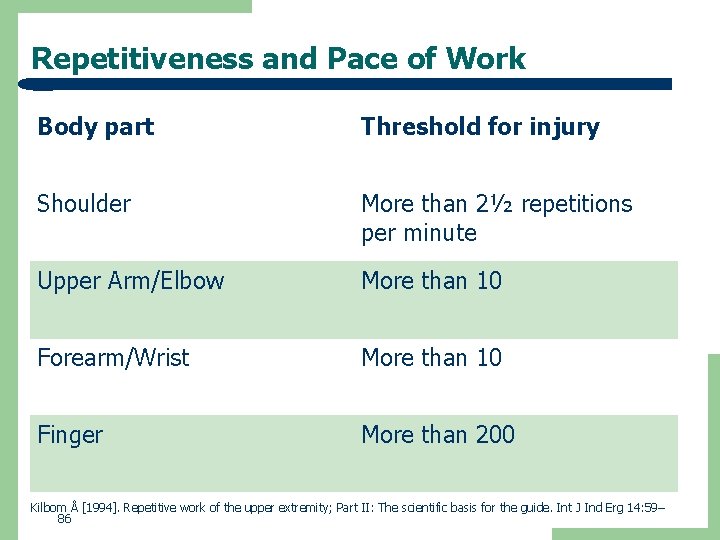
Repetitiveness and Pace of Work Body part Threshold for injury Shoulder More than 2½ repetitions per minute Upper Arm/Elbow More than 10 Forearm/Wrist More than 10 Finger More than 200 Kilbom Å [1994]. Repetitive work of the upper extremity; Part II: The scientific basis for the guide. Int J Ind Erg 14: 59– 86
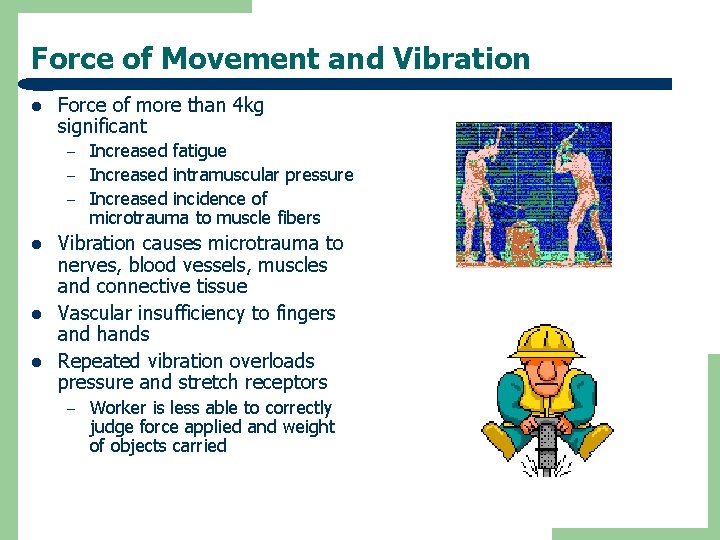
Force of Movement and Vibration l Force of more than 4 kg significant – – – l l l Increased fatigue Increased intramuscular pressure Increased incidence of microtrauma to muscle fibers Vibration causes microtrauma to nerves, blood vessels, muscles and connective tissue Vascular insufficiency to fingers and hands Repeated vibration overloads pressure and stretch receptors – Worker is less able to correctly judge force applied and weight of objects carried
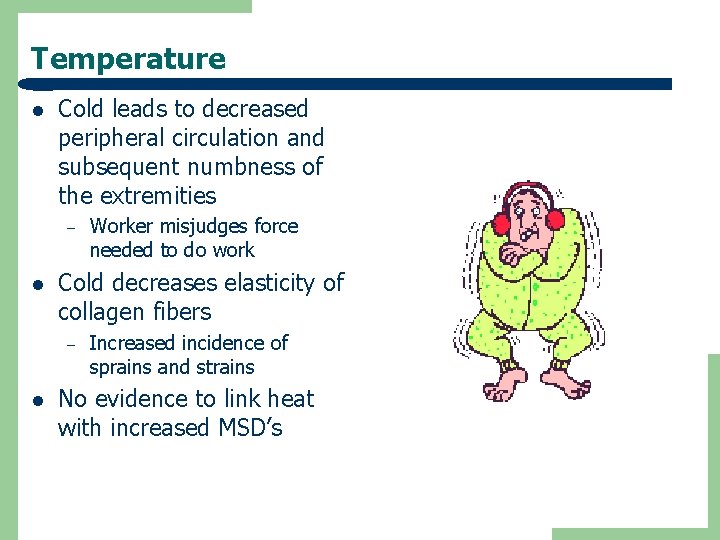
Temperature l Cold leads to decreased peripheral circulation and subsequent numbness of the extremities – l Cold decreases elasticity of collagen fibers – l Worker misjudges force needed to do work Increased incidence of sprains and strains No evidence to link heat with increased MSD’s
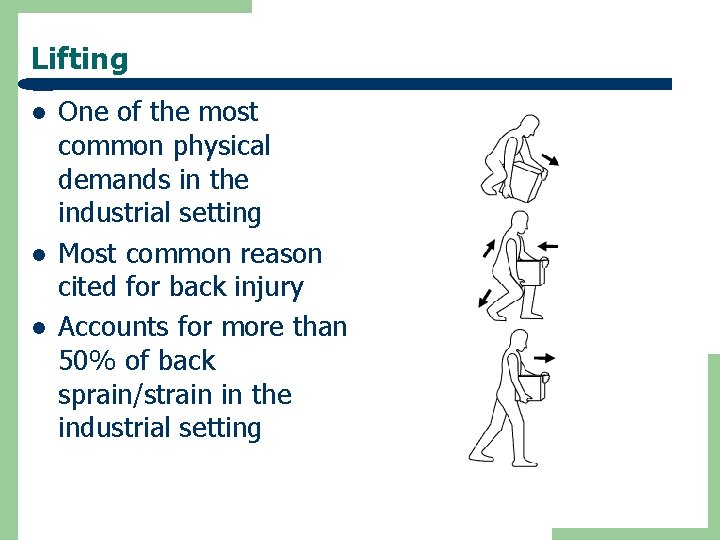
Lifting l l l One of the most common physical demands in the industrial setting Most common reason cited for back injury Accounts for more than 50% of back sprain/strain in the industrial setting
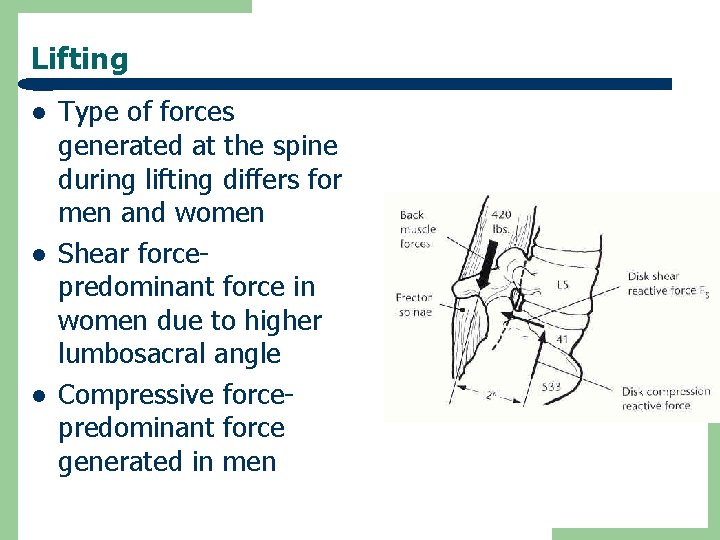
Lifting l l l Type of forces generated at the spine during lifting differs for men and women Shear forcepredominant force in women due to higher lumbosacral angle Compressive forcepredominant force generated in men
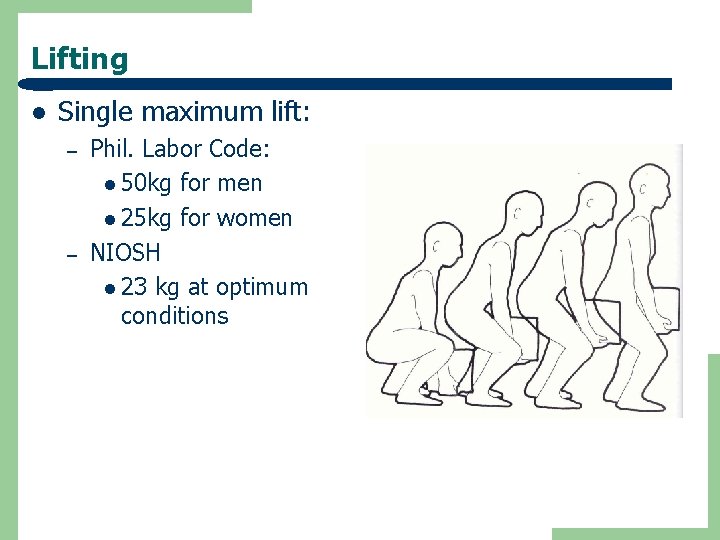
Lifting l Single maximum lift: – – Phil. Labor Code: l 50 kg for men l 25 kg for women NIOSH l 23 kg at optimum conditions
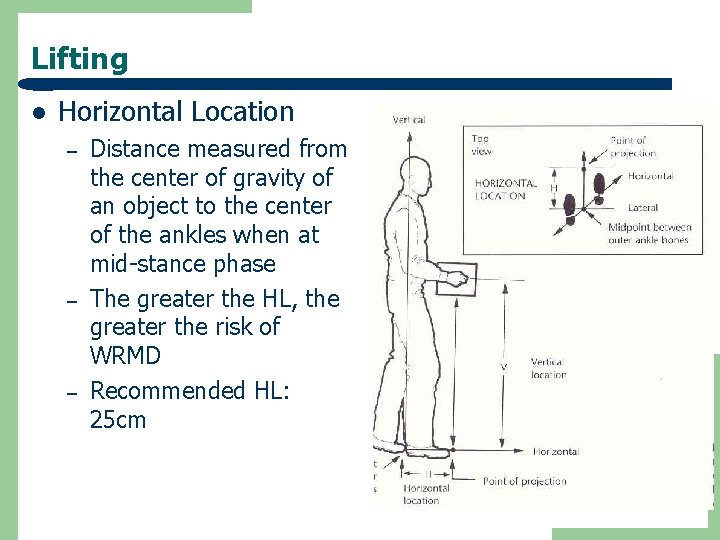
Lifting l Horizontal Location – – – Distance measured from the center of gravity of an object to the center of the ankles when at mid-stance phase The greater the HL, the greater the risk of WRMD Recommended HL: 25 cm
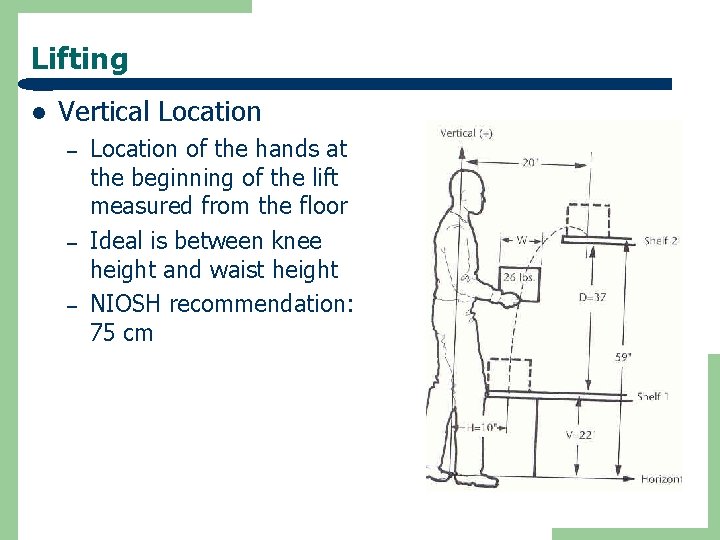
Lifting l Vertical Location – – – Location of the hands at the beginning of the lift measured from the floor Ideal is between knee height and waist height NIOSH recommendation: 75 cm
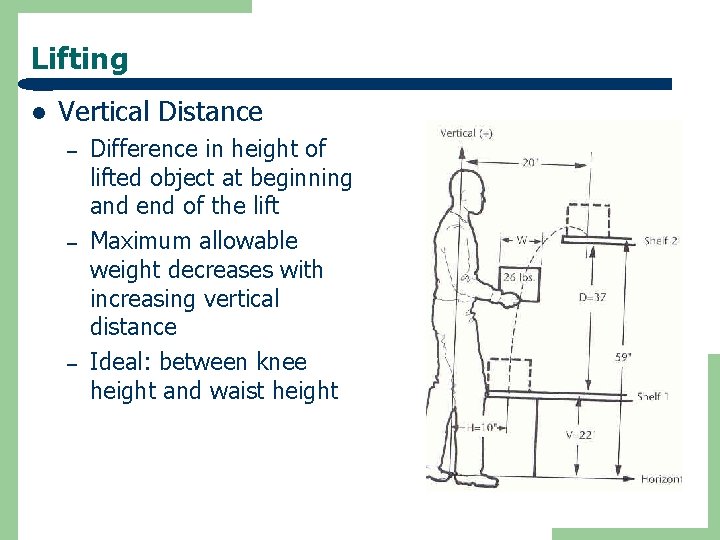
Lifting l Vertical Distance – – – Difference in height of lifted object at beginning and end of the lift Maximum allowable weight decreases with increasing vertical distance Ideal: between knee height and waist height
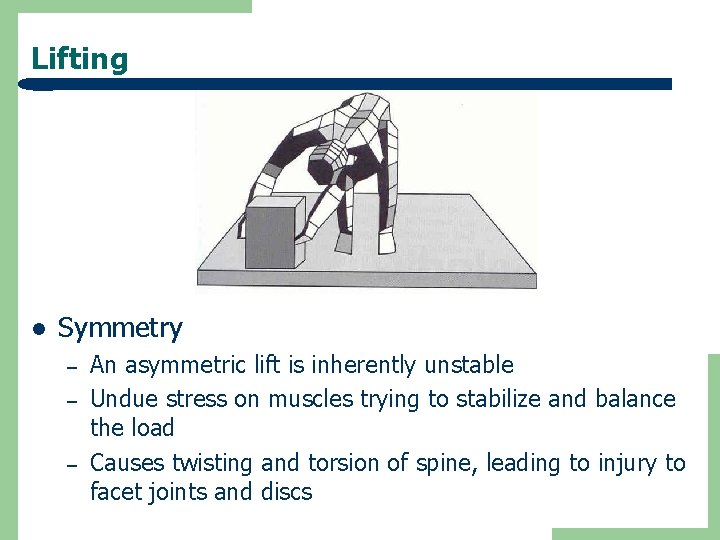
Lifting l Symmetry – – – An asymmetric lift is inherently unstable Undue stress on muscles trying to stabilize and balance the load Causes twisting and torsion of spine, leading to injury to facet joints and discs
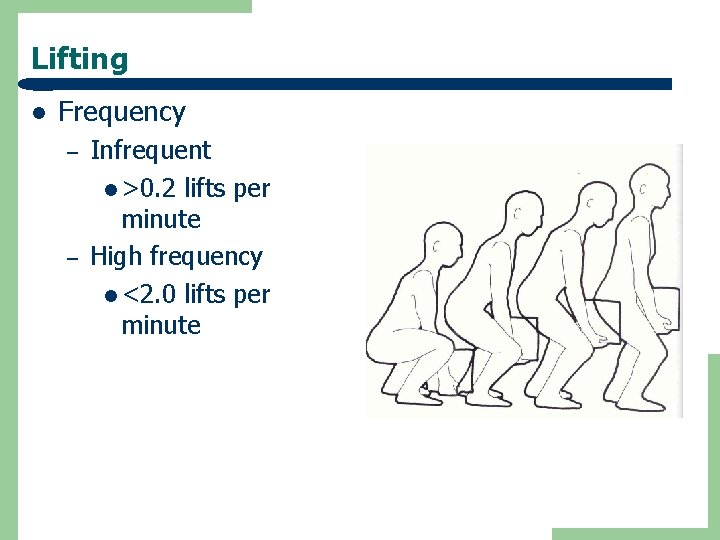
Lifting l Frequency – – Infrequent l >0. 2 lifts per minute High frequency l <2. 0 lifts per minute
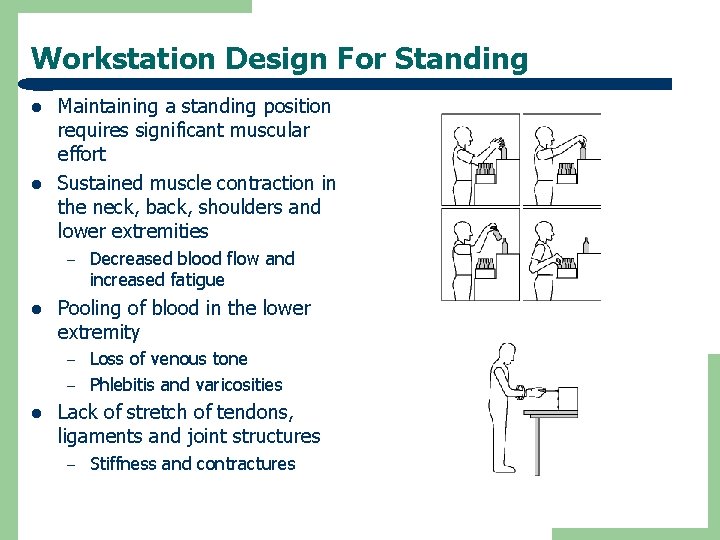
Workstation Design For Standing l l Maintaining a standing position requires significant muscular effort Sustained muscle contraction in the neck, back, shoulders and lower extremities – l Pooling of blood in the lower extremity – – l Decreased blood flow and increased fatigue Loss of venous tone Phlebitis and varicosities Lack of stretch of tendons, ligaments and joint structures – Stiffness and contractures
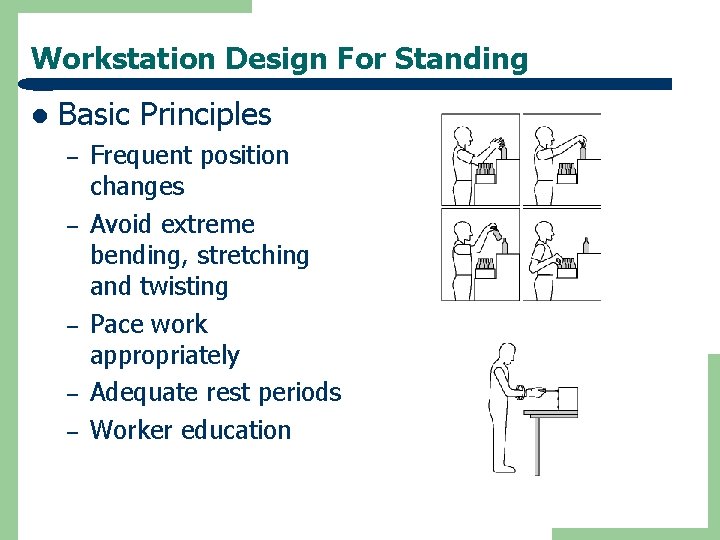
Workstation Design For Standing l Basic Principles – – – Frequent position changes Avoid extreme bending, stretching and twisting Pace work appropriately Adequate rest periods Worker education
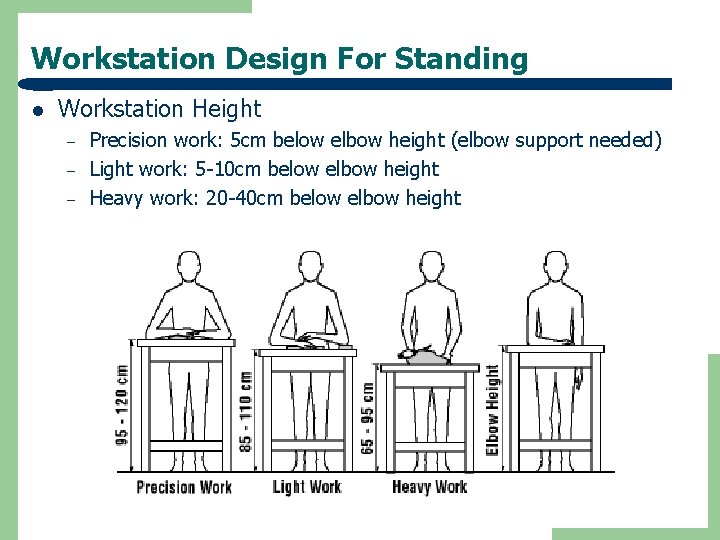
Workstation Design For Standing l Workstation Height – – – Precision work: 5 cm below elbow height (elbow support needed) Light work: 5 -10 cm below elbow height Heavy work: 20 -40 cm below elbow height
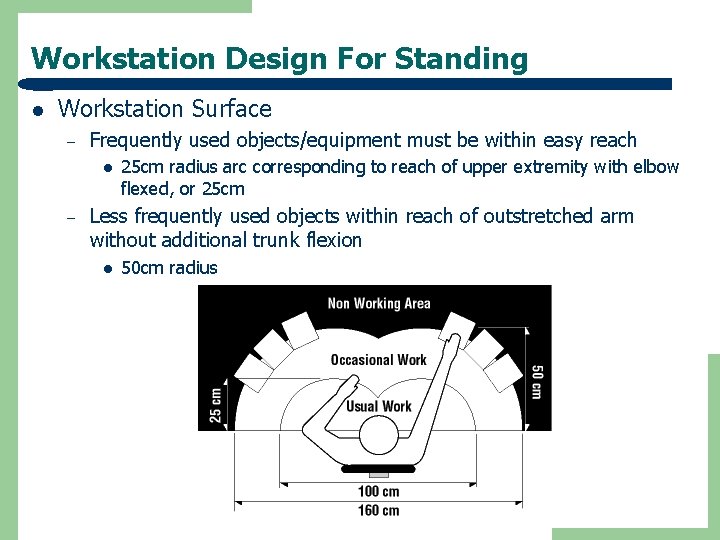
Workstation Design For Standing l Workstation Surface – Frequently used objects/equipment must be within easy reach l – 25 cm radius arc corresponding to reach of upper extremity with elbow flexed, or 25 cm Less frequently used objects within reach of outstretched arm without additional trunk flexion l 50 cm radius
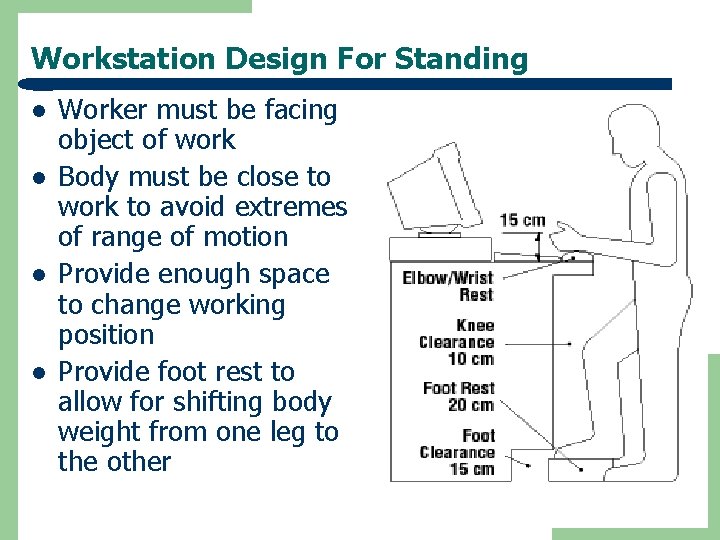
Workstation Design For Standing l l Worker must be facing object of work Body must be close to work to avoid extremes of range of motion Provide enough space to change working position Provide foot rest to allow for shifting body weight from one leg to the other
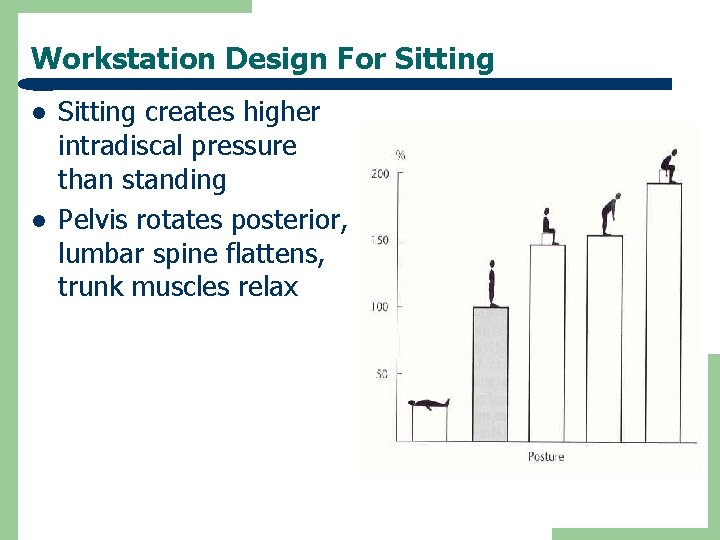
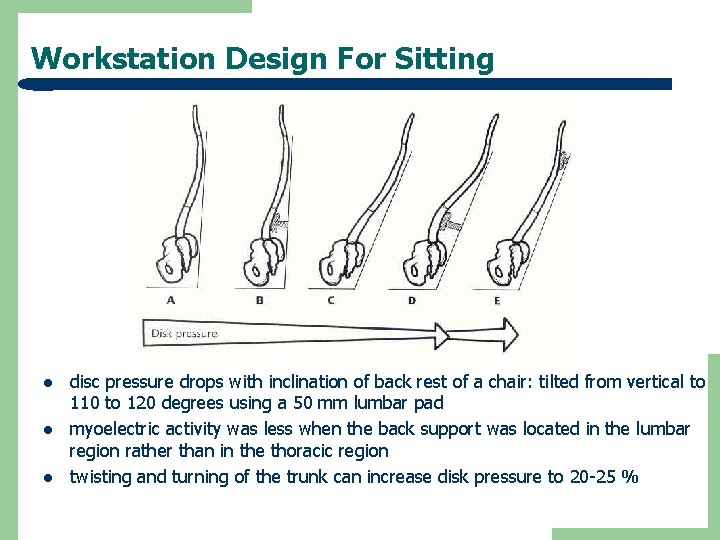
Workstation Design For Sitting l l Sitting creates higher intradiscal pressure than standing Pelvis rotates posterior, lumbar spine flattens, trunk muscles relax
Workstation Design For Sitting l l l disc pressure drops with inclination of back rest of a chair: tilted from vertical to 110 to 120 degrees using a 50 mm lumbar pad myoelectric activity was less when the back support was located in the lumbar region rather than in the thoracic region twisting and turning of the trunk can increase disk pressure to 20 -25 %
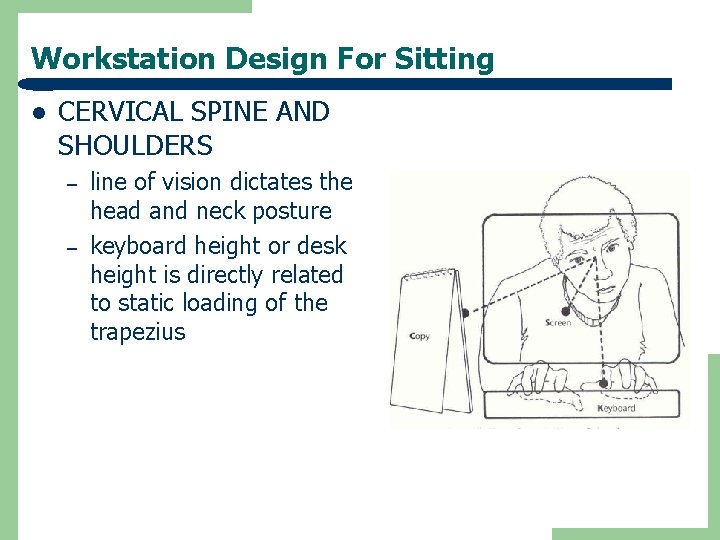
Workstation Design For Sitting l CERVICAL SPINE AND SHOULDERS – – line of vision dictates the head and neck posture keyboard height or desk height is directly related to static loading of the trapezius
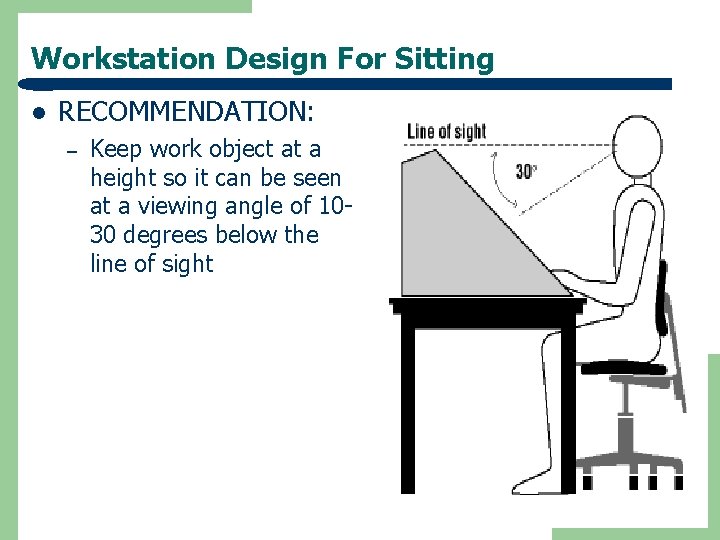
Workstation Design For Sitting l RECOMMENDATION: – Keep work object at a height so it can be seen at a viewing angle of 1030 degrees below the line of sight
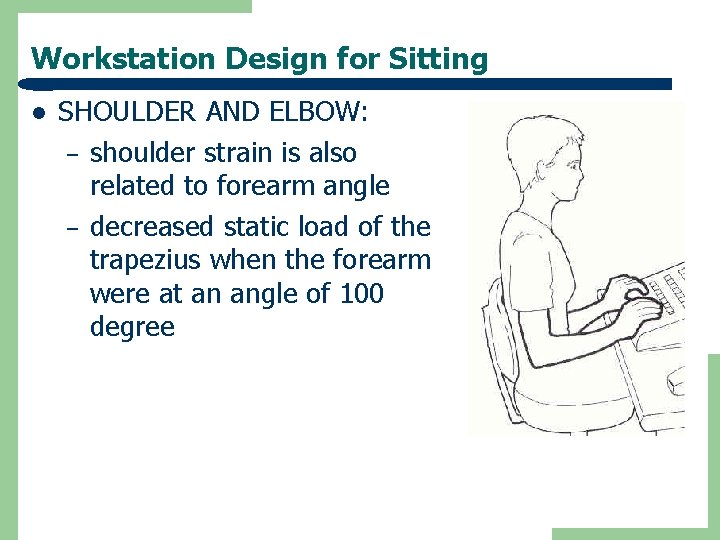
Workstation Design for Sitting l SHOULDER AND ELBOW: – shoulder strain is also related to forearm angle – decreased static load of the trapezius when the forearm were at an angle of 100 degree
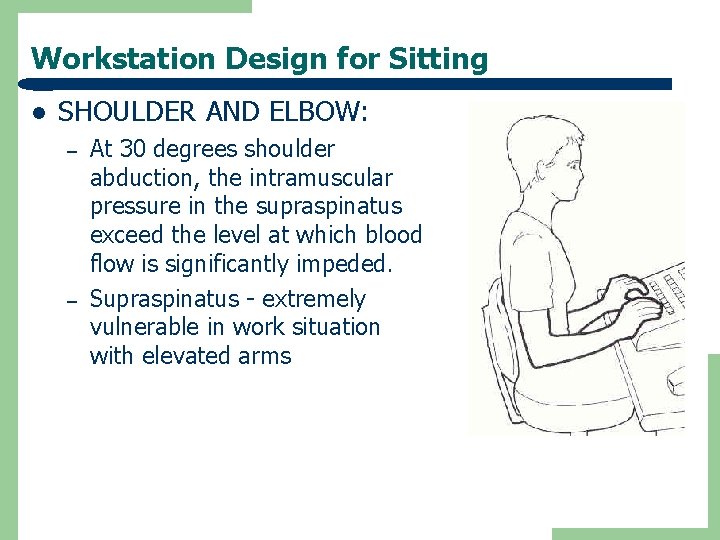
Workstation Design for Sitting l SHOULDER AND ELBOW: – – At 30 degrees shoulder abduction, the intramuscular pressure in the supraspinatus exceed the level at which blood flow is significantly impeded. Supraspinatus - extremely vulnerable in work situation with elevated arms
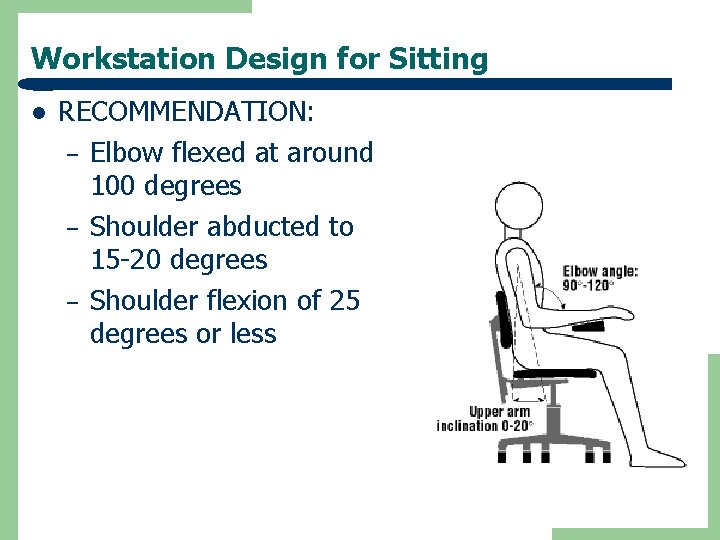
Workstation Design for Sitting l RECOMMENDATION: – Elbow flexed at around 100 degrees – Shoulder abducted to 15 -20 degrees – Shoulder flexion of 25 degrees or less
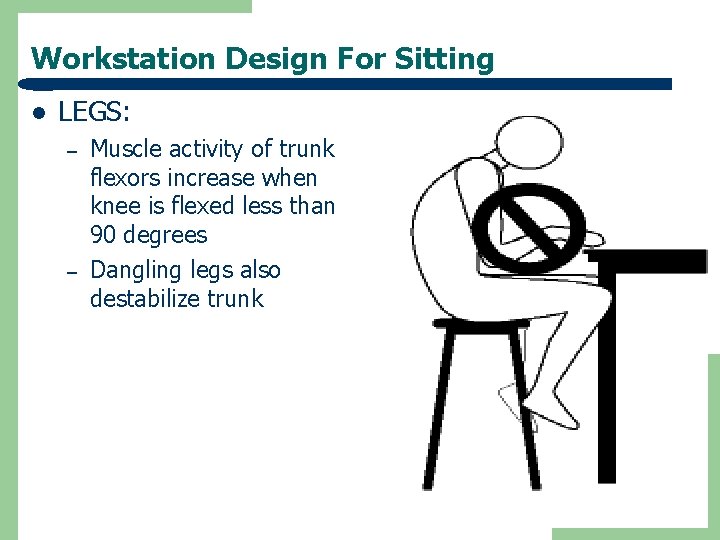
Workstation Design For Sitting l LEGS: – – Muscle activity of trunk flexors increase when knee is flexed less than 90 degrees Dangling legs also destabilize trunk
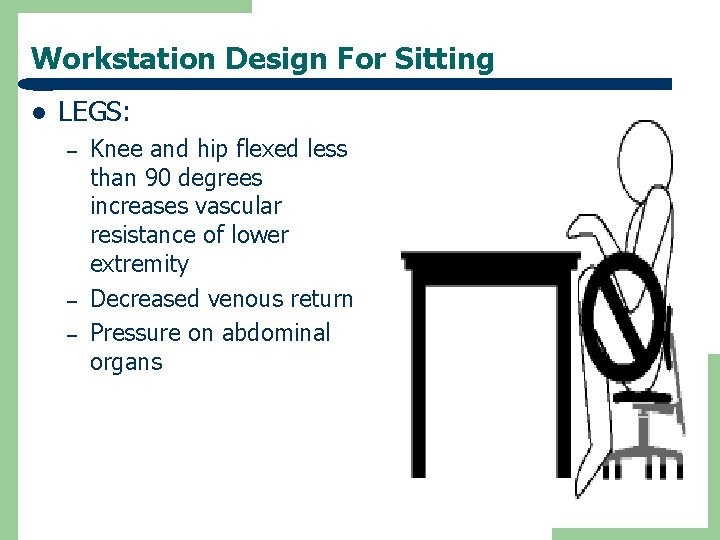
Workstation Design For Sitting l LEGS: – – – Knee and hip flexed less than 90 degrees increases vascular resistance of lower extremity Decreased venous return Pressure on abdominal organs
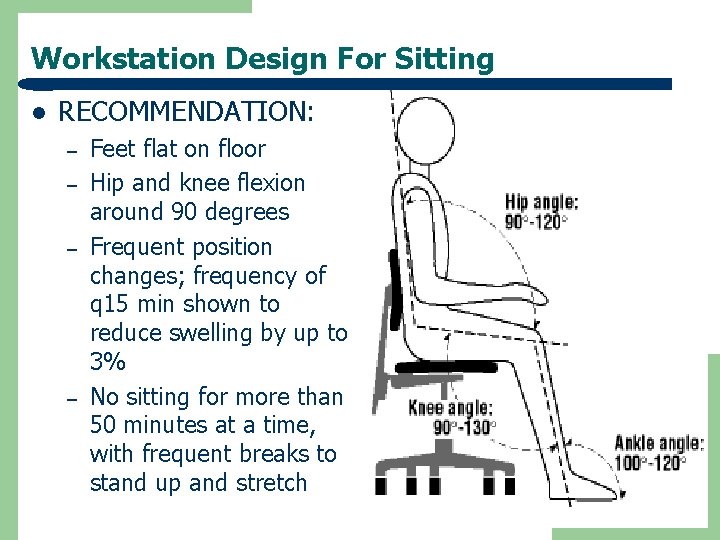
Workstation Design For Sitting l RECOMMENDATION: – – Feet flat on floor Hip and knee flexion around 90 degrees Frequent position changes; frequency of q 15 min shown to reduce swelling by up to 3% No sitting for more than 50 minutes at a time, with frequent breaks to stand up and stretch
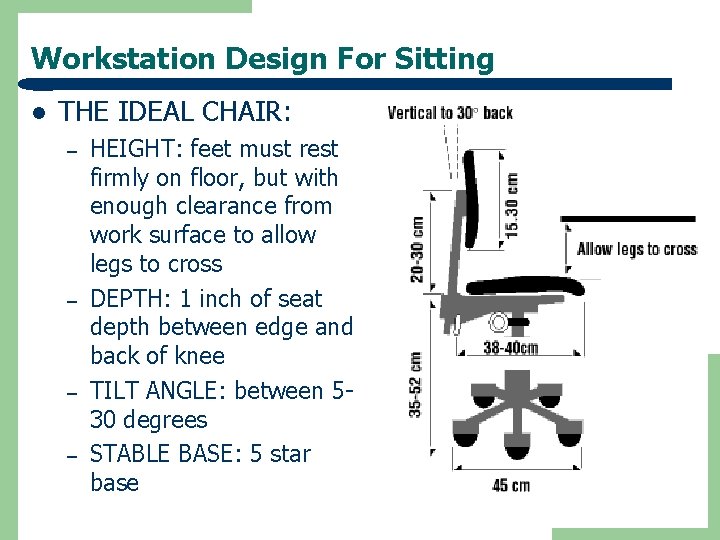
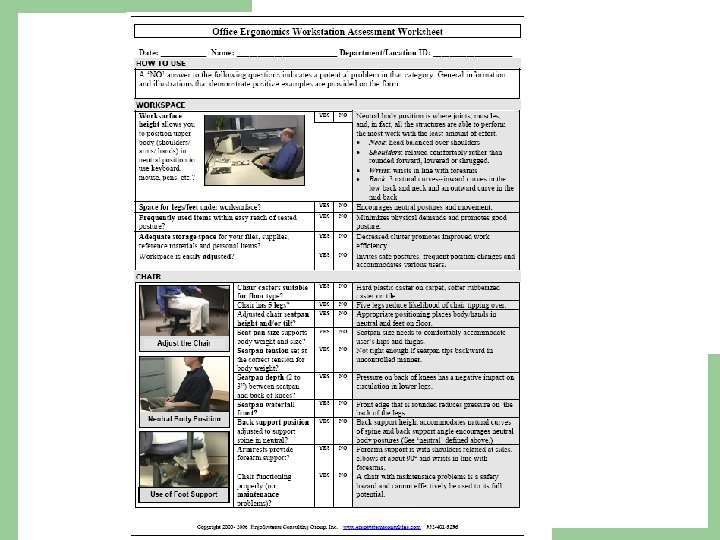
Workstation Design For Sitting l THE IDEAL CHAIR: – – HEIGHT: feet must rest firmly on floor, but with enough clearance from work surface to allow legs to cross DEPTH: 1 inch of seat depth between edge and back of knee TILT ANGLE: between 530 degrees STABLE BASE: 5 star base
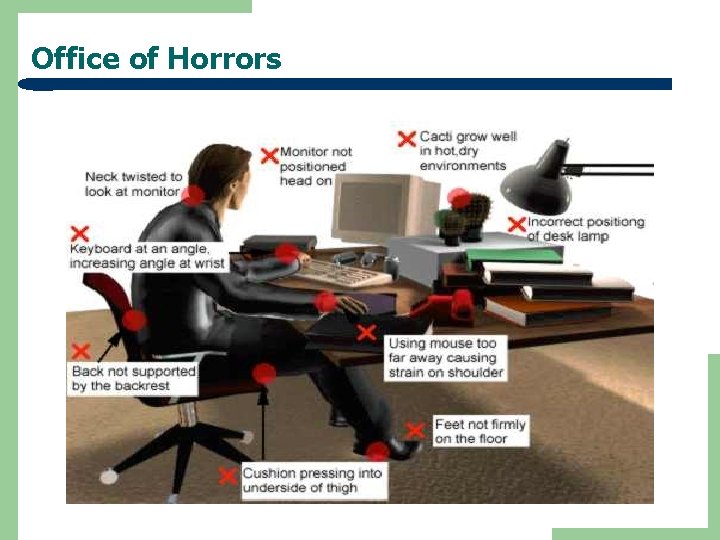
Office of Horrors
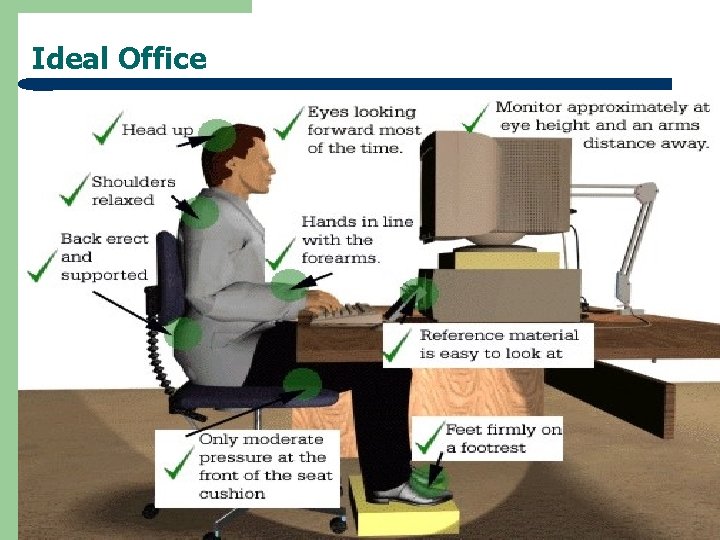
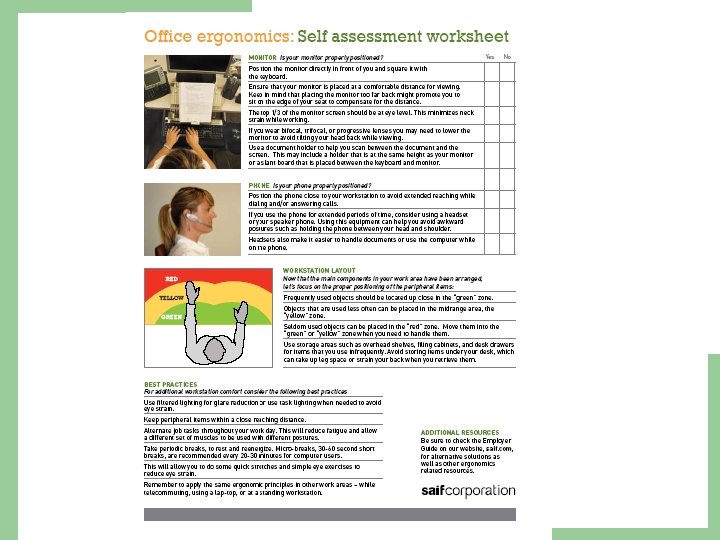
Ideal Office
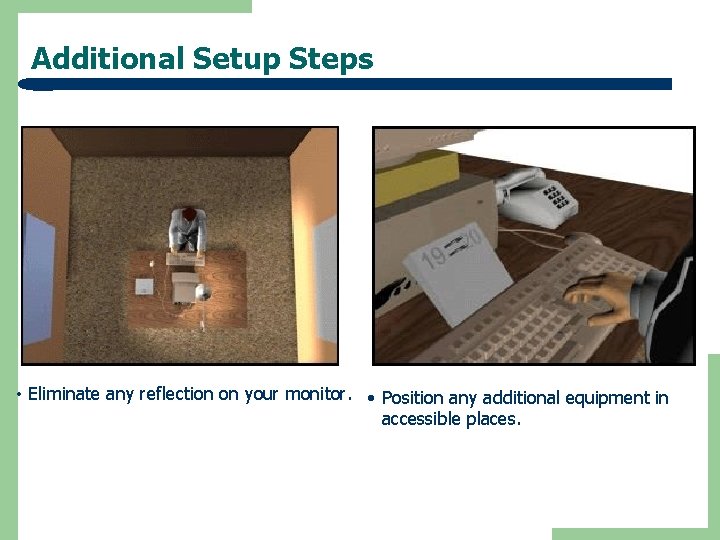
Additional Setup Steps • Eliminate any reflection on your monitor. • Position any additional equipment in accessible places.
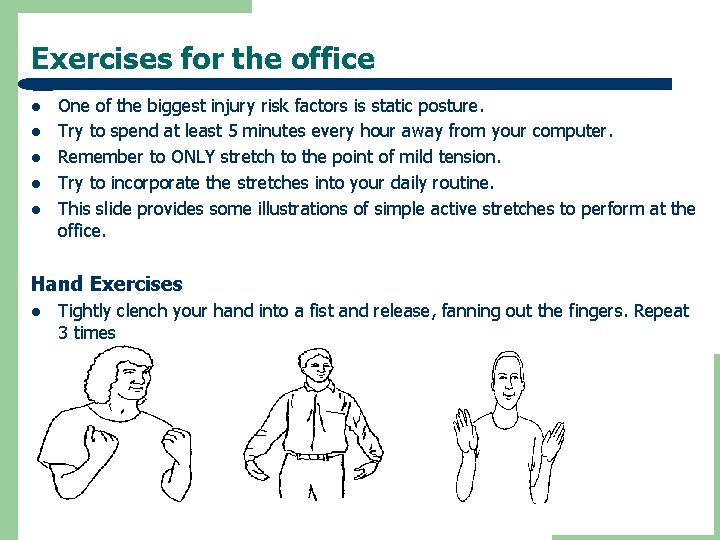
Exercises for the office l l l One of the biggest injury risk factors is static posture. Try to spend at least 5 minutes every hour away from your computer. Remember to ONLY stretch to the point of mild tension. Try to incorporate the stretches into your daily routine. This slide provides some illustrations of simple active stretches to perform at the office. Hand Exercises l Tightly clench your hand into a fist and release, fanning out the fingers. Repeat 3 times
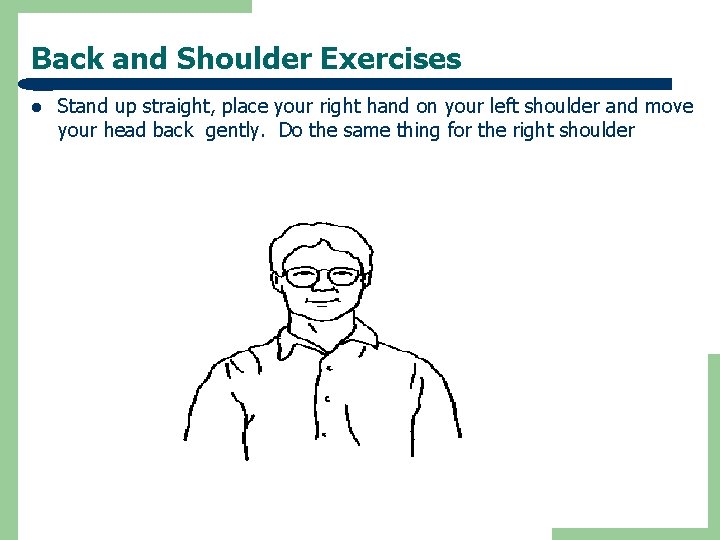
Back and Shoulder Exercises l Stand up straight, place your right hand on your left shoulder and move your head back gently. Do the same thing for the right shoulder
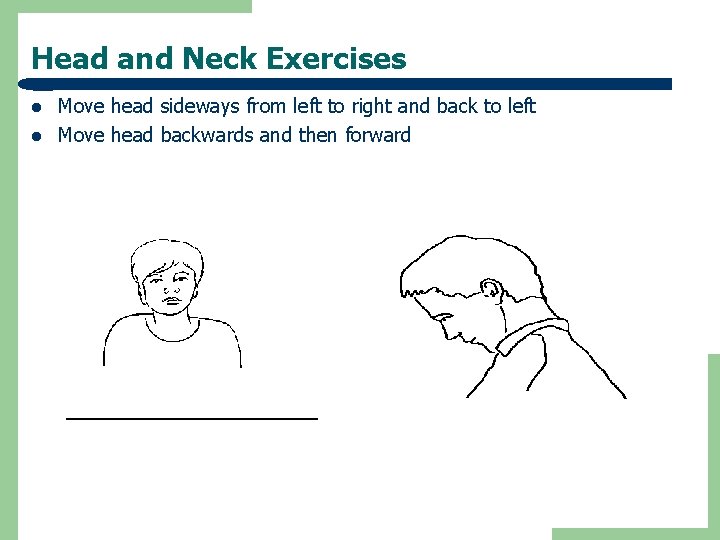
Head and Neck Exercises l l Move head sideways from left to right and back to left Move head backwards and then forward
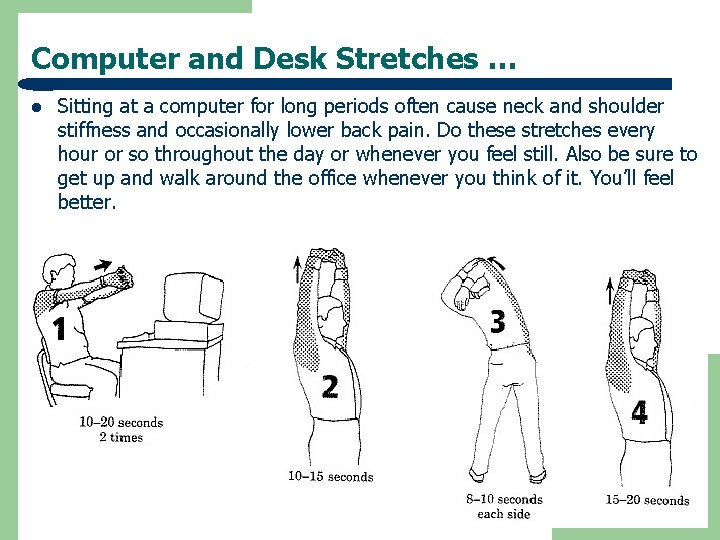
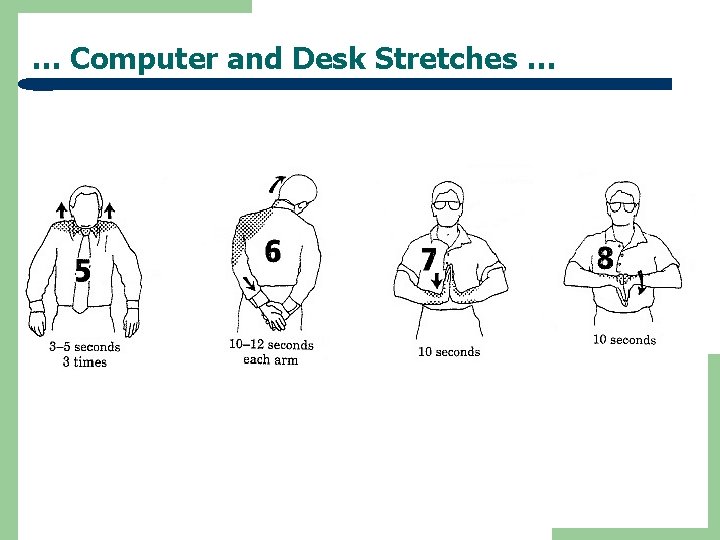
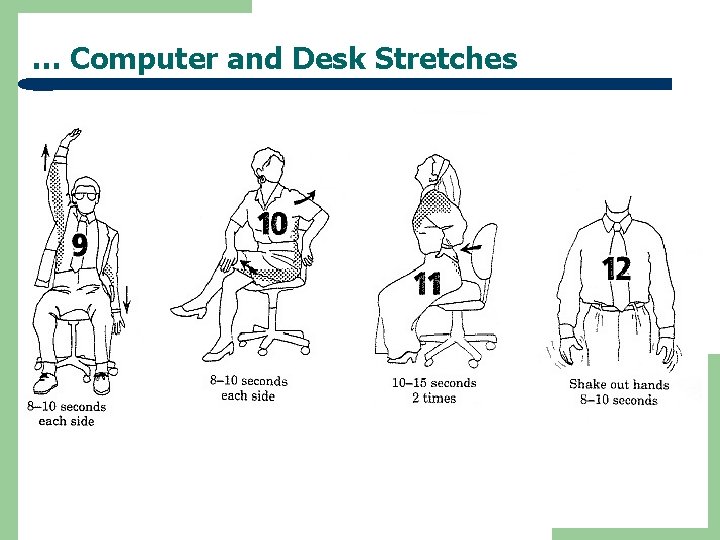
Computer and Desk Stretches … l Sitting at a computer for long periods often cause neck and shoulder stiffness and occasionally lower back pain. Do these stretches every hour or so throughout the day or whenever you feel still. Also be sure to get up and walk around the office whenever you think of it. You’ll feel better.
… Computer and Desk Stretches …
… Computer and Desk Stretches
How do I know my Ergonomics plan is successful? l l l l People not exposed to safety or health risks Job demands do not tax human capacity People have the skills for successful job performance People are in control of their environment and machines Jobs promote social interaction and well-being Job turnover decreases Productivity increases Product quality exceeds established standards