
Ergonomics and Posture Adam Yoder DPT ATC Board
Ergonomics and Posture Adam Yoder DPT, ATC Board Certified Orthopedic Specialist (OCS)
Defining Ergonomics • DEFINITON: The relationships among the worker, the work that is done, the tasks and activities inherent in that work, and the environment in which the work is performed. Guide to Physical Therapy Practice • Ergonomic Injury Definition: A work related musculoskeletal disorder of the musculoskeletal system developed through work. The American Physical Therapy Association
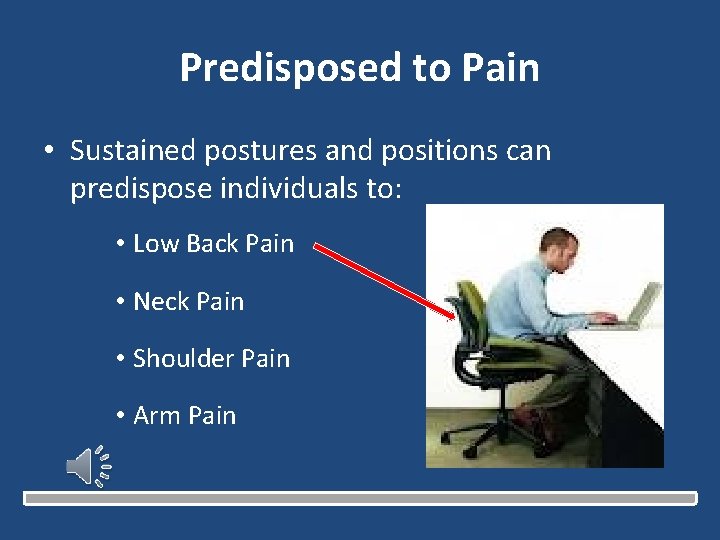
Predisposed to Pain • Sustained postures and positions can predispose individuals to: • Low Back Pain • Neck Pain • Shoulder Pain • Arm Pain
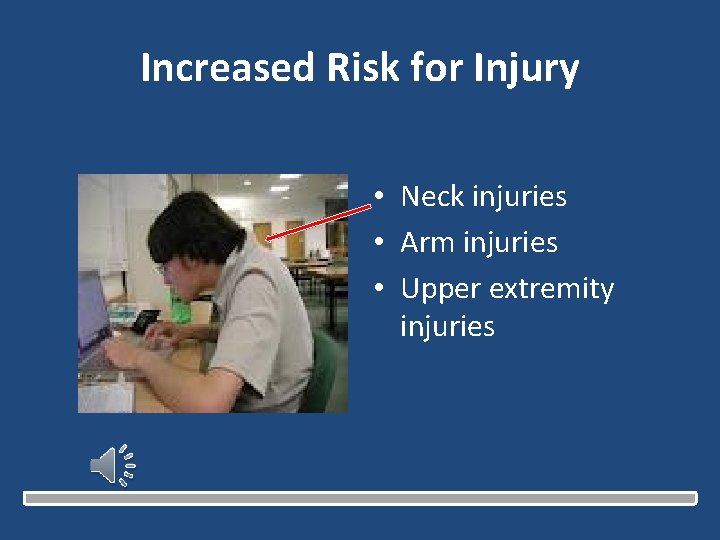
Increased Risk for Injury • Neck injuries • Arm injuries • Upper extremity injuries
How to Setup Your Workstation • OSHA Resource: http: //www. osha. gov/SLTC/etools/computerw orkstations/positions. html o Monitors o Desks o Chairs o Keyboards
How to Setup Your Workstation Understanding NEUTRAL POSITION. • This is a comfortable working posture in which your joints are naturally aligned. • Working with the body in a neutral position reduces stress and strain on the muscles, tendons, and skeletal system and reduces your risk of developing a musculoskeletal disorder (MSD).
How to Setup Your Workstation • • Hands, wrists, and forearms are straight, in-line and roughly parallel to the floor. Head is level, or bent slightly forward, forward facing, and balanced. In-line with the torso. Shoulders are relaxed and upper arms hang normally at the side of the body. Elbows stay in close to the body and are bent between 90 and 120 degrees. Feet are fully supported by the floor or a footrest. Back is fully supported with appropriate lumbar support when sitting vertical or leaning back slightly. Thighs and hips are supported by a well-padded seat and generally parallel to the floor. Knees are about the same height as the hips with the feet slightly forward.
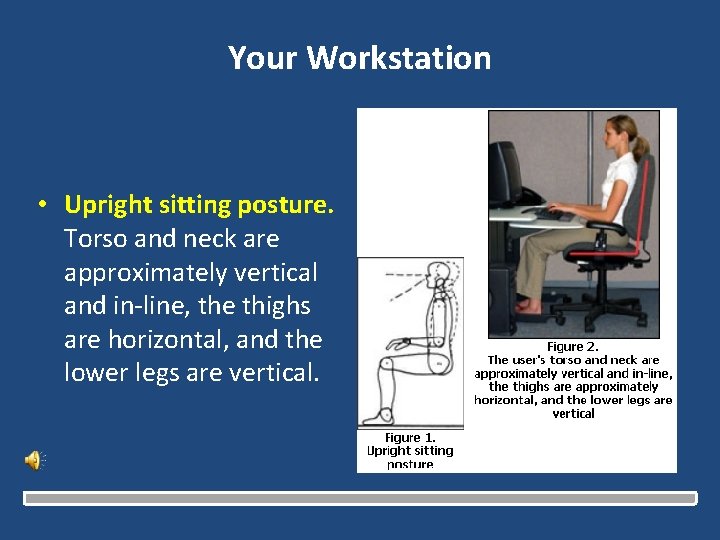
Your Workstation • Upright sitting posture. Torso and neck are approximately vertical and in-line, the thighs are horizontal, and the lower legs are vertical.
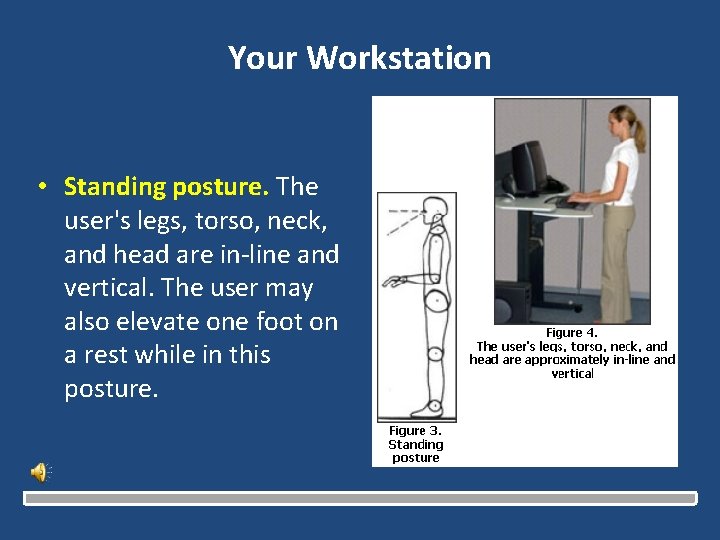
Your Workstation • Standing posture. The user's legs, torso, neck, and head are in-line and vertical. The user may also elevate one foot on a rest while in this posture.
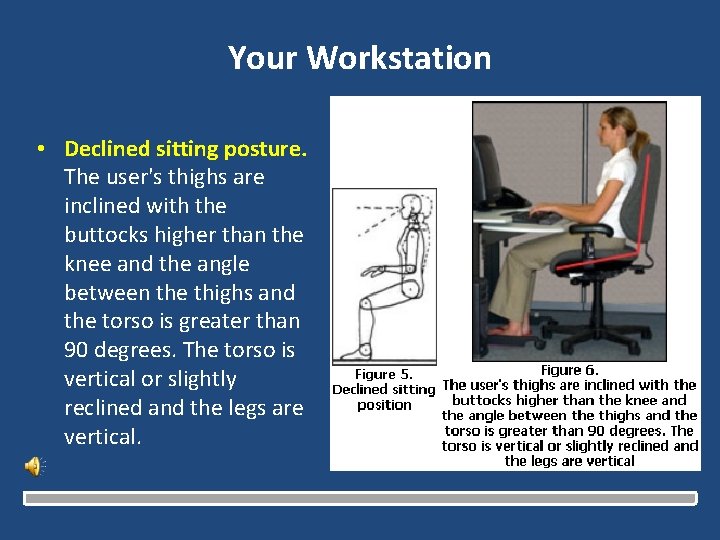
Your Workstation • Declined sitting posture. The user's thighs are inclined with the buttocks higher than the knee and the angle between the thighs and the torso is greater than 90 degrees. The torso is vertical or slightly reclined and the legs are vertical.
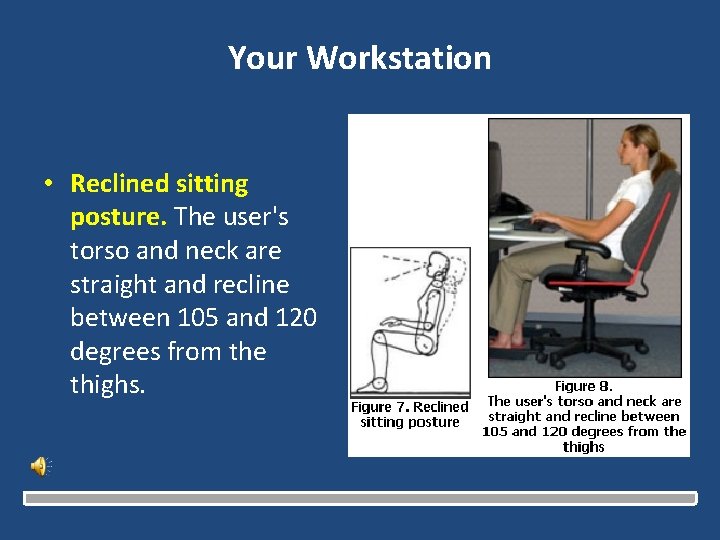
Your Workstation • Reclined sitting posture. The user's torso and neck are straight and recline between 105 and 120 degrees from the thighs.
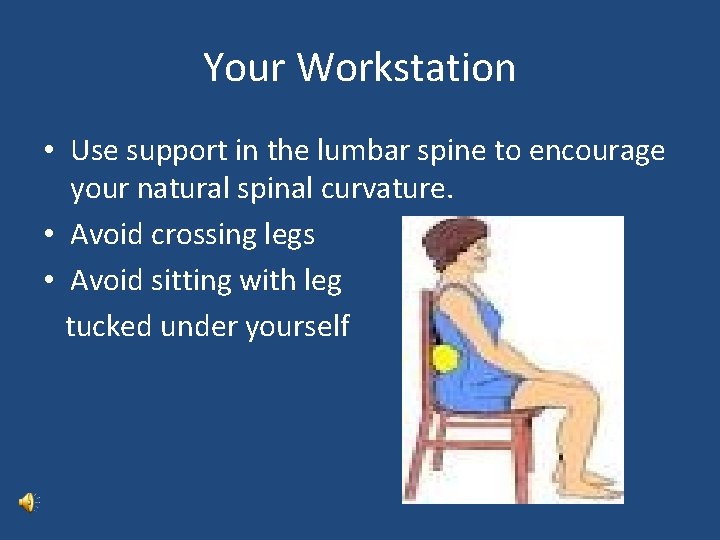
Your Workstation • Use support in the lumbar spine to encourage your natural spinal curvature. • Avoid crossing legs • Avoid sitting with leg tucked under yourself
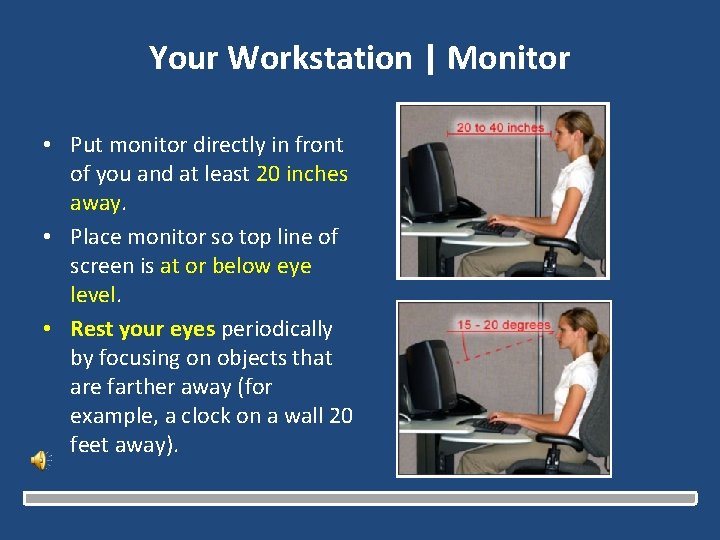
Your Workstation | Monitor • Put monitor directly in front of you and at least 20 inches away. • Place monitor so top line of screen is at or below eye level. • Rest your eyes periodically by focusing on objects that are farther away (for example, a clock on a wall 20 feet away).
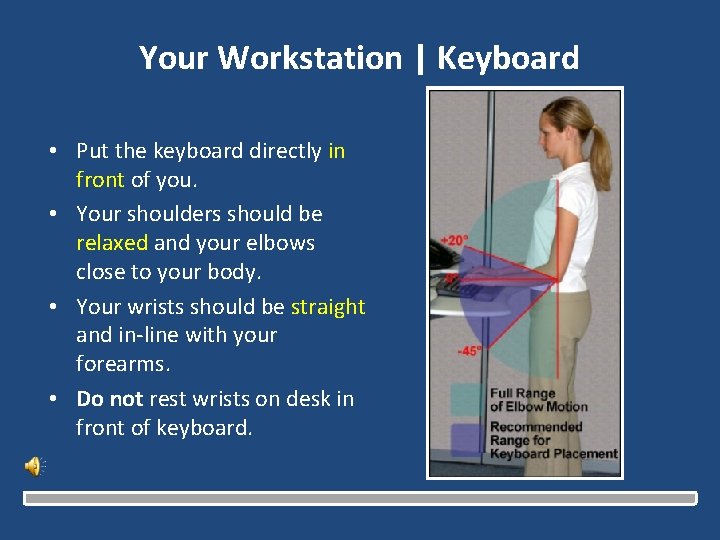
Your Workstation | Keyboard • Put the keyboard directly in front of you. • Your shoulders should be relaxed and your elbows close to your body. • Your wrists should be straight and in-line with your forearms. • Do not rest wrists on desk in front of keyboard.
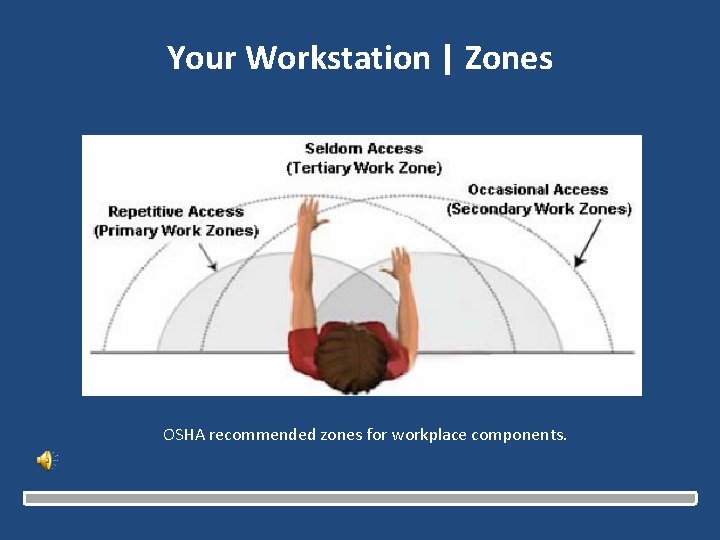
Your Workstation | Zones OSHA recommended zones for workplace components.
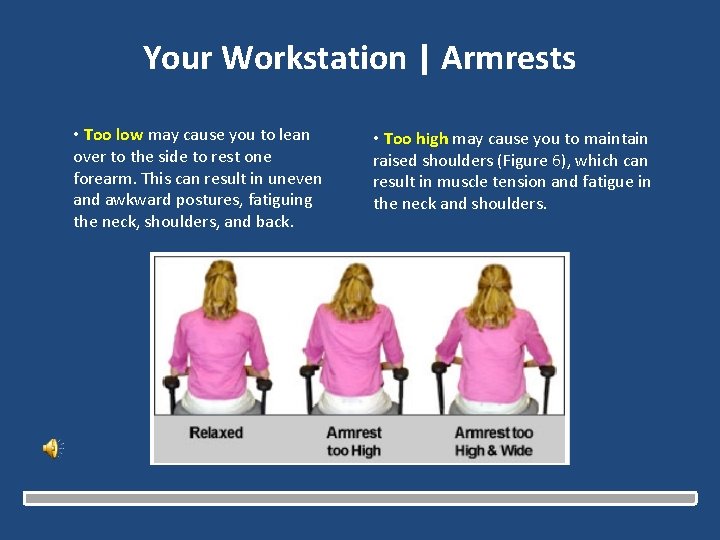
Your Workstation | Armrests • Too low may cause you to lean over to the side to rest one forearm. This can result in uneven and awkward postures, fatiguing the neck, shoulders, and back. • Too high may cause you to maintain raised shoulders (Figure 6), which can result in muscle tension and fatigue in the neck and shoulders.
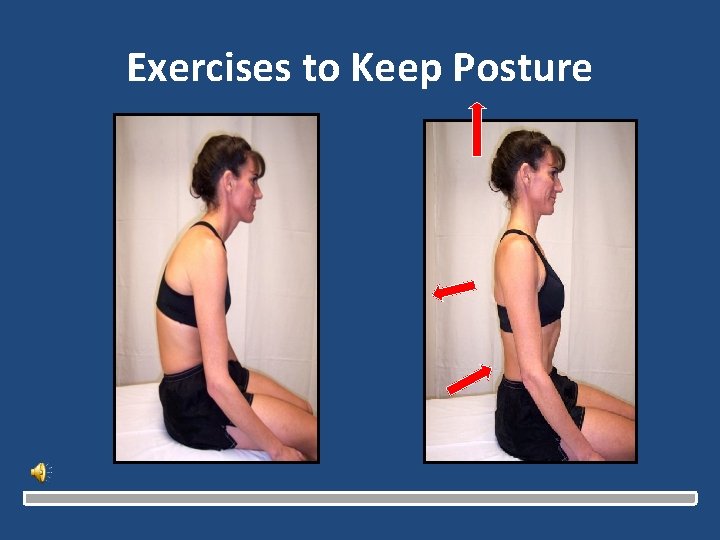
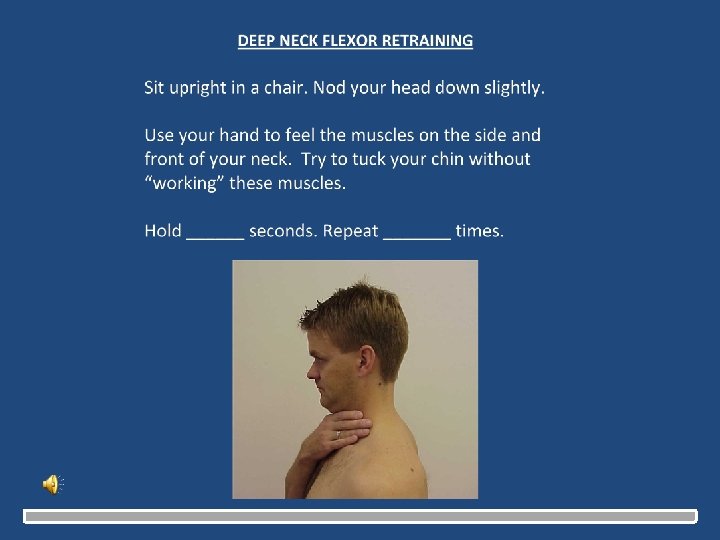
Exercises to Keep Posture
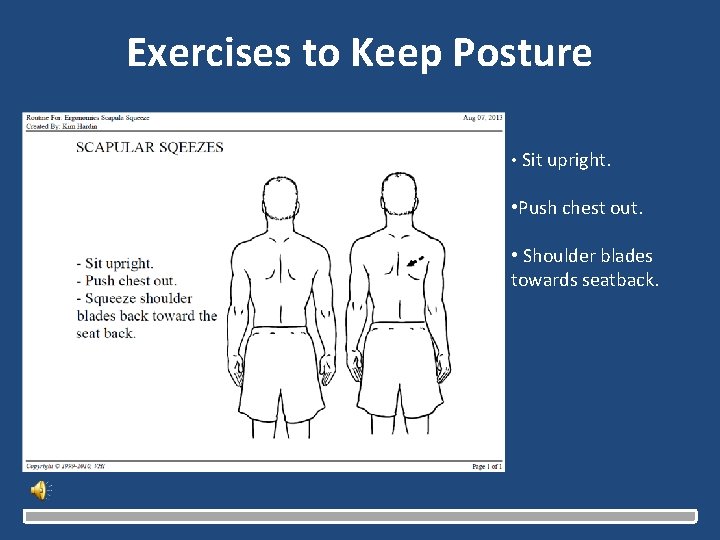
Exercises to Keep Posture • Sit upright. • Push chest out. • Shoulder blades towards seatback.
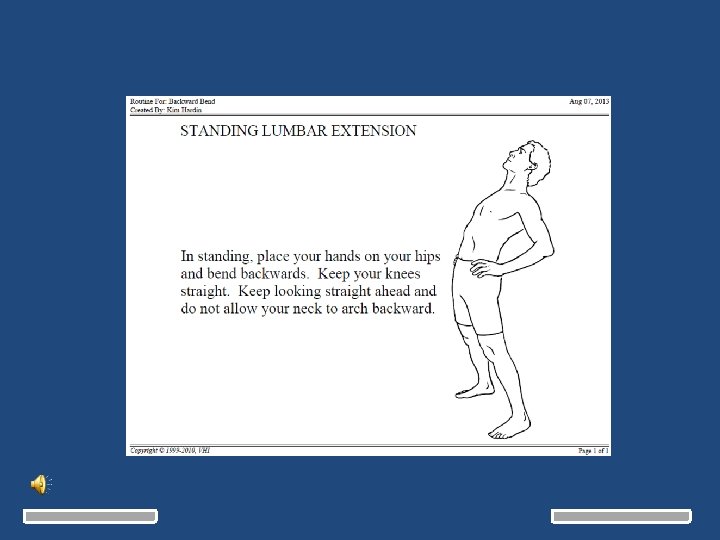
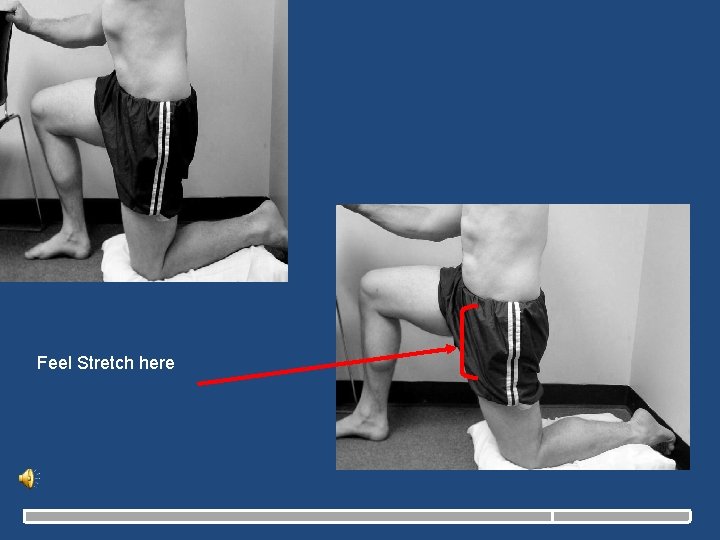
Feel Stretch here
Questions? • If you have pain and need a consultation with a Physical Therapist we can help you. • You need a Physician Referral • For appointments call Cheryl at 217 -383 -3300 – Carle Sports Medicine • Contact Information: – Adam Yoder Adam. Yoder@carle. com

Ergonomics 08 -24 -13
- Slides: 24