
Equinox 73 launch update Key MessagingPositioning Equinox i

- Slides: 44
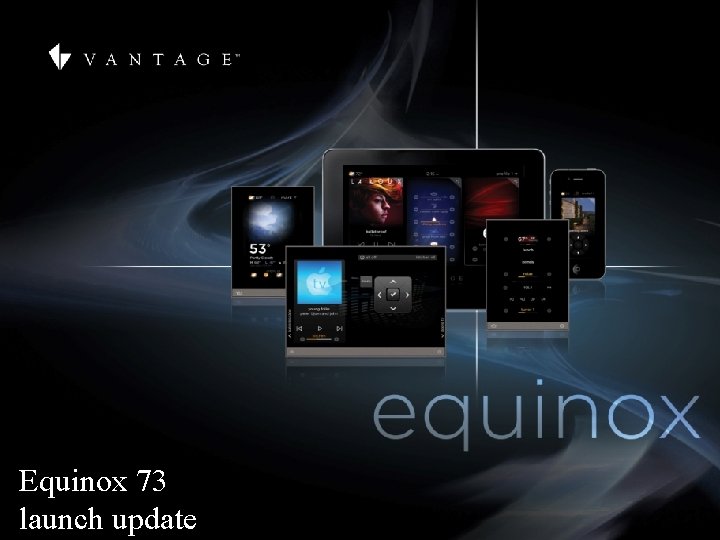
Equinox 73 launch update
Key Messaging/Positioning • Equinox i. OS or Android Tablet APP Rich media "quick to access control" apps with integrated dashboard control of lighting, audio, video, comfort and security systems on Android and i. OS tablets through the In. Fusion system. • Equinox 73 A rich media "quick to access control" LCD touchscreen for integrated dashboard control of lighting, audio, video, comfort and security systems through the In. Fusion system. • Reference Equinox 40 A single-gang "quick to access control" LCD touch keypad for lighting, audio and comfort controls through the In. Fusion system.
agenda • research • why equinox? • 3 key elements • hardware • selling tools • wrap up & qa • user experience • software tools
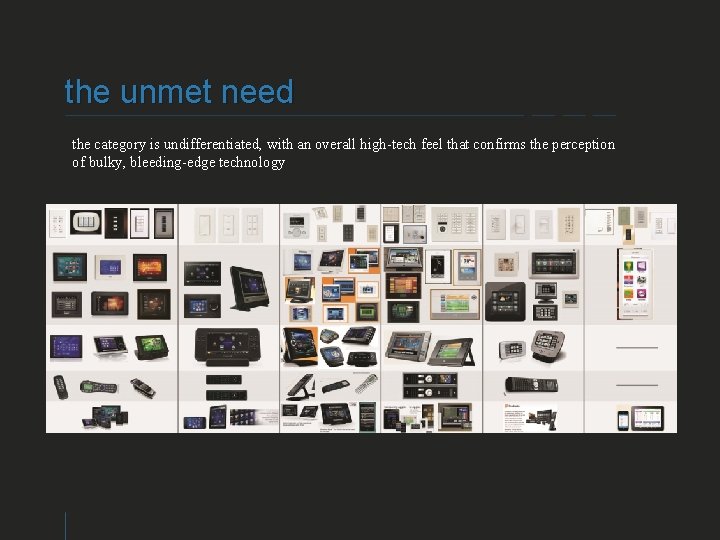
the unmet need the category is undifferentiated, with an overall high-tech feel that confirms the perception of bulky, bleeding-edge technology VANTAGE CONFIDENTIAL
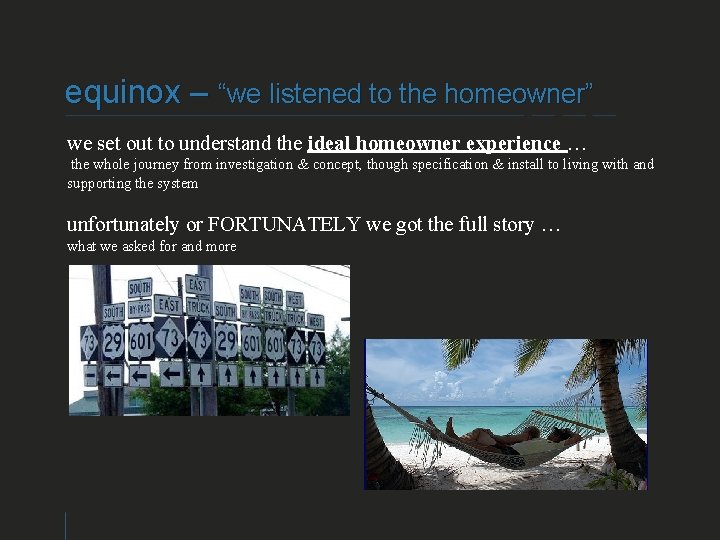
equinox – “we listened to the homeowner” we set out to understand the ideal homeowner experience … the whole journey from investigation & concept, though specification & install to living with and supporting the system unfortunately or FORTUNATELY we got the full story … what we asked for and more VANTAGE CONFIDENTIAL
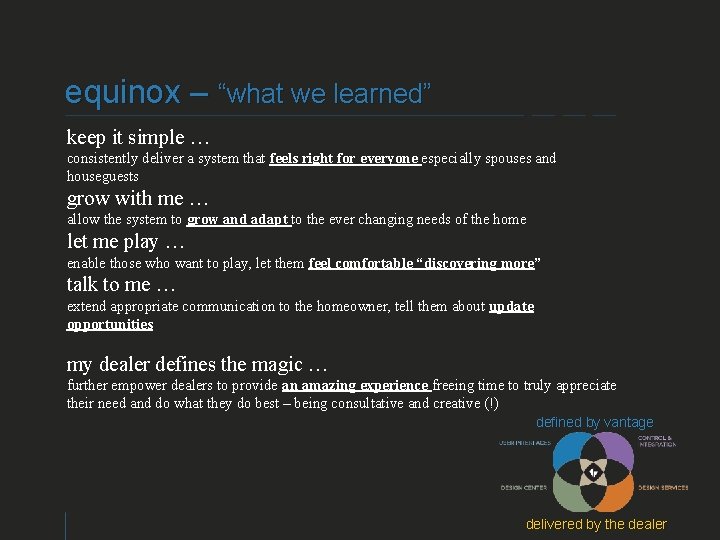
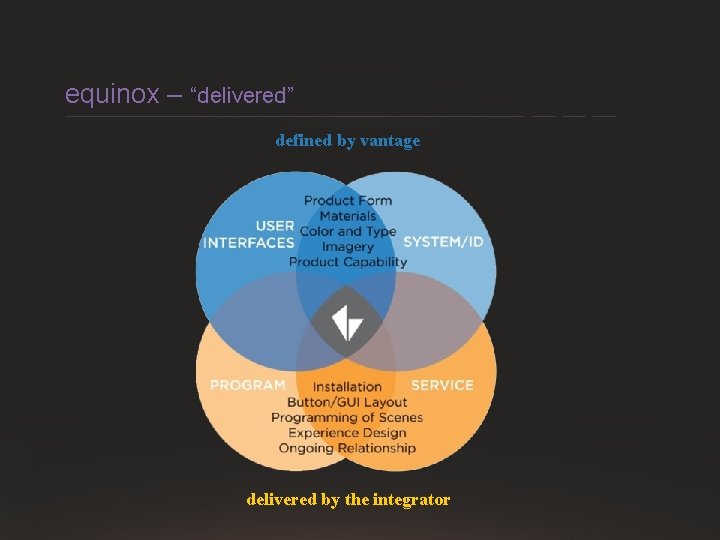
equinox – “what we learned” keep it simple … consistently deliver a system that feels right for everyone especially spouses and houseguests grow with me … allow the system to grow and adapt to the ever changing needs of the home let me play … enable those who want to play, let them feel comfortable “discovering more” talk to me … extend appropriate communication to the homeowner, tell them about update opportunities my dealer defines the magic … further empower dealers to provide an amazing experience freeing time to truly appreciate their need and do what they do best – being consultative and creative (!) defined by vantage VANTAGE CONFIDENTIAL delivered by the dealer
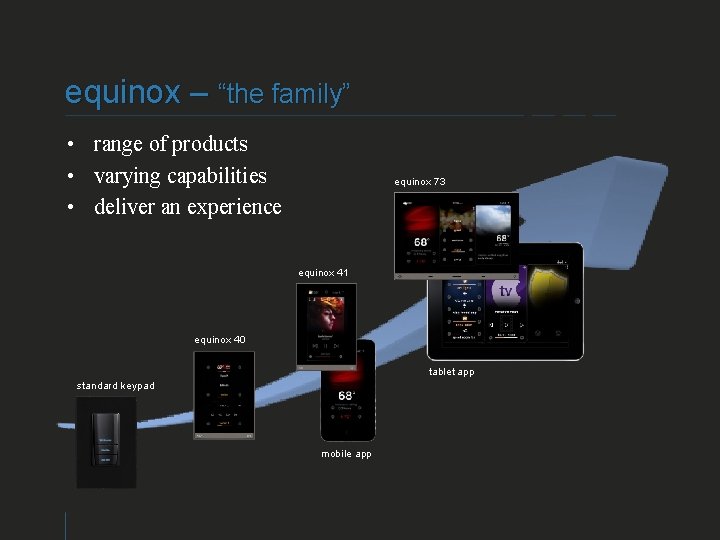
equinox – “the family” • range of products • varying capabilities • deliver an experience equinox 73 equinox 41 equinox 40 tablet app standard keypad mobile app VANTAGE CONFIDENTIAL
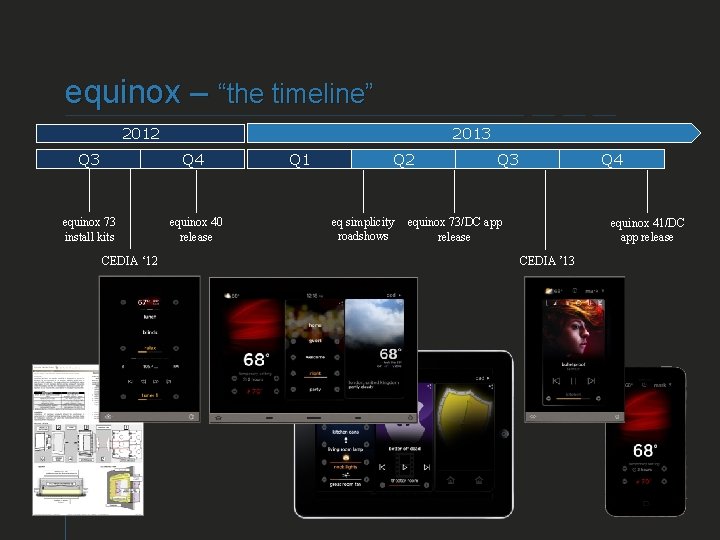
equinox – “the timeline” 2013 2012 Q 3 Q 4 equinox 73 install kits equinox 40 release Q 1 Q 2 eq simplicity roadshows Q 3 Q 4 equinox 73/DC app release CEDIA ‘ 12 equinox 41/DC app release CEDIA ’ 13 VANTAGE CONFIDENTIAL
equinox platform– 3 key elements • hardware • user experience • software tools
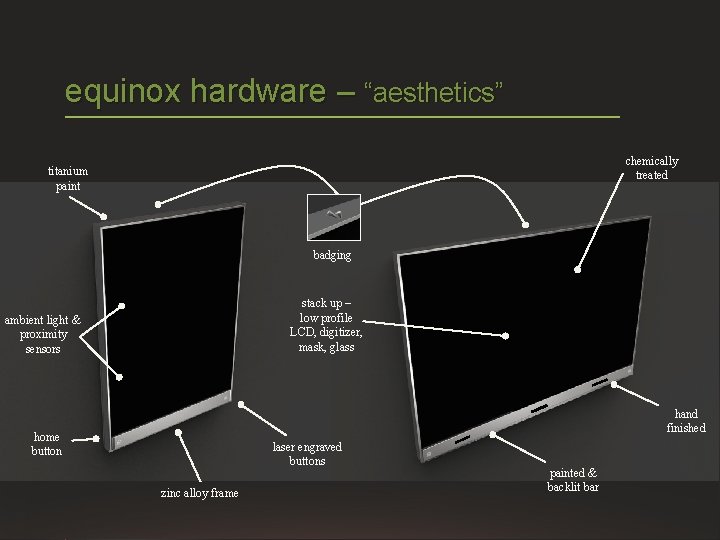
HOME SYSTEMS equinox hardware – “aesthetics” chemically treated titanium paint badging stack up – low profile LCD, digitizer, mask, glass ambient light & proximity sensors hand finished home button laser engraved buttons zinc alloy frame painted & backlit bar
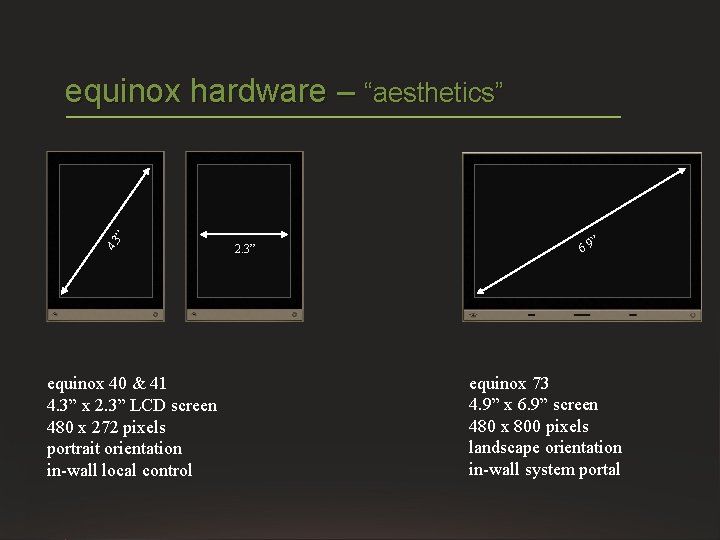
4. 3 ” equinox hardware – “aesthetics” equinox 40 & 41 4. 3” x 2. 3” LCD screen 480 x 272 pixels portrait orientation in-wall local control 2. 3” ” 6. 9 equinox 73 4. 9” x 6. 9” screen 480 x 800 pixels landscape orientation in-wall system portal
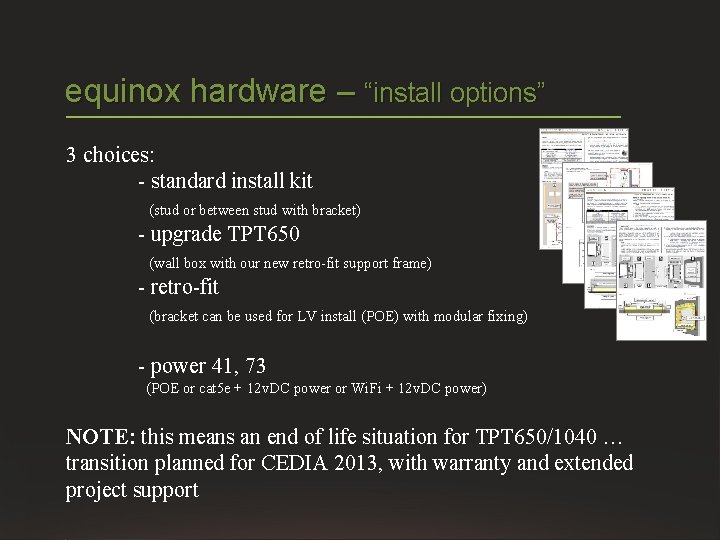
equinox hardware – “install options” 3 choices: - standard install kit (stud or between stud with bracket) - upgrade TPT 650 (wall box with our new retro-fit support frame) - retro-fit (bracket can be used for LV install (POE) with modular fixing) - power 41, 73 (POE or cat 5 e + 12 v. DC power or Wi. Fi + 12 v. DC power) NOTE: this means an end of life situation for TPT 650/1040 … transition planned for CEDIA 2013, with warranty and extended project support
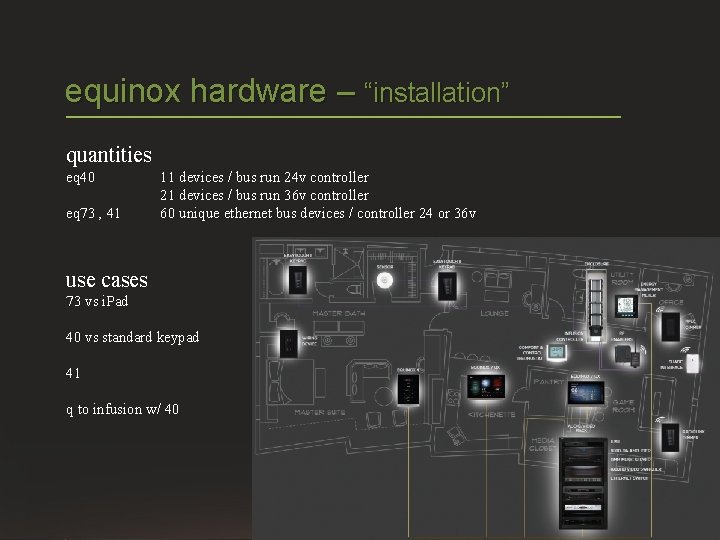
equinox hardware – “installation” quantities eq 40 eq 73 , 41 11 devices / bus run 24 v controller 21 devices / bus run 36 v controller 60 unique ethernet bus devices / controller 24 or 36 v use cases 73 vs i. Pad 40 vs standard keypad 41 q to infusion w/ 40
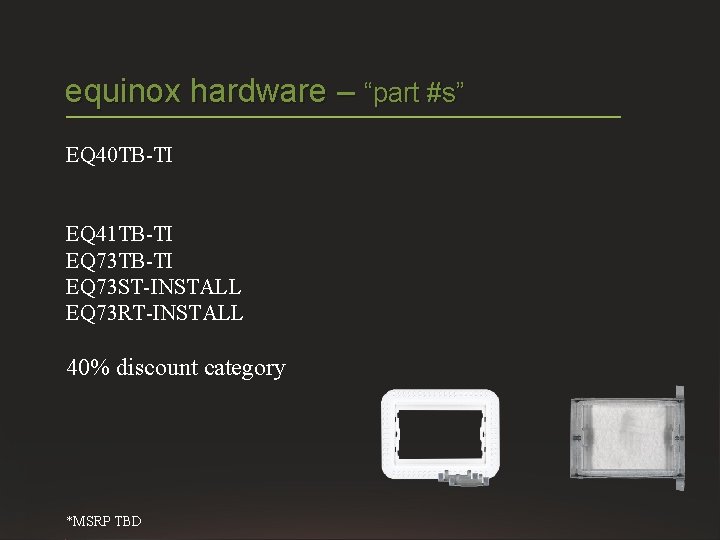
equinox hardware – “part #s” EQ 40 TB-TI EQ 41 TB-TI EQ 73 ST-INSTALL EQ 73 RT-INSTALL 40% discount category *MSRP TBD VANTAGE CONFIDENTIAL
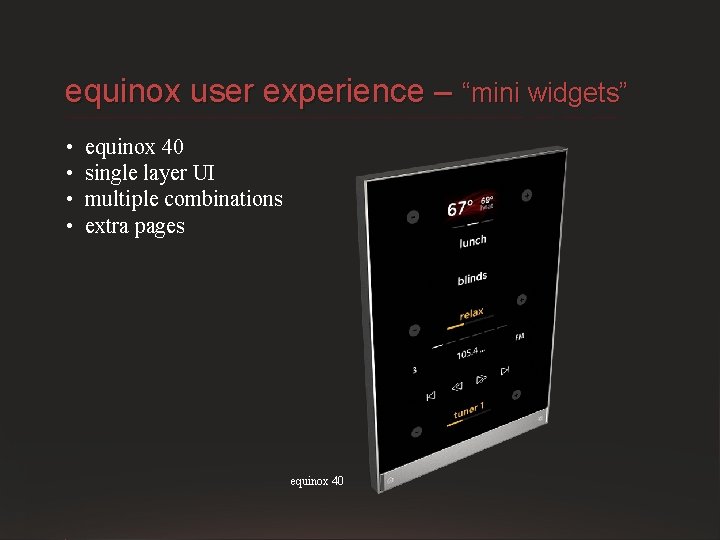
equinox user experience – “mini widgets” • • equinox 40 single layer UI multiple combinations extra pages equinox 40 VANTAGE CONFIDENTIAL
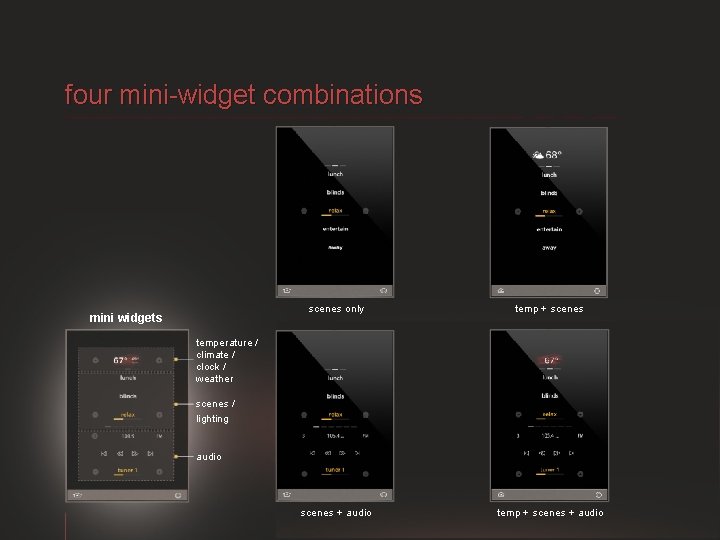
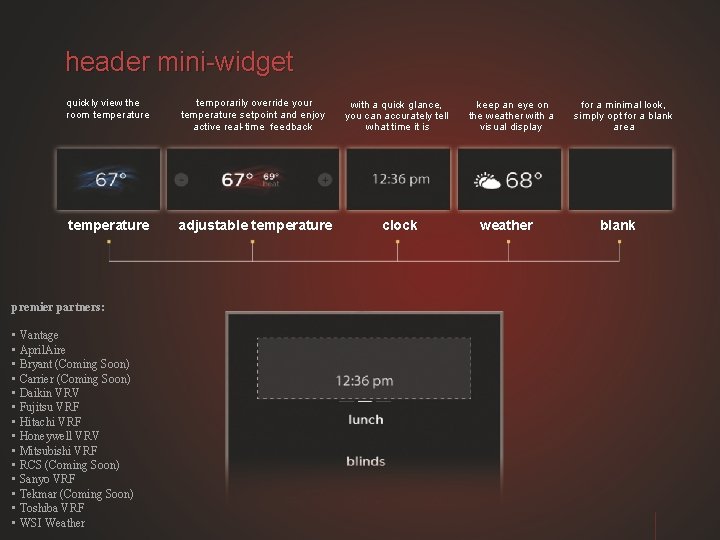
four mini-widget combinations mini widgets scenes only temp + scenes + audio temperature / climate / clock / weather scenes / lighting audio
header mini-widget quickly view the room temperature temporarily override your temperature setpoint and enjoy active real-time feedback with a quick glance, you can accurately tell what time it is temperature adjustable temperature clock premier partners: • Vantage • April. Aire • Bryant (Coming Soon) • Carrier (Coming Soon) • Daikin VRV • Fujitsu VRF • Hitachi VRF • Honeywell VRV • Mitsubishi VRF • RCS (Coming Soon) • Sanyo VRF • Tekmar (Coming Soon) • Toshiba VRF • WSI Weather keep an eye on the weather with a visual display weather for a minimal look, simply opt for a blank area blank
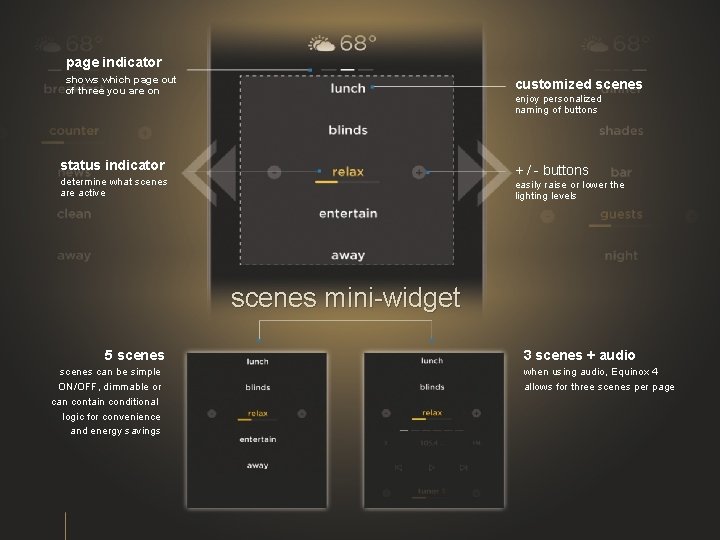
page indicator shows which page out of three you are on customized scenes enjoy personalized naming of buttons status indicator + / - buttons determine what scenes are active easily raise or lower the lighting levels scenes mini-widget 5 scenes can be simple ON/OFF, dimmable or can contain conditional logic for convenience and energy savings 3 scenes + audio when using audio, Equinox 4 allows for three scenes per page
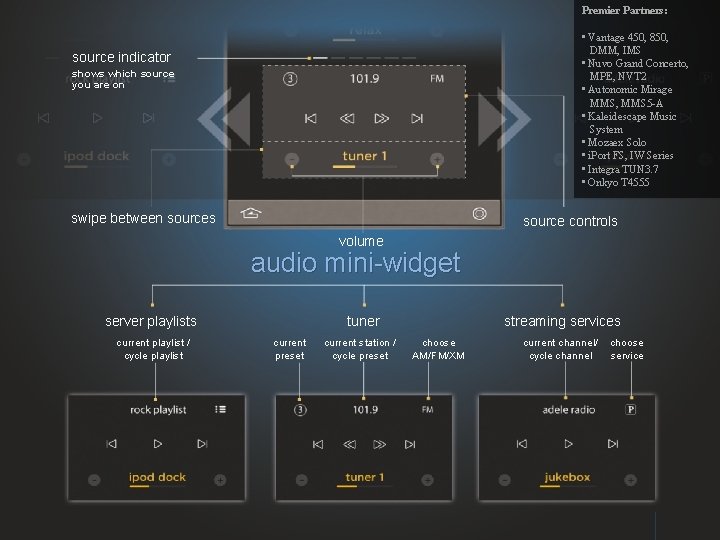
Premier Partners: • Vantage 450, 850, DMM, IMS • Nuvo Grand Concerto, MPE, NVT 2 • Autonomic Mirage MMS, MMS 5 -A • Kaleidescape Music System • Mozaex Solo • i. Port FS, IW Series • Integra TUN 3. 7 • Onkyo T 4555 source indicator shows which source you are on swipe between sources source controls volume audio mini-widget server playlists current playlist / cycle playlist tuner current preset current station / cycle preset streaming services choose AM/FM/XM current channel/ cycle channel choose service
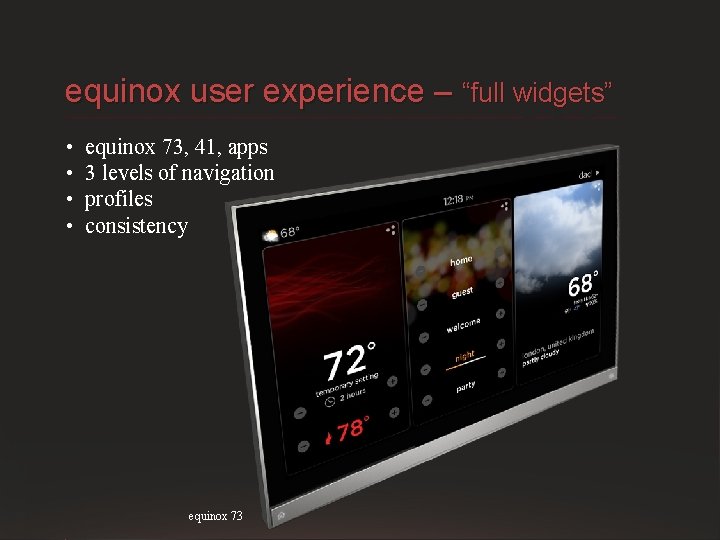
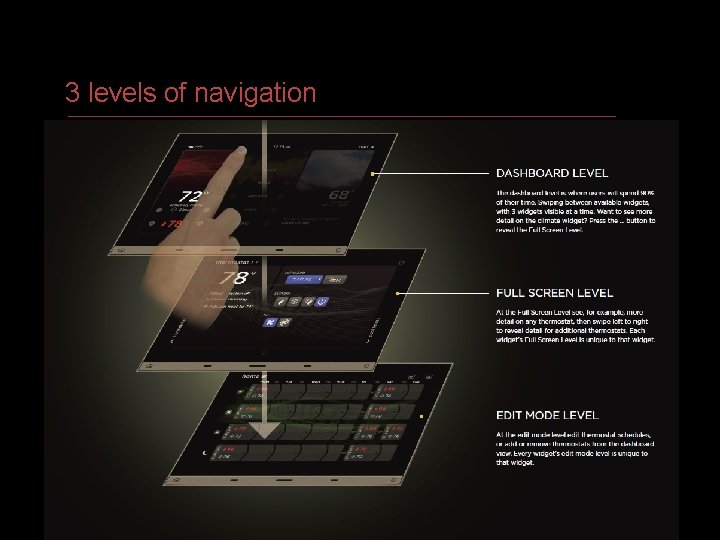
equinox user experience – “full widgets” • • equinox 73, 41, apps 3 levels of navigation profiles consistency equinox 73 VANTAGE CONFIDENTIAL
3 levels of navigation VANTAGE CONFIDENTIAL
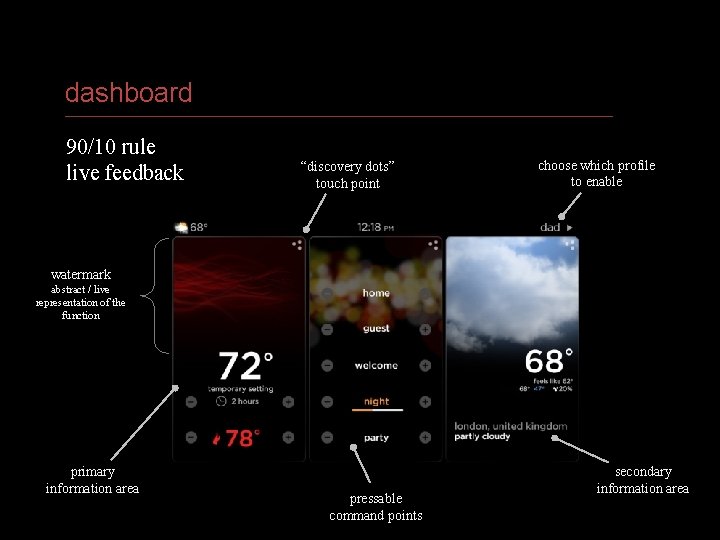
HOME SYSTEMS dashboard 90/10 rule live feedback “discovery dots” touch point choose which profile to enable watermark abstract / live representation of the function primary information area pressable command points secondary information area
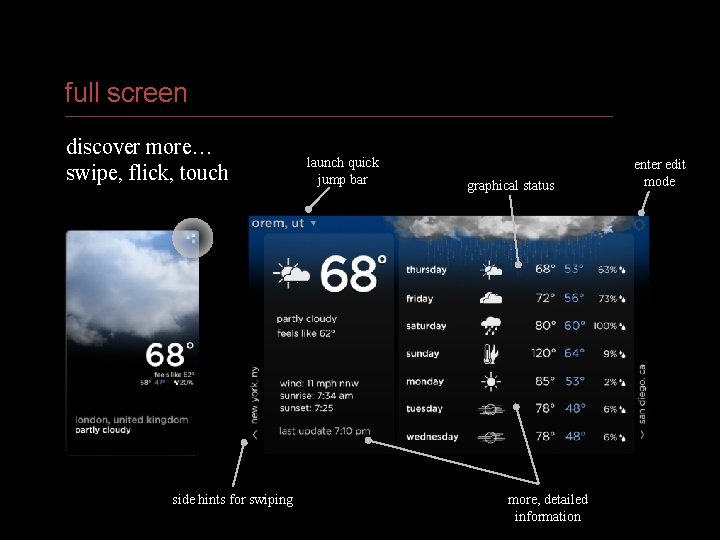
full screen discover more… swipe, flick, touch launch quick jump bar side hints for swiping VANTAGE CONFIDENTIAL graphical status more, detailed information enter edit mode
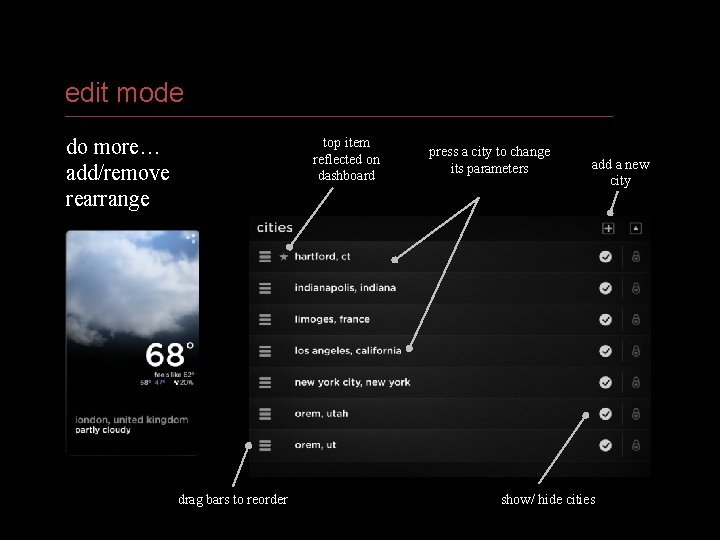
edit mode do more… add/remove rearrange top item reflected on dashboard press a city to change its parameters drag bars to reorder add a new city show/ hide cities VANTAGE CONFIDENTIAL
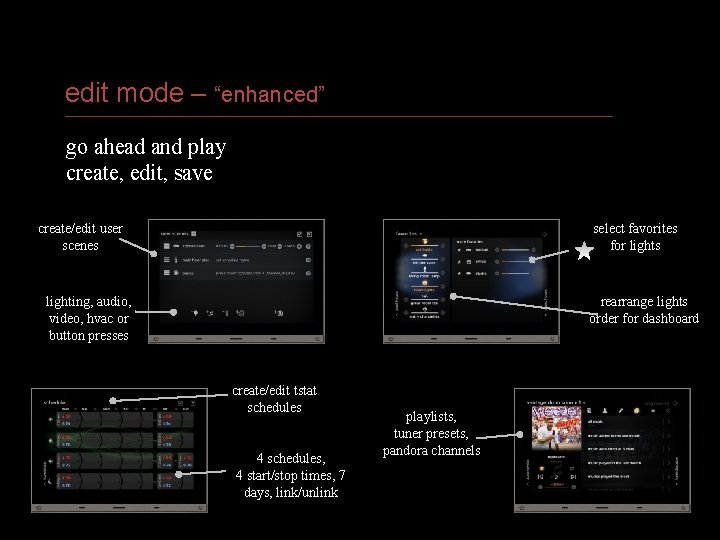
edit mode – “enhanced” go ahead and play create, edit, save create/edit user scenes select favorites for lights lighting, audio, video, hvac or button presses rearrange lights order for dashboard create/edit tstat schedules 4 schedules, 4 start/stop times, 7 days, link/unlink playlists, tuner presets, pandora channels VANTAGE CONFIDENTIAL
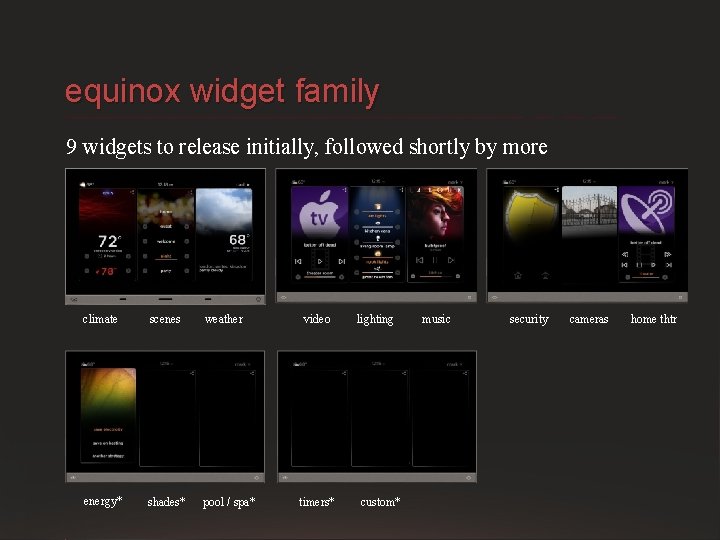
equinox widget family 9 widgets to release initially, followed shortly by more climate scenes weather energy* shades* pool / spa* video timers* lighting music custom* VANTAGE CONFIDENTIAL security cameras home thtr
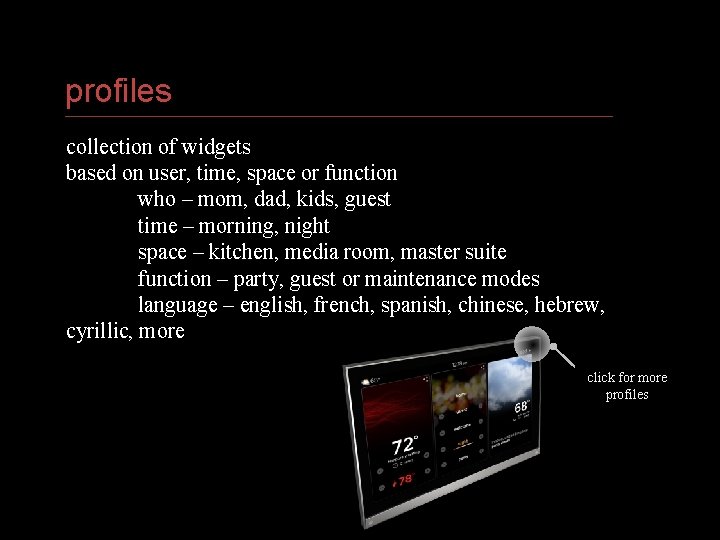
profiles collection of widgets based on user, time, space or function who – mom, dad, kids, guest time – morning, night space – kitchen, media room, master suite function – party, guest or maintenance modes language – english, french, spanish, chinese, hebrew, cyrillic, more click for more profiles VANTAGE CONFIDENTIAL
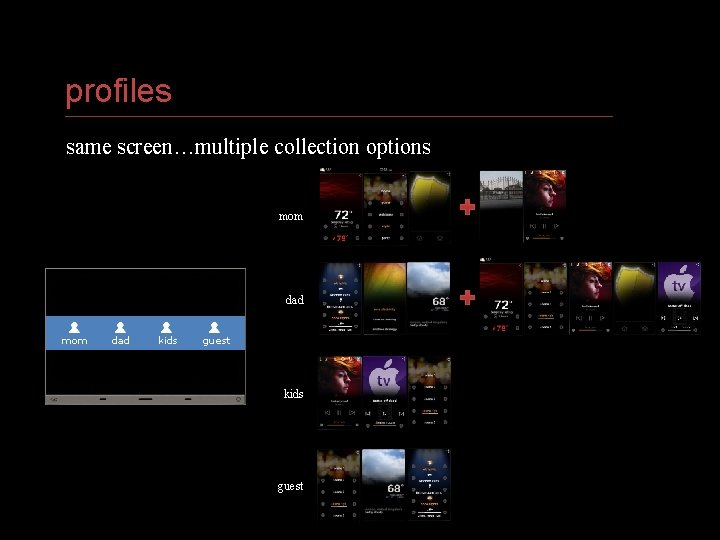
profiles same screen…multiple collection options mom dad kids guest VANTAGE CONFIDENTIAL
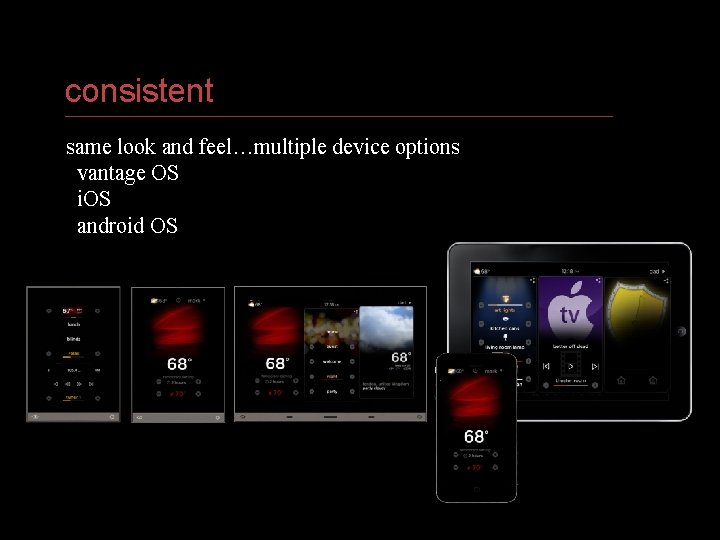
consistent same look and feel…multiple device options vantage OS i. OS android OS VANTAGE CONFIDENTIAL
software tools • • bringing it all together ease of set up & time efficiencies premier partners licensing
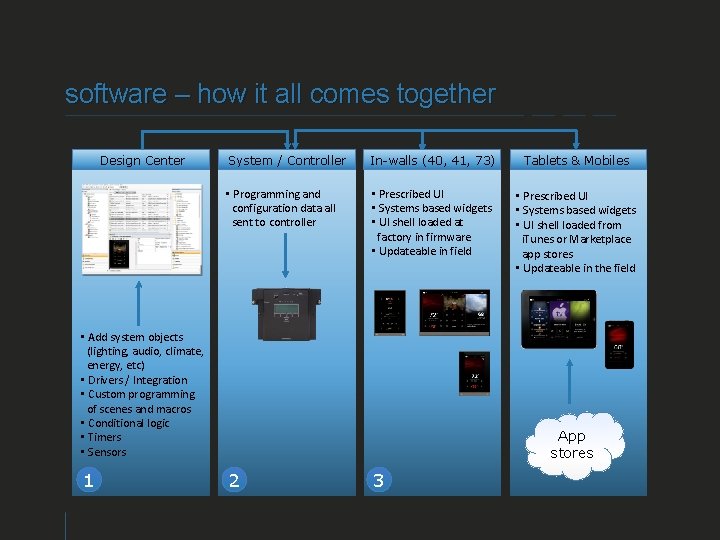
software – how it all comes together Design Center System / Controller In-walls (40, 41, 73) Tablets & Mobiles • Programming and configuration data all sent to controller • Prescribed UI • Systems based widgets • UI shell loaded at factory in firmware • Updateable in field • Prescribed UI • Systems based widgets • UI shell loaded from i. Tunes or Marketplace app stores • Updateable in the field • Add system objects (lighting, audio, climate, energy, etc) • Drivers / Integration • Custom programming of scenes and macros • Conditional logic • Timers • Sensors 1 App stores 2 3
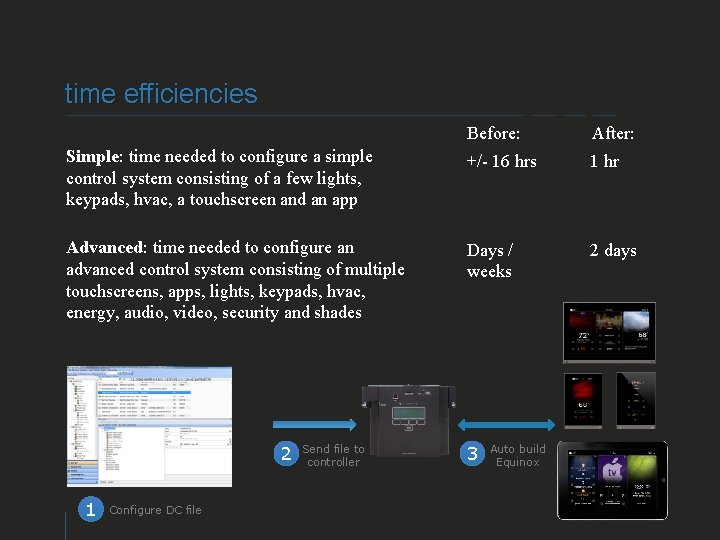
time efficiencies Before: After: Simple: time needed to configure a simple control system consisting of a few lights, keypads, hvac, a touchscreen and an app +/- 16 hrs 1 hr Advanced: time needed to configure an advanced control system consisting of multiple touchscreens, apps, lights, keypads, hvac, energy, audio, video, security and shades Days / weeks 2 days 2 1 Send file to controller Configure DC file VANTAGE CONFIDENTIAL 3 Auto build Equinox
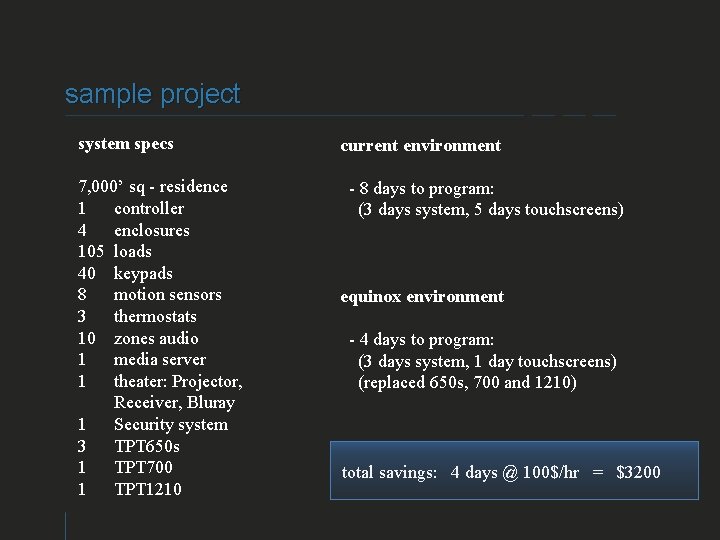
sample project system specs 7, 000’ sq - residence 1 controller 4 enclosures 105 loads 40 keypads 8 motion sensors 3 thermostats 10 zones audio 1 media server 1 theater: Projector, Receiver, Bluray 1 Security system 3 TPT 650 s 1 TPT 700 1 TPT 1210 current environment - 8 days to program: (3 days system, 5 days touchscreens) equinox environment - 4 days to program: (3 days system, 1 day touchscreens) (replaced 650 s, 700 and 1210) total savings: 4 days @ 100$/hr = $3200 VANTAGE CONFIDENTIAL
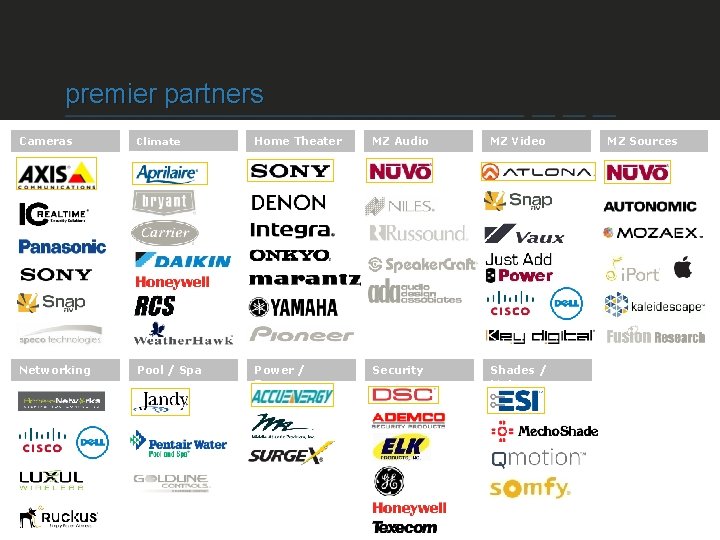
premier partners Cameras Climate Home Theater MZ Audio MZ Video Networking Pool / Spa Power / Energy Security Shades / Motors VANTAGE CONFIDENTIAL MZ Sources
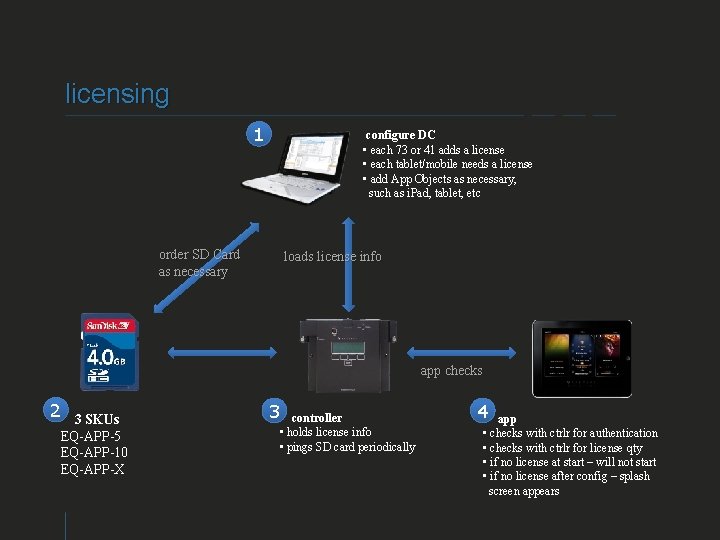
licensing 1 configure DC • each 73 or 41 adds a license • each tablet/mobile needs a license • add App Objects as necessary, such as i. Pad, tablet, etc order SD Card as necessary loads license info app checks 2 3 SKUs EQ-APP-5 EQ-APP-10 EQ-APP-X 3 controller • holds license info • pings SD card periodically VANTAGE CONFIDENTIAL 4 app • checks with ctrlr for authentication • checks with ctrlr for license qty • if no license at start – will not start • if no license after config – splash screen appears
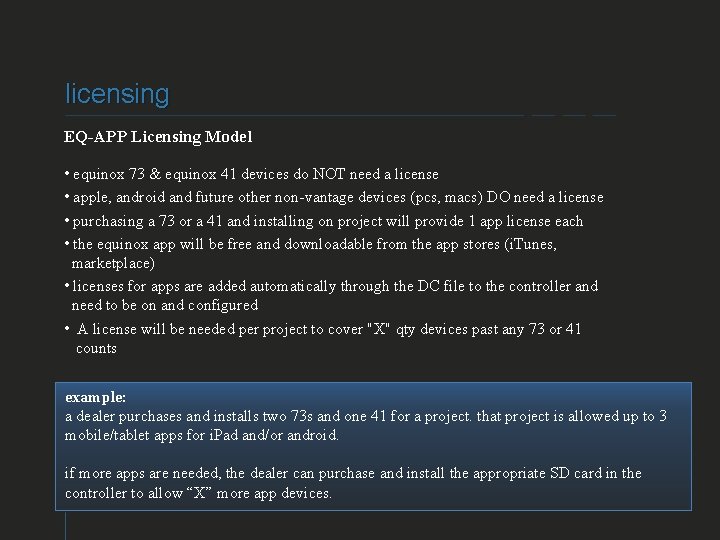
licensing EQ-APP Licensing Model • equinox 73 & equinox 41 devices do NOT need a license • apple, android and future other non-vantage devices (pcs, macs) DO need a license • purchasing a 73 or a 41 and installing on project will provide 1 app license each • the equinox app will be free and downloadable from the app stores (i. Tunes, marketplace) • licenses for apps are added automatically through the DC file to the controller and need to be on and configured • A license will be needed per project to cover "X" qty devices past any 73 or 41 counts example: a dealer purchases and installs two 73 s and one 41 for a project. that project is allowed up to 3 mobile/tablet apps for i. Pad and/or android. if more apps are needed, the dealer can purchase and install the appropriate SD card in the controller to allow “X” more app devices. VANTAGE CONFIDENTIAL
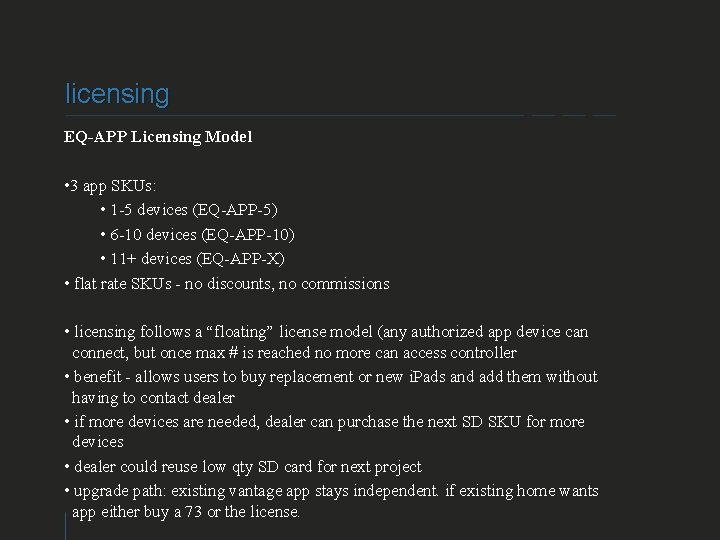
licensing EQ-APP Licensing Model • 3 app SKUs: • 1 -5 devices (EQ-APP-5) • 6 -10 devices (EQ-APP-10) • 11+ devices (EQ-APP-X) • flat rate SKUs - no discounts, no commissions • licensing follows a “floating” license model (any authorized app device can connect, but once max # is reached no more can access controller • benefit - allows users to buy replacement or new i. Pads and add them without having to contact dealer • if more devices are needed, dealer can purchase the next SD SKU for more devices • dealer could reuse low qty SD card for next project • upgrade path: existing vantage app stays independent. if existing home wants app either buy a 73 or the license. VANTAGE CONFIDENTIAL
why equinox? • we delivered – “the unmet need” • selling tools • what next VANTAGE CONFIDENTIAL
equinox – “delivered” defined by vantage delivered by the integrator VANTAGE CONFIDENTIAL
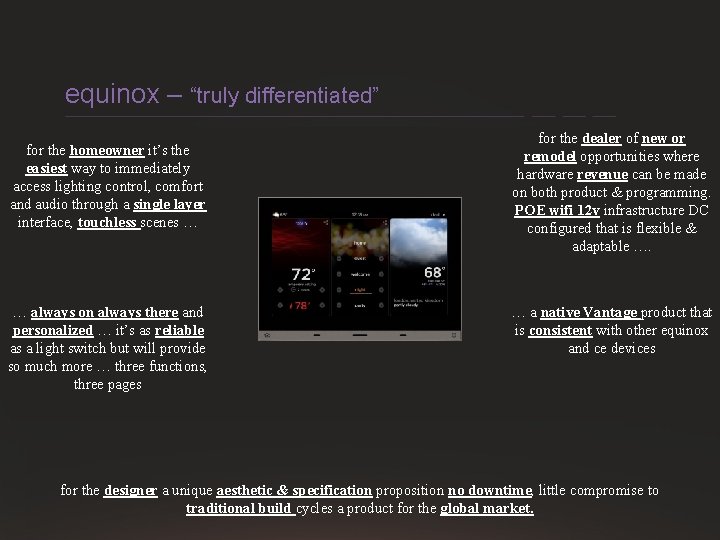
equinox – “truly differentiated” for the homeowner it’s the easiest way to immediately access lighting control, comfort and audio through a single layer interface, touchless scenes … … always on always there and personalized … it’s as reliable as a light switch but will provide so much more … three functions, three pages for the dealer of new or remodel opportunities where hardware revenue can be made on both product & programming. POE wifi 12 v infrastructure DC configured that is flexible & adaptable …. … a native Vantage product that is consistent with other equinox and ce devices for the designer a unique aesthetic & specification proposition no downtime, little compromise to traditional build cycles a product for the global market.
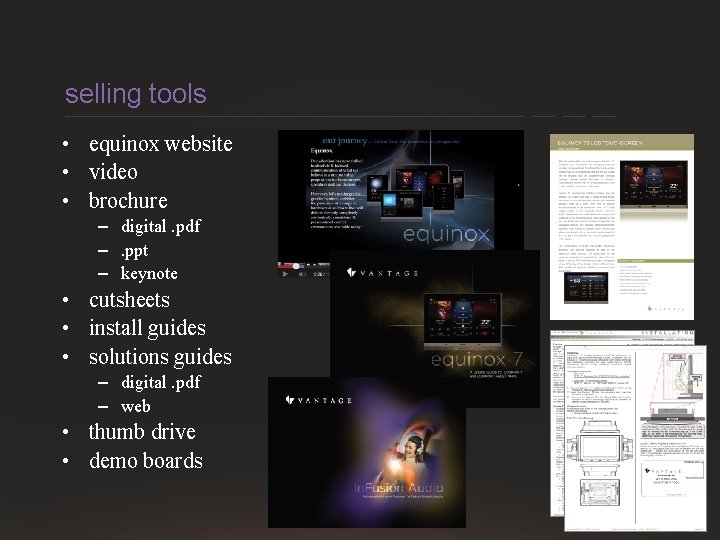
selling tools • equinox website • video • brochure – digital. pdf –. ppt – keynote • cutsheets • install guides • solutions guides – digital. pdf – web • thumb drive • demo boards VANTAGE CONFIDENTIAL
what next? • • • plan for future projects engage vantage “design services” demo boards for sale? review selling materials attend certification trainings • online • in field • factory
q&a
VANTAGE CONFIDENTIAL