
Entity Relationship Diagrams Your roadmap to the database
Entity Relationship Diagrams Your roadmap to the database. DISCOVER! Texas State Technical College

Entity Relationship Diagrams What is it? Essentially, an ERD is your roadmap to the database. It details the Definition component of a database. It is a visual representation of the database components. • Tables • Fields • Keys • Relationships DISCOVER! Texas State Technical College
Entity Relationship Diagrams Why? Even the smallest databases are composed of • 5 to 10 tables • 50 to 100 fields • 15 to 30 keys • 5 to 20 relationships ERD helps to orient the developer to the structure of an unfamiliar database. ERD is an essential tool when working with any database. DISCOVER! Texas State Technical College
Entity Relationship Diagrams The Basics Each table is represented as a box containing a list of fields and their data types. Key fields are marked as primary key (PK) or foreign key (FK). Relationships are directional arrows originating at the foreign key and pointing to the table (parent table) containing the referenced information. DISCOVER! Texas State Technical College
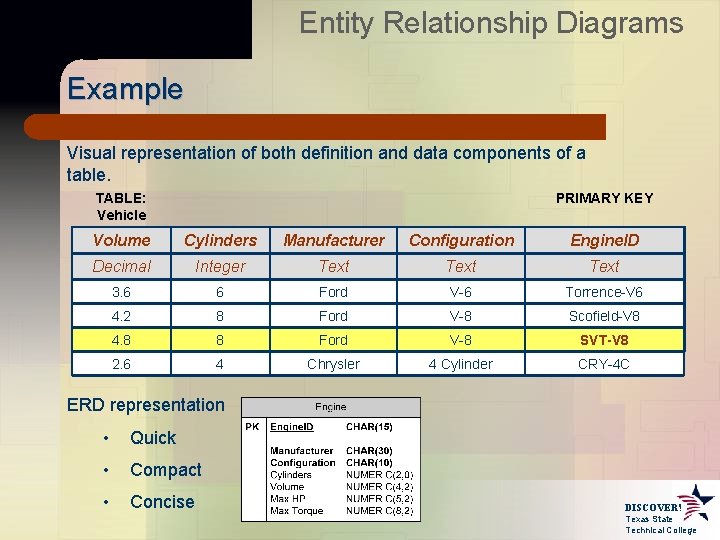
Entity Relationship Diagrams Example Visual representation of both definition and data components of a table. TABLE: Vehicle PRIMARY KEY Volume Cylinders Manufacturer Configuration Engine. ID Decimal Integer Text 3. 6 6 Ford V-6 Torrence-V 6 4. 2 8 Ford V-8 Scofield-V 8 4. 8 8 Ford V-8 SVT-V 8 2. 6 4 Chrysler 4 Cylinder CRY-4 C ERD representation • Quick • Compact • Concise DISCOVER! Texas State Technical College
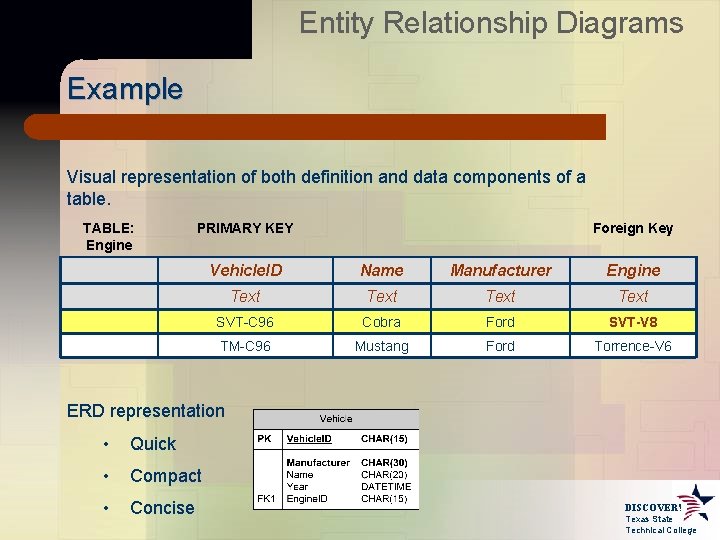
Entity Relationship Diagrams Example Visual representation of both definition and data components of a table. TABLE: Engine PRIMARY KEY Foreign Key Vehicle. ID Name Manufacturer Engine Text SVT-C 96 Cobra Ford SVT-V 8 TM-C 96 Mustang Ford Torrence-V 6 ERD representation • Quick • Compact • Concise DISCOVER! Texas State Technical College
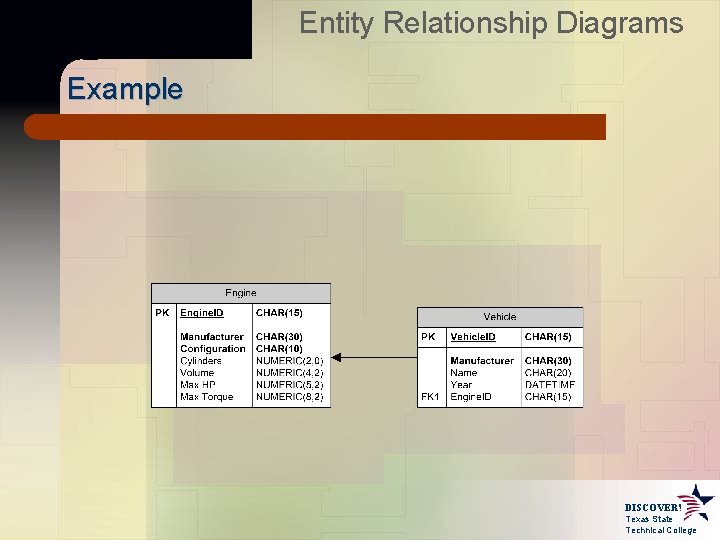
Entity Relationship Diagrams Example DISCOVER! Texas State Technical College
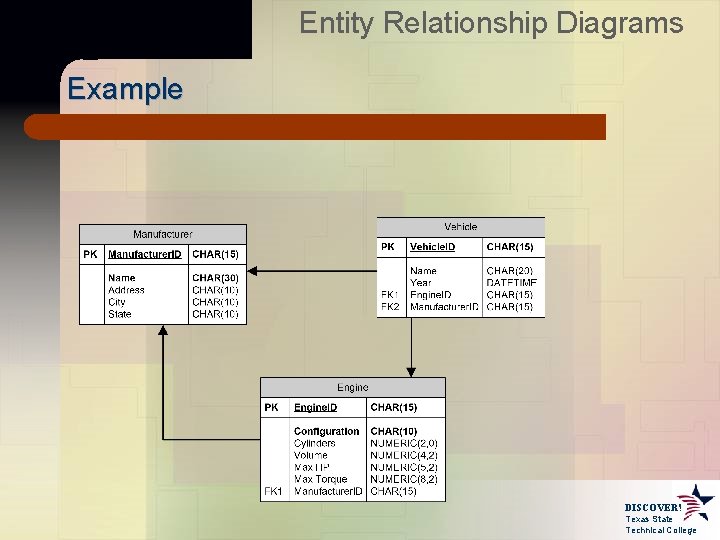
Entity Relationship Diagrams Example DISCOVER! Texas State Technical College
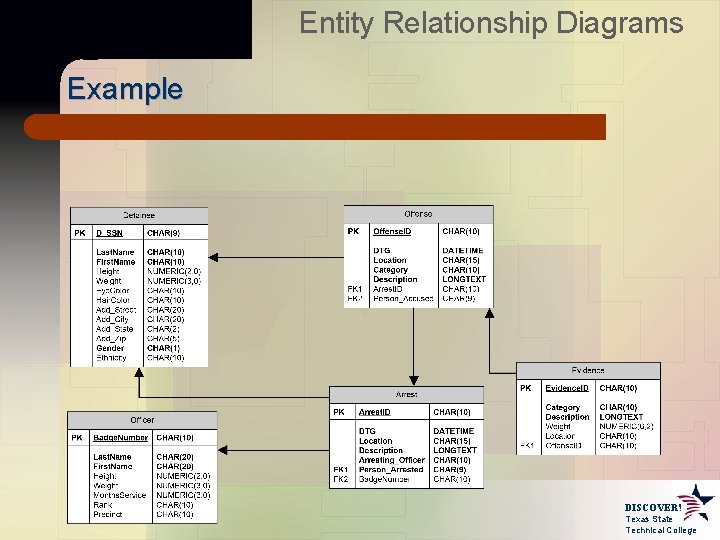
Entity Relationship Diagrams Example DISCOVER! Texas State Technical College
Entity Relationship Diagrams Software oriented to produce ERDs • Microsoft Visio • Microsoft Access • Dia However, any graphical software can be utilized • Microsoft Powerpoint • Adobe Illustrator DISCOVER! Texas State Technical College
Keys and Relationships In Summary… • ERD is a roadmap to the database. • It represents the Definition of the database. • It is a developer’s strongest tool for • Familiarization with an existing database • Laying out the structure for a new database • An ERD represents definitions for • Tables • Fields • Keys • Relationships DISCOVER! Texas State Technical College
- Slides: 11