
Enterprise Requirement Planning Business Intelligence Erwin Moeyaert Belgium

Enterprise Requirement Planning Business Intelligence Erwin Moeyaert Belgium
Agenda What is an ERP System ? Demo What is Business Intelligence ? Demo 2
What is ERP Facilitates Company-wide integrated Information Systems Covering all functional Areas. Performs core Corporate activities and increases customer service augmenting Corporate Image. Organizes & Optimizes the data input methodologies systematically. 3
The Current Scenario Islands of information Difficult to get timely & accurate information Heterogeneous Hardware & Software platforms & practices Poor connectivity between different organizational locations Sticking with obsolete technology Resist to change Lack of proven man-power to develop integrated software 4
Why ERP For Management – to know what is happening in the company One solution for better Management For cycle time reduction To achieve cost control & low working capital To marry latest technologies To shun the geographical gaps To satisfy the customers with high expectations To be Competitive & for survival 5
Definition Of ERP Software solution that addresses all the needs of an enterprise with the process view of an organization to meet the organizational goals and integrate all the functions of the enterprise 6
Evolution of ERP 1960’s - Systems Just for Inventory Control 1970’s - MRP – Material Requirement Planning (Inventory with material planning & procurement) 1980’s - MRP II – Manufacturing Resources Planning (Extended MRP to shop floor & distribution Mgnt. ) Mid 1990’s - ERP – Enterprise Resource Planning (Covering all the activities of an Enterprise) 2000's – ERP II – Collaborative Commerce (Extending ERP to external business entities) 2010 ERP via Internet facilities 7
ERP – Expectations Integrating all the functions Integrating the systems running in all the locations Transparency of information using a single data source across the organization Software must be responsive Modular Flexible Easy to add functionalities Provide growth path 8
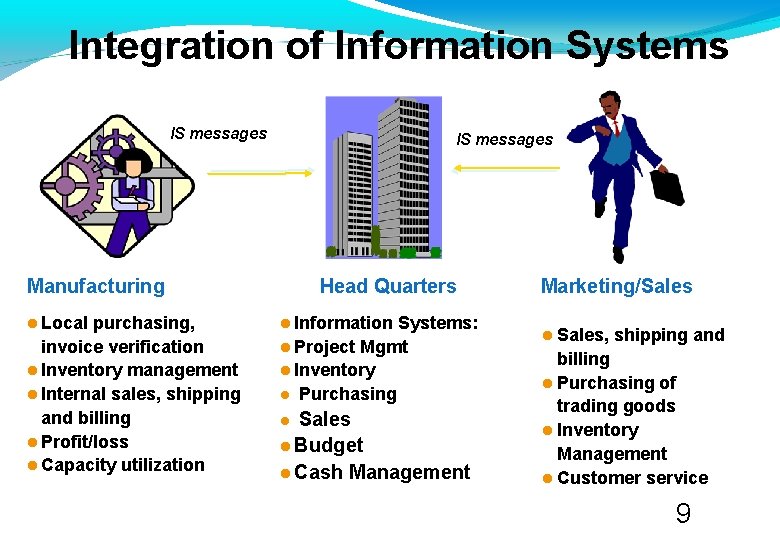
Integration of Information Systems IS messages Manufacturing Local purchasing, invoice verification Inventory management Internal sales, shipping and billing Profit/loss Capacity utilization Head Quarters Information Systems: Project Mgmt Inventory Purchasing Sales Budget Cash Management Marketing/Sales Sales, shipping and billing Purchasing of trading goods Inventory Management Customer service 9
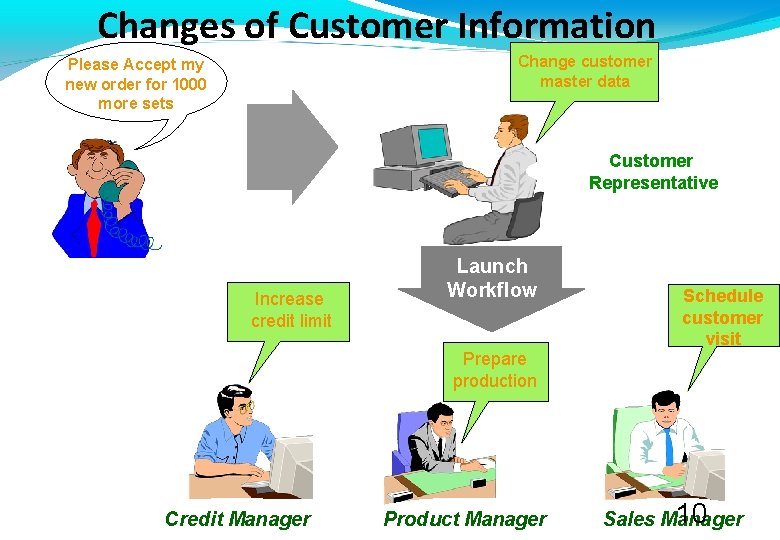
Changes of Customer Information Change customer master data Please Accept my new order for 1000 more sets Customer Representative Increase credit limit Launch Workflow Prepare production Credit Manager Product Manager Schedule customer visit 10 Sales Manager
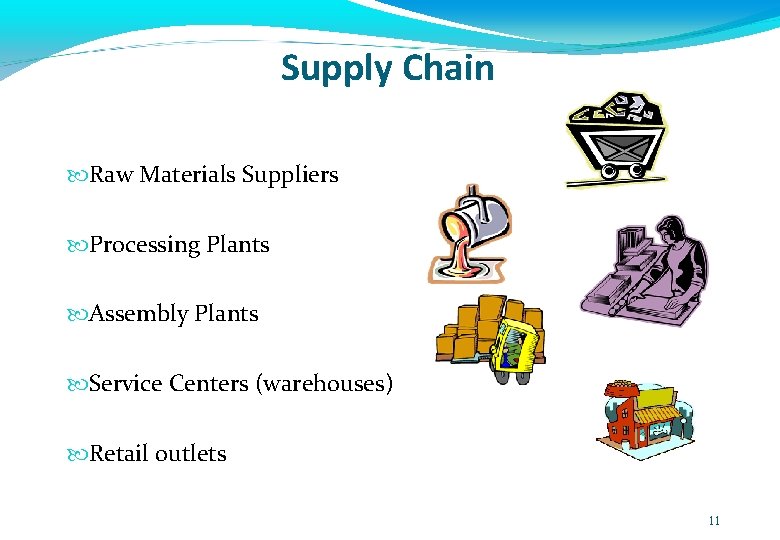
Supply Chain Raw Materials Suppliers Processing Plants Assembly Plants Service Centers (warehouses) Retail outlets 11
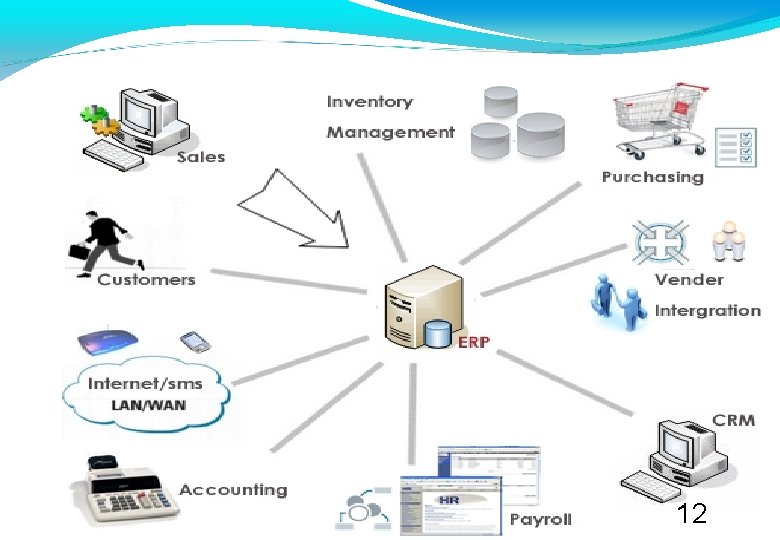
12
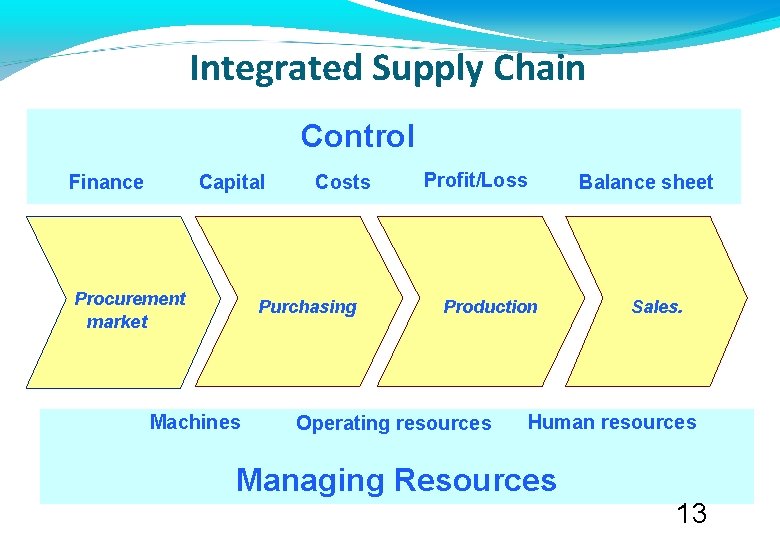
Integrated Supply Chain Control Finance Capital Procurement market Costs Purchasing Machines Profit/Loss Production Operating resources Balance sheet Sales. Human resources Managing Resources 13
Subsystems of ERP Financial Accounting Logistics and Warehousing Sales & Marketing Purchasing Accounts Payable/Receivable Bill Of Materials Master Scheduling Materials Requirement Planning Capacity Requirements Planning Shop Floor Control Human Resources 14
Accounting • • • General Ledger Financial Reporting Costing Budgeting Accounts Payable Accounts Receivables Controlling Investment Management Cash Management 15
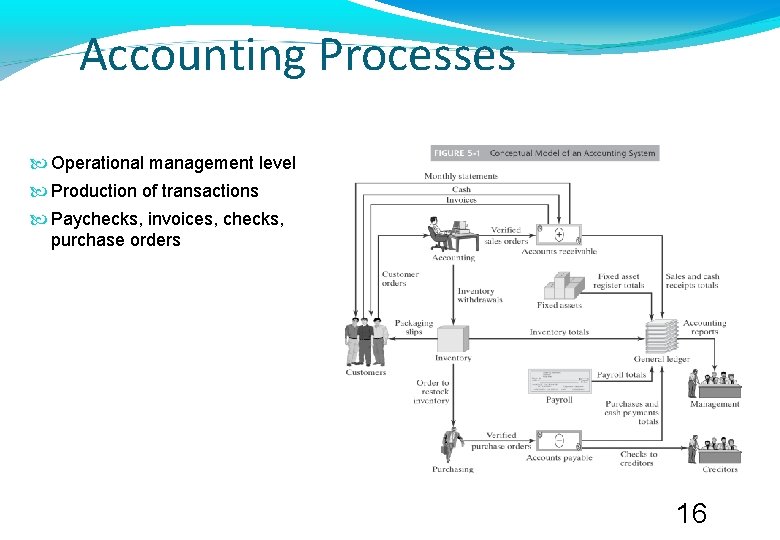
Accounting Processes Operational management level Production of transactions Paychecks, invoices, checks, purchase orders 16
Management Control Processes Budgeting Analysis of allocations, expenditures, revenues Cash management Cash flow analysis What-if analysis Capital budgeting Investment management 17
ERP Financial Accounting Module External reporting Set by general accounting standards Legal requirements Includes accounts receivable subsystem Interfaces with cash management Monitors accounts and updates, handles payments, creates due date lists 18
Management Accounting Modules Information on variances between planned and actual data Key activities Cost center accounting Internal orders as a basis for collecting and controlling costs Activity-based costing of business processes Product cost controlling for profitability analysis Profitability analysis by market segment Profit center accounting of individual areas of organization 19

Sales and Marketing • • • Lead tracking Sales forecasting Customer management Sales Order management CRM – Customer Relationship Management 20
Sales Process Sales orders. – Direct sales. – Pre-sales. – Rate applications: prices, discounts and price limit controls. – Reserves of goods in warehouse for unprocessed orders. Delivery note. – Automatic creation from pending order lines. – Automation of the outgoing orders (according to stocks, with rules of priority by expiry, location, etc). Invoicing process for all types of invoicing: – immediate, – delivered goods, order completely delivered. – Periodically, (weekly, fortnightly, monthly). Reports of orders, sales order supplied, delivery notes, invoices, orders not invoiced, details of invoicing 21
Customer Relationship Management Provides sales force with management tools Sales activity Sales and territory management Contact databases Leads generation and monitoring customer visit reports Knowledge and information resource management CRM data accessible through data warehouse 22
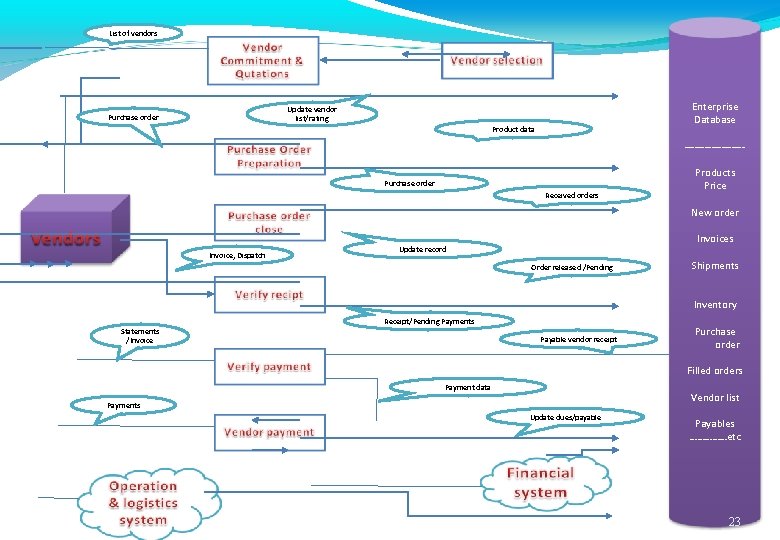
List of vendors Enterprise Database Update vendor list/rating Purchase order Product data ---------Purchase order Received orders Products Price New order Invoice, Dispatch Invoices Update record Order released /Pending Shipments Inventory Receipt/Pending Payments Statements /Invoice Payable vendor receipt Purchase order Filled orders Payment data Vendor list Payments Update dues/payable Payables ……………etc 23

Warehousing Warehouses and storage bins Stock products in multiple units Personalized product attributes in the warehouse (color, size, quality description, etc. ). Lot and serial numbers. Restocking control. Traceability configurable by product Movement among warehouses. Physical inventory. Inventory planning. Continuous inventory. 24

Production Management Some of the major sub-systems of the production module are: Material and capacity planning Quality management Cost management Configuration management Engineering data management Engineering change control Tooling 25
Production Planning and Manufacturing Processes Operational-level processes Daily activities Purchasing Receiving Acquire correct quantity of raw materials and supplies Inspection of delivered products and processing Quality control Monitoring of receivables and identification of unacceptable deliveries Monitoring quality of production goods Inventory management Maintains appropriate levels 26
Material Resource Planning Processes: Identify stock needed Calculate lead time for stock Determine safety stock levels Assign most cost-effective order quantities Produce accurate purchase orders 27
Capacity Planning Evaluation of production capacity against production goals Requires manufacturing order information Creates time-phased plans for product and production area Production scheduling Estimates human resource needed 28

Human Resources • • • Recruiting Compensation Assessment Development and Training Planning Payroll 29
ERP HR Modules Components HR Management Personnel records Resumes Benefits administration Links employee data to actual benefits Allows selection from group of benefits Payroll Paychecks, tax reports, accounting data Time and labor management Employee/Manager self service Travel reimbursement Personnel data and benefits changes Training class 30
Advantages Of ERP
Advantages Of ERP Package Highly Graphics based User Interface. Zero Down time/ planned down time. Readymade solutions for most of the Problems. Only Customization required. Integration of all functions ensured. ROI earlier than the software developed in-house. Easy enterprise wide information sharing. Suppliers and Customers can be on-line communication. Knowledge transfer between industries guarantees innovation. Automatic adaptation to new technology. 32
Embrace New Technologies 33
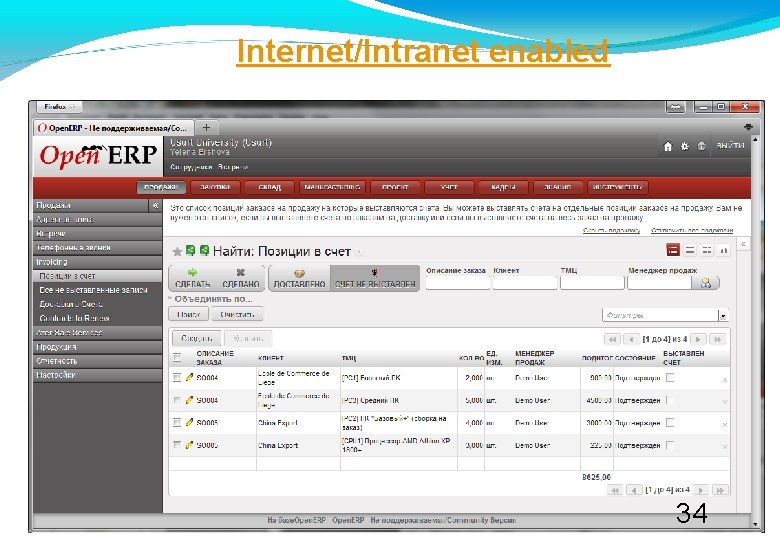
Internet/Intranet enabled 34
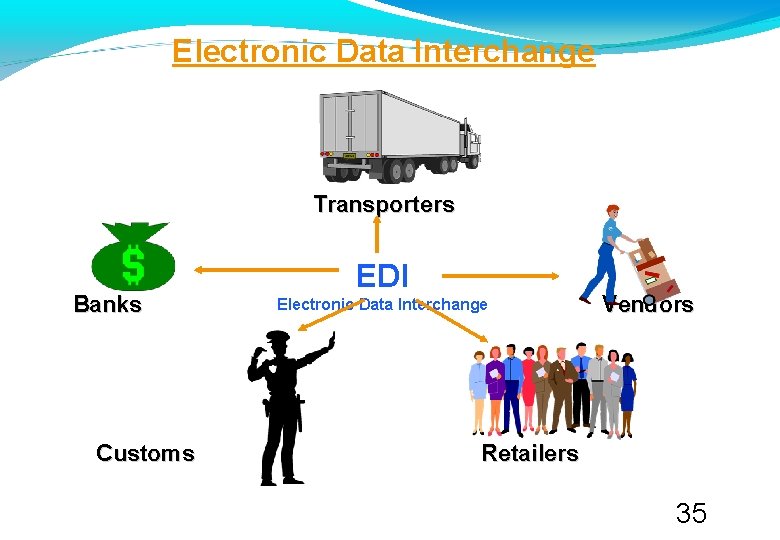
Electronic Data Interchange Transporters Banks Customs EDI Electronic Data Interchange Vendors Retailers 35
36
Data Warehousing Business Intelligence
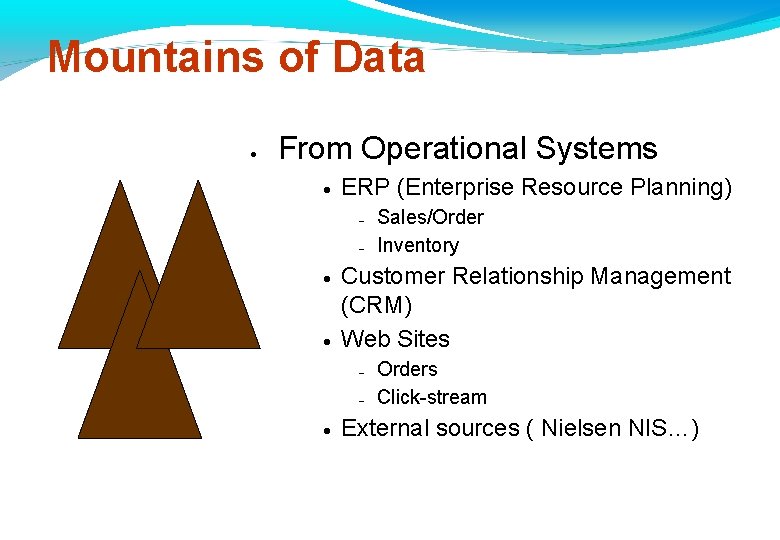
Mountains of Data From Operational Systems ERP (Enterprise Resource Planning) Customer Relationship Management (CRM) Web Sites Sales/Order Inventory Orders Click-stream External sources ( Nielsen NIS…)
What is BI? The process by which an organization manages large amounts of data, extracting pertinent information, and turning that information into knowledge upon which actions can be taken.
Benefits of BI Improved performance based upon timely and accurate information Elimination of guesswork Expedited decision making Early visibility of changes: Customer buying patterns Supply chain activity Financial arrangements “Single Version of the truth” Accurate, timely data available to all levels of the organization
To Note: Although we call it Business Intelligence, the concepts and techniques are applicable to almost any organization including those in health care, biotech, education, government …
BI Activities BI applications include the activities of: decision support, query and reporting, online analytical processing (OLAP), statistical analysis, forecasting, and data mining.
BI Users There are many different users who can benefit from business intelligence Executives Business Decision Makers Information Workers Line Workers Analysts
ne. G ecruo. S oitarep. O itacilpp. A es. U r Data Quality Repository Data Quality Databas e Metadata Repository Metadata Databas e
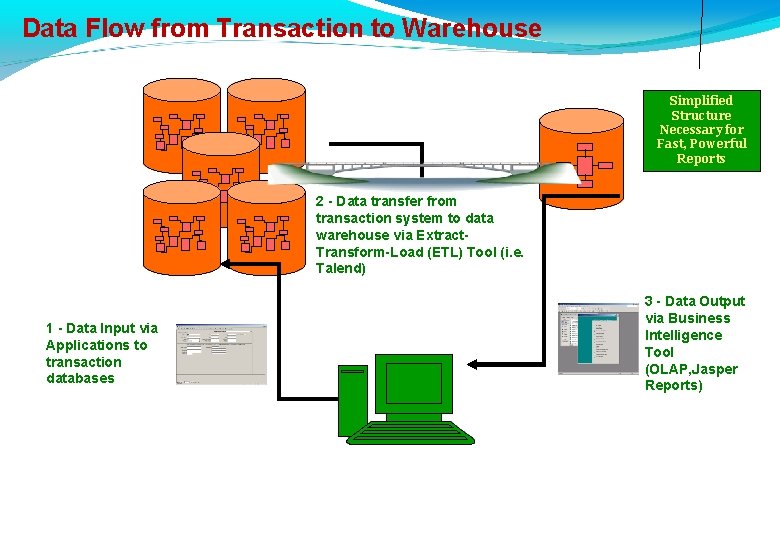
Data Flow from Transaction to Warehouse Simplified Structure Necessary for Fast, Powerful Reports 2 - Data transfer from transaction system to data warehouse via Extract. Transform-Load (ETL) Tool (i. e. Talend) 1 - Data Input via Applications to transaction databases 3 - Data Output via Business Intelligence Tool (OLAP, Jasper Reports)
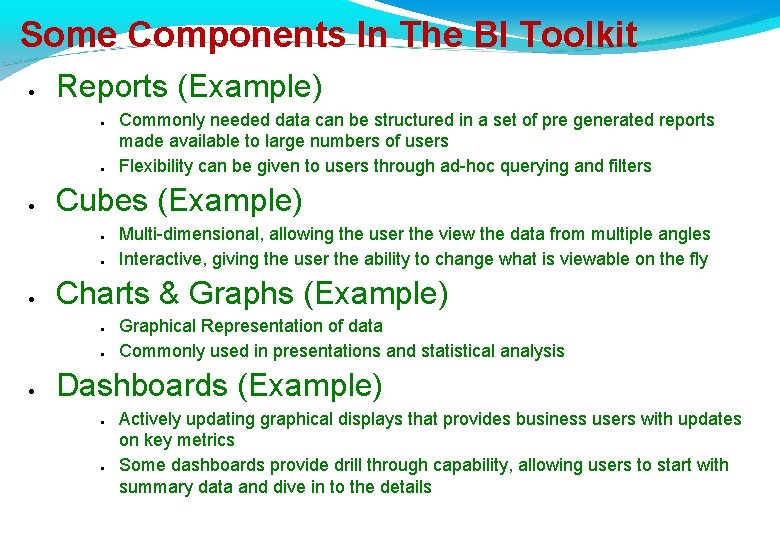
Some Components In The BI Toolkit Reports (Example) Cubes (Example) Multi-dimensional, allowing the user the view the data from multiple angles Interactive, giving the user the ability to change what is viewable on the fly Charts & Graphs (Example) Commonly needed data can be structured in a set of pre generated reports made available to large numbers of users Flexibility can be given to users through ad-hoc querying and filters Graphical Representation of data Commonly used in presentations and statistical analysis Dashboards (Example) Actively updating graphical displays that provides business users with updates on key metrics Some dashboards provide drill through capability, allowing users to start with summary data and dive in to the details
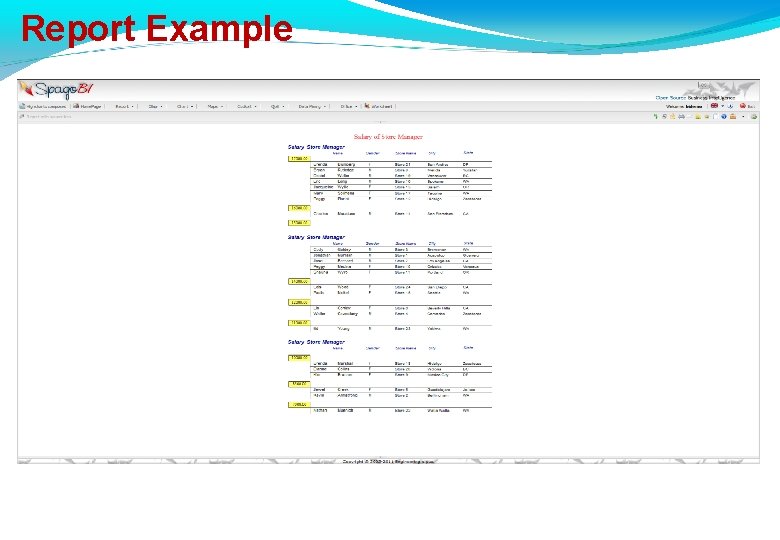
Report Example
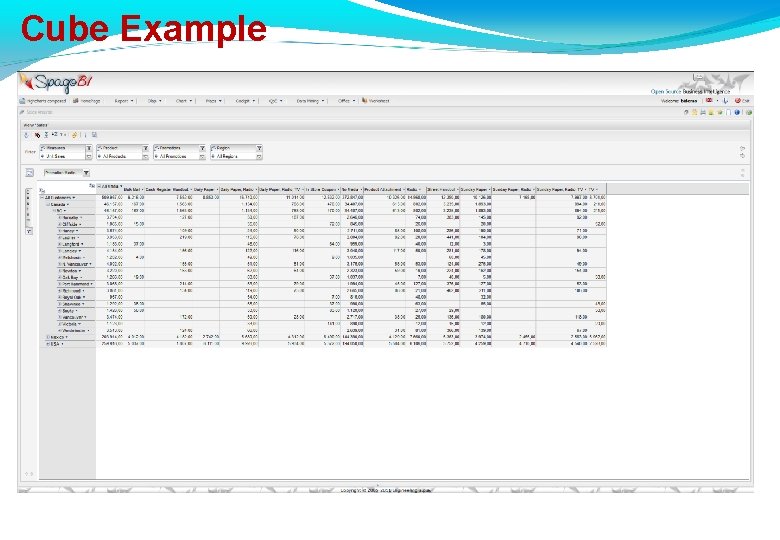
Cube Example
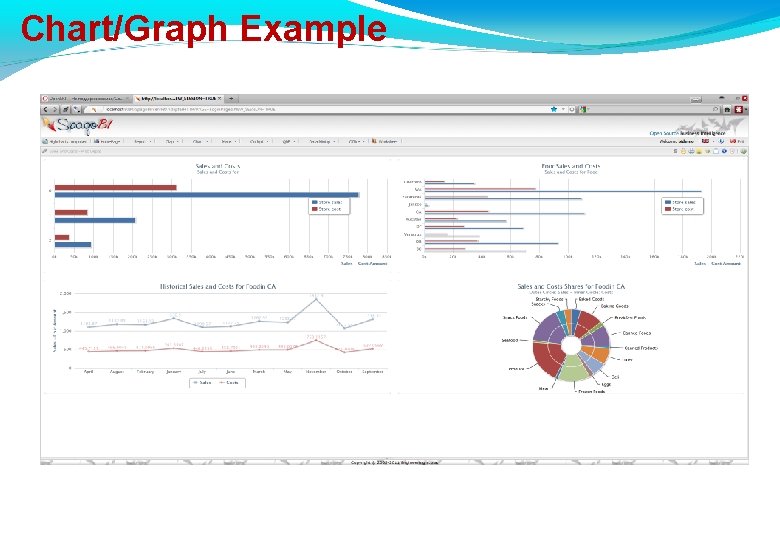
Chart/Graph Example
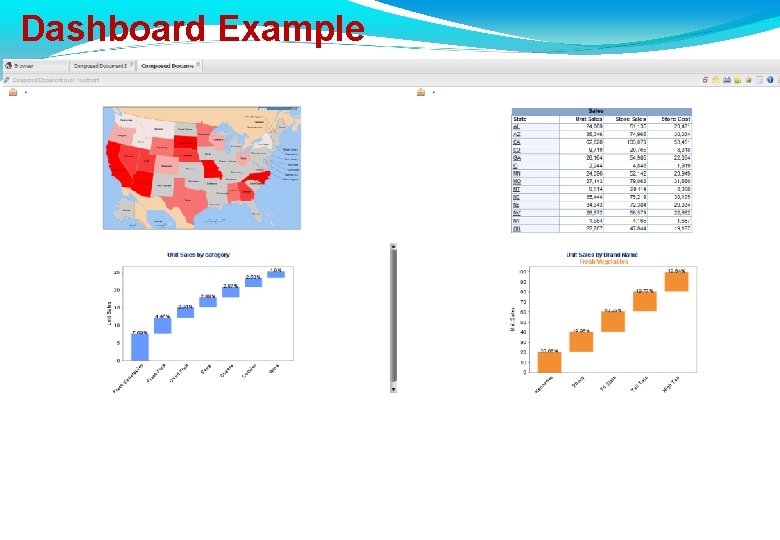
Dashboard Example
Multi-Dimensional Databases Measures Any quantitative expression Some are designated as Key Performance Indicators (KPI) Appropriate to the business process. Dimensions How we describe the measures: Product/Customer/Region/Time These are the “By’s “What were our Customer Sales by Product Line by Region by Quarter for the past two years? ”.
Multi-Dimensional Databases OLAP What is OLAP ? On-Line Analytical Processing Ad-hoc reports Slice & Dice Drill-down (hierarchies) Drill-through (details)
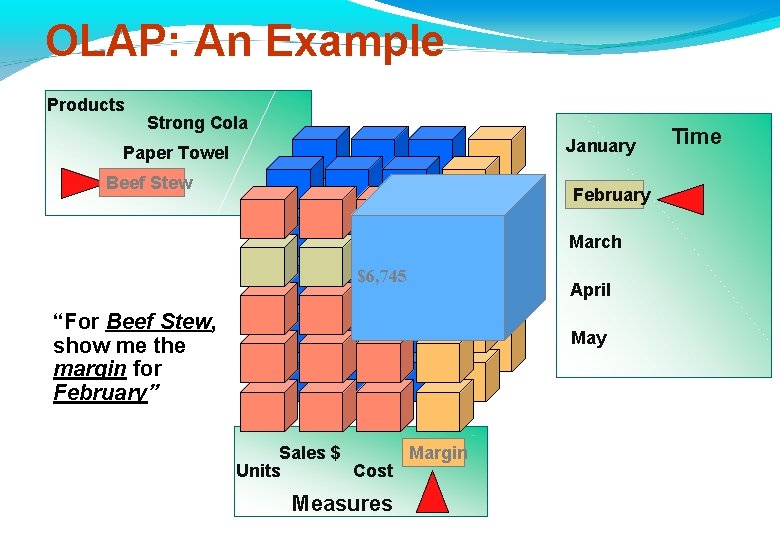
OLAP: An Example Products Strong Cola January Paper Towel Beef Stew February March $6, 745 “For Beef Stew, show me the margin for February” April May Margin Sales $ Units Cost Measures Time
BI Future One of the fastest growing segments of IT Less likely to be outsourced May exist in business units rather than IT Knowledge/understanding of the organization is the key
Jobs Economical Jobs Data Analyst Business Analyst Functional Analyst Marketing Analyst IT Jobs Report Developer Data Modeler ETL Developer Data Architect Data Warehouse Designer Data Warehouse Developer Data Warehouse Administrator Database Administrator
56
- Slides: 56