
ENTERPRISE MANAGER CLOUD CONTROL 12 C INSTALLATION Overview















- Slides: 86
ENTERPRISE MANAGER CLOUD CONTROL 12 C -- INSTALLATION --
�Overview Topics Overview and Installation of Oracle’s New Cloud Control 12 c Part 1 - Installation �Requirements �Pre-requisites �Database Installation �OMS, Agent, and Plug-ins Installation �Startup and Shutdown Part 2 - Agent Deployment �File System files and directories �Interface Overview �Questions �Resources
Overview What is Cloud Control? Key Features and Enhancements Installer Features
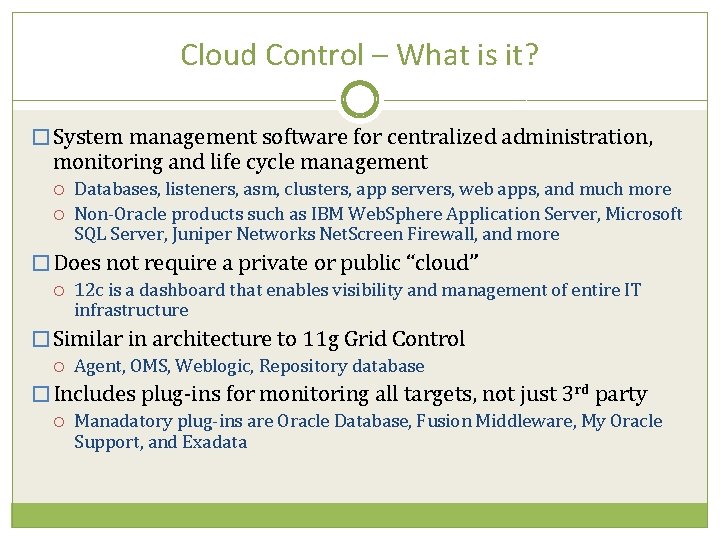
Cloud Control – What is it? � System management software for centralized administration, monitoring and life cycle management Databases, listeners, asm, clusters, app servers, web apps, and much more Non-Oracle products such as IBM Web. Sphere Application Server, Microsoft SQL Server, Juniper Networks Net. Screen Firewall, and more � Does not require a private or public “cloud” 12 c is a dashboard that enables visibility and management of entire IT infrastructure � Similar in architecture to 11 g Grid Control Agent, OMS, Weblogic, Repository database � Includes plug-ins for monitoring all targets, not just 3 rd party Manadatory plug-ins are Oracle Database, Fusion Middleware, My Oracle Support, and Exadata
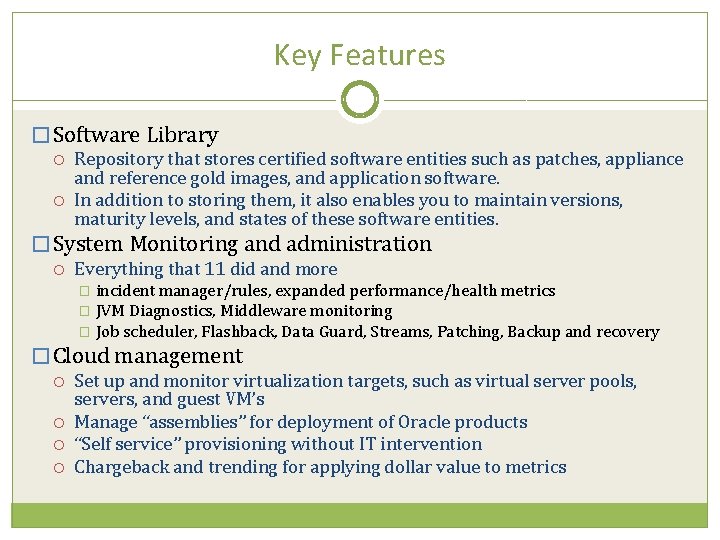
Key Features � Software Library Repository that stores certified software entities such as patches, appliance and reference gold images, and application software. In addition to storing them, it also enables you to maintain versions, maturity levels, and states of these software entities. � System Monitoring and administration Everything that 11 did and more incident manager/rules, expanded performance/health metrics � JVM Diagnostics, Middleware monitoring � Job scheduler, Flashback, Data Guard, Streams, Patching, Backup and recovery � � Cloud management Set up and monitor virtualization targets, such as virtual server pools, servers, and guest VM’s Manage “assemblies” for deployment of Oracle products “Self service” provisioning without IT intervention Chargeback and trending for applying dollar value to metrics
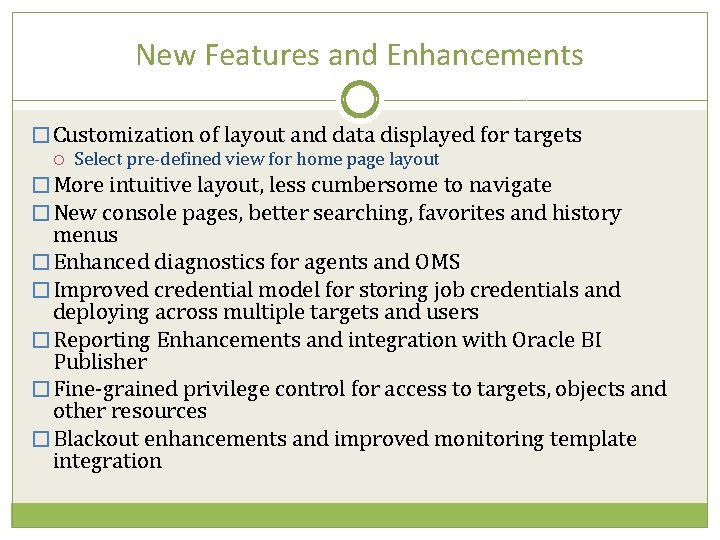
New Features and Enhancements � Customization of layout and data displayed for targets Select pre-defined view for home page layout � More intuitive layout, less cumbersome to navigate � New console pages, better searching, favorites and history menus � Enhanced diagnostics for agents and OMS � Improved credential model for storing job credentials and deploying across multiple targets and users � Reporting Enhancements and integration with Oracle BI Publisher � Fine-grained privilege control for access to targets, objects and other resources � Blackout enhancements and improved monitoring template integration
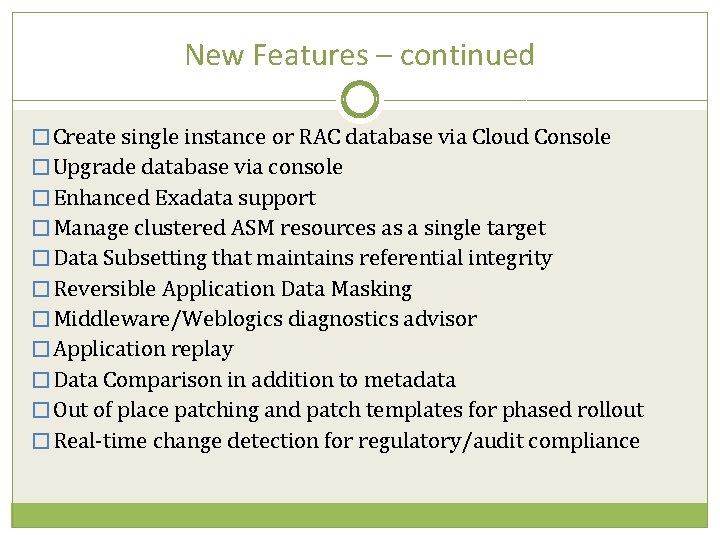
New Features – continued � Create single instance or RAC database via Cloud Console � Upgrade database via console � Enhanced Exadata support � Manage clustered ASM resources as a single target � Data Subsetting that maintains referential integrity � Reversible Application Data Masking � Middleware/Weblogics diagnostics advisor � Application replay � Data Comparison in addition to metadata � Out of place patching and patch templates for phased rollout � Real-time change detection for regulatory/audit compliance
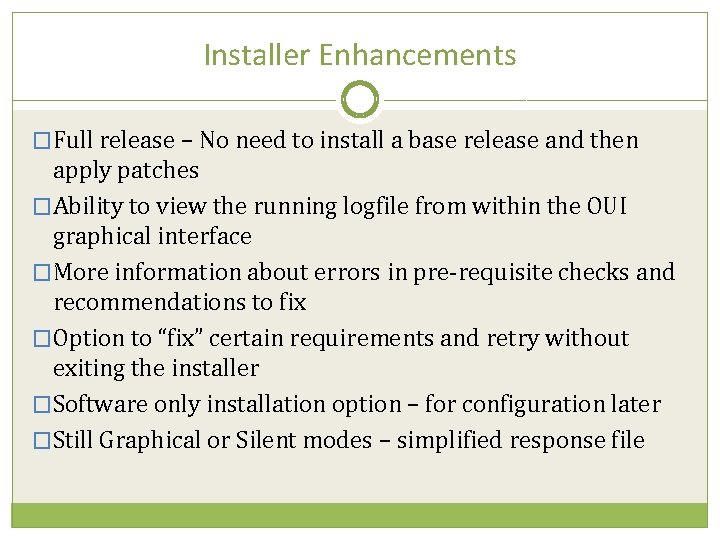
Installer Enhancements �Full release – No need to install a base release and then apply patches �Ability to view the running logfile from within the OUI graphical interface �More information about errors in pre-requisite checks and recommendations to fix �Option to “fix” certain requirements and retry without exiting the installer �Software only installation option – for configuration later �Still Graphical or Silent modes – simplified response file
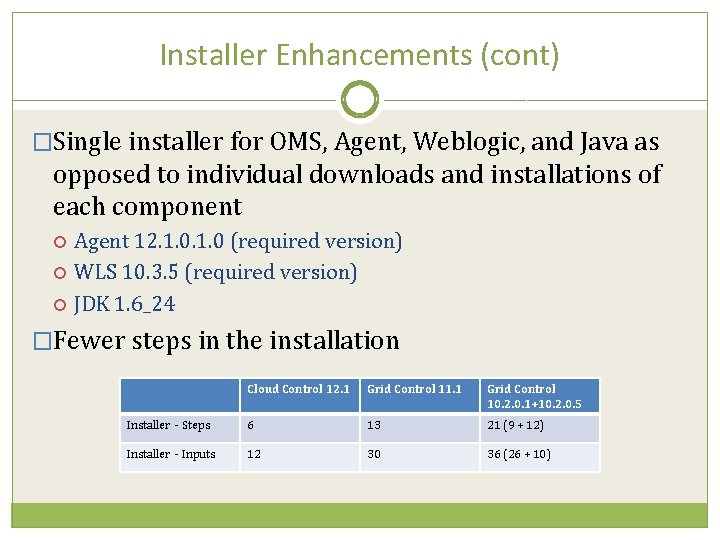
Installer Enhancements (cont) �Single installer for OMS, Agent, Weblogic, and Java as opposed to individual downloads and installations of each component Agent 12. 1. 0 (required version) WLS 10. 3. 5 (required version) JDK 1. 6_24 �Fewer steps in the installation Cloud Control 12. 1 Grid Control 11. 1 Grid Control 10. 2. 0. 1+10. 2. 0. 5 Installer - Steps 6 13 21 (9 + 12) Installer - Inputs 12 30 36 (26 + 10)
Part 1 – Installation Obtaining software and completing pre-requisites Installing the software using Oracle Universal Installer
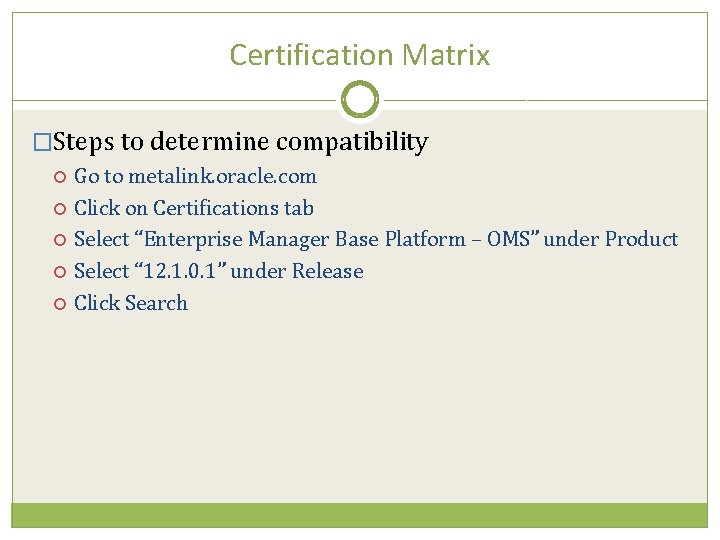
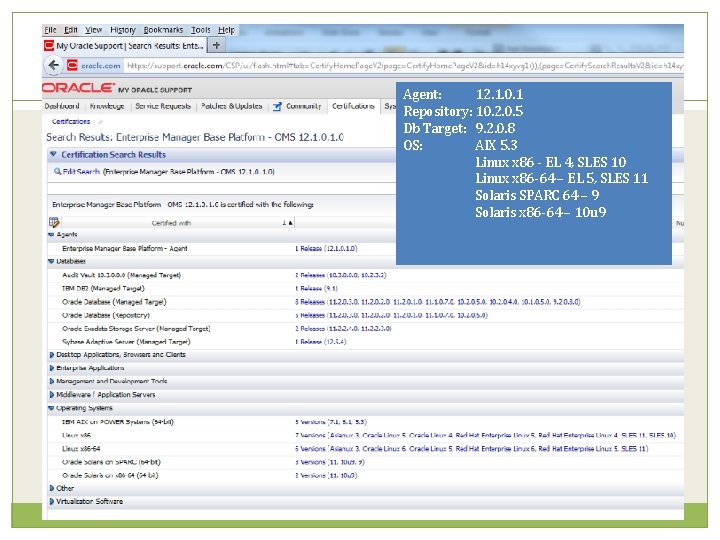
Certification Matrix �Steps to determine compatibility Go to metalink. oracle. com Click on Certifications tab Select “Enterprise Manager Base Platform – OMS” under Product Select “ 12. 1. 0. 1” under Release Click Search
Agent: 12. 1. 0. 1 Repository: 10. 2. 0. 5 Db Target: 9. 2. 0. 8 OS: AIX 5. 3 Linux x 86 - EL 4, SLES 10 Linux x 86 -64 – EL 5, SLES 11 Solaris SPARC 64 – 9 Solaris x 86 -64 – 10 u 9
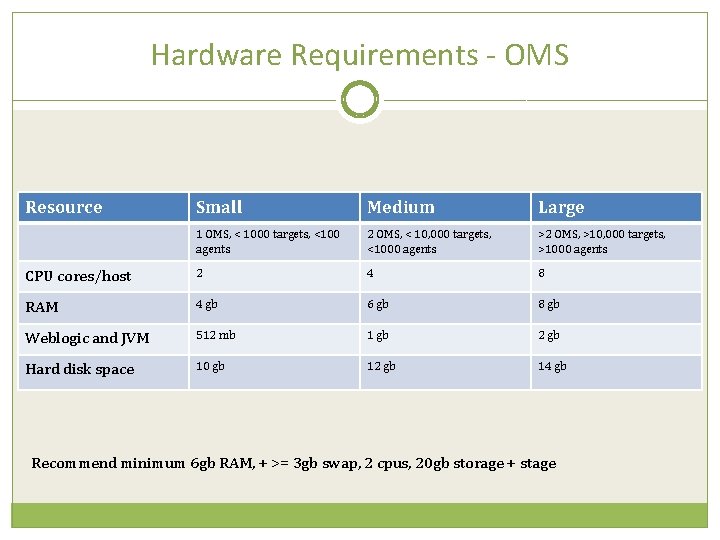
Hardware Requirements - OMS Resource Small Medium Large 1 OMS, < 1000 targets, <100 agents 2 OMS, < 10, 000 targets, <1000 agents >2 OMS, >10, 000 targets, >1000 agents CPU cores/host 2 4 8 RAM 4 gb 6 gb 8 gb Weblogic and JVM 512 mb 1 gb 2 gb Hard disk space 10 gb 12 gb 14 gb Recommend minimum 6 gb RAM, + >= 3 gb swap, 2 cpus, 20 gb storage + stage
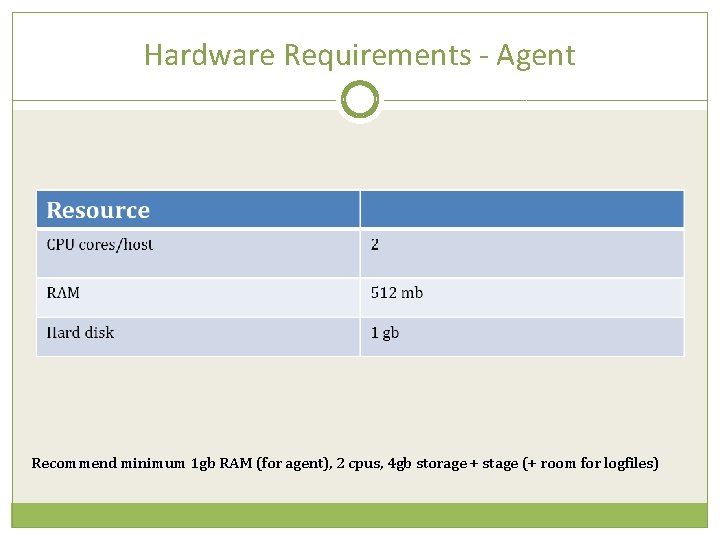
Hardware Requirements - Agent Recommend minimum 1 gb RAM (for agent), 2 cpus, 4 gb storage + stage (+ room for logfiles)
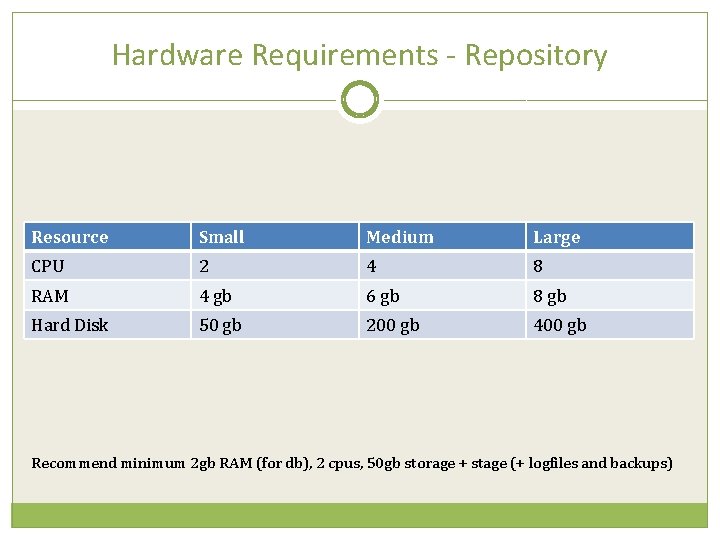
Hardware Requirements - Repository Resource Small Medium Large CPU 2 4 8 RAM 4 gb 6 gb 8 gb Hard Disk 50 gb 200 gb 400 gb Recommend minimum 2 gb RAM (for db), 2 cpus, 50 gb storage + stage (+ logfiles and backups)
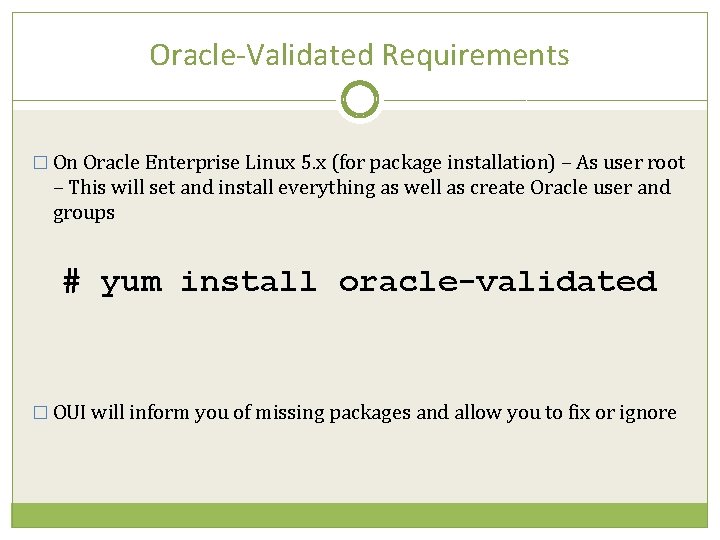
Oracle-Validated Requirements � On Oracle Enterprise Linux 5. x (for package installation) – As user root – This will set and install everything as well as create Oracle user and groups # yum install oracle-validated � OUI will inform you of missing packages and allow you to fix or ignore
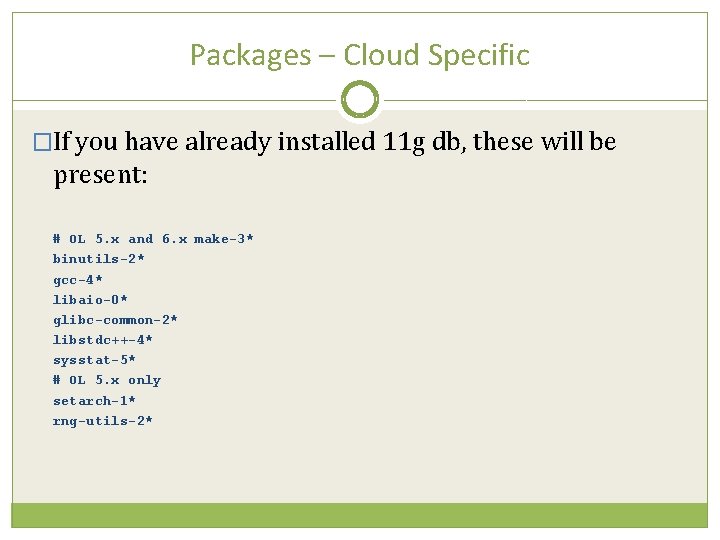
Packages – Cloud Specific �If you have already installed 11 g db, these will be present: # OL 5. x and 6. x make-3* binutils-2* gcc-4* libaio-0* glibc-common-2* libstdc++-4* sysstat-5* # OL 5. x only setarch-1* rng-utils-2*
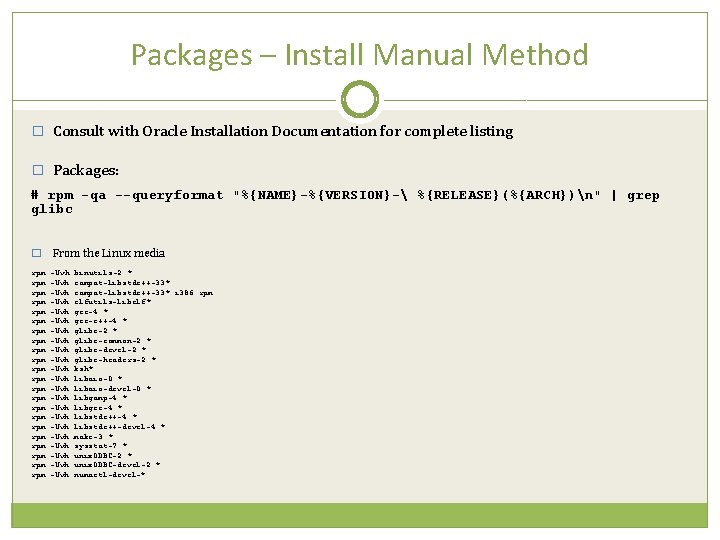
Packages – Install Manual Method � Consult with Oracle Installation Documentation for complete listing � Packages: # rpm -qa --queryformat "%{NAME}-%{VERSION}- %{RELEASE}(%{ARCH})n" | grep glibc � rpm rpm rpm rpm rpm rpm From the Linux media -Uvh -Uvh -Uvh -Uvh -Uvh -Uvh binutils-2. * compat-libstdc++-33*. i 386. rpm elfutils-libelf* gcc-4. * gcc-c++-4. * glibc-2. * glibc-common-2. * glibc-devel-2. * glibc-headers-2. * ksh* libaio-0. * libaio-devel-0. * libgomp-4. * libgcc-4. * libstdc++-devel-4. * make-3. * sysstat-7. * unix. ODBC-2. * unix. ODBC-devel-2. * numactl-devel-*
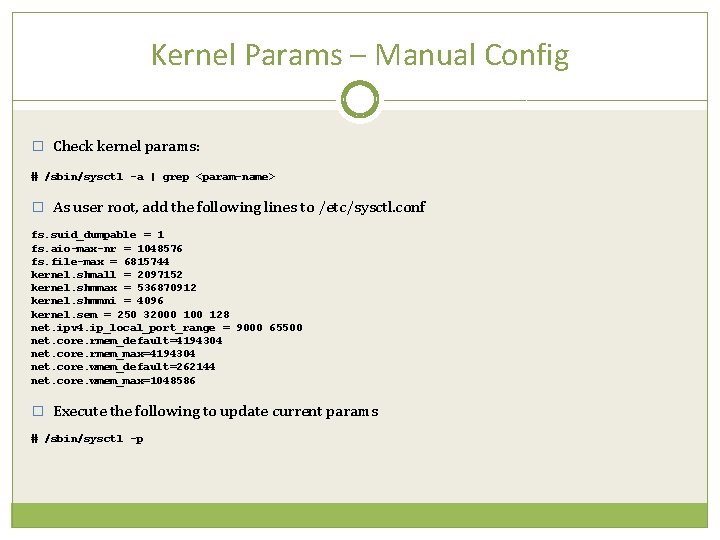
Kernel Params – Manual Config � Check kernel params: # /sbin/sysctl -a | grep <param-name> � As user root, add the following lines to /etc/sysctl. conf fs. suid_dumpable = 1 fs. aio-max-nr = 1048576 fs. file-max = 6815744 kernel. shmall = 2097152 kernel. shmmax = 536870912 kernel. shmmni = 4096 kernel. sem = 250 32000 128 net. ipv 4. ip_local_port_range = 9000 65500 net. core. rmem_default=4194304 net. core. rmem_max=4194304 net. core. wmem_default=262144 net. core. wmem_max=1048586 � Execute the following to update current params # /sbin/sysctl -p
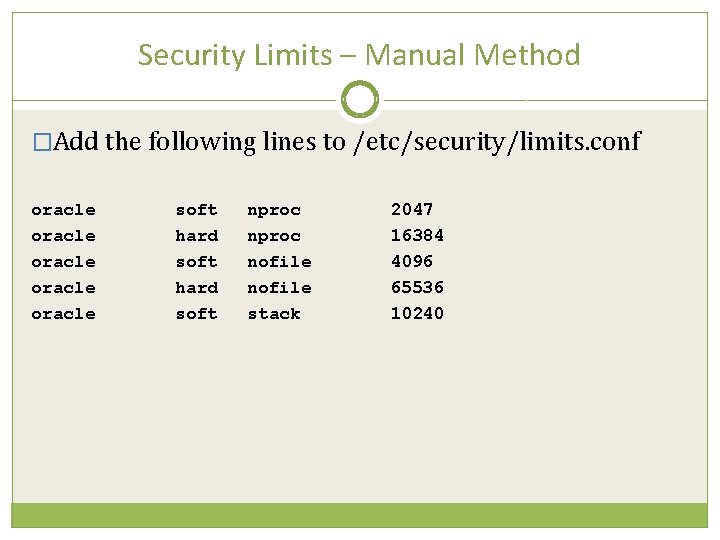
Security Limits – Manual Method �Add the following lines to /etc/security/limits. conf oracle oracle soft hard soft nproc nofile stack 2047 16384 4096 65536 10240
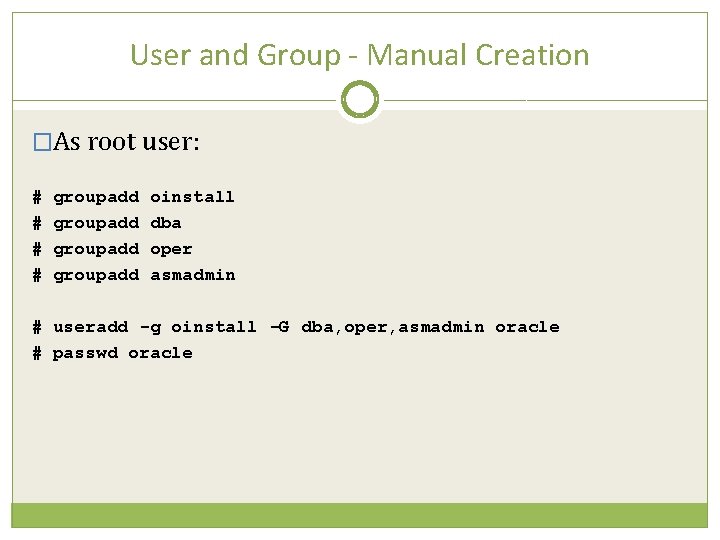
User and Group - Manual Creation �As root user: # # groupadd oinstall dba oper asmadmin # useradd -g oinstall -G dba, oper, asmadmin oracle # passwd oracle
Sample User Profile � Oracle install guide recommends NOT having any Oracle related variables set in the environment � For korn shell # Oracle Settings TMP=/tmp; export TMPDIR=$TMP; export TMPDIR ORACLE_HOSTNAME=localhost. localdomain; export ORACLE_HOSTNAME ORACLE_UNQNAME=emrep; export ORACLE_UNQNAME ORACLE_BASE=/u 02/app/oracle; export ORACLE_BASE ORACLE_HOME=$ORACLE_BASE/product/11. 2. 0/db_1; export ORACLE_HOME OMS_HOME=$ORACLE_BASE/Middleware/oms; export OMS_HOME AGENT_HOME=$ORACLE_BASE/Middleware/agent/core/12. 1. 0 ORACLE_SID=emrep; export ORACLE_SID PATH=/usr/sbin: $PATH; export PATH=$ORACLE_HOME/bin: $PATH; export PATH LD_LIBRARY_PATH=$ORACLE_HOME/lib: /usr/lib; export LD_LIBRARY_PATH CLASSPATH=$ORACLE_HOME/jlib: $ORACLE_HOME/rdbms/jlib; export CLASSPATH EDITOR=vi; export EDITOR set -o vi
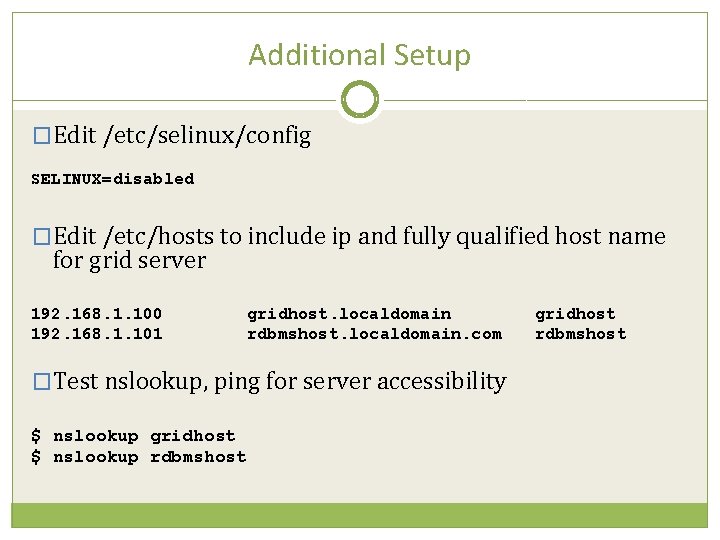
Additional Setup �Edit /etc/selinux/config SELINUX=disabled �Edit /etc/hosts to include ip and fully qualified host name for grid server 192. 168. 1. 100 192. 168. 1. 101 gridhost. localdomain rdbmshost. localdomain. com �Test nslookup, ping for server accessibility $ nslookup gridhost $ nslookup rdbmshost gridhost rdbmshost
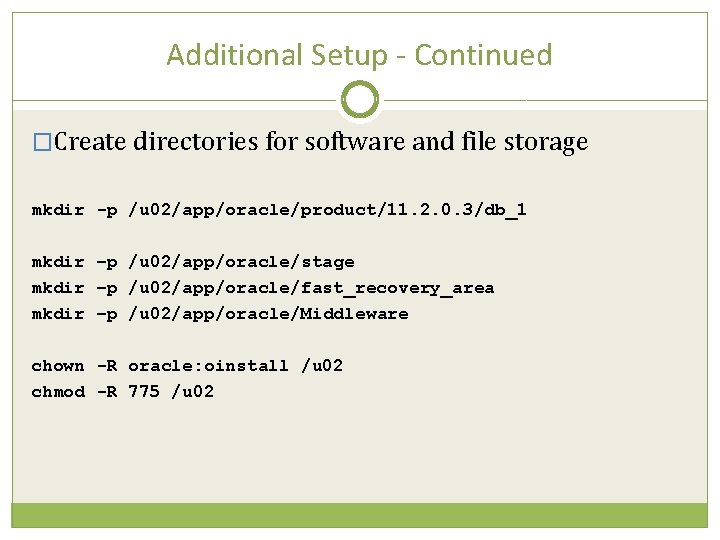
Additional Setup - Continued �Create directories for software and file storage mkdir -p /u 02/app/oracle/product/11. 2. 0. 3/db_1 mkdir –p /u 02/app/oracle/stage mkdir –p /u 02/app/oracle/fast_recovery_area mkdir –p /u 02/app/oracle/Middleware chown -R oracle: oinstall /u 02 chmod -R 775 /u 02
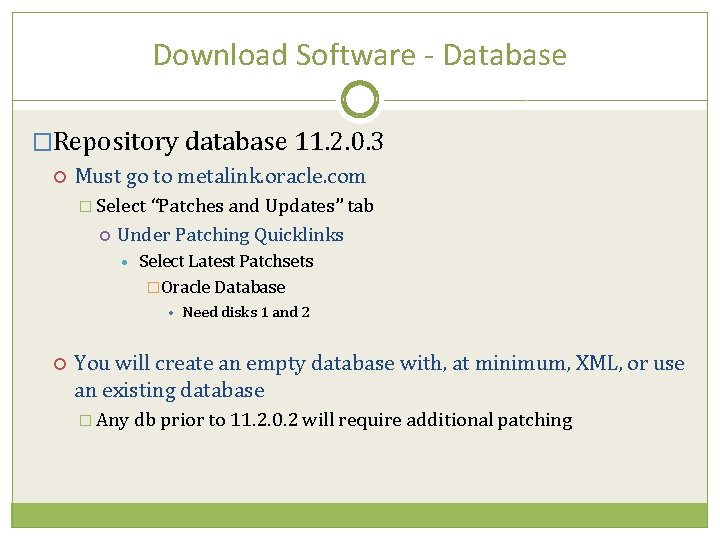
Download Software - Database �Repository database 11. 2. 0. 3 Must go to metalink. oracle. com � Select “Patches and Updates” tab Under Patching Quicklinks • Select Latest Patchsets �Oracle Database • Need disks 1 and 2 You will create an empty database with, at minimum, XML, or use an existing database � Any db prior to 11. 2. 0. 2 will require additional patching
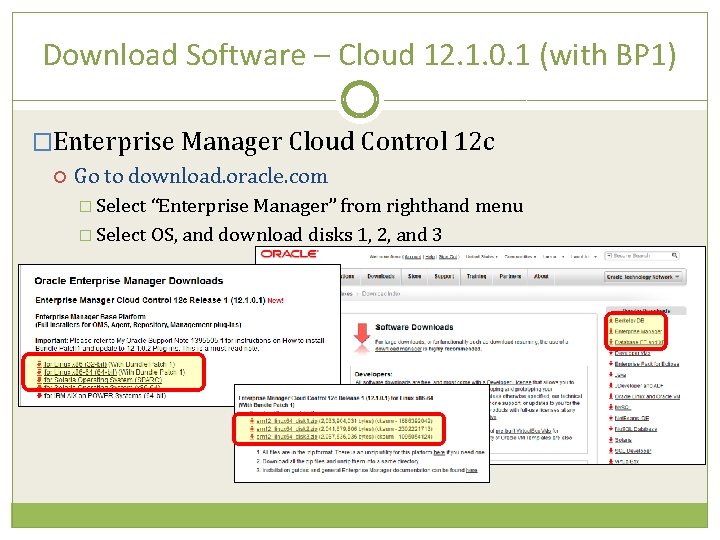
Download Software – Cloud 12. 1. 0. 1 (with BP 1) �Enterprise Manager Cloud Control 12 c Go to download. oracle. com � Select “Enterprise Manager” from righthand menu � Select OS, and download disks 1, 2, and 3
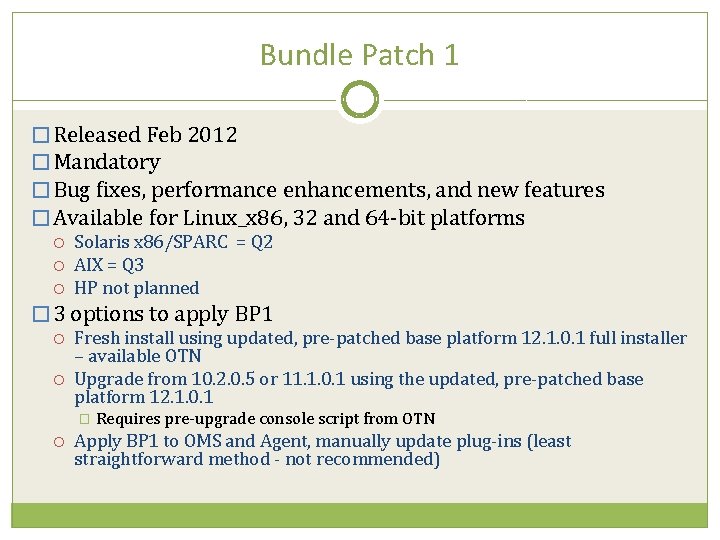
Bundle Patch 1 � Released Feb 2012 � Mandatory � Bug fixes, performance enhancements, and new features � Available for Linux_x 86, 32 and 64 -bit platforms Solaris x 86/SPARC = Q 2 AIX = Q 3 HP not planned � 3 options to apply BP 1 Fresh install using updated, pre-patched base platform 12. 1. 0. 1 full installer – available OTN Upgrade from 10. 2. 0. 5 or 11. 1. 0. 1 using the updated, pre-patched base platform 12. 1. 0. 1 � Requires pre-upgrade console script from OTN Apply BP 1 to OMS and Agent, manually update plug-ins (least straightforward method - not recommended)
Stage Software � 3 Disks for EM installation (+2 Disks for rdbms) � Verify binaries against checksum listed at download. oracle. com $ cksum em 12_linux 64_disk 1. zip 1686392042 2033904031 em 12_linux 64_disk 1. zip. . . � Uncompress files: Will create a list of directories. Unzip in place each of the 3 files. $ unzip em 12_linux 64_disk 1. zip $ unzip em 12_linux 64_disk 2. zip $ unzip em 12_linux 64_disk 3. zip
Prepare Repository �Standard Database installation for the repository – Requires separate downloaded media. Software Install of RDBMS is not discussed here Repository db must have listener running and be accessible from the Cloud Control server �Prepare repository db If dbconsole is configured: $. oraenv <sid> $ emca -deconfig dbcontrol db -repos drop -SYS_PWD <sys password> -SYSMAN_PWD <sysman password>
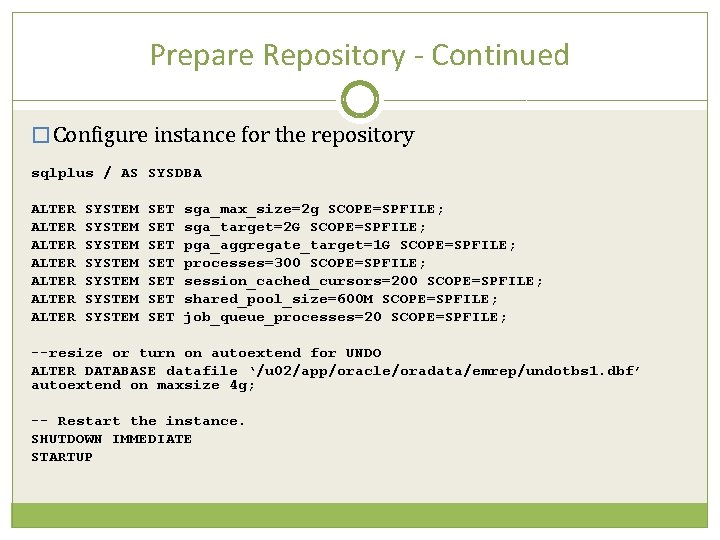
Prepare Repository - Continued � Configure instance for the repository sqlplus / AS SYSDBA ALTER ALTER SYSTEM SYSTEM SET SET sga_max_size=2 g SCOPE=SPFILE; sga_target=2 G SCOPE=SPFILE; pga_aggregate_target=1 G SCOPE=SPFILE; processes=300 SCOPE=SPFILE; session_cached_cursors=200 SCOPE=SPFILE; shared_pool_size=600 M SCOPE=SPFILE; job_queue_processes=20 SCOPE=SPFILE; --resize or turn on autoextend for UNDO ALTER DATABASE datafile ‘/u 02/app/oracle/oradata/emrep/undotbs 1. dbf’ autoextend on maxsize 4 g; -- Restart the instance. SHUTDOWN IMMEDIATE STARTUP
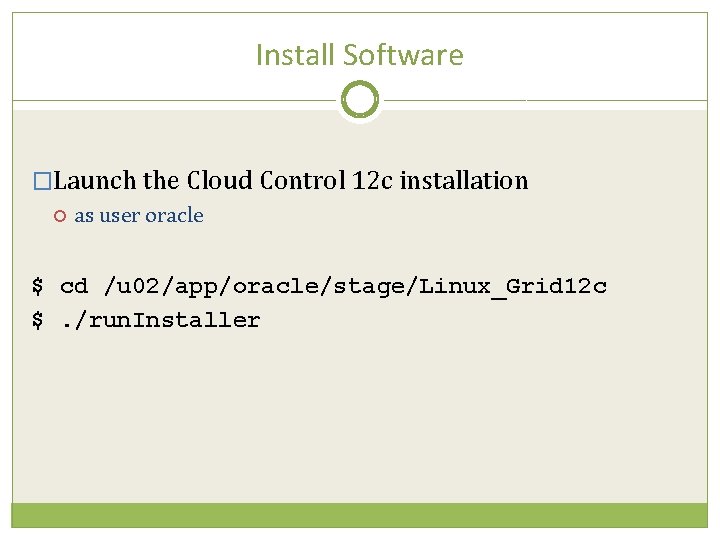
Install Software �Launch the Cloud Control 12 c installation as user oracle $ cd /u 02/app/oracle/stage/Linux_Grid 12 c $. /run. Installer
OUI – My Oracle Support
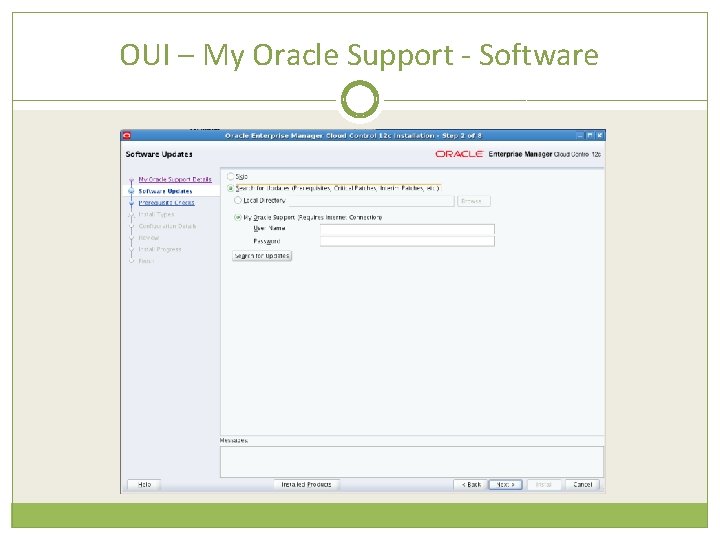
OUI – My Oracle Support - Software
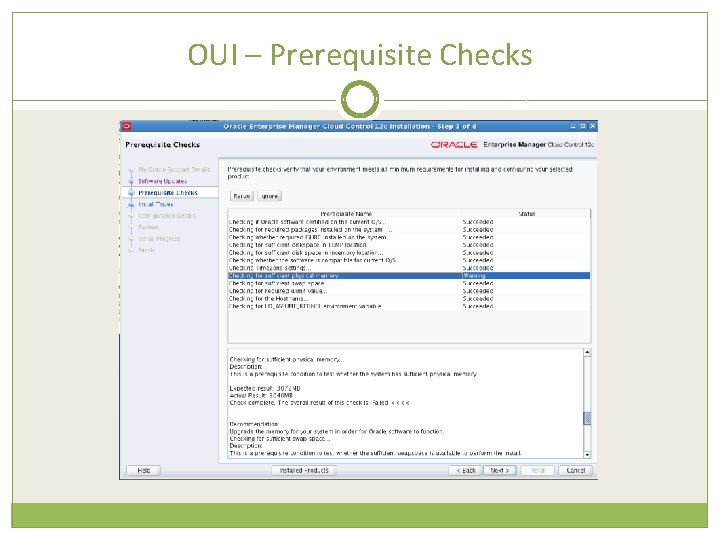
OUI – Prerequisite Checks
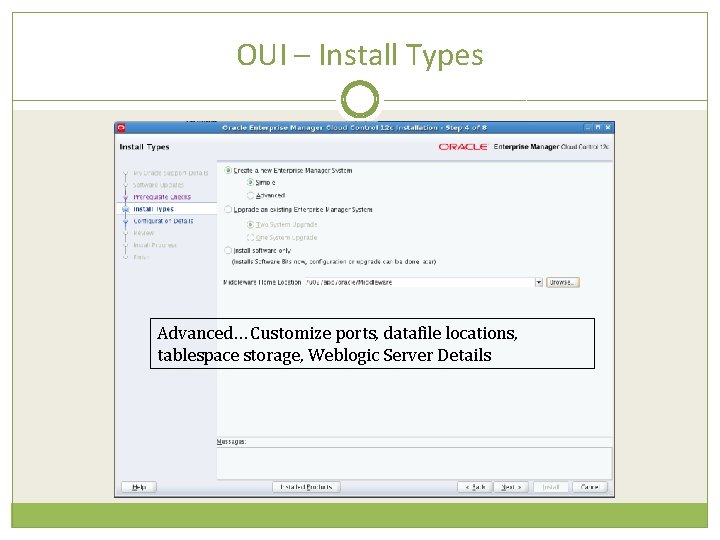
OUI – Install Types Advanced… Customize ports, datafile locations, tablespace storage, Weblogic Server Details
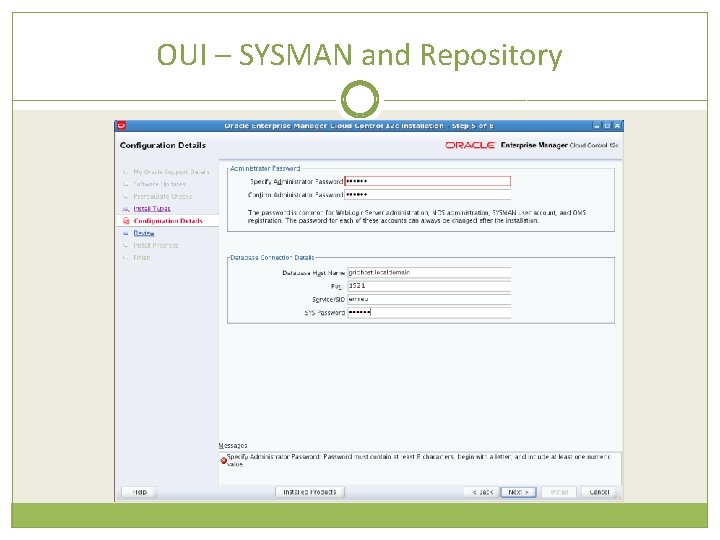
OUI – SYSMAN and Repository
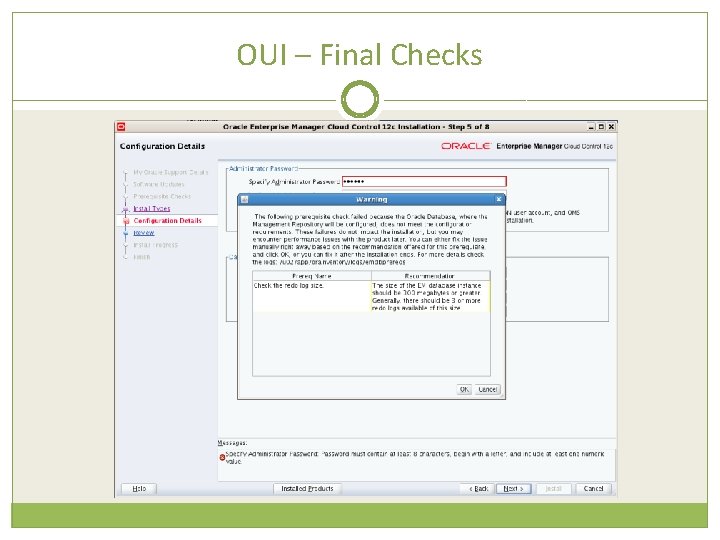
OUI – Final Checks
OUI – Final Checks
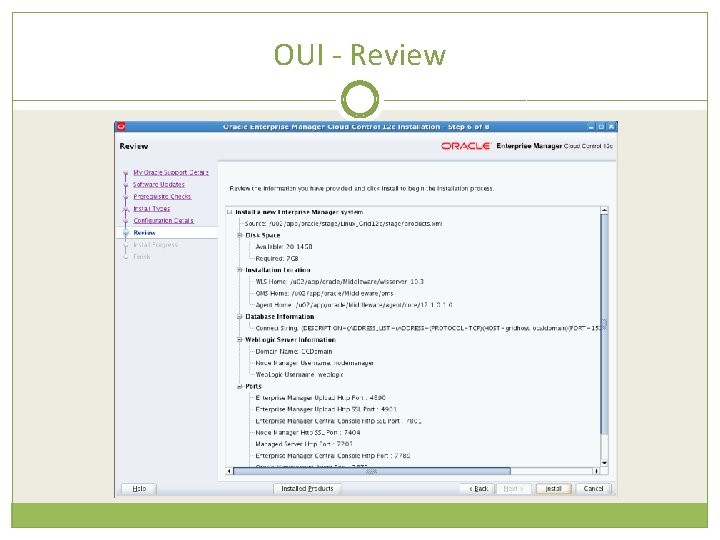
OUI - Review
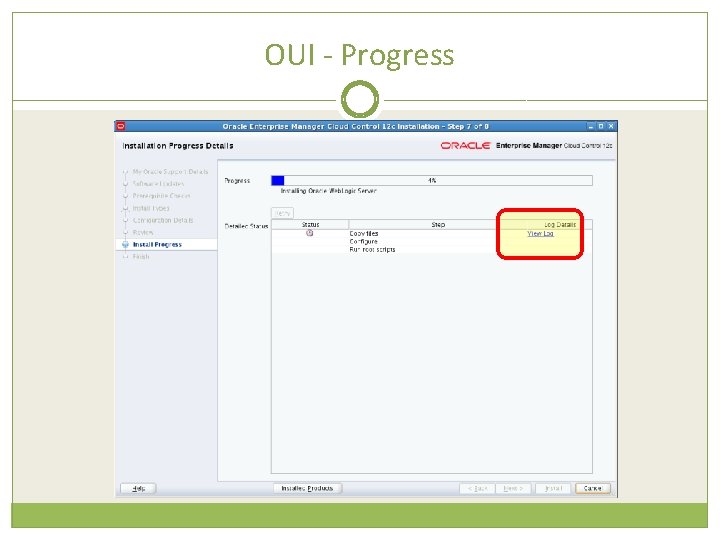
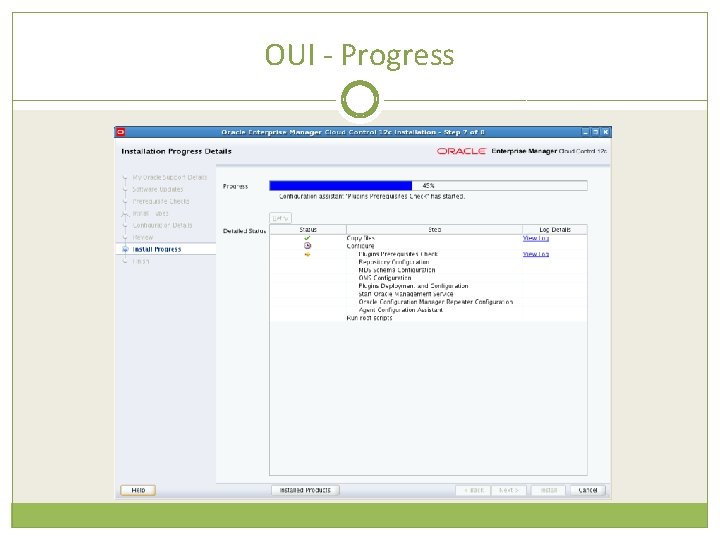
OUI - Progress
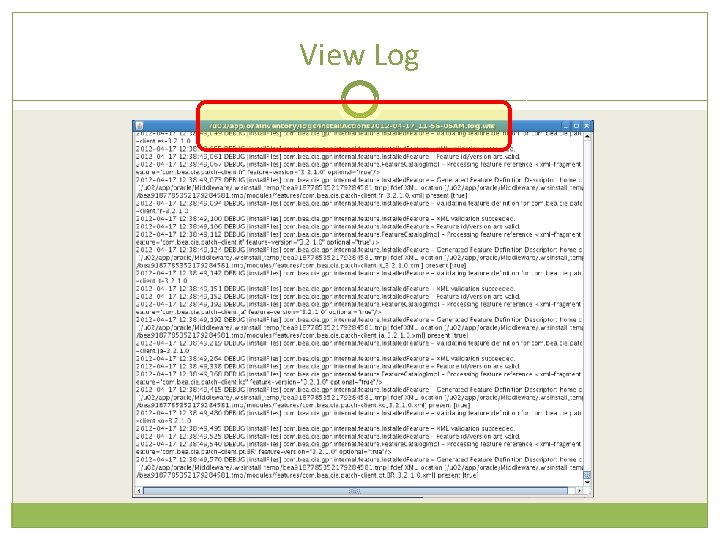
View Log
OUI - Progress
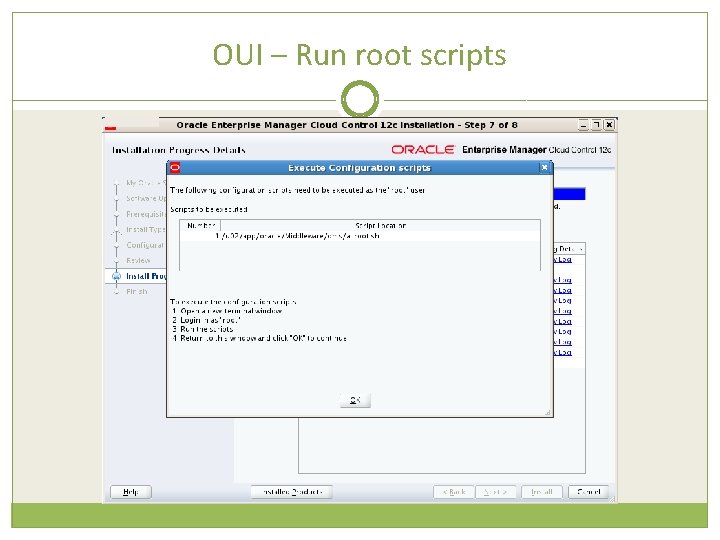
OUI – Run root scripts
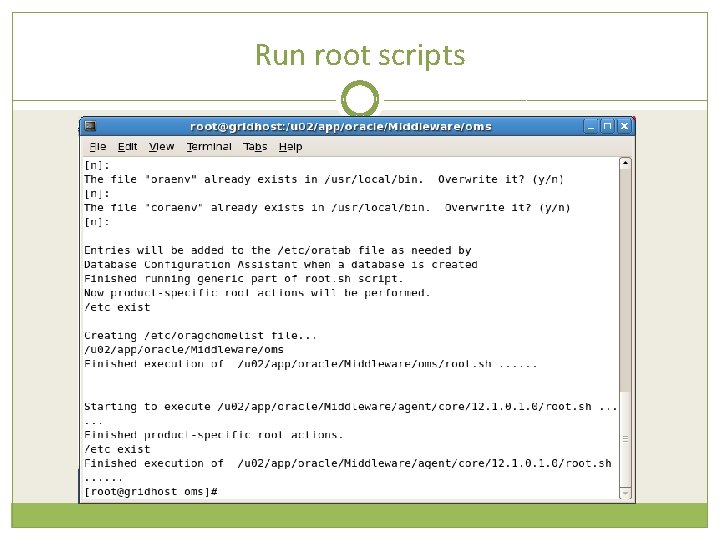
Run root scripts
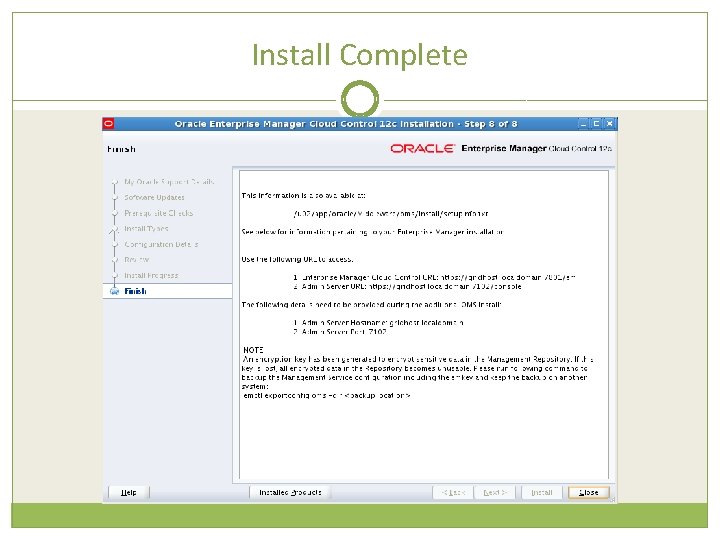
Install Complete
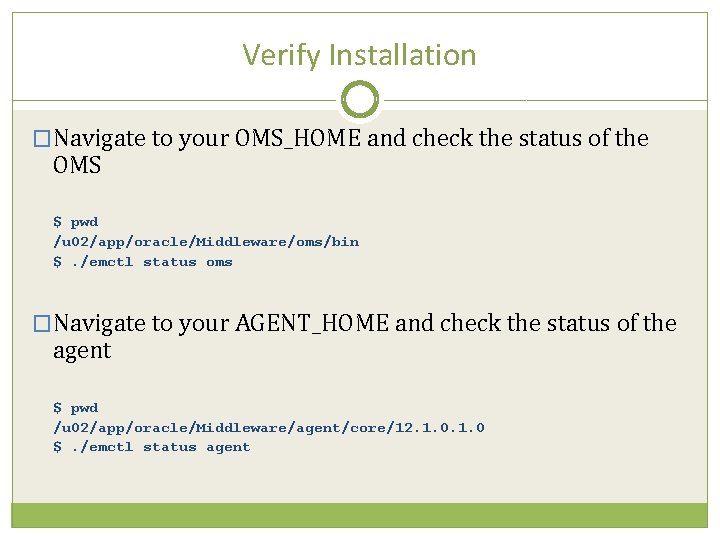
Verify Installation �Navigate to your OMS_HOME and check the status of the OMS $ pwd /u 02/app/oracle/Middleware/oms/bin $. /emctl status oms �Navigate to your AGENT_HOME and check the status of the agent $ pwd /u 02/app/oracle/Middleware/agent/core/12. 1. 0 $. /emctl status agent
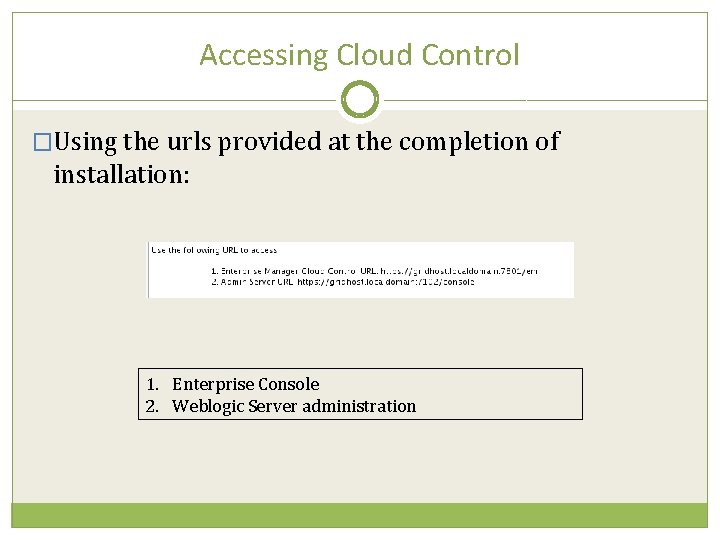
Accessing Cloud Control �Using the urls provided at the completion of installation: 1. Enterprise Console 2. Weblogic Server administration
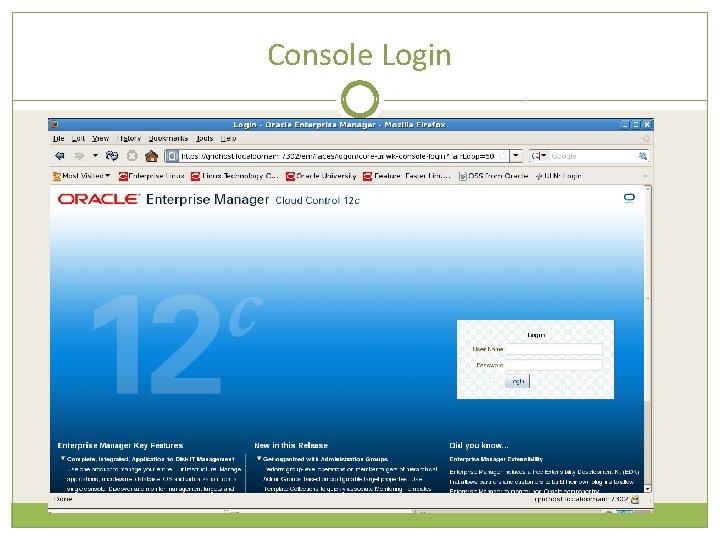
Console Login
License Agreement
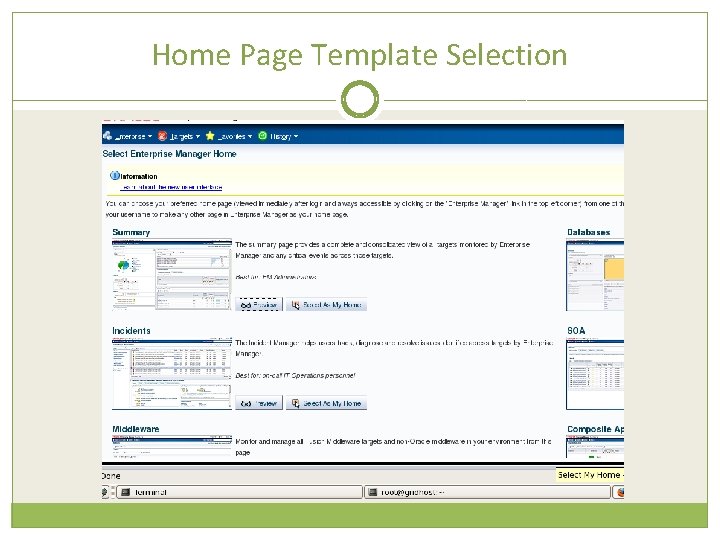
Home Page Template Selection
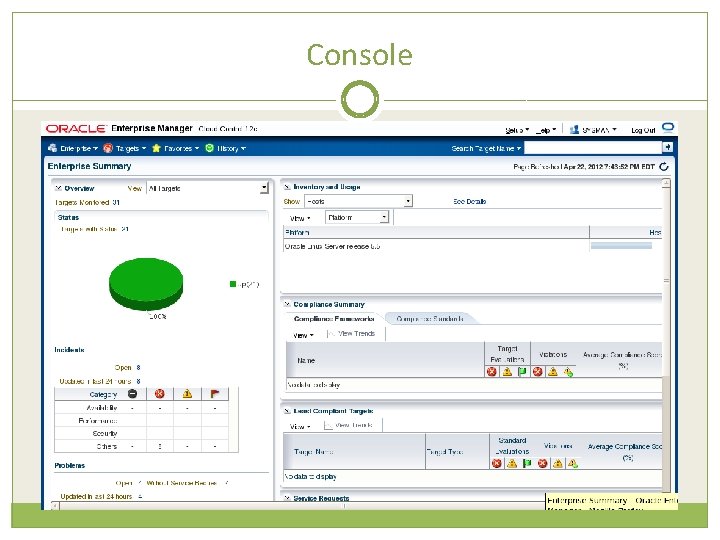
Console
Menus
Files System Layout $ORACLE_BASE |____Middleware |_____wlserver_10. 3 |_____jdk 16 |_____oms |_____plugins |_____oracle. sysman. db. oms. plugin_12. 1. 0 |_____oracle. sysman. emas. oms. plugin_12. 1. 0 |_____oracle. sysman. mos. oms. plugin_12. 1. 0 |_____agent |_____plugins |_____oracle. sysman. db. agent. plugin_12. 1. 0 |_____oracle. sysman. db. discovery. plugin_12. 1. 0 |_____oracle. sysman. emas. agent. plugin_12. 1. 0 |_____oracle. sysman. emas. discovery. plugin_12. 1. 0 |_____core |_____12. 1. 0 |____agent_inst |_____sbin |_____agentimage. properties |____sysman |_____gc_inst |_____Oracle_WT |_____oracle_common |_____utils |_____logs |_____modules |_____user_project |_____ocm. rsp |_____registry. dat |_____domain-registry. xml |_____registry. xml Key directories: $OMS_HOME= $ORACLE_BASE/Middleware/oms --OMS binaries $OMS_INSTANCE_HOME= $ORACLE_BASE/Middleware/gc_inst $OMS_INSTANCE_HOME/em/EMGC_OMS 1/sysman/log --oms logfiles $AGENT_BASE= $ORACLE_BASE/Middleware/agent $AGENT_HOME= $AGENT_BASE/Middleware/agent/core/12. 1. 0 --agent binaries on oms host $AGENT_INSTANCE_HOME= $AGENT_BASE/agent_inst $AGENT_INSTANCE_HOME/sysman --agent configuration and log files /etc/oragchomelist $OMS_HOME $AGENT_INST_HOME
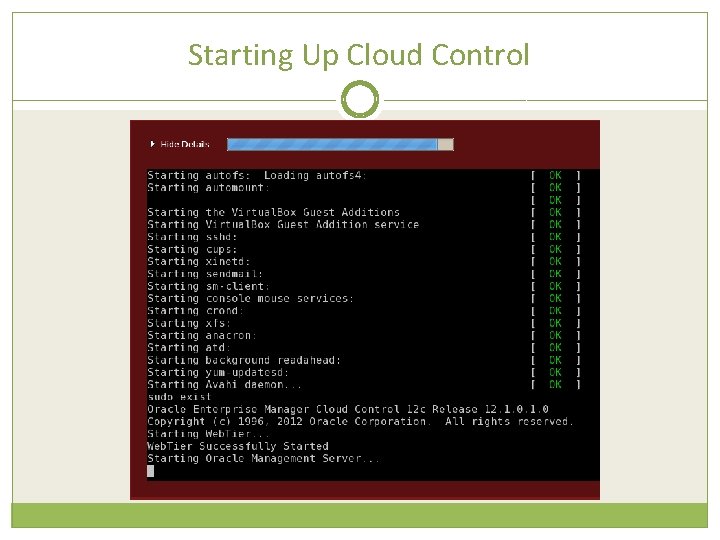
Starting Up Cloud Control
Disable Autostart �Additional configuration is necessary to enable proper autostart functionality – not covered in this presentation �As root: # vi /etc/init. d mv gcstartup_old mv unlockgcstartup_old mv lockgcstartup_old
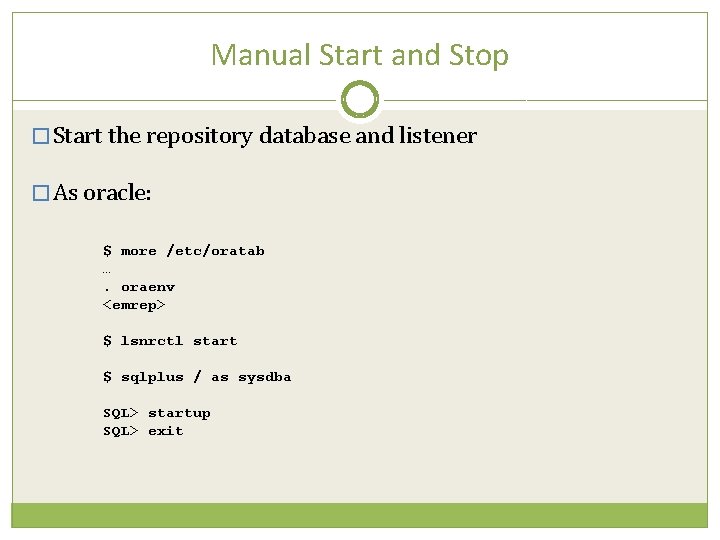
Manual Start and Stop � Start the repository database and listener � As oracle: $ more /etc/oratab …. oraenv <emrep> $ lsnrctl start $ sqlplus / as sysdba SQL> startup SQL> exit
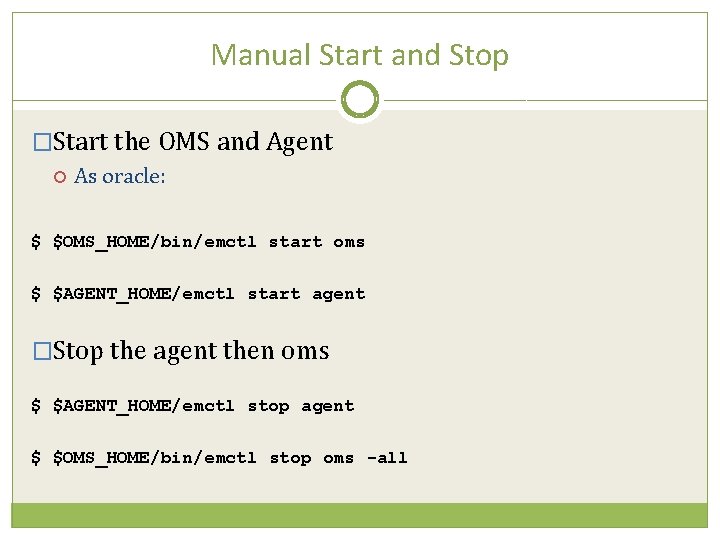
Manual Start and Stop �Start the OMS and Agent As oracle: $ $OMS_HOME/bin/emctl start oms $ $AGENT_HOME/emctl start agent �Stop the agent then oms $ $AGENT_HOME/emctl stop agent $ $OMS_HOME/bin/emctl stop oms -all
Part 2 – Agent Deployment
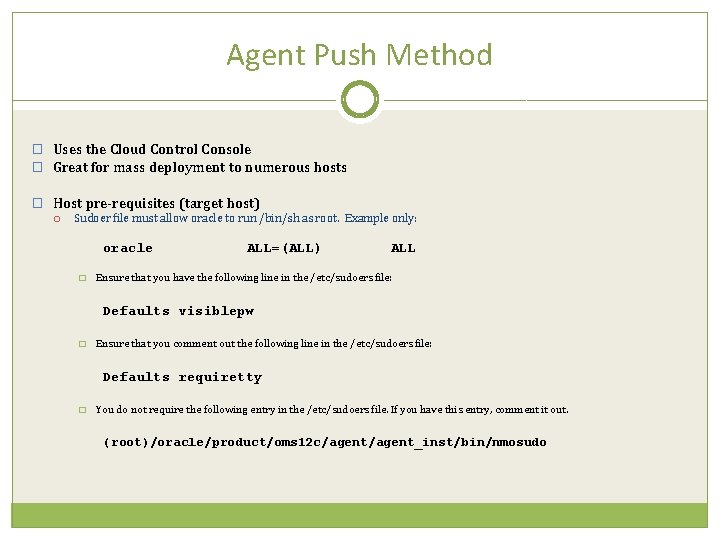
Agent Push Method � Uses the Cloud Control Console � Great for mass deployment to numerous hosts � Host pre-requisites (target host) Sudoer file must allow oracle to run /bin/sh as root. Example only: oracle � ALL=(ALL) ALL Ensure that you have the following line in the /etc/sudoers file: Defaults visiblepw � Ensure that you comment out the following line in the /etc/sudoers file: Defaults requiretty � You do not require the following entry in the /etc/sudoers file. If you have this entry, comment it out. (root)/oracle/product/oms 12 c/agent_inst/bin/nmosudo
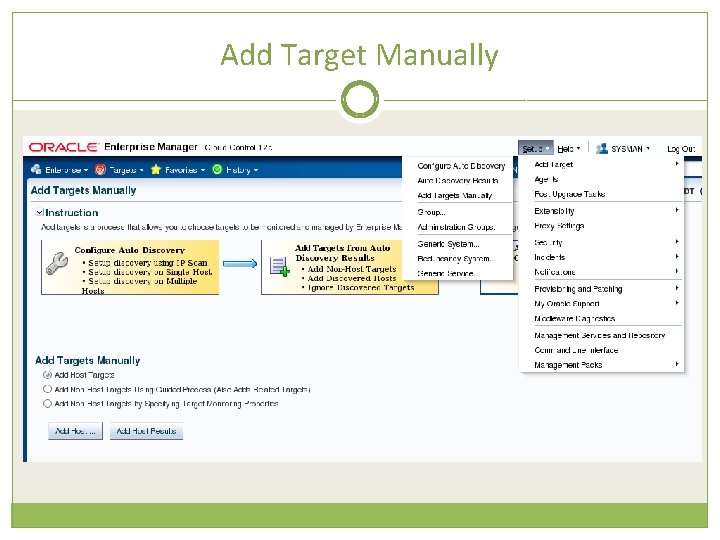
Add Target Manually
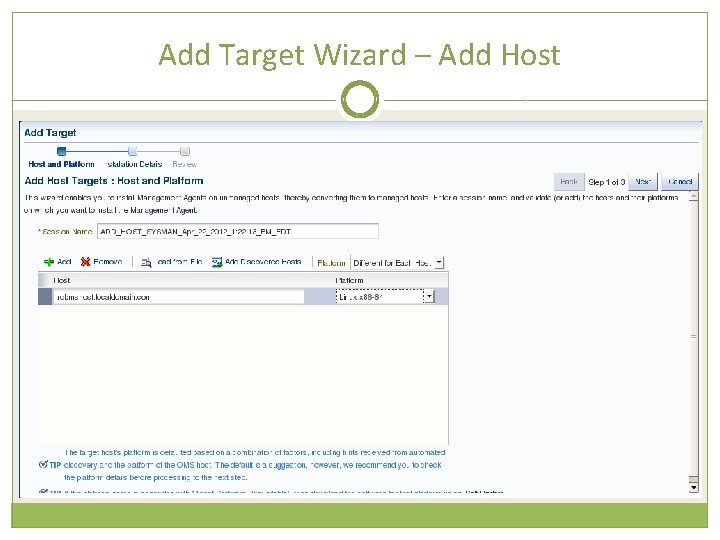
Add Target Wizard – Add Host
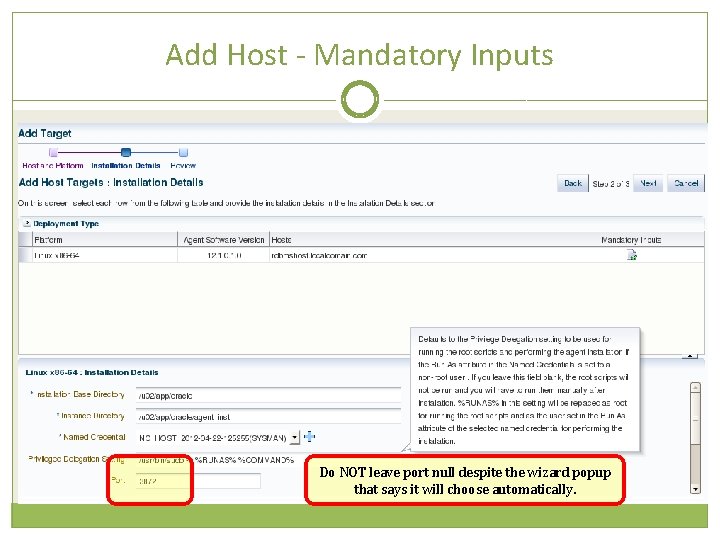
Add Host - Mandatory Inputs Do NOT leave port null despite the wizard popup that says it will choose automatically.
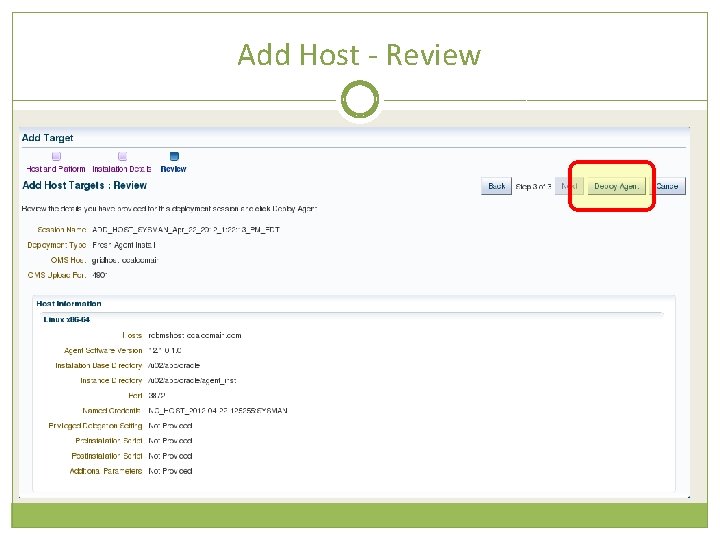
Add Host - Review
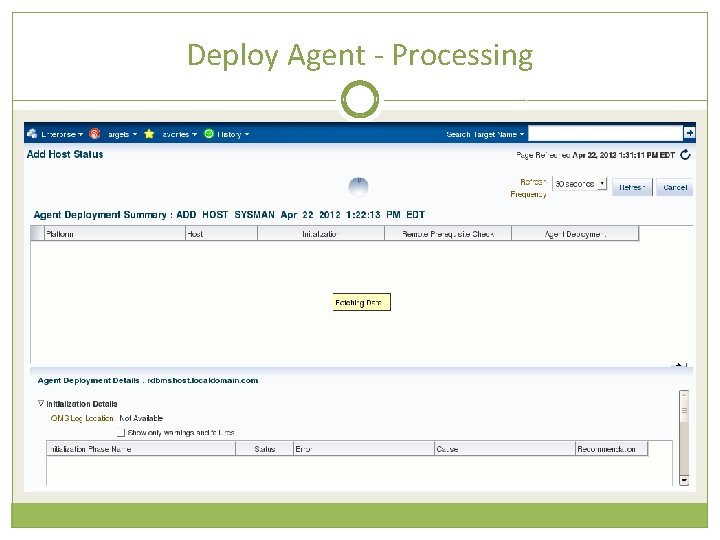
Deploy Agent - Processing
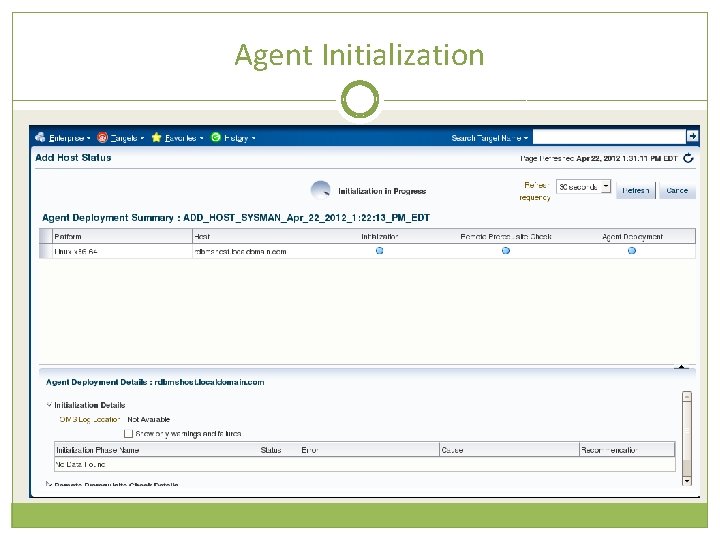
Agent Initialization
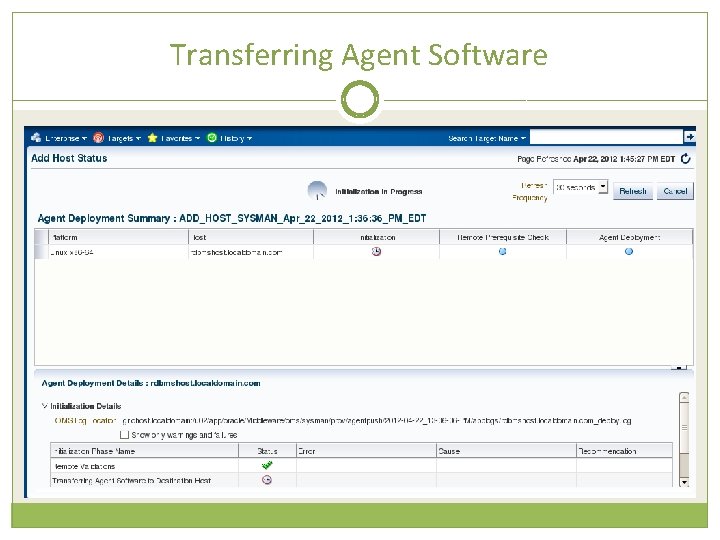
Transferring Agent Software
Installation and Configuration
Deployment Succeeded
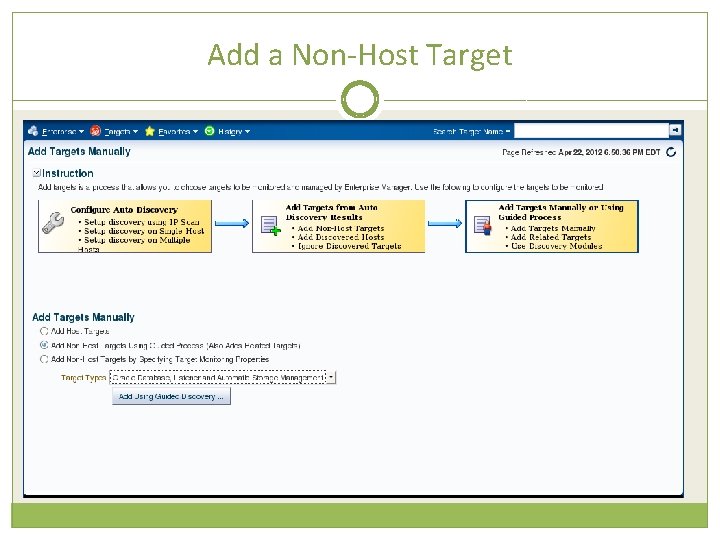
Add a Non-Host Target
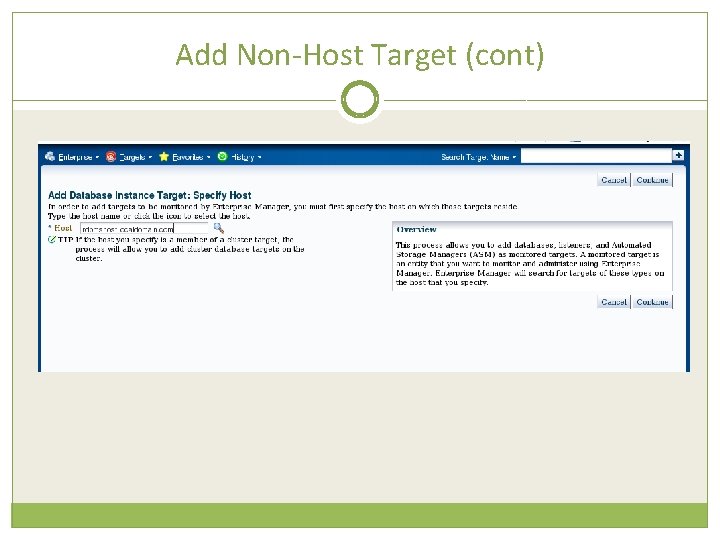
Add Non-Host Target (cont)
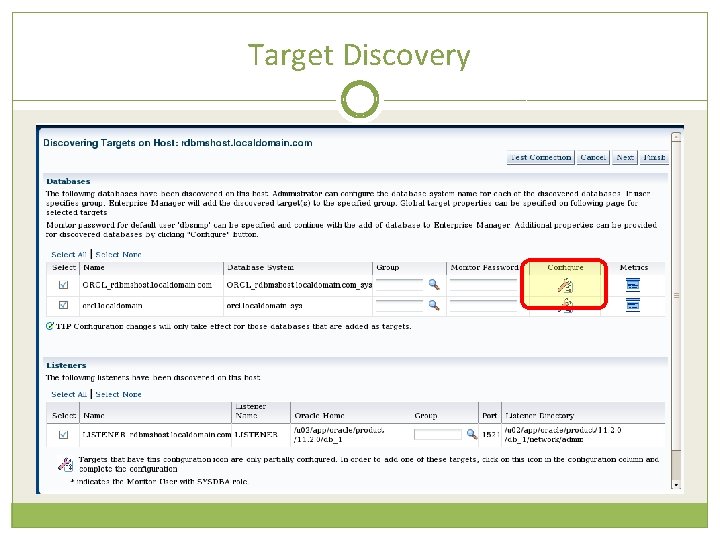
Target Discovery
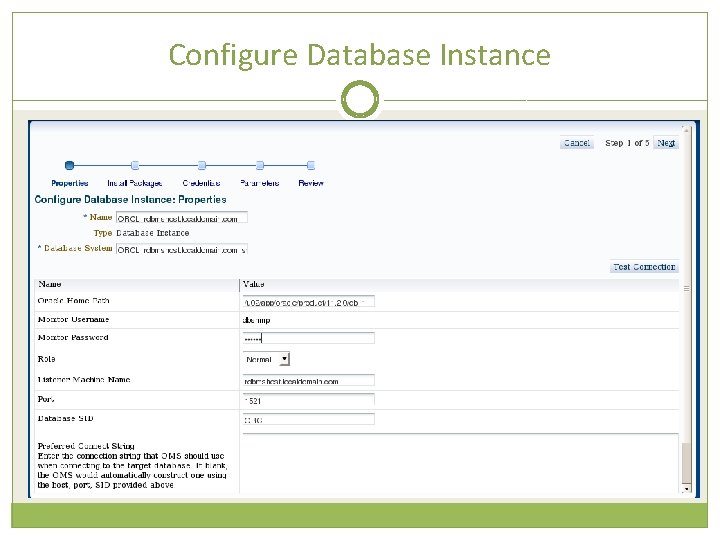
Configure Database Instance
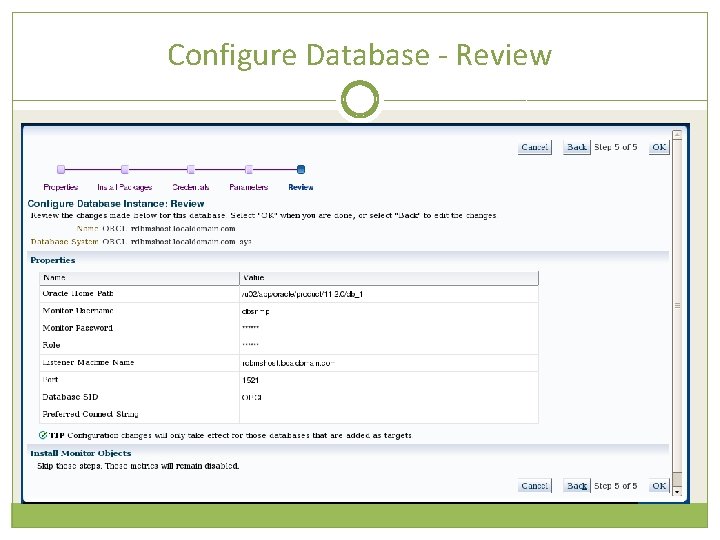
Configure Database - Review
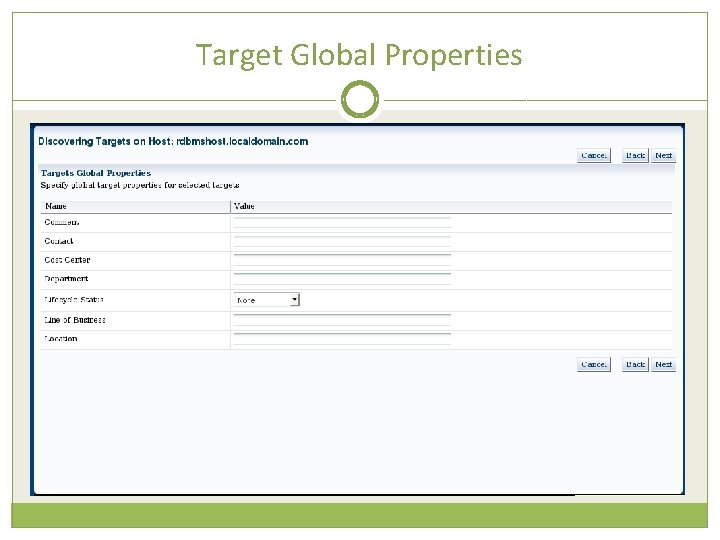
Target Global Properties
Add Target Summary
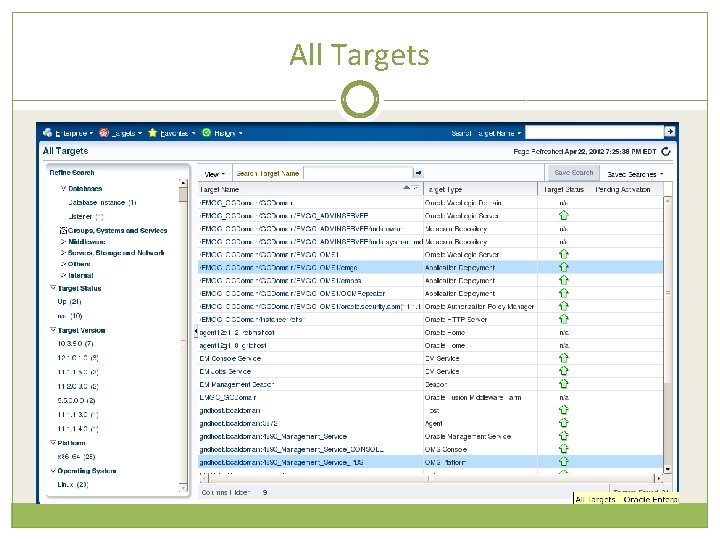
All Targets
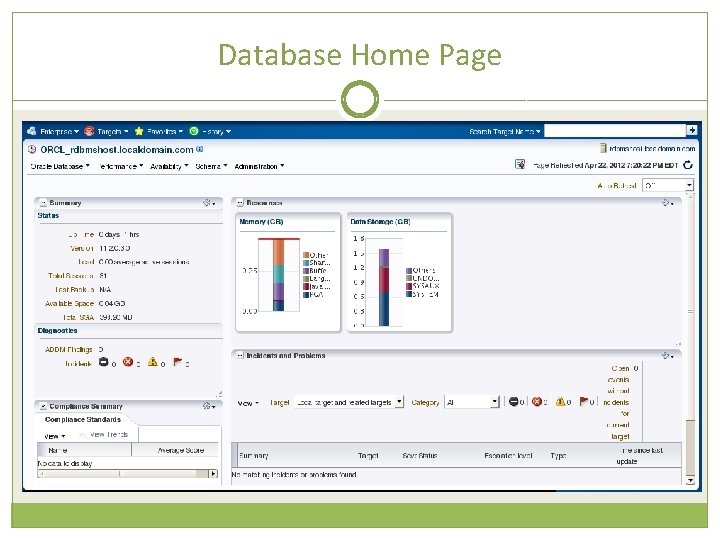
Database Home Page
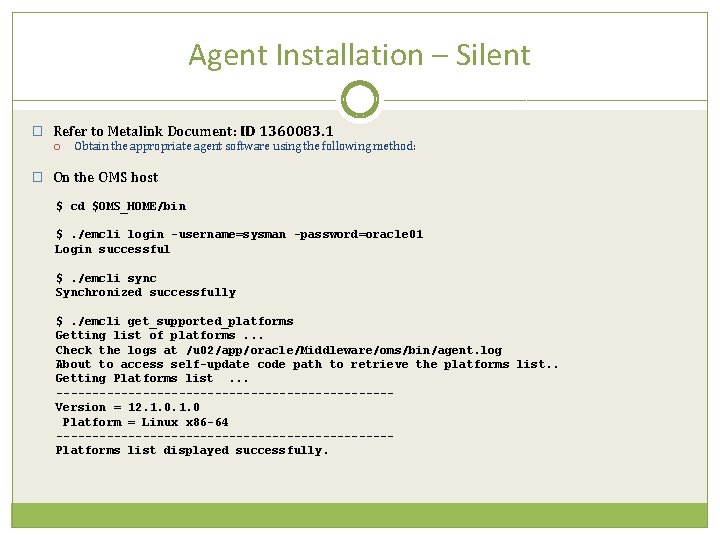
Agent Installation – Silent � Refer to Metalink Document: ID 1360083. 1 Obtain the appropriate agent software using the following method: � On the OMS host $ cd $OMS_HOME/bin $. /emcli login -username=sysman -password=oracle 01 Login successful $. /emcli sync Synchronized successfully $. /emcli get_supported_platforms Getting list of platforms. . . Check the logs at /u 02/app/oracle/Middleware/oms/bin/agent. log About to access self-update code path to retrieve the platforms list. . Getting Platforms list. . . -----------------------Version = 12. 1. 0 Platform = Linux x 86 -64 -----------------------Platforms list displayed successfully.
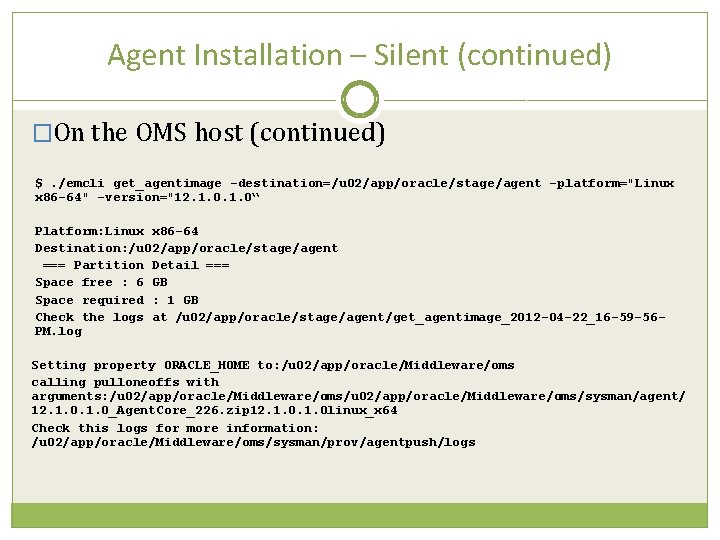
Agent Installation – Silent (continued) �On the OMS host (continued) $. /emcli get_agentimage -destination=/u 02/app/oracle/stage/agent -platform="Linux x 86 -64" -version="12. 1. 0“ Platform: Linux x 86 -64 Destination: /u 02/app/oracle/stage/agent === Partition Detail === Space free : 6 GB Space required : 1 GB Check the logs at /u 02/app/oracle/stage/agent/get_agentimage_2012 -04 -22_16 -59 -56 PM. log Setting property ORACLE_HOME to: /u 02/app/oracle/Middleware/oms calling pulloneoffs with arguments: /u 02/app/oracle/Middleware/oms/sysman/agent/ 12. 1. 0_Agent. Core_226. zip 12. 1. 0 linux_x 64 Check this logs for more information: /u 02/app/oracle/Middleware/oms/sysman/prov/agentpush/logs
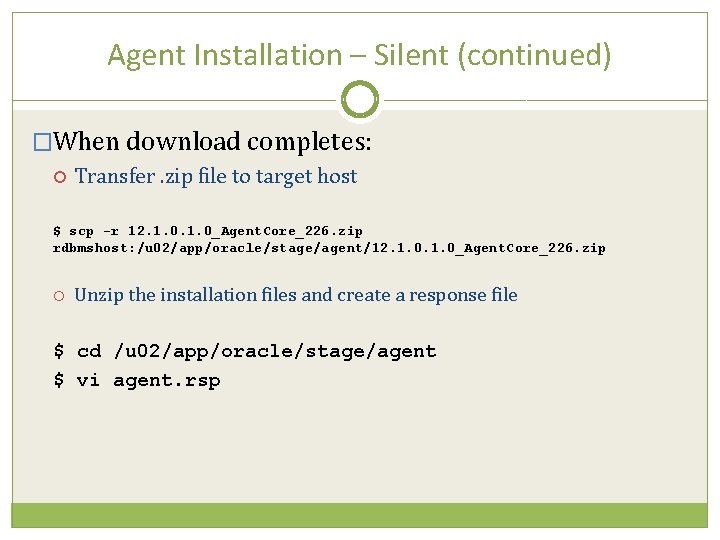
Agent Installation – Silent (continued) �When download completes: Transfer. zip file to target host $ scp -r 12. 1. 0_Agent. Core_226. zip rdbmshost: /u 02/app/oracle/stage/agent/12. 1. 0_Agent. Core_226. zip Unzip the installation files and create a response file $ cd /u 02/app/oracle/stage/agent $ vi agent. rsp
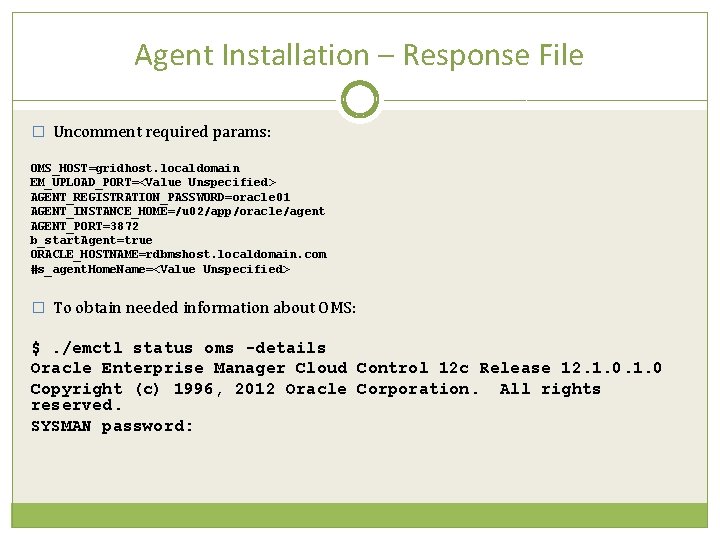
Agent Installation – Response File � Uncomment required params: OMS_HOST=gridhost. localdomain EM_UPLOAD_PORT=<Value Unspecified> AGENT_REGISTRATION_PASSWORD=oracle 01 AGENT_INSTANCE_HOME=/u 02/app/oracle/agent AGENT_PORT=3872 b_start. Agent=true ORACLE_HOSTNAME=rdbmshost. localdomain. com #s_agent. Home. Name=<Value Unspecified> � To obtain needed information about OMS: $. /emctl status oms -details Oracle Enterprise Manager Cloud Control 12 c Release 12. 1. 0 Copyright (c) 1996, 2012 Oracle Corporation. All rights reserved. SYSMAN password:
OMS Status Details $. /emctl status oms -details Oracle Enterprise Manager Cloud Control 12 c Release 12. 1. 0 Copyright (c) 1996, 2012 Oracle Corporation. All rights reserved. Enterprise Manager Root (SYSMAN) Password : Console Server Host : gridhost. localdomain HTTP Console Port : 7789 HTTPS Console Port : 7801 HTTP Upload Port : 4890 HTTPS Upload Port : 4901 OMS is not configured with SLB or virtual hostname Agent Upload is locked. OMS Console is locked. Active CA ID: 1 Console URL: https: //gridhost. localdomain: 7801/em Upload URL: https: //gridhost. localdomain: 4901/empbs/upload WLS Domain Information Domain Name : GCDomain Admin Server Host: gridhost. localdomain Managed Server Information Managed Server Instance Name: EMGC_OMS 1 Managed Server Instance Host: gridhost. localdomain
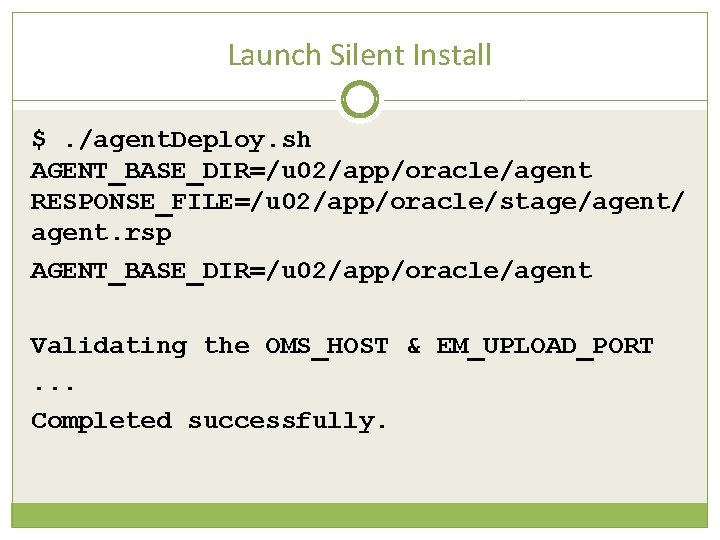
Launch Silent Install $. /agent. Deploy. sh AGENT_BASE_DIR=/u 02/app/oracle/agent RESPONSE_FILE=/u 02/app/oracle/stage/agent/ agent. rsp AGENT_BASE_DIR=/u 02/app/oracle/agent Validating the OMS_HOST & EM_UPLOAD_PORT. . . Completed successfully.
Tune in… Next month’s webinar… Getting to know Oracle Enterprise Manager Cloud Control 12 c
Resources Introduction to Oracle Cloud Control 12 c http: //docs. oracle. com/cd/E 24628_01/doc. 121/e 25353/overvie w. htm Install Cloud Control 12 c http: //docs. oracle. com/cd/E 24628_01/install. 121/e 22624/toc. ht m#BEGIN Full Enterprise Manager Cloud Control Documentation Portal http: //docs. oracle. com/cd/E 24628_01/index. htm
Questions (800) 538 -0453 OR EMAIL… ANNA. RUEL@PTI. NET VISIT MY BLOG…. FOOBLA. BLOGSPOT. COM