
Enterprise Library for NET Framework 2 0 Core
Enterprise Library for. NET Framework 2. 0: Core Architecture
Enterprise Library for. NET Framework 2. 0 § Major new release of Enterprise Library § Designed for Microsoft®. NET Framework 2. 0 • Leverages key new capabilities provided by the platform • Certain features from Enterprise Library v 1. x have been deprecated in favor of the platform § Scenarios and features largely unchanged • Public application programming interfaces (APIs) not identical, but changes are minor • …but many improvements are hiding under the covers!
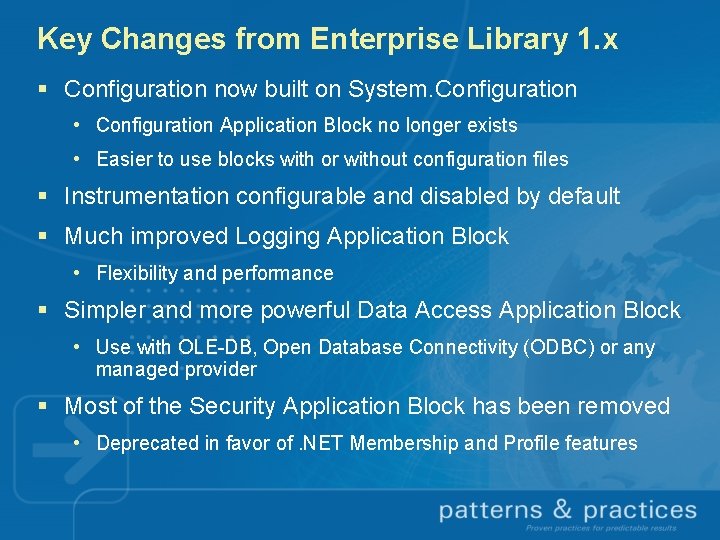
Key Changes from Enterprise Library 1. x § Configuration now built on System. Configuration • Configuration Application Block no longer exists • Easier to use blocks with or without configuration files § Instrumentation configurable and disabled by default § Much improved Logging Application Block • Flexibility and performance § Simpler and more powerful Data Access Application Block • Use with OLE-DB, Open Database Connectivity (ODBC) or any managed provider § Most of the Security Application Block has been removed • Deprecated in favor of. NET Membership and Profile features
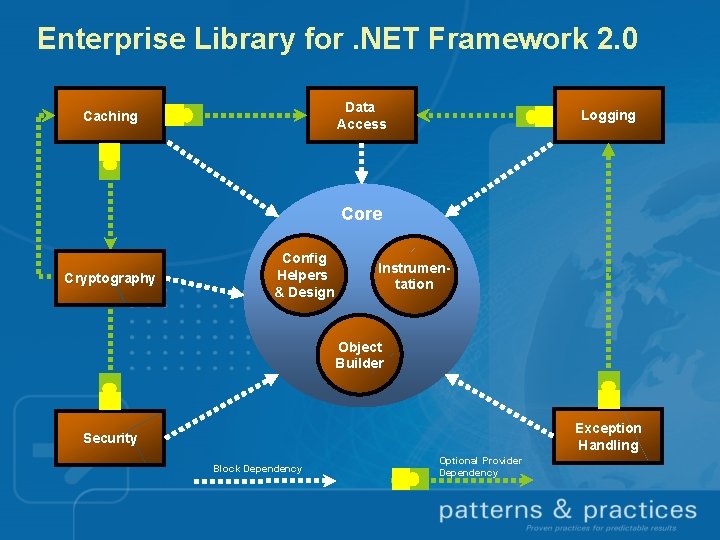
Enterprise Library for. NET Framework 2. 0 Data Access Caching Logging Core Cryptography Config Helpers & Design Plug-in Instrumentation Object Builder Exception Handling Security Block Dependency Optional Provider Dependency
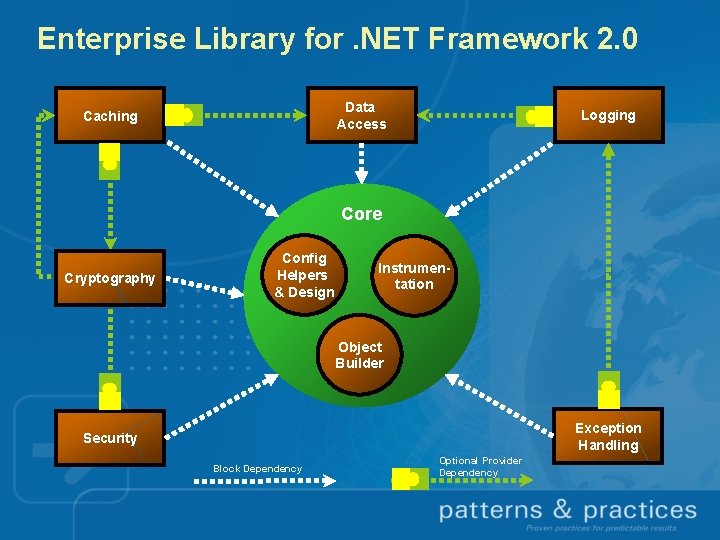
Enterprise Library for. NET Framework 2. 0 Data Access Caching Logging Core Cryptography Config Helpers & Design Plug-in Instrumentation Object Builder Exception Handling Security Block Dependency Optional Provider Dependency
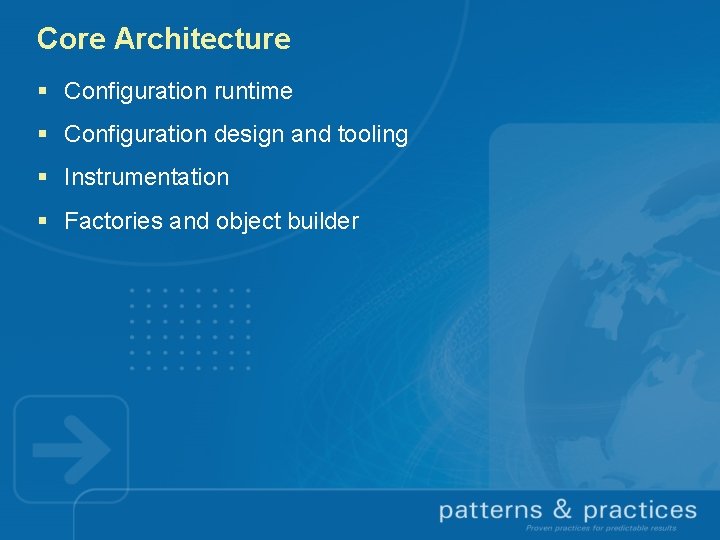
Core Architecture § Configuration runtime § Configuration design and tooling § Instrumentation § Factories and object builder
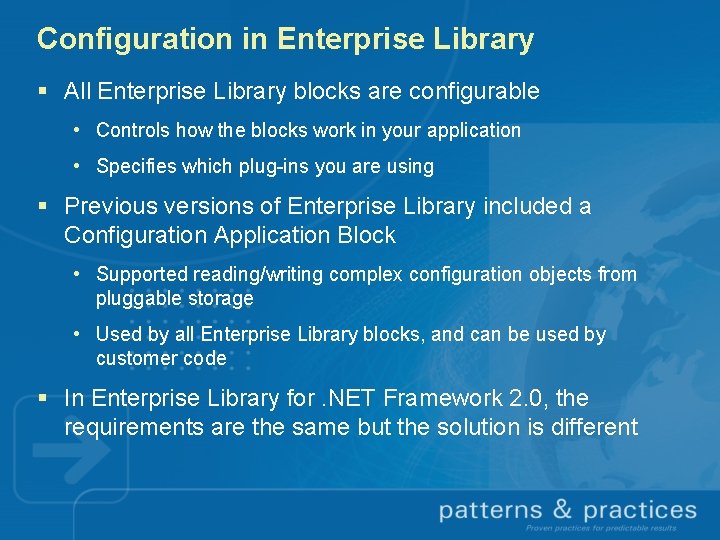
Configuration in Enterprise Library § All Enterprise Library blocks are configurable • Controls how the blocks work in your application • Specifies which plug-ins you are using § Previous versions of Enterprise Library included a Configuration Application Block • Supported reading/writing complex configuration objects from pluggable storage • Used by all Enterprise Library blocks, and can be used by customer code § In Enterprise Library for. NET Framework 2. 0, the requirements are the same but the solution is different
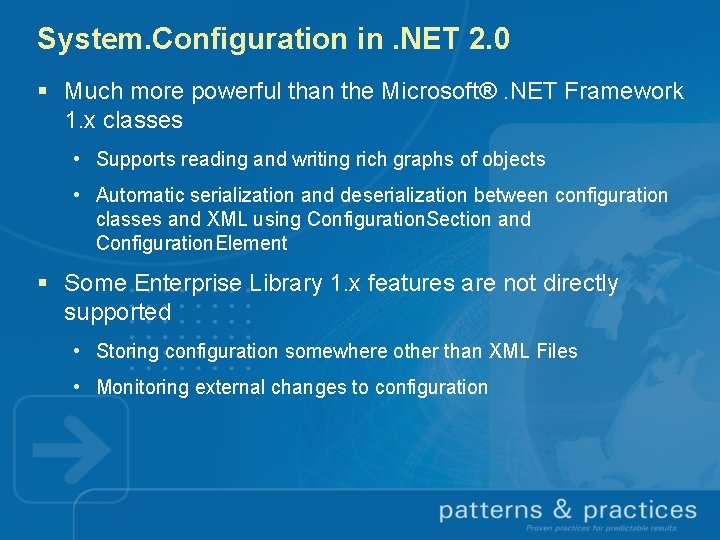
System. Configuration in. NET 2. 0 § Much more powerful than the Microsoft®. NET Framework 1. x classes • Supports reading and writing rich graphs of objects • Automatic serialization and deserialization between configuration classes and XML using Configuration. Section and Configuration. Element § Some Enterprise Library 1. x features are not directly supported • Storing configuration somewhere other than XML Files • Monitoring external changes to configuration
Configuration Runtime § Enterprise Library for. NET Framework 2. 0 uses System. Configuration, but provides additional helper classes to provide more functionality • All blocks provide Configuration. Sections which are stored in app. config / web. config by default • All System. Configuration features such as encryption and using external files are supported § Configuration Runtime helper classes are in the Common assembly • Used by all Enterprise Library application blocks • Can be used by your apps, but you generally won’t need to
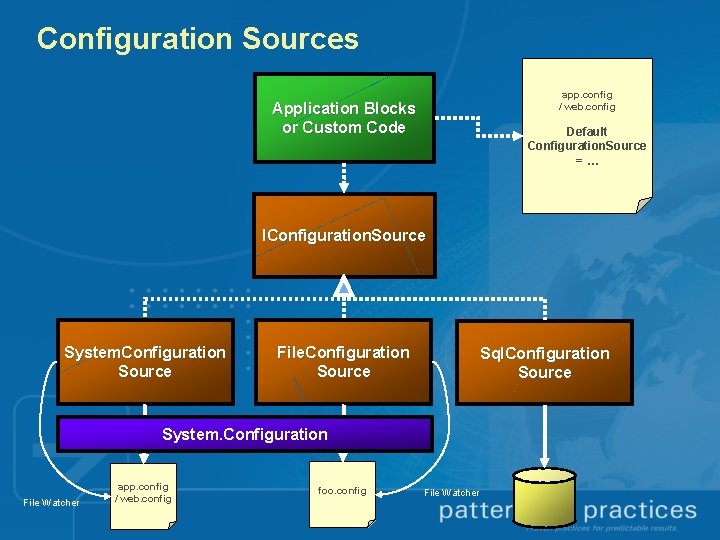
Configuration Sources app. config / web. config Application Blocks or Custom Code Default Configuration. Source =… IConfiguration. Source System. Configuration Source File. Configuration Source Sql. Configuration Source System. Configuration File Watcher app. config / web. config foo. config File Watcher
Configuration Sources § Abstract interface that supports loading/saving configuration and monitoring for changes § Two implementations included in the core • System. Configuration. Source defers to System. Configuration to read from default configuration file (plus adds file watchers) • File. Configuration. Source defers to System. Configuration but reads from arbitrary files § Sql. Configuration. Source included as a sample • Requires that sections derive from Serializable. Configuration. Section
Choosing a Configuration Source § Several ways of choosing a configuration source when using Enterprise Library § If you access blocks using static façades or factories (Examples: Database. Factory, Logger), you will always use the application’s default Configuration. Source: • If you define a Configuration. Sources section in your default. config file, you can specify which type of source should be used • If you don’t have this section, System. Configuration. Source is used § If you use the instance factories (Examples: Database. Provider. Factory, Log. Writer. Factory) you can specify a configuration source of your choosing • Instantiated directly or using Configuration. Source. Factory
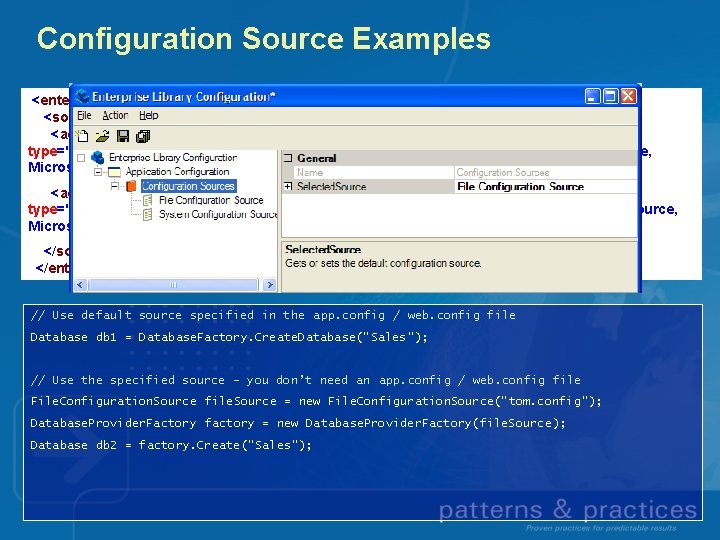
Configuration Source Examples <enterprise. Library. Configuration. Source selected. Source="file. Source"> <sources> <add name="file. Source" type="Microsoft. Practices. Enterprise. Library. Common. Configuration. File. Configuration. Source, Microsoft. Practices. Enterprise. Library. Common" file. Path="test. config"/> <add name="system. Source" type="Microsoft. Practices. Enterprise. Library. Common. Configuration. System. Configuration. Source, Microsoft. Practices. Enterprise. Library. Common"/> </sources> </enterprise. Library. Configuration. Source> // Use default source specified in the app. config / web. config file Database db 1 = Database. Factory. Create. Database(“Sales”); // Use the specified source – you don’t need an app. config / web. config file File. Configuration. Source file. Source = new File. Configuration. Source(“tom. config”); Database. Provider. Factory factory = new Database. Provider. Factory(file. Source); Database db 2 = factory. Create(“Sales”);

Change Notifications § IConfiguration. Source supports monitoring configuration data for changes • Add. Section. Handler(string section. Name, Configuration. Changed. Event. Handler handler) • Remove. Section. Handler(string section. Name, Configuration. Changed. Event. Handler handler) § Any code can register for changes and respond accordingly § In Enterprise Library, only the Logging Application Block currently registers to receive change notification events
Configuration Design and Tooling § Configuration tool eliminates the need to edit the blocks’ XML configuration files • Quickly add default configuration for a block • Strongly-typed properties and providers • Validate configuration before you save § No major changes to configuration tool user experience from previous versions of Enterprise Library § Configuration design-time subsystem can be used in your own applications and blocks to provide a similar experience for your users
Configuration Design-Time § Improved API • Simple base configuration design manager • Better node registration and command registration • 3 to 4 simple classes to register your custom provider • No more On. Sited § One configuration design manager per section § Dependent configuration design managers § Easy to interop with any. NET configuration

Instrumentation § All Enterprise Library blocks include instrumentation to assist in development, testing and operations • Event Log events • Performance Counters • Microsoft® Windows® Management Instrumentation (WMI) events § All instrumentation is disabled by default, but each type can be individually enabled using the configuration tool § Instrumentation code contained in common assembly can be reused in your apps
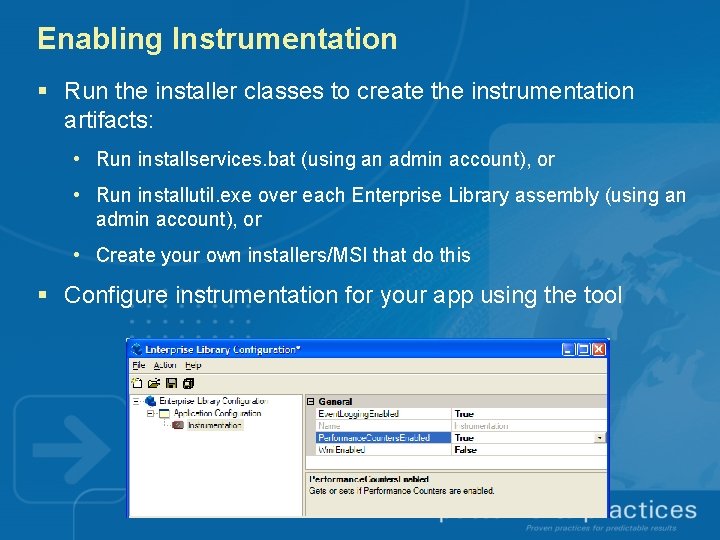
Enabling Instrumentation § Run the installer classes to create the instrumentation artifacts: • Run installservices. bat (using an admin account), or • Run installutil. exe over each Enterprise Library assembly (using an admin account), or • Create your own installers/MSI that do this § Configure instrumentation for your app using the tool
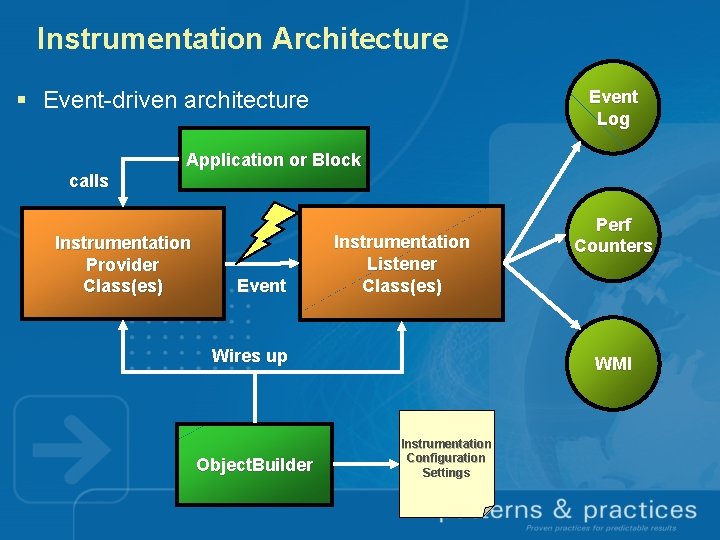
Instrumentation Architecture § Event-driven architecture Event Log Application or Block calls Instrumentation Provider Class(es) Event Instrumentation Listener Class(es) Wires up Object. Builder Perf Counters WMI Instrumentation Configuration Settings
![Instrumentation Attributes § Instrumentation is wired up using attributes: • [Instrumentation. Listener] Defined on](http://slidetodoc.com/presentation_image/5a5f744a348e9e6f0fde60327f4d628e/image-20.jpg "Instrumentation Attributes § Instrumentation is wired up using attributes: • [Instrumentation. Listener] Defined on")
Instrumentation Attributes § Instrumentation is wired up using attributes: • [Instrumentation. Listener] Defined on a type within the block or application Specifies which listener will deal with instrumentation events • [Instrumentation. Provider] Defined on an event within the block or application Specifies the name of the event being fired • [Instrumentation. Consumer] Defined on a method within the instrumentation listener The method contains the instrumentation logic, and the name must match the one used in an [Instrumentation. Provider] declaration
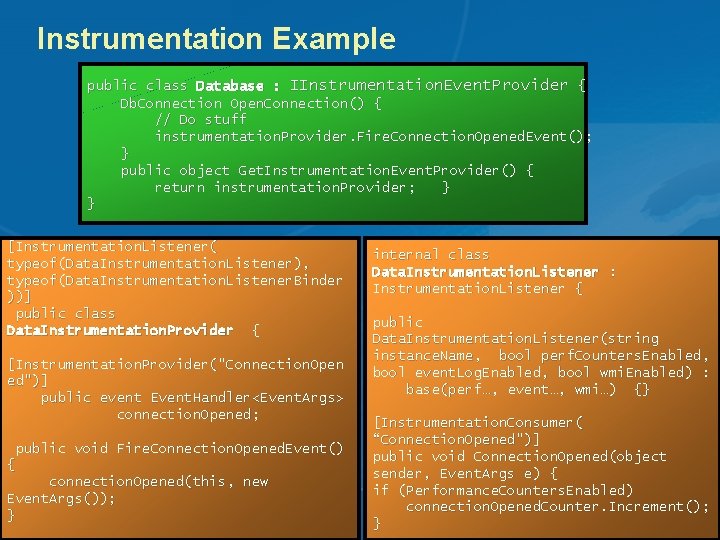
Instrumentation Example public class Database : IInstrumentation. Event. Provider { Db. Connection Open. Connection() { // Do stuff instrumentation. Provider. Fire. Connection. Opened. Event(); } public object Get. Instrumentation. Event. Provider() { return instrumentation. Provider; } [Instrumentation. Listener( typeof(Data. Instrumentation. Listener), typeof(Data. Instrumentation. Listener. Binder ))] public class Data. Instrumentation. Provider { [Instrumentation. Provider("Connection. Open ed")] public event Event. Handler<Event. Args> connection. Opened; public void Fire. Connection. Opened. Event() { connection. Opened(this, new Event. Args()); } internal class Data. Instrumentation. Listener : Instrumentation. Listener { public Data. Instrumentation. Listener(string instance. Name, bool perf. Counters. Enabled, bool event. Log. Enabled, bool wmi. Enabled) : base(perf…, event…, wmi…) {} [Instrumentation. Consumer( “Connection. Opened")] public void Connection. Opened(object sender, Event. Args e) { if (Performance. Counters. Enabled ) (Performance. Counters. Enabled) connection. Opened. Counter. Increment(); }
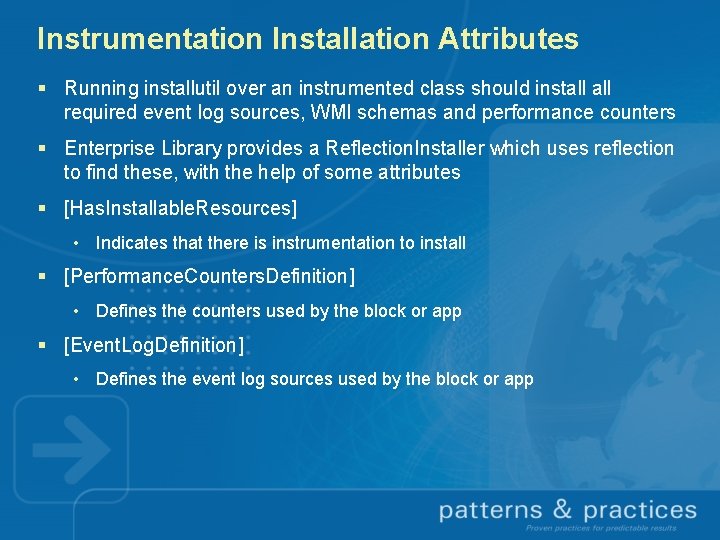
Instrumentation Installation Attributes § Running installutil over an instrumented class should install required event log sources, WMI schemas and performance counters § Enterprise Library provides a Reflection. Installer which uses reflection to find these, with the help of some attributes § [Has. Installable. Resources] • Indicates that there is instrumentation to install § [Performance. Counters. Definition] • Defines the counters used by the block or app § [Event. Log. Definition] • Defines the event log sources used by the block or app
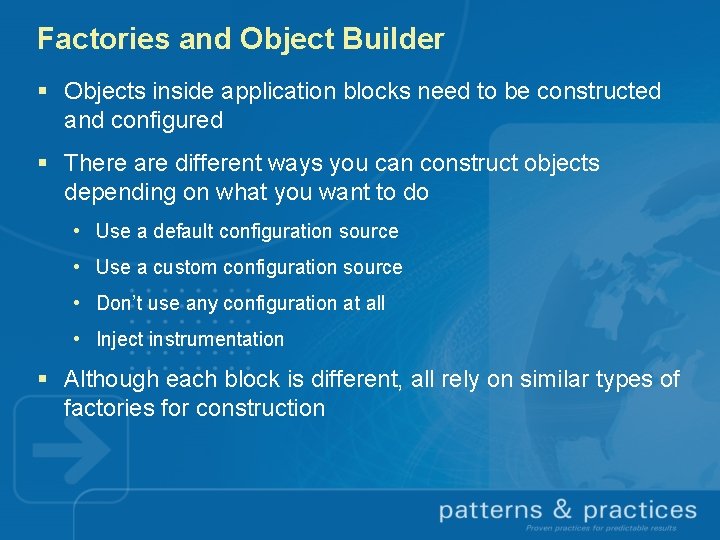
Factories and Object Builder § Objects inside application blocks need to be constructed and configured § There are different ways you can construct objects depending on what you want to do • Use a default configuration source • Use a custom configuration source • Don’t use any configuration at all • Inject instrumentation § Although each block is different, all rely on similar types of factories for construction
Object Builder § New subsystem shared between Ent. Lib and Composite UI Application Block § Responsible for building objects inside the application blocks • Invoking the necessary custom factory using data from configuration • Configuring instrumentation for the blocks § Can be leveraged from your own apps, but understanding Object. Builder is not required to use Enterprise Library
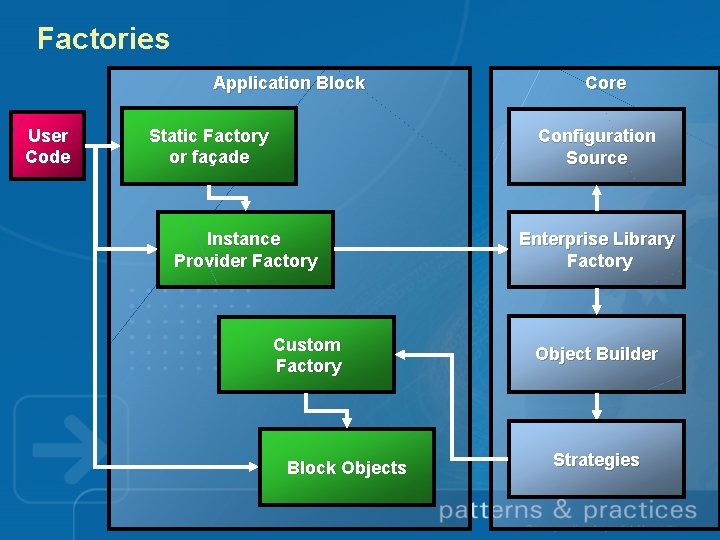
Factories Application Block User Code Static Factory or façade Core Configuration Source Instance Provider Factory Custom Factory Block Objects Enterprise Library Factory Object Builder Strategies
Using Static Facades and Factories § Easiest way to use the blocks § Configuration is retrieved from the default configuration source § Instrumentation is wired up (but may be disabled) § Results in a call to an instance factory behind the scenes § Examples: • Dim db As Database = Database. Factory. Create. Database(“Sales”) • Logger. Write(“My message”, “My Category”)
Using Instance Provider Factories § You get slightly more control on how objects are created § You can choose your own configuration source § Instrumentation is wired up (but may be disabled) § Examples: • Dim factory As New Database. Provider. Factory(config. Source) Dim db As Database = factory. Create(“Sales”) • Dim factory As New Log. Writer. Factory(config. Source) Dim writer As Log. Writer = factory. Create()
Creating Objects Directly § New up the object and any dependent objects yourself § Configuration sources are not used § Object Builder is not involved § Instrumentation will not be automatically wired up (but you can add it yourself) § Example: • Dim db As Sql. Database = New Sql. Database("server=(local)SQLEXPRESS; database=Ent. Lib. Quic k. Starts; Integrated Security=true")
Resources § Download Enterprise Library and related resources from: • http: //msdn. microsoft. com/practices § Join the Enterprise Library Community at: • http: //practices. gotdotnet. com/projects/entlib § Read blogs from the Enterprise Library team at: • http: //msdn. microsoft. com/practices/Comm/Ent. Lib. Blogs/

- Slides: 30