
Enterprise GIS Security Strategy Michael E Young Chief









- Slides: 70
Enterprise GIS: Security Strategy Michael E. Young Chief Product Security Officer Matt Lorrain Security Architect
Agenda • Introduction • Trends • Strategy • Mechanisms • Server • Mobile • Cloud • Compliance
Introduction What is a secure GIS?
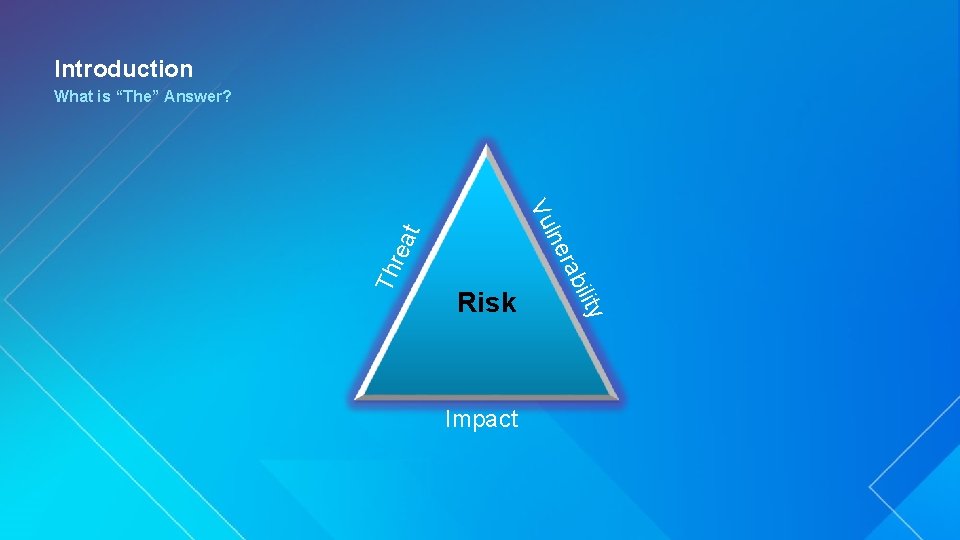
Introduction What is “The” Answer? Th ility Impact rab rea lne t Vu Risk
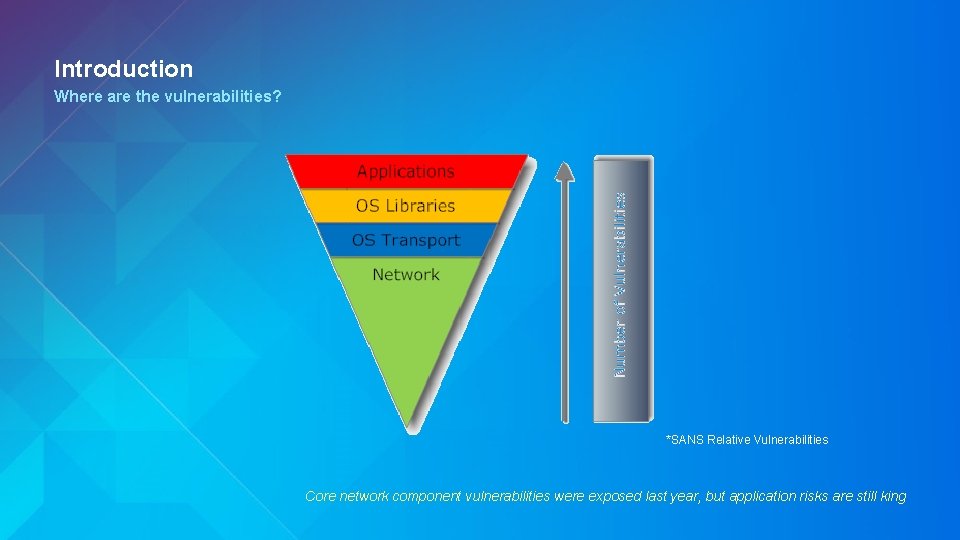
Introduction Where are the vulnerabilities? *SANS Relative Vulnerabilities Core network component vulnerabilities were exposed last year, but application risks are still king
Current Real World Scenarios & Trends Michael Young
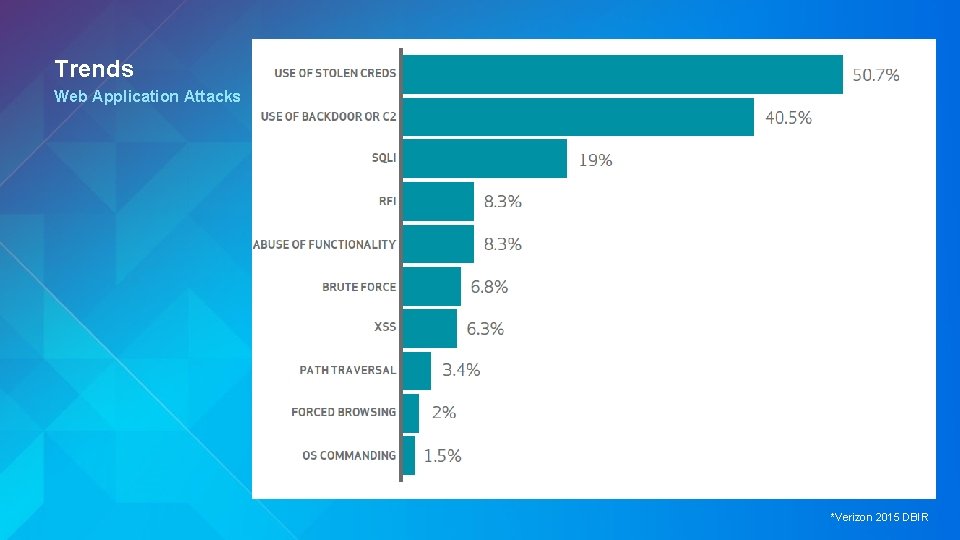
Trends Web Application Attacks *Verizon 2015 DBIR
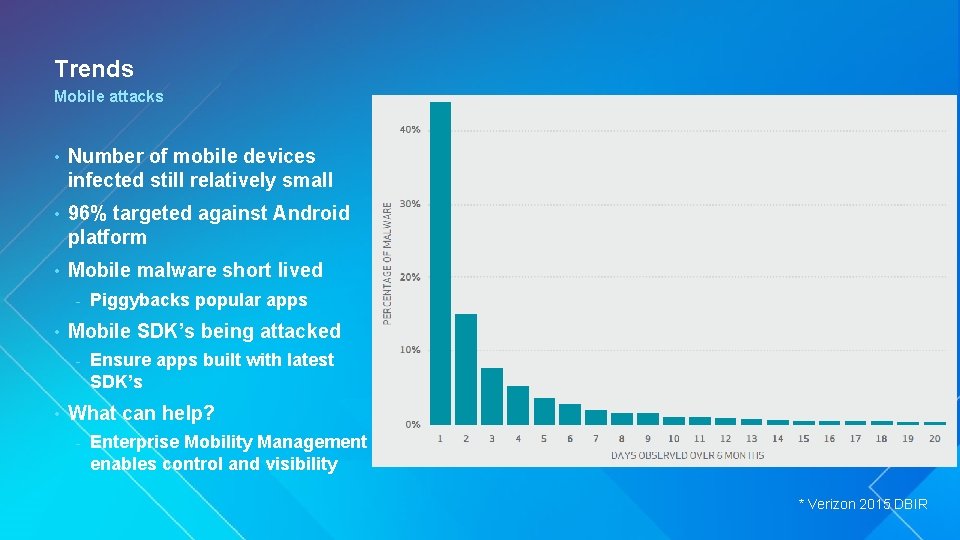
Trends Mobile attacks • Number of mobile devices infected still relatively small • 96% targeted against Android platform • Mobile malware short lived - • Mobile SDK’s being attacked - • Piggybacks popular apps Ensure apps built with latest SDK’s What can help? - Enterprise Mobility Management enables control and visibility * Verizon 2015 DBIR
Trends by Industry • Frequency of incidents by pattern and industry • Identify hot spots for your specific industry - Prioritize security initiatives to mitigate against common threats * Verizon 2015 DBIR
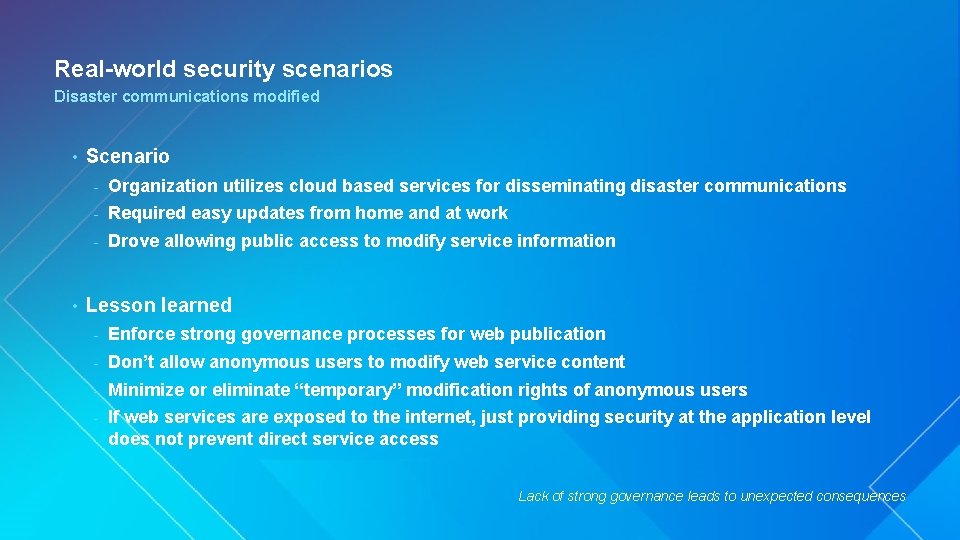
Real-world security scenarios Disaster communications modified • • Scenario - Organization utilizes cloud based services for disseminating disaster communications - Required easy updates from home and at work - Drove allowing public access to modify service information Lesson learned - Enforce strong governance processes for web publication - Don’t allow anonymous users to modify web service content - Minimize or eliminate “temporary” modification rights of anonymous users - If web services are exposed to the internet, just providing security at the application level does not prevent direct service access Lack of strong governance leads to unexpected consequences
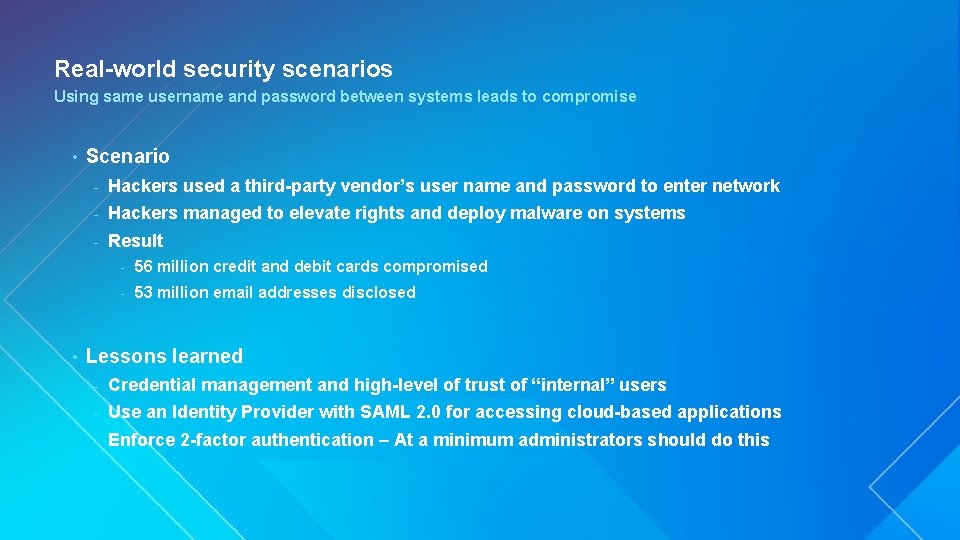
Real-world security scenarios Using same username and password between systems leads to compromise • • Scenario - Hackers used a third-party vendor’s user name and password to enter network - Hackers managed to elevate rights and deploy malware on systems - Result - 56 million credit and debit cards compromised - 53 million email addresses disclosed Lessons learned - Credential management and high-level of trust of “internal” users - Use an Identity Provider with SAML 2. 0 for accessing cloud-based applications - Enforce 2 -factor authentication – At a minimum administrators should do this
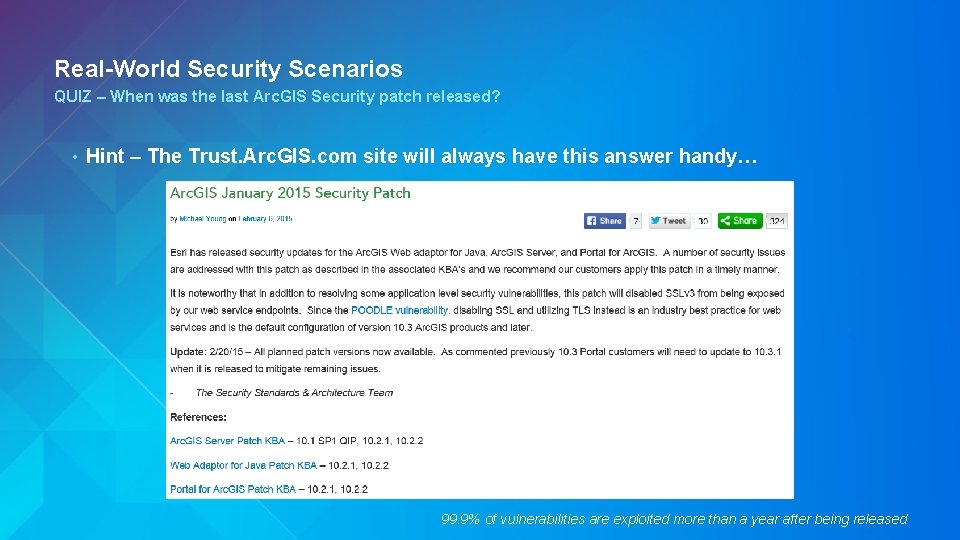
Real-World Security Scenarios QUIZ – When was the last Arc. GIS Security patch released? • Hint – The Trust. Arc. GIS. com site will always have this answer handy… 99. 9% of vulnerabilities are exploited more than a year after being released
Trends Strategic Shifts in Security Priorities for 2015 and Beyond • Identity management priority increasing as security focus moves from network to data level • Advanced Persistent Threats driving shift from Protect to Detect • Encryption of Internet traffic via SSL v 3 broken – Ensuring TLS utilized is necessary • Password protection is broken – Stronger mechanisms required such as 2 -factor auth • Customers balancing security gateways for mobile solutions vs. VPN • Patching beyond Operating systems critical • End-of-life OS builds with XP and now Server 2003 present significant risk
Strategy Michael Young
Strategy A better answer • Identify your security needs - • • Assess your environment - Datasets, systems, users - Data categorization and sensitivity - Understand your industry attacker motivation Understand security options - Trust. arcgis. com - Enterprise-wide security mechanisms - Application specific options Implement security as a business enabler - Improve appropriate availability of information - Safeguards to prevent attackers, not employees
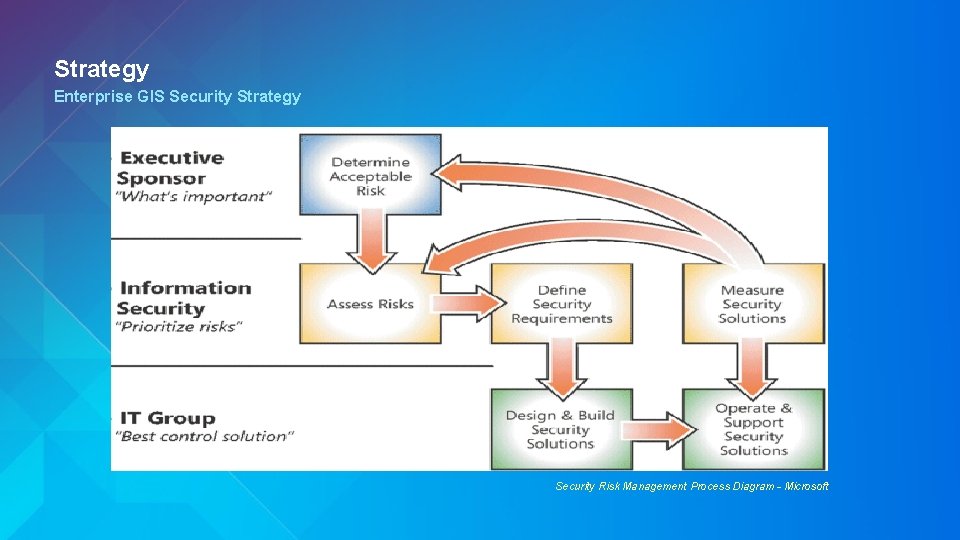
Strategy Enterprise GIS Security Strategy Security Risk Management Process Diagram - Microsoft
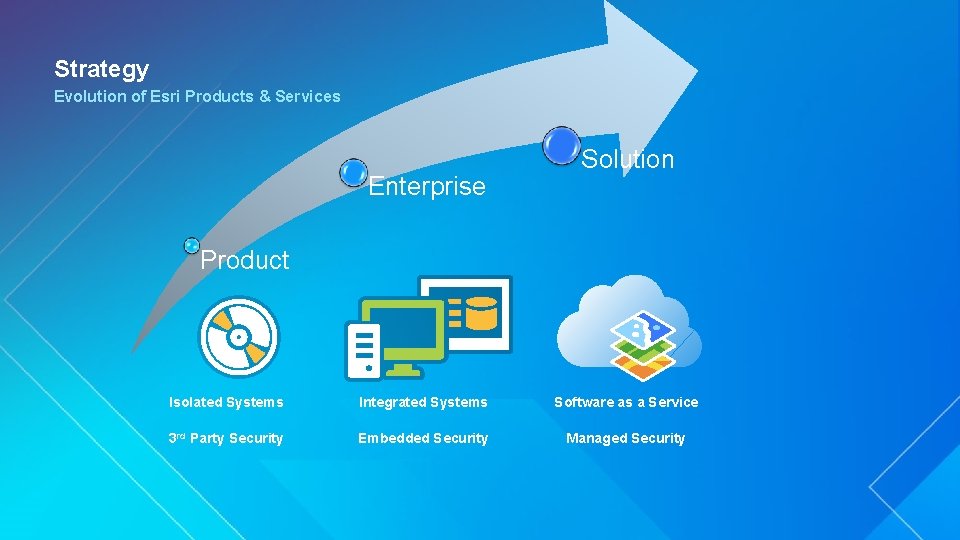
Strategy Evolution of Esri Products & Services Enterprise Solution Product Isolated Systems Integrated Systems Software as a Service 3 rd Party Security Embedded Security Managed Security
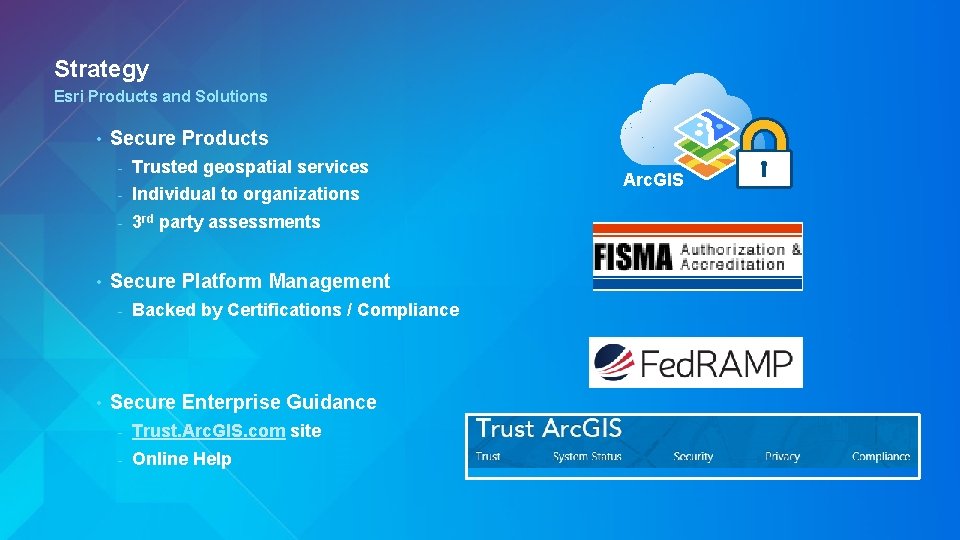
Strategy Esri Products and Solutions • • Secure Products - Trusted geospatial services - Individual to organizations - 3 rd party assessments Secure Platform Management - • Backed by Certifications / Compliance Secure Enterprise Guidance - Trust. Arc. GIS. com site - Online Help Arc. GIS
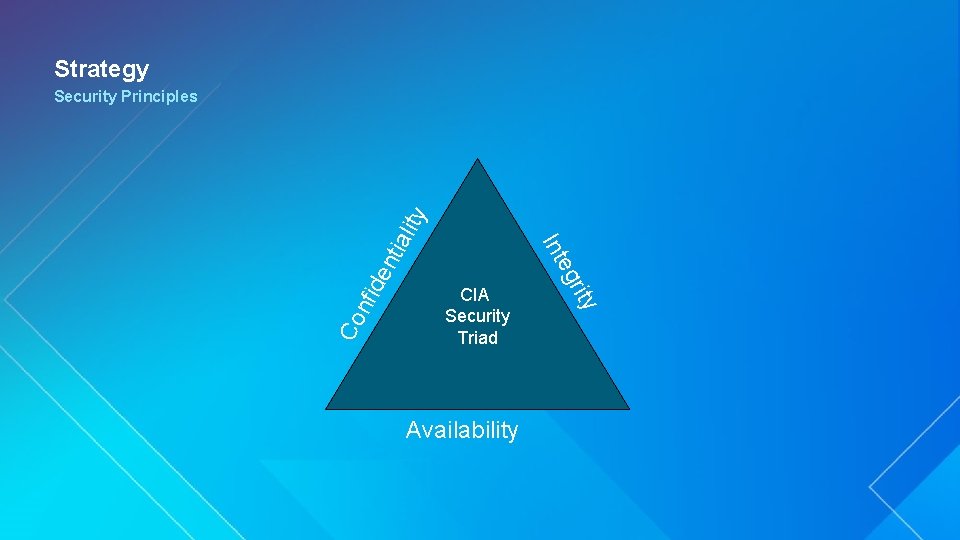
Strategy Co nfi de nti Availability rity CIA Security Triad eg Int ali ty Security Principles
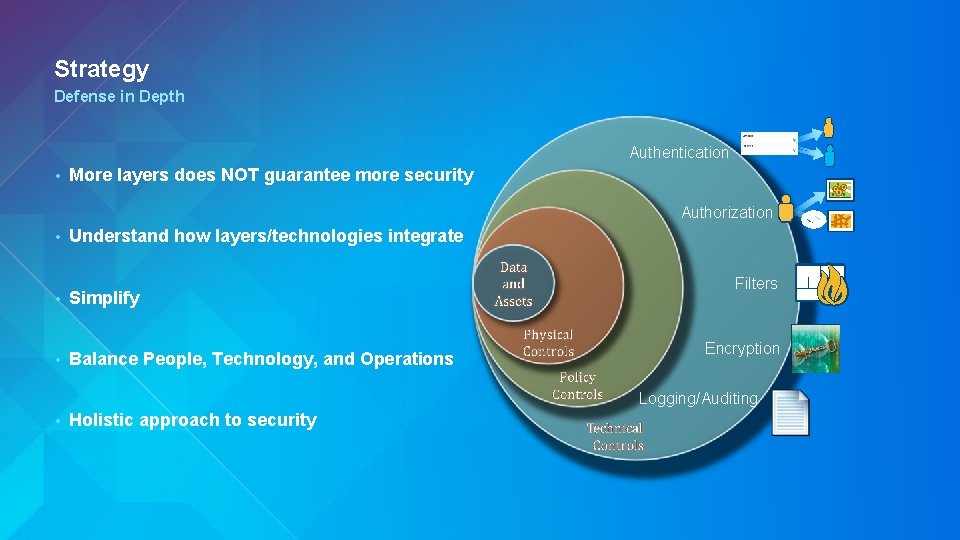
Strategy Defense in Depth Authentication • More layers does NOT guarantee more security Authorization • Understand how layers/technologies integrate • Simplify • Balance People, Technology, and Operations Filters Encryption Logging/Auditing • Holistic approach to security
Mechanisms Esri UC 2014 | Technical Workshop |
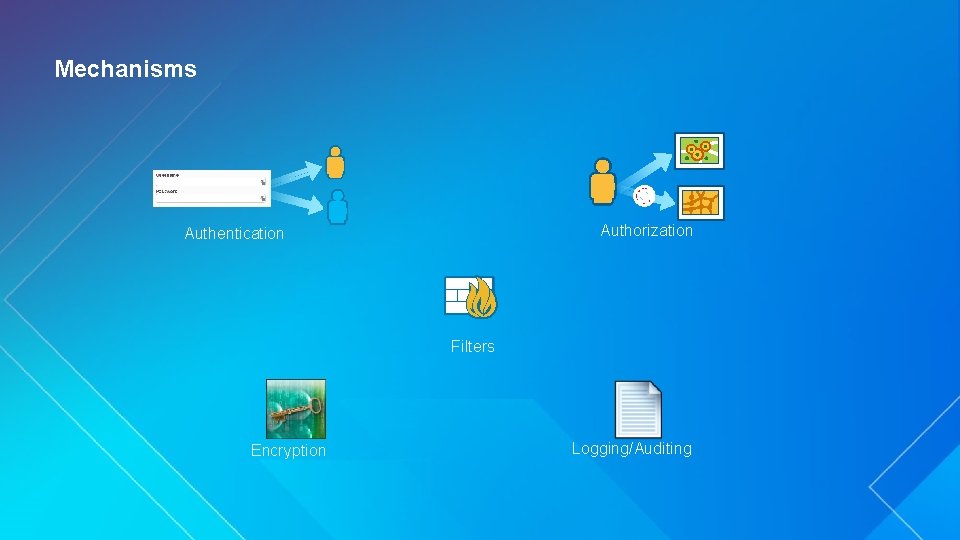
Mechanisms Authorization Authentication Filters Encryption Logging/Auditing
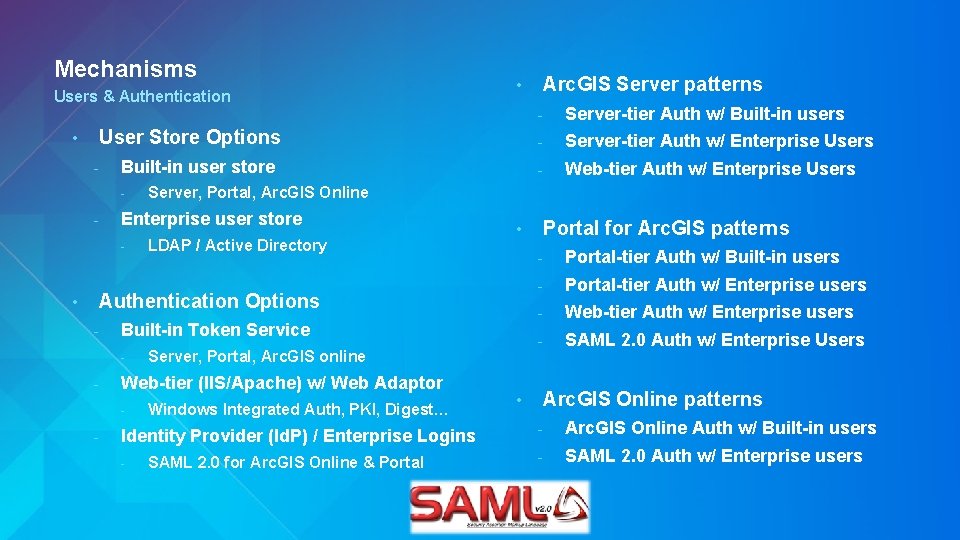
Mechanisms Users & Authentication • User Store Options - Built-in user store - - LDAP / Active Directory • Authentication Options - Built-in Token Service - - Server, Portal, Arc. GIS online Web-tier (IIS/Apache) w/ Web Adaptor - Windows Integrated Auth, PKI, Digest… Identity Provider (Id. P) / Enterprise Logins - Arc. GIS Server patterns - Server-tier Auth w/ Built-in users - Server-tier Auth w/ Enterprise Users - Web-tier Auth w/ Enterprise Users Server, Portal, Arc. GIS Online Enterprise user store - • • SAML 2. 0 for Arc. GIS Online & Portal • Portal for Arc. GIS patterns - Portal-tier Auth w/ Built-in users - Portal-tier Auth w/ Enterprise users - Web-tier Auth w/ Enterprise users - SAML 2. 0 Auth w/ Enterprise Users Arc. GIS Online patterns - Arc. GIS Online Auth w/ Built-in users - SAML 2. 0 Auth w/ Enterprise users
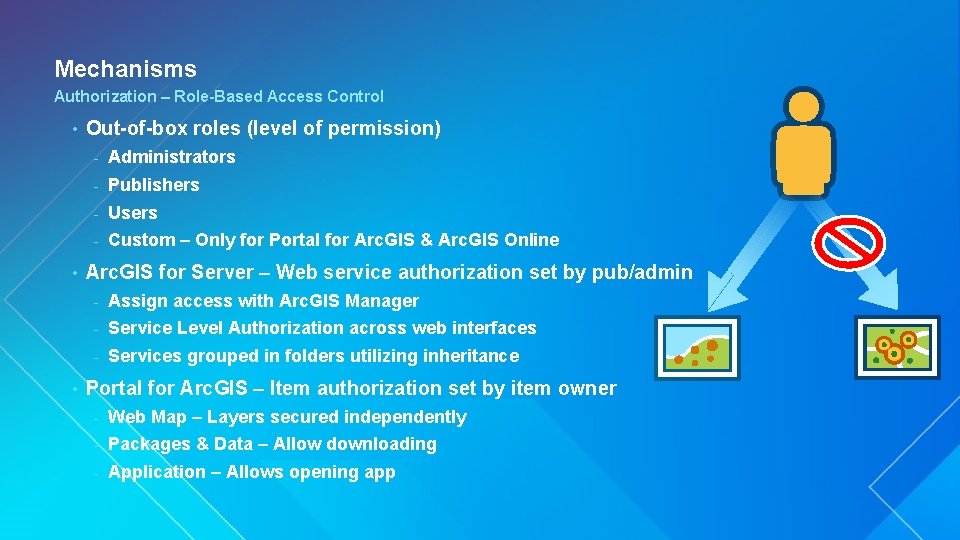
Mechanisms Authorization – Role-Based Access Control • • • Out-of-box roles (level of permission) - Administrators - Publishers - Users - Custom – Only for Portal for Arc. GIS & Arc. GIS Online Arc. GIS for Server – Web service authorization set by pub/admin - Assign access with Arc. GIS Manager - Service Level Authorization across web interfaces - Services grouped in folders utilizing inheritance Portal for Arc. GIS – Item authorization set by item owner - Web Map – Layers secured independently - Packages & Data – Allow downloading - Application – Allows opening app
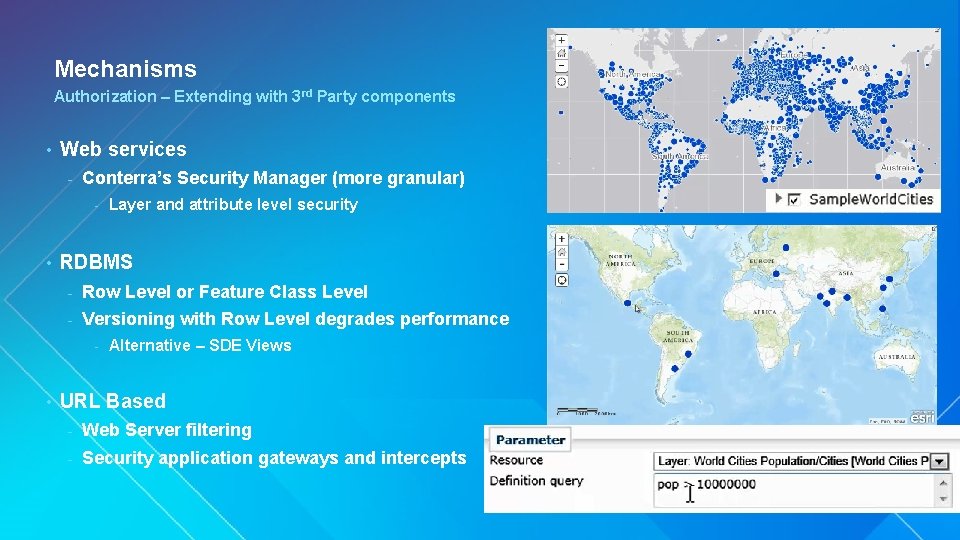
Mechanisms Authorization – Extending with 3 rd Party components • Web services - Conterra’s Security Manager (more granular) - • RDBMS - Row Level or Feature Class Level - Versioning with Row Level degrades performance - • Layer and attribute level security Alternative – SDE Views URL Based - Web Server filtering - Security application gateways and intercepts
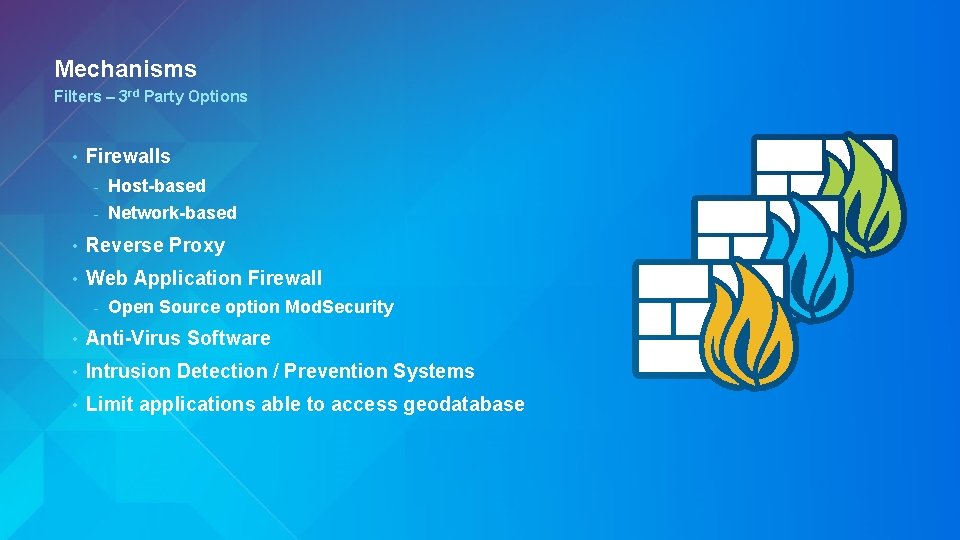
Mechanisms Filters – 3 rd Party Options • Firewalls - Host-based - Network-based • Reverse Proxy • Web Application Firewall - Open Source option Mod. Security • Anti-Virus Software • Intrusion Detection / Prevention Systems • Limit applications able to access geodatabase
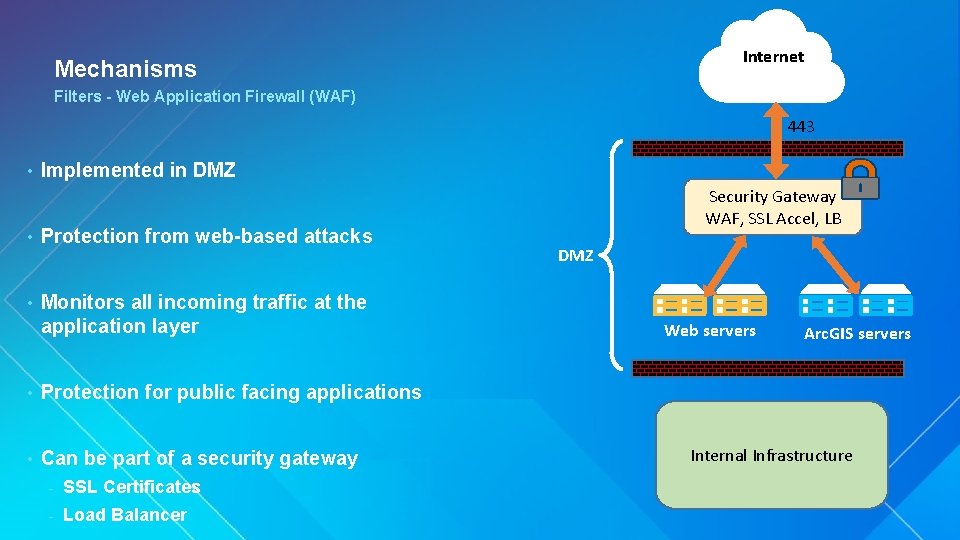
Internet Mechanisms Filters - Web Application Firewall (WAF) 443 • Implemented in DMZ • Protection from web-based attacks • Monitors all incoming traffic at the application layer • Protection for public facing applications • Can be part of a security gateway - SSL Certificates - Load Balancer Security Gateway WAF, SSL Accel, LB DMZ Web servers Arc. GIS servers Internal Infrastructure
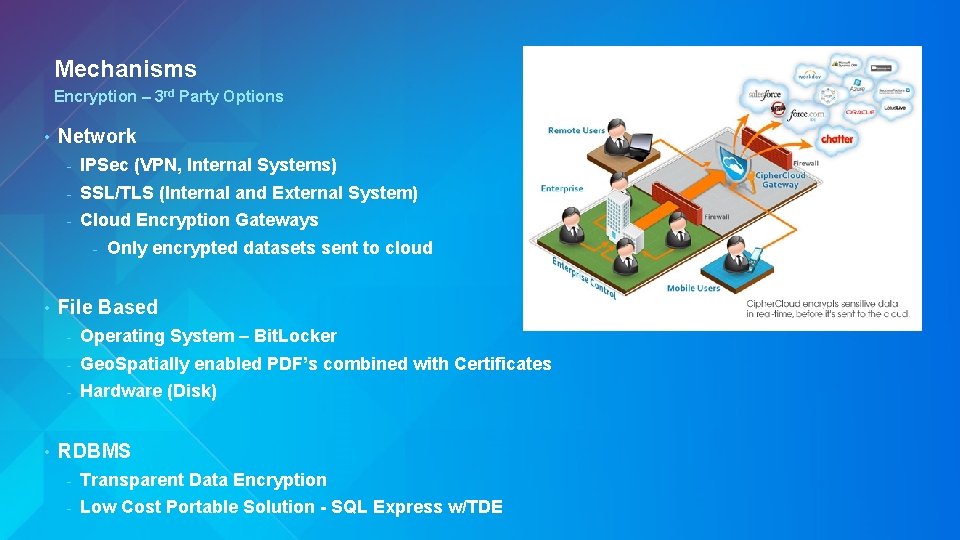
Mechanisms Encryption – 3 rd Party Options • Network - IPSec (VPN, Internal Systems) - SSL/TLS (Internal and External System) - Cloud Encryption Gateways - • • Only encrypted datasets sent to cloud File Based - Operating System – Bit. Locker - Geo. Spatially enabled PDF’s combined with Certificates - Hardware (Disk) RDBMS - Transparent Data Encryption - Low Cost Portable Solution - SQL Express w/TDE
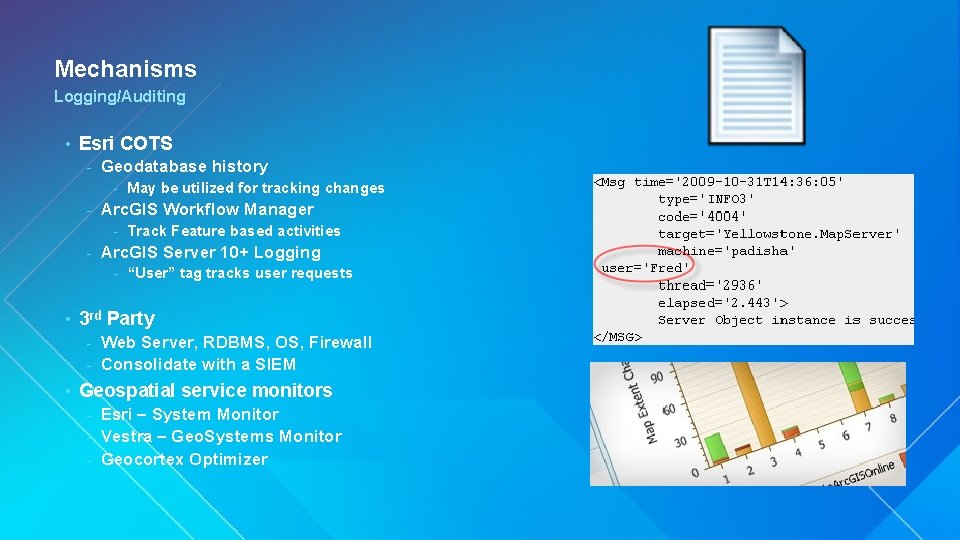
Mechanisms Logging/Auditing • Esri COTS - Geodatabase history - - Arc. GIS Workflow Manager - - Track Feature based activities Arc. GIS Server 10+ Logging - • May be utilized for tracking changes “User” tag tracks user requests 3 rd Party Web Server, RDBMS, OS, Firewall - Consolidate with a SIEM - • Geospatial service monitors Esri – System Monitor - Vestra – Geo. Systems Monitor - Geocortex Optimizer -
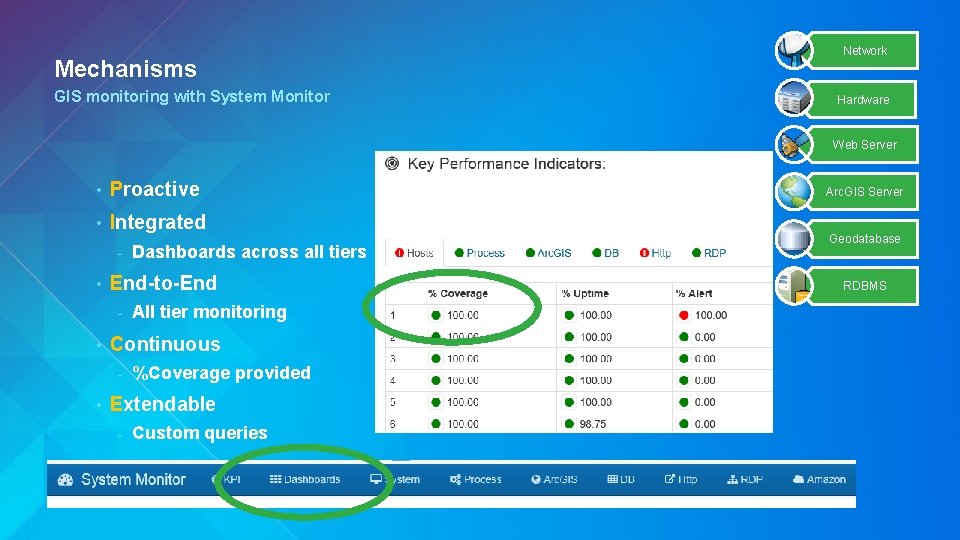
Mechanisms GIS monitoring with System Monitor Network Hardware Web Server • Proactive • Integrated - • End-to-End - • All tier monitoring Continuous - • Dashboards across all tiers %Coverage provided Extendable - Custom queries Arc. GIS Server Geodatabase RDBMS
Arc. GIS Server Matt Lorrain Esri UC 2014 | Technical Workshop |
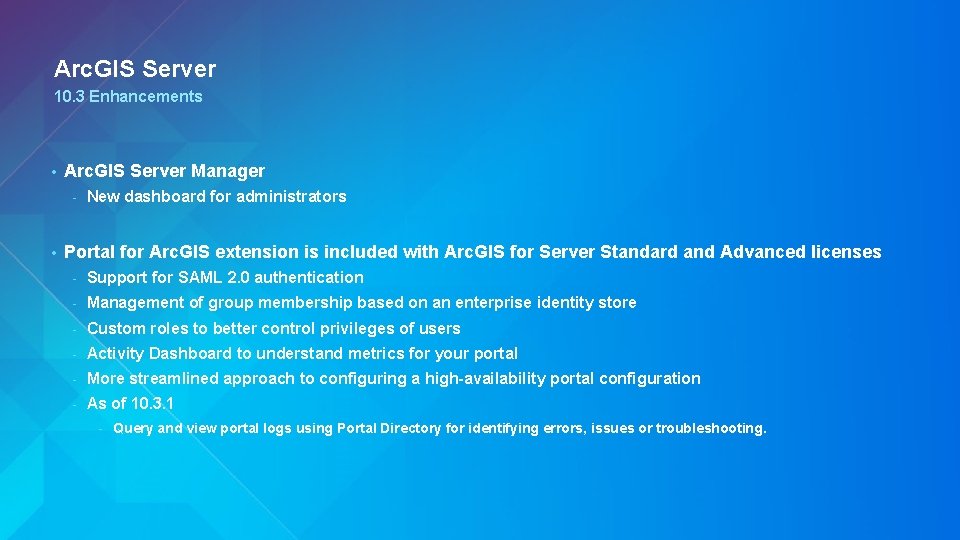
Arc. GIS Server 10. 3 Enhancements • Arc. GIS Server Manager - • New dashboard for administrators Portal for Arc. GIS extension is included with Arc. GIS for Server Standard and Advanced licenses - Support for SAML 2. 0 authentication - Management of group membership based on an enterprise identity store - Custom roles to better control privileges of users - Activity Dashboard to understand metrics for your portal - More streamlined approach to configuring a high-availability portal configuration - As of 10. 3. 1 - Query and view portal logs using Portal Directory for identifying errors, issues or troubleshooting.
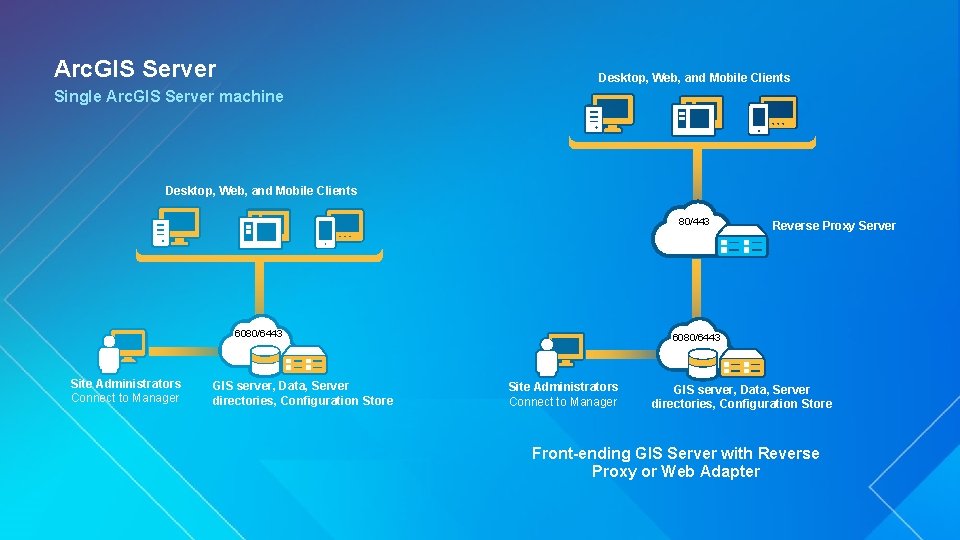
Arc. GIS Server Desktop, Web, and Mobile Clients Single Arc. GIS Server machine Desktop, Web, and Mobile Clients 80/443 6080/6443 Site Administrators Connect to Manager GIS server, Data, Server directories, Configuration Store Reverse Proxy Server 6080/6443 Site Administrators Connect to Manager GIS server, Data, Server directories, Configuration Store Front-ending GIS Server with Reverse Proxy or Web Adapter
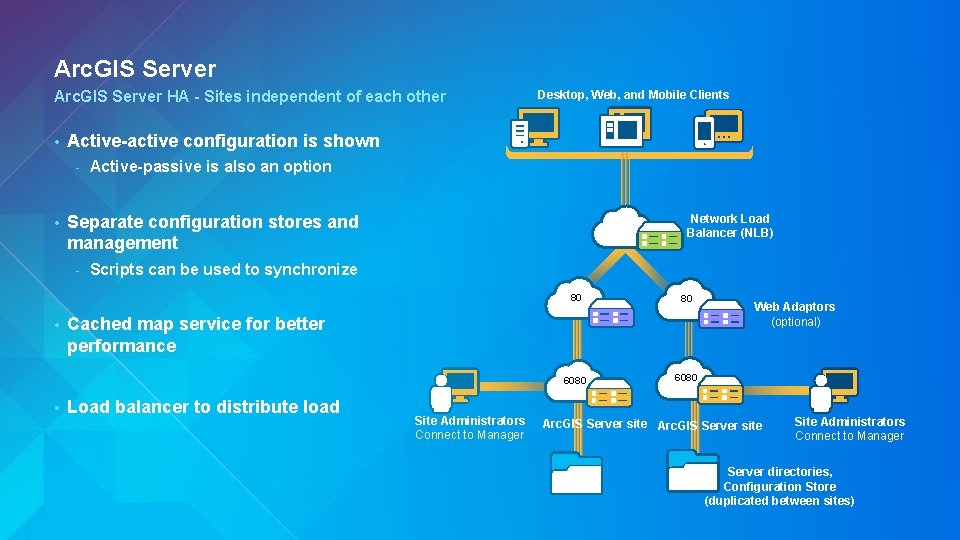
Arc. GIS Server HA - Sites independent of each other • Active-active configuration is shown - • • Active-passive is also an option Separate configuration stores and management - • Desktop, Web, and Mobile Clients Network Load Balancer (NLB) Scripts can be used to synchronize 80 80 6080 Cached map service for better performance Load balancer to distribute load Site Administrators Connect to Manager Web Adaptors (optional) Arc. GIS Server site Site Administrators Connect to Manager Server directories, Configuration Store (duplicated between sites)
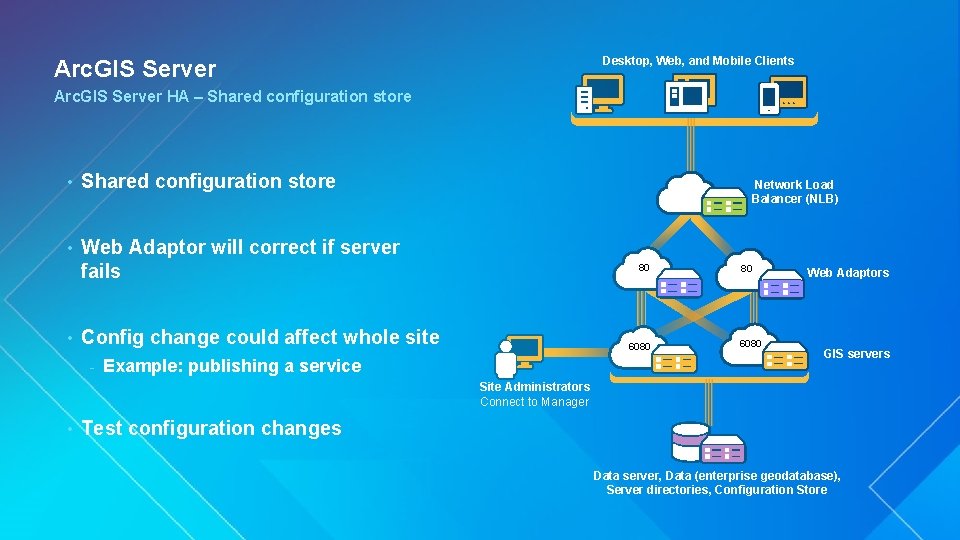
Desktop, Web, and Mobile Clients Arc. GIS Server HA – Shared configuration store • Web Adaptor will correct if server fails • Network Load Balancer (NLB) 80 Config change could affect whole site - 6080 Example: publishing a service 80 6080 Web Adaptors GIS servers Site Administrators Connect to Manager • Test configuration changes Data server, Data (enterprise geodatabase), Server directories, Configuration Store
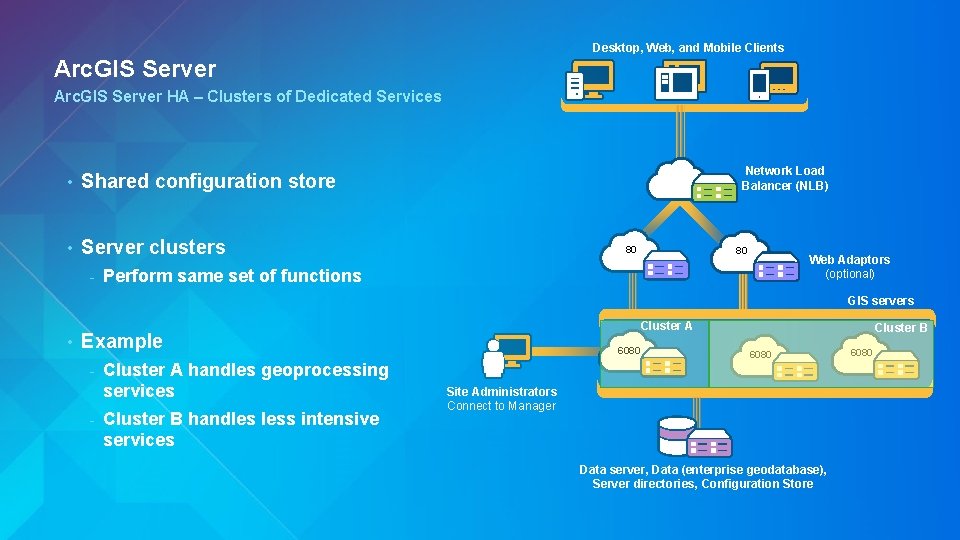
Desktop, Web, and Mobile Clients Arc. GIS Server HA – Clusters of Dedicated Services • Shared configuration store • Server clusters - Network Load Balancer (NLB) 80 80 Web Adaptors (optional) Perform same set of functions GIS servers • Cluster A Example - Cluster A handles geoprocessing services Cluster B handles less intensive services 6080 Cluster B 6080 Site Administrators Connect to Manager Data server, Data (enterprise geodatabase), Server directories, Configuration Store 6080
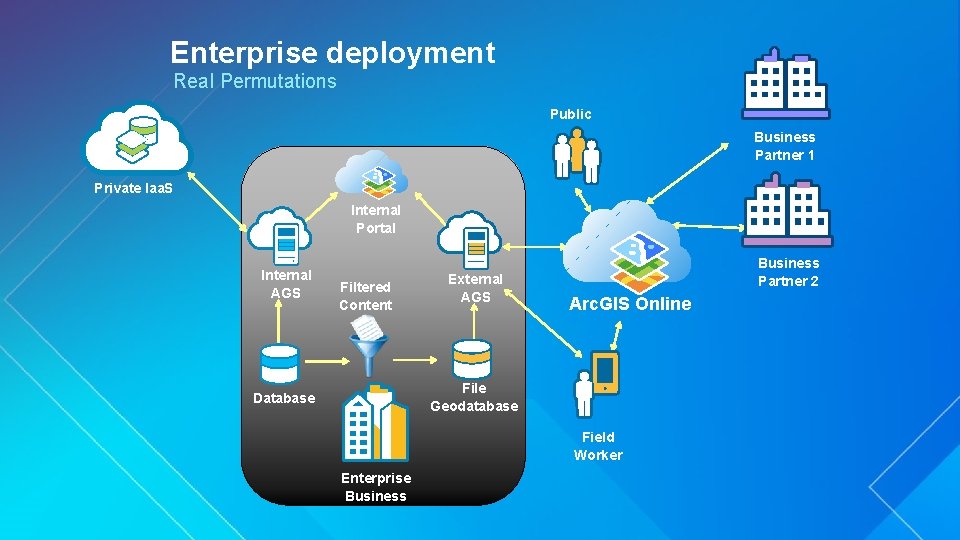
Enterprise deployment Real Permutations Public Business Partner 1 Private Iaa. S Internal Portal Internal AGS Filtered Content External AGS Business Partner 2 Arc. GIS Online File Geodatabase Database Public Iaa. S Enterprise Business Field Worker
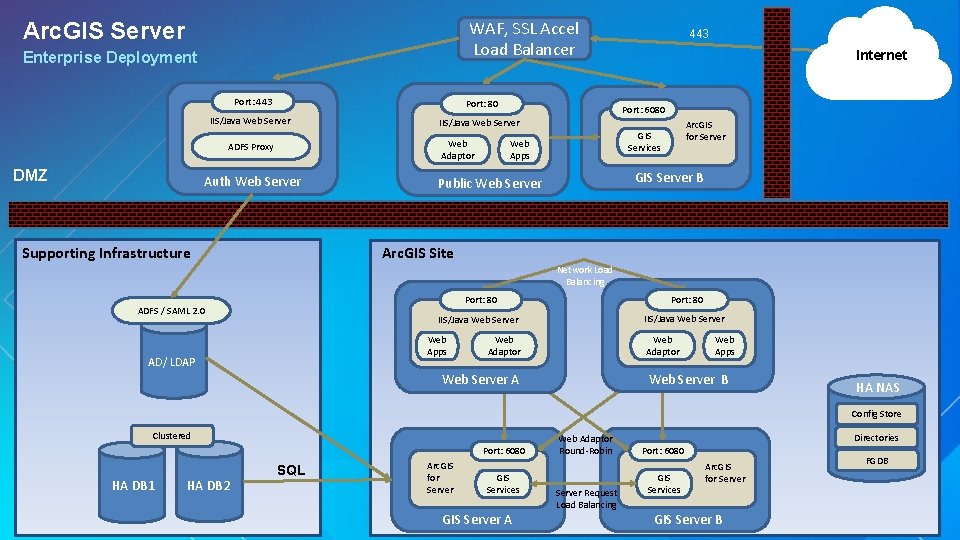
WAF, SSL Accel Load Balancer Arc. GIS Server Enterprise Deployment Port: 443 Port: 80 IIS/Java Web Server Web Adaptor ADFS Proxy DMZ Auth Web Server Supporting Infrastructure 443 Internet Port: 6080 Arc. GIS for Server GIS Services Web Apps GIS Server B Public Web Server Arc. GIS Site Network Load Balancing ADFS / SAML 2. 0 Port: 80 IIS/Java Web Server Web Apps AD/ LDAP Web Adaptor Web Apps Web Server B Web Server A HA NAS Config Store Clustered Port: 6080 HA DB 1 HA DB 2 SQL Arc. GIS for Server GIS Services GIS Server A Web Adaptor Round-Robin Server Request Load Balancing Directories Port: 6080 GIS Services Arc. GIS for Server GIS Server B FGDB
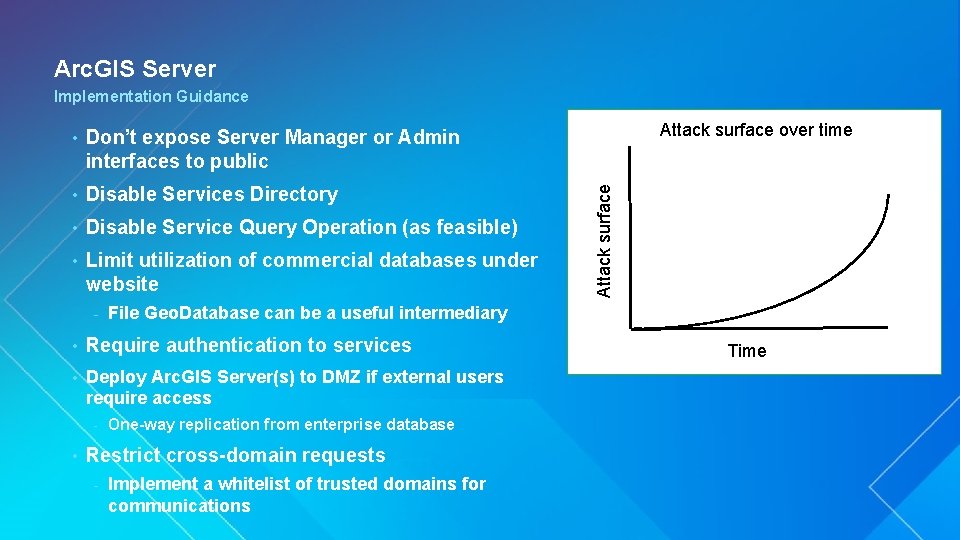
Arc. GIS Server Implementation Guidance Don’t expose Server Manager or Admin interfaces to public • Disable Services Directory • Disable Service Query Operation (as feasible) • Limit utilization of commercial databases under website - File Geo. Database can be a useful intermediary • Require authentication to services • Deploy Arc. GIS Server(s) to DMZ if external users require access - • One-way replication from enterprise database Restrict cross-domain requests - Attack surface over time Attack surface • Implement a whitelist of trusted domains for communications Time
Mobile Matt Lorrain Esri UC 2014 | Technical Workshop |
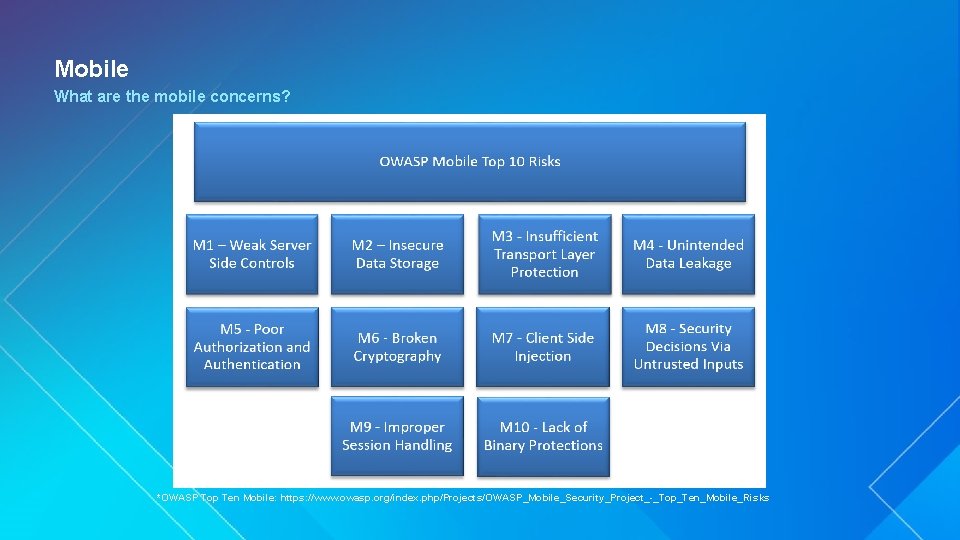
Mobile What are the mobile concerns? *OWASP Top Ten Mobile: https: //www. owasp. org/index. php/Projects/OWASP_Mobile_Security_Project_-_Top_Ten_Mobile_Risks
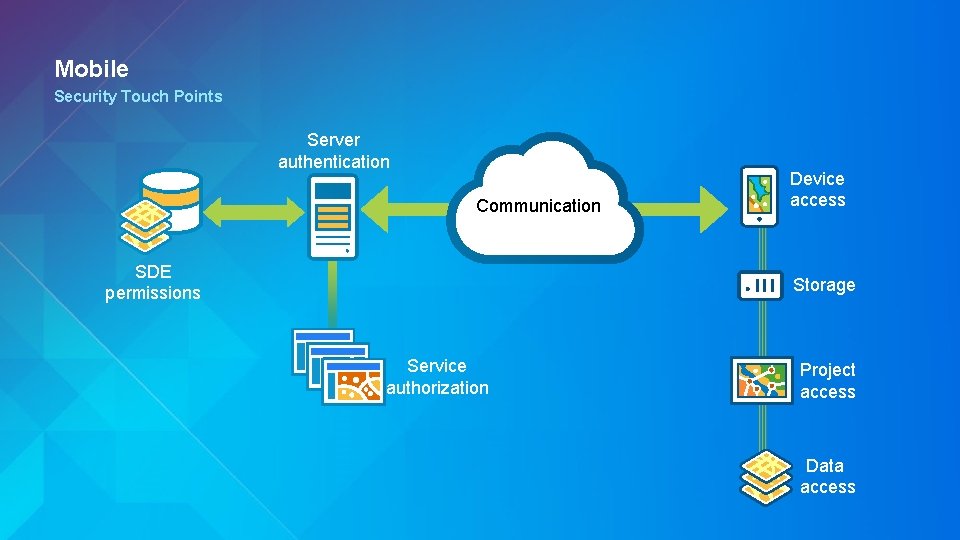
Mobile Security Touch Points Server authentication Communication SDE permissions Device access Storage Service authorization Project access Data access
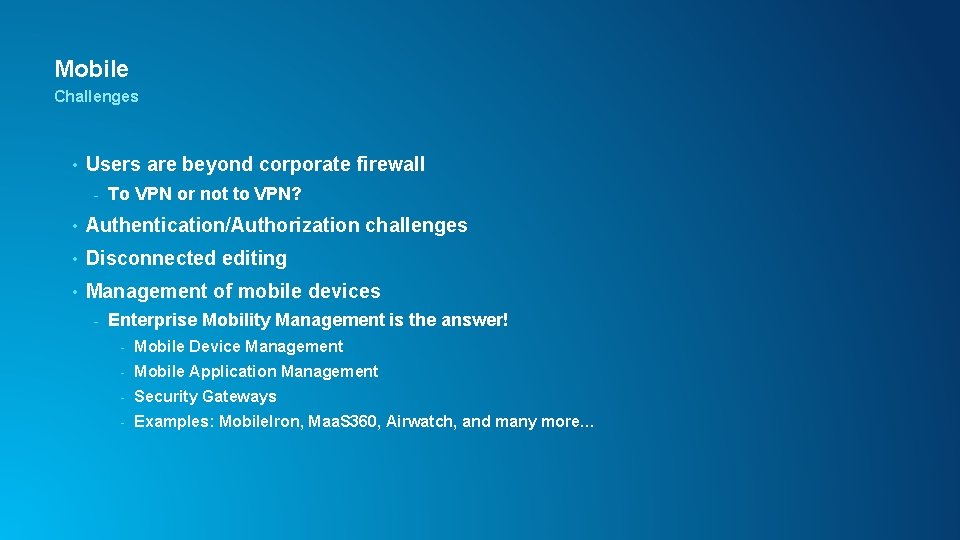
Mobile Challenges • Users are beyond corporate firewall - To VPN or not to VPN? • Authentication/Authorization challenges • Disconnected editing • Management of mobile devices - Enterprise Mobility Management is the answer! - Mobile Device Management - Mobile Application Management - Security Gateways - Examples: Mobile. Iron, Maa. S 360, Airwatch, and many more…
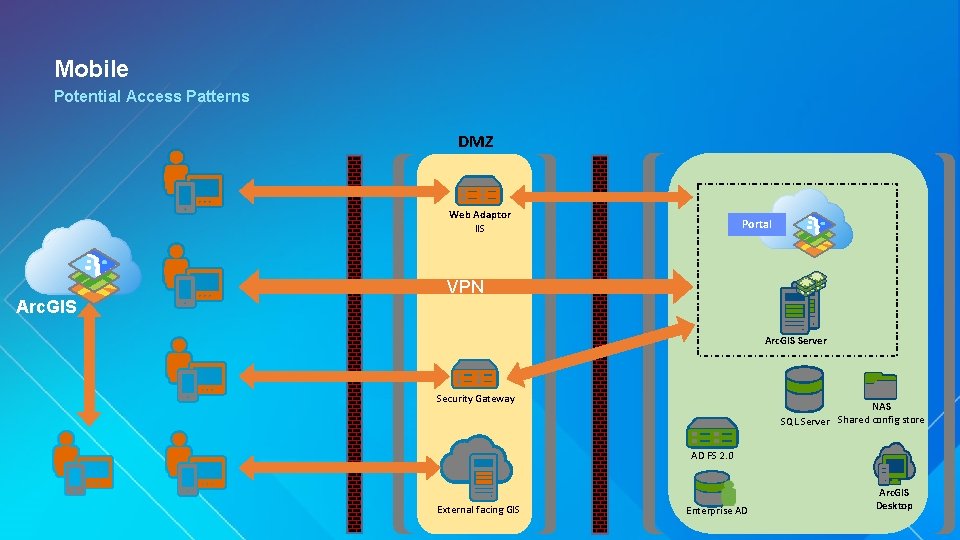
Mobile Potential Access Patterns DMZ Web Adaptor IIS Arc. GIS Portal VPN Arc. GIS Server Security Gateway NAS Shared config store SQL Server AD FS 2. 0 External facing GIS Enterprise AD Arc. GIS Desktop
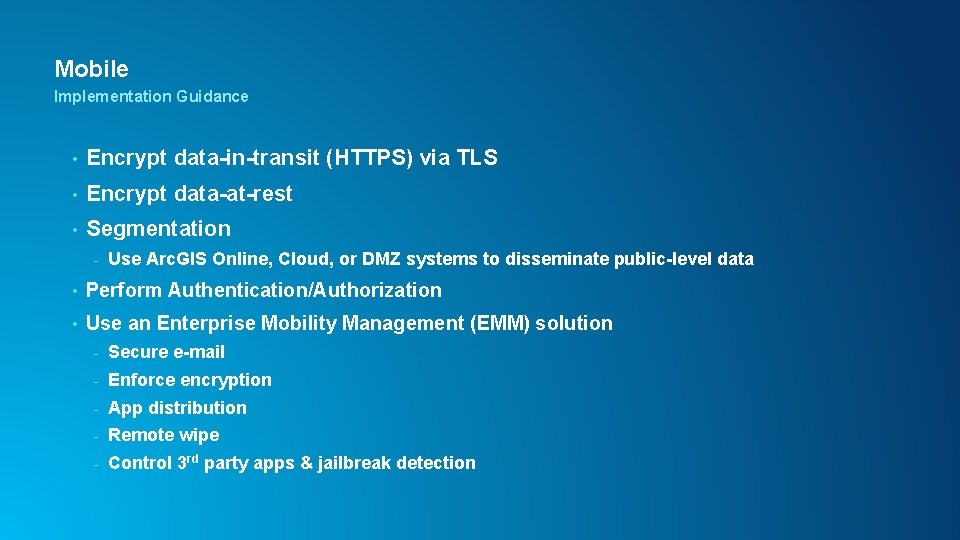
Mobile Implementation Guidance • Encrypt data-in-transit (HTTPS) via TLS • Encrypt data-at-rest • Segmentation - Use Arc. GIS Online, Cloud, or DMZ systems to disseminate public-level data • Perform Authentication/Authorization • Use an Enterprise Mobility Management (EMM) solution - Secure e-mail - Enforce encryption - App distribution - Remote wipe - Control 3 rd party apps & jailbreak detection
Cloud Matt Lorrain Esri UC 2014 | Technical Workshop |
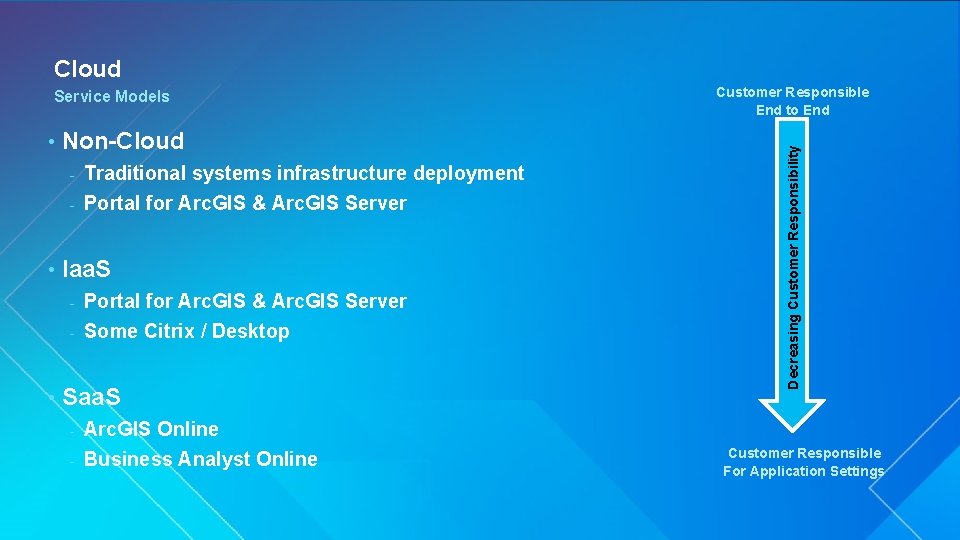
Cloud • Non-Cloud Traditional systems infrastructure deployment - Portal for Arc. GIS & Arc. GIS Server - • Iaa. S Portal for Arc. GIS & Arc. GIS Server - Some Citrix / Desktop - • Saa. S Arc. GIS Online - Business Analyst Online Customer Responsible End to End Decreasing Customer Responsibility Service Models - Customer Responsible For Application Settings
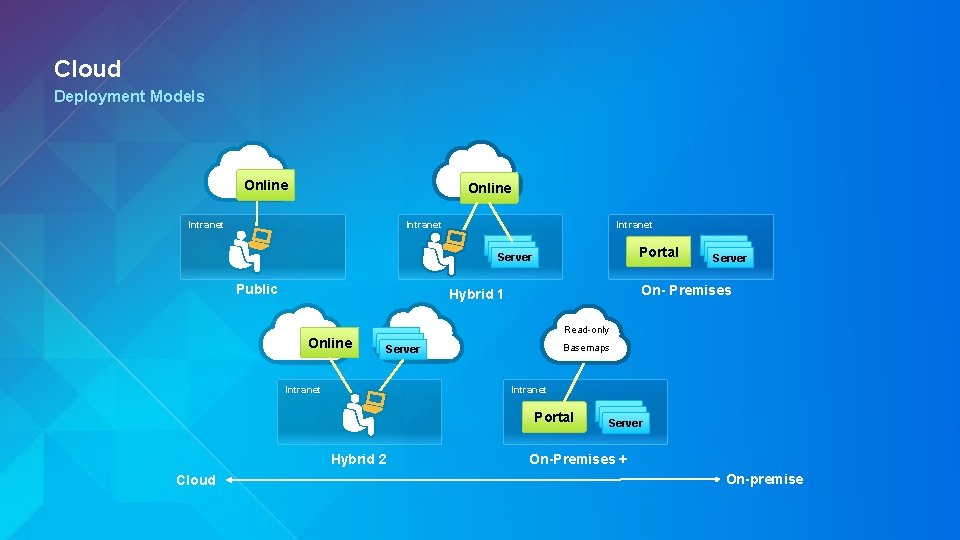
Cloud Deployment Models Online Intranet Portal Server Public On- Premises Hybrid 1 Online Read-only Server Basemaps Intranet Portal Hybrid 2 Cloud Server On-Premises + On-premise
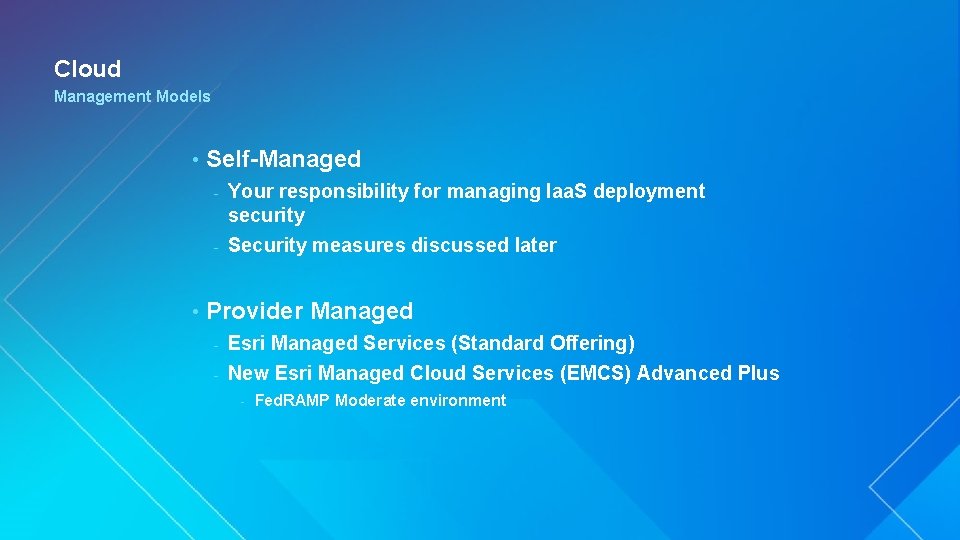
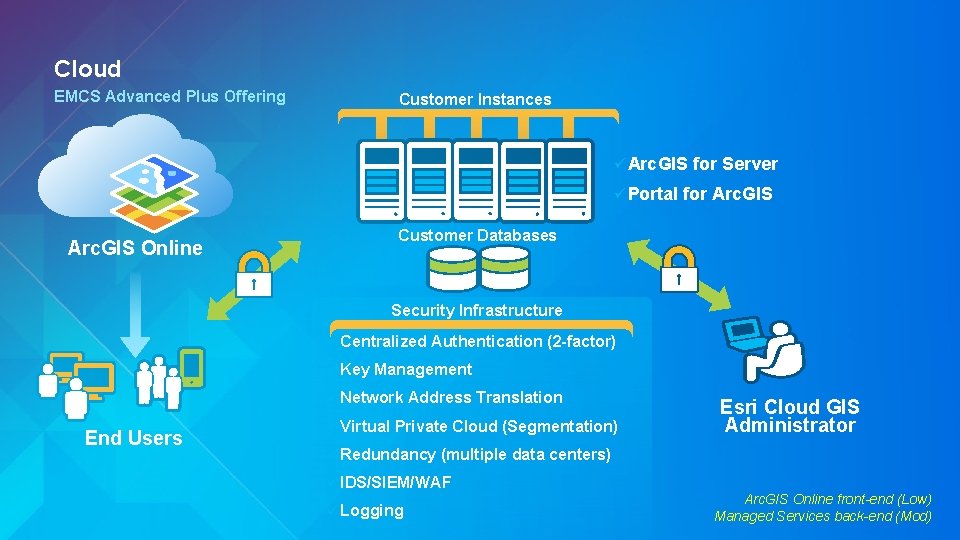
Cloud Management Models • Self-Managed Your responsibility for managing Iaa. S deployment security - Security measures discussed later - • Provider Managed Esri Managed Services (Standard Offering) - New Esri Managed Cloud Services (EMCS) Advanced Plus - - Fed. RAMP Moderate environment
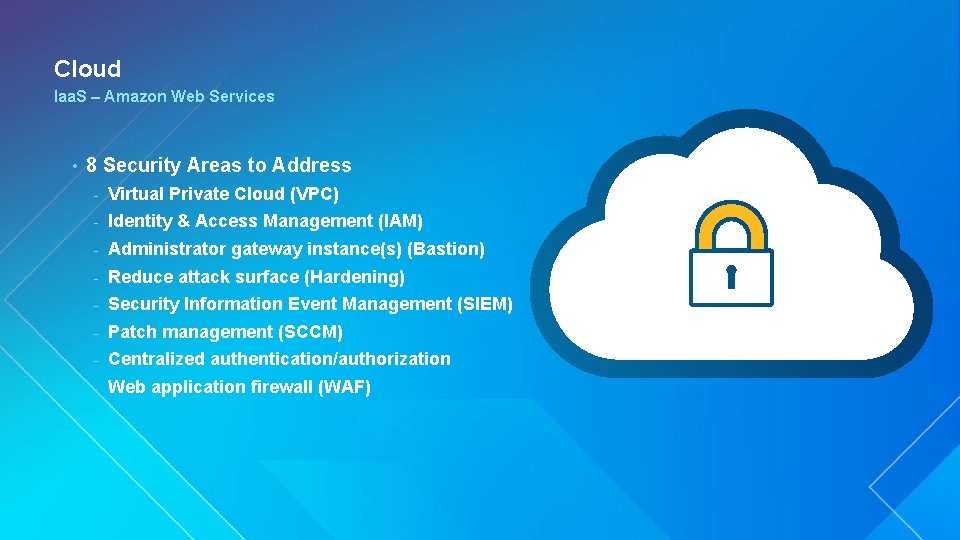
Cloud Iaa. S – Amazon Web Services • 8 Security Areas to Address - Virtual Private Cloud (VPC) - Identity & Access Management (IAM) - Administrator gateway instance(s) (Bastion) - Reduce attack surface (Hardening) - Security Information Event Management (SIEM) - Patch management (SCCM) - Centralized authentication/authorization - Web application firewall (WAF)
Cloud EMCS Advanced Plus Offering Customer Instances ü Arc. GIS ü Portal for Server for Arc. GIS Customer Databases Arc. GIS Online Security Infrastructure ü Centralized ü Key Management ü Network End Users Authentication (2 -factor) ü Virtual Address Translation Private Cloud (Segmentation) ü Redundancy (multiple data centers) ü IDS/SIEM/WAF ü Logging Esri Cloud GIS Administrator Arc. GIS Online front-end (Low) Managed Services back-end (Mod)
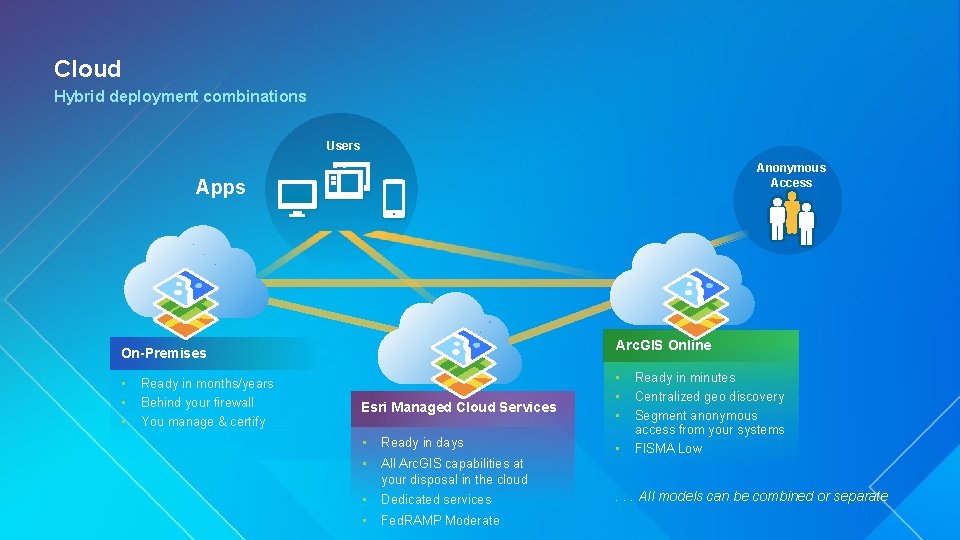
Cloud Hybrid deployment combinations Users Anonymous Access Apps Arc. GIS Online On-Premises • • • Ready in months/years Behind your firewall You manage & certify • Esri Managed Cloud Services • Ready in days • All Arc. GIS capabilities at your disposal in the cloud • Dedicated services • Fed. RAMP Moderate • • • Ready in minutes Centralized geo discovery Segment anonymous access from your systems FISMA Low . . . All models can be combined or separate
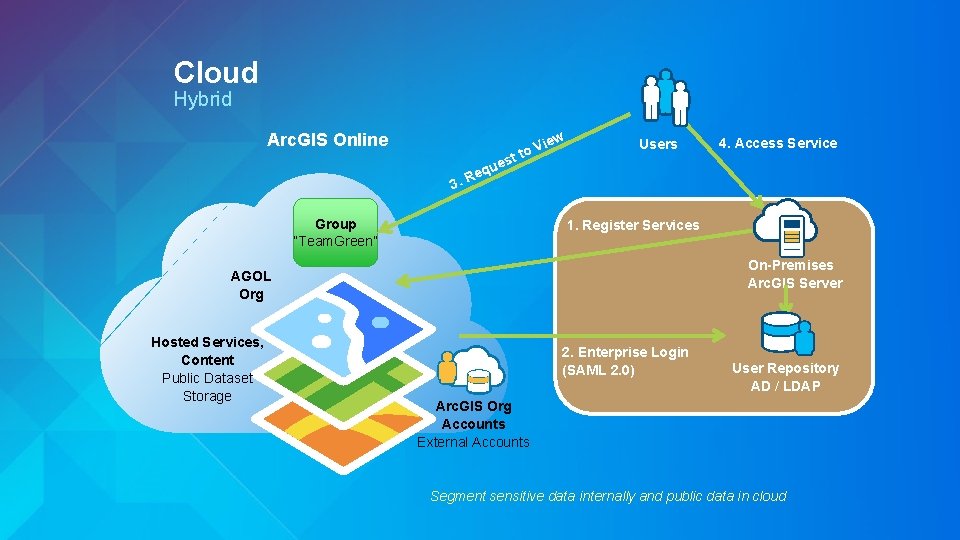
Cloud Hybrid Arc. GIS Online w 3. R est u q e ie to V Group “Team. Green” Users 1. Register Services On-Premises Arc. GIS Server AGOL Org Hosted Services, Content Public Dataset Storage 4. Access Service 2. Enterprise Login (SAML 2. 0) User Repository AD / LDAP Arc. GIS Org Accounts External Accounts Segment sensitive data internally and public data in cloud
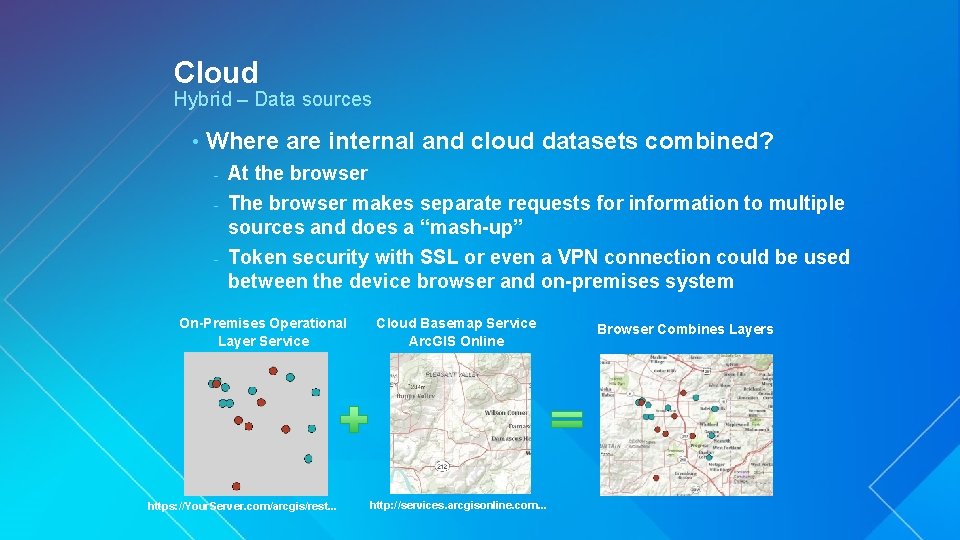
Cloud Hybrid – Data sources • Where are internal and cloud datasets combined? At the browser - The browser makes separate requests for information to multiple sources and does a “mash-up” - Token security with SSL or even a VPN connection could be used between the device browser and on-premises system - On-Premises Operational Layer Service https: //Your. Server. com/arcgis/rest. . . Cloud Basemap Service Arc. GIS Online http: //services. arcgisonline. com. . . Browser Combines Layers
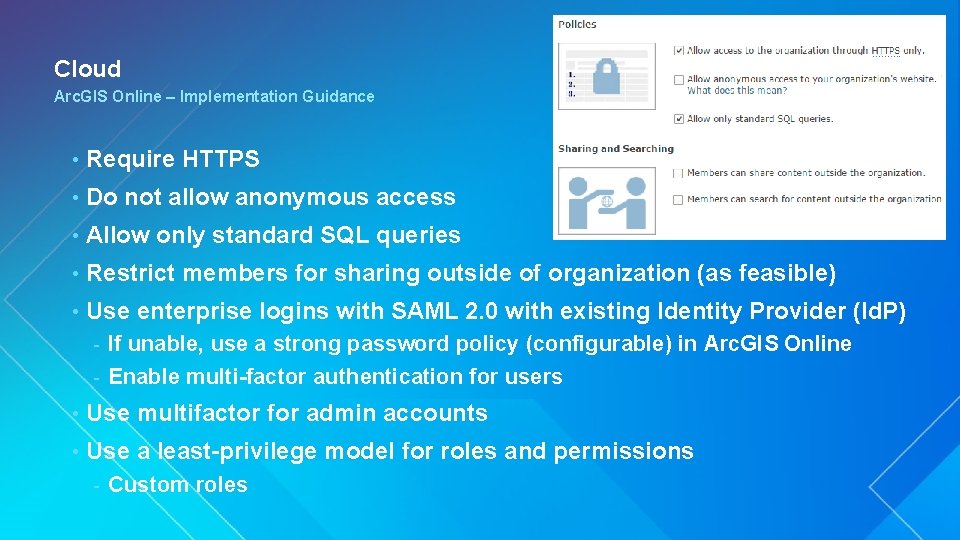
Cloud Arc. GIS Online – Implementation Guidance • Require HTTPS • Do not allow anonymous access • Allow only standard SQL queries • Restrict members for sharing outside of organization (as feasible) • Use enterprise logins with SAML 2. 0 with existing Identity Provider (Id. P) If unable, use a strong password policy (configurable) in Arc. GIS Online - Enable multi-factor authentication for users - • Use multifactor for admin accounts • Use a least-privilege model for roles and permissions - Custom roles
Compliance Esri UC 2014 | Technical Workshop |
Compliance Arc. GIS Platform Security • Esri Corporate • Cloud Infrastructure Providers • Products and Services • Solution Guidance
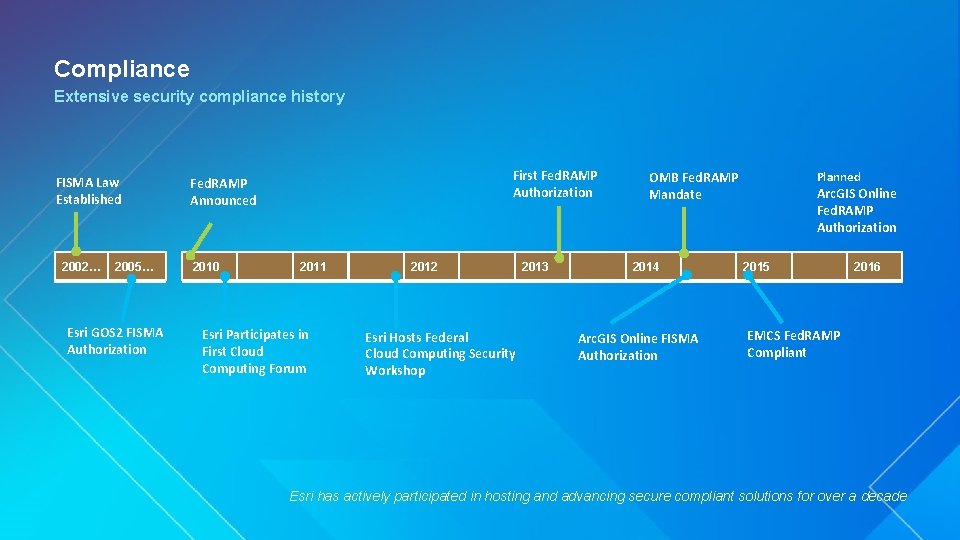
Compliance Extensive security compliance history FISMA Law Established 2002… 2005… Esri GOS 2 FISMA Authorization First Fed. RAMP Authorization Fed. RAMP Announced 2010 2011 Esri Participates in First Cloud Computing Forum 2012 Esri Hosts Federal Cloud Computing Security Workshop 2013 OMB Fed. RAMP Mandate 2014 Arc. GIS Online FISMA Authorization Planned Arc. GIS Online Fed. RAMP Authorization 2015 2016 EMCS Fed. RAMP Compliant Esri has actively participated in hosting and advancing secure compliant solutions for over a decade
Compliance Esri Corporate • ISO 27001 - • Esri’s Corporate Security Charter Privacy Assurance - US EU/Swiss Safe. Harbor self-certified - TRUSTed cloud certified
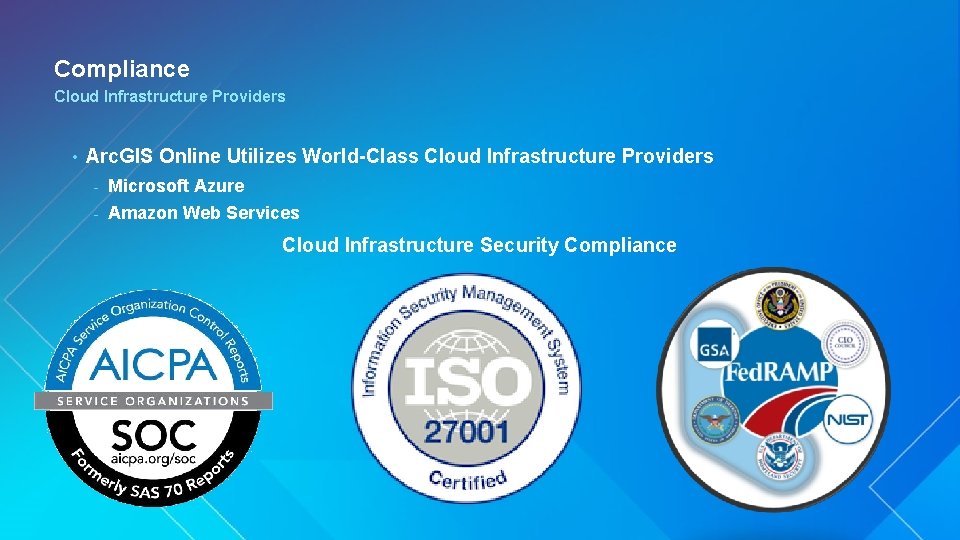
Compliance Cloud Infrastructure Providers • Arc. GIS Online Utilizes World-Class Cloud Infrastructure Providers - Microsoft Azure - Amazon Web Services Cloud Infrastructure Security Compliance
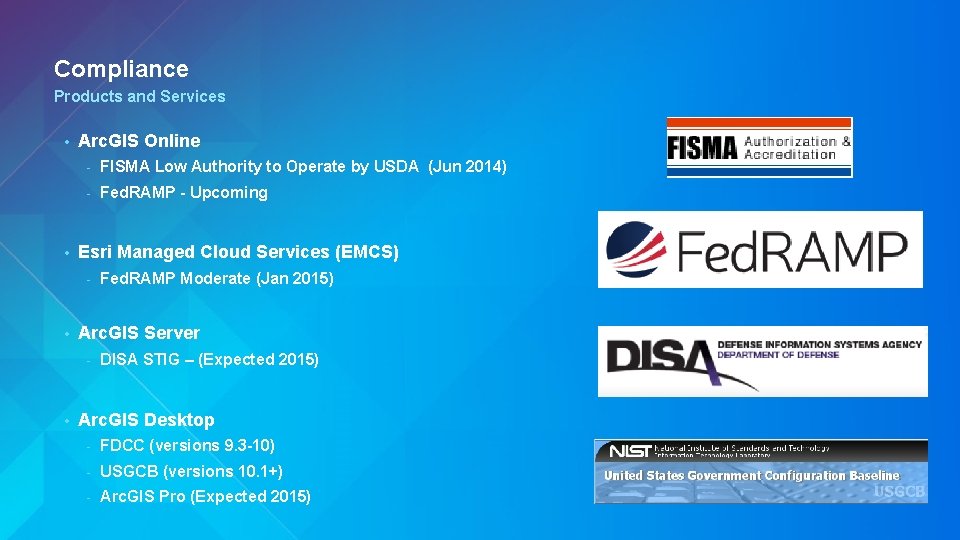
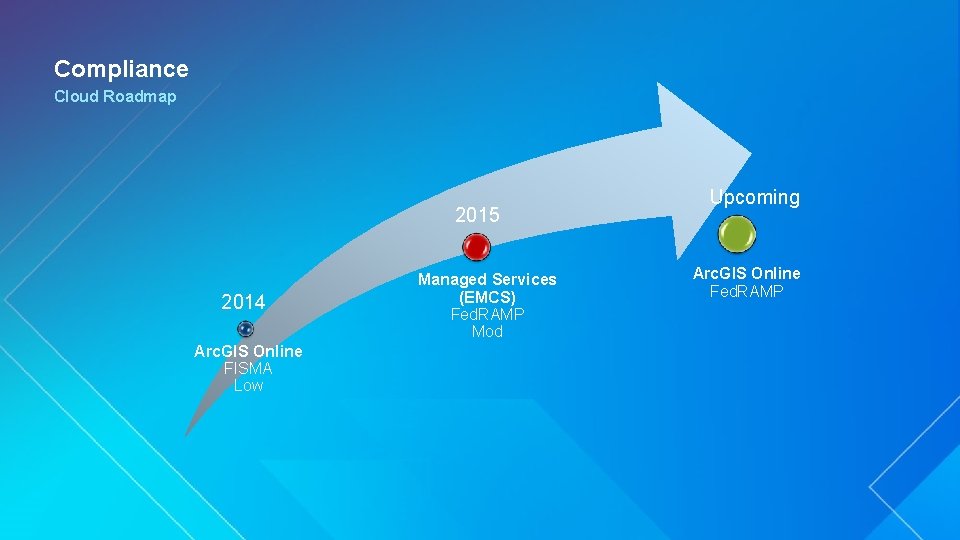
Compliance Products and Services • • Arc. GIS Online - FISMA Low Authority to Operate by USDA (Jun 2014) - Fed. RAMP - Upcoming Esri Managed Cloud Services (EMCS) - • Arc. GIS Server - • Fed. RAMP Moderate (Jan 2015) DISA STIG – (Expected 2015) Arc. GIS Desktop - FDCC (versions 9. 3 -10) - USGCB (versions 10. 1+) - Arc. GIS Pro (Expected 2015)
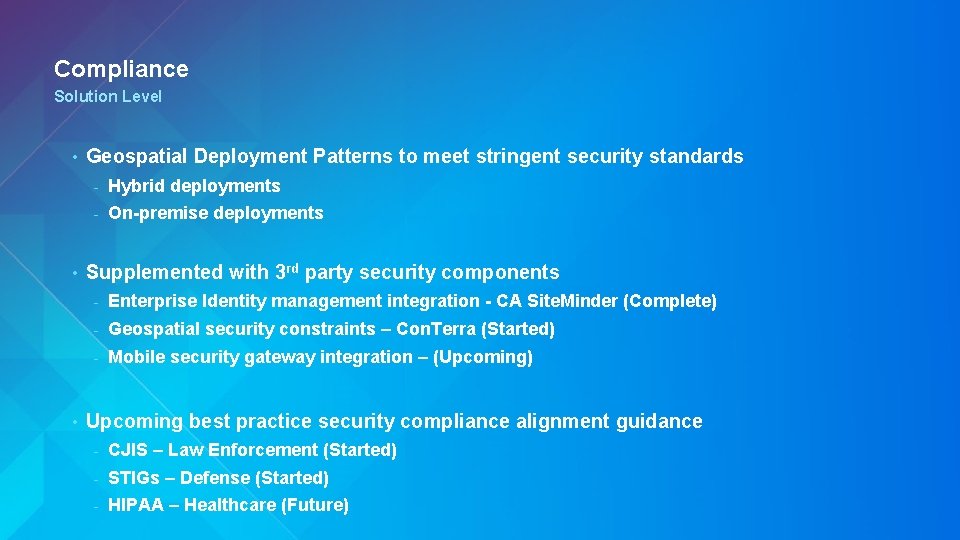
Compliance Solution Level • • • Geospatial Deployment Patterns to meet stringent security standards - Hybrid deployments - On-premise deployments Supplemented with 3 rd party security components - Enterprise Identity management integration - CA Site. Minder (Complete) - Geospatial security constraints – Con. Terra (Started) - Mobile security gateway integration – (Upcoming) Upcoming best practice security compliance alignment guidance - CJIS – Law Enforcement (Started) - STIGs – Defense (Started) - HIPAA – Healthcare (Future)
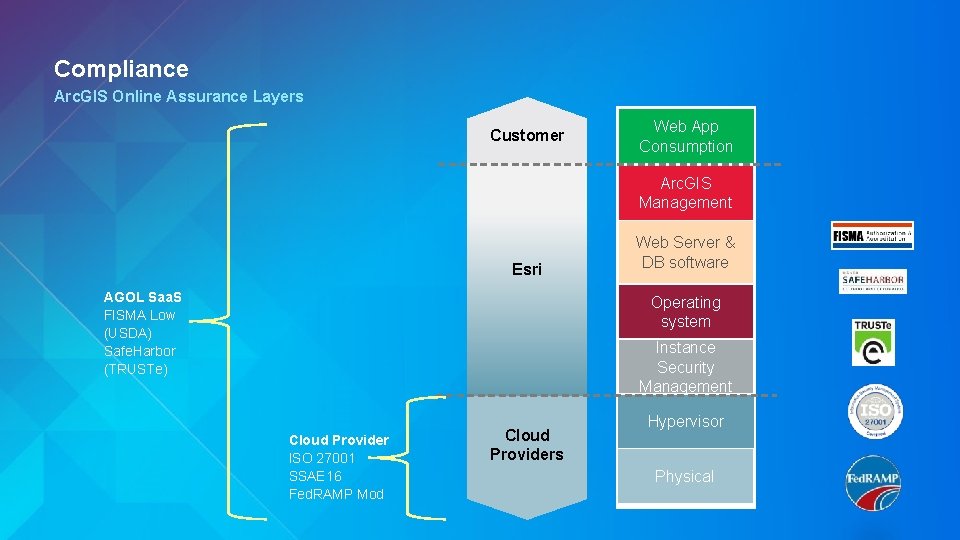
Compliance Arc. GIS Online Assurance Layers Customer Web App Consumption Arc. GIS Management Esri AGOL Saa. S FISMA Low (USDA) Safe. Harbor (TRUSTe) Web Server & DB software Operating system Instance Security Management Cloud Provider ISO 27001 SSAE 16 Fed. RAMP Mod Cloud Providers Hypervisor Physical
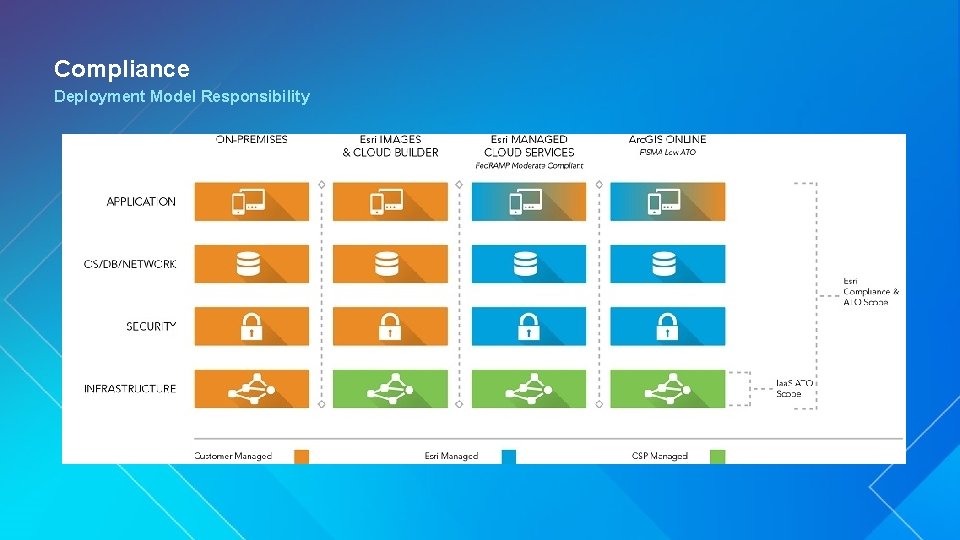
Compliance Deployment Model Responsibility
Compliance Cloud Roadmap 2015 2014 Arc. GIS Online FISMA Low Managed Services (EMCS) Fed. RAMP Mod Upcoming Arc. GIS Online Fed. RAMP
Summary Esri UC 2014 | Technical Workshop |
Summary • Security demands are rapidly evolving Prioritize efforts accord to your industry and needs - Don’t just add components, simplified Defense In Depth approach - • Secure Best Practice Guidance is Available Check out the Arc. GIS Trust Site! - Security Architecture Workshop - - Secure. Software. Services@esri. com
Thank you… • Please fill out the session survey in your mobile app • In the agenda, click on the title of this session - Enterprise GIS: Security Strategy • Click “Technical Workshop Survey” • Answer a few short questions and enter any comments
Want to Learn More? • Arc. GIS Online: A Security, Privacy, and Compliance Overview - Wed 10: 15 am Room 17 B • Arc. GIS Server & Portal for Arc. GIS: An Introduction to Security - Tues 3: 15 pm Room 4, Thurs 1: 30 pm Room 4 • Arc. GIS Server: Advanced Security - Wed 3: !5 pm Room 3, Thurs Room 4 • Best Practices in Setting up Secured Services in Arc. GIS for Server - • Building Security into your System - • Tues 5: 30 pm Demo Theater 14 Tues 4: 30 pm Implementation Center Oauth 2 and Authentication in Arc. GIS Online Demystified - Tues 2: 30 pm Demo Theater 11 • Using Enterprise Logins for Portal in Arc. GIS via SAML - Tues 5: 30 pm, Wed 2: 30 pm Demo Theater 7 Esri Security Standards & Architecture Team Secure. Software. Services@Esri. com