
Enterprise Content Management with Share Point 2013 Prepared



- Slides: 34
Enterprise Content Management with Share. Point 2013 Prepared by Sistem RKK Sdn Bhd - SRKK Share. Point Professional Services
Share. Point As A Platform Prepared by Sistem RKK Sdn Bhd - SRKK Share. Point Professional Services
Share. Point and Enterprise Content Management ECM is a methodology, and Share. Point is a platform. ECM is a set of practices, processes, and methodology that make the technology morph into the most effective way to store, secure, and consume content. Share. Point is a platform with a grab bag of features and technology that can be molded different requirements into a fantastic solution, including ECM. Prepared by Sistem RKK Sdn Bhd - SRKK Share. Point Professional Services
Documents Lifecycle in Share. Point I Prepared by Sistem RKK Sdn Bhd - SRKK Share. Point Professional Services
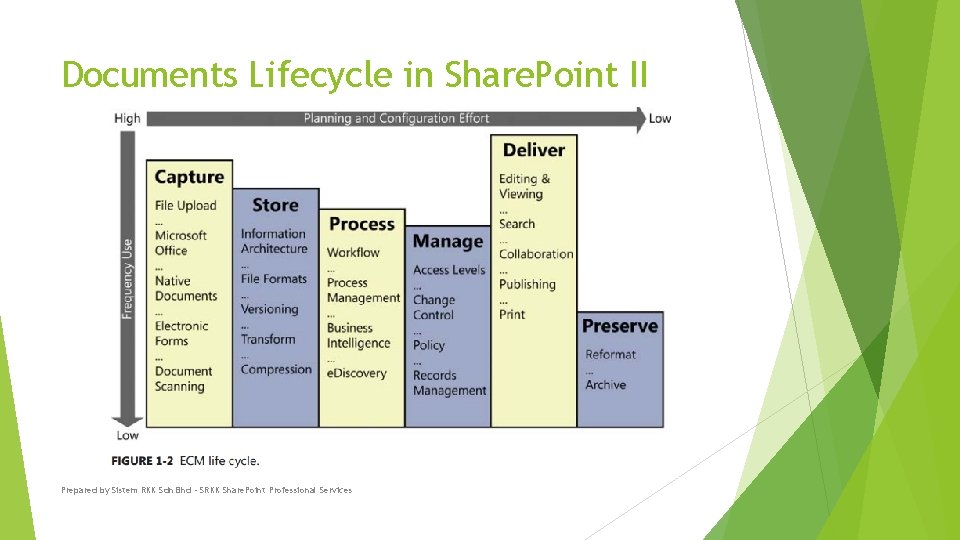
Documents Lifecycle in Share. Point II Prepared by Sistem RKK Sdn Bhd - SRKK Share. Point Professional Services
The core feature sets of ECM solution Prepared by Sistem RKK Sdn Bhd - SRKK Share. Point Professional Services
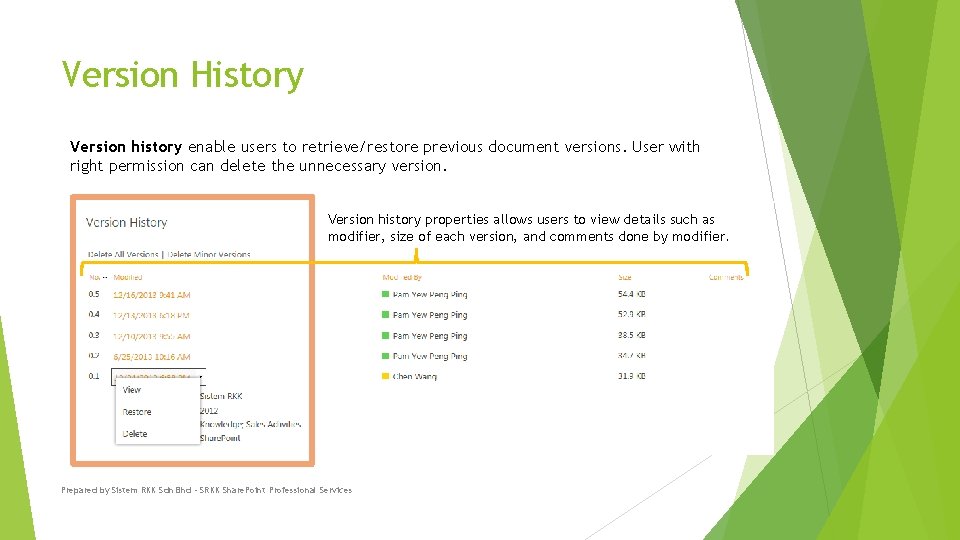
Version History Version history enable users to retrieve/restore previous document versions. User with right permission can delete the unnecessary version. Version history properties allows users to view details such as modifier, size of each version, and comments done by modifier. Prepared by Sistem RKK Sdn Bhd - SRKK Share. Point Professional Services
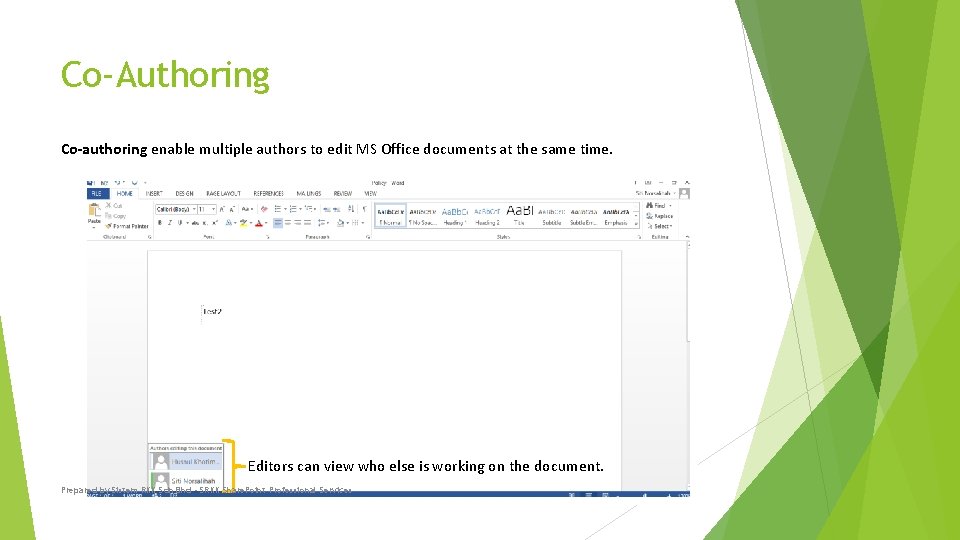
Co-Authoring Co-authoring enable multiple authors to edit MS Office documents at the same time. Editors can view who else is working on the document. Prepared by Sistem RKK Sdn Bhd - SRKK Share. Point Professional Services
Check-In & Check-Out Check-out ensure others cannot make changes to the document until editor check in the document. Prepared by Sistem RKK Sdn Bhd - SRKK Share. Point Professional Services
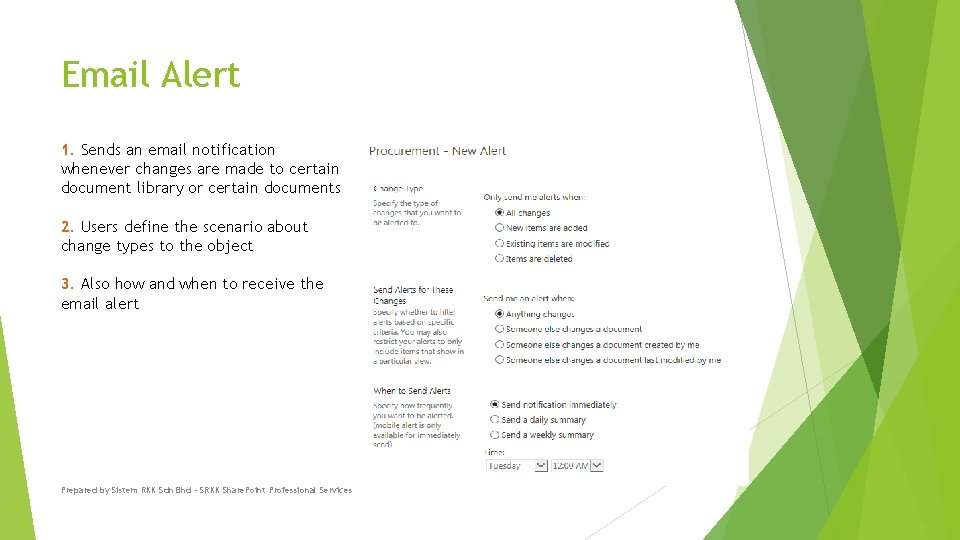
Email Alert 1. Sends an email notification whenever changes are made to certain document library or certain documents 2. Users define the scenario about change types to the object 3. Also how and when to receive the email alert Prepared by Sistem RKK Sdn Bhd - SRKK Share. Point Professional Services
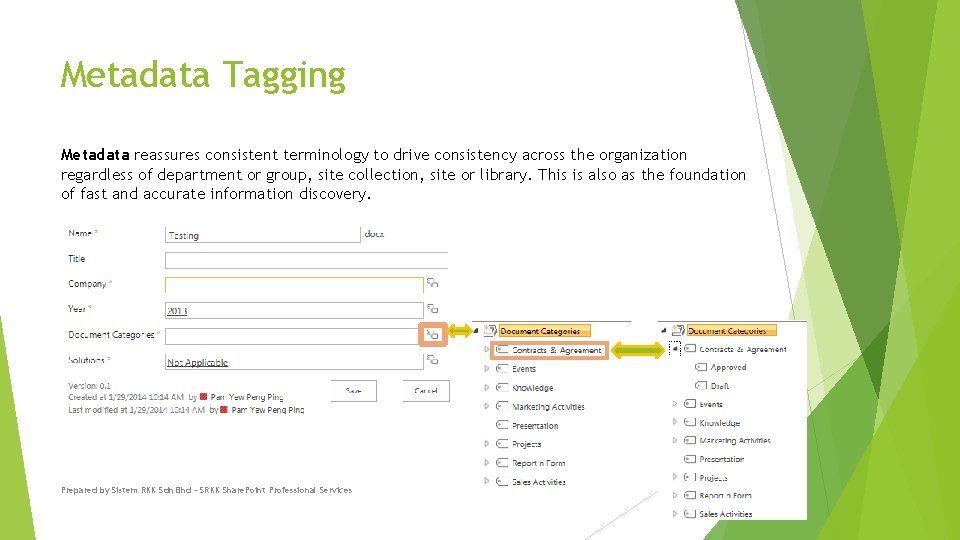
Metadata Tagging Metadata reassures consistent terminology to drive consistency across the organization regardless of department or group, site collection, site or library. This is also as the foundation of fast and accurate information discovery. Prepared by Sistem RKK Sdn Bhd - SRKK Share. Point Professional Services
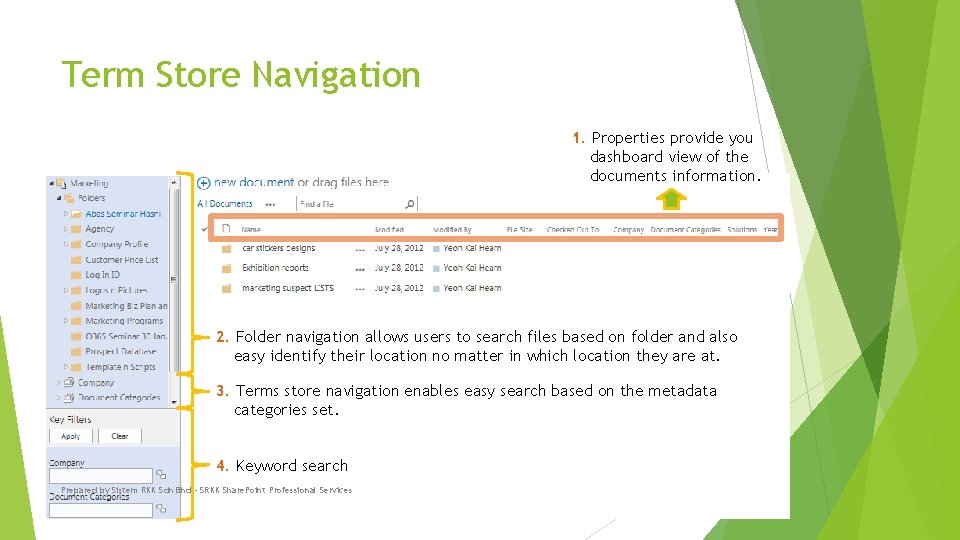
Term Store Navigation 1. Properties provide you dashboard view of the documents information. 2. Folder navigation allows users to search files based on folder and also easy identify their location no matter in which location they are at. 3. Terms store navigation enables easy search based on the metadata categories set. 4. Keyword search Prepared by Sistem RKK Sdn Bhd - SRKK Share. Point Professional Services
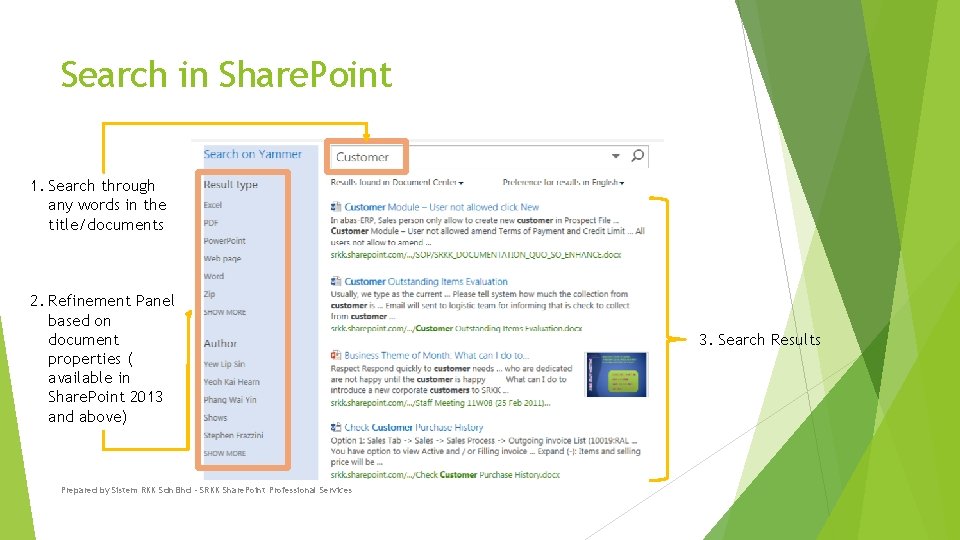
Search in Share. Point 1. Search through any words in the title/documents 2. Refinement Panel based on document properties ( available in Share. Point 2013 and above) Prepared by Sistem RKK Sdn Bhd - SRKK Share. Point Professional Services 3. Search Results
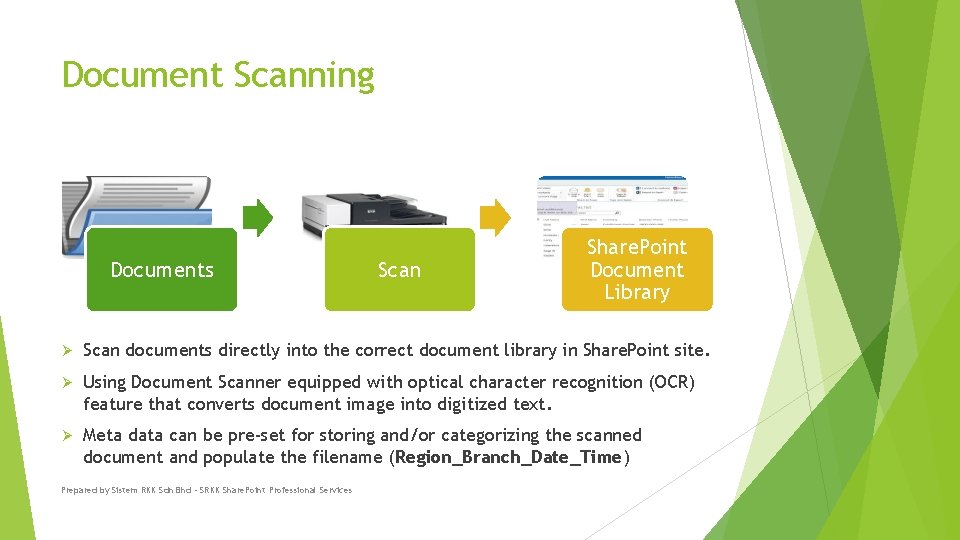
Document Scanning Documents Scan Share. Point Document Library Ø Scan documents directly into the correct document library in Share. Point site. Ø Using Document Scanner equipped with optical character recognition (OCR) feature that converts document image into digitized text. Ø Meta data can be pre-set for storing and/or categorizing the scanned document and populate the filename (Region_Branch_Date_Time) Prepared by Sistem RKK Sdn Bhd - SRKK Share. Point Professional Services
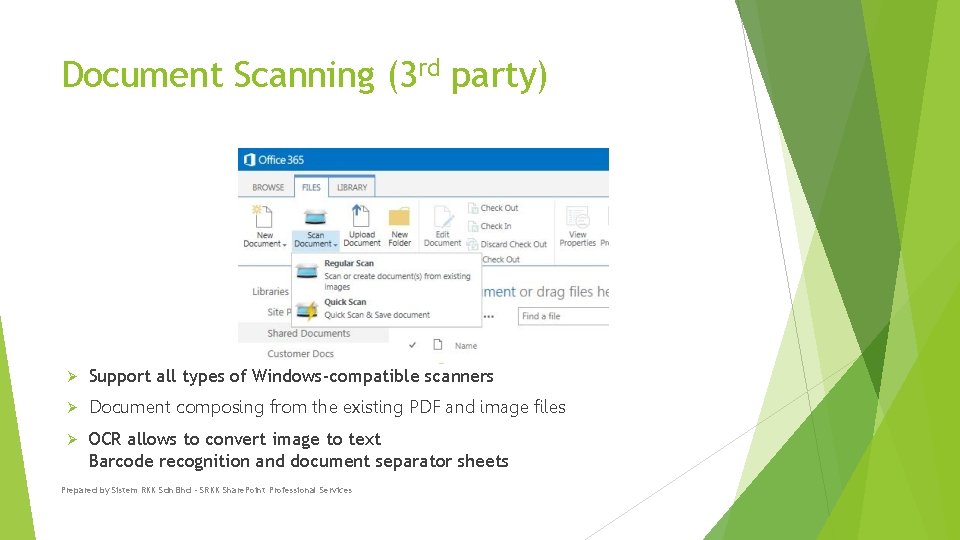
Document Scanning (3 rd party) Ø Support all types of Windows-compatible scanners Ø Document composing from the existing PDF and image files Ø OCR allows to convert image to text Barcode recognition and document separator sheets Prepared by Sistem RKK Sdn Bhd - SRKK Share. Point Professional Services
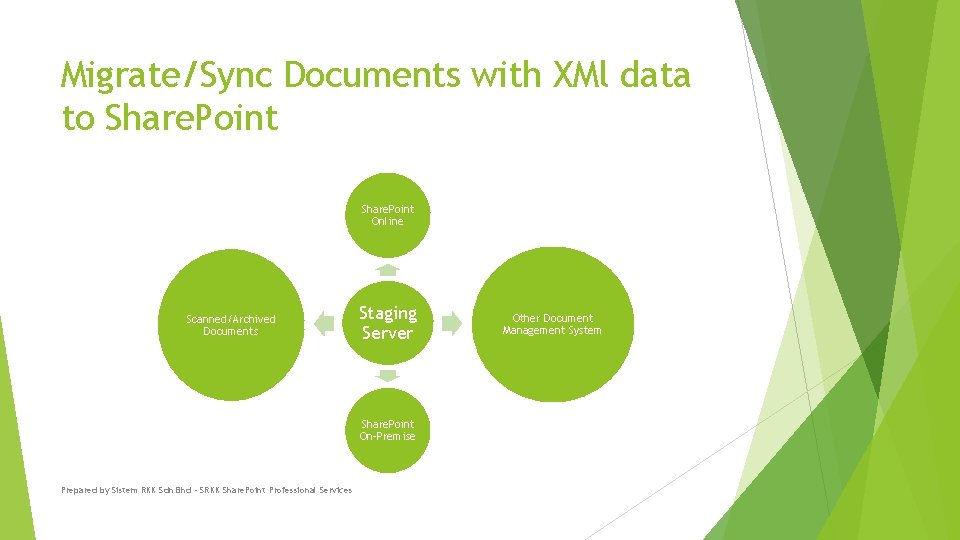
Migrate/Sync Documents with XMl data to Share. Point Online Scanned/Archived Documents Staging Server Share. Point On-Premise Prepared by Sistem RKK Sdn Bhd - SRKK Share. Point Professional Services Other Document Management System
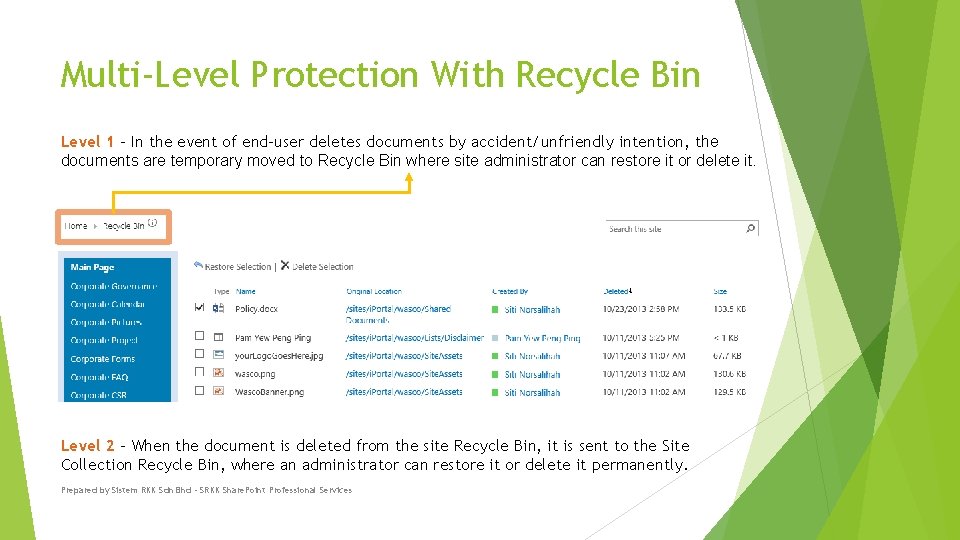
Multi-Level Protection With Recycle Bin Level 1 - In the event of end-user deletes documents by accident/unfriendly intention, the documents are temporary moved to Recycle Bin where site administrator can restore it or delete it. Level 2 - When the document is deleted from the site Recycle Bin, it is sent to the Site Collection Recycle Bin, where an administrator can restore it or delete it permanently. Prepared by Sistem RKK Sdn Bhd - SRKK Share. Point Professional Services
Retention Policy Retention policy feature lets you define retention stages, with an action that happens at the end of each stage. Moving the item to the Recycle Bin Permanently deleting the item Transferring the item to another location Starting a workflow Skipping to the next stage Declaring the item to be a record Deleting all previous drafts of the item Deleting all previous versions of the item Prepared by Sistem RKK Sdn Bhd - SRKK Share. Point Professional Services
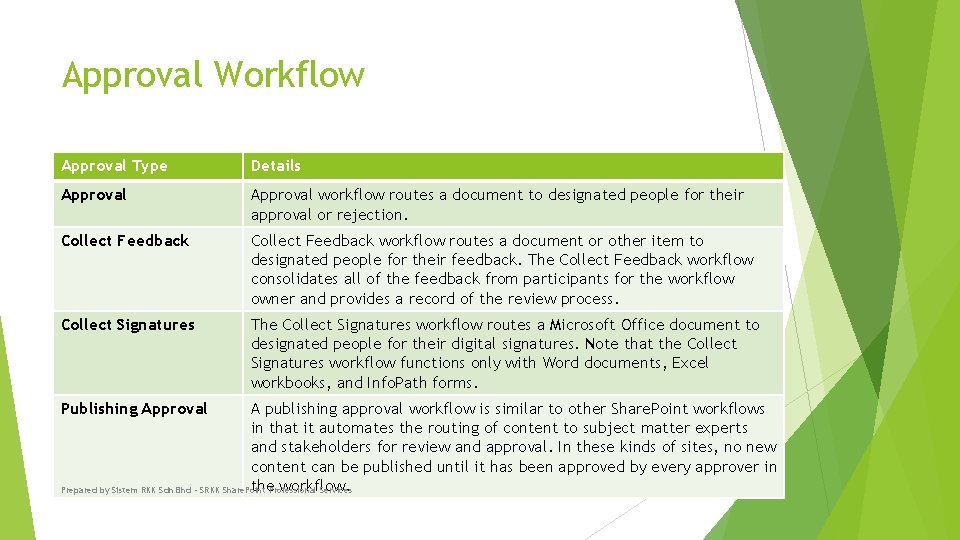
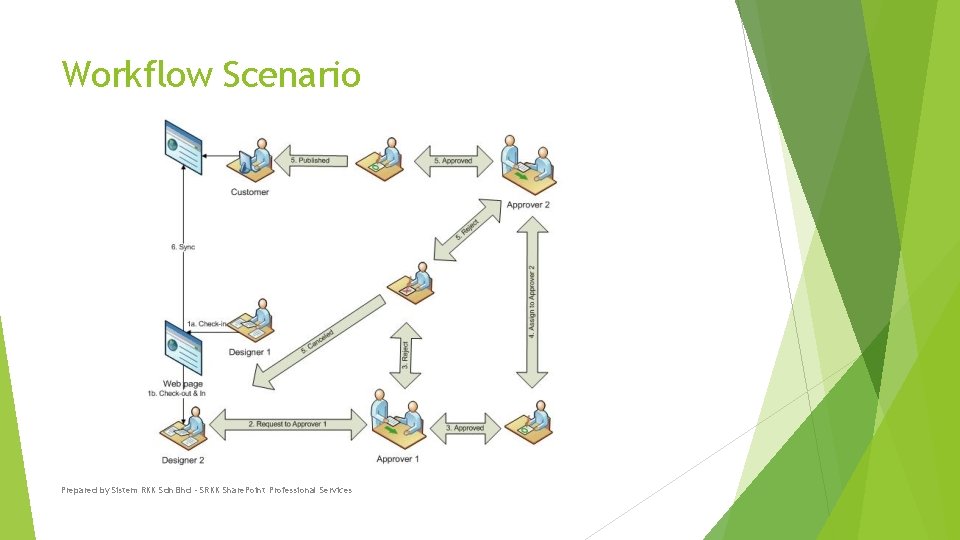
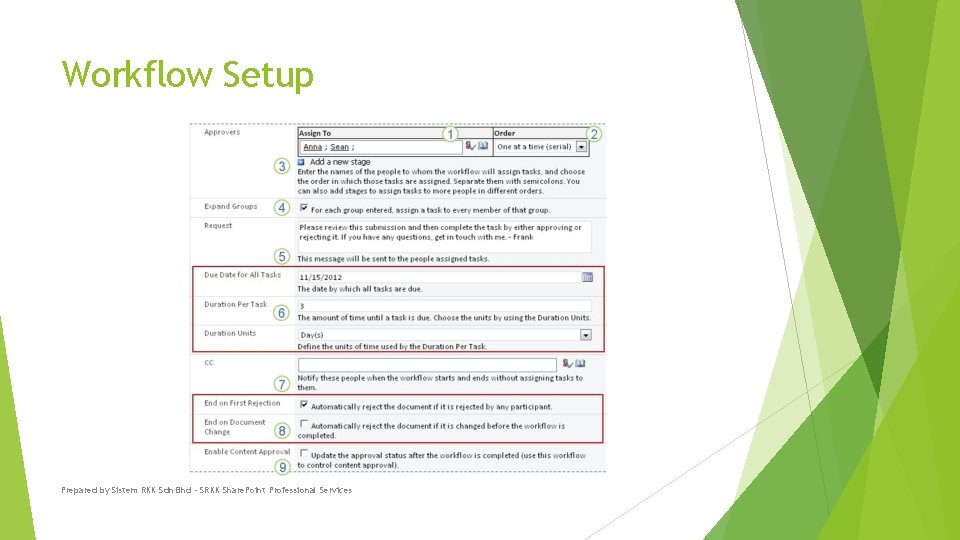
Approval Workflow Approval Type Details Approval workflow routes a document to designated people for their approval or rejection. Collect Feedback workflow routes a document or other item to designated people for their feedback. The Collect Feedback workflow consolidates all of the feedback from participants for the workflow owner and provides a record of the review process. Collect Signatures The Collect Signatures workflow routes a Microsoft Office document to designated people for their digital signatures. Note that the Collect Signatures workflow functions only with Word documents, Excel workbooks, and Info. Path forms. Publishing Approval A publishing approval workflow is similar to other Share. Point workflows in that it automates the routing of content to subject matter experts and stakeholders for review and approval. In these kinds of sites, no new content can be published until it has been approved by every approver in the. Professional workflow. Prepared by Sistem RKK Sdn Bhd - SRKK Share. Point Services
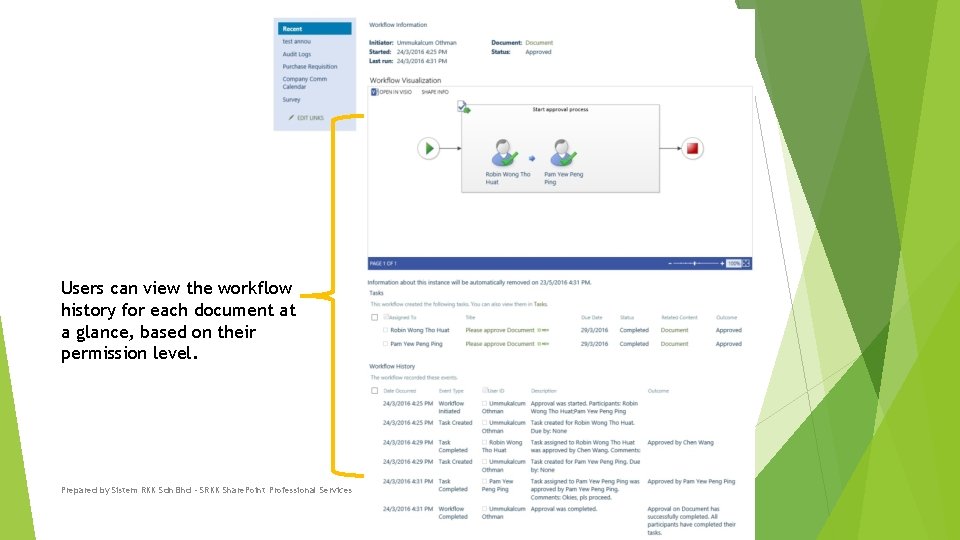
Users can view the workflow history for each document at a glance, based on their permission level. Prepared by Sistem RKK Sdn Bhd - SRKK Share. Point Professional Services
Workflow Scenario Prepared by Sistem RKK Sdn Bhd - SRKK Share. Point Professional Services
Workflow Setup Prepared by Sistem RKK Sdn Bhd - SRKK Share. Point Professional Services
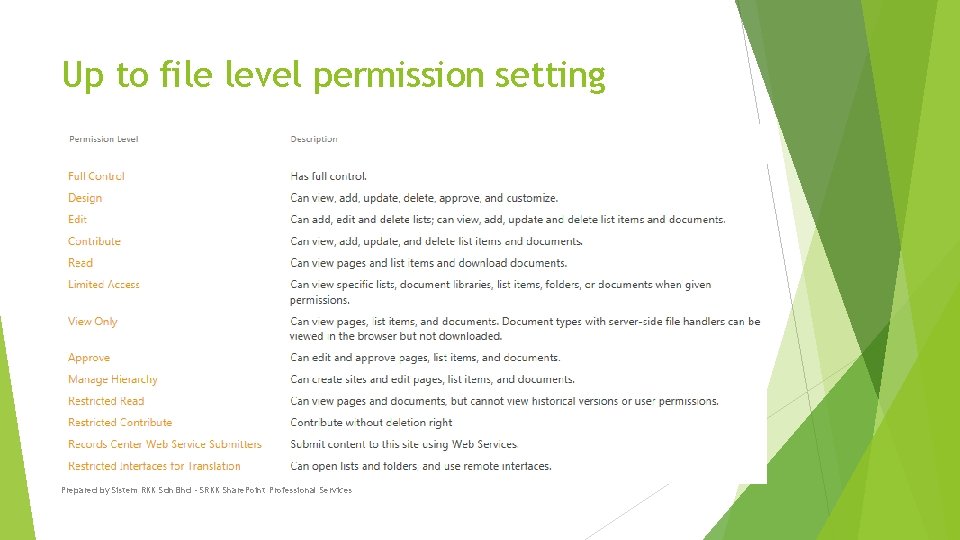
Up to file level permission setting Prepared by Sistem RKK Sdn Bhd - SRKK Share. Point Professional Services
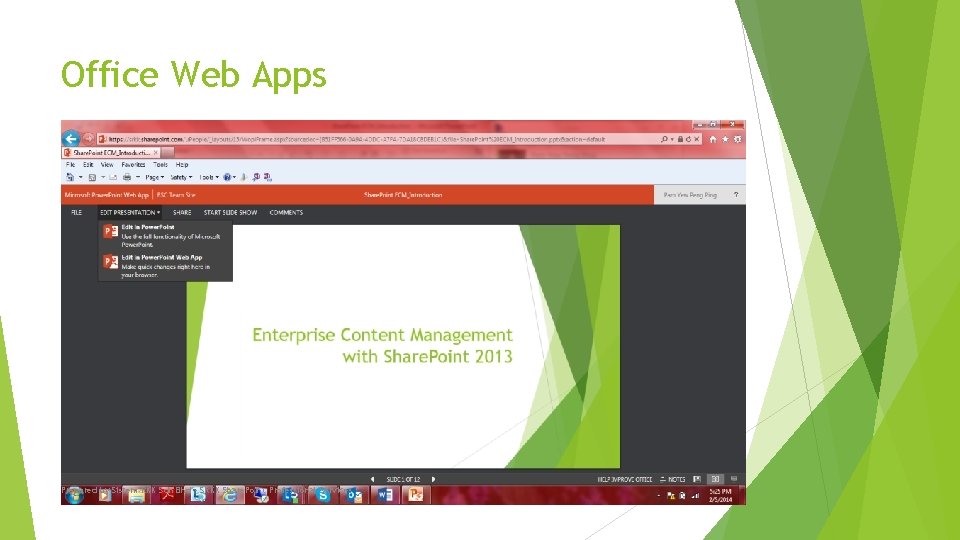
Office Web Apps Prepared by Sistem RKK Sdn Bhd - SRKK Share. Point Professional Services
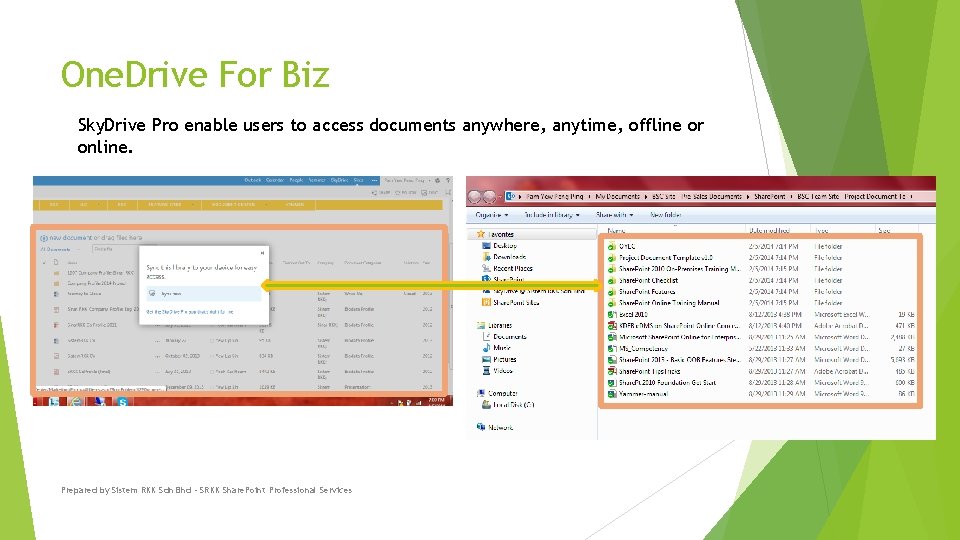
One. Drive For Biz Sky. Drive Pro enable users to access documents anywhere, anytime, offline or online. Prepared by Sistem RKK Sdn Bhd - SRKK Share. Point Professional Services
Ask yourself the following questions: Does your company have a documented File Naming Convention policy? Do the Shared Drives you work with follow a common Directory naming structure? Can you easily navigate another department or workgroups Directory structure and find a file? Prepared by Sistem RKK Sdn Bhd - SRKK Share. Point Professional Services
Appendixes – More on Share. Point Capabilities Prepared by Sistem RKK Sdn Bhd - SRKK Share. Point Professional Services
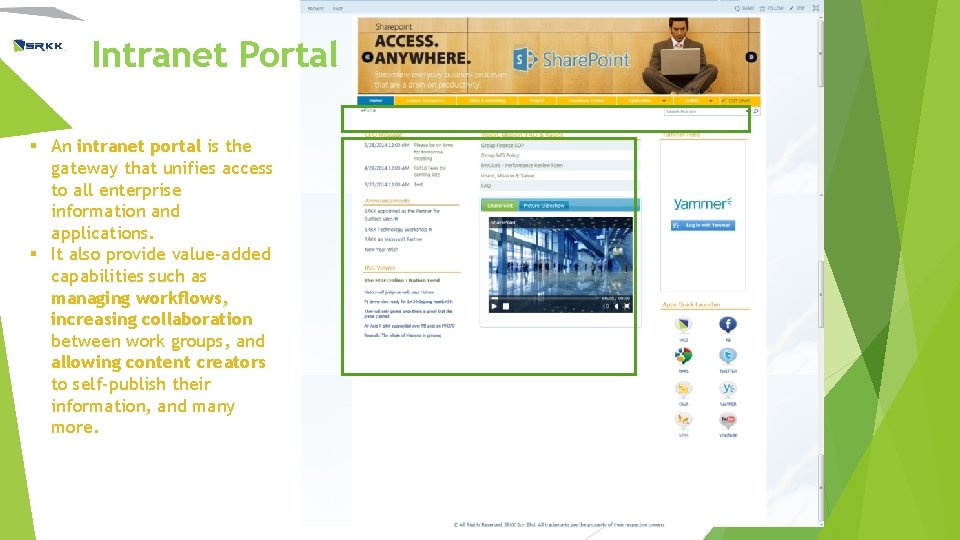
Intranet Portal § An intranet portal is the gateway that unifies access to all enterprise information and applications. § It also provide value-added capabilities such as managing workflows, increasing collaboration between work groups, and allowing content creators to self-publish their information, and many more.
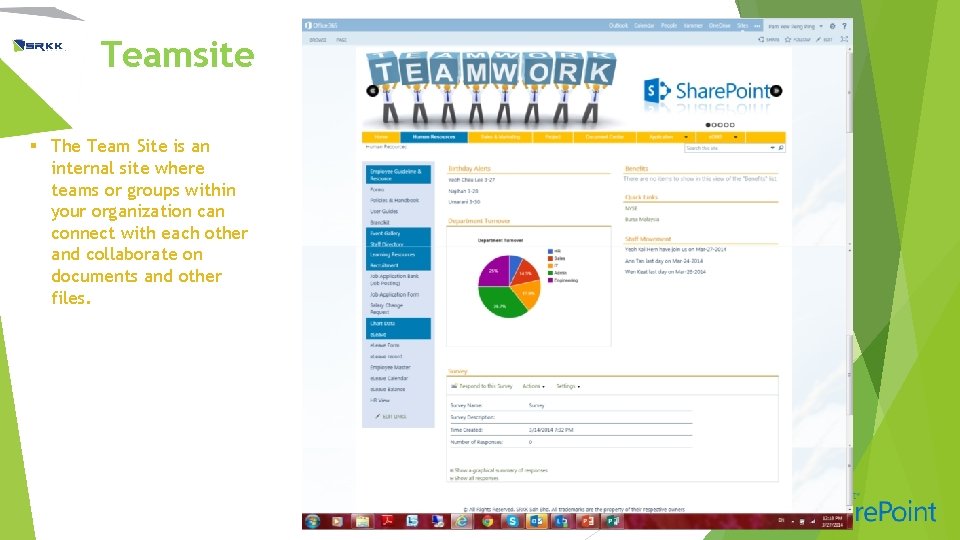
Teamsite § The Team Site is an internal site where teams or groups within your organization can connect with each other and collaborate on documents and other files.
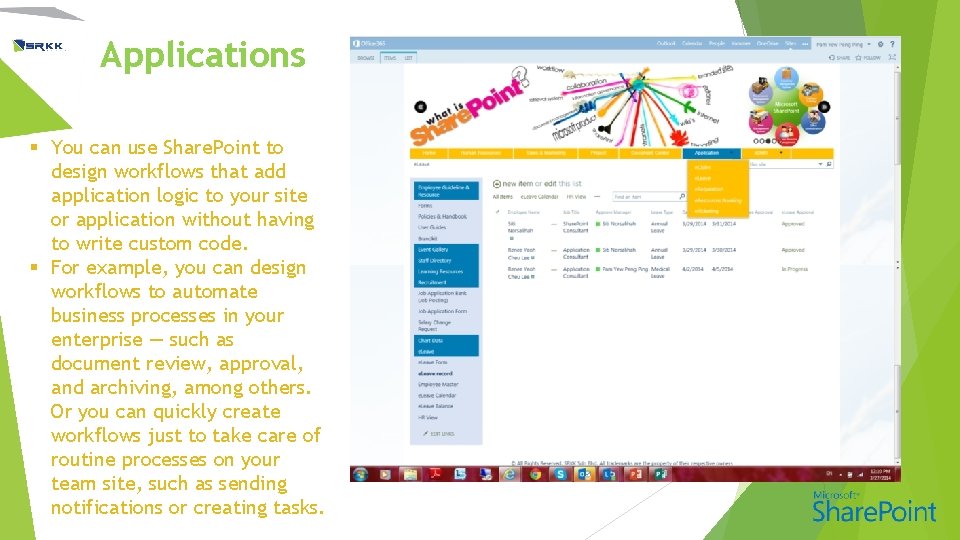
Applications § You can use Share. Point to design workflows that add application logic to your site or application without having to write custom code. § For example, you can design workflows to automate business processes in your enterprise — such as document review, approval, and archiving, among others. Or you can quickly create workflows just to take care of routine processes on your team site, such as sending notifications or creating tasks.
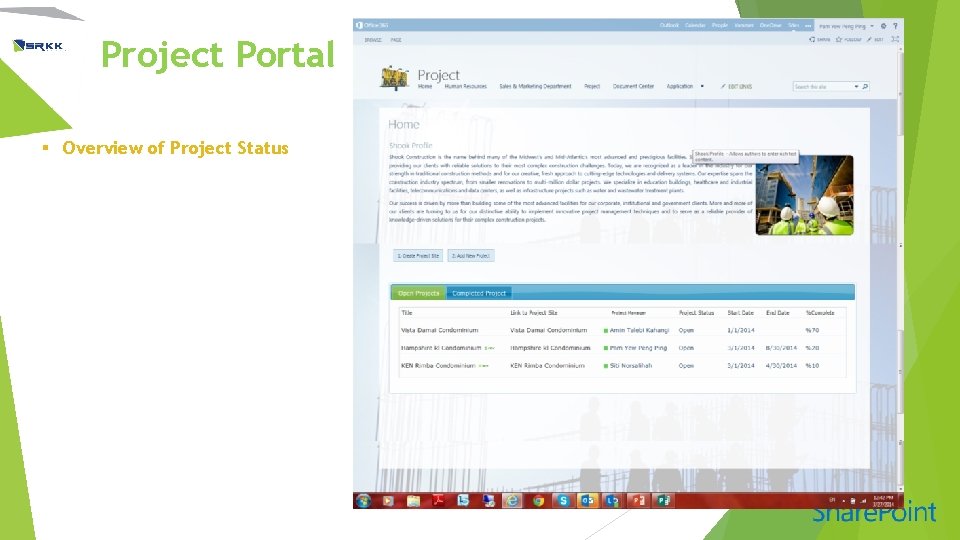
Project Portal § Overview of Project Status
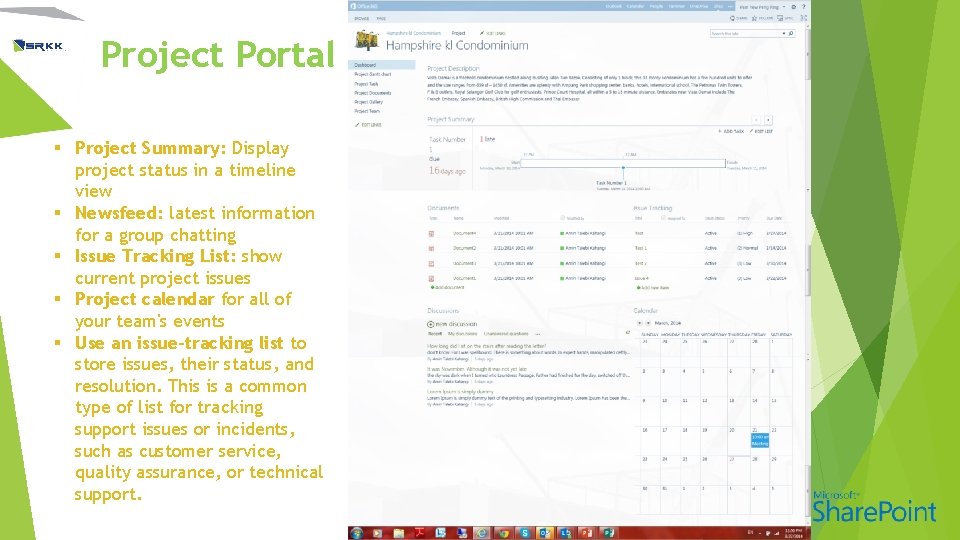
Project Portal § Project Summary: Display project status in a timeline view § Newsfeed: latest information for a group chatting § Issue Tracking List: show current project issues § Project calendar for all of your team's events § Use an issue-tracking list to store issues, their status, and resolution. This is a common type of list for tracking support issues or incidents, such as customer service, quality assurance, or technical support.
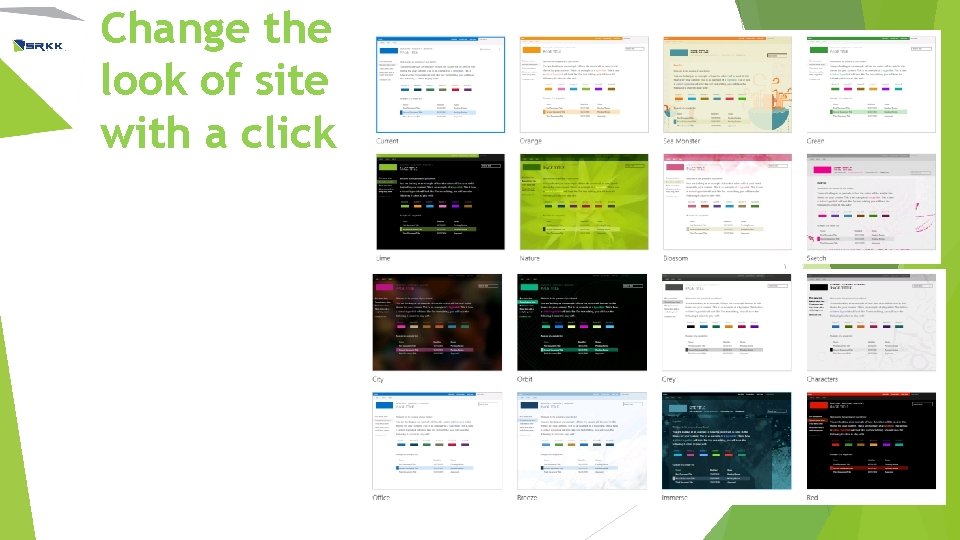
Change the look of site with a click
The End Please contact Pam at pam@srkk. com or 0146686681 if you need any further clarifications. Prepared by Sistem RKK Sdn Bhd - SRKK Share. Point Professional Services