
Enterprise Configuration Mike Freedman Fall 2012 COS 561
- Slides: 29
Enterprise Configuration Mike Freedman Fall 2012 COS 561: Advanced Computer Networks http: //www. cs. princeton. edu/courses/archive/fall 11/cos 561/
Outline • Enterprise network components – Repeaters/hubs, bridges/switches, and routers • Enterprise network design – Hubs and switches, with DHCP server – Ethernet subnets interconnected by routers • Flexible connectivity – Virtual Local Area Networks (VLANs) – Multi-homing to multiple ISPs – Interconnecting multiple enterprise locations 2
Enterprise Network Components 3
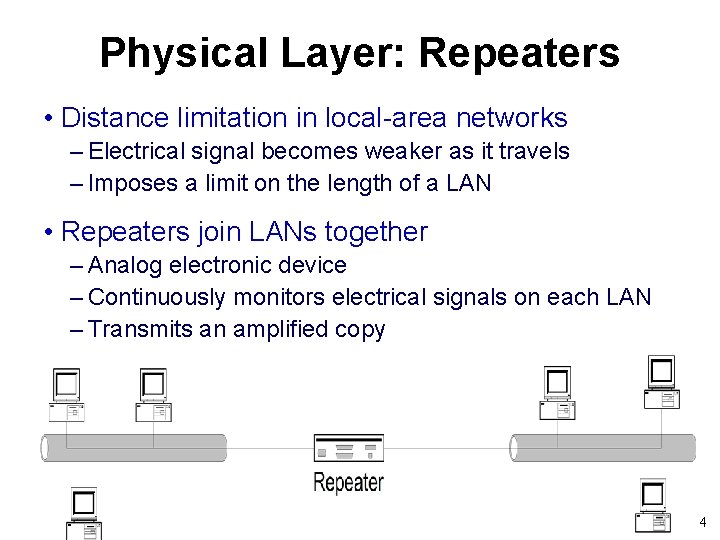
Physical Layer: Repeaters • Distance limitation in local-area networks – Electrical signal becomes weaker as it travels – Imposes a limit on the length of a LAN • Repeaters join LANs together – Analog electronic device – Continuously monitors electrical signals on each LAN – Transmits an amplified copy 4
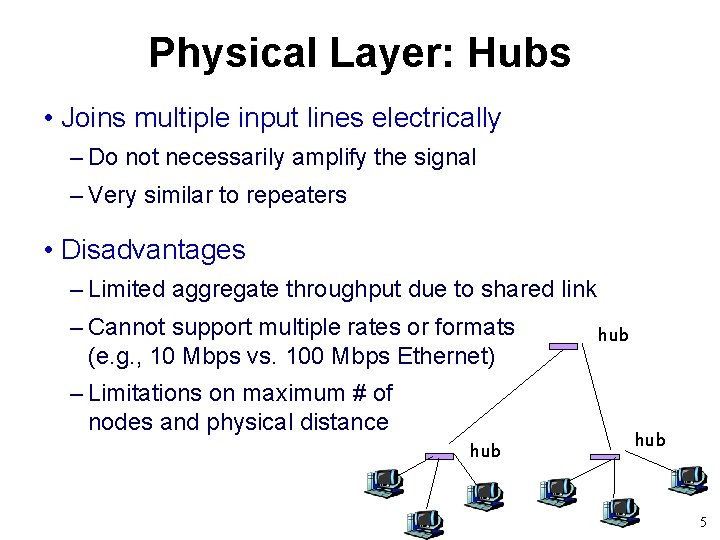
Physical Layer: Hubs • Joins multiple input lines electrically – Do not necessarily amplify the signal – Very similar to repeaters • Disadvantages – Limited aggregate throughput due to shared link – Cannot support multiple rates or formats (e. g. , 10 Mbps vs. 100 Mbps Ethernet) – Limitations on maximum # of nodes and physical distance hub hub 5
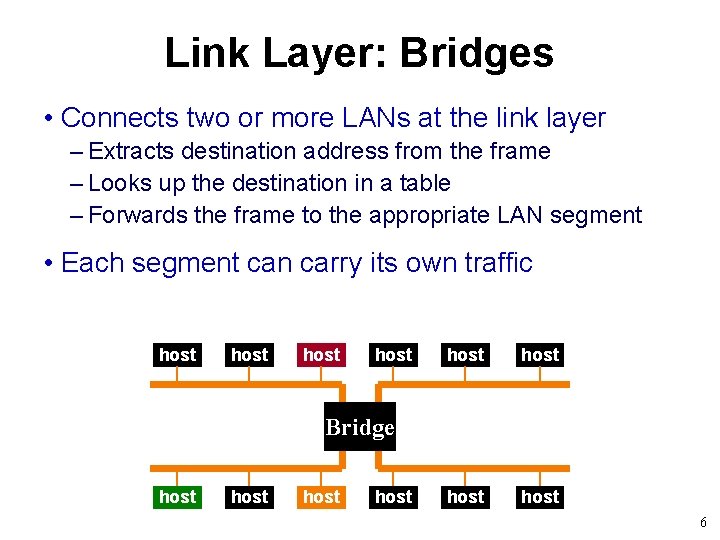
Link Layer: Bridges • Connects two or more LANs at the link layer – Extracts destination address from the frame – Looks up the destination in a table – Forwards the frame to the appropriate LAN segment • Each segment can carry its own traffic host host Bridge host 6
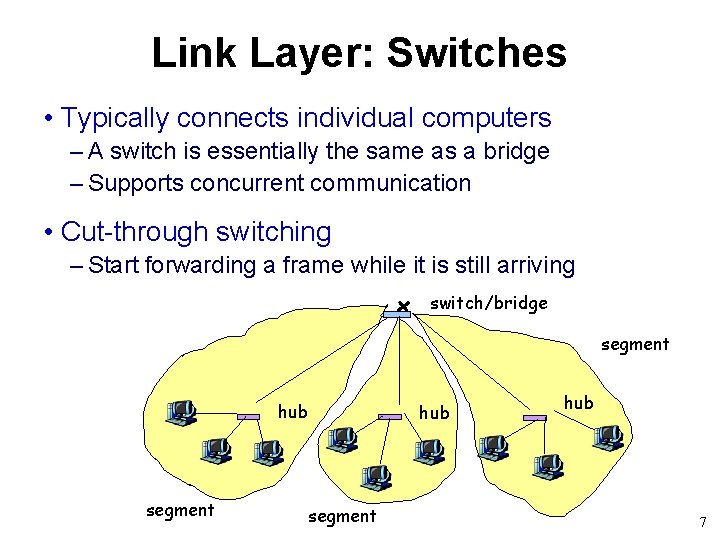
Link Layer: Switches • Typically connects individual computers – A switch is essentially the same as a bridge – Supports concurrent communication • Cut-through switching – Start forwarding a frame while it is still arriving switch/bridge segment hub 7
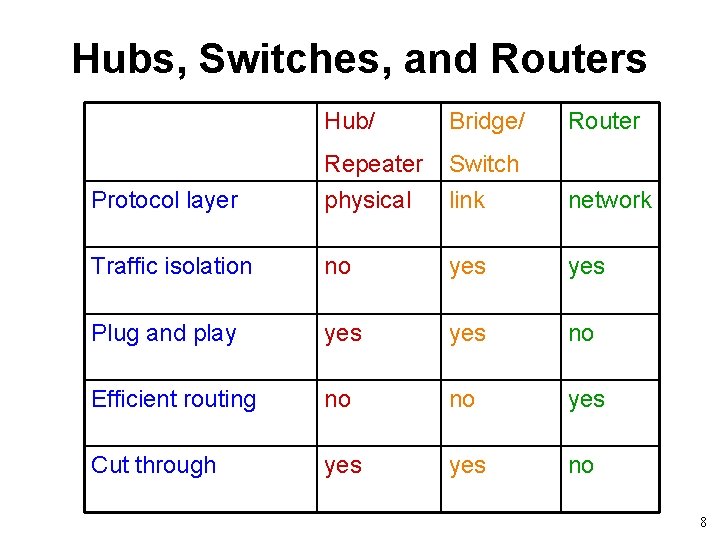
Hubs, Switches, and Routers Hub/ Bridge/ Router Protocol layer Repeater physical Switch link network Traffic isolation no yes Plug and play yes no Efficient routing no no yes Cut through yes no 8
Enterprise Network Design 9
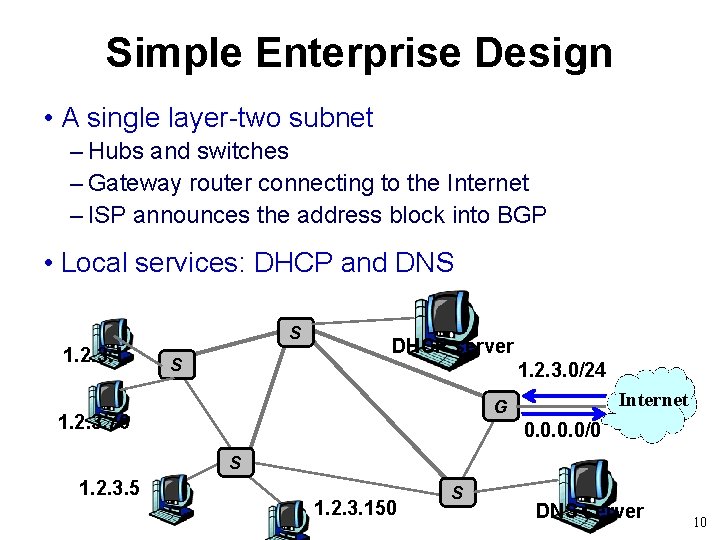
Simple Enterprise Design • A single layer-two subnet – Hubs and switches – Gateway router connecting to the Internet – ISP announces the address block into BGP • Local services: DHCP and DNS S 1. 2. 3. 1 S DHCP server 1. 2. 3. 0/24 Internet G 1. 2. 3. 76 0. 0/0 S 1. 2. 3. 5 1. 2. 3. 150 S DNS server 10
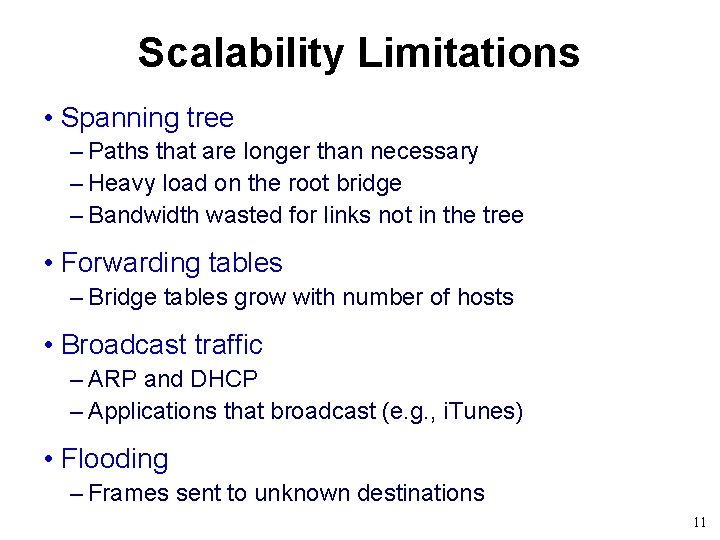
Scalability Limitations • Spanning tree – Paths that are longer than necessary – Heavy load on the root bridge – Bandwidth wasted for links not in the tree • Forwarding tables – Bridge tables grow with number of hosts • Broadcast traffic – ARP and DHCP – Applications that broadcast (e. g. , i. Tunes) • Flooding – Frames sent to unknown destinations 11
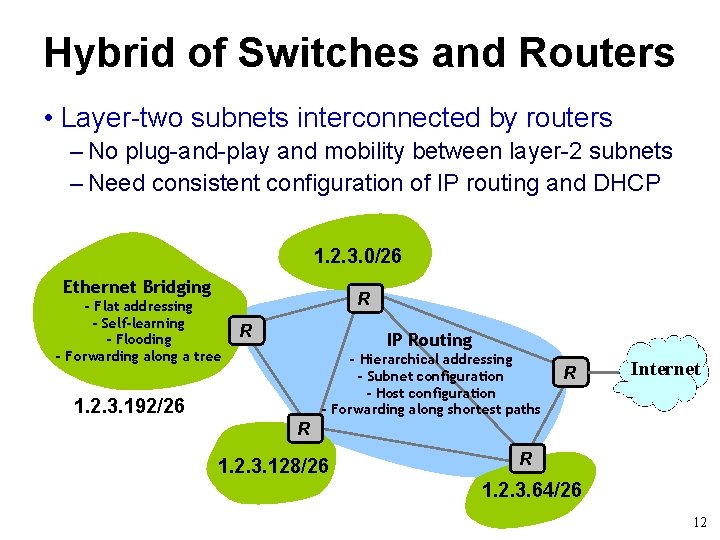
Hybrid of Switches and Routers • Layer-two subnets interconnected by routers – No plug-and-play and mobility between layer-2 subnets – Need consistent configuration of IP routing and DHCP 1. 2. 3. 0/26 Ethernet Bridging - Flat addressing - Self-learning - Flooding - Forwarding along a tree R R IP Routing - Hierarchical addressing - Subnet configuration - Host configuration - Forwarding along shortest paths 1. 2. 3. 192/26 R Internet R 1. 2. 3. 128/26 R 1. 2. 3. 64/26 12
Virtual Local Area Networks (VLANs) 13
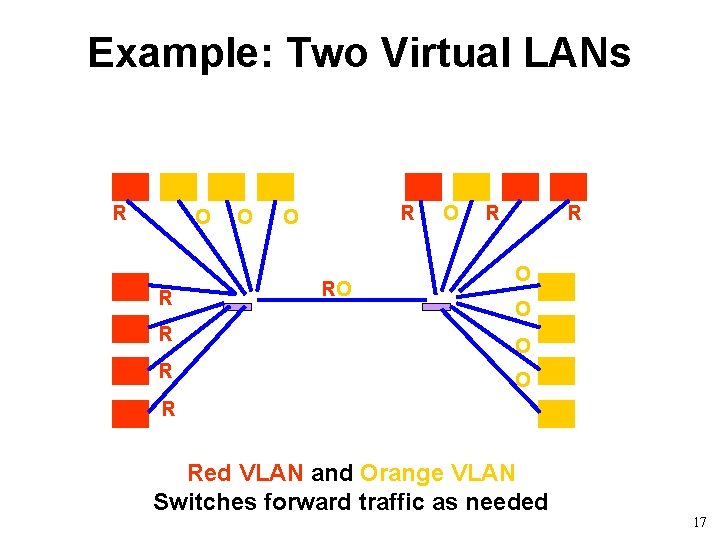
Evolution Toward Virtual LANs • In olden days… – Thick cables snaked through cable ducts in buildings – Every computer was plugged in – All people in adjacent offices put on same LAN • More recently… – Hubs and switches changed practice – Every office connected to central wiring closets – Often multiple LANs (k hubs) connected by switches – Flexibility in mapping offices to different LANs Group users based on organizational structure, rather than the physical layout of the building. 14
Why Group by Org Structure? • Privacy – Ethernet is a shared media – Any interface card can be put into “promiscuous” mode – … and get a copy of any flooded/broadcast traffic – So, isolating traffic on separate LANs improves privacy • Load – Some LAN segments are more heavily used than others – E. g. , researchers running experiments get out of hand – … can saturate their own segment and not the others – Plus, there may be natural locality of communication – E. g. , traffic between people in the same research group 15
People Move, and Roles Change • Organizational changes are frequent – E. g. , faculty office becomes a grad-student office – E. g. , graduate student becomes a faculty member • Physical rewiring is a major pain – Requires unplugging the cable from one port – … and plugging it into another – … and hoping the cable is long enough to reach – … and hoping you don’t make a mistake • Would like to “rewire” the building in software – The resulting concept is a Virtual LAN (VLAN) 16
Example: Two Virtual LANs R RO O R R O O R R Red VLAN and Orange VLAN Switches forward traffic as needed 17
Making VLANs Work • Changing the Ethernet header – Adding a field for a VLAN tag – Implemented on the bridges/switches – … but can still interoperate with old Ethernet cards • Bridges/switches trunk links – Saying which VLANs are accessible via which interfaces • Approaches to mapping access links to VLANs – Each interface has a VLAN color Only works if all hosts on same segment belong to same VLAN – Each MAC address has a VLAN color Useful when hosts on same segment belong to different VLANs Useful when hosts move from one physical location to another 18
VXLAN: VLANs for data centers • Prior IEEE 802. 1 Q standard: 12 bits = 4094 VLANs • What if each tenant in DC wants isolated subnet? – Quickly run out of VLAN ids – VLANs need to all be in same Ethernet SP, doesn’t scale • Enter VXLAN: – 24 bit VLAN ids – Bridge multiple layer-3 subnets, using MAC-in-IP tunneling – Give impressive of single large layer-2 subnet per tenant • Backed by VMWare + Cisco – http: //tools. ietf. org/html/draft-mahalingam-dutt-dcops-vxlan-00 19
Multi-Homing 20
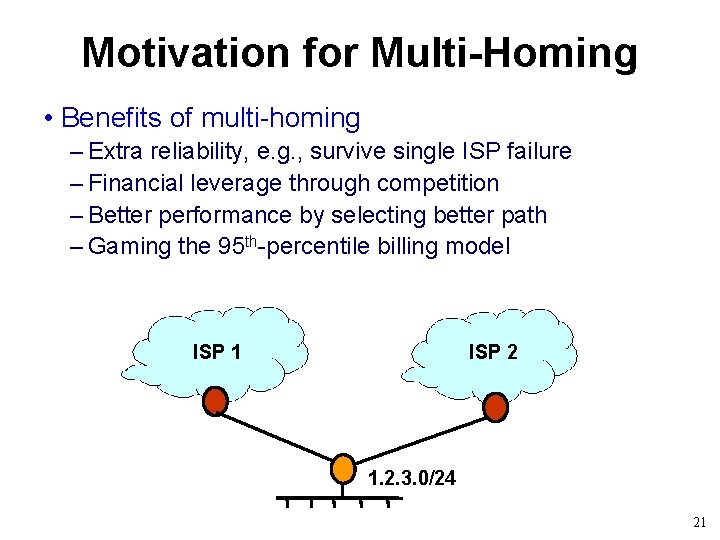
Motivation for Multi-Homing • Benefits of multi-homing – Extra reliability, e. g. , survive single ISP failure – Financial leverage through competition – Better performance by selecting better path – Gaming the 95 th-percentile billing model ISP 1 ISP 2 1. 2. 3. 0/24 21
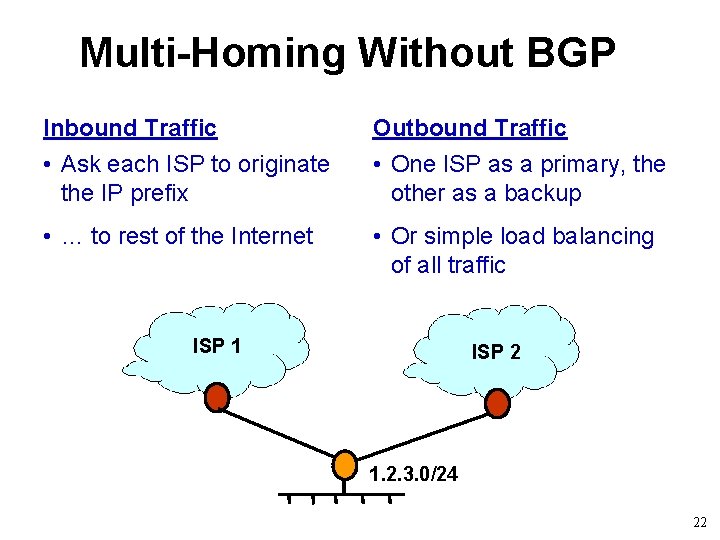
Multi-Homing Without BGP Inbound Traffic Outbound Traffic • Ask each ISP to originate the IP prefix • One ISP as a primary, the other as a backup • … to rest of the Internet • Or simple load balancing of all traffic ISP 1 ISP 2 1. 2. 3. 0/24 22
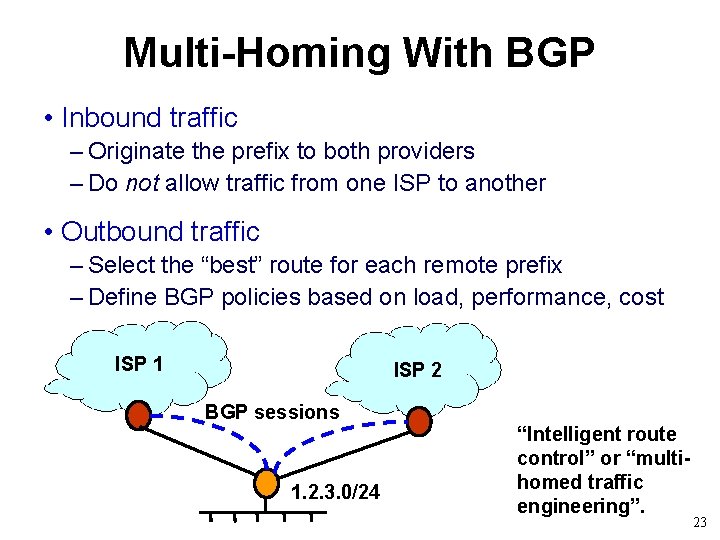
Multi-Homing With BGP • Inbound traffic – Originate the prefix to both providers – Do not allow traffic from one ISP to another • Outbound traffic – Select the “best” route for each remote prefix – Define BGP policies based on load, performance, cost ISP 1 ISP 2 BGP sessions 1. 2. 3. 0/24 “Intelligent route control” or “multihomed traffic engineering”. 23
Interconnecting Multiple Enterprise Sites 24
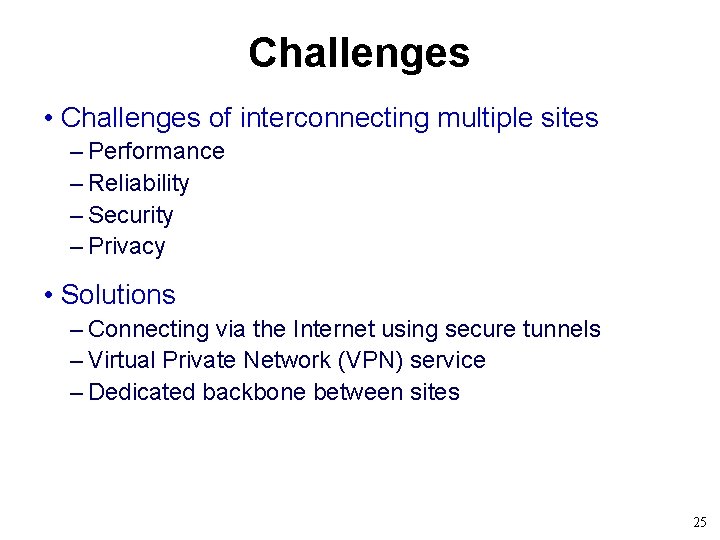
Challenges • Challenges of interconnecting multiple sites – Performance – Reliability – Security – Privacy • Solutions – Connecting via the Internet using secure tunnels – Virtual Private Network (VPN) service – Dedicated backbone between sites 25
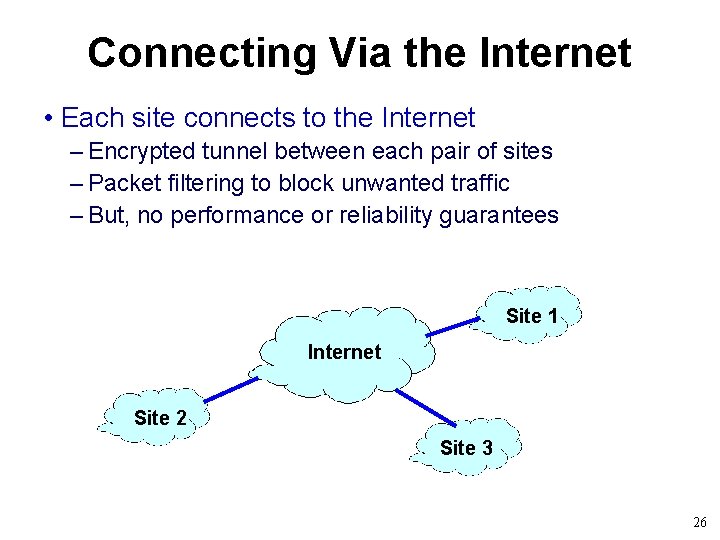
Connecting Via the Internet • Each site connects to the Internet – Encrypted tunnel between each pair of sites – Packet filtering to block unwanted traffic – But, no performance or reliability guarantees Site 1 Internet Site 2 Site 3 26
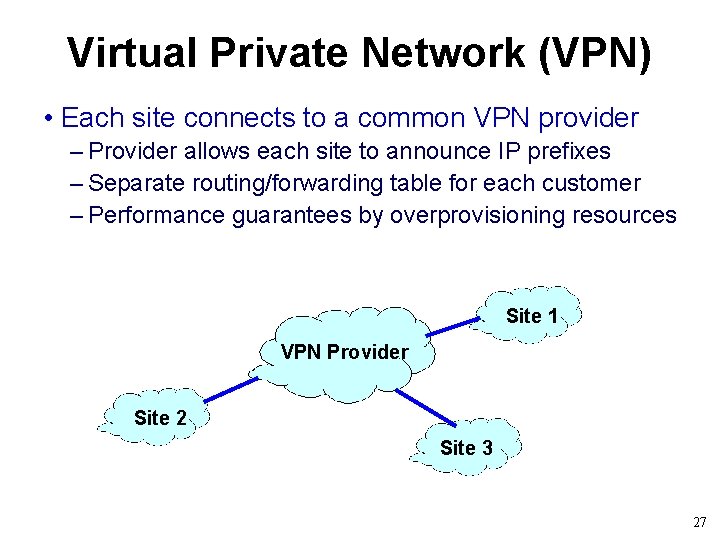
Virtual Private Network (VPN) • Each site connects to a common VPN provider – Provider allows each site to announce IP prefixes – Separate routing/forwarding table for each customer – Performance guarantees by overprovisioning resources Site 1 VPN Provider Site 2 Site 3 27
Conclusions • Simple enterprise network is (mostly) plug and play – Ethernet with MAC learning and spanning tree – DHCP server to assign IP addresses from single subnet – Gateway router with default route to the Internet • Quickly starts to require configuration – Choosing the root bridge in the spanning tree – Consistent configuration of DHCP and IP routers – VLAN access and trunk link configuration – Access control for traffic between VLANs – BGP sessions and routing policy 28
Discussion • Flat vs. hierarchical addressing? • Roles of the end host vs. the network? • How to best support flexible policies? • Alternatives or extensions to VLANs? 29