
Ensuring Data Integrity with PROC COMPARE and Beyond

Ensuring Data Integrity with PROC COMPARE and Beyond Scott A. Miller May 21, 2018 (Iowa SAS Users Group) May 22, 2018 (Nebraska SAS Users Group)
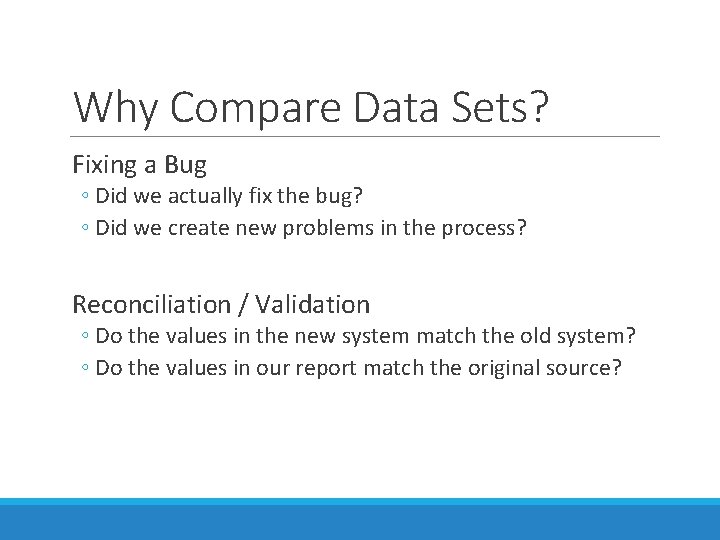
Why Compare Data Sets? Fixing a Bug ◦ Did we actually fix the bug? ◦ Did we create new problems in the process? Reconciliation / Validation ◦ Do the values in the new system match the old system? ◦ Do the values in our report match the original source?
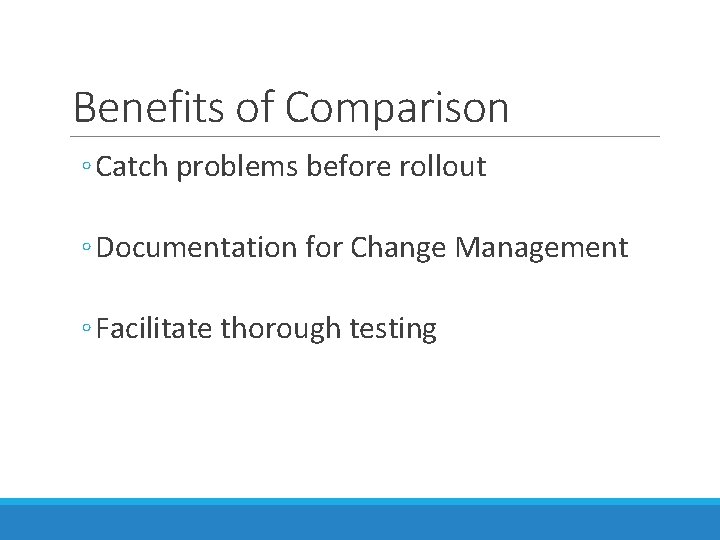
Benefits of Comparison ◦ Catch problems before rollout ◦ Documentation for Change Management ◦ Facilitate thorough testing

PROC COMPARE: Start with the Basics
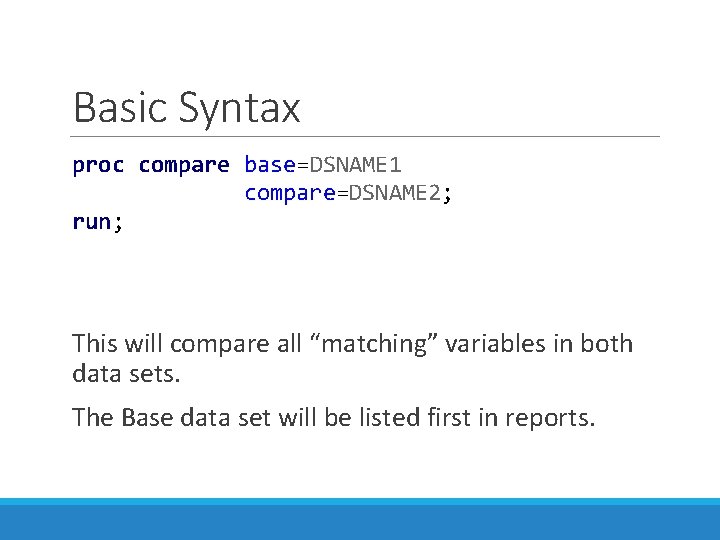
Basic Syntax proc compare base=DSNAME 1 compare=DSNAME 2; run; This will compare all “matching” variables in both data sets. The Base data set will be listed first in reports.
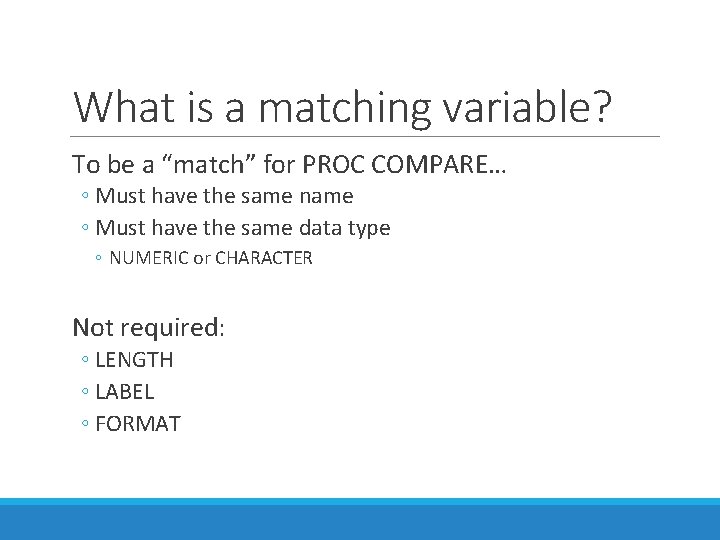
What is a matching variable? To be a “match” for PROC COMPARE… ◦ Must have the same name ◦ Must have the same data type ◦ NUMERIC or CHARACTER Not required: ◦ LENGTH ◦ LABEL ◦ FORMAT
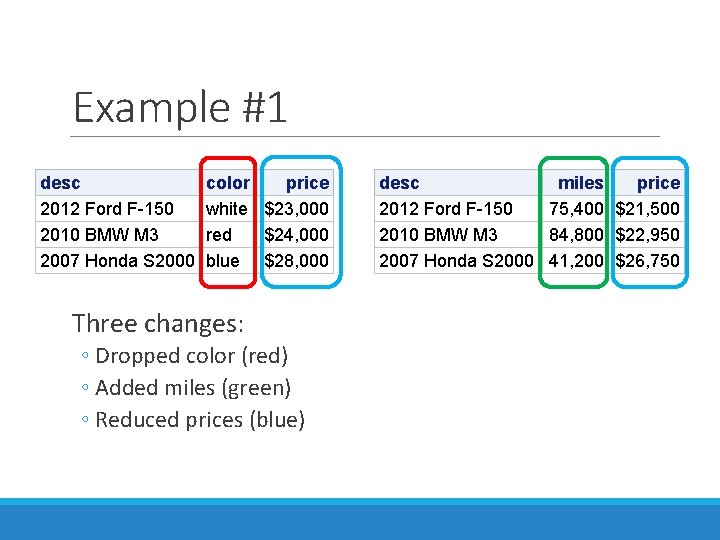
Example #1 desc 2012 Ford F-150 2010 BMW M 3 2007 Honda S 2000 color price white $23, 000 red $24, 000 blue $28, 000 Three changes: ◦ Dropped color (red) ◦ Added miles (green) ◦ Reduced prices (blue) desc miles price 2012 Ford F-150 75, 400 $21, 500 2010 BMW M 3 84, 800 $22, 950 2007 Honda S 2000 41, 200 $26, 750
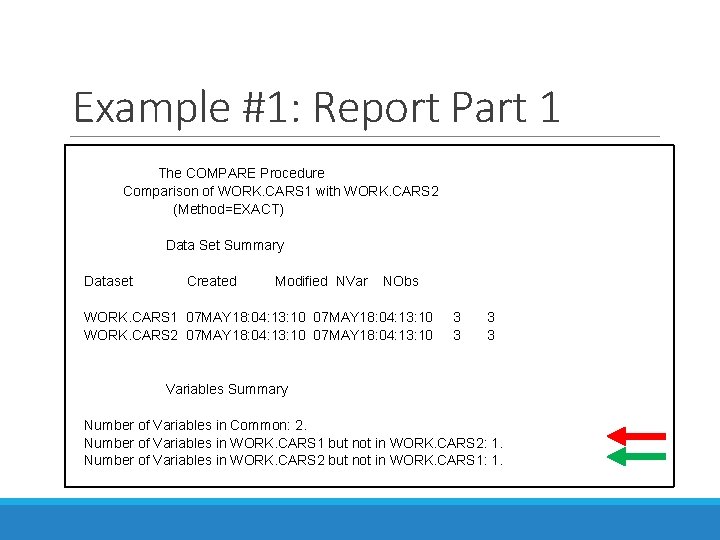
Example #1: Report Part 1 The COMPARE Procedure Comparison of WORK. CARS 1 with WORK. CARS 2 (Method=EXACT) Data Set Summary Dataset Created Modified NVar NObs WORK. CARS 1 07 MAY 18: 04: 13: 10 3 3 WORK. CARS 2 07 MAY 18: 04: 13: 10 3 3 Variables Summary Number of Variables in Common: 2. Number of Variables in WORK. CARS 1 but not in WORK. CARS 2: 1. Number of Variables in WORK. CARS 2 but not in WORK. CARS 1: 1.
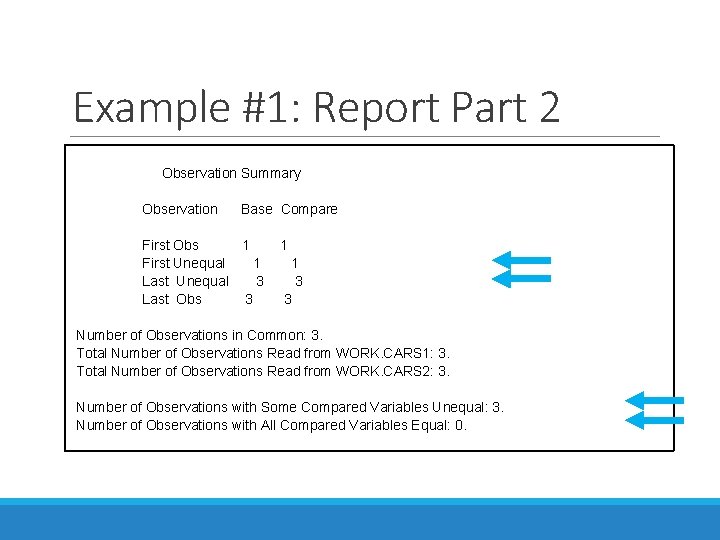
Example #1: Report Part 2 Observation Summary Observation Base Compare First Obs 1 1 First Unequal 1 1 Last Unequal 3 3 Last Obs 3 3 Number of Observations in Common: 3. Total Number of Observations Read from WORK. CARS 1: 3. Total Number of Observations Read from WORK. CARS 2: 3. Number of Observations with Some Compared Variables Unequal: 3. Number of Observations with All Compared Variables Equal: 0.
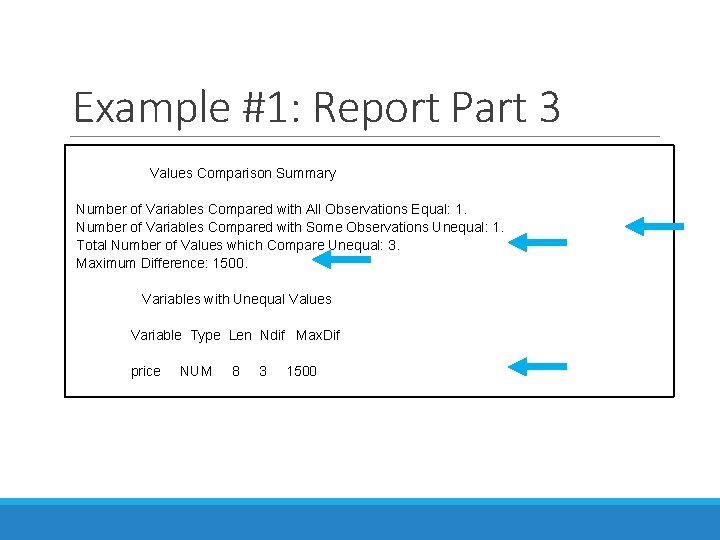
Example #1: Report Part 3 Values Comparison Summary Number of Variables Compared with All Observations Equal: 1. Number of Variables Compared with Some Observations Unequal: 1. Total Number of Values which Compare Unequal: 3. Maximum Difference: 1500. Variables with Unequal Values Variable Type Len Ndif Max. Dif price NUM 8 3 1500
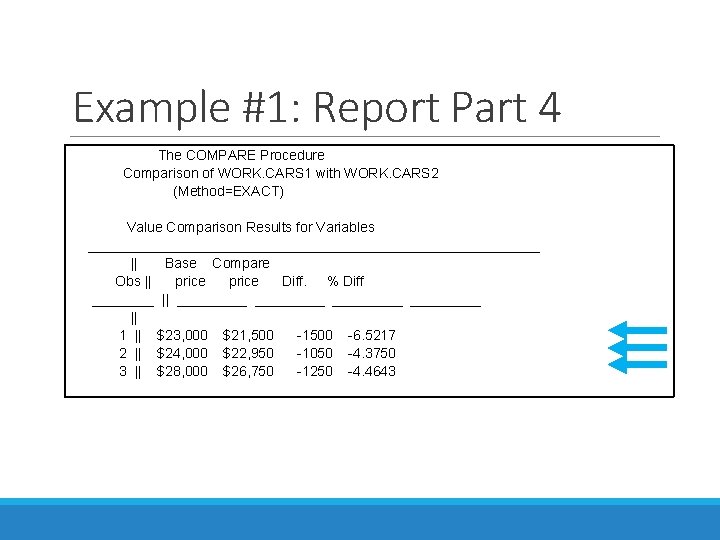
Example #1: Report Part 4 The COMPARE Procedure Comparison of WORK. CARS 1 with WORK. CARS 2 (Method=EXACT) Value Comparison Results for Variables _____________________________ || Base Compare Obs || price Diff. % Diff ____ || _________ || 1 || $23, 000 $21, 500 -1500 -6. 5217 2 || $24, 000 $22, 950 -1050 -4. 3750 3 || $28, 000 $26, 750 -1250 -4. 4643 _____________________________
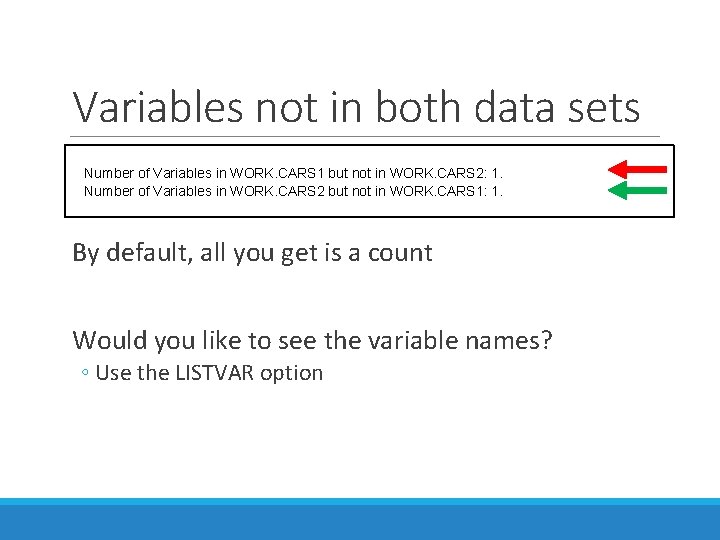
Variables not in both data sets By default, Number of Variables in WORK. CARS 1 but not in WORK. CARS 2: 1. Number of Variables in WORK. CARS 2 but not in WORK. CARS 1: 1. By default, all you get is a count Would you like to see the variable names? ◦ Use the LISTVAR option
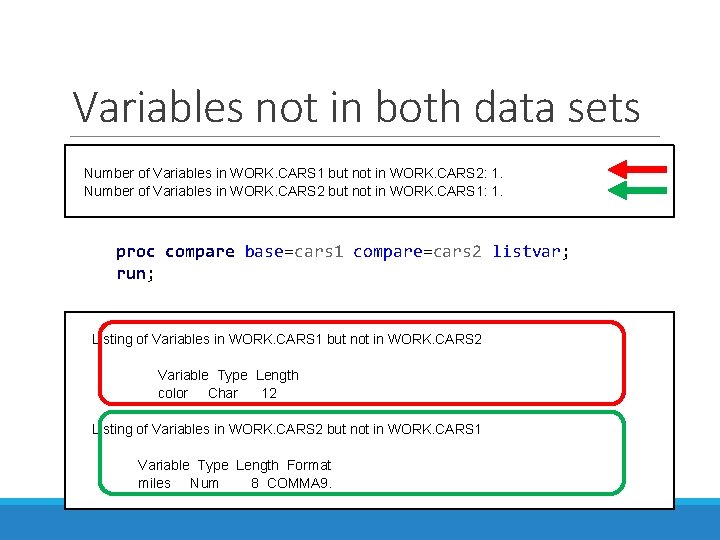
Variables not in both data sets Number of Variables in WORK. CARS 1 but not in WORK. CARS 2: 1. Number of Variables in WORK. CARS 2 but not in WORK. CARS 1: 1. proc compare base=cars 1 compare=cars 2 listvar; run; Listing of Variables in WORK. CARS 1 but not in WORK. CARS 2 Variable Type Length color Char 12 Listing of Variables in WORK. CARS 2 but not in WORK. CARS 1 Variable Type Length Format miles Num 8 COMMA 9.
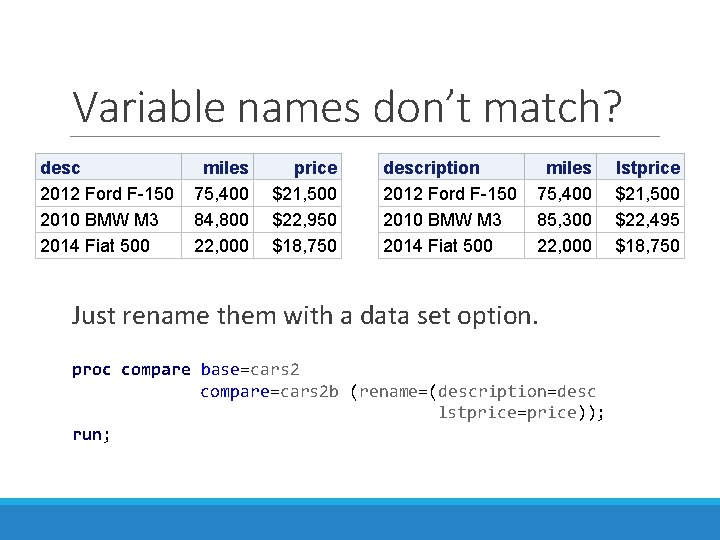
Variable names don’t match? desc 2012 Ford F-150 2010 BMW M 3 2014 Fiat 500 miles 75, 400 84, 800 22, 000 price $21, 500 $22, 950 $18, 750 description 2012 Ford F-150 2010 BMW M 3 2014 Fiat 500 miles 75, 400 85, 300 22, 000 Just rename them with a data set option. proc compare base=cars 2 compare=cars 2 b (rename=(description=desc lstprice=price)); run; lstprice $21, 500 $22, 495 $18, 750
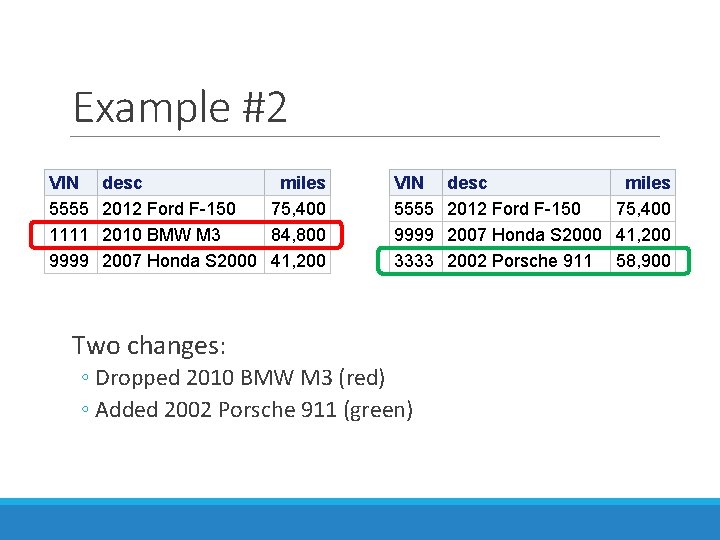
Example #2 VIN 5555 1111 9999 desc miles 2012 Ford F-150 75, 400 2010 BMW M 3 84, 800 2007 Honda S 2000 41, 200 VIN 5555 9999 3333 Two changes: ◦ Dropped 2010 BMW M 3 (red) ◦ Added 2002 Porsche 911 (green) desc miles 2012 Ford F-150 75, 400 2007 Honda S 2000 41, 2002 Porsche 911 58, 900
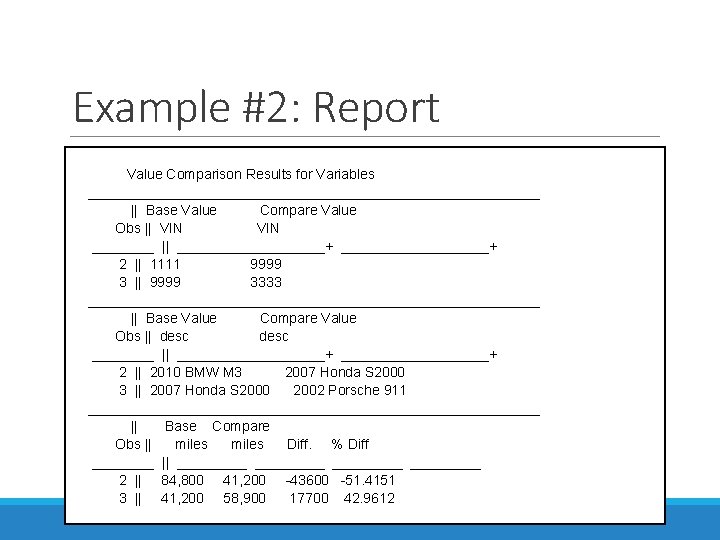
Example #2: Report Value Comparison Results for Variables _____________________________ || Base Value Compare Value Obs || VIN ____ || ___________________+ 2 || 1111 9999 3 || 9999 3333 _____________________________ || Base Value Compare Value Obs || desc ____ || ___________________+ 2 || 2010 BMW M 3 2007 Honda S 2000 3 || 2007 Honda S 2000 2002 Porsche 911 _____________________________ || Base Compare Obs || miles Diff. % Diff ____ || _________ 2 || 84, 800 41, 200 -43600 -51. 4151 3 || 41, 200 58, 900 17700 42. 9612 _____________________________
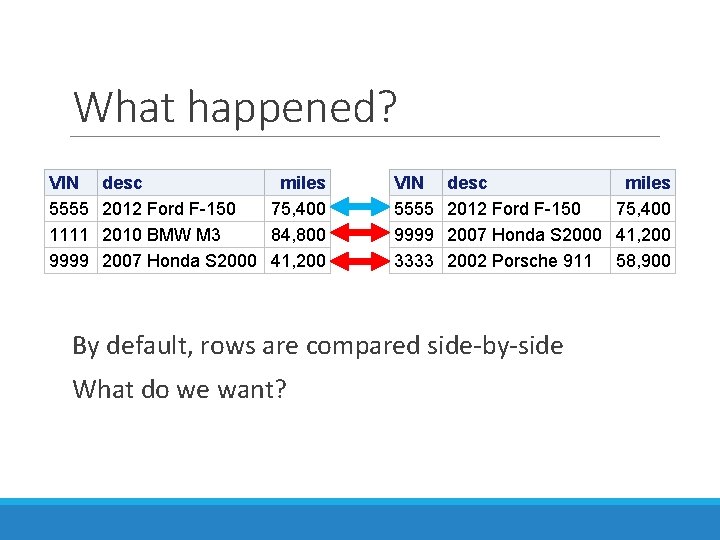
What happened? VIN 5555 1111 9999 desc miles 2012 Ford F-150 75, 400 2010 BMW M 3 84, 800 2007 Honda S 2000 41, 200 VIN 5555 9999 3333 desc miles 2012 Ford F-150 75, 400 2007 Honda S 2000 41, 2002 Porsche 911 58, 900 By default, rows are compared side-by-side What do we want?
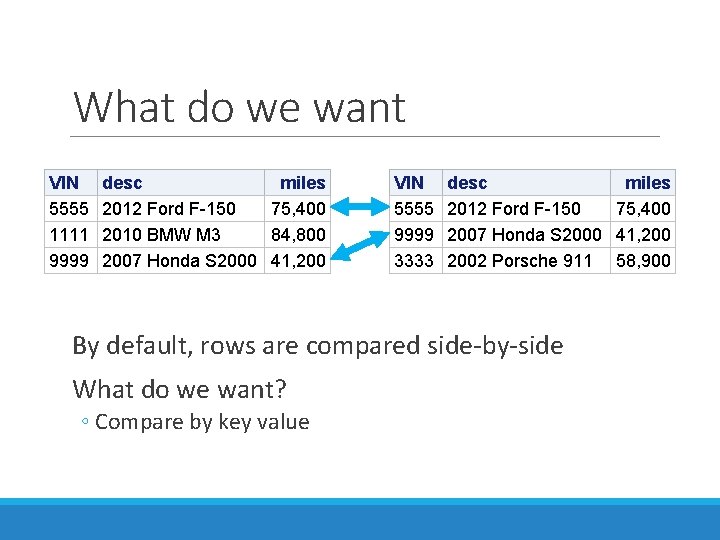
What do we want VIN 5555 1111 9999 desc miles 2012 Ford F-150 75, 400 2010 BMW M 3 84, 800 2007 Honda S 2000 41, 200 VIN 5555 9999 3333 desc miles 2012 Ford F-150 75, 400 2007 Honda S 2000 41, 2002 Porsche 911 58, 900 By default, rows are compared side-by-side What do we want? ◦ Compare by key value
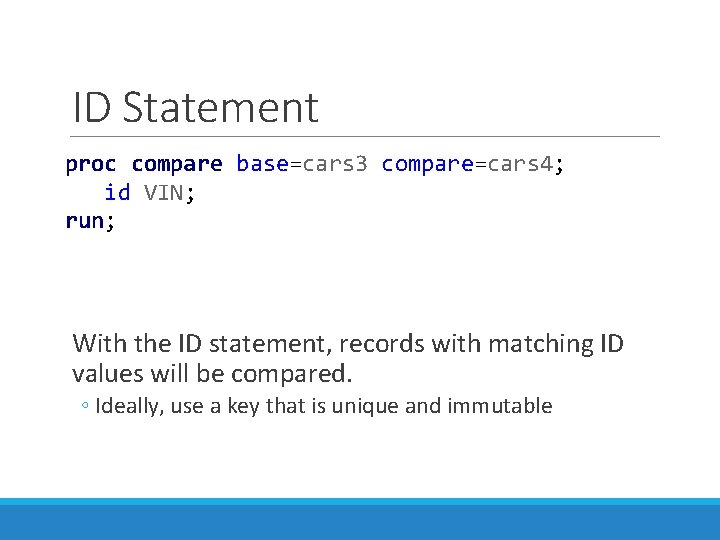
ID Statement proc compare base=cars 3 compare=cars 4; id VIN; run; With the ID statement, records with matching ID values will be compared. ◦ Ideally, use a key that is unique and immutable
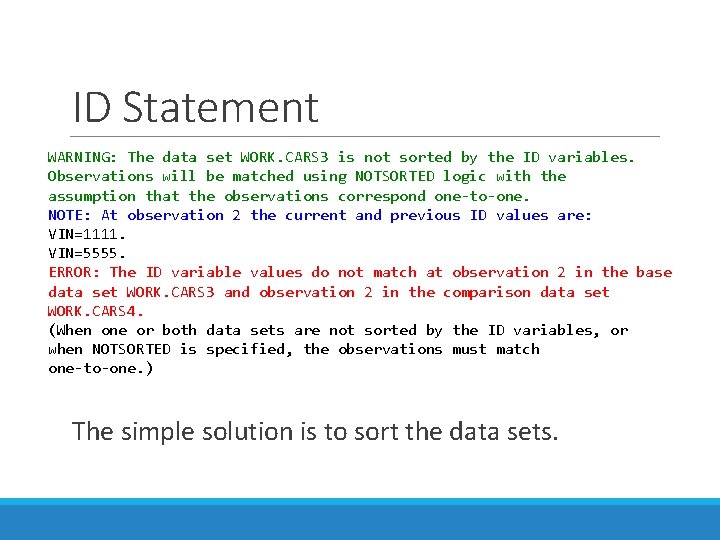
ID Statement WARNING: The data set WORK. CARS 3 is not sorted by the ID variables. Observations will be matched using NOTSORTED logic with the assumption that the observations correspond one-to-one. NOTE: At observation 2 the current and previous ID values are: VIN=1111. VIN=5555. ERROR: The ID variable values do not match at observation 2 in the base data set WORK. CARS 3 and observation 2 in the comparison data set WORK. CARS 4. (When one or both data sets are not sorted by the ID variables, or when NOTSORTED is specified, the observations must match one-to-one. ) The simple solution is to sort the data sets.
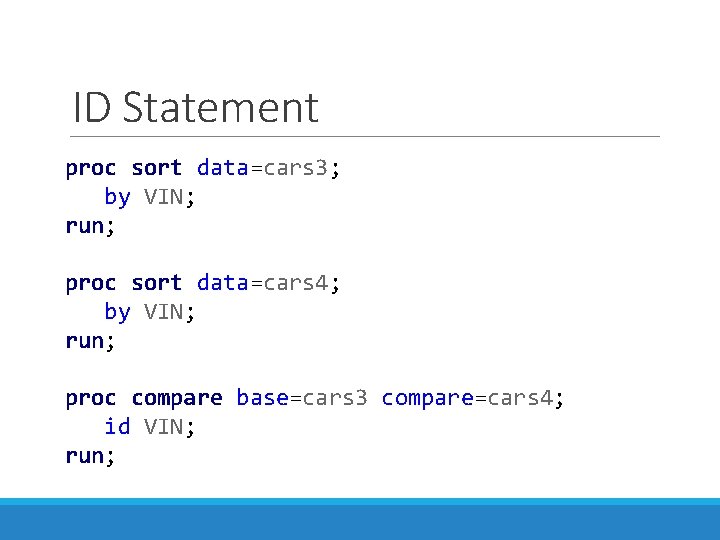
ID Statement proc sort data=cars 3; by VIN; run; proc sort data=cars 4; by VIN; run; proc compare base=cars 3 compare=cars 4; id VIN; run;
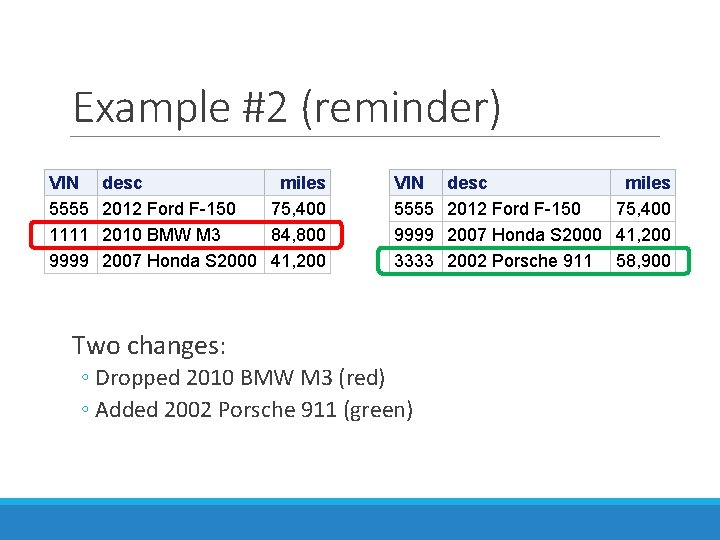
Example #2 (reminder) VIN 5555 1111 9999 desc miles 2012 Ford F-150 75, 400 2010 BMW M 3 84, 800 2007 Honda S 2000 41, 200 VIN 5555 9999 3333 Two changes: ◦ Dropped 2010 BMW M 3 (red) ◦ Added 2002 Porsche 911 (green) desc miles 2012 Ford F-150 75, 400 2007 Honda S 2000 41, 2002 Porsche 911 58, 900
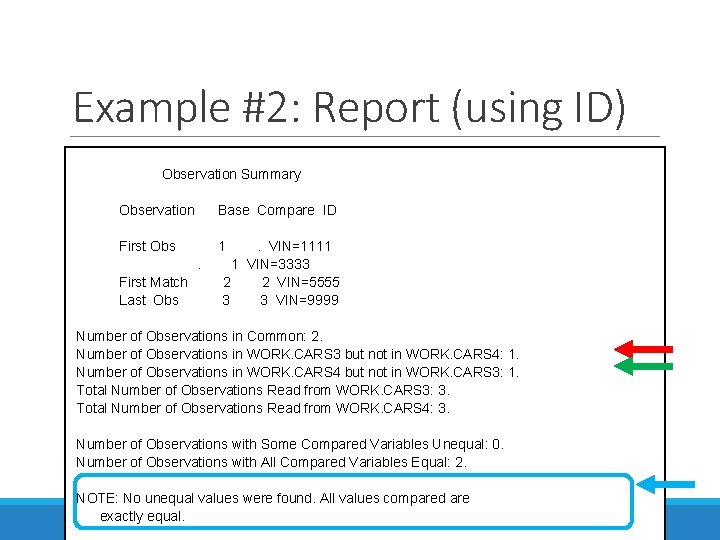
Example #2: Report (using ID) Observation Summary Observation Base Compare ID First Obs 1 . VIN=1111 . 1 VIN=3333 First Match 2 2 VIN=5555 Last Obs 3 3 VIN=9999 Number of Observations in Common: 2. Number of Observations in WORK. CARS 3 but not in WORK. CARS 4: 1. Number of Observations in WORK. CARS 4 but not in WORK. CARS 3: 1. Total Number of Observations Read from WORK. CARS 3: 3. Total Number of Observations Read from WORK. CARS 4: 3. Number of Observations with Some Compared Variables Unequal: 0. Number of Observations with All Compared Variables Equal: 2. NOTE: No unequal values were found. All values compared are exactly equal.
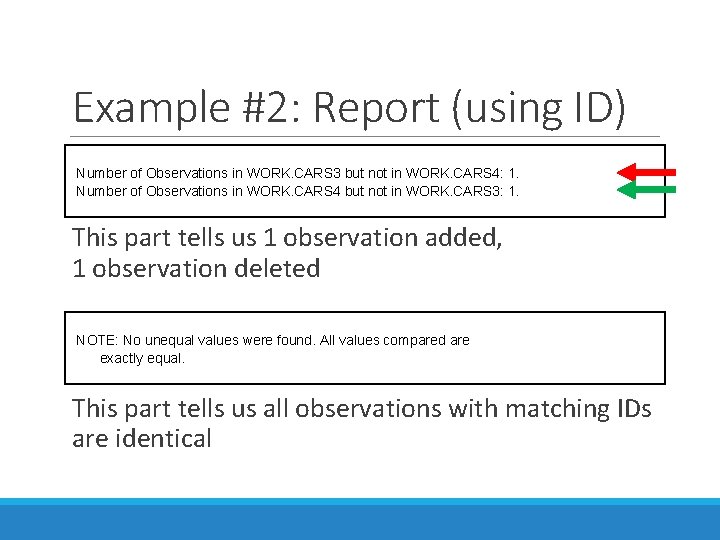
Example #2: Report (using ID) Number of Observations in WORK. CARS 3 but not in WORK. CARS 4: 1. Number of Observations in WORK. CARS 4 but not in WORK. CARS 3: 1. This part tells us 1 observation added, 1 observation deleted NOTE: No unequal values were found. All values compared are exactly equal. This part tells us all observations with matching IDs are identical

PROC COMPARE: Beyond the Basics
Going Beyond the Basics What we’ve covered up to this point will provide most of what you need to get started with PROC COMPARE. Now, let’s cover some issues you may run into, and their solutions.
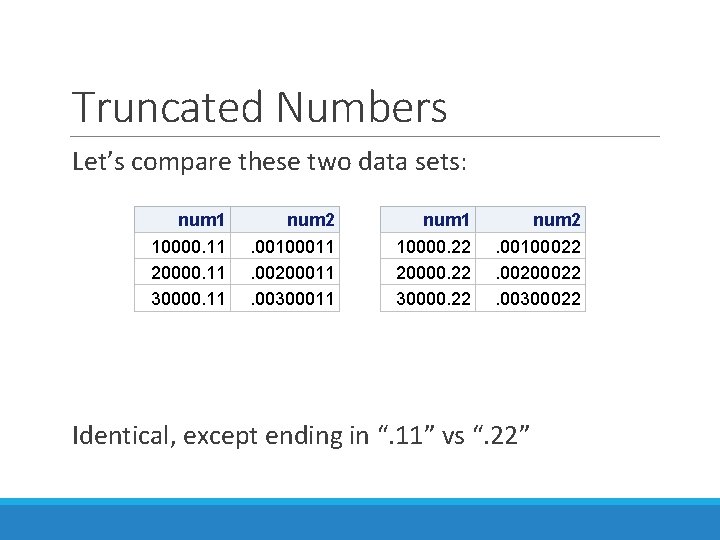
Truncated Numbers Let’s compare these two data sets: num 1 10000. 11 20000. 11 30000. 11 num 2. 00100011. 00200011. 00300011 num 1 10000. 22 20000. 22 30000. 22 num 2. 00100022. 00200022. 00300022 Identical, except ending in “. 11” vs “. 22”
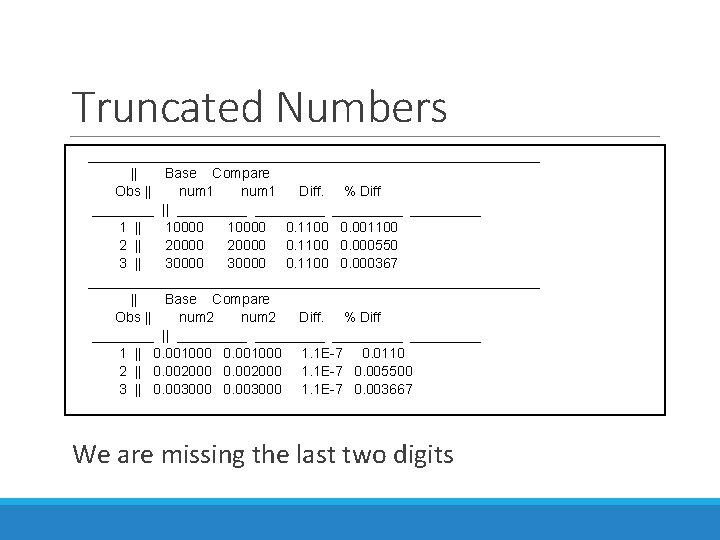
Truncated Numbers _____________________________ || Base Compare Obs || num 1 Diff. % Diff ____ || _________ 1 || 10000 0. 1100 0. 001100 2 || 20000 0. 1100 0. 000550 3 || 30000 0. 1100 0. 000367 _____________________________ || Base Compare Obs || num 2 Diff. % Diff ____ || _________ 1 || 0. 001000 1. 1 E-7 0. 0110 2 || 0. 002000 1. 1 E-7 0. 005500 3 || 0. 003000 1. 1 E-7 0. 003667 _____________________________ We are missing the last two digits
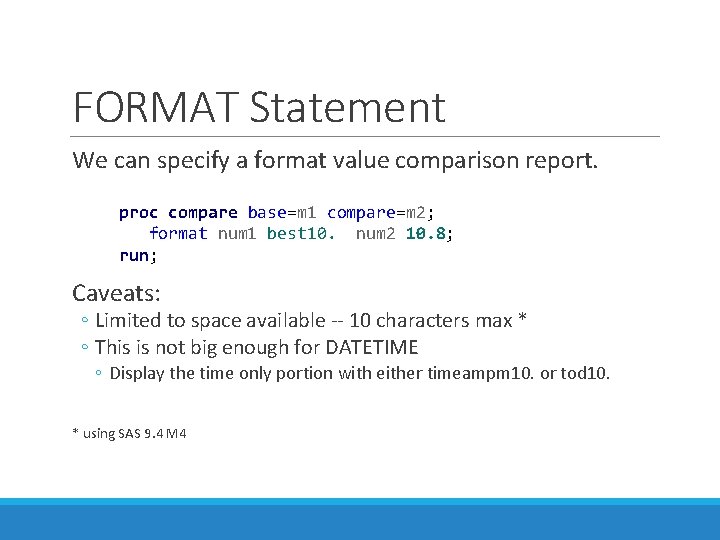
FORMAT Statement We can specify a format value comparison report. proc compare base=m 1 compare=m 2; format num 1 best 10. num 2 10. 8; run; Caveats: ◦ Limited to space available -- 10 characters max * ◦ This is not big enough for DATETIME ◦ Display the time only portion with either timeampm 10. or tod 10. * using SAS 9. 4 M 4
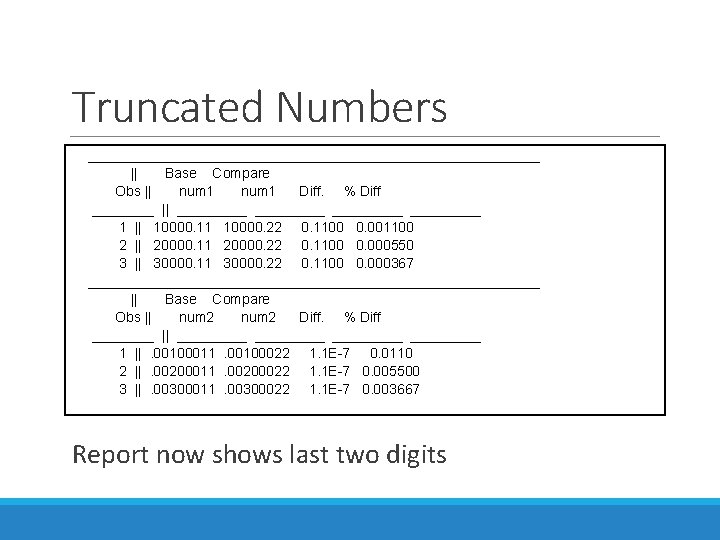
Truncated Numbers _____________________________ || Base Compare Obs || num 1 Diff. % Diff ____ || _________ 1 || 10000. 11 10000. 22 0. 1100 0. 001100 2 || 20000. 11 20000. 22 0. 1100 0. 000550 3 || 30000. 11 30000. 22 0. 1100 0. 000367 _____________________________ || Base Compare Obs || num 2 Diff. % Diff ____ || _________ 1 || . 00100011 . 00100022 1. 1 E-7 0. 0110 2 || . 00200011 . 00200022 1. 1 E-7 0. 005500 3 || . 00300011 . 00300022 1. 1 E-7 0. 003667 _____________________________ Report now shows last two digits
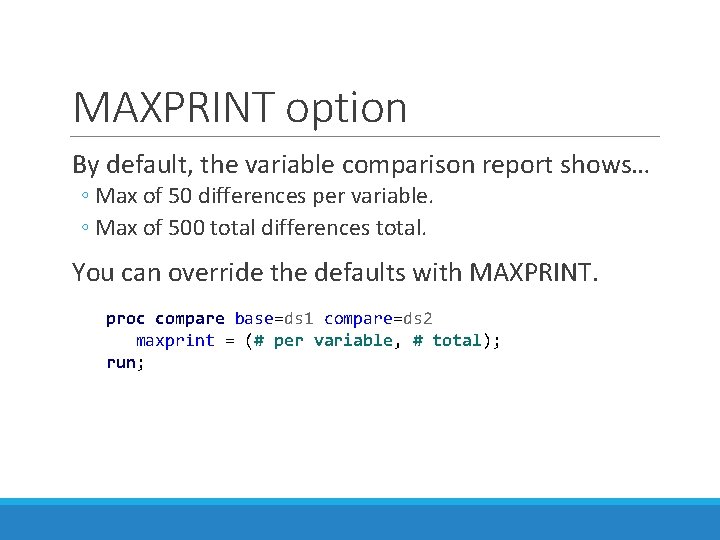
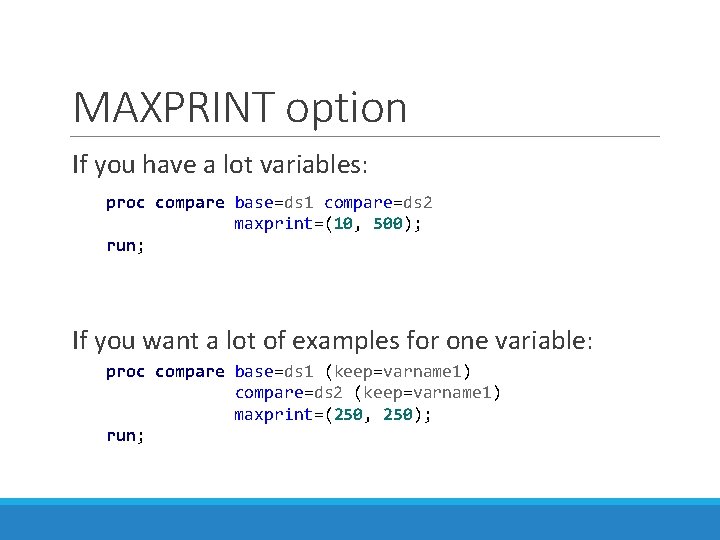
MAXPRINT option By default, the variable comparison report shows… ◦ Max of 50 differences per variable. ◦ Max of 500 total differences total. You can override the defaults with MAXPRINT. proc compare base=ds 1 compare=ds 2 maxprint = (# per variable, # total); run;
MAXPRINT option If you have a lot variables: proc compare base=ds 1 compare=ds 2 maxprint=(10, 500); run; If you want a lot of examples for one variable: proc compare base=ds 1 (keep=varname 1) compare=ds 2 (keep=varname 1) maxprint=(250, 250); run;
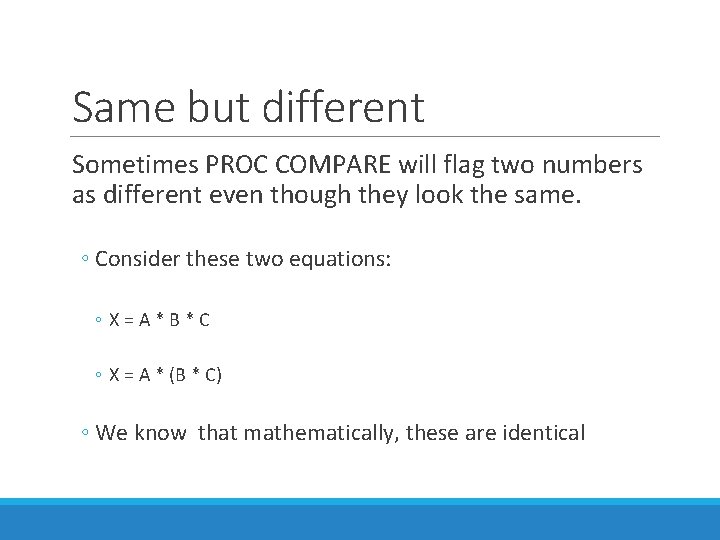
Same but different Sometimes PROC COMPARE will flag two numbers as different even though they look the same. ◦ Consider these two equations: ◦ X=A*B*C ◦ X = A * (B * C) ◦ We know that mathematically, these are identical
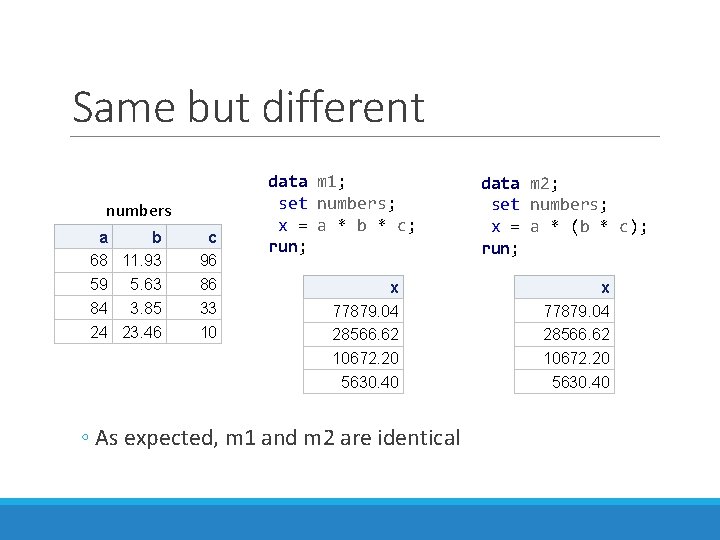
Same but different numbers a b 68 11. 93 59 5. 63 84 3. 85 24 23. 46 c 96 86 33 10 data m 1; set numbers; x = a * b * c; run; x 77879. 04 28566. 62 10672. 20 5630. 40 ◦ As expected, m 1 and m 2 are identical data m 2; set numbers; x = a * (b * c); run; x 77879. 04 28566. 62 10672. 20 5630. 40
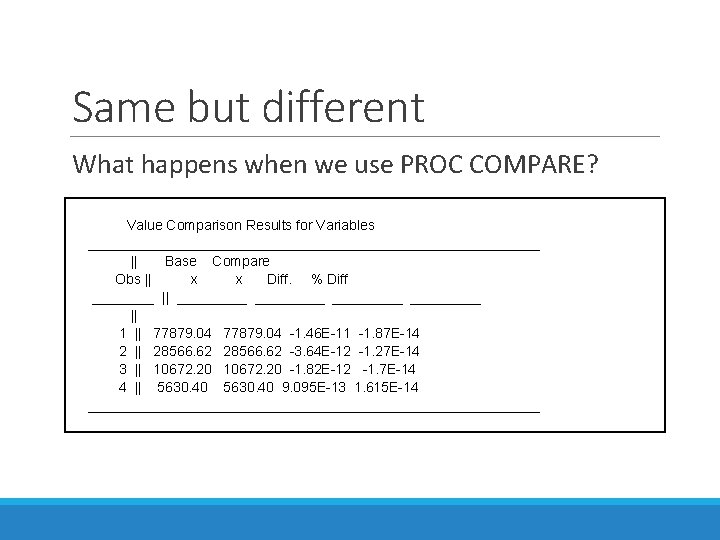
Same but different What happens when we use PROC COMPARE? Value Comparison Results for Variables _____________________________ || Base Compare Obs || x Diff. % Diff ____ || _________ || 1 || 77879. 04 -1. 46 E-11 -1. 87 E-14 2 || 28566. 62 -3. 64 E-12 -1. 27 E-14 3 || 10672. 20 -1. 82 E-12 -1. 7 E-14 4 || 5630. 40 9. 095 E-13 1. 615 E-14 _____________________________
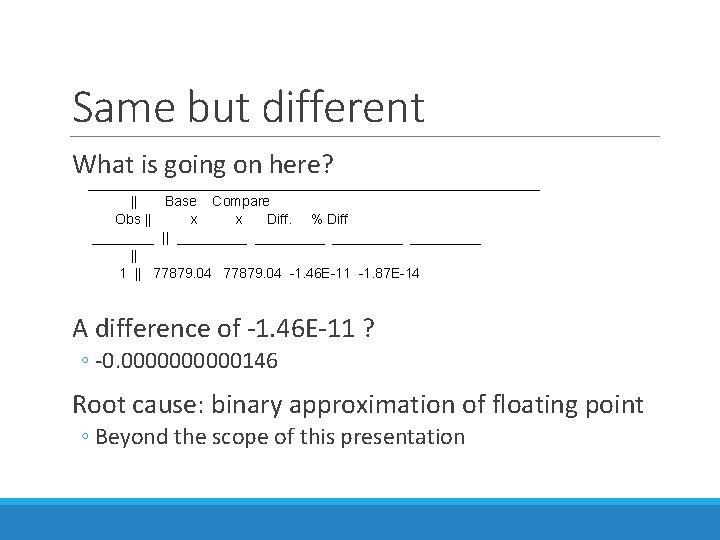
Same but different What is going on here? _____________________________ || Base Compare Obs || x Diff. % Diff ____ || _________ || 1 || 77879. 04 -1. 46 E-11 -1. 87 E-14 A difference of -1. 46 E-11 ? ◦ -0. 00000146 Root cause: binary approximation of floating point ◦ Beyond the scope of this presentation
Same but different Many things can trigger this small difference ◦ Rounding won’t always fix this Real problems get buried in the noise We need to be able to ignore small differences!
METHOD parameter We can ignore small differences with the METHOD parameter ◦ EXACT (default) ◦ ABSOLUTE – will ignore differences smaller than the value specified by CRITERION ◦ PERCENT and RELATIVE – threshold is based on the magnitude of value that is changing
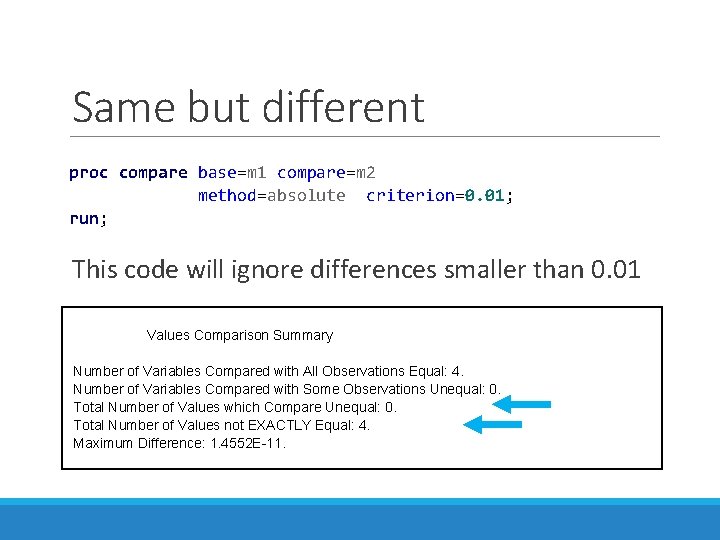
Same but different proc compare base=m 1 compare=m 2 method=absolute criterion=0. 01; run; This code will ignore differences smaller than 0. 01 Values Comparison Summary Number of Variables Compared with All Observations Equal: 4. Number of Variables Compared with Some Observations Unequal: 0. Total Number of Values which Compare Unequal: 0. Total Number of Values not EXACTLY Equal: 4. Maximum Difference: 1. 4552 E-11.

Going Beyond PROC COMPARE
Going Beyond PROC COMPARE can do some amazing things, but has its limitations We can also compare data sets using our own code ◦ Standard DATA steps ◦ PROC SQL
Find Unmatched Observations Finding Unmatched Observations is a frequently required task Especially useful with interdependent variables ◦ We can print samples from both data sets with all variables ◦ Use this to determine root cause
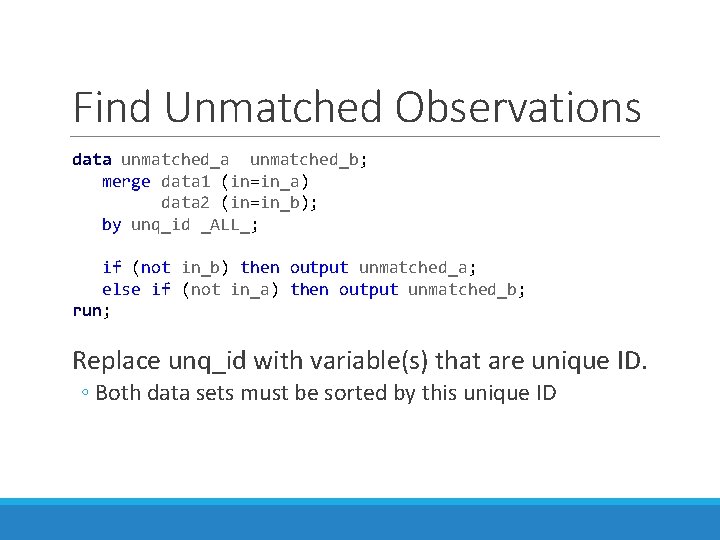
Find Unmatched Observations data unmatched_b; merge data 1 (in=in_a) data 2 (in=in_b); by unq_id _ALL_; if (not in_b) then output unmatched_a; else if (not in_a) then output unmatched_b; run; Replace unq_id with variable(s) that are unique ID. ◦ Both data sets must be sorted by this unique ID
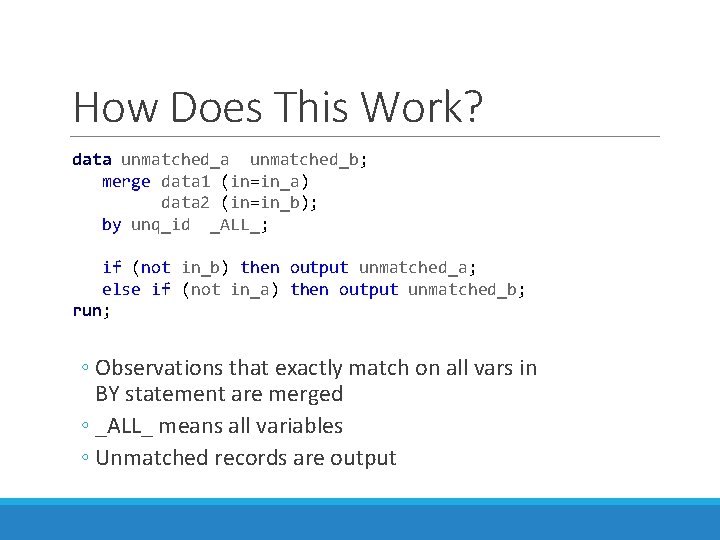
How Does This Work? data unmatched_b; merge data 1 (in=in_a) data 2 (in=in_b); by unq_id _ALL_; if (not in_b) then output unmatched_a; else if (not in_a) then output unmatched_b; run; ◦ Observations that exactly match on all vars in BY statement are merged ◦ _ALL_ means all variables ◦ Unmatched records are output
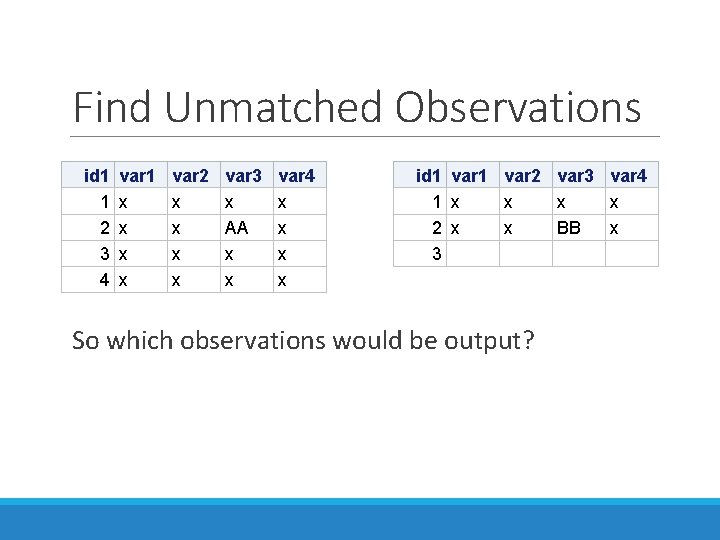
Find Unmatched Observations id 1 1 2 3 4 var 1 x x var 2 x x var 3 x AA x x var 4 x x id 1 1 2 3 var 1 x x var 2 x x So which observations would be output? var 3 x BB var 4 x x
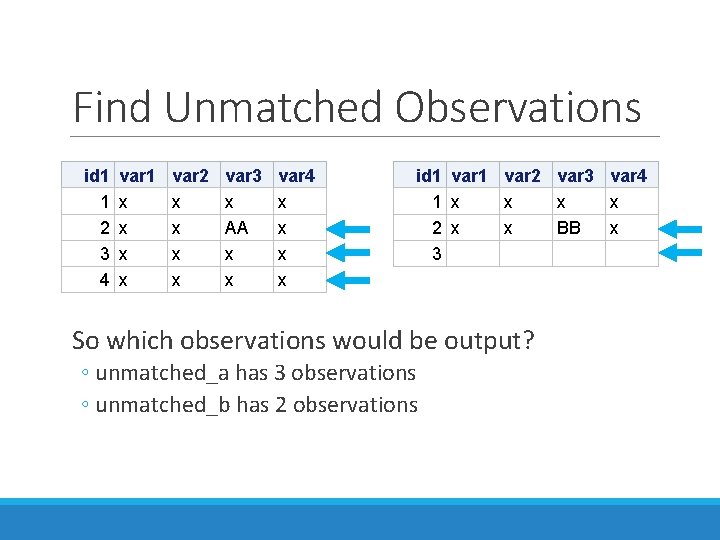
Find Unmatched Observations id 1 1 2 3 4 var 1 x x var 2 x x var 3 x AA x x var 4 x x id 1 1 2 3 var 1 x x var 2 x x So which observations would be output? ◦ unmatched_a has 3 observations ◦ unmatched_b has 2 observations var 3 x BB var 4 x x
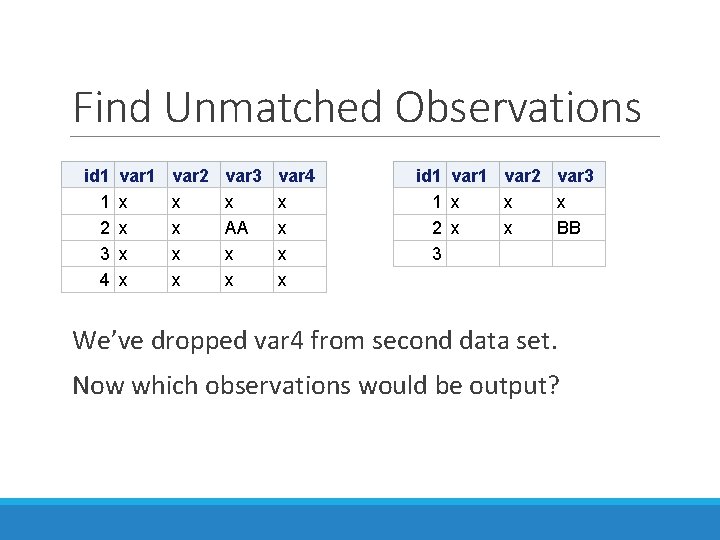
Find Unmatched Observations id 1 1 2 3 4 var 1 x x var 2 x x var 3 x AA x x var 4 x x id 1 1 2 3 var 1 x x var 2 x x var 3 x BB We’ve dropped var 4 from second data set. Now which observations would be output?
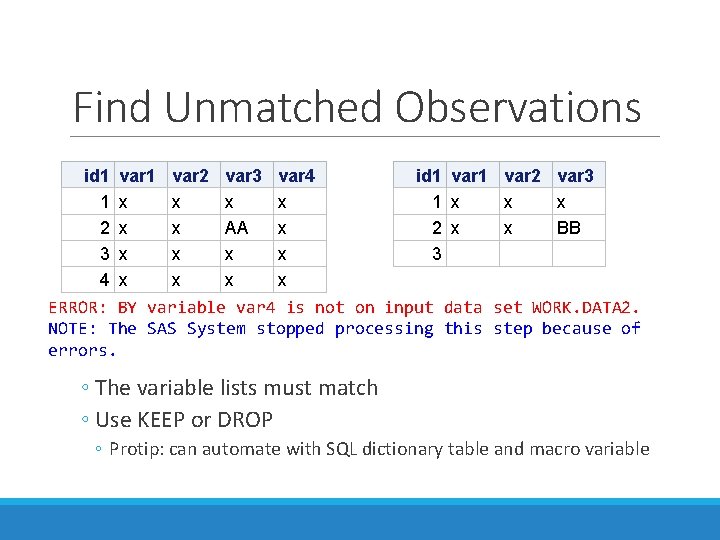
Find Unmatched Observations id 1 var 2 var 3 var 4 id 1 var 2 var 3 1 x x x 2 x x AA x 2 x x BB 3 x x 3 4 x x ERROR: BY variable var 4 is not on input data set WORK. DATA 2. NOTE: The SAS System stopped processing this step because of errors. ◦ The variable lists must match ◦ Use KEEP or DROP ◦ Protip: can automate with SQL dictionary table and macro variable
Quantify the change PROC COMPARE is good at telling you… ◦ Is it different? ◦ Is it the same? What if you want to know… ◦ Was the change significant? ◦ Did things get better or worse?
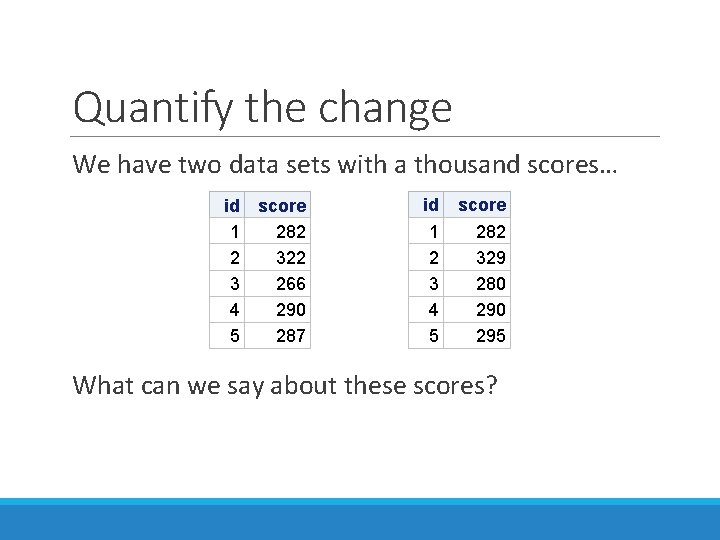
Quantify the change We have two data sets with a thousand scores… id 1 2 3 4 5 score 282 322 266 290 287 id 1 2 3 4 5 score 282 329 280 295 What can we say about these scores?
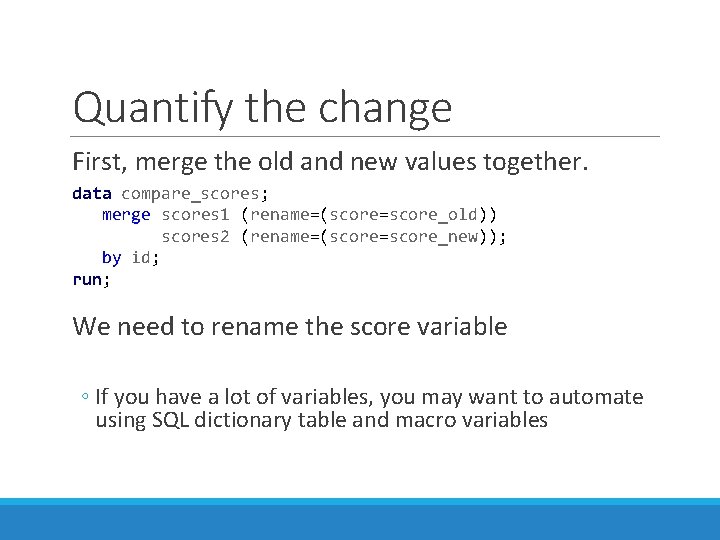
Quantify the change First, merge the old and new values together. data compare_scores; merge scores 1 (rename=(score=score_old)) scores 2 (rename=(score=score_new)); by id; run; We need to rename the score variable ◦ If you have a lot of variables, you may want to automate using SQL dictionary table and macro variables
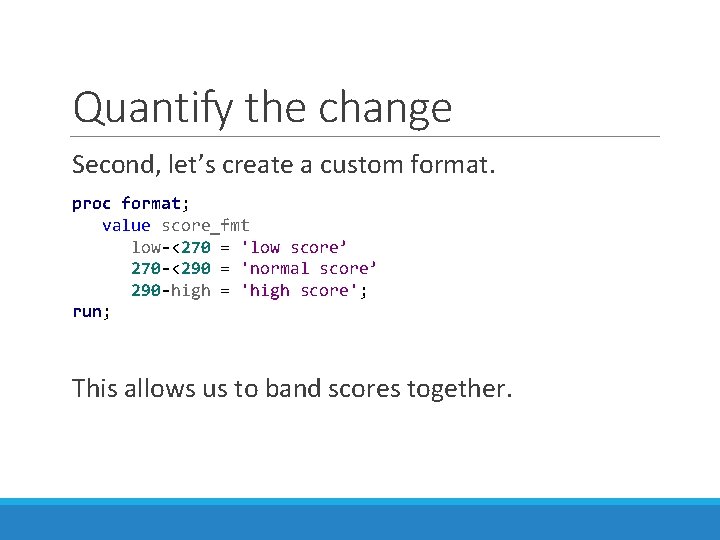
Quantify the change Second, let’s create a custom format. proc format; value score_fmt low-<270 = 'low score’ 270 -<290 = 'normal score’ 290 -high = 'high score'; run; This allows us to band scores together.
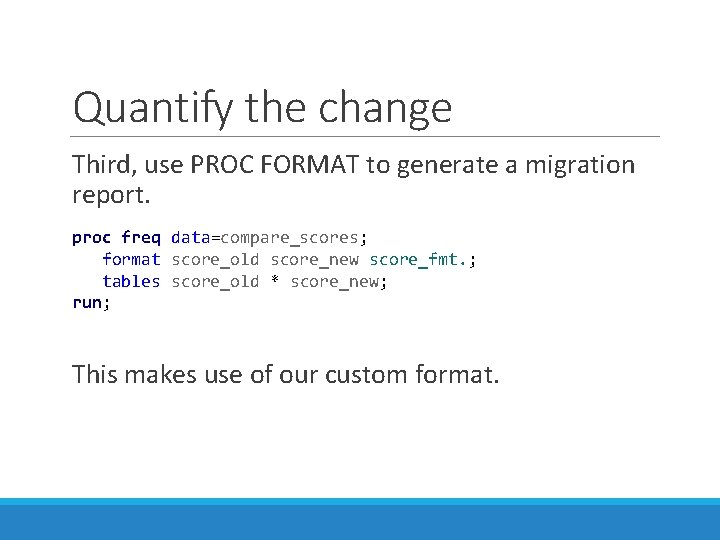
Quantify the change Third, use PROC FORMAT to generate a migration report. proc freq data=compare_scores; format score_old score_new score_fmt. ; tables score_old * score_new; run; This makes use of our custom format.
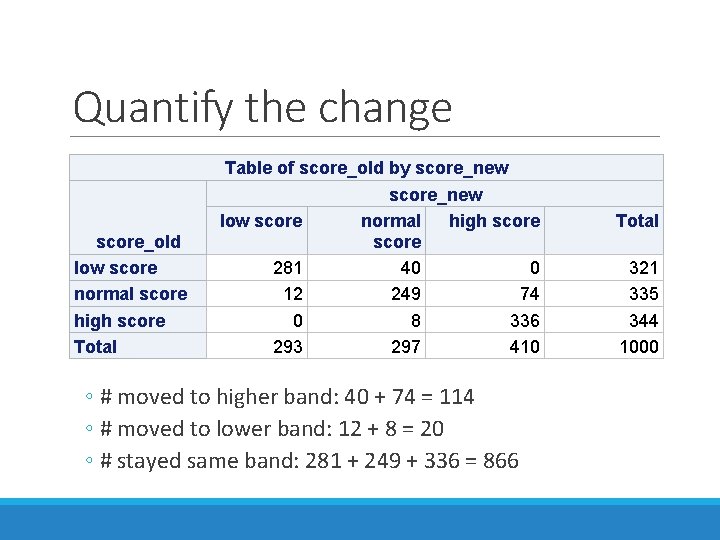
Quantify the change score_old low score normal score high score Total Table of score_old by score_new low score normal high score 281 40 0 12 249 74 0 8 336 293 297 410 ◦ # moved to higher band: 40 + 74 = 114 ◦ # moved to lower band: 12 + 8 = 20 ◦ # stayed same band: 281 + 249 + 336 = 866 Total 321 335 344 1000

Wrapping Up
Conclusions I’ve covered some of what there is to know about PROC COMPARE ◦ A lot more info is in the SAS documentation Alternatives to PROC COMPARE? ◦ Only limited by your imagination and determination Any questions, thoughts or ideas? ◦ Scott A. Miller – smiller 933@yahoo. com
Appendix 1: References
References This is a list of references consulted while writing this presentation: SAS 9. 2 Procedures Guide: PROC COMPARE Statement http: //support. sas. com/documentation/cdl/en/proc/61895/HTML/default/viewer. htm#a 000146741. htm SAS 9. 4 Procedures Guide, 7 th Ed: COMPARE Procedure (Using “FORMAT” statement with PROC COMPARE) http: //documentation. sas. com/? docset. Id=proc&docset. Target=n 1 nwxbchh 5 hpu 1 n 1 h 28 kmici 2 awd. htm&docset. Version=9. 4&locale=en SAS 9. 2 Concepts: COMPARE Procedure http: //support. sas. com/documentation/cdl/en/proc/61895/HTML/default/viewer. htm#a 000146742. htm SAS 9. 3 COMPARE Procedure https: //support. sas. com/documentation/cdl/en/proc/65145/HTML/default/viewer. htm#n 0 c 1 y 14 wyd 3 u 7 yn 1 dmfcpaejllsn. htm SAS 9. 2 DATETIMEw. d Format http: //support. sas. com/documentation/cdl/en/lrdict/64316/HTML/default/viewer. htm#a 000197923. htm RAND Function http: //support. sas. com/documentation/cdl/en/lrdict/64316/HTML/default/viewer. htm#a 001466748. htm CALL STREAMINIT Routine http: //support. sas. com/documentation/cdl/en/lrdict/64316/HTML/default/viewer. htm#a 001466799. htm#a 001460383

Appendix 2: Full Code to Produce Slides

* Code for "Ensuring Data Integrity with PROC COMPARE and Beyond" *; * Code and presentation by Scott A. Miller *; * May 12, 2018 *; * Demo of basic PROC COMPARE usage. *; data cars 1; infile datalines dsd; length desc $25 color $12; input desc color price ; format price dollar 10. 0; datalines; 2012 Ford F-150, white, 23000 2010 BMW M 3, red, 24000 2007 Honda S 2000, blue, 28000 ; run; data cars 2; infile datalines dsd; length desc $25; input desc miles price ; format price dollar 10. 0 miles comma 9. ; datalines; 2012 Ford F-150, 75400, 21500 2010 BMW M 3, 84800, 22950 2007 Honda S 2000, 41200, 26750 ; run; proc print data=cars 1 noobs; run; proc print data=cars 2 noobs; run; options LINESIZE=70; * To format report to fit nicely in Power. Point slide show *; proc compare base=cars 1 compare=cars 2; run; /* proc compare base=OLD_DATA compare=NEW_DATA; run; */ options LINESIZE=70; * To format report to fit nicely in Power. Point slide show *; proc compare base=cars 1 compare=cars 2 listvar; run;
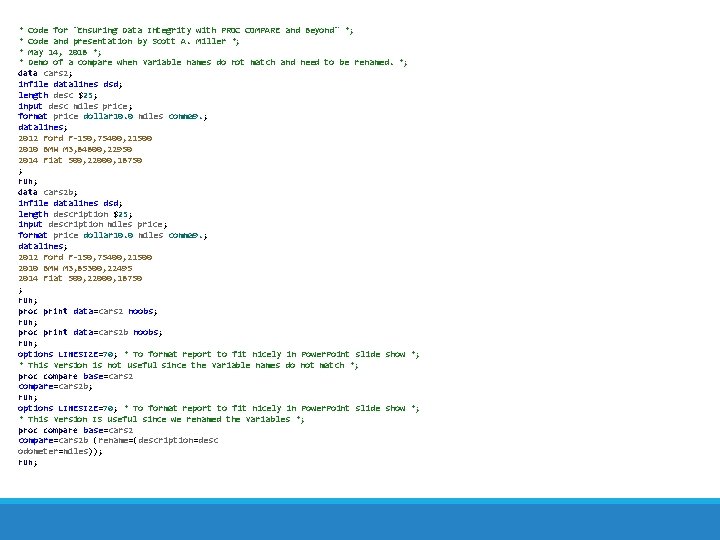
* Code for "Ensuring Data Integrity with PROC COMPARE and Beyond" *; * Code and presentation by Scott A. Miller *; * May 14, 2018 *; * Demo of a compare when variable names do not match and need to be renamed. *; data cars 2; infile datalines dsd; length desc $25; input desc miles price ; format price dollar 10. 0 miles comma 9. ; datalines; 2012 Ford F-150, 75400, 21500 2010 BMW M 3, 84800, 22950 2014 Fiat 500, 22000, 18750 ; run; data cars 2 b; infile datalines dsd; length description $25; input description miles price ; format price dollar 10. 0 miles comma 9. ; datalines; 2012 Ford F-150, 75400, 21500 2010 BMW M 3, 85300, 22495 2014 Fiat 500, 22000, 18750 ; run; proc print data=cars 2 noobs; run; proc print data=cars 2 b noobs; run; options LINESIZE=70; * To format report to fit nicely in Power. Point slide show *; * This version is not useful since the variable names do not match *; proc compare base=cars 2 compare=cars 2 b; run; options LINESIZE=70; * To format report to fit nicely in Power. Point slide show *; * This version IS useful since we renamed the variables *; proc compare base=cars 2 compare=cars 2 b (rename=(description=desc odometer=miles)); run;
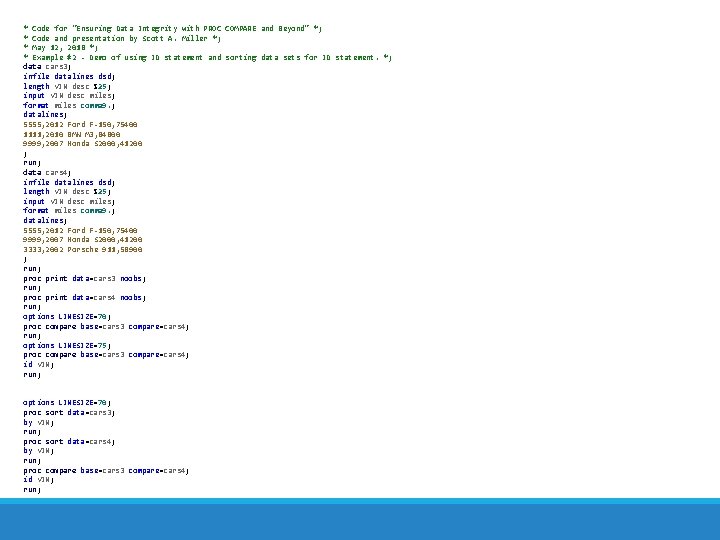
* Code for "Ensuring Data Integrity with PROC COMPARE and Beyond" *; * Code and presentation by Scott A. Miller *; * May 12, 2018 *; * Example #2 - Demo of using ID statement and sorting data sets for ID statement. *; data cars 3; infile datalines dsd; length VIN desc $25; input VIN desc miles; format miles comma 9. ; datalines; 5555, 2012 Ford F-150, 75400 1111, 2010 BMW M 3, 84800 9999, 2007 Honda S 2000, 41200 ; run; data cars 4; infile datalines dsd; length VIN desc $25; input VIN desc miles; format miles comma 9. ; datalines; 5555, 2012 Ford F-150, 75400 9999, 2007 Honda S 2000, 41200 3333, 2002 Porsche 911, 58900 ; run; proc print data=cars 3 noobs; run; proc print data=cars 4 noobs; run; options LINESIZE=70; proc compare base=cars 3 compare=cars 4; run; options LINESIZE=75; proc compare base=cars 3 compare=cars 4; id VIN; run; options LINESIZE=70; proc sort data=cars 3; by VIN; run; proc sort data=cars 4; by VIN; run; proc compare base=cars 3 compare=cars 4; id VIN; run;
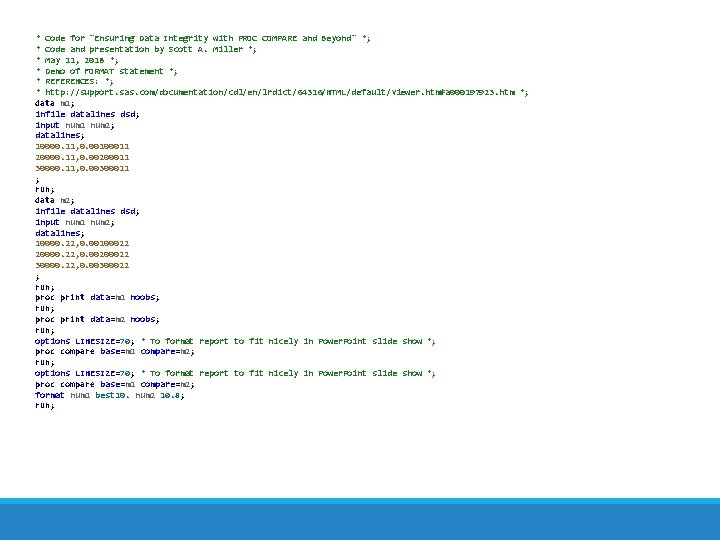
* Code for "Ensuring Data Integrity with PROC COMPARE and Beyond" *; * Code and presentation by Scott A. Miller *; * May 11, 2018 *; * Demo of FORMAT statement *; * REFERENCES: *; * http: //support. sas. com/documentation/cdl/en/lrdict/64316/HTML/default/viewer. htm#a 000197923. htm *; data m 1; infile datalines dsd; input num 1 num 2; datalines; 10000. 11, 0. 00100011 20000. 11, 0. 00200011 30000. 11, 0. 00300011 ; run; data m 2; infile datalines dsd; input num 1 num 2; datalines; 10000. 22, 0. 00100022 20000. 22, 0. 00200022 30000. 22, 0. 00300022 ; run; proc print data=m 1 noobs; run; proc print data=m 2 noobs; run; options LINESIZE=70; * To format report to fit nicely in Power. Point slide show *; proc compare base=m 1 compare=m 2; format num 1 best 10. num 2 10. 8; run;
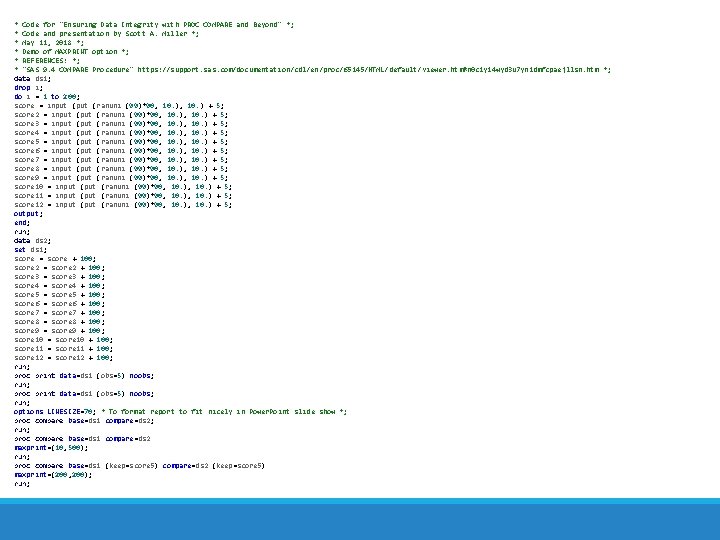
* Code for "Ensuring Data Integrity with PROC COMPARE and Beyond" *; * Code and presentation by Scott A. Miller *; * May 11, 2018 *; * Demo of MAXPRINT option *; * REFERENCES: *; * "SAS 9. 4 COMPARE Procedure" https: //support. sas. com/documentation/cdl/en/proc/65145/HTML/default/viewer. htm#n 0 c 1 y 14 wyd 3 u 7 yn 1 dmfcpaejllsn. htm *; data ds 1; drop i; do i = 1 to 200; score = input (ranuni (99)*90, 10. ) + 5; score 2 = input (ranuni (99)*90, 10. ) + 5; score 3 = input (ranuni (99)*90, 10. ) + 5; score 4 = input (ranuni (99)*90, 10. ) + 5; score 5 = input (ranuni (99)*90, 10. ) + 5; score 6 = input (ranuni (99)*90, 10. ) + 5; score 7 = input (ranuni (99)*90, 10. ) + 5; score 8 = input (ranuni (99)*90, 10. ) + 5; score 9 = input (ranuni (99)*90, 10. ) + 5; score 10 = input (ranuni (99)*90, 10. ) + 5; score 11 = input (ranuni (99)*90, 10. ) + 5; score 12 = input (ranuni (99)*90, 10. ) + 5; output; end; run; data ds 2; set ds 1; score = score + 100; score 2 = score 2 + 100; score 3 = score 3 + 100; score 4 = score 4 + 100; score 5 = score 5 + 100; score 6 = score 6 + 100; score 7 = score 7 + 100; score 8 = score 8 + 100; score 9 = score 9 + 100; score 10 = score 10 + 100; score 11 = score 11 + 100; score 12 = score 12 + 100; run; proc print data=ds 1 (obs=5) noobs; run; options LINESIZE=70; * To format report to fit nicely in Power. Point slide show *; proc compare base=ds 1 compare=ds 2; run; proc compare base=ds 1 compare=ds 2 maxprint=(10, 500); run; proc compare base=ds 1 (keep=score 5) compare=ds 2 (keep=score 5) maxprint=(200, 200); run;
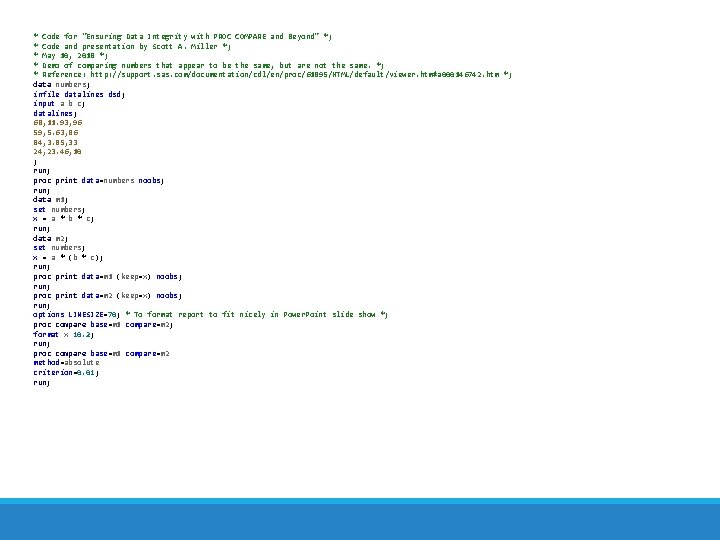
* Code for "Ensuring Data Integrity with PROC COMPARE and Beyond" *; * Code and presentation by Scott A. Miller *; * May 10, 2018 *; * Demo of comparing numbers that appear to be the same, but are not the same. *; * Reference: http: //support. sas. com/documentation/cdl/en/proc/61895/HTML/default/viewer. htm#a 000146742. htm *; data numbers; infile datalines dsd; input a b c; datalines; 68, 11. 93, 96 59, 5. 63, 86 84, 3. 85, 33 24, 23. 46, 10 ; run; proc print data=numbers noobs; run; data m 1; set numbers; x = a * b * c; run; data m 2; set numbers; x = a * (b * c); run; proc print data=m 1 (keep=x) noobs; run; proc print data=m 2 (keep=x) noobs; run; options LINESIZE=70; * To format report to fit nicely in Power. Point slide show *; proc compare base=m 1 compare=m 2; format x 10. 2; run; proc compare base=m 1 compare=m 2 method=absolute criterion=0. 01; run;
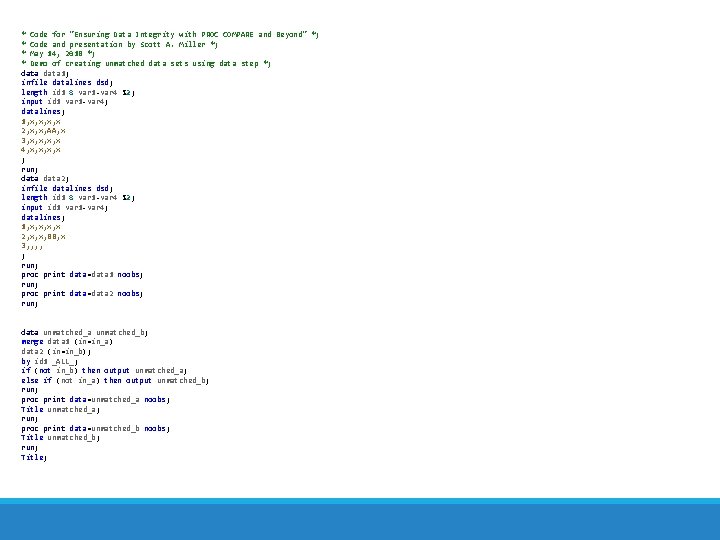
* Code for "Ensuring Data Integrity with PROC COMPARE and Beyond" *; * Code and presentation by Scott A. Miller *; * May 14, 2018 *; * Demo of creating unmatched data sets using data step *; data 1; infile datalines dsd; length id 1 8 var 1 -var 4 $2; input id 1 var 1 -var 4; datalines; 1, x, x 2, x, x, AA, x 3, x, x 4, x, x ; run; data 2; infile datalines dsd; length id 1 8 var 1 -var 4 $2; input id 1 var 1 -var 4; datalines; 1, x, x 2, x, x, BB, x 3, , ; run; proc print data=data 1 noobs; run; proc print data=data 2 noobs; run; data unmatched_b; merge data 1 (in=in_a) data 2 (in=in_b); by id 1 _ALL_; if (not in_b) then output unmatched_a; else if (not in_a) then output unmatched_b; run; proc print data=unmatched_a noobs; Title unmatched_a; run; proc print data=unmatched_b noobs; Title unmatched_b; run; Title;
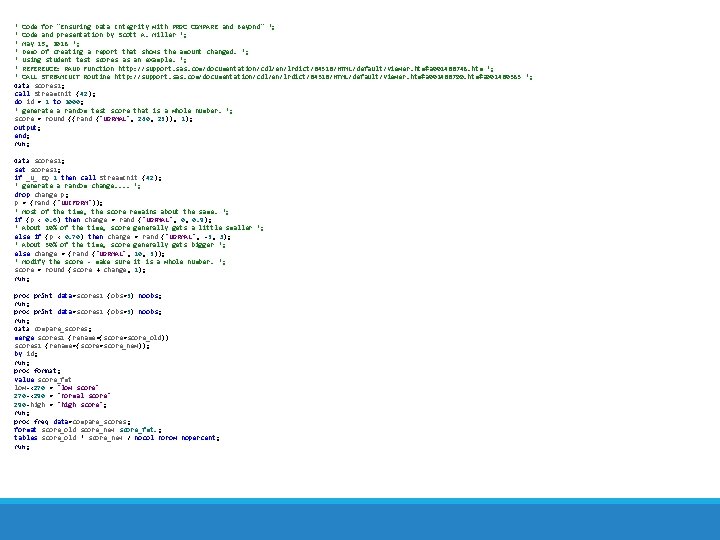
* Code for "Ensuring Data Integrity with PROC COMPARE and Beyond" *; * Code and presentation by Scott A. Miller *; * May 15, 2018 *; * Demo of creating a report that shows the amount changed. *; * Using student test scores as an example. *; * REFERENCE: RAND Function http: //support. sas. com/documentation/cdl/en/lrdict/64316/HTML/default/viewer. htm#a 001466748. htm *; * CALL STREAMINIT Routine http: //support. sas. com/documentation/cdl/en/lrdict/64316/HTML/default/viewer. htm#a 001466799. htm#a 001460383 *; data scores 1; call Stream. Init (42); do id = 1 to 1000; * generate a random test score that is a whole number. *; score = round ((rand ('NORMAL', 280, 25)), 1); output; end; run; data scores 2; set scores 1; if _N_ EQ 1 then call Stream. Init (42); * generate a random change. . *; drop change p; p = (rand ('UNIFORM')); * Most of the time, the score remains about the same. *; if (p < 0. 6) then change = rand ('NORMAL', 0, 0. 9); * About 10% of the time, score generally gets a little smaller *; else if (p < 0. 70) then change = rand ('NORMAL', -5, 3); * About 30% of the time, score generally gets bigger *; else change = (rand ('NORMAL', 10, 5)); * Modify the score - make sure it is a whole number. *; score = round (score + change, 1); run; proc print data=scores 1 (obs=5) noobs; run; proc print data=scores 2 (obs=5) noobs; run; data compare_scores; merge scores 1 (rename=(score=score_old)) scores 2 (rename=(score=score_new)); by id; run; proc format; value score_fmt low-<270 = 'low score' 270 -<290 = 'normal score' 290 -high = 'high score'; run; proc freq data=compare_scores; format score_old score_new score_fmt. ; tables score_old * score_new / nocol norow nopercent; run;
- Slides: 67