
ENHANCING GRAPHICS IN UNREAL ENGINE 3 TITLES USING
- Slides: 57
ENHANCING GRAPHICS IN UNREAL ENGINE 3 TITLES USING NEW CODE SUBMISSIONS Owen Wu Developer Relations Engineer, AMD Owen. wu@amd. com
AGENDA • This presentation covers AMD code submissions that have been integrated into Unreal Engine 3 • Tessellation • Phong Tessellation • Tessellation Optimizations • Performance considerations • Multi-monitor Support • Eyefinity support code • How to test multi-monitor support on a single monitor • Vertex Shader-Based Bokeh Depth Of Field (DOF) • Implementation • Performance considerations • Post-Process Full Screen Anti-Aliasing (FSAA) • MLAA support • Performance and quality comparison 2 | Enhancing Graphics in Unreal Engine 3 Titles using New Code Submissions | March 8, 2012
TESSELLATION 3 | Enhancing Graphics in Unreal Engine 3 Titles using New Code Submissions | March 8, 2012
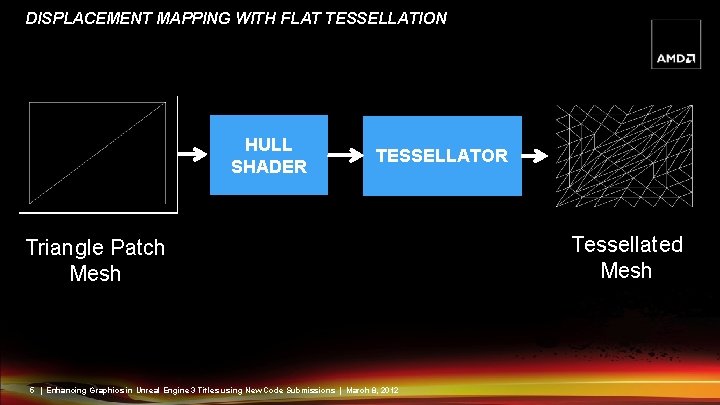
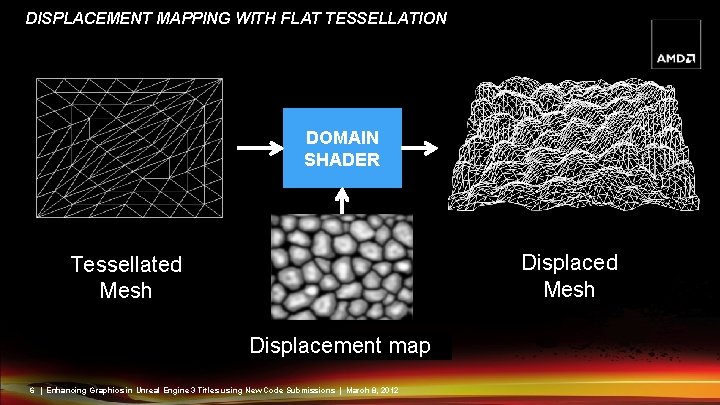
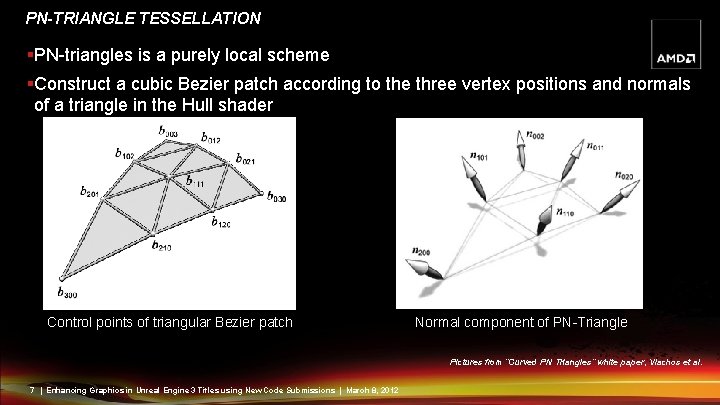
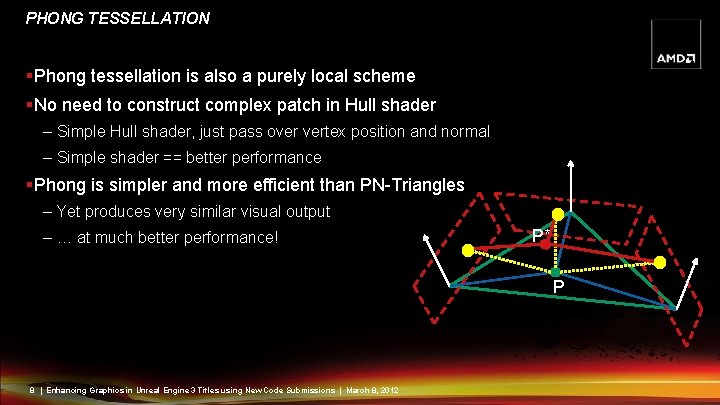
TESSELLATION TECHNIQUES §Displacement mapping with flat tessellation – Requires a height map for displacement – Generates high-quality bumpy surface §PN-Triangle tessellation – No displacement map required – Used to generate smooth silhouette – Hull shader for patch construction §Phong tessellation – No extra displacement map required – Used to generate smooth silhouette – No patch construction required 4 | Enhancing Graphics in Unreal Engine 3 Titles using New Code Submissions | March 8, 2012
DISPLACEMENT MAPPING WITH FLAT TESSELLATION HULL SHADER TESSELLATOR Triangle Patch Mesh 5 | Enhancing Graphics in Unreal Engine 3 Titles using New Code Submissions | March 8, 2012 Tessellated Mesh
DISPLACEMENT MAPPING WITH FLAT TESSELLATION DOMAIN SHADER Displaced Mesh Tessellated Mesh Displacement map 6 | Enhancing Graphics in Unreal Engine 3 Titles using New Code Submissions | March 8, 2012
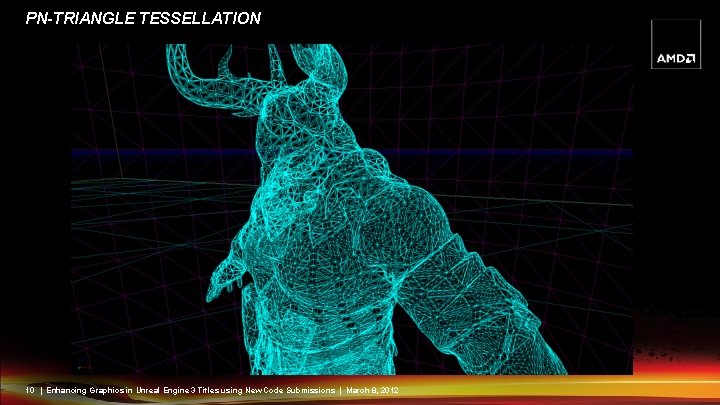
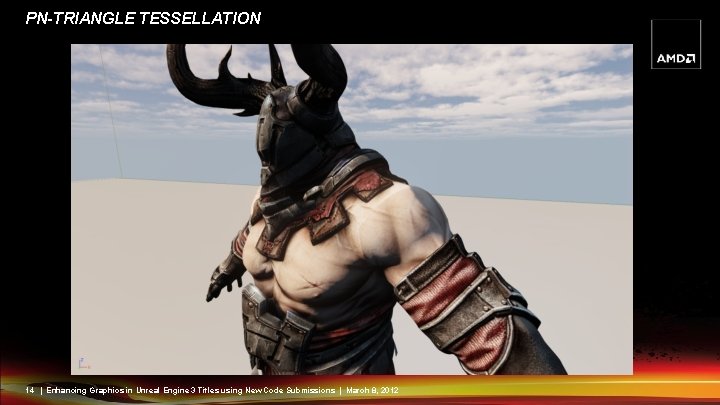
PN-TRIANGLE TESSELLATION §PN-triangles is a purely local scheme §Construct a cubic Bezier patch according to the three vertex positions and normals of a triangle in the Hull shader Control points of triangular Bezier patch Normal component of PN-Triangle Pictures from “Curved PN Triangles” white paper, Vlachos et al. 7 | Enhancing Graphics in Unreal Engine 3 Titles using New Code Submissions | March 8, 2012
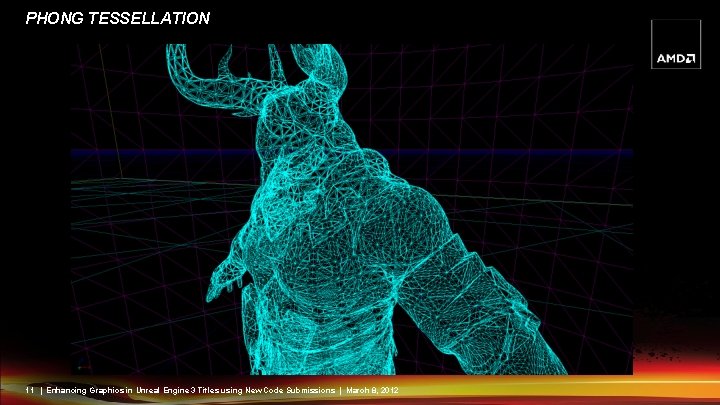
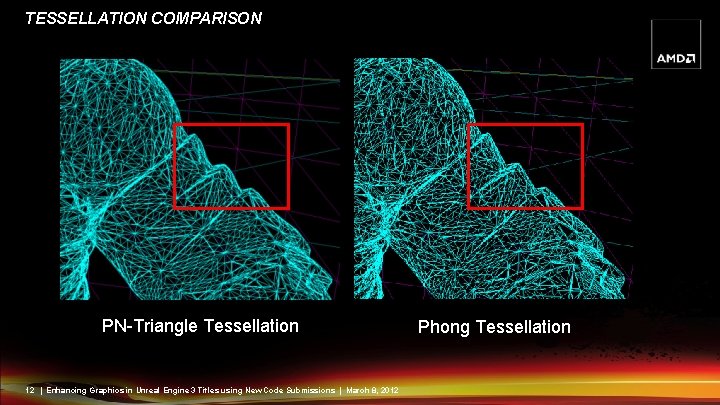
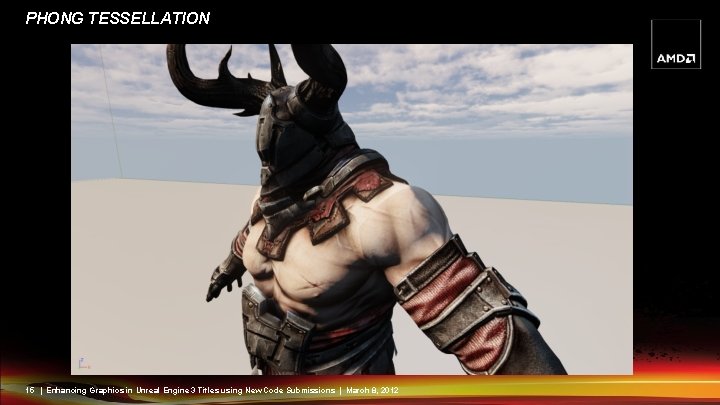
PHONG TESSELLATION §Phong tessellation is also a purely local scheme §No need to construct complex patch in Hull shader – Simple Hull shader, just pass over vertex position and normal – Simple shader == better performance §Phong is simpler and more efficient than PN-Triangles – Yet produces very similar visual output – … at much better performance! P* P 8 | Enhancing Graphics in Unreal Engine 3 Titles using New Code Submissions | March 8, 2012
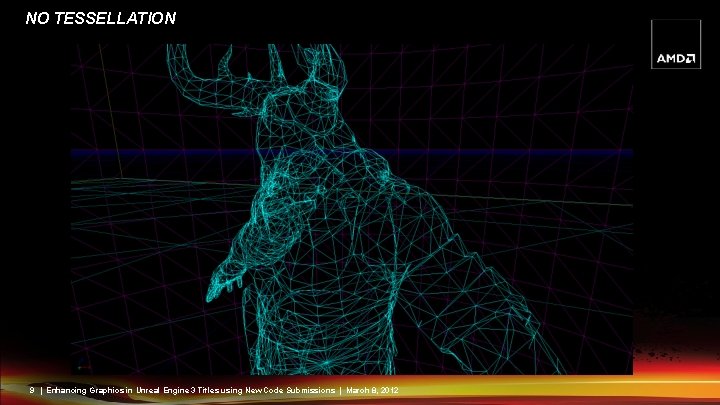
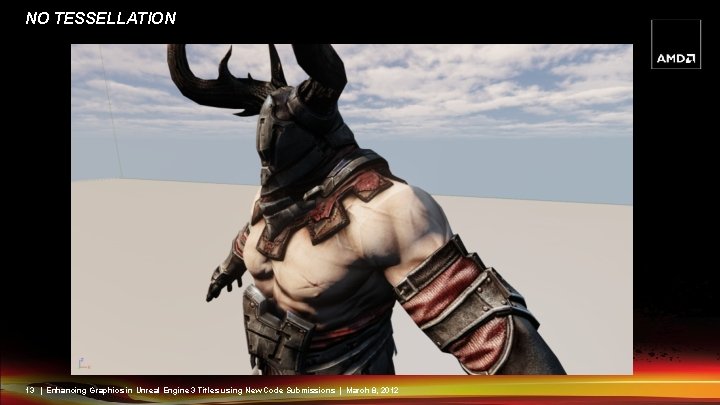
NO TESSELLATION 9 | Enhancing Graphics in Unreal Engine 3 Titles using New Code Submissions | March 8, 2012
PN-TRIANGLE TESSELLATION 10 | Enhancing Graphics in Unreal Engine 3 Titles using New Code Submissions | March 8, 2012
PHONG TESSELLATION 11 | Enhancing Graphics in Unreal Engine 3 Titles using New Code Submissions | March 8, 2012
TESSELLATION COMPARISON PN-Triangle Tessellation 12 | Enhancing Graphics in Unreal Engine 3 Titles using New Code Submissions | March 8, 2012 Phong Tessellation
NO TESSELLATION 13 | Enhancing Graphics in Unreal Engine 3 Titles using New Code Submissions | March 8, 2012
PN-TRIANGLE TESSELLATION 14 | Enhancing Graphics in Unreal Engine 3 Titles using New Code Submissions | March 8, 2012
PHONG TESSELLATION 15 | Enhancing Graphics in Unreal Engine 3 Titles using New Code Submissions | March 8, 2012
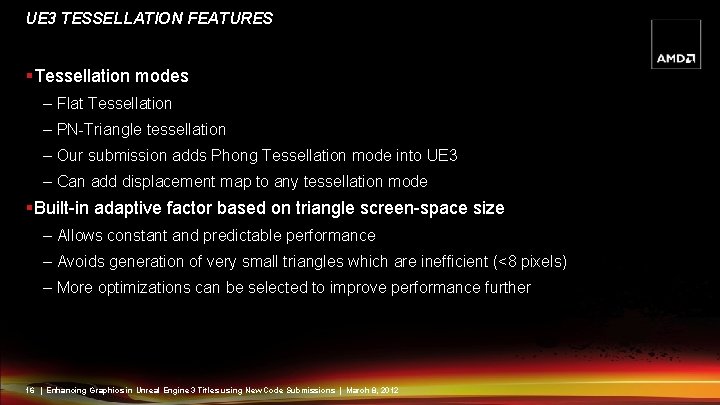
UE 3 TESSELLATION FEATURES §Tessellation modes – Flat Tessellation – PN-Triangle tessellation – Our submission adds Phong Tessellation mode into UE 3 – Can add displacement map to any tessellation mode §Built-in adaptive factor based on triangle screen-space size – Allows constant and predictable performance – Avoids generation of very small triangles which are inefficient (<8 pixels) – More optimizations can be selected to improve performance further 16 | Enhancing Graphics in Unreal Engine 3 Titles using New Code Submissions | March 8, 2012
TESSELLATION PERFORMANCE §Tessellation is not free! – Use with caution otherwise it can impact performance considerably – Should only be used where image quality can be improved §Adaptive tessellation keeps tessellation requirements reasonable – Vary tessellation factors based on real-time metrics – UE 3 implements screen-space adaptive optimization §More aggressive optimizations are required to keep performance up 17 | Enhancing Graphics in Unreal Engine 3 Titles using New Code Submissions | March 8, 2012
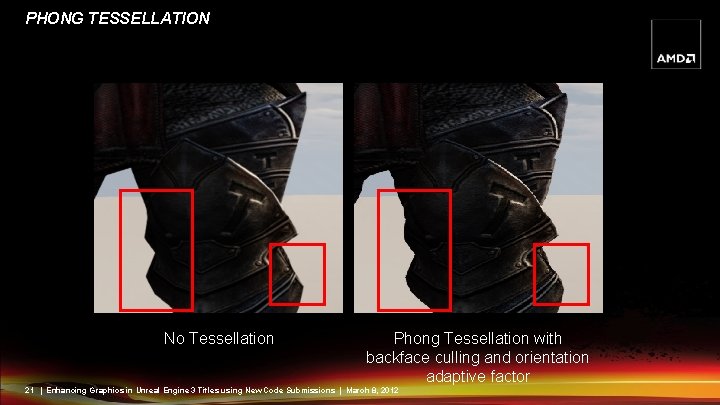
MORE AGGRESSIVE OPTIMIZATIONS §Backface culling – Set tessellation factor to 0 on back-facing (i. e. invisible) triangles – Warning: some back facing triangle still contribute to a silhouette! §View frustum culling – Don‘t waste tessellation power on invisible triangles – Set tessellation factor to 0 if the whole triangle patch is outside the view frustum §Orientation-Adaptive Tessellation – Only silhouette patches contribute to silhouette enhancement – Silhouette patches therefore get higher tessellation factors 18 | Enhancing Graphics in Unreal Engine 3 Titles using New Code Submissions | March 8, 2012
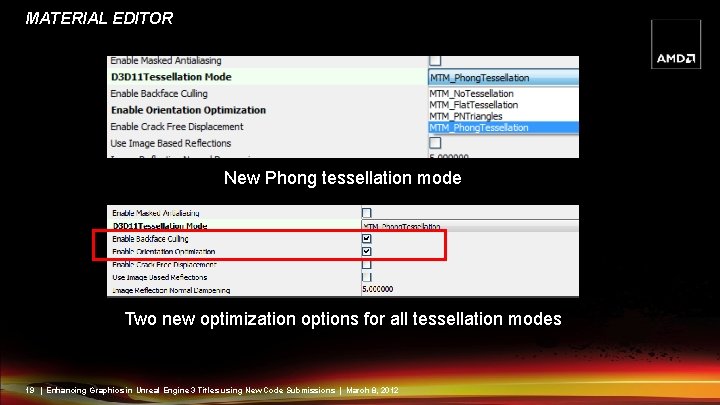
MATERIAL EDITOR New Phong tessellation mode Two new optimization options for all tessellation modes 19 | Enhancing Graphics in Unreal Engine 3 Titles using New Code Submissions | March 8, 2012
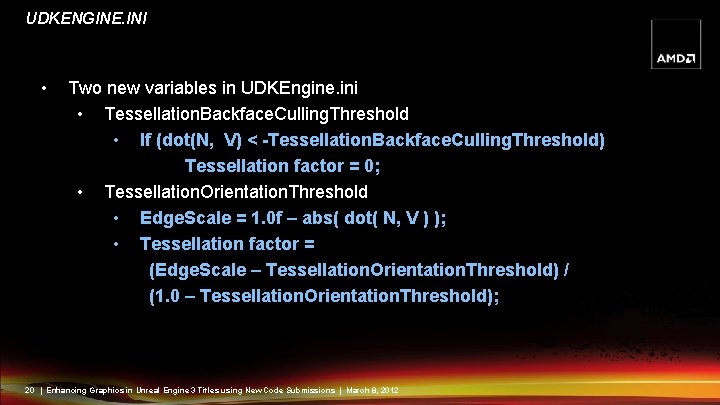
UDKENGINE. INI • Two new variables in UDKEngine. ini • Tessellation. Backface. Culling. Threshold • If (dot(N, V) < -Tessellation. Backface. Culling. Threshold) Tessellation factor = 0; • Tessellation. Orientation. Threshold • Edge. Scale = 1. 0 f – abs( dot( N, V ) ); • Tessellation factor = (Edge. Scale – Tessellation. Orientation. Threshold) / (1. 0 – Tessellation. Orientation. Threshold); 20 | Enhancing Graphics in Unreal Engine 3 Titles using New Code Submissions | March 8, 2012
PHONG TESSELLATION No Tessellation Phong Tessellation with backface culling and orientation adaptive factor 21 | Enhancing Graphics in Unreal Engine 3 Titles using New Code Submissions | March 8, 2012
REAL-TIME DEMO §How to activate Phong tessellation and optimizations in material editor §Show real-time orientation adaptive optimization demo in UE 3 editor 22 | Enhancing Graphics in Unreal Engine 3 Titles using New Code Submissions | March 8, 2012
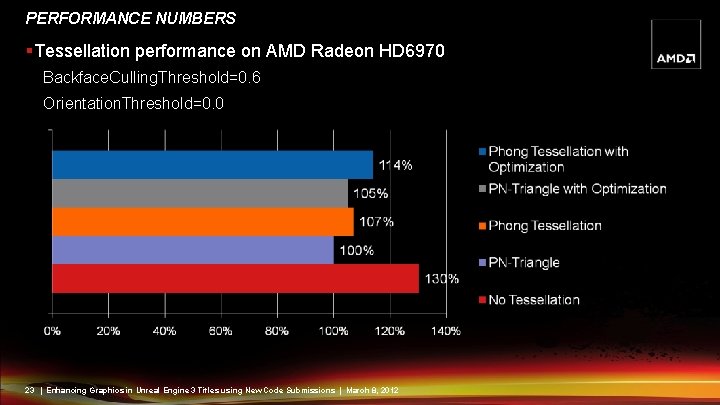
PERFORMANCE NUMBERS §Tessellation performance on AMD Radeon HD 6970 Backface. Culling. Threshold=0. 6 Orientation. Threshold=0. 0 23 | Enhancing Graphics in Unreal Engine 3 Titles using New Code Submissions | March 8, 2012
MULTI-MONITOR 24 | Enhancing Graphics in Unreal Engine 3 Titles using New Code Submissions | March 8, 2012
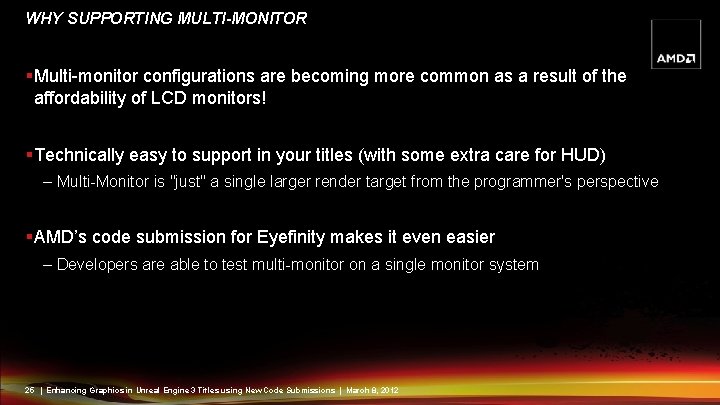
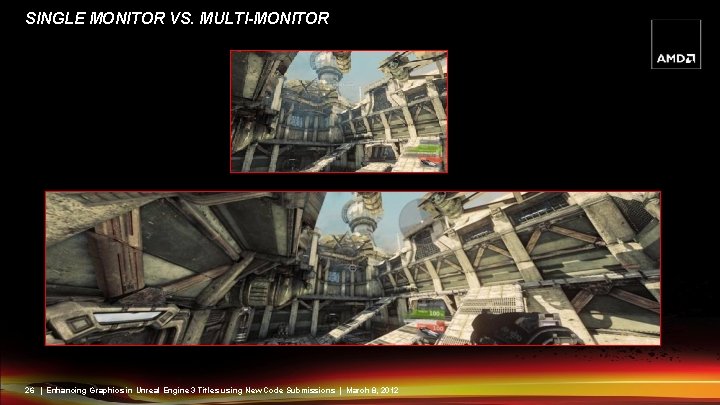
WHY SUPPORTING MULTI-MONITOR §Multi-monitor configurations are becoming more common as a result of the affordability of LCD monitors! §Technically easy to support in your titles (with some extra care for HUD) – Multi-Monitor is "just" a single larger render target from the programmer's perspective §AMD’s code submission for Eyefinity makes it even easier – Developers are able to test multi-monitor on a single monitor system 25 | Enhancing Graphics in Unreal Engine 3 Titles using New Code Submissions | March 8, 2012
SINGLE MONITOR VS. MULTI-MONITOR 26 | Enhancing Graphics in Unreal Engine 3 Titles using New Code Submissions | March 8, 2012
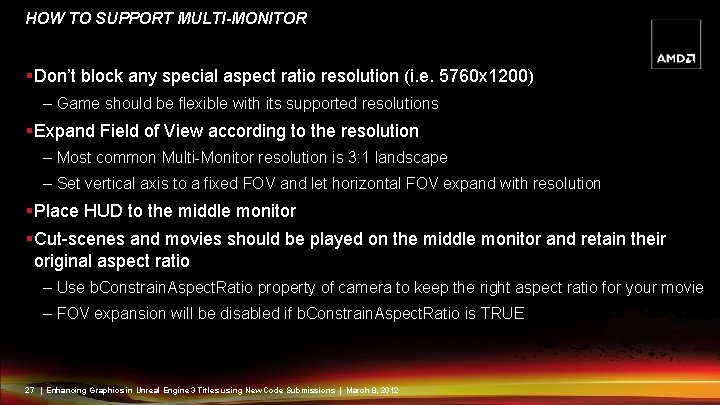
HOW TO SUPPORT MULTI-MONITOR §Don’t block any special aspect ratio resolution (i. e. 5760 x 1200) – Game should be flexible with its supported resolutions §Expand Field of View according to the resolution – Most common Multi-Monitor resolution is 3: 1 landscape – Set vertical axis to a fixed FOV and let horizontal FOV expand with resolution §Place HUD to the middle monitor §Cut-scenes and movies should be played on the middle monitor and retain their original aspect ratio – Use b. Constrain. Aspect. Ratio property of camera to keep the right aspect ratio for your movie – FOV expansion will be disabled if b. Constrain. Aspect. Ratio is TRUE 27 | Enhancing Graphics in Unreal Engine 3 Titles using New Code Submissions | March 8, 2012
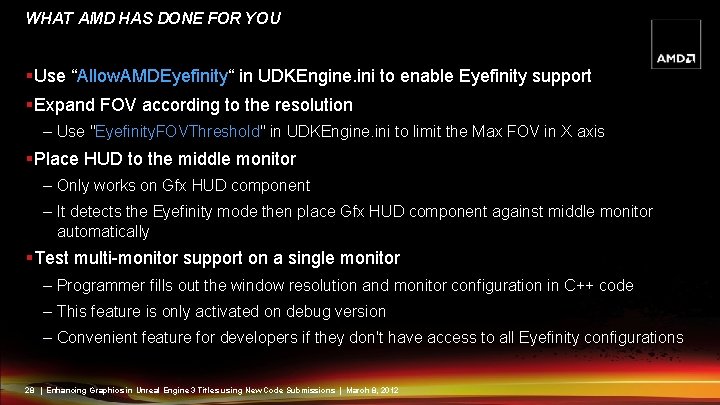
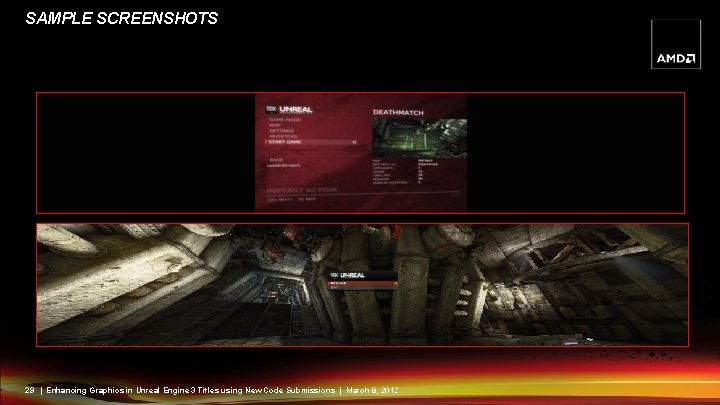
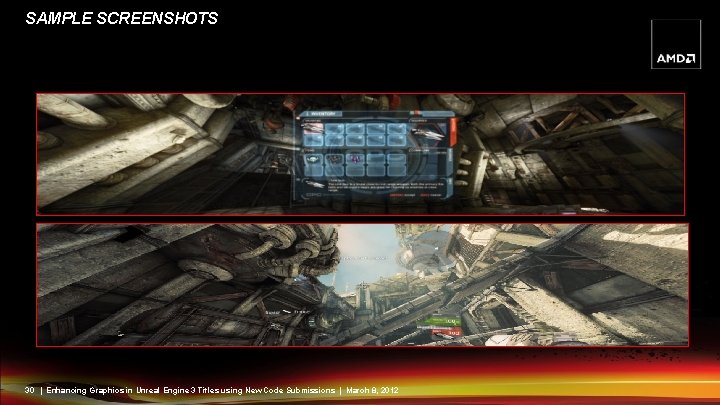
WHAT AMD HAS DONE FOR YOU §Use “Allow. AMDEyefinity“ in UDKEngine. ini to enable Eyefinity support §Expand FOV according to the resolution – Use "Eyefinity. FOVThreshold" in UDKEngine. ini to limit the Max FOV in X axis §Place HUD to the middle monitor – Only works on Gfx HUD component – It detects the Eyefinity mode then place Gfx HUD component against middle monitor automatically §Test multi-monitor support on a single monitor – Programmer fills out the window resolution and monitor configuration in C++ code – This feature is only activated on debug version – Convenient feature for developers if they don't have access to all Eyefinity configurations 28 | Enhancing Graphics in Unreal Engine 3 Titles using New Code Submissions | March 8, 2012
SAMPLE SCREENSHOTS 29 | Enhancing Graphics in Unreal Engine 3 Titles using New Code Submissions | March 8, 2012
SAMPLE SCREENSHOTS 30 | Enhancing Graphics in Unreal Engine 3 Titles using New Code Submissions | March 8, 2012
REAL-TIME DEMO §Demonstrate UDKGame without Eyefinity support §Demonstrate how to test Eyefinity support on a single monitor machine 31 | Enhancing Graphics in Unreal Engine 3 Titles using New Code Submissions | March 8, 2012
VERTEX SHADER BASED BOKEH DEPTH OF FIELD 32 | Enhancing Graphics in Unreal Engine 3 Titles using New Code Submissions | March 8, 2012
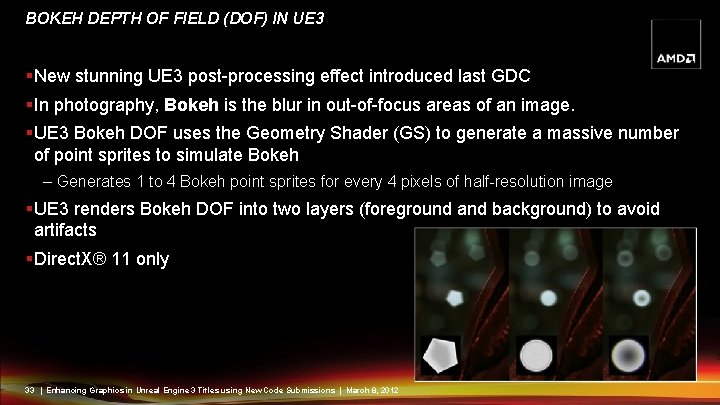
BOKEH DEPTH OF FIELD (DOF) IN UE 3 §New stunning UE 3 post-processing effect introduced last GDC §In photography, Bokeh is the blur in out-of-focus areas of an image. §UE 3 Bokeh DOF uses the Geometry Shader (GS) to generate a massive number of point sprites to simulate Bokeh – Generates 1 to 4 Bokeh point sprites for every 4 pixels of half-resolution image §UE 3 renders Bokeh DOF into two layers (foreground and background) to avoid artifacts §Direct. X® 11 only 33 | Enhancing Graphics in Unreal Engine 3 Titles using New Code Submissions | March 8, 2012
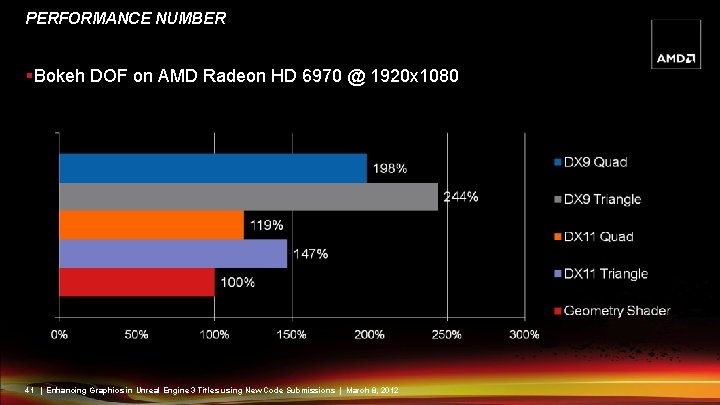
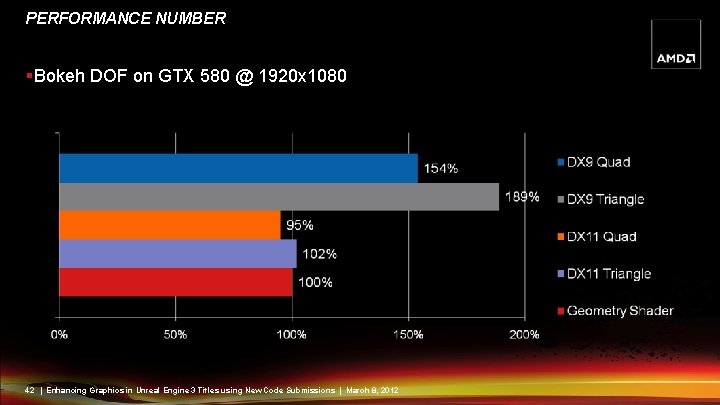
BOKEH DOF CODE SUBMISSION §Generating a massive number of point sprites in the GS impacts performance! §We moved it to the Vertex Shader (VS) – Performance improvement is quite large on some hardware – Visual results unchanged §Now supports Direct. X 9 level hardware after moving it to the VS – Cost a bit more video memory in DX 9 mode to store vertex IDs §Video memory footprint is the same in Direct. X 11 mode – No actual vertex buffer is needed §Triangle and Quad Bokeh supported 34 | Enhancing Graphics in Unreal Engine 3 Titles using New Code Submissions | March 8, 2012
VERTEX IDS Direct. X 11: §Use system-generated vertex IDs (SV_Vertex. ID) §Bind NULL Vertex Buffer – Vertices are generated in the vertex shader without buffer input Direct. X 9: §Generate a vertex buffer with vertex ID attributes to emulate same functionality §Generate (Half. Res. X/2)*(Half. Res. Y/2)*3*4 vertices (for triangle Bokeh) – (Half. Res. X/2)*(Half. Res. Y/2)*6*4 vertices for quad bokeh §A new vertex buffer is created on resolution change 35 | Enhancing Graphics in Unreal Engine 3 Titles using New Code Submissions | March 8, 2012
IMPLEMENTATION §Render the vertex buffer (NULL on DX 11) as a triangle list §Use vertex ID to compute current Bokeh ID – Triangle number = (Vertex. ID/3). (Vertex. ID%3) is local triangle vertex index – If using quads: Quad number = (Vertex. ID/6). (Vertex. ID%6) is local quad vertex index §Compute the Bokeh position and texture coordinates in Vertex Shader – For NULL Bokeh: place all vertices at the same position to skip rendering – (Vertex. ID%12) to get the vertex index ID in a Bokeh group § Place all last 9 vertices at the same position to eliminate 3 triangles – (Vertex. ID%24) for quad 36 | Enhancing Graphics in Unreal Engine 3 Titles using New Code Submissions | March 8, 2012
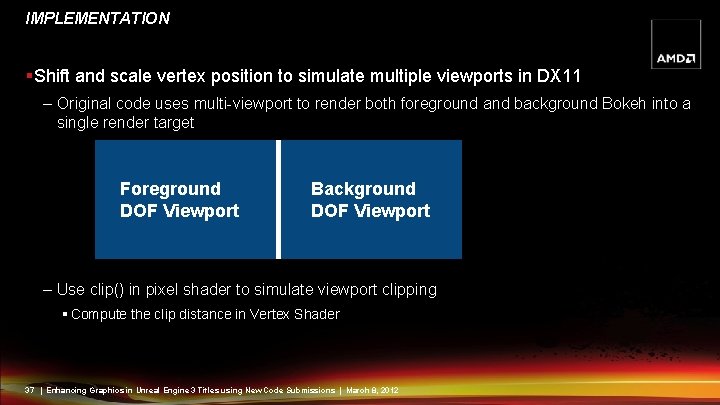
IMPLEMENTATION §Shift and scale vertex position to simulate multiple viewports in DX 11 – Original code uses multi-viewport to render both foreground and background Bokeh into a single render target Foreground DOF Viewport Background DOF Viewport – Use clip() in pixel shader to simulate viewport clipping § Compute the clip distance in Vertex Shader 37 | Enhancing Graphics in Unreal Engine 3 Titles using New Code Submissions | March 8, 2012
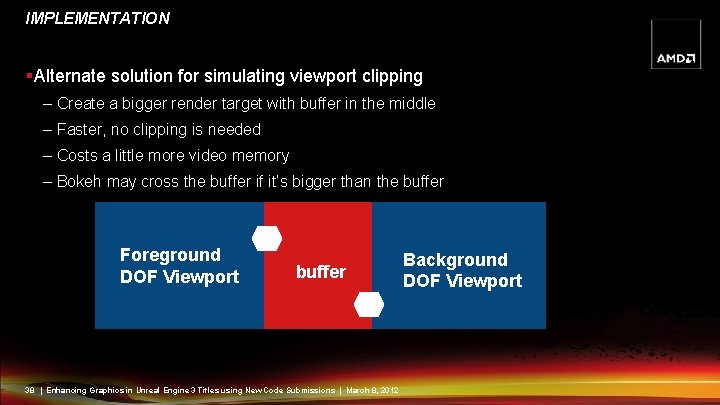
IMPLEMENTATION §Alternate solution for simulating viewport clipping – Create a bigger render target with buffer in the middle – Faster, no clipping is needed – Costs a little more video memory – Bokeh may cross the buffer if it’s bigger than the buffer Foreground DOF Viewport buffer 38 | Enhancing Graphics in Unreal Engine 3 Titles using New Code Submissions | March 8, 2012 Background DOF Viewport
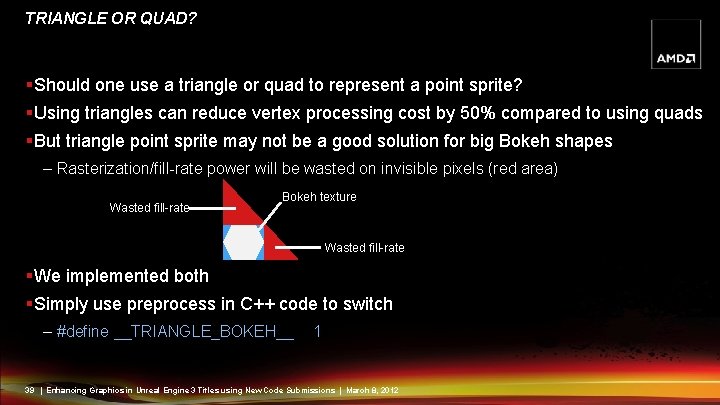
TRIANGLE OR QUAD? §Should one use a triangle or quad to represent a point sprite? §Using triangles can reduce vertex processing cost by 50% compared to using quads §But triangle point sprite may not be a good solution for big Bokeh shapes – Rasterization/fill-rate power will be wasted on invisible pixels (red area) Wasted fill-rate Bokeh texture Wasted fill-rate §We implemented both §Simply use preprocess in C++ code to switch – #define __TRIANGLE_BOKEH__ 1 39 | Enhancing Graphics in Unreal Engine 3 Titles using New Code Submissions | March 8, 2012
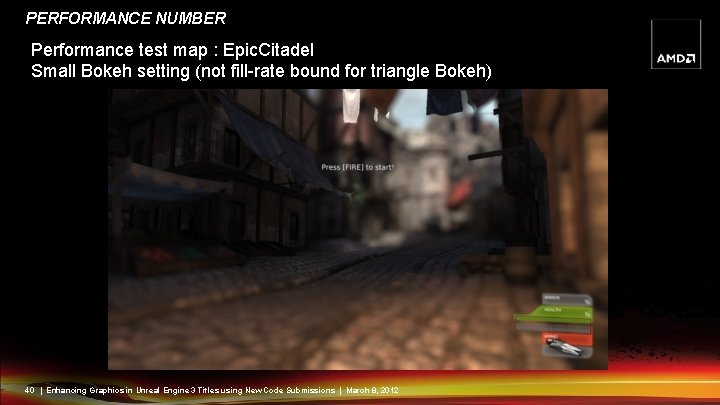
PERFORMANCE NUMBER Performance test map : Epic. Citadel Small Bokeh setting (not fill-rate bound for triangle Bokeh) 40 | Enhancing Graphics in Unreal Engine 3 Titles using New Code Submissions | March 8, 2012
PERFORMANCE NUMBER §Bokeh DOF on AMD Radeon HD 6970 @ 1920 x 1080 41 | Enhancing Graphics in Unreal Engine 3 Titles using New Code Submissions | March 8, 2012
PERFORMANCE NUMBER §Bokeh DOF on GTX 580 @ 1920 x 1080 42 | Enhancing Graphics in Unreal Engine 3 Titles using New Code Submissions | March 8, 2012
POST-PROCESS FULLSCREEN ANTI-ALIASING (FSAA) 43 | Enhancing Graphics in Unreal Engine 3 Titles using New Code Submissions | March 8, 2012
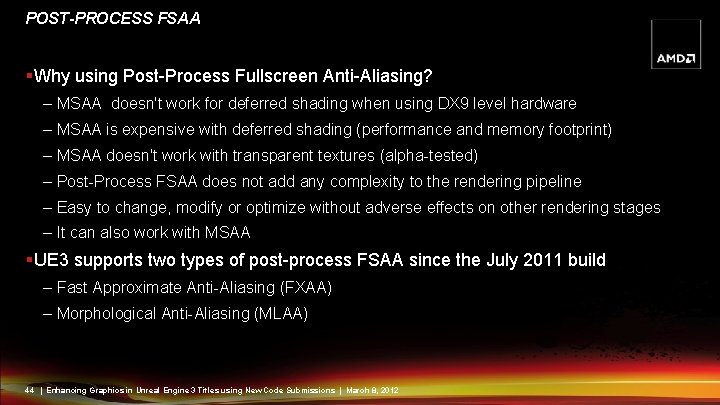
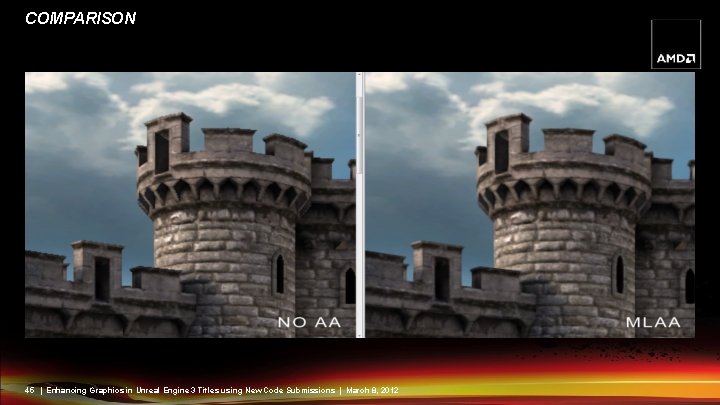
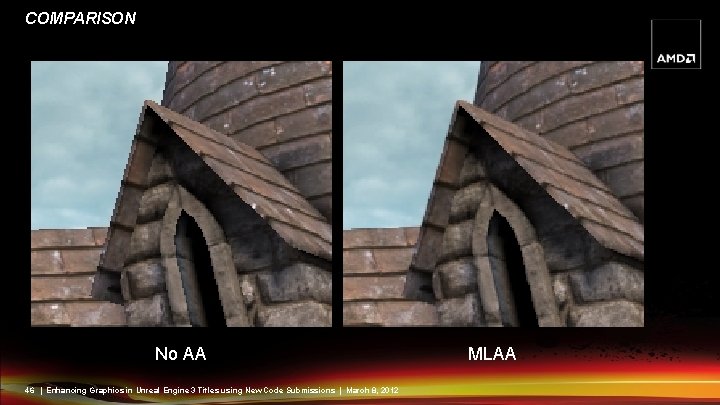
POST-PROCESS FSAA §Why using Post-Process Fullscreen Anti-Aliasing? – MSAA doesn't work for deferred shading when using DX 9 level hardware – MSAA is expensive with deferred shading (performance and memory footprint) – MSAA doesn't work with transparent textures (alpha-tested) – Post-Process FSAA does not add any complexity to the rendering pipeline – Easy to change, modify or optimize without adverse effects on other rendering stages – It can also work with MSAA §UE 3 supports two types of post-process FSAA since the July 2011 build – Fast Approximate Anti-Aliasing (FXAA) – Morphological Anti-Aliasing (MLAA) 44 | Enhancing Graphics in Unreal Engine 3 Titles using New Code Submissions | March 8, 2012
COMPARISON 45 | Enhancing Graphics in Unreal Engine 3 Titles using New Code Submissions | March 8, 2012
COMPARISON No AA 46 | Enhancing Graphics in Unreal Engine 3 Titles using New Code Submissions | March 8, 2012 MLAA
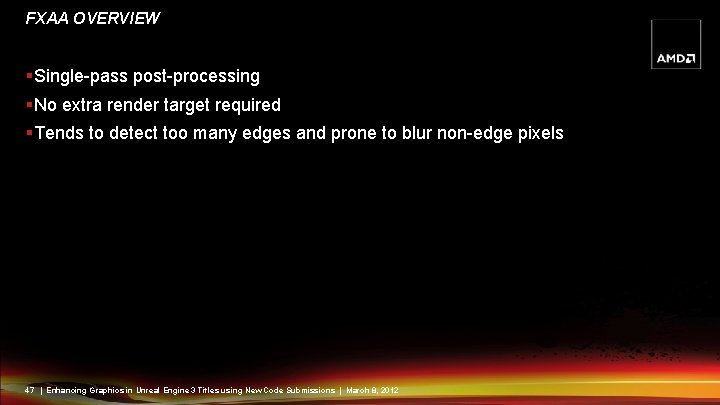
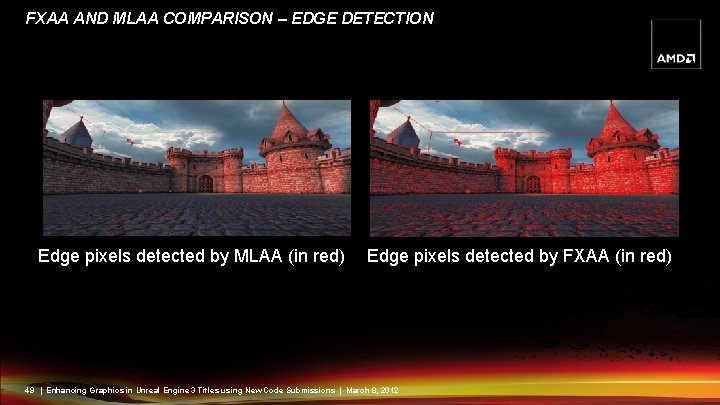
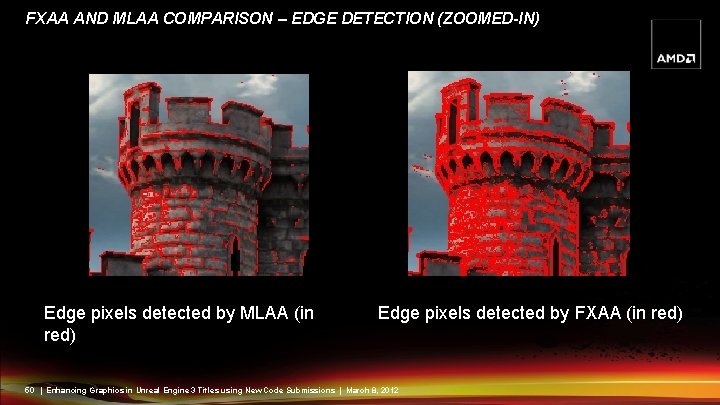
FXAA OVERVIEW §Single-pass post-processing §No extra render target required §Tends to detect too many edges and prone to blur non-edge pixels 47 | Enhancing Graphics in Unreal Engine 3 Titles using New Code Submissions | March 8, 2012
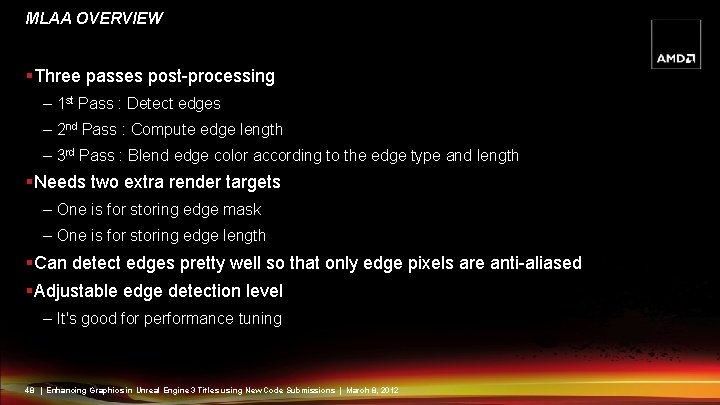
MLAA OVERVIEW §Three passes post-processing – 1 st Pass : Detect edges – 2 nd Pass : Compute edge length – 3 rd Pass : Blend edge color according to the edge type and length §Needs two extra render targets – One is for storing edge mask – One is for storing edge length §Can detect edges pretty well so that only edge pixels are anti-aliased §Adjustable edge detection level – It's good for performance tuning 48 | Enhancing Graphics in Unreal Engine 3 Titles using New Code Submissions | March 8, 2012
FXAA AND MLAA COMPARISON – EDGE DETECTION Edge pixels detected by MLAA (in red) Edge pixels detected by FXAA (in red) 49 | Enhancing Graphics in Unreal Engine 3 Titles using New Code Submissions | March 8, 2012
FXAA AND MLAA COMPARISON – EDGE DETECTION (ZOOMED-IN) Edge pixels detected by MLAA (in red) Edge pixels detected by FXAA (in red) 50 | Enhancing Graphics in Unreal Engine 3 Titles using New Code Submissions | March 8, 2012
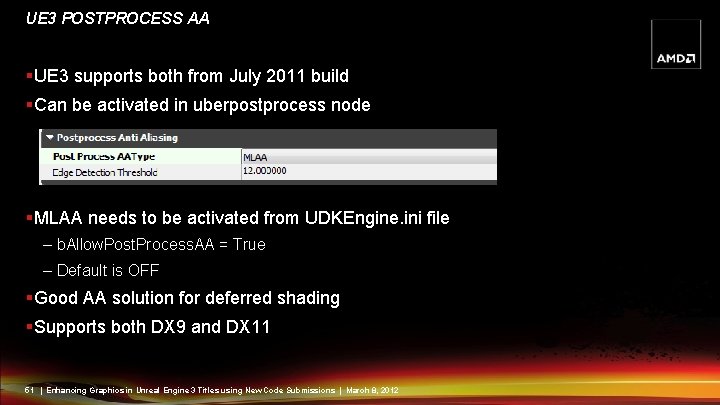
UE 3 POSTPROCESS AA §UE 3 supports both from July 2011 build §Can be activated in uberpostprocess node §MLAA needs to be activated from UDKEngine. ini file – b. Allow. Post. Process. AA = True – Default is OFF §Good AA solution for deferred shading §Supports both DX 9 and DX 11 51 | Enhancing Graphics in Unreal Engine 3 Titles using New Code Submissions | March 8, 2012
CONCLUSION §Tessellation – New Phong tessellation mode which generates similar visual output to PN-Triangle but at much better performance – New optimization options for all tessellation modes §Multi-monitor – Automatic FOV expansion and HUD placement – Simulate multi-monitor on single monitor system §Vertex Shader Based Bokeh DOF – Huge performance improvement – Support both Direct. X 9 and Direct. X 11 §Post-processing FSAA – Already in UE 3 since the July 2011 build – More efficient option over MSAA when using deferred shading 52 | Enhancing Graphics in Unreal Engine 3 Titles using New Code Submissions | March 8, 2012
QUESTIONS? §Send your feedback/suggestion to owen. wu@amd. com CODE SUBMISSION DOWNLOAD LINKS § https: //udn. epicgames. com/pub/Three/Licensee. Code. Submissions/Eyefinity. rar § https: //udn. epicgames. com/pub/Three/Licensee. Code. Submissions/VSBokeh. DOF. rar 53 | Enhancing Graphics in Unreal Engine 3 Titles using New Code Submissions | March 8, 2012
REFERENCES §Vlachos Alex, Jorg Peters, Chas Boyd and Jason L. Mitchell. "Curved PN Triangles". Proceedings of the 2001 Symposium interactive 3 D graphics (2001). §Tamy Boubekeur, Marc Alexa. Phong Tessellation. ACM Trans. Graph (2008). §Alexander Reshetov, Intel. Morphological Antialiasing http: //visual-computing. intel-research. net/publications/papers/2009/mlaa. pdf §Timothy Lottes, NVIDIA. FXAA Whitepaper. http: //developer. download. nvidia. com/assets/gamedev/files/sdk/11/FXAA_White. Pa per. pdf 54 | Enhancing Graphics in Unreal Engine 3 Titles using New Code Submissions | March 8, 2012
AMD FUSION 12 DEVELOPER SUMMIT (AFDS) June 11 -14, 2012 amd. com/afds AFDS gives you direct access to some of the world’s authorities and the most detailed training in heterogeneous computing, Open. CL™, Open. GL, Direct. Compute, and C++ AMP. 10 Technical Tracks Industry Leading Keynotes 1)Heterogeneous Computing 2)Web Technologies 3)Cloud Computing 4)Gaming and Consumer Graphics 5)Innovative Client Experiences 6)Multimedia Processing 7)Professional Graphics & Visual Computing 8)Programming Languages and Models 9)Programming Tools 10)Security §Phil Rogers, AMD §Tom Malloy, Adobe® §Dr. Amr Awadallah, Cloudera §Mark Papermaster, AMD §Phil Pokorny, Penguin Computing 55 | Enhancing Graphics in Unreal Engine 3 Titles using New Code Submissions | March 8, 2012
SPECIAL OFFER FOR GDC ATTENDEES Be one of the first 100 GDC attendees to register for AFDS and save $100. REGISTER TODAY Just use this code when you register: GDC 100 56 | Enhancing Graphics in Unreal Engine 3 Titles using New Code Submissions | March 8, 2012 June 11 -14, 2012 amd. com/afds
DISCLAIMER The information presented in this document is for informational purposes only and may contain technical inaccuracies, omissions and typographical errors. The information contained herein is subject to change and may be rendered inaccurate for many reasons, including but not limited to product and roadmap changes, component and motherboard version changes, new model and/or product releases, product differences between differing manufacturers, software changes, BIOS flashes, firmware upgrades, or the like. AMD assumes no obligation to update or otherwise correct or revise this information. However, AMD reserves the right to revise this information and to make changes from time to the content hereof without obligation of AMD to notify any person of such revisions or changes. AMD MAKES NO REPRESENTATIONS OR WARRANTIES WITH RESPECT TO THE CONTENTS HEREOF AND ASSUMES NO RESPONSIBILITY FOR ANY INACCURACIES, ERRORS OR OMISSIONS THAT MAY APPEAR IN THIS INFORMATION. THE MATERIAL IS PROVIDED “AS IS. ” AMD SPECIFICALLY DISCLAIMS ANY EXPRESS OR IMPLIED WARRANTIES, INCLUDING BUT NOT LIMITED TO THE IMPLIED WARRANTY OF MERCHANTABILITY, FITNESS FOR A PARTICULAR PURPOSE OR NONINFRINGEMENT OF ANY INTELLECTUAL PROPERY RIGHT. IN NO EVENT WILL AMD BE LIABLE TO ANY PERSON FOR ANY DIRECT, INDIRECT, SPECIAL OR OTHER CONSEQUENTIAL DAMAGES ARISING FROM THE USE OF ANY INFORMATION CONTAINED HEREIN, EVEN IF AMD IS EXPRESSLY ADVISED OF THE POSSIBILITY OF SUCH DAMAGES. Trademark Attribution AMD, the AMD Arrow logo, and combinations thereof are trademarks of Advanced Micro Devices, Inc. in the United States and/or other jurisdictions. Other names used in this presentation are for identification purposes only and may be trademarks of their respective owners. © 2012 Advanced Micro Devices, Inc. All rights reserved. 57 | Enhancing Graphics in Unreal Engine 3 Titles using New Code Submissions | March 8, 2012