
Enhanced Guide to Oracle 10 g Chapter 3
![Basic SELECT Statement SELECT FROM [DISTINCT] {*, column [alias], . . . } table;](https://slidetodoc.com/presentation_image_h/0bb2439792fb4d74ebdceed0878f4c45/image-5.jpg "Basic SELECT Statement SELECT FROM [DISTINCT] {*, column [alias], . . . } table;")
![Summary SELECT [DISTINCT] {*| column [alias], . . . } FROM table [WHERE condition(s)]](https://slidetodoc.com/presentation_image_h/0bb2439792fb4d74ebdceed0878f4c45/image-52.jpg "Summary SELECT [DISTINCT] {*| column [alias], . . . } FROM table [WHERE condition(s)]")
- Slides: 52
Enhanced Guide to Oracle 10 g Chapter 3: Using SQL Queries to Insert, Update, Delete, and View Data 1
Writing Basic SQL Statements 2
Objectives n After completing this lesson, you should be able to do the following: List the capabilities of SQL SELECT statements n Execute a basic SELECT statement n 3
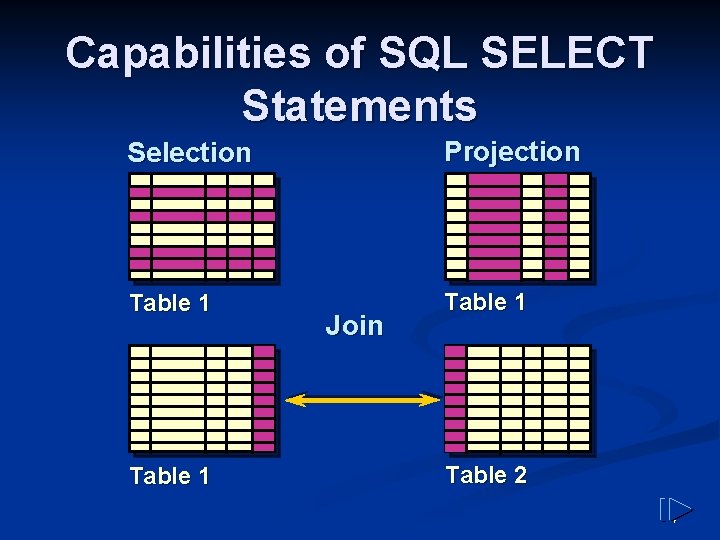
Capabilities of SQL SELECT Statements Selection Projection Table 1 Join Table 2 4
Basic SELECT Statement SELECT FROM [DISTINCT] {*, column [alias], . . . } table; SELECT identifies what columns. n FROM identifies which table. n 5
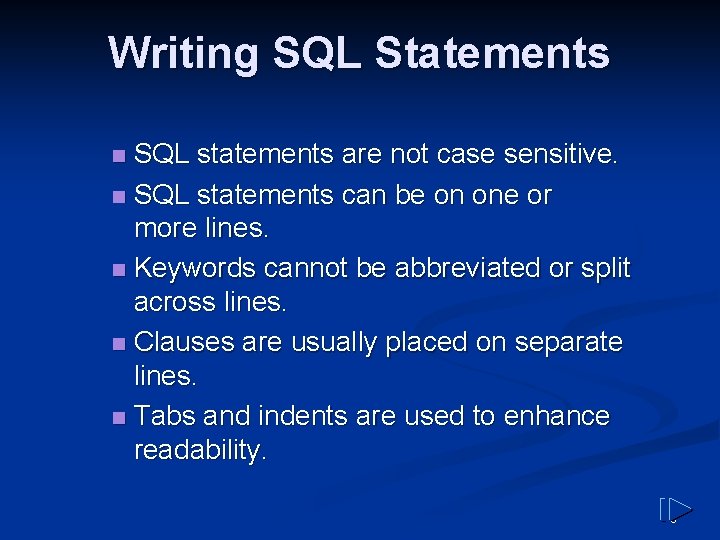
Writing SQL Statements SQL statements are not case sensitive. n SQL statements can be on one or more lines. n Keywords cannot be abbreviated or split across lines. n Clauses are usually placed on separate lines. n Tabs and indents are used to enhance readability. n 6
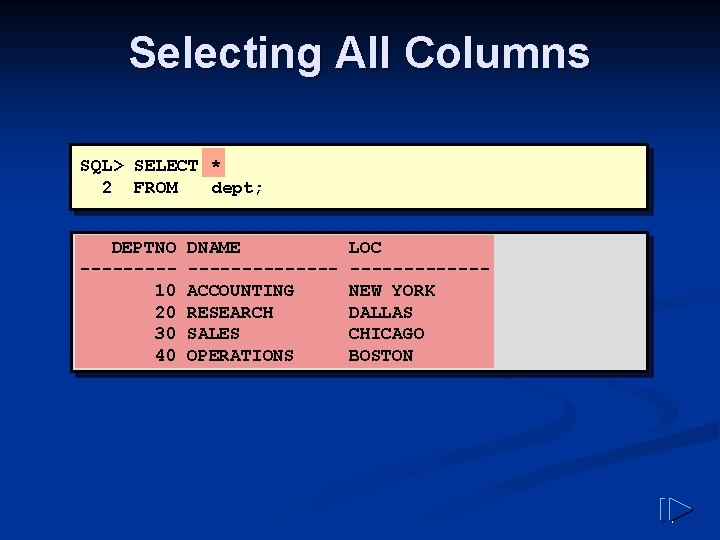
Selecting All Columns SQL> SELECT * 2 FROM dept; DEPTNO ----10 20 30 40 DNAME -------ACCOUNTING RESEARCH SALES OPERATIONS LOC ------NEW YORK DALLAS CHICAGO BOSTON 7
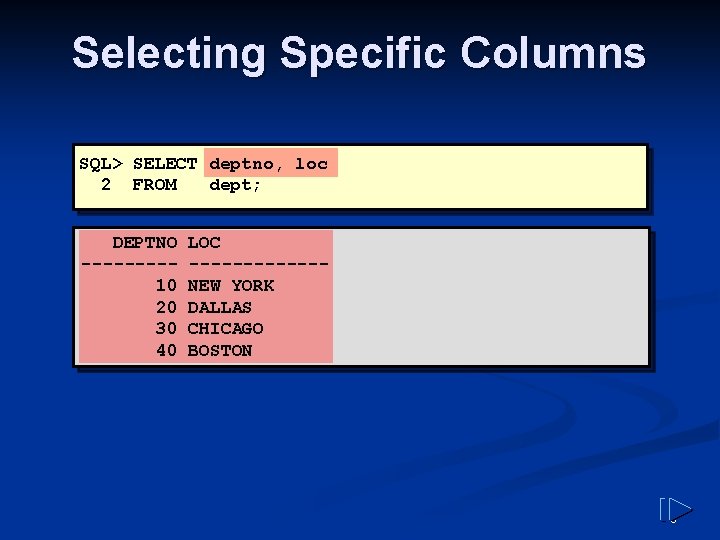
Selecting Specific Columns SQL> SELECT deptno, loc 2 FROM dept; DEPTNO ----10 20 30 40 LOC ------NEW YORK DALLAS CHICAGO BOSTON 8
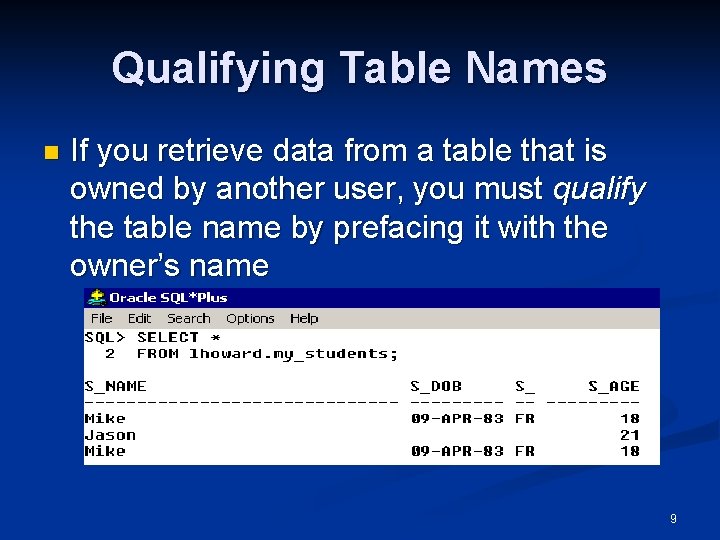
Qualifying Table Names n If you retrieve data from a table that is owned by another user, you must qualify the table name by prefacing it with the owner’s name 9
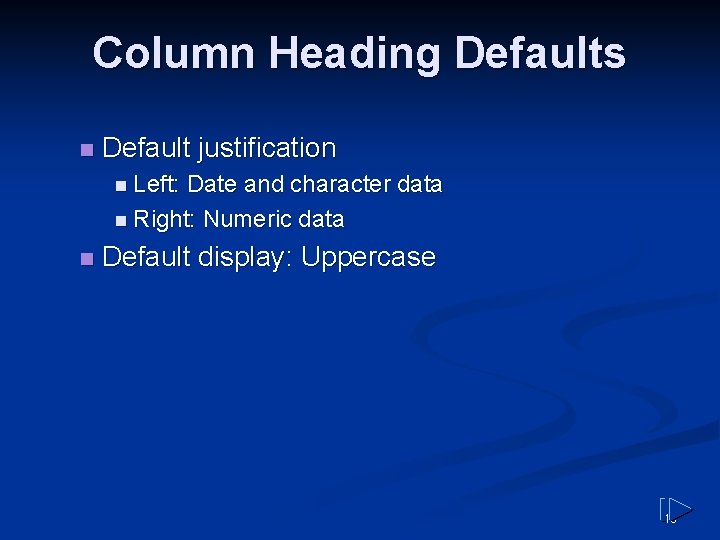
Column Heading Defaults n Default justification n Left: Date and character data n Right: Numeric data n Default display: Uppercase 10
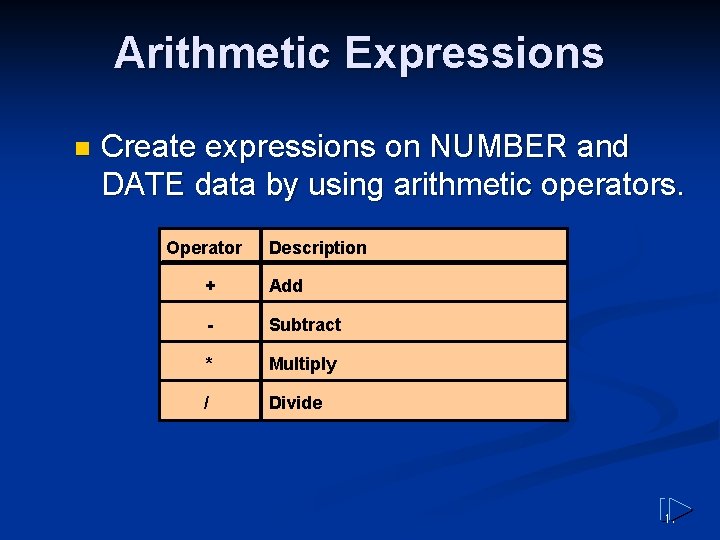
Arithmetic Expressions n Create expressions on NUMBER and DATE data by using arithmetic operators. Operator Description + Add - Subtract * Multiply / Divide 11
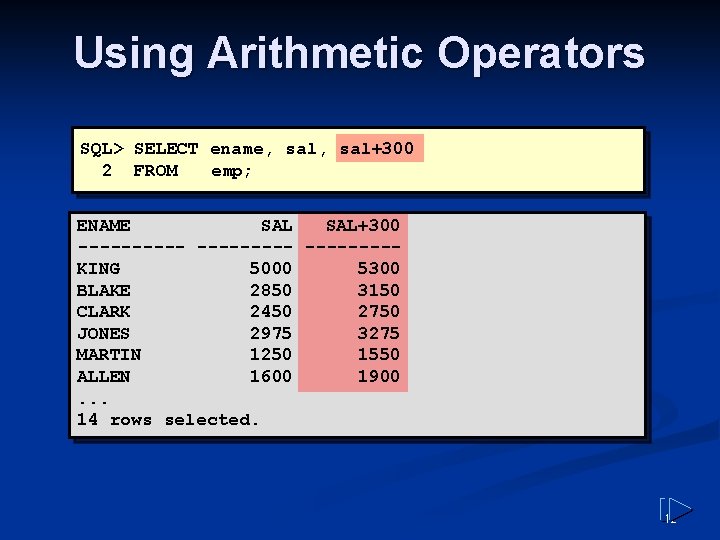
Using Arithmetic Operators SQL> SELECT ename, sal+300 2 FROM emp; ENAME SAL+300 ----- ----KING 5000 5300 BLAKE 2850 3150 CLARK 2450 2750 JONES 2975 3275 MARTIN 1250 1550 ALLEN 1600 1900. . . 14 rows selected. 12
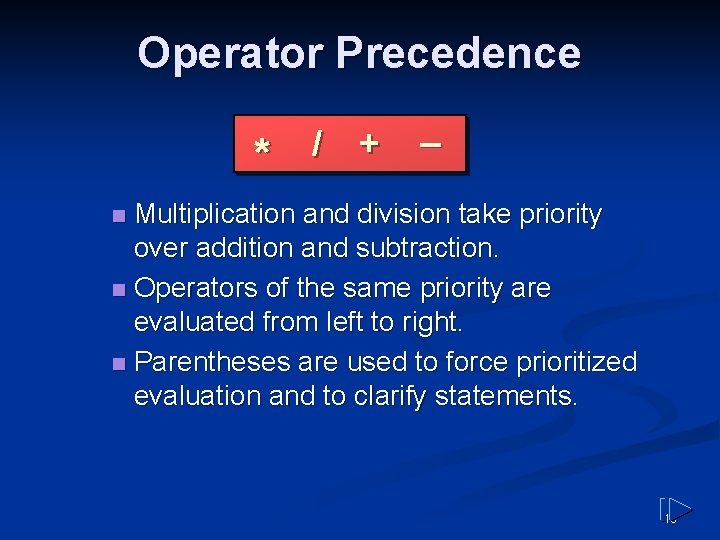
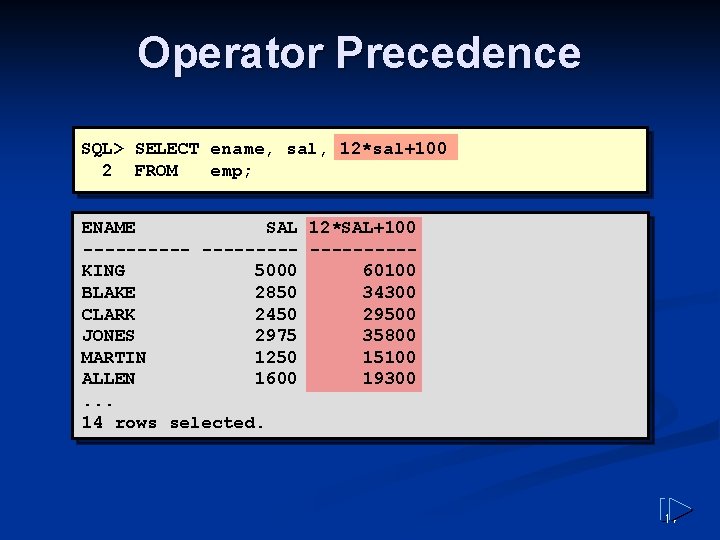
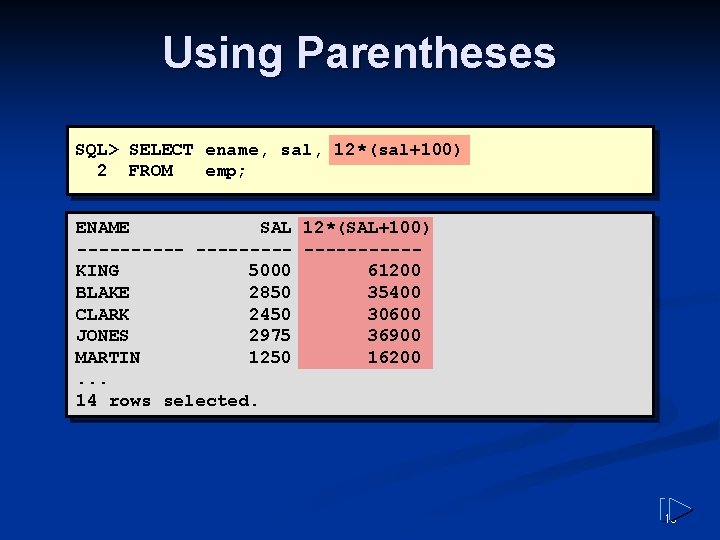
Operator Precedence * / + _ Multiplication and division take priority over addition and subtraction. n Operators of the same priority are evaluated from left to right. n Parentheses are used to force prioritized evaluation and to clarify statements. n 13
Operator Precedence SQL> SELECT ename, sal, 12*sal+100 2 FROM emp; ENAME SAL 12*SAL+100 ---------KING 5000 60100 BLAKE 2850 34300 CLARK 2450 29500 JONES 2975 35800 MARTIN 1250 15100 ALLEN 1600 19300. . . 14 rows selected. 14
Using Parentheses SQL> SELECT ename, sal, 12*(sal+100) 2 FROM emp; ENAME SAL 12*(SAL+100) ----------KING 5000 61200 BLAKE 2850 35400 CLARK 2450 30600 JONES 2975 36900 MARTIN 1250 16200. . . 14 rows selected. 15
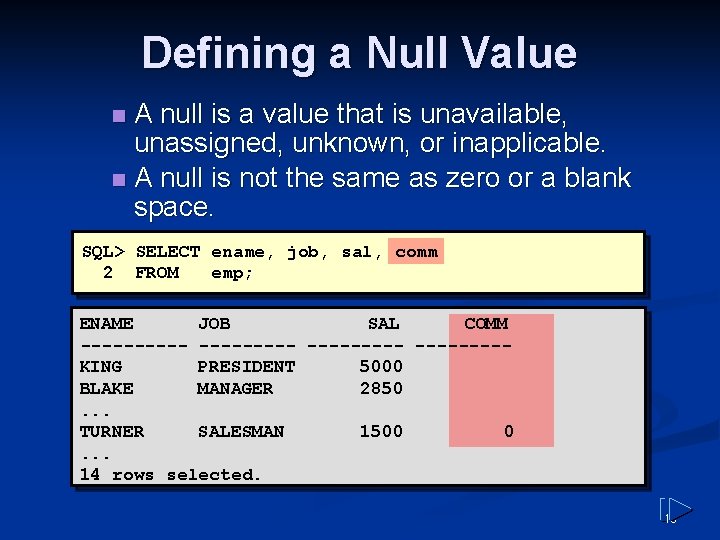
Defining a Null Value A null is a value that is unavailable, unassigned, unknown, or inapplicable. n A null is not the same as zero or a blank space. n SQL> SELECT ename, job, sal, comm 2 FROM emp; ENAME JOB SAL COMM ---------KING PRESIDENT 5000 BLAKE MANAGER 2850. . . TURNER SALESMAN 1500 0. . . 14 rows selected. 16
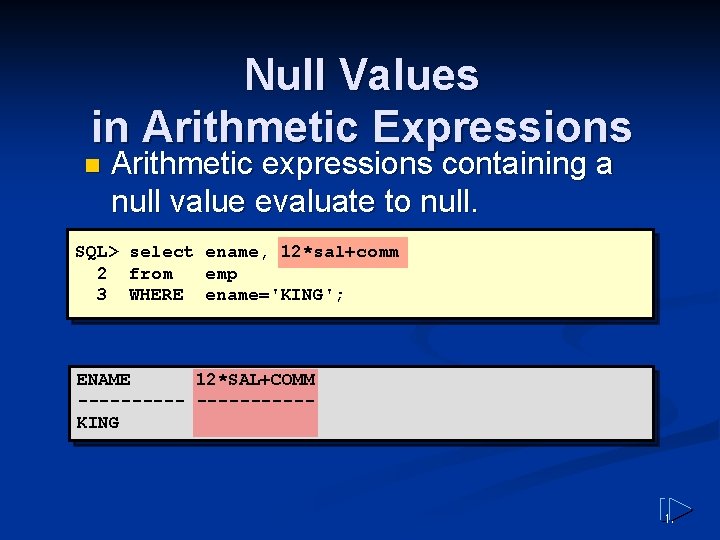
Null Values in Arithmetic Expressions n Arithmetic expressions containing a null value evaluate to null. SQL> select ename, 12*sal+comm 2 from emp 3 WHERE ename='KING'; ENAME 12*SAL+COMM ----------KING 17
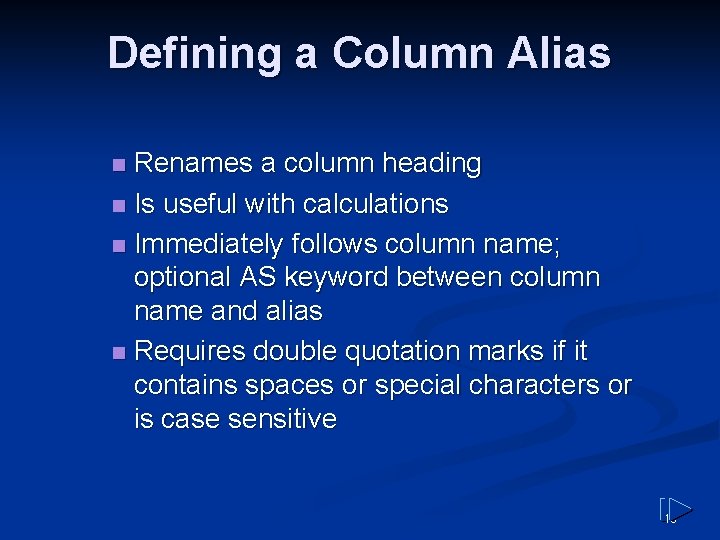
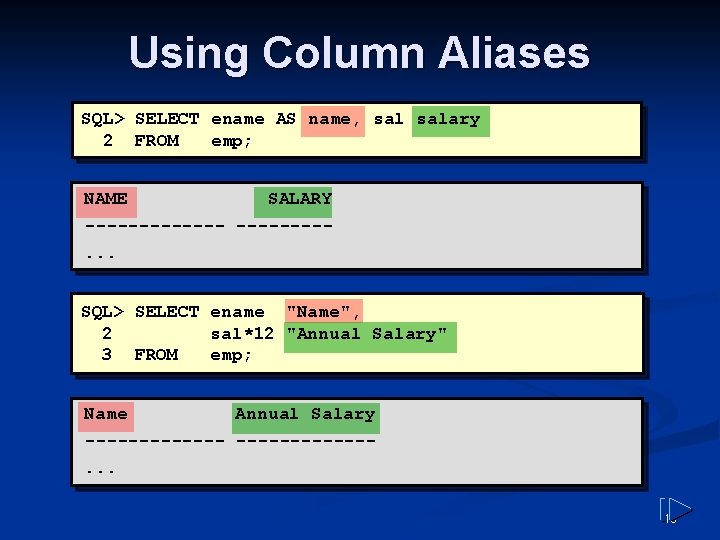
Defining a Column Alias Renames a column heading n Is useful with calculations n Immediately follows column name; optional AS keyword between column name and alias n Requires double quotation marks if it contains spaces or special characters or is case sensitive n 18
Using Column Aliases SQL> SELECT ename AS name, salary 2 FROM emp; NAME SALARY -------. . . SQL> SELECT ename "Name", 2 sal*12 "Annual Salary" 3 FROM emp; Name Annual Salary -------. . . 19
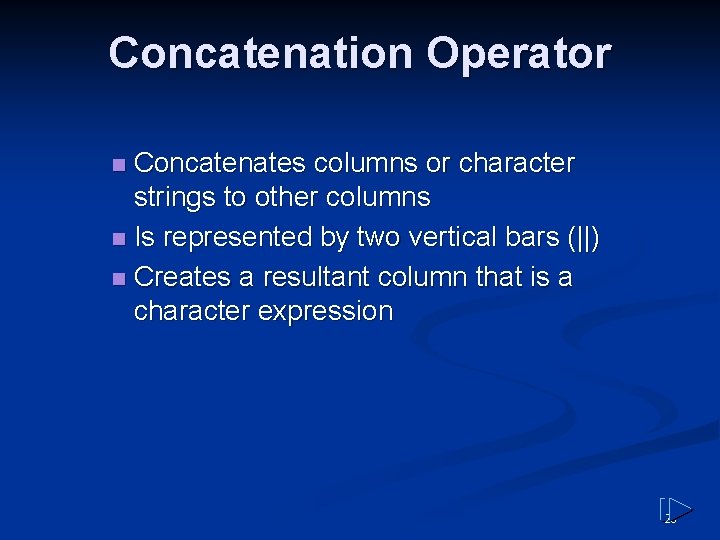
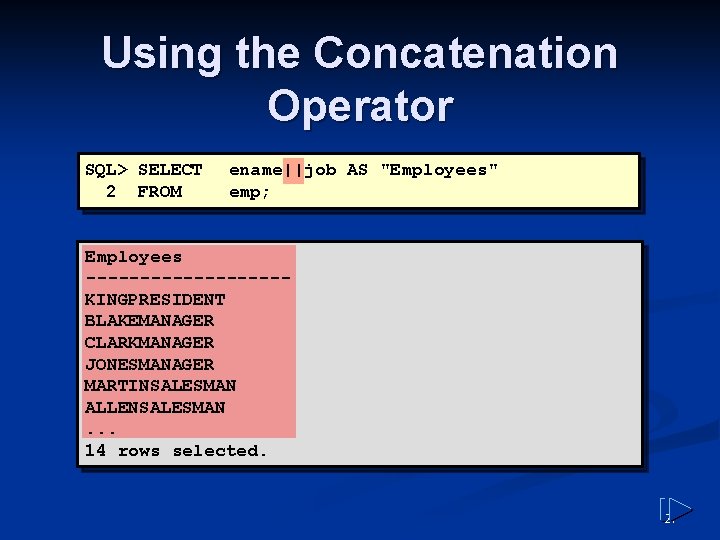
Concatenation Operator Concatenates columns or character strings to other columns n Is represented by two vertical bars (||) n Creates a resultant column that is a character expression n 20
Using the Concatenation Operator SQL> SELECT 2 FROM ename||job AS "Employees" emp; Employees ---------KINGPRESIDENT BLAKEMANAGER CLARKMANAGER JONESMANAGER MARTINSALESMAN ALLENSALESMAN. . . 14 rows selected. 21
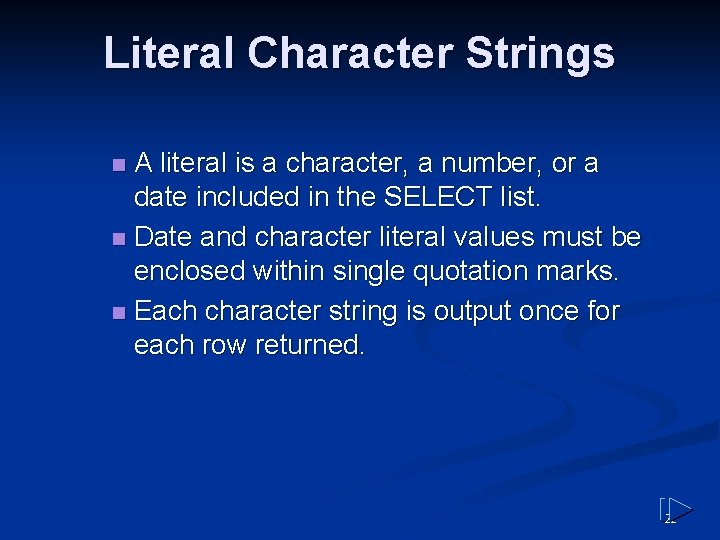
Literal Character Strings A literal is a character, a number, or a date included in the SELECT list. n Date and character literal values must be enclosed within single quotation marks. n Each character string is output once for each row returned. n 22
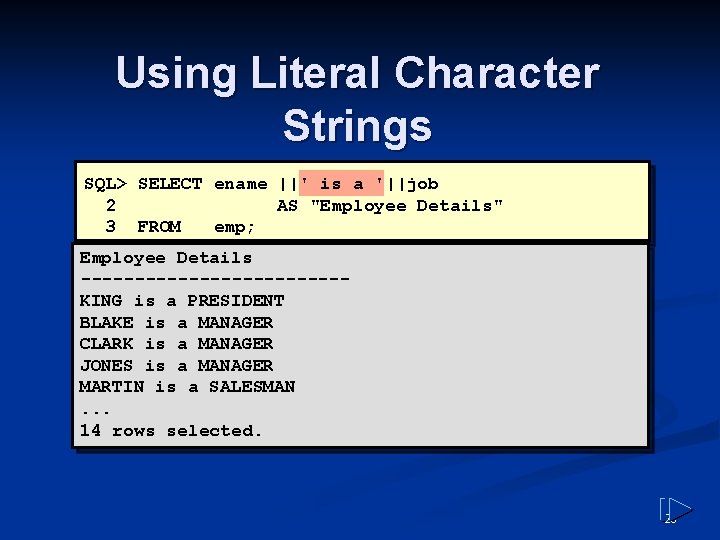
Using Literal Character Strings SQL> SELECT ename ||' is a '||job 2 AS "Employee Details" 3 FROM emp; Employee Details ------------KING is a PRESIDENT BLAKE is a MANAGER CLARK is a MANAGER JONES is a MANAGER MARTIN is a SALESMAN. . . 14 rows selected. 23
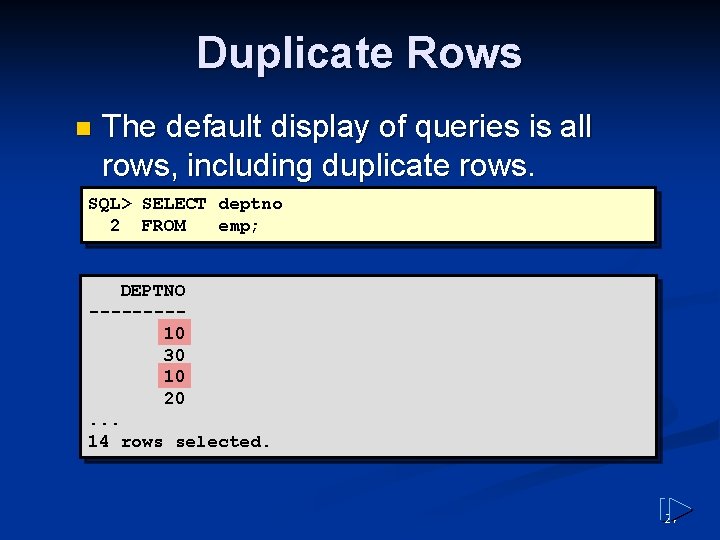
Duplicate Rows n The default display of queries is all rows, including duplicate rows. SQL> SELECT deptno 2 FROM emp; DEPTNO ----10 30 10 20. . . 14 rows selected. 24
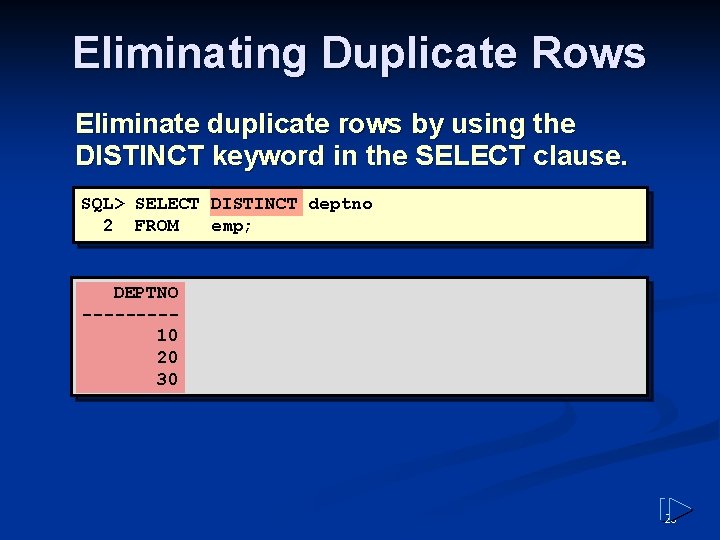
Eliminating Duplicate Rows Eliminate duplicate rows by using the DISTINCT keyword in the SELECT clause. SQL> SELECT DISTINCT deptno 2 FROM emp; DEPTNO ----10 20 30 25
Restricting and Sorting Data 26
Objectives n After completing this lesson, you should be able to do the following: Limit the rows retrieved by a query n Sort the rows retrieved by a query n 27
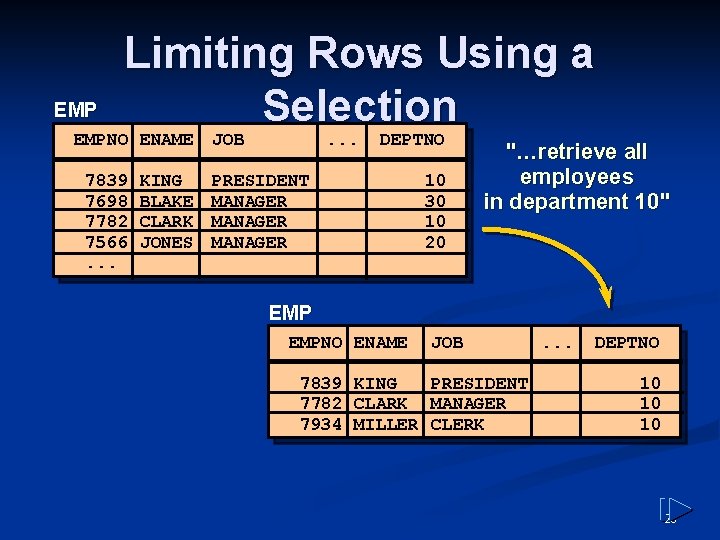
EMP Limiting Rows Using a Selection EMPNO ENAME 7839 7698 7782 7566. . . KING BLAKE CLARK JONES JOB . . . DEPTNO PRESIDENT MANAGER 10 30 10 20 "…retrieve all employees in department 10" EMPNO ENAME JOB 7839 KING PRESIDENT 7782 CLARK MANAGER 7934 MILLER CLERK . . . DEPTNO 10 10 10 28
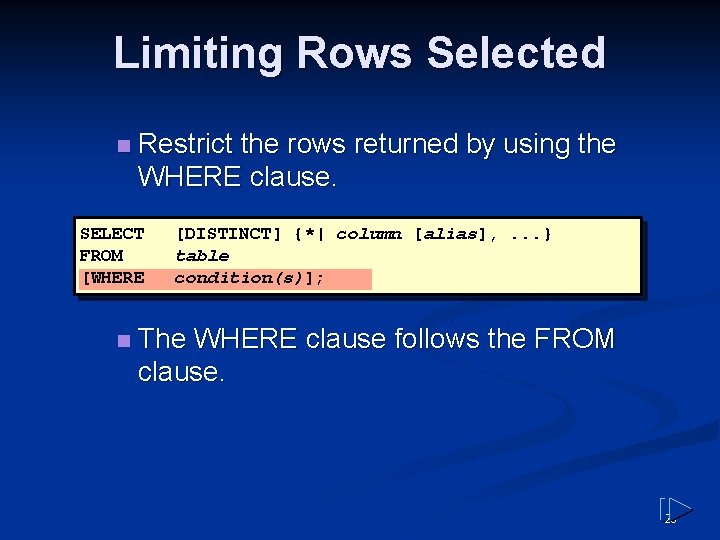
Limiting Rows Selected n Restrict the rows returned by using the WHERE clause. SELECT FROM [WHERE n [DISTINCT] {*| column [alias], . . . } table condition(s)]; The WHERE clause follows the FROM clause. 29
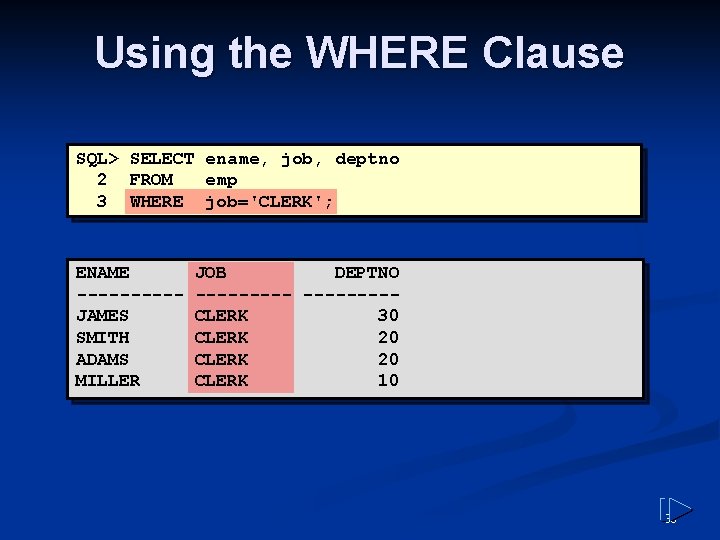
Using the WHERE Clause SQL> SELECT ename, job, deptno 2 FROM emp 3 WHERE job='CLERK'; ENAME -----JAMES SMITH ADAMS MILLER JOB DEPTNO -----CLERK 30 CLERK 20 CLERK 10 30
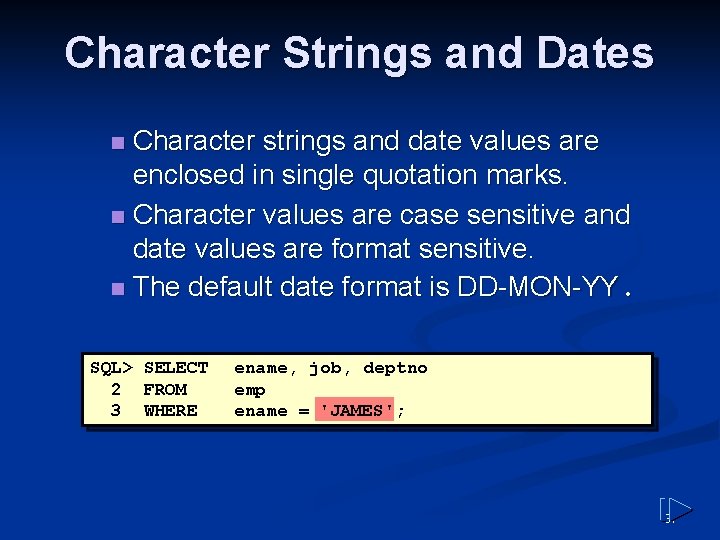
Character Strings and Dates Character strings and date values are enclosed in single quotation marks. n Character values are case sensitive and date values are format sensitive. n The default date format is DD-MON-YY. n SQL> SELECT 2 FROM 3 WHERE ename, job, deptno emp ename = 'JAMES' ; 31
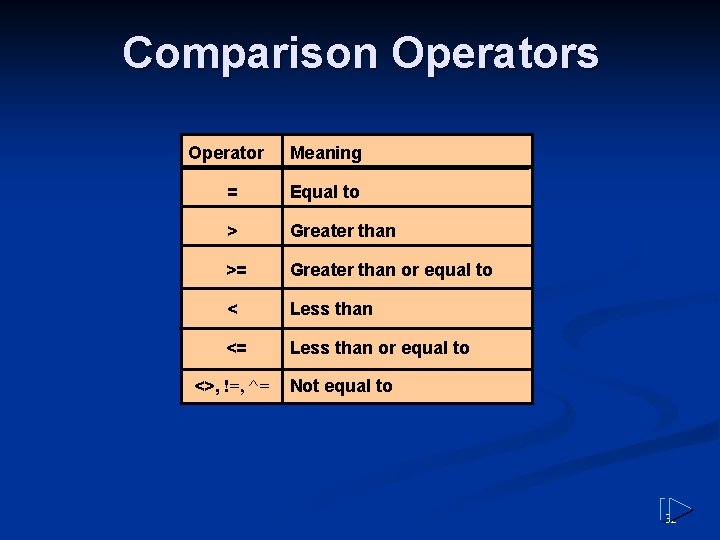
Comparison Operators Operator Meaning = Equal to > Greater than >= Greater than or equal to < Less than <= Less than or equal to <>, !=, ^= Not equal to 32
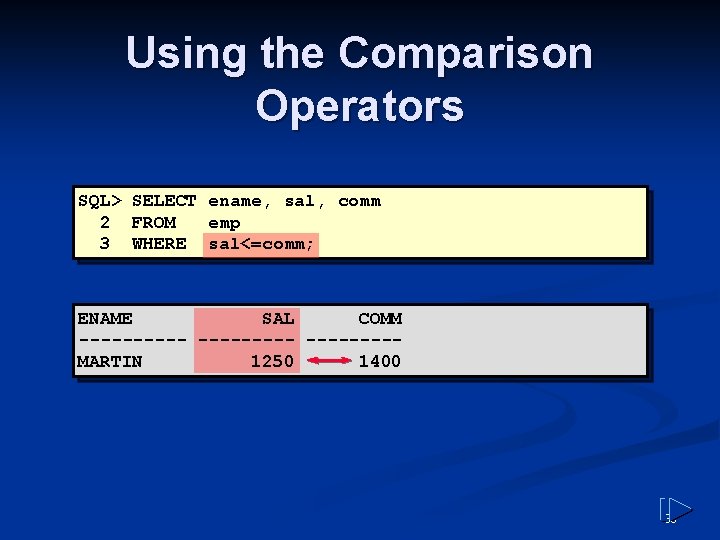
Using the Comparison Operators SQL> SELECT ename, sal, comm 2 FROM emp 3 WHERE sal<=comm; ENAME SAL COMM ----- ----MARTIN 1250 1400 33
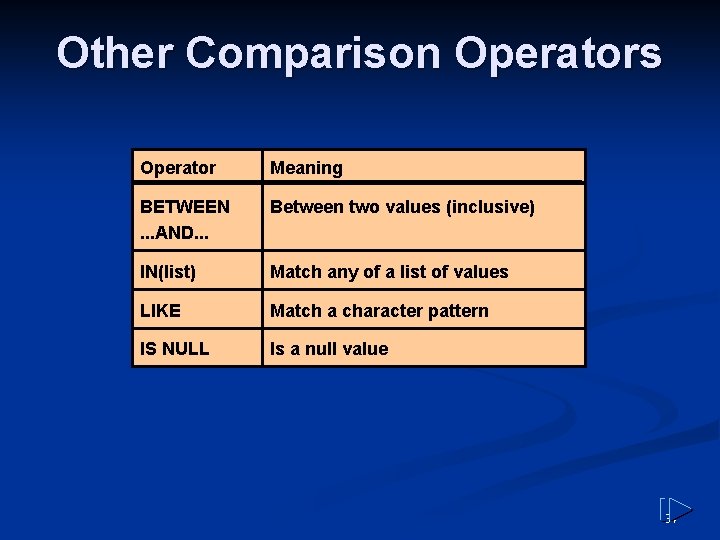
Other Comparison Operators Operator Meaning BETWEEN. . . AND. . . Between two values (inclusive) IN(list) Match any of a list of values LIKE Match a character pattern IS NULL Is a null value 34
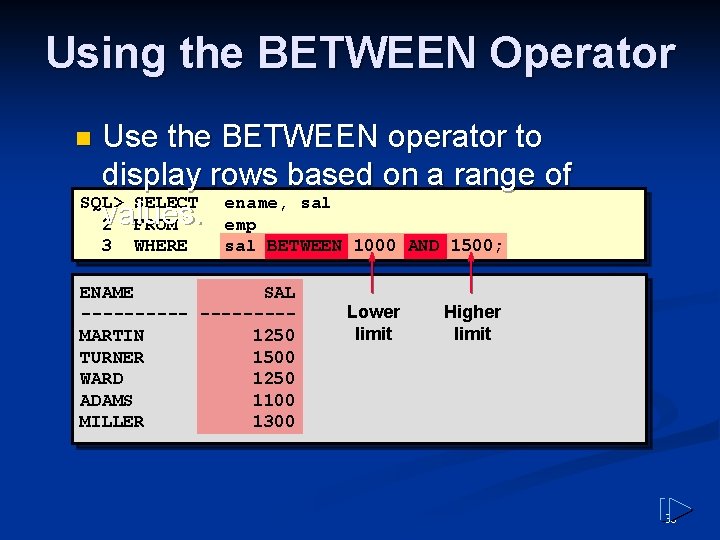
Using the BETWEEN Operator Use the BETWEEN operator to display rows based on a range of SQL> SELECT ename, sal values. 2 FROM emp n 3 WHERE sal BETWEEN 1000 AND 1500; ENAME SAL -----MARTIN 1250 TURNER 1500 WARD 1250 ADAMS 1100 MILLER 1300 Lower limit Higher limit 35
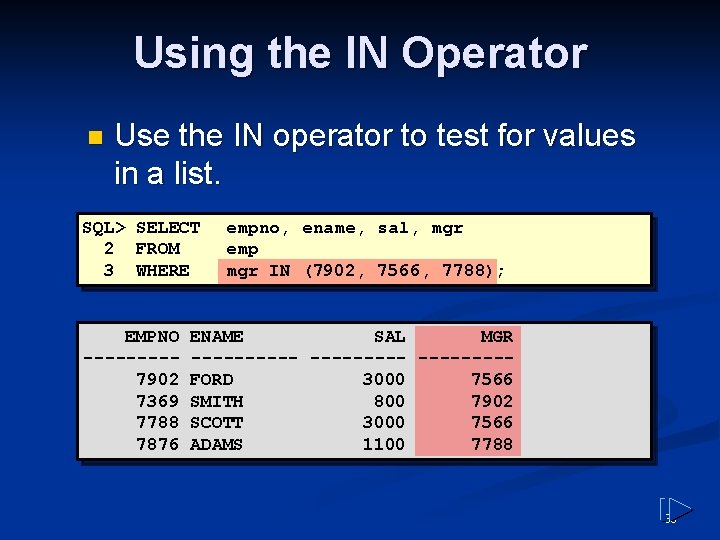
Using the IN Operator n Use the IN operator to test for values in a list. SQL> SELECT 2 FROM 3 WHERE EMPNO ----7902 7369 7788 7876 empno, ename, sal, mgr emp mgr IN (7902, 7566, 7788); ENAME SAL MGR ----- ----FORD 3000 7566 SMITH 800 7902 SCOTT 3000 7566 ADAMS 1100 7788 36
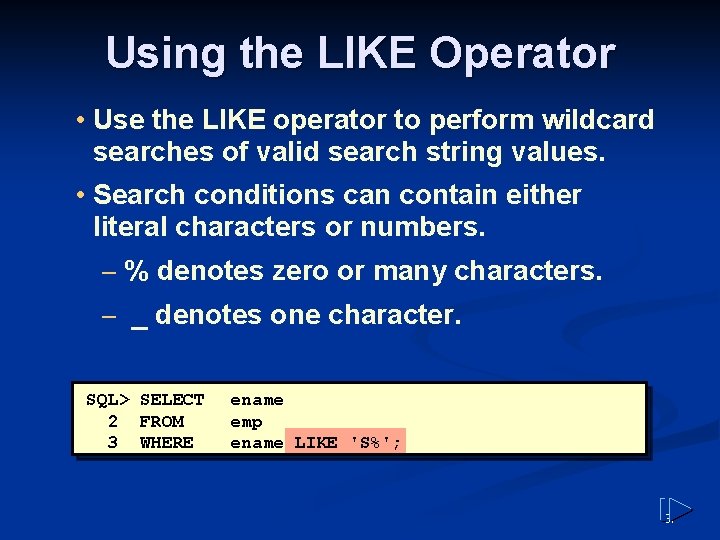
Using the LIKE Operator • Use the LIKE operator to perform wildcard searches of valid search string values. • Search conditions can contain either literal characters or numbers. – % denotes zero or many characters. – _ denotes one character. SQL> SELECT 2 FROM 3 WHERE ename emp ename LIKE 'S%'; 37
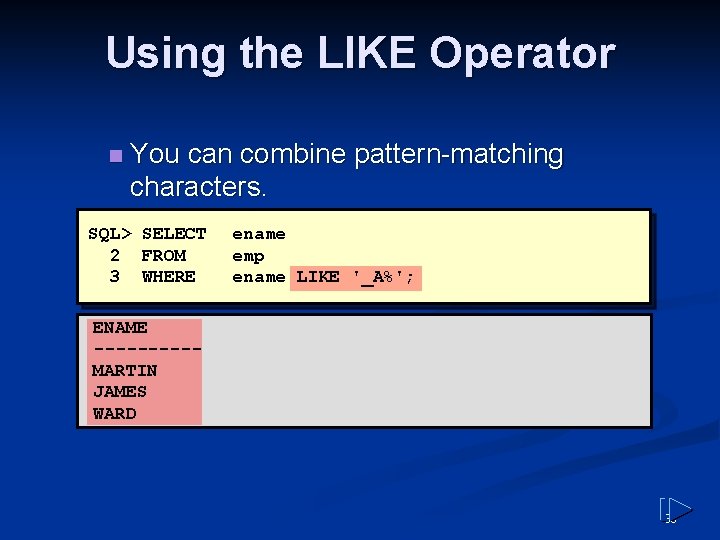
Using the LIKE Operator n You can combine pattern-matching characters. SQL> SELECT 2 FROM 3 WHERE ename emp ename LIKE '_A%'; ENAME -----MARTIN JAMES WARD 38
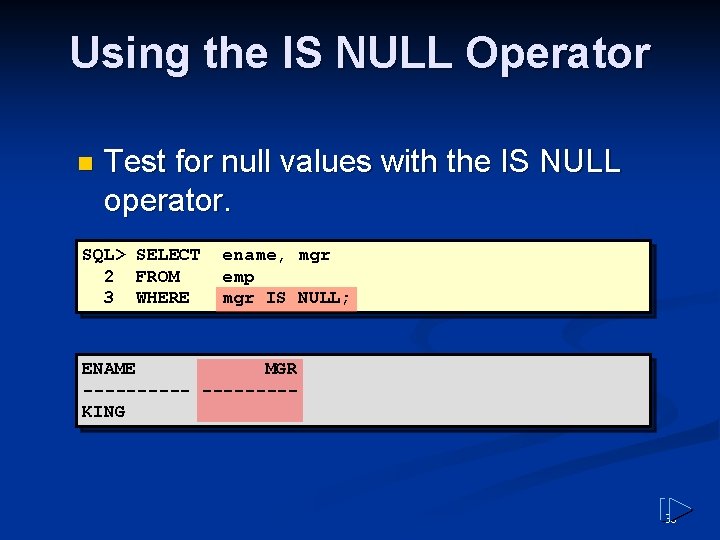
Using the IS NULL Operator n Test for null values with the IS NULL operator. SQL> SELECT 2 FROM 3 WHERE ename, mgr emp mgr IS NULL; ENAME MGR -----KING 39
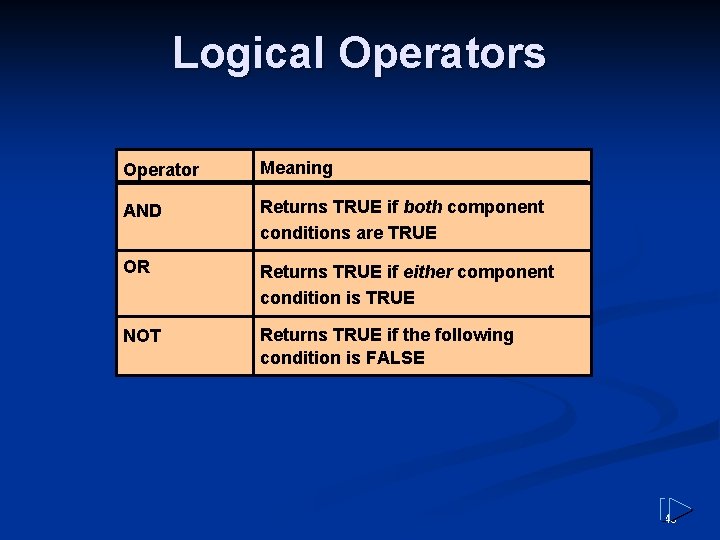
Logical Operators Operator Meaning AND Returns TRUE if both component conditions are TRUE OR Returns TRUE if either component condition is TRUE NOT Returns TRUE if the following condition is FALSE 40
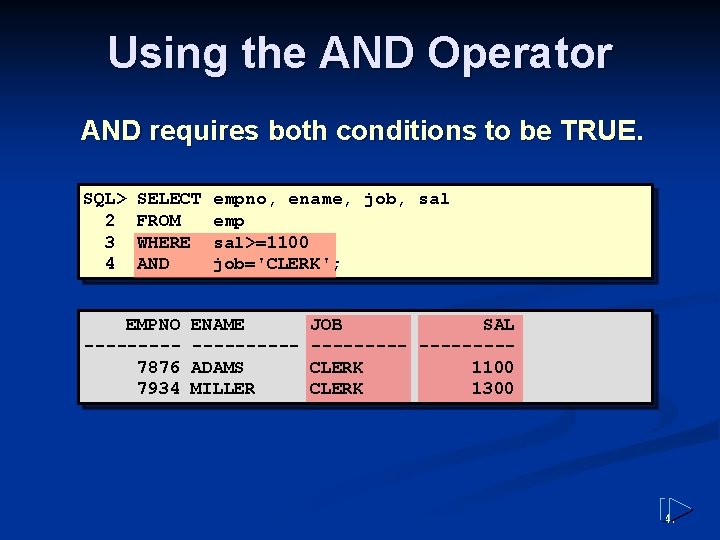
Using the AND Operator AND requires both conditions to be TRUE. SQL> 2 3 4 SELECT FROM WHERE AND EMPNO ----7876 7934 empno, ename, job, sal emp sal>=1100 job='CLERK'; ENAME -----ADAMS MILLER JOB SAL -----CLERK 1100 CLERK 1300 41
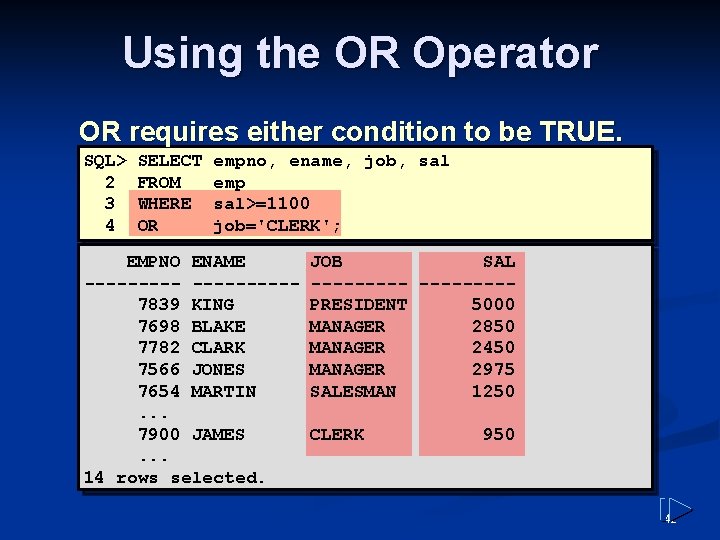
Using the OR Operator OR requires either condition to be TRUE. SQL> 2 3 4 SELECT FROM WHERE OR empno, ename, job, sal emp sal>=1100 job='CLERK'; EMPNO ENAME ---------7839 KING 7698 BLAKE 7782 CLARK 7566 JONES 7654 MARTIN. . . 7900 JAMES. . . 14 rows selected. JOB SAL -----PRESIDENT 5000 MANAGER 2850 MANAGER 2450 MANAGER 2975 SALESMAN 1250 CLERK 950 42
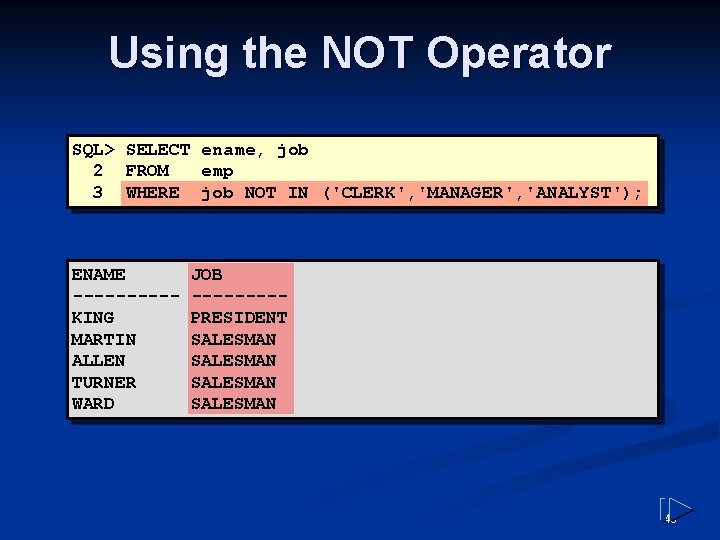
Using the NOT Operator SQL> SELECT ename, job 2 FROM emp 3 WHERE job NOT IN ('CLERK', 'MANAGER', 'ANALYST'); ENAME -----KING MARTIN ALLEN TURNER WARD JOB ----PRESIDENT SALESMAN 43
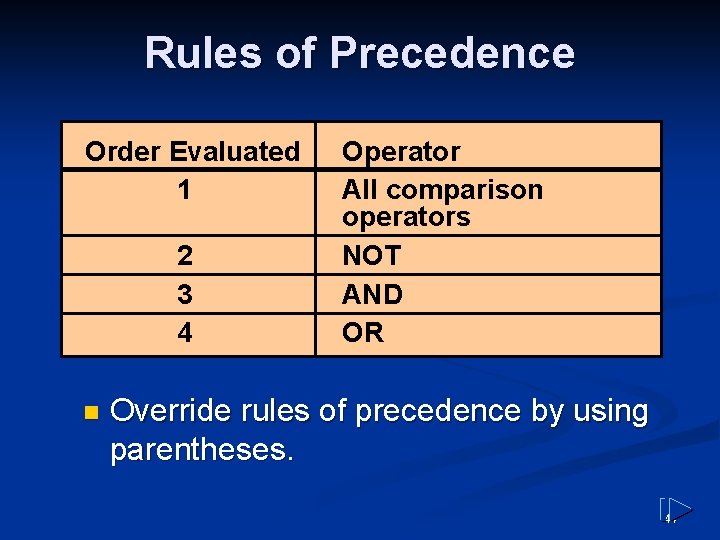
Rules of Precedence Order Evaluated 1 2 3 4 n Operator All comparison operators NOT AND OR Override rules of precedence by using parentheses. 44
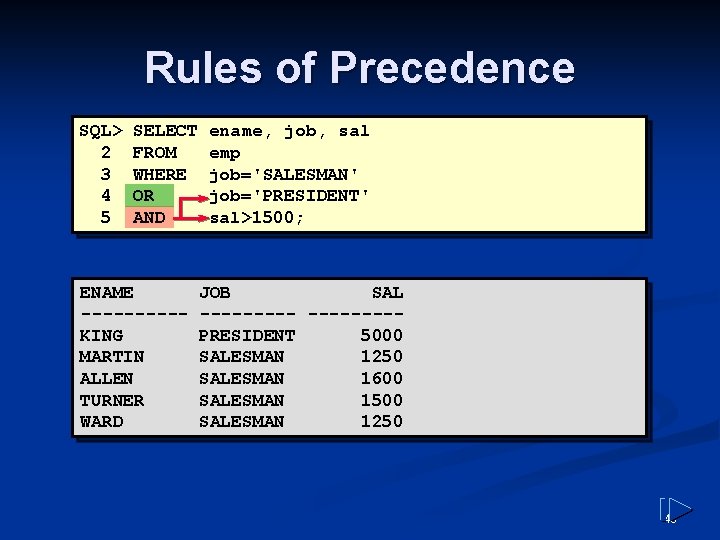
Rules of Precedence SQL> 2 3 4 5 SELECT FROM WHERE OR AND ENAME -----KING MARTIN ALLEN TURNER WARD ename, job, sal emp job='SALESMAN' job='PRESIDENT' sal>1500; JOB SAL -----PRESIDENT 5000 SALESMAN 1250 SALESMAN 1600 SALESMAN 1500 SALESMAN 1250 45
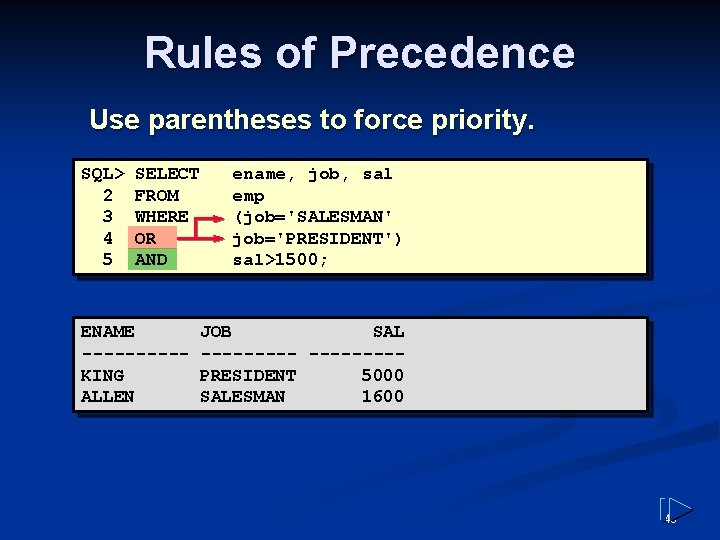
Rules of Precedence Use parentheses to force priority. SQL> 2 3 4 5 SELECT FROM WHERE OR AND ENAME -----KING ALLEN ename, job, sal emp (job='SALESMAN' job='PRESIDENT') sal>1500; JOB SAL -----PRESIDENT 5000 SALESMAN 1600 46
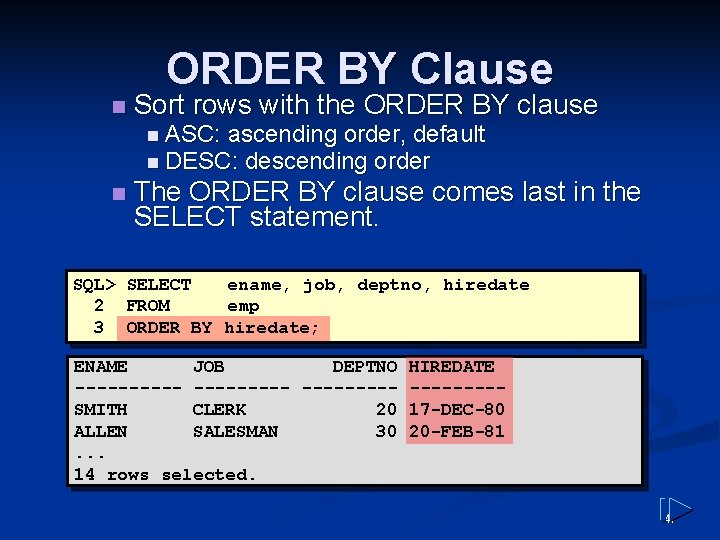
ORDER BY Clause n Sort rows with the ORDER BY clause n ASC: ascending order, default n DESC: descending order n The ORDER BY clause comes last in the SELECT statement. SQL> SELECT ename, job, deptno, hiredate 2 FROM emp 3 ORDER BY hiredate; ENAME JOB DEPTNO HIREDATE ---------SMITH CLERK 20 17 -DEC-80 ALLEN SALESMAN 30 20 -FEB-81. . . 14 rows selected. 47
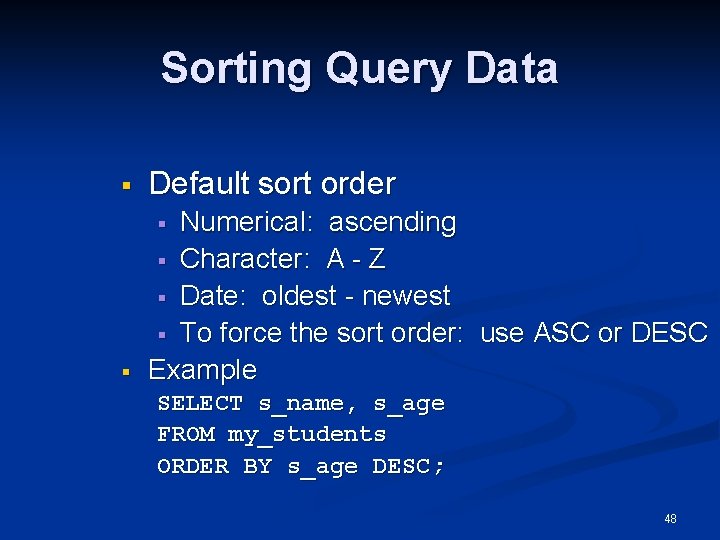
Sorting Query Data § Default sort order § Numerical: ascending § Character: A - Z § Date: oldest - newest § To force the sort order: use ASC or DESC Example § SELECT s_name, s_age FROM my_students ORDER BY s_age DESC; 48
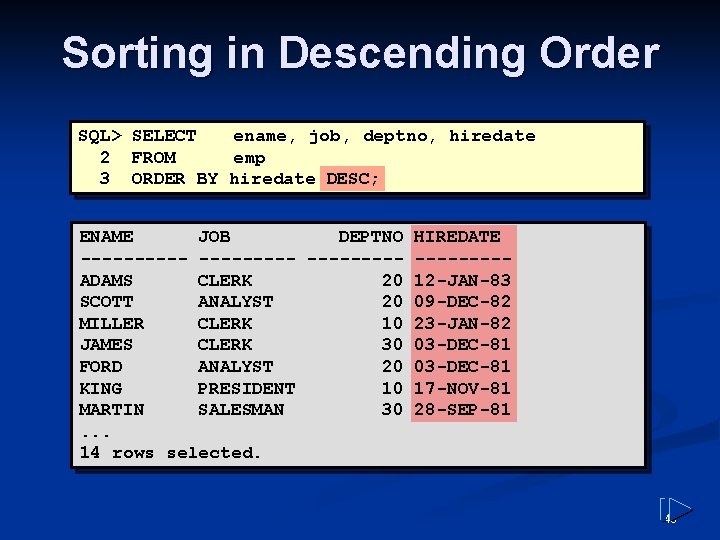
Sorting in Descending Order SQL> SELECT ename, job, deptno, hiredate 2 FROM emp 3 ORDER BY hiredate DESC; ENAME JOB DEPTNO HIREDATE ---------ADAMS CLERK 20 12 -JAN-83 SCOTT ANALYST 20 09 -DEC-82 MILLER CLERK 10 23 -JAN-82 JAMES CLERK 30 03 -DEC-81 FORD ANALYST 20 03 -DEC-81 KING PRESIDENT 10 17 -NOV-81 MARTIN SALESMAN 30 28 -SEP-81. . . 14 rows selected. 49
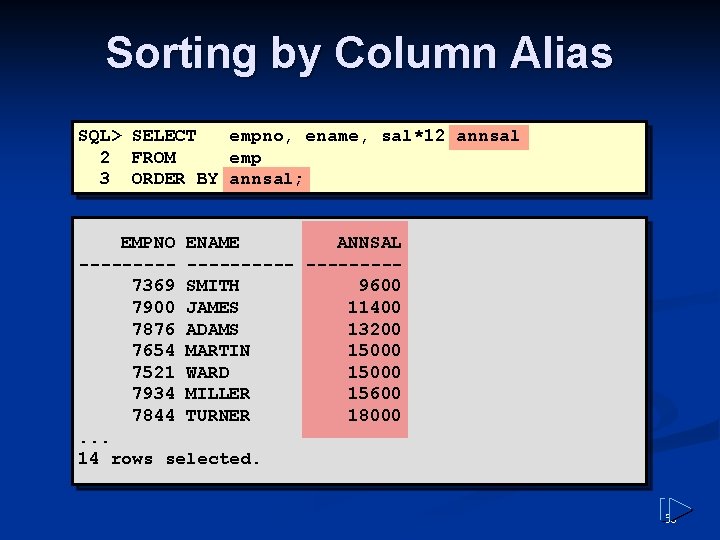
Sorting by Column Alias SQL> SELECT empno, ename, sal*12 annsal 2 FROM emp 3 ORDER BY annsal; EMPNO ENAME ANNSAL ----------7369 SMITH 9600 7900 JAMES 11400 7876 ADAMS 13200 7654 MARTIN 15000 7521 WARD 15000 7934 MILLER 15600 7844 TURNER 18000. . . 14 rows selected. 50
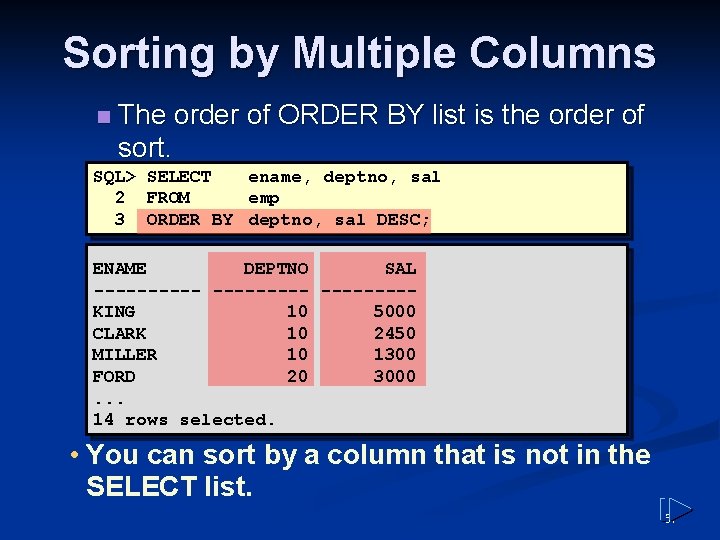
Sorting by Multiple Columns n The order of ORDER BY list is the order of sort. SQL> SELECT ename, deptno, sal 2 FROM emp 3 ORDER BY deptno, sal DESC; ENAME DEPTNO SAL ----- ----KING 10 5000 CLARK 10 2450 MILLER 10 1300 FORD 20 3000. . . 14 rows selected. • You can sort by a column that is not in the SELECT list. 51
Summary SELECT [DISTINCT] {*| column [alias], . . . } FROM table [WHERE condition(s)] [ORDER BY {column, expr, alias} [ASC|DESC]]; 52