
Engineered for Tomorrow Subject Name Object Oriented Programming
Engineered for Tomorrow Subject Name: Object Oriented Programming with C++ Subject Code: 10 CS 36 Prepared By: Tamilarasi, Madhuleena, Deepa Neema Department: CSE Date : 26 -08 -2014 5/22/2021
Engineered for Tomorrow Introduction to C++ Engineered for Tomorrow 5/22/2021
Engineered for Tomorrow Objectives • • What is C++ A Simple Program Comments in C++ Output Operator Input Operator Cascading of I/O Operator Structure of a C++ Program
Engineered for Tomorrow History of C++ History of C – Evolved from two other programming languages • BCPL and B – “Typeless” languages – Dennis Ritchie (Bell Laboratories) • Added data typing, other features – Development language of UNIX – Hardware independent • Portable programs – 1989: ANSI standard – 1990: ANSI and ISO standard published • ANSI/ISO 9899: 1990
Engineered for Tomorrow C++ • C++ is an object-oriented programming language. • Developed by Bjarne Stroustrup at AT&T Bell Laboratories, USA in the early 1980’s. • Simule 67 + C language C++ • 1997 November ANSI/ISO standards committee standardised C++. • For developing editors, compilers, databases, communication systems, etc.
Engineered for Tomorrow Programming Techniques • • Unstructured Programming Procedural Programming Modular Programming Object Oriented Programming
Engineered for Tomorrow Object Oriented Programming • Object-oriented programming solves some of the problems of the programming techniques • OOP treats data as a critical element in the program development and does not allow it to flow freely around the system • It ties data more closely to the function that operate on it, and protects it from accidental modification from outside functions • OOP allows decomposition of a problem into a number of entities called objects and then builds data and functions around these objects • The data of an object can be accessed only by the functions associated with that object. However functions of one object can access the functions of other objects
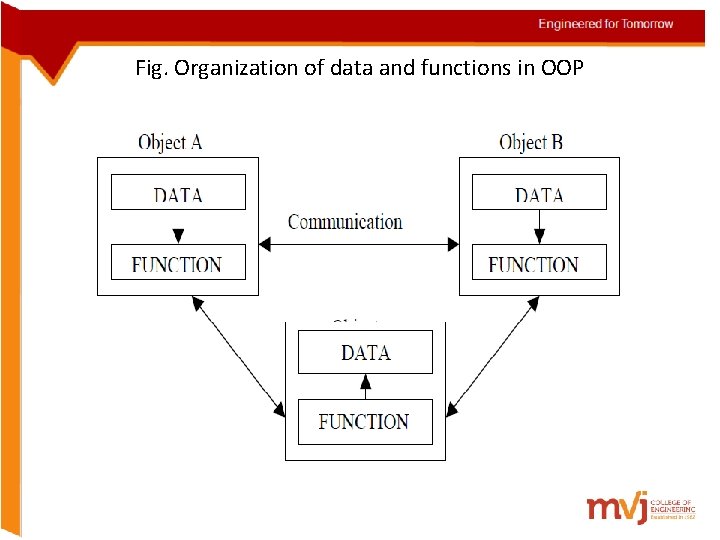
Engineered for Tomorrow Fig. Organization of data and functions in OOP
Engineered for Tomorrow Basic concepts of OOP • • Objects, Classes, Inheritance, Data Abstraction, Data Encapsulation, Polymorphism, Overloading, Reusability.
Engineered for Tomorrow Basic concepts of OOP • Object is the basic unit of object-oriented programming. Objects are identified by its unique name. An object represents a particular instance of a class. • Classes are user defined data types based on which objects are created. Objects with similar properties and methods are grouped together to form a Class. • Inheritance is the process of forming a new class from an existing class or base class. It helps in reducing the overall code size of the program. • Data Abstraction increases the power of programming language by creating user defined data types. • Data Encapsulation combines data and functions into a single unit called Class. Itenables the important concept of data hiding possible.
Engineered for Tomorrow Basic concepts of OOP • Polymorphism allows routines to use variables of different types at different times. An operator or function can be given different meanings or functions. Polymorphism refers to a single function or multi-functioning operator performing in different ways. • Overloading is one type of Polymorphism. It allows an object to have different meanings, depending on its context. When an exiting operator or function begins to operate on new data type, or class, it is understood to be overloaded. • Reusability : This term refers to the ability for multiple programmers to use the same written and debugged existing class of data. This is a time saving device and adds code efficiency to the language.
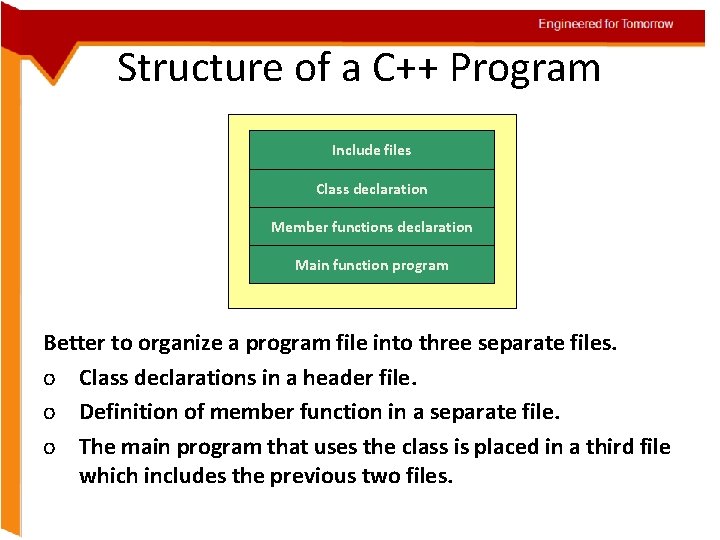
Engineered for Tomorrow Structure of a C++ Program Include files Class declaration Member functions declaration Main function program Better to organize a program file into three separate files. o Class declarations in a header file. o Definition of member function in a separate file. o The main program that uses the class is placed in a third file which includes the previous two files.
Engineered for Tomorrow A Simple Program • C++ works by giving (separate) instructions to the computer. • These instructions can be written as functions. • The primary function used in C++ is called main. This means that every C++ program should have the main() function. Because a function is an assignment, in order to perform its job, a function has a body. The body of a function starts with an opening curly bracket "{" and closes with a closing curly bracket "}".
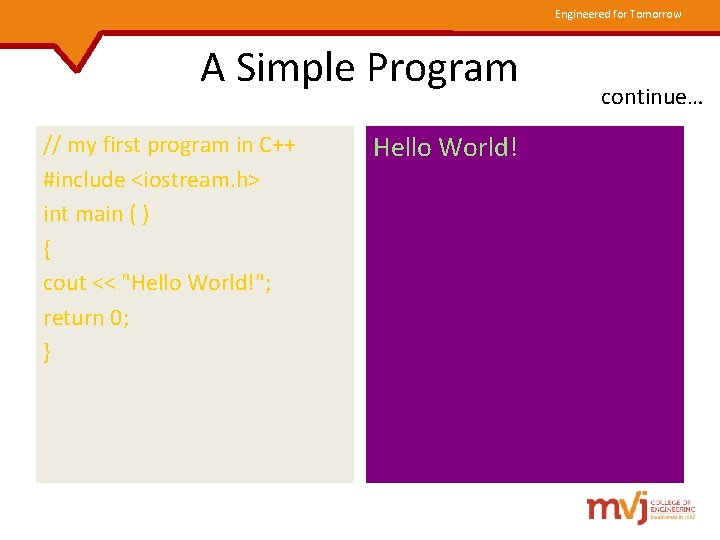
Engineered for Tomorrow A Simple Program // my first program in C++ #include <iostream. h> int main ( ) { cout << "Hello World!"; return 0; } Hello World! continue…
Engineered for Tomorrow Comments in C++ • The most basic documentation you have to perform is to put comments as much as you can. Comments help you and other people who read your code to figure out what you were doing. • Comments are not read by the compiler while executing your program. • C++ supports two ways to insert comments: o // line comment o /* block comment */
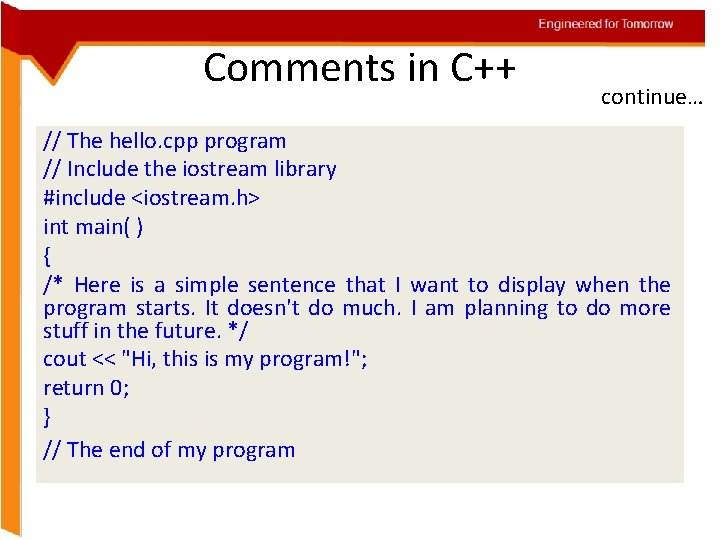
Engineered for Tomorrow Comments in C++ continue… // The hello. cpp program // Include the iostream library #include <iostream. h> int main( ) { /* Here is a simple sentence that I want to display when the program starts. It doesn't do much. I am planning to do more stuff in the future. */ cout << "Hi, this is my program!"; return 0; } // The end of my program
Engineered for Tomorrow Variables and Data Types Tokens The smallest individual units in a program are known as tokens. o Keywords o Identifiers o Constants o Strings o Operators
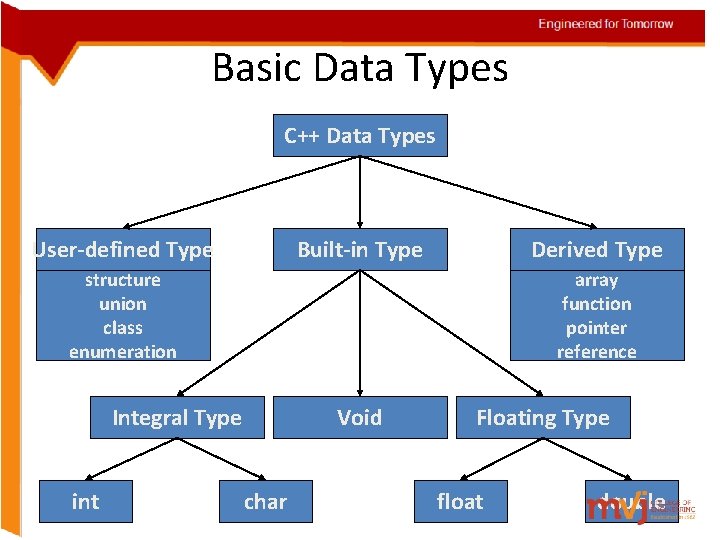
Engineered for Tomorrow Basic Data Types C++ Data Types User-defined Type Built-in Type Derived Type structure union class enumeration array function pointer reference Integral Type int Void char Floating Type float double
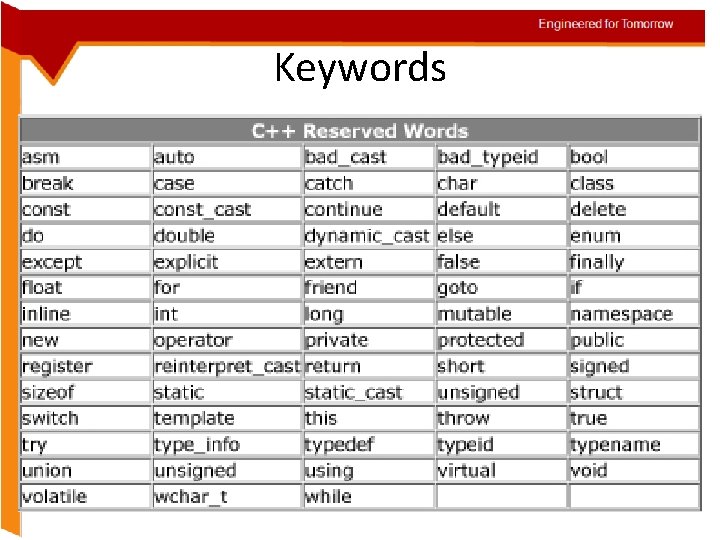
Engineered for Tomorrow Keywords
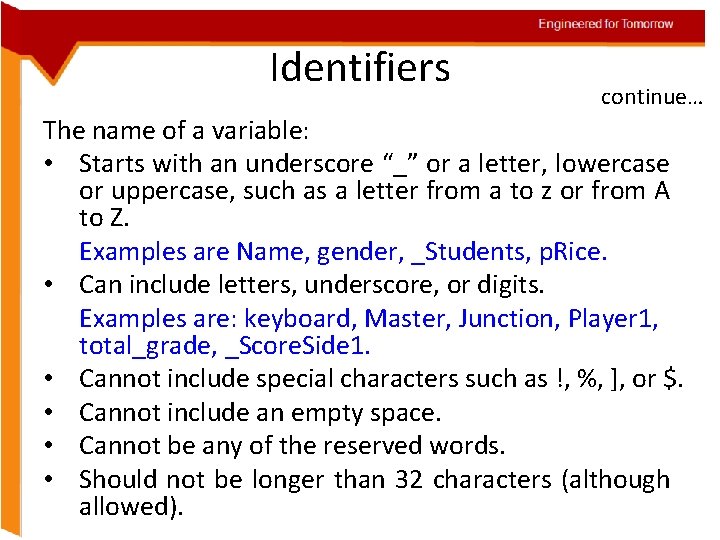
Engineered for Tomorrow Identifiers continue… The name of a variable: • Starts with an underscore “_” or a letter, lowercase or uppercase, such as a letter from a to z or from A to Z. Examples are Name, gender, _Students, p. Rice. • Can include letters, underscore, or digits. Examples are: keyboard, Master, Junction, Player 1, total_grade, _Score. Side 1. • Cannot include special characters such as !, %, ], or $. • Cannot include an empty space. • Cannot be any of the reserved words. • Should not be longer than 32 characters (although allowed).
Engineered for Tomorrow Basic Data Types ANSI C++ added two more data types • bool • wchar_t continue…
Engineered for Tomorrow Data Type - bool A variable with bool type can hold a Boolean value true or false. Declaration: bool b 1; // declare b 1 as bool type b 1 = true; // assign true value to b 1 bool b 2 = false; // declare and initialize The default numeric value of true is 1 and false is 0.
Engineered for Tomorrow Data Type – wchar_t The character type wchar_t has been defined to hold 16 -bit wide characters. wide_character uses two bytes of memory. wide_character literal in C++ begin with the letter L L‘xy’ // wide_character literal
Engineered for Tomorrow Built-in Data Types int, char, float, double are known as basic or fundamental data types. Signed, unsigned, long, short modifier for integer and character basic data types. Long modifier for double.
Engineered for Tomorrow Built-in Data Types continue… Type void was introduced in ANSI C. Two normal use of void: o To specify the return type of a function when it is not returning any value. o To indicate an empty argument list to a function. o eg: - void function-name ( void )
Engineered for Tomorrow Built-in Data Types continue… Type void can also used for declaring generic pointer. A generic pointer can be assigned a pointer value of any basic data type, but it may not be de-referenced. void *gp; // gp becomes generic pointer int *ip; // int pointer gp = ip; // assign int pointer to void pointer Assigning any pointer type to a void pointer is allowed in C & C++.
Engineered for Tomorrow Built-in Data Types continue… void *gp; // gp becomes generic pointer int *ip; // int pointer ip = gp; // assign void pointer to int pointer This is allowed in C. But in C++ we need to use a cast operator to assign a void pointer to other type pointers. ip = ( int * ) gp; // assign void pointer to int pointer // using cast operator *ip = *gp; is illegal
Engineered for Tomorrow Derived Data Types Arrays The application of arrays in C++ is similar to that in C. Functions top-down - structured programming ; to reduce length of the program ; reusability ; function over-loading.
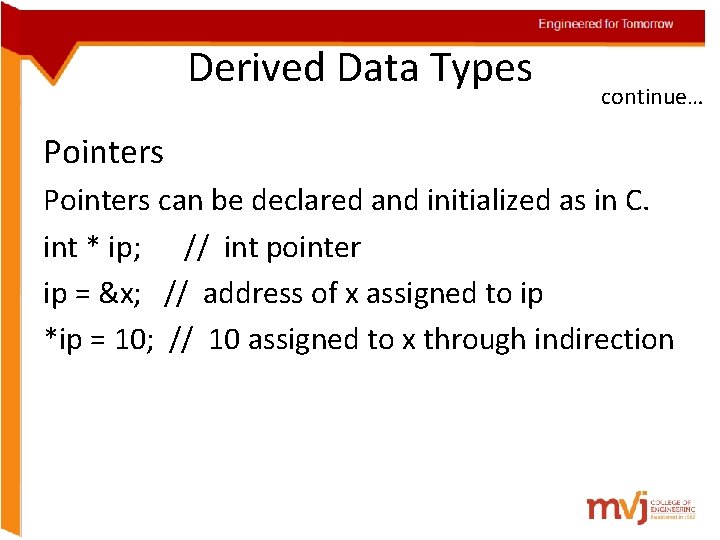
Engineered for Tomorrow Derived Data Types continue… Pointers can be declared and initialized as in C. int * ip; // int pointer ip = &x; // address of x assigned to ip *ip = 10; // 10 assigned to x through indirection
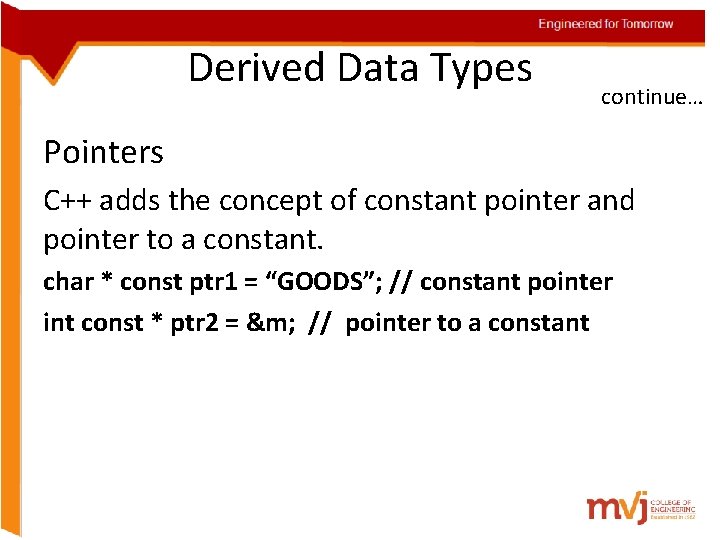
Engineered for Tomorrow Derived Data Types continue… Pointers C++ adds the concept of constant pointer and pointer to a constant. char * const ptr 1 = “GOODS”; // constant pointer int const * ptr 2 = &m; // pointer to a constant

Engineered for Tomorrow Symbolic Constants Two ways of creating symbolic constant in C++. Using the qualifier const Defining a set of integer constants using enum keyword. Any value declared as const can not be modified by the program in any way. In C++, we can use const in a constant expression. const int size = 10; char name[size]; // This is illegal in C.
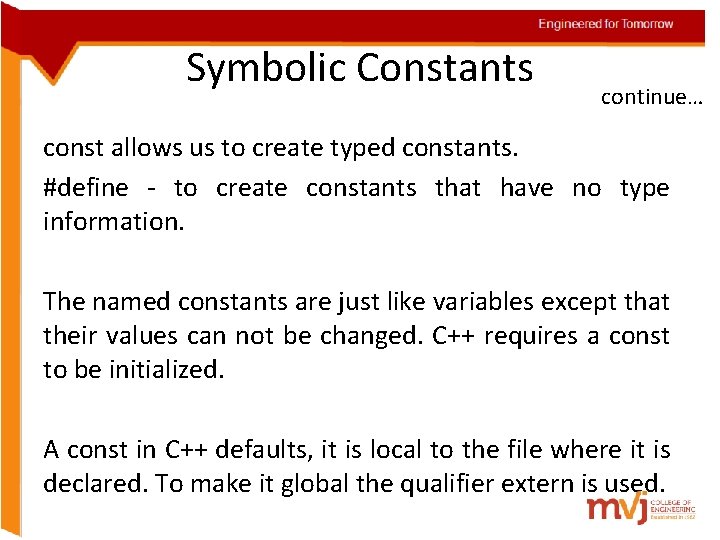
Engineered for Tomorrow Symbolic Constants continue… const allows us to create typed constants. #define - to create constants that have no type information. The named constants are just like variables except that their values can not be changed. C++ requires a const to be initialized. A const in C++ defaults, it is local to the file where it is declared. To make it global the qualifier extern is used.
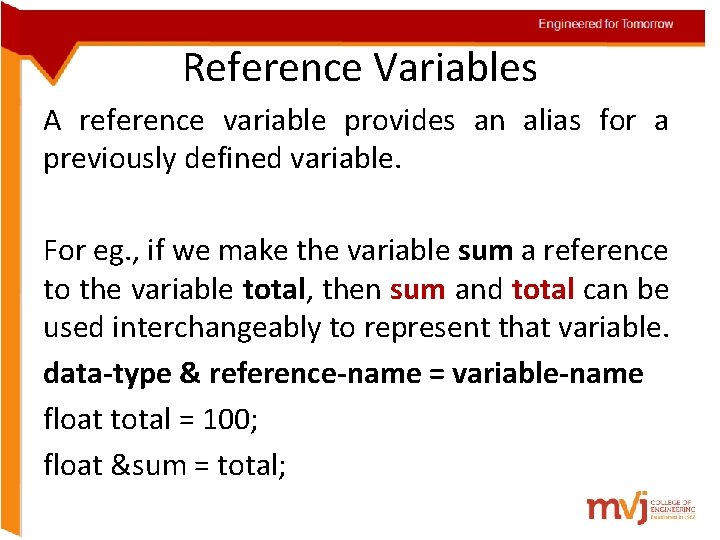
Engineered for Tomorrow Reference Variables A reference variable provides an alias for a previously defined variable. For eg. , if we make the variable sum a reference to the variable total, then sum and total can be used interchangeably to represent that variable. data-type & reference-name = variable-name float total = 100; float &sum = total;
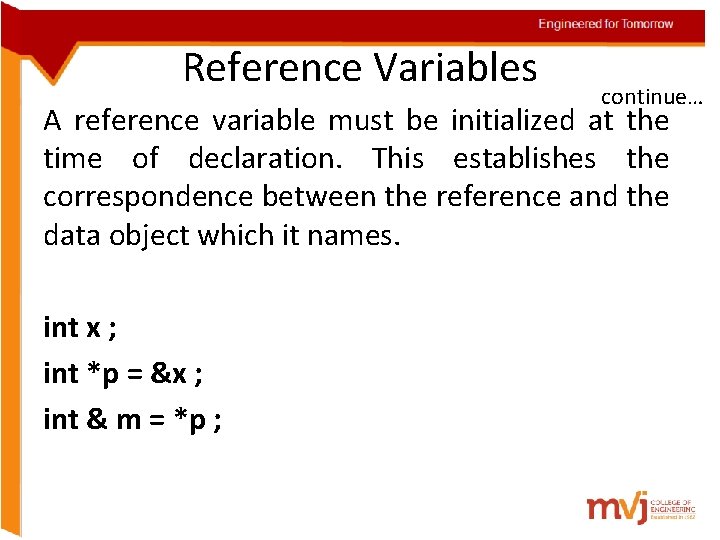
Engineered for Tomorrow Reference Variables continue… A reference variable must be initialized at the time of declaration. This establishes the correspondence between the reference and the data object which it names. int x ; int *p = &x ; int & m = *p ;
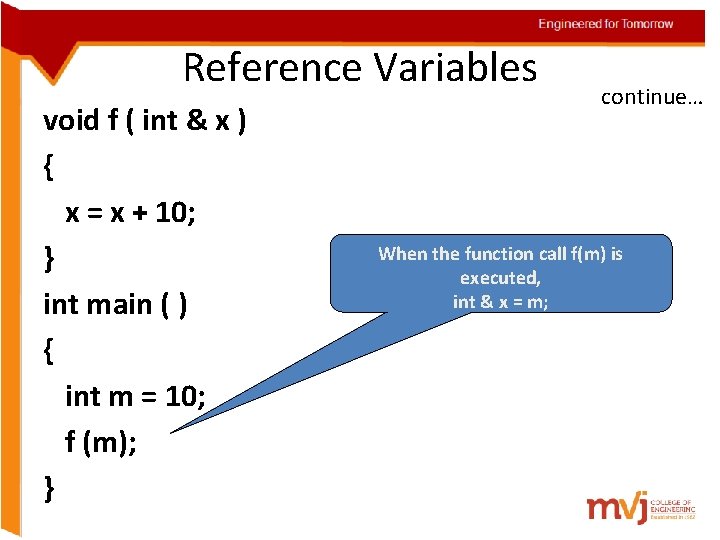
Engineered for Tomorrow Reference Variables void f ( int & x ) { x = x + 10; } int main ( ) { int m = 10; f (m); } continue… When the function call f(m) is executed, int & x = m;
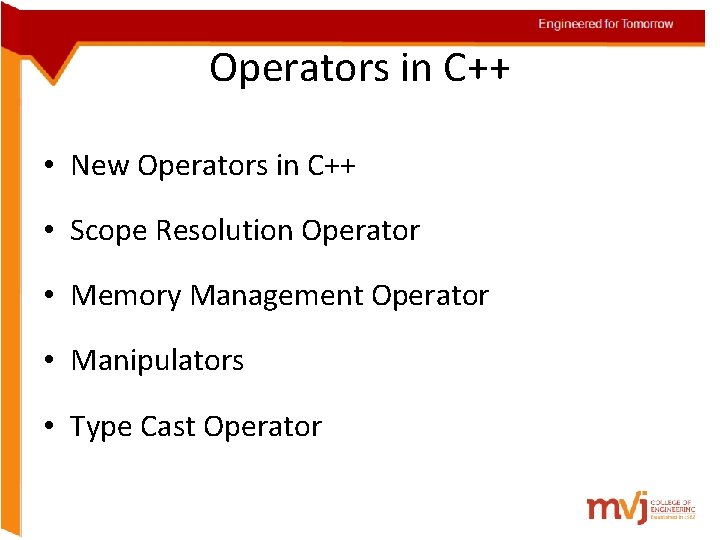
Engineered for Tomorrow Operators in C++ • New Operators in C++ • Scope Resolution Operator • Memory Management Operator • Manipulators • Type Cast Operator
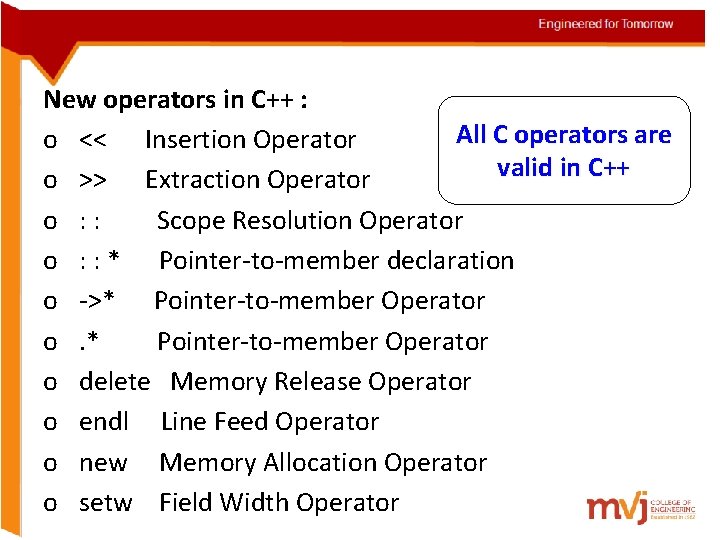
Engineered for Tomorrow New operators in C++ : All C operators are o << Insertion Operator valid in C++ o >> Extraction Operator o : : Scope Resolution Operator o : : * Pointer-to-member declaration o ->* Pointer-to-member Operator o delete Memory Release Operator o endl Line Feed Operator o new Memory Allocation Operator o setw Field Width Operator
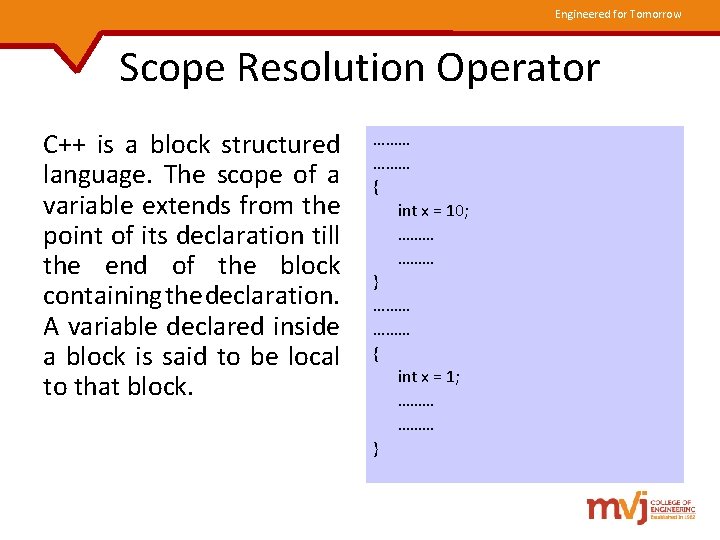
Engineered for Tomorrow Scope Resolution Operator C++ is a block structured language. The scope of a variable extends from the point of its declaration till the end of the block containing the declaration. A variable declared inside a block is said to be local to that block. ……… { int x = 10; ……… } ……… { int x = 1; ……… }
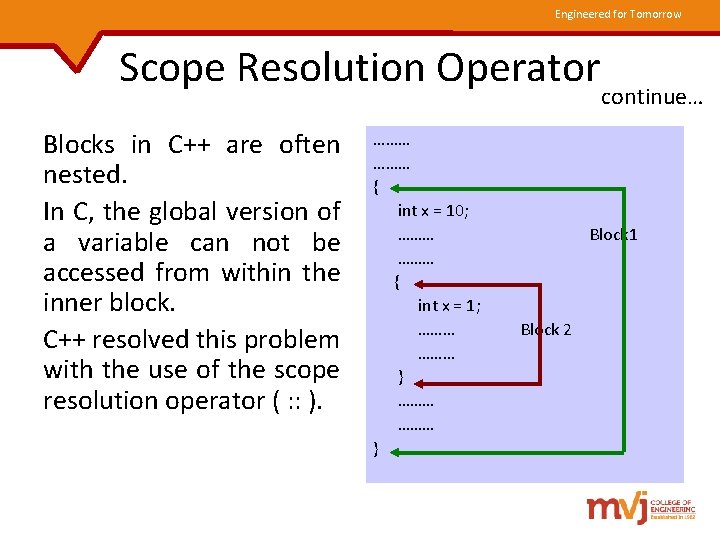
Engineered for Tomorrow Scope Resolution Operator Blocks in C++ are often nested. In C, the global version of a variable can not be accessed from within the inner block. C++ resolved this problem with the use of the scope resolution operator ( : : ). ……… { int x = 10; ……… { int x = 1; ……… ……… } continue… Block 1 Block 2
Engineered for Tomorrow Scope Resolution Operator continue… The scope resolution operator ( : : ) can be used to uncover a hidden variable. : : variable-name This operator allows access to the global version of a variable.
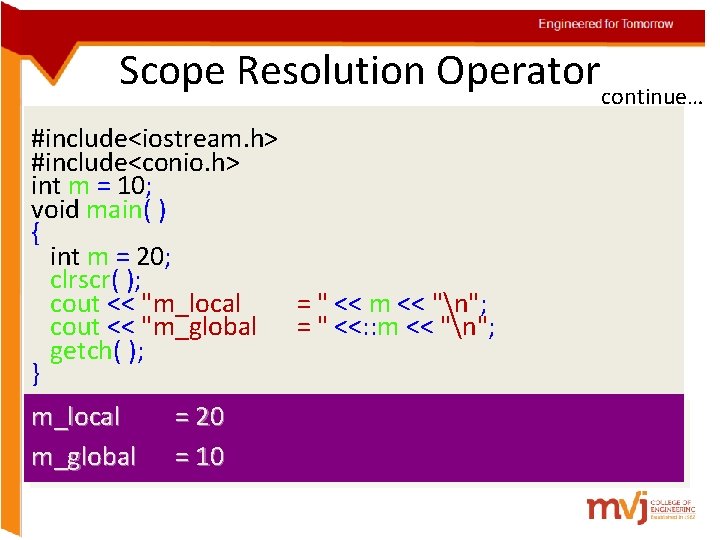
Engineered for Tomorrow Scope Resolution Operatorcontinue… #include<iostream. h> #include<conio. h> int m = 10; void main( ) { int m = 20; clrscr( ); cout << "m_local cout << "m_global getch( ); } m_local = 20 m_global = 10 = " << m << "n"; = " <<: : m << "n";
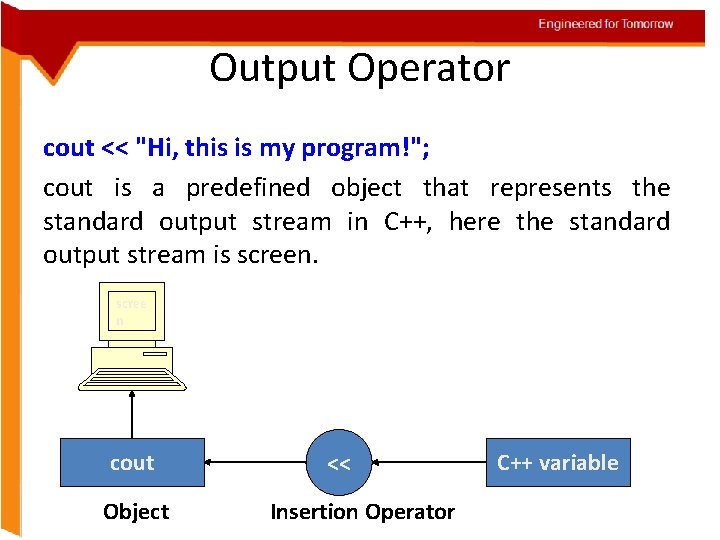
Engineered for Tomorrow Output Operator cout << "Hi, this is my program!"; cout is a predefined object that represents the standard output stream in C++, here the standard output stream is screen. scree n cout Object << Insertion Operator C++ variable
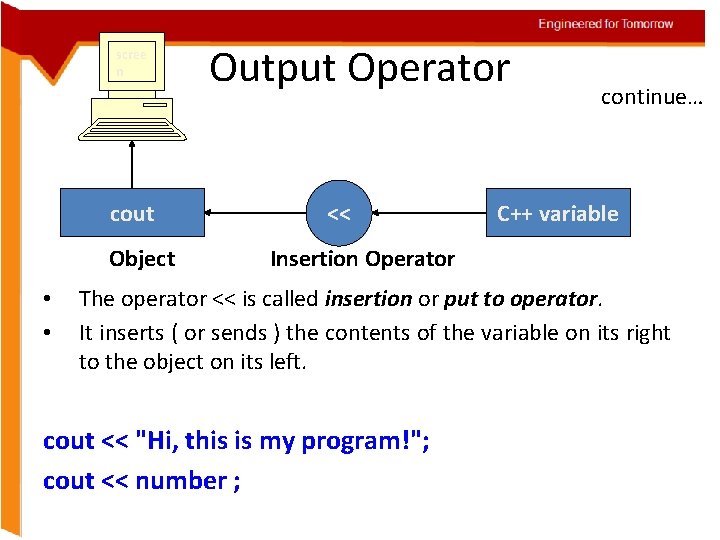
Engineered for Tomorrow scree n cout Object • • Output Operator << continue… C++ variable Insertion Operator The operator << is called insertion or put to operator. It inserts ( or sends ) the contents of the variable on its right to the object on its left. cout << "Hi, this is my program!"; cout << number ;
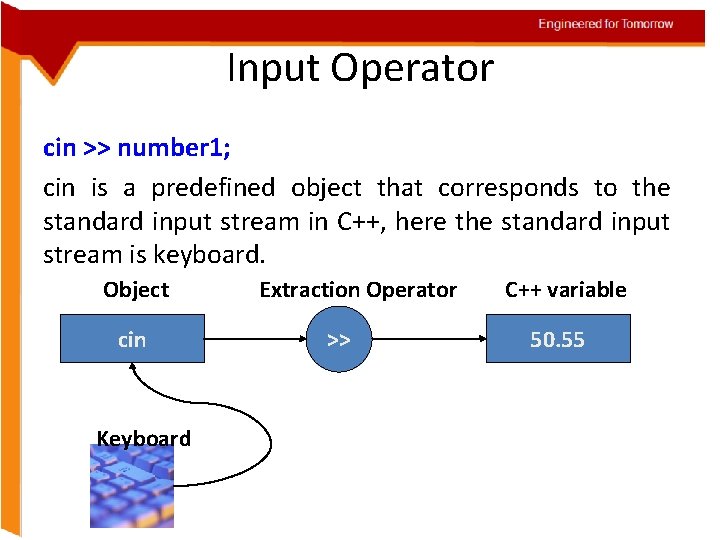
Engineered for Tomorrow Input Operator cin >> number 1; cin is a predefined object that corresponds to the standard input stream in C++, here the standard input stream is keyboard. Object cin Keyboard Extraction Operator >> C++ variable 50. 55
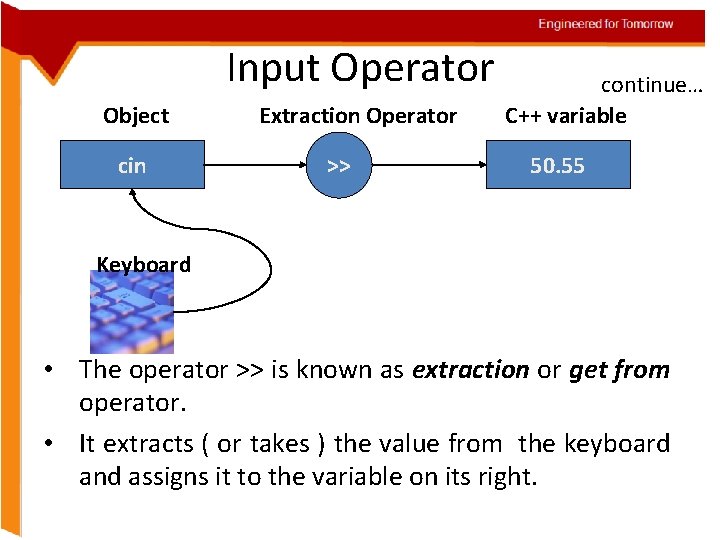
Engineered for Tomorrow Input Operator Object cin Extraction Operator >> continue… C++ variable 50. 55 Keyboard • The operator >> is known as extraction or get from operator. • It extracts ( or takes ) the value from the keyboard and assigns it to the variable on its right.
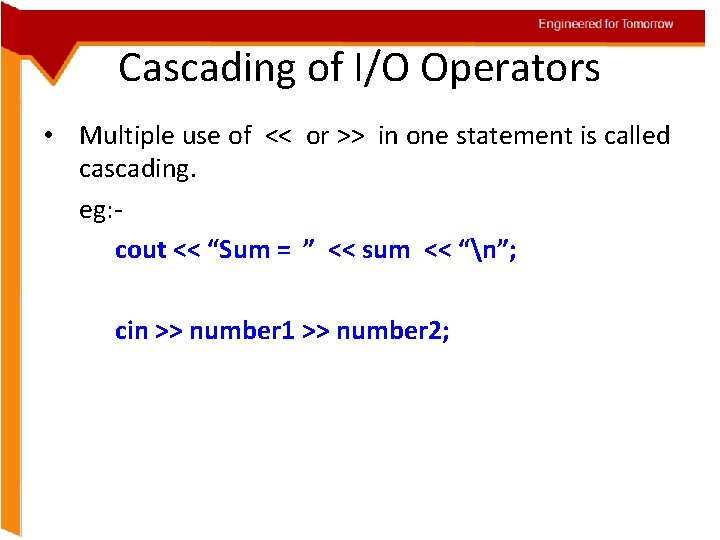
Engineered for Tomorrow Cascading of I/O Operators • Multiple use of << or >> in one statement is called cascading. eg: cout << “Sum = ” << sum << “n”; cin >> number 1 >> number 2;
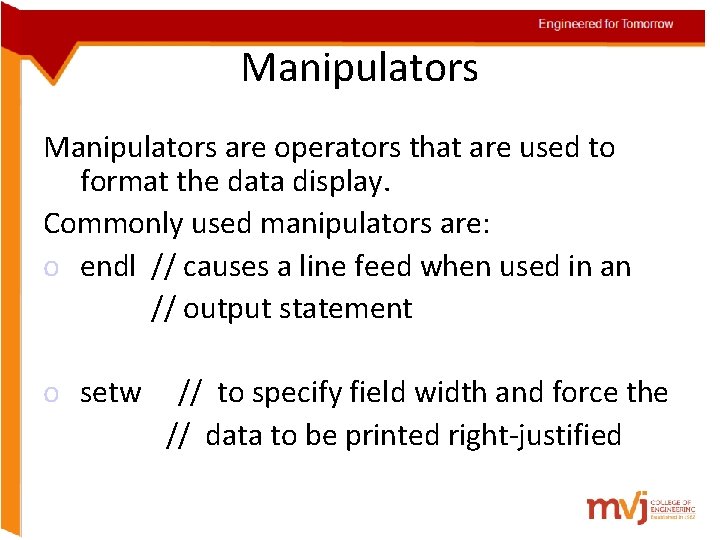
Engineered for Tomorrow Manipulators are operators that are used to format the data display. Commonly used manipulators are: o endl // causes a line feed when used in an // output statement o setw // to specify field width and force the // data to be printed right-justified
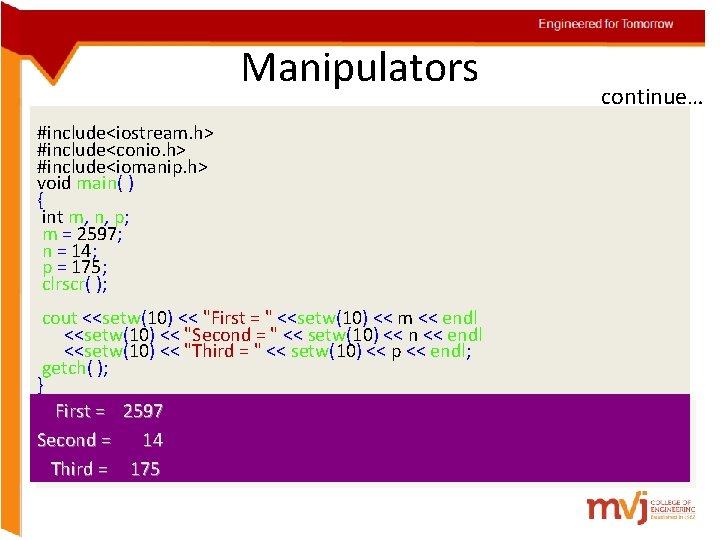
Engineered for Tomorrow Manipulators #include<iostream. h> #include<conio. h> #include<iomanip. h> void main( ) { int m, n, p; m = 2597; n = 14; p = 175; clrscr( ); cout <<setw(10) << "First = " <<setw(10) << m << endl <<setw(10) << "Second = " << setw(10) << n << endl <<setw(10) << "Third = " << setw(10) << p << endl; getch( ); } First = 2597 Second = 14 Third = 175 continue…
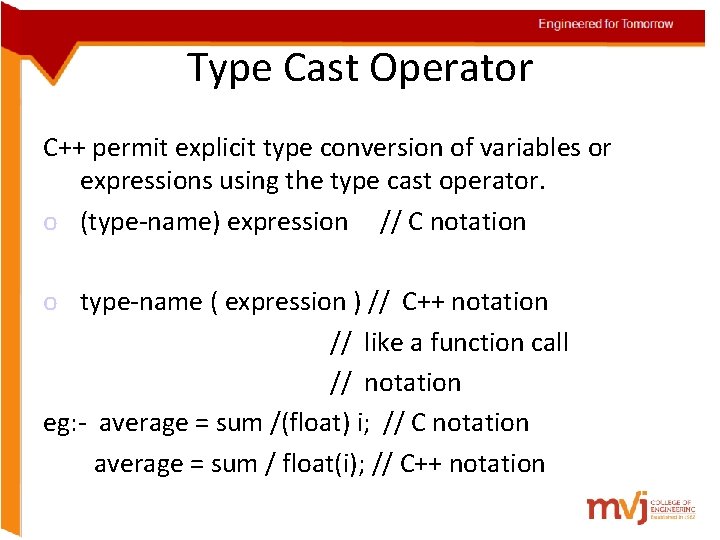
Engineered for Tomorrow Type Cast Operator C++ permit explicit type conversion of variables or expressions using the type cast operator. o (type-name) expression // C notation o type-name ( expression ) // C++ notation // like a function call // notation eg: - average = sum /(float) i; // C notation average = sum / float(i); // C++ notation
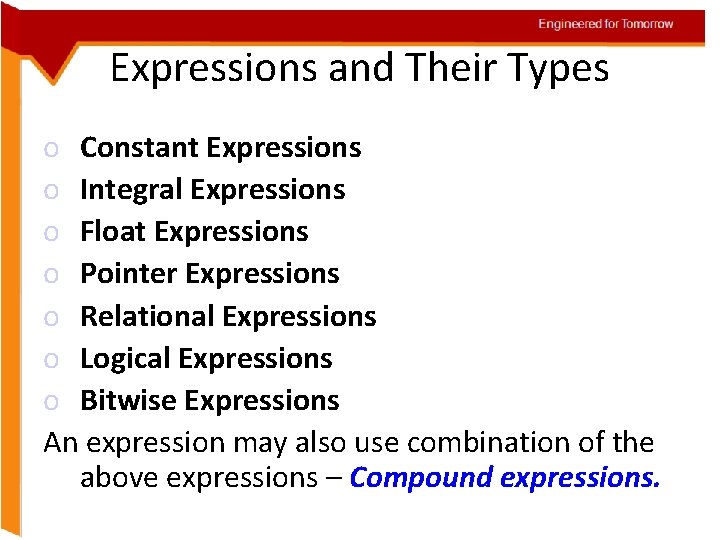
Engineered for Tomorrow Expressions and Their Types o Constant Expressions o Integral Expressions o Float Expressions o Pointer Expressions o Relational Expressions o Logical Expressions o Bitwise Expressions An expression may also use combination of the above expressions – Compound expressions.
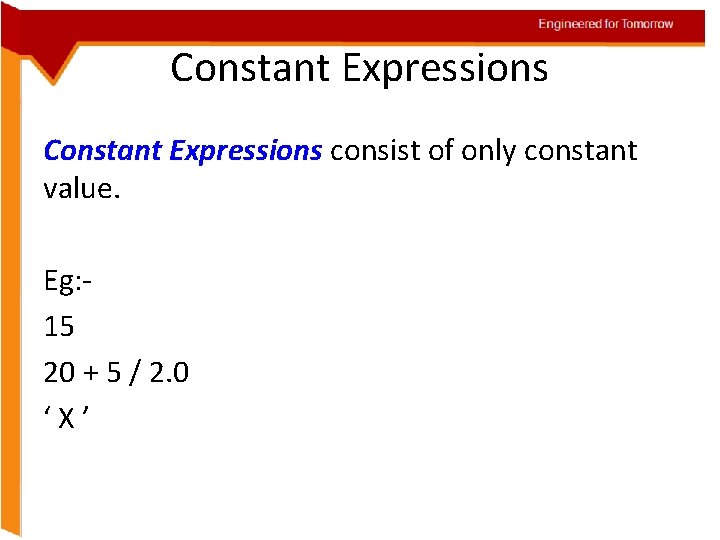
Engineered for Tomorrow Constant Expressions consist of only constant value. Eg: 15 20 + 5 / 2. 0 ‘X’
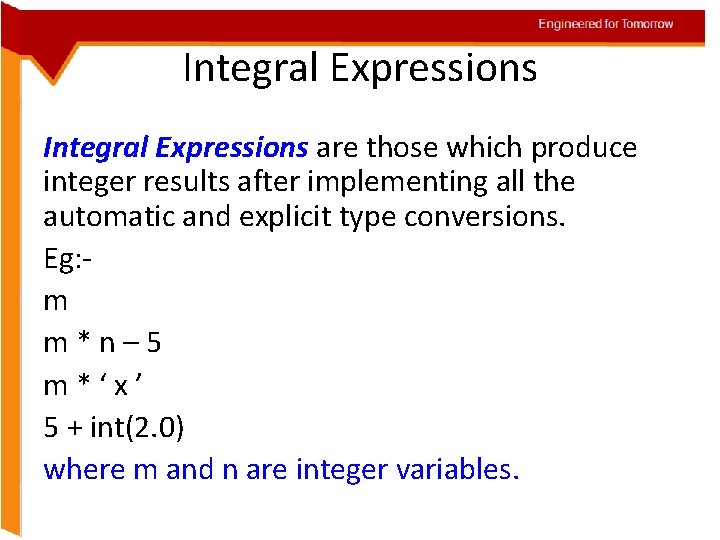
Engineered for Tomorrow Integral Expressions are those which produce integer results after implementing all the automatic and explicit type conversions. Eg: m m*n– 5 m*‘x’ 5 + int(2. 0) where m and n are integer variables.
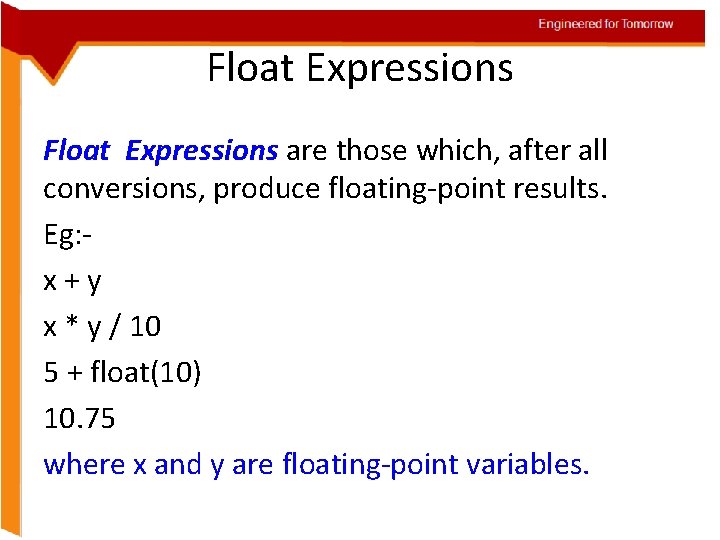
Engineered for Tomorrow Float Expressions are those which, after all conversions, produce floating-point results. Eg: x+y x * y / 10 5 + float(10) 10. 75 where x and y are floating-point variables.
Engineered for Tomorrow Pointer Expressions produce address values. Eg: &m ptr + 1 “xyz” where m is a variable and ptr is a pointer.
Engineered for Tomorrow Relational Expressions yield results of type bool which takes a value true or false. Eg: Also known as boolean expressions. x <= y a + b == c + d m + n > 100 When arithmetic expressions are used on either side of a relational operator, they will be evaluated first and then the results compared.
Engineered for Tomorrow Logical Expressions combine two or more relational expressions and produces bool type results. Eg: a > b && x == 10 || y == 5
Engineered for Tomorrow Bitwise Expressions are used to manipulate data at bit level. They are basically used for testing or shifting bits. Eg: x << 3 // Shift three bit positions to left y >> 1 // Shift one bit position to right
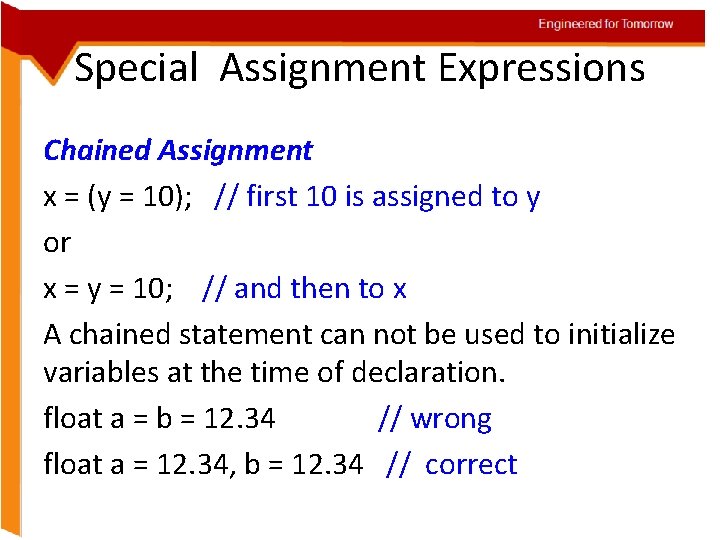
Engineered for Tomorrow Special Assignment Expressions Chained Assignment x = (y = 10); // first 10 is assigned to y or x = y = 10; // and then to x A chained statement can not be used to initialize variables at the time of declaration. float a = b = 12. 34 // wrong float a = 12. 34, b = 12. 34 // correct
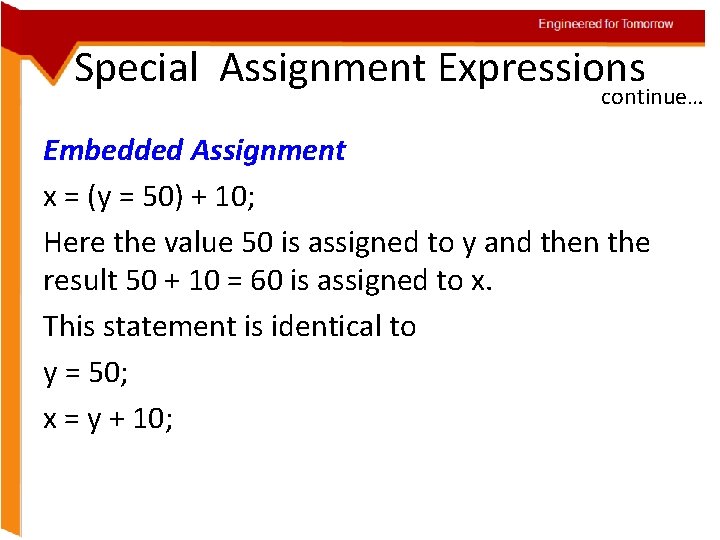
Engineered for Tomorrow Special Assignment Expressions continue… Embedded Assignment x = (y = 50) + 10; Here the value 50 is assigned to y and then the result 50 + 10 = 60 is assigned to x. This statement is identical to y = 50; x = y + 10;
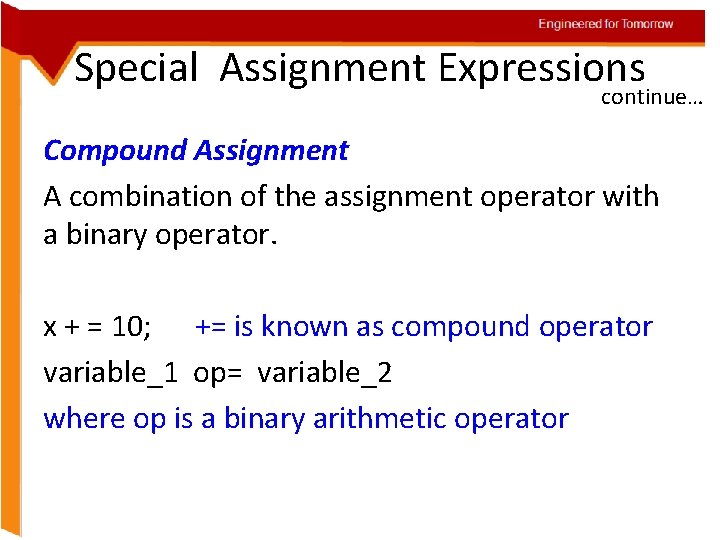
Engineered for Tomorrow Special Assignment Expressions continue… Compound Assignment A combination of the assignment operator with a binary operator. x + = 10; += is known as compound operator variable_1 op= variable_2 where op is a binary arithmetic operator
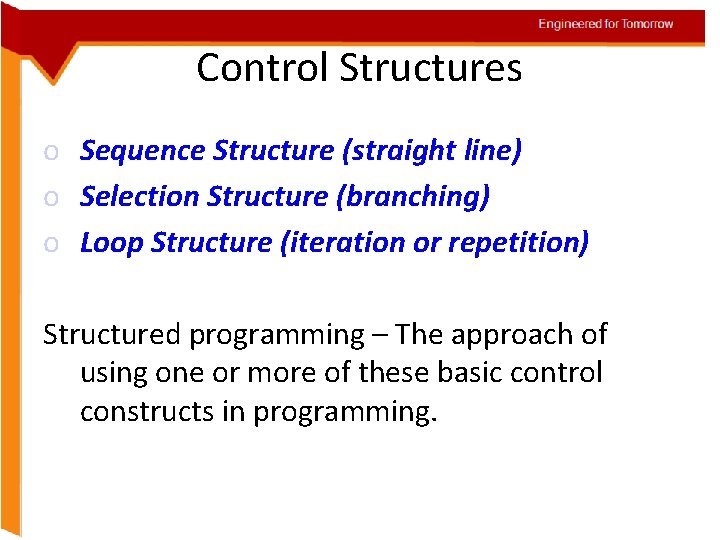
Engineered for Tomorrow Control Structures o Sequence Structure (straight line) o Selection Structure (branching) o Loop Structure (iteration or repetition) Structured programming – The approach of using one or more of these basic control constructs in programming.
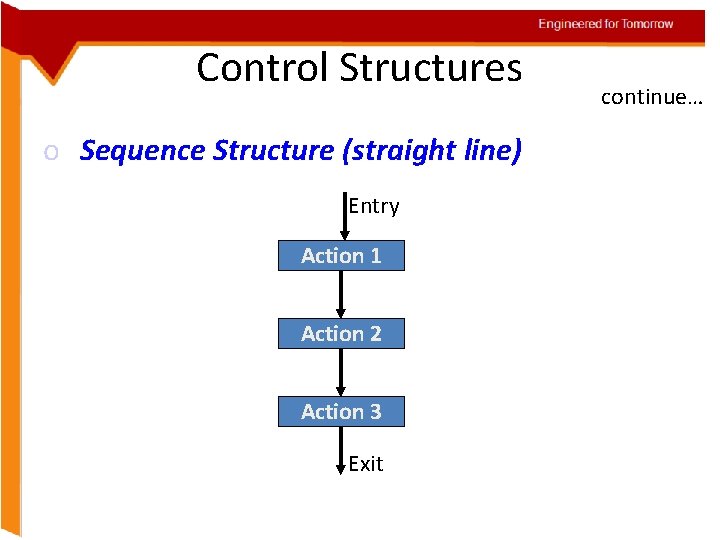
Engineered for Tomorrow Control Structures o Sequence Structure (straight line) Entry Action 1 Action 2 Action 3 Exit continue…
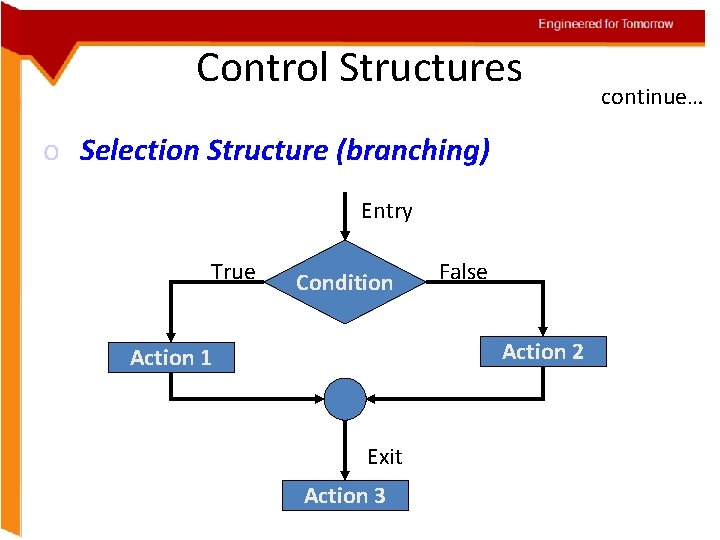
Engineered for Tomorrow Control Structures o Selection Structure (branching) Entry True Condition False Action 2 Action 1 Exit Action 3 continue…
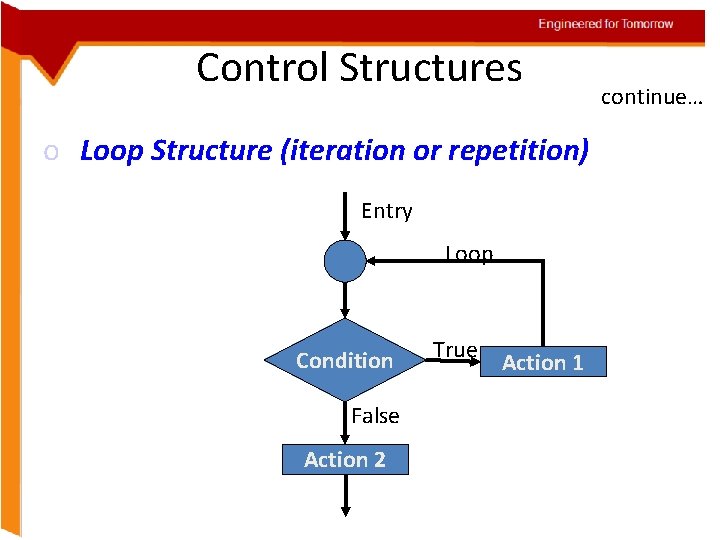
Engineered for Tomorrow Control Structures o Loop Structure (iteration or repetition) Entry Loop Condition False Action 2 True Action 1 continue…
Engineered for Tomorrow If Statement The if statement is implemented in two forms: o Simple if statement if (expression is true) { action 1; } action 2;
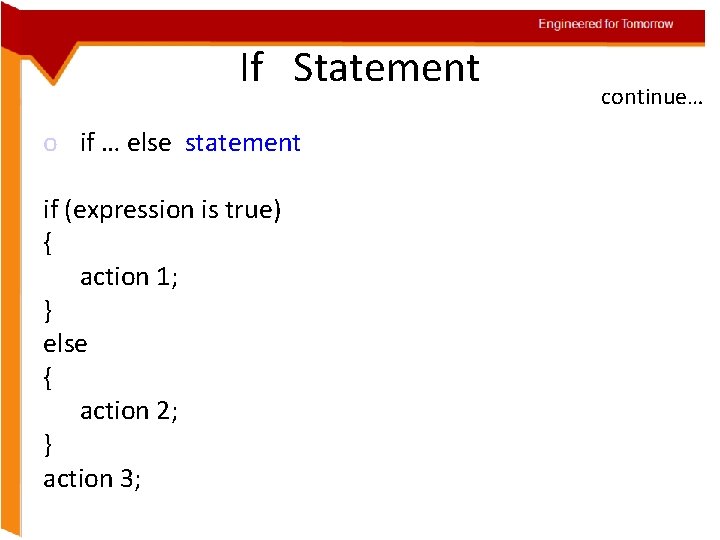
Engineered for Tomorrow If Statement o if … else statement if (expression is true) { action 1; } else { action 2; } action 3; continue…
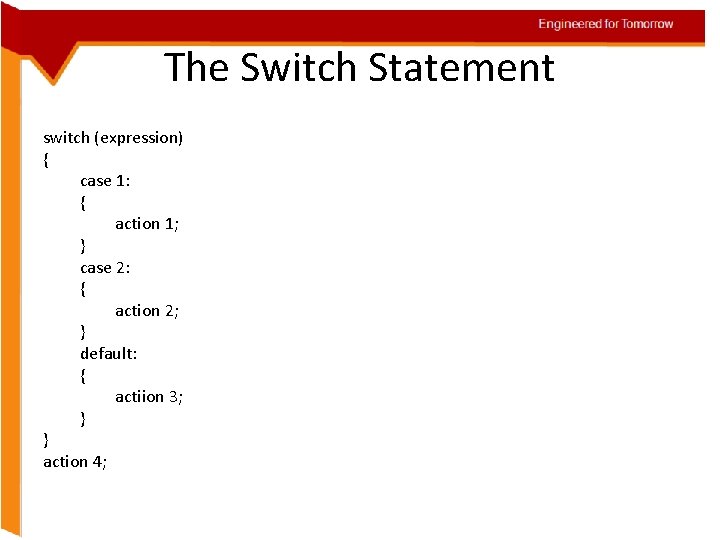
Engineered for Tomorrow The Switch Statement switch (expression) { case 1: { action 1; } case 2: { action 2; } default: { actiion 3; } } action 4;
Engineered for Tomorrow Arrays • Arrays Hold Multiple values • Unlike regular variables, arrays can hold multiple values.
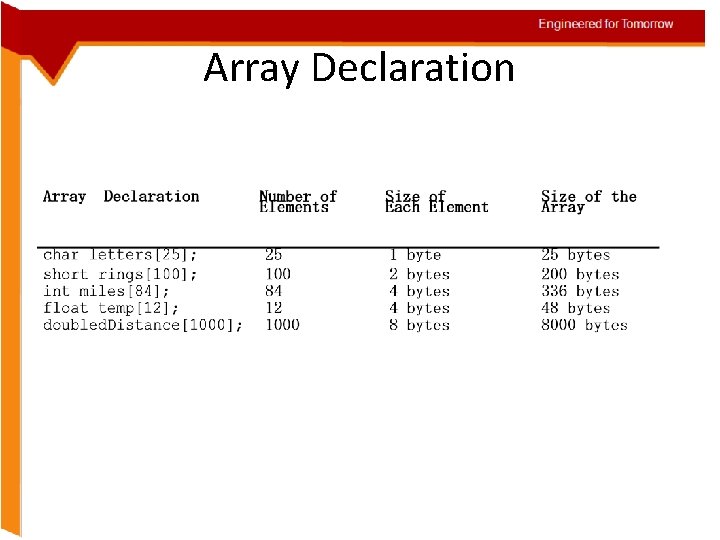
Engineered for Tomorrow Array Declaration
Engineered for Tomorrow Accessing Array elements continue… • The individual elements of an array are assigned unique subscripts. These subscripts are used to access the elements. • No Bounds Checking in C++. • C++ gives you the freedom to store data past an array’s boundaries.
Engineered for Tomorrow Array Initialization • Arrays may be initialized when they are declared. • Student[0]=“Arun”; Student[1]=“Brindha”;
Engineered for Tomorrow Partial Array Initialization • When an array is being initialized, C++ does not require a value for every element. int numbers[7] = {1, 2, 4, 8};
Engineered for Tomorrow Implicit Array Sizing continue… • It is possible to declare an array without specifying its size, as long as you provide an initialization list. float ratings[] = {1. 0, 1. 5, 2. 0, 2. 5, 3. 0};
Engineered for Tomorrow Initializing With Strings continue… • It is possible to declare an array without specifying its size, as long as you provide an initialization list. float ratings[] = {1. 0, 1. 5, 2. 0, 2. 5, 3. 0};
Engineered for Tomorrow Initializing With Strings continue… • When initializing a character array with a string, simply enclose the string in quotation marks: char name[] = “Warren”;
Engineered for Tomorrow The string Class • The C++ Standard Library includes a string class. #include <string> • C++ strings are objects. – NOT arrays • Assignment works – str 1 = str 2; • Concatenation – str 3 = str 1 + str 2; – str 1 += str 2;
Engineered for Tomorrow Class string • Class methods handle memory allocation for the string. – Memory allocation is automatically increased as needed. • No problems with array bounds overrun.
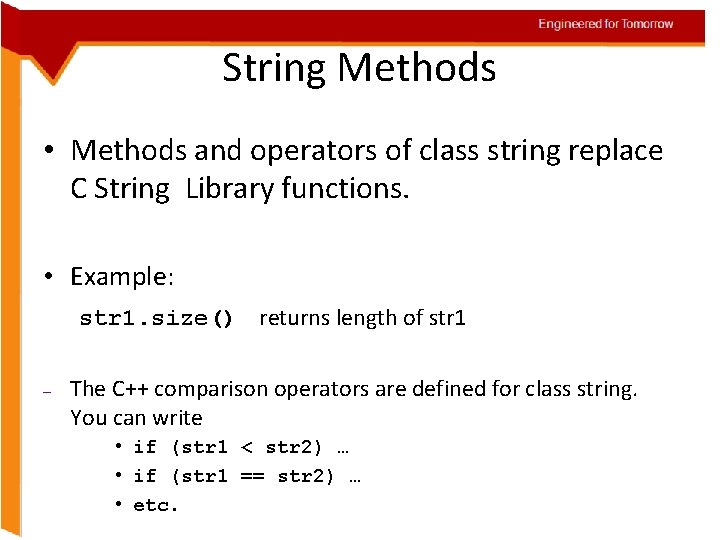
Engineered for Tomorrow String Methods • Methods and operators of class string replace C String Library functions. • Example: str 1. size() returns length of str 1 – The C++ comparison operators are defined for class string. You can write • if (str 1 < str 2) … • if (str 1 == str 2) … • etc.
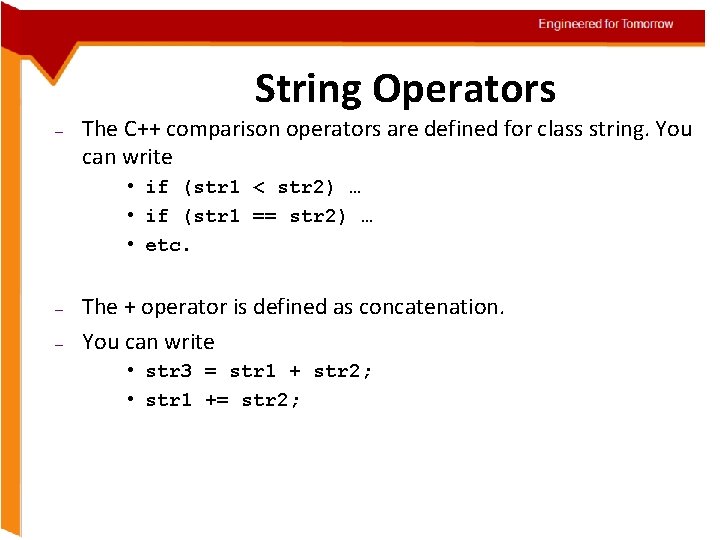
Engineered for Tomorrow String Operators – The C++ comparison operators are defined for class string. You can write • if (str 1 < str 2) … • if (str 1 == str 2) … • etc. – – The + operator is defined as concatenation. You can write • str 3 = str 1 + str 2; • str 1 += str 2;
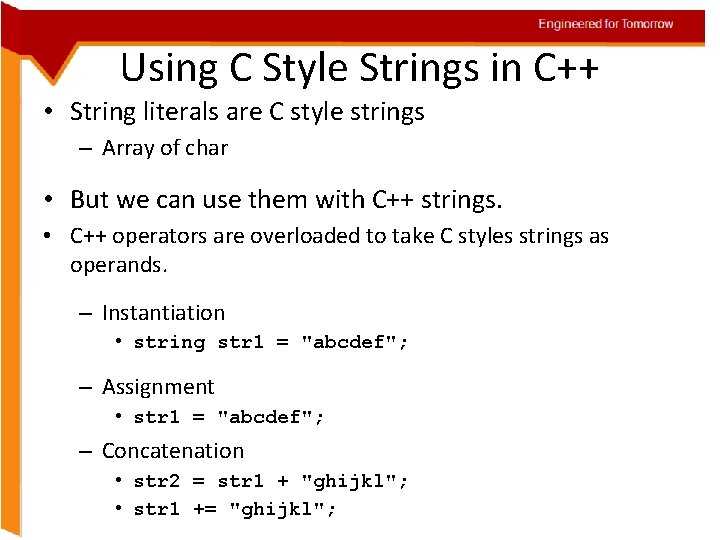
Engineered for Tomorrow Using C Style Strings in C++ • String literals are C style strings – Array of char • But we can use them with C++ strings. • C++ operators are overloaded to take C styles strings as operands. – Instantiation • string str 1 = "abcdef"; – Assignment • str 1 = "abcdef"; – Concatenation • str 2 = str 1 + "ghijkl"; • str 1 += "ghijkl";
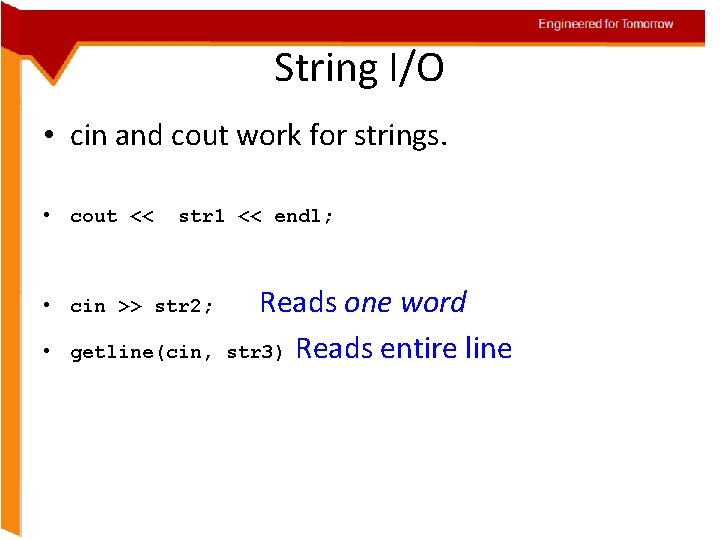
Engineered for Tomorrow String I/O • cin and cout work for strings. • cout << str 1 << endl; • cin >> str 2; • getline(cin, Reads one word str 3) Reads entire line
Engineered for Tomorrow Introduction to Pointers • When we declare a variable some memory is allocated for it. The memory location can be referenced through the identifier “i”. Thus, we have two properties for any variable : its address and its data value. The address of the variable can be accessed through the referencing operator “&”. “&i” gives the memory location where the data value for “i” is stored. • A pointer variable is one that stores an address. We can declare pointers as follows int* p; . This means that p stores the address of a variable of type int.
Engineered for Tomorrow Pointers – Pointer is a data type that stores addresses, it is declared as follows: int* a; char* p; etc. – The value stored in a pointer p can be accessed through the dereferencing operator “*”. – The address of a memory location of a variable can be accessed through the reference operator “&”. – Pointer arithmetic: only addition and subtraction are allowed.
Engineered for Tomorrow Pointers and Arrays continue… • The concept of array is very similar to the concept of pointer. The identifier of an array actually a pointer that holds the address of the first element of the array. • Therefore if you have two declarations as follows: – “int a[10]; ” “int* p; ” then the assignment “p = a; ” is perfectly valid – Also “*(a+4)” and “a[4]” are equivalent as are “*(p+4)” and “p[4]”. – The only difference between the two is that we can change the value of “p” to any integer variable address whereas “a” will always point to the integer array of length 10 defined.
Engineered for Tomorrow Character Pointers, Arrays and Strings • What is a String? – A string is a character array that is ‘’ terminated. – E. g. “Hello” • What is a Character array? – It is an array of characters, not necessarily ‘’ terminated – E. g. char test[4] = {‘a’, ‘b’, ‘c’, ‘d’}; <this char array is not zero terminated> • What is a character pointer? – It is a pointer to the address of a character variable. – E. g. char* a; <this pointer is not initialized>
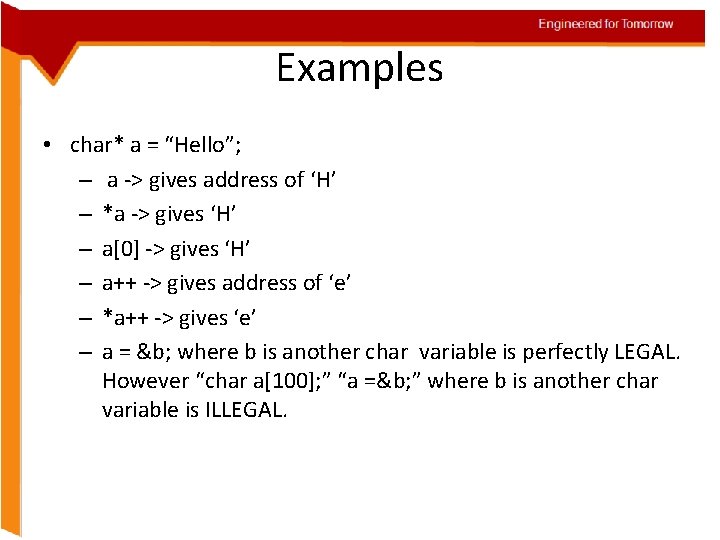
Engineered for Tomorrow Examples • char* a = “Hello”; – a -> gives address of ‘H’ – *a -> gives ‘H’ – a[0] -> gives ‘H’ – a++ -> gives address of ‘e’ – *a++ -> gives ‘e’ – a = &b; where b is another char variable is perfectly LEGAL. However “char a[100]; ” “a =&b; ” where b is another char variable is ILLEGAL.
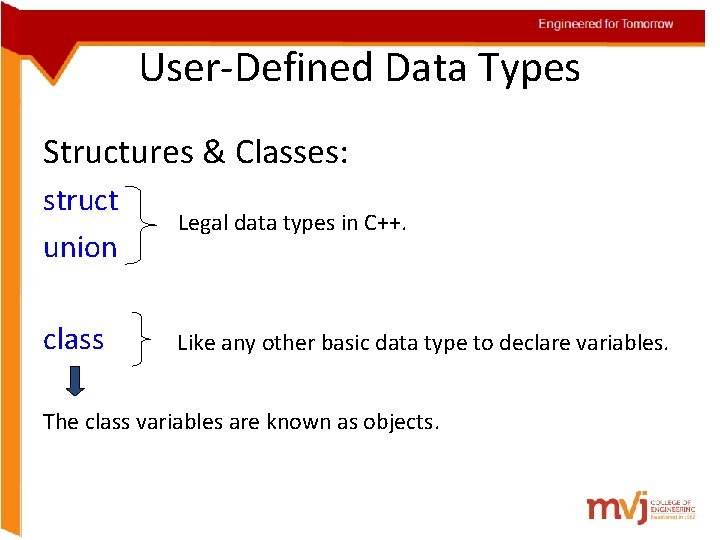
Engineered for Tomorrow User-Defined Data Types Structures & Classes: struct union Legal data types in C++. class Like any other basic data type to declare variables. The class variables are known as objects.
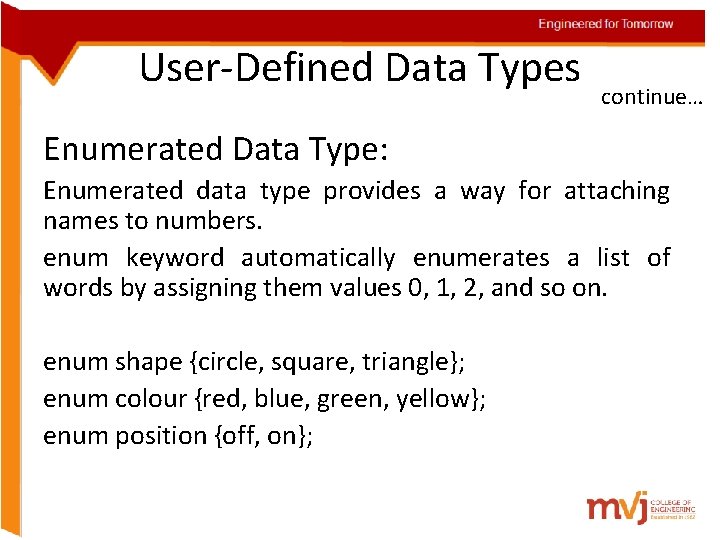
Engineered for Tomorrow User-Defined Data Types continue… Enumerated Data Type: Enumerated data type provides a way for attaching names to numbers. enum keyword automatically enumerates a list of words by assigning them values 0, 1, 2, and so on. enum shape {circle, square, triangle}; enum colour {red, blue, green, yellow}; enum position {off, on};
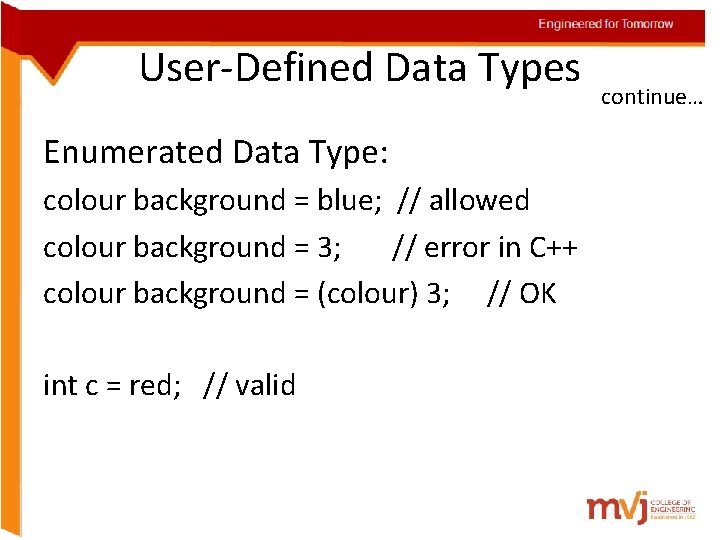
Engineered for Tomorrow User-Defined Data Types Enumerated Data Type: colour background = blue; // allowed colour background = 3; // error in C++ colour background = (colour) 3; // OK int c = red; // valid continue…
Engineered for Tomorrow Functions in C++ Engineered for Tomorrow 5/22/2021
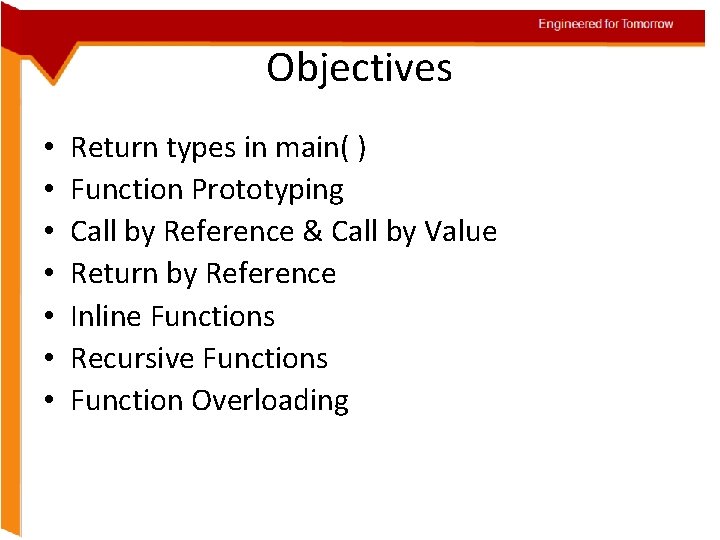
Engineered for Tomorrow Objectives • • Return types in main( ) Function Prototyping Call by Reference & Call by Value Return by Reference Inline Functions Recursive Functions Function Overloading
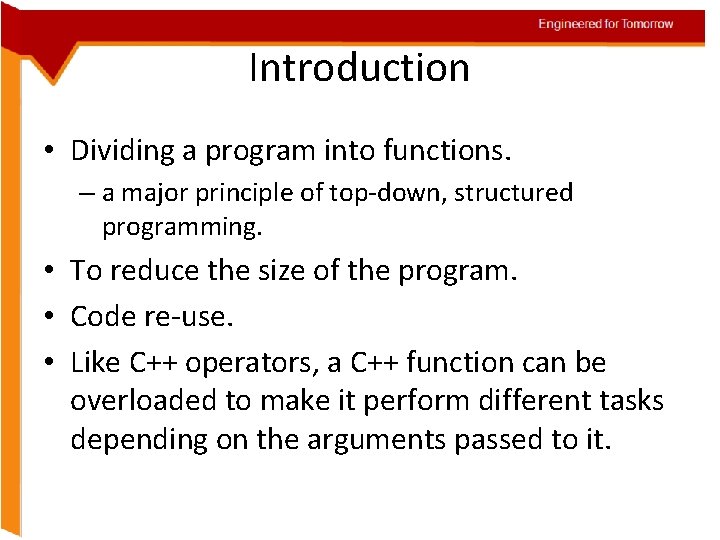
Engineered for Tomorrow Introduction • Dividing a program into functions. – a major principle of top-down, structured programming. • To reduce the size of the program. • Code re-use. • Like C++ operators, a C++ function can be overloaded to make it perform different tasks depending on the arguments passed to it.
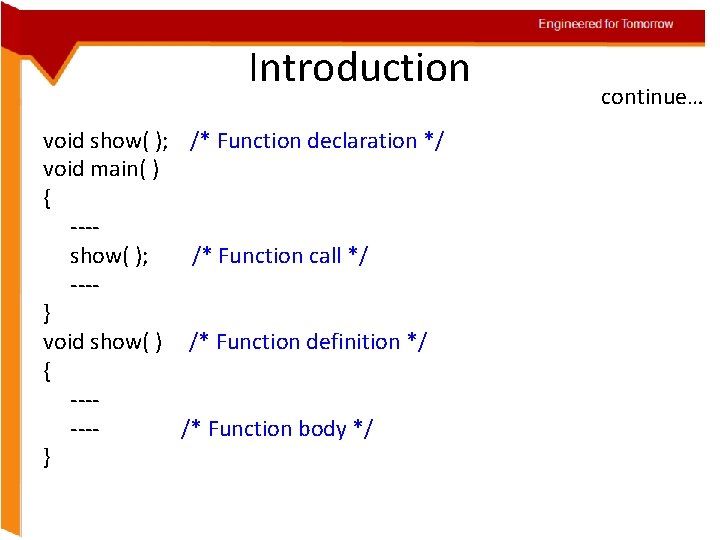
Engineered for Tomorrow Introduction void show( ); void main( ) { ---show( ); ---} void show( ) { ------} /* Function declaration */ /* Function call */ /* Function definition */ /* Function body */ continue…
Engineered for Tomorrow The main( ) Function • The main( ) returns a value of type int to the operating system by default. • The functions that have a return value should use the return statement for termination. • Use void main( ), if the function is not returning any value.
Engineered for Tomorrow Function Prototyping • The prototype describes the function interface to the compiler by giving details such as: – The number and type of arguments – The type of return values. • It is a template • When the function is called, the compiler uses the template to ensure that proper arguments are passed, and the return value is treated correctly.
Engineered for Tomorrow Function Prototyping continue… • Function prototype is a declaration statement in the calling program. type function-name ( argument-list ) ; • The argument-list contains the types and names of arguments that must be passed to the function.
Engineered for Tomorrow Function Prototyping continue… • Each argument variable must be declared independently inside the parentheses. float avg ( int x, int y) ; // correct float avg ( int x, y) ; // illegal • In a function declaration, the names of the arguments are dummy variables and therefore they are optional.
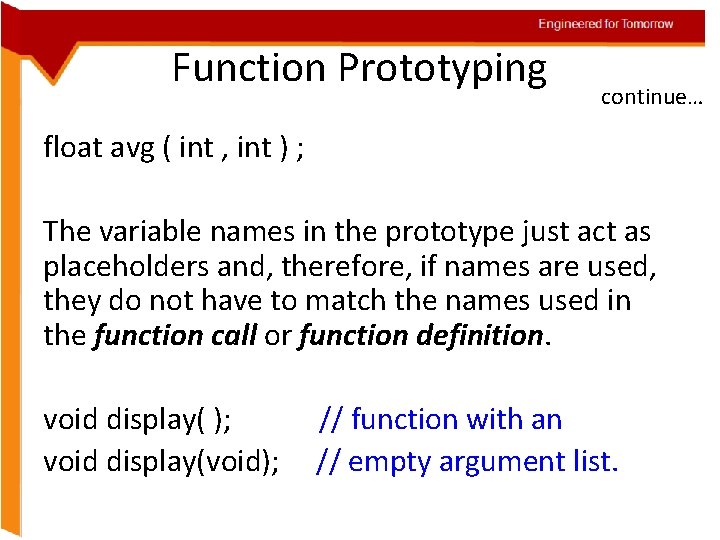
Engineered for Tomorrow Function Prototyping continue… float avg ( int , int ) ; The variable names in the prototype just act as placeholders and, therefore, if names are used, they do not have to match the names used in the function call or function definition. void display( ); void display(void); // function with an // empty argument list.
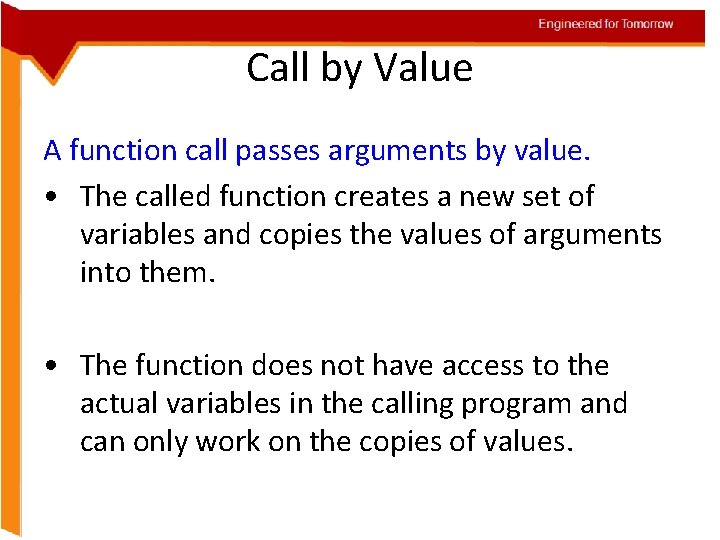
Engineered for Tomorrow Call by Value A function call passes arguments by value. • The called function creates a new set of variables and copies the values of arguments into them. • The function does not have access to the actual variables in the calling program and can only work on the copies of values.
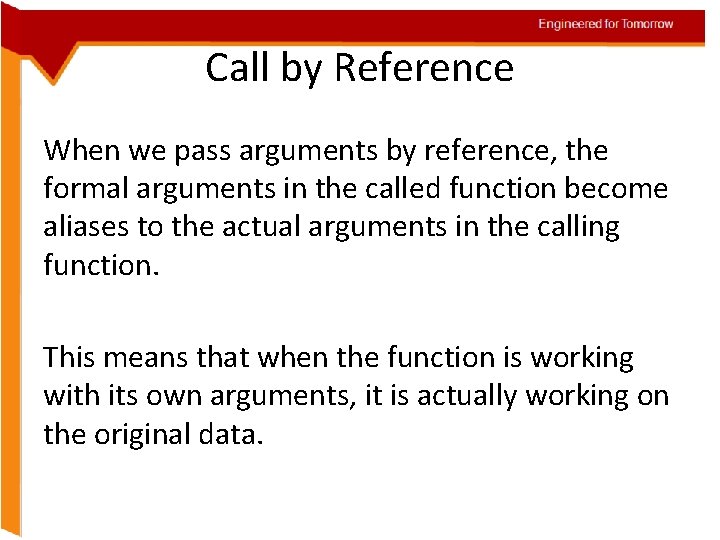
Engineered for Tomorrow Call by Reference When we pass arguments by reference, the formal arguments in the called function become aliases to the actual arguments in the calling function. This means that when the function is working with its own arguments, it is actually working on the original data.
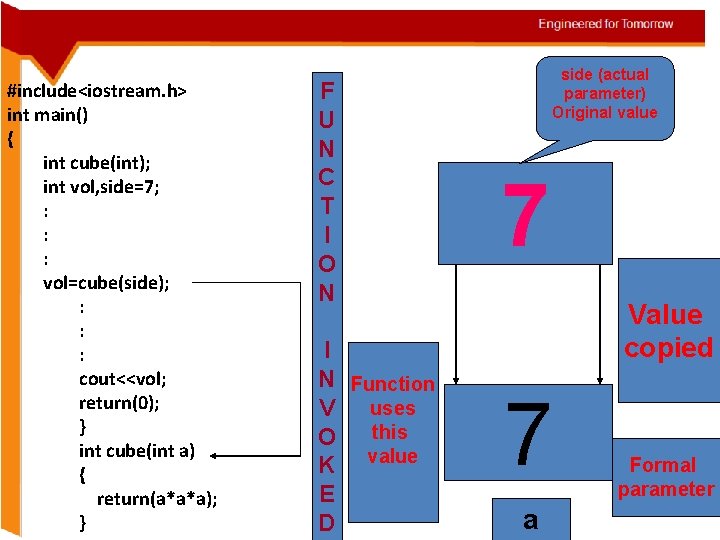
Engineered for Tomorrow #include<iostream. h> int main() { int cube(int); int vol, side=7; : : : vol=cube(side); : : : cout<<vol; return(0); } int cube(int a) { return(a*a*a); } F U N C T I O N I N Function V uses this O K value E D side (actual parameter) Original value 7 Value copied 7 a Formal parameter
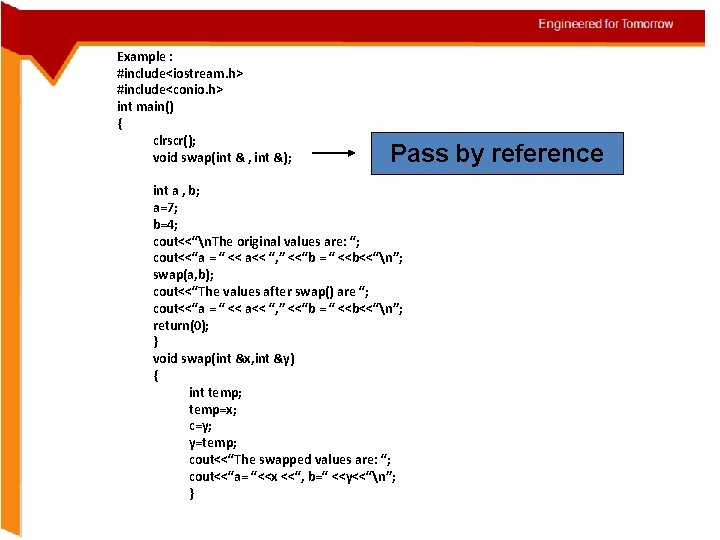
Engineered for Tomorrow Example : #include<iostream. h> #include<conio. h> int main() { clrscr(); void swap(int & , int &); Pass by reference int a , b; a=7; b=4; cout<<“n. The original values are: “; cout<<“a = “ << a<< “, ” <<“b = “ <<b<<“n”; swap(a, b); cout<<“The values after swap() are “; cout<<“a = “ << a<< “, ” <<“b = “ <<b<<“n”; return(0); } void swap(int &x, int &y) { int temp; temp=x; c=y; y=temp; cout<<“The swapped values are: “; cout<<“a= “<<x <<“, b=“ <<y<<“n”; }
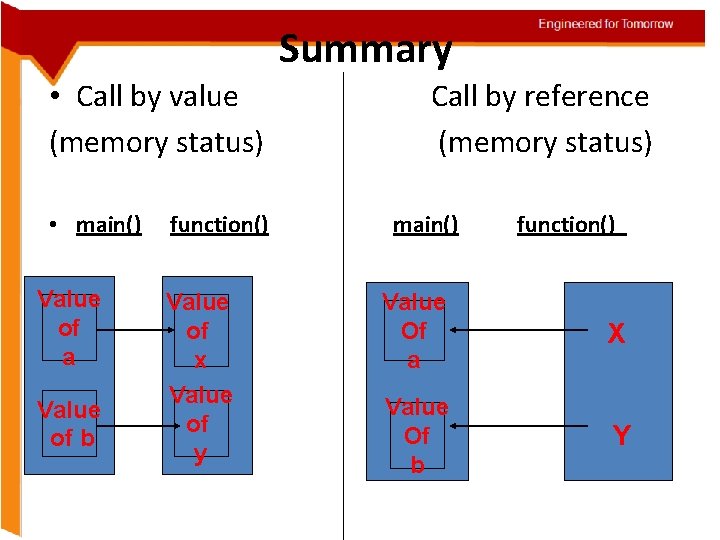
Summary • Call by value (memory status) • main() Value of a Value of b function() Value of x Value of y Engineered for Tomorrow Call by reference (memory status) main() function() Value Of a X Value Of b Y
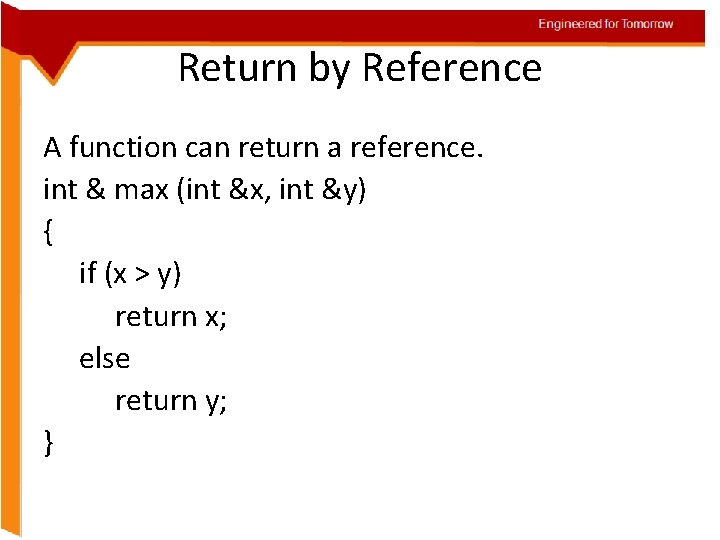
Engineered for Tomorrow Return by Reference A function can return a reference. int & max (int &x, int &y) { if (x > y) return x; else return y; }
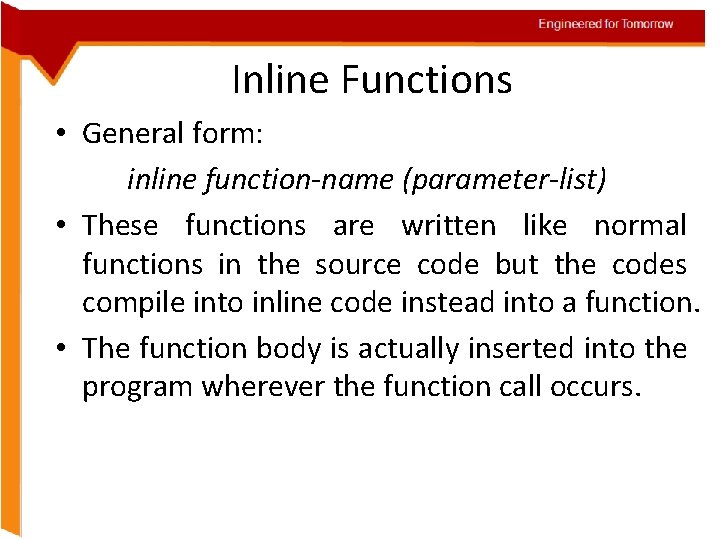
Engineered for Tomorrow Inline Functions • General form: inline function-name (parameter-list) • These functions are written like normal functions in the source code but the codes compile into inline code instead into a function. • The function body is actually inserted into the program wherever the function call occurs.
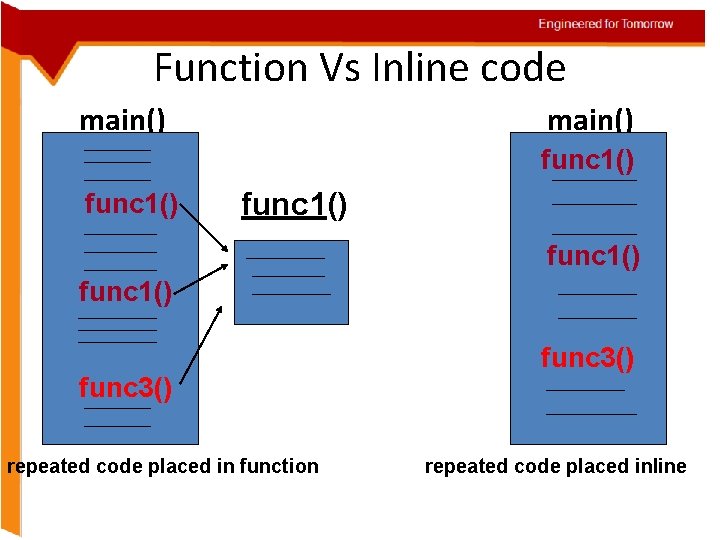
Engineered for Tomorrow Function Vs Inline code main() func 1() func 1() func 3() repeated code placed in function func 3() repeated code placed inline
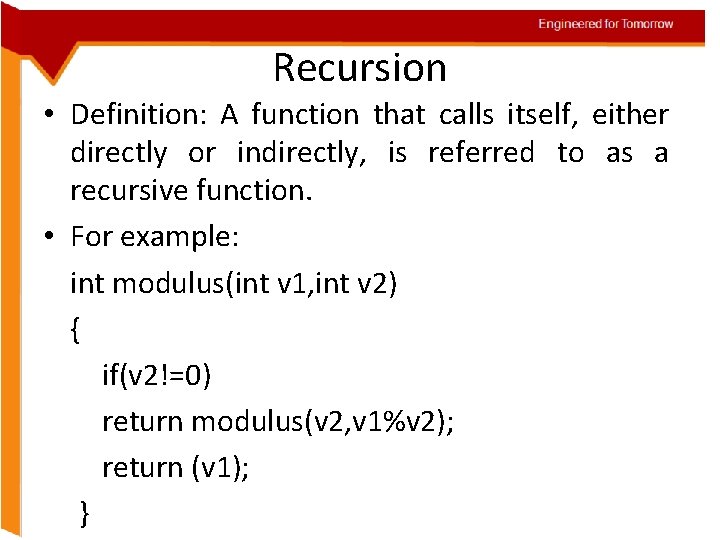
Engineered for Tomorrow Recursion • Definition: A function that calls itself, either directly or indirectly, is referred to as a recursive function. • For example: int modulus(int v 1, int v 2) { if(v 2!=0) return modulus(v 2, v 1%v 2); return (v 1); }
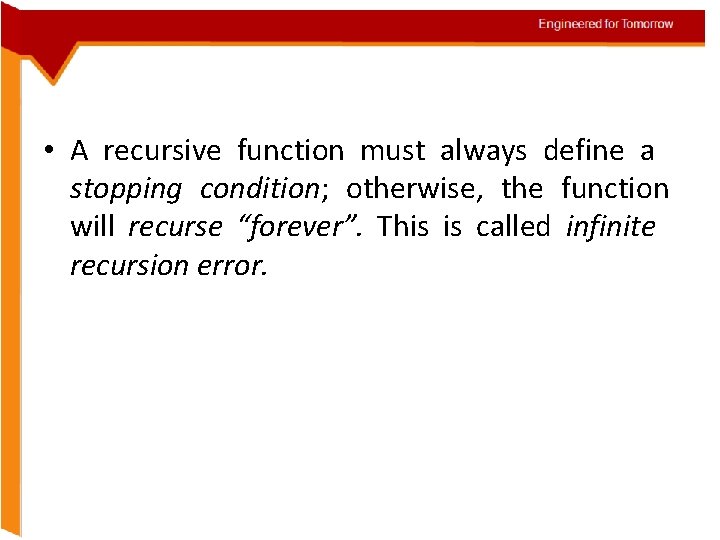
Engineered for Tomorrow • A recursive function must always define a stopping condition; otherwise, the function will recurse “forever”. This is called infinite recursion error.
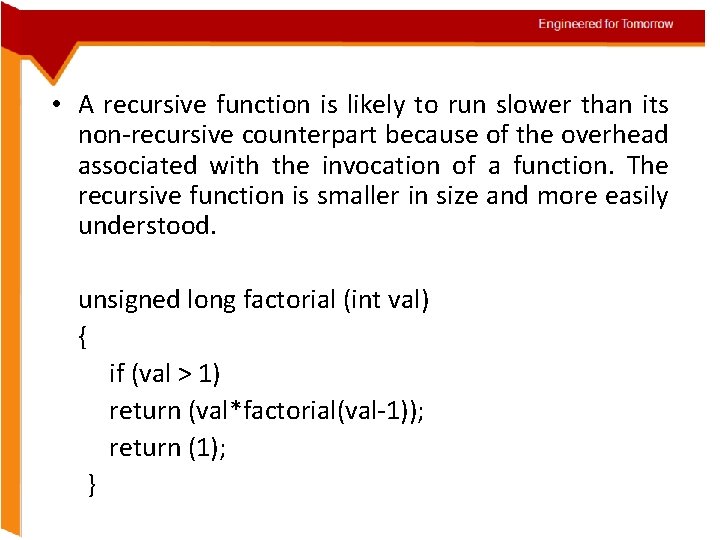
Engineered for Tomorrow • A recursive function is likely to run slower than its non-recursive counterpart because of the overhead associated with the invocation of a function. The recursive function is smaller in size and more easily understood. unsigned long factorial (int val) { if (val > 1) return (val*factorial(val-1)); return (1); }
Engineered for Tomorrow Function Overloading • Two different functions can have the same name if the prototype of their arguments are different, that means that you can put the same name to more than one function if they have either a different number of arguments or different types in their arguments.
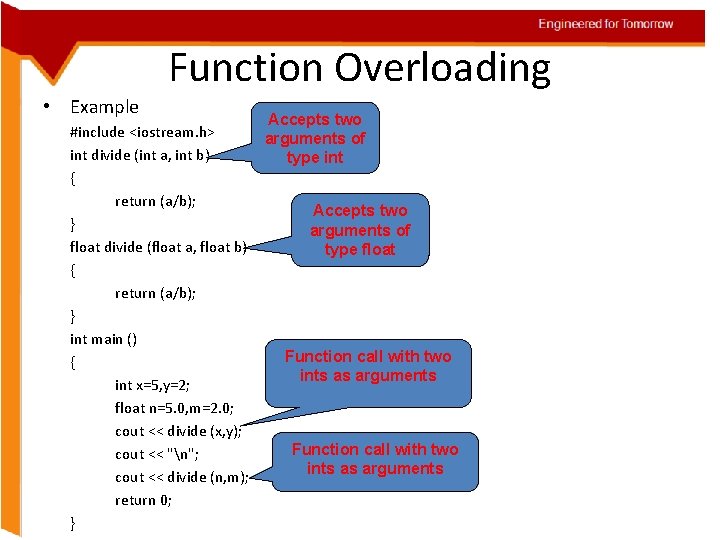
Engineered for Tomorrow Function Overloading • Example Accepts two #include <iostream. h> arguments of int divide (int a, int b) type int { return (a/b); Accepts two } arguments of float divide (float a, float b) type float { return (a/b); } int main () Function call with two { ints as arguments int x=5, y=2; float n=5. 0, m=2. 0; cout << divide (x, y); Function call with two cout << "n"; ints as arguments cout << divide (n, m); return 0; }
- Slides: 111