
ENGG 1801 Engineering Computing MATLAB Lecture 7 Tutorial
ENGG 1801 Engineering Computing MATLAB Lecture 7: Tutorial Weeks 11 -13 Solution of nonlinear algebraic equations (II)
Outline of lecture l Solving sets of nonlinear equations l Multivariable Newton’s method l Example (2 equations in 2 unknowns) l Solving example problem in Matlab l Functions l Conclusions
Sets of Nonlinear Equations l Equation sets can be large – 100’s (1000’s) of equations – Initial solution estimate can be a challenge l Fewer solution options – Plotting and direct substitution are not options l Most widely used approach ? – Multivariable Newton’s method
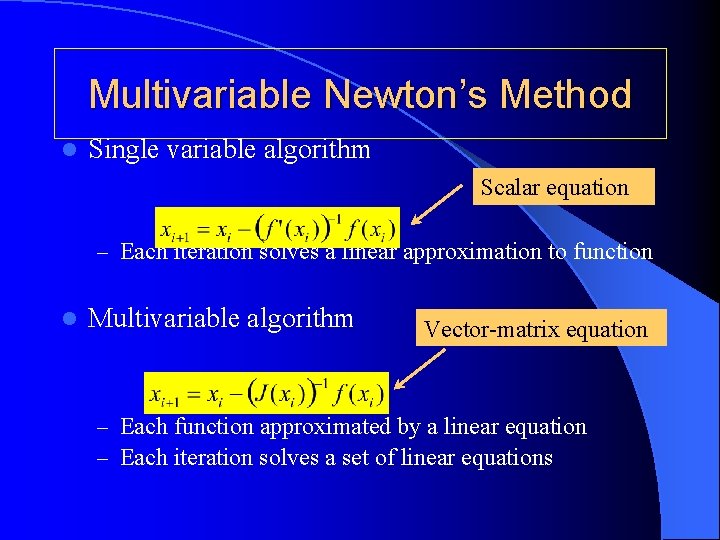
Multivariable Newton’s Method l Single variable algorithm Scalar equation – Each iteration solves a linear approximation to function l Multivariable algorithm Vector-matrix equation – Each function approximated by a linear equation – Each iteration solves a set of linear equations
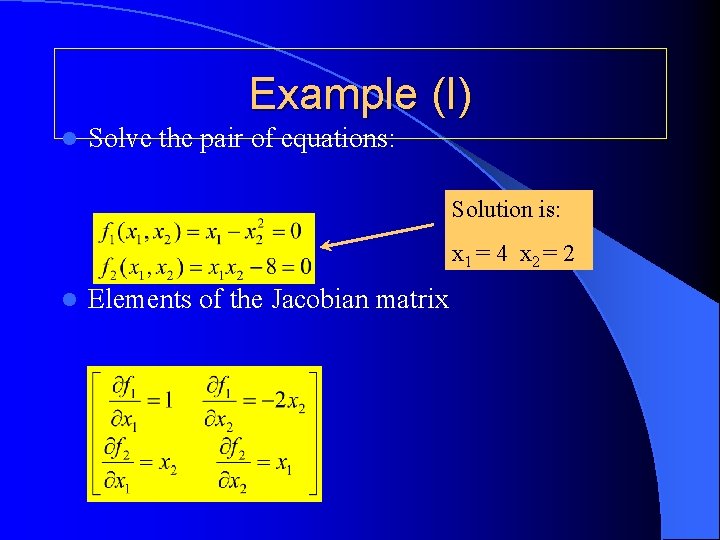
Example (I) l Solve the pair of equations: Solution is: x 1 = 4 x 2 = 2 l Elements of the Jacobian matrix
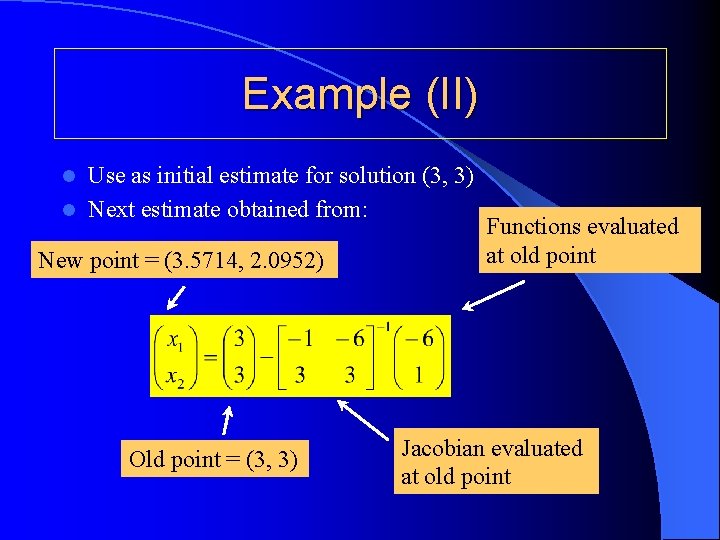
Example (II) Use as initial estimate for solution (3, 3) l Next estimate obtained from: l New point = (3. 5714, 2. 0952) Old point = (3, 3) Functions evaluated at old point Jacobian evaluated at old point
![Solution in Matlab counter = 1; error = 10; xold = [3; 3]; while](http://slidetodoc.com/presentation_image_h2/b53dd1c7df99f6392616aa8a552c49aa/image-7.jpg "Solution in Matlab counter = 1; error = 10; xold = [3; 3]; while")
Solution in Matlab counter = 1; error = 10; xold = [3; 3]; while error > 1 e-3 & counter < 10 fold(1) = xold(1) - xold(2)^2; fold(2) = xold(1)*xold(2) - 8; J(1, 1) = 1; J(1, 2) = -2*xold(2); J(2, 1) = xold(2); J(2, 2) = xold(1); xnew = xold - inv(J)*fold' error = max(abs(xnew(1)-xold(1)), abs(xnew(2)-xold(2))); counter = counter + 1; xold = xnew; end
Advice on Iterative Methods Follow one cycle through code by hand l Initially use modest convergence criterion l Put in a ‘counter’ ( to prevent infinite loop ) l Check final solution l – Be prepared for multiple solutions l Initial guess has a big impact: – On the final solution obtained – On the time taken to converge to solution
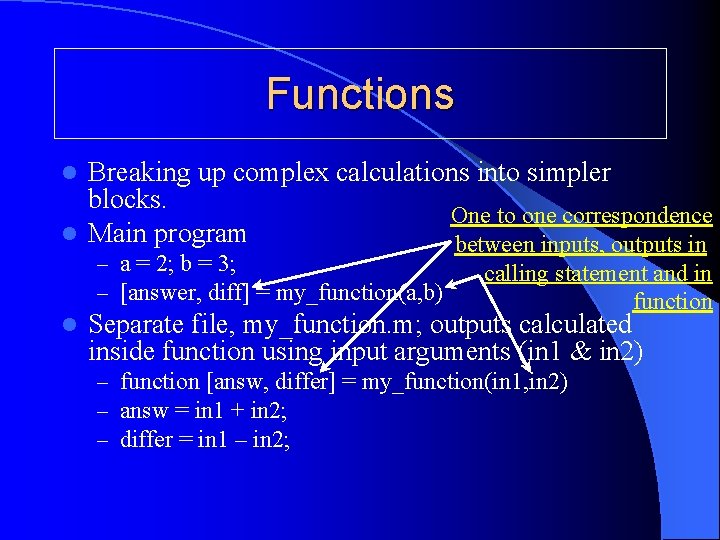
Functions Breaking up complex calculations into simpler blocks. One to one correspondence l Main program between inputs, outputs in l – a = 2; b = 3; – [answer, diff] = my_function(a, b) l calling statement and in function Separate file, my_function. m; outputs calculated inside function using input arguments (in 1 & in 2) – function [answ, differ] = my_function(in 1, in 2) – answ = in 1 + in 2; – differ = in 1 – in 2;
Conclusions l Solution of nonlinear equation sets ? – Very common problem in engineering l Built-in Matlab functions ( e. g. fsolve from MATLAB’s Optimization Toolbox) – User supplied Jacobian speeds convergence – If unavailable → Matlab gets by finite differencing – User has to supply initial estimate of solution l Make your own functions to split up a big problem into simpler pieces.
- Slides: 10