
End 2 End Design The Internet Architecture David
- Slides: 43
End 2 End Design – The Internet Architecture David E. Culler CS 162 – Operating Systems and Systems Programming http: //cs 162. eecs. berkeley. edu/ Lecture 32 Nov 12, 2014 Read: end-2 -end HW 5: Due today Mid 2: 11/14 Proj 3: due 12/8
The E 2 E Concept • Traditional Engineering Goal: design the infrastructure to meet application requirements – Optimizing for Cost, Reliability, Performance, … • Challenge: infrastructure is most costly & difficult to create and evolves most slowly – Applications evolve rapidly, as does technology • End-to-end Design Concept – Utilize intelligence at the point of application – Infrastructure need not meet all application requirements directly – Only what the end-points cannot reasonably do themselves » Avoid redundancy, semantic mismatch, … – Enable applications and incorporate technological advance • Design for Change! - and specialization – Layers & protocols 11/12/14 UCB CS 162 Fa 14 L 32 2
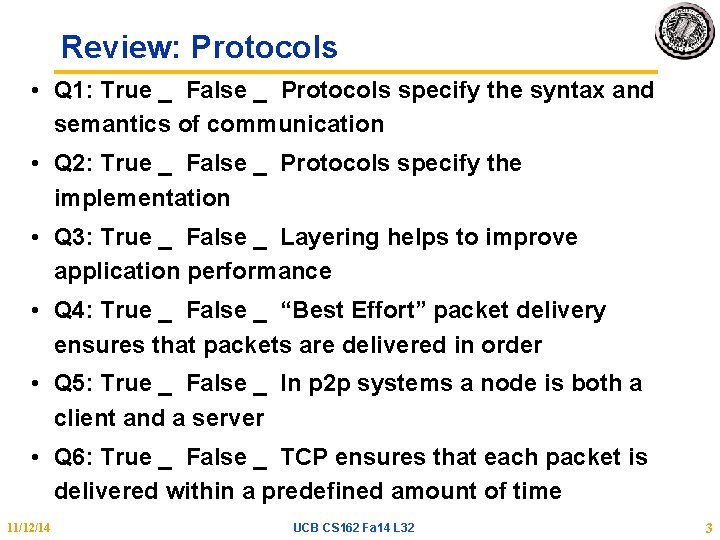
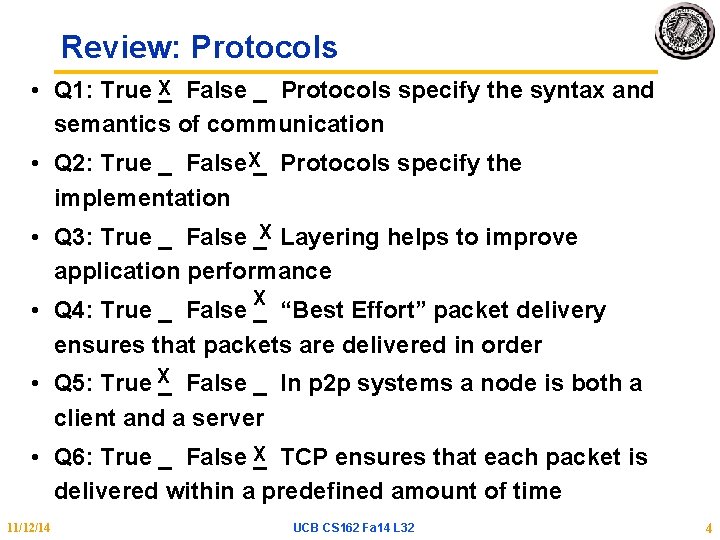
Review: Protocols • Q 1: True _ False _ Protocols specify the syntax and semantics of communication • Q 2: True _ False _ Protocols specify the implementation • Q 3: True _ False _ Layering helps to improve application performance • Q 4: True _ False _ “Best Effort” packet delivery ensures that packets are delivered in order • Q 5: True _ False _ In p 2 p systems a node is both a client and a server • Q 6: True _ False _ TCP ensures that each packet is delivered within a predefined amount of time 11/12/14 UCB CS 162 Fa 14 L 32 3
Review: Protocols • Q 1: True X_ False _ Protocols specify the syntax and semantics of communication • Q 2: True _ False. X_ Protocols specify the implementation • Q 3: True _ False _X Layering helps to improve application performance X • Q 4: True _ False _ “Best Effort” packet delivery ensures that packets are delivered in order • Q 5: True X_ False _ In p 2 p systems a node is both a client and a server • Q 6: True _ False X _ TCP ensures that each packet is delivered within a predefined amount of time 11/12/14 UCB CS 162 Fa 14 L 32 4
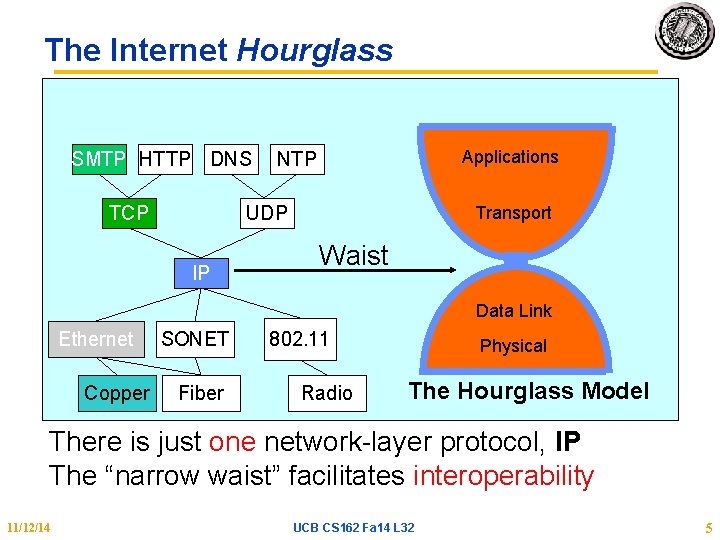
The Internet Hourglass SMTP HTTP DNS TCP Applications NTP UDP IP Transport Waist Data Link Ethernet Copper SONET Fiber 802. 11 Radio Physical The Hourglass Model There is just one network-layer protocol, IP The “narrow waist” facilitates interoperability 11/12/14 UCB CS 162 Fa 14 L 32 5
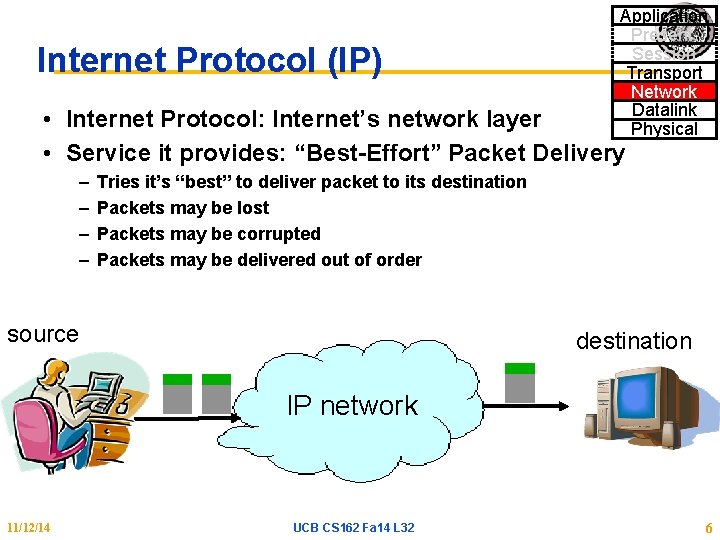
Internet Protocol (IP) Application Present. Session Transport Network Datalink Physical • Internet Protocol: Internet’s network layer • Service it provides: “Best-Effort” Packet Delivery – – Tries it’s “best” to deliver packet to its destination Packets may be lost Packets may be corrupted Packets may be delivered out of order source destination IP network 11/12/14 UCB CS 162 Fa 14 L 32 6
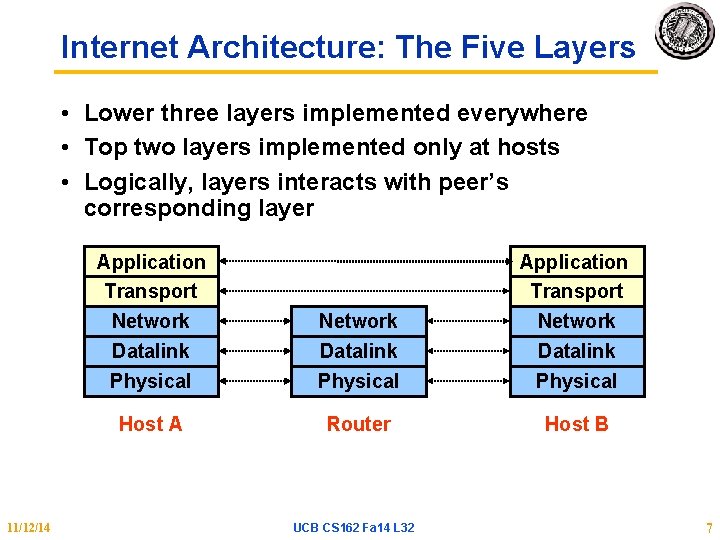
Internet Architecture: The Five Layers • Lower three layers implemented everywhere • Top two layers implemented only at hosts • Logically, layers interacts with peer’s corresponding layer 11/12/14 Application Transport Network Datalink Physical Host A Router Host B UCB CS 162 Fa 14 L 32 7
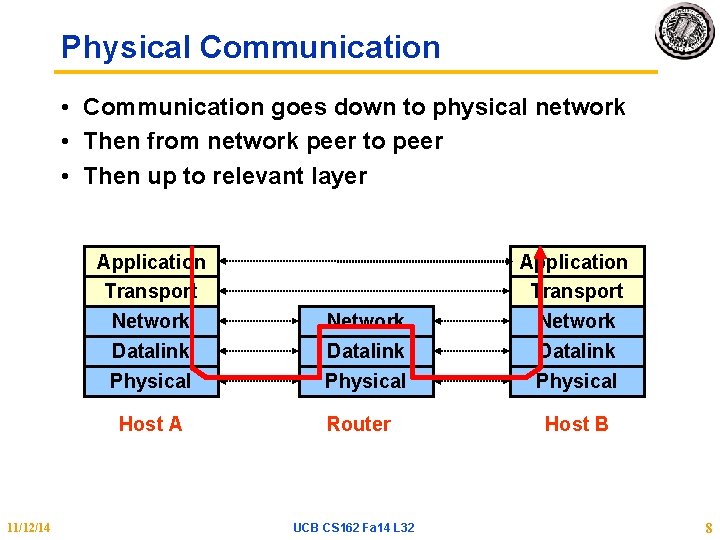
Physical Communication • Communication goes down to physical network • Then from network peer to peer • Then up to relevant layer Application Transport Network Datalink Physical Host A 11/12/14 Network Datalink Physical Router UCB CS 162 Fa 14 L 32 Application Transport Network Datalink Physical Host B 8
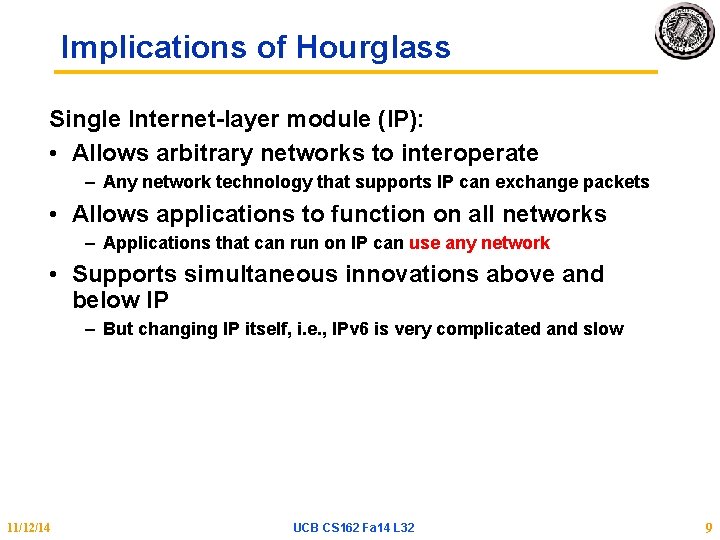
Implications of Hourglass Single Internet-layer module (IP): • Allows arbitrary networks to interoperate – Any network technology that supports IP can exchange packets • Allows applications to function on all networks – Applications that can run on IP can use any network • Supports simultaneous innovations above and below IP – But changing IP itself, i. e. , IPv 6 is very complicated and slow 11/12/14 UCB CS 162 Fa 14 L 32 9
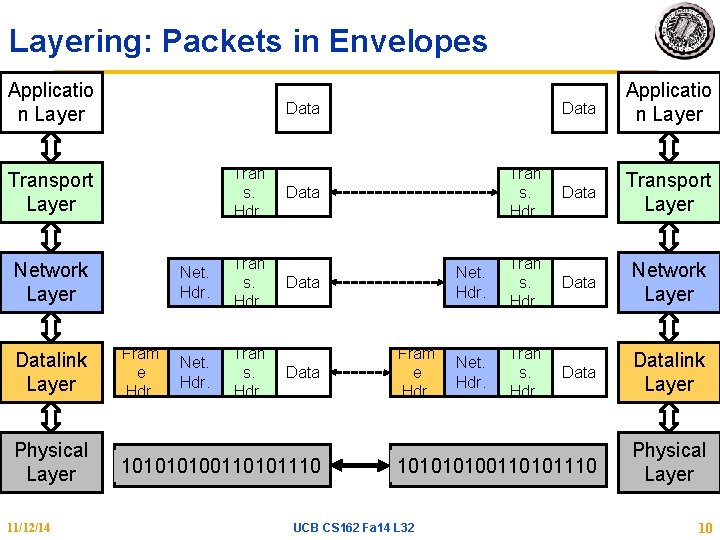
Layering: Packets in Envelopes Applicatio n Layer Tran s. Hdr. Network Layer Physical Layer 11/12/14 Tran s. Hdr. Data Transport Layer Net. Hdr. Tran s. Hdr. Data Network Layer Net. Hdr. Tran s. Hdr. Datalink Layer 10100110101110 Physical Layer Data Transport Layer Datalink Layer Data Applicatio n Layer Fram e Hdr. Net. Hdr. Tran s. Hdr. Data 10100110101110 Fram e Hdr. UCB CS 162 Fa 14 L 32 10
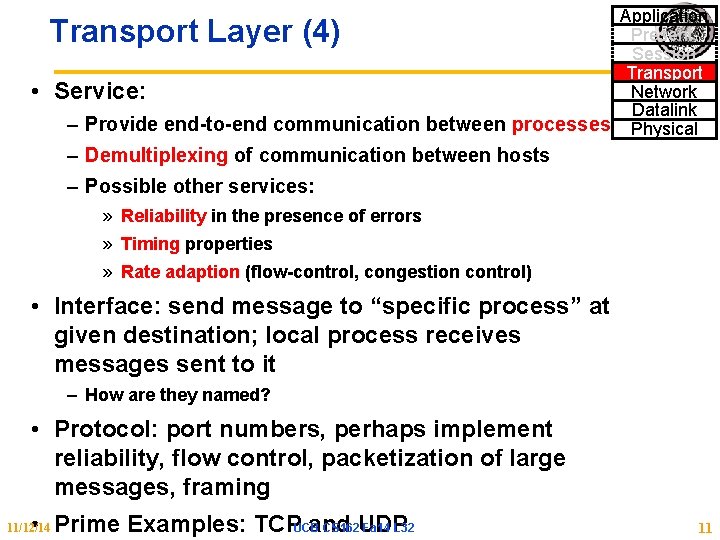
Application Present. Session Transport Network Service: Datalink – Provide end-to-end communication between processes Physical Transport Layer (4) • – Demultiplexing of communication between hosts – Possible other services: » Reliability in the presence of errors » Timing properties » Rate adaption (flow-control, congestion control) • Interface: send message to “specific process” at given destination; local process receives messages sent to it – How are they named? • Protocol: port numbers, perhaps implement reliability, flow control, packetization of large messages, framing • Prime Examples: TCPUCBand CS 162 UDP Fa 14 L 32 11/12/14 11
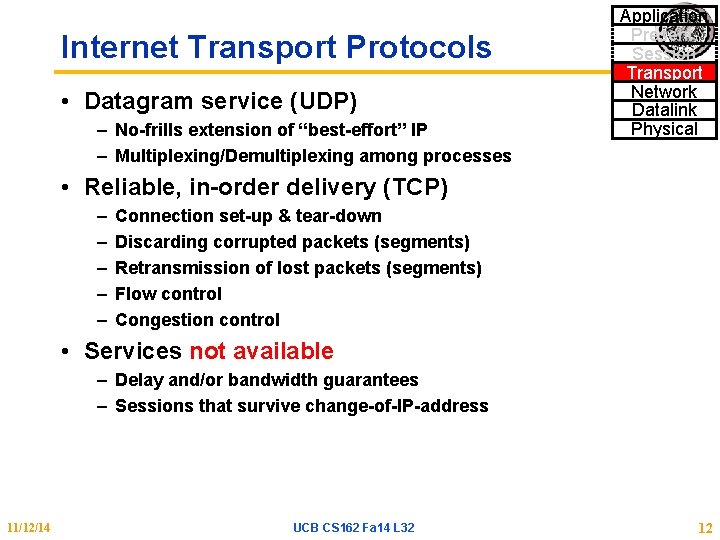
Internet Transport Protocols • Datagram service (UDP) – No-frills extension of “best-effort” IP – Multiplexing/Demultiplexing among processes Application Present. Session Transport Network Datalink Physical • Reliable, in-order delivery (TCP) – – – Connection set-up & tear-down Discarding corrupted packets (segments) Retransmission of lost packets (segments) Flow control Congestion control • Services not available – Delay and/or bandwidth guarantees – Sessions that survive change-of-IP-address 11/12/14 UCB CS 162 Fa 14 L 32 12
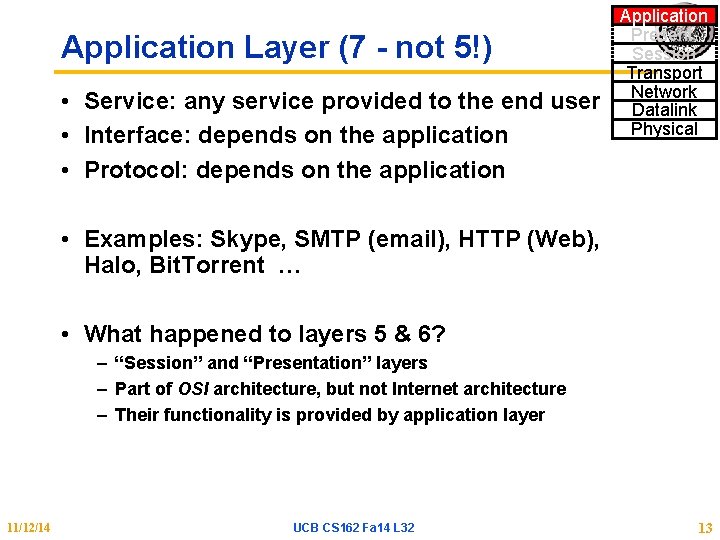
Application Layer (7 - not 5!) • Service: any service provided to the end user • Interface: depends on the application • Protocol: depends on the application Application Present. Session Transport Network Datalink Physical • Examples: Skype, SMTP (email), HTTP (Web), Halo, Bit. Torrent … • What happened to layers 5 & 6? – “Session” and “Presentation” layers – Part of OSI architecture, but not Internet architecture – Their functionality is provided by application layer 11/12/14 UCB CS 162 Fa 14 L 32 13
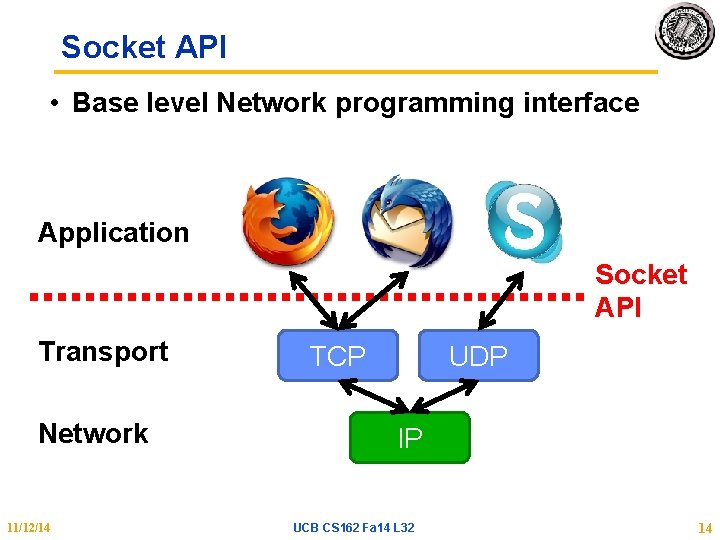
Socket API • Base level Network programming interface Application Socket API Transport Network 11/12/14 TCP UDP IP UCB CS 162 Fa 14 L 32 14
BSD Socket API • Created at UC Berkeley (1980 s) • Most popular network API • Ported to various OSes, various languages – Windows Winsock, BSD, OS X, Linux, Solaris, … – Socket modules in Java, Python, Perl, … • Similar to Unix file I/O API – In the form of file descriptor (sort of handle). – Can share same read()/write()/close() system calls 11/12/14 UCB CS 162 Fa 14 L 32 15
TCP: Transport Control Protocol • Reliable, in-order, and at most once delivery • Stream oriented: messages can be of arbitrary length • Provides multiplexing/demultiplexing to IP • Provides congestion and flow control • Application examples: file transfer, chat, http 11/12/14 UCB CS 162 Fa 14 L 32 16
TCP Service 1) Open connection: 3 -way handshaking 2) Reliable byte stream transfer from (IPa, TCP_Port 1) to (IPb, TCP_Port 2) • Indication if connection fails: Reset 3) Close (tear-down) connection 11/12/14 UCB CS 162 Fa 14 L 32 17
Connecting Communication to Processes 11/12/14 UCB CS 162 Fa 14 L 32 18
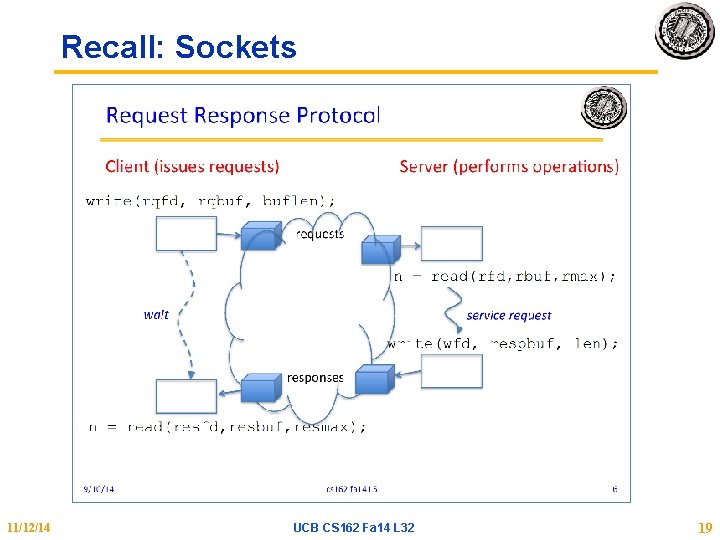
Recall: Sockets 11/12/14 UCB CS 162 Fa 14 L 32 19
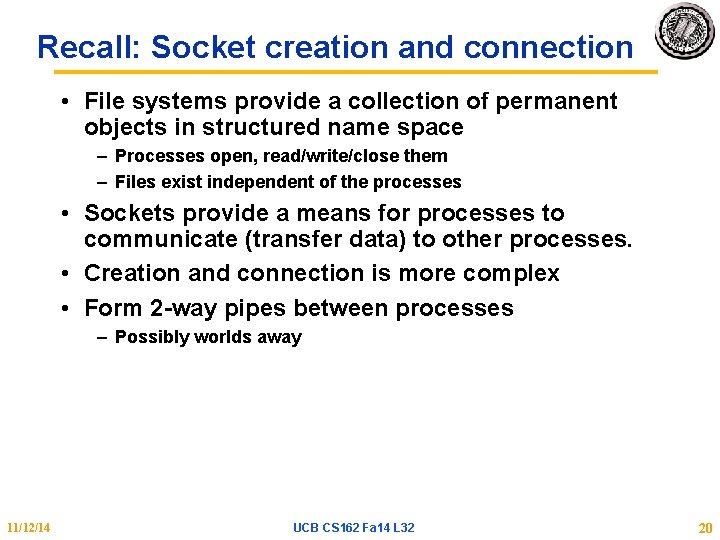
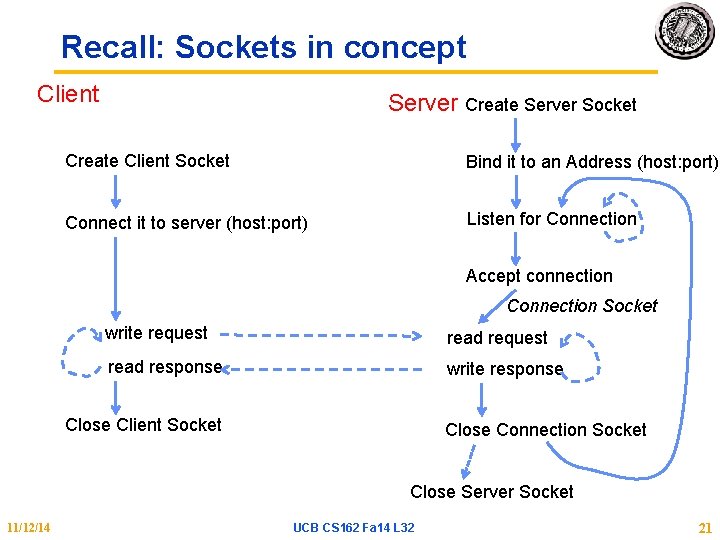
Recall: Socket creation and connection • File systems provide a collection of permanent objects in structured name space – Processes open, read/write/close them – Files exist independent of the processes • Sockets provide a means for processes to communicate (transfer data) to other processes. • Creation and connection is more complex • Form 2 -way pipes between processes – Possibly worlds away 11/12/14 UCB CS 162 Fa 14 L 32 20
Recall: Sockets in concept Client Server Create Server Socket Create Client Socket Bind it to an Address (host: port) Connect it to server (host: port) Listen for Connection Accept connection Connection Socket write request read response write response Close Client Socket Close Connection Socket Close Server Socket 11/12/14 UCB CS 162 Fa 14 L 32 21
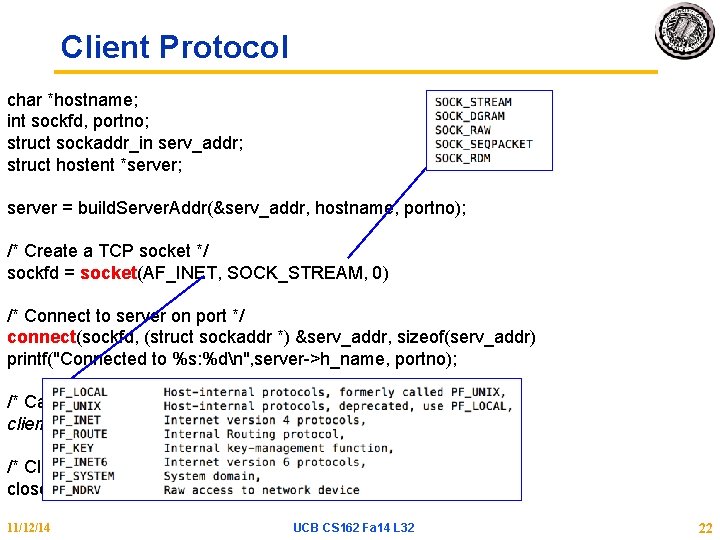
Client Protocol char *hostname; int sockfd, portno; struct sockaddr_in serv_addr; struct hostent *server; server = build. Server. Addr(&serv_addr, hostname, portno); /* Create a TCP socket */ sockfd = socket(AF_INET, SOCK_STREAM, 0) /* Connect to server on port */ connect(sockfd, (struct sockaddr *) &serv_addr, sizeof(serv_addr) printf("Connected to %s: %dn", server->h_name, portno); /* Carry out Client-Server protocol */ client(sockfd); /* Clean up on termination */ close(sockfd); 11/12/14 UCB CS 162 Fa 14 L 32 22
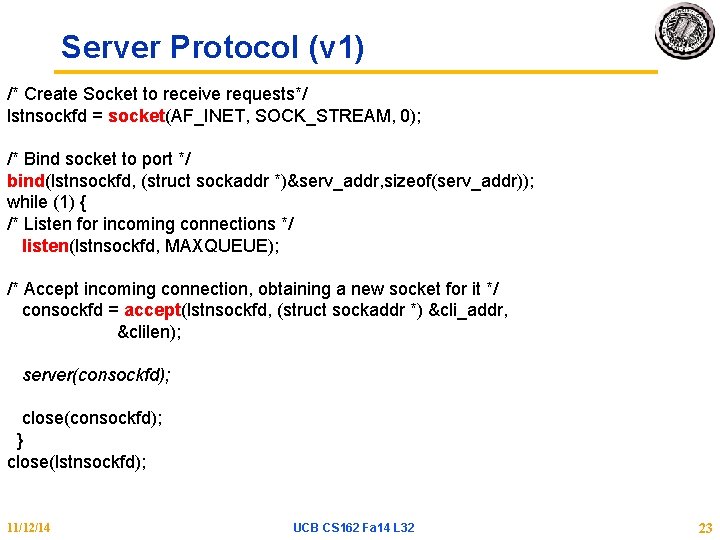
Server Protocol (v 1) /* Create Socket to receive requests*/ lstnsockfd = socket(AF_INET, SOCK_STREAM, 0); /* Bind socket to port */ bind(lstnsockfd, (struct sockaddr *)&serv_addr, sizeof(serv_addr)); while (1) { /* Listen for incoming connections */ listen(lstnsockfd, MAXQUEUE); /* Accept incoming connection, obtaining a new socket for it */ consockfd = accept(lstnsockfd, (struct sockaddr *) &cli_addr, &clilen); server(consockfd); close(consockfd); } close(lstnsockfd); 11/12/14 UCB CS 162 Fa 14 L 32 23
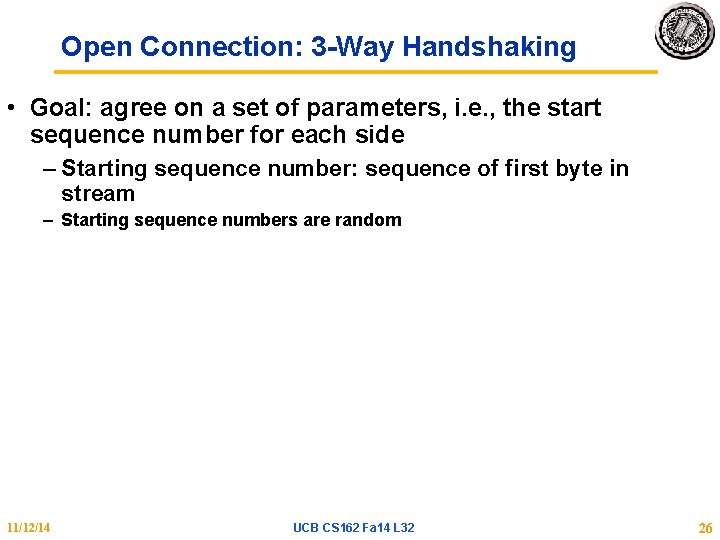
Open Connection: 3 -Way Handshaking • Goal: agree on a set of parameters, i. e. , the start sequence number for each side – Starting sequence number: sequence of first byte in stream – Starting sequence numbers are random 11/12/14 UCB CS 162 Fa 14 L 32 26
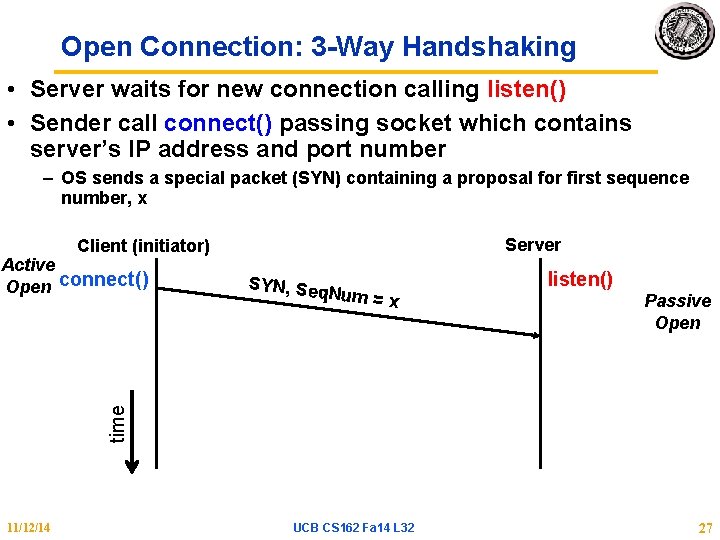
Open Connection: 3 -Way Handshaking • Server waits for new connection calling listen() • Sender call connect() passing socket which contains server’s IP address and port number – OS sends a special packet (SYN) containing a proposal for first sequence number, x Server Client (initiator) SYN, Seq Num = x listen() Passive Open time Active Open connect() 11/12/14 UCB CS 162 Fa 14 L 32 27
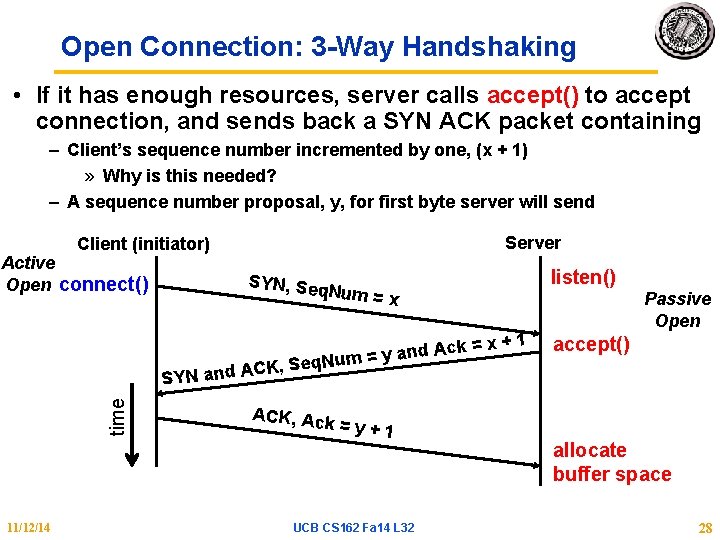
Open Connection: 3 -Way Handshaking • If it has enough resources, server calls accept() to accept connection, and sends back a SYN ACK packet containing – Client’s sequence number incremented by one, (x + 1) » Why is this needed? – A sequence number proposal, y, for first byte server will send Server Client (initiator) Active Open connect() SYN, Seq Num = x Ack = d n a y = Num K, Seq time C SYN and A 11/12/14 listen() ACK, Ack =y+1 UCB CS 162 Fa 14 L 32 x+1 Passive Open accept() allocate buffer space 28
3 -Way Handshaking (cont’d) • Three-way handshake adds 1 RTT delay • Why? – Congestion control: SYN (40 byte) acts as cheap probe – Protects against delayed packets from other connection (would confuse receiver) 11/12/14 UCB CS 162 Fa 14 L 32 29
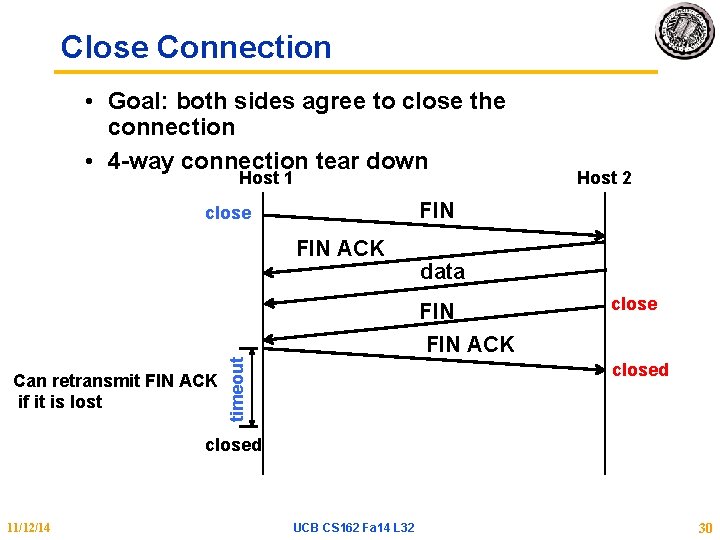
Close Connection • Goal: both sides agree to close the connection • 4 -way connection tear down Host 1 Host 2 FIN close FIN ACK data FIN close Can retransmit FIN ACK if it is lost timeout FIN ACK closed 11/12/14 UCB CS 162 Fa 14 L 32 30
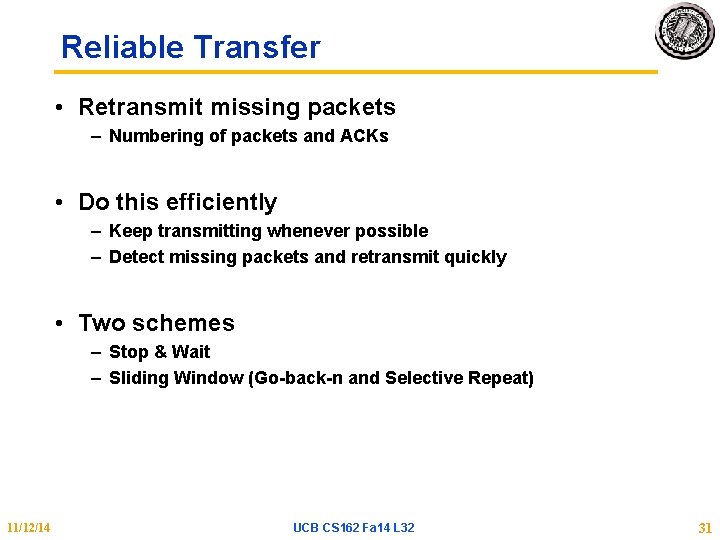
Reliable Transfer • Retransmit missing packets – Numbering of packets and ACKs • Do this efficiently – Keep transmitting whenever possible – Detect missing packets and retransmit quickly • Two schemes – Stop & Wait – Sliding Window (Go-back-n and Selective Repeat) 11/12/14 UCB CS 162 Fa 14 L 32 31
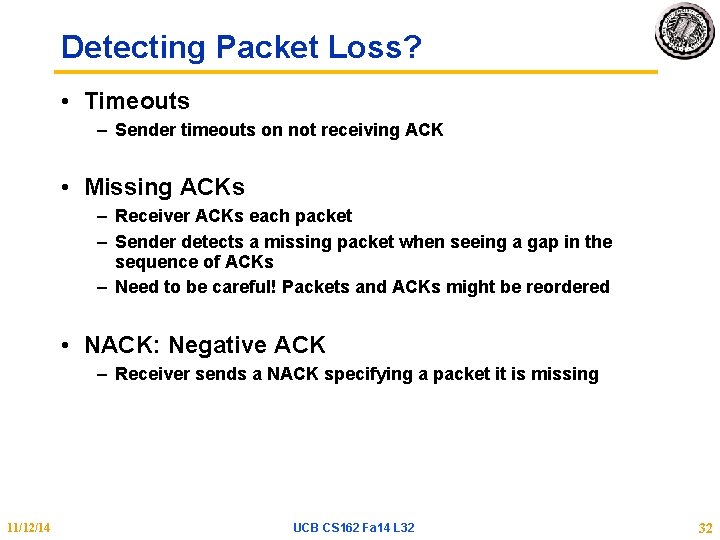
Detecting Packet Loss? • Timeouts – Sender timeouts on not receiving ACK • Missing ACKs – Receiver ACKs each packet – Sender detects a missing packet when seeing a gap in the sequence of ACKs – Need to be careful! Packets and ACKs might be reordered • NACK: Negative ACK – Receiver sends a NACK specifying a packet it is missing 11/12/14 UCB CS 162 Fa 14 L 32 32
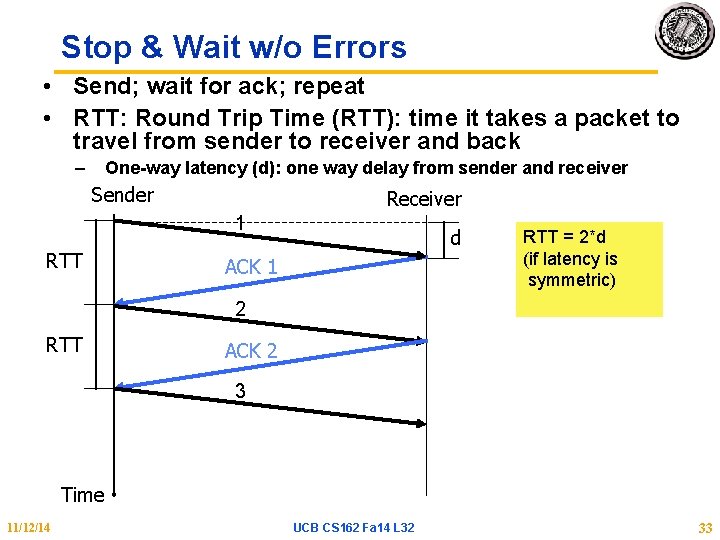
Stop & Wait w/o Errors • Send; wait for ack; repeat • RTT: Round Trip Time (RTT): time it takes a packet to travel from sender to receiver and back – One-way latency (d): one way delay from sender and receiver Sender Receiver 1 RTT d ACK 1 RTT = 2*d (if latency is symmetric) 2 RTT ACK 2 3 Time 11/12/14 UCB CS 162 Fa 14 L 32 33
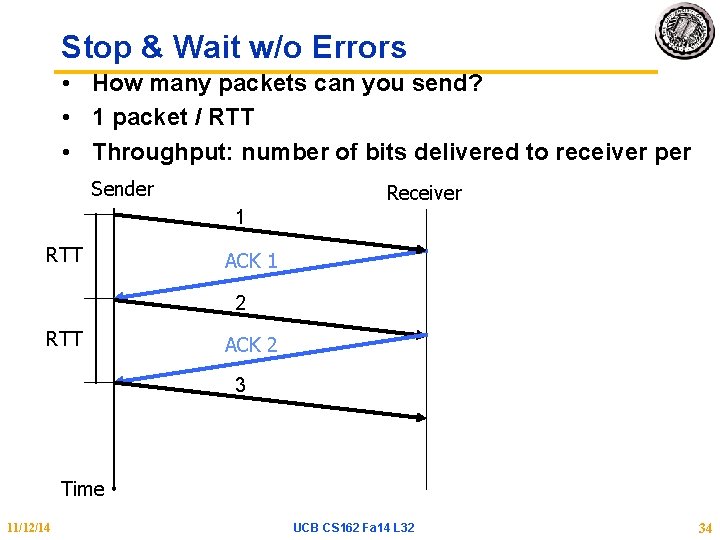
Stop & Wait w/o Errors • How many packets can you send? • 1 packet / RTT • Throughput: number of bits delivered to receiver per sec Sender Receiver 1 RTT ACK 1 2 RTT ACK 2 3 Time 11/12/14 UCB CS 162 Fa 14 L 32 34
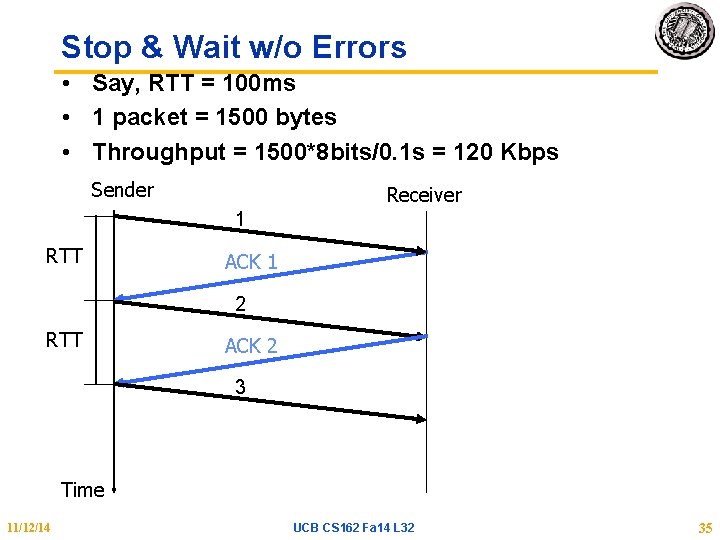
Stop & Wait w/o Errors • Say, RTT = 100 ms • 1 packet = 1500 bytes • Throughput = 1500*8 bits/0. 1 s = 120 Kbps Sender Receiver 1 RTT ACK 1 2 RTT ACK 2 3 Time 11/12/14 UCB CS 162 Fa 14 L 32 35
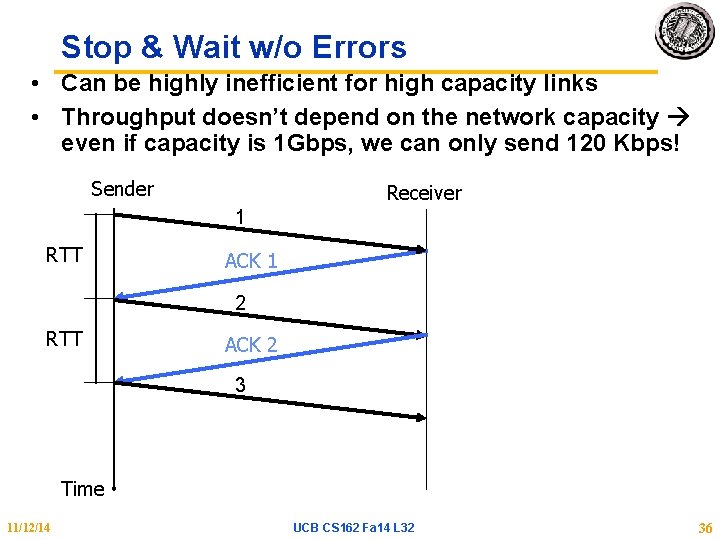
Stop & Wait w/o Errors • Can be highly inefficient for high capacity links • Throughput doesn’t depend on the network capacity even if capacity is 1 Gbps, we can only send 120 Kbps! Sender Receiver 1 RTT ACK 1 2 RTT ACK 2 3 Time 11/12/14 UCB CS 162 Fa 14 L 32 36
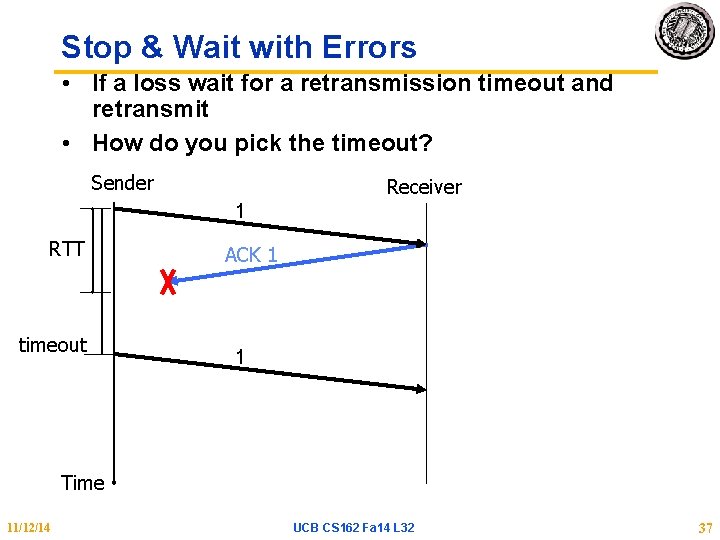
Stop & Wait with Errors • If a loss wait for a retransmission timeout and retransmit • How do you pick the timeout? Sender Receiver 1 RTT timeout ACK 1 1 Time 11/12/14 UCB CS 162 Fa 14 L 32 37
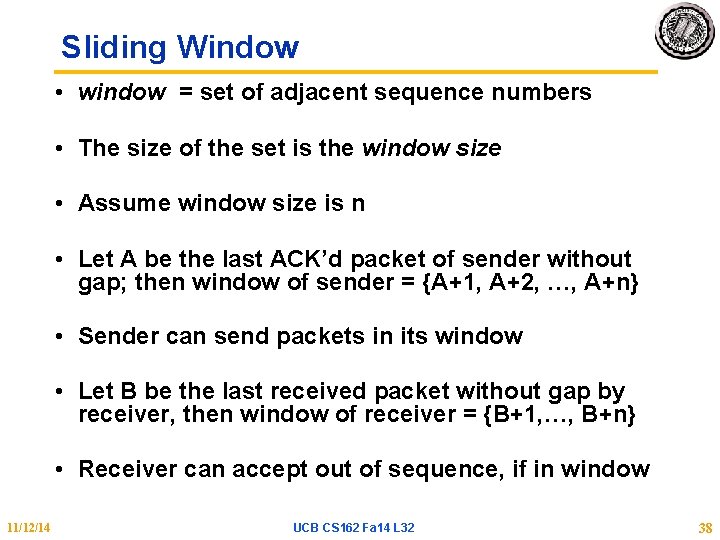
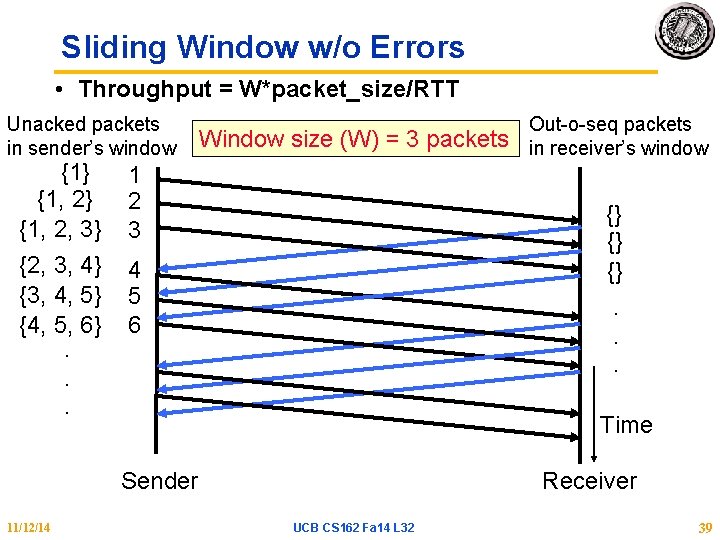
Sliding Window • window = set of adjacent sequence numbers • The size of the set is the window size • Assume window size is n • Let A be the last ACK’d packet of sender without gap; then window of sender = {A+1, A+2, …, A+n} • Sender can send packets in its window • Let B be the last received packet without gap by receiver, then window of receiver = {B+1, …, B+n} • Receiver can accept out of sequence, if in window 11/12/14 UCB CS 162 Fa 14 L 32 38
Sliding Window w/o Errors • Throughput = W*packet_size/RTT Unacked packets in sender’s window {1} {1, 2, 3} {2, 3, 4} {3, 4, 5} {4, 5, 6}. . . Window size (W) = 3 packets 1 2 3 {} {} {}. . . 4 5 6 Time Sender 11/12/14 Out-o-seq packets in receiver’s window Receiver UCB CS 162 Fa 14 L 32 39
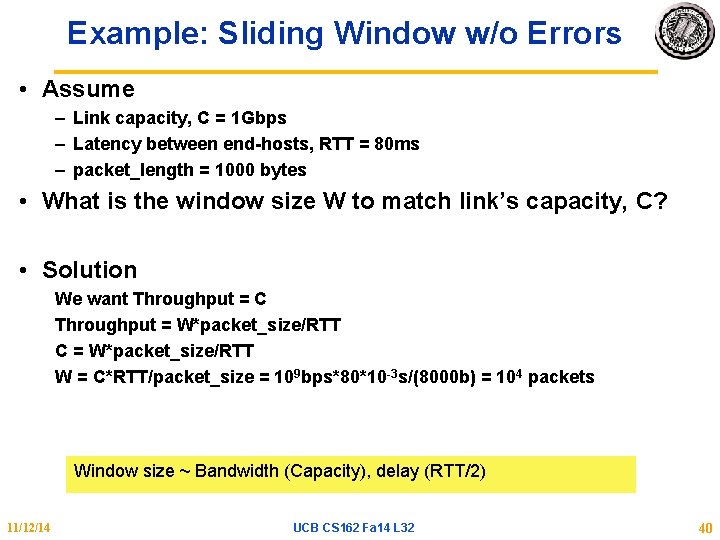
Example: Sliding Window w/o Errors • Assume – Link capacity, C = 1 Gbps – Latency between end-hosts, RTT = 80 ms – packet_length = 1000 bytes • What is the window size W to match link’s capacity, C? • Solution We want Throughput = C Throughput = W*packet_size/RTT C = W*packet_size/RTT W = C*RTT/packet_size = 109 bps*80*10 -3 s/(8000 b) = 104 packets Window size ~ Bandwidth (Capacity), delay (RTT/2) 11/12/14 UCB CS 162 Fa 14 L 32 40
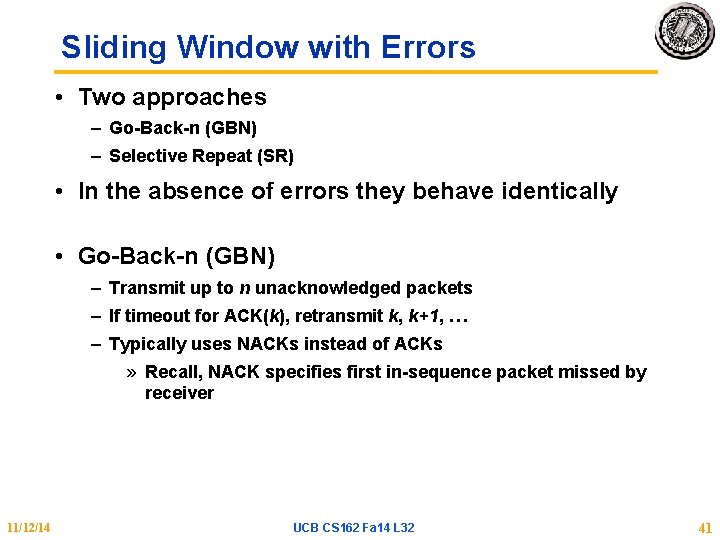
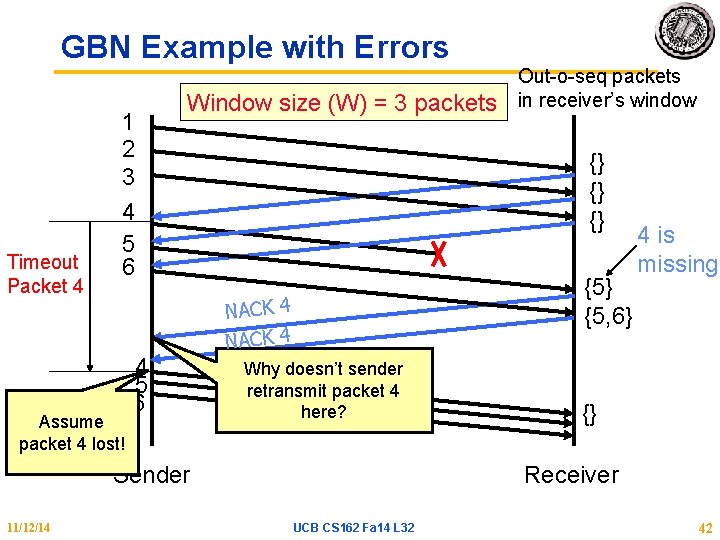
Sliding Window with Errors • Two approaches – Go-Back-n (GBN) – Selective Repeat (SR) • In the absence of errors they behave identically • Go-Back-n (GBN) – Transmit up to n unacknowledged packets – If timeout for ACK(k), retransmit k, k+1, … – Typically uses NACKs instead of ACKs » Recall, NACK specifies first in-sequence packet missed by receiver 11/12/14 UCB CS 162 Fa 14 L 32 41
GBN Example with Errors Timeout Packet 4 1 2 3 4 5 6 Assume packet 4 lost! Window size (W) = 3 packets 4 5 6 {} {} {} {5, 6} NACK 4 Why doesn’t sender retransmit packet 4 here? Sender 11/12/14 Out-o-seq packets in receiver’s window 4 is missing {} Receiver UCB CS 162 Fa 14 L 32 42
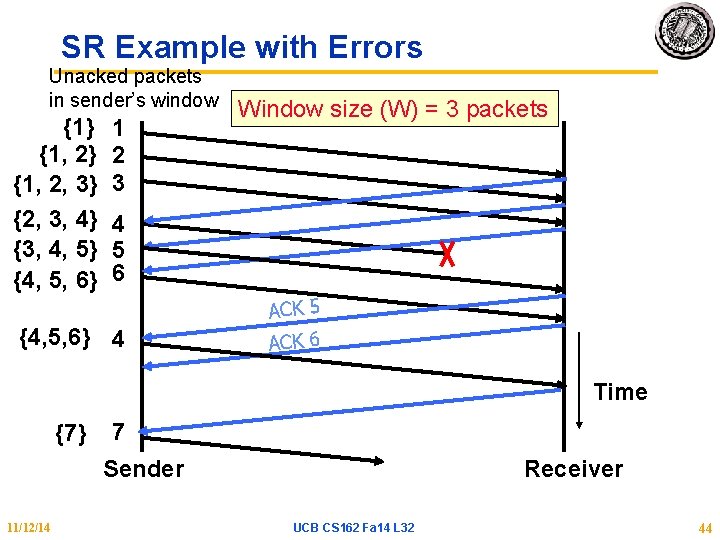
Selective Repeat (SR) • Sender: transmit up to n unacknowledged packets • Assume packet k is lost • Receiver: indicate packet k is missing (use ACKs) • Sender: retransmit packet k 11/12/14 UCB CS 162 Fa 14 L 32 43
SR Example with Errors Unacked packets in sender’s window {1} {1, 2, 3} {2, 3, 4} {3, 4, 5} {4, 5, 6} 1 2 3 Window size (W) = 3 packets 4 5 6 {4, 5, 6} 4 ACK 5 ACK 6 Time {7} 7 Sender 11/12/14 Receiver UCB CS 162 Fa 14 L 32 44
Summary • TCP: Reliable Byte Stream – Open connection (3 -way handshaking) – Close connection: no perfect solution; no way for two parties to agree in the presence of arbitrary message losses (General’s Paradox) • Reliable transmission – S&W not efficient for links with large capacity (bandwidth) delay product – Sliding window more efficient but more complex • Flow Control – OS on sender and receiver manage buffers – Sending rate adjusted according to acks and losses – Receiver drops to slow sender on over-run 11/12/14 UCB CS 162 Fa 14 L 32 45