
EMUSTER ROLL EMEASUREMENT BOOK WAGE LIST PAY SLIP
E-MUSTER ROLL E-MEASUREMENT BOOK WAGE LIST PAY SLIP / WAGE SLIP Government of Orissa, Panchayati Raj Department
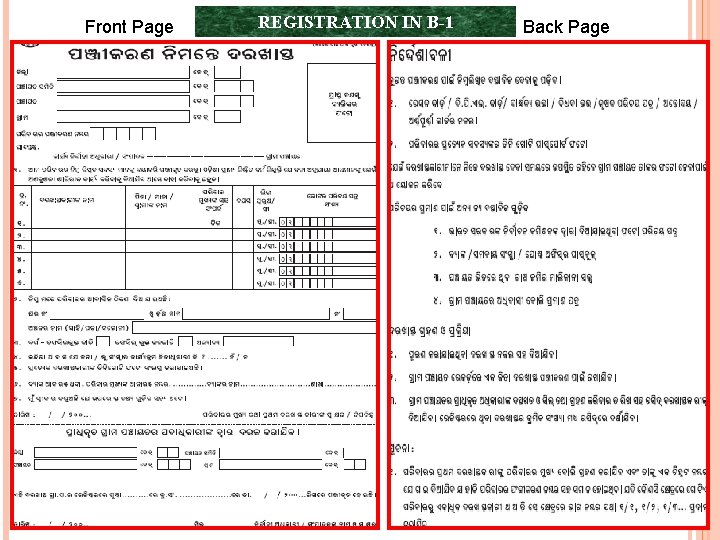
Front Page REGISTRATION IN B-1 Back Page
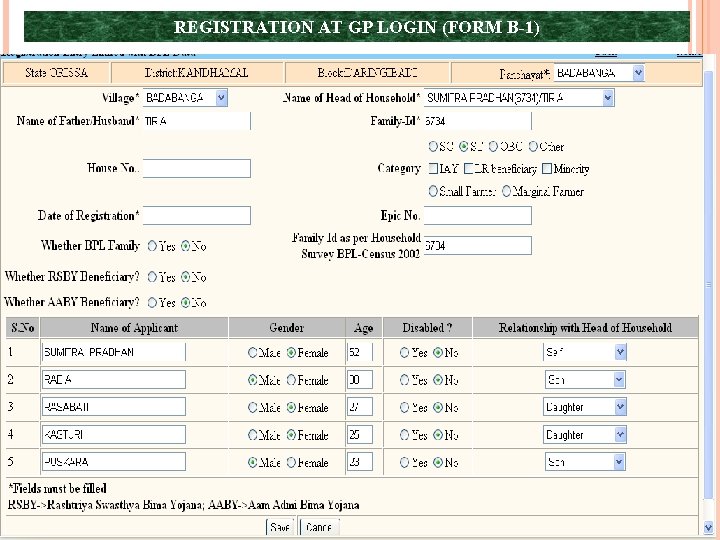
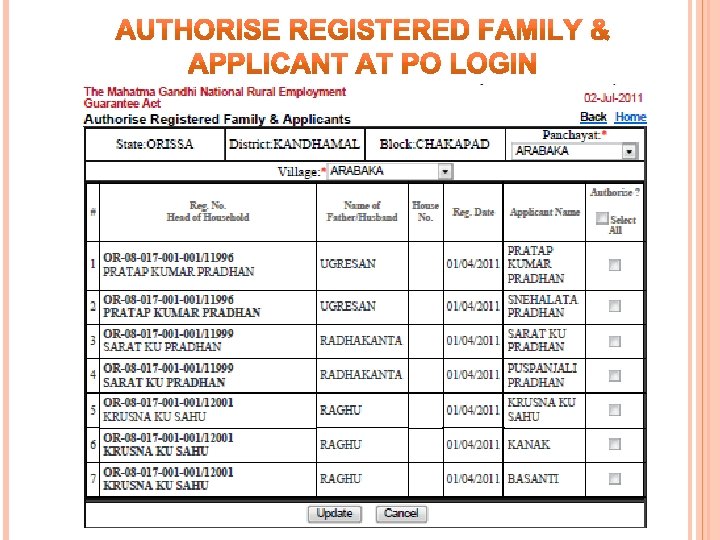
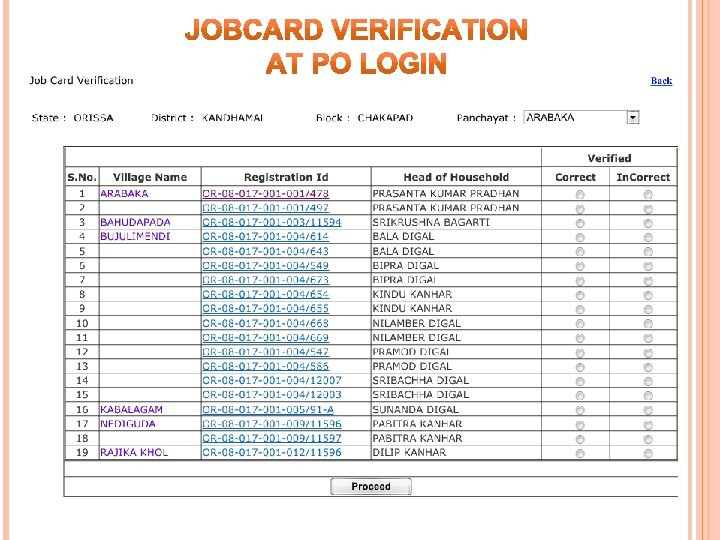
REGISTRATION AT GP LOGIN (FORM B-1)
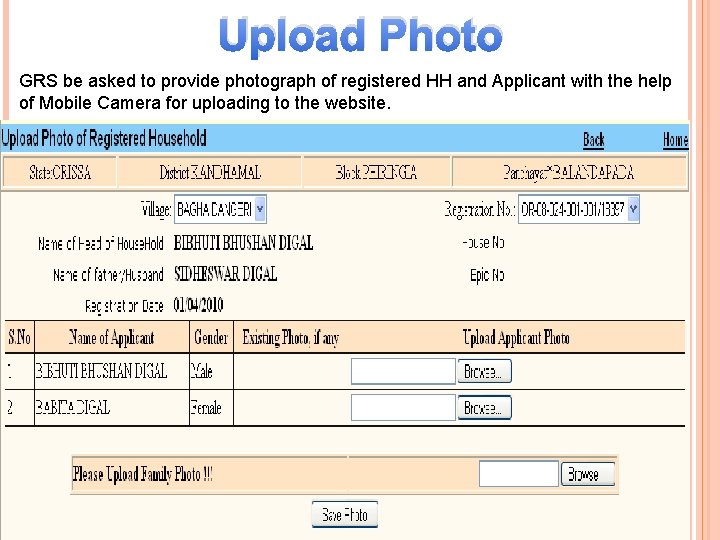
Upload Photo GRS be asked to provide photograph of registered HH and Applicant with the help of Mobile Camera for uploading to the website.
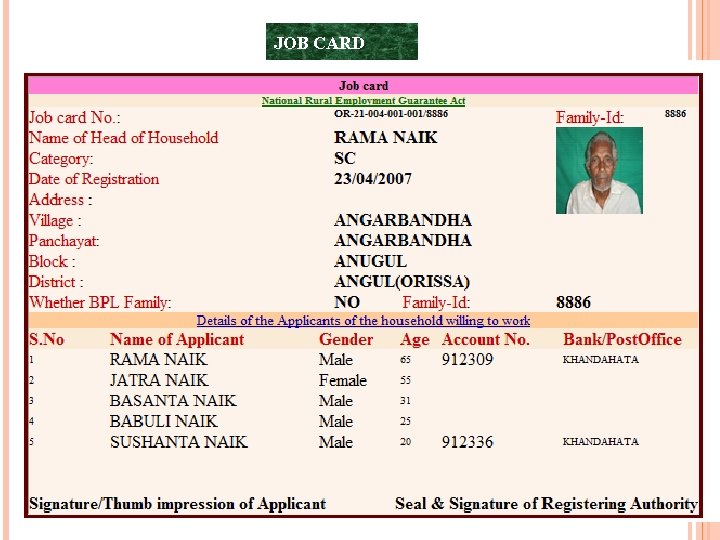
JOB CARD
E-MUSTER ROLL (MADE MANDATORY W. E. F 01 -07 -2011)
WHAT IS E-MUSTER ROLL ? • An electronically generated muster roll. • Pre-printed with names of the job seekers who have demanded wage employment. • Each e-Muster Roll is assigned computer generated Unique Serial Number. • Specific project is assigned to the job seeker with period of employment preprinted in the e-Muster Roll.
WHY E-MUSTER ROLL ? • It ensures prior scrutiny of names of job seekers in the muster roll. • Prevents overwriting, duplication and manipulation of names of job seekers. • Fake names can be identified and eliminated. • Prevents multiple assignment of projects to same job seeker. • Monitors families who are on the verge of completing 100 days.
WHY E-MUSTER ROLL ? Being a transaction based system, it ensures regular updation of various records in the online module. Measurement Book is linked to the e. Muster Roll for calculating wages and recording of M. B in electronic form. Checks manipulation of wages and delays in payment of wages.
WHY E-MUSTER ROLL ? Wage list is generated from the module and can be transmitted to Bank/ Post Office branches electronically. Pay Slip can also be generated for each wage seeker which can be distributed to them for ensuring transparency. Withdrawal office Slips for bank/ post can also be generated
PRE-REQUISITE FOR E-MUSTER ROLL Demand for work entry (C-1). Work Allocation entry (C-2). e-Muster Roll can only be generated with names of the jobseekers allocated with work for coming dates. Back date e-Muster can’t be generated.

Steps for implementation e-Muster Roll A Start Demand for work (C-1) Work Allocation (C-2) Generate e-Muster Roll (B-3) Print Muster Roll Issue Register (B-4) A Circulate the e-Muster Roll to work site to collect attendance Collect filled in e-Muster Roll from field E-muster roll online entry I) Attendance only ii) M. B. Entry iii) MR Payment only Print Muster Roll for reconciliation purpose Generation of wage list & pay slip End
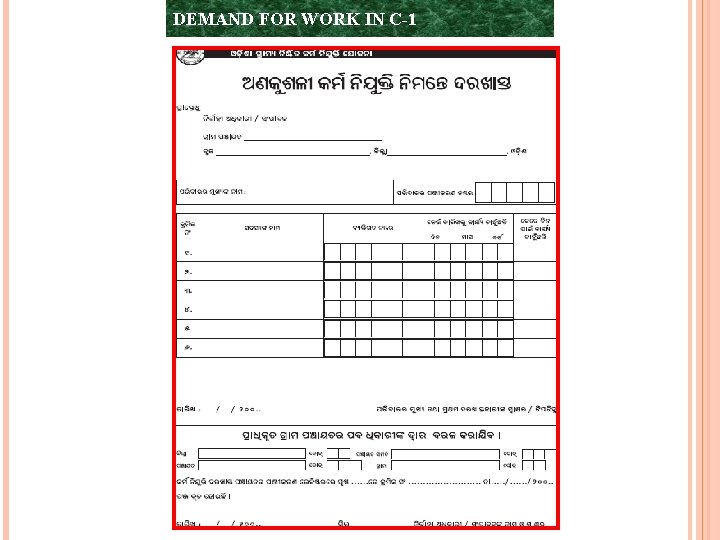
DEMAND FOR WORK IN C-1
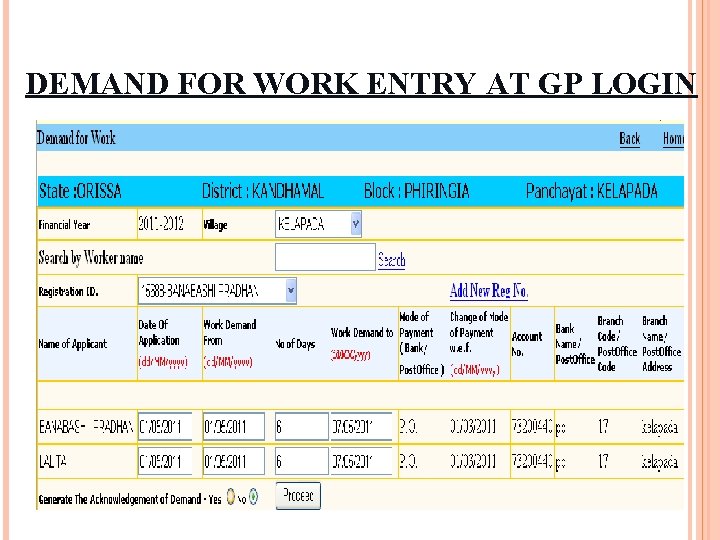
DEMAND FOR WORK ENTRY AT GP LOGIN
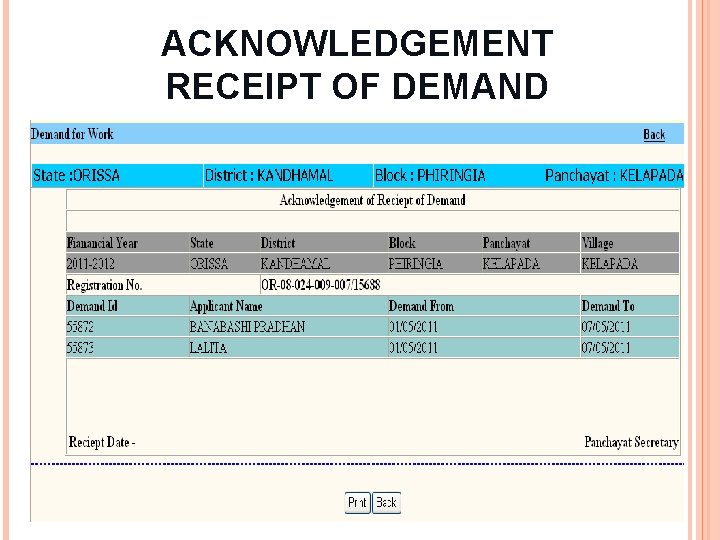
ACKNOWLEDGEMENT RECEIPT OF DEMAND
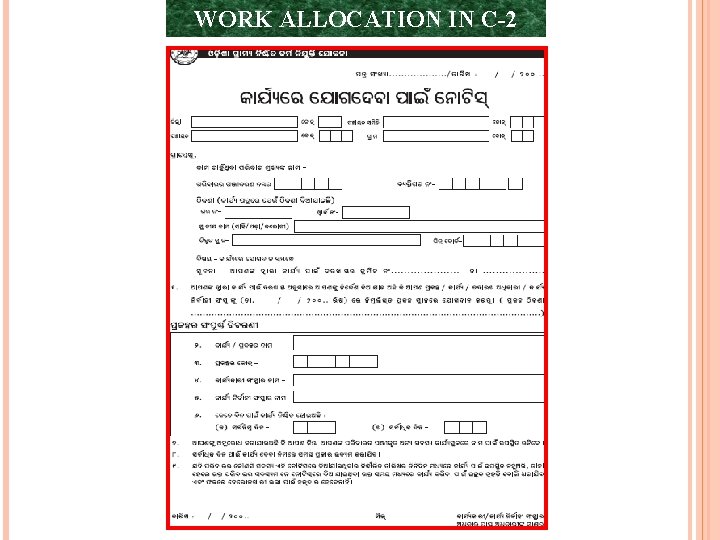
WORK ALLOCATION IN C-2
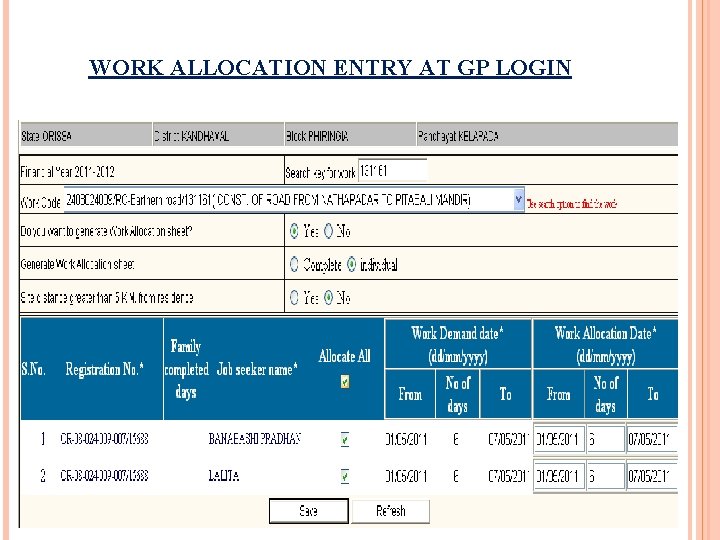
WORK ALLOCATION ENTRY AT GP LOGIN
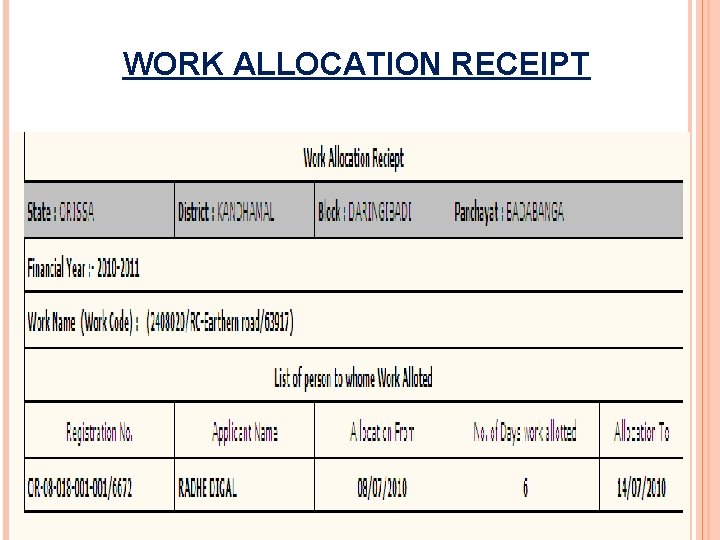
WORK ALLOCATION RECEIPT
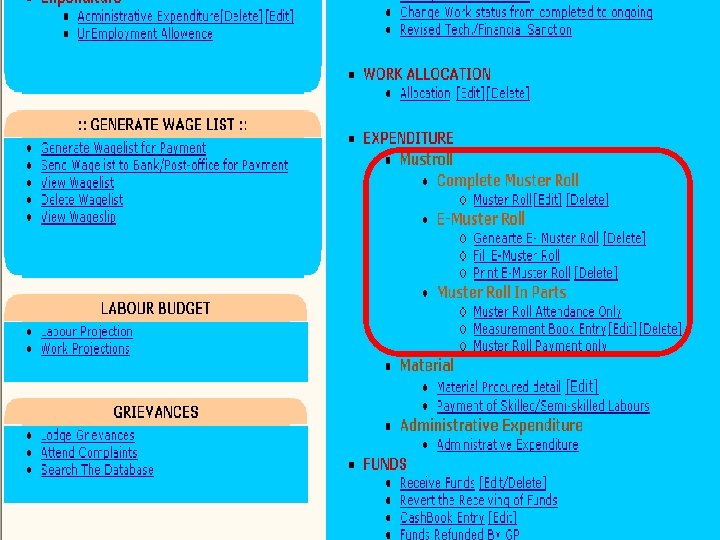
![MUSTER ROLL DATA ENTRY E-Muster Roll ØGenerate E- Muster Roll [Delete] ØFill E-Muster Roll](http://slidetodoc.com/presentation_image/1fde121189471c9ef952419fb2cadd79/image-21.jpg "MUSTER ROLL DATA ENTRY E-Muster Roll ØGenerate E- Muster Roll [Delete] ØFill E-Muster Roll")
MUSTER ROLL DATA ENTRY E-Muster Roll ØGenerate E- Muster Roll [Delete] ØFill E-Muster Roll ØPrint E-Muster Roll [Delete] Muster Roll In Parts ØMuster Roll Attendance Only ØMeasurement Book Entry [Edit] [Delete] ØMuster Roll Payment only Complete Muster Roll ØMuster Roll [Edit] [Delete]
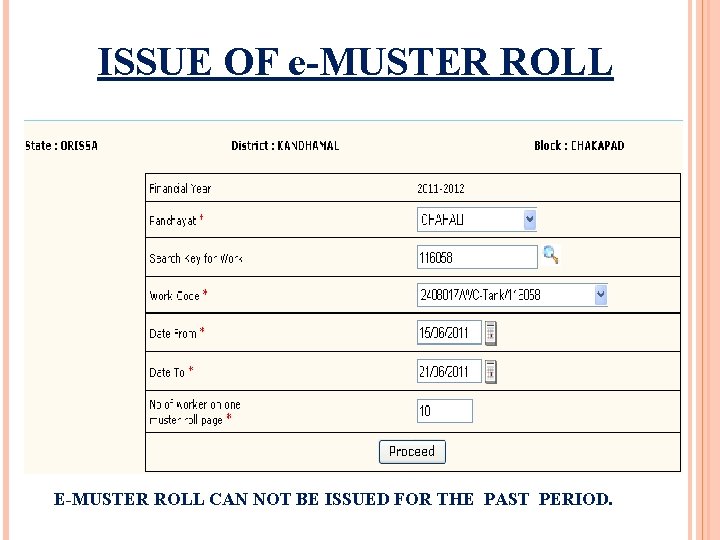
ISSUE OF e-MUSTER ROLL E-MUSTER ROLL CAN NOT BE ISSUED FOR THE PAST PERIOD.

E-MUSTER ROLL
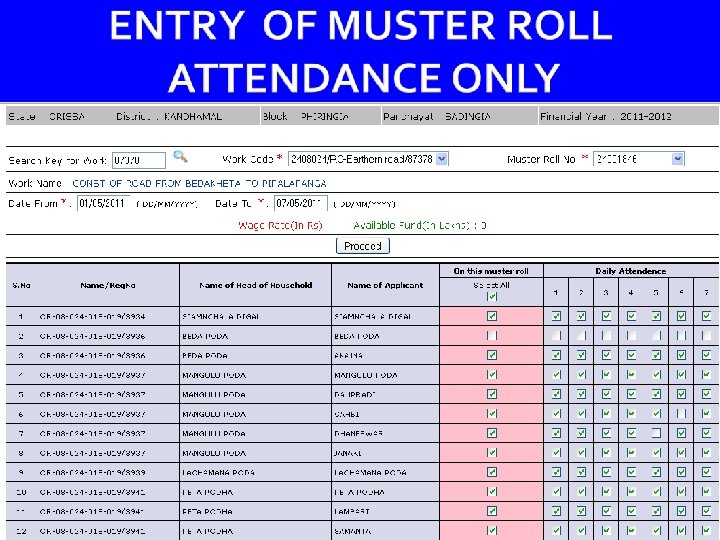
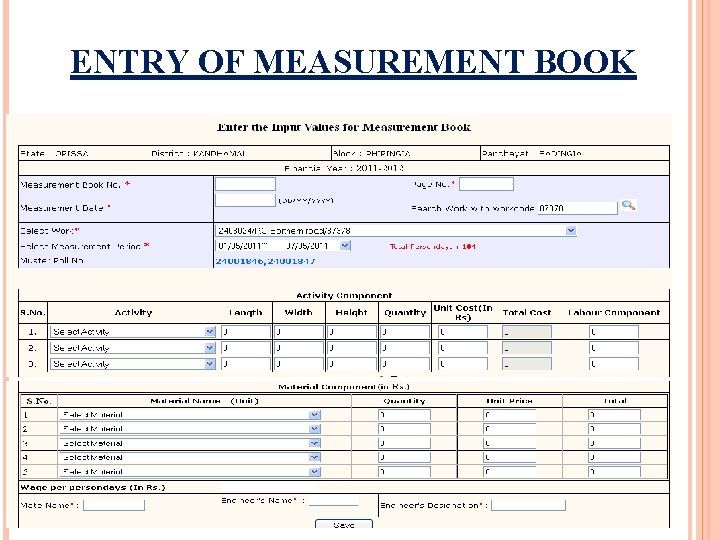
ENTRY OF MEASUREMENT BOOK

ENTRY OF MUSTER ROLL – WAGE

PRE-REQUISITE FOR GENERATATION OF WAGE LIST Ø Muster Rolls are entered with ü Correct Jobseekers’ Bank/ Post office account number. ü Entry of Bank/ Post Office Branch name of GP/ Block/ Line Deptt. where cheque can be issued. ü Entry will be made 1 st, then payment will follow with wage list, pay slip & withdrawal slip.

GENERATATION OF WAGE LIST ØGenerate Wagelist for Payment ØSend Wagelist to Bank/Postoffice for Payment ØView Wagelist ØDelete Wagelist ØView Wageslip

GENERATE WAGE LIST
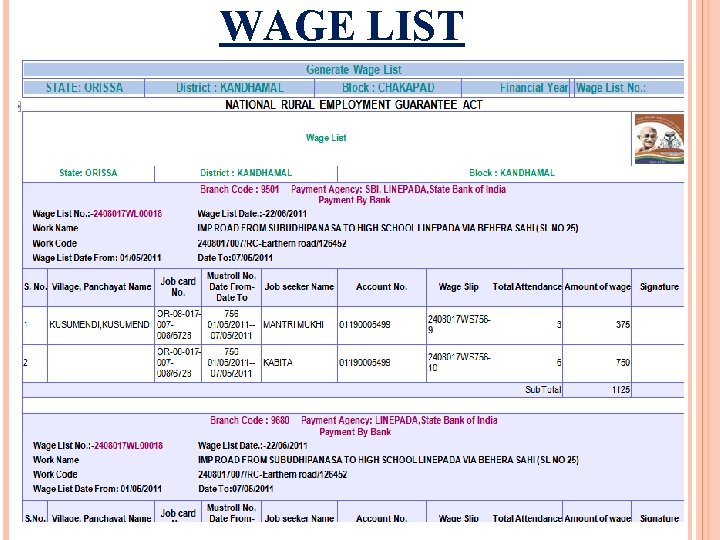
WAGE LIST
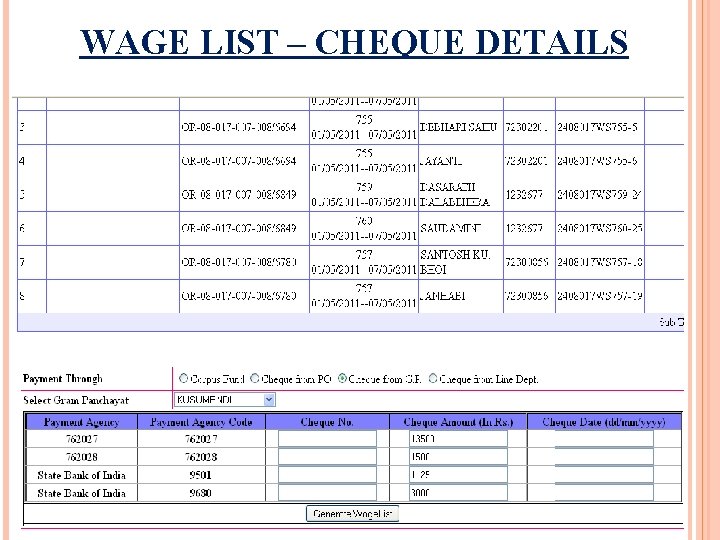
WAGE LIST – CHEQUE DETAILS
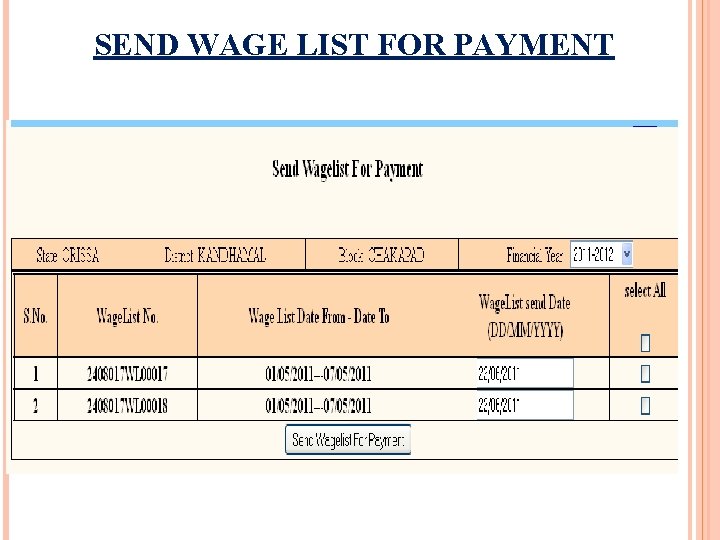
SEND WAGE LIST FOR PAYMENT

PAY SLIP

WAGE SLIP – WITHDRAWAL SLIP

THANKS…
- Slides: 36