
EMR Integration Marth 2020 RESEARCH MEASURE MONITOR PREVENT



- Slides: 9
EMR Integration Marth 2020 RESEARCH. MEASURE. MONITOR. PREVENT.
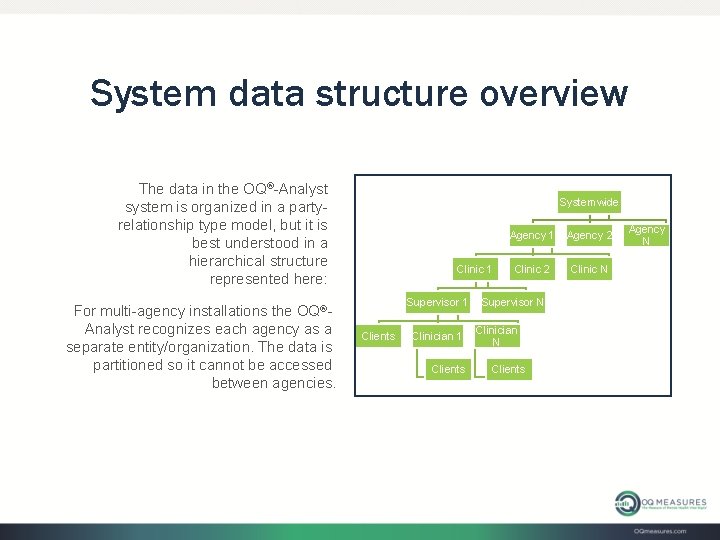
System data structure overview The data in the OQ®-Analyst system is organized in a partyrelationship type model, but it is best understood in a hierarchical structure represented here: For multi-agency installations the OQ®Analyst recognizes each agency as a separate entity/organization. The data is partitioned so it cannot be accessed between agencies. Systemwide Clinic 1 Supervisor 1 Clients Clinician 1 Clients Agency 1 Agency 2 Clinic N Supervisor N Clinician N Clients Agency N
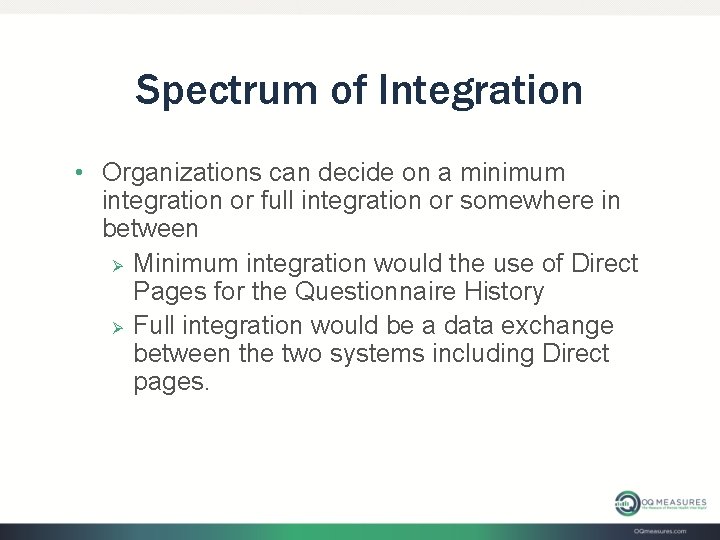
Spectrum of Integration • Organizations can decide on a minimum integration or full integration or somewhere in between Ø Minimum integration would the use of Direct Pages for the Questionnaire History Ø Full integration would be a data exchange between the two systems including Direct pages.
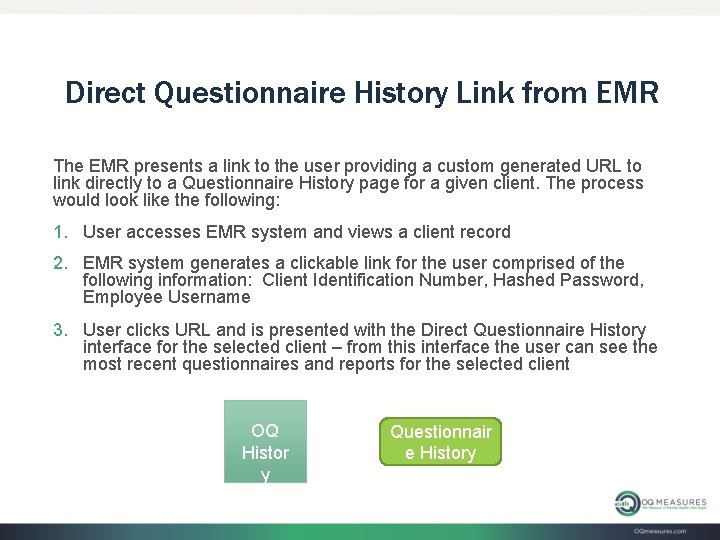
Direct Questionnaire History Link from EMR The EMR presents a link to the user providing a custom generated URL to link directly to a Questionnaire History page for a given client. The process would look like the following: 1. User accesses EMR system and views a client record 2. EMR system generates a clickable link for the user comprised of the following information: Client Identification Number, Hashed Password, Employee Username 3. User clicks URL and is presented with the Direct Questionnaire History interface for the selected client – from this interface the user can see the most recent questionnaires and reports for the selected client OQ Histor y Questionnair e History
Direct Questionnaire History Link from EMR 4. User will then see an interface similar to the following:
Full Integration • This will allow the employees to access all information from their primary system. Ø Ø Employees/Clients are inserted into the OQ®-Analyst from the primary system Employees/Clients are updated in the OQ®-Analyst from the primary system Raw Questionnaire data is exported from the OQ®Analyst to the primary system Many other options/functions are available
Automated Client Insert This clinic would like to have a client record inserted into the OQ®-Analyst when a record is created in their EMR system. This would require a triggering event to be created in the EMR system. The process would look like the following: 1. New client record is entered into EMR system 2. EMR system triggers event to send data to the OQ®-Analyst system through a web service connection 3. Data is formatted by EMR including the following: a. Client Name b. Client Identification Number c. Birthdate d. Clinic e. Clinician f. Diagnosis g. Setting of Care 4. Data is transmitted to the OQ®-Analyst Insert. Client web service
Integration Steps • Contact OQ Measures Support at support@oqmeasures. com • Meeting with your organization, your EMR/EHR representative and with OQ Measures • Signed NDA and BAA between all parties • Documentation Provided • Test environment for your organization will be created to allow integration testing
CONTACT US: PO Box 521047 Salt Lake City, UT 84152 Toll-Free: 888. 647. 2673 Local: 801. 649. 4392 Fax: 801. 747. 6900 E-mail: Support@OQMeasures. com OQmeasures. com