
Employment Preparation and Work Based Learning Experiences in
Employment Preparation and Work Based Learning Experiences in a Virtual World Tuesday, April 7 th, 2020
Presenters Brenda K. Simmons, M. S. Senior Research Associate The George Washington University WINTAC Michael J. Stoehr, M. S. Knowledge Development & Technical Assistance Specialist UNC Charlotte - Cato College of Education NTACT 2
Is: Purpose of Today’s Webinar To share ideas and strategies you can use today in providing remote work based learning experiences/activities for students with disabilities while school and community access are severely restricted due to COVID-19. Isn’t: To provide federal, state, or legal guidance regarding how to provide services and meet requirements under IDEA, WIOA, or other agency legislations. Please refer to the following current guidance documents: • OSERS Q&A Providing Services to Children with Disabilities During the Coronavirus Disease 2019 Outbreak • USDOE Supplemental Fact Sheet - 3 -21 -20 • COVID-19 - Information and Resources for Schools and School Personnel • Office of Civil Rights Fact Sheet • CASE - COVID 19 - Considerations for Special Ed. Administrators • COVID-19 Frequently-Asked Questions: WIOA Performance Accountability Provisions
Challenging Times – COVID 19 • As of April 3, 2020 school closures due to coronavirus have impacted at least 124, 000 U. S. public and private schools and affected at least 55. 1 million students. • 12 states and one U. S. territory have ordered or recommended school building closures for the rest of the academic year and 3 states and one U. S. territory closed until further notice – Education Week - COVID-19 Information • As of March 30, 2020, at least 44 VR offices had closed, and 57 programs had moved to telework. Many VR counselors are having a hard time connecting with their students, and providers are struggling to be able to continue to provide services. • In the week ending March 28, the advance figure for seasonally adjusted unemployment insurance initial claims was 6, 648, 000, an increase of 3, 341, 000 from the previous week's revised level. This marks the highest level of seasonally adjusted unemployment insurance initial claims in the history of the seasonally adjusted series. – USDOL - COVID-19 - Update - April 2, 2020 4
Challenging Times Can Present Unique Opportunities – If open and offering educational services, schools are continuing to provide FAPE and FERPA to students via creative distance learning methods – State Vocational Rehabilitation (VR) Agencies are continuing to provide or arrange for the provision of Pre-ETS and transition services to students with disabilities who need them, in partnership with community rehabilitation programs (CRPs), schools, and other partner agencies; through innovative remote service delivery options – Students with disabilities can still actively participate in work-based learning experiences which is known to be one of the best predictors of successful post-secondary employment • States are identifying innovative ways for students to participate in remote work-based learning experiences while practicing social distancing, and addressing community engagement concerns • States are developing creative partnerships around coordinated service delivery between Education-VRProvider in serving students with disabilities, which will be key to successful on-site work experiences moving forward • States are sharing unique ways to engage and connect students virtually with business partners 5
Image of People Holding the Signs saying POLL
Maintaining Effective Partnerships 7
Maintain Strong & Effective Partnerships • Maintain communication between VR, providers and schools – Coordinate virtual “happy hour” with partners to share and communicate student participation and progress – Share school “schedules” for student participation in distance learning (i. e. daily from 10: 00 -noon, two days per week, etc. ), so VR/provider can try and coordinate – Identify who is delivering work based learning experiences • Clearly define roles and responsibilities for connecting with students remotely • Keep each other updated on status of summer WBLE activities in the community • Ensure Pre-ETS WBLE activities are coordinated and provided without supplanting or duplicating IDEA transition services – VR/provider should set up remote WBLE separately from the LEA distance learning services – Share VR/provider “schedule” of virtual WBLE being provided to students with the classroom teacher, and generally what is covered in these activities or modules – Teacher share any WBLE related lessons they are providing virtually with the students under transition planning for IDEA (i. e. mock interviews, resume writing, etc. ) 8
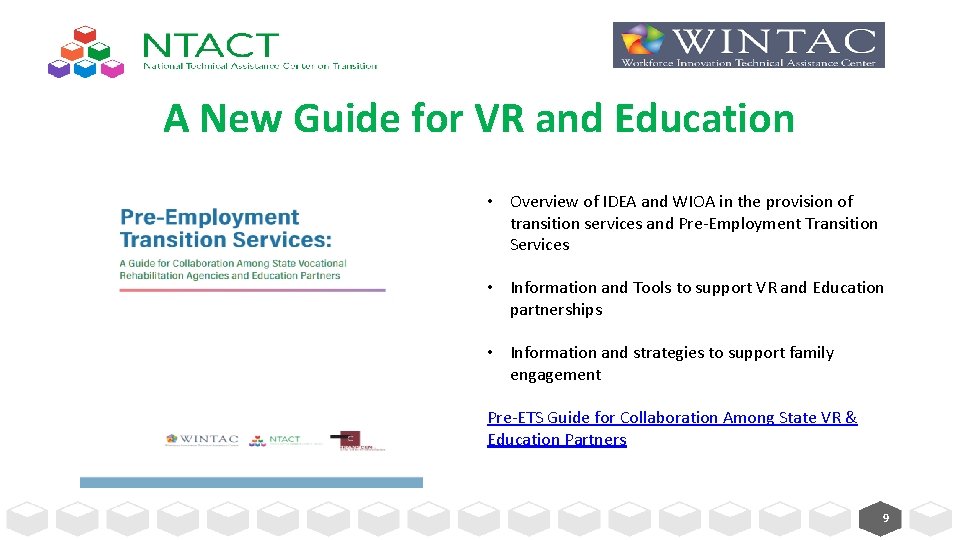
A New Guide for VR and Education • Overview of IDEA and WIOA in the provision of transition services and Pre-Employment Transition Services • Information and Tools to support VR and Education partnerships • Information and strategies to support family engagement Pre-ETS Guide for Collaboration Among State VR & Education Partners 9
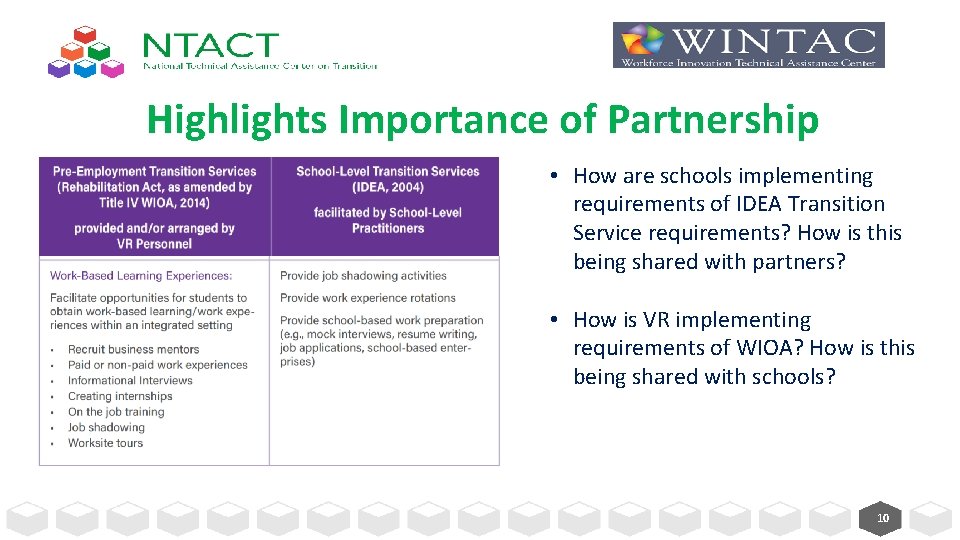
Highlights Importance of Partnership • How are schools implementing requirements of IDEA Transition Service requirements? How is this being shared with partners? • How is VR implementing requirements of WIOA? How is this being shared with schools? 10
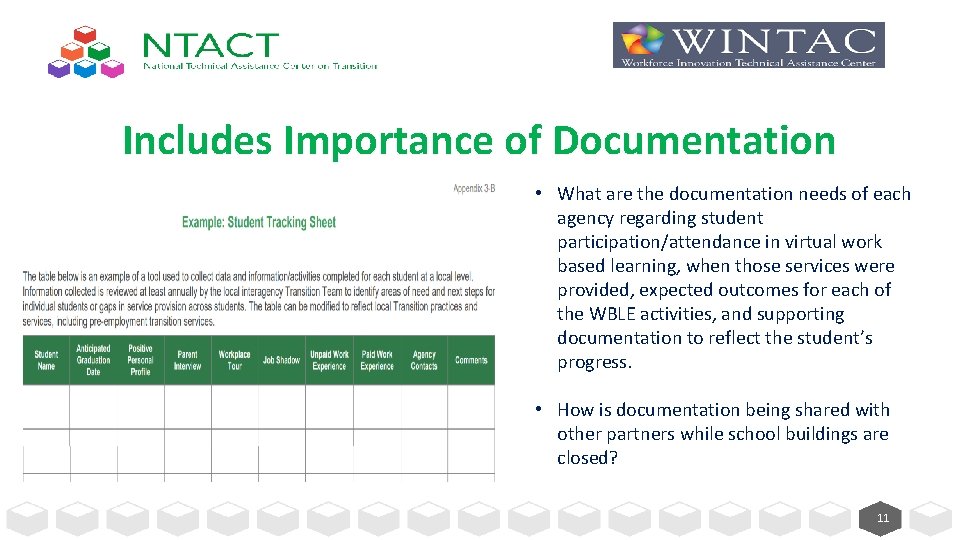
Includes Importance of Documentation • What are the documentation needs of each agency regarding student participation/attendance in virtual work based learning, when those services were provided, expected outcomes for each of the WBLE activities, and supporting documentation to reflect the student’s progress. • How is documentation being shared with other partners while school buildings are closed? 11
Coordination and Delivery of Work-based Learning Experiences 12
What is a Work-based Learning Experience (WBLE)? • The National Collaborative on Workforce and Disability for Youth defines work-based learning as: – a “supervised program sponsored by an education or training organization that links knowledge gained at the work site with a planned program of study. – Experiences range in intensity, structure, and scope and include activities as diverse as site visits, job shadowing, paid and unpaid internships, structured on-the job training, and the more formal work status as apprentice or employee. ” • Work-based learning experiences (WBLE) have been shown to be one of the strongest predictors of adult employment success for students and youth with disabilities when they are provided early and often…and include opportunities for paid work in competitive, integrated settings. 13
WBLE and Pre-Employment Transition Services Work-based learning experiences are one of the five required pre-employment transition services (Pre-ETS) that must be made available, in collaboration with local education agencies (LEAs), to all students with disabilities who need them, and are eligible or potentially eligible for VR services: 1. Job exploration counseling 2. Work-based learning experiences, which may include in-school or after school opportunities, or experience outside the traditional school setting (including internships), that is provided in an integrated environment in the community to the maximum extent possible 3. Counseling on opportunities for enrollment in comprehensive transition or postsecondary educational programs at institutions of higher education 4. Workplace readiness training to develop social skills and independent living 5. Instruction in self-advocacy (including instruction in person-centered planning), which may include peer mentoring (including peer mentoring from individuals with disabilities working in competitive integrated employment) 14
Virtual Work-Based Learning Experiences Work-based learning experiences that can be virtual, may include: Career Mentorship: An opportunity for a student to engage with a mentor who teaches or provides career-related guidance and advice. Informational Interviews: An informal conversation for a student with someone working in a career area/job that interests the student, who will give them information and advice. It is not a job interview and the objective is not to find job openings. Job Shadowing: An opportunity for a student to observe different jobs and ask businesses questions about the skills, knowledge, and abilities needed to perform the tasks involved in the job. Workplace Tours/Field Trips: An excursion for students to gain first-hand observation of specific work sites. Students learn about the business, meet employees, ask questions and observe work in progress. Often conducted in a group. Adapted From: Minnesota's Pre-ETS Toolkit with Resources 15
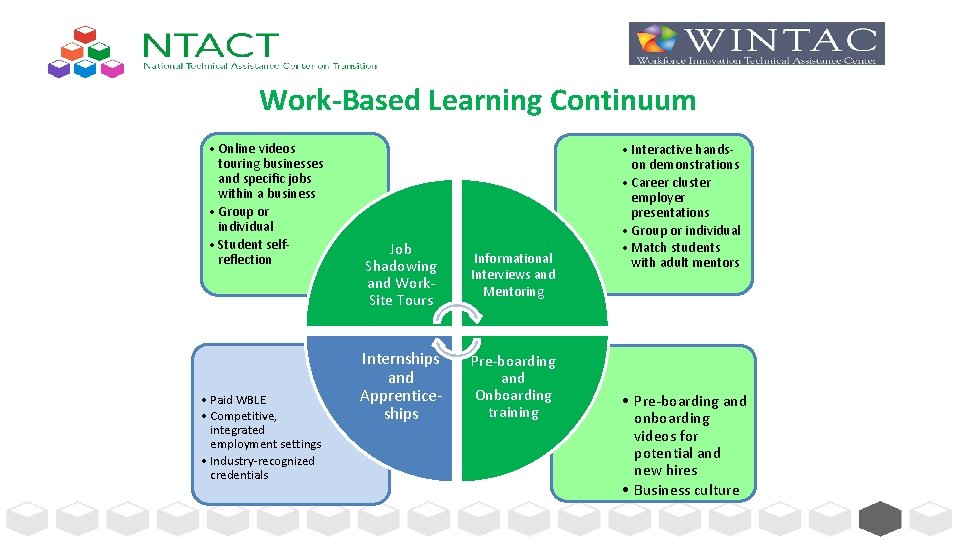
Work-Based Learning Continuum • Online videos touring businesses and specific jobs within a business • Group or individual • Student selfreflection • Paid WBLE • Competitive, integrated employment settings • Industry-recognized credentials Job Shadowing and Work. Site Tours Informational Interviews and Mentoring Internships and Apprenticeships Pre-boarding and Onboarding training • Interactive handson demonstrations • Career cluster employer presentations • Group or individual • Match students with adult mentors • Pre-boarding and onboarding videos for potential and new hires • Business culture 16
Student Outcomes from Participation in Virtual Work-Based Learning: Gains insight into work experience opportunities Receives information regarding employer and industry expectations Learns job skills related to the expectations set for a position Receives guidance from people practicing in an industry Develops networking relationships Adapted From: Minnesota's Pre-ETS Toolkit with Resources 17
Components in Developing Virtual WBLE – Identify a process for connecting with students for the provision of virtual WBLE – Develop a plan for how students will access WBLE virtually, and how services will be provided for those who may not have remote access – Identify a platform to use for the provision of remote or virtual work-based learning opportunities for students with disabilities – Enhance communication between VR, providers and schools to ensure virtual WBLE activities are coordinated and provided without supplanting or duplicating IDEA transition services – Identify appropriate WBLE curricula and resources that will be shared with students – Determine how student participation, progress, and outcomes in remote WBLE activities, either in a group or individually, will be tracked, reported, and measured – Identify ways to enhance student and family engagement in remote WBLE – Work with VR business specialists and career one-stop partners to develop a plan for employer engagement in creating remote WBLE opportunities for students 18
Tips for Coordinating Virtual Pre-ETS Services q VR/Provider Staff • Use phone, Face. Time, email, zoom, text or regular mail to reach students (you may have to try more than one method) • Reach out to parents/authorized representatives to check in on students, and offer to provide opportunities for virtual work-based learning experiences while the student is at home – do they want these services • Email your school contacts to let them know you are maintaining contact with students, share the type of work-based learning activities you will be providing and/or arranging for, and who will be providing the service • For students with the most complex support needs, reach out to teachers to see how they are engaging these students, and ask how VR can support or supplement this activities with opportunities for remote work-based learning • Prioritize soon to be graduating students and those for whom you have been planning to set up WBLEs this summer to equip them with job readiness skills Adapted from Nebraska General Virtual Pre-ETS Guidance 19
“Who Ya Gonna Call” • Just because some school buildings are closed, it does not mean VR/Providers cannot continue to provide Pre-ETS services to students • If schools are open in some capacity teachers are encouraged to reach out to their VR points of contact to help them find ways to connect with students: • Teachers are the trusted source with families – solicit their help in getting paperwork and communicating with parents/families so they can understand support the services you are offering • Communicate with VR/provider if there is a scheduled day or scheduled times students are to be available, and if “classroom time” could be shared or coordinated • Communicate with VR/provider how students are submitting assignments on-line, and if those methods could be used to share homework assignments or activities assigned by VR/provider in the delivery of WBLE 20
Students Without Remote Access • Determine who will be responsible for providing WBLE virtually to students who do not have remote access • Work with the school to determine how students without remote access are participating • If a student doesn't have internet but has a laptop, you could put WBLE activities/modules or activities on jump/flash drives, and these could be mailed directly to the student or distributed to the students using the same delivery method as the school. • Can adapt curriculum and activity assignments to paper/pencil, and use the phone to follow up. • In accordance with your LEA or State VR Agency guidance, consider options for using lending libraries or assistive technology centers to loan equipment such as IPADs, laptop, software, maybe even hot spots for a limited time. 21
A Plan for Student Access to WBLE • Determine who will be responsible for the following: – Look at the possibilities of distance service provision, and the resources provided on the transitionta. org and WINTAC. org websites for possible curriculum, activities, and other modules/materials for providing services that can be delivered on-line or virtually. – For those with internet access, providers can use platforms like Zoom, Slack, Signal, Google Meet, etc. to hold training with students remotely. [Use Video Remote Interpreting Options for Deaf students] – Consider use of social media such as You. Tube or Facebook live. You could provide a group training by creating a private group. Students can access via their phone or computer. For You. Tube, you could deliver content via video and link to a survey the student completes after viewing to document attendance. 22
A Plan for Student Access to WBLE (continued) • Determine who will be responsible for the following: – Identify the student’s current IT options and internet capabilities. – Discuss the student’s ability to participate in virtual WBLE activities, and their level of support needs (i. e. is student pretty savvy in navigating the computer, do they need guided instruction or one on one support from a family member) – Discuss these options with the parent/guardian, and coordinate a meeting on-line or by phone to identify times when the student will be available to participate in virtual work-based learning experiences. – Develop a weekly schedule and email or text to the student, parent, school – Ensure student/parent has VR/Provider contact information, and “over communicate” with reminder emails/text/phone call 23
Students Who Are Blind/Vision Impaired • blindabilities. com Access audio tutorials on JAWS 101 IPhone 101 - learn how to use the accessibility features on your iphone Job. Insights, Tech Abilities Show, Technology A TON of interviews with blind professionals in different occupations. App for iphones -a student could listen to the podcast and then report back on one or two things they learned about the occupations • Many of these podcasts are also transcribed so deaf students may benefit as well • • • The National Homework Hotline • This service is available Tuesday-Thursday from 3: 30 pm-8 pm EST. • Resources put together by teachers for blind and vision impaired students in grades K-12 experiencing emergency school closures due to COVID 19 • Help with navigating accessible website with JAWS, Nemeth and literary braille reading and writing, navigating tablet/laptop using JAWS and Over, using refreshable braille display. • Consider putting content on SD cards and distribute SD cards for a Victor Reader Stream. This is a handheld digital media player that lets you listen to books, newspapers, music and internet radio stations 24
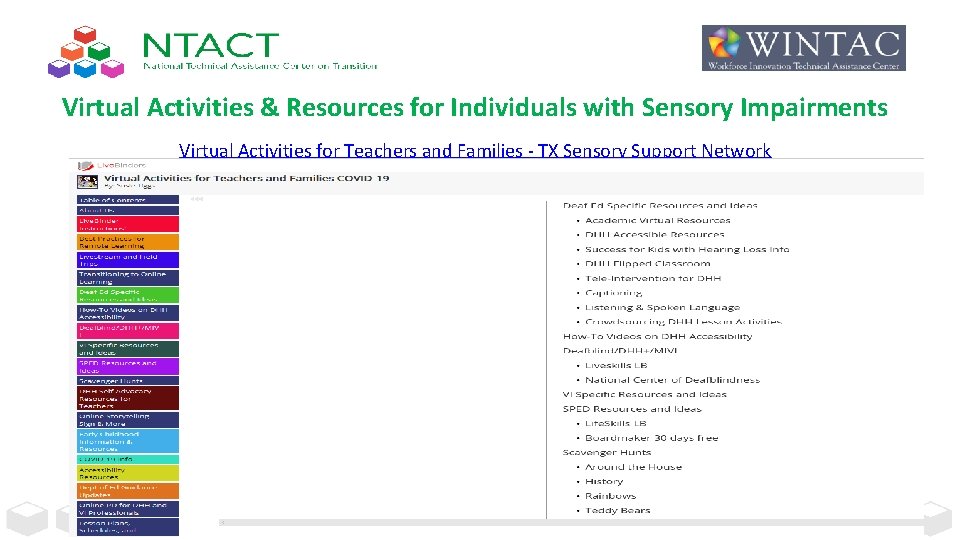
Virtual Activities & Resources for Individuals with Sensory Impairments Virtual Activities for Teachers and Families - TX Sensory Support Network 25
Creative Ideas From States for Students Without Remote Access • Mississippi is thinking about distributing written packets of WBLE activities with the meal pick up through their schools. Many schools are offering bag lunches for pickup in communities where students depend on school for breakfast/lunch. • VR, in coordination with the schools, can deliver WBLE activities via written packets or flash drives to students/families when they pick up their meals from school. • Students in District Columbia Public Schools (DCPS) without internet access will have the option to access lessons through broadcast television. “My. Network. TV” broadcast through air and is part of local cable packages. • Can VR/Provider coordinate services with the school to offer WBLE curricula, activities, or modules through this system as well? 26
On-Line Platform Considerations • Identify a platform to use for the provision of remote or virtual work-based learning opportunities for students with disabilities • Be Mindful When Using Distance Learning Platforms: Data Privacy, Zoom. Bombing, and Other Concerns o CEC - Quick Takes - Online Instruction During COVID-19 - 15 min. video regarding student privacy and referenced resources included on this webpage o Ed Week - Data Privacy Article o How to prevent Zoom-Bombing • Solicit Family Engagement/Support – Specific directions for families regarding how to access and follow up – Permission/Signatures • Indiana's Electronic Signature (e-Signature) Guidance 27
Student and Family Engagement None of this works if the student/family is not engaged, and/or it is too confusing/time intensive – If student is not a minor remember to get their permission to talk with parent/family. – Make it fun and simplify the process as much as possible – Listen to what parent/family feels is important to share, their goals for their child, and then frame virtual WBLE opportunities around those thoughts/concerns. – Respect where they are, some have unrealistic expectations for their child, and some have low expectations and/or no interest in their child working at all, so gain an understanding of their values as a starting point when sharing ideas for virtual work experiences. – Over communicate using email or phone – at a time when everyone is working and delivering services remotely it is easy for messages and things to get lost – send out reminders, etc. , ask for parent’s email to cc them on communication with the student. – Maintain a consistent schedule. Do what you say you are going to do. Be professional. – Have virtual meetings with parents - Start meetings on a positive note. – Be mindful not to post recordings and/or videos and pictures of students/families on the internet 28
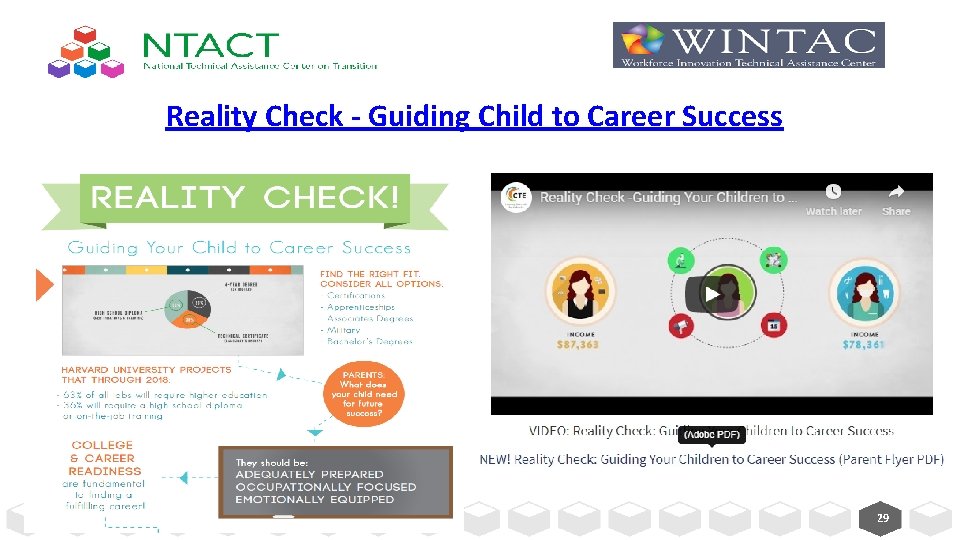
Reality Check - Guiding Child to Career Success 29
Employer Engagement • State Level Example: Adapting to Evolving Employment Needs in Ohio During the COVID-19 Pandemic One of the first things Opportunities for Ohioans with Disabilities (OOD) did as the COVID-19 pandemic escalated was have its five regional business relations specialists reach out to its more than 500 employer partners to identify urgent staffing needs. This allowed the agency to quickly develop an “Urgent Jobs List, ” centralizing openings with essential businesses. This list indexes employers by category first and then job type. Job examples range from patient transporters at hospitals to forklift operators at warehouses to production assistants at a large hand sanitizer manufacturer based in the state. • National level Example - Kathy West-Evans, MPA, CRC - Director of Business Relations, National Employment Team (NET), Council of State Administrators of Voc Rehab (CSAVR) – Currently sharing hot jobs and recruitment notices from our corporate partners – NET members are also sharing their state and local area opportunities – Business partners are reaching out to look at how to increase their work with the VR-NET to access the talent pool and have volunteered to do some webinars to introduce companies and the careers within their organizations. This would be valuable to Pre-ETS students in terms of understanding the range of jobs/career tracks within and across business. – Business partners have also discussed conducting some virtual tours, where appropriate and providing input on resume writing and interviewing skills. 30
Activities for Remote Work-based Learning Experiences 31
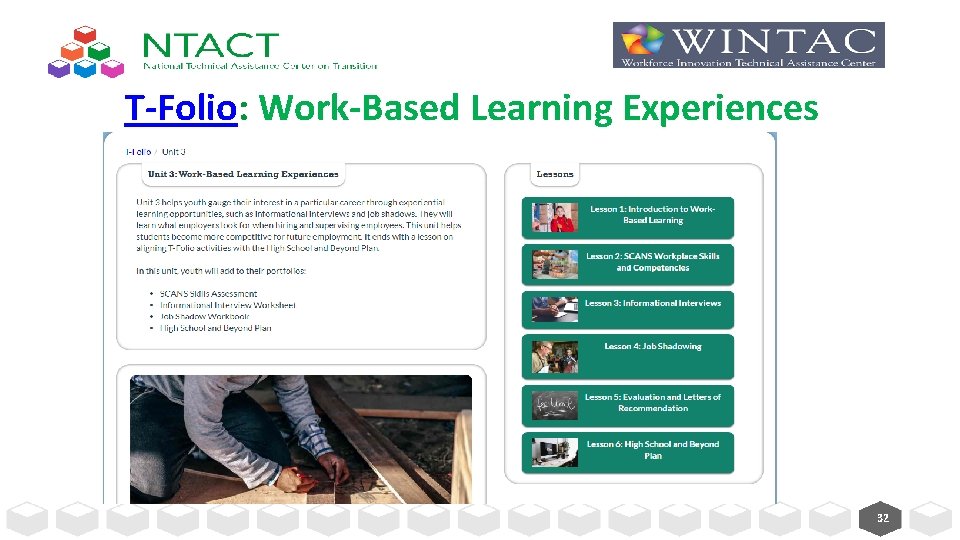
T-Folio: Work-Based Learning Experiences 32
Remote Job Shadowing and Work-Site Tours • To supplement existing on-line work-based learning curricula, we encourage partnering with VR business specialists and/or American Job Centers to identify employers willing to participate in virtual job shadowing (even if business is not currently open) using phone video/facetime, etc. • Employers start by introducing themselves and explaining the work that their company does followed by an interactive discussion if possible with the student about their own interests and what they would like to do and learn during the job shadow. If job shadow is not able to be conducted live, discussion with the student can occur after they watch the recorded video. • Employers can provide a virtual workplace tour, introduce the student to employees that may be onsite, and/or explain the job duties of employees. • Employers can also explain and demonstrate their own work tasks and encourage opportunities, when appropriate, for the student to think about and identify related work tasks at home. • Students should be encouraged and given time to ask any questions they have about the workplace and the work that employees do. adapted from www. ncwd-youth. info/innovative-strategies 33
Structured Assignments to Maximize WBLE in a Group Setting • During job shadowing, students can benefit from assignments that encourage them to gather information from what they see, hear, and do during the activity and think critically about how the experience connects to their career interests and goals. • For example, to provide structure to the job shadowing experience, ask the student to complete a virtual career scavenger hunt activity. • This assignment is used primarily for group shadowing experiences and requires students to work as a team to answer the scavenger hunt questions. This could be done virtually in a group chat or zoom meeting room. Think about what type of reward they could receive for achieving the goal of answering all the questions. • This provides an opportunity for students to develop team work skills, one of the many soft skills that employers look for in new employees. adapted from www. ncwd-youth. info/innovative-strategies 34
Job Shadowing Self-Reflection • Have the student complete a student evaluation form on-line, via text, or mail with questions about what they learned and how they will apply the new information to career planning. Student can email, text or mail evaluation form back, and this can be used as documentation of student participation and progress. • The job shadowing evaluation form should include various reflection questions to include: – what they learned about the job they shadowed including basic duties, work hours, and the type of education and training needed for the job – what they liked and didn’t like about the job and whether they would consider pursuing it as a career – what other ideas for careers may have arisen as a result of the job shadowing experience – suggestions for improving the experience • After the job shadowing experience, discuss these questions and others with the student to help them decide what next steps to take to further explore their interests or pursue their career and education goals. • Self-reflection is also a great activity to do on-line with the parent/family. adapted from www. ncwd-youth. info/innovative-strategies 35
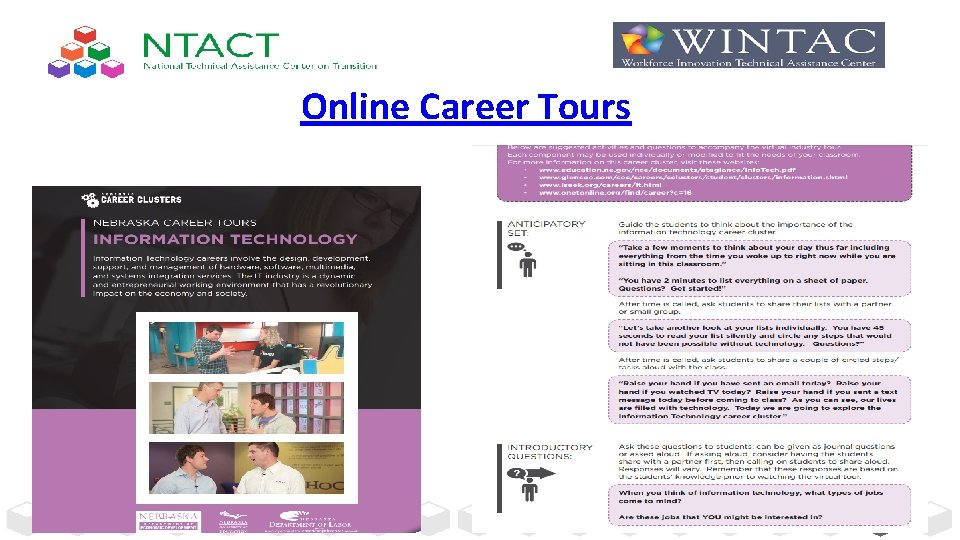
Online Career Tours 36
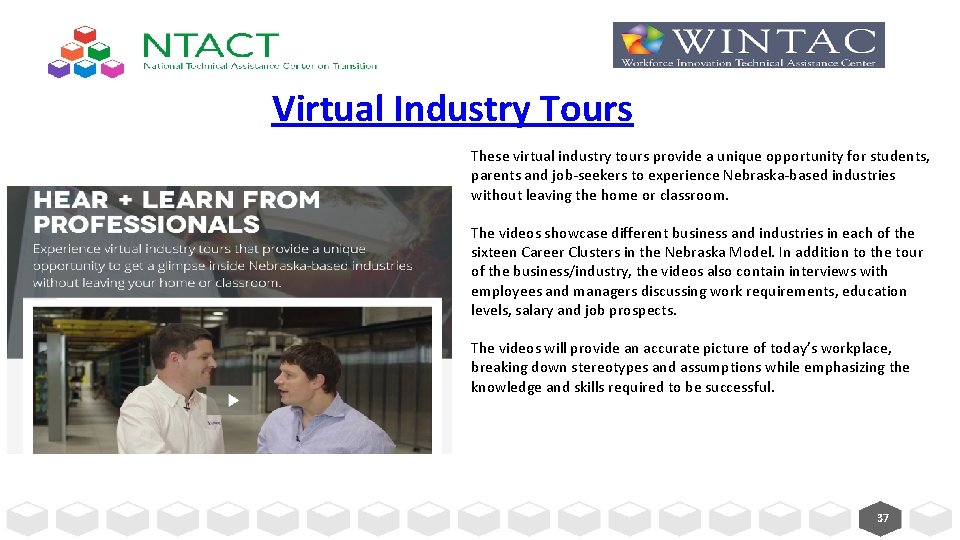
Virtual Industry Tours These virtual industry tours provide a unique opportunity for students, parents and job-seekers to experience Nebraska-based industries without leaving the home or classroom. The videos showcase different business and industries in each of the sixteen Career Clusters in the Nebraska Model. In addition to the tour of the business/industry, the videos also contain interviews with employees and managers discussing work requirements, education levels, salary and job prospects. The videos will provide an accurate picture of today’s workplace, breaking down stereotypes and assumptions while emphasizing the knowledge and skills required to be successful. 37
Virtual Work-Site Tours • Tour Jobs that People Do in One Workplace – Virtual tours and visits are also a great way to show students a range of occupations and career options that may exist within one business or workplace. – For example, an airport, zoo, manufacturing plant • Tour “Essential” Jobs (Today’s World) – Grocery stores, hospitals, garage door repair, Heating and Air, Plumbing companies • Tour businesses that expose students with disabilities to employment opportunities that lead to industry-recognized credentials, and/or opportunities for internships or apprenticeships. • Workplace tours and visits are most engaging when the employer is willing to provide handson opportunities for students to experience some aspects of one or more jobs. – Tough to do virtually, but get creative. What might the student have available at home they could touch and work with that was talked about in the workplace video? – If student is really interest in a workplace, document and follow up with an on-site visit in the fall if possible. 38
Organize Career Cluster Employer Demonstrations • Use Interactive Activities and Choices to Engage Students • Organize an event with employers from all 16 career clusters. One activity as an example, could be modeled after the TV game show, “What’s My Line? ” • Professionals in nontraditional careers describe what they do at work and students guess what their occupation is. • Ideas for professionals include a sky diver, a female firefighter, a chef, a falconer, etc. • The professionals each talk about how they got to where they are professionally. adapted from www. ncwd-youth. info/innovative-strategies 39
Make Informational Interviews Interactive • To keep students engaged, provide guidance to employers on how to make it interactive. • When employers talk about their jobs on-line, they can bring tools of their trade to show what they do. – For example, a veterinarian can bring x-rays of animals to demonstrate parts of that job. – For example, when inviting employees from a video game design company to speak, ask them to share some video games they are currently developing, and show they test the games for bugs fix any errors they found. adapted from www. ncwd-youth. info/innovative-strategies 40
Teaching Problem-Solving Through WBLE • Interactive employer presentations are central to meaningful workbased learning experiences. • Design employer presentations to engage the student or a group of students in completing a task or solving a problem that the professionals deal with on the job. – For example, one employer had students work in groups to design a building site plan using information about city zoning requirements, a permit application, and a cost estimate worksheet. – Think about how this very comprehensive activity could be completed virtually, and could include opportunities for a paid work-based learning experience in the summer or fall of next year. adapted from www. ncwd-youth. info/innovative-strategies 41
Mentoring Activities • Career-focused mentoring involves matching students with vetted adult mentors who assist them with career exploration in various ways. • One advantage of career-focused mentoring is its capacity to provide students with more individualized support for exploring careers specific to his or her interests. • The mentoring relationship can consist of telephone or online communication. • What distinguishes career-focused mentoring from general mentoring is that the mentoring interactions are intentionally focused on helping students identify and explore their career interests rather than just providing general support and encouragement. adapted from www. ncwd-youth. info/innovative-strategies 42
Employer Pre-boarding and Onboarding Videos • “One of the top ways to showcase a company’s brand talented workforce is through company onboarding and new hire videos…. Video has always been a favorite way to share insight and so it’s not a surprise that companies are turning to this medium to reveal what the employee experience is like if you work there…. With more Millennials and Gen Z taking on more leadership roles in the workplace, they are a group of people who prefer content delivered by video. That’s why it’s important to include this element in any employee preboarding strategy. After all, with a workforce that is increasingly global, being able to onboard new hires who work remotely is made easier by using videos…. ” “ 7 Companies That Crushed Their New Hire Video” Jen Dewar, March 25, 2019 https: //www. saplinghr. com/new-hire-culture-video • Students can watch these types of videos to gain an even greater insight into the company or business and many are available on-line. Some videos might even demonstrate essential features of performing some of the specific job tasks. 43
Zynga - Gaming Company: Onboarding Video 44
Explore-work. com • Created by WINTAC, Employment Resources, Inc. (ERI), the University of Wisconsin-Madison, and the University of Wisconsin-Stout Vocational Rehabilitation Institute (SVRI) • Series of web-based modules that align with the five required WIOA Pre-Employment Transition Services Using Explore-Work. com Webinar 45
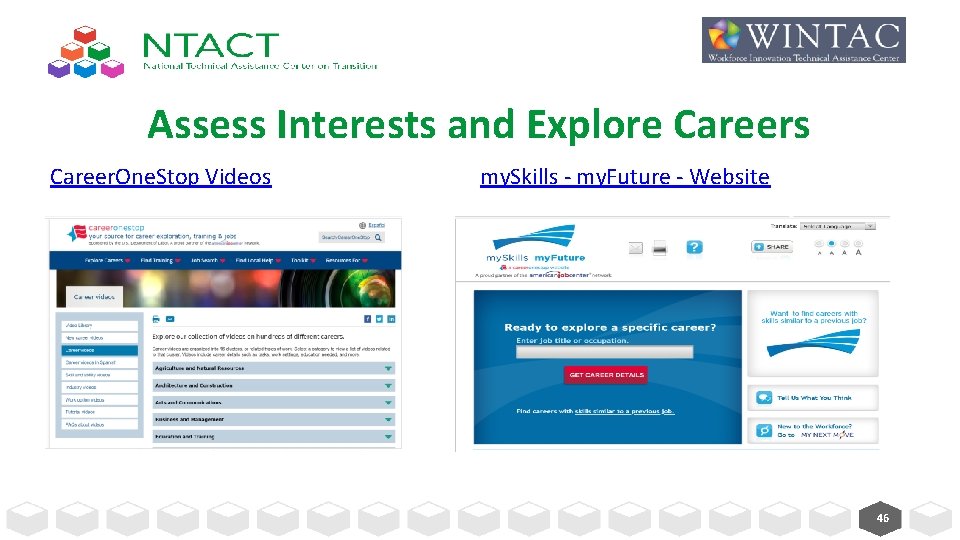
Assess Interests and Explore Careers Career. One. Stop Videos my. Skills - my. Future - Website 46
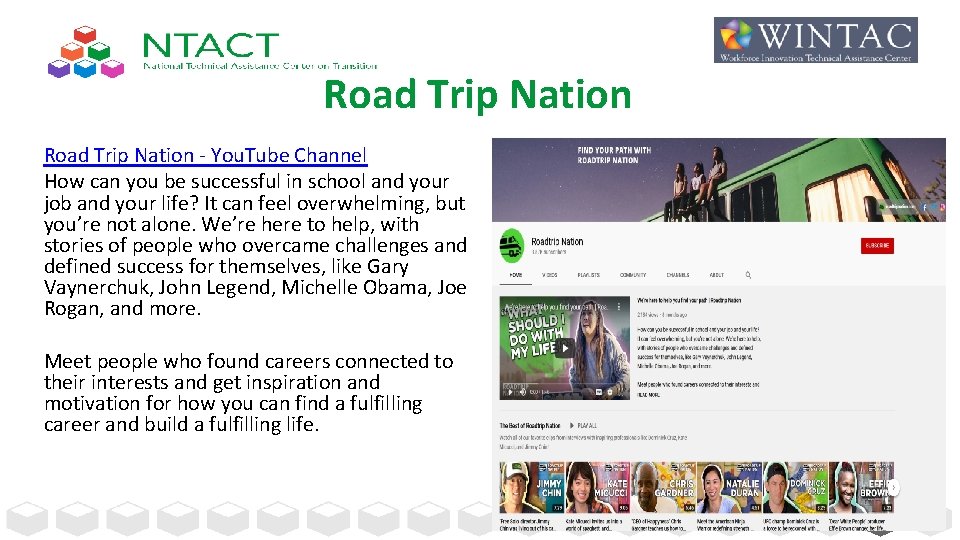
Road Trip Nation - You. Tube Channel How can you be successful in school and your job and your life? It can feel overwhelming, but you’re not alone. We’re here to help, with stories of people who overcame challenges and defined success for themselves, like Gary Vaynerchuk, John Legend, Michelle Obama, Joe Rogan, and more. Meet people who found careers connected to their interests and get inspiration and motivation for how you can find a fulfilling career and build a fulfilling life. 47
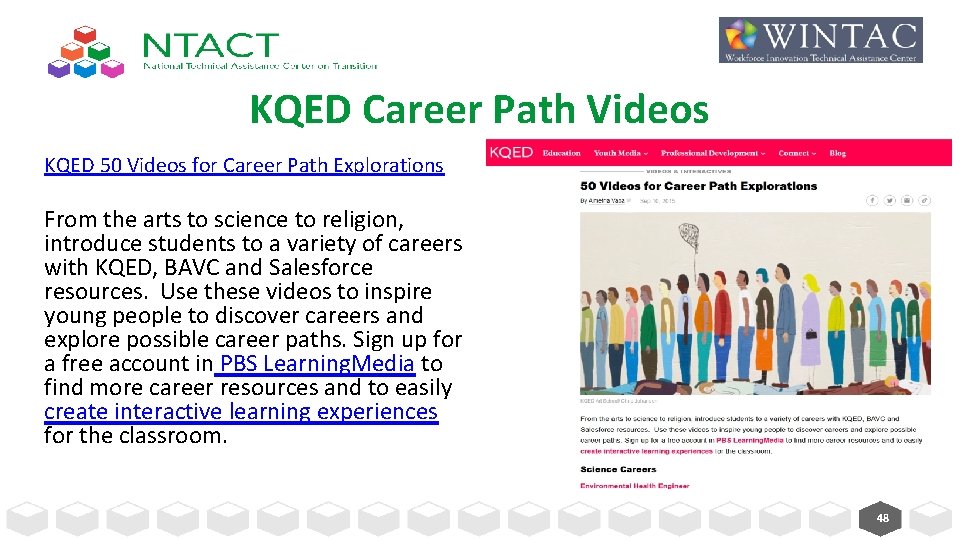
KQED Career Path Videos KQED 50 Videos for Career Path Explorations From the arts to science to religion, introduce students to a variety of careers with KQED, BAVC and Salesforce resources. Use these videos to inspire young people to discover careers and explore possible career paths. Sign up for a free account in PBS Learning. Media to find more career resources and to easily create interactive learning experiences for the classroom. 48
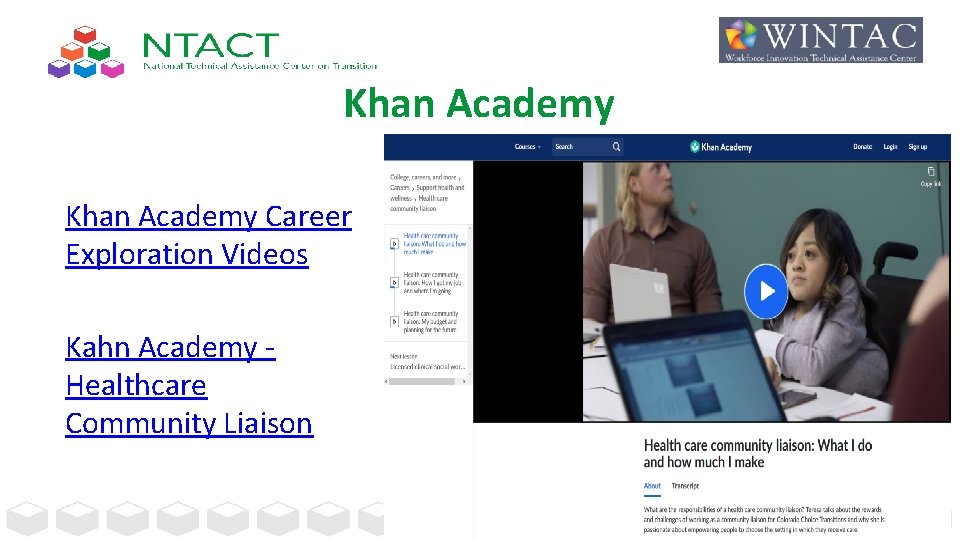
Khan Academy Career Exploration Videos Kahn Academy - Healthcare Community Liaison 49
Work Based Learning Measures Series available through The College and Career Readiness and Success Center. A resource on measuring student learning while participating in work-based learning experiences 50
Additional Supports and Resources 51
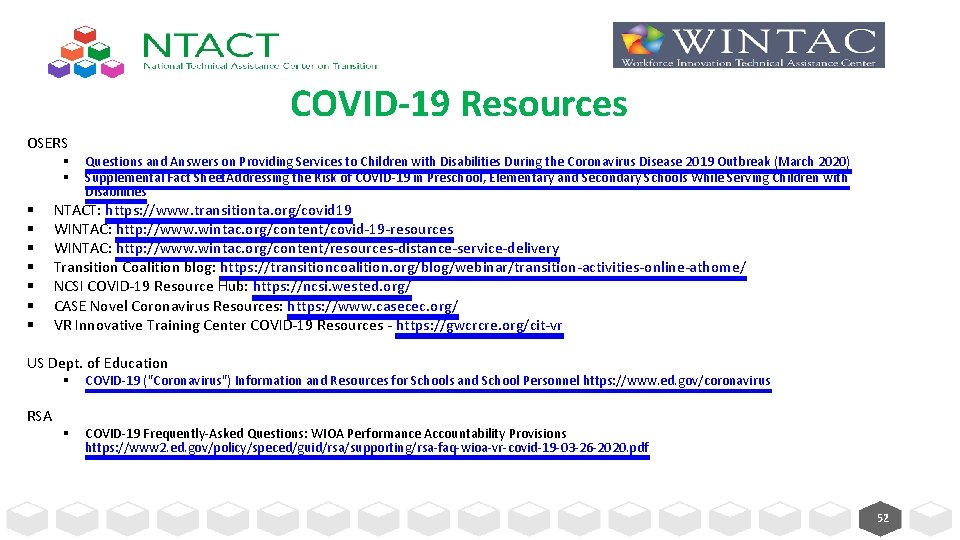
COVID-19 Resources OSERS § § § § § Questions and Answers on Providing Services to Children with Disabilities During the Coronavirus Disease 2019 Outbreak (March 2020) Supplemental Fact Sheet. Addressing the Risk of COVID-19 in Preschool, Elementary and Secondary Schools While Serving Children with Disabilities NTACT: https: //www. transitionta. org/covid 19 WINTAC: http: //www. wintac. org/content/covid-19 -resources WINTAC: http: //www. wintac. org/content/resources-distance-service-delivery Transition Coalition blog: https: //transitioncoalition. org/blog/webinar/transition-activities-online-athome/ NCSI COVID-19 Resource Hub: https: //ncsi. wested. org/ CASE Novel Coronavirus Resources: https: //www. casecec. org/ VR Innovative Training Center COVID-19 Resources - https: //gwcrcre. org/cit-vr US Dept. of Education RSA § COVID-19 ("Coronavirus") Information and Resources for Schools and School Personnel https: //www. ed. gov/coronavirus § COVID-19 Frequently-Asked Questions: WIOA Performance Accountability Provisions https: //www 2. ed. gov/policy/speced/guid/rsa/supporting/rsa-faq-wioa-vr-covid-19 -03 -26 -2020. pdf 52
Continue Today’s Discussion and Follow Up 53
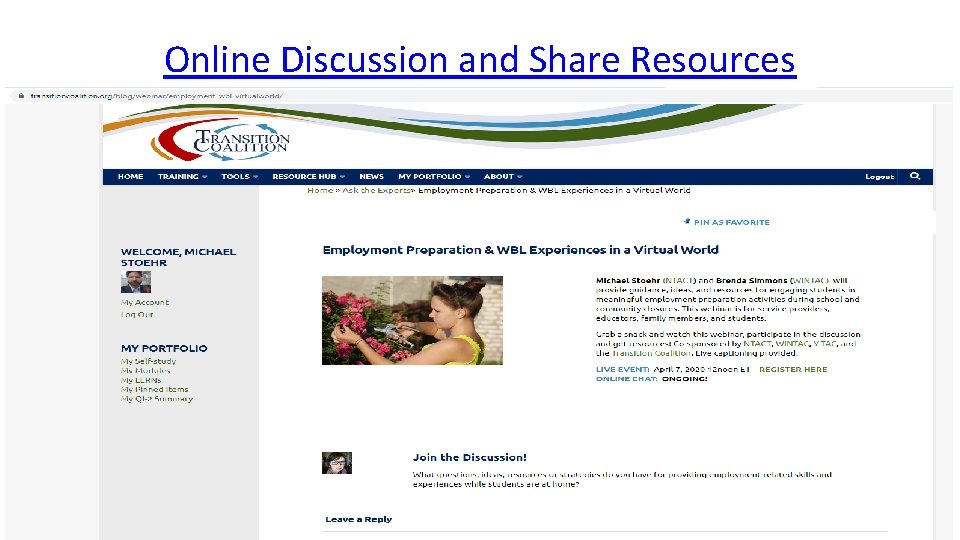
Online Discussion and Share Resources 54
POWERPOINT, RECORDINGS, and CREDITS • This webinar is being recorded. • The Power. Point can be found at www. transition. TA. org – under “Events” • The recording of today’s webinar will be available at www. transition. TA. org by Monday, April 13, 2020 • A captioned recording will be available at www. transition. TA. org by Friday, April 17, 2020 • CRC credits will be provided through WINTAC following this webinar by completing the post -event evaluation process. All participants will receive a "Certificate of Attendance" from NTACT following the webinar. 55
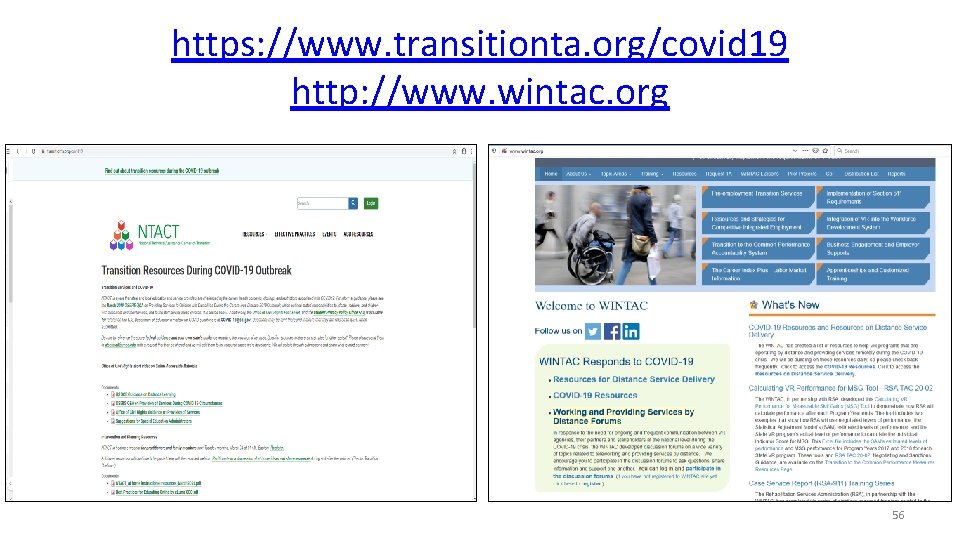
https: //www. transitionta. org/covid 19 http: //www. wintac. org 56
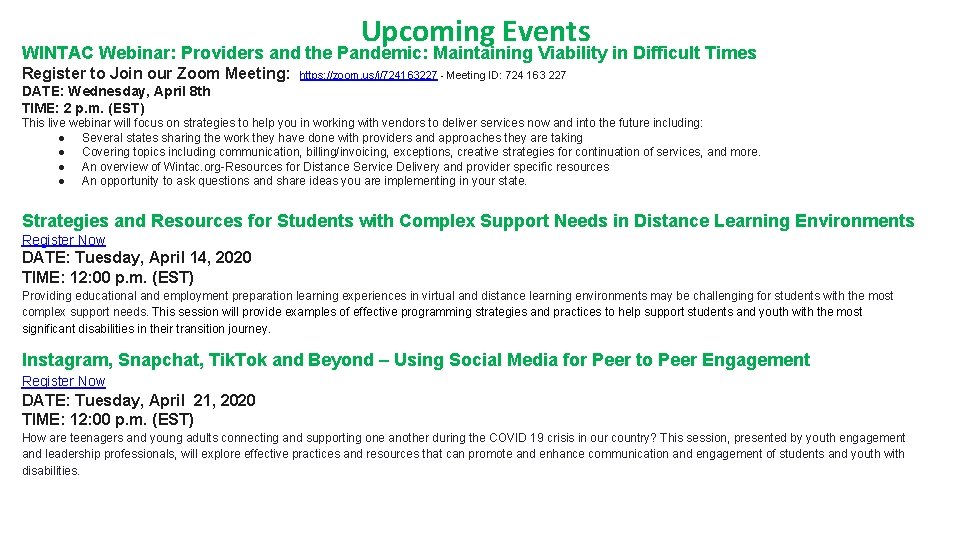
Upcoming Events WINTAC Webinar: Providers and the Pandemic: Maintaining Viability in Difficult Times Register to Join our Zoom Meeting: https: //zoom. us/j/724163227 - Meeting ID: 724 163 227 DATE: Wednesday, April 8 th TIME: 2 p. m. (EST) This live webinar will focus on strategies to help you in working with vendors to deliver services now and into the future including: ● Several states sharing the work they have done with providers and approaches they are taking ● Covering topics including communication, billing/invoicing, exceptions, creative strategies for continuation of services, and more. ● An overview of Wintac. org-Resources for Distance Service Delivery and provider specific resources ● An opportunity to ask questions and share ideas you are implementing in your state. Strategies and Resources for Students with Complex Support Needs in Distance Learning Environments Register Now DATE: Tuesday, April 14, 2020 TIME: 12: 00 p. m. (EST) Providing educational and employment preparation learning experiences in virtual and distance learning environments may be challenging for students with the most complex support needs. This session will provide examples of effective programming strategies and practices to help support students and youth with the most significant disabilities in their transition journey. Instagram, Snapchat, Tik. Tok and Beyond – Using Social Media for Peer to Peer Engagement Register Now DATE: Tuesday, April 21, 2020 TIME: 12: 00 p. m. (EST) How are teenagers and young adults connecting and supporting one another during the COVID 19 crisis in our country? This session, presented by youth engagement and leadership professionals, will explore effective practices and resources that can promote and enhance communication and engagement of students and youth with disabilities. 57
YOUR FEEDBACK Take 5 minutes to tell us what you think…. . Watch for a follow-up email tomorrow With this link to Survey https: //bit. ly/Employment. Preparationand. WBLina. Virtual. World 58
Stay in Touch and Contact Us… 59
60
Websites: www. transitionta. org www. wintac. org Contact us: ntactmail@uncc. edu http: //www. wintac. org/request-ta 61
Find us on: #transitionta Sign up for our listserv www. transitionta. org ntactmail@uncc. edu 62
- Slides: 62