
Employee Self Service Time Entry 12182021 Developed by
Employee Self Service Time Entry 12/18/2021 Developed by the Department of Administration for The Office of the Adjutant General 1
Introduction to Time Entry • The agency has made the decision to have each employee enter their own time for payroll using Employee Self Service instead of completing paper time documents. • This presentation has been created to introduce you to the basic information needed to complete time entry. • Additionally, you will need to complete the Computer Based Training (CBT) class TL 370: Time and Labor for Self Service in order to have access to timesheets. 12/18/2021 Developed by the Department of Administration for The Office of the Adjutant General 2
Why Use Employee Self Service for Time Entry? • It greatly reduces the used of paper by the State of Kansas. • It speeds up the approval process both by sending an email notification when time is submitted and by allowing the supervisor to perform approvals electronically. 12/18/2021 Developed by the Department of Administration for The Office of the Adjutant General 3
Am I Exempt or Non-Exempt? • Whether you are an hourly (non-exempt) employee or salaried (exempt) employee determines how you enter hours and what time reporting codes that you use. • If you are unsure if you are exempt or nonexempt, please contact the Human Resource office. 12/18/2021 Developed by the Department of Administration for The Office of the Adjutant General 4
Non-Exempt Employees Time Reporting • Non-exempt employees report actual hours worked each day. If your hours worked differ from the hours defaulted on your time document, enter your actual hours worked. • Hours are always reported in quarter hour (. 25) increments. 12/18/2021 Developed by the Department of Administration for The Office of the Adjutant General 5
Exempt Employees Time Reporting • Exempt employees must report at least 80 hours of payable time for each pay period. • The agency will have you report actual hours worked for project reporting purposes. These hours should be reported in quarter (. 25) hour increments. • Exempt employees record vacation, sick, holiday compensatory time taken, and shared leave in half-day increments. 12/18/2021 Developed by the Department of Administration for The Office of the Adjutant General 6
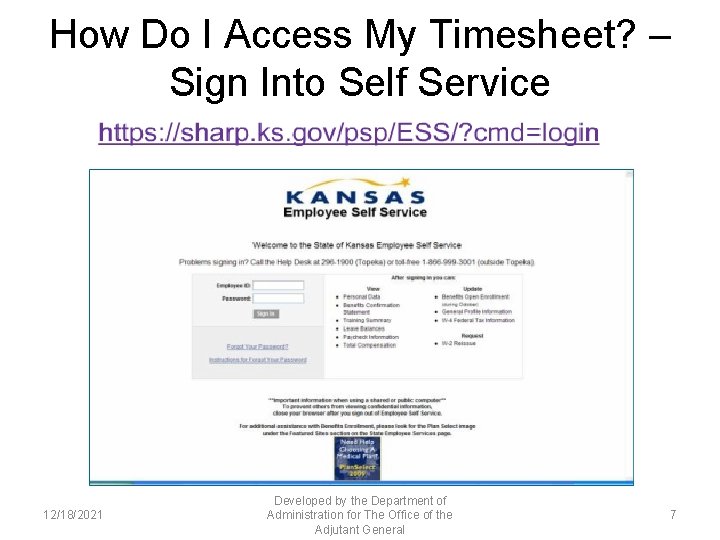
How Do I Access My Timesheet? – Sign Into Self Service 12/18/2021 Developed by the Department of Administration for The Office of the Adjutant General 7
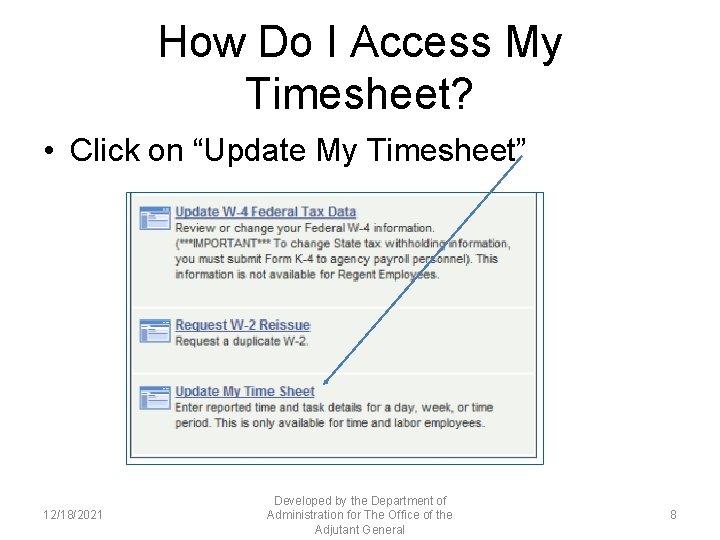
How Do I Access My Timesheet? • Click on “Update My Timesheet” 12/18/2021 Developed by the Department of Administration for The Office of the Adjutant General 8
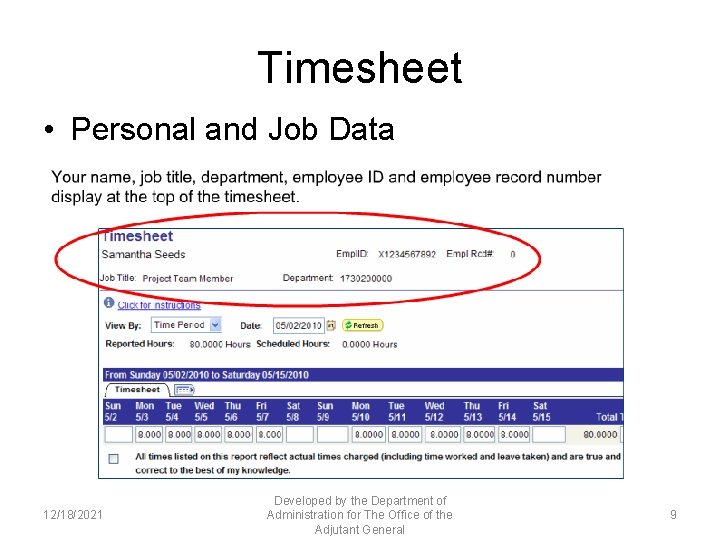
Timesheet • Personal and Job Data 12/18/2021 Developed by the Department of Administration for The Office of the Adjutant General 9
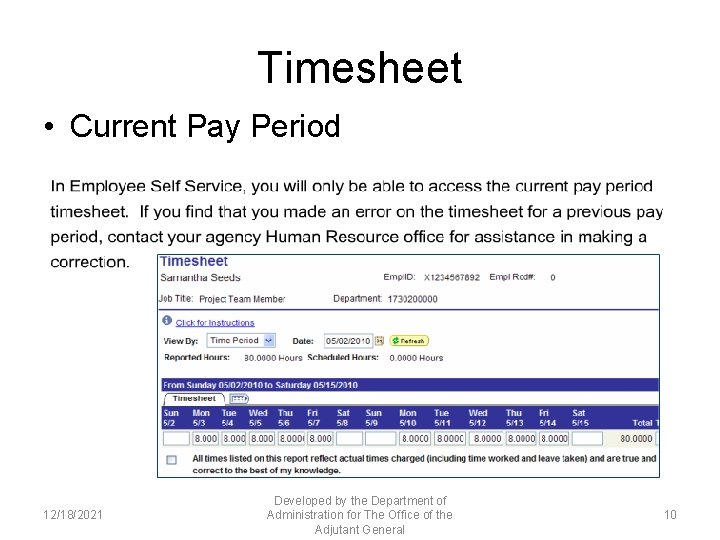
Timesheet • Current Pay Period 12/18/2021 Developed by the Department of Administration for The Office of the Adjutant General 10
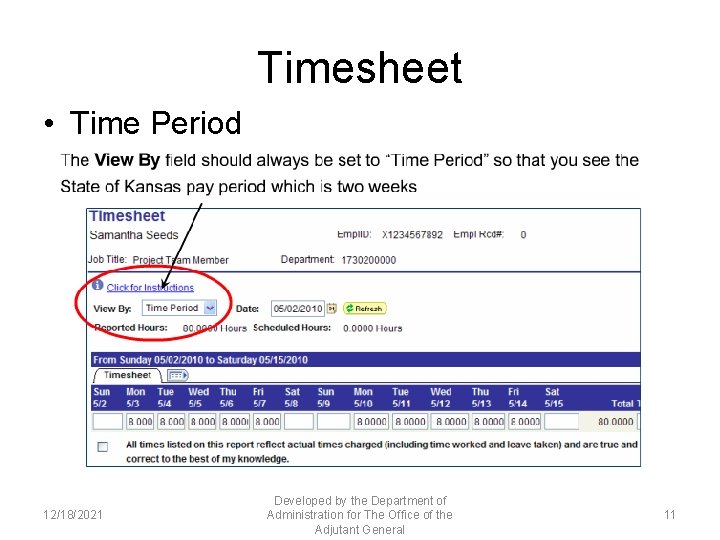
Timesheet • Time Period 12/18/2021 Developed by the Department of Administration for The Office of the Adjutant General 11
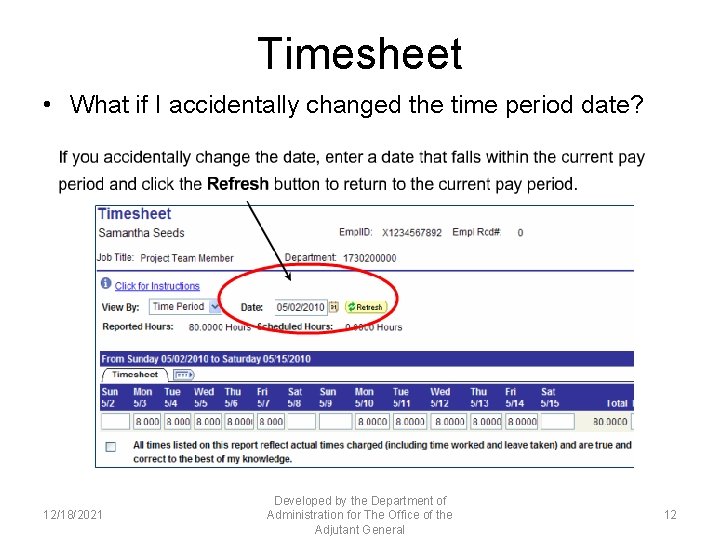
Timesheet • What if I accidentally changed the time period date? 12/18/2021 Developed by the Department of Administration for The Office of the Adjutant General 12
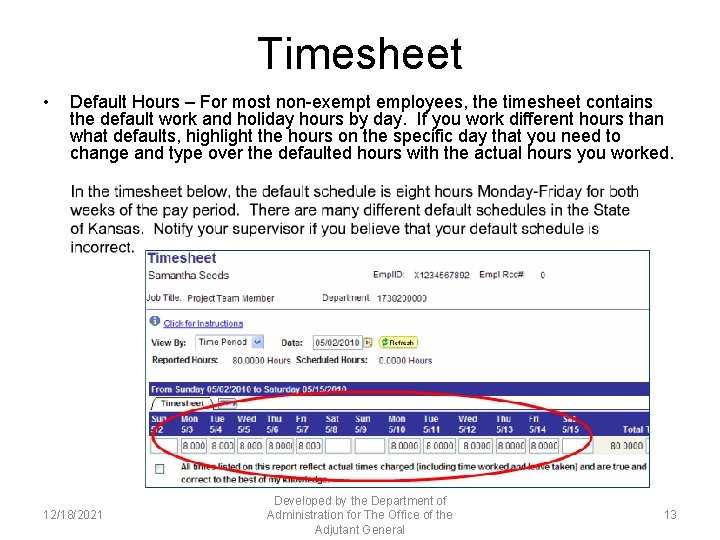
Timesheet • Default Hours – For most non-exempt employees, the timesheet contains the default work and holiday hours by day. If you work different hours than what defaults, highlight the hours on the specific day that you need to change and type over the defaulted hours with the actual hours you worked. 12/18/2021 Developed by the Department of Administration for The Office of the Adjutant General 13
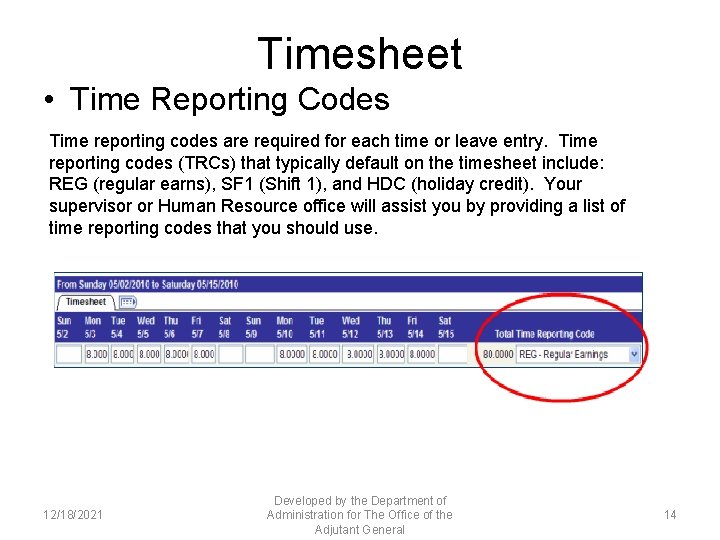
Timesheet • Time Reporting Codes Time reporting codes are required for each time or leave entry. Time reporting codes (TRCs) that typically default on the timesheet include: REG (regular earns), SF 1 (Shift 1), and HDC (holiday credit). Your supervisor or Human Resource office will assist you by providing a list of time reporting codes that you should use. 12/18/2021 Developed by the Department of Administration for The Office of the Adjutant General 14
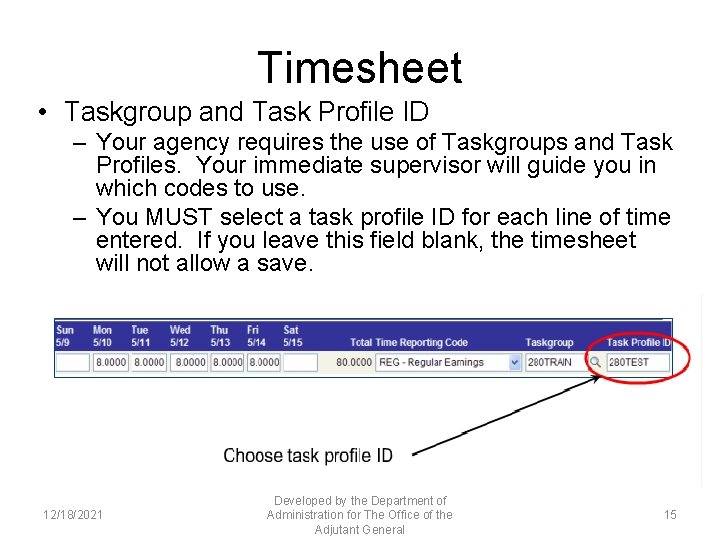
Timesheet • Taskgroup and Task Profile ID – Your agency requires the use of Taskgroups and Task Profiles. Your immediate supervisor will guide you in which codes to use. – You MUST select a task profile ID for each line of time entered. If you leave this field blank, the timesheet will not allow a save. 12/18/2021 Developed by the Department of Administration for The Office of the Adjutant General 15
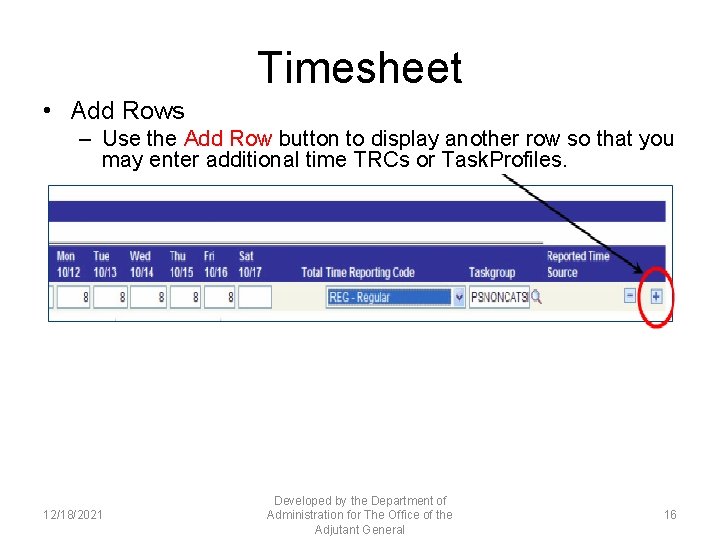
Timesheet • Add Rows – Use the Add Row button to display another row so that you may enter additional time TRCs or Task. Profiles. 12/18/2021 Developed by the Department of Administration for The Office of the Adjutant General 16
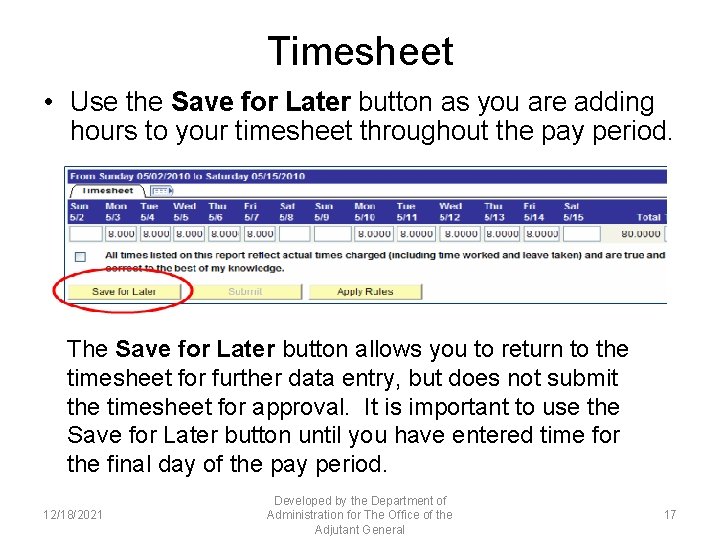
Timesheet • Use the Save for Later button as you are adding hours to your timesheet throughout the pay period. The Save for Later button allows you to return to the timesheet for further data entry, but does not submit the timesheet for approval. It is important to use the Save for Later button until you have entered time for the final day of the pay period. 12/18/2021 Developed by the Department of Administration for The Office of the Adjutant General 17
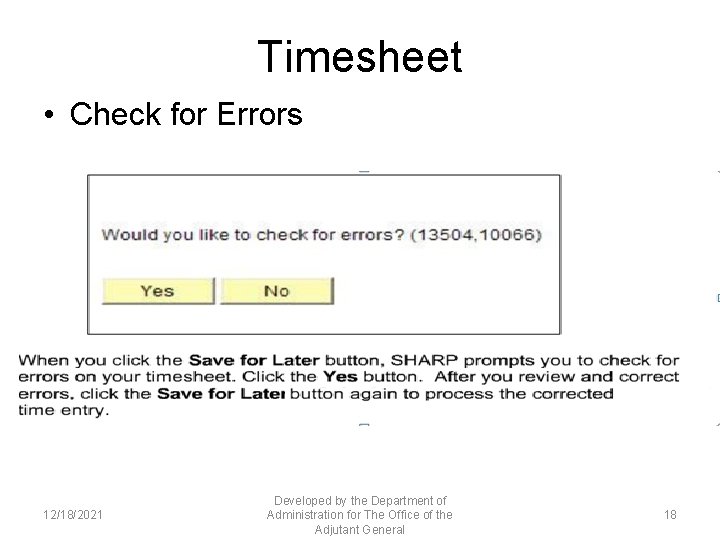
Timesheet • Check for Errors 12/18/2021 Developed by the Department of Administration for The Office of the Adjutant General 18
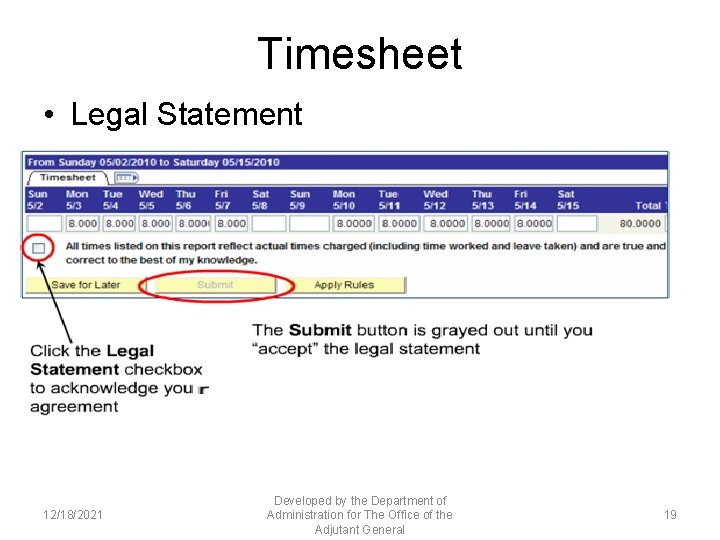
Timesheet • Legal Statement 12/18/2021 Developed by the Department of Administration for The Office of the Adjutant General 19
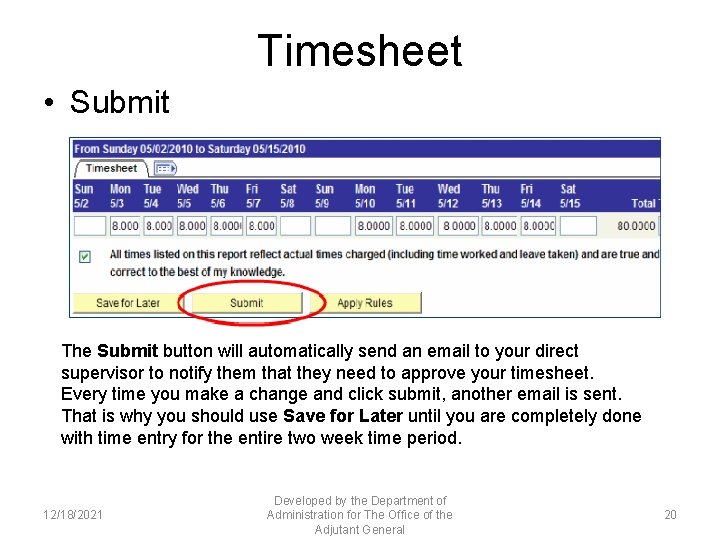
Timesheet • Submit The Submit button will automatically send an email to your direct supervisor to notify them that they need to approve your timesheet. Every time you make a change and click submit, another email is sent. That is why you should use Save for Later until you are completely done with time entry for the entire two week time period. 12/18/2021 Developed by the Department of Administration for The Office of the Adjutant General 20
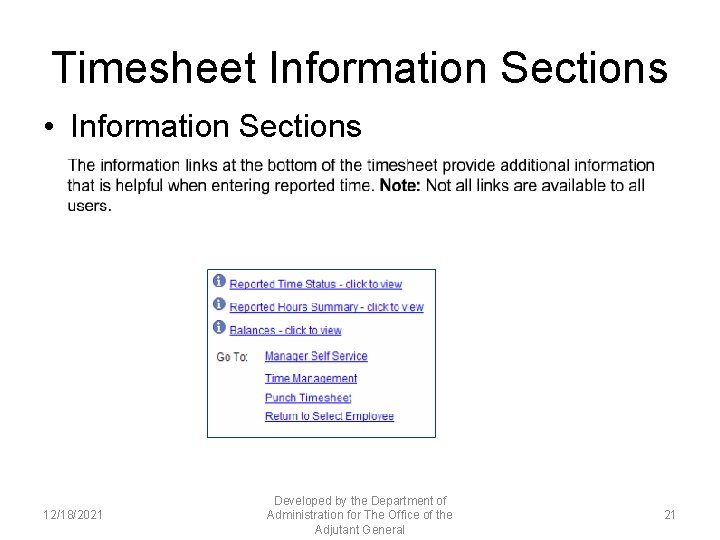
Timesheet Information Sections • Information Sections 12/18/2021 Developed by the Department of Administration for The Office of the Adjutant General 21
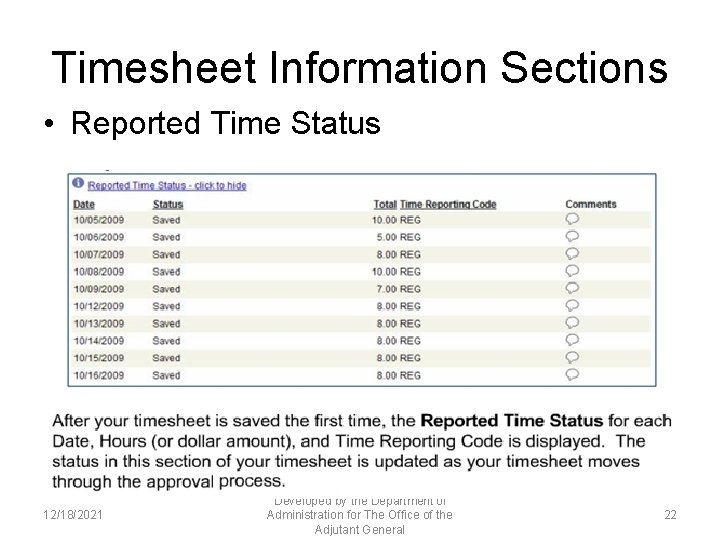
Timesheet Information Sections • Reported Time Status 12/18/2021 Developed by the Department of Administration for The Office of the Adjutant General 22
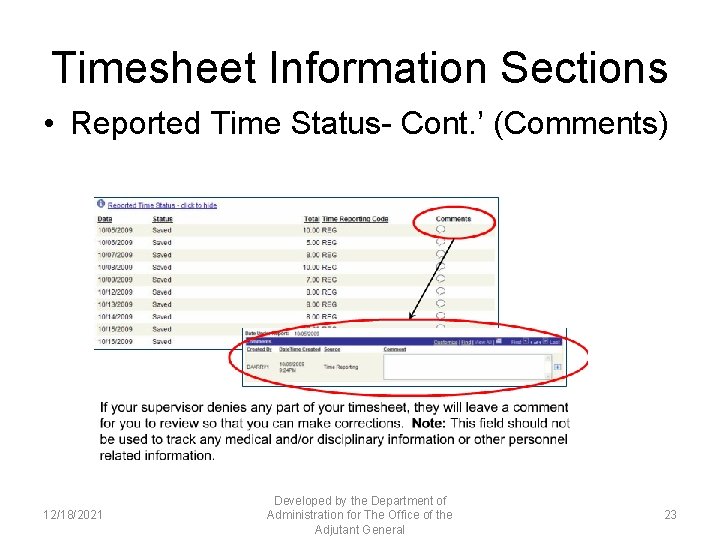
Timesheet Information Sections • Reported Time Status- Cont. ’ (Comments) 12/18/2021 Developed by the Department of Administration for The Office of the Adjutant General 23
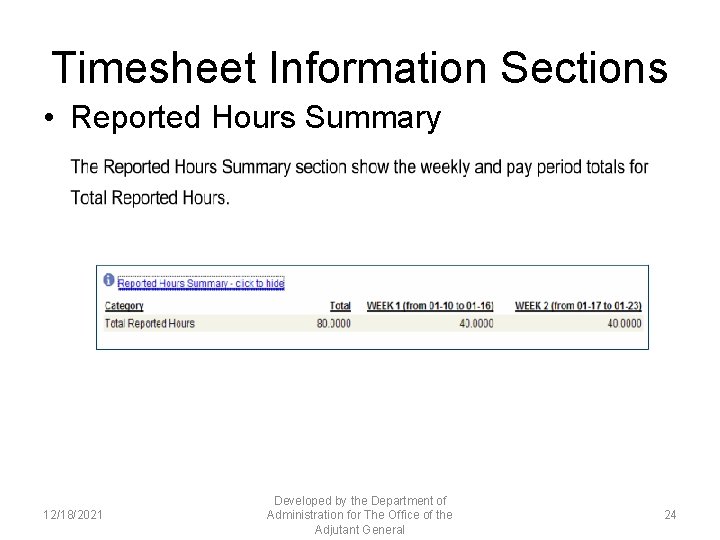
Timesheet Information Sections • Reported Hours Summary 12/18/2021 Developed by the Department of Administration for The Office of the Adjutant General 24
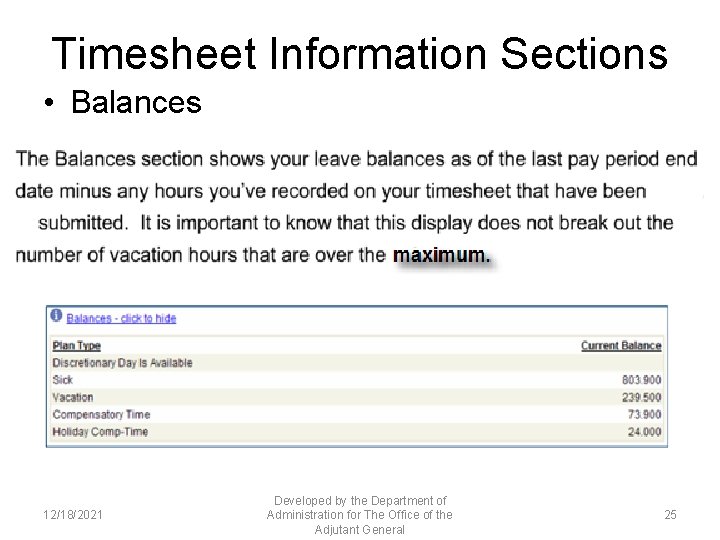
Timesheet Information Sections • Balances 12/18/2021 Developed by the Department of Administration for The Office of the Adjutant General 25
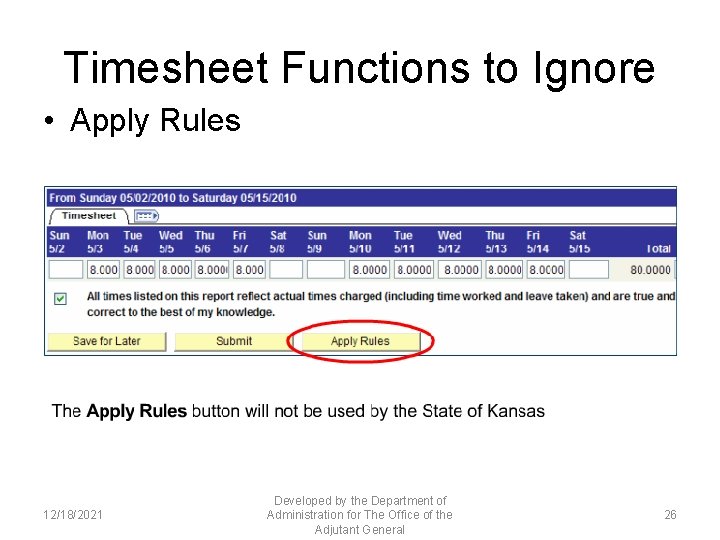
Timesheet Functions to Ignore • Apply Rules 12/18/2021 Developed by the Department of Administration for The Office of the Adjutant General 26
Additional Timesheet Information • Longevity Bonuses (time reporting code LNG) should automatically default onto your timesheet. DO NOT make changes to this time reporting code as it could result in your bonus being paid incorrectly. • If you are expecting any other type of bonus pay, the entry to your timesheet will be added by the Human Resource office. • The best practice is to record your time worked and leave taken, and leave any other rows that default in your timesheet for supervisory review. • If you have concerns about any time reporting code on your timesheet, contact your immediate supervisor or the Human Resource office. 12/18/2021 Developed by the Department of Administration for The Office of the Adjutant General 27
Important Deadlines • Timing is everything. The process for collecting and processing reported time into pay is one that follows a very tight schedule. It is important that you enter and submit your time by the due time established by your agency. • If you have changes that need to be made to your timesheet after you no longer have access to your timesheet, contact your supervisor or Human Resource office. 12/18/2021 Developed by the Department of Administration for The Office of the Adjutant General 28
Timesheet • Steps to time entry (per day) – Verify that you are entering time in the correct pay period – Make sure that you have recorded the total of hours that you worked for that day – Enter the appropriate Time Reporting Code (TRC) – Enter the appropriate Taskgroup (if the correct one has not defaulted) – Select the appropriate Task. Profiles – “Save for Later”, “Yes” to “Would you like to check for errors? ” – Once the entire pay period has been entered and saved, accept the legal statement and select “submit”. 12/18/2021 Developed by the Department of Administration for The Office of the Adjutant General 29
Desk Aid • A desk aid will be available to assist you in entering your time. Please check with your supervisor or the Human Resource office if you have not received a copy. • • The Drop Dead time for submitting timesheets for employees that work on Saturdays is 11: 59 pm on the last Saturday of the Pay Period. If you notice there are errors on your time sheet, or you left off something, please report this to your Supervisor via e-mail and phone and your Supervisor can make the corrections on Monday, prior to approving your time sheet. Otherwise contact HR. 12/18/2021 Developed by the Department of Administration for The Office of the Adjutant General 30
- Slides: 30