
Employee Express EEX Guide Earnings Leave Statements ELS
- Slides: 10
Employee Express (EEX) Guide Earnings & Leave Statements (ELS) Office of Chief Financial Officer 1
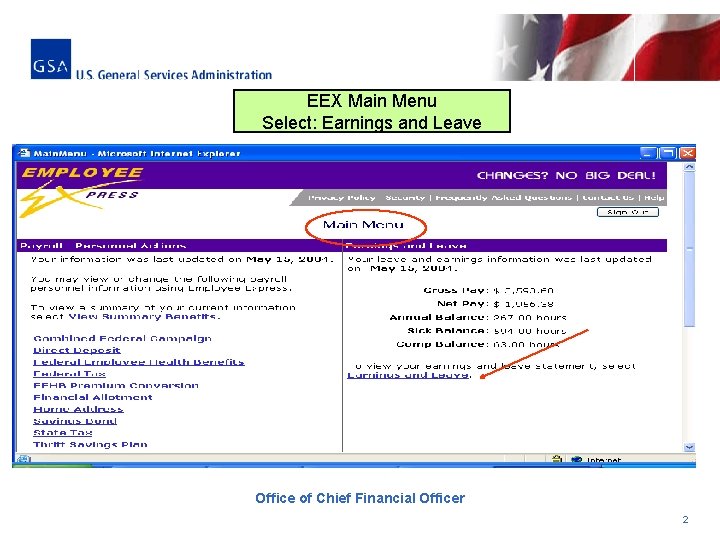
EEX Main Menu Select: Earnings and Leave Office of Chief Financial Officer 2
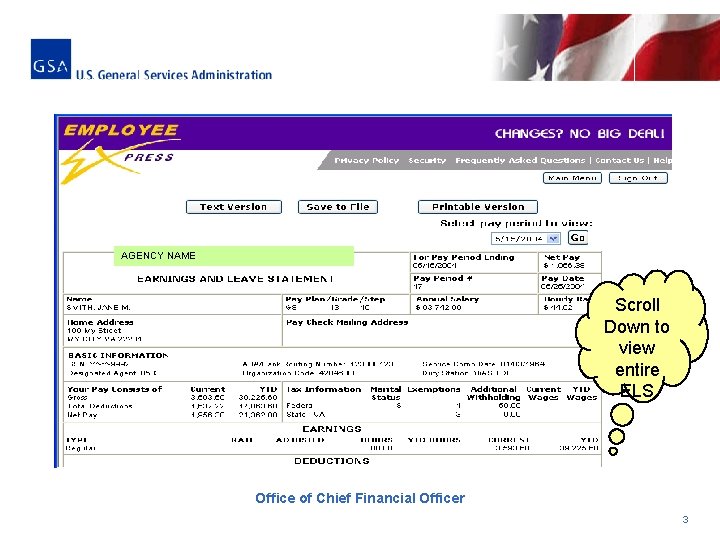
AGENCY NAME Scroll Down to view entire ELS Office of Chief Financial Officer 3
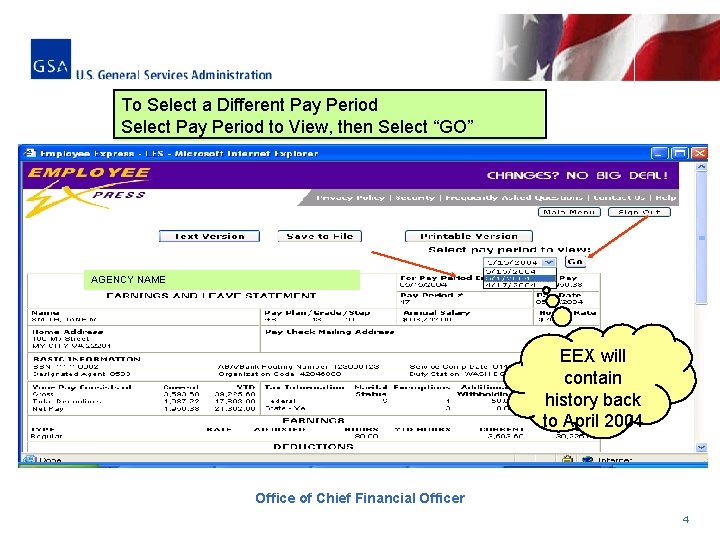
To Select a Different Pay Period Select Pay Period to View, then Select “GO” AGENCY NAME EEX will contain history back to April 2004 Office of Chief Financial Officer 4
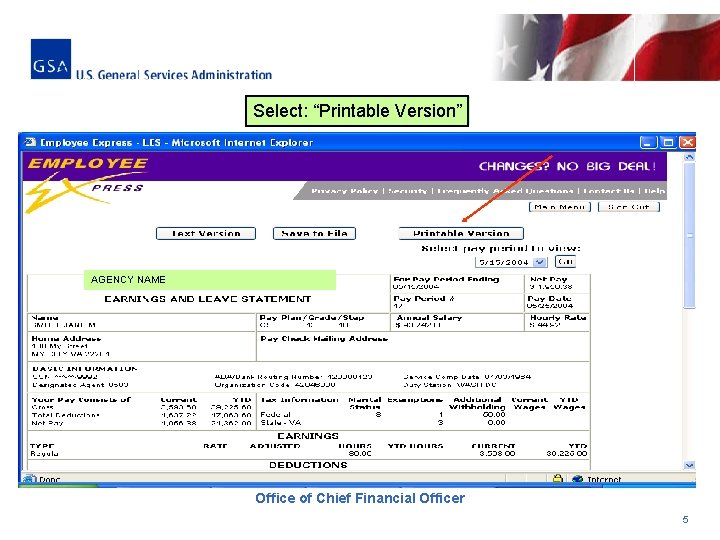
Select: “Printable Version” AGENCY NAME Office of Chief Financial Officer 5
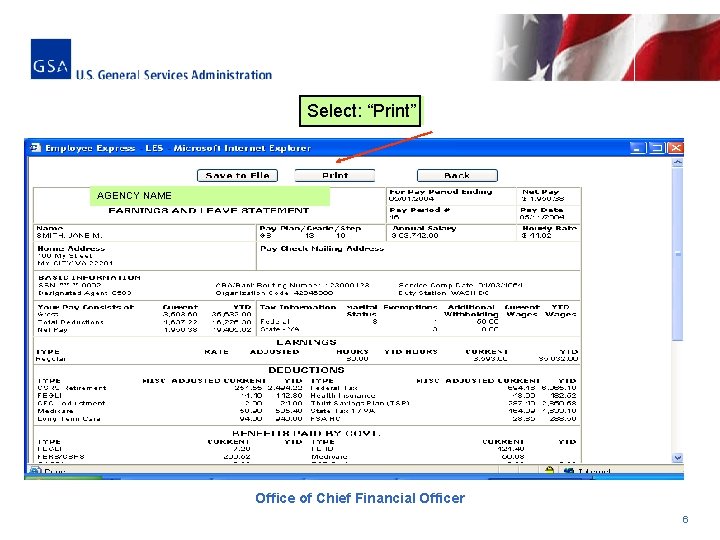
Select: “Print” AGENCY NAME Office of Chief Financial Officer 6
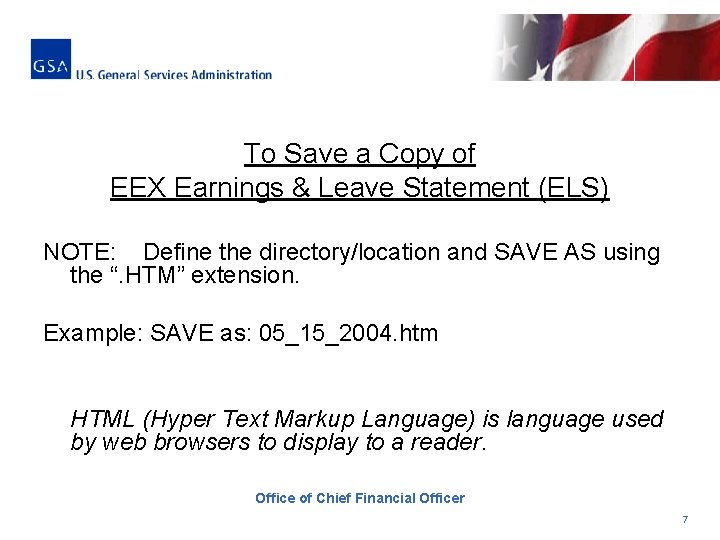
To Save a Copy of EEX Earnings & Leave Statement (ELS) NOTE: Define the directory/location and SAVE AS using the “. HTM” extension. Example: SAVE as: 05_15_2004. htm HTML (Hyper Text Markup Language) is language used by web browsers to display to a reader. Office of Chief Financial Officer 7
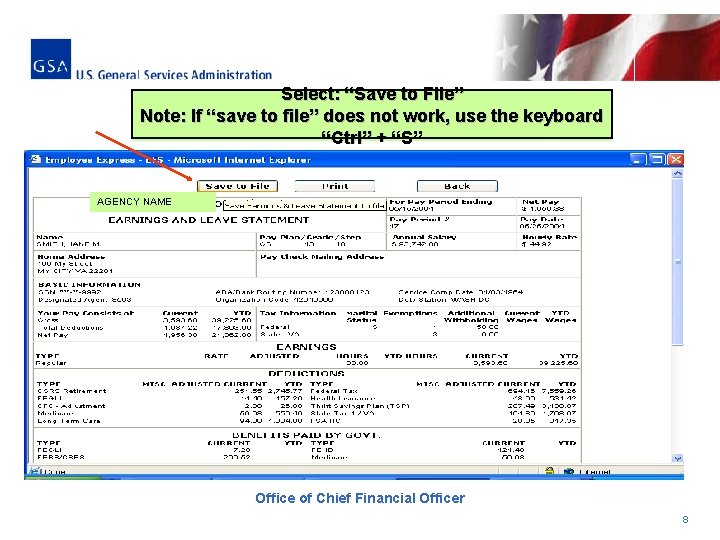
Select: “Save to File” Note: If “save to file” does not work, use the keyboard “Ctrl” + “S” AGENCY NAME Office of Chief Financial Officer 8
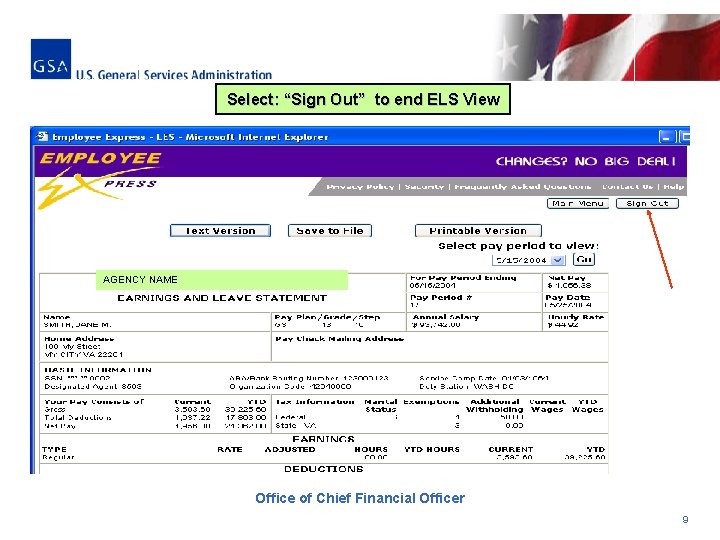
Select: “Sign Out” to end ELS View AGENCY NAME Office of Chief Financial Officer 9
If you have any questions or problems accessing Employee Express, please contact the EEX Help Desk: üOnline at: EEXHelp@opm. gov üBy Phone at: –(478) 757 -3030 –Toll-free 1 -888 -353 -9450 Office of Chief Financial Officer 10