
Emory LITS Product Team Blair Boyd Nick Heigerick
Emory LITS Product Team Blair Boyd Nick Heigerick Patrick Maloney Aaron Olsen Amy Walker
What is REDCap? REDCap (Research Electronic Data Capture) is a web-based application used to create forms and manage databases in order to support data capture and surveys for research studies.
What is REDCap? • Survey – Can be targeted for specific participant – Can be anonymous. A participant does not need to be a registered user of REDCap to receive or respond to a survey • Data Capture – Intended for a PI, research team member or collaborator
Who can use REDCap? All Emory University Principal Investigators (PI), research teams, staff, and students can use REDCap. • You can log into REDCap via: https: //redcap. emory. edu • Video training modules are available via: https: //redcap. emory. edu/index. php? action=training

Why choose REDCap over Excel and Access? • Access to REDCap is authenticated – Emory Shibboleth Authentication – NETID/PASSWD • Secure hosting and regular data backups – Data backups, software upgrades, and system maintenance are handled automatically by Emory Library and Information Technology Services (LITS) – Data is secured via SSL • Allows multi-site access – Research teams can input data simultaneously, from across the hall or around the world
Additional reasons why to choose REDCap over Excel and Access • HIPAA Compliant • Researchers can build databases rapidly • Research teams have autonomy – Create a new database or survey – Project design and setup – Project Administrators can assign user permissions and roles to others and grant rights for data import and export. – User can have access to identified or deidentified data, and the ability to create and delete records.
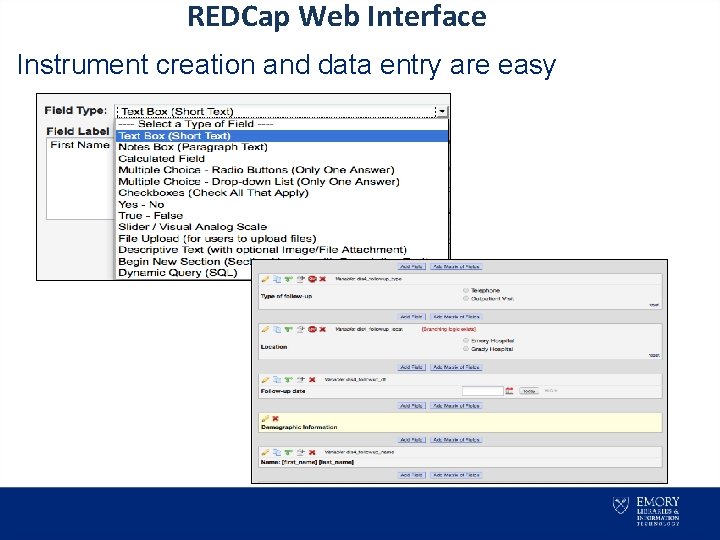
REDCap Web Interface Instrument creation and data entry are easy
REDCap Data Collection • Classic Data Collection – Form used for a single time period (questions asked once) • Longitudinal Data Collection – Form used for multiple time periods (e. g. vitals at initial visit, 30 days, 60 days, etc. ) – Same form used for all time periods – Calendar used to schedule subject visits
REDCap Features • • Branching logic is supported Calculated fields are supported Project administrators can copy projects Researchers can make modifications to their project any time during the study – Draft mode (design phase) – Production mode (data collection phase)
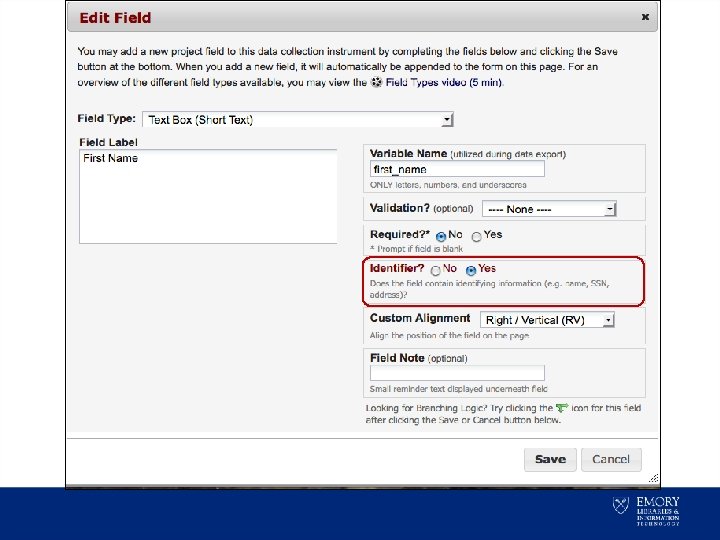
REDCap Confidential Data Identified data: • What are identifiers? – Examples: Name, Social Security Number, etc. • Identified data can be selected in REDCap to create access restrictions on those fields
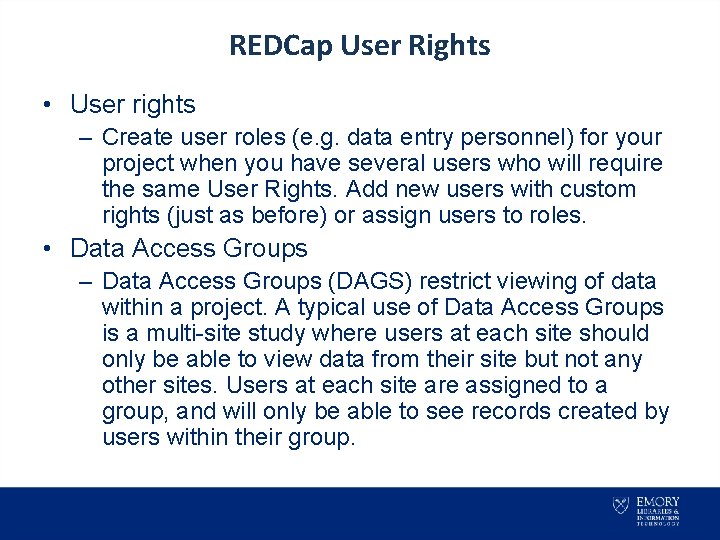
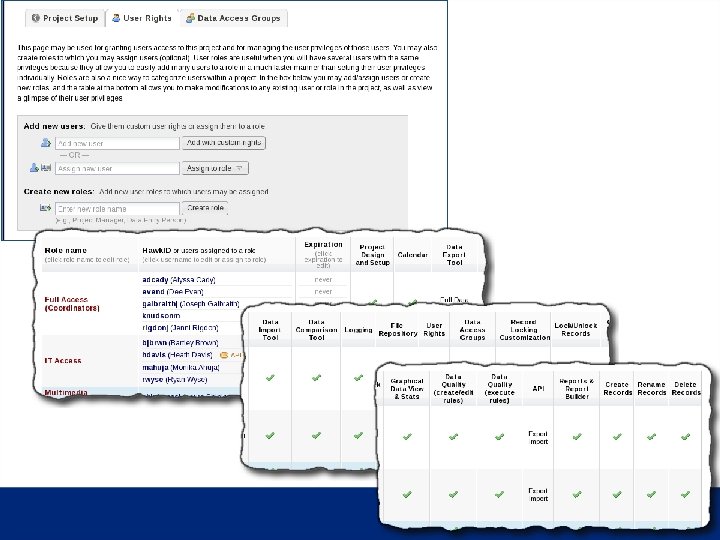
REDCap User Rights • User rights – Create user roles (e. g. data entry personnel) for your project when you have several users who will require the same User Rights. Add new users with custom rights (just as before) or assign users to roles. • Data Access Groups – Data Access Groups (DAGS) restrict viewing of data within a project. A typical use of Data Access Groups is a multi-site study where users at each site should only be able to view data from their site but not any other sites. Users at each site are assigned to a group, and will only be able to see records created by users within their group.

REDCap User Rights
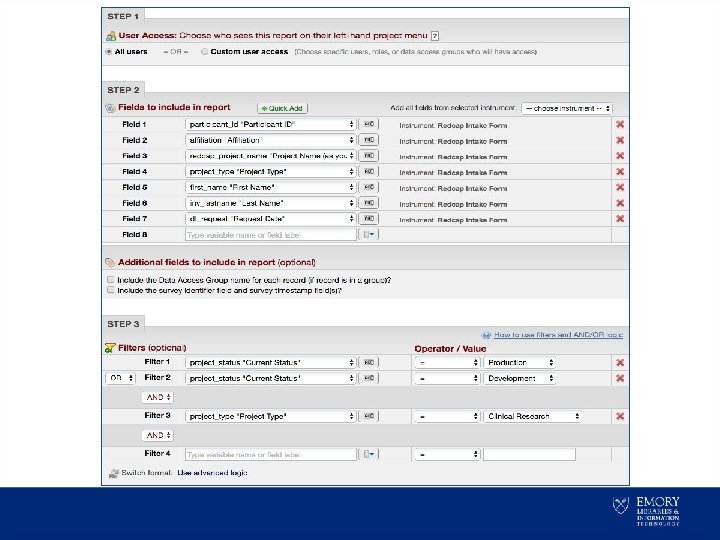
REDCap Report Generation Reports are: • Easy to generate – Any field can be specified as a report column – Sort order and column order specified – Simple filtering (e. g. males > age 21) • Saved and recalled later • Can be limited to certain users • Often used as an interface for accessing individual records `
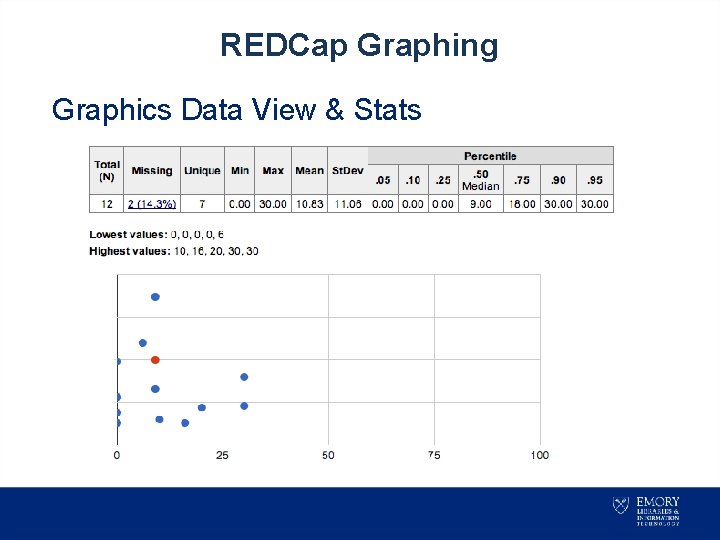
REDCap Graphing Graphics Data View & Stats
REDCap File Sharing File Repository • Project-specific files can be stored here – Consent form template – Standard Operating Procedure (SOP) – No need for shared network drive • Files can be securely shared with project members and non project members – Via REDCap login (members) – Via email and a token (non-members)
REDCap Features Double Data Entry • Two persons perform data entry • Each data entry is independent – DDE 1 and DDE 2 roles are assigned to different individuals • A reviewer reconciles differences – Reviewer role is assigned to a third person • An admin must enable capability
REDCap Data Quality Control • Data Comparison Tool – The ability to compare records • Data Quality Tool – Missing Values – Validation Errors (incorrect or out of range) – Outliers – Hidden fields with values – Multiple choice fields with invalid data
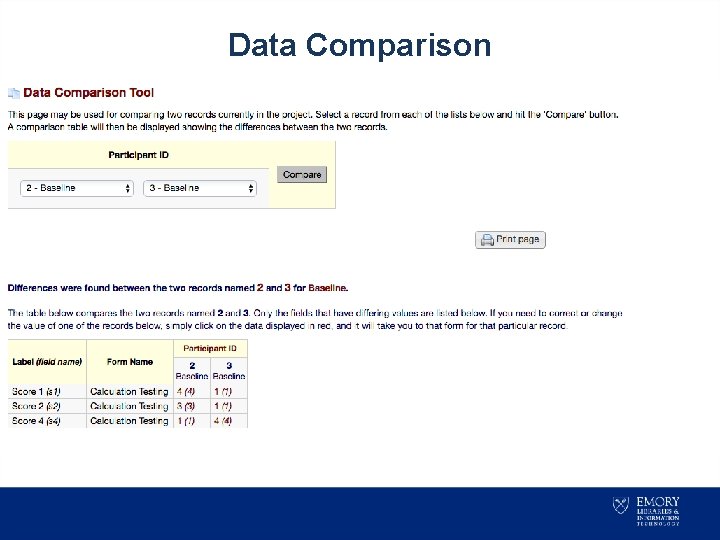
Data Comparison
REDCap Extensions • API – Allows external applications to connect to REDCap – Used to retrieve or modify data in REDCap (via data export and import) – Admin needs to enable • Dynamic Data Pull (DDP) – Integrated solution for retrieving data from external sources into a REDCap project
REDCap Analysis Researchers can export data to a variety of statistical analysis packages (SPSS, SAS, R or Excel) • Researchers can grant or restrict access to export data for analysis • Data exports are customizable, including all or some of the data forms and fields • Exports can include identified or only deidentified data depending on user and group rights
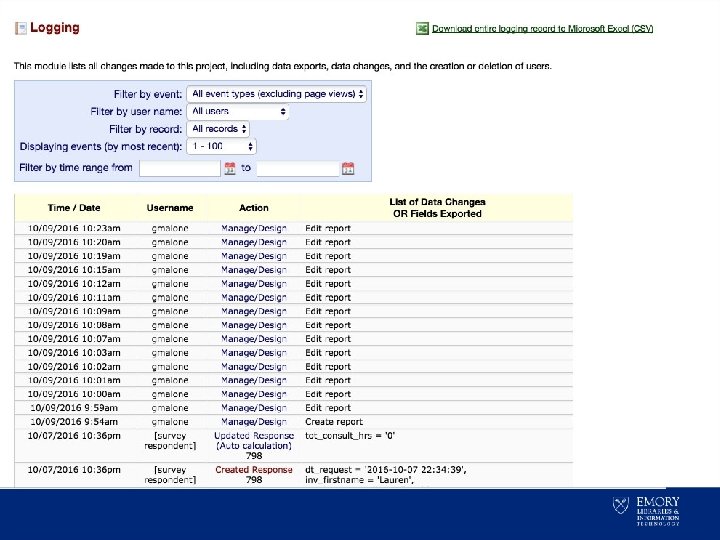
REDCap Auditing Data logging records information: • Who changed the data • What data was accessed • When these events occurred
REDCap System Architecture • REDCap Systems Architecture – LITS VM (Linux) – LITS Database (My. Sql) – LITS Storage (Emory Trusted Storage) • Disaster recovery to secondary Emory Datacenter located in Atlanta
Access to REDCap • Emory REDCap Application – http: //redcap. emory. edu • REDCap Product Page: – http: //it. emory. edu/catalog/data-andreporting/redcap. html • Emory REDCap Tutorials – https: //redcap. emory. edu/index. php? action=training
Questions? Please submit a request to redcap. help@emory. edu or contact the Emory Service Desk @ 7 -7777
- Slides: 28