
Email Migration Not such a big deal What
Email Migration Not such a big deal
What am I getting • Increased mailbox size (from 2 GB to 50 GB for university Exchange users) • Unified email and calendaring across the university and health system • Improved web interface • Modern calendaring system
Do I need to learn a new email system (again)? No - not really. With Office 365 you can continue to use the same email client you use today. However, the new web client Outlook Web App does provide additional functionality that was not previously in Duke's Web. Mail (the Duke. Mail web client).
How will I access Office 365 email, calendar and contacts? Almost everyone will be able to continue accessing their Duke email and calendar the same way they do right now. You can use any web browser or current Outlook clients. Office 365 works with Outlook 2010 and 2013 (Windows) and Outlook 2011 (Mac). mail. duke. edu
![Web Mail (aka Outlook Web Access [aka OWA])](http://slidetodoc.com/presentation_image/43d0a32cf3cf639d37b43f4e8795795b/image-5.jpg "Web Mail (aka Outlook Web Access [aka OWA])")
Web Mail (aka Outlook Web Access [aka OWA])
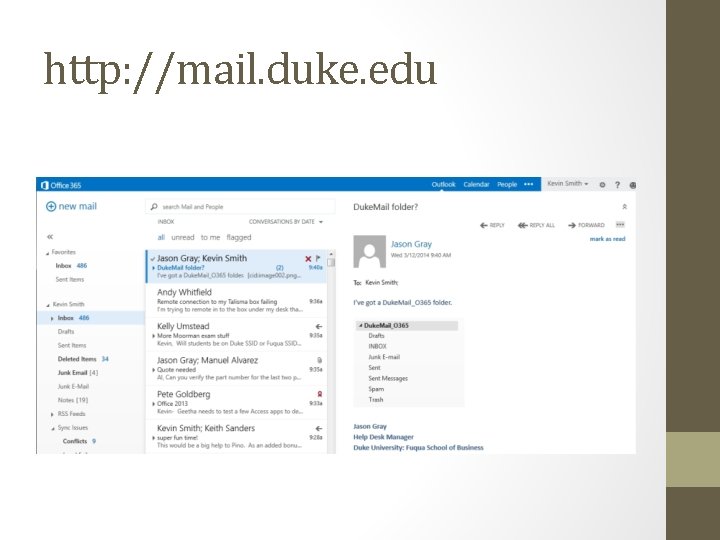
http: //mail. duke. edu
What about my smart phone? You will need to add the new account information to your smart phone. OIT recommends removing the current Duke Exchange account a replacing with the Office 365 configuration. The instructions are on the TSC website at it. fuqua. duke. edu Should take less that 5 minutes to set up
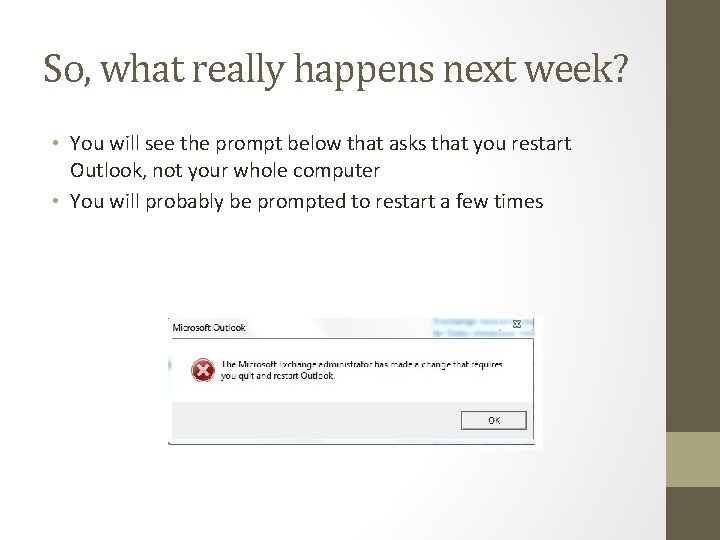
So, what really happens next week? • You will see the prompt below that asks that you restart Outlook, not your whole computer • You will probably be prompted to restart a few times
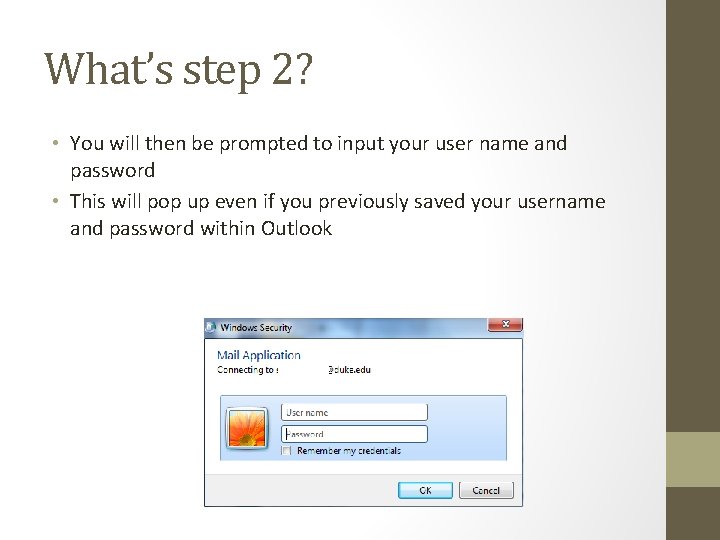
What’s step 2? • You will then be prompted to input your user name and password • This will pop up even if you previously saved your username and password within Outlook
Do I need to type anything different? • Yes, your username will now be Net. ID@duke. edu (where Net. ID is replaced with your Net. ID, ie. jbf 14@duke. edu) • We will no longer user winNet. ID as the username • Your password does not change
Do I need to prepare? • Make sure that you don’t have messages larger than 25 MB • How do I find my large messages in Exchange? • Open your Exchange account in Outlook. Look under your listing of folders - you should see an option called Search Folders. Click on Search Folders and then click on O 365 Large Files. • From here, you can save your attachment, delete the attachment and save the message, delete the entire email, or save the email to your local hard drive.
One more thing • Even though your new quota will be 50 GB, they are only able to migrate 25 GB of data. • Most people currently have 25 GB of quota so this shouldn’t be a concern • Those users with additional quota or large amounts of email on the old system should contact their technician to ensure they are under the 25 GB limit
What is this Duke. Mail I keep seeing referenced? • Duke. Mail is what OIT calls the previous system that Fuqua was on prior to moving to the current Outlook/Exchange environment • Even though we migrated to our current system not all Duke. Mail email accounts were deleted • This email will be migrated to your Office 365 account • After migration, Duke. Mail will be deleted and the server decommissioned.
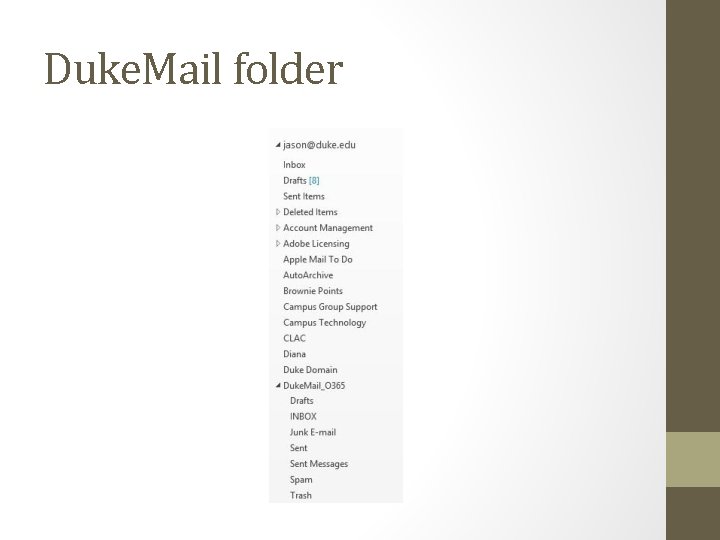
Duke. Mail folder
Deleted Items • Deleted Items Retention Policy: The Deleted Items folder now has an automatic retention policy of 30 days. • Deleted items are moved to Recoverable Items Folder after 30 days unless explicitly purged by the user. • Items can be recovered from Recoverable Items Folder for 14 days. • After that final 14 day period, those items are unrecoverable.
Why do they call it Office 365? • Office 365 is an online version Microsoft Office • Duke University is not implementing all Office apps at this time • Duke is considering implementing the other Office apps at a later time
Quesitons? • Please let me know if you have any questions about the process
- Slides: 17