
Elements of Computer Architecture CDCA 2203 Open University


- Slides: 25
Elements of Computer Architecture CDCA 2203 Open University Malaysia Prepared by: Eng Kok Siong Copyright 2010 All Rights Reserved Class 1
Topic 1: Main Memory The Memory can be divided into two: • Read Only Memory (ROM): type of memory that only can read the contents. • Random Access Memory (RAM): type of memory that can read and write. Besides these types of memory, there are two others in a computer system i. e. • Associate Memory and Cache Memory. CDCA 2203 Elements of Computer Architecture Slide 2
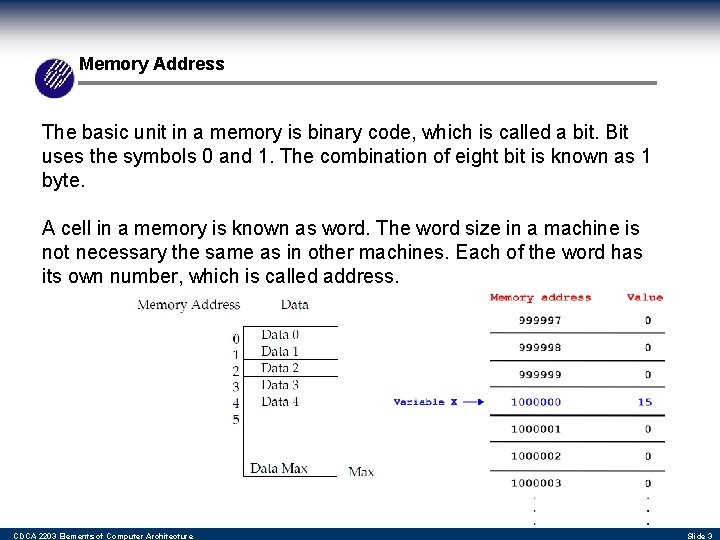
Memory Address The basic unit in a memory is binary code, which is called a bit. Bit uses the symbols 0 and 1. The combination of eight bit is known as 1 byte. A cell in a memory is known as word. The word size in a machine is not necessary the same as in other machines. Each of the word has its own number, which is called address. CDCA 2203 Elements of Computer Architecture Slide 3
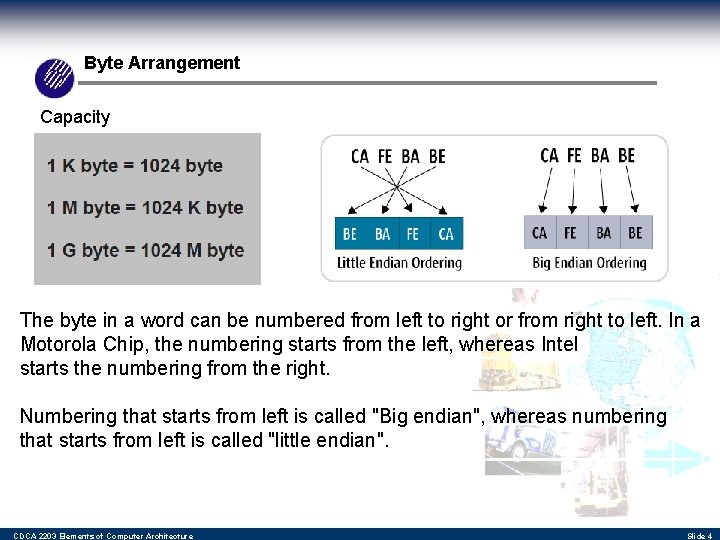
Byte Arrangement Capacity The byte in a word can be numbered from left to right or from right to left. In a Motorola Chip, the numbering starts from the left, whereas Intel starts the numbering from the right. Numbering that starts from left is called "Big endian", whereas numbering that starts from left is called "little endian". CDCA 2203 Elements of Computer Architecture Slide 4
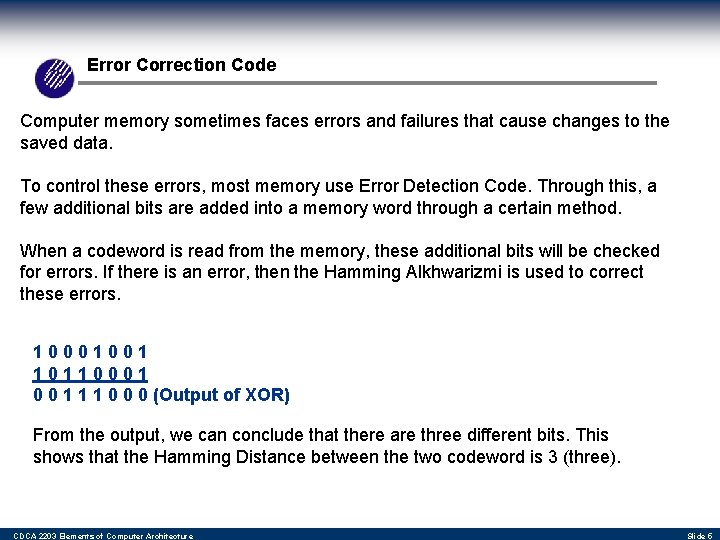
Error Correction Code Computer memory sometimes faces errors and failures that cause changes to the saved data. To control these errors, most memory use Error Detection Code. Through this, a few additional bits are added into a memory word through a certain method. When a codeword is read from the memory, these additional bits will be checked for errors. If there is an error, then the Hamming Alkhwarizmi is used to correct these errors. 10001001 10110001 0 0 1 1 1 0 0 0 (Output of XOR) From the output, we can conclude that there are three different bits. This shows that the Hamming Distance between the two codeword is 3 (three). CDCA 2203 Elements of Computer Architecture Slide 5
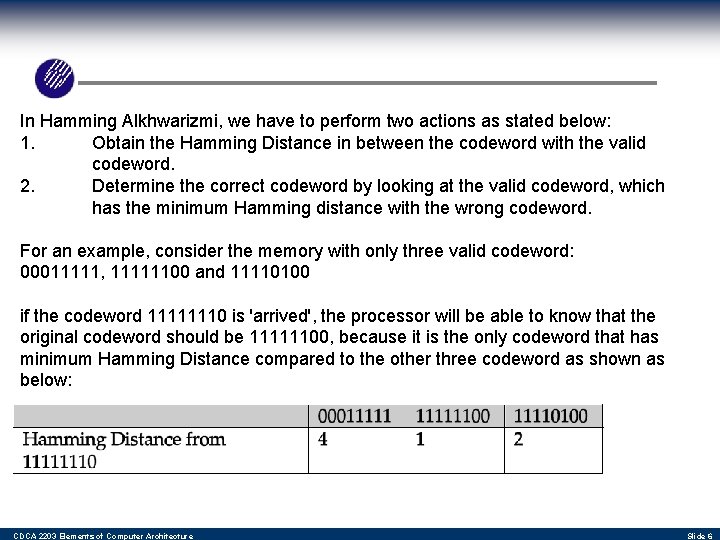
In Hamming Alkhwarizmi, we have to perform two actions as stated below: 1. Obtain the Hamming Distance in between the codeword with the valid codeword. 2. Determine the correct codeword by looking at the valid codeword, which has the minimum Hamming distance with the wrong codeword. For an example, consider the memory with only three valid codeword: 00011111, 11111100 and 11110100 if the codeword 11111110 is 'arrived', the processor will be able to know that the original codeword should be 11111100, because it is the only codeword that has minimum Hamming Distance compared to the other three codeword as shown as below: CDCA 2203 Elements of Computer Architecture Slide 6
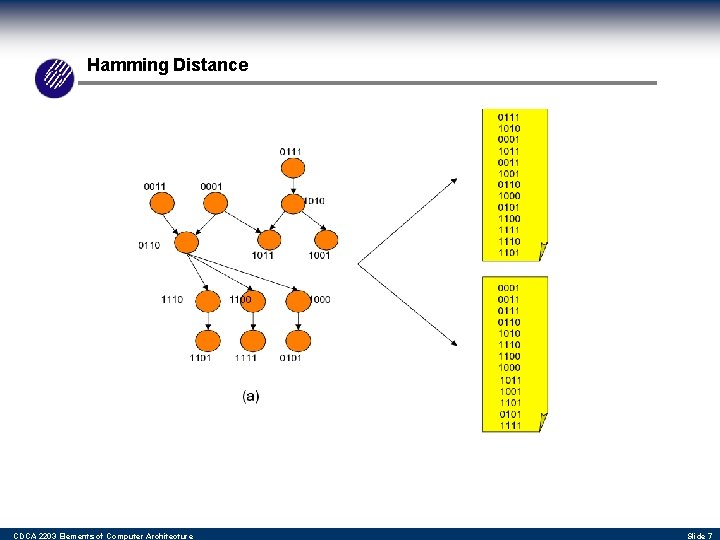
Hamming Distance CDCA 2203 Elements of Computer Architecture Slide 7
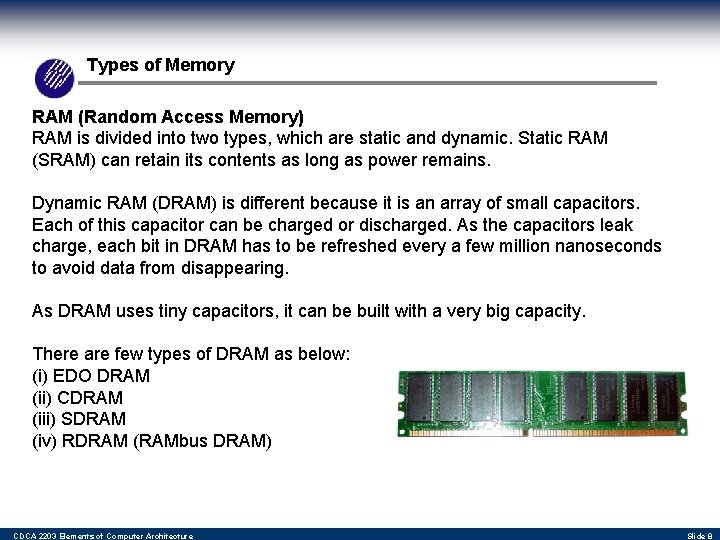
Types of Memory RAM (Random Access Memory) RAM is divided into two types, which are static and dynamic. Static RAM (SRAM) can retain its contents as long as power remains. Dynamic RAM (DRAM) is different because it is an array of small capacitors. Each of this capacitor can be charged or discharged. As the capacitors leak charge, each bit in DRAM has to be refreshed every a few million nanoseconds to avoid data from disappearing. As DRAM uses tiny capacitors, it can be built with a very big capacity. There are few types of DRAM as below: (i) EDO DRAM (ii) CDRAM (iii) SDRAM (iv) RDRAM (RAMbus DRAM) CDCA 2203 Elements of Computer Architecture Slide 8
Types of Memory ROM (Read Only Memory) The data in ROM is stored into the ROM at the manufacturing stage. Most of the computer game tools store data in the ROM. In most computer system, ROM is used to save a boot program known as Bootstrap Loader. The main function of a Bootstrap Loader is to start the computer operating system when the computer is turned on. CDCA 2203 Elements of Computer Architecture Slide 9
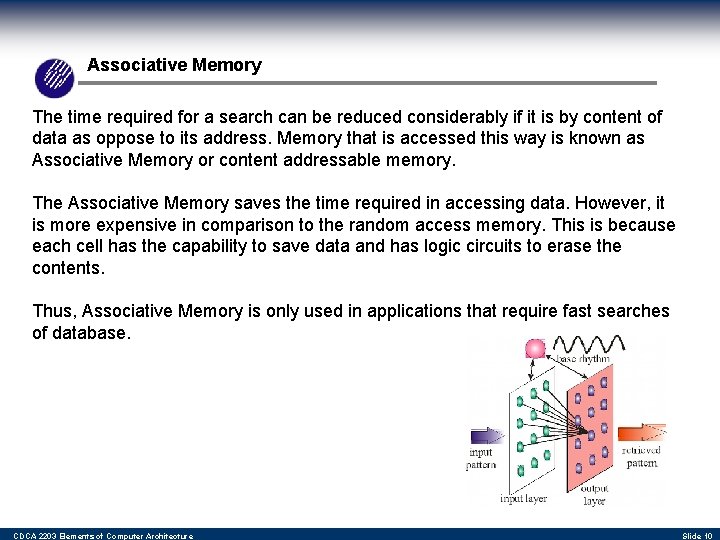
Associative Memory The time required for a search can be reduced considerably if it is by content of data as oppose to its address. Memory that is accessed this way is known as Associative Memory or content addressable memory. The Associative Memory saves the time required in accessing data. However, it is more expensive in comparison to the random access memory. This is because each cell has the capability to save data and has logic circuits to erase the contents. Thus, Associative Memory is only used in applications that require fast searches of database. CDCA 2203 Elements of Computer Architecture Slide 10
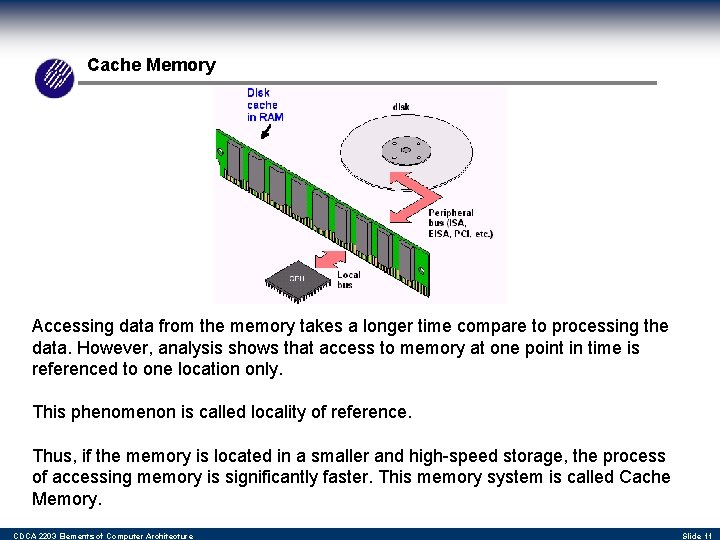
Cache Memory Accessing data from the memory takes a longer time compare to processing the data. However, analysis shows that access to memory at one point in time is referenced to one location only. This phenomenon is called locality of reference. Thus, if the memory is located in a smaller and high-speed storage, the process of accessing memory is significantly faster. This memory system is called Cache Memory. CDCA 2203 Elements of Computer Architecture Slide 11
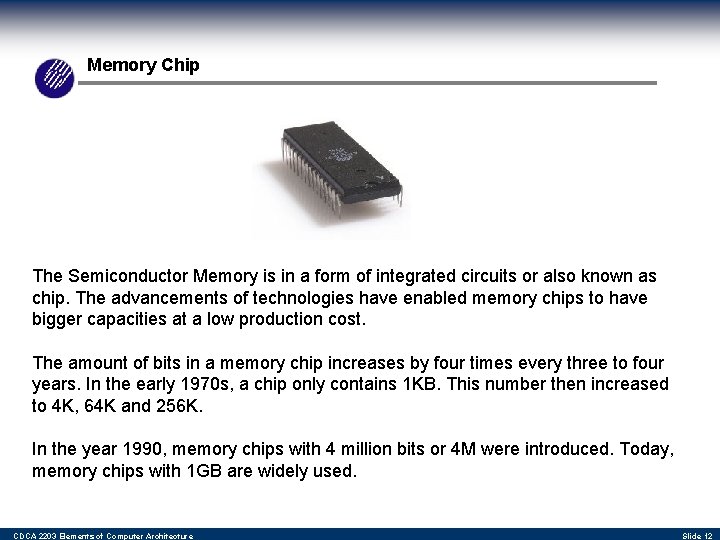
Memory Chip The Semiconductor Memory is in a form of integrated circuits or also known as chip. The advancements of technologies have enabled memory chips to have bigger capacities at a low production cost. The amount of bits in a memory chip increases by four times every three to four years. In the early 1970 s, a chip only contains 1 KB. This number then increased to 4 K, 64 K and 256 K. In the year 1990, memory chips with 4 million bits or 4 M were introduced. Today, memory chips with 1 GB are widely used. CDCA 2203 Elements of Computer Architecture Slide 12
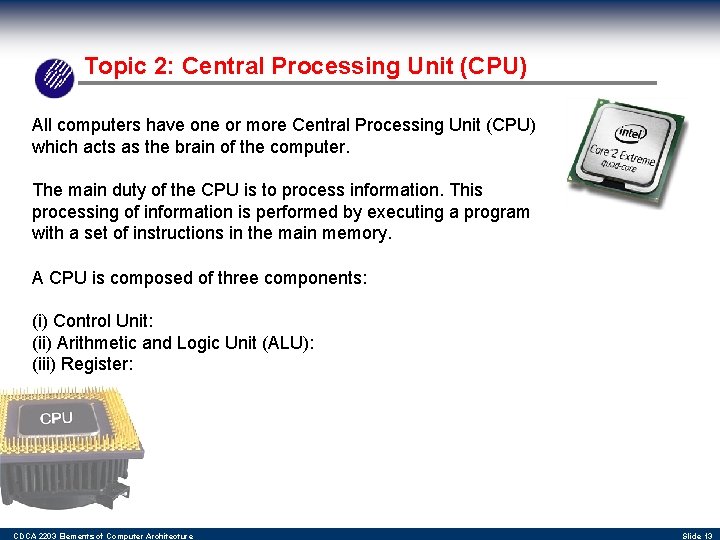
Topic 2: Central Processing Unit (CPU) All computers have one or more Central Processing Unit (CPU) which acts as the brain of the computer. The main duty of the CPU is to process information. This processing of information is performed by executing a program with a set of instructions in the main memory. A CPU is composed of three components: (i) Control Unit: (ii) Arithmetic and Logic Unit (ALU): (iii) Register: CDCA 2203 Elements of Computer Architecture Slide 13
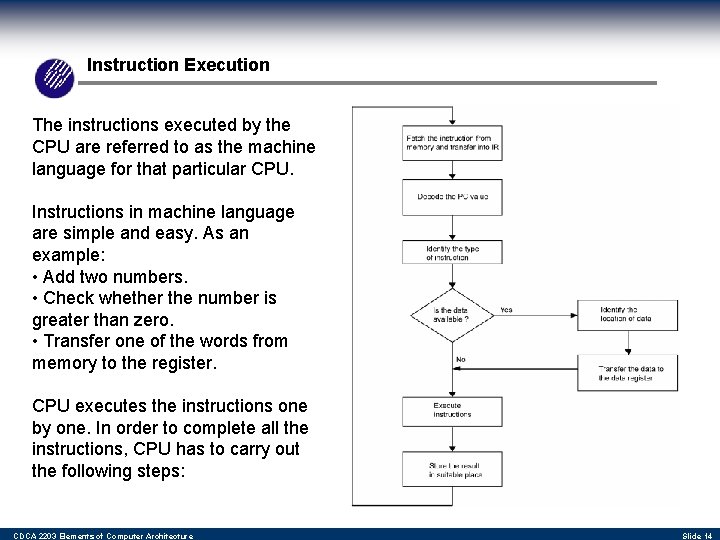
Instruction Execution The instructions executed by the CPU are referred to as the machine language for that particular CPU. Instructions in machine language are simple and easy. As an example: • Add two numbers. • Check whether the number is greater than zero. • Transfer one of the words from memory to the register. CPU executes the instructions one by one. In order to complete all the instructions, CPU has to carry out the following steps: CDCA 2203 Elements of Computer Architecture Slide 14
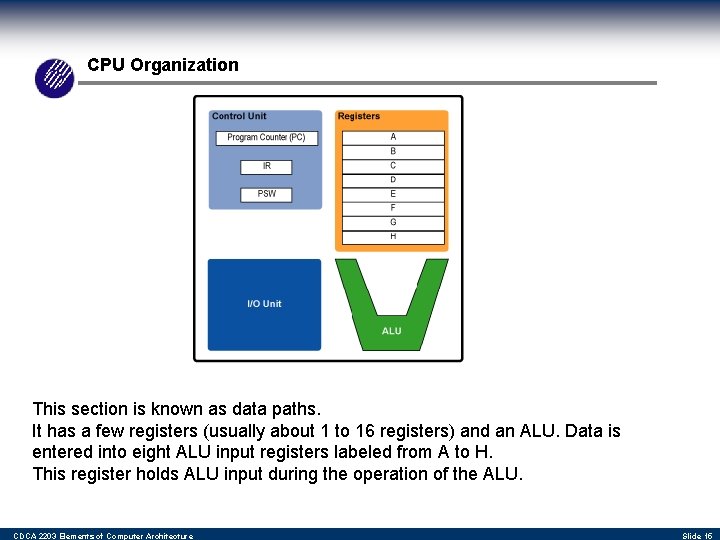
CPU Organization This section is known as data paths. It has a few registers (usually about 1 to 16 registers) and an ALU. Data is entered into eight ALU input registers labeled from A to H. This register holds ALU input during the operation of the ALU. CDCA 2203 Elements of Computer Architecture Slide 15
Interrupts Besides executing the instructions above, CPU also executes another type of instruction known as interrupts. An interrupt is an external signal sent to the CPU, which requires an immediate response. Basically, the CPU will halt all current executions and save all the data required. Then, the CPU will serve the interrupts. There are three types of interrupts: • External interrupts (EI) • Internal Interrupts (II) • Software Interrupts Both types of interrupts mentioned earlier on are hardware interrupts. The third type of interrupts are produced by software that are used by operating systems. CDCA 2203 Elements of Computer Architecture Slide 16
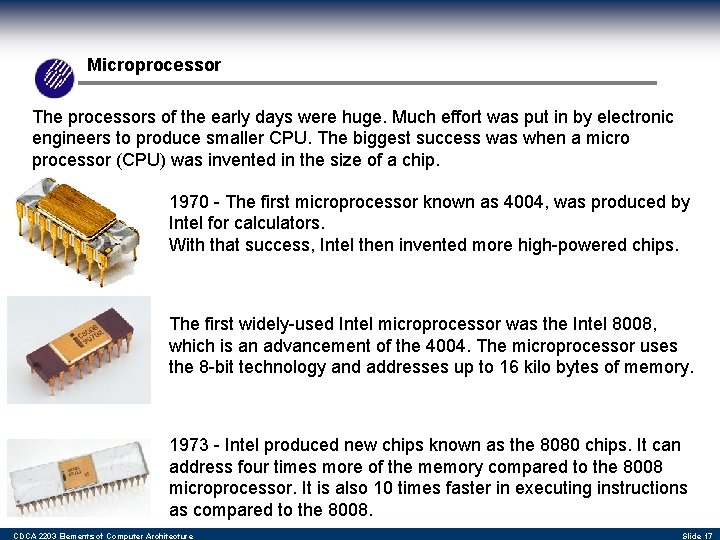
Microprocessor The processors of the early days were huge. Much effort was put in by electronic engineers to produce smaller CPU. The biggest success was when a micro processor (CPU) was invented in the size of a chip. 1970 - The first microprocessor known as 4004, was produced by Intel for calculators. With that success, Intel then invented more high-powered chips. The first widely-used Intel microprocessor was the Intel 8008, which is an advancement of the 4004. The microprocessor uses the 8 -bit technology and addresses up to 16 kilo bytes of memory. 1973 - Intel produced new chips known as the 8080 chips. It can address four times more of the memory compared to the 8008 microprocessor. It is also 10 times faster in executing instructions as compared to the 8008. CDCA 2203 Elements of Computer Architecture Slide 17
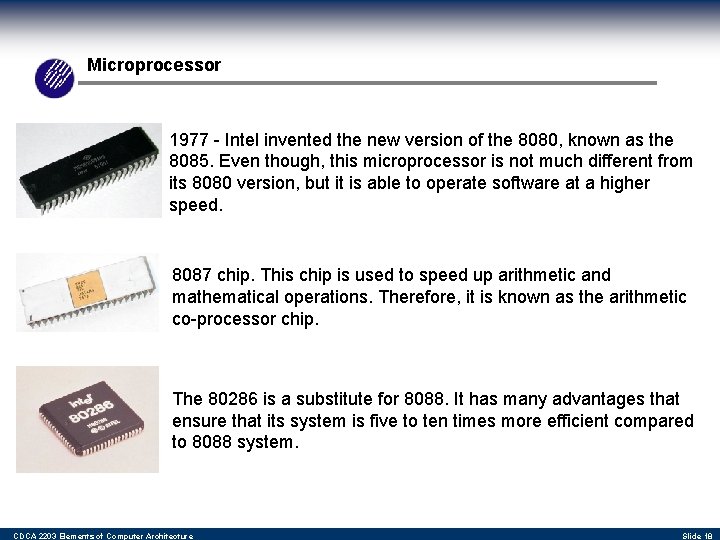
Microprocessor 1977 - Intel invented the new version of the 8080, known as the 8085. Even though, this microprocessor is not much different from its 8080 version, but it is able to operate software at a higher speed. 8087 chip. This chip is used to speed up arithmetic and mathematical operations. Therefore, it is known as the arithmetic co-processor chip. The 80286 is a substitute for 8088. It has many advantages that ensure that its system is five to ten times more efficient compared to 8088 system. CDCA 2203 Elements of Computer Architecture Slide 18
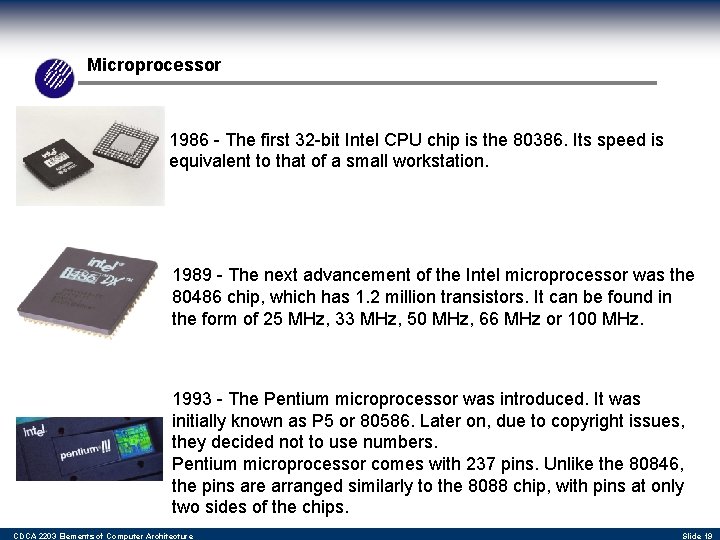
Microprocessor 1986 - The first 32 -bit Intel CPU chip is the 80386. Its speed is equivalent to that of a small workstation. 1989 - The next advancement of the Intel microprocessor was the 80486 chip, which has 1. 2 million transistors. It can be found in the form of 25 MHz, 33 MHz, 50 MHz, 66 MHz or 100 MHz. 1993 - The Pentium microprocessor was introduced. It was initially known as P 5 or 80586. Later on, due to copyright issues, they decided not to use numbers. Pentium microprocessor comes with 237 pins. Unlike the 80846, the pins are arranged similarly to the 8088 chip, with pins at only two sides of the chips. CDCA 2203 Elements of Computer Architecture Slide 19
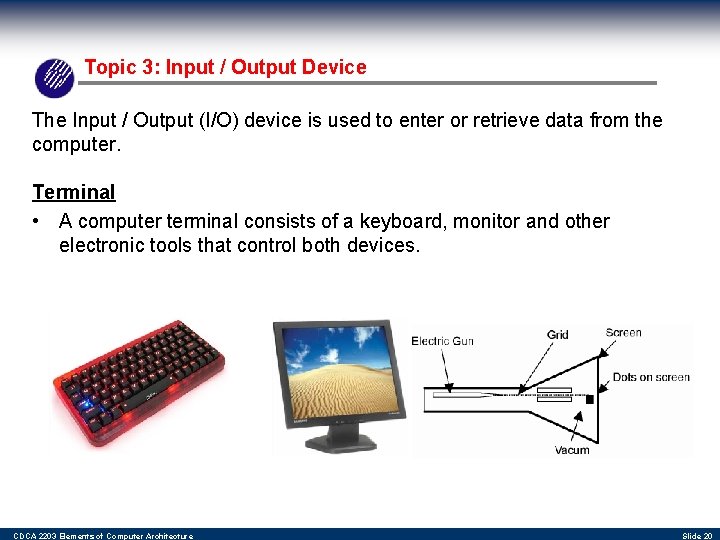
Topic 3: Input / Output Device The Input / Output (I/O) device is used to enter or retrieve data from the computer. Terminal • A computer terminal consists of a keyboard, monitor and other electronic tools that control both devices. CDCA 2203 Elements of Computer Architecture Slide 20
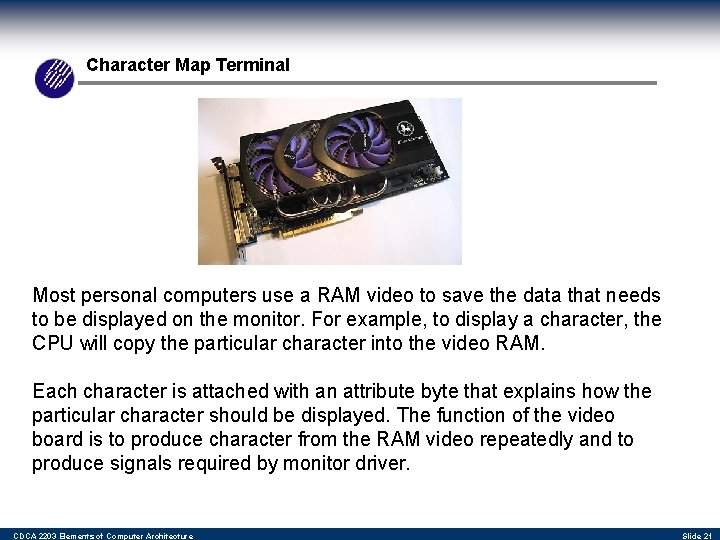
Character Map Terminal Most personal computers use a RAM video to save the data that needs to be displayed on the monitor. For example, to display a character, the CPU will copy the particular character into the video RAM. Each character is attached with an attribute byte that explains how the particular character should be displayed. The function of the video board is to produce character from the RAM video repeatedly and to produce signals required by monitor driver. CDCA 2203 Elements of Computer Architecture Slide 21
Character Map Terminal The Bit-map terminal is the same as the character-map terminal, however, its screen is not arranged as 25 x 80 character. It is arranged with image elements called pixel. Each pixel can be 'on' or 'off' and represents one bit of data. The personal computer screen can consist of at least 200 x 320 pixels. The normal arrangement of pixels for a personal computer is 480 x 640 pixels. The screen at an engineering workstation has the arrangement of 1024 x 1024 pixels. With the suitable software, most video screens can operate as a character-map terminal or a bit-map terminal. CDCA 2203 Elements of Computer Architecture Slide 22
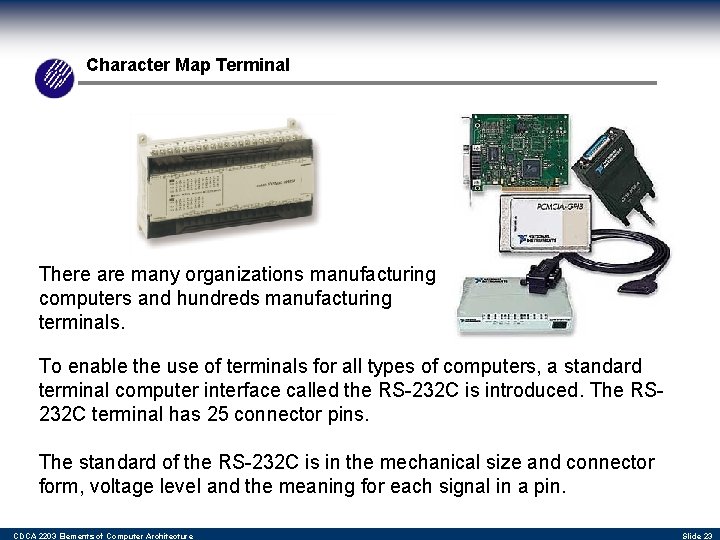
Character Map Terminal There are many organizations manufacturing computers and hundreds manufacturing terminals. To enable the use of terminals for all types of computers, a standard terminal computer interface called the RS-232 C is introduced. The RS 232 C terminal has 25 connector pins. The standard of the RS-232 C is in the mechanical size and connector form, voltage level and the meaning for each signal in a pin. CDCA 2203 Elements of Computer Architecture Slide 23
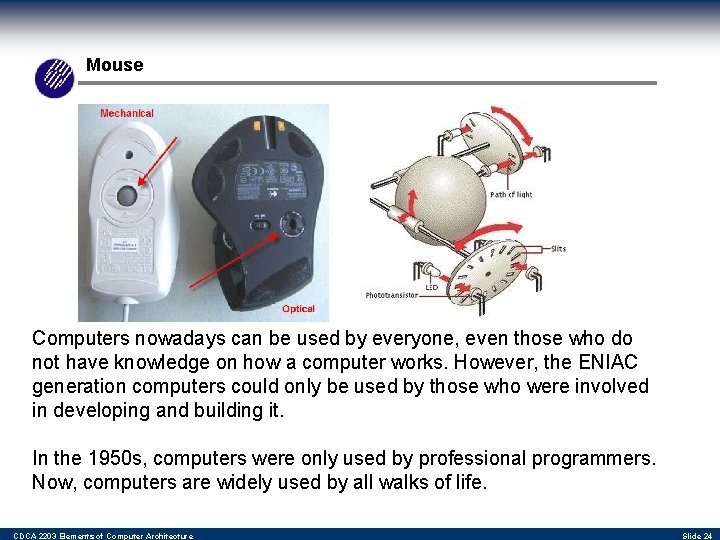
Mouse Computers nowadays can be used by everyone, even those who do not have knowledge on how a computer works. However, the ENIAC generation computers could only be used by those who were involved in developing and building it. In the 1950 s, computers were only used by professional programmers. Now, computers are widely used by all walks of life. CDCA 2203 Elements of Computer Architecture Slide 24
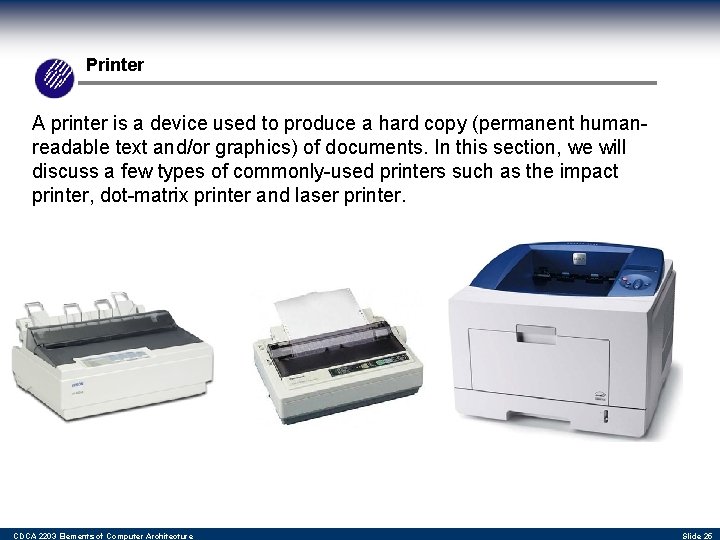
Printer A printer is a device used to produce a hard copy (permanent humanreadable text and/or graphics) of documents. In this section, we will discuss a few types of commonly-used printers such as the impact printer, dot-matrix printer and laser printer. CDCA 2203 Elements of Computer Architecture Slide 25