
Electronics setup and configuration ECS WORKSHOP Documentation Control
- Slides: 17
Electronics setup and configuration ECS WORKSHOP
Documentation • Control system manual: • https: //gitlab. cern. ch/lhcb-readout 40/readout 40 docs/raw/master/Win. CC_panels/Control_System_for_the_Mini. DAQ. pdf? inline=false • ECS guidelines: • http: //lhcb-online. web. cern. ch/lhcb-online/ecs/default. htm • Creating Device Units and Control Units • http: //lhcb-online. web. cern. ch/lhcb-online/ecs/fw/FSMConfig. pdf • JCOP guidelines: • https: //edms. cern. ch/ui/file/1100577/1. 3/jcop. Framework. Guidelines. pdf • Fw. Hw Documentation: • http: //lhcb-online. web. cern. ch/lhcb-online/ecs/fwhw/default. html 29/11/2018 ECS WORKSHOP 2
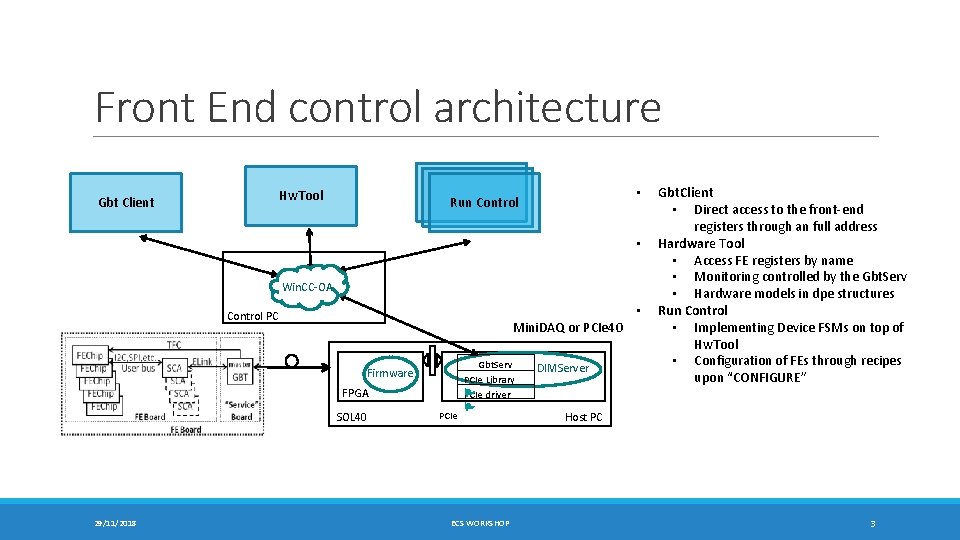
Front End control architecture Hw. Tool Gbt Client • Run Control • Win. CC-OA • Control PC Mini. DAQ or PCIe 40 Firmware FPGA SOL 40 29/11/2018 PCIe Gbt. Serv PCIe Library P PCIe driver P ECS WORKSHOP DIMServer Gbt. Client • Direct access to the front-end registers through an full address Hardware Tool • Access FE registers by name • Monitoring controlled by the Gbt. Serv • Hardware models in dpe structures Run Control • Implementing Device FSMs on top of Hw. Tool • Configuration of FEs through recipes upon “CONFIGURE” Host PC 3
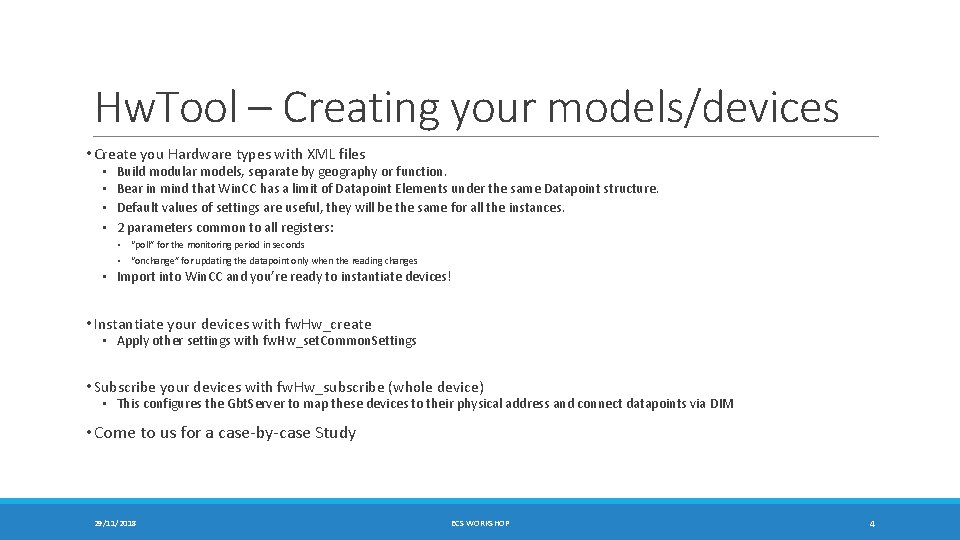
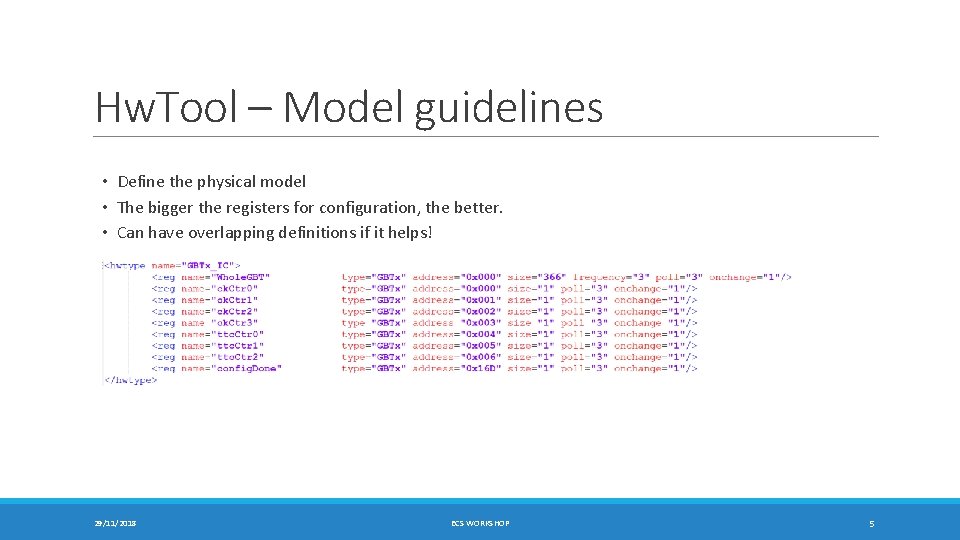
Hw. Tool – Creating your models/devices • Create you Hardware types with XML files • • Build modular models, separate by geography or function. Bear in mind that Win. CC has a limit of Datapoint Elements under the same Datapoint structure. Default values of settings are useful, they will be the same for all the instances. 2 parameters common to all registers: • • “poll” for the monitoring period in seconds “onchange” for updating the datapoint only when the reading changes • Import into Win. CC and you’re ready to instantiate devices! • Instantiate your devices with fw. Hw_create • Apply other settings with fw. Hw_set. Common. Settings • Subscribe your devices with fw. Hw_subscribe (whole device) • This configures the Gbt. Server to map these devices to their physical address and connect datapoints via DIM • Come to us for a case-by-case Study 29/11/2018 ECS WORKSHOP 4
Hw. Tool – Model guidelines • Define the physical model • The bigger the registers for configuration, the better. • Can have overlapping definitions if it helps! 29/11/2018 ECS WORKSHOP 5
Hw. Tool – Devices FSM • After instantiating your devices… • Necessary for controlling FEEs from Run Control (recipes). • The leaf nodes of the FSM tree (device units) should: • Represent the smallest part of the detector you want to disable/enable • Most natural: 1 device unit per hardware device • Implement other enable/disable functionalities in user panel (store in datapoints) 29/11/2018 ECS WORKSHOP 6
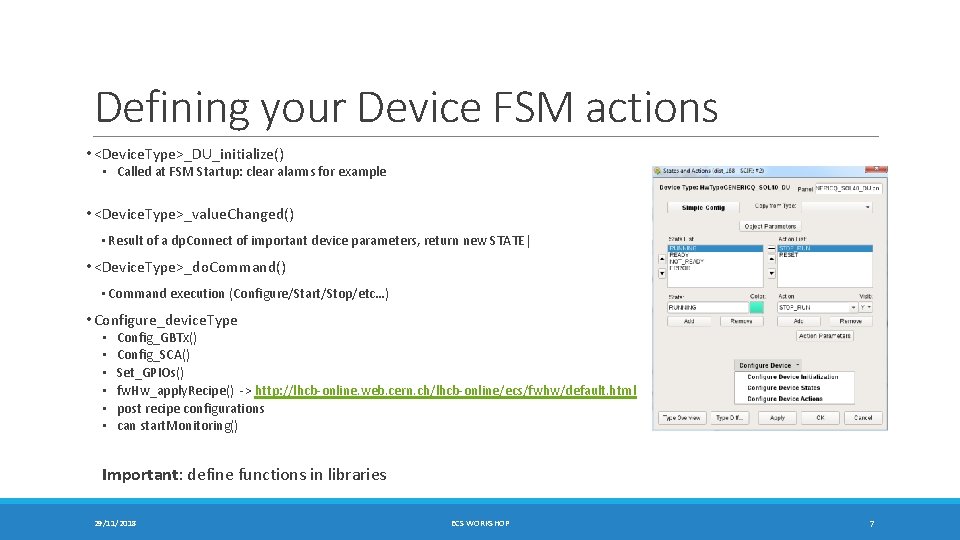
Defining your Device FSM actions • <Device. Type>_DU_initialize() • Called at FSM Startup: clear alarms for example • <Device. Type>_value. Changed() • Result of a dp. Connect of important device parameters, return new STATE| • <Device. Type>_do. Command() • Command execution (Configure/Start/Stop/etc…) • Configure_device. Type • • • Config_GBTx() Config_SCA() Set_GPIOs() fw. Hw_apply. Recipe() -> http: //lhcb-online. web. cern. ch/lhcb-online/ecs/fwhw/default. html post recipe configurations can start. Monitoring() Important: define functions in libraries 29/11/2018 ECS WORKSHOP 7
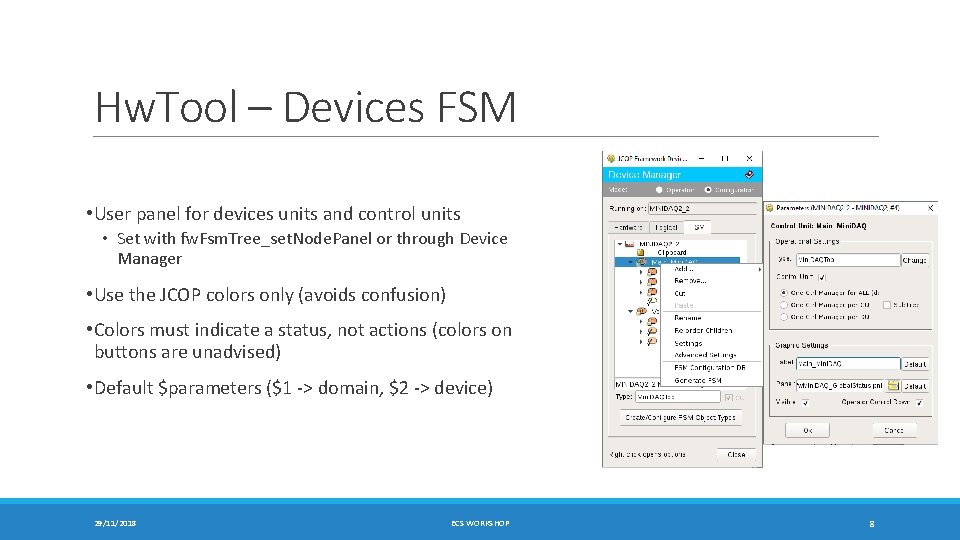
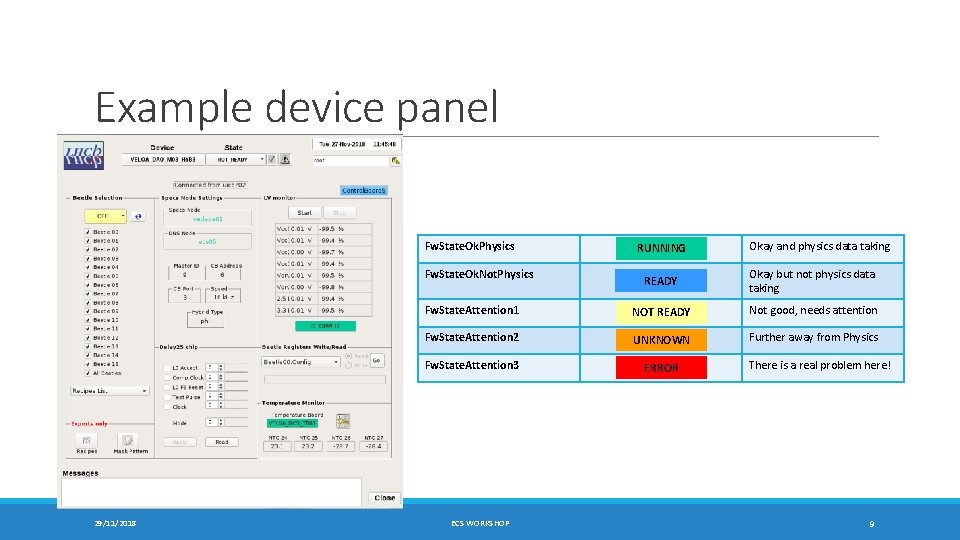
Hw. Tool – Devices FSM • User panel for devices units and control units • Set with fw. Fsm. Tree_set. Node. Panel or through Device Manager • Use the JCOP colors only (avoids confusion) • Colors must indicate a status, not actions (colors on buttons are unadvised) • Default $parameters ($1 -> domain, $2 -> device) 29/11/2018 ECS WORKSHOP 8
Example device panel Fw. State. Ok. Physics Fw. State. Ok. Not. Physics 29/11/2018 RUNNING Okay and physics data taking READY Okay but not physics data taking Fw. State. Attention 1 NOT READY Not good, needs attention Fw. State. Attention 2 UNKNOWN Further away from Physics Fw. State. Attention 3 ERROR ECS WORKSHOP There is a real problem here! 9
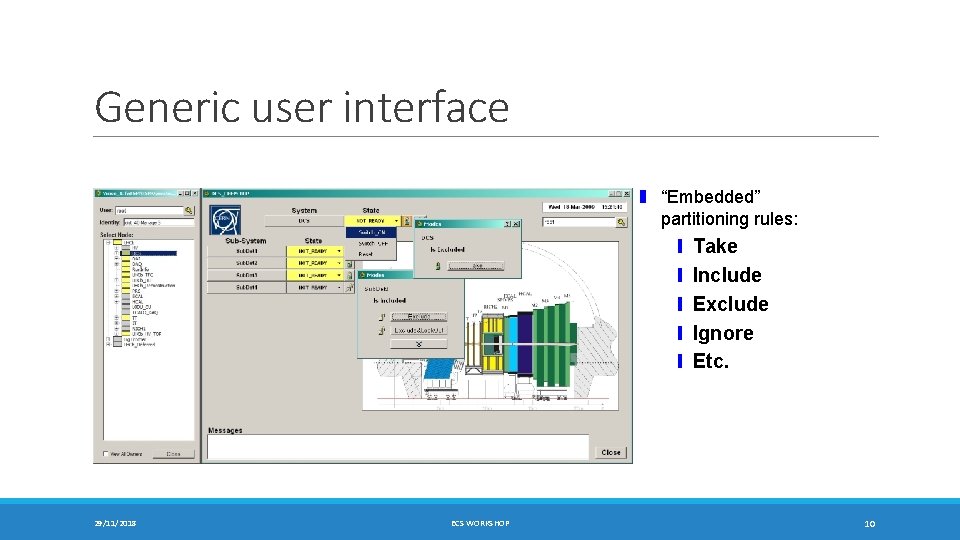
Generic user interface ❚ “Embedded” partitioning rules: ❙ Take ❙ Include ❙ Exclude ❙ Ignore ❙ Etc. 29/11/2018 ECS WORKSHOP 10
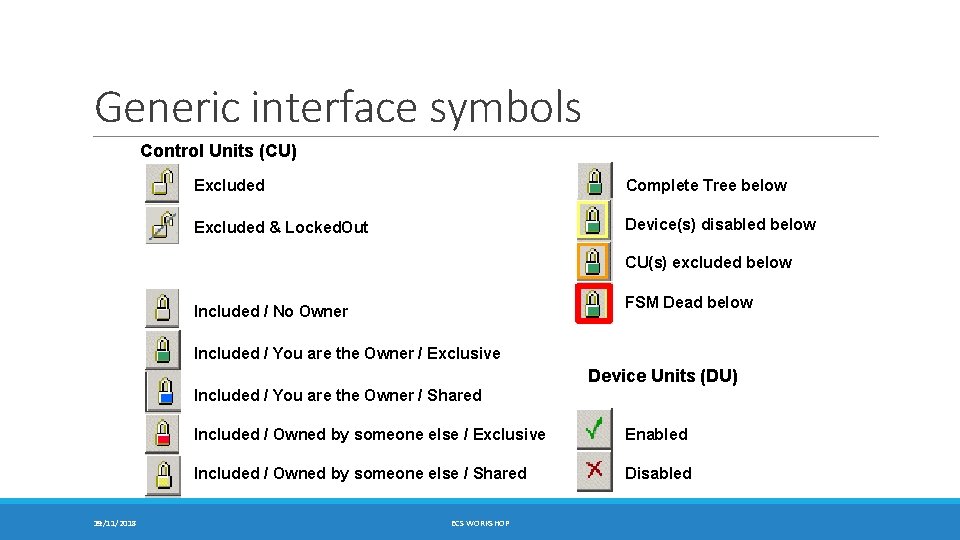
Generic interface symbols Control Units (CU) Excluded Complete Tree below Excluded & Locked. Out Device(s) disabled below CU(s) excluded below FSM Dead below Included / No Owner Included / You are the Owner / Exclusive Device Units (DU) Included / You are the Owner / Shared 11 29/11/2018 Included / Owned by someone else / Exclusive Enabled Included / Owned by someone else / Shared Disabled ECS WORKSHOP
Questions? 29/11/2018 ECS WORKSHOP 12
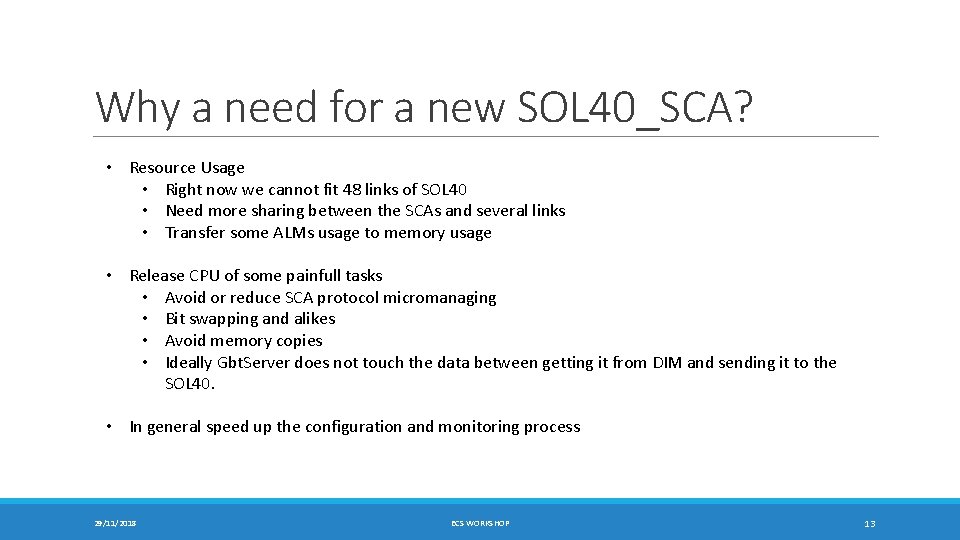
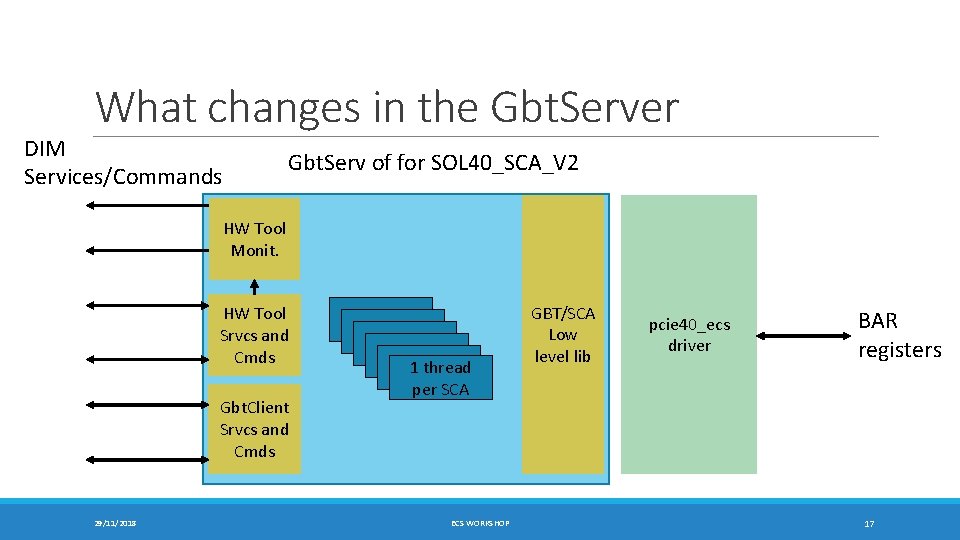
Why a need for a new SOL 40_SCA? • Resource Usage • Right now we cannot fit 48 links of SOL 40 • Need more sharing between the SCAs and several links • Transfer some ALMs usage to memory usage • Release CPU of some painfull tasks • Avoid or reduce SCA protocol micromanaging • Bit swapping and alikes • Avoid memory copies • Ideally Gbt. Server does not touch the data between getting it from DIM and sending it to the SOL 40. • In general speed up the configuration and monitoring process 29/11/2018 ECS WORKSHOP 13
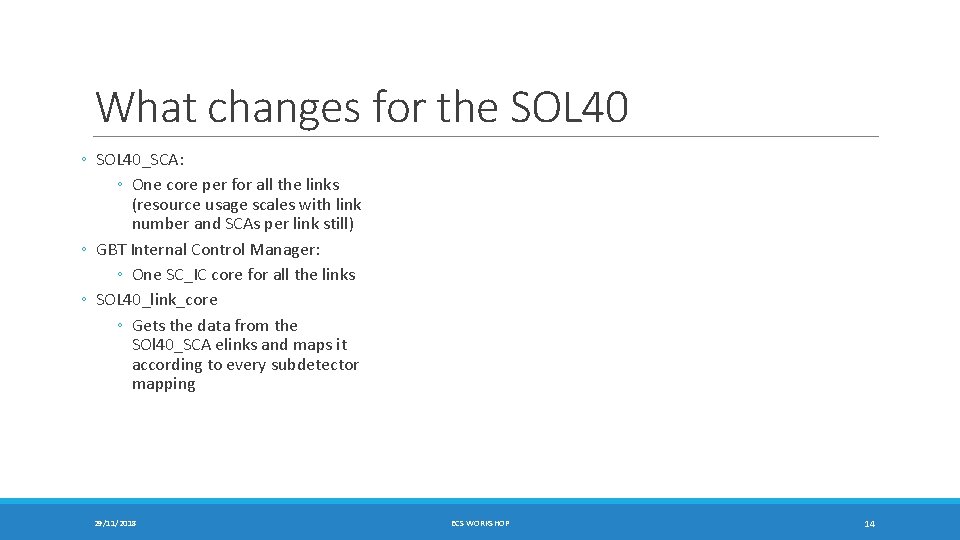
What changes for the SOL 40 ◦ SOL 40_SCA: ◦ One core per for all the links (resource usage scales with link number and SCAs per link still) ◦ GBT Internal Control Manager: ◦ One SC_IC core for all the links ◦ SOL 40_link_core ◦ Gets the data from the SOl 40_SCA elinks and maps it according to every subdetector mapping 29/11/2018 ECS WORKSHOP 14
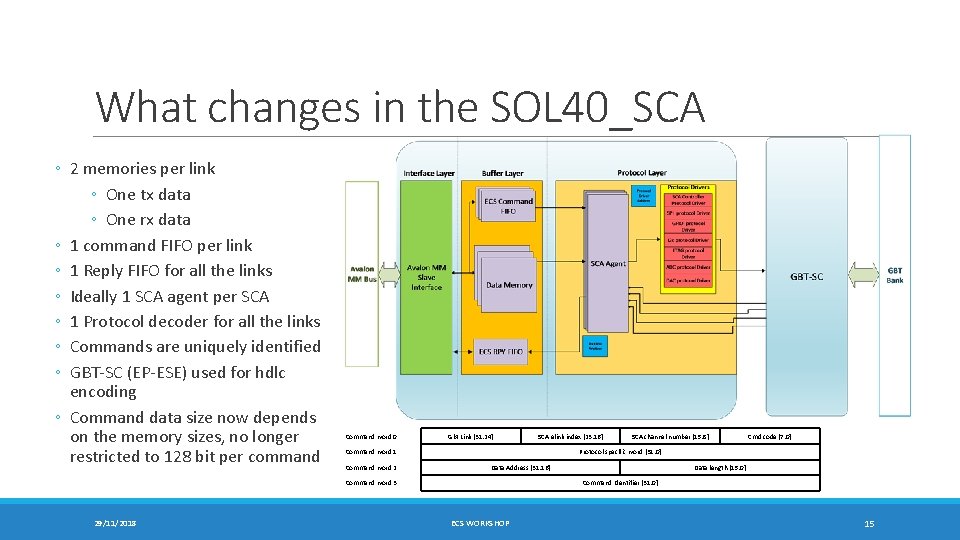
What changes in the SOL 40_SCA ◦ 2 memories per link ◦ One tx data ◦ One rx data ◦ 1 command FIFO per link ◦ 1 Reply FIFO for all the links ◦ Ideally 1 SCA agent per SCA ◦ 1 Protocol decoder for all the links ◦ Commands are uniquely identified ◦ GBT-SC (EP-ESE) used for hdlc encoding ◦ Command data size now depends on the memory sizes, no longer restricted to 128 bit per command Command word 0 Gbt Link [31: 24] Command word 1 Command word 2 SCA channel number [15: 8] Cmd code [7: 0] Protocol specific word [31: 0] Data Address [31: 16] Command word 3 29/11/2018 SCA elink index [23: 16] Data length [15: 0] Command Identifier [31: 0] ECS WORKSHOP 15
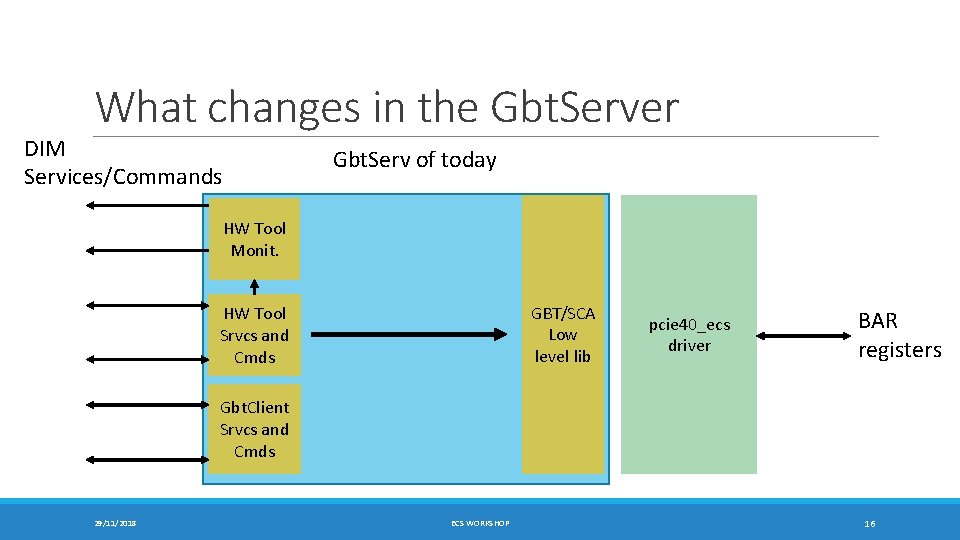
What changes in the Gbt. Server DIM Services/Commands Gbt. Serv of today HW Tool Monit. GBT/SCA Low level lib HW Tool Srvcs and Cmds pcie 40_ecs driver BAR registers Gbt. Client Srvcs and Cmds 29/11/2018 ECS WORKSHOP 16
What changes in the Gbt. Server DIM Services/Commands Gbt. Serv of for SOL 40_SCA_V 2 HW Tool Monit. HW Tool Srvcs and Cmds Gbt. Client Srvcs and Cmds 29/11/2018 1 thread per SCA ECS WORKSHOP GBT/SCA Low level lib pcie 40_ecs driver BAR registers 17