
Electronic Voting System Workflow Payton Byrd Copyright 2020
Electronic Voting System Workflow Payton Byrd Copyright 2020
Goals • Minimize opportunities for Voting Fraud • Use Strong Encryption and Techniques • Use Standard Development Tools • Deployable to any Cloud Provider using Standard Methodologies • Can be Setup And Deployed Anywhere in the World. • Deploy to Secure Platforms: i. OS, Android, Universal Windows Platform • Can Be Distributed to Voter Devices or Localized Voting Kiosks

Overall Voter Workflow • Voter App Authenticates Voter • If Voter has Unsubmitted Ballots, ask if they wish to continue or start over. • Get current Ballots for Voter. If different than unsubmitted ballots, start over. • Voter Makes Selections on each Ballot. • After Making All Selections, Voter Validates Ballots. If Valid, Ballots are encrypted, and PDF generated. • Voter Submits Ballots. App submits to 3 different servers, each in a different hosting facility. If successful, app creates a PDF with all receipts and Ballots for Voter’s records.
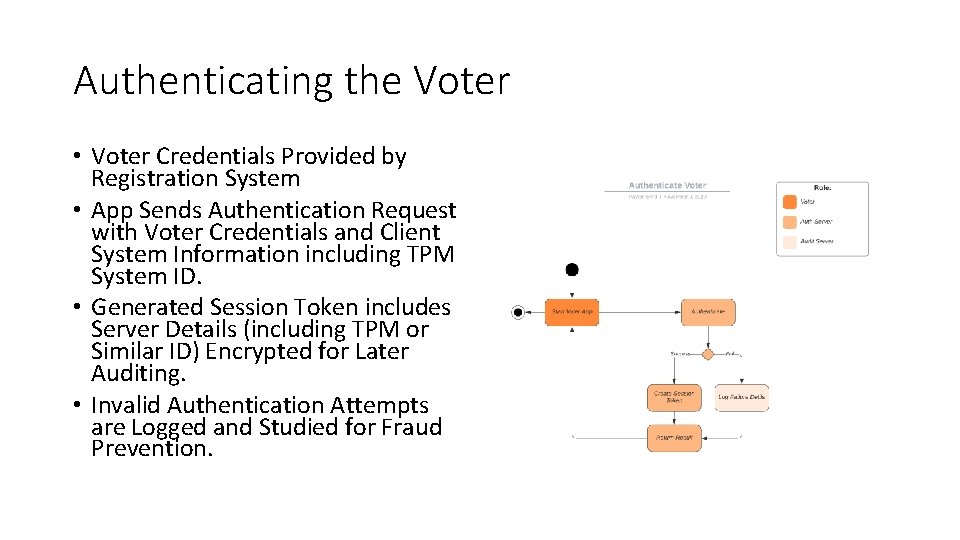
Authenticating the Voter • Voter Credentials Provided by Registration System • App Sends Authentication Request with Voter Credentials and Client System Information including TPM System ID. • Generated Session Token includes Server Details (including TPM or Similar ID) Encrypted for Later Auditing. • Invalid Authentication Attempts are Logged and Studied for Fraud Prevention.
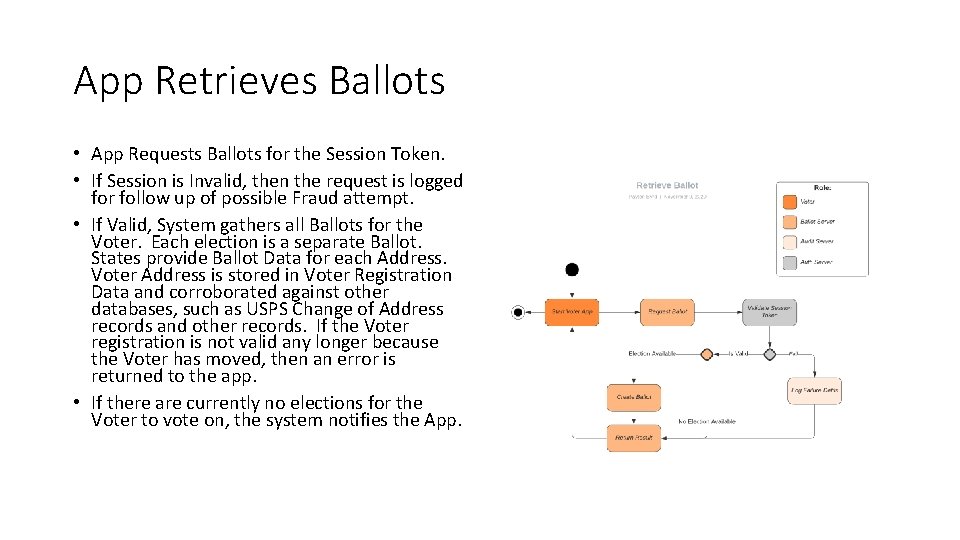
App Retrieves Ballots • App Requests Ballots for the Session Token. • If Session is Invalid, then the request is logged for follow up of possible Fraud attempt. • If Valid, System gathers all Ballots for the Voter. Each election is a separate Ballot. States provide Ballot Data for each Address. Voter Address is stored in Voter Registration Data and corroborated against other databases, such as USPS Change of Address records and other records. If the Voter registration is not valid any longer because the Voter has moved, then an error is returned to the app. • If there are currently no elections for the Voter to vote on, the system notifies the App.
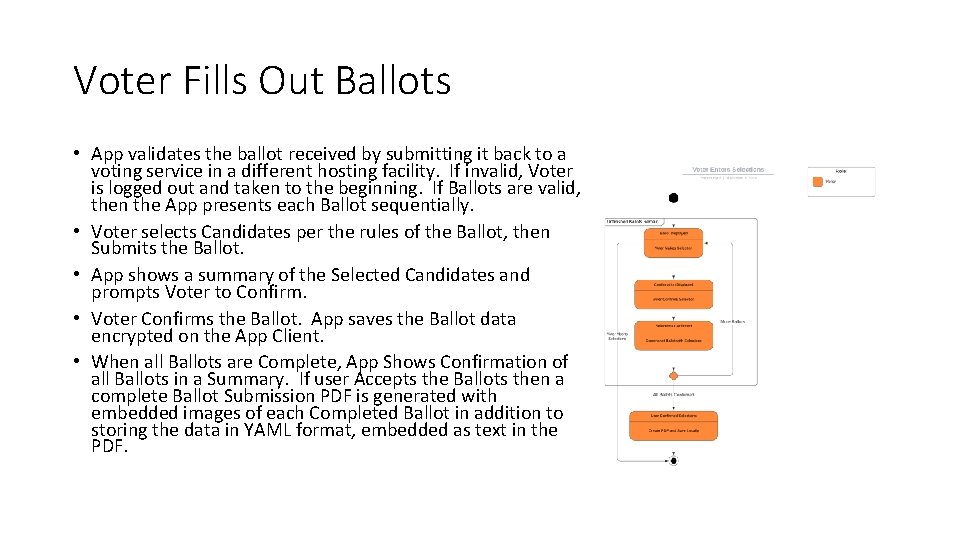
Voter Fills Out Ballots • App validates the ballot received by submitting it back to a voting service in a different hosting facility. If invalid, Voter is logged out and taken to the beginning. If Ballots are valid, then the App presents each Ballot sequentially. • Voter selects Candidates per the rules of the Ballot, then Submits the Ballot. • App shows a summary of the Selected Candidates and prompts Voter to Confirm. • Voter Confirms the Ballot. App saves the Ballot data encrypted on the App Client. • When all Ballots are Complete, App Shows Confirmation of all Ballots in a Summary. If user Accepts the Ballots then a complete Ballot Submission PDF is generated with embedded images of each Completed Ballot in addition to storing the data in YAML format, embedded as text in the PDF.
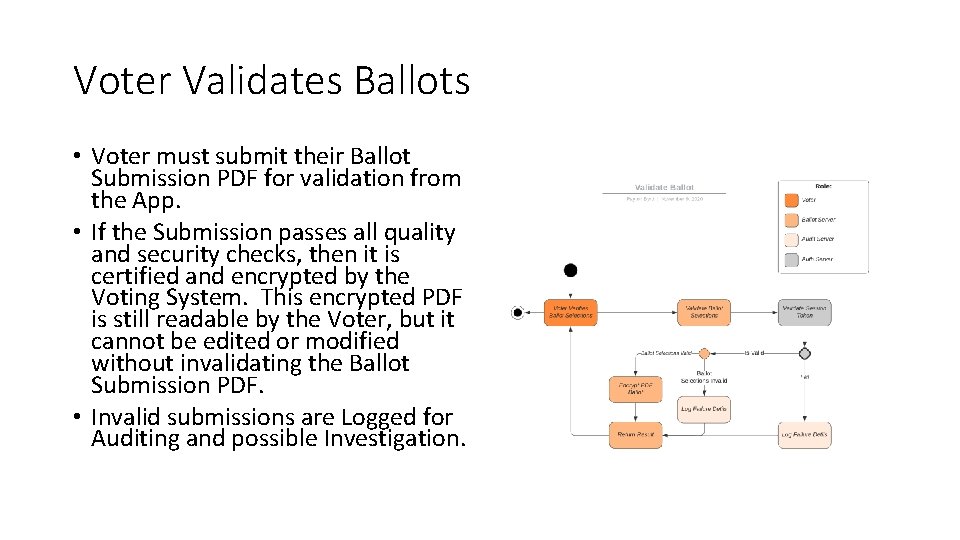
Voter Validates Ballots • Voter must submit their Ballot Submission PDF for validation from the App. • If the Submission passes all quality and security checks, then it is certified and encrypted by the Voting System. This encrypted PDF is still readable by the Voter, but it cannot be edited or modified without invalidating the Ballot Submission PDF. • Invalid submissions are Logged for Auditing and possible Investigation.
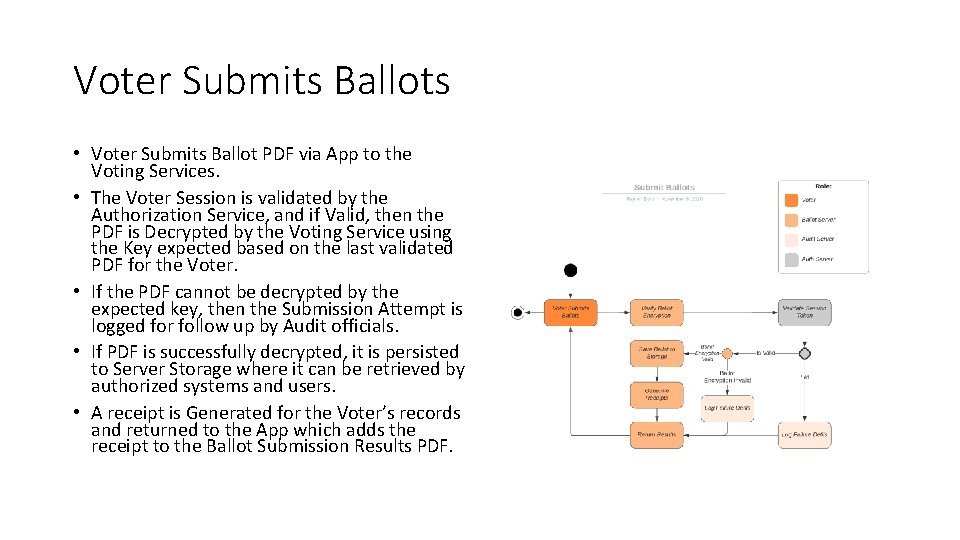
Voter Submits Ballots • Voter Submits Ballot PDF via App to the Voting Services. • The Voter Session is validated by the Authorization Service, and if Valid, then the PDF is Decrypted by the Voting Service using the Key expected based on the last validated PDF for the Voter. • If the PDF cannot be decrypted by the expected key, then the Submission Attempt is logged for follow up by Audit officials. • If PDF is successfully decrypted, it is persisted to Server Storage where it can be retrieved by authorized systems and users. • A receipt is Generated for the Voter’s records and returned to the App which adds the receipt to the Ballot Submission Results PDF.
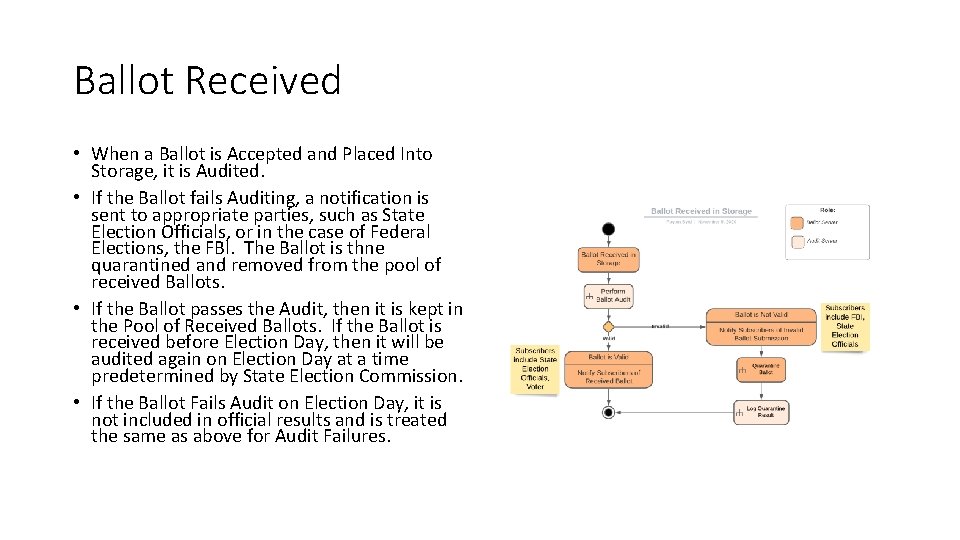
Ballot Received • When a Ballot is Accepted and Placed Into Storage, it is Audited. • If the Ballot fails Auditing, a notification is sent to appropriate parties, such as State Election Officials, or in the case of Federal Elections, the FBI. The Ballot is thne quarantined and removed from the pool of received Ballots. • If the Ballot passes the Audit, then it is kept in the Pool of Received Ballots. If the Ballot is received before Election Day, then it will be audited again on Election Day at a time predetermined by State Election Commission. • If the Ballot Fails Audit on Election Day, it is not included in official results and is treated the same as above for Audit Failures.
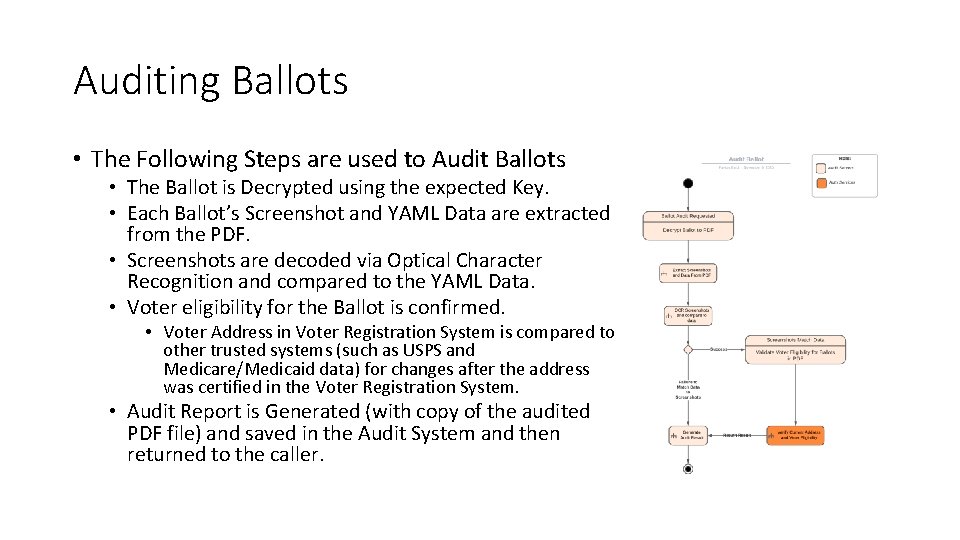
Auditing Ballots • The Following Steps are used to Audit Ballots • The Ballot is Decrypted using the expected Key. • Each Ballot’s Screenshot and YAML Data are extracted from the PDF. • Screenshots are decoded via Optical Character Recognition and compared to the YAML Data. • Voter eligibility for the Ballot is confirmed. • Voter Address in Voter Registration System is compared to other trusted systems (such as USPS and Medicare/Medicaid data) for changes after the address was certified in the Voter Registration System. • Audit Report is Generated (with copy of the audited PDF file) and saved in the Audit System and then returned to the caller.
- Slides: 10