
Electronic Logbooking at SLAC Matt Gibbs Outline History
Electronic Logbooking at SLAC Matt Gibbs
Outline • History of the E-Log at SLAC • Some interesting features • Problems with the E-Log

History
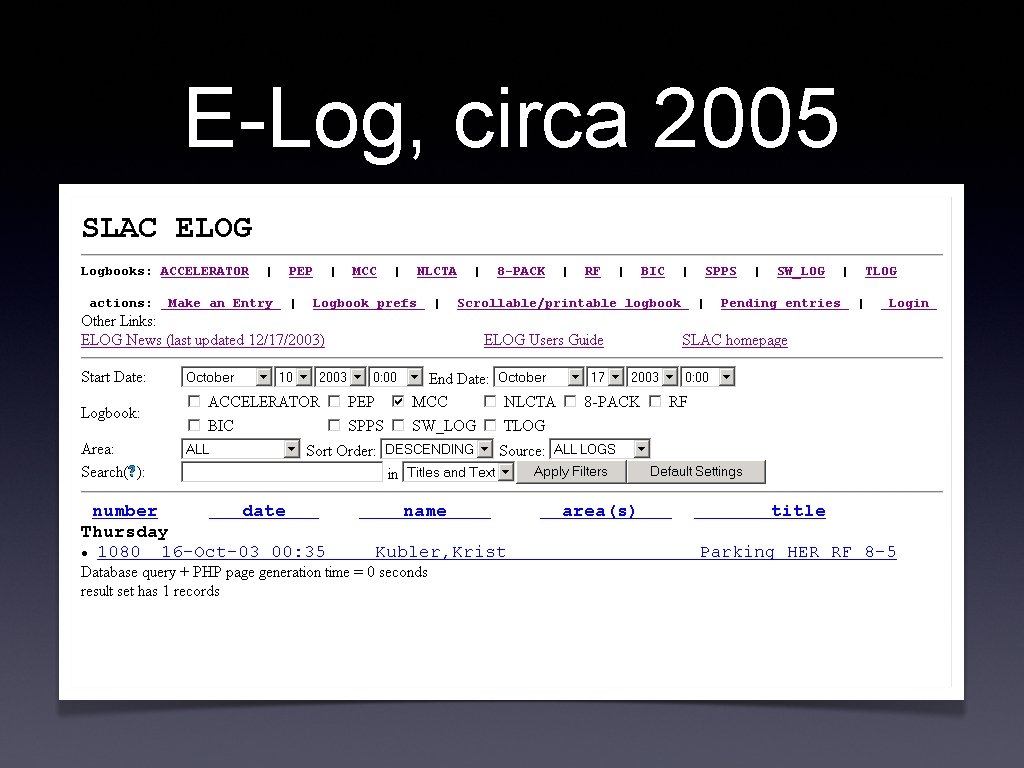
E-Log, circa 2005
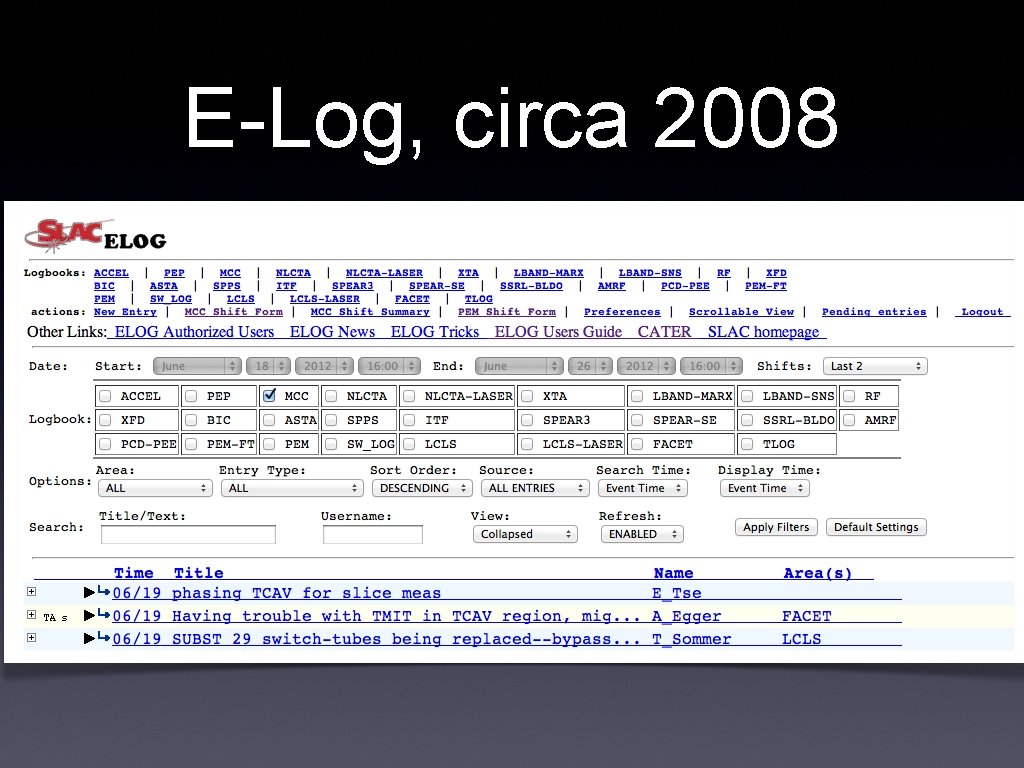
E-Log, circa 2008

E-Log, today

A Few Novel Features
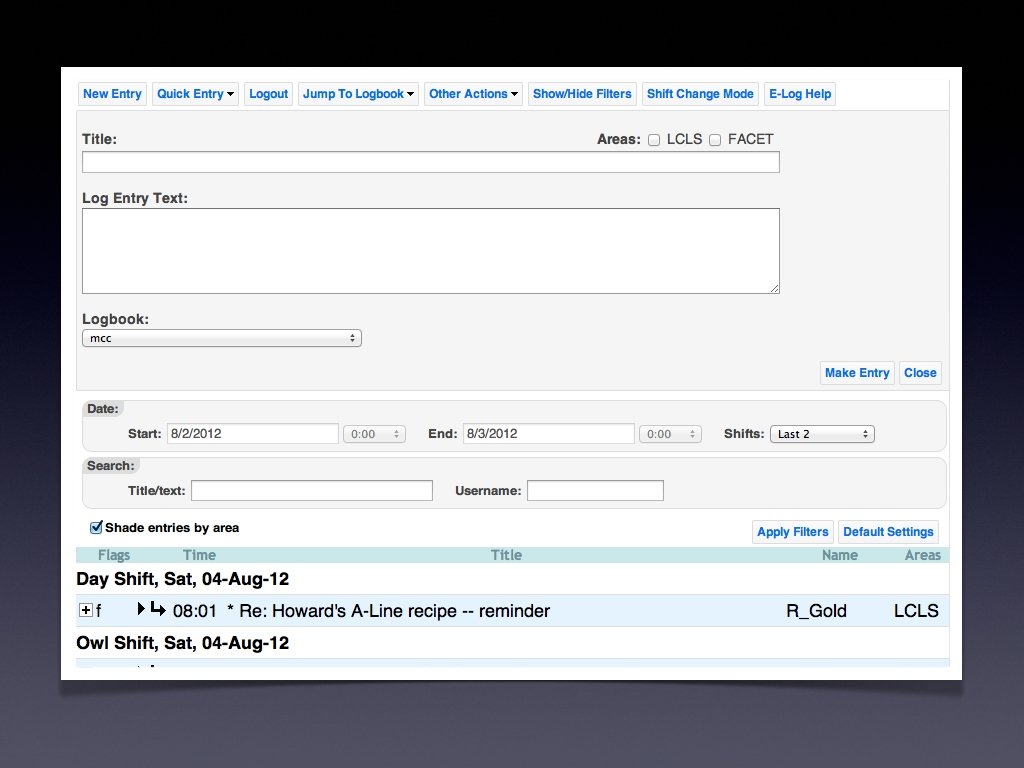
Quick Entry Button • Create an entry without leaving the logbook page • Only the essentials - text and title.
AJAX Loading • New entries are automatically loaded without refreshing the page • Full entries and their attachments are loaded on-demand - speeds up loading, and saves bandwidth.
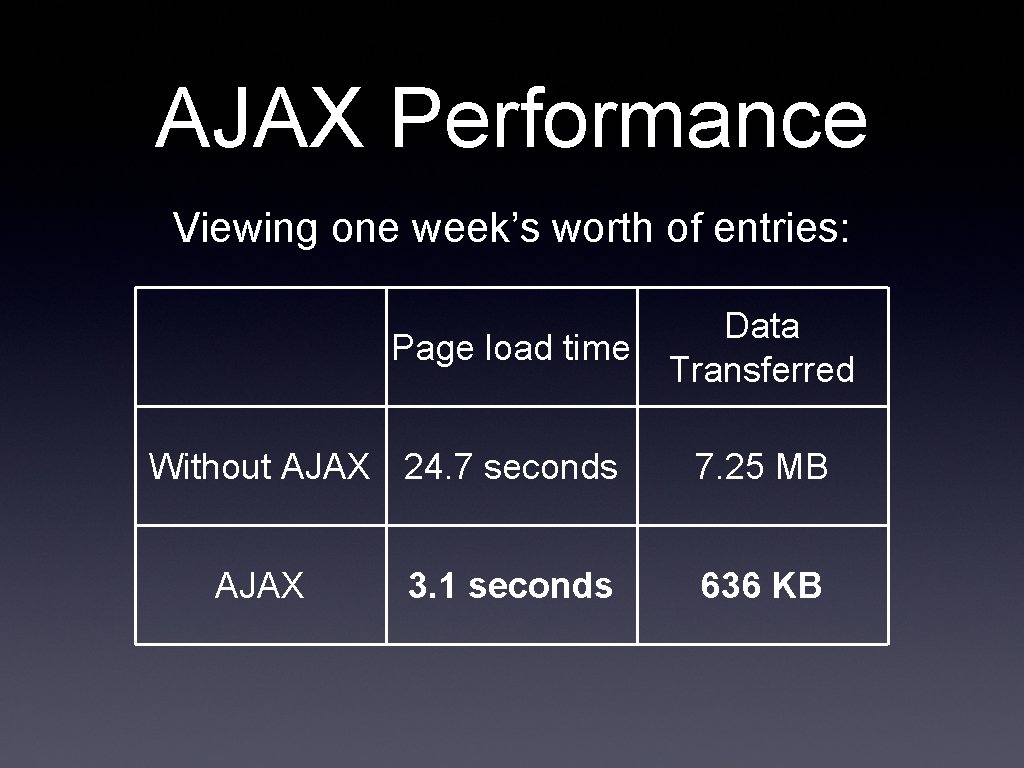
AJAX Performance Viewing one week’s worth of entries: Page load time Without AJAX 24. 7 seconds AJAX 3. 1 seconds Data Transferred 7. 25 MB 636 KB
Automatic Entry Classifier • Based on the title and text of an entry, determines which accelerator you are talking about. • Naive Bayes Classifier
i. OS Client • Native app • Full functionality: read and write entries, search, create follow-ups, the works!
Demo
Problems
Awful User Preferences • Typical use varies greatly from user to user, so defaults don’t please everybody. • Logbook preferences are not very powerful, most defaults can’t be changed. • Preferences are stored per computer, not per user.
Group-Specific Features Are Hard • Logbooks are hard to customize for different groups. • Shifts start at different times • Not all features are relevant to all groups.
Unfriendly Interface • Interface is not easy to learn, and some features are hard to discover. • Confusing conventions - ‘LCLS’ is a logbook and an area.
Frightening Codebase • 35999 lines of code, spread out among 201 files • Almost no structure to the files • Hard to maintain, hard to modify

End
- Slides: 20